
App
Best AI Assistants for Business: 6 We Tested
Best AI Assistants for Business: 6 We Tested
The average knowledge worker loses over two hours a day to context switching, low-priority tasks, and meetings that could have been emails. AI assistants for business are supposed to fix that, but most of them just add another tool to manage. The ones that actually help are the ones that reduce the number of decisions you have to make, not add to them.
We tested six AI assistants specifically in business contexts: daily planning, meeting management, document work, calendar coordination, and keeping large workloads organized without burning out. Some of these tools are general-purpose AI you can point at any problem. Others are built around a specific job, like defending your focus time or turning meeting recordings into searchable notes. Knowing which type you need saves you a lot of trial-and-error time.
One pattern stood out clearly across our testing: the AI assistants that delivered the most consistent results were the ones built around how people actually work, not how they theoretically should work. That means accounting for energy levels, meeting load, and the reality that most professionals are not operating at peak capacity for eight hours a day.
Here is what we found, including where each tool falls short so you can skip the ones that will not work for your situation.
Key Takeaways
Lifestack is the only AI assistant on this list that schedules work around your energy patterns, not just your available time. For knowledge workers who have tried every calendar system and still end the day behind, that difference matters.
Scheduling tools like Motion and Reclaim handle different problems. Motion auto-prioritizes tasks against deadlines. Reclaim defends focus time and makes meeting scheduling frictionless. Most businesses benefit from understanding both before choosing one.
General-purpose AI (ChatGPT) and specialist tools (Otter.ai for meetings, Notion AI for documents) are not competing with each other. The best business AI setups combine a planner with a writing or meeting tool.
Quick Guide: 6 Best AI Assistants for Business in 2026
Lifestack: Best AI assistant for business professionals who need to plan around energy, not just time
Motion: Best for auto-scheduling tasks and projects against real deadlines
Reclaim.AI: Best for protecting focus time and making meeting scheduling effortless
ChatGPT: Best general-purpose AI for writing, research, and on-demand business tasks
Otter.ai: Best AI for meeting transcription, notes, and follow-up action items
Notion AI: Best for teams that want AI built into their documents, wikis, and project management
How We Evaluated These AI Assistants for Business
Business AI tools get evaluated differently than consumer apps. We looked at each through the lens of professional use, not demo use:
Actual time saved: Does it reduce the number of decisions you make each day, or just move them around?
Energy awareness: Does the tool understand that cognitively demanding work should not be scheduled during low-energy hours?
Calendar and task integration: Does it connect to the tools teams already use, or require a separate workflow?
Meeting intelligence: Does it help before, during, and after meetings, or just during?
Reliability under real workloads: Does performance hold up when the calendar is packed and tasks keep arriving?
Team vs. individual use: Is this built for one person, a team, or both?
Pricing at scale: What does this cost when you have 10 or 50 people using it?
1. Lifestack: Best AI Assistant for Energy-Aware Business Planning
The AI planner that schedules your hardest work for when you actually have the capacity to do it.

Most AI assistants for business treat all hours as equal. Lifestack does not. It connects to your calendar and task list, then uses AI to schedule work based on your energy patterns: high-focus tasks during your peak hours, low-stakes admin during your afternoon slump. That distinction is meaningful for knowledge workers who consistently end the day with important work still untouched.
The core insight behind Lifestack is that productivity is not a time problem, it is an energy allocation problem. This makes it particularly strong for founders, managers, and individual contributors who carry a mix of deep work and reactive tasks each day. Instead of leaving you to manually prioritize, it builds a daily plan that matches work to the mental state required to do it well. Read more in our guide to the best AI planner apps or see how Lifestack approaches daily planning.
Key Features
Energy-aware scheduling that assigns tasks to your peak cognitive windows automatically
Calendar sync with Google, Apple, and Outlook so tasks appear alongside meetings
ADHD-friendly planning flow with minimal friction and no complex setup required
Daily plan view with simple drag-to-reschedule when priorities shift
Works as a task manager with smart priority sorting
What Works
Energy-pattern logic is genuinely different from every other scheduler. Scheduling by cognitive state instead of clock time is a practical advantage for most professionals.
Low setup friction: it works with your existing calendar and tasks without requiring a system rebuild
Particularly useful for people with ADHD or irregular energy patterns who have found time-blocking frustrating
Limitations
Not a general-purpose AI chatbot. It will not write emails or answer research questions.
Individual-focused: no team capacity planning or shared project dashboards
No permanent free tier. Annual plan comes with a 7-day free trial.
Pricing: $7/month (monthly) or $50/year (~$4.17/month). 7-day free trial on the annual plan.
Best for: Knowledge workers, founders, managers, and professionals with ADHD who need a daily plan built around their cognitive reality, not an idealized schedule. Also see our breakdown of why energy-based planning beats time-blocking.
2. Motion: Best AI Assistant for Auto-Scheduling Business Tasks
The AI that automatically fits your tasks and deadlines into your calendar and rebuilds the plan when things change.
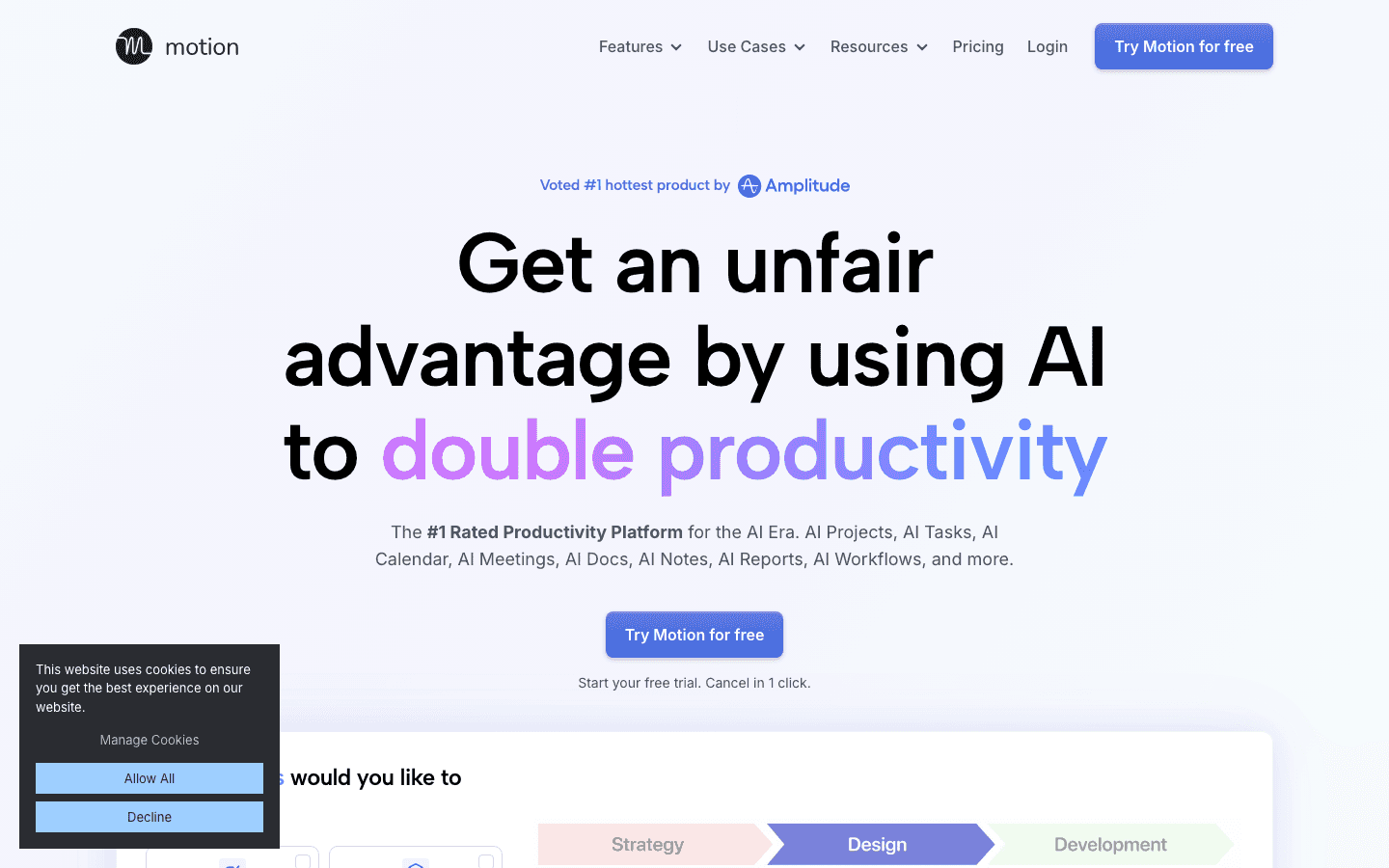
Motion is an AI-powered project and calendar tool that automatically schedules your tasks based on deadlines, priority, and available time. When a meeting drops into your calendar or a task runs long, Motion rebuilds the rest of your day around it. You do not have to manually shift everything; the scheduling logic happens automatically.
Where Motion stands apart from Lifestack is scope. Motion is built for project work with real deadlines, team visibility, and structured task tracking. It handles capacity planning, Gantt-style timelines, and meeting management alongside its auto-scheduling. If you manage multiple projects for clients or teams and need AI that keeps the whole workload organized, Motion is the strongest dedicated tool for that job. For a broader comparison, see our guide to Motion AI alternatives.
Key Features
AI auto-scheduling places tasks in your calendar based on priority and deadlines
Automatic rescheduling when meetings are added or tasks run over time
Project management with timeline, Gantt, and team capacity views
AI Docs, Notes, and meeting summaries built into the same workspace
Works for individuals and teams with shared project dashboards
What Works
Automatic rescheduling is genuinely useful for professionals with dense, shifting calendars
Combines project management and scheduling in one tool, reducing context switching
Team capacity planning helps managers understand workload distribution
Limitations
No energy-aware scheduling. It schedules by deadline and time, not cognitive state.
Priced per seat, which adds up quickly for larger teams
Can feel overwhelming during onboarding for users who want a simple daily planner
Pricing: Pro AI $19/seat/month ($12.73/month annual). Business AI $29/seat/month ($19.43/month annual). Free trial available.
Best for: Project-based professionals and teams managing multiple concurrent workstreams with real deadlines who want AI to handle the scheduling math.
3. Reclaim.AI: Best AI Assistant for Protecting Focus Time at Work
The AI scheduling tool that defends your focus time, automates meeting booking, and stops the calendar from eating your day.
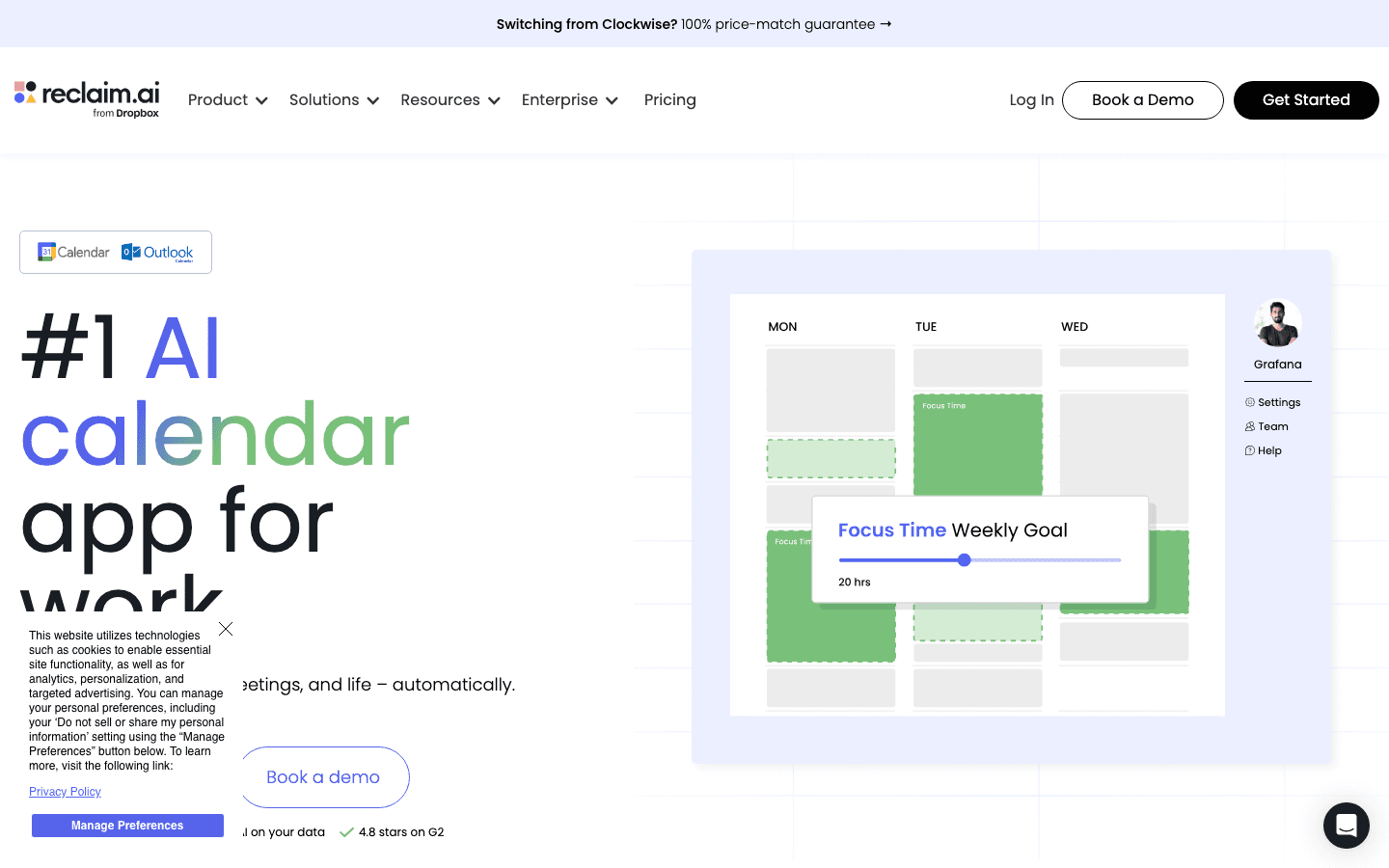
Reclaim.AI focuses on a specific and common business problem: your calendar fills up with meetings until there is no time left for actual work. It addresses this by automatically blocking focus time on your calendar, scheduling recurring habits (exercise, deep work, admin), and making it easy for others to book time with you without the back-and-forth. It connects deeply with Google Calendar and Outlook.
What makes Reclaim distinct is its approach to calendar defense. Rather than letting meetings fill every available slot, it treats focus time and personal priorities as first-class calendar events. If a meeting request comes in, Reclaim negotiates around your protected blocks instead of giving them up automatically. For teams, the Smart Meetings feature handles scheduling across multiple people's calendars without manual coordination.
Key Features
Automatic focus time blocking that protects uninterrupted work windows
Habit scheduling for recurring tasks, routines, and buffer time between meetings
Smart 1:1 and team meeting scheduling that finds mutual availability automatically
Scheduling links for external bookings that respect your protected blocks
Deep Google Calendar and Outlook integration with time analytics
What Works
Focus time defense is practical and automatic, not something you have to manually maintain
Meeting scheduling links save significant back-and-forth for busy professionals
Free tier is functional for individuals, making it easy to test before paying
Limitations
No energy-aware scheduling. It blocks time, but does not match work type to cognitive state.
Primarily a calendar tool, not a project or task manager
Best suited for Google Workspace users; Outlook integration has more friction
Pricing: Free (Lite, 1 user) / Starter $12/seat/month ($10/month annual) / Business $18/seat/month ($15/month annual).
Best for: Professionals whose calendars get overrun with meetings and who need an automated way to protect focus time without manually blocking it each week.
4. ChatGPT: Best General-Purpose AI Assistant for Business
The AI that handles the widest range of business tasks: writing, research, coding, analysis, and anything else you throw at it.
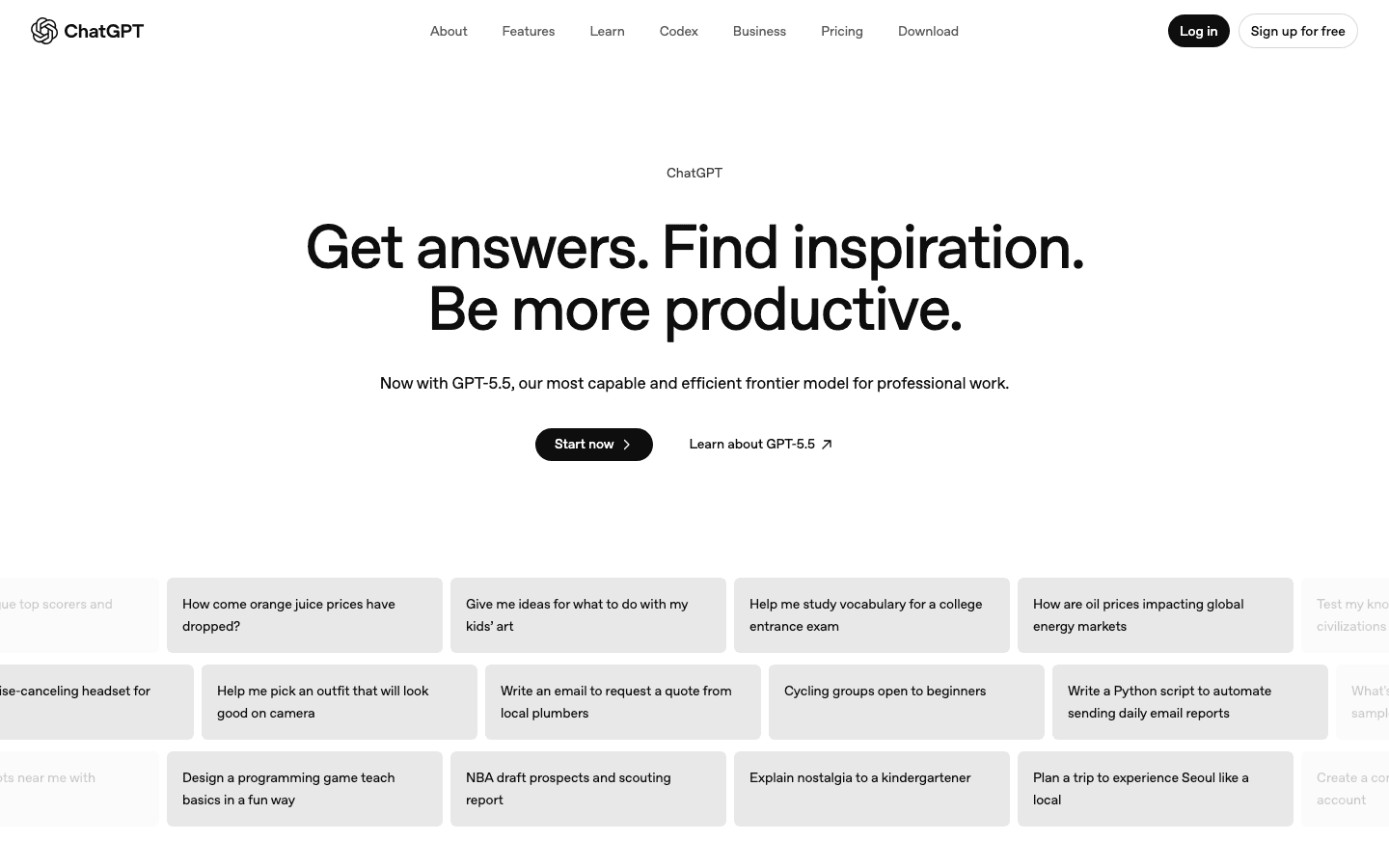
ChatGPT is not a scheduler or a meeting tool. It is a general-purpose AI that handles business tasks across every category: drafting emails and proposals, analyzing data, writing code, summarizing documents, researching competitors, and answering complex questions. Its breadth is unmatched, which makes it the most useful AI for ad-hoc business work that does not fit a specialized tool.
In a business context, ChatGPT works best as an on-demand assistant you reach for when you need a first draft, a quick analysis, or an explanation of something unfamiliar. The Business and Enterprise tiers add team management, data privacy controls, and priority access that matter for company deployments. It is not a replacement for a scheduling or meeting tool, but it complements both well.
Key Features
Conversational AI for writing, editing, research, coding, and business analysis
Web search for current information with source links
File and document upload for summarization and analysis
Custom GPTs and projects for repeatable business workflows
Enterprise tier with SSO, admin controls, and data privacy guarantees
What Works
Handles more task types than any other tool on this list
Strong for writing and editing business communications quickly
Projects and custom GPTs make it repeatable for specific business workflows
Limitations
No scheduling, calendar integration, or energy awareness
Can produce confident-sounding incorrect answers, especially on current events or specific data
Message limits on lower tiers can interrupt work during high-use periods
Pricing: Free / Plus $20/month / Pro $200/month. Team plan available for business deployments. Enterprise pricing on request.
Best for: Businesses that need on-demand AI for writing, research, and analysis tasks across many different use cases without committing to a specialized tool.
5. Otter.ai: Best AI Assistant for Business Meetings
The AI that transcribes your meetings in real time, extracts action items, and turns conversations into searchable knowledge.
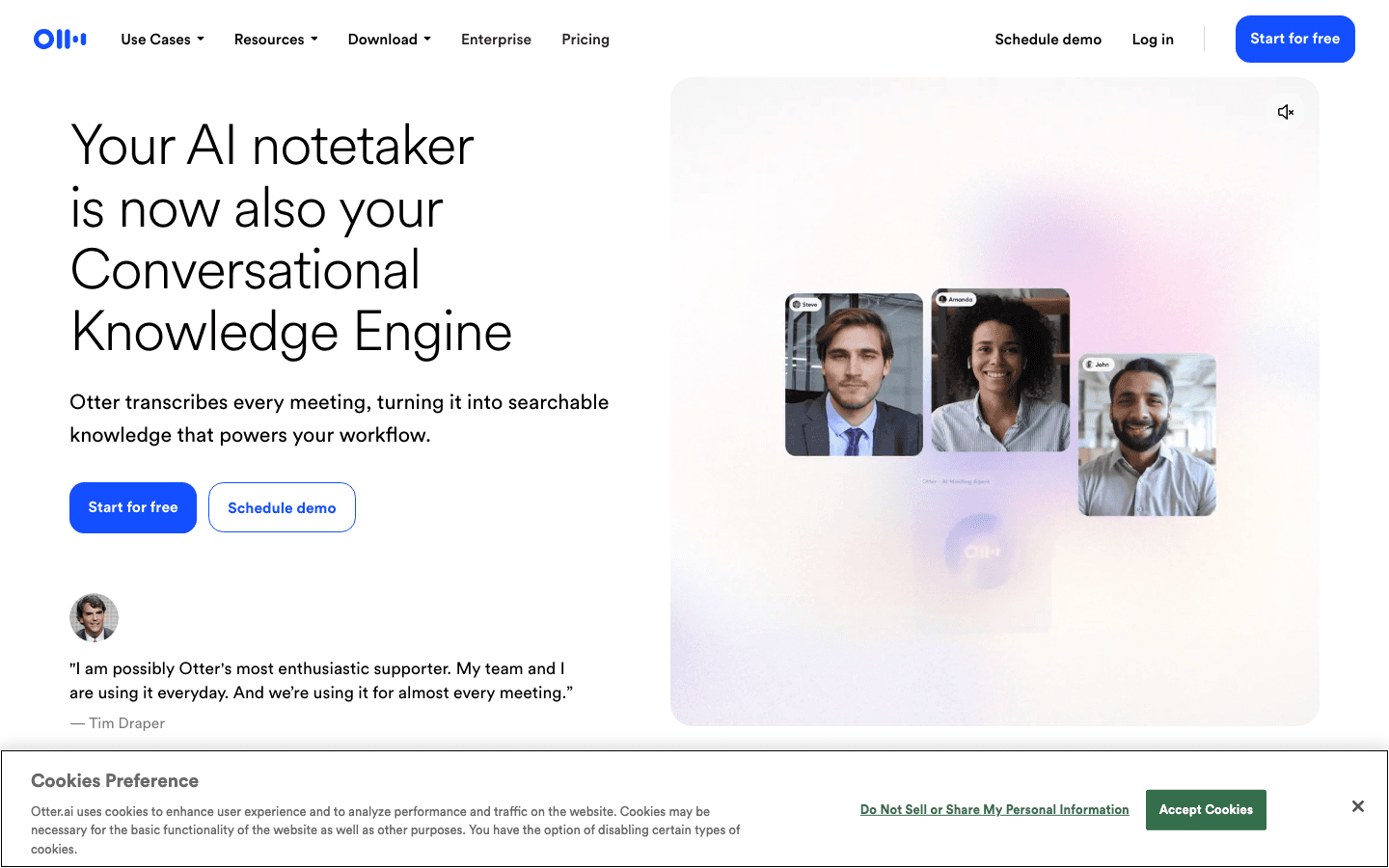
Otter.ai solves a specific and expensive business problem: information gets said in meetings and then lost. It joins your Zoom, Teams, or Google Meet calls, transcribes everything in real time, identifies who said what, and automatically surfaces action items and follow-ups. The result is a searchable record of every meeting that takes no manual work to create.
In 2026, Otter has evolved beyond basic transcription into what it calls a Conversational Knowledge Engine. You can ask it questions about past meetings ("what did we decide about the Q3 launch date?") and it searches across your full meeting history to answer. For teams that run a lot of meetings, this eliminates the need to dig through notes or ask colleagues to repeat themselves. It pairs well with any of the scheduling tools above, since it handles the after-meeting layer those tools leave empty.
Key Features
Real-time transcription with speaker identification for Zoom, Teams, and Google Meet
Automatic action item and follow-up extraction from meeting conversations
Searchable knowledge base across all past meetings
AI summaries and chapter breakdowns so you can skim long meetings quickly
Team channels for sharing and organizing meeting content by project or client
What Works
Transcription quality is reliable and the speaker identification is accurate
Searchable meeting history is genuinely useful for teams that handle recurring clients or projects
Automatic action item extraction saves the manual work of writing up follow-ups
Limitations
Not a scheduling or planning tool. It only handles the meeting itself, not what comes before or after.
Free tier limits are tight for teams that meet frequently
Transcription accuracy drops with heavy accents or poor audio quality
Pricing: Free (Basic) / Pro $16.99/month ($8.33/month annual) / Business $30/month ($20/month annual).
Best for: Teams that run frequent meetings and need a reliable way to capture decisions, action items, and context without manual note-taking.
6. Notion AI: Best AI Assistant for Business Knowledge and Documents
The AI built into your wiki, project docs, and team knowledge base so you never have to copy-paste between tools.
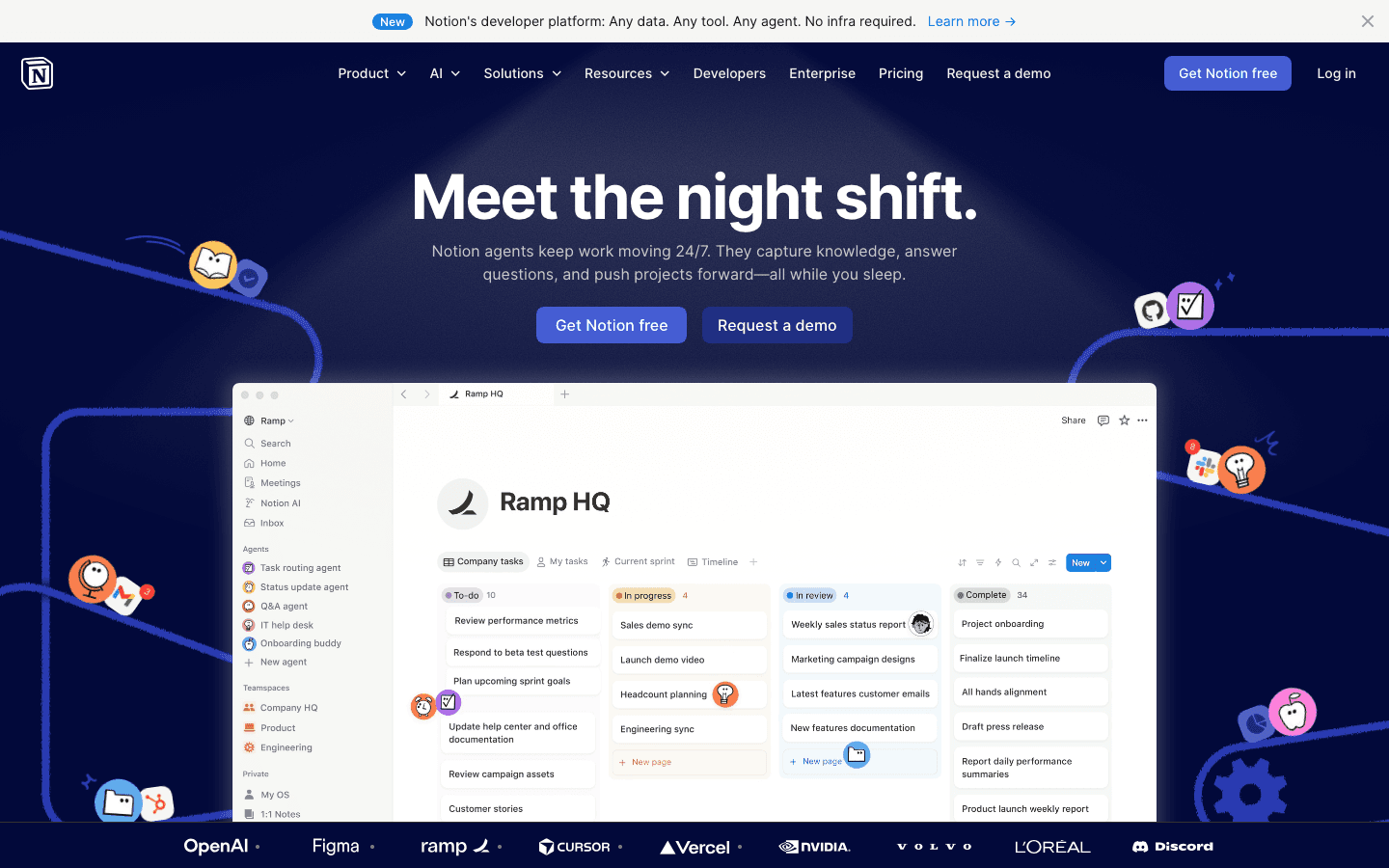
Notion AI is not a standalone assistant. It is AI woven into Notion's existing workspace: your documents, wikis, project databases, and team pages. If your business already runs on Notion, the AI layer means you can ask questions about your own company knowledge, generate content from database entries, summarize long documents, and get answers from your team's internal docs without opening a separate AI tool.
The key advantage over general-purpose AI like ChatGPT is context. Notion AI knows your company's documents, processes, and project history. That makes it much more useful for internal work than asking a general AI that has no knowledge of your business. The Business plan adds Notion Agent for autonomous multi-step tasks and AI Meeting Notes that connect directly to your calendar. It also works well alongside AI-powered personal assistants for individual planning.
Key Features
AI writing and editing built into every document and page
Q&A over your company's internal knowledge base and documents
Notion Agent for autonomous multi-step tasks across your workspace
AI Meeting Notes that sync with calendar and generate summaries automatically
AI-powered database queries and content generation from structured data
What Works
The context advantage is real: asking AI that knows your company's docs produces much better answers than generic AI
No tool-switching: AI lives inside the workspace your team already uses
Business plan value is strong if your team uses Notion heavily for documentation
Limitations
Only valuable if your team actually uses Notion. It does not help if your docs live in Google Drive or Confluence.
No scheduling, calendar, or energy-aware planning features
AI quality depends on how well your team's documentation is maintained
Pricing: Free / Plus $10/member/month / Business $20/member/month (includes Notion AI features). Annual billing saves up to 20%.
Best for: Teams already using Notion who want AI that understands their company's internal knowledge, docs, and project history.
Which AI Assistant for Business Is Right for You?
You need a daily plan built around when you are actually sharp → Lifestack. It is the only tool here that schedules work to match your cognitive state.
You manage projects with real deadlines and shifting priorities → Motion. Its automatic rescheduling handles workload complexity better than manual planning.
Your calendar keeps getting taken over by meetings → Reclaim.AI. It defends your focus time automatically so you stop losing it every week.
You need on-demand AI for writing, research, and business tasks → ChatGPT. It handles the broadest range of work tasks without requiring a specific workflow.
Your team runs frequent meetings and loses track of decisions → Otter.ai. It captures everything and makes it searchable without any manual effort.
Your team's knowledge lives in Notion and you want AI to search it → Notion AI. The context advantage is significant if your docs are already there.
Most business professionals benefit from combining tools: a planner (Lifestack or Motion) with a writing assistant (ChatGPT) and a meeting tool (Otter.ai). The overlap between categories is small enough that they do not duplicate each other. You can also read our comparison of AI assistants for ADHD if focus and task-management are your primary concern.
Frequently Asked Questions
What is an AI assistant for business?
An AI assistant for business is a tool that uses artificial intelligence to handle or reduce routine work tasks: scheduling meetings, prioritizing tasks, transcribing conversations, drafting documents, or answering questions from internal knowledge bases. The best business AI assistants reduce the number of decisions you have to make each day, freeing up capacity for higher-value work. Unlike consumer AI tools, the best business versions integrate directly with your calendar, email, and project tools.
How do AI assistants for business differ from consumer AI tools?
Consumer AI tools like ChatGPT are general-purpose and work on any task you describe. Business AI assistants are typically more integrated: they connect to your calendar, task list, or document system and act on your specific context rather than on prompts alone. A tool like Lifestack does not need you to describe your schedule every day. It reads your calendar and energy patterns and builds the plan automatically. That integration is what makes business AI tools worth paying for.
Can AI assistants help with time management at work?
Yes, and this is one of the strongest current use cases. Lifestack schedules your tasks around your energy levels so you are not doing deep work during low-focus hours. Motion automatically schedules tasks into your calendar based on deadlines and reschedules them when priorities shift. Reclaim.AI protects focus time so meetings do not consume your entire day. All three reduce the daily time management overhead that most professionals handle manually. Our guide to AI task management goes deeper on how energy-aware planning works in practice.
Are AI assistants for business worth the cost?
For most knowledge workers, yes, if you pick the right tool for the right problem. A $7/month investment in Lifestack pays off quickly if it prevents even one hour of unproductive afternoon work per week. Otter.ai's Pro plan at $8.33/month annual is a clear win if you spend time manually writing up meeting notes. The tools that do not deliver ROI are usually the wrong fit for the use case, not bad tools in general. Match the tool to the specific friction in your workflow, not to the broadest possible feature list.
What AI assistant is best for small businesses?
For a small business, the best starting stack is Lifestack for individual planning, ChatGPT for writing and research, and Otter.ai for meeting notes. All three have free or low-cost entry points, they do not overlap, and together they cover the three biggest AI use cases in small business: daily planning, content and communication, and meeting follow-up. Reclaim.AI is worth adding if calendar management becomes a bottleneck as the team grows.
Can AI assistants replace a human executive assistant?
For scheduling and calendar management, they come close. Reclaim.AI and Motion handle the scheduling logic that would otherwise go to a human EA. For meeting notes and follow-ups, Otter.ai covers most of what a junior EA would do after a call. For ad-hoc research and writing tasks, ChatGPT handles much of that workload. What AI assistants cannot do is read social context, manage relationships, or handle complex judgment calls about what to prioritize when everything is urgent. They are best thought of as a productivity multiplier that frees up human attention for the tasks that actually require it.
The average knowledge worker loses over two hours a day to context switching, low-priority tasks, and meetings that could have been emails. AI assistants for business are supposed to fix that, but most of them just add another tool to manage. The ones that actually help are the ones that reduce the number of decisions you have to make, not add to them.
We tested six AI assistants specifically in business contexts: daily planning, meeting management, document work, calendar coordination, and keeping large workloads organized without burning out. Some of these tools are general-purpose AI you can point at any problem. Others are built around a specific job, like defending your focus time or turning meeting recordings into searchable notes. Knowing which type you need saves you a lot of trial-and-error time.
One pattern stood out clearly across our testing: the AI assistants that delivered the most consistent results were the ones built around how people actually work, not how they theoretically should work. That means accounting for energy levels, meeting load, and the reality that most professionals are not operating at peak capacity for eight hours a day.
Here is what we found, including where each tool falls short so you can skip the ones that will not work for your situation.
Key Takeaways
Lifestack is the only AI assistant on this list that schedules work around your energy patterns, not just your available time. For knowledge workers who have tried every calendar system and still end the day behind, that difference matters.
Scheduling tools like Motion and Reclaim handle different problems. Motion auto-prioritizes tasks against deadlines. Reclaim defends focus time and makes meeting scheduling frictionless. Most businesses benefit from understanding both before choosing one.
General-purpose AI (ChatGPT) and specialist tools (Otter.ai for meetings, Notion AI for documents) are not competing with each other. The best business AI setups combine a planner with a writing or meeting tool.
Quick Guide: 6 Best AI Assistants for Business in 2026
Lifestack: Best AI assistant for business professionals who need to plan around energy, not just time
Motion: Best for auto-scheduling tasks and projects against real deadlines
Reclaim.AI: Best for protecting focus time and making meeting scheduling effortless
ChatGPT: Best general-purpose AI for writing, research, and on-demand business tasks
Otter.ai: Best AI for meeting transcription, notes, and follow-up action items
Notion AI: Best for teams that want AI built into their documents, wikis, and project management
How We Evaluated These AI Assistants for Business
Business AI tools get evaluated differently than consumer apps. We looked at each through the lens of professional use, not demo use:
Actual time saved: Does it reduce the number of decisions you make each day, or just move them around?
Energy awareness: Does the tool understand that cognitively demanding work should not be scheduled during low-energy hours?
Calendar and task integration: Does it connect to the tools teams already use, or require a separate workflow?
Meeting intelligence: Does it help before, during, and after meetings, or just during?
Reliability under real workloads: Does performance hold up when the calendar is packed and tasks keep arriving?
Team vs. individual use: Is this built for one person, a team, or both?
Pricing at scale: What does this cost when you have 10 or 50 people using it?
1. Lifestack: Best AI Assistant for Energy-Aware Business Planning
The AI planner that schedules your hardest work for when you actually have the capacity to do it.
Most AI assistants for business treat all hours as equal. Lifestack does not. It connects to your calendar and task list, then uses AI to schedule work based on your energy patterns: high-focus tasks during your peak hours, low-stakes admin during your afternoon slump. That distinction is meaningful for knowledge workers who consistently end the day with important work still untouched.
The core insight behind Lifestack is that productivity is not a time problem, it is an energy allocation problem. This makes it particularly strong for founders, managers, and individual contributors who carry a mix of deep work and reactive tasks each day. Instead of leaving you to manually prioritize, it builds a daily plan that matches work to the mental state required to do it well. Read more in our guide to the best AI planner apps or see how Lifestack approaches daily planning.
Key Features
Energy-aware scheduling that assigns tasks to your peak cognitive windows automatically
Calendar sync with Google, Apple, and Outlook so tasks appear alongside meetings
ADHD-friendly planning flow with minimal friction and no complex setup required
Daily plan view with simple drag-to-reschedule when priorities shift
Works as a task manager with smart priority sorting
What Works
Energy-pattern logic is genuinely different from every other scheduler. Scheduling by cognitive state instead of clock time is a practical advantage for most professionals.
Low setup friction: it works with your existing calendar and tasks without requiring a system rebuild
Particularly useful for people with ADHD or irregular energy patterns who have found time-blocking frustrating
Limitations
Not a general-purpose AI chatbot. It will not write emails or answer research questions.
Individual-focused: no team capacity planning or shared project dashboards
No permanent free tier. Annual plan comes with a 7-day free trial.
Pricing: $7/month (monthly) or $50/year (~$4.17/month). 7-day free trial on the annual plan.
Best for: Knowledge workers, founders, managers, and professionals with ADHD who need a daily plan built around their cognitive reality, not an idealized schedule. Also see our breakdown of why energy-based planning beats time-blocking.
2. Motion: Best AI Assistant for Auto-Scheduling Business Tasks
The AI that automatically fits your tasks and deadlines into your calendar and rebuilds the plan when things change.
Motion is an AI-powered project and calendar tool that automatically schedules your tasks based on deadlines, priority, and available time. When a meeting drops into your calendar or a task runs long, Motion rebuilds the rest of your day around it. You do not have to manually shift everything; the scheduling logic happens automatically.
Where Motion stands apart from Lifestack is scope. Motion is built for project work with real deadlines, team visibility, and structured task tracking. It handles capacity planning, Gantt-style timelines, and meeting management alongside its auto-scheduling. If you manage multiple projects for clients or teams and need AI that keeps the whole workload organized, Motion is the strongest dedicated tool for that job. For a broader comparison, see our guide to Motion AI alternatives.
Key Features
AI auto-scheduling places tasks in your calendar based on priority and deadlines
Automatic rescheduling when meetings are added or tasks run over time
Project management with timeline, Gantt, and team capacity views
AI Docs, Notes, and meeting summaries built into the same workspace
Works for individuals and teams with shared project dashboards
What Works
Automatic rescheduling is genuinely useful for professionals with dense, shifting calendars
Combines project management and scheduling in one tool, reducing context switching
Team capacity planning helps managers understand workload distribution
Limitations
No energy-aware scheduling. It schedules by deadline and time, not cognitive state.
Priced per seat, which adds up quickly for larger teams
Can feel overwhelming during onboarding for users who want a simple daily planner
Pricing: Pro AI $19/seat/month ($12.73/month annual). Business AI $29/seat/month ($19.43/month annual). Free trial available.
Best for: Project-based professionals and teams managing multiple concurrent workstreams with real deadlines who want AI to handle the scheduling math.
3. Reclaim.AI: Best AI Assistant for Protecting Focus Time at Work
The AI scheduling tool that defends your focus time, automates meeting booking, and stops the calendar from eating your day.
Reclaim.AI focuses on a specific and common business problem: your calendar fills up with meetings until there is no time left for actual work. It addresses this by automatically blocking focus time on your calendar, scheduling recurring habits (exercise, deep work, admin), and making it easy for others to book time with you without the back-and-forth. It connects deeply with Google Calendar and Outlook.
What makes Reclaim distinct is its approach to calendar defense. Rather than letting meetings fill every available slot, it treats focus time and personal priorities as first-class calendar events. If a meeting request comes in, Reclaim negotiates around your protected blocks instead of giving them up automatically. For teams, the Smart Meetings feature handles scheduling across multiple people's calendars without manual coordination.
Key Features
Automatic focus time blocking that protects uninterrupted work windows
Habit scheduling for recurring tasks, routines, and buffer time between meetings
Smart 1:1 and team meeting scheduling that finds mutual availability automatically
Scheduling links for external bookings that respect your protected blocks
Deep Google Calendar and Outlook integration with time analytics
What Works
Focus time defense is practical and automatic, not something you have to manually maintain
Meeting scheduling links save significant back-and-forth for busy professionals
Free tier is functional for individuals, making it easy to test before paying
Limitations
No energy-aware scheduling. It blocks time, but does not match work type to cognitive state.
Primarily a calendar tool, not a project or task manager
Best suited for Google Workspace users; Outlook integration has more friction
Pricing: Free (Lite, 1 user) / Starter $12/seat/month ($10/month annual) / Business $18/seat/month ($15/month annual).
Best for: Professionals whose calendars get overrun with meetings and who need an automated way to protect focus time without manually blocking it each week.
4. ChatGPT: Best General-Purpose AI Assistant for Business
The AI that handles the widest range of business tasks: writing, research, coding, analysis, and anything else you throw at it.
ChatGPT is not a scheduler or a meeting tool. It is a general-purpose AI that handles business tasks across every category: drafting emails and proposals, analyzing data, writing code, summarizing documents, researching competitors, and answering complex questions. Its breadth is unmatched, which makes it the most useful AI for ad-hoc business work that does not fit a specialized tool.
In a business context, ChatGPT works best as an on-demand assistant you reach for when you need a first draft, a quick analysis, or an explanation of something unfamiliar. The Business and Enterprise tiers add team management, data privacy controls, and priority access that matter for company deployments. It is not a replacement for a scheduling or meeting tool, but it complements both well.
Key Features
Conversational AI for writing, editing, research, coding, and business analysis
Web search for current information with source links
File and document upload for summarization and analysis
Custom GPTs and projects for repeatable business workflows
Enterprise tier with SSO, admin controls, and data privacy guarantees
What Works
Handles more task types than any other tool on this list
Strong for writing and editing business communications quickly
Projects and custom GPTs make it repeatable for specific business workflows
Limitations
No scheduling, calendar integration, or energy awareness
Can produce confident-sounding incorrect answers, especially on current events or specific data
Message limits on lower tiers can interrupt work during high-use periods
Pricing: Free / Plus $20/month / Pro $200/month. Team plan available for business deployments. Enterprise pricing on request.
Best for: Businesses that need on-demand AI for writing, research, and analysis tasks across many different use cases without committing to a specialized tool.
5. Otter.ai: Best AI Assistant for Business Meetings
The AI that transcribes your meetings in real time, extracts action items, and turns conversations into searchable knowledge.
Otter.ai solves a specific and expensive business problem: information gets said in meetings and then lost. It joins your Zoom, Teams, or Google Meet calls, transcribes everything in real time, identifies who said what, and automatically surfaces action items and follow-ups. The result is a searchable record of every meeting that takes no manual work to create.
In 2026, Otter has evolved beyond basic transcription into what it calls a Conversational Knowledge Engine. You can ask it questions about past meetings ("what did we decide about the Q3 launch date?") and it searches across your full meeting history to answer. For teams that run a lot of meetings, this eliminates the need to dig through notes or ask colleagues to repeat themselves. It pairs well with any of the scheduling tools above, since it handles the after-meeting layer those tools leave empty.
Key Features
Real-time transcription with speaker identification for Zoom, Teams, and Google Meet
Automatic action item and follow-up extraction from meeting conversations
Searchable knowledge base across all past meetings
AI summaries and chapter breakdowns so you can skim long meetings quickly
Team channels for sharing and organizing meeting content by project or client
What Works
Transcription quality is reliable and the speaker identification is accurate
Searchable meeting history is genuinely useful for teams that handle recurring clients or projects
Automatic action item extraction saves the manual work of writing up follow-ups
Limitations
Not a scheduling or planning tool. It only handles the meeting itself, not what comes before or after.
Free tier limits are tight for teams that meet frequently
Transcription accuracy drops with heavy accents or poor audio quality
Pricing: Free (Basic) / Pro $16.99/month ($8.33/month annual) / Business $30/month ($20/month annual).
Best for: Teams that run frequent meetings and need a reliable way to capture decisions, action items, and context without manual note-taking.
6. Notion AI: Best AI Assistant for Business Knowledge and Documents
The AI built into your wiki, project docs, and team knowledge base so you never have to copy-paste between tools.
Notion AI is not a standalone assistant. It is AI woven into Notion's existing workspace: your documents, wikis, project databases, and team pages. If your business already runs on Notion, the AI layer means you can ask questions about your own company knowledge, generate content from database entries, summarize long documents, and get answers from your team's internal docs without opening a separate AI tool.
The key advantage over general-purpose AI like ChatGPT is context. Notion AI knows your company's documents, processes, and project history. That makes it much more useful for internal work than asking a general AI that has no knowledge of your business. The Business plan adds Notion Agent for autonomous multi-step tasks and AI Meeting Notes that connect directly to your calendar. It also works well alongside AI-powered personal assistants for individual planning.
Key Features
AI writing and editing built into every document and page
Q&A over your company's internal knowledge base and documents
Notion Agent for autonomous multi-step tasks across your workspace
AI Meeting Notes that sync with calendar and generate summaries automatically
AI-powered database queries and content generation from structured data
What Works
The context advantage is real: asking AI that knows your company's docs produces much better answers than generic AI
No tool-switching: AI lives inside the workspace your team already uses
Business plan value is strong if your team uses Notion heavily for documentation
Limitations
Only valuable if your team actually uses Notion. It does not help if your docs live in Google Drive or Confluence.
No scheduling, calendar, or energy-aware planning features
AI quality depends on how well your team's documentation is maintained
Pricing: Free / Plus $10/member/month / Business $20/member/month (includes Notion AI features). Annual billing saves up to 20%.
Best for: Teams already using Notion who want AI that understands their company's internal knowledge, docs, and project history.
Which AI Assistant for Business Is Right for You?
You need a daily plan built around when you are actually sharp → Lifestack. It is the only tool here that schedules work to match your cognitive state.
You manage projects with real deadlines and shifting priorities → Motion. Its automatic rescheduling handles workload complexity better than manual planning.
Your calendar keeps getting taken over by meetings → Reclaim.AI. It defends your focus time automatically so you stop losing it every week.
You need on-demand AI for writing, research, and business tasks → ChatGPT. It handles the broadest range of work tasks without requiring a specific workflow.
Your team runs frequent meetings and loses track of decisions → Otter.ai. It captures everything and makes it searchable without any manual effort.
Your team's knowledge lives in Notion and you want AI to search it → Notion AI. The context advantage is significant if your docs are already there.
Most business professionals benefit from combining tools: a planner (Lifestack or Motion) with a writing assistant (ChatGPT) and a meeting tool (Otter.ai). The overlap between categories is small enough that they do not duplicate each other. You can also read our comparison of AI assistants for ADHD if focus and task-management are your primary concern.
Frequently Asked Questions
What is an AI assistant for business?
An AI assistant for business is a tool that uses artificial intelligence to handle or reduce routine work tasks: scheduling meetings, prioritizing tasks, transcribing conversations, drafting documents, or answering questions from internal knowledge bases. The best business AI assistants reduce the number of decisions you have to make each day, freeing up capacity for higher-value work. Unlike consumer AI tools, the best business versions integrate directly with your calendar, email, and project tools.
How do AI assistants for business differ from consumer AI tools?
Consumer AI tools like ChatGPT are general-purpose and work on any task you describe. Business AI assistants are typically more integrated: they connect to your calendar, task list, or document system and act on your specific context rather than on prompts alone. A tool like Lifestack does not need you to describe your schedule every day. It reads your calendar and energy patterns and builds the plan automatically. That integration is what makes business AI tools worth paying for.
Can AI assistants help with time management at work?
Yes, and this is one of the strongest current use cases. Lifestack schedules your tasks around your energy levels so you are not doing deep work during low-focus hours. Motion automatically schedules tasks into your calendar based on deadlines and reschedules them when priorities shift. Reclaim.AI protects focus time so meetings do not consume your entire day. All three reduce the daily time management overhead that most professionals handle manually. Our guide to AI task management goes deeper on how energy-aware planning works in practice.
Are AI assistants for business worth the cost?
For most knowledge workers, yes, if you pick the right tool for the right problem. A $7/month investment in Lifestack pays off quickly if it prevents even one hour of unproductive afternoon work per week. Otter.ai's Pro plan at $8.33/month annual is a clear win if you spend time manually writing up meeting notes. The tools that do not deliver ROI are usually the wrong fit for the use case, not bad tools in general. Match the tool to the specific friction in your workflow, not to the broadest possible feature list.
What AI assistant is best for small businesses?
For a small business, the best starting stack is Lifestack for individual planning, ChatGPT for writing and research, and Otter.ai for meeting notes. All three have free or low-cost entry points, they do not overlap, and together they cover the three biggest AI use cases in small business: daily planning, content and communication, and meeting follow-up. Reclaim.AI is worth adding if calendar management becomes a bottleneck as the team grows.
Can AI assistants replace a human executive assistant?
For scheduling and calendar management, they come close. Reclaim.AI and Motion handle the scheduling logic that would otherwise go to a human EA. For meeting notes and follow-ups, Otter.ai covers most of what a junior EA would do after a call. For ad-hoc research and writing tasks, ChatGPT handles much of that workload. What AI assistants cannot do is read social context, manage relationships, or handle complex judgment calls about what to prioritize when everything is urgent. They are best thought of as a productivity multiplier that frees up human attention for the tasks that actually require it.



FOLLOW ON
FOLLOW ON
FOLLOW ON


Copyright 2026 © Lifestack. All rights reserved
Copyright 2026 © Lifestack. All rights reserved

