
App
5 Best Apps for Deep Focus Study in 2026
5 Best Apps for Deep Focus Study in 2026

Distraction is the default state for studying. A phone on the desk, a browser tab left open, a notification from anywhere, and the session you planned is already broken. Apps cannot fix willpower, but the right ones can change your environment enough that concentration becomes easier than avoidance.
The five apps in this list address different parts of the deep focus problem. One schedules your study sessions during the hours your brain is actually ready for them. One gamifies the act of staying off your phone. One blocks the sites that keep pulling your attention. Two generate audio environments scientifically or algorithmically tuned to support sustained concentration. Together they cover the main variables that separate a productive study session from a wasted one.
We evaluated on effectiveness, mobile quality, pricing, and how each app fits into a realistic study routine rather than an idealized one.
Key Takeaways
Lifestack is the only app in this list that decides when you study, not just how. It reads your sleep and recovery data to find your actual peak cognitive windows
Forest and Freedom address the phone problem from opposite directions: Forest makes staying off your phone feel rewarding, Freedom makes using distracting apps impossible
Brain.fm and Endel both generate focus audio, but Brain.fm targets specific neural states while Endel adapts to your activity type and current context
Quick Guide
Lifestack: AI planner that schedules study sessions during your peak energy windows using wearable data
Forest: Gamified focus timer that grows a virtual tree while you stay off your phone
Freedom: App and website blocker with scheduling and locked mode
Brain.fm: AI-generated focus music designed to support sustained concentration
Endel: Personalized soundscapes that adapt to your activity, heart rate, and time of day
How We Evaluated
Does it address the actual cause of poor study focus (wrong timing, distracting environment, no audio support)?
Mobile usability: can you use it without friction on iOS?
Does the feature set justify the price relative to free alternatives?
Does it work for extended sessions, not just short bursts?
1. Lifestack
The planner that schedules your study time when your brain is actually ready

Lifestack addresses a problem that most focus apps skip: timing. You can block all your apps, grow a forest, and play the most perfectly engineered focus music, and still produce mediocre work if you scheduled the session during your post-lunch energy trough. Most students and knowledge workers have never mapped when they actually think well versus when they think slowly. Lifestack does that mapping automatically.
It connects to your wearable device (Apple Watch, Oura Ring, Garmin, Whoop), reads your sleep score and HRV data, and uses that information to recommend and schedule your most demanding study tasks during genuine cognitive peaks. A session planned during your peak window produces different results than the same session scheduled out of habit. The energy-based scheduling approach consistently surfaces study slots that feel less effortful. Not because the work is easier but because your brain is better prepared for it.
Key Features
Wearable-connected scheduling based on sleep and HRV data
AI task placement during peak cognitive windows
Google Calendar and Apple Calendar integration
iOS, Android, and Chrome extension
What Works
Solves the scheduling layer that all other focus apps ignore
Pairs well with any of the other apps in this list
Lowest price point of any comparable AI scheduling tool
Limitations
Requires a wearable device to unlock the full biometric scheduling feature
Not a distraction blocker or audio tool. Works best alongside apps 2-5 in this list
Pricing: $7/month or $50/year. Annual plan includes a 7-day free trial.
Best for: Students and knowledge workers who want to study smarter by scheduling sessions when their brain is genuinely ready
2. Forest
Gamified focus timer that turns staying off your phone into a reward
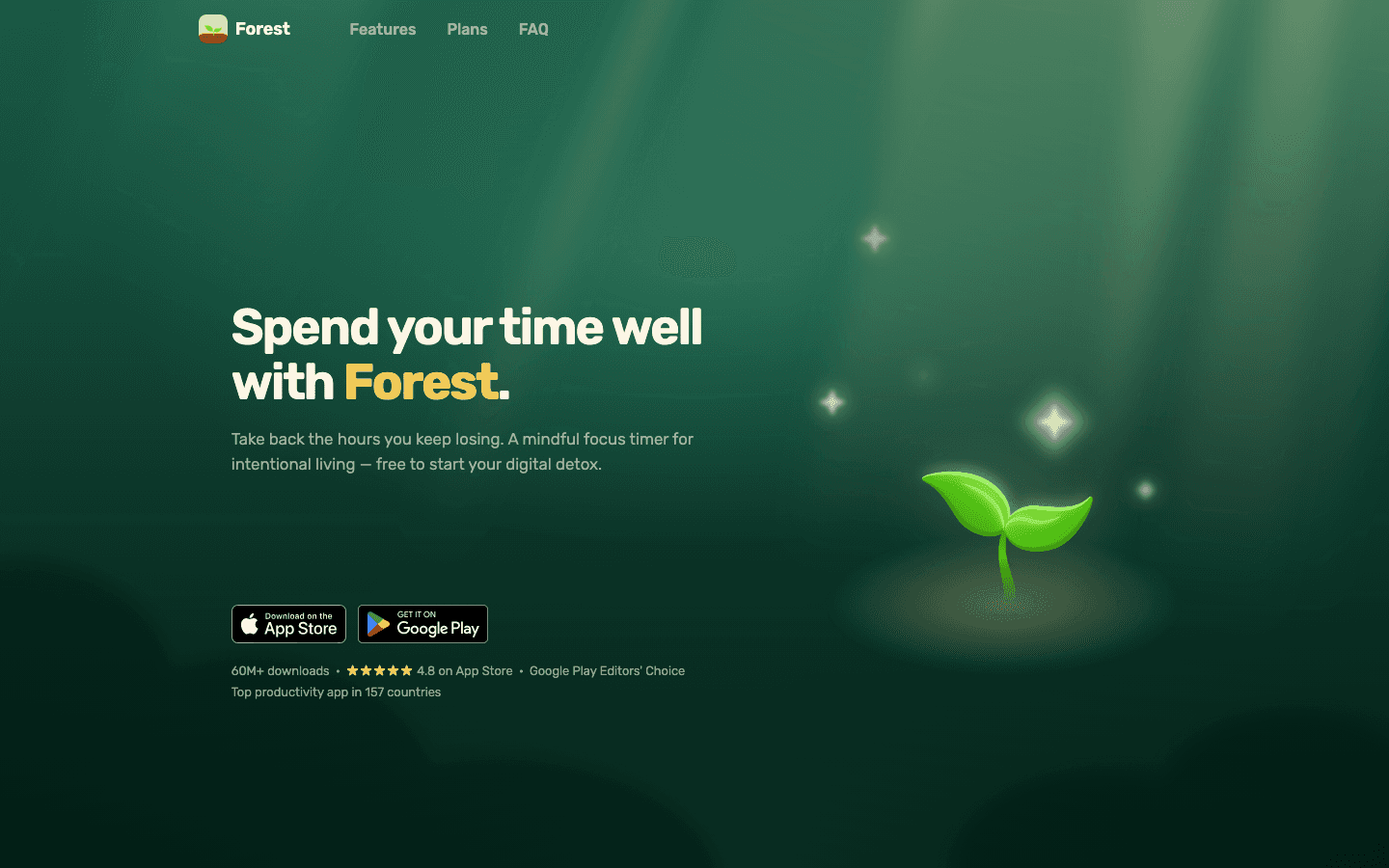
Forest uses a simple mechanic: set a focus timer, and a virtual tree grows on your screen. Pick up your phone before the timer ends and the tree dies. Stay focused and you build a forest. Over time the forest becomes a visual record of your study sessions, and the accumulated trees create a mild but persistent loss aversion: you don't want to kill what you built.
The gamification is not sophisticated, but it works for a specific type of distraction: the reflexive phone pick-up. The kind that happens without conscious decision, out of habit or mild boredom, before you even realize you did it. Forest adds just enough friction and cost to interrupt that pattern. The social features (planting trees with friends) add an accountability layer that some users find surprisingly effective.
Forest has an additional draw: for every tree planted, a small amount is donated to planting real trees through partnerships with environmental organizations. This is optional but gives some users extra motivation beyond productivity.
Key Features
Focus timer with virtual tree growth mechanic
Allowlist for apps you can use during sessions (maps, music)
Social planting with friends for shared accountability
Chrome extension to block distracting websites on desktop
Real tree planting program linked to earned virtual currency
What Works
The loss aversion mechanic interrupts unconscious phone picking more reliably than willpower alone
The growing forest gives a satisfying visual record of focused time over weeks and months
Free to download and use for basic sessions
Limitations
Determined phone checking defeats the mechanic instantly. It is a friction layer, not a hard block
The Pomodoro-style timer structure works less well for study sessions requiring long sustained concentration without breaks
The desktop Chrome extension requires a separate setup and does not cover all browsers
Pricing: Free to use. Forest Plus subscription at $5.99/month or ~$32.49/year for extra trees and 3x coin rewards.
Best for: Students whose main focus problem is habitual phone checking between thoughts
3. Freedom
Website and app blocker with scheduling and hard lock mode
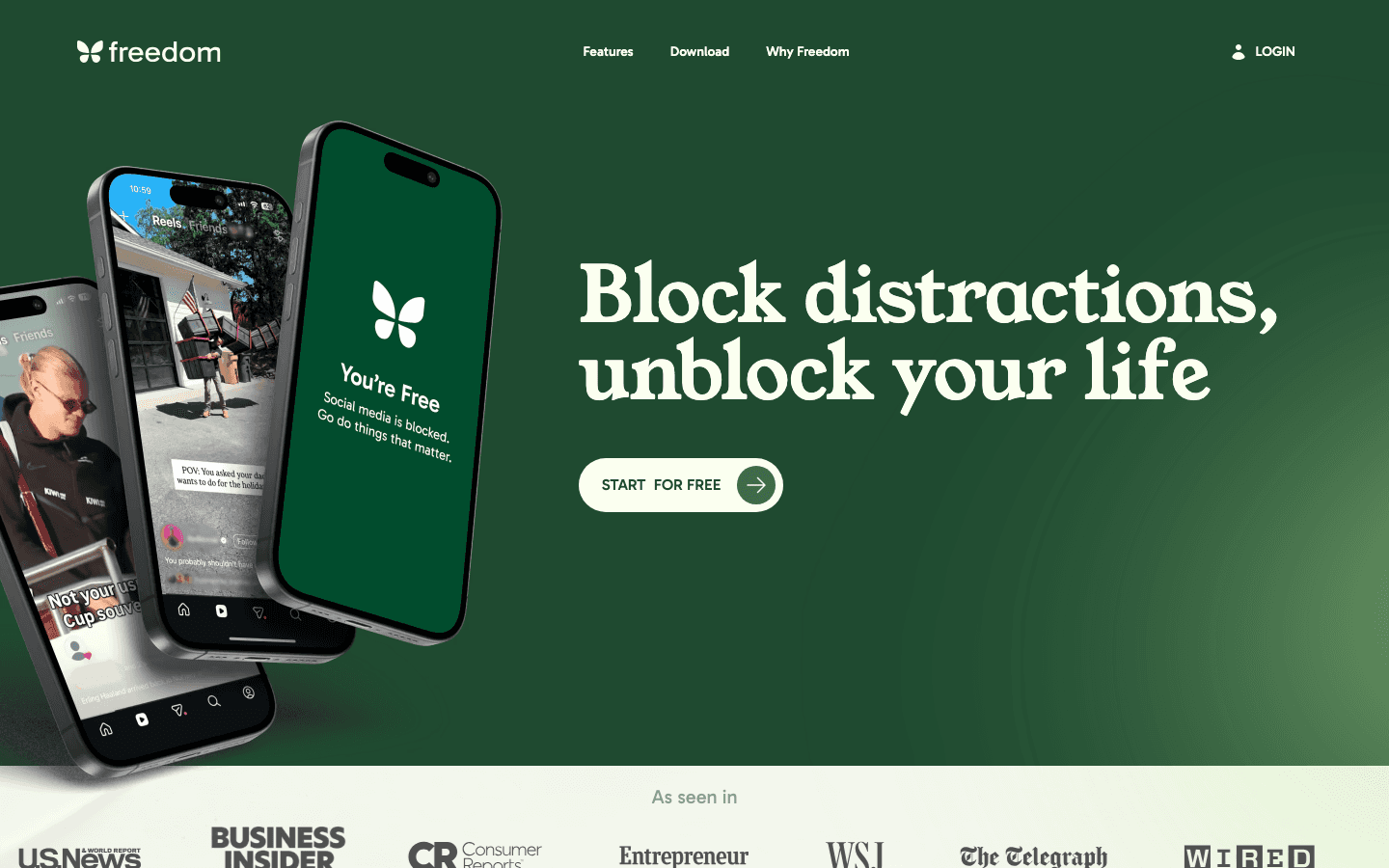
Freedom takes a harder line than Forest. Where Forest adds a small social cost to phone use, Freedom makes designated distracting sites and apps impossible to access during a session. No notifications from Twitter. No YouTube. No news feed. The blocking applies across all your devices simultaneously: phone, tablet, and desktop all go quiet at the same time, which eliminates the workaround of just checking the same thing on a different screen.
The Locked Mode is the feature that separates Freedom from lighter blockers. Once enabled, you cannot end a Freedom session early even if you want to. This sounds extreme but is extremely effective for people who consistently talk themselves out of blocks mid-session. The scheduled blocking feature lets you pre-configure recurring focus windows so you never have to decide whether to block. It just happens at the right time.
Key Features
App and website blocking across all devices simultaneously
Locked mode that prevents ending a session early
Scheduled and recurring block sessions
Custom blocklists and allowlists
Works on iOS, Android, Mac, Windows, and Chrome
What Works
Multi-device blocking closes the workaround loop that single-device blockers leave open
Locked Mode works for people with poor willpower on specific distractions
Scheduled blocking removes the decision to block from each session, which eliminates a common point of failure
Limitations
Aggressively blocking sites creates problems when you legitimately need to access one during a study session
No energy or biometric awareness. It blocks at the time you set, not when you're actually ready to study
The free tier is limited. Most useful features require the paid plan
Pricing: Free plan available. Premium $8.99/month or $3.33/month (billed annually). Lifetime option at $99.50.
Best for: Students with severe distraction problems who need hard blocking, not just friction
4. Brain.fm
AI-generated focus music designed to reach and hold flow state

Brain.fm generates music specifically designed to aid sustained focus, not just play pleasant background audio. It uses what the company calls "functional music," audio engineered to produce and maintain neural entrainment at frequencies associated with sustained attention. The research backing is genuine: a published peer-reviewed study found that Brain.fm improved focus task performance compared to popular music and silence.
In practice it sounds like ambient instrumental music with a specific rhythmic and tonal texture. It is different enough from regular background music that many users notice a distinct shift in how they feel at the start of a session. The flow state often arrives faster and lasts longer compared to studying in silence or with typical playlists. Modes include Focus, Relax, Sleep, and Meditation, each engineered for different neural targets.
Key Features
AI-generated functional music for focus, relaxation, and sleep
Neural entrainment audio designed to support specific cognitive states
Timer with optional break reminders
Offline downloads for sessions without internet
iOS, Android, Mac, and web apps
What Works
Published research supports the focus benefit, unlike most background music apps
The audio is effective for people who find music with lyrics distracting but need something to mask ambient noise
Sessions can run for several hours without the music changing in a way that pulls attention back to itself
Limitations
Some people find the AI-generated audio uncanny or unpleasant. A free trial is worth taking before committing to a year
Higher price than general music streaming services
No ambient sound variants for people who prefer rain or white noise to music
Pricing: $14.99/month or $99.99/year. Free trial available.
Best for: Students who find music with lyrics distracting but need audio help sustaining concentration through long sessions
5. Endel
Personalized soundscapes that adapt to your activity and context in real time
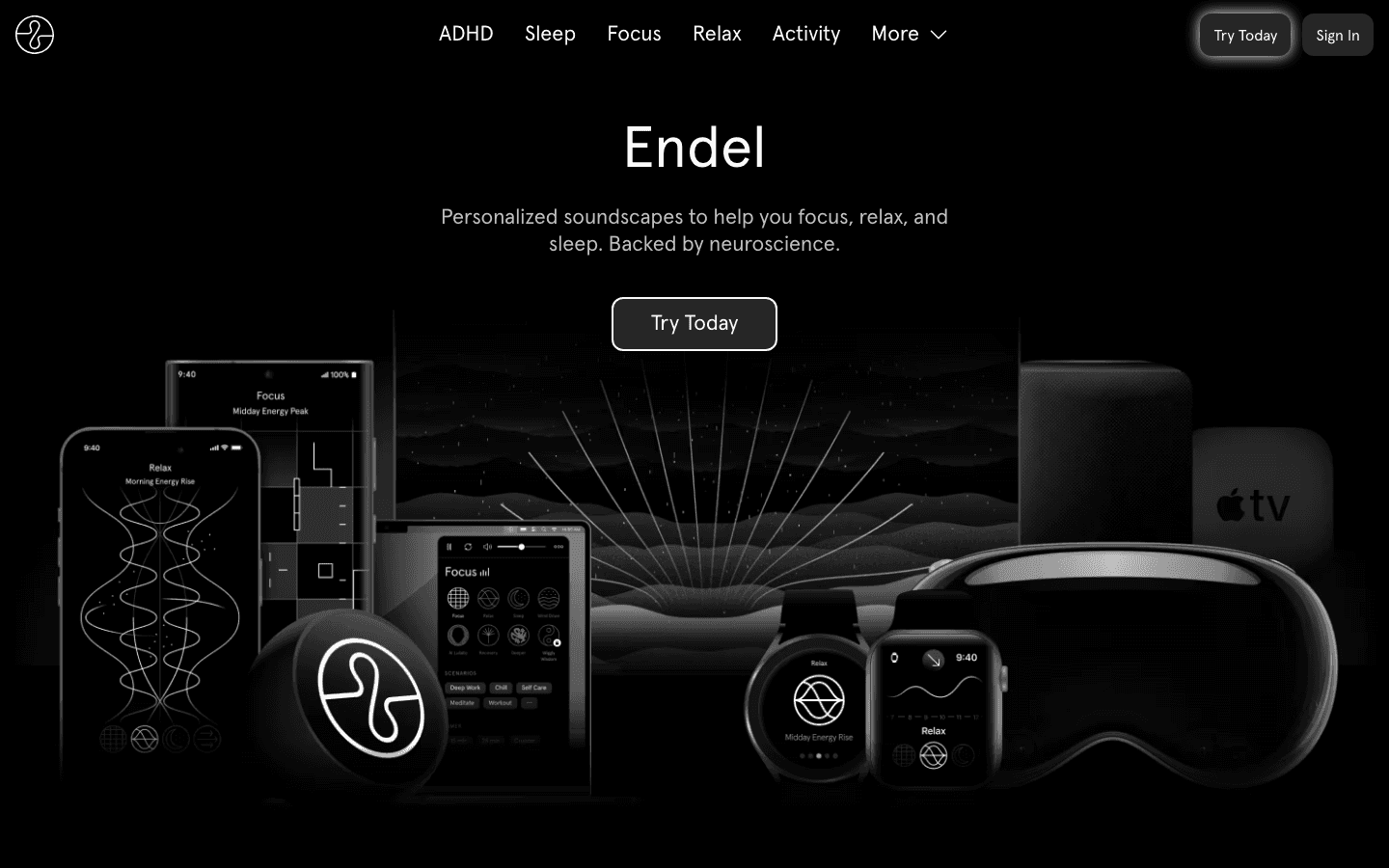
Endel generates audio environments that adapt in real time to your current context: your heart rate, activity level, time of day, and what mode you've selected (Focus, Sleep, Relax, Activity, ADHD). For deep study, the Focus mode generates a gently evolving soundscape that stays present without drawing attention. The audio changes subtly in response to your biometric data if you connect a wearable, making it a personalized experience rather than a fixed loop.
Endel is backed by neuroscience research and has partnerships with major labels for its content-based soundscapes. It is somewhat more pleasant than Brain.fm for everyday listening because it sounds more natural, closer to ambient music than engineered audio. The tradeoff is that the focus mechanism is less aggressively targeted. For people who find ambient sound helpful for concentration, Endel offers one of the most polished implementations available.
Key Features
Real-time adaptive soundscapes based on time of day and biometric data
Dedicated ADHD mode alongside Focus, Sleep, Relax, and Activity modes
Apple Watch, Garmin, and Fitbit heart rate integration
Available on iOS, Android, Mac, Apple TV, and Alexa
Offline mode for sessions without internet
What Works
More natural-sounding than Brain.fm, making it easier to use across many hours without fatigue
The ADHD mode is a genuine differentiator for users who need additional sensory regulation support
Wearable integration adds a layer of personalization that static sound apps cannot provide
Limitations
The focus benefit is less aggressively engineered than Brain.fm, which some users find less effective for deep cognitive work
Higher price than simple ambient sound apps
No built-in timer or session tracking for accountability
Pricing: Starts at $7.49/month or $59.99/year. Free trial available.
Best for: Students who prefer adaptive, natural-sounding audio environments that respond to their current state rather than fixed focus music
Which Focus Study App Is Right for You?
If you want to study during the right hours, not just for a long time: Lifestack. The energy-based scheduling changes when you study, which changes what your sessions produce
If your main problem is reaching for your phone without thinking: Forest. The gamification interrupts the unconscious pickup habit
If you need hard blocking and cannot trust yourself to stay focused voluntarily: Freedom. Locked Mode eliminates willpower from the equation
If you need research-backed audio that actively supports neural focus states: Brain.fm. The functional music approach has published evidence behind it
If you want adaptive audio that responds to your heart rate and current context: Endel. The personalization makes long sessions feel more sustainable
Frequently Asked Questions
What app is best for deep focus studying?
The best single app depends on your main focus problem. For scheduling study sessions when your energy is highest, Lifestack. For blocking distracting sites and apps, Freedom. For improving concentration through audio, Brain.fm. For students whose main issue is phone distraction, Forest. For adaptive sound that responds to your state, Endel. Many students combine two: a scheduling or blocking app and an audio app.
Does focus music actually help you study?
Research on music and cognitive performance shows mixed results for music with lyrics (which competes with reading and writing) but more consistently positive results for instrumental and ambient sound. Brain.fm published a peer-reviewed study showing improved focus task performance. The mechanism likely involves masking distracting environmental noise and providing mild rhythmic stimulation that sustains arousal during long sessions. Whether any given person responds to a specific audio style is individual, which is why both Brain.fm and Endel offer free trials.
How do I stop getting distracted while studying?
The most effective approach combines environmental change with scheduling. Block the apps that pull your attention (Freedom), reduce phone pickup temptation (Forest), and schedule your study sessions during your peak cognitive window rather than at arbitrary times. Studying when tired and distracted requires far more willpower than studying when your energy is naturally high. See our guide on how to stay focused while studying for a full breakdown.
How long should a deep focus study session be?
Most research on sustained cognitive work suggests 50-90 minute sessions as the practical upper limit before performance declines significantly. The classic Pomodoro Technique uses 25-minute intervals, which works well for tasks requiring frequent context resets. For material requiring extended flow, longer 50-minute blocks with 10-minute breaks (the 50/10 method) often produce better results for studying complex content. The right length depends more on your personal energy and the material than on any universal rule.
Can apps replace good study habits?
No. Apps reduce friction and improve your environment, but they cannot replace adequate sleep, spaced repetition, active recall, or the basic decision to sit down and start. The most effective use of focus apps is to protect good study habits rather than compensate for their absence. Context switching costs are real: every interruption from a notification or distraction adds minutes of recovery time. Apps that minimize those interruptions make genuine study time more productive, but they require a baseline of motivation and organization to work at all.
Distraction is the default state for studying. A phone on the desk, a browser tab left open, a notification from anywhere, and the session you planned is already broken. Apps cannot fix willpower, but the right ones can change your environment enough that concentration becomes easier than avoidance.
The five apps in this list address different parts of the deep focus problem. One schedules your study sessions during the hours your brain is actually ready for them. One gamifies the act of staying off your phone. One blocks the sites that keep pulling your attention. Two generate audio environments scientifically or algorithmically tuned to support sustained concentration. Together they cover the main variables that separate a productive study session from a wasted one.
We evaluated on effectiveness, mobile quality, pricing, and how each app fits into a realistic study routine rather than an idealized one.
Key Takeaways
Lifestack is the only app in this list that decides when you study, not just how. It reads your sleep and recovery data to find your actual peak cognitive windows
Forest and Freedom address the phone problem from opposite directions: Forest makes staying off your phone feel rewarding, Freedom makes using distracting apps impossible
Brain.fm and Endel both generate focus audio, but Brain.fm targets specific neural states while Endel adapts to your activity type and current context
Quick Guide
Lifestack: AI planner that schedules study sessions during your peak energy windows using wearable data
Forest: Gamified focus timer that grows a virtual tree while you stay off your phone
Freedom: App and website blocker with scheduling and locked mode
Brain.fm: AI-generated focus music designed to support sustained concentration
Endel: Personalized soundscapes that adapt to your activity, heart rate, and time of day
How We Evaluated
Does it address the actual cause of poor study focus (wrong timing, distracting environment, no audio support)?
Mobile usability: can you use it without friction on iOS?
Does the feature set justify the price relative to free alternatives?
Does it work for extended sessions, not just short bursts?
1. Lifestack
The planner that schedules your study time when your brain is actually ready
Lifestack addresses a problem that most focus apps skip: timing. You can block all your apps, grow a forest, and play the most perfectly engineered focus music, and still produce mediocre work if you scheduled the session during your post-lunch energy trough. Most students and knowledge workers have never mapped when they actually think well versus when they think slowly. Lifestack does that mapping automatically.
It connects to your wearable device (Apple Watch, Oura Ring, Garmin, Whoop), reads your sleep score and HRV data, and uses that information to recommend and schedule your most demanding study tasks during genuine cognitive peaks. A session planned during your peak window produces different results than the same session scheduled out of habit. The energy-based scheduling approach consistently surfaces study slots that feel less effortful. Not because the work is easier but because your brain is better prepared for it.
Key Features
Wearable-connected scheduling based on sleep and HRV data
AI task placement during peak cognitive windows
Google Calendar and Apple Calendar integration
iOS, Android, and Chrome extension
What Works
Solves the scheduling layer that all other focus apps ignore
Pairs well with any of the other apps in this list
Lowest price point of any comparable AI scheduling tool
Limitations
Requires a wearable device to unlock the full biometric scheduling feature
Not a distraction blocker or audio tool. Works best alongside apps 2-5 in this list
Pricing: $7/month or $50/year. Annual plan includes a 7-day free trial.
Best for: Students and knowledge workers who want to study smarter by scheduling sessions when their brain is genuinely ready
2. Forest
Gamified focus timer that turns staying off your phone into a reward
Forest uses a simple mechanic: set a focus timer, and a virtual tree grows on your screen. Pick up your phone before the timer ends and the tree dies. Stay focused and you build a forest. Over time the forest becomes a visual record of your study sessions, and the accumulated trees create a mild but persistent loss aversion: you don't want to kill what you built.
The gamification is not sophisticated, but it works for a specific type of distraction: the reflexive phone pick-up. The kind that happens without conscious decision, out of habit or mild boredom, before you even realize you did it. Forest adds just enough friction and cost to interrupt that pattern. The social features (planting trees with friends) add an accountability layer that some users find surprisingly effective.
Forest has an additional draw: for every tree planted, a small amount is donated to planting real trees through partnerships with environmental organizations. This is optional but gives some users extra motivation beyond productivity.
Key Features
Focus timer with virtual tree growth mechanic
Allowlist for apps you can use during sessions (maps, music)
Social planting with friends for shared accountability
Chrome extension to block distracting websites on desktop
Real tree planting program linked to earned virtual currency
What Works
The loss aversion mechanic interrupts unconscious phone picking more reliably than willpower alone
The growing forest gives a satisfying visual record of focused time over weeks and months
Free to download and use for basic sessions
Limitations
Determined phone checking defeats the mechanic instantly. It is a friction layer, not a hard block
The Pomodoro-style timer structure works less well for study sessions requiring long sustained concentration without breaks
The desktop Chrome extension requires a separate setup and does not cover all browsers
Pricing: Free to use. Forest Plus subscription at $5.99/month or ~$32.49/year for extra trees and 3x coin rewards.
Best for: Students whose main focus problem is habitual phone checking between thoughts
3. Freedom
Website and app blocker with scheduling and hard lock mode
Freedom takes a harder line than Forest. Where Forest adds a small social cost to phone use, Freedom makes designated distracting sites and apps impossible to access during a session. No notifications from Twitter. No YouTube. No news feed. The blocking applies across all your devices simultaneously: phone, tablet, and desktop all go quiet at the same time, which eliminates the workaround of just checking the same thing on a different screen.
The Locked Mode is the feature that separates Freedom from lighter blockers. Once enabled, you cannot end a Freedom session early even if you want to. This sounds extreme but is extremely effective for people who consistently talk themselves out of blocks mid-session. The scheduled blocking feature lets you pre-configure recurring focus windows so you never have to decide whether to block. It just happens at the right time.
Key Features
App and website blocking across all devices simultaneously
Locked mode that prevents ending a session early
Scheduled and recurring block sessions
Custom blocklists and allowlists
Works on iOS, Android, Mac, Windows, and Chrome
What Works
Multi-device blocking closes the workaround loop that single-device blockers leave open
Locked Mode works for people with poor willpower on specific distractions
Scheduled blocking removes the decision to block from each session, which eliminates a common point of failure
Limitations
Aggressively blocking sites creates problems when you legitimately need to access one during a study session
No energy or biometric awareness. It blocks at the time you set, not when you're actually ready to study
The free tier is limited. Most useful features require the paid plan
Pricing: Free plan available. Premium $8.99/month or $3.33/month (billed annually). Lifetime option at $99.50.
Best for: Students with severe distraction problems who need hard blocking, not just friction
4. Brain.fm
AI-generated focus music designed to reach and hold flow state
Brain.fm generates music specifically designed to aid sustained focus, not just play pleasant background audio. It uses what the company calls "functional music," audio engineered to produce and maintain neural entrainment at frequencies associated with sustained attention. The research backing is genuine: a published peer-reviewed study found that Brain.fm improved focus task performance compared to popular music and silence.
In practice it sounds like ambient instrumental music with a specific rhythmic and tonal texture. It is different enough from regular background music that many users notice a distinct shift in how they feel at the start of a session. The flow state often arrives faster and lasts longer compared to studying in silence or with typical playlists. Modes include Focus, Relax, Sleep, and Meditation, each engineered for different neural targets.
Key Features
AI-generated functional music for focus, relaxation, and sleep
Neural entrainment audio designed to support specific cognitive states
Timer with optional break reminders
Offline downloads for sessions without internet
iOS, Android, Mac, and web apps
What Works
Published research supports the focus benefit, unlike most background music apps
The audio is effective for people who find music with lyrics distracting but need something to mask ambient noise
Sessions can run for several hours without the music changing in a way that pulls attention back to itself
Limitations
Some people find the AI-generated audio uncanny or unpleasant. A free trial is worth taking before committing to a year
Higher price than general music streaming services
No ambient sound variants for people who prefer rain or white noise to music
Pricing: $14.99/month or $99.99/year. Free trial available.
Best for: Students who find music with lyrics distracting but need audio help sustaining concentration through long sessions
5. Endel
Personalized soundscapes that adapt to your activity and context in real time
Endel generates audio environments that adapt in real time to your current context: your heart rate, activity level, time of day, and what mode you've selected (Focus, Sleep, Relax, Activity, ADHD). For deep study, the Focus mode generates a gently evolving soundscape that stays present without drawing attention. The audio changes subtly in response to your biometric data if you connect a wearable, making it a personalized experience rather than a fixed loop.
Endel is backed by neuroscience research and has partnerships with major labels for its content-based soundscapes. It is somewhat more pleasant than Brain.fm for everyday listening because it sounds more natural, closer to ambient music than engineered audio. The tradeoff is that the focus mechanism is less aggressively targeted. For people who find ambient sound helpful for concentration, Endel offers one of the most polished implementations available.
Key Features
Real-time adaptive soundscapes based on time of day and biometric data
Dedicated ADHD mode alongside Focus, Sleep, Relax, and Activity modes
Apple Watch, Garmin, and Fitbit heart rate integration
Available on iOS, Android, Mac, Apple TV, and Alexa
Offline mode for sessions without internet
What Works
More natural-sounding than Brain.fm, making it easier to use across many hours without fatigue
The ADHD mode is a genuine differentiator for users who need additional sensory regulation support
Wearable integration adds a layer of personalization that static sound apps cannot provide
Limitations
The focus benefit is less aggressively engineered than Brain.fm, which some users find less effective for deep cognitive work
Higher price than simple ambient sound apps
No built-in timer or session tracking for accountability
Pricing: Starts at $7.49/month or $59.99/year. Free trial available.
Best for: Students who prefer adaptive, natural-sounding audio environments that respond to their current state rather than fixed focus music
Which Focus Study App Is Right for You?
If you want to study during the right hours, not just for a long time: Lifestack. The energy-based scheduling changes when you study, which changes what your sessions produce
If your main problem is reaching for your phone without thinking: Forest. The gamification interrupts the unconscious pickup habit
If you need hard blocking and cannot trust yourself to stay focused voluntarily: Freedom. Locked Mode eliminates willpower from the equation
If you need research-backed audio that actively supports neural focus states: Brain.fm. The functional music approach has published evidence behind it
If you want adaptive audio that responds to your heart rate and current context: Endel. The personalization makes long sessions feel more sustainable
Frequently Asked Questions
What app is best for deep focus studying?
The best single app depends on your main focus problem. For scheduling study sessions when your energy is highest, Lifestack. For blocking distracting sites and apps, Freedom. For improving concentration through audio, Brain.fm. For students whose main issue is phone distraction, Forest. For adaptive sound that responds to your state, Endel. Many students combine two: a scheduling or blocking app and an audio app.
Does focus music actually help you study?
Research on music and cognitive performance shows mixed results for music with lyrics (which competes with reading and writing) but more consistently positive results for instrumental and ambient sound. Brain.fm published a peer-reviewed study showing improved focus task performance. The mechanism likely involves masking distracting environmental noise and providing mild rhythmic stimulation that sustains arousal during long sessions. Whether any given person responds to a specific audio style is individual, which is why both Brain.fm and Endel offer free trials.
How do I stop getting distracted while studying?
The most effective approach combines environmental change with scheduling. Block the apps that pull your attention (Freedom), reduce phone pickup temptation (Forest), and schedule your study sessions during your peak cognitive window rather than at arbitrary times. Studying when tired and distracted requires far more willpower than studying when your energy is naturally high. See our guide on how to stay focused while studying for a full breakdown.
How long should a deep focus study session be?
Most research on sustained cognitive work suggests 50-90 minute sessions as the practical upper limit before performance declines significantly. The classic Pomodoro Technique uses 25-minute intervals, which works well for tasks requiring frequent context resets. For material requiring extended flow, longer 50-minute blocks with 10-minute breaks (the 50/10 method) often produce better results for studying complex content. The right length depends more on your personal energy and the material than on any universal rule.
Can apps replace good study habits?
No. Apps reduce friction and improve your environment, but they cannot replace adequate sleep, spaced repetition, active recall, or the basic decision to sit down and start. The most effective use of focus apps is to protect good study habits rather than compensate for their absence. Context switching costs are real: every interruption from a notification or distraction adds minutes of recovery time. Apps that minimize those interruptions make genuine study time more productive, but they require a baseline of motivation and organization to work at all.



FOLLOW ON
FOLLOW ON
FOLLOW ON


Copyright 2026 © Lifestack. All rights reserved
Copyright 2026 © Lifestack. All rights reserved

