
Tutorial
How Freelancers Use Lifestack to Protect Focus Time and Earn More
How Freelancers Use Lifestack to Protect Focus Time and Earn More
Mar 24, 2026
Mastering Your Freelance Schedule: The Foundation of Productivity 🚀
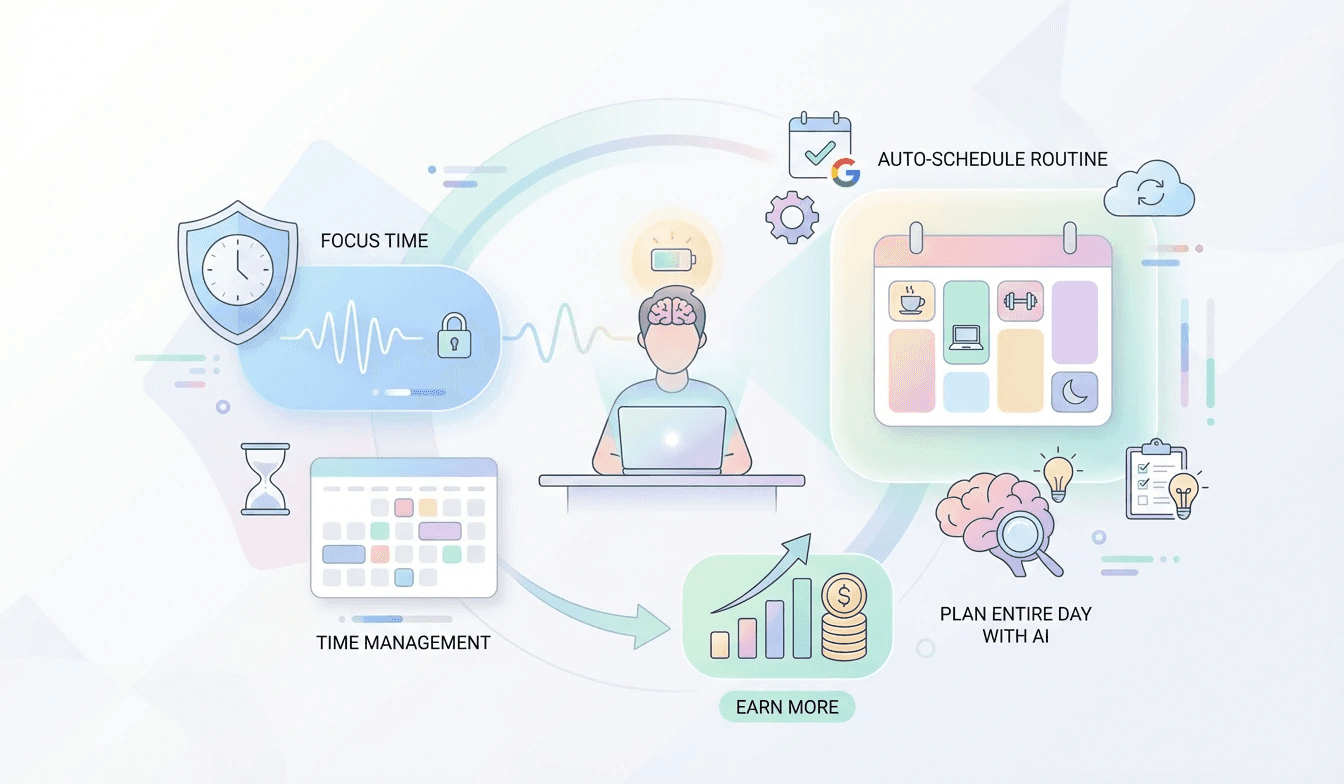
For freelancers, effective time management isn't just a nice-to-have; it's the bedrock of success. Juggling multiple clients, projects, and personal commitments can quickly lead to chaos. Understanding how to structure your day as a freelancer is paramount. Lifestack's Auto-Schedule Tasks/Routine To Calendar feature is a game-changer here. It automatically places your recurring tasks and routines directly into your calendar, ensuring they don't get lost in the shuffle. This means your dedicated focus blocks for deep work, client calls, or administrative tasks are protected.
Think of it as your personal assistant for freelancer productivity tools 2026. The Automatic Calendar Scheduling capability ensures that your routines are placed intelligently, preventing double-bookings and respecting your existing commitments. This frees up mental energy, allowing you to concentrate on what you do best – delivering value to your clients.
Key benefits include:
Protected Focus Time: Schedule and automatically block out time for deep work.
Routine Integration: Ensure daily habits like exercise or learning are consistently part of your schedule.
Reduced Decision Fatigue: Eliminate the daily struggle of figuring out when to do what. ✅
Smart Scheduling for the Savvy Freelancer: Beyond Basic Calendars 🗓️
The best calendar app for freelancers does more than just list appointments. It actively helps you manage your time. Lifestack excels by offering features that go beyond simple scheduling. The Conflict-Aware Placement ensures that when you add new tasks or routines, Lifestack intelligently finds available slots without clashing with existing events. This is crucial for maintaining a realistic freelance daily schedule template that you can actually stick to.
Lifestack empowers you to:
Avoid Scheduling Conflicts: Lifestack's AI prevents overlaps, saving you from embarrassing double-bookings.
Maintain a Unified Schedule: Sync with Google Calendar for a complete overview of your day.
Control Your Visibility: Decide what information is shared with others. 🌟
AI-Powered Planning and Burnout Prevention for Freelancers 💡
As a freelancer, how to avoid freelancer burnout is a constant consideration. Lifestack's Plan Entire Day with AI feature is designed to tackle this head-on. It goes beyond just scheduling; it helps you discover the optimal time for tasks based on your energy levels and priorities. This is where energy-based planning freelancer strategies come into play. By understanding your peak productivity times, you can allocate demanding tasks when you're most effective and less demanding ones during lower energy periods.
This intelligent planning is a key component of effective time management for self-employed professionals. It ensures you're not just busy, but productive and sustainable. By proactively structuring your day with AI, you can prevent overcommitment and the stress that leads to burnout.
Lifestack helps you:
Optimize Task Placement: AI suggests the best times for tasks based on your energy and priorities.
Prevent Burnout: By creating realistic and sustainable schedules.
Boost Overall Efficiency: Make the most of your working hours. 🚀
For detailed setup tips and to learn more about the Auto-Schedule Routine To Calendar feature, check out this knowledge base article: [Use cases: Freelancers] Get started with Lifestack today and transform your freelance workflow! ✨📅💪
Mastering Your Freelance Schedule: The Foundation of Productivity 🚀
For freelancers, effective time management isn't just a nice-to-have; it's the bedrock of success. Juggling multiple clients, projects, and personal commitments can quickly lead to chaos. Understanding how to structure your day as a freelancer is paramount. Lifestack's Auto-Schedule Tasks/Routine To Calendar feature is a game-changer here. It automatically places your recurring tasks and routines directly into your calendar, ensuring they don't get lost in the shuffle. This means your dedicated focus blocks for deep work, client calls, or administrative tasks are protected.
Think of it as your personal assistant for freelancer productivity tools 2026. The Automatic Calendar Scheduling capability ensures that your routines are placed intelligently, preventing double-bookings and respecting your existing commitments. This frees up mental energy, allowing you to concentrate on what you do best – delivering value to your clients.
Key benefits include:
Protected Focus Time: Schedule and automatically block out time for deep work.
Routine Integration: Ensure daily habits like exercise or learning are consistently part of your schedule.
Reduced Decision Fatigue: Eliminate the daily struggle of figuring out when to do what. ✅
Smart Scheduling for the Savvy Freelancer: Beyond Basic Calendars 🗓️
The best calendar app for freelancers does more than just list appointments. It actively helps you manage your time. Lifestack excels by offering features that go beyond simple scheduling. The Conflict-Aware Placement ensures that when you add new tasks or routines, Lifestack intelligently finds available slots without clashing with existing events. This is crucial for maintaining a realistic freelance daily schedule template that you can actually stick to.
Lifestack empowers you to:
Avoid Scheduling Conflicts: Lifestack's AI prevents overlaps, saving you from embarrassing double-bookings.
Maintain a Unified Schedule: Sync with Google Calendar for a complete overview of your day.
Control Your Visibility: Decide what information is shared with others. 🌟
AI-Powered Planning and Burnout Prevention for Freelancers 💡
As a freelancer, how to avoid freelancer burnout is a constant consideration. Lifestack's Plan Entire Day with AI feature is designed to tackle this head-on. It goes beyond just scheduling; it helps you discover the optimal time for tasks based on your energy levels and priorities. This is where energy-based planning freelancer strategies come into play. By understanding your peak productivity times, you can allocate demanding tasks when you're most effective and less demanding ones during lower energy periods.
This intelligent planning is a key component of effective time management for self-employed professionals. It ensures you're not just busy, but productive and sustainable. By proactively structuring your day with AI, you can prevent overcommitment and the stress that leads to burnout.
Lifestack helps you:
Optimize Task Placement: AI suggests the best times for tasks based on your energy and priorities.
Prevent Burnout: By creating realistic and sustainable schedules.
Boost Overall Efficiency: Make the most of your working hours. 🚀
For detailed setup tips and to learn more about the Auto-Schedule Routine To Calendar feature, check out this knowledge base article: [Use cases: Freelancers] Get started with Lifestack today and transform your freelance workflow! ✨📅💪



FOLLOW ON
FOLLOW ON
FOLLOW ON


Copyright 2026 © Lifestack. All rights reserved
Copyright 2026 © Lifestack. All rights reserved

