
App
Lose It vs MyFitnessPal: Which Is Better in 2026?
Lose It vs MyFitnessPal: Which Is Better in 2026?

Calorie tracking apps have gotten dramatically better in the last few years, and the two most popular ones -- Lose It! and MyFitnessPal -- have both evolved well beyond simple food diaries. But they've gone in different directions, and the right choice depends on what you actually need.
Lose It! has leaned hard into simplicity and AI-powered food recognition. MyFitnessPal has doubled down on its food database advantage and added more premium tiers. The free versions of both have gotten better, too -- though both reserve their best features for paying subscribers.
We tested both apps over several weeks, comparing food logging speed, database accuracy, macro tracking, integrations, and value across pricing tiers. Here's what we found. If you're also comparing against other trackers, see the full best nutrition apps in 2026 roundup.
Key Takeaways
Lose It! is better for weight loss-focused users who want a simpler experience and lighter price tag ($39.99/year for Premium)
MyFitnessPal is better for data-obsessed users who want the largest food database and more community features ($79.99/year for Premium)
Both have solid free tiers, but the premium upgrades are what differentiate them -- see the best MyFitnessPal alternatives if neither fits
Quick Verdict
Lose It!: Best for weight loss beginners and users who want a cleaner, faster logging experience
MyFitnessPal: Best for experienced trackers who want the largest food database and the most detailed macro customization
Lose It! Overview
Weight loss tracking made simple -- now with AI food scanning.
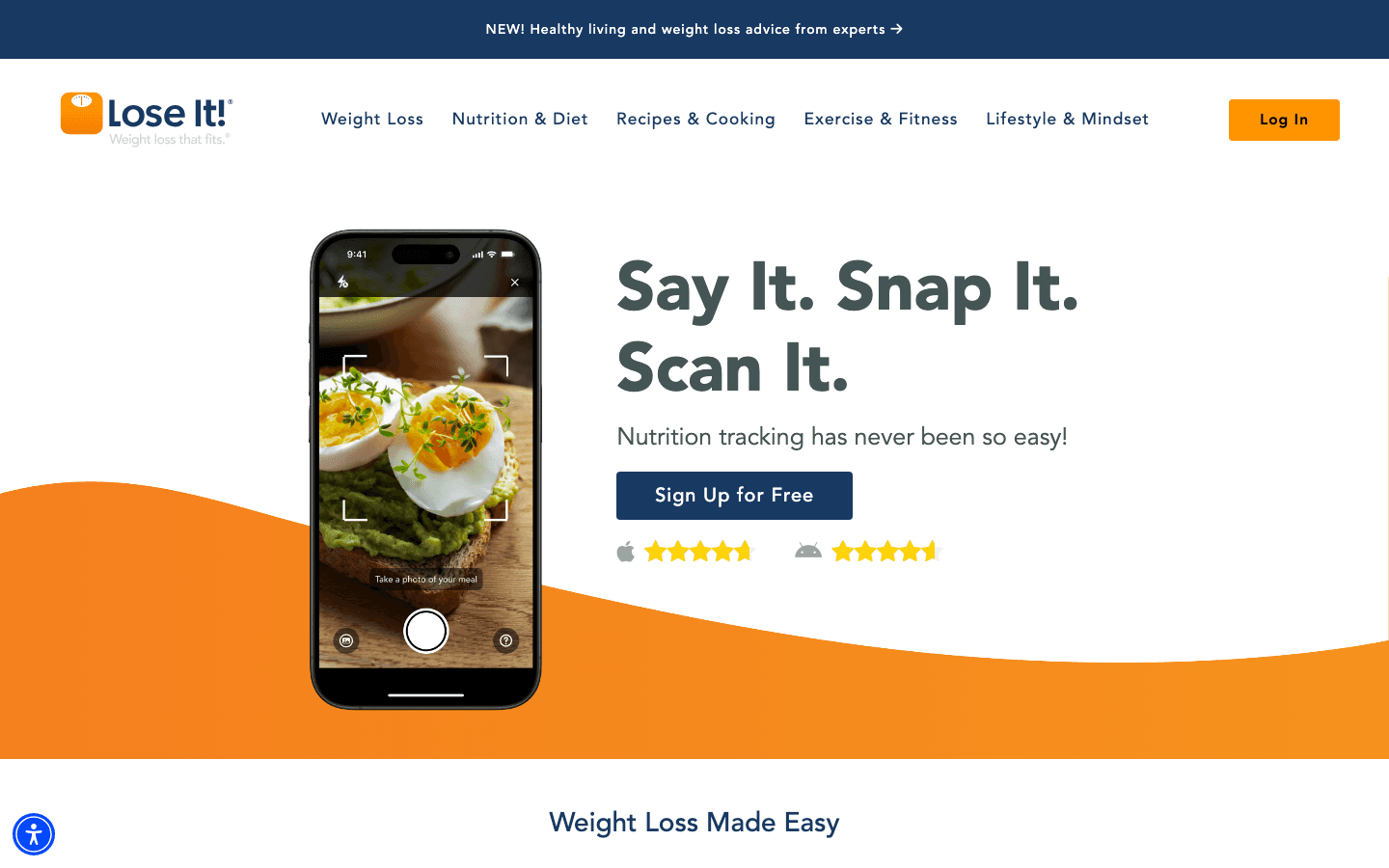
Lose It! has been around since 2008 and has always had a cleaner, more focused interface than MyFitnessPal. Its core pitch: set a weight loss goal, log your food, and Lose It! gives you a simple daily budget to hit. The app doesn't try to be everything -- it tries to make calorie tracking as frictionless as possible. Building food logging as a daily habit is easier when the app itself gets out of your way.
The recent addition of AI food recognition (point your camera at a meal, get a logged entry) has made logging even faster. The barcode scanner is also excellent -- one of the best in the category. The free version covers most of what casual users need; the premium tier adds detailed macros, meal planning, and deeper health insights.
Key Features
AI food recognition and photo logging
Fast barcode scanning with a large (if smaller than MFP) food database
Calorie budget with macro breakdown (free gets basic; Premium gets full macros)
Exercise and activity tracking with device integrations (Apple Health, Fitbit, Garmin)
Water and sleep tracking
Weight progress charts and trend analysis
What Works
Cleaner UI than MyFitnessPal -- fewer menus, less clutter
AI food photo logging is genuinely fast and reasonably accurate
More affordable Premium at $39.99/year vs MFP's $79.99/year
Weight loss focus means the app stays simple -- it doesn't overwhelm you with data
Limitations
Smaller food database than MyFitnessPal -- more likely to hit missing items for niche foods
Community features are sparse compared to MFP
Less granular macro customization on free tier
Pricing: Free (basic logging) / Premium: $39.99/year ($3.33/month) or $9.99/month
Best for: Weight loss beginners, people who want a cleaner app, and anyone who doesn't need the largest possible food database.
MyFitnessPal Overview
The world's largest food database meets premium macro tracking.
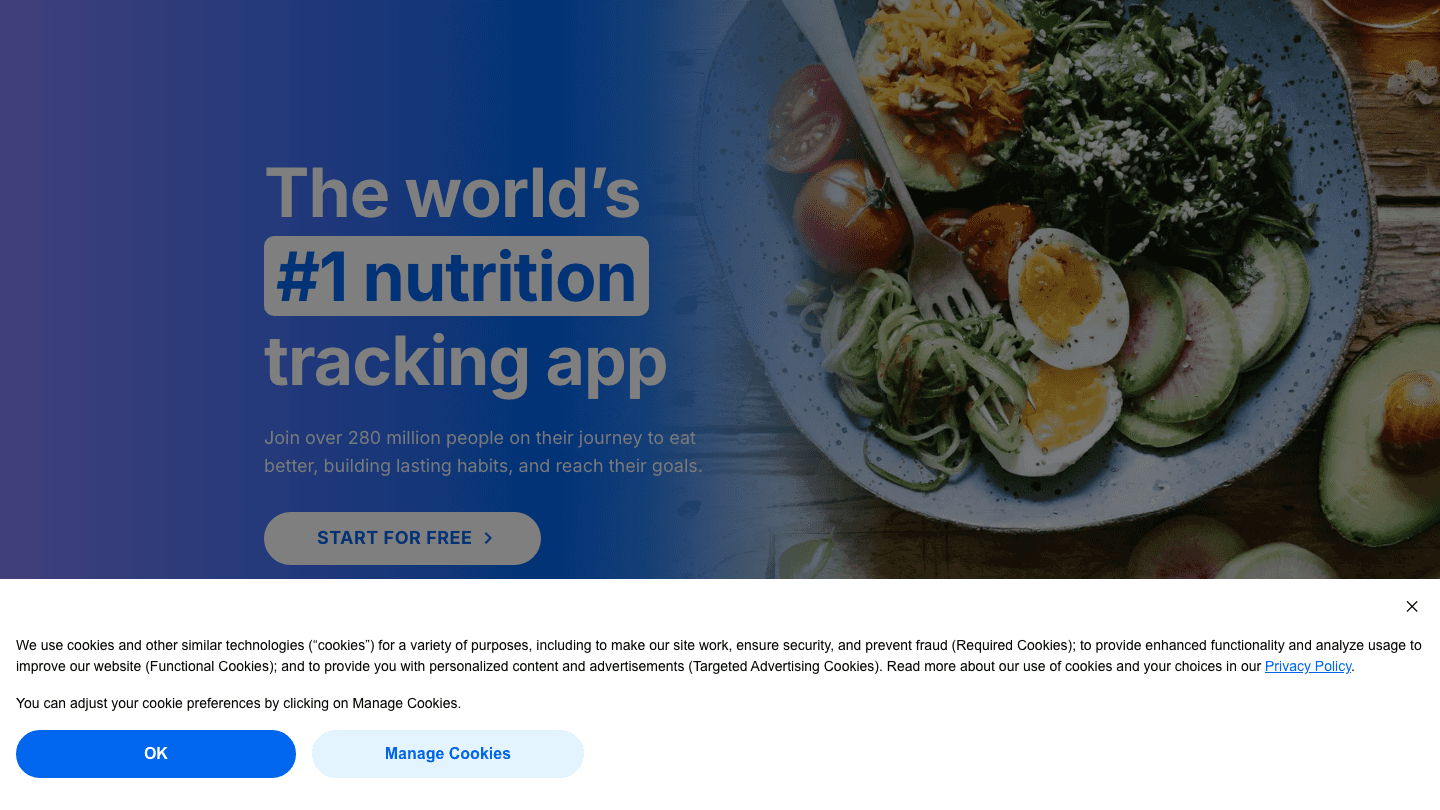
MyFitnessPal is the category leader by food database size -- over 14 million items -- and it's been the default recommendation for calorie tracking for over a decade. If there's a food you want to log, MFP has almost certainly already got it. The community has also contributed an enormous volume of verified entries over the years, which improves accuracy for branded and restaurant foods.
The downside: the app has gotten more complex over time, and the free tier has gotten more restricted. Full macro customization, ad-free logging, and the multi-day meal log are now Premium-only features. The newer Premium+ tier adds a full meal planning suite with over 1,500 recipes.
Key Features
14 million+ food items in the database -- the largest available
Barcode scanning, voice logging, and meal scan features (Premium)
Custom macros and micro-nutrient tracking (Premium)
Intermittent fasting tracker (Premium)
Recipe and meal planning (Premium+)
Strong community and social logging features
Broad integrations: Apple Health, Fitbit, Garmin, and 50+ fitness apps
What Works
The food database is genuinely unmatched -- brand-name, international, and restaurant foods are well-covered
Best for anyone doing specific macro targets (keto, high protein, cutting cycles)
Community features make accountability easier for social learners
Premium+ meal planner is a strong add-on if you want structured eating plans
Limitations
More expensive Premium tiers ($79.99/year vs Lose It's $39.99/year)
The UI has gotten cluttered as more features have been added
Free tier is more restricted than it used to be -- ads and limited features
User-submitted food entries can have errors; always check nutrition labels against what's logged
Pricing: Free / Premium: $79.99/year ($6.67/month) / Premium+: $99.99/year or $24.99/month -- all with a 7-day free trial
Best for: Experienced trackers, athletes managing specific macro targets, and anyone who needs the widest food database coverage.
Head-to-Head Comparison
Food Database
MyFitnessPal wins by a wide margin. Its 14 million+ item database means you'll almost never hit a wall on a food entry. Lose It!'s database is solid for everyday American foods and most branded products but more likely to come up empty on international, specialty, or less-common items.
Logging Speed
Lose It! wins. The AI photo logging and fast barcode scanner make it genuinely quicker to log a meal. MFP's scanning is good but the UX around it is slower -- more menus to navigate before and after a scan.
Macro Tracking
Draw, with edge to MFP on depth. Both give you carbs, fat, and protein breakdowns in Premium. MFP's micronutrient tracking goes deeper if you care about sodium, potassium, fiber targets. Lose It's macro display is cleaner but less granular.
Pricing Value
Lose It! wins. At $39.99/year vs MFP's $79.99/year for comparable Premium features, Lose It! offers more per dollar. If you need MFP's meal planner, the Premium+ tier at $99.99/year is competitive -- but that's a specific use case.
Community Features
MyFitnessPal wins. Its social feed, friend challenges, and community recipes are much more developed. Lose It! has basic social features but they're an afterthought compared to MFP.
Device Integrations
Both are excellent. MFP integrates with 50+ fitness apps and wearables. Lose It! covers the major platforms (Apple Health, Fitbit, Garmin) well. If you use niche fitness hardware, check MFP's integration list specifically.
Which Should You Choose?
You want the simplest possible weight loss tracker -- Lose It!
You frequently log restaurant or international foods -- MyFitnessPal (database coverage)
You're on a budget for a tracking app -- Lose It! ($39.99/year is nearly half MFP's price)
You follow strict macro targets (keto, cutting, bulking) -- MyFitnessPal Premium
You want AI food photo recognition -- Lose It! (more developed feature)
You want a built-in meal plan -- MyFitnessPal Premium+
You want social accountability features -- MyFitnessPal
One More Option Worth Knowing
If you're tracking food as part of a larger effort to manage your time and energy -- not just calories -- Lifestack adds a layer neither of these apps covers. Consistent meal prep and exercise require protecting time in your schedule, and habit stacking food tracking onto an existing routine is one of the fastest ways to make it stick. It's an AI planner that auto-schedules your tasks around your natural energy peaks, which includes making time for meal prep, workouts, and recovery. While Lose It! and MyFitnessPal track what you eat, Lifestack helps you protect the time and energy needed to actually stick to good habits. Available for iOS and Android, starting at $7/month.
FAQ
Is Lose It better than MyFitnessPal?
Lose It! is better for simplicity, speed, and price. MyFitnessPal is better for food database coverage and macro depth. The best choice depends on what you value most -- there's no universal winner between them.
Is MyFitnessPal still free?
Yes, MyFitnessPal has a free tier. However, it's more limited than it used to be -- custom macros, ad-free logging, and voice logging are Premium features. The free version still covers basic calorie tracking with the full food database.
How much does Lose It Premium cost?
Lose It! Premium costs $39.99/year ($3.33/month) or $9.99/month on a monthly basis. This is significantly cheaper than MyFitnessPal Premium at $79.99/year.
Does Lose It have as many foods as MyFitnessPal?
No. MyFitnessPal's 14 million+ item database is larger than Lose It!'s database. For most users tracking common branded and restaurant foods this difference is minor. For international foods or unusual items, MyFitnessPal is more likely to have an existing entry.
Can you use both Lose It and MyFitnessPal at the same time?
Technically yes, but practically there's no reason to. Pick one and commit for at least 30 days -- consistency matters more than which app you chose. If you're still undecided, check our roundup of the best nutrition apps in 2026 for a broader view of the category.
Calorie tracking apps have gotten dramatically better in the last few years, and the two most popular ones -- Lose It! and MyFitnessPal -- have both evolved well beyond simple food diaries. But they've gone in different directions, and the right choice depends on what you actually need.
Lose It! has leaned hard into simplicity and AI-powered food recognition. MyFitnessPal has doubled down on its food database advantage and added more premium tiers. The free versions of both have gotten better, too -- though both reserve their best features for paying subscribers.
We tested both apps over several weeks, comparing food logging speed, database accuracy, macro tracking, integrations, and value across pricing tiers. Here's what we found. If you're also comparing against other trackers, see the full best nutrition apps in 2026 roundup.
Key Takeaways
Lose It! is better for weight loss-focused users who want a simpler experience and lighter price tag ($39.99/year for Premium)
MyFitnessPal is better for data-obsessed users who want the largest food database and more community features ($79.99/year for Premium)
Both have solid free tiers, but the premium upgrades are what differentiate them -- see the best MyFitnessPal alternatives if neither fits
Quick Verdict
Lose It!: Best for weight loss beginners and users who want a cleaner, faster logging experience
MyFitnessPal: Best for experienced trackers who want the largest food database and the most detailed macro customization
Lose It! Overview
Weight loss tracking made simple -- now with AI food scanning.
Lose It! has been around since 2008 and has always had a cleaner, more focused interface than MyFitnessPal. Its core pitch: set a weight loss goal, log your food, and Lose It! gives you a simple daily budget to hit. The app doesn't try to be everything -- it tries to make calorie tracking as frictionless as possible. Building food logging as a daily habit is easier when the app itself gets out of your way.
The recent addition of AI food recognition (point your camera at a meal, get a logged entry) has made logging even faster. The barcode scanner is also excellent -- one of the best in the category. The free version covers most of what casual users need; the premium tier adds detailed macros, meal planning, and deeper health insights.
Key Features
AI food recognition and photo logging
Fast barcode scanning with a large (if smaller than MFP) food database
Calorie budget with macro breakdown (free gets basic; Premium gets full macros)
Exercise and activity tracking with device integrations (Apple Health, Fitbit, Garmin)
Water and sleep tracking
Weight progress charts and trend analysis
What Works
Cleaner UI than MyFitnessPal -- fewer menus, less clutter
AI food photo logging is genuinely fast and reasonably accurate
More affordable Premium at $39.99/year vs MFP's $79.99/year
Weight loss focus means the app stays simple -- it doesn't overwhelm you with data
Limitations
Smaller food database than MyFitnessPal -- more likely to hit missing items for niche foods
Community features are sparse compared to MFP
Less granular macro customization on free tier
Pricing: Free (basic logging) / Premium: $39.99/year ($3.33/month) or $9.99/month
Best for: Weight loss beginners, people who want a cleaner app, and anyone who doesn't need the largest possible food database.
MyFitnessPal Overview
The world's largest food database meets premium macro tracking.
MyFitnessPal is the category leader by food database size -- over 14 million items -- and it's been the default recommendation for calorie tracking for over a decade. If there's a food you want to log, MFP has almost certainly already got it. The community has also contributed an enormous volume of verified entries over the years, which improves accuracy for branded and restaurant foods.
The downside: the app has gotten more complex over time, and the free tier has gotten more restricted. Full macro customization, ad-free logging, and the multi-day meal log are now Premium-only features. The newer Premium+ tier adds a full meal planning suite with over 1,500 recipes.
Key Features
14 million+ food items in the database -- the largest available
Barcode scanning, voice logging, and meal scan features (Premium)
Custom macros and micro-nutrient tracking (Premium)
Intermittent fasting tracker (Premium)
Recipe and meal planning (Premium+)
Strong community and social logging features
Broad integrations: Apple Health, Fitbit, Garmin, and 50+ fitness apps
What Works
The food database is genuinely unmatched -- brand-name, international, and restaurant foods are well-covered
Best for anyone doing specific macro targets (keto, high protein, cutting cycles)
Community features make accountability easier for social learners
Premium+ meal planner is a strong add-on if you want structured eating plans
Limitations
More expensive Premium tiers ($79.99/year vs Lose It's $39.99/year)
The UI has gotten cluttered as more features have been added
Free tier is more restricted than it used to be -- ads and limited features
User-submitted food entries can have errors; always check nutrition labels against what's logged
Pricing: Free / Premium: $79.99/year ($6.67/month) / Premium+: $99.99/year or $24.99/month -- all with a 7-day free trial
Best for: Experienced trackers, athletes managing specific macro targets, and anyone who needs the widest food database coverage.
Head-to-Head Comparison
Food Database
MyFitnessPal wins by a wide margin. Its 14 million+ item database means you'll almost never hit a wall on a food entry. Lose It!'s database is solid for everyday American foods and most branded products but more likely to come up empty on international, specialty, or less-common items.
Logging Speed
Lose It! wins. The AI photo logging and fast barcode scanner make it genuinely quicker to log a meal. MFP's scanning is good but the UX around it is slower -- more menus to navigate before and after a scan.
Macro Tracking
Draw, with edge to MFP on depth. Both give you carbs, fat, and protein breakdowns in Premium. MFP's micronutrient tracking goes deeper if you care about sodium, potassium, fiber targets. Lose It's macro display is cleaner but less granular.
Pricing Value
Lose It! wins. At $39.99/year vs MFP's $79.99/year for comparable Premium features, Lose It! offers more per dollar. If you need MFP's meal planner, the Premium+ tier at $99.99/year is competitive -- but that's a specific use case.
Community Features
MyFitnessPal wins. Its social feed, friend challenges, and community recipes are much more developed. Lose It! has basic social features but they're an afterthought compared to MFP.
Device Integrations
Both are excellent. MFP integrates with 50+ fitness apps and wearables. Lose It! covers the major platforms (Apple Health, Fitbit, Garmin) well. If you use niche fitness hardware, check MFP's integration list specifically.
Which Should You Choose?
You want the simplest possible weight loss tracker -- Lose It!
You frequently log restaurant or international foods -- MyFitnessPal (database coverage)
You're on a budget for a tracking app -- Lose It! ($39.99/year is nearly half MFP's price)
You follow strict macro targets (keto, cutting, bulking) -- MyFitnessPal Premium
You want AI food photo recognition -- Lose It! (more developed feature)
You want a built-in meal plan -- MyFitnessPal Premium+
You want social accountability features -- MyFitnessPal
One More Option Worth Knowing
If you're tracking food as part of a larger effort to manage your time and energy -- not just calories -- Lifestack adds a layer neither of these apps covers. Consistent meal prep and exercise require protecting time in your schedule, and habit stacking food tracking onto an existing routine is one of the fastest ways to make it stick. It's an AI planner that auto-schedules your tasks around your natural energy peaks, which includes making time for meal prep, workouts, and recovery. While Lose It! and MyFitnessPal track what you eat, Lifestack helps you protect the time and energy needed to actually stick to good habits. Available for iOS and Android, starting at $7/month.
FAQ
Is Lose It better than MyFitnessPal?
Lose It! is better for simplicity, speed, and price. MyFitnessPal is better for food database coverage and macro depth. The best choice depends on what you value most -- there's no universal winner between them.
Is MyFitnessPal still free?
Yes, MyFitnessPal has a free tier. However, it's more limited than it used to be -- custom macros, ad-free logging, and voice logging are Premium features. The free version still covers basic calorie tracking with the full food database.
How much does Lose It Premium cost?
Lose It! Premium costs $39.99/year ($3.33/month) or $9.99/month on a monthly basis. This is significantly cheaper than MyFitnessPal Premium at $79.99/year.
Does Lose It have as many foods as MyFitnessPal?
No. MyFitnessPal's 14 million+ item database is larger than Lose It!'s database. For most users tracking common branded and restaurant foods this difference is minor. For international foods or unusual items, MyFitnessPal is more likely to have an existing entry.
Can you use both Lose It and MyFitnessPal at the same time?
Technically yes, but practically there's no reason to. Pick one and commit for at least 30 days -- consistency matters more than which app you chose. If you're still undecided, check our roundup of the best nutrition apps in 2026 for a broader view of the category.



FOLLOW ON
FOLLOW ON
FOLLOW ON



Copyright 2026 © Lifestack. All rights reserved
Copyright 2026 © Lifestack. All rights reserved

