
The Remote Worker's Guide to Building a Daily Routine That Actually Works
The Remote Worker's Guide to Building a Daily Routine That Actually Works
Apr 2, 2026
Mastering Your Remote Work Productivity Tools in 2026
Welcome, busy professionals! Navigating the world of remote work can feel like a juggling act, but with the right approach, you can achieve peak productivity and maintain a healthy work-life balance. The key lies in establishing a robust remote worker daily schedule that supports your natural rhythms. Think of your day not just as a series of tasks, but as a flow of energy. Understanding your personal energy management remote work patterns is crucial. Are you a morning lark or a night owl? When do you hit your peak focus? Leveraging remote work productivity tools 2026 can significantly enhance your ability to track and optimize these energy cycles. By identifying your most productive hours, you can strategically schedule demanding tasks when you're at your best, and lighter activities during your dips. This mindful approach prevents burnout and ensures you're working smarter, not just harder. Consider this your first step towards a more sustainable and fulfilling remote work experience. 🚀
Here’s how to start:
Track Your Energy Levels: For a week, jot down how you feel at different times of the day. Note your focus, motivation, and any fatigue.
Identify Peak Productivity Windows: Pinpoint the times when you feel most alert and capable of deep work.
Schedule Accordingly: Block out time for your most important tasks during these peak periods. 🗓️
The Best Daily Planner for Remote Workers: Beyond the To-Do List
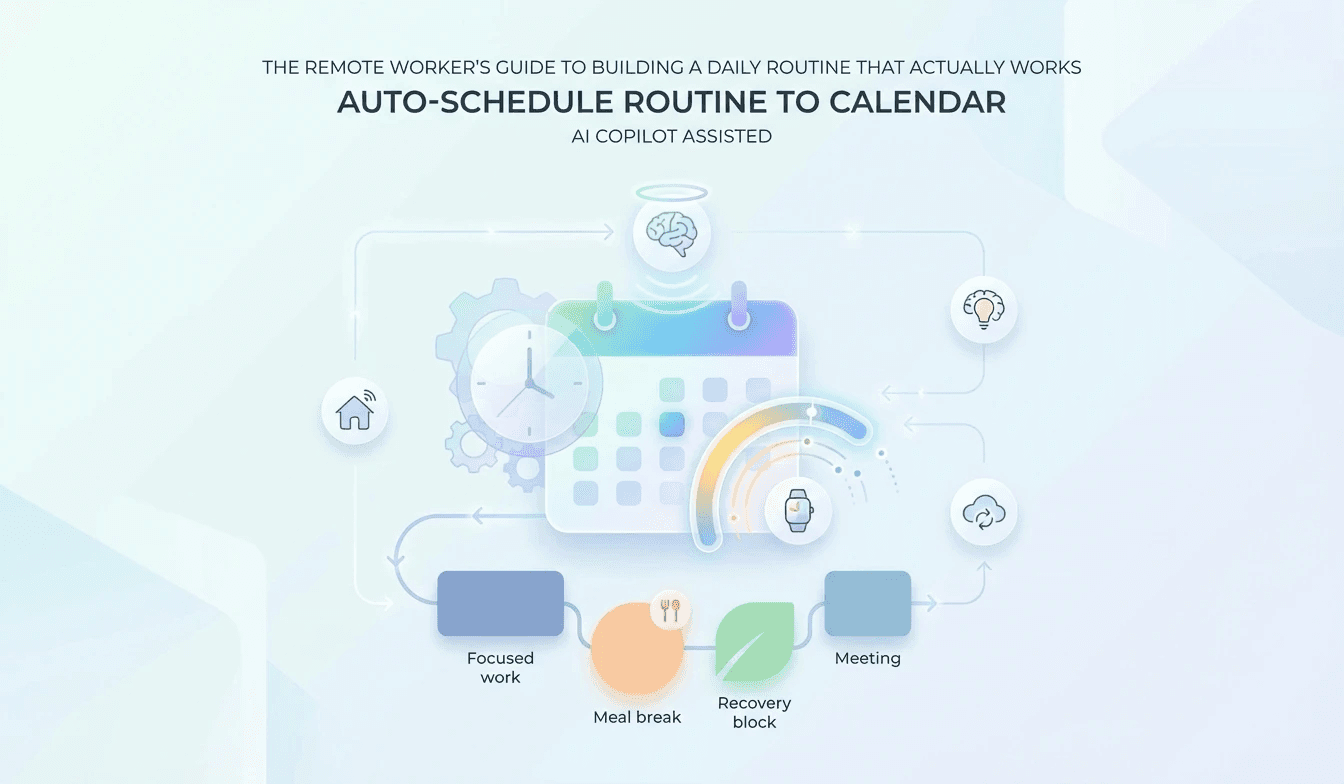
Tired of to-do lists that just keep growing? The best daily planner for remote workers goes beyond simple task management. It's about creating a holistic work from home routine template that integrates your professional responsibilities with your personal well-being. This is where intelligent automation shines. Imagine a system that not only schedules your tasks but also understands your energy levels and avoids conflicts. Lifestack's Auto-Schedule Routine To Calendar feature offers just that. It provides Automatic Calendar Scheduling, seamlessly placing your planned routines into your existing calendar. This means no more manual blocking or forgetting to schedule breaks. Furthermore, its Conflict-Aware Placement ensures that your new routines won't clash with existing appointments, saving you from those frustrating double-bookings. This intelligent system is a game-changer for anyone looking to optimize their remote worker daily schedule. It helps you proactively manage your time and energy, making it easier to stop overworking remotely by building in necessary downtime. Think of it as your personal AI assistant for time management. ✨
Key benefits include:
Effortless Scheduling: Let the AI handle the heavy lifting of calendar management.
Conflict Prevention: Avoid the stress of overlapping appointments.
Integrated Workflow: Seamlessly blend your tasks, habits, and personal time. 🧘♀️
Syncing Your Schedule with AI Calendar for Remote Teams
For remote teams, synchronicity is key. An AI calendar for remote teams can transform collaboration and individual productivity. Lifestack's capabilities extend to External Calendar Sync to Google Calendar, ensuring your optimized routine is visible and accessible to you and your team, if desired. This feature is invaluable for maintaining alignment and transparency. Beyond just scheduling, Lifestack offers Energy Heatmap Visualizations, which can provide insights into your personal energy patterns over time, helping you refine your energy management remote work strategies. For those who want to go deeper, Wearable Biometrics Integration can offer even more granular data to inform your routine. This level of insight helps you understand how sleep, exercise, and even stress impact your workday, allowing you to build a truly personalized and effective work from home routine template. By embracing these advanced features, you can not only improve your own remote worker productivity tools 2026 but also contribute to a more cohesive and efficient team dynamic. Stop overworking remotely by letting technology help you find your optimal rhythm. Ready to dive deeper into setting up these powerful features? Check out the detailed guide here for setup tips and tricks! 💡
Embrace these advanced features:
Seamless Google Calendar Integration: Keep your entire schedule in sync.
Data-Driven Insights: Understand your energy patterns like never before.
Enhanced Team Collaboration: Foster better communication and workflow alignment. 🤝
Mastering Your Remote Work Productivity Tools in 2026
Welcome, busy professionals! Navigating the world of remote work can feel like a juggling act, but with the right approach, you can achieve peak productivity and maintain a healthy work-life balance. The key lies in establishing a robust remote worker daily schedule that supports your natural rhythms. Think of your day not just as a series of tasks, but as a flow of energy. Understanding your personal energy management remote work patterns is crucial. Are you a morning lark or a night owl? When do you hit your peak focus? Leveraging remote work productivity tools 2026 can significantly enhance your ability to track and optimize these energy cycles. By identifying your most productive hours, you can strategically schedule demanding tasks when you're at your best, and lighter activities during your dips. This mindful approach prevents burnout and ensures you're working smarter, not just harder. Consider this your first step towards a more sustainable and fulfilling remote work experience. 🚀
Here’s how to start:
Track Your Energy Levels: For a week, jot down how you feel at different times of the day. Note your focus, motivation, and any fatigue.
Identify Peak Productivity Windows: Pinpoint the times when you feel most alert and capable of deep work.
Schedule Accordingly: Block out time for your most important tasks during these peak periods. 🗓️
The Best Daily Planner for Remote Workers: Beyond the To-Do List
Tired of to-do lists that just keep growing? The best daily planner for remote workers goes beyond simple task management. It's about creating a holistic work from home routine template that integrates your professional responsibilities with your personal well-being. This is where intelligent automation shines. Imagine a system that not only schedules your tasks but also understands your energy levels and avoids conflicts. Lifestack's Auto-Schedule Routine To Calendar feature offers just that. It provides Automatic Calendar Scheduling, seamlessly placing your planned routines into your existing calendar. This means no more manual blocking or forgetting to schedule breaks. Furthermore, its Conflict-Aware Placement ensures that your new routines won't clash with existing appointments, saving you from those frustrating double-bookings. This intelligent system is a game-changer for anyone looking to optimize their remote worker daily schedule. It helps you proactively manage your time and energy, making it easier to stop overworking remotely by building in necessary downtime. Think of it as your personal AI assistant for time management. ✨
Key benefits include:
Effortless Scheduling: Let the AI handle the heavy lifting of calendar management.
Conflict Prevention: Avoid the stress of overlapping appointments.
Integrated Workflow: Seamlessly blend your tasks, habits, and personal time. 🧘♀️
Syncing Your Schedule with AI Calendar for Remote Teams
For remote teams, synchronicity is key. An AI calendar for remote teams can transform collaboration and individual productivity. Lifestack's capabilities extend to External Calendar Sync to Google Calendar, ensuring your optimized routine is visible and accessible to you and your team, if desired. This feature is invaluable for maintaining alignment and transparency. Beyond just scheduling, Lifestack offers Energy Heatmap Visualizations, which can provide insights into your personal energy patterns over time, helping you refine your energy management remote work strategies. For those who want to go deeper, Wearable Biometrics Integration can offer even more granular data to inform your routine. This level of insight helps you understand how sleep, exercise, and even stress impact your workday, allowing you to build a truly personalized and effective work from home routine template. By embracing these advanced features, you can not only improve your own remote worker productivity tools 2026 but also contribute to a more cohesive and efficient team dynamic. Stop overworking remotely by letting technology help you find your optimal rhythm. Ready to dive deeper into setting up these powerful features? Check out the detailed guide here for setup tips and tricks! 💡
Embrace these advanced features:
Seamless Google Calendar Integration: Keep your entire schedule in sync.
Data-Driven Insights: Understand your energy patterns like never before.
Enhanced Team Collaboration: Foster better communication and workflow alignment. 🤝



FOLLOW ON
FOLLOW ON
FOLLOW ON


Copyright 2026 © Lifestack. All rights reserved
Copyright 2026 © Lifestack. All rights reserved

