
Tutorial
The Developer's Guide to Protecting Flow State with an AI Calendar
The Developer's Guide to Protecting Flow State with an AI Calendar
Mar 17, 2026
Mastering Your Developer Daily Schedule Template with Time Blocking
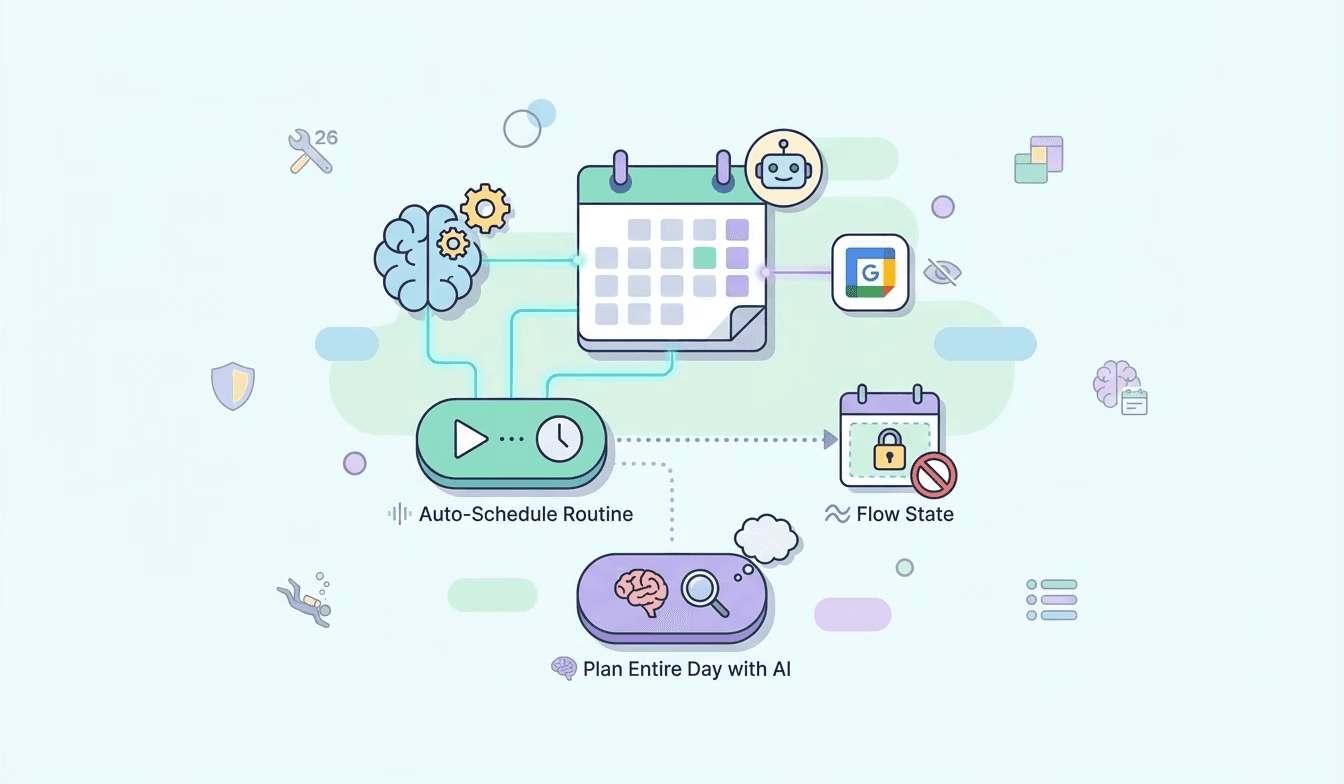
In the fast-paced world of software development, protecting your focus is paramount. This guide explores how to leverage an AI calendar to create a robust developer daily schedule template, emphasizing time blocking for software engineers. By strategically allocating dedicated blocks of time for coding, meetings, and breaks, you can significantly enhance your developer productivity tools 2026. Think of it as building digital walls around your most critical tasks. Lifestack's AI calendar excels at this, allowing you to auto-schedule routines to your calendar. This feature not only places your recurring tasks but also intelligently avoids conflicts and syncs seamlessly with your existing Google Calendar. You can even choose to hide these routines from your main view, keeping your schedule clean while ensuring your deep work for programmers remains protected. 🚀
Define Your Core Coding Blocks: Identify your peak productivity hours and schedule uninterrupted coding sessions. 💻
Schedule Meetings Strategically: Group meetings together to minimize context switching and protect your flow state calendar. 🗓️
Incorporate Buffer Time: Allow for unexpected interruptions or tasks that run over. ⏳
The Best AI Planner for Developers: Unlocking Deep Work
Are you searching for the best AI planner for developers? Look no further than Lifestack. Our AI-powered calendar goes beyond simple scheduling; it's designed to help you achieve deep work for programmers. By understanding your work patterns and preferences, Lifestack can help you discover the best windows for focused effort. This is crucial for how to get more coding hours. The 'Auto-Schedule Tasks/Routine To Calendar' feature is a game-changer. It can hand off to 'Plan Entire Day with AI' to intelligently discover the optimal time for your deep work sessions, ensuring you're not just busy, but truly productive. This energy-aware scheduling engineer capability means your calendar adapts to your natural energy levels, maximizing your output. Imagine a calendar that actively helps you protect your flow state calendar! ✨
Identify Your Deep Work Triggers: Understand what conditions allow you to enter a flow state. 🤔
Leverage AI for Task Placement: Let the AI find the perfect slots for your most demanding coding tasks. 🤖
Minimize Distractions: Use calendar features to signal to others when you're in a deep work session. 🤫
Boosting Developer Productivity 2026 and Beyond
The landscape of developer productivity tools 2026 is evolving rapidly, and an AI calendar is at the forefront of this revolution. By embracing time blocking for software engineers and prioritizing deep work for programmers, you can significantly increase your output and job satisfaction. Lifestack's AI planner helps you achieve this by offering intelligent scheduling that respects your need to protect flow state. The 'Auto-Schedule Tasks/Routine To Calendar' feature is particularly powerful, as it can automatically place your routines, avoid conflicts, and sync with your Google Calendar. This frees up mental energy that would otherwise be spent on manual scheduling, allowing you to focus on what you do best: coding. Remember, how to get more coding hours isn't just about working longer, but working smarter. An energy-aware scheduling engineer approach, facilitated by Lifestack, ensures you're working at your most effective. 🌟
Regularly Review and Adjust: Your schedule should be dynamic. Adapt it as your priorities and energy levels change. 🔄
Experiment with Different Time Blocks: Find what works best for your personal workflow. 🧪
Utilize AI for Proactive Planning: Let Lifestack help you anticipate and manage your workload effectively. 💡
For detailed setup tips and to learn more about how Lifestack can transform your workflow, visit our knowledge base article: Developer guide.
Get started today and unlock your coding potential! 🚀✨🎉
Mastering Your Developer Daily Schedule Template with Time Blocking
In the fast-paced world of software development, protecting your focus is paramount. This guide explores how to leverage an AI calendar to create a robust developer daily schedule template, emphasizing time blocking for software engineers. By strategically allocating dedicated blocks of time for coding, meetings, and breaks, you can significantly enhance your developer productivity tools 2026. Think of it as building digital walls around your most critical tasks. Lifestack's AI calendar excels at this, allowing you to auto-schedule routines to your calendar. This feature not only places your recurring tasks but also intelligently avoids conflicts and syncs seamlessly with your existing Google Calendar. You can even choose to hide these routines from your main view, keeping your schedule clean while ensuring your deep work for programmers remains protected. 🚀
Define Your Core Coding Blocks: Identify your peak productivity hours and schedule uninterrupted coding sessions. 💻
Schedule Meetings Strategically: Group meetings together to minimize context switching and protect your flow state calendar. 🗓️
Incorporate Buffer Time: Allow for unexpected interruptions or tasks that run over. ⏳
The Best AI Planner for Developers: Unlocking Deep Work
Are you searching for the best AI planner for developers? Look no further than Lifestack. Our AI-powered calendar goes beyond simple scheduling; it's designed to help you achieve deep work for programmers. By understanding your work patterns and preferences, Lifestack can help you discover the best windows for focused effort. This is crucial for how to get more coding hours. The 'Auto-Schedule Tasks/Routine To Calendar' feature is a game-changer. It can hand off to 'Plan Entire Day with AI' to intelligently discover the optimal time for your deep work sessions, ensuring you're not just busy, but truly productive. This energy-aware scheduling engineer capability means your calendar adapts to your natural energy levels, maximizing your output. Imagine a calendar that actively helps you protect your flow state calendar! ✨
Identify Your Deep Work Triggers: Understand what conditions allow you to enter a flow state. 🤔
Leverage AI for Task Placement: Let the AI find the perfect slots for your most demanding coding tasks. 🤖
Minimize Distractions: Use calendar features to signal to others when you're in a deep work session. 🤫
Boosting Developer Productivity 2026 and Beyond
The landscape of developer productivity tools 2026 is evolving rapidly, and an AI calendar is at the forefront of this revolution. By embracing time blocking for software engineers and prioritizing deep work for programmers, you can significantly increase your output and job satisfaction. Lifestack's AI planner helps you achieve this by offering intelligent scheduling that respects your need to protect flow state. The 'Auto-Schedule Tasks/Routine To Calendar' feature is particularly powerful, as it can automatically place your routines, avoid conflicts, and sync with your Google Calendar. This frees up mental energy that would otherwise be spent on manual scheduling, allowing you to focus on what you do best: coding. Remember, how to get more coding hours isn't just about working longer, but working smarter. An energy-aware scheduling engineer approach, facilitated by Lifestack, ensures you're working at your most effective. 🌟
Regularly Review and Adjust: Your schedule should be dynamic. Adapt it as your priorities and energy levels change. 🔄
Experiment with Different Time Blocks: Find what works best for your personal workflow. 🧪
Utilize AI for Proactive Planning: Let Lifestack help you anticipate and manage your workload effectively. 💡
For detailed setup tips and to learn more about how Lifestack can transform your workflow, visit our knowledge base article: Developer guide.
Get started today and unlock your coding potential! 🚀✨🎉



FOLLOW ON
FOLLOW ON
FOLLOW ON


Copyright 2026 © Lifestack. All rights reserved
Copyright 2026 © Lifestack. All rights reserved

