
How Software Engineers Use Lifestack to Recover 3 Hours of Deep Work
How Software Engineers Use Lifestack to Recover 3 Hours of Deep Work
Mar 18, 2026
Reclaiming Your Flow State: The Core of Deep Work 🚀
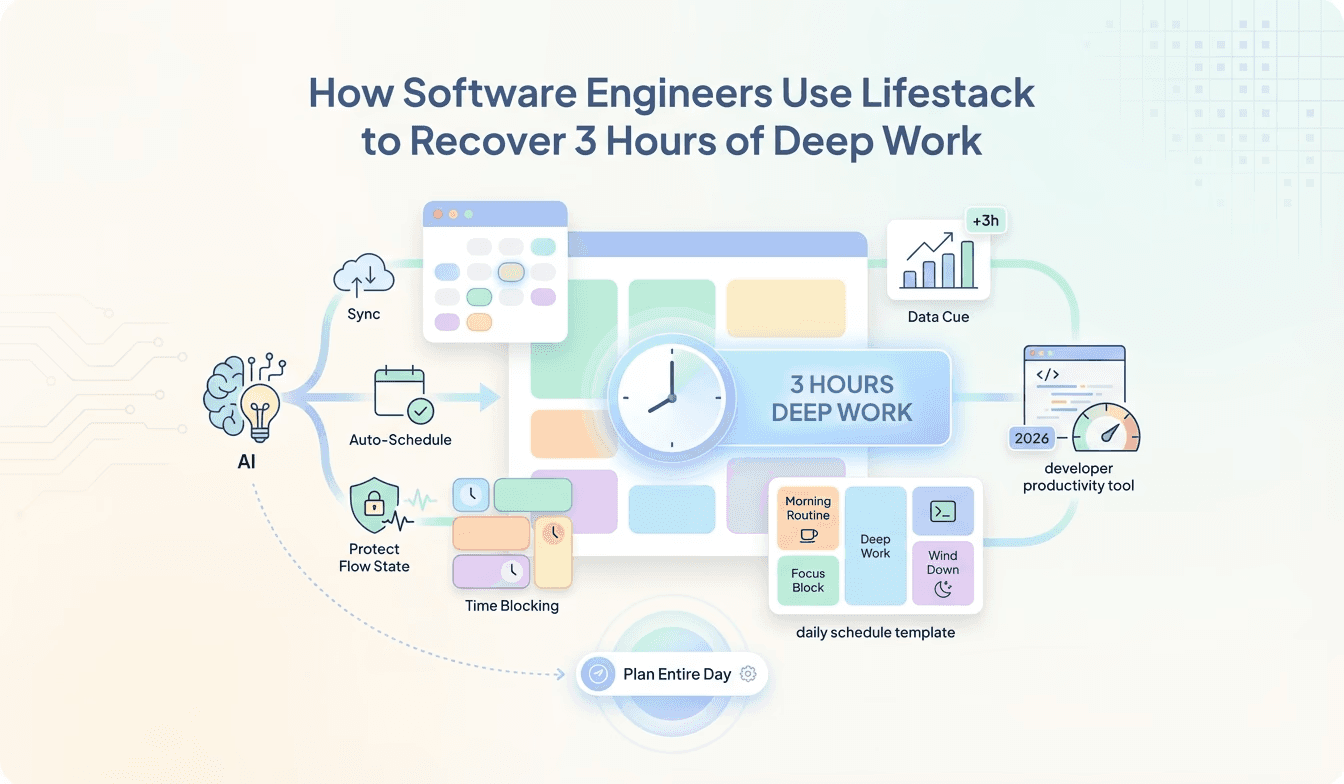
In the fast-paced world of software development, maintaining focus is paramount. The constant barrage of meetings, notifications, and context switching can shatter a programmer's ability to achieve deep work. Lifestack acts as your shield, helping you protect flow state calendar blocks. By understanding the principles of time blocking for software engineers, you can strategically carve out uninterrupted periods for complex problem-solving and coding. This isn't just about finding more time; it's about creating the right time. Think of it as optimizing your developer daily schedule template to prioritize what truly matters: building great software. Lifestack's capabilities, like Automatic Calendar Scheduling, ensure that your dedicated deep work sessions are automatically placed on your calendar, preventing accidental double-bookings and respecting your focus time. This is a game-changer for anyone looking to increase their coding hours. 💻
Leveraging AI for Peak Developer Productivity 🤖
The search for the best AI planner for developers ends with Lifestack. Beyond simple task management, Lifestack employs intelligent algorithms to understand your workflow and energy levels. This leads to energy-aware scheduling, ensuring you tackle demanding tasks when you're at your most productive. Imagine a planner that not only schedules your meetings but also suggests the optimal times for coding sprints, code reviews, and even breaks. This proactive approach to your developer daily schedule template is what sets Lifestack apart. Features like Conflict-Aware Placement are crucial here. Lifestack intelligently identifies potential clashes between your scheduled routines and existing calendar events, offering alternative slots that minimize disruption. This means fewer interruptions and more sustained periods of deep work for programmers. Furthermore, External Calendar Sync to Google Calendar ensures that your Lifestack schedule is always in sync with your existing commitments, providing a unified view of your day. This seamless integration is a cornerstone of effective time blocking for software engineers. 🗓️
Maximizing Coding Hours and Minimizing Overhead ⏱️
The ultimate goal for many software engineers is to figure out how to get more coding hours. Lifestack directly addresses this by automating the tedious aspects of scheduling and planning. Instead of spending precious time manually arranging your day, Lifestack's AI handles it, freeing you up to focus on what you do best. This efficiency boost is critical for staying ahead in the competitive landscape of developer productivity tools 2026. The Optional Calendar Visibility feature allows you to control who sees your scheduled deep work blocks, giving you the flexibility to maintain privacy while still benefiting from structured planning. This is particularly useful when collaborating with teams. By embracing Lifestack, you're not just adopting new developer productivity tools 2026; you're fundamentally changing how you approach your work. You're moving towards a more intentional, focused, and ultimately, more productive developer daily schedule template. Want to dive deeper into setting up these powerful features? Check out the knowledge base article for detailed setup tips: Developer Usecase
Reclaiming Your Flow State: The Core of Deep Work 🚀
In the fast-paced world of software development, maintaining focus is paramount. The constant barrage of meetings, notifications, and context switching can shatter a programmer's ability to achieve deep work. Lifestack acts as your shield, helping you protect flow state calendar blocks. By understanding the principles of time blocking for software engineers, you can strategically carve out uninterrupted periods for complex problem-solving and coding. This isn't just about finding more time; it's about creating the right time. Think of it as optimizing your developer daily schedule template to prioritize what truly matters: building great software. Lifestack's capabilities, like Automatic Calendar Scheduling, ensure that your dedicated deep work sessions are automatically placed on your calendar, preventing accidental double-bookings and respecting your focus time. This is a game-changer for anyone looking to increase their coding hours. 💻
Leveraging AI for Peak Developer Productivity 🤖
The search for the best AI planner for developers ends with Lifestack. Beyond simple task management, Lifestack employs intelligent algorithms to understand your workflow and energy levels. This leads to energy-aware scheduling, ensuring you tackle demanding tasks when you're at your most productive. Imagine a planner that not only schedules your meetings but also suggests the optimal times for coding sprints, code reviews, and even breaks. This proactive approach to your developer daily schedule template is what sets Lifestack apart. Features like Conflict-Aware Placement are crucial here. Lifestack intelligently identifies potential clashes between your scheduled routines and existing calendar events, offering alternative slots that minimize disruption. This means fewer interruptions and more sustained periods of deep work for programmers. Furthermore, External Calendar Sync to Google Calendar ensures that your Lifestack schedule is always in sync with your existing commitments, providing a unified view of your day. This seamless integration is a cornerstone of effective time blocking for software engineers. 🗓️
Maximizing Coding Hours and Minimizing Overhead ⏱️
The ultimate goal for many software engineers is to figure out how to get more coding hours. Lifestack directly addresses this by automating the tedious aspects of scheduling and planning. Instead of spending precious time manually arranging your day, Lifestack's AI handles it, freeing you up to focus on what you do best. This efficiency boost is critical for staying ahead in the competitive landscape of developer productivity tools 2026. The Optional Calendar Visibility feature allows you to control who sees your scheduled deep work blocks, giving you the flexibility to maintain privacy while still benefiting from structured planning. This is particularly useful when collaborating with teams. By embracing Lifestack, you're not just adopting new developer productivity tools 2026; you're fundamentally changing how you approach your work. You're moving towards a more intentional, focused, and ultimately, more productive developer daily schedule template. Want to dive deeper into setting up these powerful features? Check out the knowledge base article for detailed setup tips: Developer Usecase



FOLLOW ON
FOLLOW ON
FOLLOW ON


Copyright 2026 © Lifestack. All rights reserved
Copyright 2026 © Lifestack. All rights reserved

