
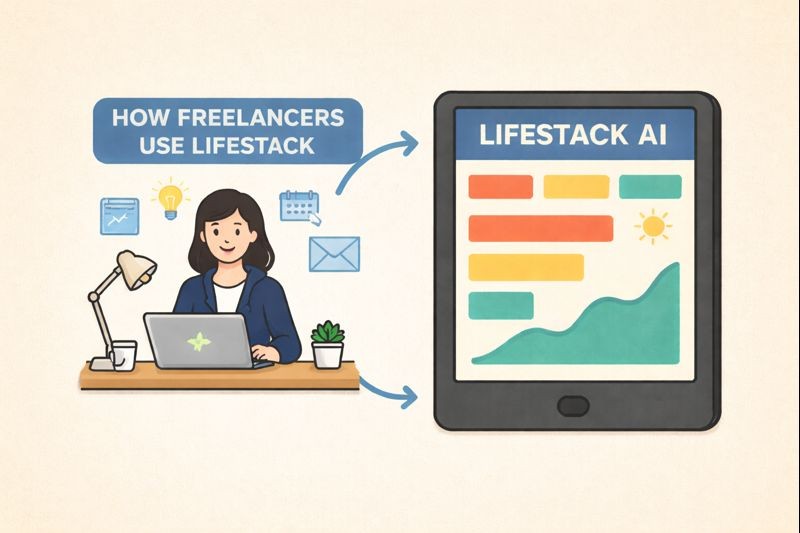
[Use case] How Freelancers Use Lifestack
[Use case] How Freelancers Use Lifestack
Jan 20, 2026
👋 Who this guide is for
This guide is for freelancers with flexible schedules who want structure without burning themselves out.
If your days blur together, work spills into evenings, or “flexibility” starts to feel like constant availability, this is for you.
How freelancers use Lifestack
Freelancers don’t usually struggle with motivation. They struggle with boundaries — between work and rest, focus and fatigue, flexibility and overwork.
Lifestack helps freelancers design days that are flexible but still intentional. By combining your calendar, work blocks, and (optionally) health data, Lifestack makes it easier to:
Plan work around energy instead of forcing long days
Use AI to avoid overloading yourself
Protect personal time without feeling guilty
Getting started for freelancers
Lifestack works best when it reflects both your work and your life.
Start by syncing your calendar. This includes client calls, deadlines, personal commitments, and time off. Seeing everything together helps prevent overbooking without realizing it.
Sync Calendar
We recommend syncing your personal and work calendars, so you can keep everything in one place.
Next, add work blocks for the kinds of work you do regularly — client work, admin, learning, creative time. These blocks help Lifestack understand not just what you’re doing, but how demanding it is. Here’s a guide to making the most of your to do list:
If you choose, you can also connect health data. Sleep and recovery patterns can help Lifestack spot fatigue early, before long days turn into burnout. If you want to learn how to connect your health wearable, check out the guide below:
Connect Health Data
Once this is set up, Lifestack can help you plan days that feel balanced instead of packed.
Time block in a way that stays flexible
Time blocking in Lifestack isn’t about filling every hour. It’s about matching work to energy while leaving room to adjust.
Freelancers often use higher-energy windows for focused client work, creative tasks, or problem-solving. Lower-energy moments work better for email, admin, planning, or follow-ups.
Using Schedule Your Day, you can drag tasks onto your calendar and move them freely as your day shifts. When you’re unsure how to structure things, Plan Entire Day with AI gives you a balanced starting point you can edit as needed.
Your schedule isn’t meant to be perfect — it’s meant to respond.
Use AI to support flexible days
Freelancers use Lifestack’s AI to reduce decision fatigue.
Instead of constantly asking yourself when to work, when to rest, or when to stop, you can ask the AI for help shaping the day. Common uses include planning work-from-home days, deciding when to take breaks, fitting in movement, or reworking a plan after a late start.
The AI looks at your workload, energy, and availability to suggest options that make sense — without locking you into anything.
You stay in control. The AI just helps you stop overthinking.
Helpful AI prompts:
🌿 “Create a balanced workday from home”
☕ “When should I take breaks today?”
🏃 “When is the best time to exercise?”
🔄 “Replan my day after a late start”
Check out more here: [Plan Entire Day with AI]
End the day with reflection, not carryover stress
At the end of the day, freelancers using Lifestack take a moment to pause instead of immediately thinking about tomorrow.
Review Your Day helps you:
See what actually got done
Notice how energy matched workload
Make tomorrow’s plan more realistic
Over time, this reflection helps freelancers build sustainable work habits — not just full calendars.
Learn more here: [Review Your Day]
A sample freelancer day with Lifestack
Freelancer days change often. Lifestack is built to move with them.
After waking up
Check the Morning Brief and Energy Curve to understand how focused and rested you’re likely to be.
When starting work
Use Plan Entire Day with AI to outline a flexible plan, then block time for priority work.
During the day
Adjust work blocks as client needs, energy, or personal plans shift.
Afternoon dip
Follow AI suggestions to rest, step outside, or switch to lighter tasks.
Evening
Use Review Your Day to close the loop and prepare for tomorrow without carrying work stress forward.
The goal isn’t to work less or more — it’s to work in a way that actually feels livable.
👋 Who this guide is for
This guide is for freelancers with flexible schedules who want structure without burning themselves out.
If your days blur together, work spills into evenings, or “flexibility” starts to feel like constant availability, this is for you.
How freelancers use Lifestack
Freelancers don’t usually struggle with motivation. They struggle with boundaries — between work and rest, focus and fatigue, flexibility and overwork.
Lifestack helps freelancers design days that are flexible but still intentional. By combining your calendar, work blocks, and (optionally) health data, Lifestack makes it easier to:
Plan work around energy instead of forcing long days
Use AI to avoid overloading yourself
Protect personal time without feeling guilty
Getting started for freelancers
Lifestack works best when it reflects both your work and your life.
Start by syncing your calendar. This includes client calls, deadlines, personal commitments, and time off. Seeing everything together helps prevent overbooking without realizing it.
Sync Calendar
We recommend syncing your personal and work calendars, so you can keep everything in one place.
Next, add work blocks for the kinds of work you do regularly — client work, admin, learning, creative time. These blocks help Lifestack understand not just what you’re doing, but how demanding it is. Here’s a guide to making the most of your to do list:
If you choose, you can also connect health data. Sleep and recovery patterns can help Lifestack spot fatigue early, before long days turn into burnout. If you want to learn how to connect your health wearable, check out the guide below:
Connect Health Data
Once this is set up, Lifestack can help you plan days that feel balanced instead of packed.
Time block in a way that stays flexible
Time blocking in Lifestack isn’t about filling every hour. It’s about matching work to energy while leaving room to adjust.
Freelancers often use higher-energy windows for focused client work, creative tasks, or problem-solving. Lower-energy moments work better for email, admin, planning, or follow-ups.
Using Schedule Your Day, you can drag tasks onto your calendar and move them freely as your day shifts. When you’re unsure how to structure things, Plan Entire Day with AI gives you a balanced starting point you can edit as needed.
Your schedule isn’t meant to be perfect — it’s meant to respond.
Use AI to support flexible days
Freelancers use Lifestack’s AI to reduce decision fatigue.
Instead of constantly asking yourself when to work, when to rest, or when to stop, you can ask the AI for help shaping the day. Common uses include planning work-from-home days, deciding when to take breaks, fitting in movement, or reworking a plan after a late start.
The AI looks at your workload, energy, and availability to suggest options that make sense — without locking you into anything.
You stay in control. The AI just helps you stop overthinking.
Helpful AI prompts:
🌿 “Create a balanced workday from home”
☕ “When should I take breaks today?”
🏃 “When is the best time to exercise?”
🔄 “Replan my day after a late start”
Check out more here: [Plan Entire Day with AI]
End the day with reflection, not carryover stress
At the end of the day, freelancers using Lifestack take a moment to pause instead of immediately thinking about tomorrow.
Review Your Day helps you:
See what actually got done
Notice how energy matched workload
Make tomorrow’s plan more realistic
Over time, this reflection helps freelancers build sustainable work habits — not just full calendars.
Learn more here: [Review Your Day]
A sample freelancer day with Lifestack
Freelancer days change often. Lifestack is built to move with them.
After waking up
Check the Morning Brief and Energy Curve to understand how focused and rested you’re likely to be.
When starting work
Use Plan Entire Day with AI to outline a flexible plan, then block time for priority work.
During the day
Adjust work blocks as client needs, energy, or personal plans shift.
Afternoon dip
Follow AI suggestions to rest, step outside, or switch to lighter tasks.
Evening
Use Review Your Day to close the loop and prepare for tomorrow without carrying work stress forward.
The goal isn’t to work less or more — it’s to work in a way that actually feels livable.



FOLLOW ON
FOLLOW ON
FOLLOW ON


Copyright 2026 © Lifestack. All rights reserved
Copyright 2026 © Lifestack. All rights reserved

