
App
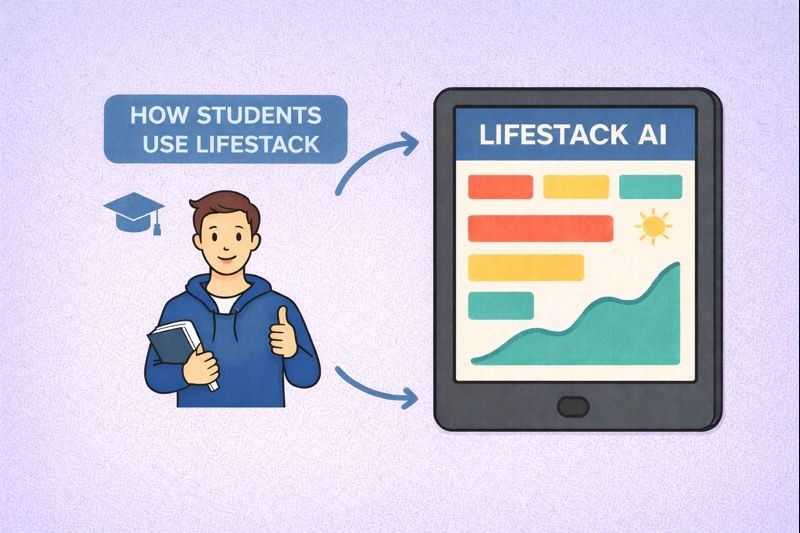
[Use case] How Students Use Lifestack
[Use case] How Students Use Lifestack
Jan 20, 2026
👋 Who this guide is for
This guide is for students juggling classes, exams, part-time work, and personal health — often on inconsistent sleep and unpredictable energy.
If your schedule looks reasonable on paper but feels exhausting in practice, read on to learn how Lifestack can help you manage your days.
How students use Lifestack
Most students don’t struggle because they aren’t trying hard enough. They struggle because their energy doesn’t always line up with their schedule.
Lifestack helps students plan their days around when focus is actually available, not just when deadlines exist. By combining class schedules, study tasks, and (optionally) health data, Lifestack makes it easier to:
Study during high-focus windows
Take breaks before burnout sets in
Stay active without hurting academic performance
The goal isn’t to optimize every minute. It’s to make studying feel more sustainable.
Getting started as a student with Lifestack
Lifestack works best when it understands the shape of your academic life.
Start by connecting your calendar. This includes classes, exams, labs, and any fixed commitments. Seeing these in one place helps Lifestack understand when your time is already spoken for.
Connect your Calendar
Sync class schedules & exams
Next, add your study tasks — homework, exam prep, projects, and readings. Estimating how long tasks take makes it easier to plan days that feel realistic instead of rushed.
Add study tasks (Create/Update Daily Tasks)
Homework, exam prep, projects
Estimate time per task
If you choose, you can also connect health data from Apple Health, Google Fit, or a wearable. Sleep and activity patterns can have a big impact on focus, especially during busy or stressful weeks.
Once this is set up, Lifestack can start planning with context instead of assumptions.
(Optional) Connect Health Data
Apple Health, Google Fit, wearables
Improves energy & recovery insights
Study with your energy, not against it
Before deciding what to work on, students using Lifestack check their Energy Curve.
The Energy Curve helps you understand when you’re more likely to be:
Focused enough for deep studying or problem-solving
Better suited for review, reading, or lighter tasks
In need of rest, movement, or a real break
This makes it easier to answer questions like:
When should I tackle harder subjects?
When is it smarter to review instead of pushing?
When will a break actually help?
Instead of forcing productivity, you work with what’s available.
Read more about how we calculate your energy curve here: [Energy Curve]
Use AI as a study planning assistant
Students use Lifestack’s AI to reduce the stress of daily planning.
You can ask for help deciding when to study, how to structure exam weeks, or how to adjust your day after a poor night of sleep. The AI looks at:
Your class schedule and deadlines
Your energy patterns
Your sleep and activity (if connected)
From there, it suggests plans that make sense for your day.
You stay in control. The AI just helps you avoid staring at your schedule wondering where to start.
Read more in our customer care docs: [Features] 🤖 AI Assistant
A sample student day with Lifestack
Student days rarely follow a perfect routine. Lifestack is built to adapt as things change.
After waking up
Check the Energy Curve and sleep insights to get a sense of how focused you’re likely to be.
Start of the day
Use Plan Entire Day with AI to create a flexible plan, then adjust it around classes and priorities.
During the day
Use Schedule Your Day to time block study sessions and move tasks as energy shifts.
Afternoon dip
Follow AI suggestions to take a break, go for a walk, or switch to lighter review work.
Evening
Use Review Your Day to reflect on what worked and make tomorrow feel easier to approach.
The goal isn’t perfect productivity. It’s staying balanced through demanding weeks.
👋 Who this guide is for
This guide is for students juggling classes, exams, part-time work, and personal health — often on inconsistent sleep and unpredictable energy.
If your schedule looks reasonable on paper but feels exhausting in practice, read on to learn how Lifestack can help you manage your days.
How students use Lifestack
Most students don’t struggle because they aren’t trying hard enough. They struggle because their energy doesn’t always line up with their schedule.
Lifestack helps students plan their days around when focus is actually available, not just when deadlines exist. By combining class schedules, study tasks, and (optionally) health data, Lifestack makes it easier to:
Study during high-focus windows
Take breaks before burnout sets in
Stay active without hurting academic performance
The goal isn’t to optimize every minute. It’s to make studying feel more sustainable.
Getting started as a student with Lifestack
Lifestack works best when it understands the shape of your academic life.
Start by connecting your calendar. This includes classes, exams, labs, and any fixed commitments. Seeing these in one place helps Lifestack understand when your time is already spoken for.
Connect your Calendar
Sync class schedules & exams
Next, add your study tasks — homework, exam prep, projects, and readings. Estimating how long tasks take makes it easier to plan days that feel realistic instead of rushed.
Add study tasks (Create/Update Daily Tasks)
Homework, exam prep, projects
Estimate time per task
If you choose, you can also connect health data from Apple Health, Google Fit, or a wearable. Sleep and activity patterns can have a big impact on focus, especially during busy or stressful weeks.
Once this is set up, Lifestack can start planning with context instead of assumptions.
(Optional) Connect Health Data
Apple Health, Google Fit, wearables
Improves energy & recovery insights
Study with your energy, not against it
Before deciding what to work on, students using Lifestack check their Energy Curve.
The Energy Curve helps you understand when you’re more likely to be:
Focused enough for deep studying or problem-solving
Better suited for review, reading, or lighter tasks
In need of rest, movement, or a real break
This makes it easier to answer questions like:
When should I tackle harder subjects?
When is it smarter to review instead of pushing?
When will a break actually help?
Instead of forcing productivity, you work with what’s available.
Read more about how we calculate your energy curve here: [Energy Curve]
Use AI as a study planning assistant
Students use Lifestack’s AI to reduce the stress of daily planning.
You can ask for help deciding when to study, how to structure exam weeks, or how to adjust your day after a poor night of sleep. The AI looks at:
Your class schedule and deadlines
Your energy patterns
Your sleep and activity (if connected)
From there, it suggests plans that make sense for your day.
You stay in control. The AI just helps you avoid staring at your schedule wondering where to start.
Read more in our customer care docs: [Features] 🤖 AI Assistant
A sample student day with Lifestack
Student days rarely follow a perfect routine. Lifestack is built to adapt as things change.
After waking up
Check the Energy Curve and sleep insights to get a sense of how focused you’re likely to be.
Start of the day
Use Plan Entire Day with AI to create a flexible plan, then adjust it around classes and priorities.
During the day
Use Schedule Your Day to time block study sessions and move tasks as energy shifts.
Afternoon dip
Follow AI suggestions to take a break, go for a walk, or switch to lighter review work.
Evening
Use Review Your Day to reflect on what worked and make tomorrow feel easier to approach.
The goal isn’t perfect productivity. It’s staying balanced through demanding weeks.



FOLLOW ON
FOLLOW ON
FOLLOW ON


Copyright 2026 © Lifestack. All rights reserved
Copyright 2026 © Lifestack. All rights reserved

