
App
Best Activity Tracking Apps in 2026
Best Activity Tracking Apps in 2026

Most activity tracking apps do the same thing: they record your movement, heart rate, and workouts and display the data back to you. Where they differ is in what they do with that data after it is collected. Some surface trends you would never notice on your own. A few go further and actually change how you plan your day based on what they find.
This guide covers the six best activity tracking apps in 2026 across different use cases: energy-aware scheduling, GPS sports tracking, Apple ecosystem workout content, advanced fitness analytics, nutrition integration, and sleep-focused recovery.
Key Takeaways
The best activity trackers do more than display data; they use it to give you actionable guidance on training, recovery, or scheduling
Lifestack is the only app that takes your activity and sleep data and directly builds your daily schedule around it
Free tiers exist across most major apps, though premium features require subscriptions ranging from $50 to $80 per year
Quick Guide: Best Activity Tracking Apps
Lifestack: best for turning health and activity data into an optimized daily schedule
Strava: best for GPS tracking with a social sports community
Apple Fitness+: best for guided workouts integrated with Apple Watch activity rings
Garmin Connect: best advanced analytics for Garmin device users
MyFitnessPal: best for combining nutrition tracking with exercise logging
Oura: best for sleep and recovery tracking with daily readiness scores
How We Evaluated These Apps
Data depth: what metrics are tracked and how detailed is the analysis?
Actionability: does the app tell you what to do with the data, not just display it?
Integration: does it connect to wearables, other apps, and your calendar?
Platform: iOS, Android, web?
Value: is the free tier meaningful? Is the paid tier worth it?
1. Lifestack
Best for: using your activity and health data to schedule your day intelligently

Lifestack sits in a different category from every other app on this list. Where other tools track your activity and show you the results, Lifestack takes your sleep quality, HRV, and recovery data from wearables like the Oura Ring, Garmin, and Apple Watch and uses it to build your daily schedule automatically. Your most demanding tasks get placed in your peak cognitive hours. Low-recovery days get lighter schedules without you having to manually adjust anything.
For anyone who wears a smartwatch and actually wants their health data to influence their productivity, Lifestack closes the loop that other apps leave open. Most trackers answer "how did you do?" Lifestack answers "what should you do next?"
Key Features: energy-aware auto-scheduling, wearable integration (Oura, Apple Watch, Garmin), HRV and sleep-driven daily plans, iOS and Android, Chrome extension
What Works: the only app that directly connects health tracking to calendar planning; adapts daily based on your recovery state
Limitations: not a workout logger or GPS tracker; designed for scheduling and planning, not activity recording
Pricing: $7/month or $50/year
Best for: professionals and health-conscious individuals who want their wearable data to actually shape their day
2. Strava
Best for: GPS tracking of runs, rides, and outdoor activities with social accountability
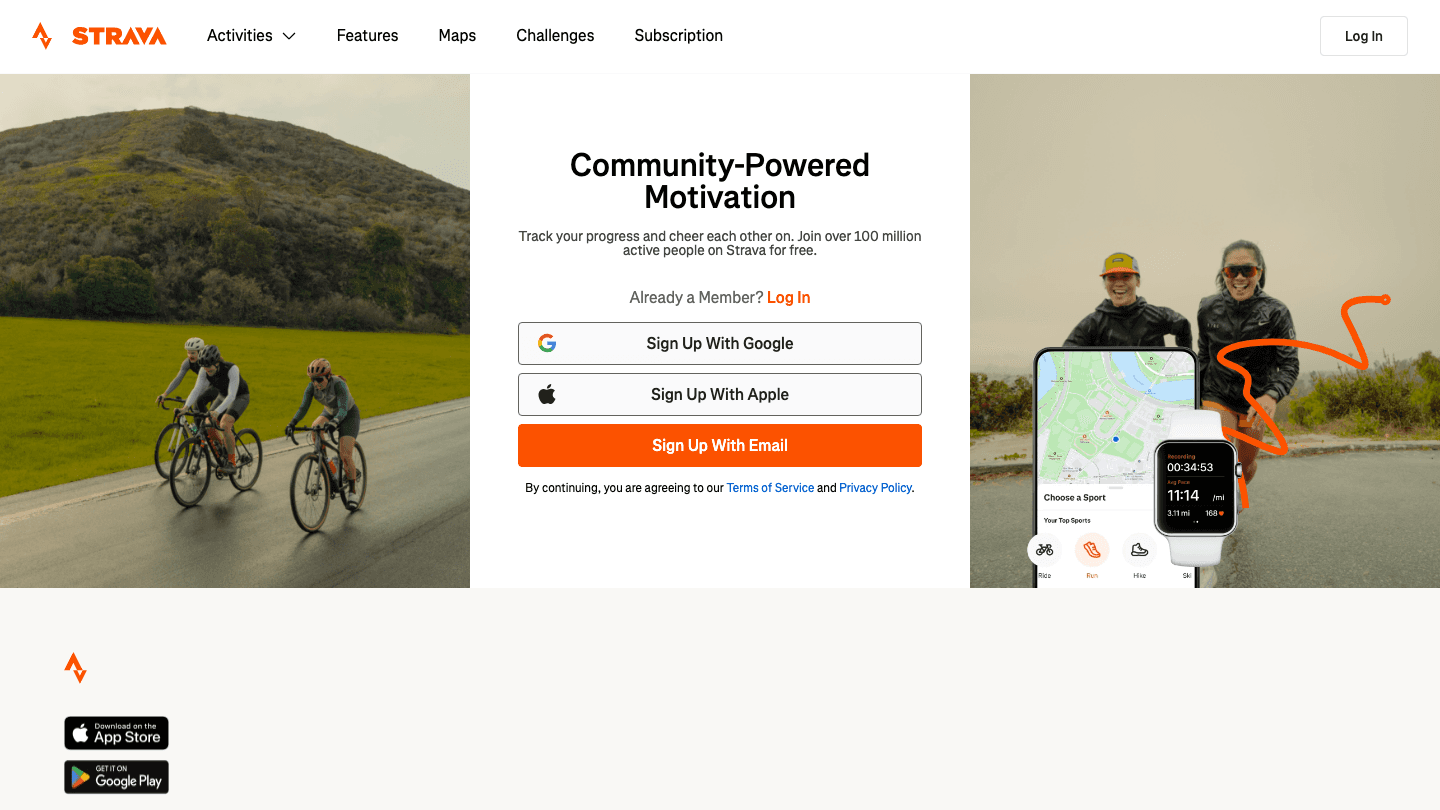
Strava is the dominant platform for GPS-tracked outdoor activity. It records routes, pace, heart rate zones, and effort, then layers in a social component: segments (competitive leaderboards on specific stretches of road or trail), kudos, and a feed of your network's activities. For runners and cyclists especially, the social accountability element is a real motivator.
Strava's free tier handles basic GPS tracking and activity history. The paid subscription adds detailed training analysis, heart rate zone breakdowns, segment efforts, and a route planner. For understanding your walking and running heart rate trends over time, Strava's charts are among the best available.
Key Features: GPS route recording, segment leaderboards, social feed, training load analysis, heart rate zone data, route planning
What Works: excellent for runners and cyclists; social layer adds accountability; works with every major GPS watch
Limitations: limited value without GPS activity data; the free tier is increasingly restricted
Pricing: Free basic tier, $79.99/year subscription (30-day free trial); student discount available at $39.99/year
Best for: endurance athletes who want GPS tracking, route history, and a competitive community
3. Apple Fitness+
Best for: iPhone and Apple Watch users who want structured guided workouts
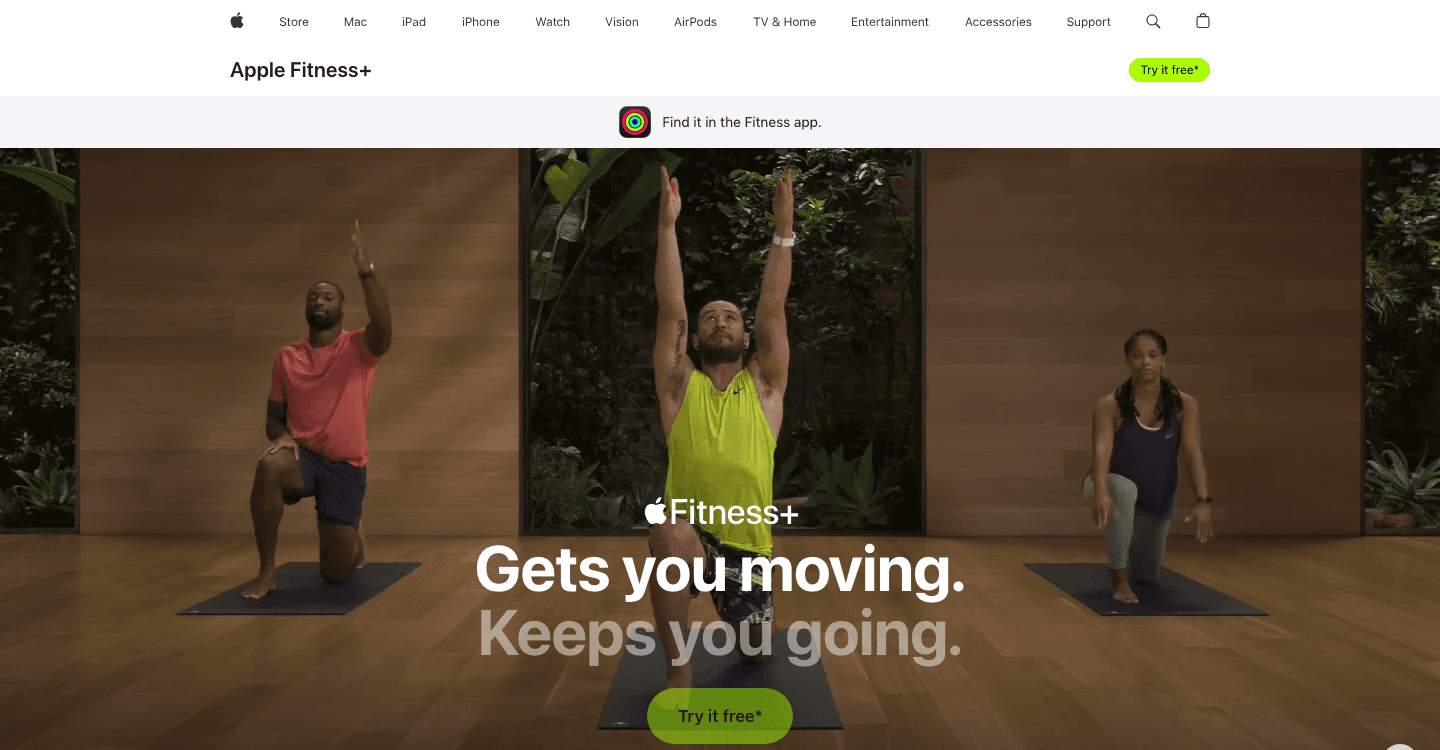
Apple Fitness+ is a guided workout content platform that integrates directly with Apple Watch activity rings. It offers studio-style classes (HIIT, strength, yoga, cycling, running, dance, and more) with instructors who call out your live metrics from your watch on screen. The experience is polished and the variety of content is genuinely broad.
The activity tracking component works through Apple Watch: every Fitness+ workout closes your rings, contributes to your weekly movement summary, and feeds into Apple Health for longitudinal trends. It is not a standalone tracker, but as part of the Apple ecosystem it integrates tightly with the Apple ecosystem. It also includes time to walk and time to run audio experiences that track your route and heart rate via the watch.
Key Features: 3,000+ guided workout videos, live Apple Watch metric overlay, ring-closing integration, Time to Walk/Run audio series, meditation content
What Works: best on-demand workout content in the Apple ecosystem; excellent for consistency and variety
Limitations: requires Apple Watch; not useful without Apple devices
Pricing: $9.99/month or $79.99/year; included with Apple One Premier
Best for: iPhone and Apple Watch users who want guided workout content as part of their activity tracking
4. Garmin Connect
Best for: Garmin watch users who want deep analytics on training load and fitness metrics
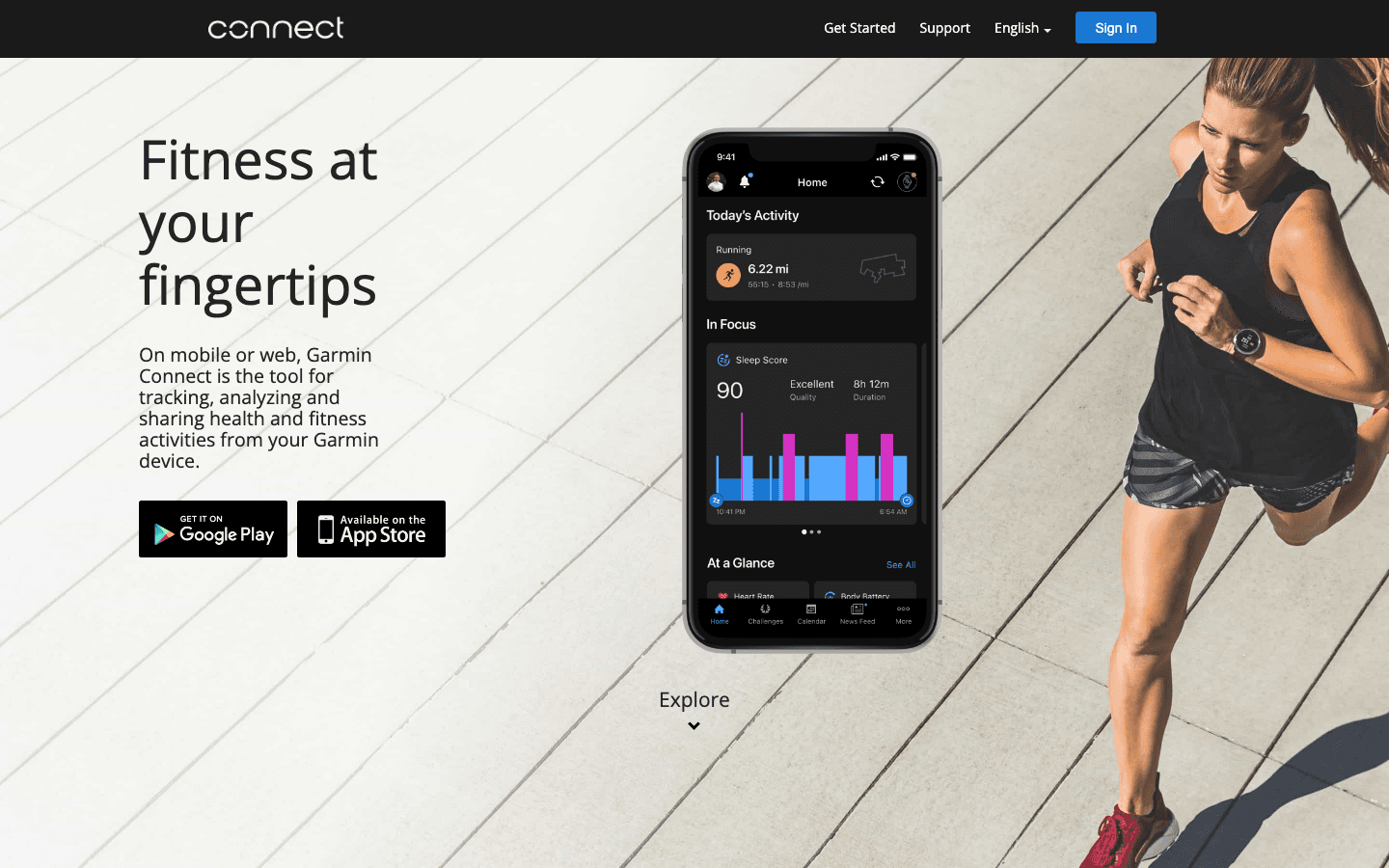
Garmin Connect is the companion app for Garmin GPS watches and wearables. If you own a Garmin device, it is simply the best way to analyze your activity data: training effect, VO2 max estimates, race time predictions, body battery (an energy depletion score), sleep tracking, stress scores, and detailed GPS maps of every recorded activity.
The app also surfaces HRV status, training readiness, and training load focus, giving you a daily picture of whether your body is ready for a hard session or needs recovery. These are the same heart rate zone metrics that coaches use for periodized training programs, surfaced automatically. Garmin Connect is free, which is a significant value advantage over competing platforms.
Key Features: body battery, training load analysis, VO2 max, HRV status, training readiness, GPS route mapping, multisport support
What Works: industry-leading analytics for serious athletes; free with any Garmin device
Limitations: only useful if you own a Garmin device; interface is feature-dense and can feel overwhelming
Pricing: Free (Garmin device required)
Best for: Garmin watch owners who want the full depth of their device's health and fitness analytics
5. MyFitnessPal
Best for: connecting nutrition and exercise data in one place
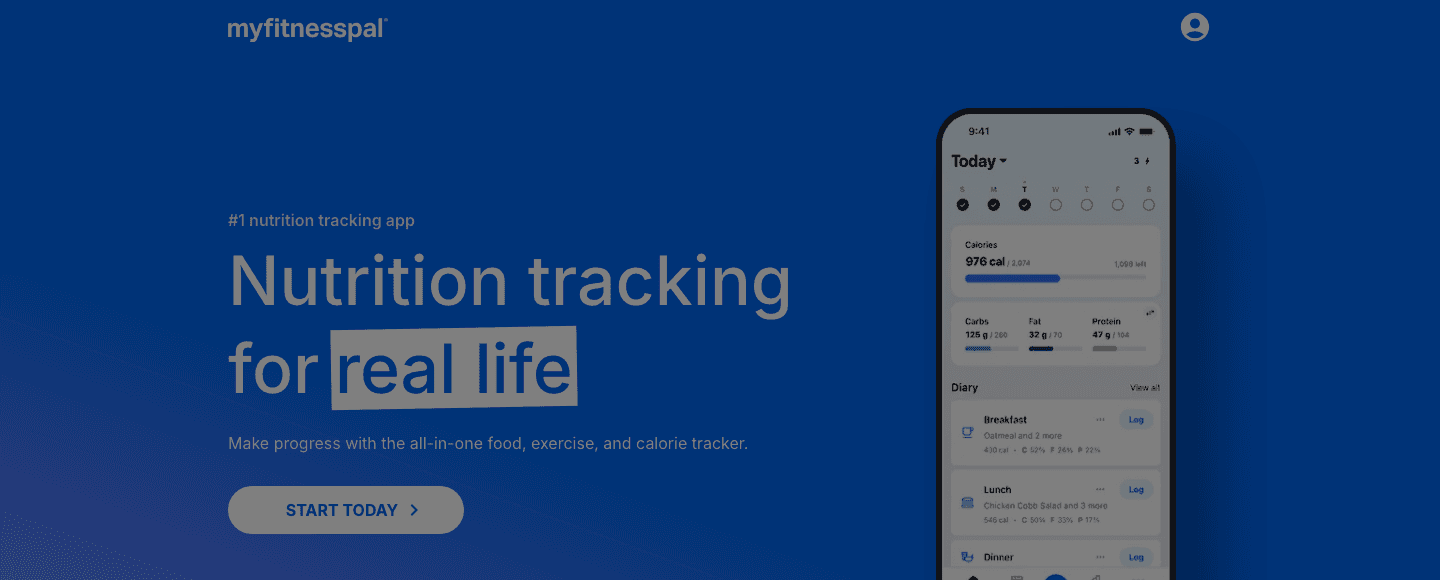
MyFitnessPal is primarily a food and calorie tracking app, but its exercise integration makes it a useful activity tracker when nutrition context matters. It logs workouts from wearables and manual entries, then factors them into your daily calorie balance. With a database of over 14 million foods and barcode scanning for packaged products, it handles nutrition tracking more thoroughly than any fitness-first app.
For people whose goal is body composition or weight management, the combination of food tracking and activity logging in one tool is genuinely useful. The app syncs with most major fitness platforms including Garmin, Apple Health, Fitbit, and Strava.
Key Features: 14M+ food database, barcode scanning, macro tracking, exercise logging, wearable sync, meal planning
What Works: best nutrition-plus-exercise tracking integration; strong free tier for calorie counting
Limitations: activity tracking is secondary to nutrition; the premium tier is expensive relative to the added value
Pricing: Free tier (limited features), premium approximately $79.99/year
Best for: anyone tracking both nutrition and exercise output for weight management or body composition goals
6. Oura
Best for: recovery-focused individuals who want detailed sleep and readiness scores

Oura is a hardware-plus-software platform built around its smart ring. The app provides three daily scores (sleep, readiness, and activity) calculated from overnight HRV, resting heart rate, respiratory rate, sleep stage data, and daytime movement. The readiness score in particular is one of the more actionable recovery metrics available: it tells you each morning whether your body is prepared for training or needs a lighter day.
The sleep tracking capability is among the most accurate available in a consumer device, and the app's connection to personal energy management is what makes the data genuinely useful rather than just interesting. Read our full guide on using the Oura Ring for productivity for practical guidance on applying the readiness and HRV data to your daily planning.
Key Features: readiness score, sleep stage analysis, HRV trends, activity tracking, stress monitoring, Oura Advisor AI, 50+ health metrics
What Works: most accurate consumer sleep tracking; actionable daily readiness score; pairs exceptionally well with Lifestack for schedule optimization
Limitations: requires purchasing the hardware ring (from $299); full feature set requires monthly membership
Pricing: Ring from $299 + $5.99/month membership ($69.99/year); first month free
Best for: recovery-focused individuals willing to invest in hardware for the most detailed health tracking available
Which Activity Tracking App Is Right for You?
If you want your health data to actually optimize your schedule: Lifestack
If you run, ride, or hike and want GPS tracking with social features: Strava
If you have an Apple Watch and want guided workout content: Apple Fitness+
If you own a Garmin device and want deep training analytics: Garmin Connect
If nutrition tracking alongside exercise is your priority: MyFitnessPal
If recovery and sleep are your primary focus: Oura
Frequently Asked Questions
What is the best free activity tracking app?
Garmin Connect is free for Garmin device owners and offers the deepest free analytics of any major fitness platform. Strava has a free tier for basic GPS tracking. Apple Health is free and built into every iPhone. MyFitnessPal has a meaningful free tier for calorie and exercise logging. For energy-aware scheduling, Lifestack offers a free trial on its annual plan.
What activity tracking app works with all devices?
MyFitnessPal has the broadest device compatibility, syncing with Garmin, Apple Health, Fitbit, and Strava. Strava also works across most GPS watches. Lifestack connects to Oura, Apple Watch, and Garmin. Apple Fitness+ requires an Apple Watch specifically.
Is Oura better than Apple Watch for activity tracking?
They serve different purposes. Apple Watch excels at active workout tracking, GPS, and guided fitness content through Apple Fitness+. Oura excels at passive health monitoring: sleep stages, HRV, and recovery. Many serious health trackers use both, with Apple Watch for workouts and Oura for overnight recovery data. Lifestack can pull from both simultaneously to build your schedule.
Do activity tracking apps actually improve fitness?
Research consistently shows that objective feedback improves adherence to exercise and health habits. People who track steps take more of them. People who see resting heart rate trends over time make more consistent changes. Where tracking apps fall short is the gap between data and action: most show you what happened without telling you what to do next. That is the specific problem Lifestack addresses for scheduling and Oura's readiness score addresses for training intensity.
What is the best activity tracking app for weight loss?
MyFitnessPal is the strongest choice for weight management because it combines food tracking with exercise logging in one place. Knowing both your caloric intake and expenditure in a single app is more useful than tracking them separately. Pairing MyFitnessPal with a wearable like Garmin or Apple Watch gives you accurate exercise calorie data to feed into the tracker.
Most activity tracking apps do the same thing: they record your movement, heart rate, and workouts and display the data back to you. Where they differ is in what they do with that data after it is collected. Some surface trends you would never notice on your own. A few go further and actually change how you plan your day based on what they find.
This guide covers the six best activity tracking apps in 2026 across different use cases: energy-aware scheduling, GPS sports tracking, Apple ecosystem workout content, advanced fitness analytics, nutrition integration, and sleep-focused recovery.
Key Takeaways
The best activity trackers do more than display data; they use it to give you actionable guidance on training, recovery, or scheduling
Lifestack is the only app that takes your activity and sleep data and directly builds your daily schedule around it
Free tiers exist across most major apps, though premium features require subscriptions ranging from $50 to $80 per year
Quick Guide: Best Activity Tracking Apps
Lifestack: best for turning health and activity data into an optimized daily schedule
Strava: best for GPS tracking with a social sports community
Apple Fitness+: best for guided workouts integrated with Apple Watch activity rings
Garmin Connect: best advanced analytics for Garmin device users
MyFitnessPal: best for combining nutrition tracking with exercise logging
Oura: best for sleep and recovery tracking with daily readiness scores
How We Evaluated These Apps
Data depth: what metrics are tracked and how detailed is the analysis?
Actionability: does the app tell you what to do with the data, not just display it?
Integration: does it connect to wearables, other apps, and your calendar?
Platform: iOS, Android, web?
Value: is the free tier meaningful? Is the paid tier worth it?
1. Lifestack
Best for: using your activity and health data to schedule your day intelligently
Lifestack sits in a different category from every other app on this list. Where other tools track your activity and show you the results, Lifestack takes your sleep quality, HRV, and recovery data from wearables like the Oura Ring, Garmin, and Apple Watch and uses it to build your daily schedule automatically. Your most demanding tasks get placed in your peak cognitive hours. Low-recovery days get lighter schedules without you having to manually adjust anything.
For anyone who wears a smartwatch and actually wants their health data to influence their productivity, Lifestack closes the loop that other apps leave open. Most trackers answer "how did you do?" Lifestack answers "what should you do next?"
Key Features: energy-aware auto-scheduling, wearable integration (Oura, Apple Watch, Garmin), HRV and sleep-driven daily plans, iOS and Android, Chrome extension
What Works: the only app that directly connects health tracking to calendar planning; adapts daily based on your recovery state
Limitations: not a workout logger or GPS tracker; designed for scheduling and planning, not activity recording
Pricing: $7/month or $50/year
Best for: professionals and health-conscious individuals who want their wearable data to actually shape their day
2. Strava
Best for: GPS tracking of runs, rides, and outdoor activities with social accountability
Strava is the dominant platform for GPS-tracked outdoor activity. It records routes, pace, heart rate zones, and effort, then layers in a social component: segments (competitive leaderboards on specific stretches of road or trail), kudos, and a feed of your network's activities. For runners and cyclists especially, the social accountability element is a real motivator.
Strava's free tier handles basic GPS tracking and activity history. The paid subscription adds detailed training analysis, heart rate zone breakdowns, segment efforts, and a route planner. For understanding your walking and running heart rate trends over time, Strava's charts are among the best available.
Key Features: GPS route recording, segment leaderboards, social feed, training load analysis, heart rate zone data, route planning
What Works: excellent for runners and cyclists; social layer adds accountability; works with every major GPS watch
Limitations: limited value without GPS activity data; the free tier is increasingly restricted
Pricing: Free basic tier, $79.99/year subscription (30-day free trial); student discount available at $39.99/year
Best for: endurance athletes who want GPS tracking, route history, and a competitive community
3. Apple Fitness+
Best for: iPhone and Apple Watch users who want structured guided workouts
Apple Fitness+ is a guided workout content platform that integrates directly with Apple Watch activity rings. It offers studio-style classes (HIIT, strength, yoga, cycling, running, dance, and more) with instructors who call out your live metrics from your watch on screen. The experience is polished and the variety of content is genuinely broad.
The activity tracking component works through Apple Watch: every Fitness+ workout closes your rings, contributes to your weekly movement summary, and feeds into Apple Health for longitudinal trends. It is not a standalone tracker, but as part of the Apple ecosystem it integrates tightly with the Apple ecosystem. It also includes time to walk and time to run audio experiences that track your route and heart rate via the watch.
Key Features: 3,000+ guided workout videos, live Apple Watch metric overlay, ring-closing integration, Time to Walk/Run audio series, meditation content
What Works: best on-demand workout content in the Apple ecosystem; excellent for consistency and variety
Limitations: requires Apple Watch; not useful without Apple devices
Pricing: $9.99/month or $79.99/year; included with Apple One Premier
Best for: iPhone and Apple Watch users who want guided workout content as part of their activity tracking
4. Garmin Connect
Best for: Garmin watch users who want deep analytics on training load and fitness metrics
Garmin Connect is the companion app for Garmin GPS watches and wearables. If you own a Garmin device, it is simply the best way to analyze your activity data: training effect, VO2 max estimates, race time predictions, body battery (an energy depletion score), sleep tracking, stress scores, and detailed GPS maps of every recorded activity.
The app also surfaces HRV status, training readiness, and training load focus, giving you a daily picture of whether your body is ready for a hard session or needs recovery. These are the same heart rate zone metrics that coaches use for periodized training programs, surfaced automatically. Garmin Connect is free, which is a significant value advantage over competing platforms.
Key Features: body battery, training load analysis, VO2 max, HRV status, training readiness, GPS route mapping, multisport support
What Works: industry-leading analytics for serious athletes; free with any Garmin device
Limitations: only useful if you own a Garmin device; interface is feature-dense and can feel overwhelming
Pricing: Free (Garmin device required)
Best for: Garmin watch owners who want the full depth of their device's health and fitness analytics
5. MyFitnessPal
Best for: connecting nutrition and exercise data in one place
MyFitnessPal is primarily a food and calorie tracking app, but its exercise integration makes it a useful activity tracker when nutrition context matters. It logs workouts from wearables and manual entries, then factors them into your daily calorie balance. With a database of over 14 million foods and barcode scanning for packaged products, it handles nutrition tracking more thoroughly than any fitness-first app.
For people whose goal is body composition or weight management, the combination of food tracking and activity logging in one tool is genuinely useful. The app syncs with most major fitness platforms including Garmin, Apple Health, Fitbit, and Strava.
Key Features: 14M+ food database, barcode scanning, macro tracking, exercise logging, wearable sync, meal planning
What Works: best nutrition-plus-exercise tracking integration; strong free tier for calorie counting
Limitations: activity tracking is secondary to nutrition; the premium tier is expensive relative to the added value
Pricing: Free tier (limited features), premium approximately $79.99/year
Best for: anyone tracking both nutrition and exercise output for weight management or body composition goals
6. Oura
Best for: recovery-focused individuals who want detailed sleep and readiness scores
Oura is a hardware-plus-software platform built around its smart ring. The app provides three daily scores (sleep, readiness, and activity) calculated from overnight HRV, resting heart rate, respiratory rate, sleep stage data, and daytime movement. The readiness score in particular is one of the more actionable recovery metrics available: it tells you each morning whether your body is prepared for training or needs a lighter day.
The sleep tracking capability is among the most accurate available in a consumer device, and the app's connection to personal energy management is what makes the data genuinely useful rather than just interesting. Read our full guide on using the Oura Ring for productivity for practical guidance on applying the readiness and HRV data to your daily planning.
Key Features: readiness score, sleep stage analysis, HRV trends, activity tracking, stress monitoring, Oura Advisor AI, 50+ health metrics
What Works: most accurate consumer sleep tracking; actionable daily readiness score; pairs exceptionally well with Lifestack for schedule optimization
Limitations: requires purchasing the hardware ring (from $299); full feature set requires monthly membership
Pricing: Ring from $299 + $5.99/month membership ($69.99/year); first month free
Best for: recovery-focused individuals willing to invest in hardware for the most detailed health tracking available
Which Activity Tracking App Is Right for You?
If you want your health data to actually optimize your schedule: Lifestack
If you run, ride, or hike and want GPS tracking with social features: Strava
If you have an Apple Watch and want guided workout content: Apple Fitness+
If you own a Garmin device and want deep training analytics: Garmin Connect
If nutrition tracking alongside exercise is your priority: MyFitnessPal
If recovery and sleep are your primary focus: Oura
Frequently Asked Questions
What is the best free activity tracking app?
Garmin Connect is free for Garmin device owners and offers the deepest free analytics of any major fitness platform. Strava has a free tier for basic GPS tracking. Apple Health is free and built into every iPhone. MyFitnessPal has a meaningful free tier for calorie and exercise logging. For energy-aware scheduling, Lifestack offers a free trial on its annual plan.
What activity tracking app works with all devices?
MyFitnessPal has the broadest device compatibility, syncing with Garmin, Apple Health, Fitbit, and Strava. Strava also works across most GPS watches. Lifestack connects to Oura, Apple Watch, and Garmin. Apple Fitness+ requires an Apple Watch specifically.
Is Oura better than Apple Watch for activity tracking?
They serve different purposes. Apple Watch excels at active workout tracking, GPS, and guided fitness content through Apple Fitness+. Oura excels at passive health monitoring: sleep stages, HRV, and recovery. Many serious health trackers use both, with Apple Watch for workouts and Oura for overnight recovery data. Lifestack can pull from both simultaneously to build your schedule.
Do activity tracking apps actually improve fitness?
Research consistently shows that objective feedback improves adherence to exercise and health habits. People who track steps take more of them. People who see resting heart rate trends over time make more consistent changes. Where tracking apps fall short is the gap between data and action: most show you what happened without telling you what to do next. That is the specific problem Lifestack addresses for scheduling and Oura's readiness score addresses for training intensity.
What is the best activity tracking app for weight loss?
MyFitnessPal is the strongest choice for weight management because it combines food tracking with exercise logging in one place. Knowing both your caloric intake and expenditure in a single app is more useful than tracking them separately. Pairing MyFitnessPal with a wearable like Garmin or Apple Watch gives you accurate exercise calorie data to feed into the tracker.



FOLLOW ON
FOLLOW ON
FOLLOW ON


Copyright 2026 © Lifestack. All rights reserved
Copyright 2026 © Lifestack. All rights reserved

