
App
Best AI Planner Apps in 2026: 7 Tools Tested
Best AI Planner Apps in 2026: 7 Tools Tested
Most planner apps give you a blank calendar and wish you luck. You add tasks, drag them around, and hope the day goes to plan. It rarely does.
AI planner apps are supposed to fix that. They read your calendar, look at your task list, and figure out when things should actually happen. Some protect your focus time. Some reschedule automatically when a meeting runs long. A few even factor in when you have the energy to do your best work.
We tested seven of the most talked-about AI planner apps in 2026 to see which ones deliver on that promise. For each app, we looked at how it handles auto-scheduling, what happens when your day falls apart, how deep the integrations go, and whether the free tier is actually usable.
Why this matters: A 2024 study found that 25% of people have no planning system at all and simply react to whatever feels most urgent. AI planners aim to fix the "firefighting" problem by building a realistic schedule before your day starts.
Key Takeaways
Not all AI planning is the same. Some apps auto-schedule tasks into open slots. Others optimize meetings. One plans around your energy levels. The right pick depends on what "planning" means to you.
Calendar + task list is table stakes. An AI planner that only sees your calendar is working with half the picture. The best ones connect to both, plus email and notes.
The free tier tells you a lot. If an app locks auto-scheduling behind a $20/month paywall, you can't meaningfully test it. We noted which free plans actually let you try the AI.
Quick Guide: 7 Best AI Planner Apps in 2026
Lifestack - Best for people who want their schedule built around their actual energy levels, not just open time slots
Motion - Best for teams and founders who want aggressive auto-scheduling driven by deadlines
Reclaim.AI - Best for professionals who need to protect recurring habits and focus time on a busy calendar
Sunsama - Best for people who want a calm, intentional daily planning ritual without aggressive automation
Todoist - Best for task-first planners who want AI to organize a powerful to-do list into their calendar
Notion Calendar - Best for Notion users who want their workspace and calendar in one unified system
Akiflow - Best for power users pulling tasks from multiple tools into one daily command center
How We Evaluated Each AI Planner App
A good AI planner app should do more than fill empty calendar slots with tasks. It needs to understand priorities, protect work that matters, and recover when your day goes sideways. Here's what we tested:
Auto-scheduling logic: Does the AI place tasks intelligently based on priority, deadlines, and your actual capacity? Or does it just fill gaps?
Energy and timing awareness: Does the app consider when you're at your best, or does it treat 9 AM and 3 PM as interchangeable?
Calendar integration: How well does it sync with Google Calendar or Outlook? Can it read events it didn't create?
Rescheduling behavior: When meetings overrun or tasks slip, does the app adapt on its own?
Focus time protection: Does it block time for deep work, and does that time hold when meeting invites arrive?
Mobile experience: Is it usable on your phone, or is it desktop-only in practice?
Pricing and free tier: What can you actually test before paying?
1. Lifestack
The AI planner that schedules around your energy, not just your calendar

Lifestack is a circadian-aware day planner. Where every other app treats every hour of the day the same, Lifestack factors in your personal energy patterns: when you're sharp, when you'll crash, and when to protect recovery time. It schedules tasks, meals, workouts, and routines into time blocks on your calendar, anchored to your real energy curve.
This is a fundamentally different approach to AI planning. Instead of asking "when is this slot free?", Lifestack asks "when will you actually have the energy to do this well?"
Key Features
Energy-aware scheduling: Blocks deep work into your peak hours and lighter tasks into low-energy windows
Circadian time blocking: Schedules meals, workouts, and breaks based on your body's natural rhythm
ADHD-friendly design: Accounts for medication windows, hyperfocus cycles, and afternoon crashes
Calendar integration: Augments your existing Google Calendar with intelligent time blocks
What Works
The energy-aware scheduling is a genuine differentiator. No other planner considers when you'll actually have the cognitive capacity to do hard work
ADHD users specifically benefit from a planner that works with their energy swings instead of pretending every hour is the same
Scheduling meal times and training windows keeps health goals from getting pushed aside by work
Clean, low-friction interface that doesn't require a week of setup to be useful
Limitations
Android app is not available yet
Focused on personal planning. Not built for team project management
Doesn't generate meal plans or workout programs (it schedules the time, not the content)
Pricing: 7-day free trial (annual plan only). $7/month or $50/year. Lifetime plan at $120 one-time.
Best for: ADHD adults, health-conscious professionals, anyone who's noticed their productivity depends more on energy than available time. If you've tried other planners and found that a technically perfect schedule still doesn't work because your brain had other plans, Lifestack is built for exactly that problem.
2. Motion
Aggressive auto-scheduling that owns your calendar
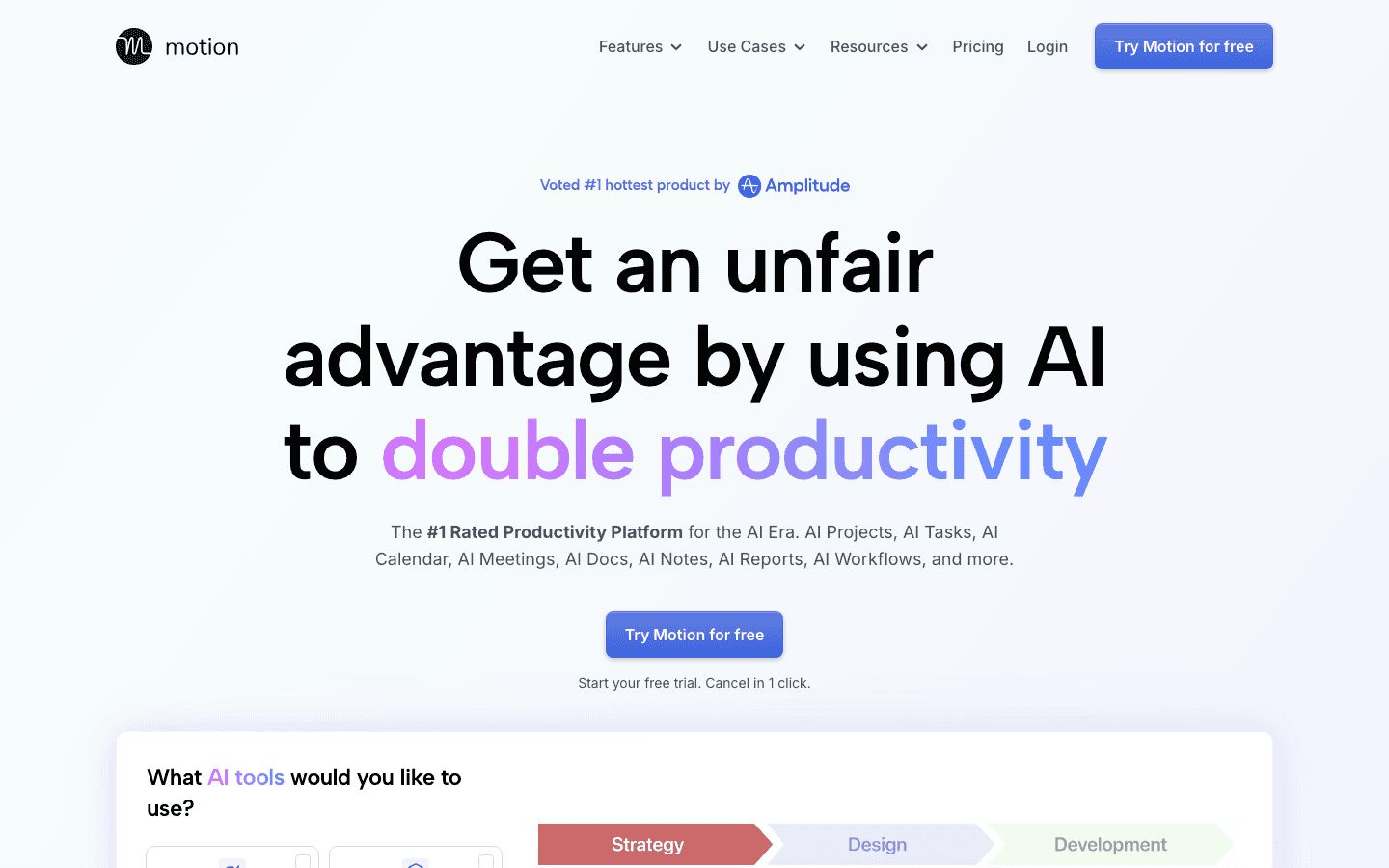
Motion is an AI planner app that automatically schedules every task, meeting, and deadline into a single calendar view. You tell it what needs done and when it's due, and Motion figures out the when. If a meeting runs over or a task slips, the AI reshuffles your entire day in real time.
Key Features
Full auto-scheduling based on urgency, deadlines, and available time
Real-time rescheduling when meetings shift or tasks slip
Team scheduling with shared visibility across projects
Auto-prioritization ranks tasks by importance
What Works
If you like seeing every hour planned out, Motion does this better than most
Eliminates "what should I work on next?" decisions entirely
Strong for teams with shared deadlines and project visibility
Limitations
$19/month minimum is steep for individual users
The aggressive rescheduling can feel jarring. It will move things without asking
Mobile app lags behind the web version in features
Treats every hour the same. No awareness of your energy or cognitive state
Pricing: 7-day free trial. Individual plan starts at $19/month.
Best for: Founders, small teams, and anyone with a packed schedule who wants the AI to own the daily plan completely.
3. Reclaim.AI
Smart time blocking that protects your habits and focus time
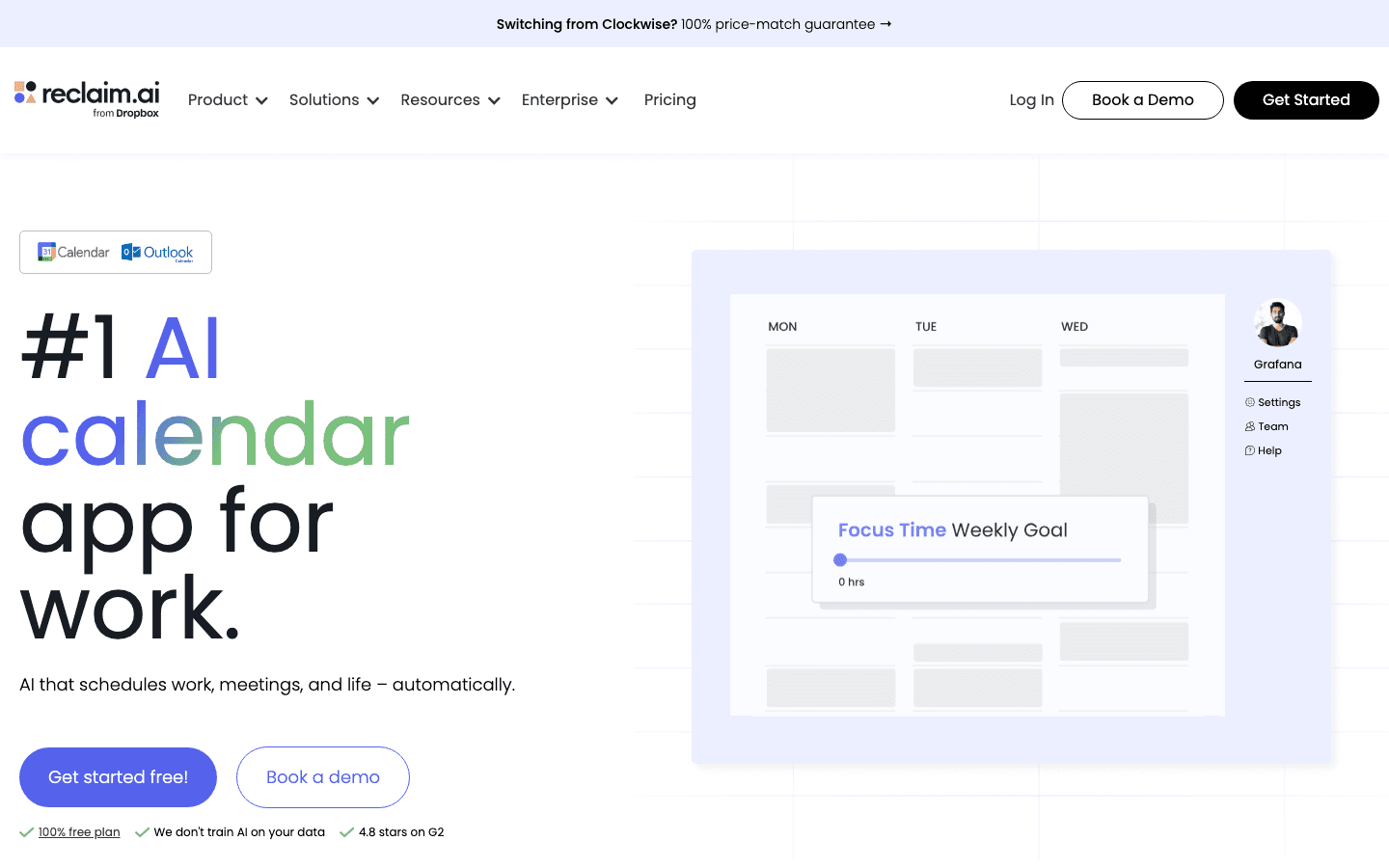
Reclaim.AI automatically protects time on your calendar for tasks, habits, deep work, and breaks. Instead of manually blocking hours or shuffling events when meetings shift, Reclaim handles it. It integrates with task managers like Todoist, Asana, and Jira, so work from those tools shows up as scheduled blocks on your calendar.
Key Features
Auto-schedules tasks, habits, and focus time around existing meetings
Smart meeting scheduling that finds optimal times across participants
Habit scheduling: recurring blocks for workouts, reading, lunch, planning
Deep integrations with Asana, Todoist, Jira, Linear, and ClickUp
What Works
Habit scheduling is genuinely useful. It builds routines into your calendar and defends them against meeting creep
Strong Google Calendar integration. Events feel native, not bolted on
The free tier is generous enough to actually evaluate the product
Limitations
No standalone mobile app
Works best with Google Calendar. Outlook support is limited
Not a full project management tool
No awareness of your energy state or ideal timing for different work types
Pricing: Free plan with limited features. Starter at $10/month. Business at $15/month.
Best for: Professionals and managers who want their habits (exercise, lunch, deep work) to survive a busy calendar.
4. Sunsama
The calm, intentional daily planner
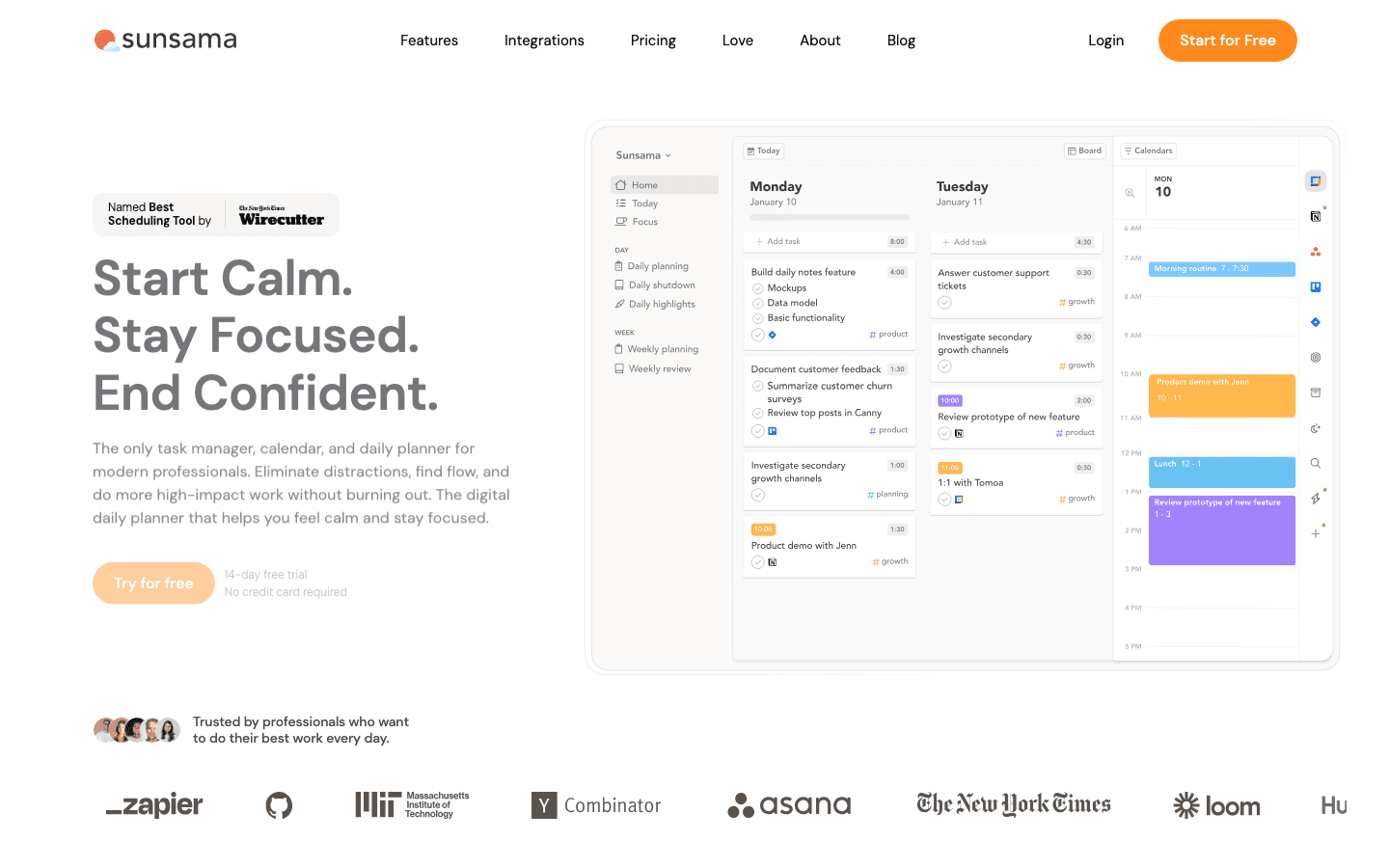
Sunsama takes a different approach to AI planning. Instead of aggressive auto-scheduling, it guides you through a daily planning ritual each morning. You pull tasks from your connected tools (Trello, Asana, Gmail, Slack), estimate how long each will take, and timebox them into your calendar. The AI helps by suggesting realistic workloads and nudging you to plan less when you're overcommitting.
Key Features
Guided morning planning ritual to set your day intentionally
Pulls tasks from Trello, Asana, Todoist, Gmail, Slack, Notion, and more
Time estimation prompts to prevent over-planning
Daily shutdown routine to close out the day and roll over unfinished work
What Works
The daily planning ritual genuinely helps you start the day with clarity instead of scrambling
Time estimation prevents the chronic over-planning that makes other apps frustrating
Beautiful, calm design. This is one of the few planners that doesn't feel stressful to use
Cross-platform: web, desktop, and native mobile apps
Limitations
No free plan. $22/month with a 14-day trial (no credit card required)
Less automation than Motion or Reclaim. It guides, but doesn't schedule for you
The daily ritual can feel slow if you just want the AI to plan your day without your input
No energy awareness. Still treats 9 AM and 3 PM as the same
Pricing: 14-day free trial, no credit card required. $22/month or $17/month billed annually.
Best for: People who value intentional, mindful planning over heavy automation.
5. Todoist
The task list powerhouse with AI scheduling built in
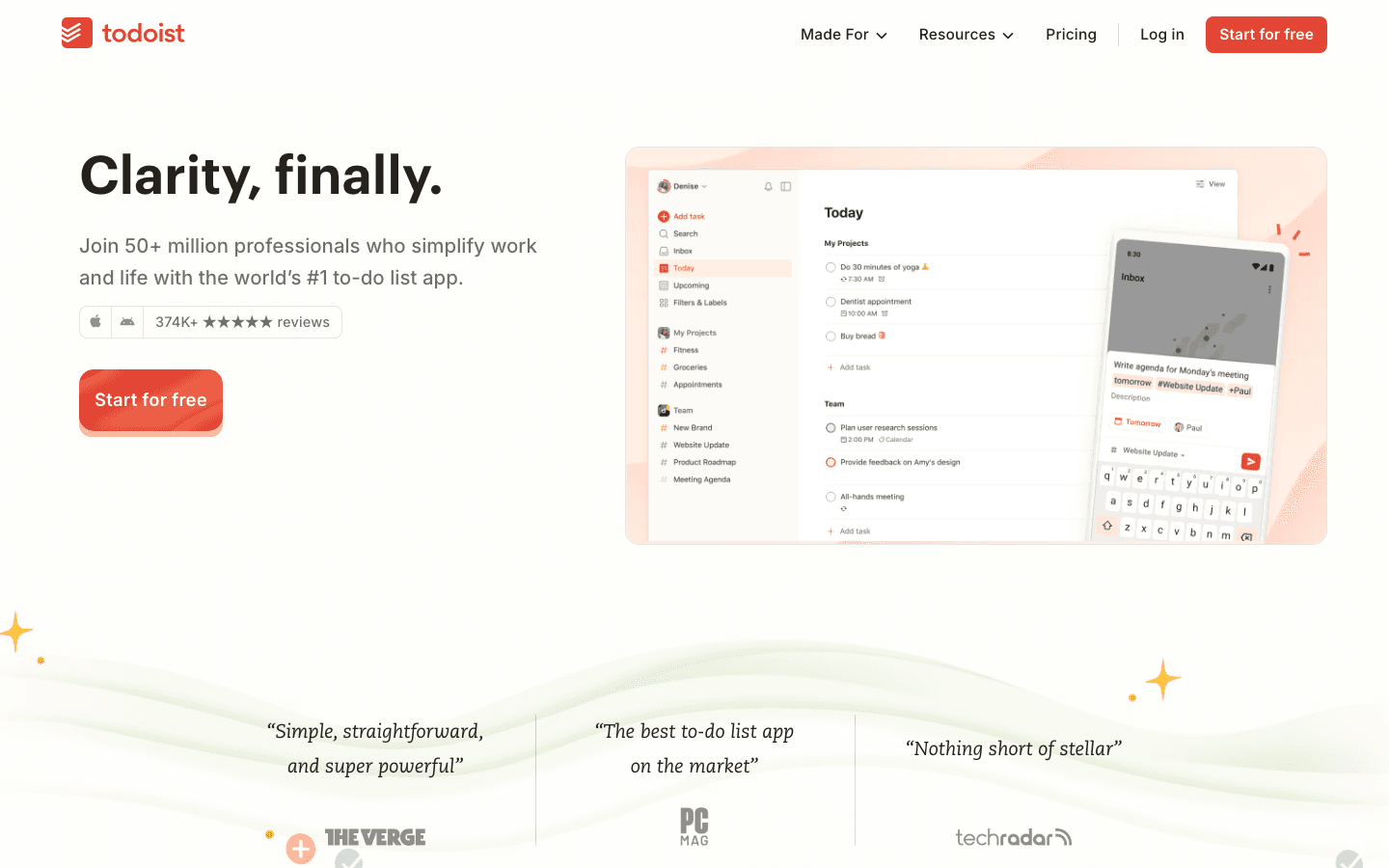
Todoist has been one of the most popular task managers for over a decade, and in 2026 it has evolved into a legitimate AI planner. Its AI Assistant can break down complex projects into subtasks, suggest due dates and priorities, and now integrates directly with calendar views to schedule tasks into your day. The natural language input ("Call the dentist tomorrow at 2pm") is still best-in-class.
Key Features
AI Assistant that breaks projects into actionable subtasks and suggests deadlines
Natural language task entry with date/priority parsing
Built-in calendar and board views for visual planning
Deep integrations: Google Calendar, Slack, Zapier, and 60+ other tools
What Works
The fastest way to get a task out of your head and into a system. Natural language input is unmatched
AI project breakdown is surprisingly useful for turning vague goals into concrete steps
Generous free tier lets you test everything meaningful before paying
Cross-platform everywhere: web, desktop, mobile, browser extension, email plugin
Limitations
AI scheduling is newer and less aggressive than Motion or Reclaim. It suggests, but doesn't auto-place tasks
Calendar view was added recently and still lacks the polish of dedicated calendar apps
No energy or time-of-day awareness for task scheduling
Task-first, not time-first. If you think in calendar blocks, the mental model may not click
Pricing: Free plan with up to 5 active projects. Pro at $5/month. Business at $8/month.
Best for: People who already love managing tasks in lists and want AI to help organize them into a realistic daily schedule.
6. Notion Calendar
Your calendar and workspace, finally in one place
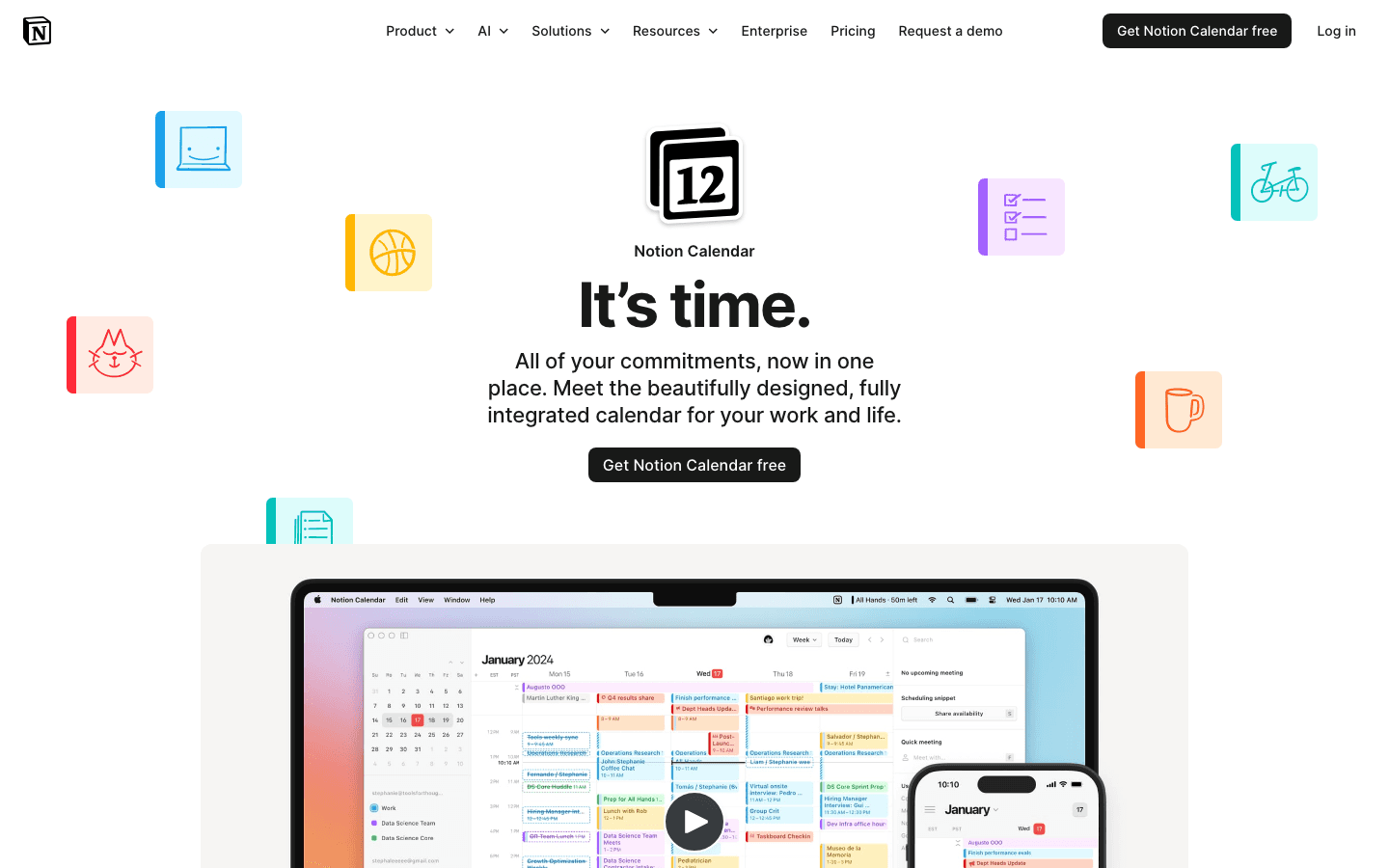
Notion Calendar (formerly Cron) connects your calendar directly to your Notion workspace. Tasks from Notion databases appear alongside your calendar events, so you can drag them into time slots without switching apps. For teams already deep in Notion, this closes the loop between planning work and scheduling when to do it.
Key Features
Two-way sync between Notion databases and your calendar
Drag Notion tasks directly onto calendar time slots
Multi-calendar overlay: personal + work calendars in one view
Scheduling links built in, no need for Calendly
What Works
If your tasks already live in Notion, this is the most seamless calendar integration available
The multi-calendar view is clean and fast. Switching between personal and work calendars is effortless
Built-in scheduling links eliminate the need for a separate scheduling tool
Free. No paywall for any features
Limitations
Only valuable if you use Notion. Without the workspace integration, it's a basic calendar
No auto-scheduling AI. You're still placing tasks manually
No energy awareness, habit scheduling, or automatic rescheduling
Mobile app is functional but less polished than the desktop experience
Pricing: Free with a Notion account.
Best for: Notion power users who want their task database and calendar to actually talk to each other.
7. Akiflow
The power user's unified task inbox
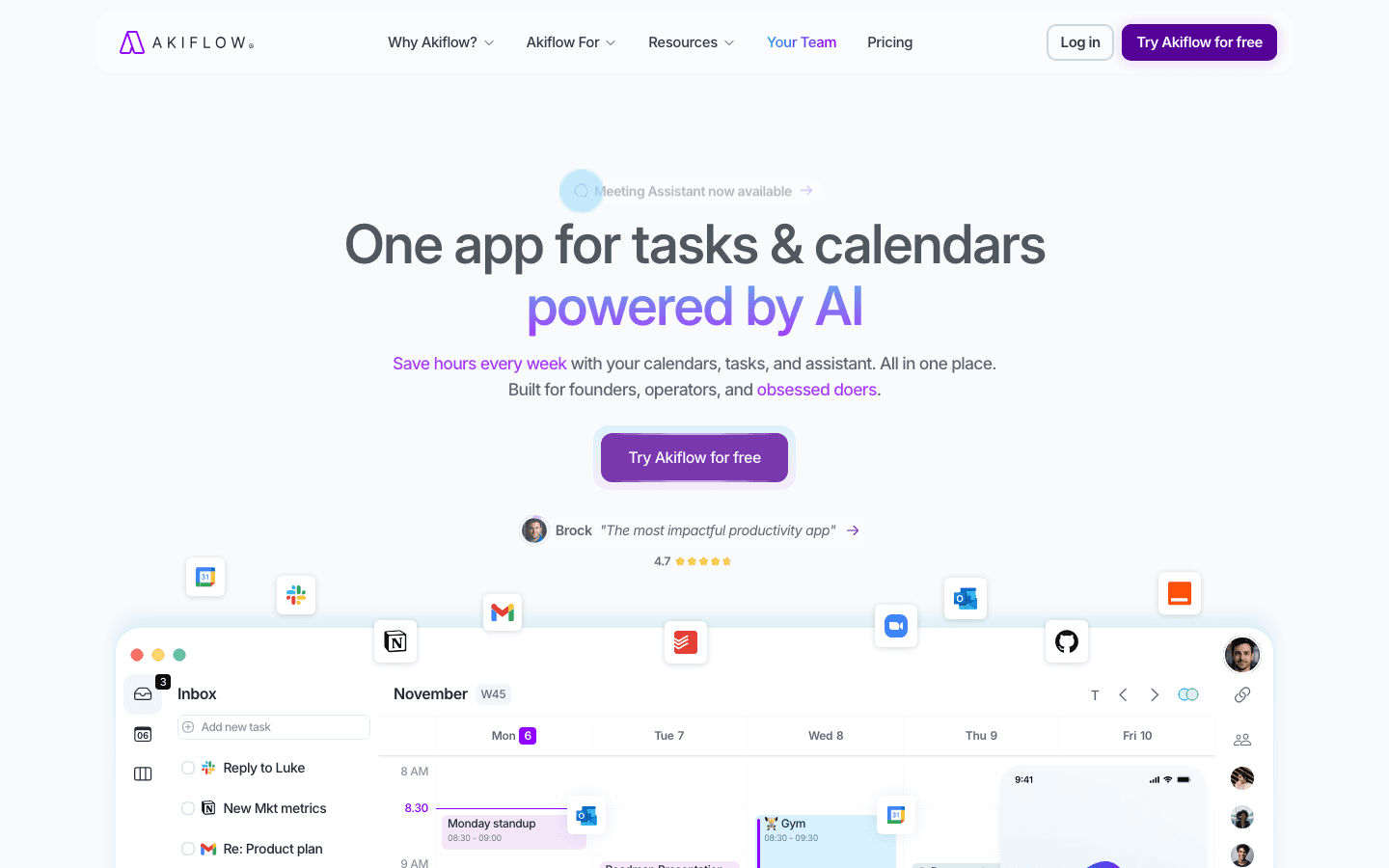
Akiflow consolidates tasks from Gmail, Slack, Asana, ClickUp, Notion, and more into a single workspace. It's less about AI auto-scheduling and more about giving you one place to see everything and then drag tasks onto your calendar to time-block them. The AI assists with task placement, but you're still in the driver's seat.
Key Features
Universal inbox: collects tasks from Gmail, Slack, Asana, ClickUp, Notion
Drag-and-drop time blocking on your calendar
Built-in timer for focus sessions during scheduled blocks
Keyboard-first design with extensive shortcuts
What Works
Pulling tasks from 6+ tools into one view eliminates constant tab-switching
Drag-and-drop scheduling is fast and intuitive
Keyboard shortcuts make daily planning fast for power users
Limitations
$34/month is the highest price on this list
The AI is more assistant than auto-scheduler. You still do most of the planning
Mobile app isn't as polished as the desktop experience
No notes feature. No energy or time-of-day awareness
Pricing: Free trial available. $34/month on monthly plan.
Best for: Power users who manage work across many tools and want everything in one view.
Which AI Planner App Is Right for You?
There's no single best AI planner app in 2026 because no two people plan the same way. The right choice depends on what "planning" means for your workflow:
If your problem is energy management, not time management: Lifestack
If you want full autopilot and are comfortable letting AI own your daily calendar: Motion
If you need habits and routines protected on a meeting-heavy calendar: Reclaim.AI
If you want calm, intentional daily planning without aggressive automation: Sunsama
If you want a powerful task list with AI to help organize your projects: Todoist
If your team lives in Notion and needs calendar + workspace integration: Notion Calendar
If you work across many tools and need one unified command center: Akiflow
Our suggestion: try 2-3 apps from different categories. Test them with your real schedule for at least a week. The AI planner app that helps you feel less stressed and more in control is the right one for you. If you're not sure where to start, check out our daily planner apps guide for more options.
FAQ: AI Planner Apps in 2026
What is an AI planner app?
An AI planner app uses artificial intelligence to automatically schedule tasks, protect focus time, and organize your day. Instead of manually dragging tasks around a calendar, the AI looks at your deadlines, availability, and priorities to create a realistic daily plan. Some go further and consider your energy levels and cognitive patterns.
How is an AI planner app different from a regular calendar?
A regular calendar is static. You put events on it and move them yourself. An AI planner app is dynamic: it auto-schedules tasks, reschedules when things change, prioritizes intelligently, and can protect blocks for deep work. It's the difference between a notebook and an assistant. Learn more about why energy-based planning beats traditional time blocking.
Which AI planner app is best for ADHD?
Lifestack is specifically designed for ADHD users. It schedules around energy patterns, including medication windows, hyperfocus cycles, and afternoon crashes. Rather than assuming every hour is equally productive, it works with your brain's natural rhythm. See our full breakdown: Task Management for ADHD.
Are AI planner apps free?
Reclaim.AI, Todoist, and Notion Calendar all have permanent free tiers. Motion and Akiflow offer 7-day free trials. Sunsama has a 14-day trial with no credit card required. Lifestack offers a 7-day free trial on the annual plan.
Can AI planner apps integrate with my existing tools?
Yes. Most connect to Google Calendar and Outlook at minimum. Beyond that: Reclaim integrates with Todoist, Asana, and Jira. Akiflow pulls from Gmail, Slack, Notion, and ClickUp. Sunsama connects to Trello, Asana, and Gmail. Todoist works with 60+ tools via native integrations and Zapier. Notion Calendar syncs directly with your Notion workspace. Lifestack integrates with Google Calendar.
Do AI planner apps actually improve productivity?
Research suggests yes. Studies show workers' daily task throughput increased by 66% when using AI tools. The specific benefit of an AI planner app is reducing decision fatigue, protecting focus time from meeting creep, and creating realistic schedules that account for how long tasks actually take. Read more about productivity frameworks that pair well with AI planners.
Most planner apps give you a blank calendar and wish you luck. You add tasks, drag them around, and hope the day goes to plan. It rarely does.
AI planner apps are supposed to fix that. They read your calendar, look at your task list, and figure out when things should actually happen. Some protect your focus time. Some reschedule automatically when a meeting runs long. A few even factor in when you have the energy to do your best work.
We tested seven of the most talked-about AI planner apps in 2026 to see which ones deliver on that promise. For each app, we looked at how it handles auto-scheduling, what happens when your day falls apart, how deep the integrations go, and whether the free tier is actually usable.
Why this matters: A 2024 study found that 25% of people have no planning system at all and simply react to whatever feels most urgent. AI planners aim to fix the "firefighting" problem by building a realistic schedule before your day starts.
Key Takeaways
Not all AI planning is the same. Some apps auto-schedule tasks into open slots. Others optimize meetings. One plans around your energy levels. The right pick depends on what "planning" means to you.
Calendar + task list is table stakes. An AI planner that only sees your calendar is working with half the picture. The best ones connect to both, plus email and notes.
The free tier tells you a lot. If an app locks auto-scheduling behind a $20/month paywall, you can't meaningfully test it. We noted which free plans actually let you try the AI.
Quick Guide: 7 Best AI Planner Apps in 2026
Lifestack - Best for people who want their schedule built around their actual energy levels, not just open time slots
Motion - Best for teams and founders who want aggressive auto-scheduling driven by deadlines
Reclaim.AI - Best for professionals who need to protect recurring habits and focus time on a busy calendar
Sunsama - Best for people who want a calm, intentional daily planning ritual without aggressive automation
Todoist - Best for task-first planners who want AI to organize a powerful to-do list into their calendar
Notion Calendar - Best for Notion users who want their workspace and calendar in one unified system
Akiflow - Best for power users pulling tasks from multiple tools into one daily command center
How We Evaluated Each AI Planner App
A good AI planner app should do more than fill empty calendar slots with tasks. It needs to understand priorities, protect work that matters, and recover when your day goes sideways. Here's what we tested:
Auto-scheduling logic: Does the AI place tasks intelligently based on priority, deadlines, and your actual capacity? Or does it just fill gaps?
Energy and timing awareness: Does the app consider when you're at your best, or does it treat 9 AM and 3 PM as interchangeable?
Calendar integration: How well does it sync with Google Calendar or Outlook? Can it read events it didn't create?
Rescheduling behavior: When meetings overrun or tasks slip, does the app adapt on its own?
Focus time protection: Does it block time for deep work, and does that time hold when meeting invites arrive?
Mobile experience: Is it usable on your phone, or is it desktop-only in practice?
Pricing and free tier: What can you actually test before paying?
1. Lifestack
The AI planner that schedules around your energy, not just your calendar
Lifestack is a circadian-aware day planner. Where every other app treats every hour of the day the same, Lifestack factors in your personal energy patterns: when you're sharp, when you'll crash, and when to protect recovery time. It schedules tasks, meals, workouts, and routines into time blocks on your calendar, anchored to your real energy curve.
This is a fundamentally different approach to AI planning. Instead of asking "when is this slot free?", Lifestack asks "when will you actually have the energy to do this well?"
Key Features
Energy-aware scheduling: Blocks deep work into your peak hours and lighter tasks into low-energy windows
Circadian time blocking: Schedules meals, workouts, and breaks based on your body's natural rhythm
ADHD-friendly design: Accounts for medication windows, hyperfocus cycles, and afternoon crashes
Calendar integration: Augments your existing Google Calendar with intelligent time blocks
What Works
The energy-aware scheduling is a genuine differentiator. No other planner considers when you'll actually have the cognitive capacity to do hard work
ADHD users specifically benefit from a planner that works with their energy swings instead of pretending every hour is the same
Scheduling meal times and training windows keeps health goals from getting pushed aside by work
Clean, low-friction interface that doesn't require a week of setup to be useful
Limitations
Android app is not available yet
Focused on personal planning. Not built for team project management
Doesn't generate meal plans or workout programs (it schedules the time, not the content)
Pricing: 7-day free trial (annual plan only). $7/month or $50/year. Lifetime plan at $120 one-time.
Best for: ADHD adults, health-conscious professionals, anyone who's noticed their productivity depends more on energy than available time. If you've tried other planners and found that a technically perfect schedule still doesn't work because your brain had other plans, Lifestack is built for exactly that problem.
2. Motion
Aggressive auto-scheduling that owns your calendar
Motion is an AI planner app that automatically schedules every task, meeting, and deadline into a single calendar view. You tell it what needs done and when it's due, and Motion figures out the when. If a meeting runs over or a task slips, the AI reshuffles your entire day in real time.
Key Features
Full auto-scheduling based on urgency, deadlines, and available time
Real-time rescheduling when meetings shift or tasks slip
Team scheduling with shared visibility across projects
Auto-prioritization ranks tasks by importance
What Works
If you like seeing every hour planned out, Motion does this better than most
Eliminates "what should I work on next?" decisions entirely
Strong for teams with shared deadlines and project visibility
Limitations
$19/month minimum is steep for individual users
The aggressive rescheduling can feel jarring. It will move things without asking
Mobile app lags behind the web version in features
Treats every hour the same. No awareness of your energy or cognitive state
Pricing: 7-day free trial. Individual plan starts at $19/month.
Best for: Founders, small teams, and anyone with a packed schedule who wants the AI to own the daily plan completely.
3. Reclaim.AI
Smart time blocking that protects your habits and focus time
Reclaim.AI automatically protects time on your calendar for tasks, habits, deep work, and breaks. Instead of manually blocking hours or shuffling events when meetings shift, Reclaim handles it. It integrates with task managers like Todoist, Asana, and Jira, so work from those tools shows up as scheduled blocks on your calendar.
Key Features
Auto-schedules tasks, habits, and focus time around existing meetings
Smart meeting scheduling that finds optimal times across participants
Habit scheduling: recurring blocks for workouts, reading, lunch, planning
Deep integrations with Asana, Todoist, Jira, Linear, and ClickUp
What Works
Habit scheduling is genuinely useful. It builds routines into your calendar and defends them against meeting creep
Strong Google Calendar integration. Events feel native, not bolted on
The free tier is generous enough to actually evaluate the product
Limitations
No standalone mobile app
Works best with Google Calendar. Outlook support is limited
Not a full project management tool
No awareness of your energy state or ideal timing for different work types
Pricing: Free plan with limited features. Starter at $10/month. Business at $15/month.
Best for: Professionals and managers who want their habits (exercise, lunch, deep work) to survive a busy calendar.
4. Sunsama
The calm, intentional daily planner
Sunsama takes a different approach to AI planning. Instead of aggressive auto-scheduling, it guides you through a daily planning ritual each morning. You pull tasks from your connected tools (Trello, Asana, Gmail, Slack), estimate how long each will take, and timebox them into your calendar. The AI helps by suggesting realistic workloads and nudging you to plan less when you're overcommitting.
Key Features
Guided morning planning ritual to set your day intentionally
Pulls tasks from Trello, Asana, Todoist, Gmail, Slack, Notion, and more
Time estimation prompts to prevent over-planning
Daily shutdown routine to close out the day and roll over unfinished work
What Works
The daily planning ritual genuinely helps you start the day with clarity instead of scrambling
Time estimation prevents the chronic over-planning that makes other apps frustrating
Beautiful, calm design. This is one of the few planners that doesn't feel stressful to use
Cross-platform: web, desktop, and native mobile apps
Limitations
No free plan. $22/month with a 14-day trial (no credit card required)
Less automation than Motion or Reclaim. It guides, but doesn't schedule for you
The daily ritual can feel slow if you just want the AI to plan your day without your input
No energy awareness. Still treats 9 AM and 3 PM as the same
Pricing: 14-day free trial, no credit card required. $22/month or $17/month billed annually.
Best for: People who value intentional, mindful planning over heavy automation.
5. Todoist
The task list powerhouse with AI scheduling built in
Todoist has been one of the most popular task managers for over a decade, and in 2026 it has evolved into a legitimate AI planner. Its AI Assistant can break down complex projects into subtasks, suggest due dates and priorities, and now integrates directly with calendar views to schedule tasks into your day. The natural language input ("Call the dentist tomorrow at 2pm") is still best-in-class.
Key Features
AI Assistant that breaks projects into actionable subtasks and suggests deadlines
Natural language task entry with date/priority parsing
Built-in calendar and board views for visual planning
Deep integrations: Google Calendar, Slack, Zapier, and 60+ other tools
What Works
The fastest way to get a task out of your head and into a system. Natural language input is unmatched
AI project breakdown is surprisingly useful for turning vague goals into concrete steps
Generous free tier lets you test everything meaningful before paying
Cross-platform everywhere: web, desktop, mobile, browser extension, email plugin
Limitations
AI scheduling is newer and less aggressive than Motion or Reclaim. It suggests, but doesn't auto-place tasks
Calendar view was added recently and still lacks the polish of dedicated calendar apps
No energy or time-of-day awareness for task scheduling
Task-first, not time-first. If you think in calendar blocks, the mental model may not click
Pricing: Free plan with up to 5 active projects. Pro at $5/month. Business at $8/month.
Best for: People who already love managing tasks in lists and want AI to help organize them into a realistic daily schedule.
6. Notion Calendar
Your calendar and workspace, finally in one place
Notion Calendar (formerly Cron) connects your calendar directly to your Notion workspace. Tasks from Notion databases appear alongside your calendar events, so you can drag them into time slots without switching apps. For teams already deep in Notion, this closes the loop between planning work and scheduling when to do it.
Key Features
Two-way sync between Notion databases and your calendar
Drag Notion tasks directly onto calendar time slots
Multi-calendar overlay: personal + work calendars in one view
Scheduling links built in, no need for Calendly
What Works
If your tasks already live in Notion, this is the most seamless calendar integration available
The multi-calendar view is clean and fast. Switching between personal and work calendars is effortless
Built-in scheduling links eliminate the need for a separate scheduling tool
Free. No paywall for any features
Limitations
Only valuable if you use Notion. Without the workspace integration, it's a basic calendar
No auto-scheduling AI. You're still placing tasks manually
No energy awareness, habit scheduling, or automatic rescheduling
Mobile app is functional but less polished than the desktop experience
Pricing: Free with a Notion account.
Best for: Notion power users who want their task database and calendar to actually talk to each other.
7. Akiflow
The power user's unified task inbox
Akiflow consolidates tasks from Gmail, Slack, Asana, ClickUp, Notion, and more into a single workspace. It's less about AI auto-scheduling and more about giving you one place to see everything and then drag tasks onto your calendar to time-block them. The AI assists with task placement, but you're still in the driver's seat.
Key Features
Universal inbox: collects tasks from Gmail, Slack, Asana, ClickUp, Notion
Drag-and-drop time blocking on your calendar
Built-in timer for focus sessions during scheduled blocks
Keyboard-first design with extensive shortcuts
What Works
Pulling tasks from 6+ tools into one view eliminates constant tab-switching
Drag-and-drop scheduling is fast and intuitive
Keyboard shortcuts make daily planning fast for power users
Limitations
$34/month is the highest price on this list
The AI is more assistant than auto-scheduler. You still do most of the planning
Mobile app isn't as polished as the desktop experience
No notes feature. No energy or time-of-day awareness
Pricing: Free trial available. $34/month on monthly plan.
Best for: Power users who manage work across many tools and want everything in one view.
Which AI Planner App Is Right for You?
There's no single best AI planner app in 2026 because no two people plan the same way. The right choice depends on what "planning" means for your workflow:
If your problem is energy management, not time management: Lifestack
If you want full autopilot and are comfortable letting AI own your daily calendar: Motion
If you need habits and routines protected on a meeting-heavy calendar: Reclaim.AI
If you want calm, intentional daily planning without aggressive automation: Sunsama
If you want a powerful task list with AI to help organize your projects: Todoist
If your team lives in Notion and needs calendar + workspace integration: Notion Calendar
If you work across many tools and need one unified command center: Akiflow
Our suggestion: try 2-3 apps from different categories. Test them with your real schedule for at least a week. The AI planner app that helps you feel less stressed and more in control is the right one for you. If you're not sure where to start, check out our daily planner apps guide for more options.
FAQ: AI Planner Apps in 2026
What is an AI planner app?
An AI planner app uses artificial intelligence to automatically schedule tasks, protect focus time, and organize your day. Instead of manually dragging tasks around a calendar, the AI looks at your deadlines, availability, and priorities to create a realistic daily plan. Some go further and consider your energy levels and cognitive patterns.
How is an AI planner app different from a regular calendar?
A regular calendar is static. You put events on it and move them yourself. An AI planner app is dynamic: it auto-schedules tasks, reschedules when things change, prioritizes intelligently, and can protect blocks for deep work. It's the difference between a notebook and an assistant. Learn more about why energy-based planning beats traditional time blocking.
Which AI planner app is best for ADHD?
Lifestack is specifically designed for ADHD users. It schedules around energy patterns, including medication windows, hyperfocus cycles, and afternoon crashes. Rather than assuming every hour is equally productive, it works with your brain's natural rhythm. See our full breakdown: Task Management for ADHD.
Are AI planner apps free?
Reclaim.AI, Todoist, and Notion Calendar all have permanent free tiers. Motion and Akiflow offer 7-day free trials. Sunsama has a 14-day trial with no credit card required. Lifestack offers a 7-day free trial on the annual plan.
Can AI planner apps integrate with my existing tools?
Yes. Most connect to Google Calendar and Outlook at minimum. Beyond that: Reclaim integrates with Todoist, Asana, and Jira. Akiflow pulls from Gmail, Slack, Notion, and ClickUp. Sunsama connects to Trello, Asana, and Gmail. Todoist works with 60+ tools via native integrations and Zapier. Notion Calendar syncs directly with your Notion workspace. Lifestack integrates with Google Calendar.
Do AI planner apps actually improve productivity?
Research suggests yes. Studies show workers' daily task throughput increased by 66% when using AI tools. The specific benefit of an AI planner app is reducing decision fatigue, protecting focus time from meeting creep, and creating realistic schedules that account for how long tasks actually take. Read more about productivity frameworks that pair well with AI planners.



FOLLOW ON
FOLLOW ON
FOLLOW ON


Copyright 2026 © Lifestack. All rights reserved
Copyright 2026 © Lifestack. All rights reserved

