
App
Best Apps for Goal Setting in 2026: 6 We Tested
Best Apps for Goal Setting in 2026: 6 We Tested

Most goal-setting fails not because the goals were wrong but because the system for executing them was not there. A goal without a plan for when and how you will work on it is just a wish. The apps below are built to close that gap, each in a different way.
Some focus on tracking and visualizing progress. Others on habit formation alongside goals. One schedules your goal-related tasks directly into your calendar, matched to when you are actually sharp enough to do the work. We evaluated six of the most useful goal-setting apps across these dimensions.
The right app depends on where you are in the process. If your main problem is knowing what to track, a dedicated goal tracker helps. If your main problem is finding time to work on goals, you need a scheduling tool. If consistency is where things break down, a habit-focused app gives you the daily feedback loop.
Key Takeaways
Lifestack leads because it connects goal-related tasks to your calendar automatically, matching hard work to your peak energy windows, not just your open slots.
Todoist and Notion are strong choices for people who want flexibility in how they structure and track goals.
Habitica is genuinely effective for people who need a game-like motivation loop to stay consistent on daily habits.
Quick Guide: Best Goal-Setting Apps in 2026
Lifestack: Best for scheduling goal work into your actual calendar with energy awareness
Todoist: Best for task-based goal tracking with strong cross-platform support
Notion: Best for building a custom goal-tracking workspace with flexible databases
Habitica: Best for gamified habit formation tied to daily goal progress
Strides: Best iOS-native goal and habit tracker with clean progress charts
Coach.me: Best for goal-setting paired with professional coaching
How We Evaluated
Goal structure: Can you define goals with milestones, timelines, and measurable targets?
Progress visibility: Can you see at a glance whether you are on track?
Calendar integration: Does the app connect goal work to your actual schedule?
Habit layer: Can you attach daily or weekly habits to support a larger goal?
Pricing: Is the free tier useful, and what does paid unlock?
Mobile experience: Does the app work well on iOS and Android?
1. Lifestack
Best for turning goals into scheduled calendar work with energy-aware planning

Lifestack approaches goal setting from the execution end rather than the tracking end. You define your tasks and goals, and Lifestack reads your calendar, identifies your natural energy patterns, and schedules your goal-related work into the time slots where you are most likely to follow through. Deep work goes in your morning peak window. Lighter admin fills the post-lunch trough.
For people whose goals stall not because they lost motivation but because they never find time to work on them, this scheduling layer makes a real difference. It works particularly well for individuals with ADHD who benefit from having the daily decision of "when do I work on this?" removed entirely. See our ADHD goals guide for more on why execution structure matters more than goal clarity for many people.
Key Features: AI-powered task scheduling, energy-based time-blocking, calendar integration (Google, Apple, Outlook), habit tracking, ADHD-friendly design
What Works: Auto-scheduling removes the daily planning burden; energy matching means hard goal work lands when you can actually do it; strong mobile apps for iOS and Android
Limitations: Focused on individual planning rather than team goals; no gamification layer if that is what motivates you
Pricing: $7/month, $50/year, or $120 lifetime. No energy-awareness feature in other tools comes close at this price.
Best for: Individuals who know what their goals are and need help protecting time to work on them.
2. Todoist
Best for task-driven goal tracking across all platforms
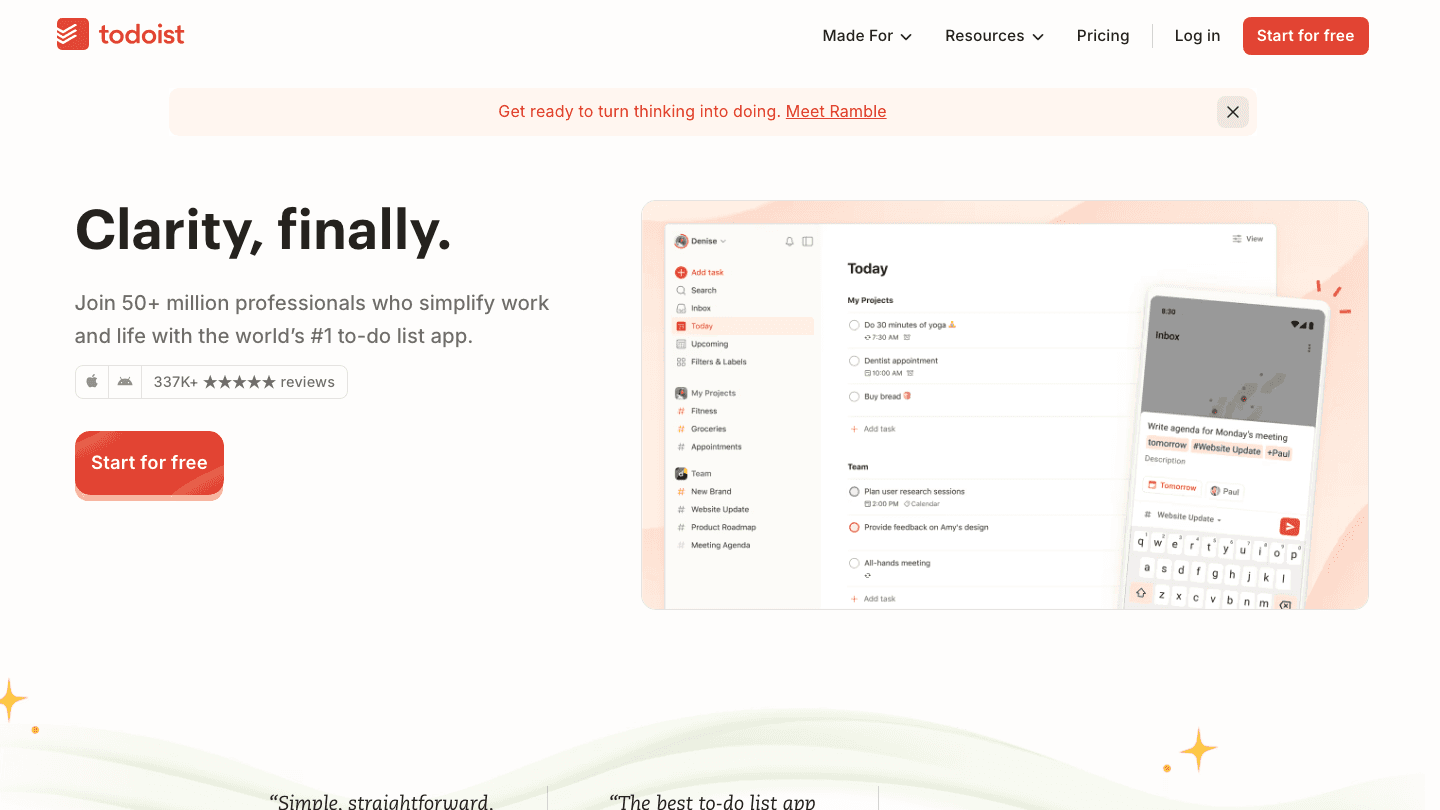
Todoist is the most polished general-purpose task manager available. While it is not a dedicated goal-setting tool, its project structure, priority levels, and recurring tasks make it practical for tracking goal-related work. You can create a project for each goal, add tasks with deadlines, and use labels or filters to group goal work across projects.
Todoist's cross-platform experience is its strongest point. Mac, Windows, iOS, Android, and web all feel like the same app. It integrates with Google Calendar and can sync tasks to your calendar view. The free tier covers 5 personal projects, which is enough for most individual goal-setters.
What Works: Clean, fast interface; excellent keyboard shortcuts; reliable recurring task system; solid calendar sync
Limitations: No energy-awareness or smart scheduling; no dedicated goal milestone tracking; habit tracking requires workarounds
Pricing: Free. Pro plan at $5/month ($60/year) adds unlimited projects, calendar layout, and advanced filters.
Best for: People who want a reliable task manager they can structure around their goals without switching to a new system.
3. Notion
Best for building a custom goal-tracking workspace
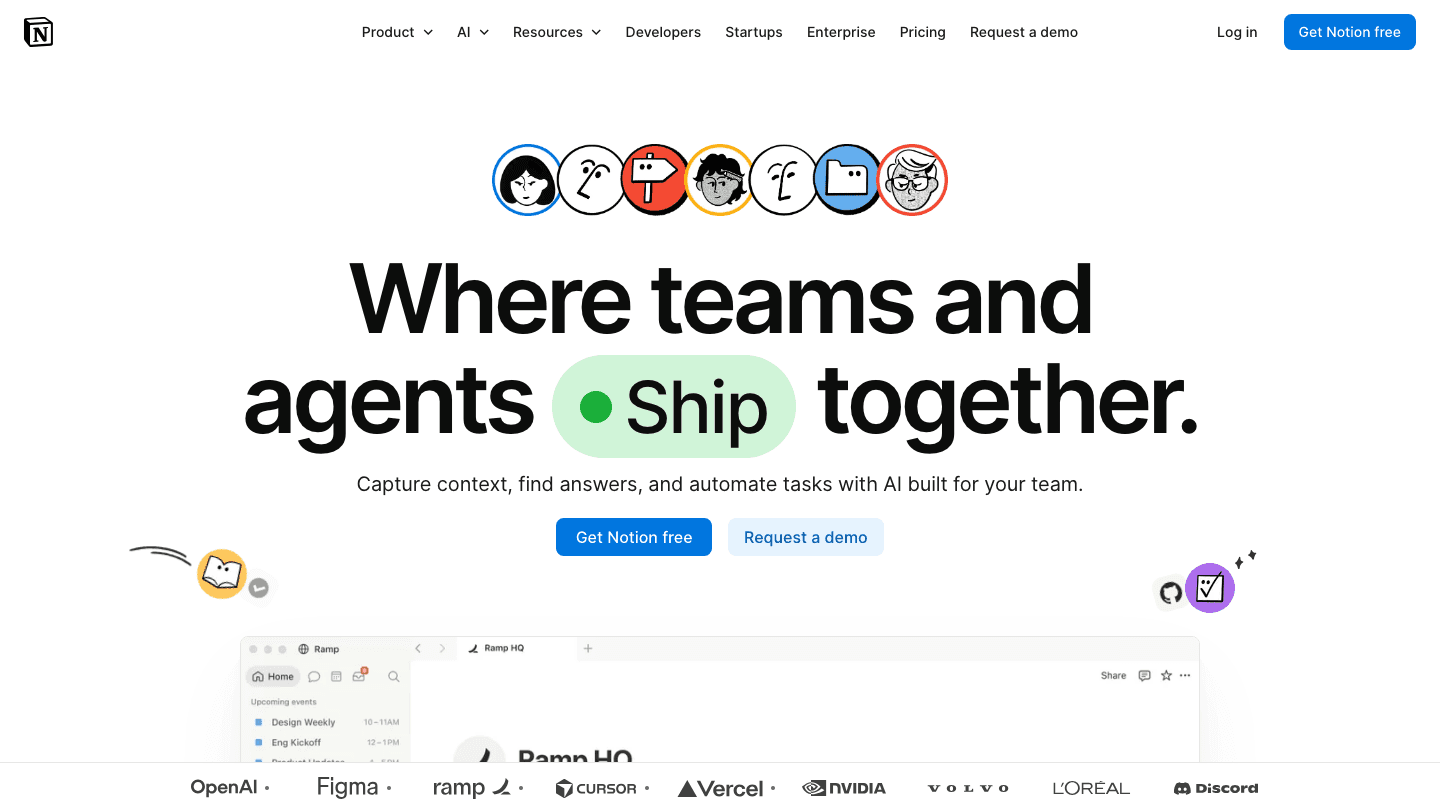
Notion does not come with a goal-tracking system out of the box, but it is one of the most powerful tools for building exactly the one you want. Using Notion's database properties, you can create a goal tracker with milestones, progress percentages, linked sub-tasks, and review cycles. The template library has dozens of goal-tracking setups you can install in minutes.
Notion's strength is flexibility. If you want a goal dashboard that links to your project database, your weekly review template, and your habit tracker, you can build it. If you want something simpler, you can build that too. The tradeoff is that none of this comes pre-configured. See our short-term goals guide for the kinds of goals this structure works best for.
What Works: Fully customizable database structure; connected pages for linked thinking; Notion Calendar integration; strong template library
Limitations: Significant setup required; no automated scheduling; can become disorganized without discipline; app performance slower on large databases
Pricing: Free for individuals. Plus plan at $10/member/month adds unlimited file uploads and charts.
Best for: People who like building custom systems and want their goals connected to the rest of their knowledge base.
4. Habitica
Best for gamified habit formation alongside goal tracking
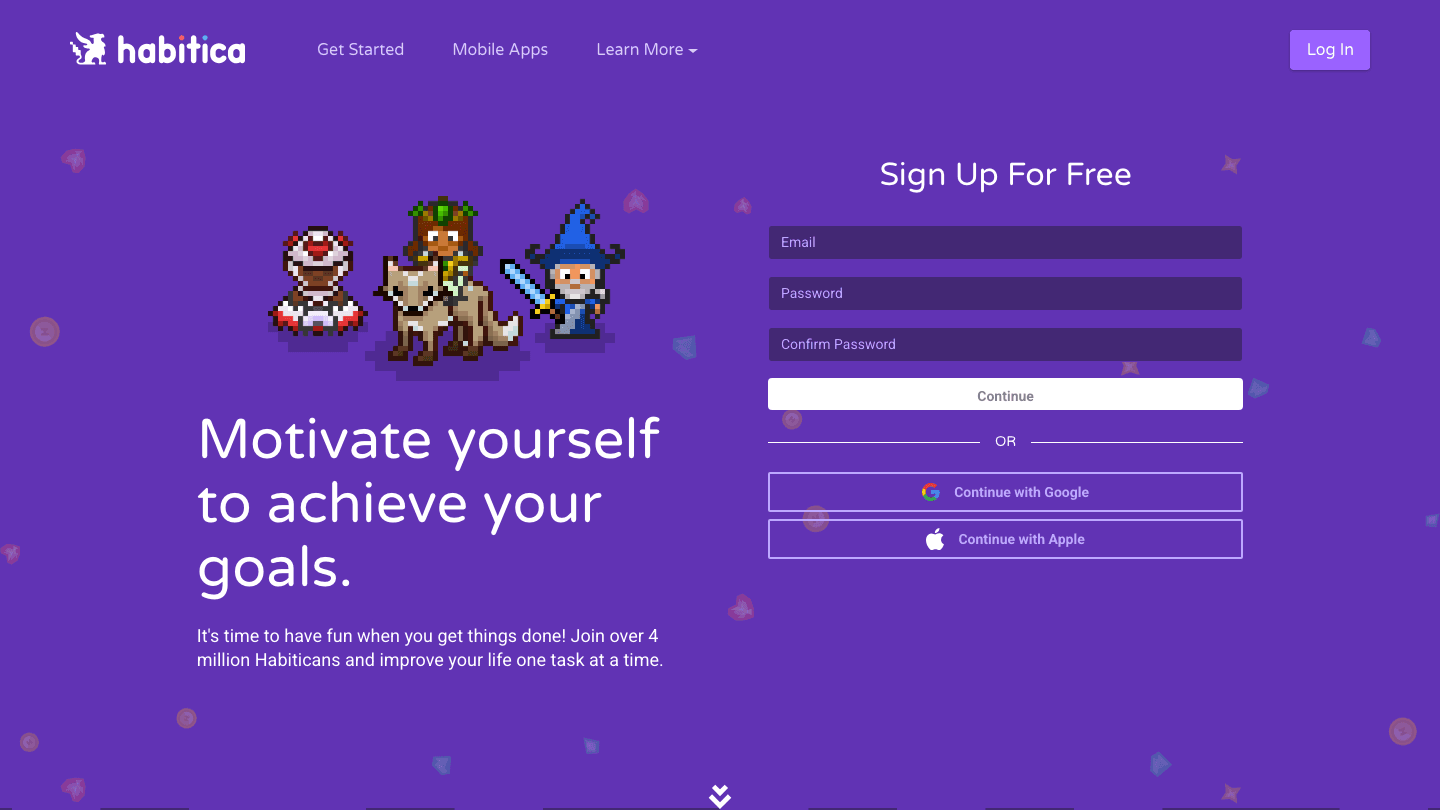
Habitica turns your habits and daily tasks into an RPG game. Every task you complete earns experience points and gold for your character. Miss a habit and your character loses health. The gamification layer is not superficial; it changes how completing or skipping a task feels, which is useful for people who struggle with motivation on repetitive daily habits.
Habitica separates tasks into Habits (repeat indefinitely), Dailies (recur on a schedule), To-Dos (one-time tasks), and Rewards (treats you unlock with gold). Goal tracking happens through the To-Dos and custom milestones. It is not the most sophisticated goal structure, but the daily habit reinforcement makes it effective for goals that depend on consistent small actions. Check our habit tracker planner guide for other apps in this space.
What Works: Unique motivation loop for habit-dependent goals; social party system adds real accountability; fully free with no key features gated behind paywall
Limitations: Goal structure is basic compared to dedicated trackers; gamification can feel juvenile for some users; interface is dated
Pricing: Free (fully functional). Optional premium subscription adds cosmetic items and some class features.
Best for: People who are motivated by streaks, rewards, and game-like progress feedback.
5. Strides
Best iOS-native goal and habit tracker
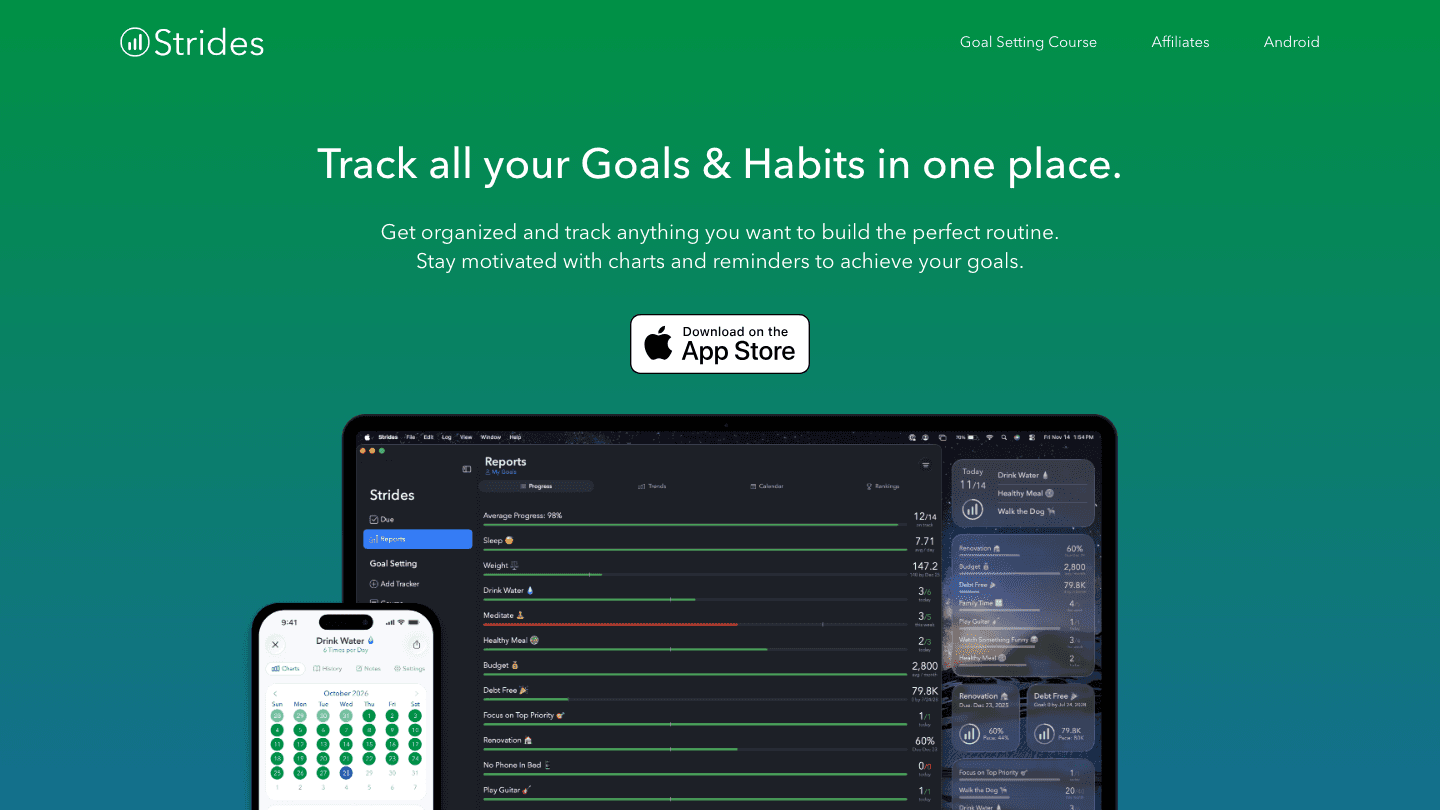
Strides is one of the most purpose-built goal tracking apps available. You can create goals in multiple formats: milestone goals (complete X by date), average goals (maintain X average over time), project goals (finish a project), and ongoing goals (track something indefinitely). Each goal gets a detailed progress view with charts showing your trajectory toward the target.
The app is iOS-native (iPhone and iPad), with a web companion for viewing data. If you are on Android, Strides is not the right choice. But iOS users get a clean, focused experience that does goal tracking better than most task managers that bolt it on as a feature.
What Works: Four goal types cover most tracking needs; detailed charts show real progress curves; habit reminders are reliable; clean and fast on iOS
Limitations: iOS only (no Android); no calendar integration or smart scheduling; progress charts require manual check-ins
Pricing: Free for up to 3 goals. Premium at $4.99/month or $29.99/year for unlimited goals and advanced charts.
Best for: iOS users who want a dedicated, charts-first goal tracker without the complexity of a full workspace tool.
6. Coach.me
Best for combining goal tracking with professional coaching
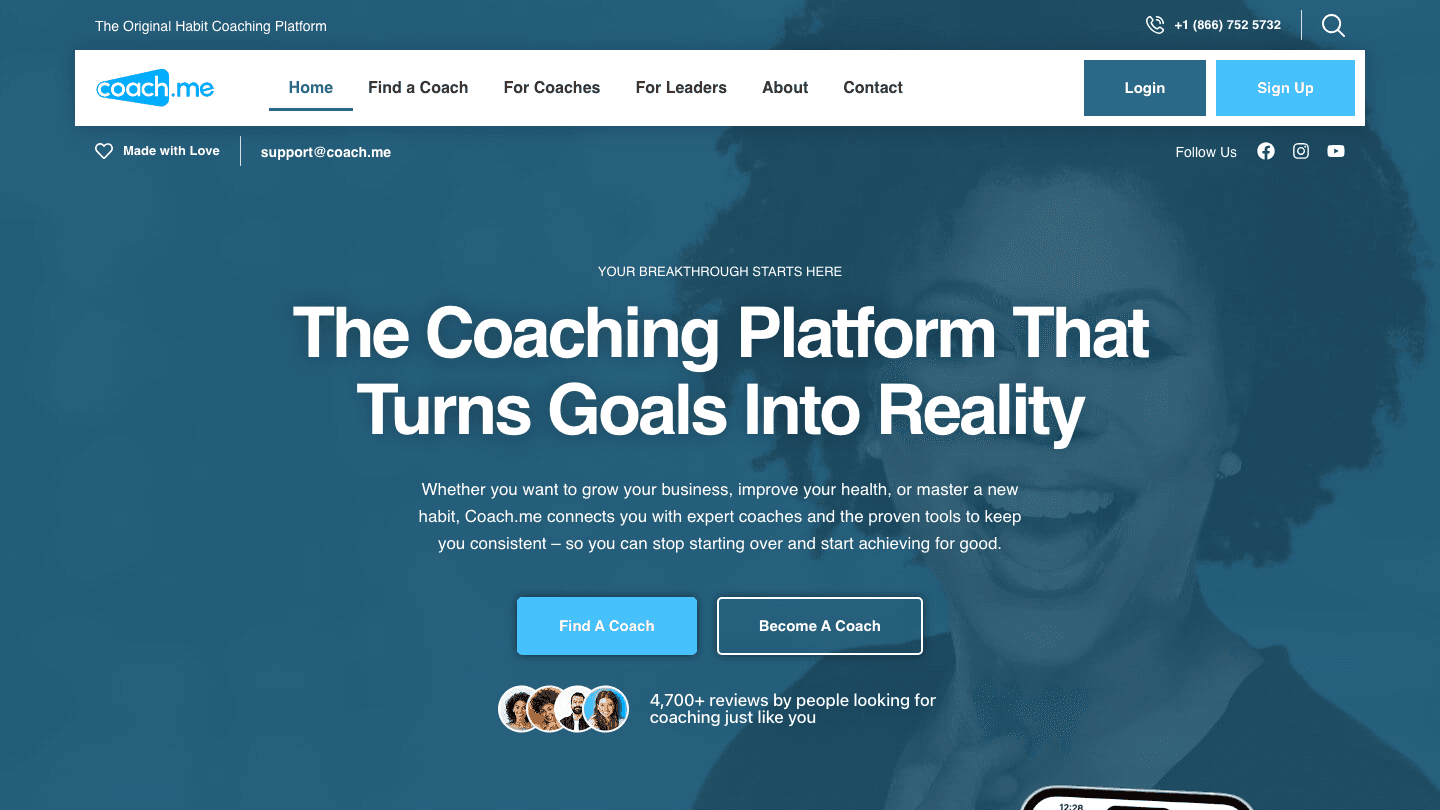
Coach.me is part habit tracker and part coaching marketplace. The app lets you set goals, track daily habits, and join community accountability groups. The differentiated feature is access to professional coaches who provide 1-on-1 accountability check-ins, feedback, and structured guidance through the coaching marketplace built into the platform.
The free app covers habit tracking and community accountability. Paid coaching starts at $25 per week and varies by coach and specialty. If self-directed goal-setting has not worked and you want professional accountability, Coach.me makes the coaching relationship accessible without the overhead of a full coaching engagement.
What Works: Community accountability groups add real social pressure; professional coaching available on demand; habit tracking is clean and reliable
Limitations: Coaching costs add up quickly; app interface is dated; free tier is habit tracking only without the full coaching feature set
Pricing: App is free. Professional coaching from $25/week (varies by coach).
Best for: People who want professional accountability alongside their goal tracking and are willing to pay for coaching support.
Which Goal-Setting App Is Right for You?
You need scheduling help: Lifestack. It puts your goal work in your calendar when you are most likely to follow through.
You want a clean task manager: Todoist. Simple, fast, and works everywhere.
You want a custom workspace: Notion. Build the goal system you want, linked to everything else.
Habits are your main struggle: Habitica. The game loop makes daily consistency more sticky.
You want dedicated goal charts (iOS): Strides. The cleanest goal-tracking experience on iPhone.
You want professional accountability: Coach.me. Real coaches, available on demand.
See our goals and objectives guide for how to write the goals that any of these apps can then help you track and execute. And check our weekly review guide for the habit that makes all goal-setting apps actually work long-term.
Frequently Asked Questions
What is the best app for goal setting?
Lifestack is the best overall for individuals because it connects goal-related tasks to your calendar with energy-aware scheduling. If you want pure goal tracking with great charts, Strides (iOS) is the dedicated pick. If you prefer task management, Todoist covers most goal-tracking needs at a lower price.
Is there a free goal-setting app?
Yes. Habitica is free with full functionality. Todoist's free tier covers 5 projects. Notion's free plan handles individual goal databases. Coach.me is free for habit tracking without coaching. Strides allows up to 3 free goals. Lifestack does not have a free tier but offers a 7-day trial on the annual plan.
What makes a goal-setting app actually useful?
The most useful goal apps either make it easy to define measurable targets with timelines, show you clearly whether you are on track, or connect your goals to when you will actually do the work. An app that only stores goals without helping you execute them is a more organized way to forget about your goals.
Are goal-setting apps worth it for ADHD?
Yes, with the right app. ADHD brains tend to lose track of goals that are not in the immediate visual field, so apps with daily reminders and progress streaks help. Energy-aware scheduling (Lifestack) is especially useful because it handles the executive function gap between knowing what to do and actually starting it. See our ADHD goals guide for strategies that work alongside these apps.
What is the difference between a goal-setting app and a habit tracker?
Goal-setting apps focus on long-term outcomes with milestones and progress tracking. Habit trackers focus on daily or weekly repetition of specific behaviors. Most effective goal work requires both: a goal to aim at and daily habits that accumulate toward it. Several apps on this list (Habitica, Strides, Coach.me) combine both layers.
Most goal-setting fails not because the goals were wrong but because the system for executing them was not there. A goal without a plan for when and how you will work on it is just a wish. The apps below are built to close that gap, each in a different way.
Some focus on tracking and visualizing progress. Others on habit formation alongside goals. One schedules your goal-related tasks directly into your calendar, matched to when you are actually sharp enough to do the work. We evaluated six of the most useful goal-setting apps across these dimensions.
The right app depends on where you are in the process. If your main problem is knowing what to track, a dedicated goal tracker helps. If your main problem is finding time to work on goals, you need a scheduling tool. If consistency is where things break down, a habit-focused app gives you the daily feedback loop.
Key Takeaways
Lifestack leads because it connects goal-related tasks to your calendar automatically, matching hard work to your peak energy windows, not just your open slots.
Todoist and Notion are strong choices for people who want flexibility in how they structure and track goals.
Habitica is genuinely effective for people who need a game-like motivation loop to stay consistent on daily habits.
Quick Guide: Best Goal-Setting Apps in 2026
Lifestack: Best for scheduling goal work into your actual calendar with energy awareness
Todoist: Best for task-based goal tracking with strong cross-platform support
Notion: Best for building a custom goal-tracking workspace with flexible databases
Habitica: Best for gamified habit formation tied to daily goal progress
Strides: Best iOS-native goal and habit tracker with clean progress charts
Coach.me: Best for goal-setting paired with professional coaching
How We Evaluated
Goal structure: Can you define goals with milestones, timelines, and measurable targets?
Progress visibility: Can you see at a glance whether you are on track?
Calendar integration: Does the app connect goal work to your actual schedule?
Habit layer: Can you attach daily or weekly habits to support a larger goal?
Pricing: Is the free tier useful, and what does paid unlock?
Mobile experience: Does the app work well on iOS and Android?
1. Lifestack
Best for turning goals into scheduled calendar work with energy-aware planning
Lifestack approaches goal setting from the execution end rather than the tracking end. You define your tasks and goals, and Lifestack reads your calendar, identifies your natural energy patterns, and schedules your goal-related work into the time slots where you are most likely to follow through. Deep work goes in your morning peak window. Lighter admin fills the post-lunch trough.
For people whose goals stall not because they lost motivation but because they never find time to work on them, this scheduling layer makes a real difference. It works particularly well for individuals with ADHD who benefit from having the daily decision of "when do I work on this?" removed entirely. See our ADHD goals guide for more on why execution structure matters more than goal clarity for many people.
Key Features: AI-powered task scheduling, energy-based time-blocking, calendar integration (Google, Apple, Outlook), habit tracking, ADHD-friendly design
What Works: Auto-scheduling removes the daily planning burden; energy matching means hard goal work lands when you can actually do it; strong mobile apps for iOS and Android
Limitations: Focused on individual planning rather than team goals; no gamification layer if that is what motivates you
Pricing: $7/month, $50/year, or $120 lifetime. No energy-awareness feature in other tools comes close at this price.
Best for: Individuals who know what their goals are and need help protecting time to work on them.
2. Todoist
Best for task-driven goal tracking across all platforms
Todoist is the most polished general-purpose task manager available. While it is not a dedicated goal-setting tool, its project structure, priority levels, and recurring tasks make it practical for tracking goal-related work. You can create a project for each goal, add tasks with deadlines, and use labels or filters to group goal work across projects.
Todoist's cross-platform experience is its strongest point. Mac, Windows, iOS, Android, and web all feel like the same app. It integrates with Google Calendar and can sync tasks to your calendar view. The free tier covers 5 personal projects, which is enough for most individual goal-setters.
What Works: Clean, fast interface; excellent keyboard shortcuts; reliable recurring task system; solid calendar sync
Limitations: No energy-awareness or smart scheduling; no dedicated goal milestone tracking; habit tracking requires workarounds
Pricing: Free. Pro plan at $5/month ($60/year) adds unlimited projects, calendar layout, and advanced filters.
Best for: People who want a reliable task manager they can structure around their goals without switching to a new system.
3. Notion
Best for building a custom goal-tracking workspace
Notion does not come with a goal-tracking system out of the box, but it is one of the most powerful tools for building exactly the one you want. Using Notion's database properties, you can create a goal tracker with milestones, progress percentages, linked sub-tasks, and review cycles. The template library has dozens of goal-tracking setups you can install in minutes.
Notion's strength is flexibility. If you want a goal dashboard that links to your project database, your weekly review template, and your habit tracker, you can build it. If you want something simpler, you can build that too. The tradeoff is that none of this comes pre-configured. See our short-term goals guide for the kinds of goals this structure works best for.
What Works: Fully customizable database structure; connected pages for linked thinking; Notion Calendar integration; strong template library
Limitations: Significant setup required; no automated scheduling; can become disorganized without discipline; app performance slower on large databases
Pricing: Free for individuals. Plus plan at $10/member/month adds unlimited file uploads and charts.
Best for: People who like building custom systems and want their goals connected to the rest of their knowledge base.
4. Habitica
Best for gamified habit formation alongside goal tracking
Habitica turns your habits and daily tasks into an RPG game. Every task you complete earns experience points and gold for your character. Miss a habit and your character loses health. The gamification layer is not superficial; it changes how completing or skipping a task feels, which is useful for people who struggle with motivation on repetitive daily habits.
Habitica separates tasks into Habits (repeat indefinitely), Dailies (recur on a schedule), To-Dos (one-time tasks), and Rewards (treats you unlock with gold). Goal tracking happens through the To-Dos and custom milestones. It is not the most sophisticated goal structure, but the daily habit reinforcement makes it effective for goals that depend on consistent small actions. Check our habit tracker planner guide for other apps in this space.
What Works: Unique motivation loop for habit-dependent goals; social party system adds real accountability; fully free with no key features gated behind paywall
Limitations: Goal structure is basic compared to dedicated trackers; gamification can feel juvenile for some users; interface is dated
Pricing: Free (fully functional). Optional premium subscription adds cosmetic items and some class features.
Best for: People who are motivated by streaks, rewards, and game-like progress feedback.
5. Strides
Best iOS-native goal and habit tracker
Strides is one of the most purpose-built goal tracking apps available. You can create goals in multiple formats: milestone goals (complete X by date), average goals (maintain X average over time), project goals (finish a project), and ongoing goals (track something indefinitely). Each goal gets a detailed progress view with charts showing your trajectory toward the target.
The app is iOS-native (iPhone and iPad), with a web companion for viewing data. If you are on Android, Strides is not the right choice. But iOS users get a clean, focused experience that does goal tracking better than most task managers that bolt it on as a feature.
What Works: Four goal types cover most tracking needs; detailed charts show real progress curves; habit reminders are reliable; clean and fast on iOS
Limitations: iOS only (no Android); no calendar integration or smart scheduling; progress charts require manual check-ins
Pricing: Free for up to 3 goals. Premium at $4.99/month or $29.99/year for unlimited goals and advanced charts.
Best for: iOS users who want a dedicated, charts-first goal tracker without the complexity of a full workspace tool.
6. Coach.me
Best for combining goal tracking with professional coaching
Coach.me is part habit tracker and part coaching marketplace. The app lets you set goals, track daily habits, and join community accountability groups. The differentiated feature is access to professional coaches who provide 1-on-1 accountability check-ins, feedback, and structured guidance through the coaching marketplace built into the platform.
The free app covers habit tracking and community accountability. Paid coaching starts at $25 per week and varies by coach and specialty. If self-directed goal-setting has not worked and you want professional accountability, Coach.me makes the coaching relationship accessible without the overhead of a full coaching engagement.
What Works: Community accountability groups add real social pressure; professional coaching available on demand; habit tracking is clean and reliable
Limitations: Coaching costs add up quickly; app interface is dated; free tier is habit tracking only without the full coaching feature set
Pricing: App is free. Professional coaching from $25/week (varies by coach).
Best for: People who want professional accountability alongside their goal tracking and are willing to pay for coaching support.
Which Goal-Setting App Is Right for You?
You need scheduling help: Lifestack. It puts your goal work in your calendar when you are most likely to follow through.
You want a clean task manager: Todoist. Simple, fast, and works everywhere.
You want a custom workspace: Notion. Build the goal system you want, linked to everything else.
Habits are your main struggle: Habitica. The game loop makes daily consistency more sticky.
You want dedicated goal charts (iOS): Strides. The cleanest goal-tracking experience on iPhone.
You want professional accountability: Coach.me. Real coaches, available on demand.
See our goals and objectives guide for how to write the goals that any of these apps can then help you track and execute. And check our weekly review guide for the habit that makes all goal-setting apps actually work long-term.
Frequently Asked Questions
What is the best app for goal setting?
Lifestack is the best overall for individuals because it connects goal-related tasks to your calendar with energy-aware scheduling. If you want pure goal tracking with great charts, Strides (iOS) is the dedicated pick. If you prefer task management, Todoist covers most goal-tracking needs at a lower price.
Is there a free goal-setting app?
Yes. Habitica is free with full functionality. Todoist's free tier covers 5 projects. Notion's free plan handles individual goal databases. Coach.me is free for habit tracking without coaching. Strides allows up to 3 free goals. Lifestack does not have a free tier but offers a 7-day trial on the annual plan.
What makes a goal-setting app actually useful?
The most useful goal apps either make it easy to define measurable targets with timelines, show you clearly whether you are on track, or connect your goals to when you will actually do the work. An app that only stores goals without helping you execute them is a more organized way to forget about your goals.
Are goal-setting apps worth it for ADHD?
Yes, with the right app. ADHD brains tend to lose track of goals that are not in the immediate visual field, so apps with daily reminders and progress streaks help. Energy-aware scheduling (Lifestack) is especially useful because it handles the executive function gap between knowing what to do and actually starting it. See our ADHD goals guide for strategies that work alongside these apps.
What is the difference between a goal-setting app and a habit tracker?
Goal-setting apps focus on long-term outcomes with milestones and progress tracking. Habit trackers focus on daily or weekly repetition of specific behaviors. Most effective goal work requires both: a goal to aim at and daily habits that accumulate toward it. Several apps on this list (Habitica, Strides, Coach.me) combine both layers.



FOLLOW ON
FOLLOW ON
FOLLOW ON


Copyright 2026 © Lifestack. All rights reserved
Copyright 2026 © Lifestack. All rights reserved

