
App
Best Goal Counter Apps in 2026: 5 Picks That Work
Best Goal Counter Apps in 2026: 5 Picks That Work
Counting toward a goal is easy. Actually tracking it day after day, building momentum, and knowing when you are on pace versus falling behind is the hard part. That is what a good goal counter app does.
We tested dozens of apps across goal tracking, habit streaks, gamified systems, and AI scheduling to find the ones that actually help you close the gap between where you are and where you want to be. The picks below cover a range of approaches so you can match one to how you actually work.
Pricing matters too. Some of the best options here have free tiers; others are one-time purchases under $6. None require an expensive ongoing subscription to get real value.
Key Takeaways
Lifestack is the best pick if you want your goal tracking tied to an AI-built daily schedule that adapts around your energy
Streaks is the best one-time purchase for iPhone users who want dead-simple streak-based goal counting
Habitica is the best free option if gamification keeps you motivated
Quick Guide to the Best Goal Counter Apps
Lifestack: AI planner that schedules your goals into your day based on energy and recovery
Streaks: iOS-only streak counter that shows your daily goal chain visually
Habitica: gamified goal and task tracker where you level up an RPG character as you complete goals
Strides: structured tracker with four goal types: habits, averages, targets, and projects
Productive: habit and routine builder that groups goals into morning, afternoon, and evening sessions
How We Evaluated These Goal Counter Apps
Ease of adding and counting progress toward goals
Visual clarity of progress and streak data
Flexibility across goal types (daily habits, project milestones, numeric targets)
Pricing relative to features (free tiers, one-time vs. subscription)
Platform availability (iOS, Android, web)
1. Lifestack: Best Goal Counter App Overall
AI scheduling that puts your goals into your actual day

Lifestack approaches goal tracking differently from the apps below. Rather than just counting completions, it schedules your goals into time blocks that match your energy levels each day. If you track three goals (a workout, focused writing time, and a learning habit), Lifestack maps each one to the best window in your day based on your sleep data and historical energy patterns.
This makes it less of a counter and more of an execution layer. You do not just log that you did the thing; you get a plan that tells you when to do it. For ADHD goal tracking specifically, this makes a significant difference. The app works on iOS and Android and syncs with major calendars. It also tracks habit completion counts and streaks inside the schedule view.
Key Features
AI-generated daily schedule built around your goals and energy
Goal completion tracking with streak counters built into the plan
Sleep and wearable data integration for energy-aware scheduling
Calendar sync with Google Calendar, Apple Calendar, and Outlook
iOS and Android apps
What Works
Goals get done because they are placed into real time slots, not just listed
Energy-aware scheduling reduces the friction of starting tasks
Works for both habit goals and project-milestone goals
Limitations
No free tier; requires a paid subscription or one-time lifetime purchase
More of an AI planner than a traditional goal counter app
Pricing: $7/month, $50/year, or $120 lifetime. 7-day free trial on annual plan.
Best for: People who want their goals automatically scheduled into their day based on energy, not just tracked on a list.
2. Streaks: Best for iPhone Streak Tracking
The simplest way to build an unbroken goal chain on iOS
Streaks is an iOS-only goal counter built around the "don't break the chain" concept. You set up to 24 daily goals and the app shows your current streak count for each one. The interface is a single circular grid. When you complete a goal, you tap it. When you miss, the streak resets.
At $5.99 as a one-time purchase, Streaks is one of the best value options in the category. It integrates with Apple Health to auto-complete goals like step counts, water intake, or workouts without manual logging. The visual simplicity is a deliberate design choice that works well for goal-focused users who want to see their count without navigating menus. See our guide to the best daily habits to track for ideas on what to put into it.
Key Features
Up to 24 daily goals with visual streak circles
Apple Health auto-completion for supported health metrics
Widgets for Home Screen and Apple Watch
Goal history and streak statistics
What Works
The one-time price removes ongoing subscription pressure
Auto-logging from Apple Health reduces manual entry
Apple Watch app lets you log goals from your wrist
Limitations
iOS only; no Android version
Limited goal types: daily habits only, no project or numeric targets
No web version or cross-device sync outside Apple ecosystem
Pricing: $5.99 one-time purchase.
Best for: iPhone users who want a minimal, visual streak counter with Apple Health integration and no subscription.
3. Habitica: Best Free Goal Counter App
Turn your goals into an RPG quest you actually want to finish
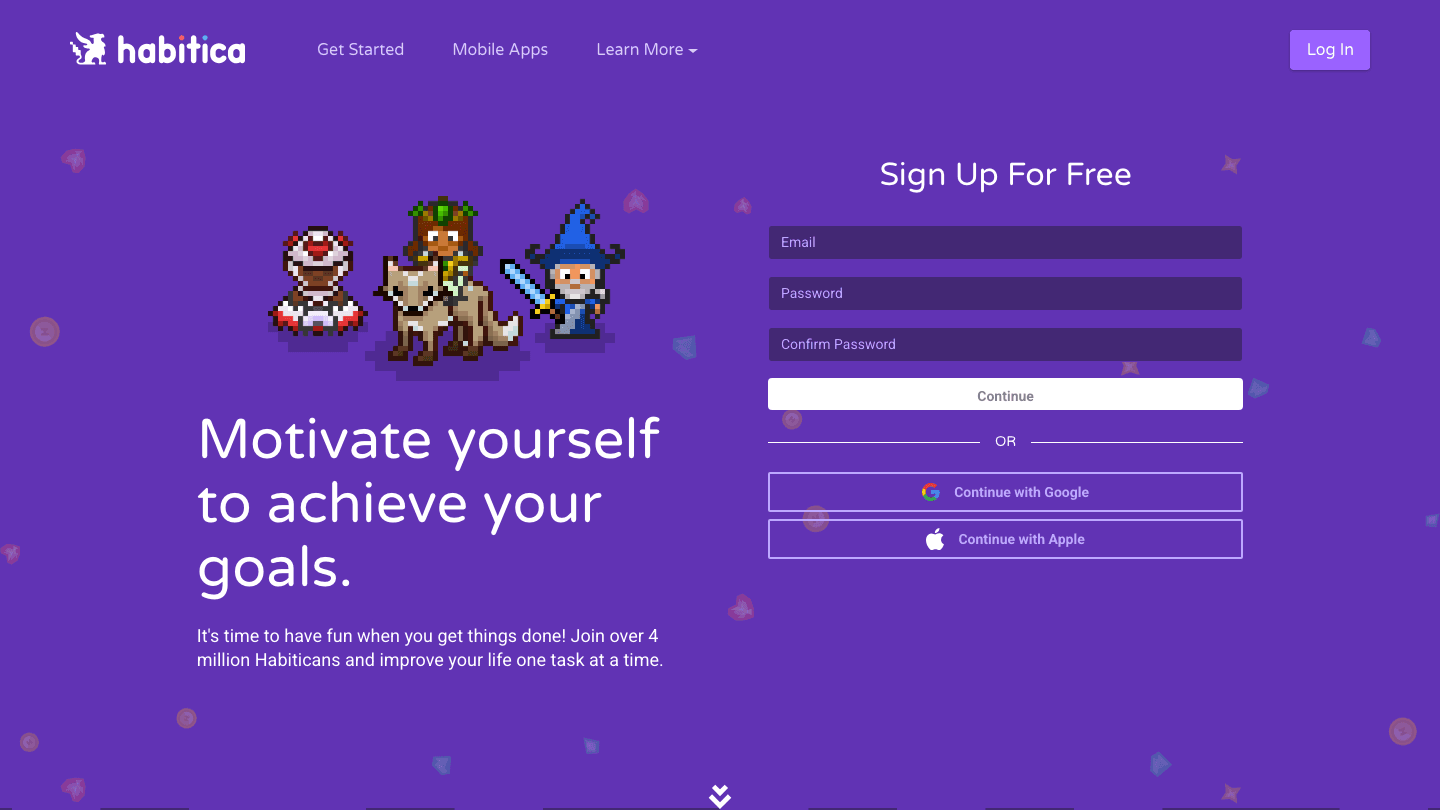
Habitica is a goal and habit tracker that turns your to-do list into a role-playing game. Every completed goal earns experience points and gold for your character. Miss your daily targets and your character loses health. It sounds strange. For the right person, it is one of the most effective accountability systems available.
The core product is free. Habitica has over 4 million users and an active community that adds social accountability to your goal tracking. For gamification-driven motivation, it is hard to match at any price. The paid tier (Gems subscription, around $9/month) adds cosmetic items but the tracking itself is fully free. A good option to pair with a visual goal tracker approach.
Key Features
RPG character that levels up as you complete goals and habits
Three goal types: habits, dailies, and to-dos
Social parties, guilds, and boss battles for group accountability
Available on iOS, Android, and web
What Works
The gamification layer genuinely increases engagement for many users
Fully functional free tier with no artificial limits on goal count
Cross-platform (iOS, Android, web) with sync
Limitations
Visual design is RPG-themed, which is a dealbreaker for some
No energy-aware scheduling or AI features
Goal analytics are limited compared to Strides or Lifestack
Pricing: Free. Optional Gems subscription ~$9/month for cosmetic upgrades.
Best for: People who are motivated by games and visual rewards, and who want a completely free cross-platform goal counter.
4. Strides: Best for Structured Goal Tracking
Four goal types in a clean, data-rich interface
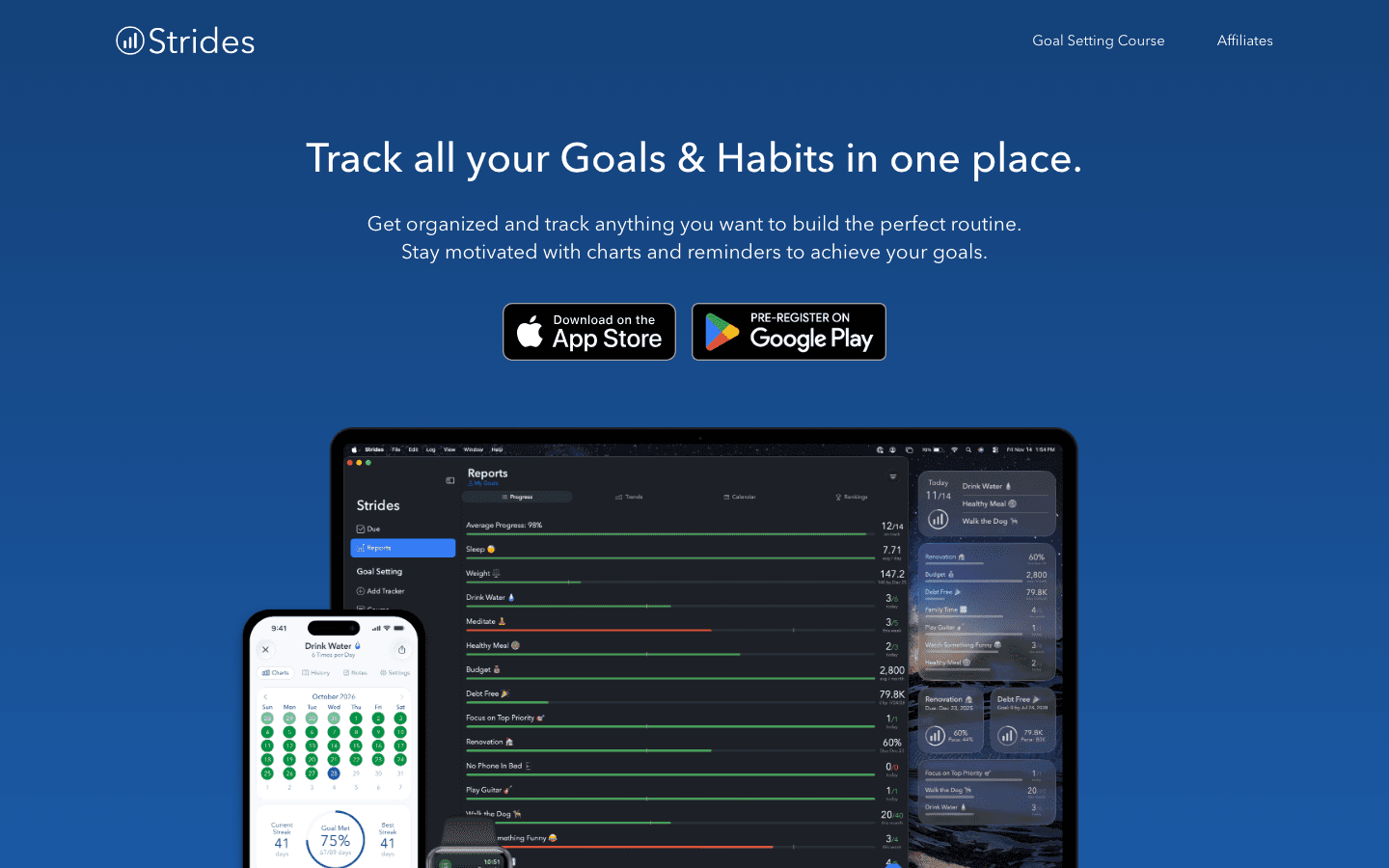
Strides is an iOS-first goal tracker that handles four distinct goal types: habits (daily or weekly), averages (e.g. average sleep per week), targets (count toward a total), and projects (a milestone with a deadline). This flexibility makes it more suitable for numeric goals like "read 24 books this year" or "run 500 miles" than a habit-only tracker.
The free tier lets you track up to three goals without paying. Strides Plus unlocks unlimited trackers, tags, export, and cross-device sync for $39.99/year. For anyone tracking fitness goals or project milestones with specific numbers to hit, Strides is one of the cleaner implementations in this space.
Key Features
Four goal types: habits, averages, targets, and project milestones
Progress charts and trend analysis per goal
Goal notes and export for review
iPhone and iPad apps with iCloud sync
What Works
The target tracker type is excellent for counting toward a numeric goal
Clean chart UI makes progress easy to read
Free tier is genuinely useful for tracking a few key goals
Limitations
iOS only; no Android app
Plus plan at $39.99/year is needed for more than 3 goals
No AI scheduling or energy awareness
Pricing: Free (3 goals) | Plus: $4.99/month or $39.99/year or $79.99 lifetime.
Best for: iPhone users who track specific numeric goals (targets and averages), not just daily habits.
5. Productive: Best for Routine-Based Goal Tracking
Group your goals into morning, afternoon, and evening sessions
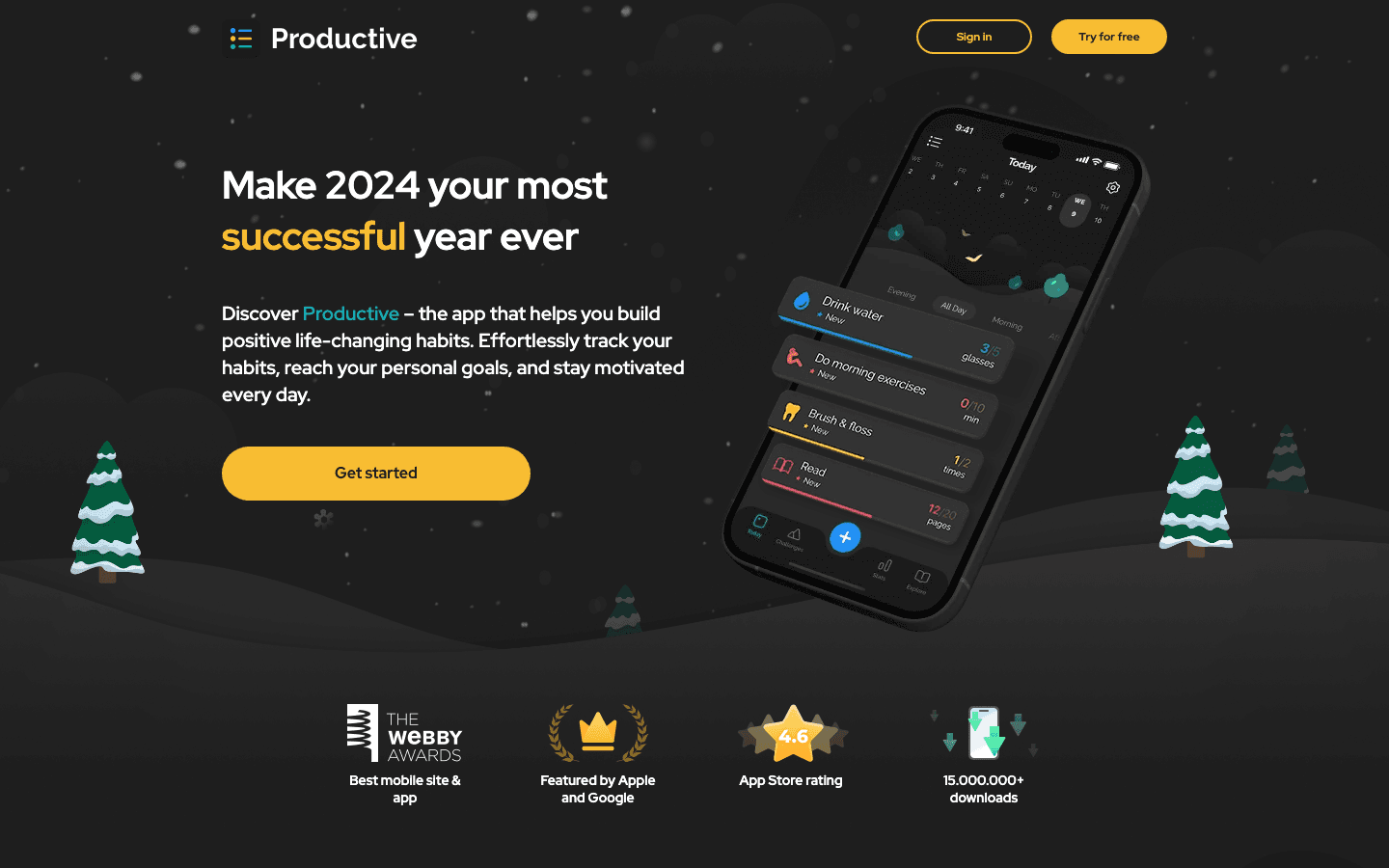
Productive organizes goals and habits into time-of-day sessions: morning, afternoon, and evening routines. This framing works well for people who prefer to cluster their goal work by when in the day it happens rather than treating each goal as a standalone item. It is available on iOS and Android.
The free tier gives you access to a limited number of habits. The paid version unlocks unlimited habits, notes, and advanced statistics for $23.99/year. For users who want a routine-based approach to goal tracking that goes beyond a simple streak counter, it is a solid mid-tier option. It pairs well with ideas from our fun goal tracking systems guide.
Key Features
Morning, afternoon, and evening routine groupings
Habit reminders and completion tracking
Statistics showing consistency over days, weeks, and months
iOS and Android apps
What Works
Routine groupings reduce decision fatigue about when to do things
Cross-platform (iOS and Android)
Annual plan is affordable at $23.99
Limitations
No web app or desktop version
No AI scheduling or numeric target tracking
Free tier is limited in habit count
Pricing: Free (limited habits) | Premium: $23.99/year or $10.99/month.
Best for: People who want to organize their goals into time-of-day routines on iOS or Android.
Which Goal Counter App Is Right for You?
Choose Lifestack if: you want your goals automatically scheduled into your day based on energy, not just tracked on a list
Choose Streaks if: you are on iPhone, want a simple streak counter, and prefer a one-time payment
Choose Habitica if: gamification motivates you and you want a free, cross-platform option
Choose Strides if: you track numeric targets (count toward a total) rather than simple habits, and you are on iPhone
Choose Productive if: you prefer organizing goals by time of day in a morning/afternoon/evening routine structure
Frequently Asked Questions
What is a goal counter app?
A goal counter app tracks how many times you have done something toward a target, or how many days in a row you have maintained a habit. Some apps count completions (like Streaks), some track progress toward numeric totals (like Strides), and some like Lifestack also schedule when you will do the thing. For visual approaches, see our guide to visual goal tracking methods.
What is the best free goal counter app?
Habitica is the best free goal counter app for most users. It has no meaningful free tier limits on goal count, works on iOS, Android, and web, and adds gamification that keeps many users more engaged than simple list-based apps. Strides also has a free tier for up to three goals.
What is the best goal tracker app for ADHD?
Lifestack and Habitica are both strong choices for ADHD goal tracking. Lifestack works by removing the planning burden entirely: it tells you when to do your goals based on your energy. Habitica works by adding external rewards and a social accountability layer. Both address the initiation and motivation challenges that ADHD makes harder.
Is Streaks worth it?
Yes, for iPhone users who want a minimal streak counter. At $5.99 one-time with Apple Health integration and Apple Watch support, it is one of the best values in the habit tracking space. If you need Android support or numeric target tracking, look at Productive or Strides instead.
How do I stay consistent with goal tracking?
The apps that produce the most consistency are ones that reduce friction: either by scheduling the goal into your calendar (Lifestack), making it a visual chain you do not want to break (Streaks), or adding a reward layer (Habitica). Pairing your tracker with an energy-based schedule also helps by putting goal work when you are most likely to follow through.
Counting toward a goal is easy. Actually tracking it day after day, building momentum, and knowing when you are on pace versus falling behind is the hard part. That is what a good goal counter app does.
We tested dozens of apps across goal tracking, habit streaks, gamified systems, and AI scheduling to find the ones that actually help you close the gap between where you are and where you want to be. The picks below cover a range of approaches so you can match one to how you actually work.
Pricing matters too. Some of the best options here have free tiers; others are one-time purchases under $6. None require an expensive ongoing subscription to get real value.
Key Takeaways
Lifestack is the best pick if you want your goal tracking tied to an AI-built daily schedule that adapts around your energy
Streaks is the best one-time purchase for iPhone users who want dead-simple streak-based goal counting
Habitica is the best free option if gamification keeps you motivated
Quick Guide to the Best Goal Counter Apps
Lifestack: AI planner that schedules your goals into your day based on energy and recovery
Streaks: iOS-only streak counter that shows your daily goal chain visually
Habitica: gamified goal and task tracker where you level up an RPG character as you complete goals
Strides: structured tracker with four goal types: habits, averages, targets, and projects
Productive: habit and routine builder that groups goals into morning, afternoon, and evening sessions
How We Evaluated These Goal Counter Apps
Ease of adding and counting progress toward goals
Visual clarity of progress and streak data
Flexibility across goal types (daily habits, project milestones, numeric targets)
Pricing relative to features (free tiers, one-time vs. subscription)
Platform availability (iOS, Android, web)
1. Lifestack: Best Goal Counter App Overall
AI scheduling that puts your goals into your actual day
Lifestack approaches goal tracking differently from the apps below. Rather than just counting completions, it schedules your goals into time blocks that match your energy levels each day. If you track three goals (a workout, focused writing time, and a learning habit), Lifestack maps each one to the best window in your day based on your sleep data and historical energy patterns.
This makes it less of a counter and more of an execution layer. You do not just log that you did the thing; you get a plan that tells you when to do it. For ADHD goal tracking specifically, this makes a significant difference. The app works on iOS and Android and syncs with major calendars. It also tracks habit completion counts and streaks inside the schedule view.
Key Features
AI-generated daily schedule built around your goals and energy
Goal completion tracking with streak counters built into the plan
Sleep and wearable data integration for energy-aware scheduling
Calendar sync with Google Calendar, Apple Calendar, and Outlook
iOS and Android apps
What Works
Goals get done because they are placed into real time slots, not just listed
Energy-aware scheduling reduces the friction of starting tasks
Works for both habit goals and project-milestone goals
Limitations
No free tier; requires a paid subscription or one-time lifetime purchase
More of an AI planner than a traditional goal counter app
Pricing: $7/month, $50/year, or $120 lifetime. 7-day free trial on annual plan.
Best for: People who want their goals automatically scheduled into their day based on energy, not just tracked on a list.
2. Streaks: Best for iPhone Streak Tracking
The simplest way to build an unbroken goal chain on iOS
Streaks is an iOS-only goal counter built around the "don't break the chain" concept. You set up to 24 daily goals and the app shows your current streak count for each one. The interface is a single circular grid. When you complete a goal, you tap it. When you miss, the streak resets.
At $5.99 as a one-time purchase, Streaks is one of the best value options in the category. It integrates with Apple Health to auto-complete goals like step counts, water intake, or workouts without manual logging. The visual simplicity is a deliberate design choice that works well for goal-focused users who want to see their count without navigating menus. See our guide to the best daily habits to track for ideas on what to put into it.
Key Features
Up to 24 daily goals with visual streak circles
Apple Health auto-completion for supported health metrics
Widgets for Home Screen and Apple Watch
Goal history and streak statistics
What Works
The one-time price removes ongoing subscription pressure
Auto-logging from Apple Health reduces manual entry
Apple Watch app lets you log goals from your wrist
Limitations
iOS only; no Android version
Limited goal types: daily habits only, no project or numeric targets
No web version or cross-device sync outside Apple ecosystem
Pricing: $5.99 one-time purchase.
Best for: iPhone users who want a minimal, visual streak counter with Apple Health integration and no subscription.
3. Habitica: Best Free Goal Counter App
Turn your goals into an RPG quest you actually want to finish
Habitica is a goal and habit tracker that turns your to-do list into a role-playing game. Every completed goal earns experience points and gold for your character. Miss your daily targets and your character loses health. It sounds strange. For the right person, it is one of the most effective accountability systems available.
The core product is free. Habitica has over 4 million users and an active community that adds social accountability to your goal tracking. For gamification-driven motivation, it is hard to match at any price. The paid tier (Gems subscription, around $9/month) adds cosmetic items but the tracking itself is fully free. A good option to pair with a visual goal tracker approach.
Key Features
RPG character that levels up as you complete goals and habits
Three goal types: habits, dailies, and to-dos
Social parties, guilds, and boss battles for group accountability
Available on iOS, Android, and web
What Works
The gamification layer genuinely increases engagement for many users
Fully functional free tier with no artificial limits on goal count
Cross-platform (iOS, Android, web) with sync
Limitations
Visual design is RPG-themed, which is a dealbreaker for some
No energy-aware scheduling or AI features
Goal analytics are limited compared to Strides or Lifestack
Pricing: Free. Optional Gems subscription ~$9/month for cosmetic upgrades.
Best for: People who are motivated by games and visual rewards, and who want a completely free cross-platform goal counter.
4. Strides: Best for Structured Goal Tracking
Four goal types in a clean, data-rich interface
Strides is an iOS-first goal tracker that handles four distinct goal types: habits (daily or weekly), averages (e.g. average sleep per week), targets (count toward a total), and projects (a milestone with a deadline). This flexibility makes it more suitable for numeric goals like "read 24 books this year" or "run 500 miles" than a habit-only tracker.
The free tier lets you track up to three goals without paying. Strides Plus unlocks unlimited trackers, tags, export, and cross-device sync for $39.99/year. For anyone tracking fitness goals or project milestones with specific numbers to hit, Strides is one of the cleaner implementations in this space.
Key Features
Four goal types: habits, averages, targets, and project milestones
Progress charts and trend analysis per goal
Goal notes and export for review
iPhone and iPad apps with iCloud sync
What Works
The target tracker type is excellent for counting toward a numeric goal
Clean chart UI makes progress easy to read
Free tier is genuinely useful for tracking a few key goals
Limitations
iOS only; no Android app
Plus plan at $39.99/year is needed for more than 3 goals
No AI scheduling or energy awareness
Pricing: Free (3 goals) | Plus: $4.99/month or $39.99/year or $79.99 lifetime.
Best for: iPhone users who track specific numeric goals (targets and averages), not just daily habits.
5. Productive: Best for Routine-Based Goal Tracking
Group your goals into morning, afternoon, and evening sessions
Productive organizes goals and habits into time-of-day sessions: morning, afternoon, and evening routines. This framing works well for people who prefer to cluster their goal work by when in the day it happens rather than treating each goal as a standalone item. It is available on iOS and Android.
The free tier gives you access to a limited number of habits. The paid version unlocks unlimited habits, notes, and advanced statistics for $23.99/year. For users who want a routine-based approach to goal tracking that goes beyond a simple streak counter, it is a solid mid-tier option. It pairs well with ideas from our fun goal tracking systems guide.
Key Features
Morning, afternoon, and evening routine groupings
Habit reminders and completion tracking
Statistics showing consistency over days, weeks, and months
iOS and Android apps
What Works
Routine groupings reduce decision fatigue about when to do things
Cross-platform (iOS and Android)
Annual plan is affordable at $23.99
Limitations
No web app or desktop version
No AI scheduling or numeric target tracking
Free tier is limited in habit count
Pricing: Free (limited habits) | Premium: $23.99/year or $10.99/month.
Best for: People who want to organize their goals into time-of-day routines on iOS or Android.
Which Goal Counter App Is Right for You?
Choose Lifestack if: you want your goals automatically scheduled into your day based on energy, not just tracked on a list
Choose Streaks if: you are on iPhone, want a simple streak counter, and prefer a one-time payment
Choose Habitica if: gamification motivates you and you want a free, cross-platform option
Choose Strides if: you track numeric targets (count toward a total) rather than simple habits, and you are on iPhone
Choose Productive if: you prefer organizing goals by time of day in a morning/afternoon/evening routine structure
Frequently Asked Questions
What is a goal counter app?
A goal counter app tracks how many times you have done something toward a target, or how many days in a row you have maintained a habit. Some apps count completions (like Streaks), some track progress toward numeric totals (like Strides), and some like Lifestack also schedule when you will do the thing. For visual approaches, see our guide to visual goal tracking methods.
What is the best free goal counter app?
Habitica is the best free goal counter app for most users. It has no meaningful free tier limits on goal count, works on iOS, Android, and web, and adds gamification that keeps many users more engaged than simple list-based apps. Strides also has a free tier for up to three goals.
What is the best goal tracker app for ADHD?
Lifestack and Habitica are both strong choices for ADHD goal tracking. Lifestack works by removing the planning burden entirely: it tells you when to do your goals based on your energy. Habitica works by adding external rewards and a social accountability layer. Both address the initiation and motivation challenges that ADHD makes harder.
Is Streaks worth it?
Yes, for iPhone users who want a minimal streak counter. At $5.99 one-time with Apple Health integration and Apple Watch support, it is one of the best values in the habit tracking space. If you need Android support or numeric target tracking, look at Productive or Strides instead.
How do I stay consistent with goal tracking?
The apps that produce the most consistency are ones that reduce friction: either by scheduling the goal into your calendar (Lifestack), making it a visual chain you do not want to break (Streaks), or adding a reward layer (Habitica). Pairing your tracker with an energy-based schedule also helps by putting goal work when you are most likely to follow through.



FOLLOW ON
FOLLOW ON
FOLLOW ON


Copyright 2026 © Lifestack. All rights reserved
Copyright 2026 © Lifestack. All rights reserved

