
App
Best AI Apps for iPhone and iOS in 2026
Best AI Apps for iPhone and iOS in 2026
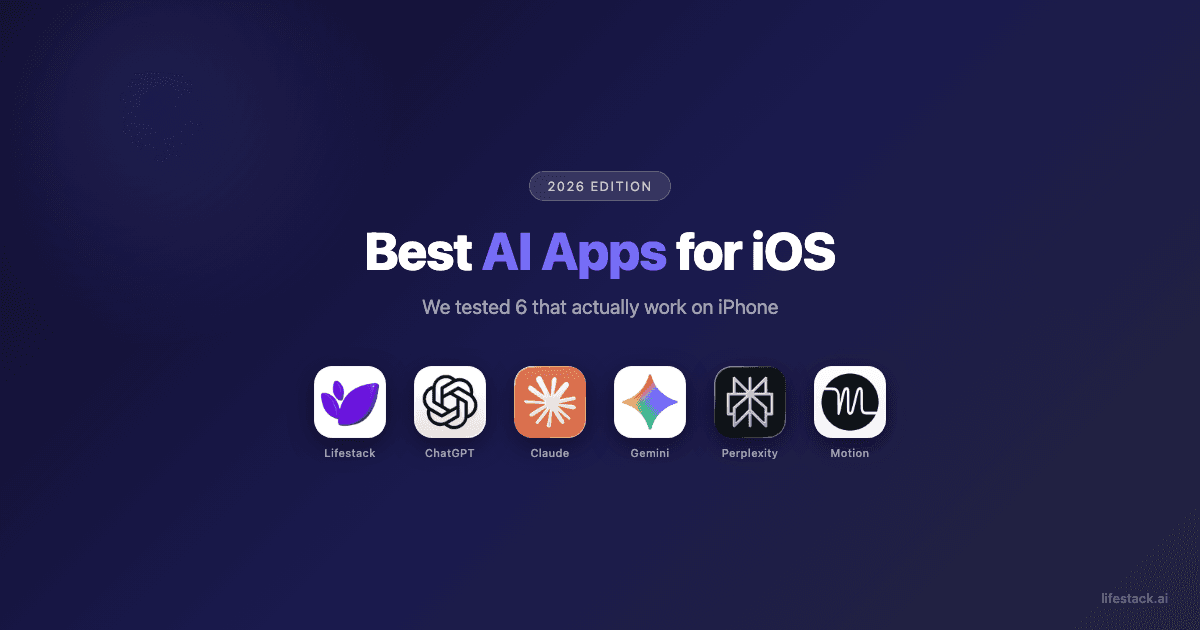
The best AI apps for iPhone in 2026 each solve a different problem. Lifestack plans your day around your energy levels, not just your calendar. ChatGPT handles the broadest range of tasks from one app. Claude excels at long documents and careful analysis. Google Gemini connects directly to Gmail, Calendar, and Drive. Perplexity searches the web and shows sources for every answer. Motion rebuilds your schedule automatically when meetings or tasks shift. Knowing which problem you need solved matters more than picking the highest-rated model.
We spent several weeks testing the AI apps that have earned real traction on iOS in 2026. Some are general-purpose chatbots you can throw anything at. Others are built around a specific job, like scheduling around your energy levels, searching the web with citations, or keeping your Google workspace connected. Knowing which category you need matters more than knowing which model scored highest on a benchmark.
One thing became clear fast: the apps that work best on iPhone are not the same ones that work best on a desktop browser. Mobile AI has to be fast, one-handed, and opinionated. An app that requires you to write a detailed prompt to get a useful answer is not a mobile app, it is a web tool squeezed into a smaller screen.
On Android instead? See our companion guide to the best AI apps for Android.
Here is what we found after testing all six, including where each one falls short so you do not have to find out yourself.
Key Takeaways
Lifestack is the only iOS AI app that schedules your day around your energy patterns, not just your free time slots. That is a meaningful difference for anyone who has watched a to-do list stay undone.
General-purpose assistants like ChatGPT, Claude, and Gemini do similar things well, but they handle memory, documents, and integrations very differently on mobile. The right choice depends on your existing ecosystem.
Niche tools like Perplexity and Motion beat general AI apps when the use case fits. A focused app wins on iPhone because you are usually in a hurry and want one good answer, not ten options.
Quick Guide: 6 Best AI Apps for iOS in 2026
Lifestack: Best for people who want AI that schedules around their energy, not just their calendar
ChatGPT: Best default AI if you want one app that handles almost anything
Claude: Best for long documents, careful writing, and conversations where you want the AI to push back
Google Gemini: Best for people deep in Google's tools who want AI connected to their Gmail, Calendar, and Drive
Perplexity: Best for research and fact-checking with sources you can actually verify
Motion: Best for professionals who want their calendar and tasks auto-prioritized without manual sorting
How We Evaluated These AI Apps for iOS
A good AI app on mobile is a different thing from a good AI model on desktop. You are usually moving fast, typing with one thumb, and looking for a quick answer or a first draft, not a 4,000-word analysis. We evaluated each app on:
Mobile-first design: Does the iOS app feel built for the phone, or does it feel like a desktop UI someone squeezed into a smaller screen?
Speed: How fast does it respond? Slow AI on mobile gets abandoned.
Use case clarity: Is it obvious what this app is for? Apps that try to do everything often do nothing well.
Memory and context: Does it remember past conversations? Can it work with documents, voice notes, or images you give it?
Free tier reality: What can you actually do without paying, and where does the wall show up?
Integration depth: Does it connect to other apps you already use, or does it live in its own bubble?
Energy awareness: Does the app understand that 9am you and 3pm you are not equally capable of the same work?
1. Lifestack: Best AI App for Energy-Aware Scheduling on iOS
The only AI scheduler that plans your day around when you actually have the energy to do the work.

Most AI apps for iOS answer questions or generate text. Lifestack does something different: it schedules your day around your energy patterns, not just your empty calendar slots. If you have ADHD, do your best thinking in the morning, or regularly end the day with your most important tasks still sitting undone, that distinction matters a lot.
The app connects to your calendar and tasks, then uses AI to figure out when you are likely to be sharp versus when you are better suited for low-stakes work. It builds a daily plan that front-loads your hard work during your high-energy windows and reserves your foggy afternoon hours for email and admin. It is the closest thing to a best AI planner app that actually understands human biology, not just scheduling logic.
Key Features
Energy-aware scheduling that assigns tasks to your best mental windows, not just open slots
Connects to your existing calendar (Google, Apple, Outlook) so tasks appear alongside meetings
ADHD-friendly planning flow: low friction, no complex setup, just tell it your tasks and energy levels
Daily plan view optimized for iPhone, with simple drag-to-reschedule controls
Works as a task manager app for iPhone with smart priority sorting
What Works
The energy-pattern logic is genuinely different from every other scheduler. Most apps treat all time as equal. Lifestack does not.
ADHD users specifically report fewer missed tasks and less end-of-day guilt, because the plan was built around their brain, not a generic template
Calendar integration is fast and the iOS app does not feel like a web port
Limitations
Not a general-purpose AI chatbot. If you want to ask it to write an email or explain a concept, this is not the app for that.
Requires some upfront setup to get energy patterns calibrated
No free tier. Annual plan comes with a 7-day free trial.
Pricing: $7/month (monthly) or $50/year (~$4.17/month). 7-day free trial on the annual plan. No permanent free tier.
Best for: People with ADHD, knowledge workers who hit afternoon walls, and anyone who has tried time-blocking but keeps falling off the plan. Read more about how Lifestack works or why energy-based planning beats time-blocking.
2. ChatGPT: Best General-Purpose AI App for iOS
The default choice if you want one app that handles almost everything reasonably well.
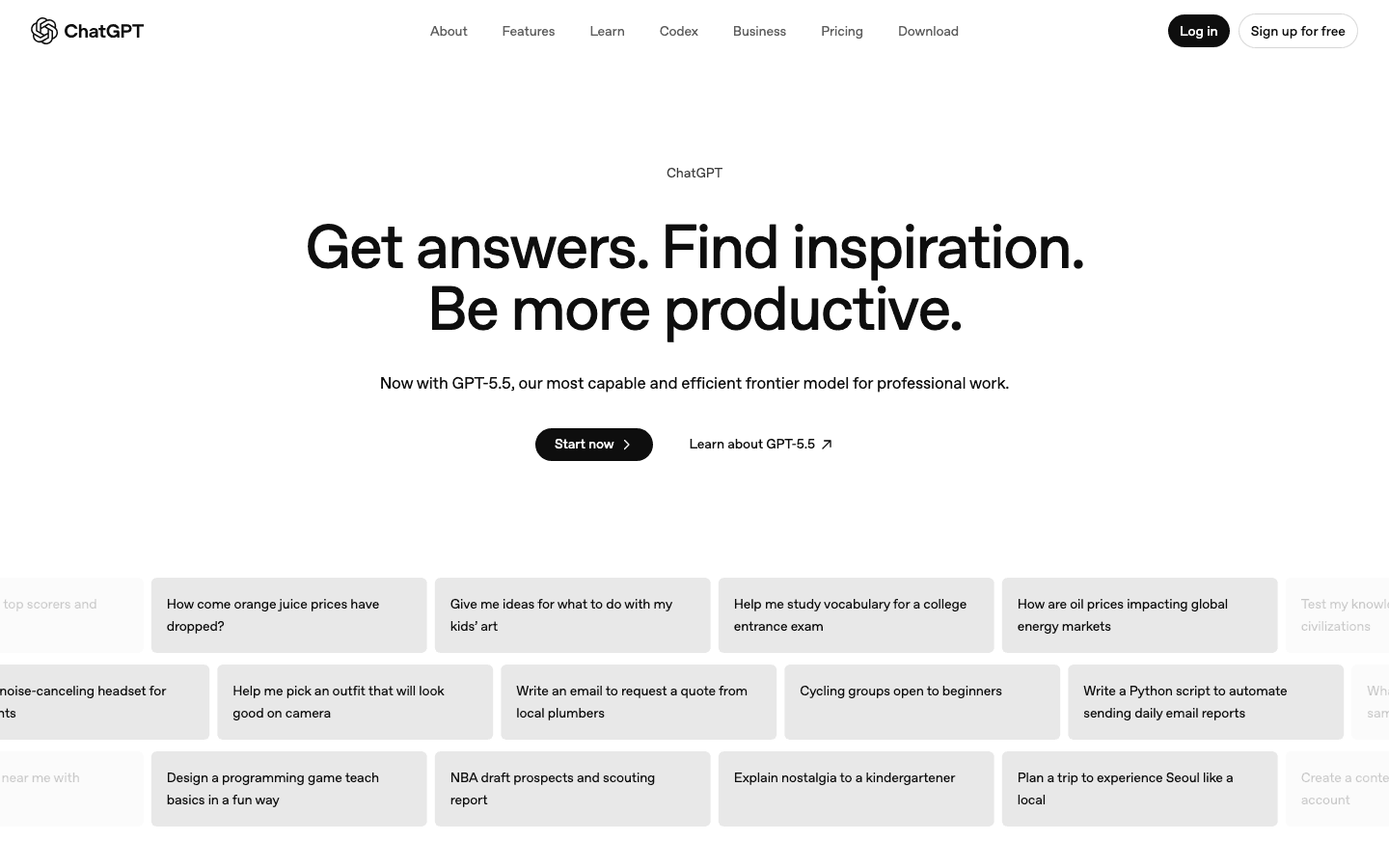
ChatGPT is what most people think of when they picture AI on their phone. It handles writing, brainstorming, coding questions, translation, math, research, and more. The iOS app is polished, fast, and syncs across your devices. Voice mode is genuinely useful for hands-free use during commutes.
The main strength is breadth. You can use ChatGPT for almost anything and get a decent result. The main weakness is that decent is sometimes not enough. For long documents, it can lose context. For scheduling and task management, it gives advice but does not actually build a plan. For research, it can confidently say wrong things. But if you want one AI app and no opinion about which category to pick, ChatGPT is the safest starting point.
Key Features
Conversational AI that handles writing, coding, research, math, and general Q&A
Real-time voice mode for hands-free conversations on iPhone
Image generation (DALL-E) built into the app on paid plans
Web search capability for current information
Chat history synced across iPhone, iPad, and desktop
What Works
Voice mode is fast and accurate, useful for commutes and walks
The breadth of use cases is unmatched. It handles most things adequately.
Free tier is functional enough to test it before paying
Limitations
No energy awareness or actual scheduling. It can tell you how to plan your day but will not do it for you.
Can produce confident-sounding wrong answers, especially on recent events
Message limits on free plans can be frustrating during heavy use
Pricing: Free tier available. Check openai.com/chatgpt for current plan pricing.
Best for: Anyone who wants a single AI app that handles most tasks without committing to a specific niche. Good first choice for AI newcomers.
3. Claude: Best AI App for Long Documents and Thoughtful Writing
The AI that reads the whole document, thinks before it answers, and pushes back when something does not make sense.
Claude is built by Anthropic and has a reputation for being unusually thoughtful. It acknowledges uncertainty instead of guessing, handles long documents without losing the thread, and writes in a way that feels less robotic than many AI outputs. If you regularly work with contracts, research papers, long-form writing, or code reviews, Claude handles those tasks better than most alternatives on iOS.
Where Claude stands out is the quality of its reasoning. Ask it to analyze something complex and it tends to give you a structured, honest answer rather than a confident one that sounds right but is not. It is also one of the better options if you need AI assistance for ADHD task management, since it can break down overwhelming projects into concrete steps.
Key Features
Exceptionally long context window for working with full documents, contracts, or research papers
Strong writing quality, especially for analysis, summaries, and persuasive content
Web search and integrations with Slack and other productivity tools on paid plans
Memory features on paid tiers so Claude can offer consistent follow-ups over time
Artifacts feature for building no-code mini apps directly in chat
What Works
Handles long, complex documents better than most competitors
Writing quality is noticeably better for professional and analytical content
Honest about limitations, which makes outputs more trustworthy
Limitations
No energy awareness, scheduling, or task management
Message limits on the Pro plan are tighter than ChatGPT at the same price point
Free tier is basic. The real value requires a paid subscription.
iOS app is functional but less feature-rich than the web version
Pricing: Free / Pro $20/month. Check claude.ai/pricing for current plan options.
Best for: Professionals, researchers, writers, and developers who need high-quality analysis and long-document handling on their iPhone.
4. Google Gemini: Best AI App for iOS If You Live in Google's Ecosystem
The AI assistant that actually talks to your Gmail, Calendar, and Drive.
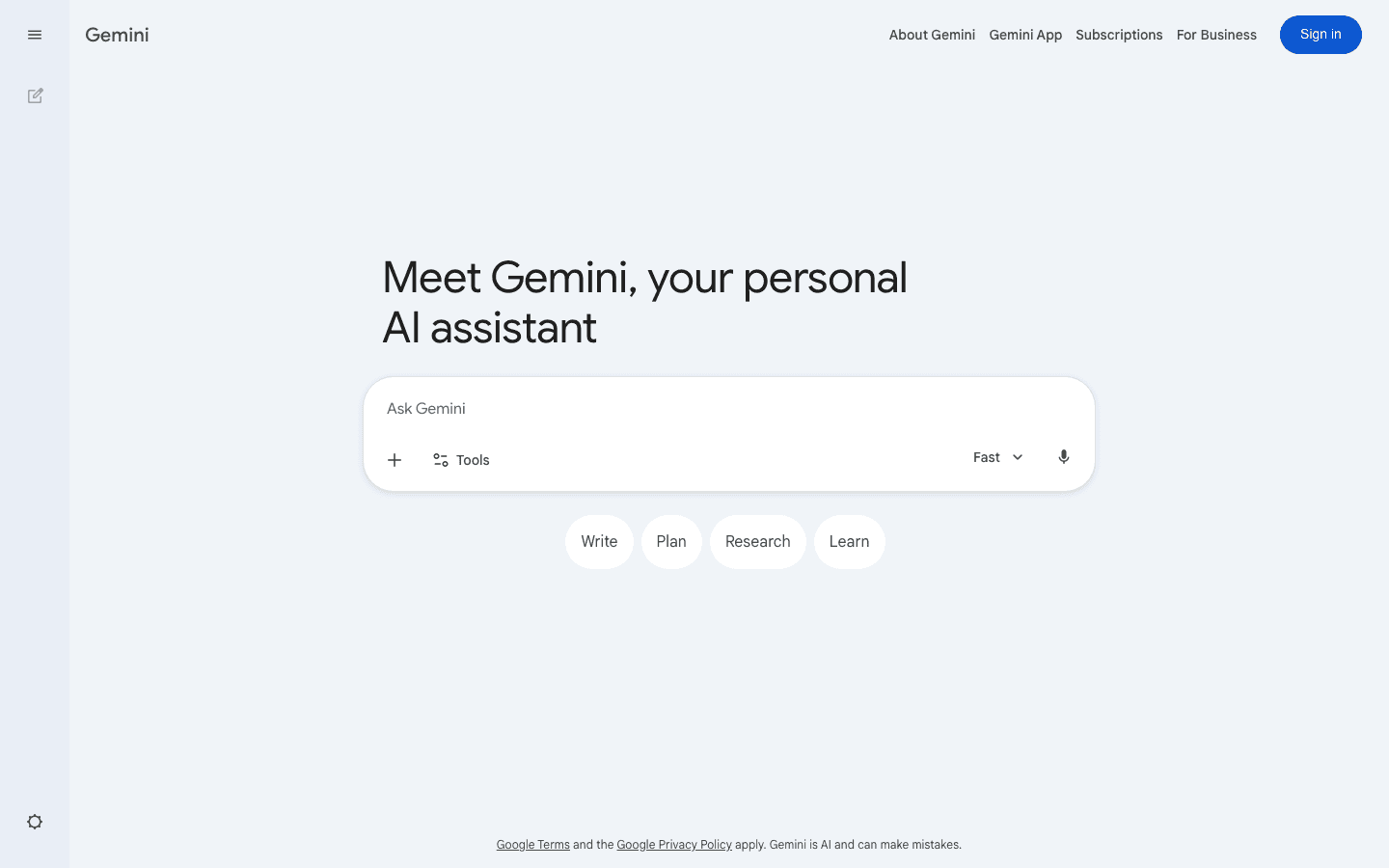
Gemini's biggest advantage is integration. If your life runs through Google, Gemini is the only AI on this list that can actually see your emails, summarize your meeting notes in Docs, search your Drive, and schedule events in Calendar. That is a meaningful difference from having to copy-paste content into a separate AI window.
The iOS app is well-designed and fast. It handles writing, research, Q&A, and image analysis competently. The multimodal input means you can take a photo of a receipt or whiteboard and ask Gemini to process it. For people who already rely on Google Workspace, switching AI apps mid-workflow is friction Gemini eliminates.
Key Features
Deep integration with Gmail, Google Docs, Drive, and Calendar
Multimodal: handles text, images, and documents in the same conversation
Connects to Google Search for real-time information
Available as a standalone app and embedded across Google apps on iOS
Strong reasoning for research, writing, and explanations
What Works
The Google ecosystem integration is genuinely useful if you use Gmail and Docs daily
Fast, clean iOS app that feels native to the phone
Multimodal input is well-implemented and practical
Limitations
Much less useful if you do not use Google apps. The integrations are the main value.
No energy-aware scheduling or task management
Context can get inconsistent in very long conversations
Voice command handling on iOS is less reliable than the desktop experience
Pricing: Free (standard Gemini) / Google AI Pro $19.99/month (includes Gemini Advanced and full Google Workspace AI integration).
Best for: Anyone already deep in Gmail, Google Docs, Drive, and Calendar who wants AI that connects those tools instead of working alongside them.
5. Perplexity: Best AI App for iOS Research and Fact-Checking
AI-powered search that cites its sources so you can actually verify what it tells you.
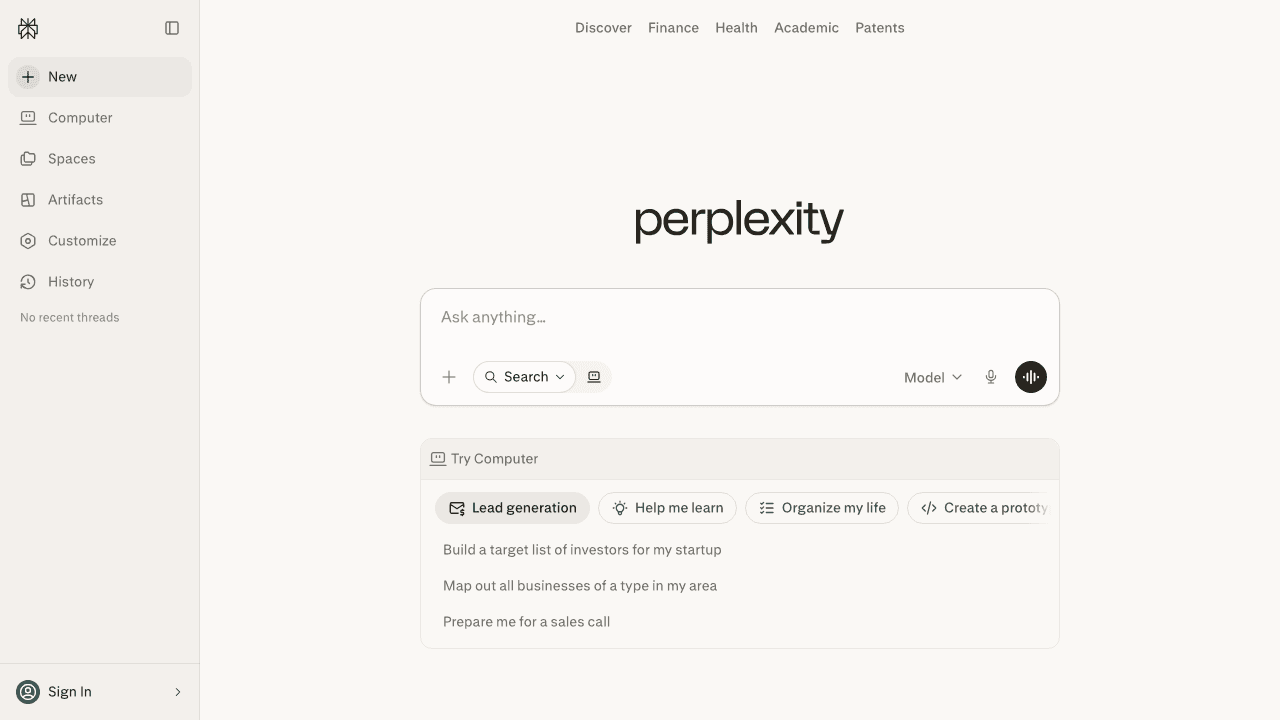
Perplexity does one thing better than any other app on this list: it searches the internet in real time and shows you the sources behind every answer. That sounds simple, but it changes how much you can trust the output. If Perplexity tells you something, you can see exactly which pages it pulled from, click through to verify, and decide for yourself whether those sources are reliable.
On iPhone, this makes Perplexity the best replacement for opening five browser tabs to research something. You ask a question, get a structured answer with citations, and can follow up in the same thread without starting over. For students, journalists, or anyone who regularly needs to find and verify information quickly, it is the most useful AI app on iOS for that specific job.
Key Features
Real-time internet search with cited sources for every response
Threaded conversations that let research evolve naturally without re-searching
Discover feed for staying current on topics you follow
Spaces for saving and organizing research by project
Voice search on iOS for quick on-the-go lookups
What Works
Cited sources are a genuine trust signal. You know where the answer came from.
Fast for factual lookups and current events. Better than a search engine for synthesized answers.
Clean iOS app that is genuinely faster than opening multiple browser tabs
Limitations
Not a writing assistant or scheduler. It is a research tool, not a general AI companion.
Occasionally cites sources that do not fully support the answer. Verify important claims.
Some users report the Pro usage limits have tightened over time
No energy awareness or productivity integration
Pricing: Free / Pro $20/month or $200/year. Free tier includes real-time web search with usage limits.
Best for: Students, researchers, journalists, and anyone who regularly needs to find, verify, and organize information from the internet on their iPhone.
6. Motion: Best AI App for Automatic Task Scheduling on iOS
An AI calendar and task manager that rebuilds your schedule automatically when plans change.
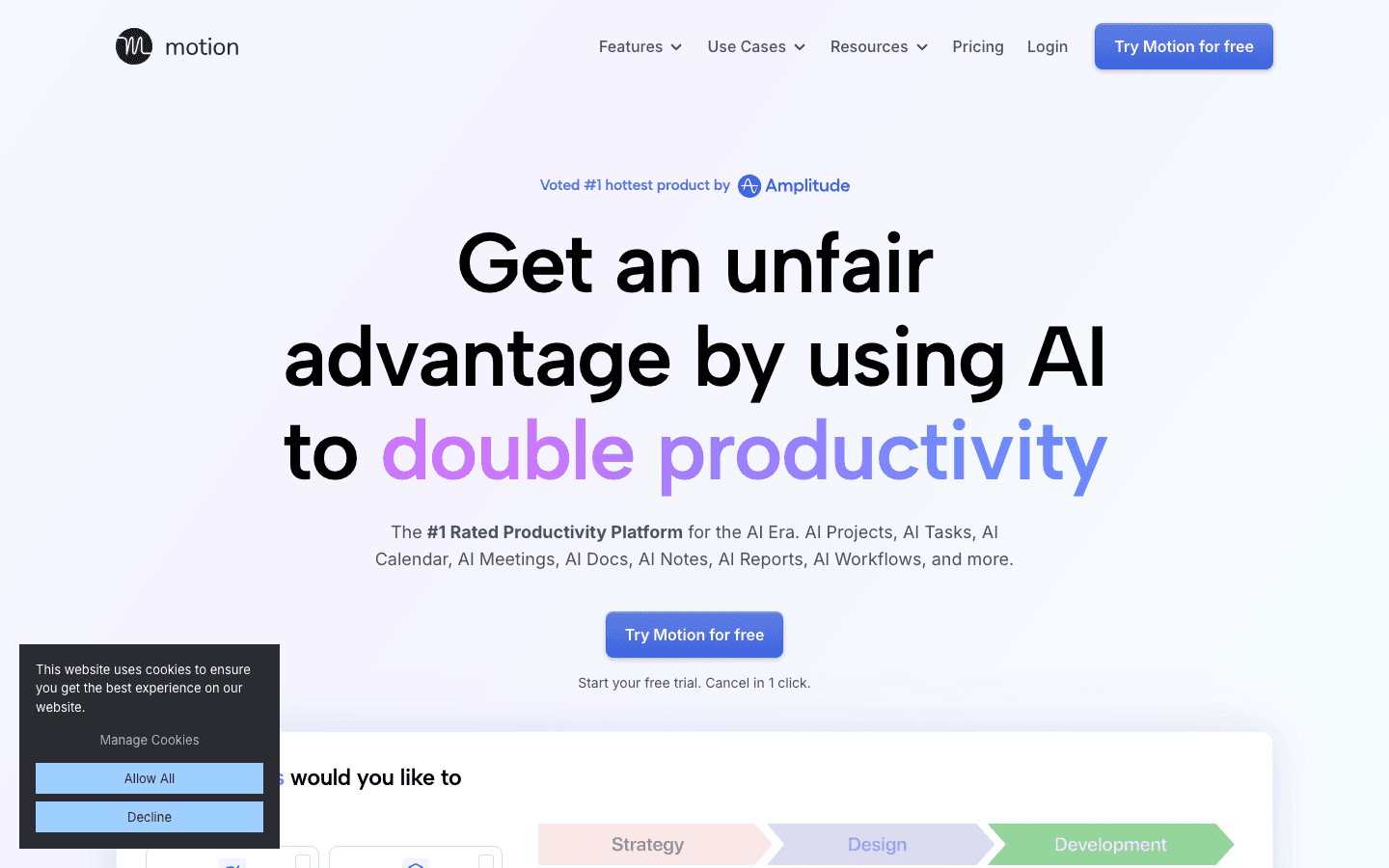
Motion is a project and calendar tool that uses AI to automatically schedule your tasks based on deadlines and priorities. When a meeting gets added or a task runs long, Motion rebuilds the rest of your day around the change. You do not have to manually reschedule everything, it handles the logic for you.
Where Motion differs from Lifestack is the focus. Motion is primarily a project and task management tool that adds scheduling intelligence. Lifestack is a scheduling tool built around energy patterns. If you manage projects with deadlines, need team visibility, or want Gantt charts and capacity planning, Motion is the more appropriate choice. If you want something that plans your day around when you are sharp versus when you are foggy, Lifestack is closer to what you need. You can read more about AI-powered personal assistants to compare the full landscape.
Key Features
AI auto-scheduling that places tasks in your calendar based on deadlines and priorities
Automatic rescheduling when meetings are added or tasks run over
Project management with timeline, Gantt, and capacity planning views
AI Docs and Notes for meeting prep and summaries
iOS app for on-the-go task and calendar management
What Works
Automatic rescheduling is genuinely useful for people with dense, shifting calendars
Project management features are well-built for team and client work
Reduces the daily manual work of fitting tasks into a calendar
Limitations
No energy-aware scheduling. It schedules by time and priority, not cognitive state.
More expensive than most personal AI apps and priced per seat
Better suited for project work than personal productivity planning
Not a general-purpose AI chatbot or research tool
Pricing: Pro AI $19/month or ~$12.73/month billed annually. No permanent free tier, but free trial available. Business AI plan starts at $29/seat/month.
Best for: Professionals and teams managing multiple projects with real deadlines who want AI to handle the scheduling math, not just remind them of tasks.
Which AI App for iOS Is Right for You?
You have ADHD or hit energy walls mid-afternoon → Lifestack. It is the only app on this list that plans around your cognitive patterns, not just your free time.
You want one app for everything → ChatGPT. It handles the broadest range of tasks and has the largest free tier.
You work with long documents or need high-quality analysis → Claude. Its long-context handling and writing quality are best in class on iOS.
Your work lives in Gmail and Google Docs → Gemini. No other AI integrates that deeply with Google Workspace on iOS.
You need to research and verify information quickly → Perplexity. It is the only app that shows its sources for every answer.
You manage multiple projects with real deadlines → Motion. Its automatic rescheduling is built for people with complex, shifting calendars.
If you are not sure where to start, try Lifestack if you struggle with planning your day, or ChatGPT if you want a general AI companion first. Both have enough free access or trial time to know quickly whether they fit. You can also browse our guide to productivity apps for Apple Watch if you want AI tools that extend to your wrist.
Best Free AI Apps for iPhone
All six apps on this list offer some form of free access, but the quality of free tiers varies. Here is what you actually get without paying.
ChatGPT: Free access to the main model with daily message caps. The free tier handles most everyday writing, Q&A, and research tasks. Paid plans unlock higher limits and additional features.
Perplexity: Free real-time web search with cited sources. This is the most capable free tier for research and fact-checking on iPhone, and it remains functional long-term rather than fading to a trial window.
Claude: Free access to Claude's main model with daily usage limits. Good for document analysis and writing tasks within the cap.
Google Gemini: Free access with basic Google app integration. Full Workspace integration requires Google AI Pro ($19.99/month).
Lifestack: 7-day free trial on the annual plan. No permanent free tier, but the trial is long enough to see whether energy-aware scheduling changes how your day runs.
Motion: Free trial available. No permanent free tier.
For a free AI app on iPhone you can use every day without hitting a wall, ChatGPT and Perplexity are the strongest starting points. ChatGPT handles a wider range of tasks. Perplexity is better when you need to verify what the AI tells you.
Frequently Asked Questions
What is the best AI app for iOS in 2026?
It depends on the job. Lifestack is the best AI app for iOS if you want help planning your day around your energy levels, especially if you have ADHD or struggle with afternoon focus drops. ChatGPT is the best general-purpose choice. Claude is best for documents and writing. Gemini is best if you use Google Workspace. Perplexity is best for research with citations.
Are there free AI apps for iPhone?
Yes. ChatGPT, Claude, Gemini, and Perplexity all have free tiers with meaningful functionality. The limits vary: ChatGPT and Gemini give you access to their main models with message caps, Claude gives you basic free access, and Perplexity includes real-time web search for free. Lifestack offers a 7-day free trial on the annual plan. Motion offers a free trial but no permanent free tier.
What makes an AI app good on iPhone versus on a desktop?
The best iOS AI apps are fast, work with one hand, and have a clear single purpose. Desktop AI apps can rely on large screens, keyboards, and multitasking. On iPhone, an app that takes three taps and a long prompt to get a useful answer loses to a simpler tool that answers in one tap. Speed and clarity matter more on mobile than raw capability.
Which AI app for iOS is best for ADHD?
Lifestack is the strongest choice for ADHD on iOS. It plans around energy patterns and low-friction daily scheduling, which addresses the core ADHD challenge of knowing what to do but not being in the right state to do it when the time comes. You can read our deeper breakdown in the guide to AI assistants for ADHD. Claude is also worth trying for breaking down overwhelming tasks into concrete steps.
Can AI apps on iPhone actually help me plan my day?
Most AI apps will give you planning advice if you ask for it. Lifestack and Motion go further and actually build a schedule for you. Lifestack's advantage is that it builds the plan around your energy levels, so a task marked as cognitively demanding does not end up scheduled for the time of day when you are least capable of doing it. That distinction makes a big difference in practice.
Do these AI apps work offline on iPhone?
No AI app on this list has full offline functionality. All six require an internet connection for their core features. Some may cache recent conversations locally, but the AI processing itself happens in the cloud. If offline access is critical, look at on-device AI features built into iOS itself through Apple Intelligence, which handles some tasks without an internet connection.
What is the best free AI app for iPhone?
ChatGPT and Perplexity offer the most functional free tiers for ongoing daily use on iPhone. ChatGPT's free access covers writing, Q&A, and general conversation with daily message limits. Perplexity's free plan includes real-time web search with cited sources, which is hard to find at no cost elsewhere. Claude and Gemini also have free tiers that cover basic use. If you want one free AI app to start with, ChatGPT works for the broadest range of tasks; Perplexity is the better pick if research and fact-checking are your main needs.
What is the best AI assistant for iPhone?
For a general AI assistant on iPhone, ChatGPT is the most capable option, handling writing, Q&A, coding, math, and brainstorming from one app. If you want an AI assistant that specifically helps you plan your day and manage tasks around your energy levels, Lifestack is the better fit. Google Gemini works well as an AI assistant if your work lives in Gmail, Calendar, and Drive, since it connects to those tools directly. For voice-based assistance, ChatGPT's voice mode is the most polished hands-free option on iOS in 2026.
The best AI apps for iPhone in 2026 each solve a different problem. Lifestack plans your day around your energy levels, not just your calendar. ChatGPT handles the broadest range of tasks from one app. Claude excels at long documents and careful analysis. Google Gemini connects directly to Gmail, Calendar, and Drive. Perplexity searches the web and shows sources for every answer. Motion rebuilds your schedule automatically when meetings or tasks shift. Knowing which problem you need solved matters more than picking the highest-rated model.
We spent several weeks testing the AI apps that have earned real traction on iOS in 2026. Some are general-purpose chatbots you can throw anything at. Others are built around a specific job, like scheduling around your energy levels, searching the web with citations, or keeping your Google workspace connected. Knowing which category you need matters more than knowing which model scored highest on a benchmark.
One thing became clear fast: the apps that work best on iPhone are not the same ones that work best on a desktop browser. Mobile AI has to be fast, one-handed, and opinionated. An app that requires you to write a detailed prompt to get a useful answer is not a mobile app, it is a web tool squeezed into a smaller screen.
On Android instead? See our companion guide to the best AI apps for Android.
Here is what we found after testing all six, including where each one falls short so you do not have to find out yourself.
Key Takeaways
Lifestack is the only iOS AI app that schedules your day around your energy patterns, not just your free time slots. That is a meaningful difference for anyone who has watched a to-do list stay undone.
General-purpose assistants like ChatGPT, Claude, and Gemini do similar things well, but they handle memory, documents, and integrations very differently on mobile. The right choice depends on your existing ecosystem.
Niche tools like Perplexity and Motion beat general AI apps when the use case fits. A focused app wins on iPhone because you are usually in a hurry and want one good answer, not ten options.
Quick Guide: 6 Best AI Apps for iOS in 2026
Lifestack: Best for people who want AI that schedules around their energy, not just their calendar
ChatGPT: Best default AI if you want one app that handles almost anything
Claude: Best for long documents, careful writing, and conversations where you want the AI to push back
Google Gemini: Best for people deep in Google's tools who want AI connected to their Gmail, Calendar, and Drive
Perplexity: Best for research and fact-checking with sources you can actually verify
Motion: Best for professionals who want their calendar and tasks auto-prioritized without manual sorting
How We Evaluated These AI Apps for iOS
A good AI app on mobile is a different thing from a good AI model on desktop. You are usually moving fast, typing with one thumb, and looking for a quick answer or a first draft, not a 4,000-word analysis. We evaluated each app on:
Mobile-first design: Does the iOS app feel built for the phone, or does it feel like a desktop UI someone squeezed into a smaller screen?
Speed: How fast does it respond? Slow AI on mobile gets abandoned.
Use case clarity: Is it obvious what this app is for? Apps that try to do everything often do nothing well.
Memory and context: Does it remember past conversations? Can it work with documents, voice notes, or images you give it?
Free tier reality: What can you actually do without paying, and where does the wall show up?
Integration depth: Does it connect to other apps you already use, or does it live in its own bubble?
Energy awareness: Does the app understand that 9am you and 3pm you are not equally capable of the same work?
1. Lifestack: Best AI App for Energy-Aware Scheduling on iOS
The only AI scheduler that plans your day around when you actually have the energy to do the work.
Most AI apps for iOS answer questions or generate text. Lifestack does something different: it schedules your day around your energy patterns, not just your empty calendar slots. If you have ADHD, do your best thinking in the morning, or regularly end the day with your most important tasks still sitting undone, that distinction matters a lot.
The app connects to your calendar and tasks, then uses AI to figure out when you are likely to be sharp versus when you are better suited for low-stakes work. It builds a daily plan that front-loads your hard work during your high-energy windows and reserves your foggy afternoon hours for email and admin. It is the closest thing to a best AI planner app that actually understands human biology, not just scheduling logic.
Key Features
Energy-aware scheduling that assigns tasks to your best mental windows, not just open slots
Connects to your existing calendar (Google, Apple, Outlook) so tasks appear alongside meetings
ADHD-friendly planning flow: low friction, no complex setup, just tell it your tasks and energy levels
Daily plan view optimized for iPhone, with simple drag-to-reschedule controls
Works as a task manager app for iPhone with smart priority sorting
What Works
The energy-pattern logic is genuinely different from every other scheduler. Most apps treat all time as equal. Lifestack does not.
ADHD users specifically report fewer missed tasks and less end-of-day guilt, because the plan was built around their brain, not a generic template
Calendar integration is fast and the iOS app does not feel like a web port
Limitations
Not a general-purpose AI chatbot. If you want to ask it to write an email or explain a concept, this is not the app for that.
Requires some upfront setup to get energy patterns calibrated
No free tier. Annual plan comes with a 7-day free trial.
Pricing: $7/month (monthly) or $50/year (~$4.17/month). 7-day free trial on the annual plan. No permanent free tier.
Best for: People with ADHD, knowledge workers who hit afternoon walls, and anyone who has tried time-blocking but keeps falling off the plan. Read more about how Lifestack works or why energy-based planning beats time-blocking.
2. ChatGPT: Best General-Purpose AI App for iOS
The default choice if you want one app that handles almost everything reasonably well.
ChatGPT is what most people think of when they picture AI on their phone. It handles writing, brainstorming, coding questions, translation, math, research, and more. The iOS app is polished, fast, and syncs across your devices. Voice mode is genuinely useful for hands-free use during commutes.
The main strength is breadth. You can use ChatGPT for almost anything and get a decent result. The main weakness is that decent is sometimes not enough. For long documents, it can lose context. For scheduling and task management, it gives advice but does not actually build a plan. For research, it can confidently say wrong things. But if you want one AI app and no opinion about which category to pick, ChatGPT is the safest starting point.
Key Features
Conversational AI that handles writing, coding, research, math, and general Q&A
Real-time voice mode for hands-free conversations on iPhone
Image generation (DALL-E) built into the app on paid plans
Web search capability for current information
Chat history synced across iPhone, iPad, and desktop
What Works
Voice mode is fast and accurate, useful for commutes and walks
The breadth of use cases is unmatched. It handles most things adequately.
Free tier is functional enough to test it before paying
Limitations
No energy awareness or actual scheduling. It can tell you how to plan your day but will not do it for you.
Can produce confident-sounding wrong answers, especially on recent events
Message limits on free plans can be frustrating during heavy use
Pricing: Free tier available. Check openai.com/chatgpt for current plan pricing.
Best for: Anyone who wants a single AI app that handles most tasks without committing to a specific niche. Good first choice for AI newcomers.
3. Claude: Best AI App for Long Documents and Thoughtful Writing
The AI that reads the whole document, thinks before it answers, and pushes back when something does not make sense.
Claude is built by Anthropic and has a reputation for being unusually thoughtful. It acknowledges uncertainty instead of guessing, handles long documents without losing the thread, and writes in a way that feels less robotic than many AI outputs. If you regularly work with contracts, research papers, long-form writing, or code reviews, Claude handles those tasks better than most alternatives on iOS.
Where Claude stands out is the quality of its reasoning. Ask it to analyze something complex and it tends to give you a structured, honest answer rather than a confident one that sounds right but is not. It is also one of the better options if you need AI assistance for ADHD task management, since it can break down overwhelming projects into concrete steps.
Key Features
Exceptionally long context window for working with full documents, contracts, or research papers
Strong writing quality, especially for analysis, summaries, and persuasive content
Web search and integrations with Slack and other productivity tools on paid plans
Memory features on paid tiers so Claude can offer consistent follow-ups over time
Artifacts feature for building no-code mini apps directly in chat
What Works
Handles long, complex documents better than most competitors
Writing quality is noticeably better for professional and analytical content
Honest about limitations, which makes outputs more trustworthy
Limitations
No energy awareness, scheduling, or task management
Message limits on the Pro plan are tighter than ChatGPT at the same price point
Free tier is basic. The real value requires a paid subscription.
iOS app is functional but less feature-rich than the web version
Pricing: Free / Pro $20/month. Check claude.ai/pricing for current plan options.
Best for: Professionals, researchers, writers, and developers who need high-quality analysis and long-document handling on their iPhone.
4. Google Gemini: Best AI App for iOS If You Live in Google's Ecosystem
The AI assistant that actually talks to your Gmail, Calendar, and Drive.
Gemini's biggest advantage is integration. If your life runs through Google, Gemini is the only AI on this list that can actually see your emails, summarize your meeting notes in Docs, search your Drive, and schedule events in Calendar. That is a meaningful difference from having to copy-paste content into a separate AI window.
The iOS app is well-designed and fast. It handles writing, research, Q&A, and image analysis competently. The multimodal input means you can take a photo of a receipt or whiteboard and ask Gemini to process it. For people who already rely on Google Workspace, switching AI apps mid-workflow is friction Gemini eliminates.
Key Features
Deep integration with Gmail, Google Docs, Drive, and Calendar
Multimodal: handles text, images, and documents in the same conversation
Connects to Google Search for real-time information
Available as a standalone app and embedded across Google apps on iOS
Strong reasoning for research, writing, and explanations
What Works
The Google ecosystem integration is genuinely useful if you use Gmail and Docs daily
Fast, clean iOS app that feels native to the phone
Multimodal input is well-implemented and practical
Limitations
Much less useful if you do not use Google apps. The integrations are the main value.
No energy-aware scheduling or task management
Context can get inconsistent in very long conversations
Voice command handling on iOS is less reliable than the desktop experience
Pricing: Free (standard Gemini) / Google AI Pro $19.99/month (includes Gemini Advanced and full Google Workspace AI integration).
Best for: Anyone already deep in Gmail, Google Docs, Drive, and Calendar who wants AI that connects those tools instead of working alongside them.
5. Perplexity: Best AI App for iOS Research and Fact-Checking
AI-powered search that cites its sources so you can actually verify what it tells you.
Perplexity does one thing better than any other app on this list: it searches the internet in real time and shows you the sources behind every answer. That sounds simple, but it changes how much you can trust the output. If Perplexity tells you something, you can see exactly which pages it pulled from, click through to verify, and decide for yourself whether those sources are reliable.
On iPhone, this makes Perplexity the best replacement for opening five browser tabs to research something. You ask a question, get a structured answer with citations, and can follow up in the same thread without starting over. For students, journalists, or anyone who regularly needs to find and verify information quickly, it is the most useful AI app on iOS for that specific job.
Key Features
Real-time internet search with cited sources for every response
Threaded conversations that let research evolve naturally without re-searching
Discover feed for staying current on topics you follow
Spaces for saving and organizing research by project
Voice search on iOS for quick on-the-go lookups
What Works
Cited sources are a genuine trust signal. You know where the answer came from.
Fast for factual lookups and current events. Better than a search engine for synthesized answers.
Clean iOS app that is genuinely faster than opening multiple browser tabs
Limitations
Not a writing assistant or scheduler. It is a research tool, not a general AI companion.
Occasionally cites sources that do not fully support the answer. Verify important claims.
Some users report the Pro usage limits have tightened over time
No energy awareness or productivity integration
Pricing: Free / Pro $20/month or $200/year. Free tier includes real-time web search with usage limits.
Best for: Students, researchers, journalists, and anyone who regularly needs to find, verify, and organize information from the internet on their iPhone.
6. Motion: Best AI App for Automatic Task Scheduling on iOS
An AI calendar and task manager that rebuilds your schedule automatically when plans change.
Motion is a project and calendar tool that uses AI to automatically schedule your tasks based on deadlines and priorities. When a meeting gets added or a task runs long, Motion rebuilds the rest of your day around the change. You do not have to manually reschedule everything, it handles the logic for you.
Where Motion differs from Lifestack is the focus. Motion is primarily a project and task management tool that adds scheduling intelligence. Lifestack is a scheduling tool built around energy patterns. If you manage projects with deadlines, need team visibility, or want Gantt charts and capacity planning, Motion is the more appropriate choice. If you want something that plans your day around when you are sharp versus when you are foggy, Lifestack is closer to what you need. You can read more about AI-powered personal assistants to compare the full landscape.
Key Features
AI auto-scheduling that places tasks in your calendar based on deadlines and priorities
Automatic rescheduling when meetings are added or tasks run over
Project management with timeline, Gantt, and capacity planning views
AI Docs and Notes for meeting prep and summaries
iOS app for on-the-go task and calendar management
What Works
Automatic rescheduling is genuinely useful for people with dense, shifting calendars
Project management features are well-built for team and client work
Reduces the daily manual work of fitting tasks into a calendar
Limitations
No energy-aware scheduling. It schedules by time and priority, not cognitive state.
More expensive than most personal AI apps and priced per seat
Better suited for project work than personal productivity planning
Not a general-purpose AI chatbot or research tool
Pricing: Pro AI $19/month or ~$12.73/month billed annually. No permanent free tier, but free trial available. Business AI plan starts at $29/seat/month.
Best for: Professionals and teams managing multiple projects with real deadlines who want AI to handle the scheduling math, not just remind them of tasks.
Which AI App for iOS Is Right for You?
You have ADHD or hit energy walls mid-afternoon → Lifestack. It is the only app on this list that plans around your cognitive patterns, not just your free time.
You want one app for everything → ChatGPT. It handles the broadest range of tasks and has the largest free tier.
You work with long documents or need high-quality analysis → Claude. Its long-context handling and writing quality are best in class on iOS.
Your work lives in Gmail and Google Docs → Gemini. No other AI integrates that deeply with Google Workspace on iOS.
You need to research and verify information quickly → Perplexity. It is the only app that shows its sources for every answer.
You manage multiple projects with real deadlines → Motion. Its automatic rescheduling is built for people with complex, shifting calendars.
If you are not sure where to start, try Lifestack if you struggle with planning your day, or ChatGPT if you want a general AI companion first. Both have enough free access or trial time to know quickly whether they fit. You can also browse our guide to productivity apps for Apple Watch if you want AI tools that extend to your wrist.
Best Free AI Apps for iPhone
All six apps on this list offer some form of free access, but the quality of free tiers varies. Here is what you actually get without paying.
ChatGPT: Free access to the main model with daily message caps. The free tier handles most everyday writing, Q&A, and research tasks. Paid plans unlock higher limits and additional features.
Perplexity: Free real-time web search with cited sources. This is the most capable free tier for research and fact-checking on iPhone, and it remains functional long-term rather than fading to a trial window.
Claude: Free access to Claude's main model with daily usage limits. Good for document analysis and writing tasks within the cap.
Google Gemini: Free access with basic Google app integration. Full Workspace integration requires Google AI Pro ($19.99/month).
Lifestack: 7-day free trial on the annual plan. No permanent free tier, but the trial is long enough to see whether energy-aware scheduling changes how your day runs.
Motion: Free trial available. No permanent free tier.
For a free AI app on iPhone you can use every day without hitting a wall, ChatGPT and Perplexity are the strongest starting points. ChatGPT handles a wider range of tasks. Perplexity is better when you need to verify what the AI tells you.
Frequently Asked Questions
What is the best AI app for iOS in 2026?
It depends on the job. Lifestack is the best AI app for iOS if you want help planning your day around your energy levels, especially if you have ADHD or struggle with afternoon focus drops. ChatGPT is the best general-purpose choice. Claude is best for documents and writing. Gemini is best if you use Google Workspace. Perplexity is best for research with citations.
Are there free AI apps for iPhone?
Yes. ChatGPT, Claude, Gemini, and Perplexity all have free tiers with meaningful functionality. The limits vary: ChatGPT and Gemini give you access to their main models with message caps, Claude gives you basic free access, and Perplexity includes real-time web search for free. Lifestack offers a 7-day free trial on the annual plan. Motion offers a free trial but no permanent free tier.
What makes an AI app good on iPhone versus on a desktop?
The best iOS AI apps are fast, work with one hand, and have a clear single purpose. Desktop AI apps can rely on large screens, keyboards, and multitasking. On iPhone, an app that takes three taps and a long prompt to get a useful answer loses to a simpler tool that answers in one tap. Speed and clarity matter more on mobile than raw capability.
Which AI app for iOS is best for ADHD?
Lifestack is the strongest choice for ADHD on iOS. It plans around energy patterns and low-friction daily scheduling, which addresses the core ADHD challenge of knowing what to do but not being in the right state to do it when the time comes. You can read our deeper breakdown in the guide to AI assistants for ADHD. Claude is also worth trying for breaking down overwhelming tasks into concrete steps.
Can AI apps on iPhone actually help me plan my day?
Most AI apps will give you planning advice if you ask for it. Lifestack and Motion go further and actually build a schedule for you. Lifestack's advantage is that it builds the plan around your energy levels, so a task marked as cognitively demanding does not end up scheduled for the time of day when you are least capable of doing it. That distinction makes a big difference in practice.
Do these AI apps work offline on iPhone?
No AI app on this list has full offline functionality. All six require an internet connection for their core features. Some may cache recent conversations locally, but the AI processing itself happens in the cloud. If offline access is critical, look at on-device AI features built into iOS itself through Apple Intelligence, which handles some tasks without an internet connection.
What is the best free AI app for iPhone?
ChatGPT and Perplexity offer the most functional free tiers for ongoing daily use on iPhone. ChatGPT's free access covers writing, Q&A, and general conversation with daily message limits. Perplexity's free plan includes real-time web search with cited sources, which is hard to find at no cost elsewhere. Claude and Gemini also have free tiers that cover basic use. If you want one free AI app to start with, ChatGPT works for the broadest range of tasks; Perplexity is the better pick if research and fact-checking are your main needs.
What is the best AI assistant for iPhone?
For a general AI assistant on iPhone, ChatGPT is the most capable option, handling writing, Q&A, coding, math, and brainstorming from one app. If you want an AI assistant that specifically helps you plan your day and manage tasks around your energy levels, Lifestack is the better fit. Google Gemini works well as an AI assistant if your work lives in Gmail, Calendar, and Drive, since it connects to those tools directly. For voice-based assistance, ChatGPT's voice mode is the most polished hands-free option on iOS in 2026.



FOLLOW ON
FOLLOW ON
FOLLOW ON


Copyright 2026 © Lifestack. All rights reserved
Copyright 2026 © Lifestack. All rights reserved

