
App
Best AI-Powered Personal Assistants in 2026
Best AI-Powered Personal Assistants in 2026
The best AI personal assistant for most people depends on what you need it to do: Lifestack leads for scheduling and energy management, while ChatGPT and Claude are the top choices for writing and research. We spent weeks testing seven AI-powered personal assistants in 2026 across scheduling, reasoning, note-taking, and calendar automation to find out which ones actually improve your day, and which ones just sound impressive in a demo.
The market has split into two camps. On one side you have chat-first tools like ChatGPT, Claude, and Gemini: fast, capable, great at thinking through problems with you, but they don't touch your calendar or task list. On the other side are scheduling-first tools like Lifestack, Motion, and Reclaim: they integrate with your calendar and try to manage your time automatically. Most people need a tool from both camps, but the scheduling side is where the biggest productivity gains actually live.
What most scheduling tools miss, though, is energy. They know your deadlines. They don't know whether you're in a sharp, focused state at 9 AM or running on fumes by 3 PM. The best AI planner apps are starting to close that gap. Lifestack is the only tool in this roundup that builds energy patterns into the scheduling logic from the ground up.
We evaluated each tool on real daily work: capturing tasks, scheduling around meetings, handling context switches, and actually getting things done. Here's what we found.
Key Takeaways
Lifestack is the best overall AI personal assistant for anyone who struggles with energy management or ADHD. It's the only tool here that schedules around when you have capacity, not just when things are due.
ChatGPT and Claude are still the gold standard for writing, research, and brainstorming, but they don't manage your time. Pair one of them with a scheduling tool for a complete setup.
Motion and Reclaim both handle auto-scheduling well for deadline-driven work. Neither accounts for your mental energy level, which is the gap Lifestack fills.
All seven tools here have mobile apps. For an AI personal assistant app on iPhone or Android, Lifestack and ChatGPT offer the best mobile experiences.
Quick Guide: Best AI-Powered Personal Assistants
Lifestack: Best overall for energy-aware scheduling. From $7/mo.
Motion: Best for AI-driven deadline and project management. From $19/mo.
Reclaim: Best for protecting focus time and habit scheduling. Free plan available.
ChatGPT: Best general-purpose AI assistant. Free; Plus at $19.99/mo.
Claude: Best for long-context reasoning and careful writing. Free; Pro at $20/mo.
Notion AI: Best for knowledge workers who live in their notes. Free plan; Business at $20/mo includes full AI.
Gemini: Best for Google Workspace users. Free; AI Pro at $19.99/mo.
How We Evaluated
Energy-aware scheduling: does the tool account for your mental capacity, not just your deadlines?
Auto-scheduling: does it actually place tasks on your calendar without you dragging them in manually?
Calendar and app integrations: Google Calendar, Outlook, task apps, email
ADHD-friendliness: low-friction capture, proactive reminders, reduced context switching
Free tier availability: can you try it before committing?
Mobile app quality: iOS and Android
Ease of first use: how long before it's genuinely useful?
1. Lifestack: Best AI-Powered Personal Assistant Overall
The only AI assistant that schedules around your energy, not just your deadlines.

Lifestack is an AI-powered personal assistant built around one insight that most productivity tools ignore: the time slot matters less than the energy you have in it. Scheduling a creative writing task at 2 PM when you're in a post-lunch fog is different from doing it at 9 AM when you're sharp. Lifestack learns your energy patterns and places the right work in the right window automatically.
For people with ADHD, this changes things significantly. The cognitive overhead of deciding what to work on and when drains executive function before the work even starts. Lifestack handles that decision for you. You capture tasks, set rough priorities and deadlines, and Lifestack builds a schedule that respects both your calendar and your capacity. Our full guide to AI assistants for ADHD covers this in more depth.
Key Features
Energy pattern learning: builds your personal energy map over time and schedules tasks to match
AI auto-scheduling: places tasks into available calendar slots, no manual time-blocking needed
Smart task capture: low-friction input on iOS, Android, and Chrome extension
Calendar sync: Google Calendar and Apple Calendar
ADHD-specific design: minimal setup friction, proactive nudges, no complex systems to maintain
What Works
Energy-aware scheduling is genuinely different from anything else in this list
The mobile apps are fast and simple; task capture takes seconds
Scheduling runs in the background without requiring you to manually drag tasks into slots
Works well as a task manager for iPhone for people who want AI doing the heavy lifting
Limitations
Integrations are lighter than Motion or Reclaim (fewer third-party task apps)
No built-in AI chat interface for writing or brainstorming (pair with Claude or ChatGPT for that)
No free tier; 7-day free trial on the annual plan
Pricing: $7/month or $50/year (7-day free trial on annual).
Best for: Anyone who struggles with energy management, ADHD professionals, knowledge workers who want AI scheduling without a complex setup.
2. Motion: Best for AI-Driven Deadline Management
Auto-schedules your tasks and meetings into a single optimized calendar view.
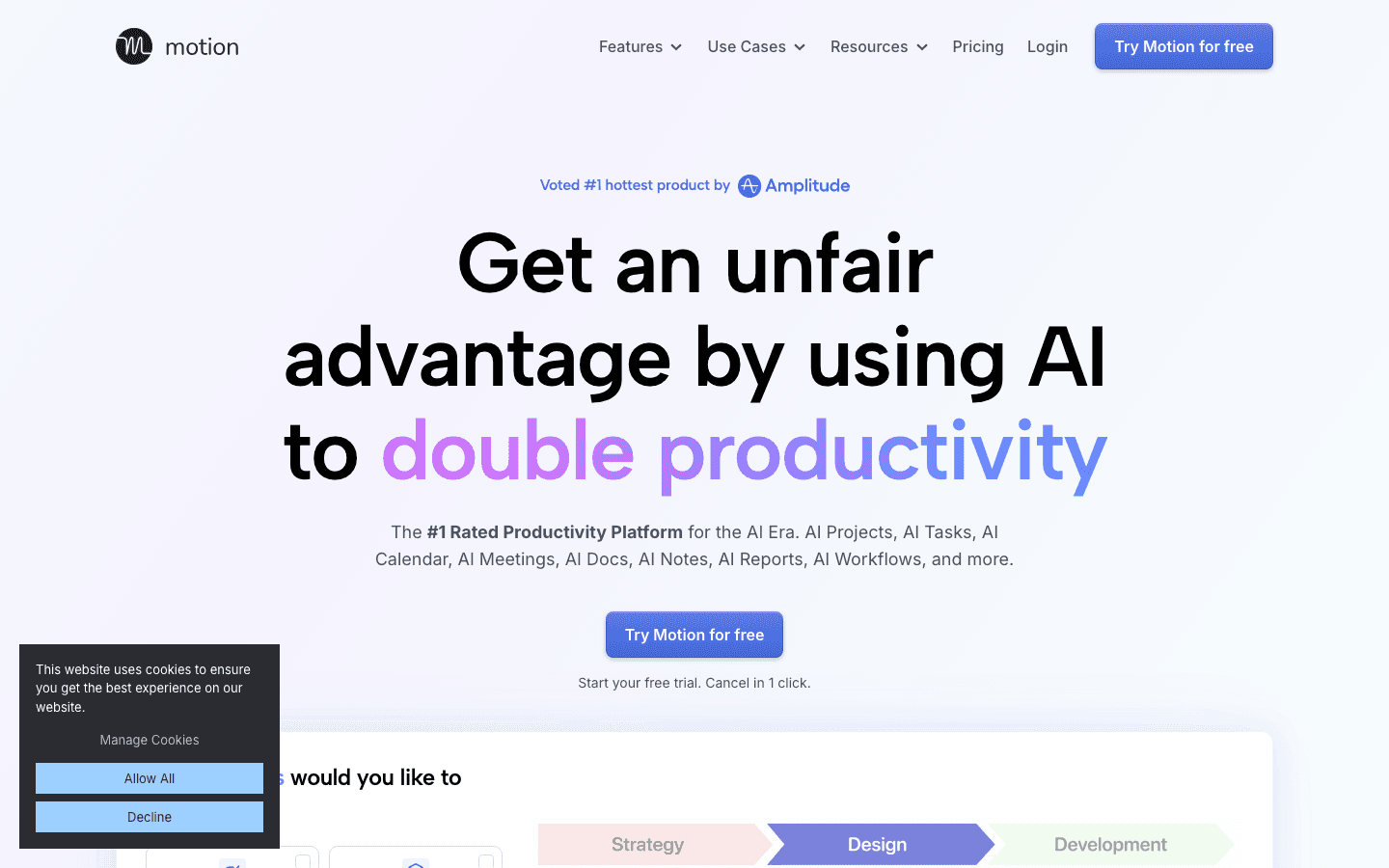
Motion positions itself as an AI employee platform and it lives up to that framing for deadline-heavy work. You feed it your tasks with due dates and it builds a daily schedule automatically, shifting things around as priorities change or meetings land. It handles both personal tasks and team project management in the same view.
For busy professionals managing multiple projects, Motion's strength is that it treats your calendar as a puzzle and solves it for you. When something runs long or a new urgent task drops in, it recalculates. The tradeoff is that it can feel rigid when your priorities are more fluid, and the pricing puts it at the higher end of this list.
Key Features
AI auto-scheduling: places tasks into your calendar based on deadlines and priority
Smart calendar with Google, Outlook, and Apple sync
AI Docs: connects your notes to tasks and meeting history
Project management: Kanban boards, Gantt charts, task dependencies, team capacity planning
Automatic rescheduling: adapts when new tasks or meetings arrive
What Works
Deadline-based auto-scheduling is reliable and genuinely useful for project-heavy work
The all-in-one view of tasks and calendar reduces context switching
Team features are solid for small groups
Limitations
No energy awareness (schedules by deadline and priority only)
No permanent free plan (only a 7-day trial)
Pricing is high for solo users; the individual plan runs $19/seat/mo monthly
Can feel over-engineered for personal use; interface complexity grows with team features
No conversational AI interface
Pricing: Pro AI at $19/seat/month (monthly) or ~$12.73/seat/month (annual). No free plan.
Best for: Busy professionals and small teams with deadline-driven work who want automated scheduling without thinking about it.
3. Reclaim: Best for Calendar Protection
Defends your focus time and schedules habits automatically around your existing commitments.
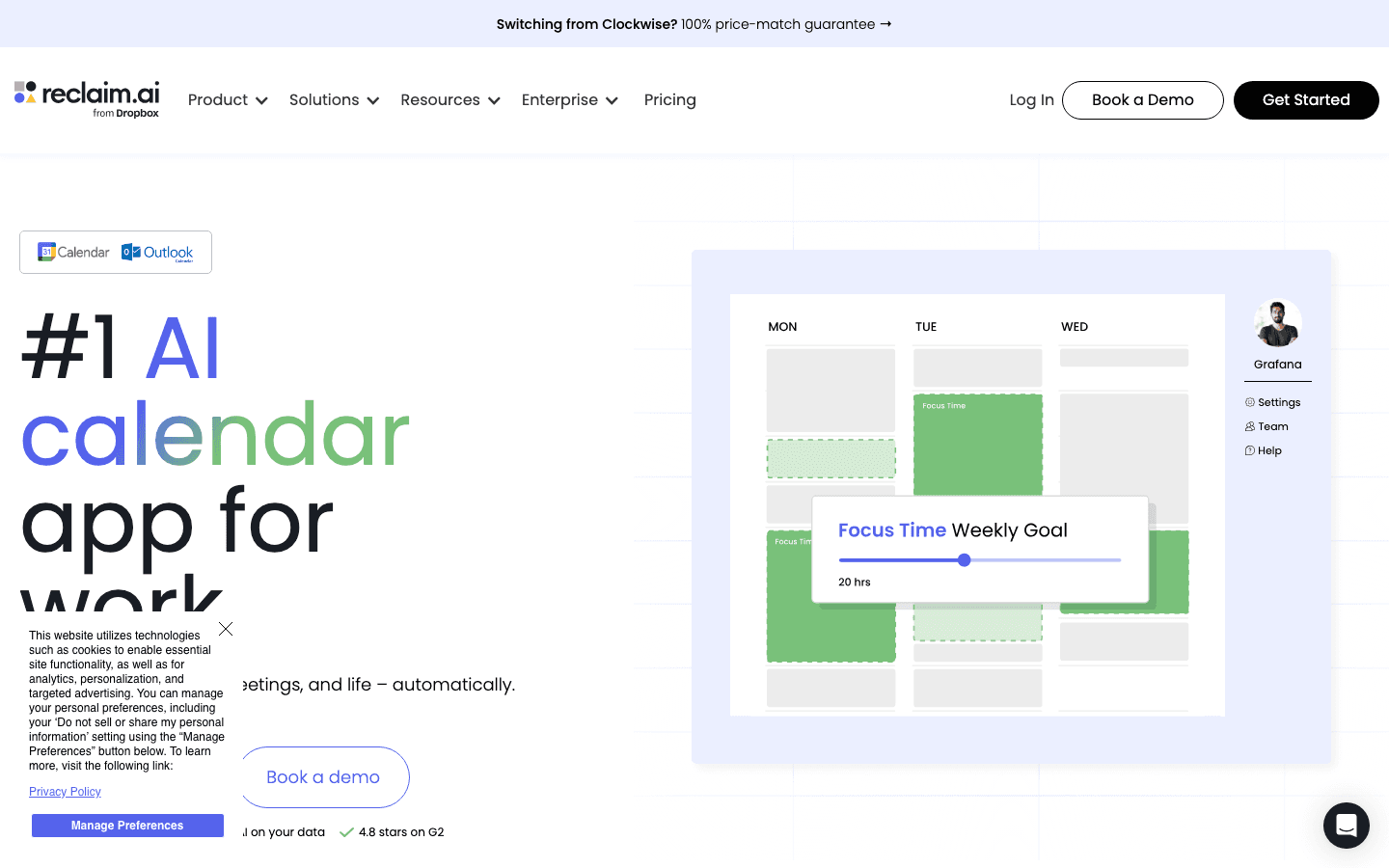
Reclaim takes a different approach from Motion. Rather than managing tasks from scratch, it focuses on protecting what you already have on your calendar: focus blocks, lunch, exercise, and recurring habits. It integrates with Asana, Todoist, and Jira to pull in tasks and find slots for them automatically.
Its standout feature is Scheduling Links, smart meeting links that only show times that won't wreck your day. If you spend too much time bouncing between back-to-back meetings with no breathing room, Reclaim is worth a look. It's also the most accessible tool in this scheduling category, with a genuinely useful free tier.
Key Features
Smart Meetings: schedules meetings at optimal times for all participants
Habits: recurring activities that flex around your calendar automatically
Task scheduling: integrates with Asana, Todoist, Linear, and Jira
Scheduling Links: share a link that books meetings at Reclaim-approved times
Focus time protection: automatically blocks deep work windows
What Works
Free tier is genuinely useful, not a watered-down demo
Scheduling Links are one of the best meeting coordination tools available
Habit protection works well for maintaining routines around a packed calendar
Lighter touch than Motion, with less setup required
Limitations
No energy awareness (time-blocks by availability, not capacity)
No mobile app yet
Task management is integration-dependent; weak if you don't use Asana, Todoist, or Jira
No built-in AI chat
Pricing: Free Lite plan. Starter at $10/seat/month. Business at $15/seat/month.
Best for: Individuals and teams who want to protect focus time and automate meeting scheduling without overhauling their existing task tools.
4. ChatGPT: Best General-Purpose AI Assistant
The go-to tool for writing, brainstorming, research, and problem-solving, all in one conversation.
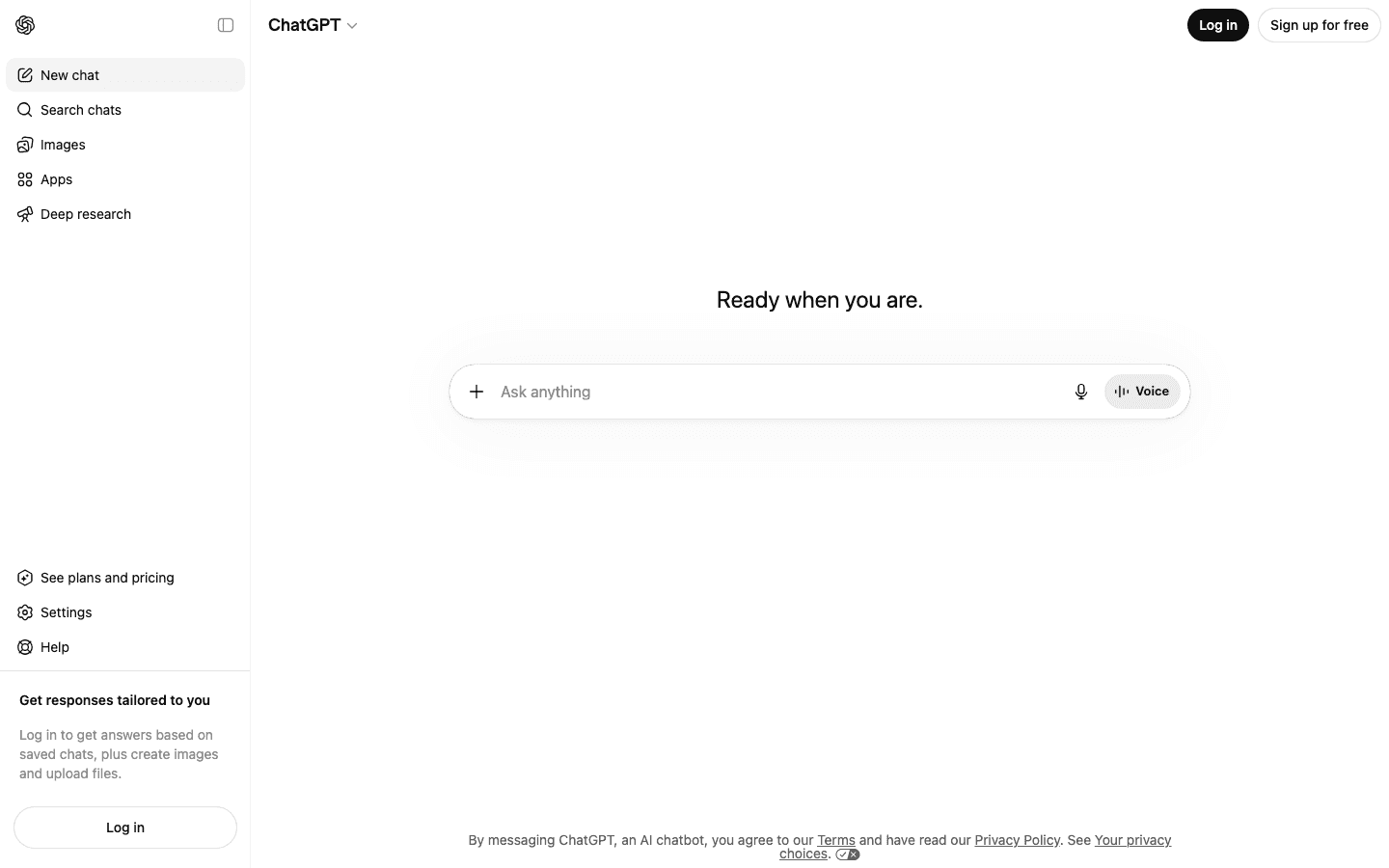
ChatGPT is the default AI assistant for most people for good reason. It handles an enormous range of tasks well and requires zero setup. You open it, type your question or problem, and get a useful answer within seconds. For writing, editing, summarizing meetings, and thinking through decisions, it's still the most capable and versatile option in the market.
What it doesn't do is manage your time. ChatGPT has no calendar integration, no task awareness, and no memory of what you were working on yesterday unless you explicitly tell it. It's a thinking partner, not a scheduler. Most people who use ChatGPT as their main AI personal assistant are really using it as an AI writing and research tool, which it excels at.
Key Features
Multiple AI models in one interface: GPT-4o on free, advanced reasoning models on paid plans
Image generation via GPT Image
Voice conversation mode
Deep Research: autonomous agents that research topics across multiple sources
Custom GPTs: build or use pre-made assistants for specific workflows
Agent Mode: multi-step task automation including web browsing and form completion
What Works
Best-in-class for general writing, brainstorming, and summarization
Deep Research is genuinely useful for competitive analysis and background research
Voice mode is fast and responsive
Free tier is strong (GPT-4o is available at no cost)
Limitations
No calendar or task integration
No proactive scheduling or reminders
Memory is limited and requires manual context-setting each session
Not built for ADHD workflows (no friction reduction or energy awareness)
Pricing: Free. Plus at $19.99/month. Pro at $200/month.
Best for: Anyone who needs a capable AI for writing, research, brainstorming, or problem-solving and doesn't need scheduling or calendar integration.
5. Claude: Best for Long-Context Reasoning
Reads carefully, thinks through nuance, and admits when it doesn't know something.
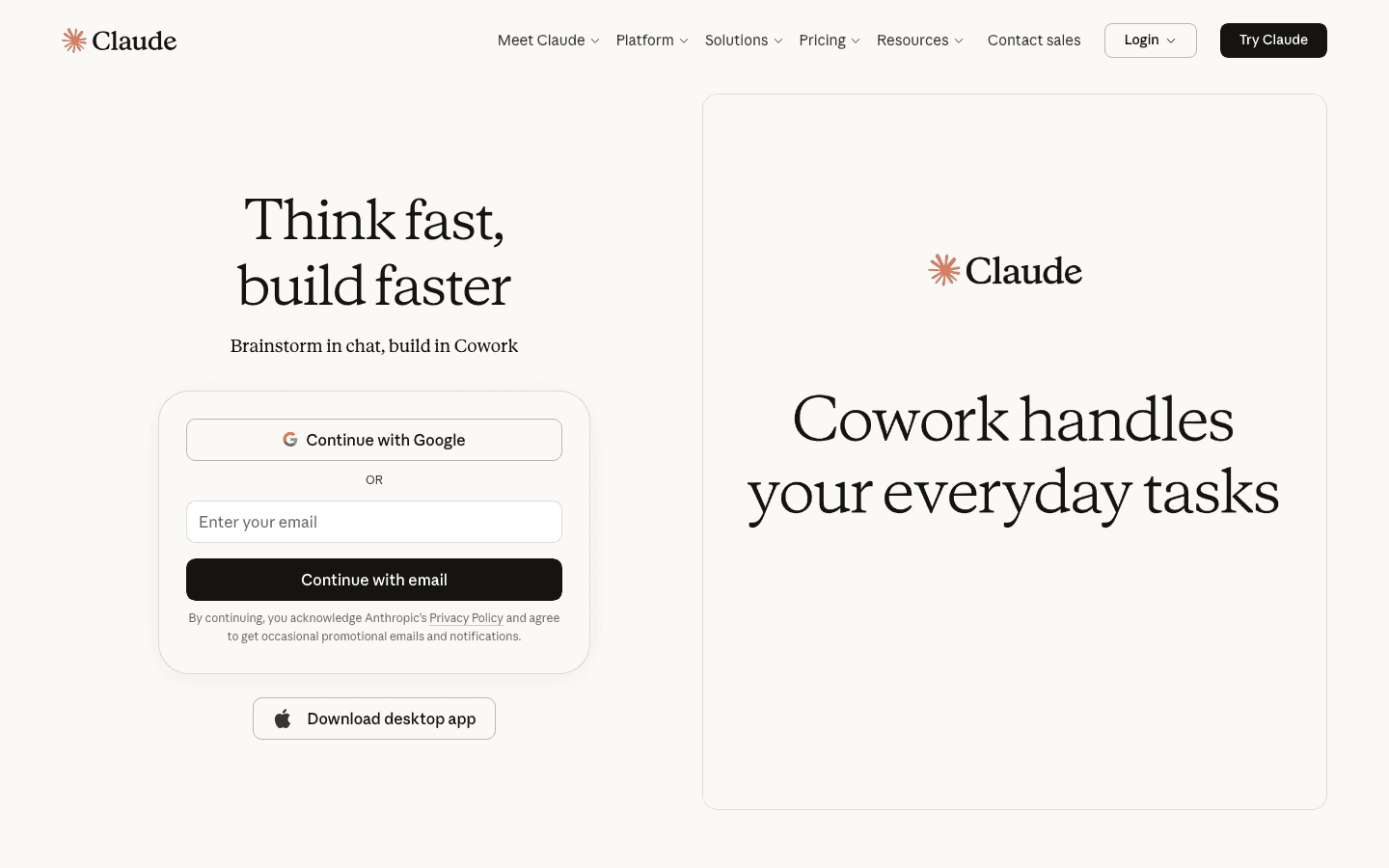
Claude is Anthropic's AI assistant and it has a distinct personality: careful, honest, and genuinely good at handling long and complex material. Where ChatGPT leans toward confident and fast, Claude leans toward thorough and considered. For tasks that require reading a long document carefully, reasoning through competing options, or writing something that needs to hold up to scrutiny, Claude is often the better choice.
The 500K token context window lets you paste in an entire contract, research report, or codebase and have a real conversation about it. Claude also has a reputation for admitting uncertainty rather than hallucinating confidently, which matters when you're using AI for decisions with real consequences. It pairs well with any of the scheduling tools above as a thinking and planning partner separate from your time management layer.
Key Features
Three model tiers: Haiku for quick tasks, Sonnet for everyday work, Opus for complex reasoning
500K token context window that handles large documents without losing the thread
Extended thinking mode that reasons through multi-step problems before answering
Constitutional AI safety training, making it less likely to hallucinate or fabricate citations
Artifacts: creates shareable documents, code, and structured outputs in-canvas
What Works
Best for long, complex documents that require careful reading
More likely than competitors to say it doesn't know something instead of making something up
Extended thinking mode produces noticeably better answers on hard reasoning tasks
Clean, distraction-free interface
Limitations
No calendar or task integration
No scheduling or proactive reminders
Message limits on the Pro plan are lower than ChatGPT Plus for equivalent price
No image generation built in
No energy awareness
Pricing: Free. Pro at $20/month. Max at $100/month.
Best for: Professionals who work with long or complex documents and need an AI that reads carefully and reasons before answering.
6. Notion AI: Best for Knowledge Workers
AI built into your notes and docs, useful when your thinking lives in Notion already.
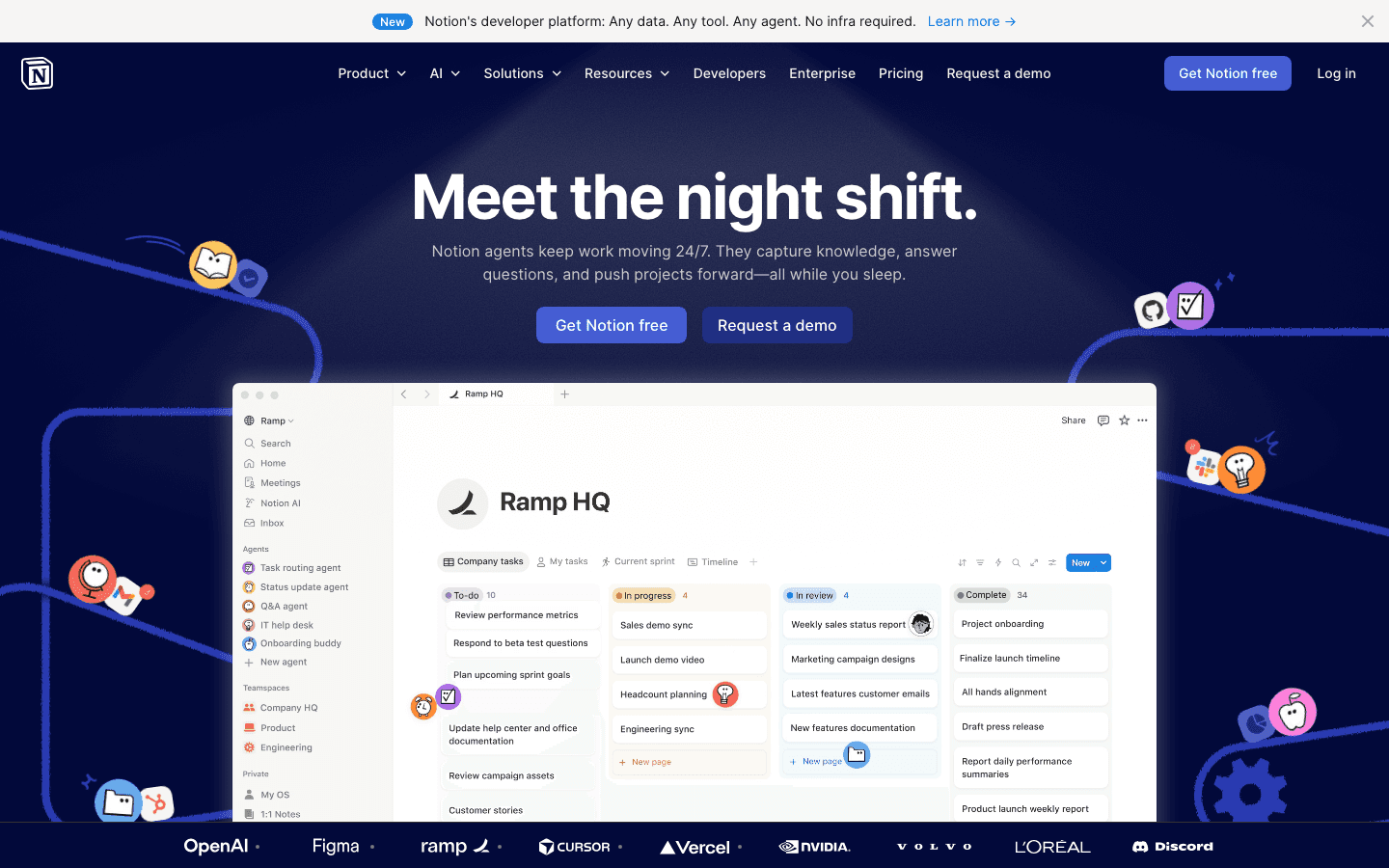
Notion AI makes sense if your work already lives in Notion. It adds AI writing, summarization, and Q&A capabilities directly inside your notes and databases, so you can ask questions about your own documents, fill in fields automatically, and generate content without switching apps. It's less a standalone AI assistant and more an AI layer on top of your existing Notion workspace.
For teams that use Notion as their central hub, the integration is genuinely useful. You can query your project notes, auto-fill database properties, and generate action items from meeting transcripts without leaving Notion. But if your work doesn't already live in Notion, there's no compelling reason to switch just for the AI features.
Key Features
AI writing assistance embedded in every Notion page and database
Q&A across your Notion workspace: ask questions about your own notes
Auto-fill database properties from context
AI Meeting Notes: transcription and action item extraction
Custom AI agents for recurring workflows
Works alongside productivity tools across devices including mobile
What Works
Best option if your notes and project management already live in Notion
AI Q&A across your own documents is genuinely useful for research-heavy work
Business plan includes full AI at $20/month, with no separate add-on fee
Meeting notes integration works well for async teams
Limitations
No calendar integration or task auto-scheduling
No energy awareness or proactive reminders
AI quality is noticeably below ChatGPT or Claude for pure writing tasks
Limited value if your work doesn't already live in Notion
Notion itself has a learning curve that can slow down ADHD users
Pricing: Free plan with trial AI access. Business plan at $20/member/month includes full Notion AI.
Best for: Teams and individuals who already use Notion as their primary workspace and want AI integrated into their existing notes and databases.
7. Gemini: Best for Google Workspace Users
Deep Google integration, useful if you live in Gmail, Docs, and Calendar.
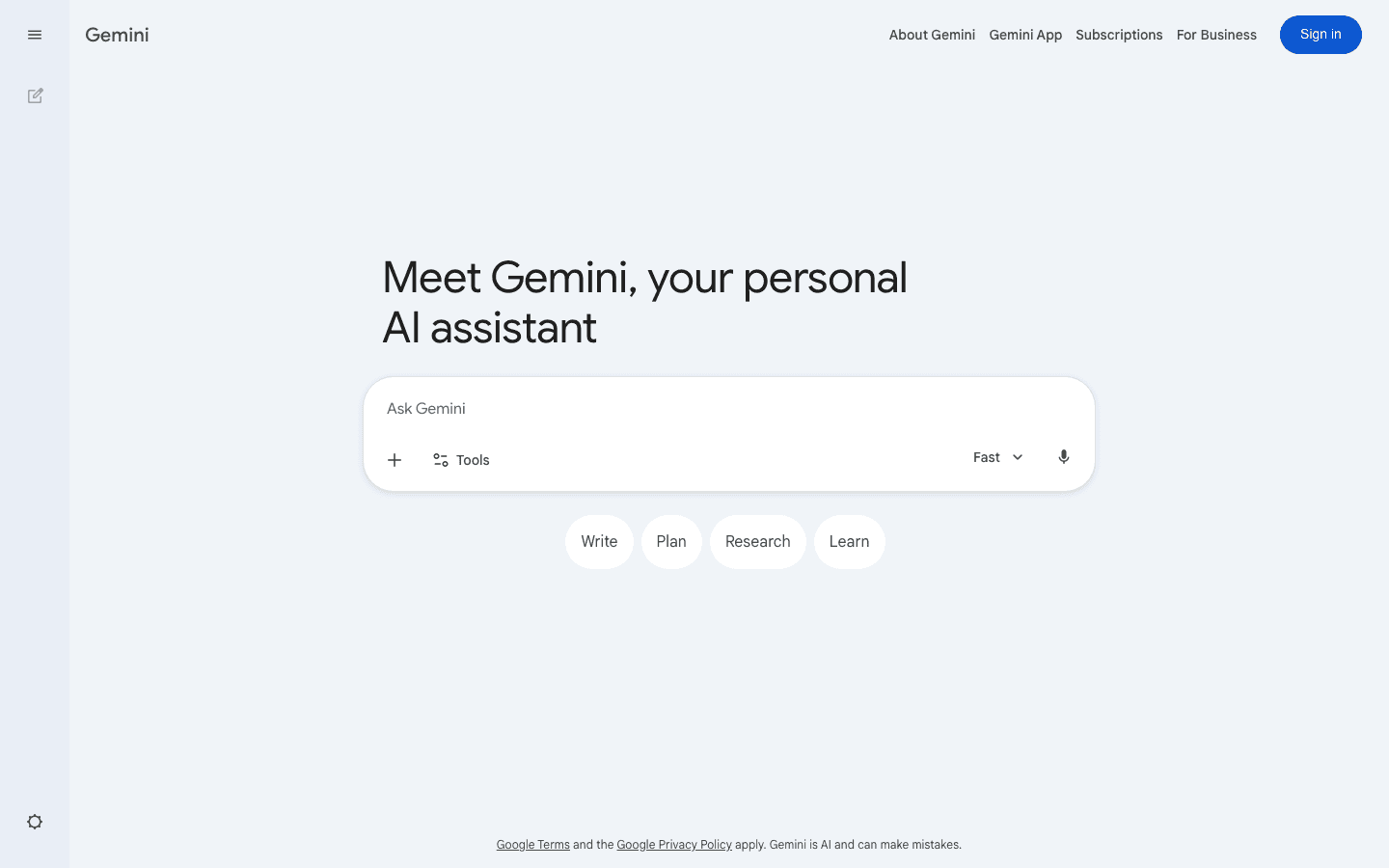
Gemini is Google's AI assistant and its main advantage is integration depth with Google's own tools. On the AI Pro plan it works directly inside Gmail, Google Docs, Drive, and Calendar, summarizing emails, drafting responses, generating documents, and helping you manage your schedule without leaving the Google ecosystem.
For users who spend their days in Google Workspace, that integration alone makes Gemini worth considering. It knows your email context, can access your Drive documents, and understands your calendar. The standalone Gemini chat app is also competitive with ChatGPT for general conversations and research, with a 1 million token context window on paid plans.
Key Features
Native integration with Gmail, Google Docs, Drive, Sheets, and Calendar
1 million token context window on paid plans
Deep Research: multi-source research with citations
Gemini Live: real-time voice conversation
Image and video generation
Multimodal inputs: text, images, audio, video in one conversation
What Works
Gmail and Docs integration is genuinely useful for email-heavy workflows
Free tier is strong (Gemini Flash available at no cost)
Google AI Plus at $9.99/mo is an affordable way to get AI integrated across your Google apps
Context window handles large documents well
Limitations
Best features require living in the Google ecosystem
No task auto-scheduling or energy-aware planning
Weaker than Claude for careful long-document reasoning
No ADHD-specific workflow support
Calendar integration is read-only in most contexts (it won't auto-schedule your tasks)
Pricing: Free. Google AI Plus at $9.99/month. Google AI Pro at $19.99/month.
Best for: Users already in the Google Workspace ecosystem who want AI integrated into Gmail, Docs, and Drive.
Which AI-Powered Personal Assistant Is Right for You?
If you struggle with energy management or ADHD, Lifestack ($7/mo) is built for exactly this. It schedules around your capacity, not just your deadlines.
If you have deadline-driven work and a packed project schedule, Motion ($19/mo) auto-schedules tasks and reschedules when things shift.
If your calendar is out of control and you need to protect focus time, Reclaim (free) defends blocks for deep work automatically.
If you need a thinking partner for writing, research, and brainstorming, ChatGPT (free/$19.99/mo) is the most versatile general-purpose tool.
If you work with long documents and need careful, honest AI reasoning, Claude (free/$20/mo) is the most thoughtful option in the list.
If your work already lives in Notion, Notion AI ($20/mo) adds AI directly to your existing workspace.
If you live in Gmail and Google Docs, Gemini ($9.99/mo) connects AI to your email, calendar, and Drive.
If you need an AI assistant for work that handles both task scheduling and team projects, Motion ($19/mo) covers both in one tool.
FAQ
What is the best AI-powered personal assistant in 2026?
Lifestack is the best AI-powered personal assistant for most people who want their time managed intelligently. It's the only tool in this category that schedules tasks around your energy patterns, not just your deadlines, which is the main reason people fall behind on the things they actually planned to do. If you need a general-purpose AI for writing and research rather than scheduling, ChatGPT and Claude are the strongest options.
Which AI personal assistant is best for ADHD?
Lifestack is purpose-built for ADHD. It reduces the executive function load of deciding what to work on and when by doing that work for you. Low-friction task capture, energy-aware scheduling, and proactive nudges all target the specific challenges ADHD creates. Our full guide to AI assistants for ADHD covers the comparison in more depth. Motion is a distant second for ADHD, useful for deadline-heavy work but without energy awareness.
What's the difference between an AI personal assistant and an AI chatbot?
An AI chatbot responds to your questions; it's reactive. An AI personal assistant is proactive: it manages your calendar, schedules your tasks, sends you reminders, and makes decisions on your behalf without you having to prompt it every time. ChatGPT and Claude are AI chatbots. Lifestack, Motion, and Reclaim are AI personal assistants. Most people benefit from having both: a chatbot for thinking and writing, and a personal assistant for scheduling and time management.
Which AI tools actually schedule tasks on your calendar?
Lifestack, Motion, and Reclaim are the three tools in this list that auto-schedule tasks into your calendar. Lifestack adds energy-awareness on top of deadline logic. Motion is strongest for project-heavy workflows with multiple dependencies. Reclaim is best for protecting existing focus time and habits. ChatGPT, Claude, Gemini, and Notion AI do not schedule tasks; they respond to questions but don't act on your calendar autonomously.
Is there a free AI personal assistant?
Reclaim has the strongest free tier among the scheduling tools, protecting focus time and habits at no cost. ChatGPT and Gemini both have capable free plans for chat-based assistance. Claude's free tier is also genuinely useful for reasoning and writing tasks. Lifestack and Motion require a paid plan after their trial periods.
What is the best AI personal assistant app?
For scheduling and time management, Lifestack is the best AI personal assistant app on iOS and Android. Task capture takes seconds and the app handles scheduling in the background without requiring manual input. For a general-purpose AI assistant app, ChatGPT has the most polished mobile experience, with voice mode and a strong free tier. Claude's mobile app is well-suited for reading documents and working through complex tasks on the go. All seven tools in this guide have mobile apps available.
What is the best AI assistant for work?
The best AI assistant for work depends on the type of work. For knowledge workers managing writing, research, and decisions, ChatGPT and Claude are the strongest options. For anyone with a heavy calendar or project load, Lifestack or Motion will have the most direct impact on output. If your team lives in Google Workspace, Gemini integrates directly with Gmail, Docs, and Drive, which saves significant time on email and document tasks. Lifestack is the top pick for work that involves managing tasks and energy across a full week.
What's the difference between an AI personal assistant and an AI virtual assistant?
The terms overlap but have a useful distinction. AI virtual assistants typically refer to voice-activated tools like Siri, Alexa, or Google Assistant, which respond to spoken commands and control smart home devices. AI personal assistants, as covered in this guide, do more: they manage calendars, schedule tasks, help with writing and research, and work across your apps and documents. Tools like Lifestack, Motion, and ChatGPT are AI personal assistants in this broader sense. Some of them, like ChatGPT and Gemini, also have voice modes that overlap with virtual assistant behavior.
Can AI personal assistants help with productivity for entrepreneurs?
Yes, and the scheduling category is where entrepreneurs see the biggest gains. When you're wearing multiple hats, the cognitive cost of deciding what to work on and when adds up quickly. A tool like Lifestack handles that planning layer automatically. Pair it with ChatGPT or Claude for writing and brainstorming and you've covered most of what a human executive assistant handles for lightweight research and scheduling. The best AI planner apps guide has more detail on this use case.
Do I need more than one AI personal assistant?
Most people end up using two: one scheduling tool and one chat AI. They serve different functions. A scheduling tool like Lifestack handles your calendar and task prioritization, acting without being asked. A chat AI like ChatGPT or Claude helps you think through problems, draft content, and do research, responding when you engage. Using both gives you coverage across the main ways AI can actually save time in your day.
The best AI personal assistant for most people depends on what you need it to do: Lifestack leads for scheduling and energy management, while ChatGPT and Claude are the top choices for writing and research. We spent weeks testing seven AI-powered personal assistants in 2026 across scheduling, reasoning, note-taking, and calendar automation to find out which ones actually improve your day, and which ones just sound impressive in a demo.
The market has split into two camps. On one side you have chat-first tools like ChatGPT, Claude, and Gemini: fast, capable, great at thinking through problems with you, but they don't touch your calendar or task list. On the other side are scheduling-first tools like Lifestack, Motion, and Reclaim: they integrate with your calendar and try to manage your time automatically. Most people need a tool from both camps, but the scheduling side is where the biggest productivity gains actually live.
What most scheduling tools miss, though, is energy. They know your deadlines. They don't know whether you're in a sharp, focused state at 9 AM or running on fumes by 3 PM. The best AI planner apps are starting to close that gap. Lifestack is the only tool in this roundup that builds energy patterns into the scheduling logic from the ground up.
We evaluated each tool on real daily work: capturing tasks, scheduling around meetings, handling context switches, and actually getting things done. Here's what we found.
Key Takeaways
Lifestack is the best overall AI personal assistant for anyone who struggles with energy management or ADHD. It's the only tool here that schedules around when you have capacity, not just when things are due.
ChatGPT and Claude are still the gold standard for writing, research, and brainstorming, but they don't manage your time. Pair one of them with a scheduling tool for a complete setup.
Motion and Reclaim both handle auto-scheduling well for deadline-driven work. Neither accounts for your mental energy level, which is the gap Lifestack fills.
All seven tools here have mobile apps. For an AI personal assistant app on iPhone or Android, Lifestack and ChatGPT offer the best mobile experiences.
Quick Guide: Best AI-Powered Personal Assistants
Lifestack: Best overall for energy-aware scheduling. From $7/mo.
Motion: Best for AI-driven deadline and project management. From $19/mo.
Reclaim: Best for protecting focus time and habit scheduling. Free plan available.
ChatGPT: Best general-purpose AI assistant. Free; Plus at $19.99/mo.
Claude: Best for long-context reasoning and careful writing. Free; Pro at $20/mo.
Notion AI: Best for knowledge workers who live in their notes. Free plan; Business at $20/mo includes full AI.
Gemini: Best for Google Workspace users. Free; AI Pro at $19.99/mo.
How We Evaluated
Energy-aware scheduling: does the tool account for your mental capacity, not just your deadlines?
Auto-scheduling: does it actually place tasks on your calendar without you dragging them in manually?
Calendar and app integrations: Google Calendar, Outlook, task apps, email
ADHD-friendliness: low-friction capture, proactive reminders, reduced context switching
Free tier availability: can you try it before committing?
Mobile app quality: iOS and Android
Ease of first use: how long before it's genuinely useful?
1. Lifestack: Best AI-Powered Personal Assistant Overall
The only AI assistant that schedules around your energy, not just your deadlines.
Lifestack is an AI-powered personal assistant built around one insight that most productivity tools ignore: the time slot matters less than the energy you have in it. Scheduling a creative writing task at 2 PM when you're in a post-lunch fog is different from doing it at 9 AM when you're sharp. Lifestack learns your energy patterns and places the right work in the right window automatically.
For people with ADHD, this changes things significantly. The cognitive overhead of deciding what to work on and when drains executive function before the work even starts. Lifestack handles that decision for you. You capture tasks, set rough priorities and deadlines, and Lifestack builds a schedule that respects both your calendar and your capacity. Our full guide to AI assistants for ADHD covers this in more depth.
Key Features
Energy pattern learning: builds your personal energy map over time and schedules tasks to match
AI auto-scheduling: places tasks into available calendar slots, no manual time-blocking needed
Smart task capture: low-friction input on iOS, Android, and Chrome extension
Calendar sync: Google Calendar and Apple Calendar
ADHD-specific design: minimal setup friction, proactive nudges, no complex systems to maintain
What Works
Energy-aware scheduling is genuinely different from anything else in this list
The mobile apps are fast and simple; task capture takes seconds
Scheduling runs in the background without requiring you to manually drag tasks into slots
Works well as a task manager for iPhone for people who want AI doing the heavy lifting
Limitations
Integrations are lighter than Motion or Reclaim (fewer third-party task apps)
No built-in AI chat interface for writing or brainstorming (pair with Claude or ChatGPT for that)
No free tier; 7-day free trial on the annual plan
Pricing: $7/month or $50/year (7-day free trial on annual).
Best for: Anyone who struggles with energy management, ADHD professionals, knowledge workers who want AI scheduling without a complex setup.
2. Motion: Best for AI-Driven Deadline Management
Auto-schedules your tasks and meetings into a single optimized calendar view.
Motion positions itself as an AI employee platform and it lives up to that framing for deadline-heavy work. You feed it your tasks with due dates and it builds a daily schedule automatically, shifting things around as priorities change or meetings land. It handles both personal tasks and team project management in the same view.
For busy professionals managing multiple projects, Motion's strength is that it treats your calendar as a puzzle and solves it for you. When something runs long or a new urgent task drops in, it recalculates. The tradeoff is that it can feel rigid when your priorities are more fluid, and the pricing puts it at the higher end of this list.
Key Features
AI auto-scheduling: places tasks into your calendar based on deadlines and priority
Smart calendar with Google, Outlook, and Apple sync
AI Docs: connects your notes to tasks and meeting history
Project management: Kanban boards, Gantt charts, task dependencies, team capacity planning
Automatic rescheduling: adapts when new tasks or meetings arrive
What Works
Deadline-based auto-scheduling is reliable and genuinely useful for project-heavy work
The all-in-one view of tasks and calendar reduces context switching
Team features are solid for small groups
Limitations
No energy awareness (schedules by deadline and priority only)
No permanent free plan (only a 7-day trial)
Pricing is high for solo users; the individual plan runs $19/seat/mo monthly
Can feel over-engineered for personal use; interface complexity grows with team features
No conversational AI interface
Pricing: Pro AI at $19/seat/month (monthly) or ~$12.73/seat/month (annual). No free plan.
Best for: Busy professionals and small teams with deadline-driven work who want automated scheduling without thinking about it.
3. Reclaim: Best for Calendar Protection
Defends your focus time and schedules habits automatically around your existing commitments.
Reclaim takes a different approach from Motion. Rather than managing tasks from scratch, it focuses on protecting what you already have on your calendar: focus blocks, lunch, exercise, and recurring habits. It integrates with Asana, Todoist, and Jira to pull in tasks and find slots for them automatically.
Its standout feature is Scheduling Links, smart meeting links that only show times that won't wreck your day. If you spend too much time bouncing between back-to-back meetings with no breathing room, Reclaim is worth a look. It's also the most accessible tool in this scheduling category, with a genuinely useful free tier.
Key Features
Smart Meetings: schedules meetings at optimal times for all participants
Habits: recurring activities that flex around your calendar automatically
Task scheduling: integrates with Asana, Todoist, Linear, and Jira
Scheduling Links: share a link that books meetings at Reclaim-approved times
Focus time protection: automatically blocks deep work windows
What Works
Free tier is genuinely useful, not a watered-down demo
Scheduling Links are one of the best meeting coordination tools available
Habit protection works well for maintaining routines around a packed calendar
Lighter touch than Motion, with less setup required
Limitations
No energy awareness (time-blocks by availability, not capacity)
No mobile app yet
Task management is integration-dependent; weak if you don't use Asana, Todoist, or Jira
No built-in AI chat
Pricing: Free Lite plan. Starter at $10/seat/month. Business at $15/seat/month.
Best for: Individuals and teams who want to protect focus time and automate meeting scheduling without overhauling their existing task tools.
4. ChatGPT: Best General-Purpose AI Assistant
The go-to tool for writing, brainstorming, research, and problem-solving, all in one conversation.
ChatGPT is the default AI assistant for most people for good reason. It handles an enormous range of tasks well and requires zero setup. You open it, type your question or problem, and get a useful answer within seconds. For writing, editing, summarizing meetings, and thinking through decisions, it's still the most capable and versatile option in the market.
What it doesn't do is manage your time. ChatGPT has no calendar integration, no task awareness, and no memory of what you were working on yesterday unless you explicitly tell it. It's a thinking partner, not a scheduler. Most people who use ChatGPT as their main AI personal assistant are really using it as an AI writing and research tool, which it excels at.
Key Features
Multiple AI models in one interface: GPT-4o on free, advanced reasoning models on paid plans
Image generation via GPT Image
Voice conversation mode
Deep Research: autonomous agents that research topics across multiple sources
Custom GPTs: build or use pre-made assistants for specific workflows
Agent Mode: multi-step task automation including web browsing and form completion
What Works
Best-in-class for general writing, brainstorming, and summarization
Deep Research is genuinely useful for competitive analysis and background research
Voice mode is fast and responsive
Free tier is strong (GPT-4o is available at no cost)
Limitations
No calendar or task integration
No proactive scheduling or reminders
Memory is limited and requires manual context-setting each session
Not built for ADHD workflows (no friction reduction or energy awareness)
Pricing: Free. Plus at $19.99/month. Pro at $200/month.
Best for: Anyone who needs a capable AI for writing, research, brainstorming, or problem-solving and doesn't need scheduling or calendar integration.
5. Claude: Best for Long-Context Reasoning
Reads carefully, thinks through nuance, and admits when it doesn't know something.
Claude is Anthropic's AI assistant and it has a distinct personality: careful, honest, and genuinely good at handling long and complex material. Where ChatGPT leans toward confident and fast, Claude leans toward thorough and considered. For tasks that require reading a long document carefully, reasoning through competing options, or writing something that needs to hold up to scrutiny, Claude is often the better choice.
The 500K token context window lets you paste in an entire contract, research report, or codebase and have a real conversation about it. Claude also has a reputation for admitting uncertainty rather than hallucinating confidently, which matters when you're using AI for decisions with real consequences. It pairs well with any of the scheduling tools above as a thinking and planning partner separate from your time management layer.
Key Features
Three model tiers: Haiku for quick tasks, Sonnet for everyday work, Opus for complex reasoning
500K token context window that handles large documents without losing the thread
Extended thinking mode that reasons through multi-step problems before answering
Constitutional AI safety training, making it less likely to hallucinate or fabricate citations
Artifacts: creates shareable documents, code, and structured outputs in-canvas
What Works
Best for long, complex documents that require careful reading
More likely than competitors to say it doesn't know something instead of making something up
Extended thinking mode produces noticeably better answers on hard reasoning tasks
Clean, distraction-free interface
Limitations
No calendar or task integration
No scheduling or proactive reminders
Message limits on the Pro plan are lower than ChatGPT Plus for equivalent price
No image generation built in
No energy awareness
Pricing: Free. Pro at $20/month. Max at $100/month.
Best for: Professionals who work with long or complex documents and need an AI that reads carefully and reasons before answering.
6. Notion AI: Best for Knowledge Workers
AI built into your notes and docs, useful when your thinking lives in Notion already.
Notion AI makes sense if your work already lives in Notion. It adds AI writing, summarization, and Q&A capabilities directly inside your notes and databases, so you can ask questions about your own documents, fill in fields automatically, and generate content without switching apps. It's less a standalone AI assistant and more an AI layer on top of your existing Notion workspace.
For teams that use Notion as their central hub, the integration is genuinely useful. You can query your project notes, auto-fill database properties, and generate action items from meeting transcripts without leaving Notion. But if your work doesn't already live in Notion, there's no compelling reason to switch just for the AI features.
Key Features
AI writing assistance embedded in every Notion page and database
Q&A across your Notion workspace: ask questions about your own notes
Auto-fill database properties from context
AI Meeting Notes: transcription and action item extraction
Custom AI agents for recurring workflows
Works alongside productivity tools across devices including mobile
What Works
Best option if your notes and project management already live in Notion
AI Q&A across your own documents is genuinely useful for research-heavy work
Business plan includes full AI at $20/month, with no separate add-on fee
Meeting notes integration works well for async teams
Limitations
No calendar integration or task auto-scheduling
No energy awareness or proactive reminders
AI quality is noticeably below ChatGPT or Claude for pure writing tasks
Limited value if your work doesn't already live in Notion
Notion itself has a learning curve that can slow down ADHD users
Pricing: Free plan with trial AI access. Business plan at $20/member/month includes full Notion AI.
Best for: Teams and individuals who already use Notion as their primary workspace and want AI integrated into their existing notes and databases.
7. Gemini: Best for Google Workspace Users
Deep Google integration, useful if you live in Gmail, Docs, and Calendar.
Gemini is Google's AI assistant and its main advantage is integration depth with Google's own tools. On the AI Pro plan it works directly inside Gmail, Google Docs, Drive, and Calendar, summarizing emails, drafting responses, generating documents, and helping you manage your schedule without leaving the Google ecosystem.
For users who spend their days in Google Workspace, that integration alone makes Gemini worth considering. It knows your email context, can access your Drive documents, and understands your calendar. The standalone Gemini chat app is also competitive with ChatGPT for general conversations and research, with a 1 million token context window on paid plans.
Key Features
Native integration with Gmail, Google Docs, Drive, Sheets, and Calendar
1 million token context window on paid plans
Deep Research: multi-source research with citations
Gemini Live: real-time voice conversation
Image and video generation
Multimodal inputs: text, images, audio, video in one conversation
What Works
Gmail and Docs integration is genuinely useful for email-heavy workflows
Free tier is strong (Gemini Flash available at no cost)
Google AI Plus at $9.99/mo is an affordable way to get AI integrated across your Google apps
Context window handles large documents well
Limitations
Best features require living in the Google ecosystem
No task auto-scheduling or energy-aware planning
Weaker than Claude for careful long-document reasoning
No ADHD-specific workflow support
Calendar integration is read-only in most contexts (it won't auto-schedule your tasks)
Pricing: Free. Google AI Plus at $9.99/month. Google AI Pro at $19.99/month.
Best for: Users already in the Google Workspace ecosystem who want AI integrated into Gmail, Docs, and Drive.
Which AI-Powered Personal Assistant Is Right for You?
If you struggle with energy management or ADHD, Lifestack ($7/mo) is built for exactly this. It schedules around your capacity, not just your deadlines.
If you have deadline-driven work and a packed project schedule, Motion ($19/mo) auto-schedules tasks and reschedules when things shift.
If your calendar is out of control and you need to protect focus time, Reclaim (free) defends blocks for deep work automatically.
If you need a thinking partner for writing, research, and brainstorming, ChatGPT (free/$19.99/mo) is the most versatile general-purpose tool.
If you work with long documents and need careful, honest AI reasoning, Claude (free/$20/mo) is the most thoughtful option in the list.
If your work already lives in Notion, Notion AI ($20/mo) adds AI directly to your existing workspace.
If you live in Gmail and Google Docs, Gemini ($9.99/mo) connects AI to your email, calendar, and Drive.
If you need an AI assistant for work that handles both task scheduling and team projects, Motion ($19/mo) covers both in one tool.
FAQ
What is the best AI-powered personal assistant in 2026?
Lifestack is the best AI-powered personal assistant for most people who want their time managed intelligently. It's the only tool in this category that schedules tasks around your energy patterns, not just your deadlines, which is the main reason people fall behind on the things they actually planned to do. If you need a general-purpose AI for writing and research rather than scheduling, ChatGPT and Claude are the strongest options.
Which AI personal assistant is best for ADHD?
Lifestack is purpose-built for ADHD. It reduces the executive function load of deciding what to work on and when by doing that work for you. Low-friction task capture, energy-aware scheduling, and proactive nudges all target the specific challenges ADHD creates. Our full guide to AI assistants for ADHD covers the comparison in more depth. Motion is a distant second for ADHD, useful for deadline-heavy work but without energy awareness.
What's the difference between an AI personal assistant and an AI chatbot?
An AI chatbot responds to your questions; it's reactive. An AI personal assistant is proactive: it manages your calendar, schedules your tasks, sends you reminders, and makes decisions on your behalf without you having to prompt it every time. ChatGPT and Claude are AI chatbots. Lifestack, Motion, and Reclaim are AI personal assistants. Most people benefit from having both: a chatbot for thinking and writing, and a personal assistant for scheduling and time management.
Which AI tools actually schedule tasks on your calendar?
Lifestack, Motion, and Reclaim are the three tools in this list that auto-schedule tasks into your calendar. Lifestack adds energy-awareness on top of deadline logic. Motion is strongest for project-heavy workflows with multiple dependencies. Reclaim is best for protecting existing focus time and habits. ChatGPT, Claude, Gemini, and Notion AI do not schedule tasks; they respond to questions but don't act on your calendar autonomously.
Is there a free AI personal assistant?
Reclaim has the strongest free tier among the scheduling tools, protecting focus time and habits at no cost. ChatGPT and Gemini both have capable free plans for chat-based assistance. Claude's free tier is also genuinely useful for reasoning and writing tasks. Lifestack and Motion require a paid plan after their trial periods.
What is the best AI personal assistant app?
For scheduling and time management, Lifestack is the best AI personal assistant app on iOS and Android. Task capture takes seconds and the app handles scheduling in the background without requiring manual input. For a general-purpose AI assistant app, ChatGPT has the most polished mobile experience, with voice mode and a strong free tier. Claude's mobile app is well-suited for reading documents and working through complex tasks on the go. All seven tools in this guide have mobile apps available.
What is the best AI assistant for work?
The best AI assistant for work depends on the type of work. For knowledge workers managing writing, research, and decisions, ChatGPT and Claude are the strongest options. For anyone with a heavy calendar or project load, Lifestack or Motion will have the most direct impact on output. If your team lives in Google Workspace, Gemini integrates directly with Gmail, Docs, and Drive, which saves significant time on email and document tasks. Lifestack is the top pick for work that involves managing tasks and energy across a full week.
What's the difference between an AI personal assistant and an AI virtual assistant?
The terms overlap but have a useful distinction. AI virtual assistants typically refer to voice-activated tools like Siri, Alexa, or Google Assistant, which respond to spoken commands and control smart home devices. AI personal assistants, as covered in this guide, do more: they manage calendars, schedule tasks, help with writing and research, and work across your apps and documents. Tools like Lifestack, Motion, and ChatGPT are AI personal assistants in this broader sense. Some of them, like ChatGPT and Gemini, also have voice modes that overlap with virtual assistant behavior.
Can AI personal assistants help with productivity for entrepreneurs?
Yes, and the scheduling category is where entrepreneurs see the biggest gains. When you're wearing multiple hats, the cognitive cost of deciding what to work on and when adds up quickly. A tool like Lifestack handles that planning layer automatically. Pair it with ChatGPT or Claude for writing and brainstorming and you've covered most of what a human executive assistant handles for lightweight research and scheduling. The best AI planner apps guide has more detail on this use case.
Do I need more than one AI personal assistant?
Most people end up using two: one scheduling tool and one chat AI. They serve different functions. A scheduling tool like Lifestack handles your calendar and task prioritization, acting without being asked. A chat AI like ChatGPT or Claude helps you think through problems, draft content, and do research, responding when you engage. Using both gives you coverage across the main ways AI can actually save time in your day.



FOLLOW ON
FOLLOW ON
FOLLOW ON


Copyright 2026 © Lifestack. All rights reserved
Copyright 2026 © Lifestack. All rights reserved

