
App
Best Productivity Apps for Apple Watch 2026
Best Productivity Apps for Apple Watch 2026
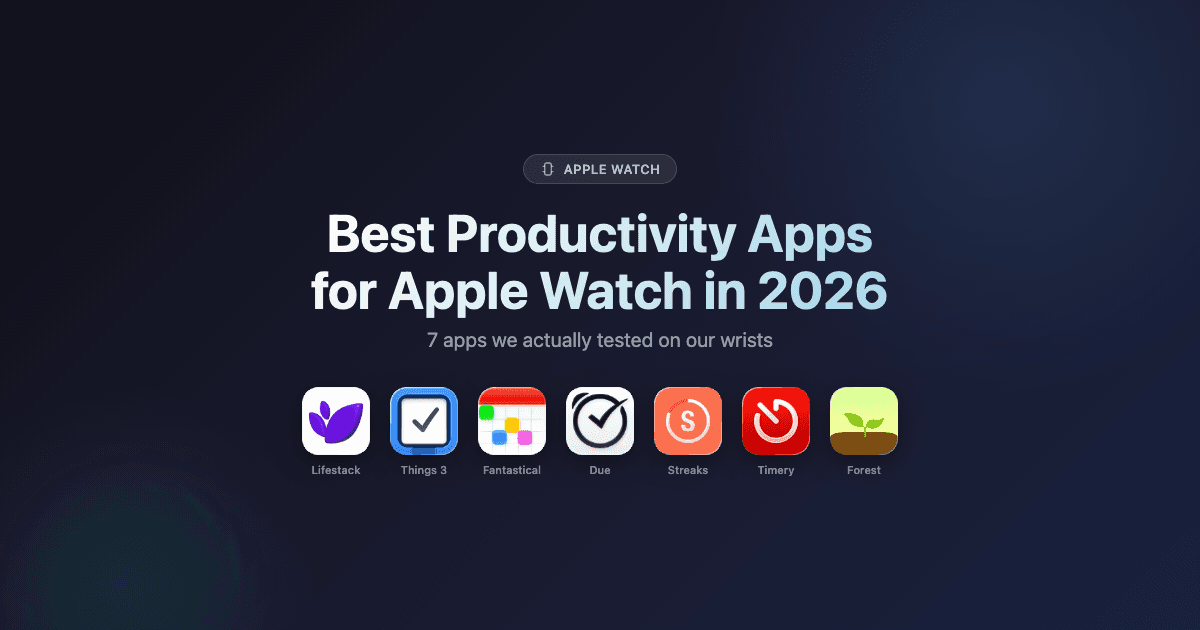
Most Apple Watch apps are glorified notification mirrors. They buzz your wrist when your phone buzzes, show you what you already saw on your lock screen, and call it a "Watch experience." The apps in this list are different. They use the Watch as a genuine input device, a health data source, and a behavior-change tool. Not just a second screen.
We tested seven productivity apps with daily Apple Watch use across planning, tasks, habits, calendar management, time tracking, and focus work. Our criteria: does the Watch version actually change how you work, or is it just a mirror with a smaller frame?
The winner surprised us. Lifestack doesn't have a Watch face complication. It doesn't let you check off tasks from your wrist. But it reads the sleep, heart rate variability, and activity data your Watch generates every night, then uses that data to schedule your entire day around your actual energy. Before you've had your first coffee. That's a more meaningful Apple Watch integration than most apps with full watchOS apps ever manage.
Below are the seven apps that earned a spot on our wrists in 2026, starting with the one that changed how we think about Watch-powered productivity.
Key Takeaways
Most productivity apps treat Apple Watch as a notification relay. The best ones use it as a health data source, a quick input device, or a habit enforcement tool.
Lifestack is the most Watch-integrated option if you care about energy-aware scheduling. It reads your Watch's overnight data to build a plan that actually fits how you feel.
For wrist-side task capture, Things 3 is the gold standard. For habits, Streaks. For never missing a deadline, Due.
Quick Guide: Best Apple Watch Productivity Apps
1. Lifestack: AI day planner powered by Apple Watch health data
2. Things 3: Best for wrist-side task capture and Today list review
3. Fantastical: Best calendar app with Watch complications and quick event creation
4. Due: Best for reminders that will not let you forget (relentlessly persistent)
5. Streaks: Best habit tracker built for Apple Watch (Apple Design Award winner)
6. Timery: Best for Toggl time tracking from your wrist
7. Forest: Best for focus sessions with a satisfying wrist check-in mechanic
How We Evaluated These Apps
Wrist-native design: Does the Watch version work as a standalone experience, or does it fall apart without the iPhone nearby?
Glanceability: Can you process the complication or app screen in under two seconds?
Quick inputs: Can you add a task, start a timer, or log a habit without opening your phone?
Health data use: Does the app do anything meaningful with the rich data Apple Watch collects?
iPhone companion quality: The Watch app should feel like an extension of a great iPhone app, not a consolation prize.
Active development: No zombie apps. Each pick had meaningful updates in the past 12 months.
1. Lifestack: AI Day Planner Powered by Your Apple Watch
The only productivity app that uses your Watch's health data to schedule your actual day.

Here's the problem with most productivity apps: they treat your schedule like a spreadsheet. Tasks go in time slots, meetings get moved around, and the app has no idea that you slept five hours because your toddler was sick. Or that your HRV this morning is 30% below your baseline, signaling you're running on fumes. Lifestack knows, because it reads your Apple Watch data every morning and builds your plan around what your body is actually reporting.
Lifestack connects to Apple Health, which Apple Watch populates continuously with sleep stages, heart rate variability, resting heart rate, and activity. Lifestack's AI engine uses that overnight data to assign an energy score to each part of your day, then automatically schedules your tasks: deep work in your peak windows, admin and meetings in your lower-energy slots, before you sit down to plan. If you had a rough night, it doesn't just note it. It reorganizes your day to match what you can actually do. That is a more genuine Apple Watch integration than most watchOS apps manage, even without a complication on your watch face.
The app works on iPhone and Mac (and Android), with a Chrome extension for browser-based work. The energy-based planning approach is Lifestack's core differentiator. It's the reason people with ADHD in particular find it clicks when time-blocking never did. For a deeper look at that model, see the ADHD task management breakdown. If you're also using an Oura Ring or WHOOP alongside your Watch, Lifestack pulls from those too. Apple Watch users are the primary audience and the integration is seamless out of the box.
Key Features
Reads Apple Watch sleep, HRV, and activity data via Apple Health every morning
AI engine assigns energy scores and auto-schedules tasks into peak/low windows
Integrates with Google Calendar, Outlook, and Todoist
Available on iPhone, Mac, Android, and Chrome
Works alongside Oura Ring, WHOOP, and Garmin data
What Works
The Apple Watch health loop is invisible and automatic. Your plan just reflects how you slept, without you touching any settings
Energy-aware scheduling is more useful than a Watch face complication for most people's actual workflow
Pairs well with a Watch-side task app like Things 3 for wrist capture, then Lifestack handles the scheduling on iPhone
The founder's own workflow shows how this plays out in practice
Limitations
No native watchOS app or Watch face complication (you can't check off tasks from your wrist)
Apple Health permission setup is a one-time step but can confuse new users
The AI scheduling is most powerful when you have consistent Apple Watch data. Gaps in wear time reduce accuracy
Pricing: $7/month, $50/year (7-day free trial on annual), $120 lifetime
Best for: Anyone who wants their Apple Watch health data to actually drive their daily schedule, not just sit in the Health app unused.
2. Things 3: Best Wrist-Side Task Manager
The most polished watchOS task experience available, full stop.
Things 3 is the task manager most Apple users eventually land on after cycling through Reminders, Todoist, and a few others. It's beautifully designed, fast, and it has one of the best native watchOS apps in the productivity space. You can view your Today list on your wrist, check off completed tasks without pulling out your phone, and add new tasks via voice dictation, all from the Watch.
The Watch complication shows today's remaining task count and updates in real time. The Watch app itself is a clean, scrollable list of your Today tasks with one-tap completion. It's not trying to do everything. It's trying to do the one thing Watch task apps need to do well: let you capture and close without friction. For people using Lifestack's AI planning layer, Things 3 is a natural pairing. Things handles the wrist-side capture, Lifestack handles the scheduling decisions.
Key Features
Native watchOS app with full Today list and task completion
Watch complication showing today's task count
Voice-to-task via Siri on Watch
Projects, Areas, tags, and Logbook for long-term organization
Free sync via Things Cloud across iPhone, iPad, Mac, and Watch
What Works
The Watch app is genuinely fast. Task completion registers in under a second
One-time purchase model means no ongoing subscription anxiety
Siri integration makes wrist-side capture feel natural in practice
Limitations
No AI scheduling or energy awareness. It's a list, not a planner
No collaboration features (individual use only)
Each platform (iPhone, iPad, Mac) is a separate purchase
Pricing: $9.99 one-time (iPhone); separate purchases for iPad ($19.99) and Mac ($49.99)
Best for: Users who want the cleanest possible task experience on their wrist and don't need AI scheduling built in.
3. Fantastical: Best Calendar App for Apple Watch
Your calendar, your tasks, and your next meeting, all glanceable from your wrist.
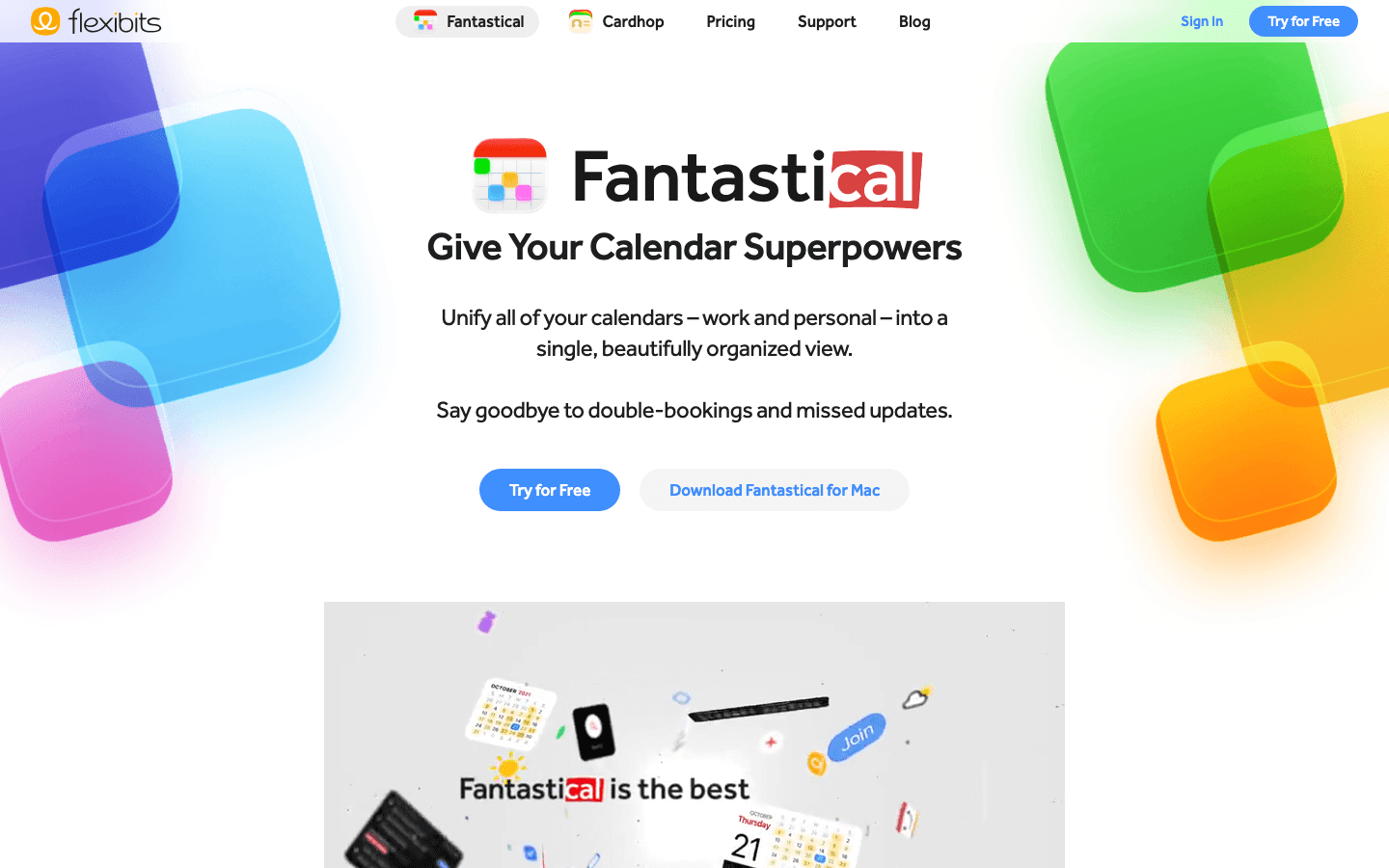
Fantastical is the calendar app most power users reach for when Apple Calendar starts feeling limiting. On Apple Watch, it earns that reputation. The Watch complications are excellent. You can show your next event, a mini month view, or a day timeline, all customizable and real-time synced. The Watch app itself lets you scroll through upcoming events, accept or decline invitations, and create new events via dictation without touching your phone.
For people whose productivity lives in calendar blocks more than task lists, Fantastical gives you the best wrist-native calendar experience available. It pairs naturally with Lifestack's calendar-aware scheduling. Lifestack reads your Fantastical calendar blocks and plans around them. Fantastical handles the calendar UI; Lifestack handles the energy-aware planning layer on top.
Key Features
Multiple Watch complications (next event, day view, month mini, event count)
Native Watch app with event browsing, invitation management, and voice event creation
Supports all major calendar providers (Google, iCloud, Exchange, Outlook)
Scheduling links built in (premium)
Task management alongside calendar events (premium)
What Works
Best-in-class Watch complication design with genuinely useful information density
Accepting meeting invites from your wrist is one of those things that sounds small and turns out to matter daily
Natural language event creation works well via Watch dictation
Limitations
Most compelling features require the premium subscription, which is one of the pricier in this category
No energy awareness. It shows you your schedule, but doesn't help you optimize it
Can feel cluttered if you have many calendars synced
Pricing: Free tier available; $6.99/month or $56.99/year for Flexibits Premium (14-day free trial)
Best for: Calendar-first workers who want the richest possible Watch complication and wrist-side scheduling experience.
4. Due: The Reminder App That Won't Let You Forget
Persistent, relentless, and weirdly satisfying to finally silence.
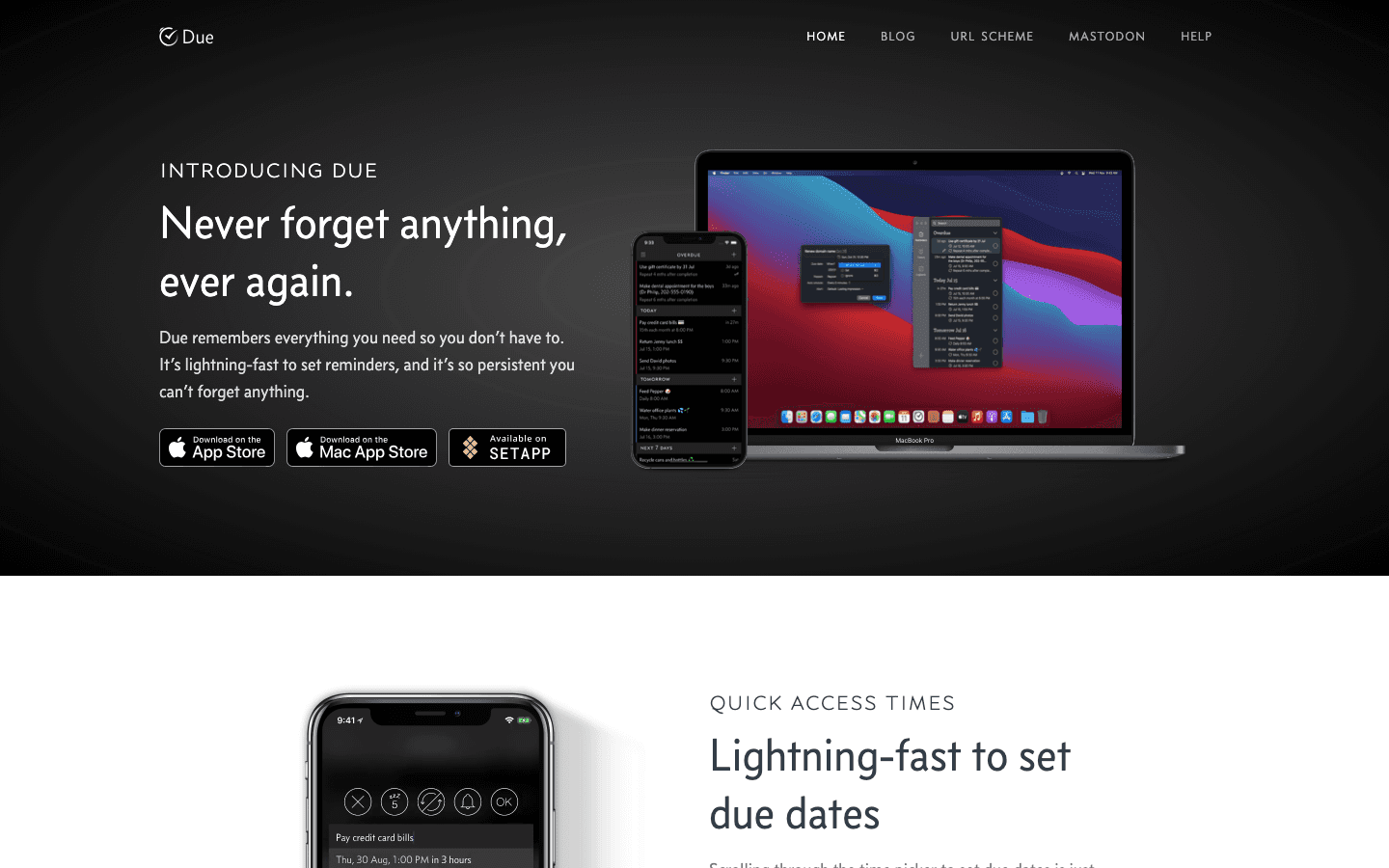
Due does one thing that no other app in this list does: it nags you. Set a reminder, and if you don't act on it, Due keeps re-alerting you on your phone and on your Watch until you dismiss it or mark it done. This sounds annoying, and it is. That's exactly why it works. Nothing falls through the cracks when your wrist is vibrating at you every five minutes until you deal with the thing you said you'd deal with.
The Watch integration is simple and effective. Reminders surface as notifications with quick dismiss or snooze options. You can set countdown timers directly from your Watch face via a complication. It's not a full task manager. It's a high-intensity reminder tool, and the Watch is the perfect delivery mechanism for it. For lower-stakes tasks, use Things 3. For the things that actually have to happen, put them in Due.
Key Features
Persistent re-alerting: reminders repeat at set intervals until dismissed or completed
Quick countdown timers (perfect for cooking, meetings, focus blocks)
Watch complication for upcoming reminders and quick timer start
Natural language input on iPhone ("remind me in 20 minutes")
URL scheme for deep linking and automation
What Works
Nothing gets forgotten. The persistent alerting model is uniquely effective for time-sensitive tasks
Countdown timers from the Watch are genuinely useful for day-to-day time awareness
One-time purchase with reasonable pricing for what you get
Limitations
Not a full task manager. Better as a "critical items" layer on top of your main system
The persistent alerts can overwhelm you if you add too many reminders
No energy awareness or AI scheduling
Pricing: $7.99 one-time purchase; optional $4.99/year upgrade pass for new features
Best for: Anyone who regularly misses reminders or lets important tasks slip because a single notification wasn't enough.
5. Streaks: Best Habit Tracker for Apple Watch
Apple Design Award winner. Built for the Watch from the start.
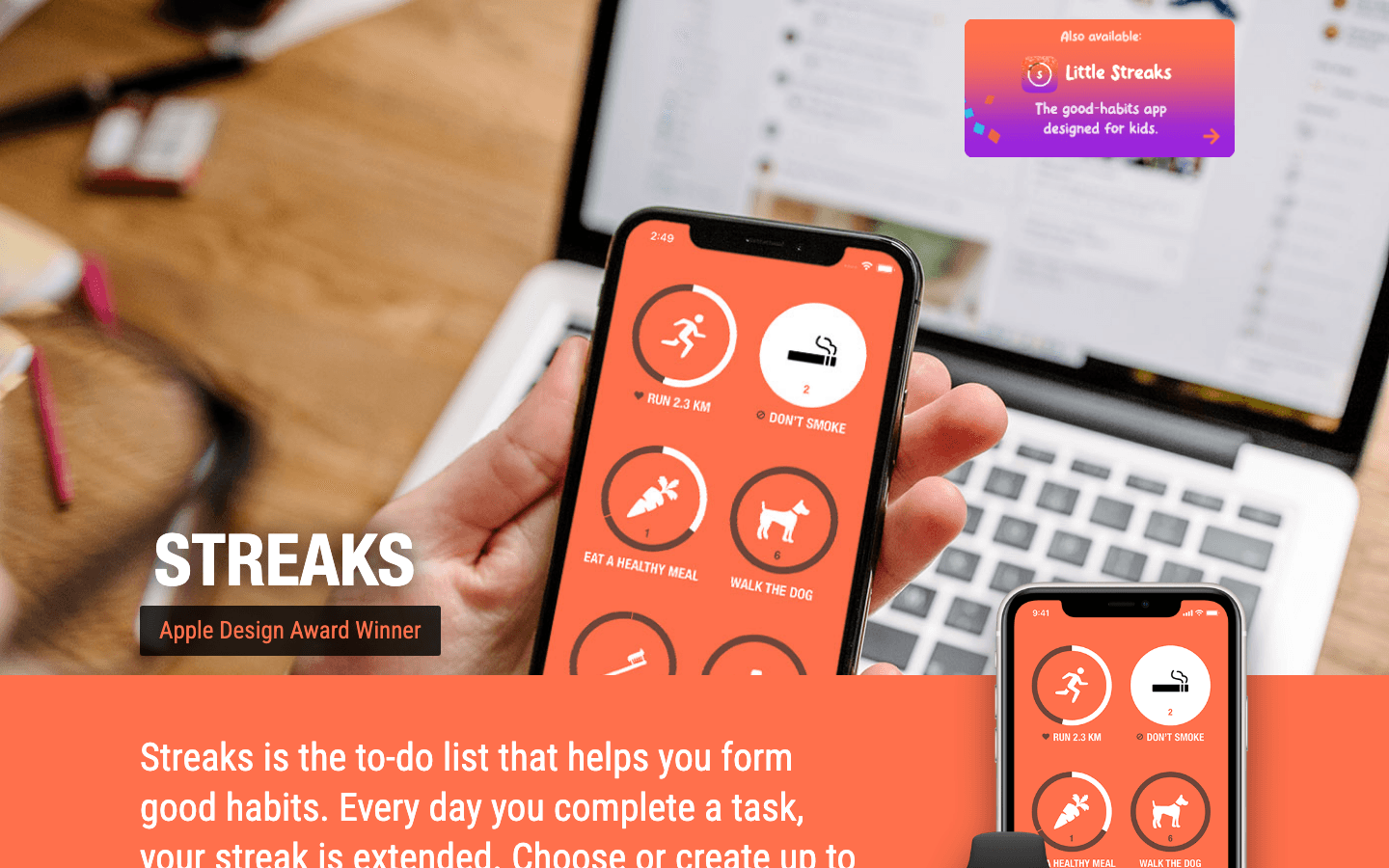
Streaks won Apple's Design Award, and it shows. The app is built around the idea that Apple Watch is the ideal habit-tracking device. It's always on your wrist, it already knows when you're active, and it can check off a habit the moment you complete it without you needing to open your phone. The Watch complication displays your daily habits in a ring-based layout reminiscent of Activity rings, which makes it feel native to the watchOS experience in a way few third-party apps achieve.
For users building productivity-adjacent habits (morning planning, daily review, hydration, movement breaks), Streaks is the cleanest option. If you're working on an energy-first daily routine, Streaks can enforce the physical habits that feed into the data Lifestack uses for scheduling. More consistent sleep times, regular movement breaks, and daily check-ins all improve the HRV data that drives energy-aware planning.
Key Features
Native Watch app with standalone habit completion (no iPhone needed)
Ring-based Watch complications showing daily habit progress
Automatic habit completion via Apple Watch health data (steps, stand hours, exercise minutes)
Up to 12 habits per day with flexible scheduling
Negative habits (track things to avoid, not just things to do)
What Works
Completing a habit by tapping your Watch face is genuinely faster and more satisfying than any phone-based alternative
Auto-completion from Apple Health means exercise habits log themselves when you close your rings
One-time purchase at a very reasonable price
Limitations
12-habit daily limit. Manageable for most people, restrictive for habit stacking enthusiasts
No social accountability or sharing features
No AI scheduling or energy awareness
Pricing: $5.99 one-time purchase
Best for: Anyone building daily habits who wants the Watch to be an active participant in the tracking, not just a notification relay.
6. Timery: Best Time Tracker for Apple Watch
Toggl time tracking on your wrist, actually done well.
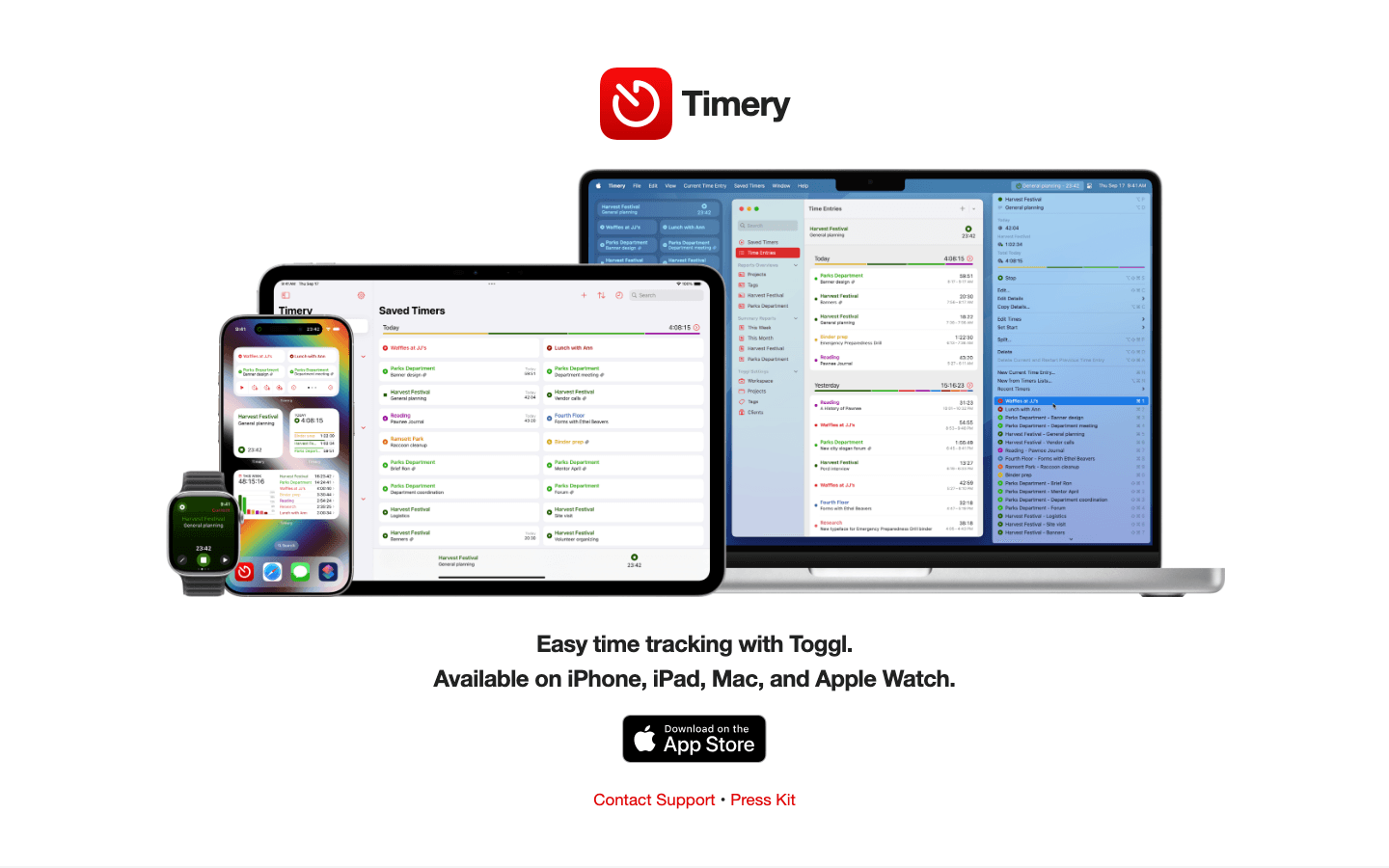
Time tracking has a friction problem. The reason most people give up on it isn't that they don't want the data. It's that remembering to start and stop timers is its own cognitive load. Timery solves this with the Watch: you can start a saved timer for any project or client with a single tap on your wrist, stop it with another tap, and keep tracking without ever pulling out your phone. The Watch complication shows your running timer and elapsed time at a glance.
Timery is a front-end for Toggl Track. You need a Toggl account, and your data lives there. But for Toggl users, the Watch integration is genuinely transformative. The "Saved Timers" feature lets you pre-configure your most common entries (client calls, deep work, email, admin) so starting the right timer is one tap, not a search. For freelancers, consultants, and anyone billing by the hour, this is one of the highest-ROI Watch apps in this list.
Key Features
One-tap timer start and stop from Apple Watch
Saved Timers for pre-configured projects and tags
Watch complication showing running timer with elapsed time
Full Toggl Track integration (all your projects, clients, and tags)
Available on iPhone, iPad, Mac, and Apple Watch
What Works
Starting a timer from your wrist is the lowest-friction time tracking workflow we've found
The Watch complication keeps you honest about whether you're actually tracking
The app design is clean and fast. No bloat
Limitations
Requires a Toggl account. Not a standalone time tracker
Free tier limits you to 4 saved timers, which fills up fast for anyone with multiple clients or project types
No energy awareness. It tracks time, but doesn't help you schedule it
Pricing: Free (up to 4 saved timers); Timery Club $0.99/month or $9.99/year (2-week free trial)
Best for: Freelancers, consultants, and anyone using Toggl who wants to eliminate the friction of starting and stopping timers.
7. Forest: Best Focus App for Apple Watch
Plant a tree, protect your focus, check your progress on your wrist.
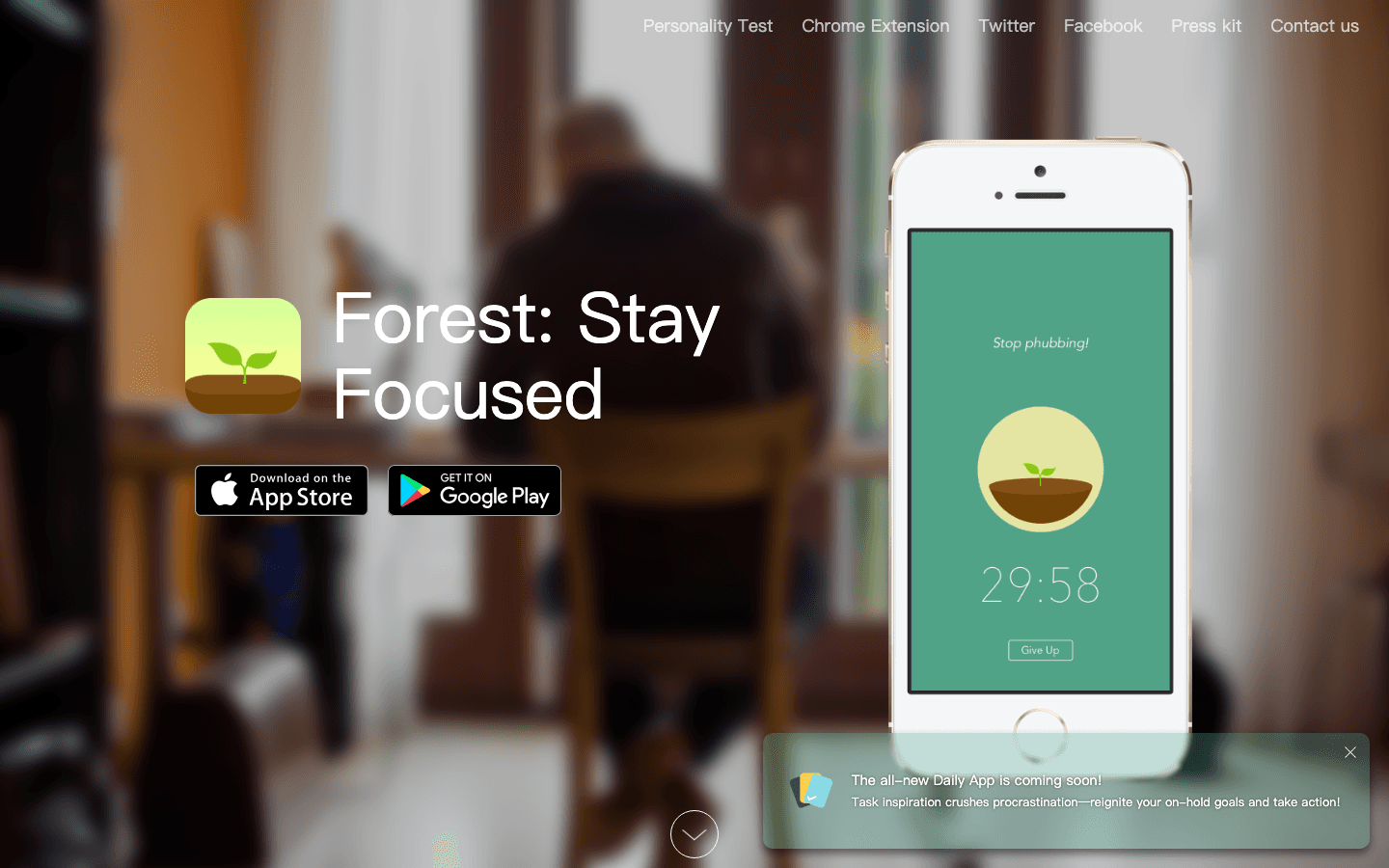
Forest uses a simple mechanic: when you start a focus session, a virtual tree begins growing. If you leave the app to check something else, the tree dies. Over time, you build a forest of completed sessions, a visual record of your focused work. The Watch companion adds a layer that works surprisingly well. You can check on your growing tree from your wrist, which reinforces the session without breaking focus on your phone (since you're using your Watch, not unlocking your screen to check progress).
The Watch integration is also handy for starting and ending sessions. If you're sitting down to a work block, a tap on your Watch complication kicks off a session. When it ends, the Watch confirms your tree is planted. For people who respond to visual rewards and gamification, this feedback loop is more motivating than a plain Pomodoro timer. It pairs naturally with the scheduled focus blocks in Lifestack. When Lifestack schedules deep work in your peak energy window, Forest keeps your phone off during that window.
Key Features
Watch app for starting, monitoring, and ending focus sessions
Visual tree-growing mechanic that punishes phone distraction
Watch complication showing current session status
Session history and streak tracking
Real trees planted via Trees for the Future for completed sessions (premium)
What Works
Checking a growing tree on your wrist is a genuinely satisfying way to stay on task
The visual forest history makes your productivity feel cumulative in a way a task list doesn't
Works offline (no internet needed during a session)
Limitations
Premium features require a subscription that's on the pricier side for what's offered
The gamification mechanic won't land for everyone. If visual rewards don't motivate you, try a different focus tool
No AI scheduling or energy awareness
Pricing: Free with in-app purchases; premium subscription $5.99/month or $35.99/year
Best for: Visual learners and gamification-responsive people who want their Apple Watch to reinforce focus sessions, not just time them.
Which Apple Watch Productivity App Is Right for You?
You want your Apple Watch health data to actually plan your day: Lifestack. Nothing else uses your overnight sleep and HRV data to auto-schedule tasks.
You want the cleanest task list on your wrist: Things 3. One-time purchase, beautifully designed Watch app.
Your productivity is calendar-driven: Fantastical. Best Watch complications in the calendar category.
You keep missing reminders: Due. Relentless persistence is the feature.
You're building new habits: Streaks. Designed for Watch from day one.
You bill by the hour or need time tracking: Timery. One tap to start a Toggl timer from your wrist.
You want help actually staying in a focus session: Forest. The tree-death mechanic is strangely effective.
Best combination: Lifestack (for energy-aware planning) + Things 3 (for wrist-side task capture) + Streaks (for daily habits). Three apps, three different Watch use cases, zero overlap.
Frequently Asked Questions
What is the best productivity app for Apple Watch?
It depends on what kind of productivity you're optimizing. For scheduling and planning powered by your Apple Watch health data, Lifestack is the strongest option. It uses your sleep, HRV, and activity data to build an energy-aware daily plan on iPhone. For wrist-side task management, Things 3 is the best-designed Watch app in the category. For calendar visibility on your wrist, Fantastical. Most Apple Watch users end up with two or three apps from different categories rather than one all-in-one solution.
Does Lifestack have an Apple Watch app?
Lifestack does not have a standalone watchOS app or Watch face complication. Instead, it integrates with Apple Watch via Apple Health. Your Watch passively collects sleep stages, heart rate variability, and activity data overnight, and Lifestack reads that data every morning to build your energy-aware daily plan. If you want Watch-side task checking, pair Lifestack with Things 3 or Streaks.
Can you manage tasks directly from Apple Watch?
Yes. Things 3 offers the most polished watchOS task management experience: you can view your Today list, complete tasks, and add new tasks via voice dictation, all without unlocking your iPhone. Streaks handles habit-style tasks. Due handles high-priority reminders. Most task managers that have Watch apps limit them to viewing and checking off. Creating complex tasks with due dates, tags, and projects still works better on iPhone.
What is the best free productivity app for Apple Watch?
Timery has a functional free tier (up to 4 saved timers) if you're already using Toggl. Fantastical has a free tier with basic calendar viewing. Forest is free to download with core features available without a subscription. For planning, Lifestack offers a 7-day free trial on the annual plan. If you're looking to test before committing, start with Fantastical's free tier and Lifestack's trial.
Do Apple Watch productivity apps work without an iPhone nearby?
Most require an iPhone nearby for full functionality, but several have meaningful standalone modes. Streaks can complete habits on a standalone Watch without an iPhone. Things 3 can display and check off your existing Today list. Timery can start and stop a running timer. For creating new tasks, syncing with external services, or using AI features, your iPhone needs to be in range or connected via cellular.
How do Apple Watch productivity apps use health data?
Most don't. They use your Watch as a display and input device but ignore the health data it generates. Lifestack is the main exception: it reads your Apple Watch's sleep, heart rate variability, and activity data through Apple Health and uses it to schedule tasks around your actual energy levels. Streaks can auto-complete exercise habits using Watch activity data. Beyond that, most productivity apps leave your Watch health data untouched. The gap between what Apple Watch collects and what apps actually do with it is one of the bigger missed opportunities in iOS productivity software, and Lifestack's wearable integration guide covers how different devices compare for this use case.
Most Apple Watch apps are glorified notification mirrors. They buzz your wrist when your phone buzzes, show you what you already saw on your lock screen, and call it a "Watch experience." The apps in this list are different. They use the Watch as a genuine input device, a health data source, and a behavior-change tool. Not just a second screen.
We tested seven productivity apps with daily Apple Watch use across planning, tasks, habits, calendar management, time tracking, and focus work. Our criteria: does the Watch version actually change how you work, or is it just a mirror with a smaller frame?
The winner surprised us. Lifestack doesn't have a Watch face complication. It doesn't let you check off tasks from your wrist. But it reads the sleep, heart rate variability, and activity data your Watch generates every night, then uses that data to schedule your entire day around your actual energy. Before you've had your first coffee. That's a more meaningful Apple Watch integration than most apps with full watchOS apps ever manage.
Below are the seven apps that earned a spot on our wrists in 2026, starting with the one that changed how we think about Watch-powered productivity.
Key Takeaways
Most productivity apps treat Apple Watch as a notification relay. The best ones use it as a health data source, a quick input device, or a habit enforcement tool.
Lifestack is the most Watch-integrated option if you care about energy-aware scheduling. It reads your Watch's overnight data to build a plan that actually fits how you feel.
For wrist-side task capture, Things 3 is the gold standard. For habits, Streaks. For never missing a deadline, Due.
Quick Guide: Best Apple Watch Productivity Apps
1. Lifestack: AI day planner powered by Apple Watch health data
2. Things 3: Best for wrist-side task capture and Today list review
3. Fantastical: Best calendar app with Watch complications and quick event creation
4. Due: Best for reminders that will not let you forget (relentlessly persistent)
5. Streaks: Best habit tracker built for Apple Watch (Apple Design Award winner)
6. Timery: Best for Toggl time tracking from your wrist
7. Forest: Best for focus sessions with a satisfying wrist check-in mechanic
How We Evaluated These Apps
Wrist-native design: Does the Watch version work as a standalone experience, or does it fall apart without the iPhone nearby?
Glanceability: Can you process the complication or app screen in under two seconds?
Quick inputs: Can you add a task, start a timer, or log a habit without opening your phone?
Health data use: Does the app do anything meaningful with the rich data Apple Watch collects?
iPhone companion quality: The Watch app should feel like an extension of a great iPhone app, not a consolation prize.
Active development: No zombie apps. Each pick had meaningful updates in the past 12 months.
1. Lifestack: AI Day Planner Powered by Your Apple Watch
The only productivity app that uses your Watch's health data to schedule your actual day.
Here's the problem with most productivity apps: they treat your schedule like a spreadsheet. Tasks go in time slots, meetings get moved around, and the app has no idea that you slept five hours because your toddler was sick. Or that your HRV this morning is 30% below your baseline, signaling you're running on fumes. Lifestack knows, because it reads your Apple Watch data every morning and builds your plan around what your body is actually reporting.
Lifestack connects to Apple Health, which Apple Watch populates continuously with sleep stages, heart rate variability, resting heart rate, and activity. Lifestack's AI engine uses that overnight data to assign an energy score to each part of your day, then automatically schedules your tasks: deep work in your peak windows, admin and meetings in your lower-energy slots, before you sit down to plan. If you had a rough night, it doesn't just note it. It reorganizes your day to match what you can actually do. That is a more genuine Apple Watch integration than most watchOS apps manage, even without a complication on your watch face.
The app works on iPhone and Mac (and Android), with a Chrome extension for browser-based work. The energy-based planning approach is Lifestack's core differentiator. It's the reason people with ADHD in particular find it clicks when time-blocking never did. For a deeper look at that model, see the ADHD task management breakdown. If you're also using an Oura Ring or WHOOP alongside your Watch, Lifestack pulls from those too. Apple Watch users are the primary audience and the integration is seamless out of the box.
Key Features
Reads Apple Watch sleep, HRV, and activity data via Apple Health every morning
AI engine assigns energy scores and auto-schedules tasks into peak/low windows
Integrates with Google Calendar, Outlook, and Todoist
Available on iPhone, Mac, Android, and Chrome
Works alongside Oura Ring, WHOOP, and Garmin data
What Works
The Apple Watch health loop is invisible and automatic. Your plan just reflects how you slept, without you touching any settings
Energy-aware scheduling is more useful than a Watch face complication for most people's actual workflow
Pairs well with a Watch-side task app like Things 3 for wrist capture, then Lifestack handles the scheduling on iPhone
The founder's own workflow shows how this plays out in practice
Limitations
No native watchOS app or Watch face complication (you can't check off tasks from your wrist)
Apple Health permission setup is a one-time step but can confuse new users
The AI scheduling is most powerful when you have consistent Apple Watch data. Gaps in wear time reduce accuracy
Pricing: $7/month, $50/year (7-day free trial on annual), $120 lifetime
Best for: Anyone who wants their Apple Watch health data to actually drive their daily schedule, not just sit in the Health app unused.
2. Things 3: Best Wrist-Side Task Manager
The most polished watchOS task experience available, full stop.
Things 3 is the task manager most Apple users eventually land on after cycling through Reminders, Todoist, and a few others. It's beautifully designed, fast, and it has one of the best native watchOS apps in the productivity space. You can view your Today list on your wrist, check off completed tasks without pulling out your phone, and add new tasks via voice dictation, all from the Watch.
The Watch complication shows today's remaining task count and updates in real time. The Watch app itself is a clean, scrollable list of your Today tasks with one-tap completion. It's not trying to do everything. It's trying to do the one thing Watch task apps need to do well: let you capture and close without friction. For people using Lifestack's AI planning layer, Things 3 is a natural pairing. Things handles the wrist-side capture, Lifestack handles the scheduling decisions.
Key Features
Native watchOS app with full Today list and task completion
Watch complication showing today's task count
Voice-to-task via Siri on Watch
Projects, Areas, tags, and Logbook for long-term organization
Free sync via Things Cloud across iPhone, iPad, Mac, and Watch
What Works
The Watch app is genuinely fast. Task completion registers in under a second
One-time purchase model means no ongoing subscription anxiety
Siri integration makes wrist-side capture feel natural in practice
Limitations
No AI scheduling or energy awareness. It's a list, not a planner
No collaboration features (individual use only)
Each platform (iPhone, iPad, Mac) is a separate purchase
Pricing: $9.99 one-time (iPhone); separate purchases for iPad ($19.99) and Mac ($49.99)
Best for: Users who want the cleanest possible task experience on their wrist and don't need AI scheduling built in.
3. Fantastical: Best Calendar App for Apple Watch
Your calendar, your tasks, and your next meeting, all glanceable from your wrist.
Fantastical is the calendar app most power users reach for when Apple Calendar starts feeling limiting. On Apple Watch, it earns that reputation. The Watch complications are excellent. You can show your next event, a mini month view, or a day timeline, all customizable and real-time synced. The Watch app itself lets you scroll through upcoming events, accept or decline invitations, and create new events via dictation without touching your phone.
For people whose productivity lives in calendar blocks more than task lists, Fantastical gives you the best wrist-native calendar experience available. It pairs naturally with Lifestack's calendar-aware scheduling. Lifestack reads your Fantastical calendar blocks and plans around them. Fantastical handles the calendar UI; Lifestack handles the energy-aware planning layer on top.
Key Features
Multiple Watch complications (next event, day view, month mini, event count)
Native Watch app with event browsing, invitation management, and voice event creation
Supports all major calendar providers (Google, iCloud, Exchange, Outlook)
Scheduling links built in (premium)
Task management alongside calendar events (premium)
What Works
Best-in-class Watch complication design with genuinely useful information density
Accepting meeting invites from your wrist is one of those things that sounds small and turns out to matter daily
Natural language event creation works well via Watch dictation
Limitations
Most compelling features require the premium subscription, which is one of the pricier in this category
No energy awareness. It shows you your schedule, but doesn't help you optimize it
Can feel cluttered if you have many calendars synced
Pricing: Free tier available; $6.99/month or $56.99/year for Flexibits Premium (14-day free trial)
Best for: Calendar-first workers who want the richest possible Watch complication and wrist-side scheduling experience.
4. Due: The Reminder App That Won't Let You Forget
Persistent, relentless, and weirdly satisfying to finally silence.
Due does one thing that no other app in this list does: it nags you. Set a reminder, and if you don't act on it, Due keeps re-alerting you on your phone and on your Watch until you dismiss it or mark it done. This sounds annoying, and it is. That's exactly why it works. Nothing falls through the cracks when your wrist is vibrating at you every five minutes until you deal with the thing you said you'd deal with.
The Watch integration is simple and effective. Reminders surface as notifications with quick dismiss or snooze options. You can set countdown timers directly from your Watch face via a complication. It's not a full task manager. It's a high-intensity reminder tool, and the Watch is the perfect delivery mechanism for it. For lower-stakes tasks, use Things 3. For the things that actually have to happen, put them in Due.
Key Features
Persistent re-alerting: reminders repeat at set intervals until dismissed or completed
Quick countdown timers (perfect for cooking, meetings, focus blocks)
Watch complication for upcoming reminders and quick timer start
Natural language input on iPhone ("remind me in 20 minutes")
URL scheme for deep linking and automation
What Works
Nothing gets forgotten. The persistent alerting model is uniquely effective for time-sensitive tasks
Countdown timers from the Watch are genuinely useful for day-to-day time awareness
One-time purchase with reasonable pricing for what you get
Limitations
Not a full task manager. Better as a "critical items" layer on top of your main system
The persistent alerts can overwhelm you if you add too many reminders
No energy awareness or AI scheduling
Pricing: $7.99 one-time purchase; optional $4.99/year upgrade pass for new features
Best for: Anyone who regularly misses reminders or lets important tasks slip because a single notification wasn't enough.
5. Streaks: Best Habit Tracker for Apple Watch
Apple Design Award winner. Built for the Watch from the start.
Streaks won Apple's Design Award, and it shows. The app is built around the idea that Apple Watch is the ideal habit-tracking device. It's always on your wrist, it already knows when you're active, and it can check off a habit the moment you complete it without you needing to open your phone. The Watch complication displays your daily habits in a ring-based layout reminiscent of Activity rings, which makes it feel native to the watchOS experience in a way few third-party apps achieve.
For users building productivity-adjacent habits (morning planning, daily review, hydration, movement breaks), Streaks is the cleanest option. If you're working on an energy-first daily routine, Streaks can enforce the physical habits that feed into the data Lifestack uses for scheduling. More consistent sleep times, regular movement breaks, and daily check-ins all improve the HRV data that drives energy-aware planning.
Key Features
Native Watch app with standalone habit completion (no iPhone needed)
Ring-based Watch complications showing daily habit progress
Automatic habit completion via Apple Watch health data (steps, stand hours, exercise minutes)
Up to 12 habits per day with flexible scheduling
Negative habits (track things to avoid, not just things to do)
What Works
Completing a habit by tapping your Watch face is genuinely faster and more satisfying than any phone-based alternative
Auto-completion from Apple Health means exercise habits log themselves when you close your rings
One-time purchase at a very reasonable price
Limitations
12-habit daily limit. Manageable for most people, restrictive for habit stacking enthusiasts
No social accountability or sharing features
No AI scheduling or energy awareness
Pricing: $5.99 one-time purchase
Best for: Anyone building daily habits who wants the Watch to be an active participant in the tracking, not just a notification relay.
6. Timery: Best Time Tracker for Apple Watch
Toggl time tracking on your wrist, actually done well.
Time tracking has a friction problem. The reason most people give up on it isn't that they don't want the data. It's that remembering to start and stop timers is its own cognitive load. Timery solves this with the Watch: you can start a saved timer for any project or client with a single tap on your wrist, stop it with another tap, and keep tracking without ever pulling out your phone. The Watch complication shows your running timer and elapsed time at a glance.
Timery is a front-end for Toggl Track. You need a Toggl account, and your data lives there. But for Toggl users, the Watch integration is genuinely transformative. The "Saved Timers" feature lets you pre-configure your most common entries (client calls, deep work, email, admin) so starting the right timer is one tap, not a search. For freelancers, consultants, and anyone billing by the hour, this is one of the highest-ROI Watch apps in this list.
Key Features
One-tap timer start and stop from Apple Watch
Saved Timers for pre-configured projects and tags
Watch complication showing running timer with elapsed time
Full Toggl Track integration (all your projects, clients, and tags)
Available on iPhone, iPad, Mac, and Apple Watch
What Works
Starting a timer from your wrist is the lowest-friction time tracking workflow we've found
The Watch complication keeps you honest about whether you're actually tracking
The app design is clean and fast. No bloat
Limitations
Requires a Toggl account. Not a standalone time tracker
Free tier limits you to 4 saved timers, which fills up fast for anyone with multiple clients or project types
No energy awareness. It tracks time, but doesn't help you schedule it
Pricing: Free (up to 4 saved timers); Timery Club $0.99/month or $9.99/year (2-week free trial)
Best for: Freelancers, consultants, and anyone using Toggl who wants to eliminate the friction of starting and stopping timers.
7. Forest: Best Focus App for Apple Watch
Plant a tree, protect your focus, check your progress on your wrist.
Forest uses a simple mechanic: when you start a focus session, a virtual tree begins growing. If you leave the app to check something else, the tree dies. Over time, you build a forest of completed sessions, a visual record of your focused work. The Watch companion adds a layer that works surprisingly well. You can check on your growing tree from your wrist, which reinforces the session without breaking focus on your phone (since you're using your Watch, not unlocking your screen to check progress).
The Watch integration is also handy for starting and ending sessions. If you're sitting down to a work block, a tap on your Watch complication kicks off a session. When it ends, the Watch confirms your tree is planted. For people who respond to visual rewards and gamification, this feedback loop is more motivating than a plain Pomodoro timer. It pairs naturally with the scheduled focus blocks in Lifestack. When Lifestack schedules deep work in your peak energy window, Forest keeps your phone off during that window.
Key Features
Watch app for starting, monitoring, and ending focus sessions
Visual tree-growing mechanic that punishes phone distraction
Watch complication showing current session status
Session history and streak tracking
Real trees planted via Trees for the Future for completed sessions (premium)
What Works
Checking a growing tree on your wrist is a genuinely satisfying way to stay on task
The visual forest history makes your productivity feel cumulative in a way a task list doesn't
Works offline (no internet needed during a session)
Limitations
Premium features require a subscription that's on the pricier side for what's offered
The gamification mechanic won't land for everyone. If visual rewards don't motivate you, try a different focus tool
No AI scheduling or energy awareness
Pricing: Free with in-app purchases; premium subscription $5.99/month or $35.99/year
Best for: Visual learners and gamification-responsive people who want their Apple Watch to reinforce focus sessions, not just time them.
Which Apple Watch Productivity App Is Right for You?
You want your Apple Watch health data to actually plan your day: Lifestack. Nothing else uses your overnight sleep and HRV data to auto-schedule tasks.
You want the cleanest task list on your wrist: Things 3. One-time purchase, beautifully designed Watch app.
Your productivity is calendar-driven: Fantastical. Best Watch complications in the calendar category.
You keep missing reminders: Due. Relentless persistence is the feature.
You're building new habits: Streaks. Designed for Watch from day one.
You bill by the hour or need time tracking: Timery. One tap to start a Toggl timer from your wrist.
You want help actually staying in a focus session: Forest. The tree-death mechanic is strangely effective.
Best combination: Lifestack (for energy-aware planning) + Things 3 (for wrist-side task capture) + Streaks (for daily habits). Three apps, three different Watch use cases, zero overlap.
Frequently Asked Questions
What is the best productivity app for Apple Watch?
It depends on what kind of productivity you're optimizing. For scheduling and planning powered by your Apple Watch health data, Lifestack is the strongest option. It uses your sleep, HRV, and activity data to build an energy-aware daily plan on iPhone. For wrist-side task management, Things 3 is the best-designed Watch app in the category. For calendar visibility on your wrist, Fantastical. Most Apple Watch users end up with two or three apps from different categories rather than one all-in-one solution.
Does Lifestack have an Apple Watch app?
Lifestack does not have a standalone watchOS app or Watch face complication. Instead, it integrates with Apple Watch via Apple Health. Your Watch passively collects sleep stages, heart rate variability, and activity data overnight, and Lifestack reads that data every morning to build your energy-aware daily plan. If you want Watch-side task checking, pair Lifestack with Things 3 or Streaks.
Can you manage tasks directly from Apple Watch?
Yes. Things 3 offers the most polished watchOS task management experience: you can view your Today list, complete tasks, and add new tasks via voice dictation, all without unlocking your iPhone. Streaks handles habit-style tasks. Due handles high-priority reminders. Most task managers that have Watch apps limit them to viewing and checking off. Creating complex tasks with due dates, tags, and projects still works better on iPhone.
What is the best free productivity app for Apple Watch?
Timery has a functional free tier (up to 4 saved timers) if you're already using Toggl. Fantastical has a free tier with basic calendar viewing. Forest is free to download with core features available without a subscription. For planning, Lifestack offers a 7-day free trial on the annual plan. If you're looking to test before committing, start with Fantastical's free tier and Lifestack's trial.
Do Apple Watch productivity apps work without an iPhone nearby?
Most require an iPhone nearby for full functionality, but several have meaningful standalone modes. Streaks can complete habits on a standalone Watch without an iPhone. Things 3 can display and check off your existing Today list. Timery can start and stop a running timer. For creating new tasks, syncing with external services, or using AI features, your iPhone needs to be in range or connected via cellular.
How do Apple Watch productivity apps use health data?
Most don't. They use your Watch as a display and input device but ignore the health data it generates. Lifestack is the main exception: it reads your Apple Watch's sleep, heart rate variability, and activity data through Apple Health and uses it to schedule tasks around your actual energy levels. Streaks can auto-complete exercise habits using Watch activity data. Beyond that, most productivity apps leave your Watch health data untouched. The gap between what Apple Watch collects and what apps actually do with it is one of the bigger missed opportunities in iOS productivity software, and Lifestack's wearable integration guide covers how different devices compare for this use case.



FOLLOW ON
FOLLOW ON
FOLLOW ON


Copyright 2026 © Lifestack. All rights reserved
Copyright 2026 © Lifestack. All rights reserved

