
App
Best Task Manager App for iPhone in 2026
Best Task Manager App for iPhone in 2026
If you've spent time hunting for a good task manager on iOS, you know the problem: most apps feel like they were designed for desktops first and ported to iPhone as an afterthought. The lists are fine. The swipe gestures are fine. But the actual experience of planning your day from your phone falls flat.
The best iPhone task manager app isn't just the one with the most features. It's the one that fits how you actually think, captures tasks without friction, and helps you decide what to do next. Some people need a visual timeline. Some need a full GTD system. Some need an app that works with their energy levels, not just their calendar.
We tested seven of the most popular task manager apps on iOS in 2026. For each one, we looked at capture speed, planning depth, calendar integration, iOS-native feel, and pricing. Here's what we found.
A note on what we tested: We focused on apps that work well as standalone task managers on iPhone. Some are iOS-only. Some are cross-platform. All were tested on an iPhone running iOS 18.
Key Takeaways
Energy awareness is the missing feature. Most iPhone task manager apps treat 9am and 3pm as interchangeable. Only one app, Lifestack, actually schedules around when you have the energy to do your best work.
iOS-native design matters more than it seems. Apps built for iOS from the ground up (Things 3, Structured, Reminders) feel noticeably smoother than cross-platform apps adapted for mobile.
Free tiers vary widely. Reminders is completely free. TickTick's free plan is genuinely useful. OmniFocus locks most power features behind a $9.99/month subscription.
Quick Guide: 7 Best Task Manager Apps for iPhone in 2026
Lifestack - Best for people who want their day planned around their actual energy, not just available time slots
Things 3 - Best iOS-native task manager for beautiful design and frictionless daily planning
Todoist - Best for cross-platform users who want fast capture and deep integrations
TickTick - Best all-in-one app combining tasks, Pomodoro timer, and habit tracking
OmniFocus - Best for GTD practitioners who want the most powerful Apple-ecosystem task system
Structured - Best visual timeline planner for people who think in time blocks
Apple Reminders - Best free built-in option with Siri integration and solid Smart Lists
How We Evaluated Each iPhone Task Manager App
A good task manager on iOS has to work with the way you use your phone. We tested each app across seven criteria:
Capture speed: How fast can you add a task from the lock screen, a widget, or Siri? Friction here kills the whole system.
Daily planning workflow: Does the app help you decide what to do today, or just store a list?
iOS-native feel: Does it respect iOS conventions (swipe actions, widgets, Shortcuts, Siri)?
Calendar integration: Can it show your schedule alongside your tasks, or do you have to context-switch?
Energy and timing awareness: Does it consider when you're at your best, or assume every hour is the same?
Pricing and free tier: What can you test without paying?
Sync and reliability: Does iCloud sync work, or do you need a separate account?
1. Lifestack
The iPhone task manager that plans around your energy, not just your calendar

Lifestack is a circadian-aware day planner for iOS. It doesn't just capture tasks and let you sort them. It schedules your tasks, meals, workouts, and routines into time blocks on your calendar based on your personal energy patterns. When you have your sharpest focus, Lifestack puts your hardest tasks. When you'll be in a post-lunch slump, it schedules lighter work.
This makes it a fundamentally different kind of task manager and time blocker. Every other app treats 9am and 3pm the same. Lifestack treats them differently because your brain does too.
Key Features
Energy-aware scheduling: Blocks deep work into your peak hours, lighter tasks and admin into low-energy windows
Circadian time blocking: Schedules meals, workouts, and recovery based on your body's natural patterns
ADHD-friendly design: Accounts for medication windows, hyperfocus cycles, and afternoon crashes
Google Calendar integration: Augments your existing calendar with intelligent time blocks
iOS + web app: Full-featured mobile app plus web access
What Works
The energy-aware scheduling is a real differentiator. If you've noticed your productivity depends more on energy than available time, this is built for exactly that problem
ADHD users benefit from a planner that works with energy swings instead of assuming linear productivity across the day
Scheduling health goals (meals, workouts) into the same system as work tasks means they actually happen
Low-friction iOS app that's fast to open and easy to add tasks to
Limitations
Android app not yet available
Not built for team project management
Doesn't generate meal plans or workout programs (it schedules the time, not the content)
Best results come after setting up your energy profile, which takes a few days of data
Pricing: $7/month or $50/year. Lifetime plan at $120 one-time. 7-day free trial on the annual plan.
Best for: ADHD adults, health-conscious professionals, and anyone who's tried other task managers and found that a technically correct schedule still doesn't work because their brain had other plans. Lifestack is built for that problem.
2. Things 3
The gold standard for iOS-native task management design
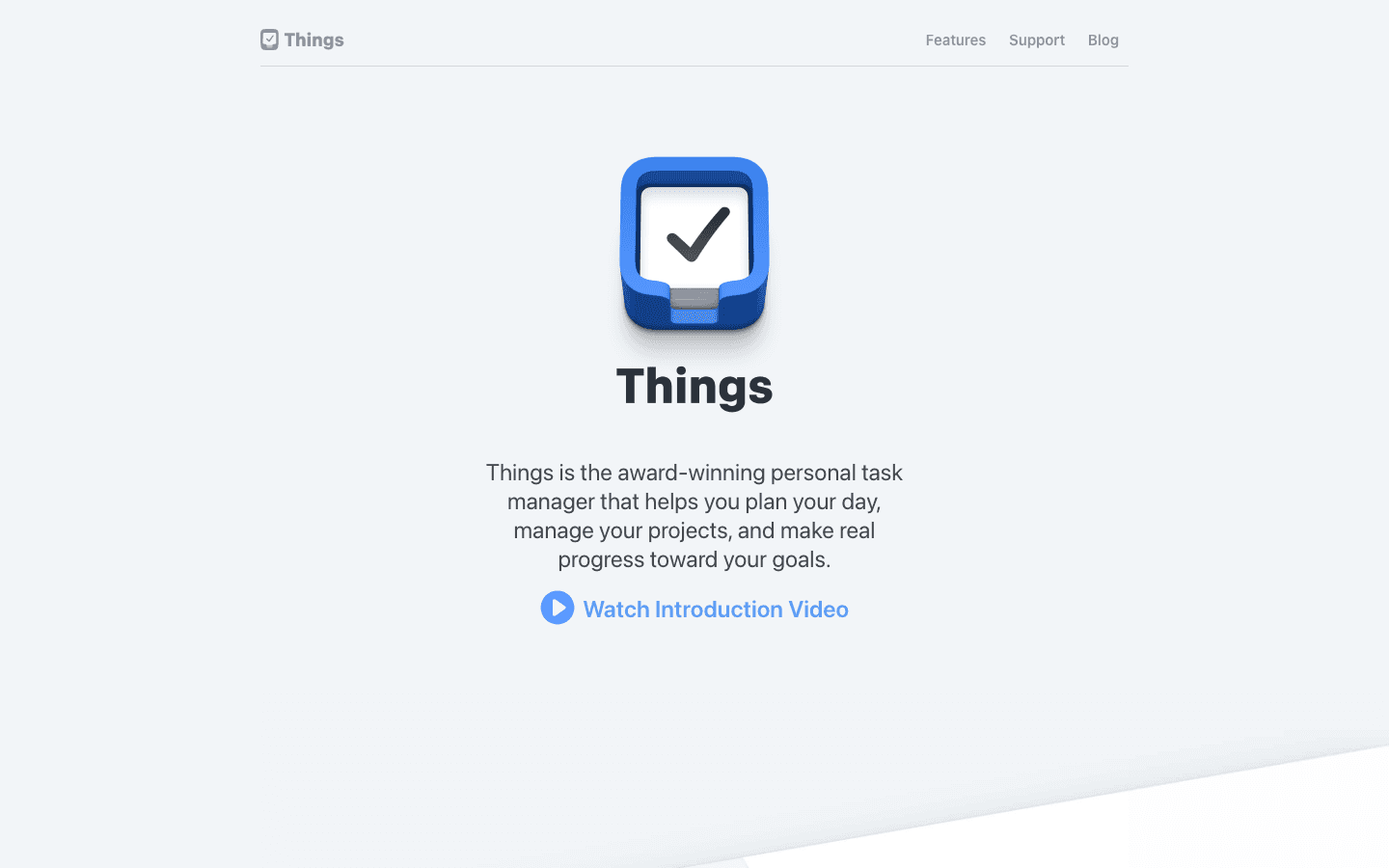
Things 3 has won two Apple Design Awards for good reason. It's the task manager that iOS designers study when they want to see what native mobile apps should feel like. The interface is clean, fast, and entirely keyboard-accessible on iPad. On iPhone, the Magic Plus button, quick entry, and Headings feature make it genuinely enjoyable to plan your day.
It follows a GTD-inspired structure of Areas, Projects, and Tasks, with dedicated views for Today, Upcoming, Anytime, and Someday. It's opinionated in a good way: instead of giving you infinite customization, it makes smart decisions so you don't have to.
Key Features
Magic Plus button: Drag to any time slot or list to create tasks without opening a menu
Today view: Your day's tasks laid out clearly, with a morning/evening split if you use Headings
Upcoming view: Scheduled tasks and calendar events in one timeline view
Checklists and Headings: Structure tasks inside a project without creating sub-projects
Apple Watch app, Shortcuts, Siri: Full iOS ecosystem integration
One-time purchase: No subscription
What Works
Fastest daily planning workflow of any app we tested. Opening Things and reviewing Today takes under two minutes
The design is genuinely calming. There's a reason people call it the best-looking app on iOS
Apple Watch app is functional and not just a gimmick. Completing tasks from your wrist works reliably
No subscription. You buy it once and it's yours
Limitations
No energy awareness. Things treats every hour of your day as equally productive
iOS and Mac only. No Android, no Windows, no web app
No real-time collaboration. Not built for shared team task lists
The Mac version ($49.99) is a separate purchase, which stings if you want it across devices
Pricing: $9.99 for iPhone (one-time). $19.99 for iPad (one-time). $49.99 for Mac (one-time). No subscription.
Best for: iPhone-first people who want a beautiful, fast task manager with zero subscription fees and strong iOS integration. If design quality matters to you, Things 3 is hard to beat.
3. Todoist
The best task manager for people who work across multiple platforms
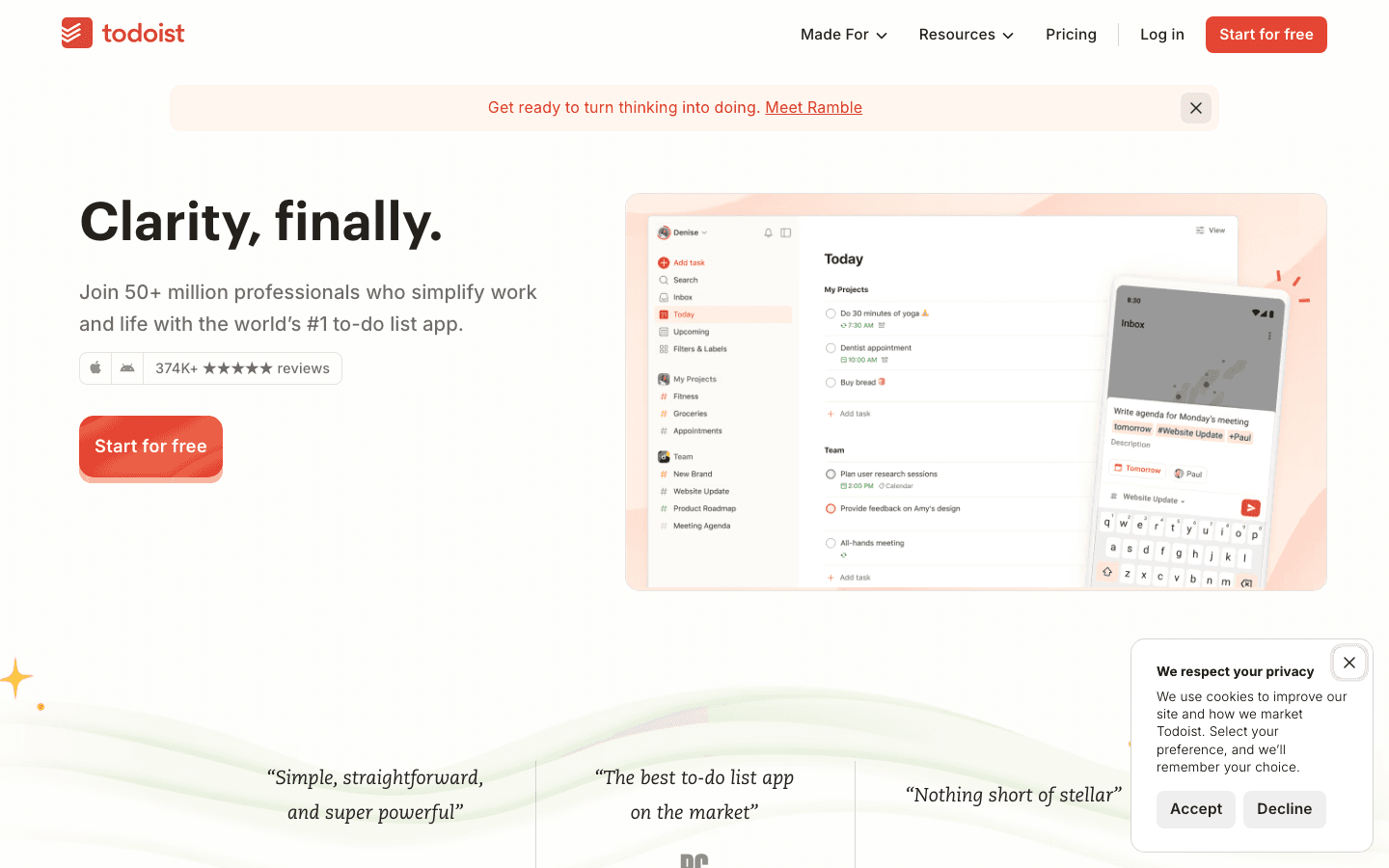
Todoist is used by more than 50 million people because it gets the basics right better than almost anyone. Natural language input means you type "Report due Friday at 3pm p1" and Todoist parses the date, time, and priority automatically. It works on every platform including iOS, Android, web, Windows, and Mac, so your tasks follow you everywhere.
For Lifestack users, it's worth noting that Todoist pairs well with Lifestack as a capture inbox. Todoist handles the "what do I need to do" side, Lifestack handles the "when do I have the energy to do it" side.
Key Features
Natural language input: Type tasks conversationally and Todoist parses dates, priorities, and projects automatically
Filters and Labels: Create custom views like "high priority due this week" or "work tasks I can do on my phone"
60+ integrations: Connects to Slack, Google Calendar, Notion, Zapier, and most major tools
AI Priority Assistant: Pro feature that suggests task priorities based on deadlines and patterns
Calendar view: See tasks and calendar events together (Pro feature)
What Works
The fastest task capture we tested. Natural language input is genuinely best-in-class
Works identically on every platform, which matters if you switch between iPhone, Mac, and PC
The free plan (5 projects) is actually useful, not artificially crippled
Strong integration ecosystem means tasks from Slack, email, and other tools flow in automatically
Limitations
No energy awareness. Todoist doesn't consider when you'll have the focus to do different types of work
Calendar integration requires the Pro plan. The free version has no calendar view
Feels slightly less iOS-native than Things 3 or Structured
Karma system (gamified productivity score) is distracting for some users
Pricing: Free (5 projects). Pro at $5/month (annual) or $7/month (monthly).
Best for: Cross-platform workers who need their tasks on every device and want the fastest capture flow. Also a great companion app for Lifestack if you want a dedicated inbox before tasks get scheduled.
4. TickTick
The all-in-one app for tasks, habits, and the Pomodoro timer
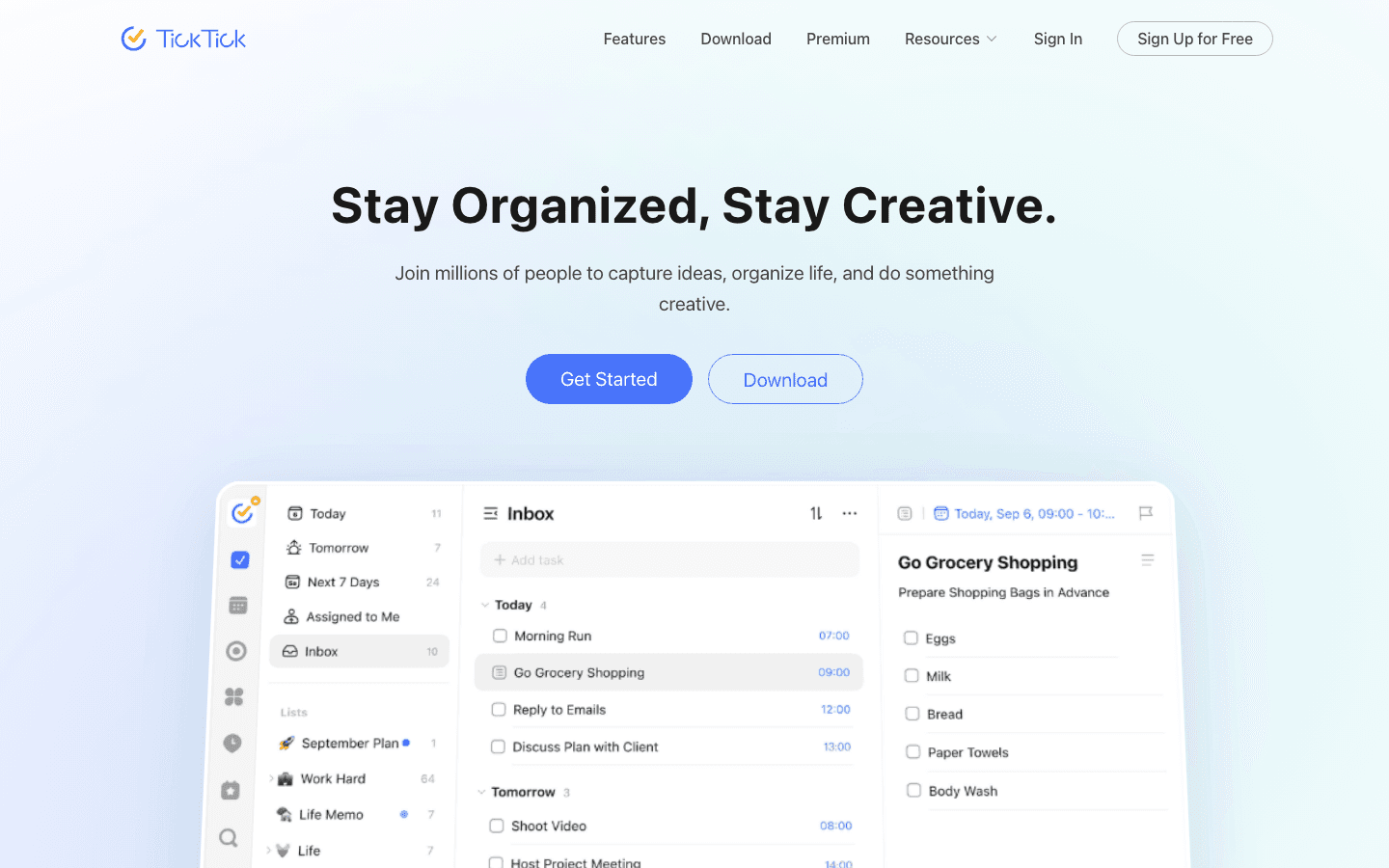
TickTick bundles more into a single app than almost any task manager we tested. You get task lists, a calendar view, a habit tracker, and a built-in Pomodoro timer. For people who currently switch between a to-do app, a habit tracker, and a focus timer, TickTick collapses all of that into one. The price is aggressive: Premium is $35.99 per year, which is roughly what competitors charge per month.
Key Features
Built-in Pomodoro timer: Start a focus session directly on a task without switching apps
Habit tracker: Track daily habits alongside your task lists in the same app
Smart date parsing: Natural language input similar to Todoist
Calendar view: See tasks and external calendar events together
Multiple views: List, Kanban, Calendar, and Timeline views on iOS
Widgets and Apple Watch: Solid home screen widget and Watch app
What Works
The Pomodoro integration is the best on iOS. You're working on a specific task, not just running a timer
Habit tracking alongside tasks means you actually see your daily routines and to-dos in context
The best price-to-feature ratio of any app on this list. $35.99/year is less than most competitors charge per month
Solid widget game. The home screen widget is actually useful for a quick task view
Limitations
No energy awareness. TickTick doesn't factor in when you're cognitively sharpest
The UI feels busy. There's a lot packed in, and finding settings takes longer than it should
Feels slightly Android-native compared to iOS-first apps like Things 3 or Reminders
The free plan restricts to 99 tasks and 9 lists, which you'll hit quickly
Pricing: Free (limited). Premium at $3.99/month or $35.99/year.
Best for: People currently juggling a to-do app, habit tracker, and Pomodoro timer separately. TickTick replaces all three at a price that's hard to argue with.
5. OmniFocus 4
The most powerful GTD system available on iOS
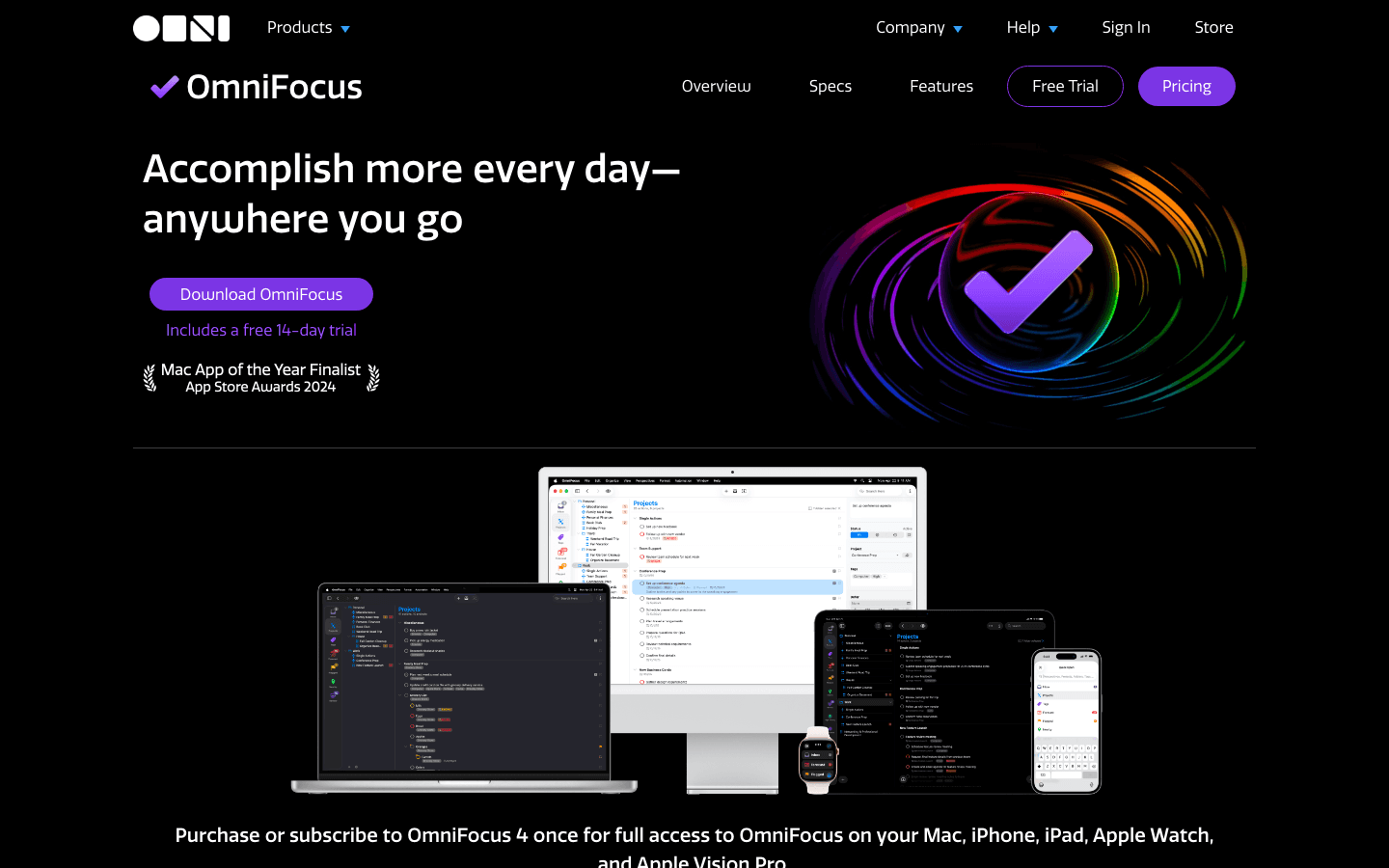
OmniFocus is what you use when you've outgrown every other task manager. It's built specifically for the Apple ecosystem and implements GTD more completely than any app on this list. Custom Perspectives let you build any view you can imagine: "all high-priority tasks in the Work area that are available to do right now, sorted by due date." If that sounds appealing, OmniFocus is probably for you.
Key Features
Custom Perspectives: Build any filtered view of your tasks based on project, tag, availability, and more
Forecast view: See upcoming tasks and calendar events together in a timeline
Tags and Contexts: Organize tasks by location, energy level, or any dimension you define
Apple Watch and Siri: Capture and complete tasks from your wrist
Shortcuts automation: Deep integration with Apple Shortcuts for custom workflows
14-day free trial: Full access with no credit card required
What Works
The most thorough GTD implementation we tested. If you've read Getting Things Done and want an app built around it, this is the one
Custom Perspectives are genuinely powerful for complex workflows
Apple ecosystem integration is exceptional. Siri, Shortcuts, Watch, and iCloud all work well
The Forecast view (tasks + calendar events together) is one of the best daily planning views on iOS
Limitations
No energy awareness. OmniFocus lets you tag tasks by energy level, but it doesn't schedule around your actual cognitive patterns
Steep learning curve. Getting the most out of OmniFocus requires time to set up and maintain
Expensive. $9.99/month or $99.99/year is high for a personal task manager
Apple-only. No Android, no Windows, no web app beyond a basic paid add-on
Overkill for most people. If you want to capture tasks and plan your day, simpler apps work better
Pricing: $9.99/month or $99.99/year. 14-day free trial. (One-time purchases for Mac: $49.99 Standard, $99.99 Pro.)
Best for: GTD practitioners with complex projects who are already deep in the Apple ecosystem and want the most customizable task management system on iOS. If you're not sure you need OmniFocus, you probably don't.
6. Structured
The visual timeline planner for people who think in time blocks
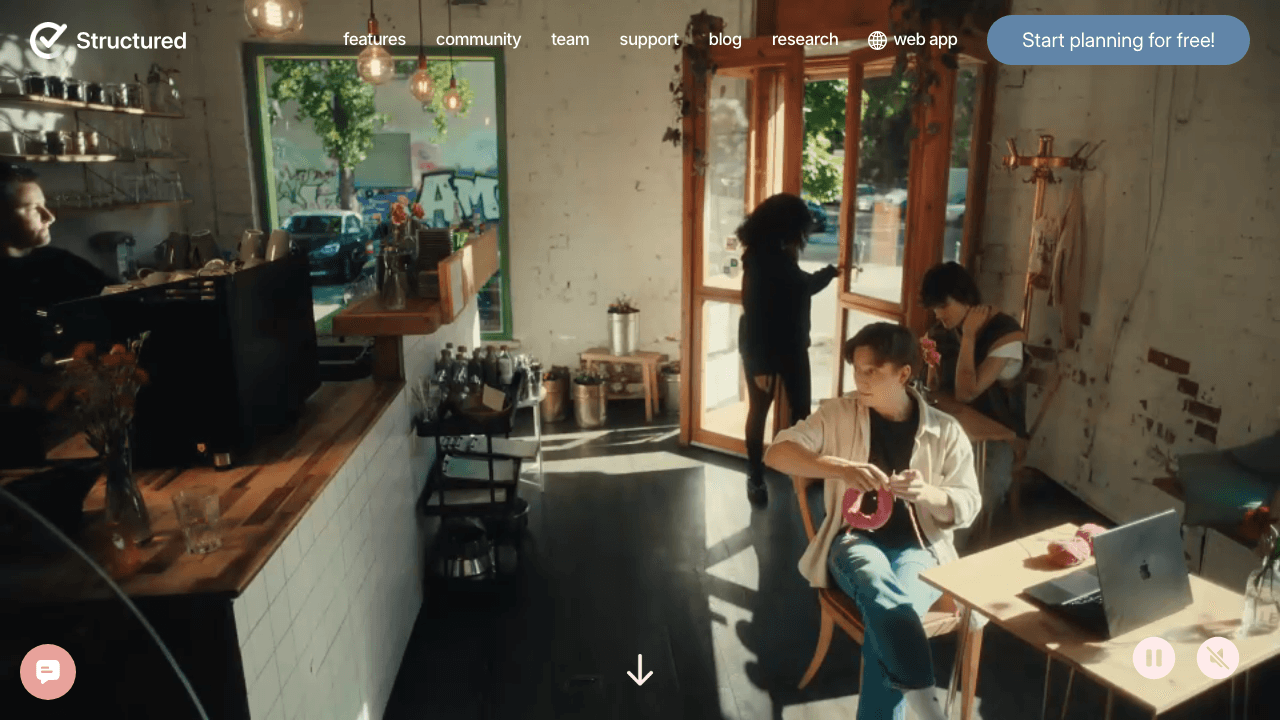
Structured takes a different approach to task management on iOS: instead of lists, it gives you a visual timeline. Your day is laid out as a vertical scroll where you can see exactly what's happening hour by hour. Tasks and calendar events sit on the same timeline. Planning your day in Structured feels less like organizing a database and more like sketching out a schedule.
This makes it particularly good for people who find list-based task managers abstract. Seeing "Write report" as a 2-hour block at 10am is more motivating than seeing it as item 4 on a list.
Key Features
Visual day timeline: See your entire day laid out as a scrollable timeline with tasks and events
Drag-and-drop scheduling: Grab tasks and drop them to different times on the timeline
Calendar sync: External calendar events appear directly on your timeline
Recurring tasks: Set tasks to repeat daily, weekly, or on custom schedules
Widgets: Home screen widgets that show your timeline at a glance
Free tier: Core features available without paying
What Works
The visual timeline is genuinely motivating. Seeing your day laid out spatially makes it easier to plan realistically
Drag-and-drop rescheduling feels natural on iPhone
Calendar sync is seamless. Events from your calendar show up inline with your tasks
Beautiful, calm UI. One of the best-looking apps on the list
Limitations
No energy awareness. Structured doesn't know when you're sharp versus when you should do lighter work
Timeline view is great for daily planning but less useful for managing large project backlogs
Limited integrations compared to Todoist or TickTick
Free tier is useful but Pro ($19.99/year) unlocks calendar sync and recurring tasks, which are core features
Pricing: Free tier available. Pro at $19.99/year or $64.99 lifetime.
Best for: Visual thinkers who find list-based task managers frustrating. If you want to see your day laid out spatially and plan by dragging blocks around, Structured is the best option on iOS.
7. Apple Reminders
The free built-in option that's better than most people realize
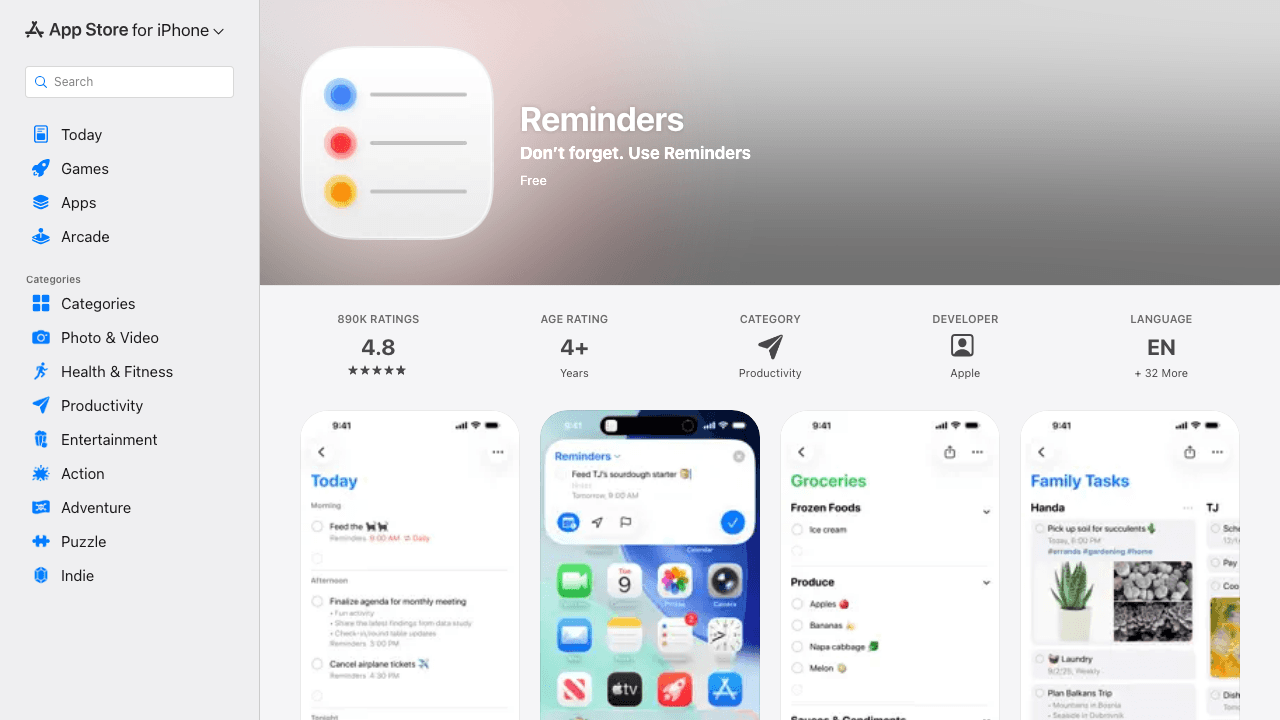
Apple Reminders ships on every iPhone and it has improved significantly over the past few years. Smart Lists automatically filter your reminders into views like Today, Scheduled, Flagged, and All. You can add subtasks, attach photos and locations, share lists with family members, and assign reminders to people. Siri integration is better here than in any third-party app because it's built into the OS.
It's not a replacement for a serious task manager. But if you need something simple, already installed, and free, Reminders works better than most people expect.
Key Features
Siri integration: "Hey Siri, remind me to call back John when I leave the office" works reliably
Smart Lists: Today, Scheduled, Flagged, All, and Assigned to Me views generated automatically
Shared lists: Share grocery lists or project lists with anyone in your contacts
Subtasks and attachments: Add checklists, photos, and links to any reminder
Tags: Organize reminders across lists using tags, similar to Todoist's labels
Grocery lists: iOS 17+ added automatic item categorization for grocery shopping
What Works
Zero setup. It's already on your iPhone
Siri integration is best-in-class. No third-party app comes close for voice capture
iCloud sync is seamless and doesn't require a separate account
Free. No subscription, no one-time purchase, no upgrade nagging
Limitations
No energy awareness or scheduling intelligence
Limited daily planning workflow. There's no 'plan your day' flow or intelligent prioritization
Minimal customization compared to dedicated task managers
No calendar integration. You can't see calendar events alongside your reminders
Pricing: Free (built-in on iOS).
Best for: People who want a simple, free system without downloading anything. Also a good secondary app alongside a more powerful task manager, specifically for Siri-triggered reminders and shared grocery lists.
Which Task Manager App for iPhone Is Right for You?
The best iPhone task manager depends on what's not working for you right now:
If your problem is energy management, not time management: Lifestack is the only app that schedules around your actual cognitive patterns
If you want the most beautiful iOS-native design with no subscription: Things 3
If you work across iPhone, Android, Mac, and PC: Todoist
If you want tasks, habits, and a Pomodoro timer in one cheap app: TickTick
If you're a GTD practitioner in the Apple ecosystem: OmniFocus 4
If you think better in timelines than in lists: Structured
If you want free and already installed: Apple Reminders
Worth trying 2 to 3 options from different categories with your real task list for a week each. The right app is the one that makes you feel less overwhelmed, not the one with the longest feature list. For a broader look at productivity tools, check out our daily planner apps guide and AI planner app roundup.
FAQ: Task Manager Apps for iPhone
What is the best task manager app for iPhone in 2026?
The best iPhone task manager depends on your needs. Lifestack is the best choice if you want energy-aware scheduling that plans your day around when you're actually sharp. Things 3 is the best-designed iOS-native app for clean daily planning. Todoist is the best option if you use multiple platforms or need deep integrations. For a free option, Apple Reminders is better than most people expect.
Is there a task manager on iOS that schedules around energy levels?
Yes. Lifestack is specifically built around this. It considers your personal energy patterns when scheduling tasks, so deep work lands in peak-focus hours and lighter tasks fill the low-energy windows. Every other task manager on this list treats all hours the same. Read more about why energy-based planning outperforms traditional time blocking.
What's the best free task manager app for iPhone?
Apple Reminders is the best free option on iOS. It's built-in, syncs with iCloud automatically, and has improved significantly with Smart Lists, Tags, and shared list features. Todoist's free plan (5 projects) and TickTick's free plan (99 tasks) are also genuinely usable if you want a dedicated app.
Is Things 3 worth the price?
Things 3 costs $9.99 for iPhone, which is a one-time purchase with no subscription. For an app you'll use every day, that's reasonable. The real cost comparison is against the Mac version ($49.99), which you'd need separately. The design quality and ease of use are exceptional, and the no-subscription model is refreshing in an era where most apps charge monthly. Things 3 is worth it if you're iPhone and Mac focused.
Which iPhone task manager app works best for ADHD?
Lifestack works best for ADHD because it accounts for the energy patterns that make ADHD task management hard: medication windows, hyperfocus cycles, afternoon crashes. Most task managers assume consistent cognitive ability across the day, which doesn't match how ADHD brains actually work. See our full breakdown: Task Management for ADHD.
Can I use a task manager app on iOS without a subscription?
Yes. Things 3 is a one-time purchase ($9.99 for iPhone). Apple Reminders is free and built-in. Structured offers a lifetime plan at $64.99. Lifestack offers a lifetime plan at $120. If you want to avoid subscriptions entirely, Things 3 plus Apple Reminders covers most use cases.
What's the difference between a task manager app and a to-do list app on iPhone?
The terms are used interchangeably, but task managers typically offer more structure: projects, areas, due dates, priorities, recurring tasks, and tags. A to-do list app is usually simpler, like Apple Reminders or a notes app. The practical difference matters when your list gets long. With 5 tasks, anything works. With 50 tasks across multiple projects, you need the organization tools a full task manager provides.
If you've spent time hunting for a good task manager on iOS, you know the problem: most apps feel like they were designed for desktops first and ported to iPhone as an afterthought. The lists are fine. The swipe gestures are fine. But the actual experience of planning your day from your phone falls flat.
The best iPhone task manager app isn't just the one with the most features. It's the one that fits how you actually think, captures tasks without friction, and helps you decide what to do next. Some people need a visual timeline. Some need a full GTD system. Some need an app that works with their energy levels, not just their calendar.
We tested seven of the most popular task manager apps on iOS in 2026. For each one, we looked at capture speed, planning depth, calendar integration, iOS-native feel, and pricing. Here's what we found.
A note on what we tested: We focused on apps that work well as standalone task managers on iPhone. Some are iOS-only. Some are cross-platform. All were tested on an iPhone running iOS 18.
Key Takeaways
Energy awareness is the missing feature. Most iPhone task manager apps treat 9am and 3pm as interchangeable. Only one app, Lifestack, actually schedules around when you have the energy to do your best work.
iOS-native design matters more than it seems. Apps built for iOS from the ground up (Things 3, Structured, Reminders) feel noticeably smoother than cross-platform apps adapted for mobile.
Free tiers vary widely. Reminders is completely free. TickTick's free plan is genuinely useful. OmniFocus locks most power features behind a $9.99/month subscription.
Quick Guide: 7 Best Task Manager Apps for iPhone in 2026
Lifestack - Best for people who want their day planned around their actual energy, not just available time slots
Things 3 - Best iOS-native task manager for beautiful design and frictionless daily planning
Todoist - Best for cross-platform users who want fast capture and deep integrations
TickTick - Best all-in-one app combining tasks, Pomodoro timer, and habit tracking
OmniFocus - Best for GTD practitioners who want the most powerful Apple-ecosystem task system
Structured - Best visual timeline planner for people who think in time blocks
Apple Reminders - Best free built-in option with Siri integration and solid Smart Lists
How We Evaluated Each iPhone Task Manager App
A good task manager on iOS has to work with the way you use your phone. We tested each app across seven criteria:
Capture speed: How fast can you add a task from the lock screen, a widget, or Siri? Friction here kills the whole system.
Daily planning workflow: Does the app help you decide what to do today, or just store a list?
iOS-native feel: Does it respect iOS conventions (swipe actions, widgets, Shortcuts, Siri)?
Calendar integration: Can it show your schedule alongside your tasks, or do you have to context-switch?
Energy and timing awareness: Does it consider when you're at your best, or assume every hour is the same?
Pricing and free tier: What can you test without paying?
Sync and reliability: Does iCloud sync work, or do you need a separate account?
1. Lifestack
The iPhone task manager that plans around your energy, not just your calendar
Lifestack is a circadian-aware day planner for iOS. It doesn't just capture tasks and let you sort them. It schedules your tasks, meals, workouts, and routines into time blocks on your calendar based on your personal energy patterns. When you have your sharpest focus, Lifestack puts your hardest tasks. When you'll be in a post-lunch slump, it schedules lighter work.
This makes it a fundamentally different kind of task manager and time blocker. Every other app treats 9am and 3pm the same. Lifestack treats them differently because your brain does too.
Key Features
Energy-aware scheduling: Blocks deep work into your peak hours, lighter tasks and admin into low-energy windows
Circadian time blocking: Schedules meals, workouts, and recovery based on your body's natural patterns
ADHD-friendly design: Accounts for medication windows, hyperfocus cycles, and afternoon crashes
Google Calendar integration: Augments your existing calendar with intelligent time blocks
iOS + web app: Full-featured mobile app plus web access
What Works
The energy-aware scheduling is a real differentiator. If you've noticed your productivity depends more on energy than available time, this is built for exactly that problem
ADHD users benefit from a planner that works with energy swings instead of assuming linear productivity across the day
Scheduling health goals (meals, workouts) into the same system as work tasks means they actually happen
Low-friction iOS app that's fast to open and easy to add tasks to
Limitations
Android app not yet available
Not built for team project management
Doesn't generate meal plans or workout programs (it schedules the time, not the content)
Best results come after setting up your energy profile, which takes a few days of data
Pricing: $7/month or $50/year. Lifetime plan at $120 one-time. 7-day free trial on the annual plan.
Best for: ADHD adults, health-conscious professionals, and anyone who's tried other task managers and found that a technically correct schedule still doesn't work because their brain had other plans. Lifestack is built for that problem.
2. Things 3
The gold standard for iOS-native task management design
Things 3 has won two Apple Design Awards for good reason. It's the task manager that iOS designers study when they want to see what native mobile apps should feel like. The interface is clean, fast, and entirely keyboard-accessible on iPad. On iPhone, the Magic Plus button, quick entry, and Headings feature make it genuinely enjoyable to plan your day.
It follows a GTD-inspired structure of Areas, Projects, and Tasks, with dedicated views for Today, Upcoming, Anytime, and Someday. It's opinionated in a good way: instead of giving you infinite customization, it makes smart decisions so you don't have to.
Key Features
Magic Plus button: Drag to any time slot or list to create tasks without opening a menu
Today view: Your day's tasks laid out clearly, with a morning/evening split if you use Headings
Upcoming view: Scheduled tasks and calendar events in one timeline view
Checklists and Headings: Structure tasks inside a project without creating sub-projects
Apple Watch app, Shortcuts, Siri: Full iOS ecosystem integration
One-time purchase: No subscription
What Works
Fastest daily planning workflow of any app we tested. Opening Things and reviewing Today takes under two minutes
The design is genuinely calming. There's a reason people call it the best-looking app on iOS
Apple Watch app is functional and not just a gimmick. Completing tasks from your wrist works reliably
No subscription. You buy it once and it's yours
Limitations
No energy awareness. Things treats every hour of your day as equally productive
iOS and Mac only. No Android, no Windows, no web app
No real-time collaboration. Not built for shared team task lists
The Mac version ($49.99) is a separate purchase, which stings if you want it across devices
Pricing: $9.99 for iPhone (one-time). $19.99 for iPad (one-time). $49.99 for Mac (one-time). No subscription.
Best for: iPhone-first people who want a beautiful, fast task manager with zero subscription fees and strong iOS integration. If design quality matters to you, Things 3 is hard to beat.
3. Todoist
The best task manager for people who work across multiple platforms
Todoist is used by more than 50 million people because it gets the basics right better than almost anyone. Natural language input means you type "Report due Friday at 3pm p1" and Todoist parses the date, time, and priority automatically. It works on every platform including iOS, Android, web, Windows, and Mac, so your tasks follow you everywhere.
For Lifestack users, it's worth noting that Todoist pairs well with Lifestack as a capture inbox. Todoist handles the "what do I need to do" side, Lifestack handles the "when do I have the energy to do it" side.
Key Features
Natural language input: Type tasks conversationally and Todoist parses dates, priorities, and projects automatically
Filters and Labels: Create custom views like "high priority due this week" or "work tasks I can do on my phone"
60+ integrations: Connects to Slack, Google Calendar, Notion, Zapier, and most major tools
AI Priority Assistant: Pro feature that suggests task priorities based on deadlines and patterns
Calendar view: See tasks and calendar events together (Pro feature)
What Works
The fastest task capture we tested. Natural language input is genuinely best-in-class
Works identically on every platform, which matters if you switch between iPhone, Mac, and PC
The free plan (5 projects) is actually useful, not artificially crippled
Strong integration ecosystem means tasks from Slack, email, and other tools flow in automatically
Limitations
No energy awareness. Todoist doesn't consider when you'll have the focus to do different types of work
Calendar integration requires the Pro plan. The free version has no calendar view
Feels slightly less iOS-native than Things 3 or Structured
Karma system (gamified productivity score) is distracting for some users
Pricing: Free (5 projects). Pro at $5/month (annual) or $7/month (monthly).
Best for: Cross-platform workers who need their tasks on every device and want the fastest capture flow. Also a great companion app for Lifestack if you want a dedicated inbox before tasks get scheduled.
4. TickTick
The all-in-one app for tasks, habits, and the Pomodoro timer
TickTick bundles more into a single app than almost any task manager we tested. You get task lists, a calendar view, a habit tracker, and a built-in Pomodoro timer. For people who currently switch between a to-do app, a habit tracker, and a focus timer, TickTick collapses all of that into one. The price is aggressive: Premium is $35.99 per year, which is roughly what competitors charge per month.
Key Features
Built-in Pomodoro timer: Start a focus session directly on a task without switching apps
Habit tracker: Track daily habits alongside your task lists in the same app
Smart date parsing: Natural language input similar to Todoist
Calendar view: See tasks and external calendar events together
Multiple views: List, Kanban, Calendar, and Timeline views on iOS
Widgets and Apple Watch: Solid home screen widget and Watch app
What Works
The Pomodoro integration is the best on iOS. You're working on a specific task, not just running a timer
Habit tracking alongside tasks means you actually see your daily routines and to-dos in context
The best price-to-feature ratio of any app on this list. $35.99/year is less than most competitors charge per month
Solid widget game. The home screen widget is actually useful for a quick task view
Limitations
No energy awareness. TickTick doesn't factor in when you're cognitively sharpest
The UI feels busy. There's a lot packed in, and finding settings takes longer than it should
Feels slightly Android-native compared to iOS-first apps like Things 3 or Reminders
The free plan restricts to 99 tasks and 9 lists, which you'll hit quickly
Pricing: Free (limited). Premium at $3.99/month or $35.99/year.
Best for: People currently juggling a to-do app, habit tracker, and Pomodoro timer separately. TickTick replaces all three at a price that's hard to argue with.
5. OmniFocus 4
The most powerful GTD system available on iOS
OmniFocus is what you use when you've outgrown every other task manager. It's built specifically for the Apple ecosystem and implements GTD more completely than any app on this list. Custom Perspectives let you build any view you can imagine: "all high-priority tasks in the Work area that are available to do right now, sorted by due date." If that sounds appealing, OmniFocus is probably for you.
Key Features
Custom Perspectives: Build any filtered view of your tasks based on project, tag, availability, and more
Forecast view: See upcoming tasks and calendar events together in a timeline
Tags and Contexts: Organize tasks by location, energy level, or any dimension you define
Apple Watch and Siri: Capture and complete tasks from your wrist
Shortcuts automation: Deep integration with Apple Shortcuts for custom workflows
14-day free trial: Full access with no credit card required
What Works
The most thorough GTD implementation we tested. If you've read Getting Things Done and want an app built around it, this is the one
Custom Perspectives are genuinely powerful for complex workflows
Apple ecosystem integration is exceptional. Siri, Shortcuts, Watch, and iCloud all work well
The Forecast view (tasks + calendar events together) is one of the best daily planning views on iOS
Limitations
No energy awareness. OmniFocus lets you tag tasks by energy level, but it doesn't schedule around your actual cognitive patterns
Steep learning curve. Getting the most out of OmniFocus requires time to set up and maintain
Expensive. $9.99/month or $99.99/year is high for a personal task manager
Apple-only. No Android, no Windows, no web app beyond a basic paid add-on
Overkill for most people. If you want to capture tasks and plan your day, simpler apps work better
Pricing: $9.99/month or $99.99/year. 14-day free trial. (One-time purchases for Mac: $49.99 Standard, $99.99 Pro.)
Best for: GTD practitioners with complex projects who are already deep in the Apple ecosystem and want the most customizable task management system on iOS. If you're not sure you need OmniFocus, you probably don't.
6. Structured
The visual timeline planner for people who think in time blocks
Structured takes a different approach to task management on iOS: instead of lists, it gives you a visual timeline. Your day is laid out as a vertical scroll where you can see exactly what's happening hour by hour. Tasks and calendar events sit on the same timeline. Planning your day in Structured feels less like organizing a database and more like sketching out a schedule.
This makes it particularly good for people who find list-based task managers abstract. Seeing "Write report" as a 2-hour block at 10am is more motivating than seeing it as item 4 on a list.
Key Features
Visual day timeline: See your entire day laid out as a scrollable timeline with tasks and events
Drag-and-drop scheduling: Grab tasks and drop them to different times on the timeline
Calendar sync: External calendar events appear directly on your timeline
Recurring tasks: Set tasks to repeat daily, weekly, or on custom schedules
Widgets: Home screen widgets that show your timeline at a glance
Free tier: Core features available without paying
What Works
The visual timeline is genuinely motivating. Seeing your day laid out spatially makes it easier to plan realistically
Drag-and-drop rescheduling feels natural on iPhone
Calendar sync is seamless. Events from your calendar show up inline with your tasks
Beautiful, calm UI. One of the best-looking apps on the list
Limitations
No energy awareness. Structured doesn't know when you're sharp versus when you should do lighter work
Timeline view is great for daily planning but less useful for managing large project backlogs
Limited integrations compared to Todoist or TickTick
Free tier is useful but Pro ($19.99/year) unlocks calendar sync and recurring tasks, which are core features
Pricing: Free tier available. Pro at $19.99/year or $64.99 lifetime.
Best for: Visual thinkers who find list-based task managers frustrating. If you want to see your day laid out spatially and plan by dragging blocks around, Structured is the best option on iOS.
7. Apple Reminders
The free built-in option that's better than most people realize
Apple Reminders ships on every iPhone and it has improved significantly over the past few years. Smart Lists automatically filter your reminders into views like Today, Scheduled, Flagged, and All. You can add subtasks, attach photos and locations, share lists with family members, and assign reminders to people. Siri integration is better here than in any third-party app because it's built into the OS.
It's not a replacement for a serious task manager. But if you need something simple, already installed, and free, Reminders works better than most people expect.
Key Features
Siri integration: "Hey Siri, remind me to call back John when I leave the office" works reliably
Smart Lists: Today, Scheduled, Flagged, All, and Assigned to Me views generated automatically
Shared lists: Share grocery lists or project lists with anyone in your contacts
Subtasks and attachments: Add checklists, photos, and links to any reminder
Tags: Organize reminders across lists using tags, similar to Todoist's labels
Grocery lists: iOS 17+ added automatic item categorization for grocery shopping
What Works
Zero setup. It's already on your iPhone
Siri integration is best-in-class. No third-party app comes close for voice capture
iCloud sync is seamless and doesn't require a separate account
Free. No subscription, no one-time purchase, no upgrade nagging
Limitations
No energy awareness or scheduling intelligence
Limited daily planning workflow. There's no 'plan your day' flow or intelligent prioritization
Minimal customization compared to dedicated task managers
No calendar integration. You can't see calendar events alongside your reminders
Pricing: Free (built-in on iOS).
Best for: People who want a simple, free system without downloading anything. Also a good secondary app alongside a more powerful task manager, specifically for Siri-triggered reminders and shared grocery lists.
Which Task Manager App for iPhone Is Right for You?
The best iPhone task manager depends on what's not working for you right now:
If your problem is energy management, not time management: Lifestack is the only app that schedules around your actual cognitive patterns
If you want the most beautiful iOS-native design with no subscription: Things 3
If you work across iPhone, Android, Mac, and PC: Todoist
If you want tasks, habits, and a Pomodoro timer in one cheap app: TickTick
If you're a GTD practitioner in the Apple ecosystem: OmniFocus 4
If you think better in timelines than in lists: Structured
If you want free and already installed: Apple Reminders
Worth trying 2 to 3 options from different categories with your real task list for a week each. The right app is the one that makes you feel less overwhelmed, not the one with the longest feature list. For a broader look at productivity tools, check out our daily planner apps guide and AI planner app roundup.
FAQ: Task Manager Apps for iPhone
What is the best task manager app for iPhone in 2026?
The best iPhone task manager depends on your needs. Lifestack is the best choice if you want energy-aware scheduling that plans your day around when you're actually sharp. Things 3 is the best-designed iOS-native app for clean daily planning. Todoist is the best option if you use multiple platforms or need deep integrations. For a free option, Apple Reminders is better than most people expect.
Is there a task manager on iOS that schedules around energy levels?
Yes. Lifestack is specifically built around this. It considers your personal energy patterns when scheduling tasks, so deep work lands in peak-focus hours and lighter tasks fill the low-energy windows. Every other task manager on this list treats all hours the same. Read more about why energy-based planning outperforms traditional time blocking.
What's the best free task manager app for iPhone?
Apple Reminders is the best free option on iOS. It's built-in, syncs with iCloud automatically, and has improved significantly with Smart Lists, Tags, and shared list features. Todoist's free plan (5 projects) and TickTick's free plan (99 tasks) are also genuinely usable if you want a dedicated app.
Is Things 3 worth the price?
Things 3 costs $9.99 for iPhone, which is a one-time purchase with no subscription. For an app you'll use every day, that's reasonable. The real cost comparison is against the Mac version ($49.99), which you'd need separately. The design quality and ease of use are exceptional, and the no-subscription model is refreshing in an era where most apps charge monthly. Things 3 is worth it if you're iPhone and Mac focused.
Which iPhone task manager app works best for ADHD?
Lifestack works best for ADHD because it accounts for the energy patterns that make ADHD task management hard: medication windows, hyperfocus cycles, afternoon crashes. Most task managers assume consistent cognitive ability across the day, which doesn't match how ADHD brains actually work. See our full breakdown: Task Management for ADHD.
Can I use a task manager app on iOS without a subscription?
Yes. Things 3 is a one-time purchase ($9.99 for iPhone). Apple Reminders is free and built-in. Structured offers a lifetime plan at $64.99. Lifestack offers a lifetime plan at $120. If you want to avoid subscriptions entirely, Things 3 plus Apple Reminders covers most use cases.
What's the difference between a task manager app and a to-do list app on iPhone?
The terms are used interchangeably, but task managers typically offer more structure: projects, areas, due dates, priorities, recurring tasks, and tags. A to-do list app is usually simpler, like Apple Reminders or a notes app. The practical difference matters when your list gets long. With 5 tasks, anything works. With 50 tasks across multiple projects, you need the organization tools a full task manager provides.



FOLLOW ON
FOLLOW ON
FOLLOW ON


Copyright 2026 © Lifestack. All rights reserved
Copyright 2026 © Lifestack. All rights reserved

