
App
Best AI Assistants for ADHD in 2026
Best AI Assistants for ADHD in 2026
If you have ADHD and you've tried every planner, app, or system recommended to you, and none of them stuck, the problem probably isn't discipline. It's that most tools are built for a brain that works consistently. Yours doesn't. Neither does mine. And that's not a character flaw.
ADHD is an executive function problem. The part of the brain responsible for planning, prioritizing, starting tasks, and managing time operates differently. Not worse. Just differently. And when you give that brain a planner designed for neurotypical consistency, you get a system that works for a few days and then quietly dies.
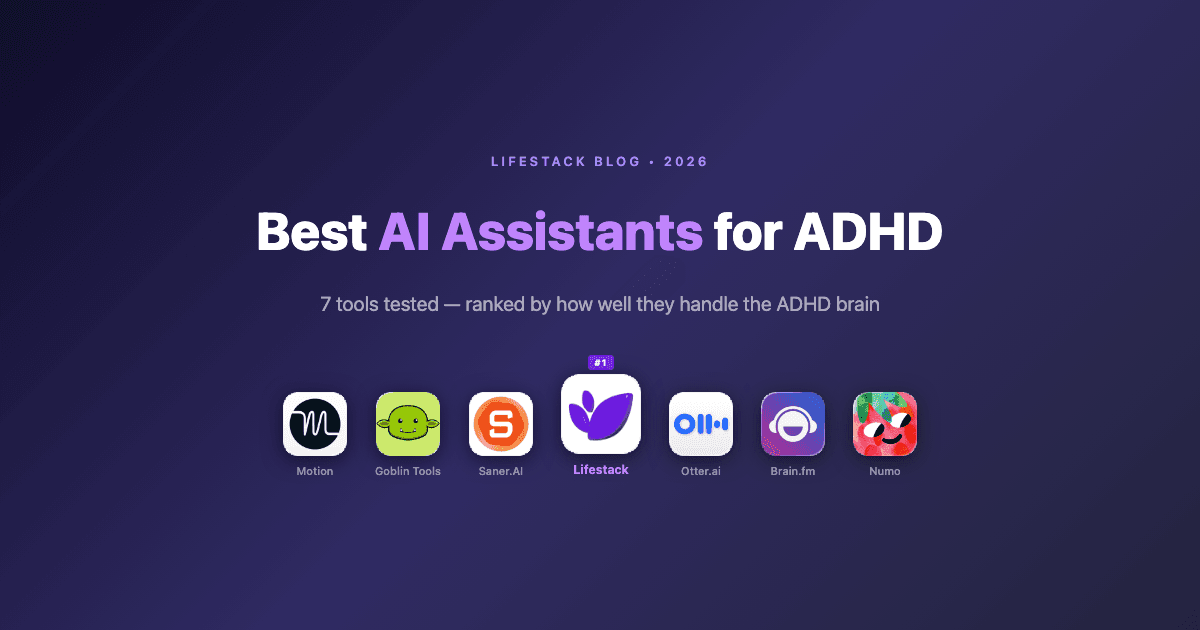
Energy-based planning is the shift that actually changes things. The best AI assistants for ADHD in 2026 don't just organize your tasks. They reduce decision fatigue, handle scheduling automatically, and some of them account for when your brain is and isn't available. We tested seven of them.
Here's what we found.
Key Takeaways
Lifestack is the only AI assistant that schedules around your energy, not just your time. For ADHD brains with unpredictable peaks and crashes, that's the most important difference.
Goblin Tools and Saner.AI are the best free options for breaking tasks down and reducing initiation friction.
No single tool solves the whole problem. The best ADHD stack in 2026 combines an energy-aware scheduler with a capture tool and, for many users, an acoustic focus aid.
Quick Guide: Best AI Assistants for ADHD
1. Lifestack - Best overall: energy-aware scheduling built for ADHD
2. Motion - Best for heavy task loads with hard deadlines
3. Saner.AI - Best AI personal assistant designed specifically for ADHD
4. Goblin Tools - Best free tool for task breakdown and initiation
5. Otter.ai - Best for capturing meeting notes and action items
6. Brain.fm - Best for acoustic focus support during deep work
7. Numo - Best for building shame-free ADHD routines
How We Evaluated These AI Assistants for ADHD
We looked at each tool through the lens of what actually breaks down for ADHD users in practice, not just feature lists.
Energy awareness: Does the tool know the difference between your peak hours and your crash window?
Decision reduction: How much manual scheduling, prioritizing, and drag-and-drop does the user still have to do?
Task initiation support: Does the tool help bridge the gap between "I know I should" and "I'm actually doing it"?
Friction at capture: How easy is it to get a task out of your head and into the system?
Forgiveness: What happens when the plan fails? Does the tool punish or adapt?
ADHD-specific framing: Is the tool designed with ADHD in mind, or is it a productivity app with a landing page mention?
1. Lifestack: Best AI Assistant for ADHD Overall
The only scheduler that treats energy as a first-class input.

Every other app on this list schedules tasks into time slots. Lifestack schedules tasks into energy windows. That one difference explains why it lands at the top of this list for ADHD specifically.
Here's the problem most planners don't solve. Your calendar doesn't know you slept five hours. It doesn't know your medication window closes around 1pm. It doesn't know that Monday afternoons are consistently your worst cognitive hours, or that you have a reliable 45-minute hyperfocus window most mornings if nothing interrupts it. When you schedule deep work into a crash window and can't execute, you don't need more discipline. You need a planner that understands when your brain is actually available. That's what energy-based planning delivers.
Lifestack builds a model of your energy patterns from sleep data and time-of-day feedback, then uses that model to schedule your tasks, meals, workouts, and routines into the hours where execution is actually likely. For ADHD users who have tried time blocking and watched it collapse by Tuesday, this is the structural fix. The hard work lands in your peak window. The low-demand tasks fill in around it. And when things go sideways, which they will, Lifestack reschedules instead of leaving you a calendar full of red missed blocks.
Key Features
Circadian-aware scheduling that places tasks in appropriate cognitive windows
Automatic rescheduling when plans change or blocks are missed
Meals, workouts, and routines managed alongside work tasks in one view
Energy model that improves with sleep data and personal feedback
Clean, low-clutter interface that doesn't trigger visual overwhelm
What Works
Removes the "when should I do this" decision, the most common ADHD scheduling stall
Stops you from accidentally scheduling demanding work during your worst hours
Handles the full logistics layer: food, movement, rest alongside work
Adapts to the day you actually had rather than the day you planned
Limitations
The energy model takes a few days of data to get accurate
Works best as a primary scheduler, not just an add-on capture tool
Pricing: $7/month, $50/year (7-day free trial), or $120 lifetime.
Best for: ADHD adults who have tried time blocking repeatedly and keep losing their sharpest hours to the wrong tasks.
2. Motion: Best for ADHD Users With Heavy Task Loads
AI auto-scheduling that turns your backlog into a real calendar.
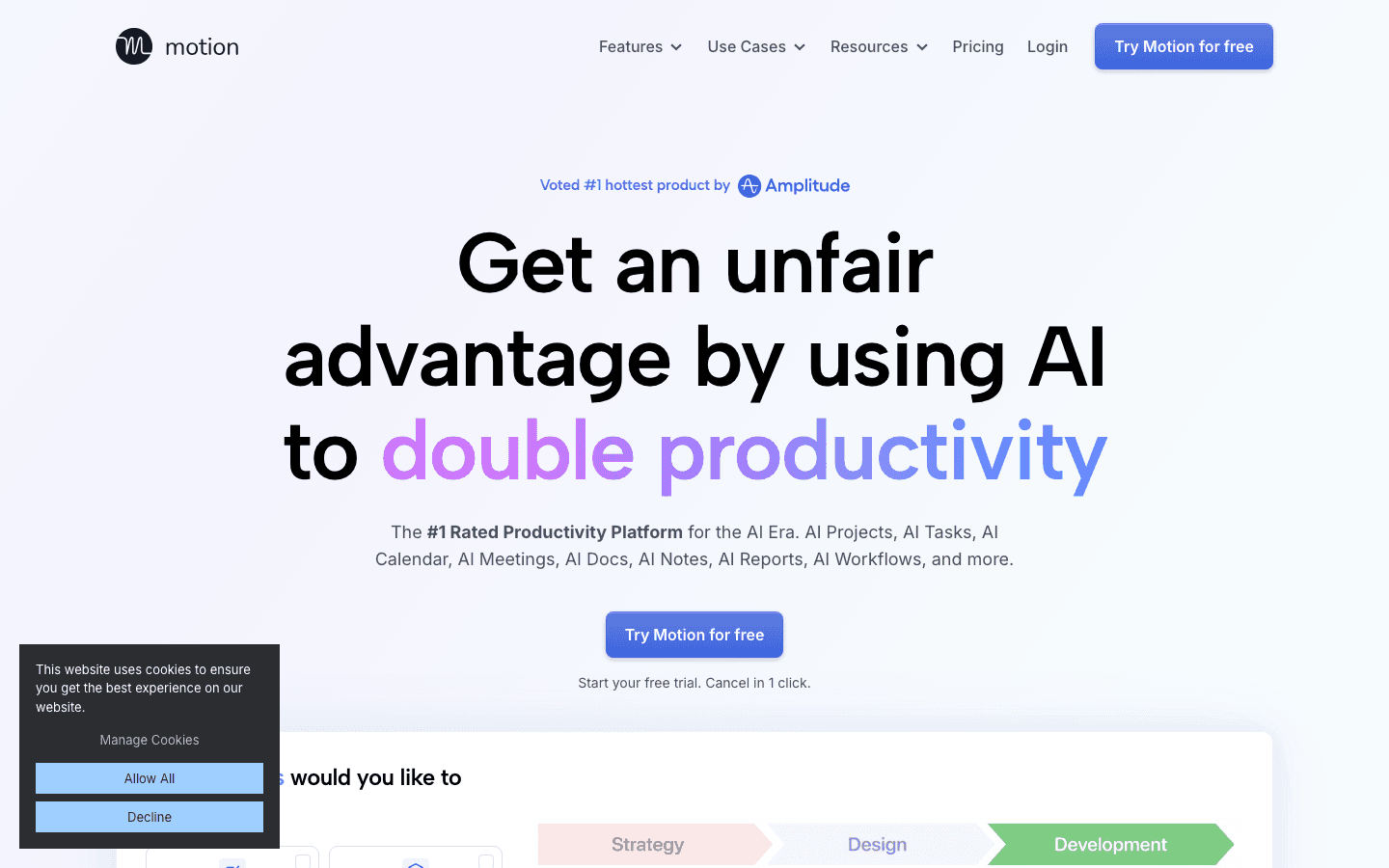
Motion solves a specific and painful ADHD problem: the gap between a task list and a plan. Most to-do apps ask you to decide when you'll do each thing. That decision, repeated dozens of times a day, is exactly the kind of executive function work that exhausts ADHD brains before the actual tasks get done.
Motion eliminates that step. You add tasks with deadlines and estimated durations. Motion automatically schedules them into your calendar based on priority and availability. When new tasks arrive or something slips, it reschedules everything. For ADHD users managing real workloads with real deadlines, this is a meaningful shift. The "I don't know where to start" problem largely disappears when your calendar already tells you what's next.
The limitation is that Motion doesn't know about energy. A three-hour deep work block might land in your worst hour, because Motion sees an open slot, not a cognitive state. Pair it with Lifestack or check the full AI planner comparison if energy awareness matters to you.
What Works
Fully automatic scheduling removes constant manual prioritization
Deadline-aware, so urgent tasks get placed first without manual reordering
Reschedules intelligently when things slip or new tasks are added
Limitations
No energy awareness, every calendar hour is treated as equivalent
Can generate overpacked schedules that don't account for real cognitive capacity
Higher price point than most alternatives
Pricing: $19/month (billed monthly). Annual billing saves 33%.
Best for: ADHD professionals with heavy task loads and hard deadlines who need auto-scheduling more than energy awareness. See also: Motion alternatives if you want energy awareness built in.
3. Saner.AI: Best AI Personal Assistant Designed for ADHD
A personal AI built specifically for the ADHD brain.
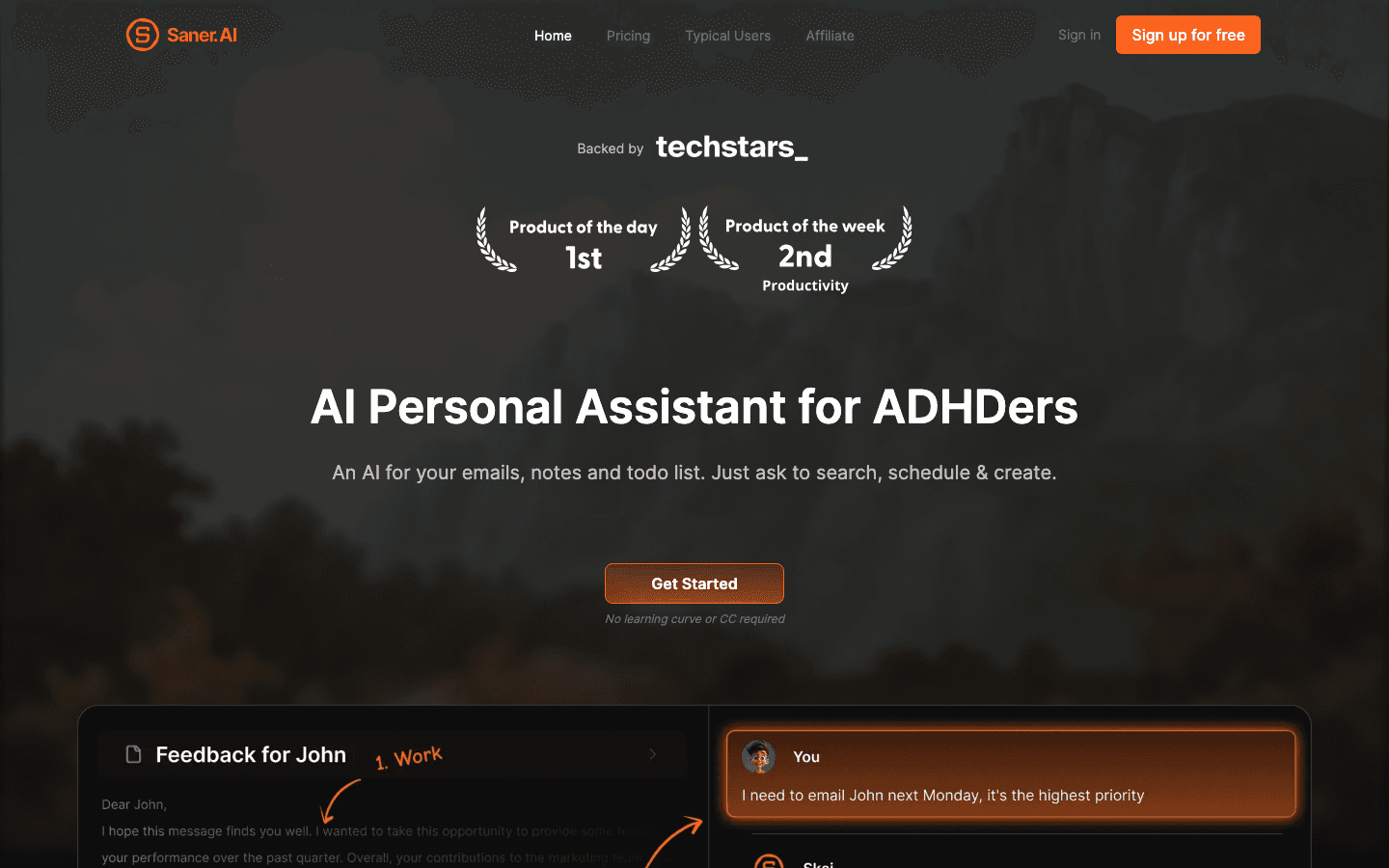
Saner.AI is one of the few tools on this list built explicitly for ADHD from the ground up, not retrofitted with an ADHD landing page after the fact. It functions as an AI personal assistant you can talk to: capture notes, break down tasks, plan your day through a chat interface, and surface what you were supposed to be doing.
The chat-based planning model suits a lot of ADHD brains well. Instead of staring at a blank task field and trying to construct a structured plan, you just tell Saner what's going on. It helps you make sense of it. The friction reduction at the "I need to think through today" step is real.
What Works
ADHD-specific design choices throughout, not an afterthought
Chat-based planning lowers the initiation barrier for daily review
Quick capture from anywhere with minimal friction
AI helps break down vague tasks into actionable steps
Limitations
Newer product with a shorter track record than Motion or Lifestack
No energy-aware scheduling
Less polished integrations with external calendars
Pricing: Free (30 AI messages/month). Starter: $8/month. Standard: $16/month.
Best for: ADHD users who think in conversations and want an AI that responds to "help me figure out my day" rather than a blank planner field.
4. Goblin Tools: Best Free AI Tool for ADHD Task Initiation
Turns vague tasks into steps small enough to actually start.
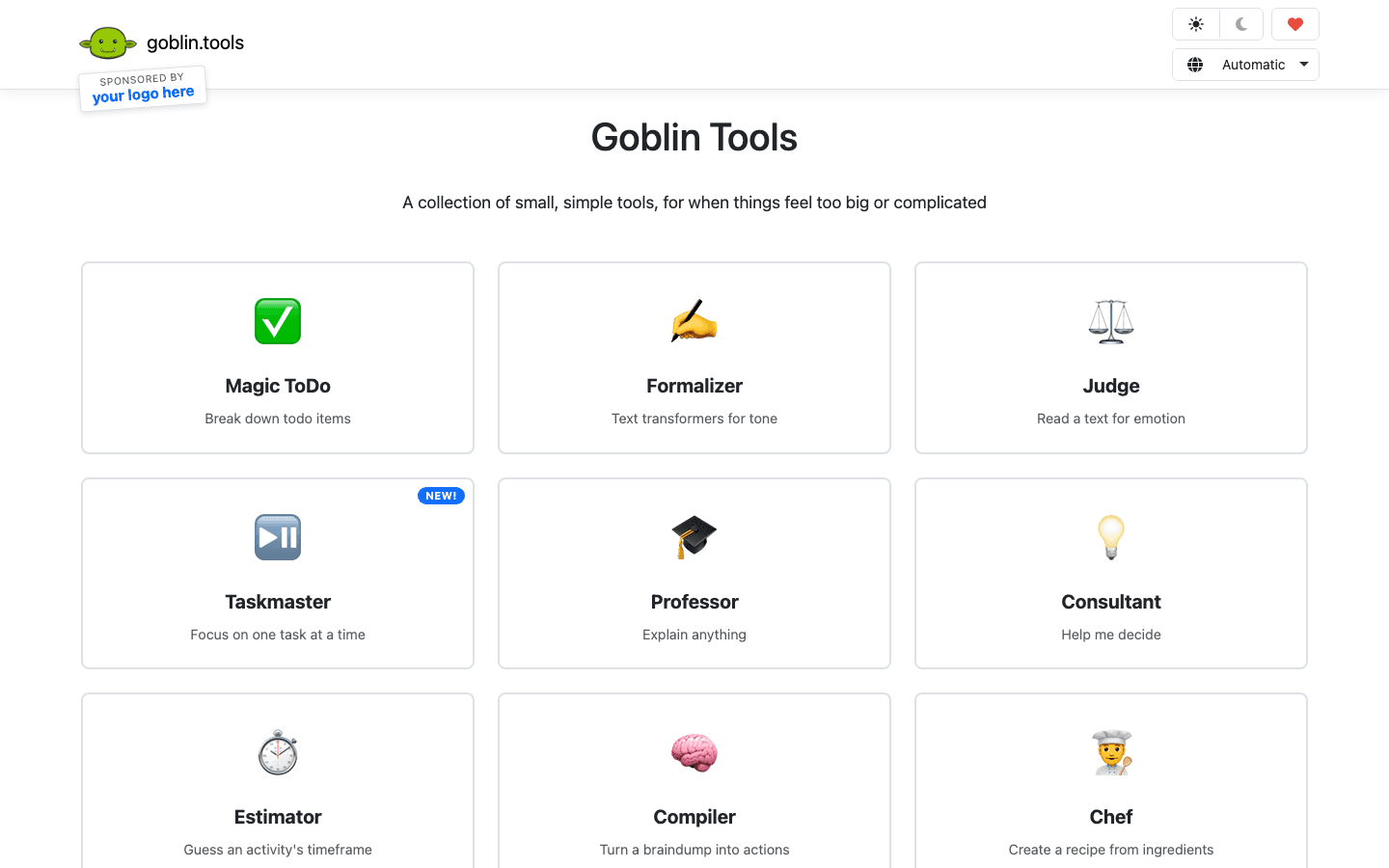
Goblin Tools is free, ADHD-specific, and solves one of the most common and least-discussed planning failures: the task is on the list, but it's too vague to start. "Finish project" and "write the report" aren't actionable. They're just anxiety.
The Magic ToDo feature is the core: paste in a task, set a granularity dial from coarse to fine, and get a breakdown of steps small enough that the next action becomes obvious. For ADHD brains stuck at "I don't know where to begin," this is often the only intervention that actually works. The other tools (Formalizer for tone, Judge for reading emotional subtext, Estimator for guessing how long things take) fill in other ADHD-specific gaps. All of it is free.
What Works
Task breakdown removes the ambiguity that causes initiation failure
Completely free, no account required for basic use
Multiple ADHD-specific utilities beyond just task management
No setup cost, immediate utility
Limitations
Not a scheduler or planner, needs to be paired with another tool
No calendar integrations or automatic scheduling
Works best as a supplemental tool, not a primary system
Pricing: Free.
Best for: ADHD users who freeze at task initiation because tasks feel too vague or overwhelming to start.
5. Otter.ai: Best for ADHD Working Memory in Meetings
Captures what was said so your working memory doesn't have to.
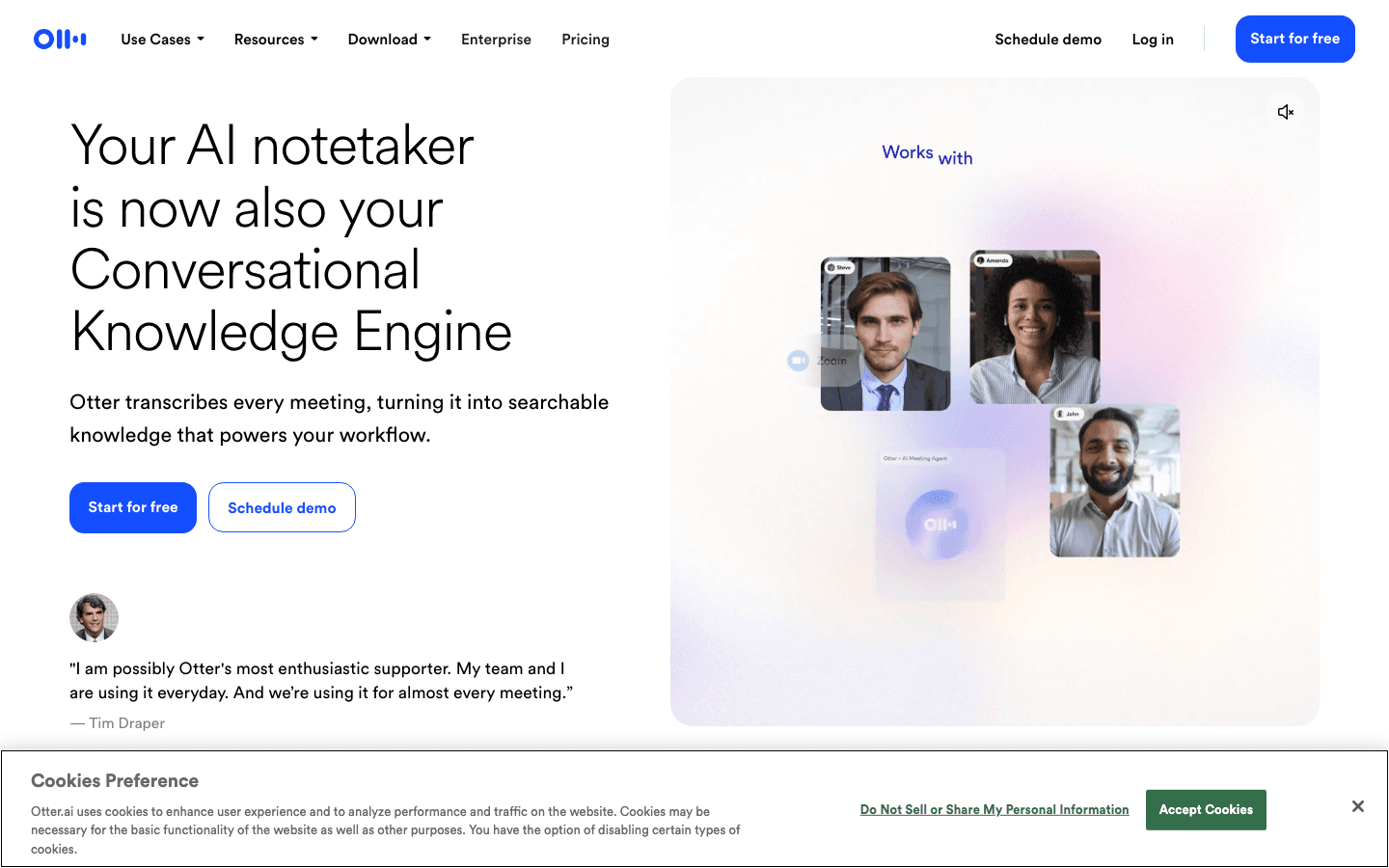
Meetings are a specific ADHD tax. Keeping up with the conversation, remembering what was decided, and tracking action items while also participating is a lot of parallel working memory load. Most ADHD brains can do one or the other. Otter takes the memory work off the table.
Otter transcribes meetings in real time, generates AI summaries, and extracts action items automatically. It integrates with Zoom, Google Meet, and Microsoft Teams. After the meeting ends, you have a searchable record of what was said and a list of what you're supposed to do next, without relying on notes you may or may not have taken.
What Works
Eliminates the "what did we decide?" problem after every meeting
Action item extraction reduces the gap between "we talked about it" and "it's in my task list"
Real-time transcription so you can focus on participating, not capturing
Limitations
Not a planner or scheduler, addresses only the meeting capture problem
Most useful features require a paid plan
Limited value for ADHD users whose primary challenge is outside of meetings
Pricing: Free (Basic). Pro: $16.99/month billed monthly, or $8.33/month billed annually.
Best for: ADHD professionals in meeting-heavy environments who lose track of action items and decisions.
6. Brain.fm: Best for ADHD Focus State Support
AI-generated music designed to help ADHD brains enter and hold focus.
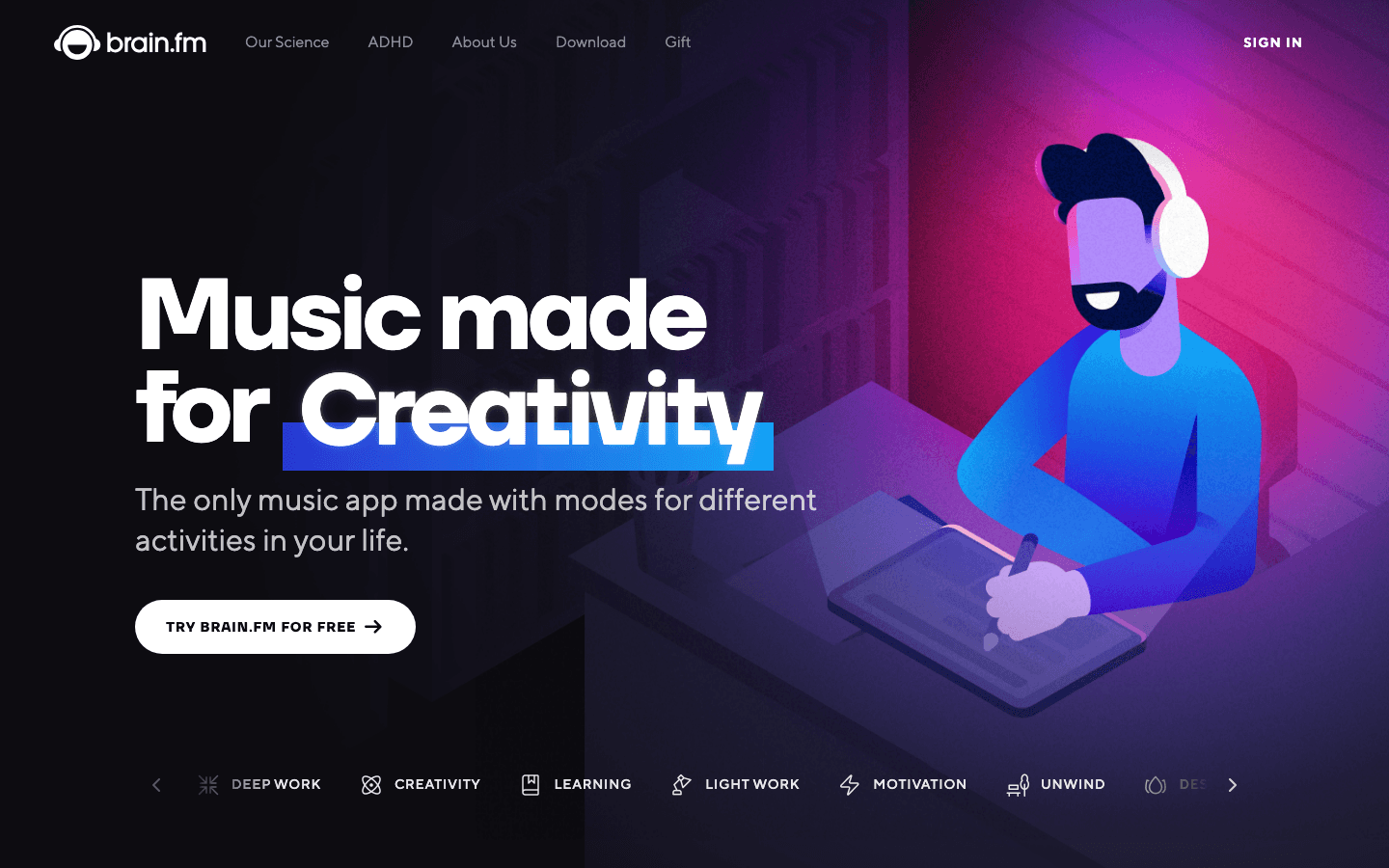
ADHD brains seek stimulation. When the work in front of you doesn't provide enough, your brain starts hunting for it elsewhere. That's not laziness. It's neurology. Brain.fm works with that pattern rather than against it by providing just enough acoustic input to occupy the stimulation-seeking part of your brain while the rest of you focuses.
The music is AI-generated and designed, with neuroscience input, to induce specific cognitive states: focus, relaxation, or sleep. The ADHD-specific track is noticeably different from standard lo-fi or study music. A meaningful number of ADHD users report it as one of the most effective productivity interventions they've tried. It doesn't organize your tasks or schedule your day. But if the problem is getting into focus in the first place, it deserves a place in the stack.
What Works
Addresses the stimulation-seeking behavior that pulls ADHD brains off task
Fast to start, no setup required per session
ADHD-specific mode is meaningfully different from standard background music
Limitations
Not a planner, doesn't address scheduling, task management, or executive function directly
Works for many ADHD users but not all, requires personal testing
Subscription required for full access
Pricing: 14-day free trial. $14.99/month or $99.99/year.
Best for: ADHD users who struggle to enter or sustain focus states and have found standard background music insufficient.
7. Numo: Best for Building Shame-Free ADHD Routines
Habit and routine tracking built for ADHD, without the shame spiral.
Most habit trackers are quietly hostile to ADHD. They show you streaks, which means they also show you where you broke them. For brains that are already prone to shame cycles and RSD, a missed day turning bright red isn't motivating. It's a fast route to abandoning the app entirely.
Numo is designed differently. It's built for ADHD with explicit attention to the shame problem. The framing is cringe-free and matter-of-fact, and the UX avoids the visual punishment patterns that kill engagement for ADHD users. If your core challenge is building basic daily routines, such as medication timing, morning structure, or consistent sleep habits, Numo is the most ADHD-considered tool in that specific category.
What Works
Designed from the ground up for ADHD, not adapted for it
Non-judgmental framing reduces shame spirals from missed habits
Good for medication reminders and basic daily structure
Limitations
Not a scheduler or AI assistant, focused specifically on habits and routines
Less sophisticated than full planning tools
No energy awareness or auto-scheduling
Pricing: Free tier. Premium: $7.99/month (30-day free trial).
Best for: ADHD users who need help building consistent daily routines and have been burned by shame-heavy habit trackers before.
Which AI Assistant for ADHD Is Right for You?
The right tool depends on which part of the ADHD planning problem hits you hardest.
Your energy is unpredictable and you keep scheduling the wrong tasks in the wrong hours: Use Lifestack. It's the only tool here that accounts for when your brain is and isn't available. Read more about why energy beats time blocking for ADHD.
You have a heavy task load with real deadlines and freeze on 'when do I do this': Motion will auto-schedule your backlog into a real calendar without manual drag-and-drop.
You want an AI you can talk to about your day: Saner.AI's chat-based planning reduces friction at the daily review step.
You freeze at task initiation because everything feels too vague: Goblin Tools breaks any task into steps small enough to actually start. Free, no account required.
You lose track of meeting decisions and action items: Otter.ai handles the memory work so you can focus on the conversation.
You can't get into focus no matter what: Brain.fm's ADHD-specific mode addresses the stimulation-seeking pattern directly.
You need help with consistent daily routines without the shame: Numo's cringe-free habit tracking is the most ADHD-considerate option in that category.
For most ADHD adults, the most impactful single change is moving to a scheduler that understands energy, not just time. That's the gap that Lifestack was built to fill. If you're still evaluating, check out the full daily planner app comparison for more options.
Frequently Asked Questions
Can AI assistants actually help with ADHD executive dysfunction?
Yes, with realistic expectations. Executive dysfunction in ADHD is a neurological reality, not a willpower problem. AI assistants help by offloading the cognitive steps that tax executive function most: deciding what to do next, figuring out when to do it, and remembering what was decided. They're accommodations, not cures. The best ones are built with that framing.
What is the best AI assistant for ADHD?
For most ADHD adults, Lifestack is the most useful daily AI assistant because it's the only one that schedules around energy patterns rather than treating every hour as equal. If your core problem is initiation, Goblin Tools. If it's meeting capture, Otter.ai. If it's getting into focus, Brain.fm. Most people end up using more than one.
Do I need to use multiple ADHD apps at once?
Probably yes, at least initially. ADHD creates challenges across multiple points in the work cycle: deciding what to do, getting into focus, maintaining attention, capturing what happened. Different tools address different points. A common effective stack is Lifestack for scheduling, Goblin Tools for task breakdown, and Brain.fm for focus support. Once you know which step breaks down most for you, you can simplify.
Do AI assistants for ADHD work without medication?
Yes. Medication affects dopamine availability, which affects motivation and initiation. Planning tools address a different layer: what to do, when, and in what order. They're complementary rather than substitutes. For users managing ADHD without medication, energy-aware tools like Lifestack and friction-reducing tools like Goblin Tools tend to have the highest impact because they address the structural failures most directly.
How is an AI assistant for ADHD different from a regular productivity app?
The key differences are in design intent and default assumptions. A regular productivity app assumes consistent executive function and treats every hour as equivalent. An ADHD-specific AI assistant is designed around inconsistent executive function, energy variability, task initiation barriers, and working memory limits. Productivity apps built for ADHD don't require the user to supply the executive function the tool is supposed to support.
How long does it take to see results from an ADHD AI assistant?
For task management tools like Goblin Tools and Otter.ai, the impact is immediate. For energy-aware schedulers like Lifestack, the first meaningful improvement typically shows within a week, once the energy model has enough data to place tasks accurately. The most common pattern is noticing that your peak hours are finally being used for your hardest work, often for the first time.
The Bottom Line
The reason most planners fail ADHD brains isn't a feature gap. It's the wrong underlying model of what planning actually requires. Tools that treat every hour as equal, expect manual scheduling, and punish missed blocks are solving a problem a different brain has.
The shift that changes things is building your schedule around when your brain is actually available. That's what energy-aware planning does, and it's the single most impactful change available in 2026 for ADHD adults who have tried everything else.
Lifestack is the tool built to make that shift. Try it free and see what happens when your schedule stops fighting your brain and starts working with it.
If you have ADHD and you've tried every planner, app, or system recommended to you, and none of them stuck, the problem probably isn't discipline. It's that most tools are built for a brain that works consistently. Yours doesn't. Neither does mine. And that's not a character flaw.
ADHD is an executive function problem. The part of the brain responsible for planning, prioritizing, starting tasks, and managing time operates differently. Not worse. Just differently. And when you give that brain a planner designed for neurotypical consistency, you get a system that works for a few days and then quietly dies.
Energy-based planning is the shift that actually changes things. The best AI assistants for ADHD in 2026 don't just organize your tasks. They reduce decision fatigue, handle scheduling automatically, and some of them account for when your brain is and isn't available. We tested seven of them.
Here's what we found.
Key Takeaways
Lifestack is the only AI assistant that schedules around your energy, not just your time. For ADHD brains with unpredictable peaks and crashes, that's the most important difference.
Goblin Tools and Saner.AI are the best free options for breaking tasks down and reducing initiation friction.
No single tool solves the whole problem. The best ADHD stack in 2026 combines an energy-aware scheduler with a capture tool and, for many users, an acoustic focus aid.
Quick Guide: Best AI Assistants for ADHD
1. Lifestack - Best overall: energy-aware scheduling built for ADHD
2. Motion - Best for heavy task loads with hard deadlines
3. Saner.AI - Best AI personal assistant designed specifically for ADHD
4. Goblin Tools - Best free tool for task breakdown and initiation
5. Otter.ai - Best for capturing meeting notes and action items
6. Brain.fm - Best for acoustic focus support during deep work
7. Numo - Best for building shame-free ADHD routines
How We Evaluated These AI Assistants for ADHD
We looked at each tool through the lens of what actually breaks down for ADHD users in practice, not just feature lists.
Energy awareness: Does the tool know the difference between your peak hours and your crash window?
Decision reduction: How much manual scheduling, prioritizing, and drag-and-drop does the user still have to do?
Task initiation support: Does the tool help bridge the gap between "I know I should" and "I'm actually doing it"?
Friction at capture: How easy is it to get a task out of your head and into the system?
Forgiveness: What happens when the plan fails? Does the tool punish or adapt?
ADHD-specific framing: Is the tool designed with ADHD in mind, or is it a productivity app with a landing page mention?
1. Lifestack: Best AI Assistant for ADHD Overall
The only scheduler that treats energy as a first-class input.
Every other app on this list schedules tasks into time slots. Lifestack schedules tasks into energy windows. That one difference explains why it lands at the top of this list for ADHD specifically.
Here's the problem most planners don't solve. Your calendar doesn't know you slept five hours. It doesn't know your medication window closes around 1pm. It doesn't know that Monday afternoons are consistently your worst cognitive hours, or that you have a reliable 45-minute hyperfocus window most mornings if nothing interrupts it. When you schedule deep work into a crash window and can't execute, you don't need more discipline. You need a planner that understands when your brain is actually available. That's what energy-based planning delivers.
Lifestack builds a model of your energy patterns from sleep data and time-of-day feedback, then uses that model to schedule your tasks, meals, workouts, and routines into the hours where execution is actually likely. For ADHD users who have tried time blocking and watched it collapse by Tuesday, this is the structural fix. The hard work lands in your peak window. The low-demand tasks fill in around it. And when things go sideways, which they will, Lifestack reschedules instead of leaving you a calendar full of red missed blocks.
Key Features
Circadian-aware scheduling that places tasks in appropriate cognitive windows
Automatic rescheduling when plans change or blocks are missed
Meals, workouts, and routines managed alongside work tasks in one view
Energy model that improves with sleep data and personal feedback
Clean, low-clutter interface that doesn't trigger visual overwhelm
What Works
Removes the "when should I do this" decision, the most common ADHD scheduling stall
Stops you from accidentally scheduling demanding work during your worst hours
Handles the full logistics layer: food, movement, rest alongside work
Adapts to the day you actually had rather than the day you planned
Limitations
The energy model takes a few days of data to get accurate
Works best as a primary scheduler, not just an add-on capture tool
Pricing: $7/month, $50/year (7-day free trial), or $120 lifetime.
Best for: ADHD adults who have tried time blocking repeatedly and keep losing their sharpest hours to the wrong tasks.
2. Motion: Best for ADHD Users With Heavy Task Loads
AI auto-scheduling that turns your backlog into a real calendar.
Motion solves a specific and painful ADHD problem: the gap between a task list and a plan. Most to-do apps ask you to decide when you'll do each thing. That decision, repeated dozens of times a day, is exactly the kind of executive function work that exhausts ADHD brains before the actual tasks get done.
Motion eliminates that step. You add tasks with deadlines and estimated durations. Motion automatically schedules them into your calendar based on priority and availability. When new tasks arrive or something slips, it reschedules everything. For ADHD users managing real workloads with real deadlines, this is a meaningful shift. The "I don't know where to start" problem largely disappears when your calendar already tells you what's next.
The limitation is that Motion doesn't know about energy. A three-hour deep work block might land in your worst hour, because Motion sees an open slot, not a cognitive state. Pair it with Lifestack or check the full AI planner comparison if energy awareness matters to you.
What Works
Fully automatic scheduling removes constant manual prioritization
Deadline-aware, so urgent tasks get placed first without manual reordering
Reschedules intelligently when things slip or new tasks are added
Limitations
No energy awareness, every calendar hour is treated as equivalent
Can generate overpacked schedules that don't account for real cognitive capacity
Higher price point than most alternatives
Pricing: $19/month (billed monthly). Annual billing saves 33%.
Best for: ADHD professionals with heavy task loads and hard deadlines who need auto-scheduling more than energy awareness. See also: Motion alternatives if you want energy awareness built in.
3. Saner.AI: Best AI Personal Assistant Designed for ADHD
A personal AI built specifically for the ADHD brain.
Saner.AI is one of the few tools on this list built explicitly for ADHD from the ground up, not retrofitted with an ADHD landing page after the fact. It functions as an AI personal assistant you can talk to: capture notes, break down tasks, plan your day through a chat interface, and surface what you were supposed to be doing.
The chat-based planning model suits a lot of ADHD brains well. Instead of staring at a blank task field and trying to construct a structured plan, you just tell Saner what's going on. It helps you make sense of it. The friction reduction at the "I need to think through today" step is real.
What Works
ADHD-specific design choices throughout, not an afterthought
Chat-based planning lowers the initiation barrier for daily review
Quick capture from anywhere with minimal friction
AI helps break down vague tasks into actionable steps
Limitations
Newer product with a shorter track record than Motion or Lifestack
No energy-aware scheduling
Less polished integrations with external calendars
Pricing: Free (30 AI messages/month). Starter: $8/month. Standard: $16/month.
Best for: ADHD users who think in conversations and want an AI that responds to "help me figure out my day" rather than a blank planner field.
4. Goblin Tools: Best Free AI Tool for ADHD Task Initiation
Turns vague tasks into steps small enough to actually start.
Goblin Tools is free, ADHD-specific, and solves one of the most common and least-discussed planning failures: the task is on the list, but it's too vague to start. "Finish project" and "write the report" aren't actionable. They're just anxiety.
The Magic ToDo feature is the core: paste in a task, set a granularity dial from coarse to fine, and get a breakdown of steps small enough that the next action becomes obvious. For ADHD brains stuck at "I don't know where to begin," this is often the only intervention that actually works. The other tools (Formalizer for tone, Judge for reading emotional subtext, Estimator for guessing how long things take) fill in other ADHD-specific gaps. All of it is free.
What Works
Task breakdown removes the ambiguity that causes initiation failure
Completely free, no account required for basic use
Multiple ADHD-specific utilities beyond just task management
No setup cost, immediate utility
Limitations
Not a scheduler or planner, needs to be paired with another tool
No calendar integrations or automatic scheduling
Works best as a supplemental tool, not a primary system
Pricing: Free.
Best for: ADHD users who freeze at task initiation because tasks feel too vague or overwhelming to start.
5. Otter.ai: Best for ADHD Working Memory in Meetings
Captures what was said so your working memory doesn't have to.
Meetings are a specific ADHD tax. Keeping up with the conversation, remembering what was decided, and tracking action items while also participating is a lot of parallel working memory load. Most ADHD brains can do one or the other. Otter takes the memory work off the table.
Otter transcribes meetings in real time, generates AI summaries, and extracts action items automatically. It integrates with Zoom, Google Meet, and Microsoft Teams. After the meeting ends, you have a searchable record of what was said and a list of what you're supposed to do next, without relying on notes you may or may not have taken.
What Works
Eliminates the "what did we decide?" problem after every meeting
Action item extraction reduces the gap between "we talked about it" and "it's in my task list"
Real-time transcription so you can focus on participating, not capturing
Limitations
Not a planner or scheduler, addresses only the meeting capture problem
Most useful features require a paid plan
Limited value for ADHD users whose primary challenge is outside of meetings
Pricing: Free (Basic). Pro: $16.99/month billed monthly, or $8.33/month billed annually.
Best for: ADHD professionals in meeting-heavy environments who lose track of action items and decisions.
6. Brain.fm: Best for ADHD Focus State Support
AI-generated music designed to help ADHD brains enter and hold focus.
ADHD brains seek stimulation. When the work in front of you doesn't provide enough, your brain starts hunting for it elsewhere. That's not laziness. It's neurology. Brain.fm works with that pattern rather than against it by providing just enough acoustic input to occupy the stimulation-seeking part of your brain while the rest of you focuses.
The music is AI-generated and designed, with neuroscience input, to induce specific cognitive states: focus, relaxation, or sleep. The ADHD-specific track is noticeably different from standard lo-fi or study music. A meaningful number of ADHD users report it as one of the most effective productivity interventions they've tried. It doesn't organize your tasks or schedule your day. But if the problem is getting into focus in the first place, it deserves a place in the stack.
What Works
Addresses the stimulation-seeking behavior that pulls ADHD brains off task
Fast to start, no setup required per session
ADHD-specific mode is meaningfully different from standard background music
Limitations
Not a planner, doesn't address scheduling, task management, or executive function directly
Works for many ADHD users but not all, requires personal testing
Subscription required for full access
Pricing: 14-day free trial. $14.99/month or $99.99/year.
Best for: ADHD users who struggle to enter or sustain focus states and have found standard background music insufficient.
7. Numo: Best for Building Shame-Free ADHD Routines
Habit and routine tracking built for ADHD, without the shame spiral.
Most habit trackers are quietly hostile to ADHD. They show you streaks, which means they also show you where you broke them. For brains that are already prone to shame cycles and RSD, a missed day turning bright red isn't motivating. It's a fast route to abandoning the app entirely.
Numo is designed differently. It's built for ADHD with explicit attention to the shame problem. The framing is cringe-free and matter-of-fact, and the UX avoids the visual punishment patterns that kill engagement for ADHD users. If your core challenge is building basic daily routines, such as medication timing, morning structure, or consistent sleep habits, Numo is the most ADHD-considered tool in that specific category.
What Works
Designed from the ground up for ADHD, not adapted for it
Non-judgmental framing reduces shame spirals from missed habits
Good for medication reminders and basic daily structure
Limitations
Not a scheduler or AI assistant, focused specifically on habits and routines
Less sophisticated than full planning tools
No energy awareness or auto-scheduling
Pricing: Free tier. Premium: $7.99/month (30-day free trial).
Best for: ADHD users who need help building consistent daily routines and have been burned by shame-heavy habit trackers before.
Which AI Assistant for ADHD Is Right for You?
The right tool depends on which part of the ADHD planning problem hits you hardest.
Your energy is unpredictable and you keep scheduling the wrong tasks in the wrong hours: Use Lifestack. It's the only tool here that accounts for when your brain is and isn't available. Read more about why energy beats time blocking for ADHD.
You have a heavy task load with real deadlines and freeze on 'when do I do this': Motion will auto-schedule your backlog into a real calendar without manual drag-and-drop.
You want an AI you can talk to about your day: Saner.AI's chat-based planning reduces friction at the daily review step.
You freeze at task initiation because everything feels too vague: Goblin Tools breaks any task into steps small enough to actually start. Free, no account required.
You lose track of meeting decisions and action items: Otter.ai handles the memory work so you can focus on the conversation.
You can't get into focus no matter what: Brain.fm's ADHD-specific mode addresses the stimulation-seeking pattern directly.
You need help with consistent daily routines without the shame: Numo's cringe-free habit tracking is the most ADHD-considerate option in that category.
For most ADHD adults, the most impactful single change is moving to a scheduler that understands energy, not just time. That's the gap that Lifestack was built to fill. If you're still evaluating, check out the full daily planner app comparison for more options.
Frequently Asked Questions
Can AI assistants actually help with ADHD executive dysfunction?
Yes, with realistic expectations. Executive dysfunction in ADHD is a neurological reality, not a willpower problem. AI assistants help by offloading the cognitive steps that tax executive function most: deciding what to do next, figuring out when to do it, and remembering what was decided. They're accommodations, not cures. The best ones are built with that framing.
What is the best AI assistant for ADHD?
For most ADHD adults, Lifestack is the most useful daily AI assistant because it's the only one that schedules around energy patterns rather than treating every hour as equal. If your core problem is initiation, Goblin Tools. If it's meeting capture, Otter.ai. If it's getting into focus, Brain.fm. Most people end up using more than one.
Do I need to use multiple ADHD apps at once?
Probably yes, at least initially. ADHD creates challenges across multiple points in the work cycle: deciding what to do, getting into focus, maintaining attention, capturing what happened. Different tools address different points. A common effective stack is Lifestack for scheduling, Goblin Tools for task breakdown, and Brain.fm for focus support. Once you know which step breaks down most for you, you can simplify.
Do AI assistants for ADHD work without medication?
Yes. Medication affects dopamine availability, which affects motivation and initiation. Planning tools address a different layer: what to do, when, and in what order. They're complementary rather than substitutes. For users managing ADHD without medication, energy-aware tools like Lifestack and friction-reducing tools like Goblin Tools tend to have the highest impact because they address the structural failures most directly.
How is an AI assistant for ADHD different from a regular productivity app?
The key differences are in design intent and default assumptions. A regular productivity app assumes consistent executive function and treats every hour as equivalent. An ADHD-specific AI assistant is designed around inconsistent executive function, energy variability, task initiation barriers, and working memory limits. Productivity apps built for ADHD don't require the user to supply the executive function the tool is supposed to support.
How long does it take to see results from an ADHD AI assistant?
For task management tools like Goblin Tools and Otter.ai, the impact is immediate. For energy-aware schedulers like Lifestack, the first meaningful improvement typically shows within a week, once the energy model has enough data to place tasks accurately. The most common pattern is noticing that your peak hours are finally being used for your hardest work, often for the first time.
The Bottom Line
The reason most planners fail ADHD brains isn't a feature gap. It's the wrong underlying model of what planning actually requires. Tools that treat every hour as equal, expect manual scheduling, and punish missed blocks are solving a problem a different brain has.
The shift that changes things is building your schedule around when your brain is actually available. That's what energy-aware planning does, and it's the single most impactful change available in 2026 for ADHD adults who have tried everything else.
Lifestack is the tool built to make that shift. Try it free and see what happens when your schedule stops fighting your brain and starts working with it.



FOLLOW ON
FOLLOW ON
FOLLOW ON


Copyright 2026 © Lifestack. All rights reserved
Copyright 2026 © Lifestack. All rights reserved

