
App
Best Meeting Note Taking Apps in 2026
Best Meeting Note Taking Apps in 2026

Most meeting note-taking apps solve the same problem: capturing what was said. Transcription, summaries, searchable archives. They are good at that. What they rarely solve is what happens after the meeting ends: the action items that never make it onto a calendar, the decisions that get lost in a shared document nobody opens, the follow-up that falls through between sessions.
The best meeting note-taking apps in 2026 do more than record. The strongest ones either help you extract value from your recordings faster (AI summaries, CRM sync, searchable transcripts) or they close the loop on execution by turning what was agreed upon into actual scheduled work.
We tested five tools across these dimensions and ranked them by how well they serve the full meeting workflow, from capture to completion.
Key Takeaways
Otter.ai and Fireflies.ai lead on AI transcription quality and meeting intelligence for teams
Notion is the best choice if you want to build a structured knowledge base around your meetings rather than a searchable archive
Lifestack closes the gap most note apps miss: turning action items into actually scheduled work based on your energy and calendar
Quick Guide
1. Lifestack: Best for scheduling action items after your meetings
2. Otter.ai: Best for real-time AI transcription and conversational search
3. Fireflies.ai: Best for meeting intelligence, CRM sync, and team collaboration
4. Notion: Best for structured meeting notes tied to a broader wiki
5. Fathom: Best free meeting recorder with unlimited recordings
How We Evaluated
Transcription accuracy across accents and environments
AI summary quality and action item extraction
Integration with calendars, CRMs, and task managers
Ease of follow-up: does the app help you actually execute what was decided?
Free tier generosity and paid plan value
1. Lifestack: Best for Scheduling Meeting Action Items

The only meeting workflow app that schedules what you decided at the right time.
Lifestack does not record your meeting. But the moment it ends, it is the tool that determines when your action items actually get done. It reads your calendar, tasks, and energy curve to automatically schedule follow-up work at the hours you are sharpest, rather than leaving it in a document until it is overdue.
The problem Lifestack solves is the execution gap in the meeting workflow. Other apps stop at capture. You have a transcript, you have a summary, you have a list of action items. But those items still need to land on a calendar, and they usually do not until they become urgent. Lifestack closes that gap by treating your action items the same way it treats any other task: analyzing your energy, open calendar blocks, and priorities, then scheduling each item into a realistic day. The energy-based scheduling approach is the core of how it works.
Key Features: Energy-aware auto-scheduling, calendar integration, task prioritization, daily planning built around recovery data
What Works: Ensures meeting outcomes actually get executed. Naturally protects your peak focus hours for high-priority follow-up work. Syncs with calendars including Google Calendar.
Limitations: Does not record or transcribe meetings -- use alongside Otter or Fireflies for capture, then Lifestack for execution
Pricing: $7/month or $50/year (7-day free trial on annual plan)
Best for: Individuals and teams who leave meetings with action items and want them scheduled, not just documented. See the Lifestack overview for full details.
2. Otter.ai: Best for Real-Time AI Transcription
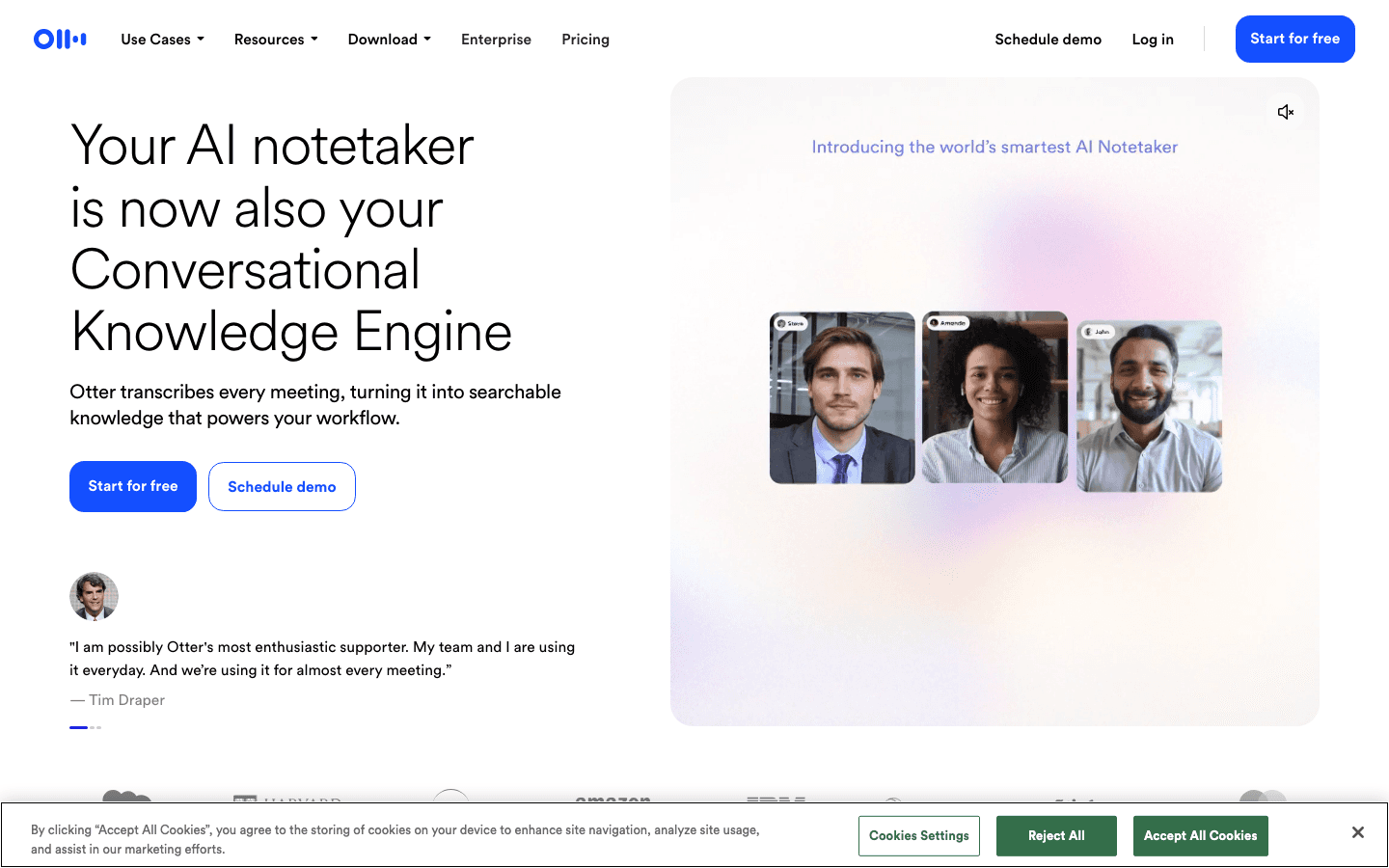
Live transcription and searchable meeting memory in one place.
Otter.ai joins your Zoom, Google Meet, or Teams call and produces a live transcript as the conversation happens. The AI then generates a summary, highlights key moments, and tags action items. You can search across all your past meetings with natural language: "what did we decide about the Q4 budget" returns the relevant clip from three meetings ago.
The transcription quality is consistently strong across standard speaking conditions. Otter handles overlapping speakers better than most competitors, which matters in real team environments. The "Ask Otter" AI feature lets you query your meeting history conversationally, which reduces the time spent scrolling through transcripts looking for a specific decision.
Key Features: Real-time transcription, AI meeting summaries, action item detection, conversational search across meetings, Zoom/Meet/Teams integration
What Works: Transcription is fast and accurate. The search feature genuinely saves time. Free tier is usable for individuals.
Limitations: Action item detection is imperfect -- it surfaces items but does not schedule them. Business plan required for full team features.
Pricing: Free (limited minutes), Pro $16.99/month or $8.33/month billed annually, Business $30/month or $19.99/month annually
Best for: Individuals and small teams who want AI transcription with strong search capabilities and a solid free tier.
3. Fireflies.ai: Best for Meeting Intelligence and Team Collaboration
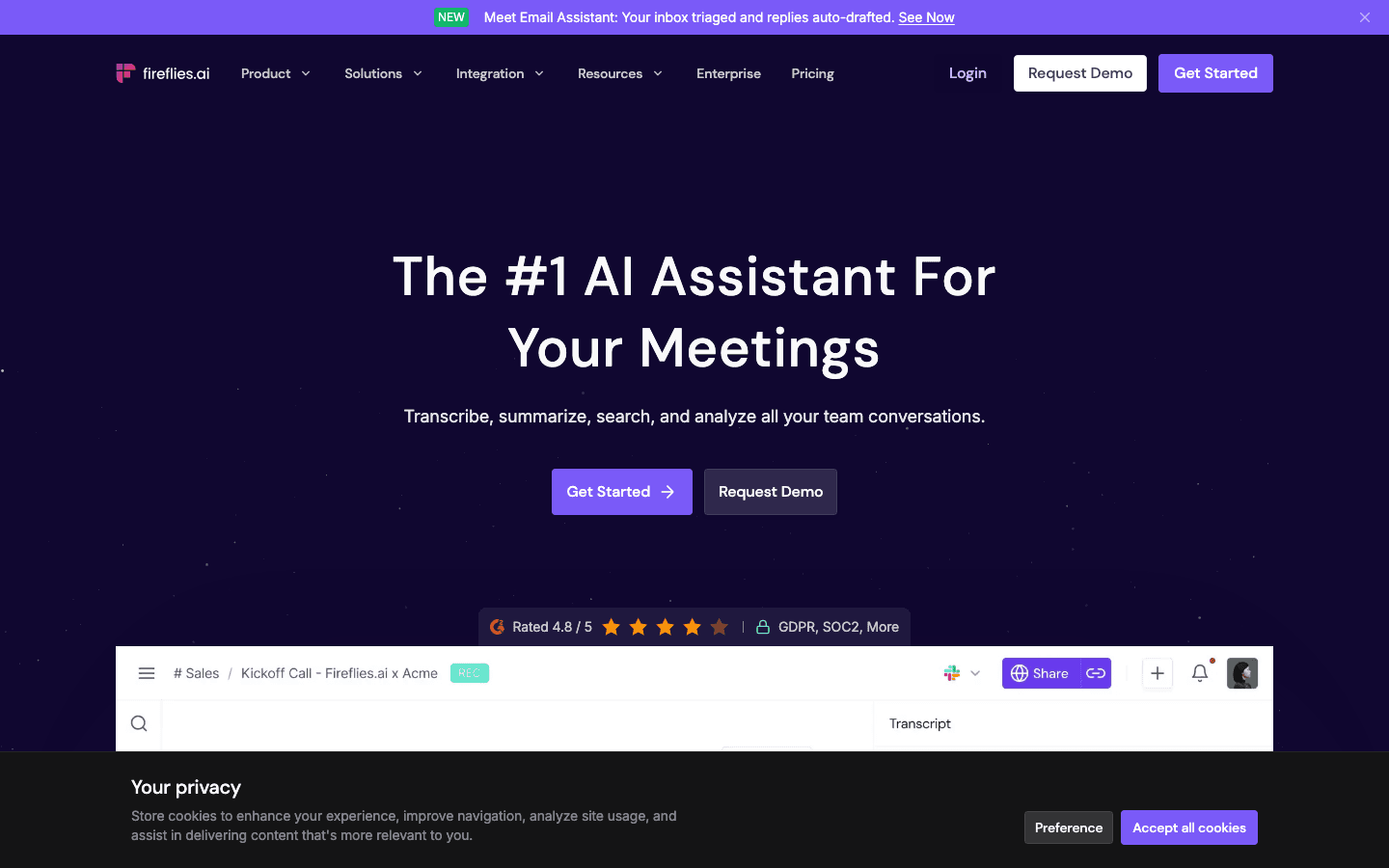
Meeting intelligence that goes beyond transcription into team-wide knowledge.
Fireflies.ai transcribes, summarizes, and analyzes your meetings, but its strongest features are on the team and enterprise side. CRM sync (Salesforce, HubSpot) pulls meeting context directly into deal records. The Smart Search function lets you find any topic across your meeting history in seconds. Analytics show who spoke most, what topics dominated, and how meetings track over time.
For sales teams and customer success teams that run many external meetings, Fireflies pays for itself quickly by eliminating manual CRM entry after calls. The AI summary formats are customizable for different meeting types (discovery calls, project syncs, one-on-ones), which reduces the cleanup work after generation.
Key Features: AI transcription and summarization, CRM sync, topic tracking, speaker analytics, custom summary templates, Slack and Notion integration
What Works: CRM sync is the best in this category. Meeting analytics give team leads real visibility into how time is spent. Integrations are broad.
Limitations: AI credits can run out on lower plans if usage is heavy. Interface takes some learning to navigate. Free tier is limited to 800 minutes of storage.
Pricing: Free (800 mins storage), Pro $18/month or $10/month billed annually, Business and Enterprise plans available
Best for: Sales teams, customer success teams, and businesses that need CRM integration and team-wide meeting search.
4. Notion: Best for Structured Meeting Notes and Knowledge Bases
Meeting notes as part of a living, connected workspace.
Notion is not a dedicated meeting recorder, but for teams that already use it as their primary workspace, it is the most natural place to keep meeting notes. Notion AI can generate summaries, extract action items, and create follow-up tasks linked to the right project pages. The integration of notes into a broader knowledge base, where meeting decisions connect to project docs, team wikis, and task databases, is where it outperforms dedicated recording tools.
The trade-off is setup. Notion requires you to build your meeting note structure. It does not auto-join meetings and produce transcripts the way Otter and Fireflies do. For teams willing to invest in the template setup, the payoff is meeting notes that are genuinely connected to the rest of the work rather than siloed in a separate tool.
Key Features: Notion AI for summaries and action items, database templates for structured notes, linking to projects and docs, Slack and calendar integrations
What Works: Meeting notes stay inside the same workspace as project documentation. AI summaries are good if you paste in a transcript or type notes manually.
Limitations: Requires manual setup. Does not auto-join or record calls. AI features require Plus plan or above.
Pricing: Free (limited AI), Plus $10/month per member, Business $20/month per member
Best for: Teams already using Notion as their primary workspace who want meeting notes connected to their broader knowledge base. Pairs well with Otter or Fireflies for transcription.
5. Fathom: Best Free Meeting Recorder
Unlimited recordings and transcripts without a credit card.
Fathom is the strongest free meeting recorder available in 2026. The free plan includes unlimited recordings, transcripts, and storage across Zoom, Google Meet, and Microsoft Teams. AI summaries are capped at five per month on the free tier, which is enough for light individual use without ever paying.
For individuals who primarily need a searchable record of their meetings and occasional summaries, Fathom's free plan handles this well. The UI is clean and simple: meeting recordings are organized automatically, shareable via link, and searchable. The paid plans add unlimited AI summaries, CRM integration, and team collaboration features at $20/month or $16/month annually.
Key Features: Unlimited recordings and storage on free plan, AI summaries (5/month free, unlimited paid), CRM integration on paid plans, shareable clips
What Works: The free plan is genuinely useful, not artificially crippled. Recording quality and transcript accuracy are both solid.
Limitations: AI summary limit on the free plan is a ceiling for heavy users. Team features require paid plans. Less advanced meeting analytics than Fireflies.
Pricing: Free (unlimited recordings, 5 AI summaries/month), Premium $20/month or $16/month annually
Best for: Individuals who want unlimited meeting recordings without paying. The best free-tier option in this category.
Which Meeting Note App Is Right for You?
You want to ensure meeting action items actually get done: Lifestack, used alongside any transcription tool
You want the best AI transcription with strong search: Otter.ai
Your team has CRM-heavy workflows: Fireflies.ai
You already use Notion for everything: Notion + Notion AI
You want a free, no-friction meeting recorder: Fathom
You want the full workflow covered: Otter or Fireflies for capture, Lifestack for execution
The pattern most teams find works best: a dedicated recording tool (Otter, Fireflies, or Fathom) for capturing what was said, and Lifestack to ensure what was decided actually lands on the calendar at the right time. For how this connects to managing ADHD and execution challenges in particular, the ADHD project management guide covers related strategies, the energy calendar approach explains the scheduling philosophy, and the task management for ADHD guide covers the broader execution framework.
Frequently Asked Questions
What is the best AI meeting note taker?
Otter.ai and Fireflies.ai are the two strongest AI meeting note takers for most users. Otter has better conversational search and a stronger free tier for individuals. Fireflies leads on CRM integration and team analytics. For those who want to go further and ensure that meeting outcomes translate into scheduled follow-up work, pairing either tool with Lifestack covers the full cycle.
What is the best free meeting note taking app?
Fathom offers the most generous free tier: unlimited recordings, transcripts, and storage, with five AI summaries per month. Otter.ai's free plan offers 300 monthly transcription minutes, which is enough for light use. Notion has a free plan that supports basic meeting notes but requires a paid plan for AI features.
Can AI apps replace manual meeting notes?
For capturing what was said, largely yes. AI transcription and summarization tools reliably produce accurate records of meeting content that are often more complete than manual notes taken by participants trying to both listen and write. Where they still fall short is in context: understanding which action items are high priority, how they connect to ongoing projects, and when they should actually be completed.
Do meeting note taking apps work with Zoom and Google Meet?
Yes. Otter.ai, Fireflies.ai, and Fathom all integrate natively with Zoom, Google Meet, and Microsoft Teams. They join as a bot participant and record automatically once enabled. Notion does not record meetings directly but can receive transcripts from other tools or be used to structure manually taken notes.
How do I make sure meeting action items actually get done?
Most note-taking apps surface action items but leave execution to you. The most effective approach is to connect your meeting notes workflow to a scheduling tool that books follow-up tasks into your calendar automatically. Lifestack does this by reading your energy levels and calendar to find the right slot for each action item, rather than leaving it on a list that never gets actioned.
Most meeting note-taking apps solve the same problem: capturing what was said. Transcription, summaries, searchable archives. They are good at that. What they rarely solve is what happens after the meeting ends: the action items that never make it onto a calendar, the decisions that get lost in a shared document nobody opens, the follow-up that falls through between sessions.
The best meeting note-taking apps in 2026 do more than record. The strongest ones either help you extract value from your recordings faster (AI summaries, CRM sync, searchable transcripts) or they close the loop on execution by turning what was agreed upon into actual scheduled work.
We tested five tools across these dimensions and ranked them by how well they serve the full meeting workflow, from capture to completion.
Key Takeaways
Otter.ai and Fireflies.ai lead on AI transcription quality and meeting intelligence for teams
Notion is the best choice if you want to build a structured knowledge base around your meetings rather than a searchable archive
Lifestack closes the gap most note apps miss: turning action items into actually scheduled work based on your energy and calendar
Quick Guide
1. Lifestack: Best for scheduling action items after your meetings
2. Otter.ai: Best for real-time AI transcription and conversational search
3. Fireflies.ai: Best for meeting intelligence, CRM sync, and team collaboration
4. Notion: Best for structured meeting notes tied to a broader wiki
5. Fathom: Best free meeting recorder with unlimited recordings
How We Evaluated
Transcription accuracy across accents and environments
AI summary quality and action item extraction
Integration with calendars, CRMs, and task managers
Ease of follow-up: does the app help you actually execute what was decided?
Free tier generosity and paid plan value
1. Lifestack: Best for Scheduling Meeting Action Items
The only meeting workflow app that schedules what you decided at the right time.
Lifestack does not record your meeting. But the moment it ends, it is the tool that determines when your action items actually get done. It reads your calendar, tasks, and energy curve to automatically schedule follow-up work at the hours you are sharpest, rather than leaving it in a document until it is overdue.
The problem Lifestack solves is the execution gap in the meeting workflow. Other apps stop at capture. You have a transcript, you have a summary, you have a list of action items. But those items still need to land on a calendar, and they usually do not until they become urgent. Lifestack closes that gap by treating your action items the same way it treats any other task: analyzing your energy, open calendar blocks, and priorities, then scheduling each item into a realistic day. The energy-based scheduling approach is the core of how it works.
Key Features: Energy-aware auto-scheduling, calendar integration, task prioritization, daily planning built around recovery data
What Works: Ensures meeting outcomes actually get executed. Naturally protects your peak focus hours for high-priority follow-up work. Syncs with calendars including Google Calendar.
Limitations: Does not record or transcribe meetings -- use alongside Otter or Fireflies for capture, then Lifestack for execution
Pricing: $7/month or $50/year (7-day free trial on annual plan)
Best for: Individuals and teams who leave meetings with action items and want them scheduled, not just documented. See the Lifestack overview for full details.
2. Otter.ai: Best for Real-Time AI Transcription
Live transcription and searchable meeting memory in one place.
Otter.ai joins your Zoom, Google Meet, or Teams call and produces a live transcript as the conversation happens. The AI then generates a summary, highlights key moments, and tags action items. You can search across all your past meetings with natural language: "what did we decide about the Q4 budget" returns the relevant clip from three meetings ago.
The transcription quality is consistently strong across standard speaking conditions. Otter handles overlapping speakers better than most competitors, which matters in real team environments. The "Ask Otter" AI feature lets you query your meeting history conversationally, which reduces the time spent scrolling through transcripts looking for a specific decision.
Key Features: Real-time transcription, AI meeting summaries, action item detection, conversational search across meetings, Zoom/Meet/Teams integration
What Works: Transcription is fast and accurate. The search feature genuinely saves time. Free tier is usable for individuals.
Limitations: Action item detection is imperfect -- it surfaces items but does not schedule them. Business plan required for full team features.
Pricing: Free (limited minutes), Pro $16.99/month or $8.33/month billed annually, Business $30/month or $19.99/month annually
Best for: Individuals and small teams who want AI transcription with strong search capabilities and a solid free tier.
3. Fireflies.ai: Best for Meeting Intelligence and Team Collaboration
Meeting intelligence that goes beyond transcription into team-wide knowledge.
Fireflies.ai transcribes, summarizes, and analyzes your meetings, but its strongest features are on the team and enterprise side. CRM sync (Salesforce, HubSpot) pulls meeting context directly into deal records. The Smart Search function lets you find any topic across your meeting history in seconds. Analytics show who spoke most, what topics dominated, and how meetings track over time.
For sales teams and customer success teams that run many external meetings, Fireflies pays for itself quickly by eliminating manual CRM entry after calls. The AI summary formats are customizable for different meeting types (discovery calls, project syncs, one-on-ones), which reduces the cleanup work after generation.
Key Features: AI transcription and summarization, CRM sync, topic tracking, speaker analytics, custom summary templates, Slack and Notion integration
What Works: CRM sync is the best in this category. Meeting analytics give team leads real visibility into how time is spent. Integrations are broad.
Limitations: AI credits can run out on lower plans if usage is heavy. Interface takes some learning to navigate. Free tier is limited to 800 minutes of storage.
Pricing: Free (800 mins storage), Pro $18/month or $10/month billed annually, Business and Enterprise plans available
Best for: Sales teams, customer success teams, and businesses that need CRM integration and team-wide meeting search.
4. Notion: Best for Structured Meeting Notes and Knowledge Bases
Meeting notes as part of a living, connected workspace.
Notion is not a dedicated meeting recorder, but for teams that already use it as their primary workspace, it is the most natural place to keep meeting notes. Notion AI can generate summaries, extract action items, and create follow-up tasks linked to the right project pages. The integration of notes into a broader knowledge base, where meeting decisions connect to project docs, team wikis, and task databases, is where it outperforms dedicated recording tools.
The trade-off is setup. Notion requires you to build your meeting note structure. It does not auto-join meetings and produce transcripts the way Otter and Fireflies do. For teams willing to invest in the template setup, the payoff is meeting notes that are genuinely connected to the rest of the work rather than siloed in a separate tool.
Key Features: Notion AI for summaries and action items, database templates for structured notes, linking to projects and docs, Slack and calendar integrations
What Works: Meeting notes stay inside the same workspace as project documentation. AI summaries are good if you paste in a transcript or type notes manually.
Limitations: Requires manual setup. Does not auto-join or record calls. AI features require Plus plan or above.
Pricing: Free (limited AI), Plus $10/month per member, Business $20/month per member
Best for: Teams already using Notion as their primary workspace who want meeting notes connected to their broader knowledge base. Pairs well with Otter or Fireflies for transcription.
5. Fathom: Best Free Meeting Recorder
Unlimited recordings and transcripts without a credit card.
Fathom is the strongest free meeting recorder available in 2026. The free plan includes unlimited recordings, transcripts, and storage across Zoom, Google Meet, and Microsoft Teams. AI summaries are capped at five per month on the free tier, which is enough for light individual use without ever paying.
For individuals who primarily need a searchable record of their meetings and occasional summaries, Fathom's free plan handles this well. The UI is clean and simple: meeting recordings are organized automatically, shareable via link, and searchable. The paid plans add unlimited AI summaries, CRM integration, and team collaboration features at $20/month or $16/month annually.
Key Features: Unlimited recordings and storage on free plan, AI summaries (5/month free, unlimited paid), CRM integration on paid plans, shareable clips
What Works: The free plan is genuinely useful, not artificially crippled. Recording quality and transcript accuracy are both solid.
Limitations: AI summary limit on the free plan is a ceiling for heavy users. Team features require paid plans. Less advanced meeting analytics than Fireflies.
Pricing: Free (unlimited recordings, 5 AI summaries/month), Premium $20/month or $16/month annually
Best for: Individuals who want unlimited meeting recordings without paying. The best free-tier option in this category.
Which Meeting Note App Is Right for You?
You want to ensure meeting action items actually get done: Lifestack, used alongside any transcription tool
You want the best AI transcription with strong search: Otter.ai
Your team has CRM-heavy workflows: Fireflies.ai
You already use Notion for everything: Notion + Notion AI
You want a free, no-friction meeting recorder: Fathom
You want the full workflow covered: Otter or Fireflies for capture, Lifestack for execution
The pattern most teams find works best: a dedicated recording tool (Otter, Fireflies, or Fathom) for capturing what was said, and Lifestack to ensure what was decided actually lands on the calendar at the right time. For how this connects to managing ADHD and execution challenges in particular, the ADHD project management guide covers related strategies, the energy calendar approach explains the scheduling philosophy, and the task management for ADHD guide covers the broader execution framework.
Frequently Asked Questions
What is the best AI meeting note taker?
Otter.ai and Fireflies.ai are the two strongest AI meeting note takers for most users. Otter has better conversational search and a stronger free tier for individuals. Fireflies leads on CRM integration and team analytics. For those who want to go further and ensure that meeting outcomes translate into scheduled follow-up work, pairing either tool with Lifestack covers the full cycle.
What is the best free meeting note taking app?
Fathom offers the most generous free tier: unlimited recordings, transcripts, and storage, with five AI summaries per month. Otter.ai's free plan offers 300 monthly transcription minutes, which is enough for light use. Notion has a free plan that supports basic meeting notes but requires a paid plan for AI features.
Can AI apps replace manual meeting notes?
For capturing what was said, largely yes. AI transcription and summarization tools reliably produce accurate records of meeting content that are often more complete than manual notes taken by participants trying to both listen and write. Where they still fall short is in context: understanding which action items are high priority, how they connect to ongoing projects, and when they should actually be completed.
Do meeting note taking apps work with Zoom and Google Meet?
Yes. Otter.ai, Fireflies.ai, and Fathom all integrate natively with Zoom, Google Meet, and Microsoft Teams. They join as a bot participant and record automatically once enabled. Notion does not record meetings directly but can receive transcripts from other tools or be used to structure manually taken notes.
How do I make sure meeting action items actually get done?
Most note-taking apps surface action items but leave execution to you. The most effective approach is to connect your meeting notes workflow to a scheduling tool that books follow-up tasks into your calendar automatically. Lifestack does this by reading your energy levels and calendar to find the right slot for each action item, rather than leaving it on a list that never gets actioned.



FOLLOW ON
FOLLOW ON
FOLLOW ON



Copyright 2026 © Lifestack. All rights reserved
Copyright 2026 © Lifestack. All rights reserved

