
App
Best Planner Apps for College Students in 2026
Best Planner Apps for College Students in 2026
College is the first time most people have to manage their own time without a parent or a homeroom teacher doing it for them. There's a class schedule that changes every semester, assignment deadlines spread across five or six subjects, exams that cluster at the worst possible times, and a sleep schedule that takes a hit whether you want it to or not.
A planner app that works for you isn't one that just lists what's due. It's one that helps you figure out when to actually do the work, given how much energy you have at any given moment. That's the gap most student planner apps leave unfilled, and it's the reason Lifestack sits at the top of this list.
We tested six of the best planner apps for college students in 2026, looking at how well each one handles class schedules, assignment tracking, and the kind of energy management that actually gets work done. Here's what we found.
Key Takeaways
Lifestack is the only app that schedules your study sessions around your energy and recovery levels, not just your due dates.
MyStudyLife is the best completely free option, with strong class schedule management and cross-platform sync.
Notion offers the most flexibility for organizing complex course projects but requires setup time to get right.
Quick Guide: Best Planner Apps for College Students
1. Lifestack: Best for energy-aware scheduling and ADHD-friendly planning
2. MyStudyLife: Best free app for academic schedule management
3. Notion: Best for organizing notes, projects, and course materials
4. Todoist: Best for fast assignment capture and task tracking
5. Google Calendar: Best for students already in the Google ecosystem
6. Power Planner: Best for tracking grades and GPA projections
How We Evaluated These Apps
Class schedule support: recurring events, semester views, rotating timetables
Assignment tracking: deadlines, subjects, priority sorting
Energy and time management: does the app help you decide when to do the work, not just what to do?
Calendar integration: Google Calendar, Apple Calendar, or built-in
Mobile and desktop support: most students switch between phone and laptop constantly
Pricing: free tier value and what the paid upgrade actually adds
1. Lifestack
The only planner that schedules around your energy, not just your deadlines

Lifestack is an AI daily planner built around one insight: when you do your work matters as much as what you're doing. It connects to your health data from Apple Watch, Garmin, or Apple Health and uses your HRV, sleep quality, and energy patterns to schedule your study sessions, assignments, and commitments during the windows when you're actually capable of doing them well.
For college students, this is meaningful. When you've been up until 2am and have a paper due, Lifestack doesn't just remind you that the paper exists. It reads your recovery state and either adjusts your schedule to protect a later study window or flags that this is a low-focus day so you tackle lower-stakes tasks first. It also integrates with Google Calendar and your existing task lists, so it works within your current setup rather than replacing it. Students dealing with ADHD particularly benefit from the automatic task prioritization that removes the decision fatigue of figuring out what to start with. See how Lifestack's energy model works in practice.
Key Features
AI scheduling that adapts to your energy and recovery data from connected wearables
Google Calendar and task list integration
iOS and Android apps plus a Chrome extension
Built for ADHD and energy-variable schedules
Daily energy-aware task prioritization
What Works
Actually tells you when to study, not just what's due
Reduces decision fatigue on low-energy days when task selection is hardest
Integrates with your existing calendar without requiring a full system switch
Limitations
Works best with a connected wearable for health data; manual input reduces accuracy
No dedicated class schedule or syllabus view like academic-specific apps
No energy awareness without health data; MyStudyLife handles pure class scheduling better
Pricing: $7/month, $50/year, or $120 lifetime
Best for: Students with ADHD, irregular sleep, or energy variability who want a planner that adapts to how they're actually doing
2. MyStudyLife
The best free academic planner for managing class schedules
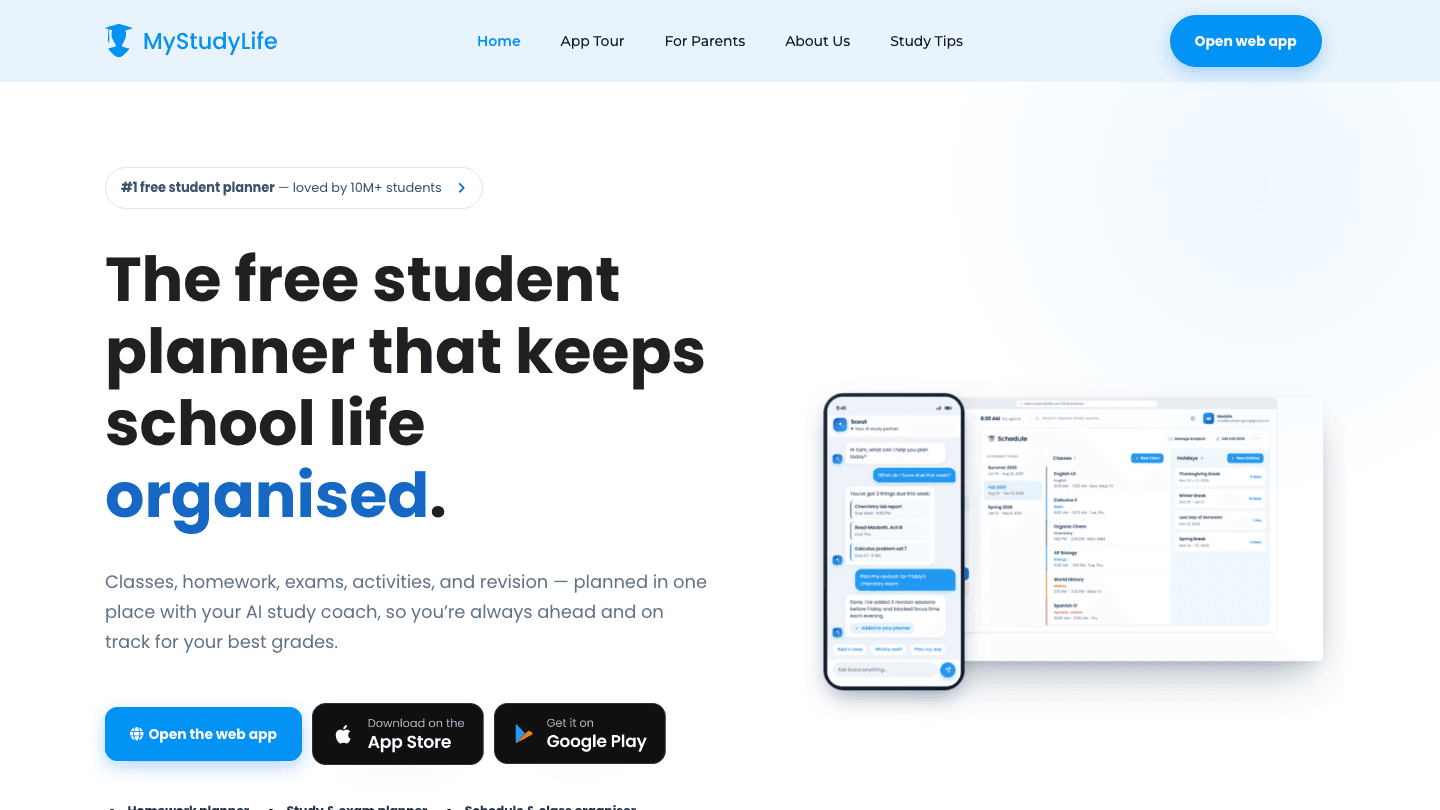
MyStudyLife is built from the ground up for students, which shows in every feature. It handles rotating timetables, recurring class schedules, exam tracking, and homework lists in a clean interface that takes about five minutes to set up. Over 10 million students use it, and it's completely free.
The cross-platform sync works well: your class schedule updates on your phone, laptop, and tablet without any manual syncing. The homework view shows what's due this week versus later in the term, and you can mark tasks as complete directly from the widget. For straightforward academic schedule management with no cost, nothing on this list competes with MyStudyLife. Pair it with time blocking strategies for a complete study system that doesn't require a subscription.
Key Features
Rotating timetable and recurring class schedule support
Homework, assignment, and exam tracking across all subjects
Cross-platform sync across iOS, Android, and web
Widget for quick task check-off on mobile
What Works
Completely free with no meaningful feature limitations
Class schedule setup handles rotating timetables better than any other app here
Clean, low-distraction interface
Limitations
No energy management or AI scheduling
No grade tracking or GPA projection
Limited integration with Google Calendar or other external calendars
Pricing: Free
Best for: Students who want a dedicated free academic planner for class schedules and assignments
3. Notion
The most flexible workspace for course notes, projects, and planning
Notion isn't a planner in the traditional sense, but for students with complex projects and research-heavy coursework, it's uniquely powerful. You can build databases to track assignments by course, create linked pages for research notes, set up a semester calendar, and connect everything into a single workspace that replaces five separate apps.
The downside is setup time. Notion requires you to build your system from scratch (or start from a template), which takes a few hours to get right. Once built, it's excellent. The free tier supports unlimited pages, making it genuinely useful without paying. For students interested in using Notion's full planning capabilities, our Notion habit tracker guide shows one approach to building a personal productivity system inside it.
Key Features
Flexible databases for tracking assignments, notes, and projects
Calendar, board, and list views for organizing work
AI assistant for writing, summarizing, and brainstorming
Free tier with unlimited personal pages
What Works
Handles complex, research-heavy coursework better than any simple task app
One workspace for notes, assignments, projects, and references
Strong template community with student-specific setups available
Limitations
No class schedule or academic-specific features built in
Requires significant upfront setup to be useful
No energy management or study session scheduling
Pricing: Free (personal) / $10/month (Plus plan)
Best for: Students who want a single workspace for notes, assignments, and complex project management
4. Todoist
The fastest way to capture and organize assignments and tasks
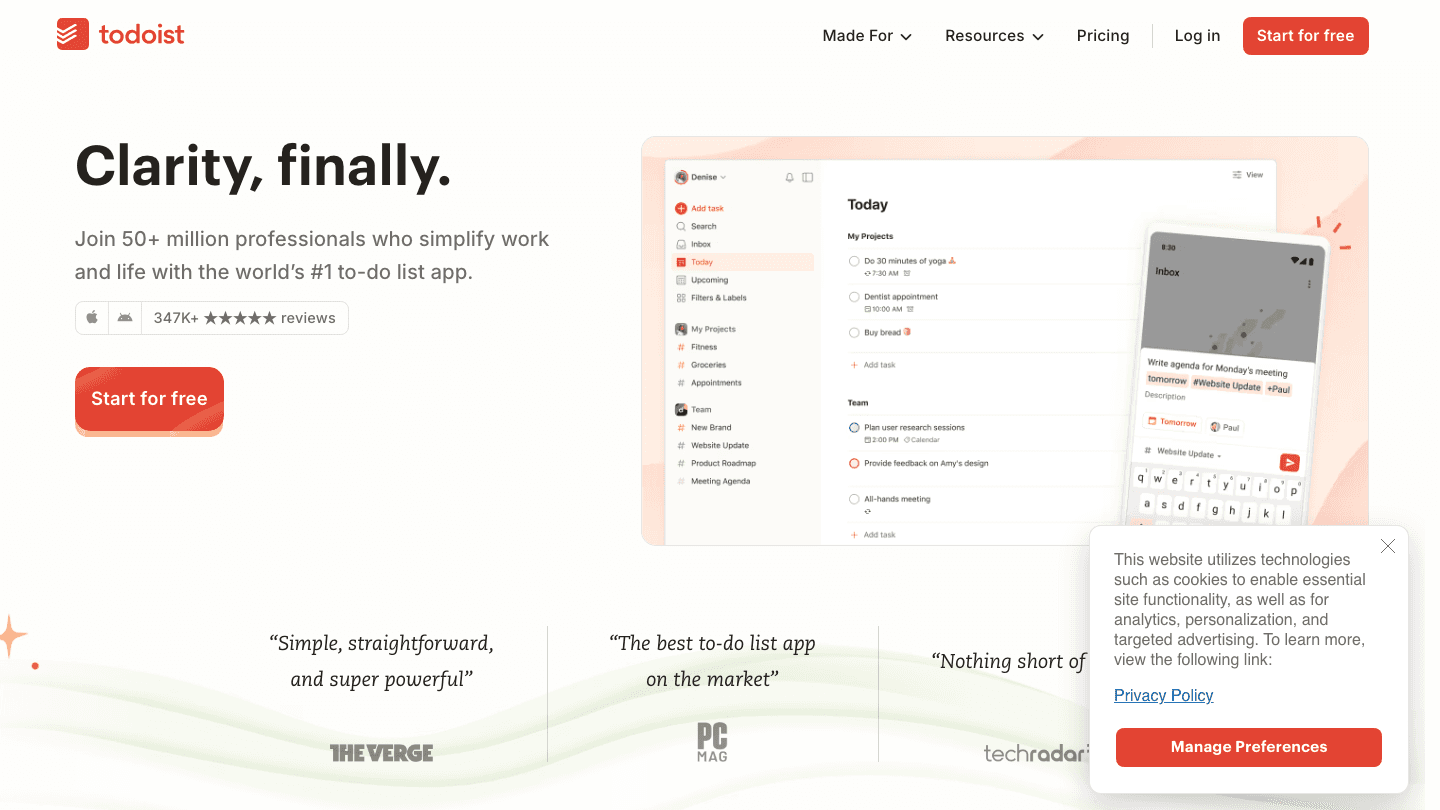
Todoist excels at one thing: getting tasks out of your head and into a list quickly. The natural language input lets you type "Essay due Friday at 11pm" and it creates the task with the right due date and time automatically. With over 50 million users, it's one of the most tested task managers available, and the free tier covers most student use cases.
What Todoist doesn't do is help you plan when to do those tasks. It shows you what's due but not when your focus is high enough to tackle it. For that kind of scheduling, you'd need to combine Todoist with Lifestack (which integrates with task lists) or use the Pomodoro method as a manual focus system alongside it.
Key Features
Natural language task input with automatic date parsing
Priority levels, labels, and project organization
Google Calendar two-way sync
Available on every platform with strong offline support
What Works
The fastest task capture of any app in this list
Free tier supports up to 5 active projects, enough for most students
Cross-platform reliability is best-in-class
Limitations
No class schedule or academic-specific structure
No scheduling help, just task listing
No grade tracking or GPA features
Pricing: Free (5 active projects) / ~$4/month Pro (billed annually)
Best for: Students who need to capture assignments quickly and want a reliable cross-platform task list
5. Google Calendar
The best option for students already in the Google ecosystem
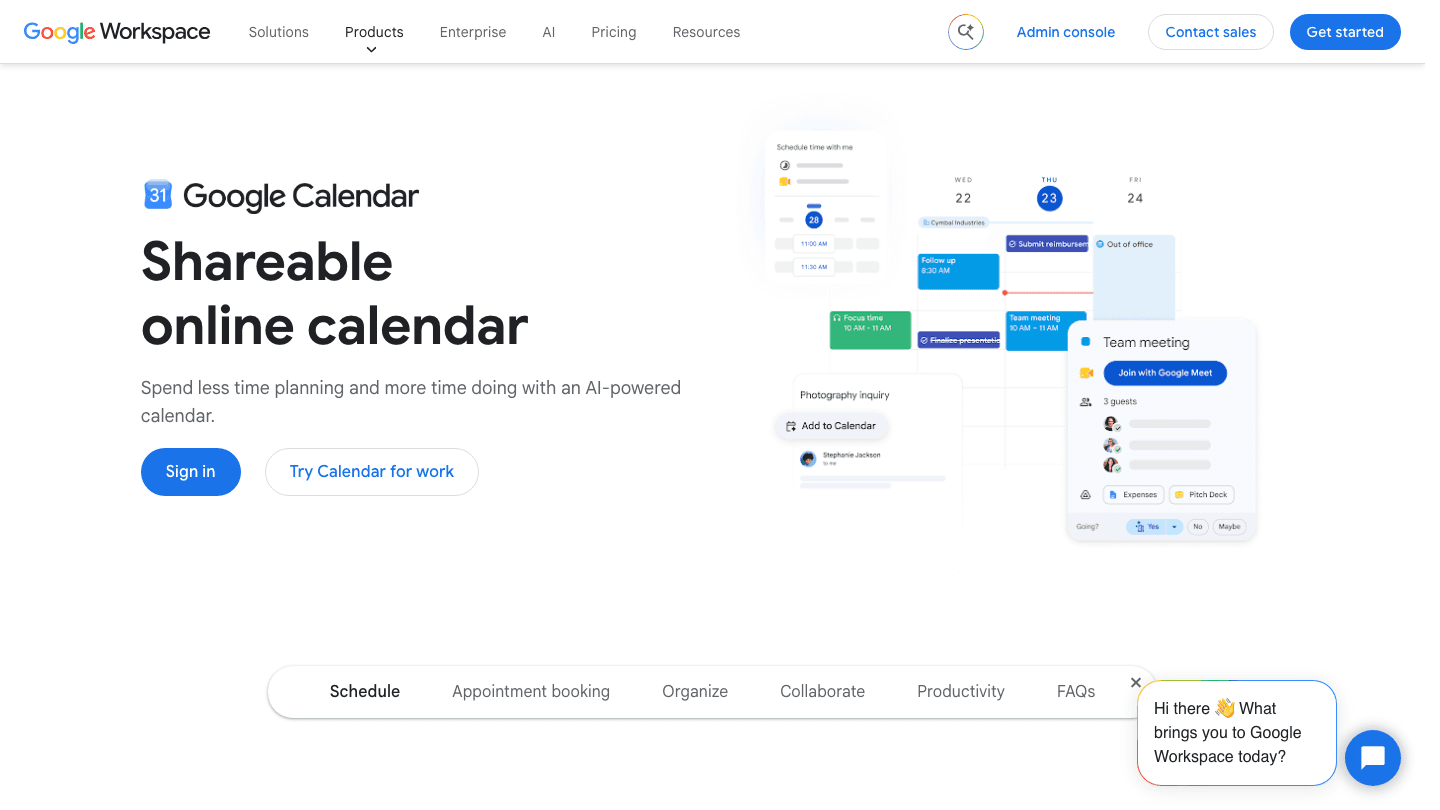
Most colleges run on Google Workspace, which means Google Calendar is already the backbone of your academic life whether you use it intentionally or not. Professors send invites through it, study groups schedule meetings on it, and your college email probably integrates with it directly.
For students who want a planner that requires zero learning curve and works everywhere, Google Calendar is the pragmatic choice. It doesn't have dedicated academic features like homework lists or class schedule views, but you can build a functional semester structure with recurring events. The main limitation is that it's a calendar, not a planner, so you still need to decide what goes on it and when.
Key Features
Free with any Google account
Shared calendars for study groups and group projects
Works across web, iOS, and Android with automatic sync
Google Meet integration for remote study sessions
What Works
Zero setup required if you're already using Google
The most widely integrated calendar for college tools and LMS platforms
Shared calendars make group project scheduling easy
Limitations
No assignment tracking, homework lists, or grade features
No AI scheduling or energy awareness
More powerful as a hub that other apps sync to than as a standalone planner
Pricing: Free
Best for: Students in the Google ecosystem who want a zero-friction shared calendar
6. Power Planner
The best app for tracking grades and projecting your GPA
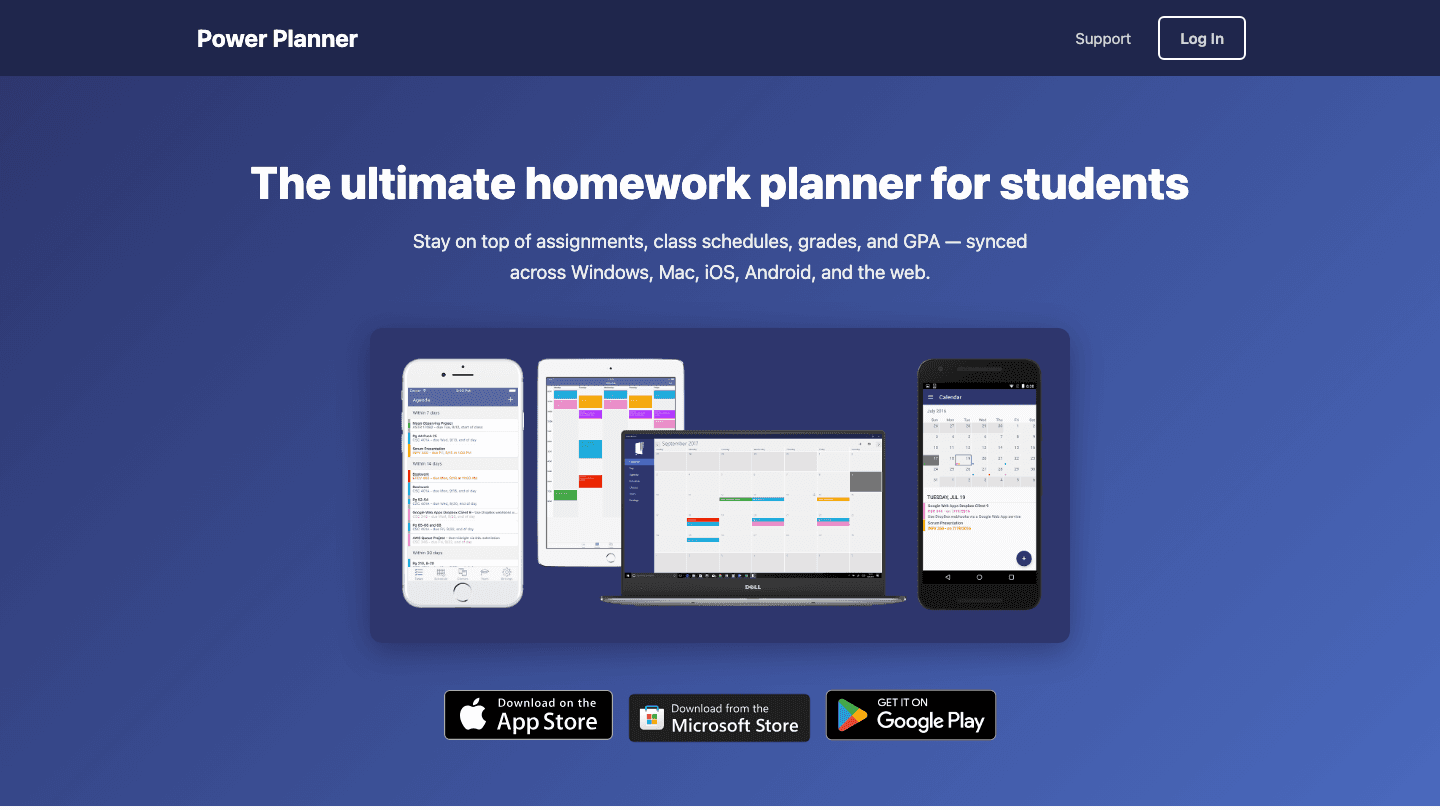
Power Planner fills a niche the other apps on this list ignore: grade tracking. You input your assignments, quizzes, and exams with their weights and scores, and Power Planner calculates your current grade in each class and projects what you need on the final to hit your target. It supports semester-over-semester views and GPA projections.
For students who are grade-focused or on academic probation where GPA management is critical, this feature set is genuinely useful. The free tier covers most basic use cases; the premium one-time purchase (under $5) unlocks multiple semesters and removes grade entry limits. Available on Windows, Mac, iOS, Android, and the web.
Key Features
Grade tracking with weighted categories per class
GPA projection and "what do I need on the final?" calculator
Class schedule and assignment tracking alongside grade management
Available across Windows, Mac, iOS, Android, and web
What Works
Grade tracking is the best of any app in this list
One-time premium purchase with no subscription required
Cross-platform sync across all major devices
Limitations
Interface is more functional than polished
No energy management or AI scheduling
Less useful if grade tracking isn't a priority
Pricing: Free / under $5 one-time for Premium
Best for: Grade-conscious students who want GPA projections alongside their class schedule
Which Planner App Is Right for You?
You have ADHD or variable energy and struggle with when to study: Lifestack
You want the best free app for class schedule management: MyStudyLife
You want a single workspace for notes, projects, and planning: Notion
You need to capture assignments fast and track a long task list: Todoist
You're already in Google and want zero setup: Google Calendar
You care deeply about GPA and want grade projections: Power Planner
For most students, the right setup combines two of these: one app for class schedule and assignment capture (MyStudyLife or Todoist) and one for when to do the work (Lifestack). Trying to use all six at once is a fast path to setup fatigue and abandonment. Pick one primary app and add a second only if you find a clear gap. Check our best reminder apps guide if you want to add nudges on top of your planner setup.
Frequently Asked Questions
What is the best free planner app for college students?
MyStudyLife is the best completely free option for academic schedule management, handling rotating timetables, homework tracking, and exam reminders without any cost. Google Calendar is the better choice if you're already in the Google ecosystem and mainly need a shared calendar rather than dedicated academic features.
Is Notion good for college students?
Yes, especially for students with complex coursework, research projects, or who want one workspace for notes and planning. Notion's free tier is genuinely capable, and the flexibility to build exactly the system you need is valuable. The trade-off is setup time; it rewards students who invest an hour or two into building a proper template. Our Notion habit tracker guide shows one approach to structuring it for student life.
What planner app is best for ADHD college students?
Lifestack is the strongest option for ADHD students because it removes the hardest decision: figuring out when to start and what to tackle first. By reading your energy and recovery data from connected wearables, it suggests the right tasks for your current mental state. This reduces the executive function load that makes traditional planners difficult for ADHD students to stick with.
How do I manage time better as a college student?
Start by capturing all deadlines in one place (MyStudyLife or Todoist), then block study time in your calendar in advance rather than deciding day-by-day. Protect sleep: students who sleep 7 to 8 hours consistently outperform those who sacrifice sleep for study time in most academic outcome research. If energy variability is your issue, Lifestack helps you schedule around your actual capacity rather than an idealized plan.
Should I use a digital or paper planner in college?
Digital wins on search, reminders, and cross-device access. Paper wins on retention and focus for some people. A common approach is to use a digital app for deadline and schedule management while keeping a physical notebook for daily task lists. The format matters less than having a system you actually use every day.
College is the first time most people have to manage their own time without a parent or a homeroom teacher doing it for them. There's a class schedule that changes every semester, assignment deadlines spread across five or six subjects, exams that cluster at the worst possible times, and a sleep schedule that takes a hit whether you want it to or not.
A planner app that works for you isn't one that just lists what's due. It's one that helps you figure out when to actually do the work, given how much energy you have at any given moment. That's the gap most student planner apps leave unfilled, and it's the reason Lifestack sits at the top of this list.
We tested six of the best planner apps for college students in 2026, looking at how well each one handles class schedules, assignment tracking, and the kind of energy management that actually gets work done. Here's what we found.
Key Takeaways
Lifestack is the only app that schedules your study sessions around your energy and recovery levels, not just your due dates.
MyStudyLife is the best completely free option, with strong class schedule management and cross-platform sync.
Notion offers the most flexibility for organizing complex course projects but requires setup time to get right.
Quick Guide: Best Planner Apps for College Students
1. Lifestack: Best for energy-aware scheduling and ADHD-friendly planning
2. MyStudyLife: Best free app for academic schedule management
3. Notion: Best for organizing notes, projects, and course materials
4. Todoist: Best for fast assignment capture and task tracking
5. Google Calendar: Best for students already in the Google ecosystem
6. Power Planner: Best for tracking grades and GPA projections
How We Evaluated These Apps
Class schedule support: recurring events, semester views, rotating timetables
Assignment tracking: deadlines, subjects, priority sorting
Energy and time management: does the app help you decide when to do the work, not just what to do?
Calendar integration: Google Calendar, Apple Calendar, or built-in
Mobile and desktop support: most students switch between phone and laptop constantly
Pricing: free tier value and what the paid upgrade actually adds
1. Lifestack
The only planner that schedules around your energy, not just your deadlines
Lifestack is an AI daily planner built around one insight: when you do your work matters as much as what you're doing. It connects to your health data from Apple Watch, Garmin, or Apple Health and uses your HRV, sleep quality, and energy patterns to schedule your study sessions, assignments, and commitments during the windows when you're actually capable of doing them well.
For college students, this is meaningful. When you've been up until 2am and have a paper due, Lifestack doesn't just remind you that the paper exists. It reads your recovery state and either adjusts your schedule to protect a later study window or flags that this is a low-focus day so you tackle lower-stakes tasks first. It also integrates with Google Calendar and your existing task lists, so it works within your current setup rather than replacing it. Students dealing with ADHD particularly benefit from the automatic task prioritization that removes the decision fatigue of figuring out what to start with. See how Lifestack's energy model works in practice.
Key Features
AI scheduling that adapts to your energy and recovery data from connected wearables
Google Calendar and task list integration
iOS and Android apps plus a Chrome extension
Built for ADHD and energy-variable schedules
Daily energy-aware task prioritization
What Works
Actually tells you when to study, not just what's due
Reduces decision fatigue on low-energy days when task selection is hardest
Integrates with your existing calendar without requiring a full system switch
Limitations
Works best with a connected wearable for health data; manual input reduces accuracy
No dedicated class schedule or syllabus view like academic-specific apps
No energy awareness without health data; MyStudyLife handles pure class scheduling better
Pricing: $7/month, $50/year, or $120 lifetime
Best for: Students with ADHD, irregular sleep, or energy variability who want a planner that adapts to how they're actually doing
2. MyStudyLife
The best free academic planner for managing class schedules
MyStudyLife is built from the ground up for students, which shows in every feature. It handles rotating timetables, recurring class schedules, exam tracking, and homework lists in a clean interface that takes about five minutes to set up. Over 10 million students use it, and it's completely free.
The cross-platform sync works well: your class schedule updates on your phone, laptop, and tablet without any manual syncing. The homework view shows what's due this week versus later in the term, and you can mark tasks as complete directly from the widget. For straightforward academic schedule management with no cost, nothing on this list competes with MyStudyLife. Pair it with time blocking strategies for a complete study system that doesn't require a subscription.
Key Features
Rotating timetable and recurring class schedule support
Homework, assignment, and exam tracking across all subjects
Cross-platform sync across iOS, Android, and web
Widget for quick task check-off on mobile
What Works
Completely free with no meaningful feature limitations
Class schedule setup handles rotating timetables better than any other app here
Clean, low-distraction interface
Limitations
No energy management or AI scheduling
No grade tracking or GPA projection
Limited integration with Google Calendar or other external calendars
Pricing: Free
Best for: Students who want a dedicated free academic planner for class schedules and assignments
3. Notion
The most flexible workspace for course notes, projects, and planning
Notion isn't a planner in the traditional sense, but for students with complex projects and research-heavy coursework, it's uniquely powerful. You can build databases to track assignments by course, create linked pages for research notes, set up a semester calendar, and connect everything into a single workspace that replaces five separate apps.
The downside is setup time. Notion requires you to build your system from scratch (or start from a template), which takes a few hours to get right. Once built, it's excellent. The free tier supports unlimited pages, making it genuinely useful without paying. For students interested in using Notion's full planning capabilities, our Notion habit tracker guide shows one approach to building a personal productivity system inside it.
Key Features
Flexible databases for tracking assignments, notes, and projects
Calendar, board, and list views for organizing work
AI assistant for writing, summarizing, and brainstorming
Free tier with unlimited personal pages
What Works
Handles complex, research-heavy coursework better than any simple task app
One workspace for notes, assignments, projects, and references
Strong template community with student-specific setups available
Limitations
No class schedule or academic-specific features built in
Requires significant upfront setup to be useful
No energy management or study session scheduling
Pricing: Free (personal) / $10/month (Plus plan)
Best for: Students who want a single workspace for notes, assignments, and complex project management
4. Todoist
The fastest way to capture and organize assignments and tasks
Todoist excels at one thing: getting tasks out of your head and into a list quickly. The natural language input lets you type "Essay due Friday at 11pm" and it creates the task with the right due date and time automatically. With over 50 million users, it's one of the most tested task managers available, and the free tier covers most student use cases.
What Todoist doesn't do is help you plan when to do those tasks. It shows you what's due but not when your focus is high enough to tackle it. For that kind of scheduling, you'd need to combine Todoist with Lifestack (which integrates with task lists) or use the Pomodoro method as a manual focus system alongside it.
Key Features
Natural language task input with automatic date parsing
Priority levels, labels, and project organization
Google Calendar two-way sync
Available on every platform with strong offline support
What Works
The fastest task capture of any app in this list
Free tier supports up to 5 active projects, enough for most students
Cross-platform reliability is best-in-class
Limitations
No class schedule or academic-specific structure
No scheduling help, just task listing
No grade tracking or GPA features
Pricing: Free (5 active projects) / ~$4/month Pro (billed annually)
Best for: Students who need to capture assignments quickly and want a reliable cross-platform task list
5. Google Calendar
The best option for students already in the Google ecosystem
Most colleges run on Google Workspace, which means Google Calendar is already the backbone of your academic life whether you use it intentionally or not. Professors send invites through it, study groups schedule meetings on it, and your college email probably integrates with it directly.
For students who want a planner that requires zero learning curve and works everywhere, Google Calendar is the pragmatic choice. It doesn't have dedicated academic features like homework lists or class schedule views, but you can build a functional semester structure with recurring events. The main limitation is that it's a calendar, not a planner, so you still need to decide what goes on it and when.
Key Features
Free with any Google account
Shared calendars for study groups and group projects
Works across web, iOS, and Android with automatic sync
Google Meet integration for remote study sessions
What Works
Zero setup required if you're already using Google
The most widely integrated calendar for college tools and LMS platforms
Shared calendars make group project scheduling easy
Limitations
No assignment tracking, homework lists, or grade features
No AI scheduling or energy awareness
More powerful as a hub that other apps sync to than as a standalone planner
Pricing: Free
Best for: Students in the Google ecosystem who want a zero-friction shared calendar
6. Power Planner
The best app for tracking grades and projecting your GPA
Power Planner fills a niche the other apps on this list ignore: grade tracking. You input your assignments, quizzes, and exams with their weights and scores, and Power Planner calculates your current grade in each class and projects what you need on the final to hit your target. It supports semester-over-semester views and GPA projections.
For students who are grade-focused or on academic probation where GPA management is critical, this feature set is genuinely useful. The free tier covers most basic use cases; the premium one-time purchase (under $5) unlocks multiple semesters and removes grade entry limits. Available on Windows, Mac, iOS, Android, and the web.
Key Features
Grade tracking with weighted categories per class
GPA projection and "what do I need on the final?" calculator
Class schedule and assignment tracking alongside grade management
Available across Windows, Mac, iOS, Android, and web
What Works
Grade tracking is the best of any app in this list
One-time premium purchase with no subscription required
Cross-platform sync across all major devices
Limitations
Interface is more functional than polished
No energy management or AI scheduling
Less useful if grade tracking isn't a priority
Pricing: Free / under $5 one-time for Premium
Best for: Grade-conscious students who want GPA projections alongside their class schedule
Which Planner App Is Right for You?
You have ADHD or variable energy and struggle with when to study: Lifestack
You want the best free app for class schedule management: MyStudyLife
You want a single workspace for notes, projects, and planning: Notion
You need to capture assignments fast and track a long task list: Todoist
You're already in Google and want zero setup: Google Calendar
You care deeply about GPA and want grade projections: Power Planner
For most students, the right setup combines two of these: one app for class schedule and assignment capture (MyStudyLife or Todoist) and one for when to do the work (Lifestack). Trying to use all six at once is a fast path to setup fatigue and abandonment. Pick one primary app and add a second only if you find a clear gap. Check our best reminder apps guide if you want to add nudges on top of your planner setup.
Frequently Asked Questions
What is the best free planner app for college students?
MyStudyLife is the best completely free option for academic schedule management, handling rotating timetables, homework tracking, and exam reminders without any cost. Google Calendar is the better choice if you're already in the Google ecosystem and mainly need a shared calendar rather than dedicated academic features.
Is Notion good for college students?
Yes, especially for students with complex coursework, research projects, or who want one workspace for notes and planning. Notion's free tier is genuinely capable, and the flexibility to build exactly the system you need is valuable. The trade-off is setup time; it rewards students who invest an hour or two into building a proper template. Our Notion habit tracker guide shows one approach to structuring it for student life.
What planner app is best for ADHD college students?
Lifestack is the strongest option for ADHD students because it removes the hardest decision: figuring out when to start and what to tackle first. By reading your energy and recovery data from connected wearables, it suggests the right tasks for your current mental state. This reduces the executive function load that makes traditional planners difficult for ADHD students to stick with.
How do I manage time better as a college student?
Start by capturing all deadlines in one place (MyStudyLife or Todoist), then block study time in your calendar in advance rather than deciding day-by-day. Protect sleep: students who sleep 7 to 8 hours consistently outperform those who sacrifice sleep for study time in most academic outcome research. If energy variability is your issue, Lifestack helps you schedule around your actual capacity rather than an idealized plan.
Should I use a digital or paper planner in college?
Digital wins on search, reminders, and cross-device access. Paper wins on retention and focus for some people. A common approach is to use a digital app for deadline and schedule management while keeping a physical notebook for daily task lists. The format matters less than having a system you actually use every day.



FOLLOW ON
FOLLOW ON
FOLLOW ON


Copyright 2026 © Lifestack. All rights reserved
Copyright 2026 © Lifestack. All rights reserved

