
App
Best Reminder Apps for Android and iPhone in 2026
Best Reminder Apps for Android and iPhone in 2026
The best reminder app for most people comes down to three things: how well it fits your schedule, whether it works on your device, and how smart it is about when reminders actually fire. After testing six apps on Android and iPhone, Lifestack stands out for energy-aware scheduling, TickTick for the best all-in-one free reminder app on Android, and Google Keep for the simplest free daily reminder app with no setup. If you want the best reminder apps available right now, you're in the right place.
The problem with most reminder apps isn't that they don't work. You set the reminder, your phone buzzes at 3pm, you glance at it, think "I'll do that in a bit," and an hour later it's completely gone from your head. The issue is that your reminder app didn't know when you'd actually be ready to act on it. That's the difference between a reminder app and a good one. You can also stay on task more reliably when reminders show up at the right moment, not at a time you picked three days ago.
The best reminder apps in 2026 do more than ping you at a set time. The top ones adapt to your schedule, learn your patterns, and surface the right task at the right moment. A few even account for your energy levels, so your most demanding reminders land when you're sharpest, not when you're running on fumes.
We tested six of the most popular reminder apps across platforms: Lifestack, TickTick, Todoist, Any.do, Google Keep, and Microsoft To Do. Each one has a different philosophy. Here's how they stack up.
Quick note on criteria: we evaluated each app on reminder flexibility, recurring options, cross-device sync, calendar integration, and overall ease of use. Pricing verified as of October 2026.
Key Takeaways
Lifestack is the only app that ties reminders to your energy level, ideal if you have ADHD, variable schedules, or a packed calendar that rarely goes to plan.
TickTick offers the best value for power users who want habit tracking, Pomodoro timers, and advanced recurring reminders in one app.
Google Keep and Microsoft To Do are unbeatable if you want free, frictionless reminders without any setup overhead.
Best Reminder Apps at a Glance
1. Lifestack: Best for energy-aware, AI-scheduled reminders
2. TickTick: Best all-in-one reminder + task + habit tracker
3. Todoist: Best for power users who want clean, natural-language input
4. Any.do: Best simple reminder app with a daily planner view
5. Google Keep: Best free, zero-setup reminder option
6. Microsoft To Do: Best free reminder app for Windows and Microsoft 365 users
Best Reminder Apps for Android
All six apps on this list work on Android. Three stand out for the Android experience specifically.
Lifestack has a full Android app with the same energy-aware scheduling as the iOS version. It's the best android reminder app if you want reminders that adapt around your calendar and energy levels, not just fire at a time you set manually.
TickTick is the strongest free reminder app for Android. The Android app includes home screen widgets, Pomodoro timers, location reminders, and the full habit tracker. For maximum features at no cost on Android, TickTick is the pick.
Google Keep is pre-installed on most Android phones and works directly with Google Assistant. For a simple free daily reminder app on Android with zero setup, it's the fastest option.
Any.do and Microsoft To Do also have solid Android apps. Any.do includes voice input and location reminders on its Premium plan. Microsoft To Do works well on Android for anyone already using Outlook or Microsoft 365.
How We Evaluated These Reminder Apps
Reminder flexibility: time-based, location-based, recurring patterns
Calendar integration: does it sync with Google Calendar or Outlook?
Cross-device sync: iOS, Android, desktop, web
Natural language input: can you type "remind me every Monday at 9am"?
Daily reminder support: does it handle repeating daily reminders, and can they adjust when your schedule changes?
Pricing: is there a genuinely useful free tier?
ADHD-friendliness: forgiving, flexible, low friction to capture tasks
1. Lifestack: Best for Energy-Aware Reminders
Reminders that know when you're actually ready to work.

Most reminder apps treat every hour of your day as equal. Lifestack doesn't. It's an AI-powered calendar and planner that builds reminders around your energy patterns. Flag a task as "deep work" and Lifestack routes it to your high-focus windows. Mark something as low-effort and it finds a gap between meetings. The result is a reminder that arrives when you're actually capable of acting on it.
This matters more than it sounds. If you've ever opened a digital planner and felt immediately overwhelmed by everything you're supposed to do right now, Lifestack's approach is the fix. It fits reminders into the flow of your actual day.
Key Features
Energy-aware task scheduling that routes tasks to high or low energy blocks
Smart rescheduling when plans change (drag, drop, or auto-reschedule)
Full calendar integration with Google Calendar and Outlook
ADHD-friendly capture: add tasks quickly without opening a full editor
iOS and Android apps plus Chrome extension
What Works
Genuinely adapts to your schedule instead of just listing things to do
The energy flagging system is fast to use and makes a real difference over time
Clean, uncluttered interface that doesn't create extra overwhelm
Limitations
No free tier. You'll need to pay or start the 7-day trial on the annual plan
Location-based reminders are not yet available
Habit tracking is basic compared to TickTick
Pricing: $7/month, $50/year, or $120 lifetime. 7-day free trial on the annual plan.
Best for: People with ADHD, busy professionals, or anyone whose day rarely goes to plan and needs reminders that reschedule themselves.
2. TickTick: Best All-in-One Reminder App
Reminders, habits, timers, and calendars in one place.
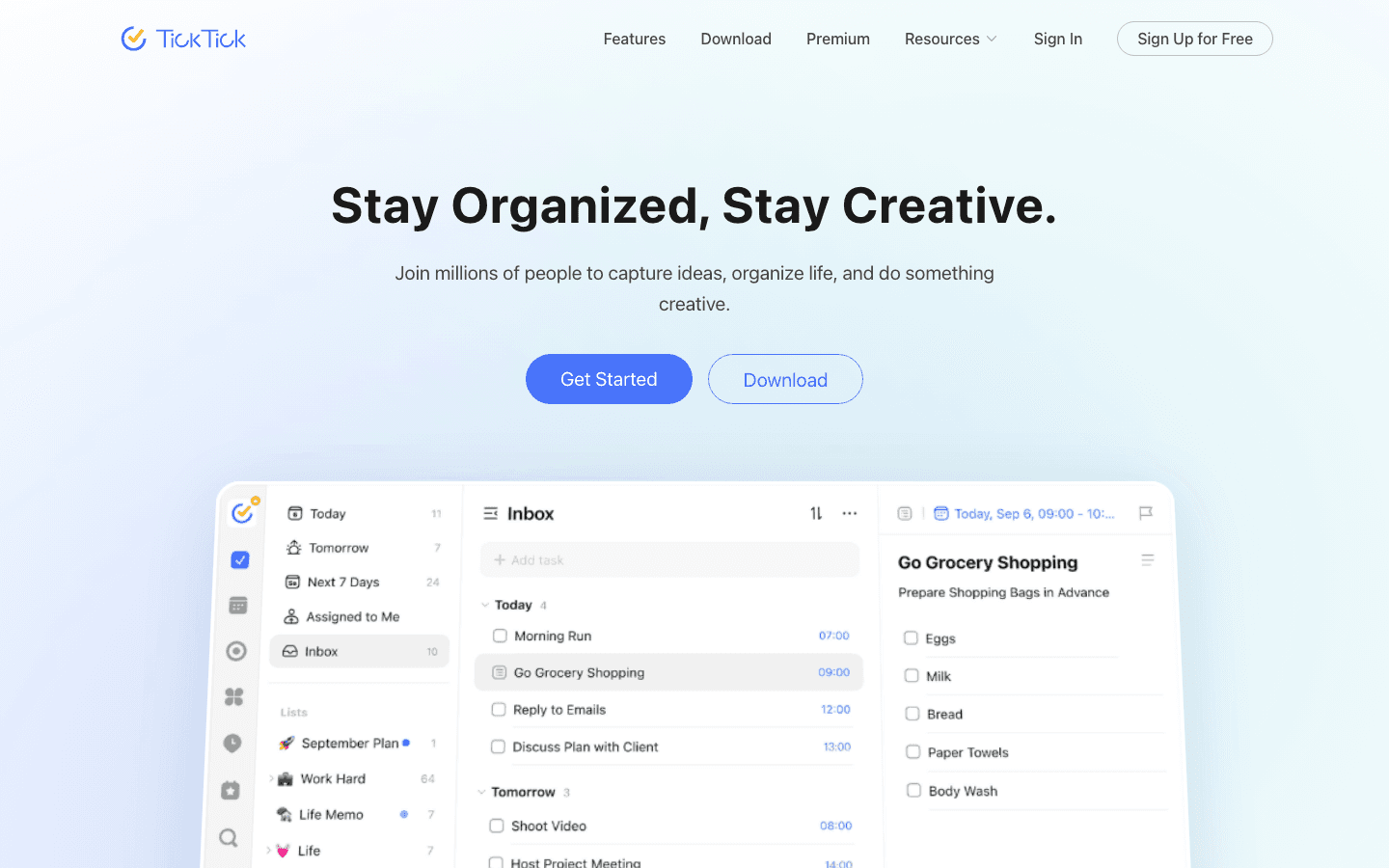
TickTick packs more reminder types into a single app than anything else on this list. You can set time-based reminders, location triggers, Pomodoro countdowns, and complex recurring schedules, all without touching a settings menu. The natural language input is excellent: type "water plants every Sunday at 10am" and it just works.
The habit tracker is where TickTick really separates itself from standard task planning apps. You can chain reminders to streaks, celebrate consistency, and visualize your progress over weeks. If you're trying to build routines, not just manage tasks, TickTick is the most complete free option available.
Key Features
Time, location, and Pomodoro-based reminders
Habit tracking with streaks and progress charts
Natural language input for fast task capture
Calendar view that integrates with Google Calendar
5 reminder modes: snooze, repeat, tag, priority, and custom
What Works
The free tier is genuinely capable, more capable than most competitors
Cross-platform sync is reliable and fast
Habit-linked reminders are uniquely motivating
Limitations
No energy awareness. It doesn't know if you're in a focused or foggy window
The interface can feel dense once you have a lot of lists
Collaboration features are limited on the free plan
Pricing: Free (limited). Premium $49.99/year (~$4/month).
Best for: People who want habit tracking, flexible recurring reminders, and a Pomodoro timer all in one app, without paying much.
3. Todoist: Best for Natural Language Input
Type a task the way you'd say it out loud.
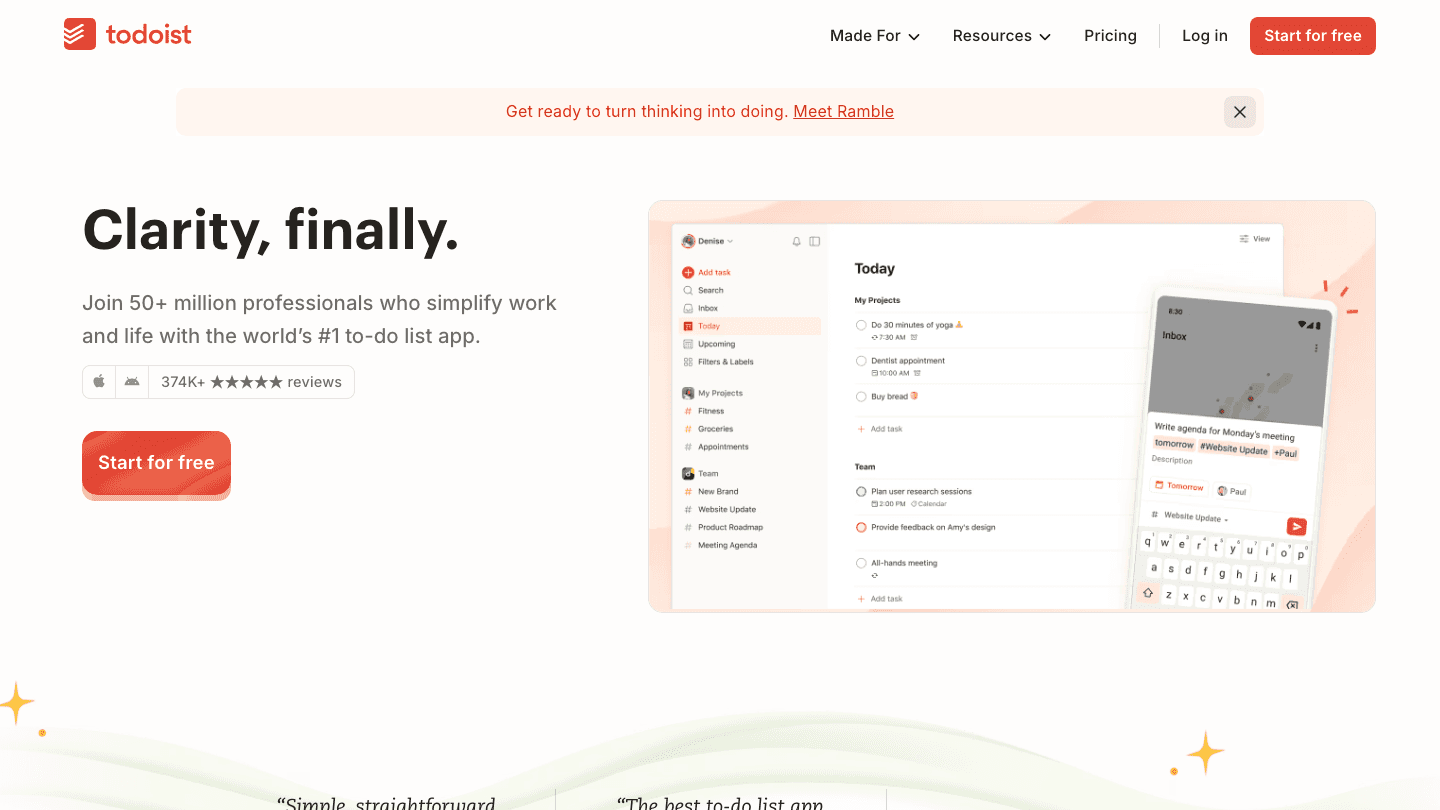
Todoist has one of the most satisfying task-entry experiences of any scheduling app. Type "call dentist next Thursday at 2pm p1" and it sets the date, time, and priority without a single dropdown. It's the kind of thing that sounds small but makes the app feel fast in practice.
The free Beginner plan now includes basic task reminders triggered at the due date. The Pro plan adds custom reminders, where you can set notifications at any point before the task is due and stack multiple reminders per task. Once on Pro, the combination of recurring reminders, filters, and project views makes it easy to build a reliable capture system.
Key Features
Natural language parsing for dates, times, and priorities
Recurring task templates ("every weekday at 8am"
Integrations with 60+ apps including Slack, Google Calendar, and Alexa
Productivity tracking with completed task history
Shared projects and task assignment for teams
What Works
The input experience is genuinely faster than most competitors
Works on every platform with reliable sync
374,000+ App Store reviews average 4.8 stars
Limitations
Custom reminders set independently of the due date require Pro
No energy awareness or smart scheduling
Calendar view is newer and less polished than the list views
Pricing: Free (includes basic due-date reminders). Pro plan adds custom reminders; see todoist.com/pricing for current rates.
Best for: People who live in their task manager and want the fastest possible input with reliable reminders across every device.
4. Any.do: Best Simple Reminder App
A daily planner that surfaces your reminders at the right time of day.
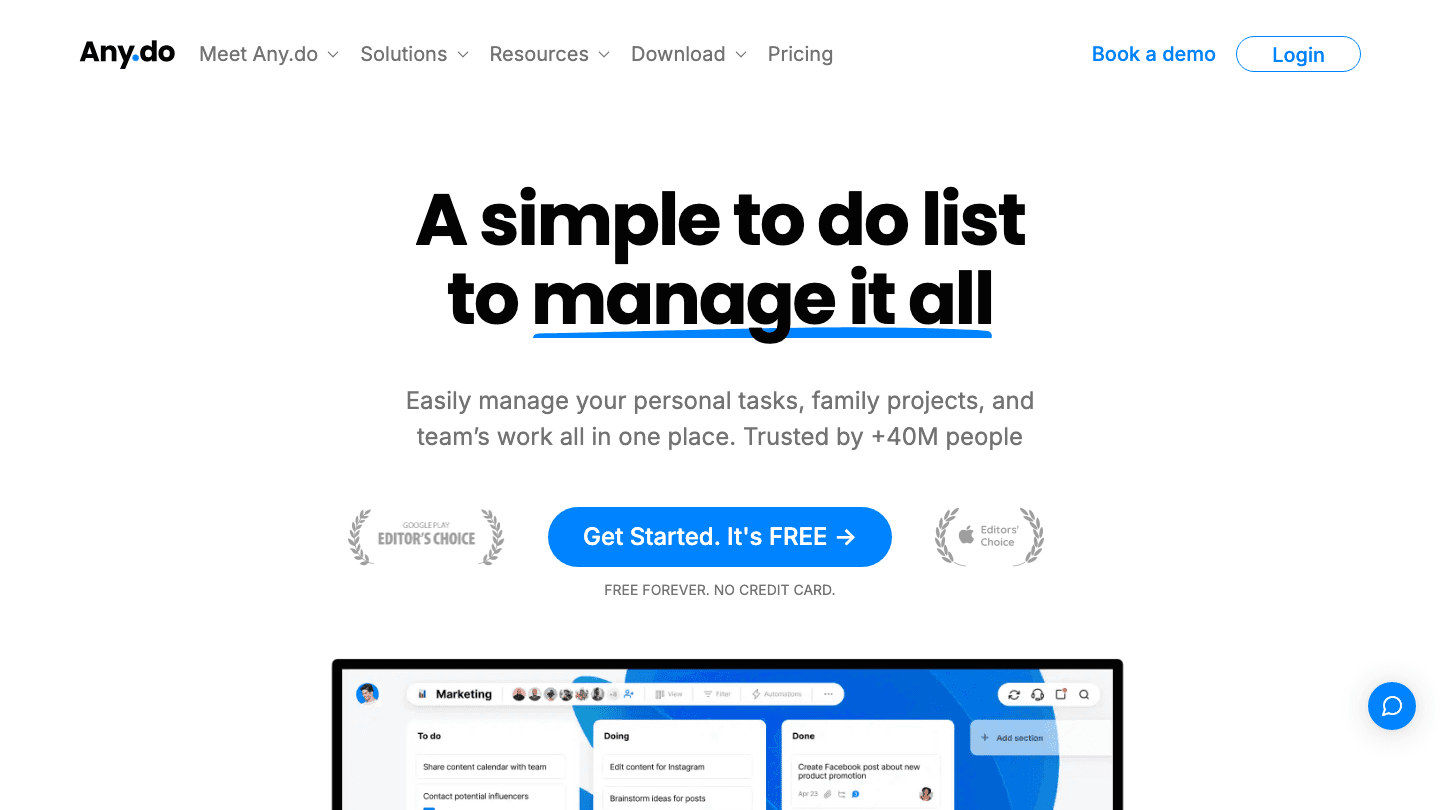
Any.do takes a different approach from the others. Instead of a flat task list, it groups your reminders by time of day: Today, Tomorrow, Upcoming, Someday. Every morning you get a "My Day" view that prompts you to plan your schedule by moving tasks into time slots. It sounds small but it meaningfully reduces the feeling of being overwhelmed by everything at once.
The Family plan is a standout feature. You can share lists and assign reminders to family members. If you're managing a household, groceries, school pickups, and appointments, Any.do is one of the few reminder apps built with that use case in mind. It also has strong voice input and works well with Siri and Google Assistant.
Key Features
Morning "My Day" planner for daily review and scheduling
Time-of-day grouping (Today, Tomorrow, Upcoming, Someday)
Family list sharing and task assignment
Voice input and Siri / Google Assistant integration
Location-based reminders on Premium
What Works
The My Day view creates a low-friction daily planning habit
Best family and household use case of any app on this list
Location reminders work well and are easy to set up
Limitations
No energy awareness or AI scheduling
The free tier omits location reminders and recurring tasks
Calendar sync is limited compared to Lifestack or TickTick
Pricing: Free (Personal). Premium $7.99/month or $4.99/month billed annually. Family plan $9.99/month for up to 4 members.
Best for: Individuals and families who want a clean daily planning view with time-of-day reminders and easy household sharing.
5. Google Keep: Best Free Option
Sticky notes with time and location reminders, fully free.
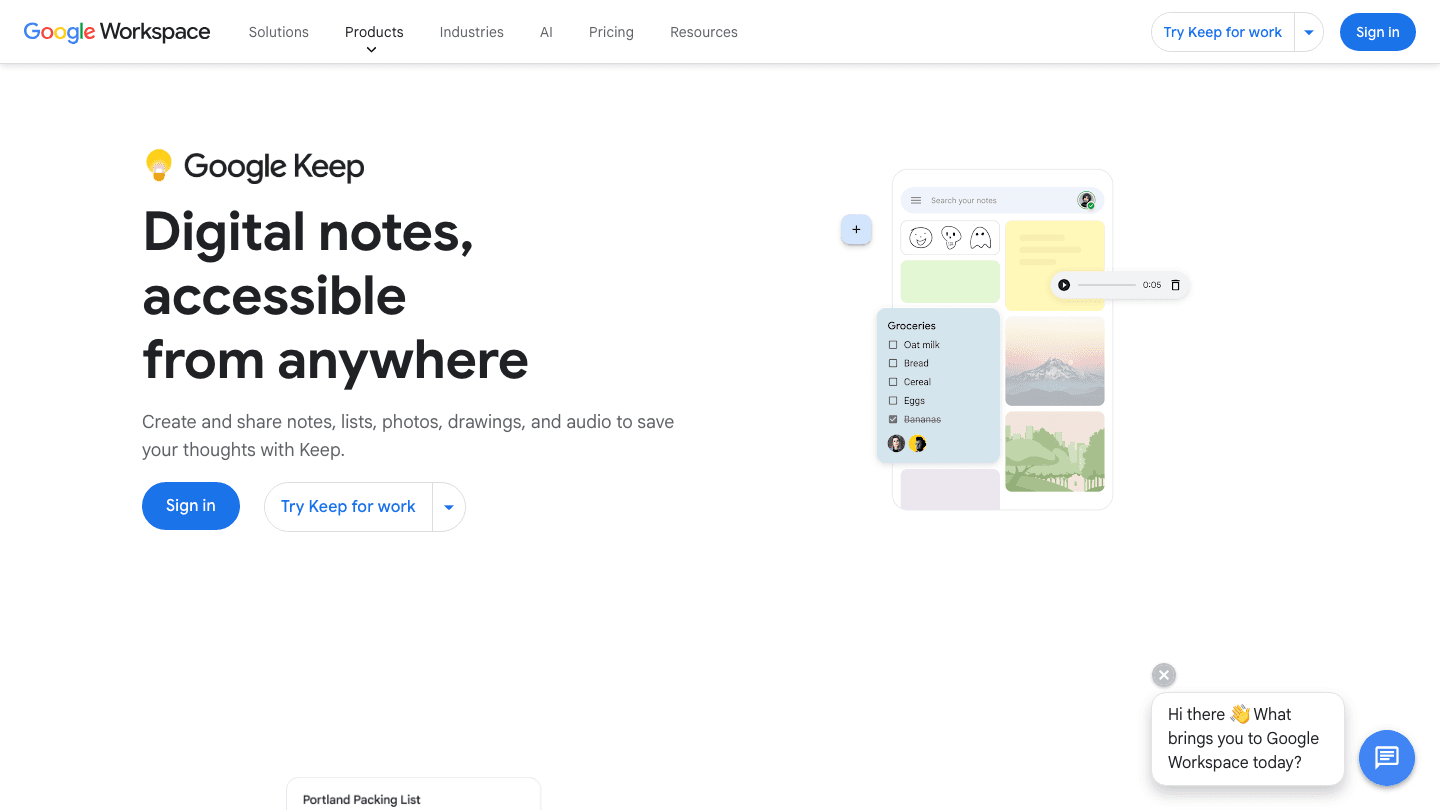
Google Keep is the simplest reminder app on this list, and that's its strength. Open it, type a note, set a time or location trigger, and move on. There's no setup, no subscription, and it syncs instantly across every device where you're signed into Google. For casual reminders and grocery lists, nothing beats it for pure speed.
Where Keep falls short is anything beyond the basics. There's no natural language input, no recurring reminders, no energy awareness, and no calendar view. It's a notepad that can buzz at you. That's fine for a lot of people, but if you need reliable ADHD task management or complex scheduling, you'll quickly hit the ceiling.
Key Features
Time and location-based reminders
Color-coded notes and labels
Google Docs and Gmail integration
Shared notes for collaboration
Available on Android, iOS, and web
What Works
Completely free with no meaningful limitations for casual use
Location reminders work reliably on Android
Integrates naturally into the Google ecosystem
Limitations
No recurring reminders. Every reminder is a one-off
No natural language input for dates or times
No calendar integration or energy awareness
Not suited for complex task management
Pricing: Free.
Best for: Casual users who want quick, free reminders within the Google ecosystem without any setup.
6. Microsoft To Do: Best for Windows Users
Outlook's built-in reminder system, now available everywhere.
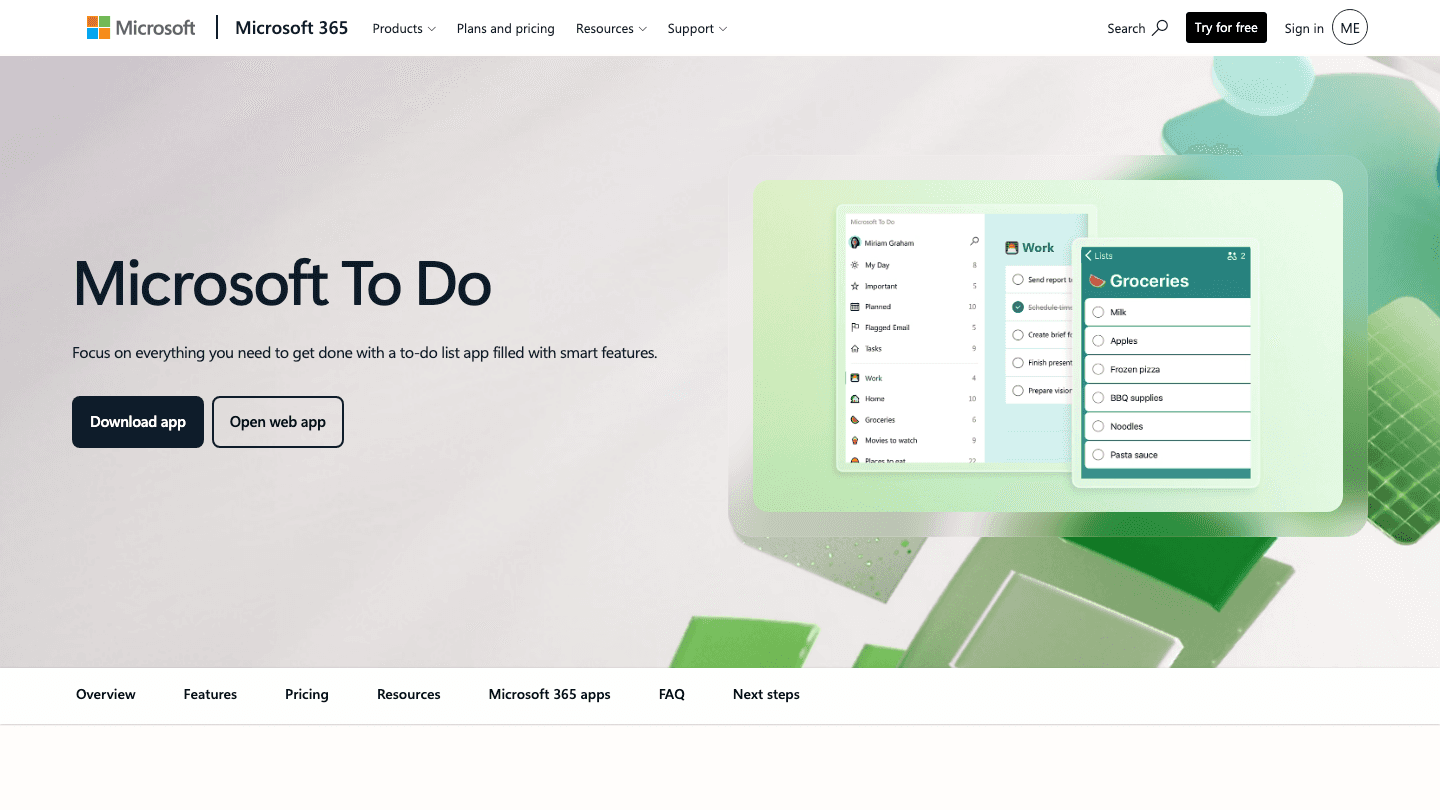
Microsoft To Do is the natural reminder app if you're already in the Microsoft ecosystem. It connects natively with Outlook tasks, works inside Microsoft Teams, and connects with Windows Focus Assist. If your work calendar is in Outlook, your reminders can show up there without any extra setup.
The app itself is clean and well-designed. "My Day" gives you a focused view of what's on your plate. The Flagged Email integration (where flagged Outlook emails automatically appear as tasks) is genuinely useful for people whose to-do list lives in their inbox. It's not the most powerful option for personal productivity, but it covers the basics well and it's completely free.
Key Features
Outlook and Teams integration (flagged emails become tasks)
My Day focus view with daily planning prompts
Recurring reminders and due dates
Shared lists for families and teams
Available on Windows, Mac, iOS, Android, and web
What Works
The Outlook integration is direct and saves real time
Clean, modern interface that doesn't require any learning curve
Works well with Windows Focus Assist and notifications
Limitations
No location-based reminders
No energy awareness or AI scheduling
Limited integrations outside the Microsoft ecosystem
Pricing: Free.
Best for: Windows users, Outlook users, and Microsoft 365 subscribers who want reminders that connect directly to their work calendar.
Which Reminder App Is Right for You?
Your schedule is unpredictable and you have ADHD: Lifestack. It reschedules reminders around your energy, not just your calendar.
You want habit tracking + reminders in one app: TickTick. The free tier is strong and Premium is reasonably priced.
You live in your task manager and want fast input: Todoist. Natural language parsing is best-in-class. Basic reminders come free; custom timing requires Pro.
You manage a household or family schedule: Any.do. The Family plan and My Day view are built for this.
You just need quick, free reminders in the Google ecosystem: Google Keep. No setup, no cost, no friction.
You're a Windows or Outlook user: Microsoft To Do. The Outlook integration alone makes it worth using.
You want a simple daily reminder app that repeats at the same time: Google Keep or Microsoft To Do. Both handle recurring daily reminders for free.
Frequently Asked Questions
What is the best free reminder app?
Google Keep and Microsoft To Do are both completely free with no meaningful feature gates. If you're on Android or in the Google ecosystem, Keep is faster to use. If you're on Windows or use Outlook at work, Microsoft To Do integrates better. For more power at no cost, TickTick's free tier includes habit tracking and Pomodoro timers that the other free apps don't offer.
What is the best reminder app for ADHD?
Lifestack is the strongest option for ADHD time management because it connects reminders to your energy levels. Instead of pinging you at a fixed time, it routes tasks to windows where you're likely to have the focus to complete them. TickTick is a good runner-up if you want habit-building features as part of the same tool.
Can reminder apps sync with Google Calendar?
Yes: Lifestack, TickTick, and Todoist all offer full Google Calendar sync. Calendar integration lets reminders appear alongside your existing meetings so you can see the full picture of your day. Any.do syncs with Google Calendar on the Premium plan. Google Keep and Microsoft To Do do not offer Google Calendar sync.
Is Todoist free to use with reminders?
Yes. Todoist's free Beginner plan now includes basic task reminders that fire at the due date. The Pro plan adds custom reminders, where you can set notifications at any point before the due date and stack multiple reminders per task. For most people who just need a reminder when something is due, the free plan now covers it. If you need more control over when reminders fire, the Pro plan is worth it.
What reminder app works best for recurring tasks?
TickTick has the most flexible recurring reminder system. You can set tasks to repeat on specific days, after a set number of days, or on custom patterns like "the last Friday of every month." Todoist's natural language input also handles complex recurring patterns well. For basic weekly or daily recurrence, all apps on this list except Google Keep support it.
What is the reminder app on Android?
Android doesn't ship with one single dedicated reminder app. Google Keep, Google Tasks, and Samsung Reminders all handle basic reminders depending on your device. Most Android phones also have a clock app with repeating alarms that work as a simple daily reminder. For a more capable reminders app on Android, TickTick and Lifestack are the strongest third-party options. TickTick is free; Lifestack is the better pick if you want your android reminder app to schedule around your energy and calendar.
What is the best daily reminder app?
For a daily reminder app that fires at the same time every day, Google Keep and Microsoft To Do both handle this for free. If you want your daily reminders to adjust based on what's already on your calendar, Lifestack is the better fit. It slots repeating tasks into the right time each day rather than always firing at the same hour regardless of your schedule.
How does Lifestack compare to TickTick for reminders?
They solve different problems. TickTick gives you more reminder types (location triggers, Pomodoro countdowns, habit streaks) at a lower price. Lifestack's edge is that it actively schedules reminders around your calendar and energy, rather than just firing at a preset time. If you need a time-blocking app that also handles reminders intelligently, Lifestack is the better fit. If you want maximum reminder flexibility at minimal cost, TickTick wins.
The best reminder app for most people comes down to three things: how well it fits your schedule, whether it works on your device, and how smart it is about when reminders actually fire. After testing six apps on Android and iPhone, Lifestack stands out for energy-aware scheduling, TickTick for the best all-in-one free reminder app on Android, and Google Keep for the simplest free daily reminder app with no setup. If you want the best reminder apps available right now, you're in the right place.
The problem with most reminder apps isn't that they don't work. You set the reminder, your phone buzzes at 3pm, you glance at it, think "I'll do that in a bit," and an hour later it's completely gone from your head. The issue is that your reminder app didn't know when you'd actually be ready to act on it. That's the difference between a reminder app and a good one. You can also stay on task more reliably when reminders show up at the right moment, not at a time you picked three days ago.
The best reminder apps in 2026 do more than ping you at a set time. The top ones adapt to your schedule, learn your patterns, and surface the right task at the right moment. A few even account for your energy levels, so your most demanding reminders land when you're sharpest, not when you're running on fumes.
We tested six of the most popular reminder apps across platforms: Lifestack, TickTick, Todoist, Any.do, Google Keep, and Microsoft To Do. Each one has a different philosophy. Here's how they stack up.
Quick note on criteria: we evaluated each app on reminder flexibility, recurring options, cross-device sync, calendar integration, and overall ease of use. Pricing verified as of October 2026.
Key Takeaways
Lifestack is the only app that ties reminders to your energy level, ideal if you have ADHD, variable schedules, or a packed calendar that rarely goes to plan.
TickTick offers the best value for power users who want habit tracking, Pomodoro timers, and advanced recurring reminders in one app.
Google Keep and Microsoft To Do are unbeatable if you want free, frictionless reminders without any setup overhead.
Best Reminder Apps at a Glance
1. Lifestack: Best for energy-aware, AI-scheduled reminders
2. TickTick: Best all-in-one reminder + task + habit tracker
3. Todoist: Best for power users who want clean, natural-language input
4. Any.do: Best simple reminder app with a daily planner view
5. Google Keep: Best free, zero-setup reminder option
6. Microsoft To Do: Best free reminder app for Windows and Microsoft 365 users
Best Reminder Apps for Android
All six apps on this list work on Android. Three stand out for the Android experience specifically.
Lifestack has a full Android app with the same energy-aware scheduling as the iOS version. It's the best android reminder app if you want reminders that adapt around your calendar and energy levels, not just fire at a time you set manually.
TickTick is the strongest free reminder app for Android. The Android app includes home screen widgets, Pomodoro timers, location reminders, and the full habit tracker. For maximum features at no cost on Android, TickTick is the pick.
Google Keep is pre-installed on most Android phones and works directly with Google Assistant. For a simple free daily reminder app on Android with zero setup, it's the fastest option.
Any.do and Microsoft To Do also have solid Android apps. Any.do includes voice input and location reminders on its Premium plan. Microsoft To Do works well on Android for anyone already using Outlook or Microsoft 365.
How We Evaluated These Reminder Apps
Reminder flexibility: time-based, location-based, recurring patterns
Calendar integration: does it sync with Google Calendar or Outlook?
Cross-device sync: iOS, Android, desktop, web
Natural language input: can you type "remind me every Monday at 9am"?
Daily reminder support: does it handle repeating daily reminders, and can they adjust when your schedule changes?
Pricing: is there a genuinely useful free tier?
ADHD-friendliness: forgiving, flexible, low friction to capture tasks
1. Lifestack: Best for Energy-Aware Reminders
Reminders that know when you're actually ready to work.
Most reminder apps treat every hour of your day as equal. Lifestack doesn't. It's an AI-powered calendar and planner that builds reminders around your energy patterns. Flag a task as "deep work" and Lifestack routes it to your high-focus windows. Mark something as low-effort and it finds a gap between meetings. The result is a reminder that arrives when you're actually capable of acting on it.
This matters more than it sounds. If you've ever opened a digital planner and felt immediately overwhelmed by everything you're supposed to do right now, Lifestack's approach is the fix. It fits reminders into the flow of your actual day.
Key Features
Energy-aware task scheduling that routes tasks to high or low energy blocks
Smart rescheduling when plans change (drag, drop, or auto-reschedule)
Full calendar integration with Google Calendar and Outlook
ADHD-friendly capture: add tasks quickly without opening a full editor
iOS and Android apps plus Chrome extension
What Works
Genuinely adapts to your schedule instead of just listing things to do
The energy flagging system is fast to use and makes a real difference over time
Clean, uncluttered interface that doesn't create extra overwhelm
Limitations
No free tier. You'll need to pay or start the 7-day trial on the annual plan
Location-based reminders are not yet available
Habit tracking is basic compared to TickTick
Pricing: $7/month, $50/year, or $120 lifetime. 7-day free trial on the annual plan.
Best for: People with ADHD, busy professionals, or anyone whose day rarely goes to plan and needs reminders that reschedule themselves.
2. TickTick: Best All-in-One Reminder App
Reminders, habits, timers, and calendars in one place.
TickTick packs more reminder types into a single app than anything else on this list. You can set time-based reminders, location triggers, Pomodoro countdowns, and complex recurring schedules, all without touching a settings menu. The natural language input is excellent: type "water plants every Sunday at 10am" and it just works.
The habit tracker is where TickTick really separates itself from standard task planning apps. You can chain reminders to streaks, celebrate consistency, and visualize your progress over weeks. If you're trying to build routines, not just manage tasks, TickTick is the most complete free option available.
Key Features
Time, location, and Pomodoro-based reminders
Habit tracking with streaks and progress charts
Natural language input for fast task capture
Calendar view that integrates with Google Calendar
5 reminder modes: snooze, repeat, tag, priority, and custom
What Works
The free tier is genuinely capable, more capable than most competitors
Cross-platform sync is reliable and fast
Habit-linked reminders are uniquely motivating
Limitations
No energy awareness. It doesn't know if you're in a focused or foggy window
The interface can feel dense once you have a lot of lists
Collaboration features are limited on the free plan
Pricing: Free (limited). Premium $49.99/year (~$4/month).
Best for: People who want habit tracking, flexible recurring reminders, and a Pomodoro timer all in one app, without paying much.
3. Todoist: Best for Natural Language Input
Type a task the way you'd say it out loud.
Todoist has one of the most satisfying task-entry experiences of any scheduling app. Type "call dentist next Thursday at 2pm p1" and it sets the date, time, and priority without a single dropdown. It's the kind of thing that sounds small but makes the app feel fast in practice.
The free Beginner plan now includes basic task reminders triggered at the due date. The Pro plan adds custom reminders, where you can set notifications at any point before the task is due and stack multiple reminders per task. Once on Pro, the combination of recurring reminders, filters, and project views makes it easy to build a reliable capture system.
Key Features
Natural language parsing for dates, times, and priorities
Recurring task templates ("every weekday at 8am"
Integrations with 60+ apps including Slack, Google Calendar, and Alexa
Productivity tracking with completed task history
Shared projects and task assignment for teams
What Works
The input experience is genuinely faster than most competitors
Works on every platform with reliable sync
374,000+ App Store reviews average 4.8 stars
Limitations
Custom reminders set independently of the due date require Pro
No energy awareness or smart scheduling
Calendar view is newer and less polished than the list views
Pricing: Free (includes basic due-date reminders). Pro plan adds custom reminders; see todoist.com/pricing for current rates.
Best for: People who live in their task manager and want the fastest possible input with reliable reminders across every device.
4. Any.do: Best Simple Reminder App
A daily planner that surfaces your reminders at the right time of day.
Any.do takes a different approach from the others. Instead of a flat task list, it groups your reminders by time of day: Today, Tomorrow, Upcoming, Someday. Every morning you get a "My Day" view that prompts you to plan your schedule by moving tasks into time slots. It sounds small but it meaningfully reduces the feeling of being overwhelmed by everything at once.
The Family plan is a standout feature. You can share lists and assign reminders to family members. If you're managing a household, groceries, school pickups, and appointments, Any.do is one of the few reminder apps built with that use case in mind. It also has strong voice input and works well with Siri and Google Assistant.
Key Features
Morning "My Day" planner for daily review and scheduling
Time-of-day grouping (Today, Tomorrow, Upcoming, Someday)
Family list sharing and task assignment
Voice input and Siri / Google Assistant integration
Location-based reminders on Premium
What Works
The My Day view creates a low-friction daily planning habit
Best family and household use case of any app on this list
Location reminders work well and are easy to set up
Limitations
No energy awareness or AI scheduling
The free tier omits location reminders and recurring tasks
Calendar sync is limited compared to Lifestack or TickTick
Pricing: Free (Personal). Premium $7.99/month or $4.99/month billed annually. Family plan $9.99/month for up to 4 members.
Best for: Individuals and families who want a clean daily planning view with time-of-day reminders and easy household sharing.
5. Google Keep: Best Free Option
Sticky notes with time and location reminders, fully free.
Google Keep is the simplest reminder app on this list, and that's its strength. Open it, type a note, set a time or location trigger, and move on. There's no setup, no subscription, and it syncs instantly across every device where you're signed into Google. For casual reminders and grocery lists, nothing beats it for pure speed.
Where Keep falls short is anything beyond the basics. There's no natural language input, no recurring reminders, no energy awareness, and no calendar view. It's a notepad that can buzz at you. That's fine for a lot of people, but if you need reliable ADHD task management or complex scheduling, you'll quickly hit the ceiling.
Key Features
Time and location-based reminders
Color-coded notes and labels
Google Docs and Gmail integration
Shared notes for collaboration
Available on Android, iOS, and web
What Works
Completely free with no meaningful limitations for casual use
Location reminders work reliably on Android
Integrates naturally into the Google ecosystem
Limitations
No recurring reminders. Every reminder is a one-off
No natural language input for dates or times
No calendar integration or energy awareness
Not suited for complex task management
Pricing: Free.
Best for: Casual users who want quick, free reminders within the Google ecosystem without any setup.
6. Microsoft To Do: Best for Windows Users
Outlook's built-in reminder system, now available everywhere.
Microsoft To Do is the natural reminder app if you're already in the Microsoft ecosystem. It connects natively with Outlook tasks, works inside Microsoft Teams, and connects with Windows Focus Assist. If your work calendar is in Outlook, your reminders can show up there without any extra setup.
The app itself is clean and well-designed. "My Day" gives you a focused view of what's on your plate. The Flagged Email integration (where flagged Outlook emails automatically appear as tasks) is genuinely useful for people whose to-do list lives in their inbox. It's not the most powerful option for personal productivity, but it covers the basics well and it's completely free.
Key Features
Outlook and Teams integration (flagged emails become tasks)
My Day focus view with daily planning prompts
Recurring reminders and due dates
Shared lists for families and teams
Available on Windows, Mac, iOS, Android, and web
What Works
The Outlook integration is direct and saves real time
Clean, modern interface that doesn't require any learning curve
Works well with Windows Focus Assist and notifications
Limitations
No location-based reminders
No energy awareness or AI scheduling
Limited integrations outside the Microsoft ecosystem
Pricing: Free.
Best for: Windows users, Outlook users, and Microsoft 365 subscribers who want reminders that connect directly to their work calendar.
Which Reminder App Is Right for You?
Your schedule is unpredictable and you have ADHD: Lifestack. It reschedules reminders around your energy, not just your calendar.
You want habit tracking + reminders in one app: TickTick. The free tier is strong and Premium is reasonably priced.
You live in your task manager and want fast input: Todoist. Natural language parsing is best-in-class. Basic reminders come free; custom timing requires Pro.
You manage a household or family schedule: Any.do. The Family plan and My Day view are built for this.
You just need quick, free reminders in the Google ecosystem: Google Keep. No setup, no cost, no friction.
You're a Windows or Outlook user: Microsoft To Do. The Outlook integration alone makes it worth using.
You want a simple daily reminder app that repeats at the same time: Google Keep or Microsoft To Do. Both handle recurring daily reminders for free.
Frequently Asked Questions
What is the best free reminder app?
Google Keep and Microsoft To Do are both completely free with no meaningful feature gates. If you're on Android or in the Google ecosystem, Keep is faster to use. If you're on Windows or use Outlook at work, Microsoft To Do integrates better. For more power at no cost, TickTick's free tier includes habit tracking and Pomodoro timers that the other free apps don't offer.
What is the best reminder app for ADHD?
Lifestack is the strongest option for ADHD time management because it connects reminders to your energy levels. Instead of pinging you at a fixed time, it routes tasks to windows where you're likely to have the focus to complete them. TickTick is a good runner-up if you want habit-building features as part of the same tool.
Can reminder apps sync with Google Calendar?
Yes: Lifestack, TickTick, and Todoist all offer full Google Calendar sync. Calendar integration lets reminders appear alongside your existing meetings so you can see the full picture of your day. Any.do syncs with Google Calendar on the Premium plan. Google Keep and Microsoft To Do do not offer Google Calendar sync.
Is Todoist free to use with reminders?
Yes. Todoist's free Beginner plan now includes basic task reminders that fire at the due date. The Pro plan adds custom reminders, where you can set notifications at any point before the due date and stack multiple reminders per task. For most people who just need a reminder when something is due, the free plan now covers it. If you need more control over when reminders fire, the Pro plan is worth it.
What reminder app works best for recurring tasks?
TickTick has the most flexible recurring reminder system. You can set tasks to repeat on specific days, after a set number of days, or on custom patterns like "the last Friday of every month." Todoist's natural language input also handles complex recurring patterns well. For basic weekly or daily recurrence, all apps on this list except Google Keep support it.
What is the reminder app on Android?
Android doesn't ship with one single dedicated reminder app. Google Keep, Google Tasks, and Samsung Reminders all handle basic reminders depending on your device. Most Android phones also have a clock app with repeating alarms that work as a simple daily reminder. For a more capable reminders app on Android, TickTick and Lifestack are the strongest third-party options. TickTick is free; Lifestack is the better pick if you want your android reminder app to schedule around your energy and calendar.
What is the best daily reminder app?
For a daily reminder app that fires at the same time every day, Google Keep and Microsoft To Do both handle this for free. If you want your daily reminders to adjust based on what's already on your calendar, Lifestack is the better fit. It slots repeating tasks into the right time each day rather than always firing at the same hour regardless of your schedule.
How does Lifestack compare to TickTick for reminders?
They solve different problems. TickTick gives you more reminder types (location triggers, Pomodoro countdowns, habit streaks) at a lower price. Lifestack's edge is that it actively schedules reminders around your calendar and energy, rather than just firing at a preset time. If you need a time-blocking app that also handles reminders intelligently, Lifestack is the better fit. If you want maximum reminder flexibility at minimal cost, TickTick wins.



FOLLOW ON
FOLLOW ON
FOLLOW ON


Copyright 2026 © Lifestack. All rights reserved
Copyright 2026 © Lifestack. All rights reserved

