
App
Best Digital Planner Apps in 2026
Best Digital Planner Apps in 2026
A digital planner app is only as good as the system behind it.
People search "digital planner app" for very different reasons. Some want an iPad app where they handwrite their schedule on PDF templates. Others want an AI system that builds their day automatically. Some want a structured daily ritual. Others want a simple task list with a calendar view. The right digital planner is the one that fits how you actually think, not the one with the most features.
We tested six apps that each represent a different approach to digital planning. One schedules around your energy. One is the best handwriting planner for tablet users. One builds a structured workspace you customize. Two take opposite ends of the task list spectrum. One is built around a daily planning ritual. Each fills a real gap for a different type of planner.
Pricing was verified from each app's pricing page as of June 2026. Each app was evaluated for daily use, mobile experience, learning curve, and whether it genuinely changes how you plan your days rather than just adding a layer to an existing system.
Key Takeaways
The best digital planner apps for ADHD prioritize low-friction capture and automatic rescheduling over manual organization.
Handwriting-based planners (GoodNotes) and AI schedulers (Lifestack) serve completely different needs. Choosing between them depends on whether you plan with pen or with tasks.
Free plans have improved significantly: Notion, TickTick, and Todoist all have genuinely useful free tiers in 2026.
Quick Guide
Lifestack: AI digital planner that schedules tasks around your energy and cognitive capacity
GoodNotes: Best digital planner for iPad users who want to plan with handwriting and PDF templates
Notion: Flexible workspace you turn into a digital planner with templates and AI agents
Sunsama: Guided daily planning ritual that pulls tasks from connected tools and prevents burnout
TickTick: Affordable task manager and calendar with a clean cross-platform interface
Todoist: Simple, reliable task planner with the best natural language input in its category
How We Evaluated
Planning approach: handwriting, AI automation, structured ritual, or task list
Energy and capacity awareness: does it account for cognitive load, not just available time?
Mobile quality on iOS and Android
Learning curve: how long before it actually improves your day?
Value vs. price at each tier
1. Lifestack
The digital planner that decides when you should do things, not just what to do.

Lifestack is the most sophisticated digital planner app on this list. It does not just capture your tasks and display them in a list. It reads your sleep and recovery data, learns when your cognitive capacity is highest, and builds a daily schedule that puts demanding work where you are most capable of doing it. Administrative tasks, emails, and low-stakes calls fill your low-energy windows. Deep work, writing, and problem-solving land in your peak hours.
When your plan gets disrupted, which happens every day, Lifestack reschedules automatically. A meeting that runs over does not collapse the rest of your day. An important call that gets moved does not require you to manually rebuild your afternoon. This is what separates a genuine AI digital planner from an app that just moves tasks into calendar slots.
The drag-and-drop calendar interface is clean and fast. The Chrome extension captures tasks from anywhere in seconds. For people with ADHD or highly variable energy, Lifestack is the tool most likely to produce a plan that holds. Read our ADHD task management guide for more on why energy-aware planning changes outcomes for this group.
Key Features
Energy-pattern scheduling to place tasks at your most productive hours
AI auto-rescheduling when plans change mid-day
Google Calendar sync with two-way integration
iOS and Android apps, Chrome extension for quick capture
What Works
Energy awareness is not available in any other app on this list
Auto-rescheduling removes the replanning burden that derails most digital planners
Low setup friction: connected and running a real schedule within minutes
Limitations
No handwriting support or PDF template features
No free tier; 7-day trial on the annual plan
Pricing: $7/month or $50/year ($4.17/month). Lifetime plan at $120.
Best for: Knowledge workers, ADHD users, and deep-focus professionals who want their digital planner to build and maintain their schedule automatically.
2. GoodNotes
The best digital planner app for people who think and plan better with a pen.
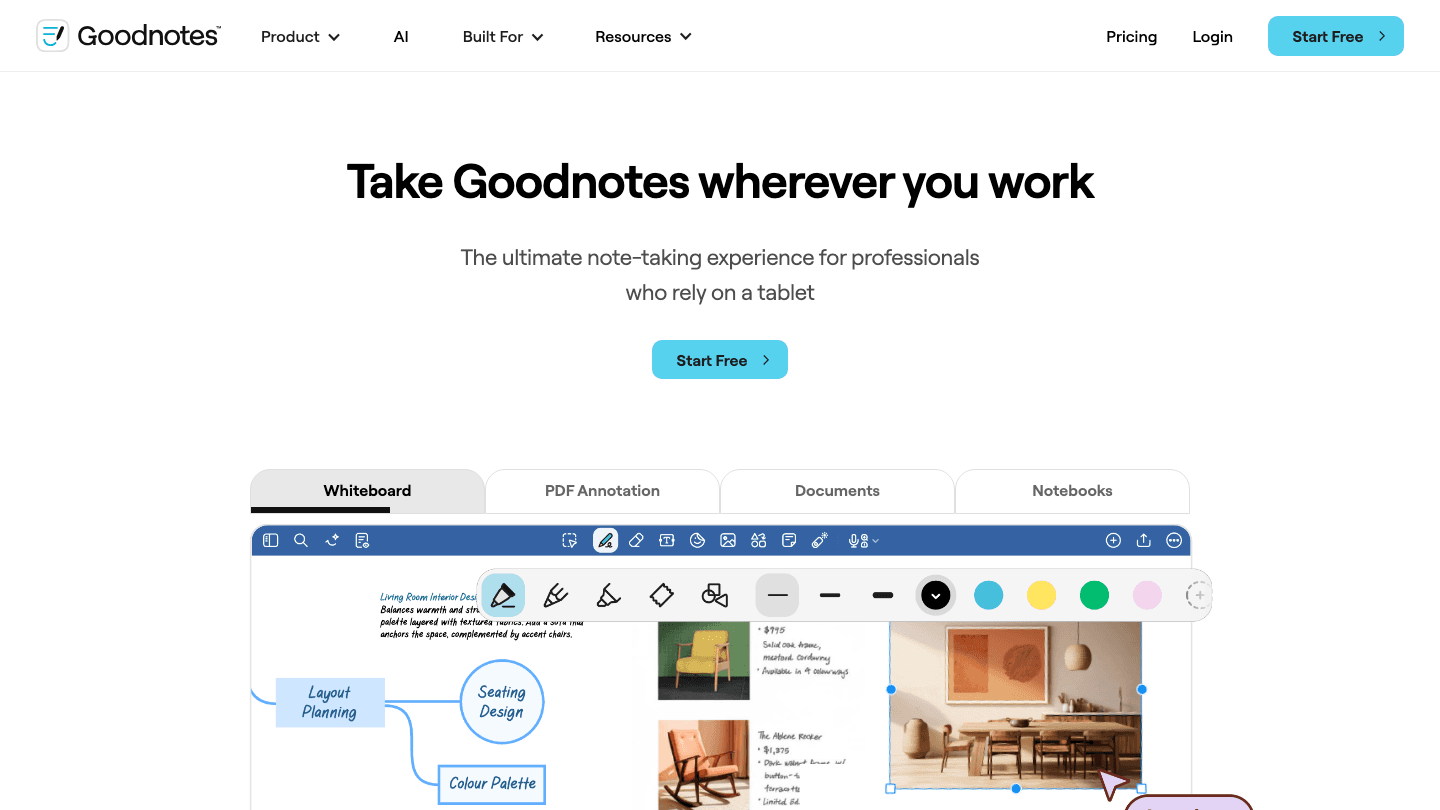
GoodNotes sits in a different category than every other app on this list. Rather than managing tasks and calendar events digitally, it gives you a blank digital notebook where you plan the same way you would on paper, but with the permanence, search, and sharing of a digital system. You import a PDF planner template, write your daily schedule, weekly goals, and notes with an Apple Pencil, and keep everything organized in searchable notebooks.
The 2026 version added significant AI features: AI flashcard generation, AI note summarization, and a new AI Tutor for structured learning. For the audience that uses GoodNotes as a digital planner, the most useful addition is the improved search, which can now find handwritten text across thousands of pages instantly. It remains the best iPad note-taking and planning experience available, especially when paired with an Apple Pencil.
Key Features
Handwriting recognition and search across all notes
PDF template import for digital planners and journals
AI note summarization and flashcard generation
Whiteboard, PDF annotation, and notebook modes
What Works
Best handwriting and digital planning experience for iPad and Apple Pencil users
Feels more like a real notebook than any digital alternative
Free plan covers individual note-taking and basic planner use
Limitations
No task management, reminders, or calendar integration
No AI scheduling or energy awareness
Primarily iPad and Mac; limited on Android and Windows
Pricing: Free. Essential at $11.99/year. Pro at $35.99/year.
Best for: iPad users who prefer to plan with handwriting, students, and anyone who uses PDF planner templates as their primary planning system.
3. Notion
The digital planner you build yourself, now with AI agents that can run workflows while you sleep.
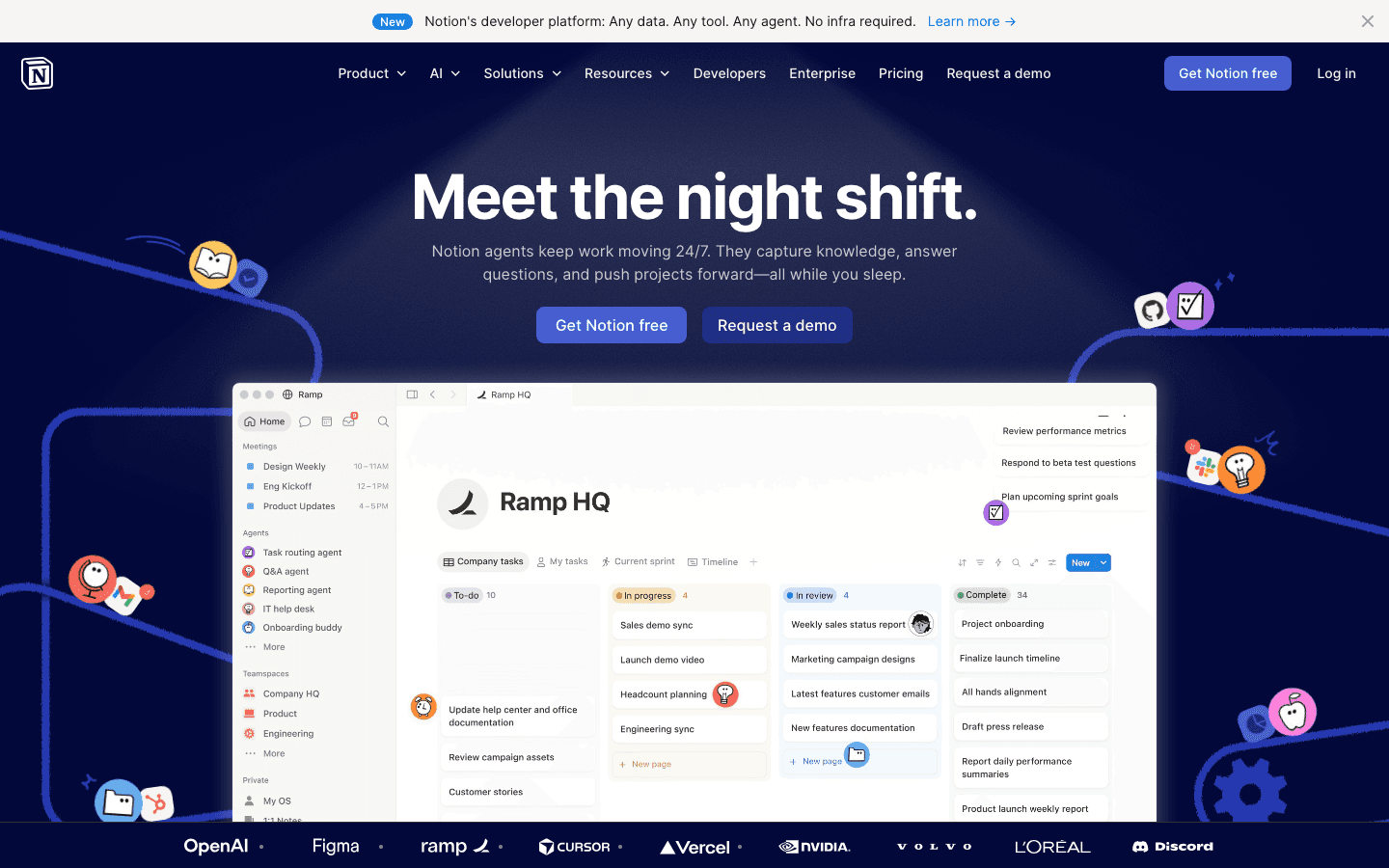
Notion is not a digital planner app out of the box. It is a flexible workspace that you turn into a planner using databases, templates, and views. The appeal is that you can build exactly the planning system you want, whether that is a GTD setup, a weekly review template, a project tracker, or all three combined. Hundreds of free community templates make this faster than building from scratch.
The 2026 update is the most significant in years: Notion AI agents can now run autonomously, capturing information from connected sources, updating databases, and triggering workflows overnight. For teams using Notion as a shared planning system, this changes what's possible. For individual planners, the new features are powerful but require setup time that simpler digital planners do not. The guide to improving organizational skills covers how to structure a Notion-based planning system effectively.
Key Features
Fully customizable databases, calendars, boards, and lists
AI agents for autonomous workflow execution
Thousands of templates including weekly planners, habit trackers, and project systems
API and 100+ integrations
What Works
Most flexible planning system available; you can build anything
Free plan is genuinely useful for individuals
2026 AI agents are a meaningful upgrade for knowledge work teams
Limitations
No AI auto-scheduling, energy awareness, or calendar-based task placement
High setup time; not immediately useful as a daily planner out of the box
Requires pairing with a dedicated calendar or scheduling app for daily execution
Pricing: Free. Plus at $10/month per member. Business at $20/month per member.
Best for: Knowledge workers and teams who want a fully customized planning system and are willing to invest time in the setup.
4. Sunsama
The digital planner built around a daily ritual rather than a task list.
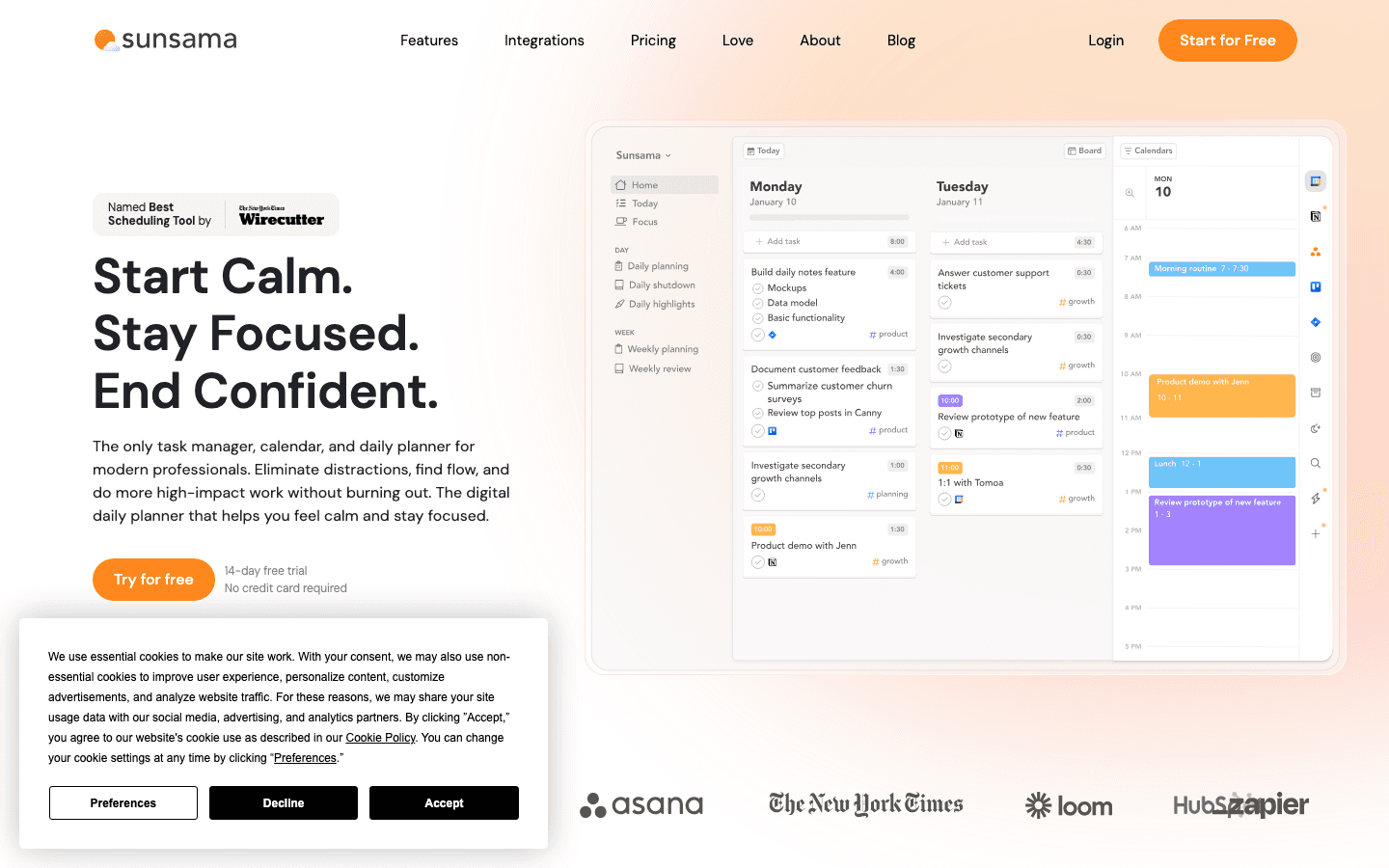
Sunsama takes a structured approach to daily planning that most digital planner apps skip: it guides you through a morning planning ritual that takes about ten minutes, and a shutdown ritual at the end of the day. During the ritual, you pull tasks from connected tools (Asana, Linear, Jira, GitHub, Slack), set time estimates, and decide what today's focus actually is. This intentional friction is the whole product.
The result is a daily plan with time estimates and clear priorities rather than an overloaded task list. The weekly review shows you where your time went, which shapes how you plan the following week. For people who have burned out using productivity systems that optimize for maximum throughput, Sunsama's slower approach is restorative. If you need alternatives, our Sunsama alternatives guide covers similar tools.
Key Features
Guided daily planning and shutdown rituals
Task pull from Asana, Linear, GitHub, Jira, Slack, and more
Weekly review with time tracking data
Time estimation built into daily planning
What Works
The daily ritual creates focus habits that most digital planners cannot replicate
Best tool integration depth for engineering and product teams
Weekly review is a rare feature that users genuinely stick with
Limitations
No AI auto-scheduling or energy awareness
At $22/month, it is expensive for what it offers
Not suitable for users who want automation over intentionality
Pricing: $22/month or $17/month billed annually. 14-day free trial, no credit card required.
Best for: Developers, founders, and knowledge workers who want intentional daily planning with reflection built in, not automated scheduling.
5. TickTick
An affordable all-in-one planner for people who want tasks and calendar in the same place.
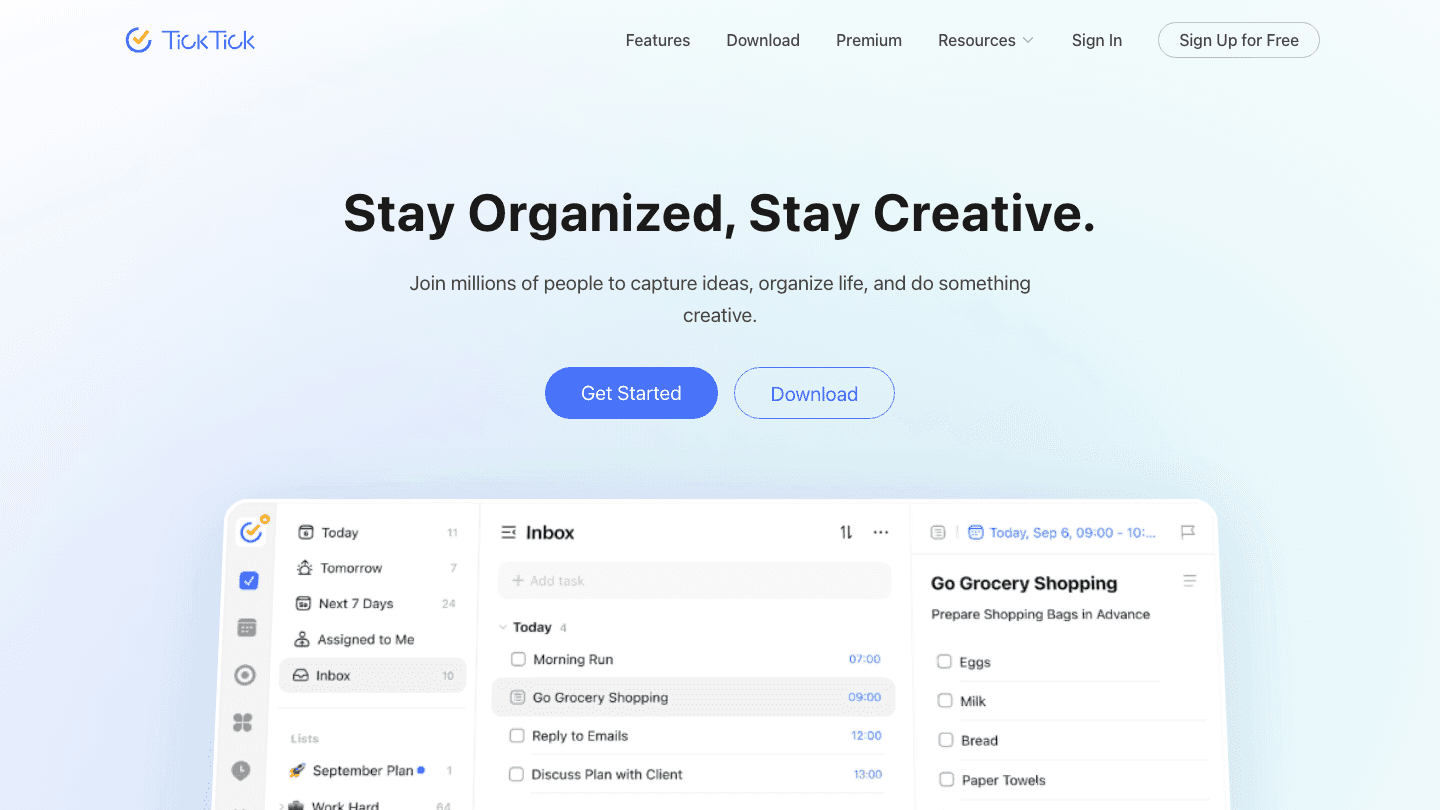
TickTick occupies a useful middle ground: it is more than a simple to-do app but less opinionated than a system like Sunsama. You get task management, a calendar view, habit tracking, a Pomodoro timer, and basic time-blocking in one place. The interface is clean and works reliably across every platform. At $49.99 per year, it is one of the most affordable full-featured digital planners available.
The calendar view lets you drag tasks into time slots and see your day as a schedule rather than a list. It is not AI-powered scheduling in the way Lifestack is, but it is a functional time-blocking tool for users who prefer to build their own plan. The mobile app is consistently rated as one of the best in the task management category. See our guide to staying on task for practical techniques that work well with TickTick.
Key Features
Tasks, calendar, and habit tracker in one app
Time-blocking view for scheduling tasks into time slots
Pomodoro timer built in
Natural language task entry and smart date parsing
What Works
Best value for a full-featured cross-platform digital planner
Calendar + task combination in one app reduces context-switching
Mobile app quality is excellent; rated highly on both iOS and Android
Limitations
No AI auto-scheduling or energy awareness
Free plan is limited; Premium required for calendar view and filters
Not designed for team collaboration or complex project management
Pricing: Free. Premium at $49.99/year (~$4.17/month). No monthly billing option.
Best for: Individuals who want tasks and calendar together at an affordable price, without the complexity of a full project management tool.
6. Todoist
The simple digital planner that has stayed useful for over a decade without getting complicated.
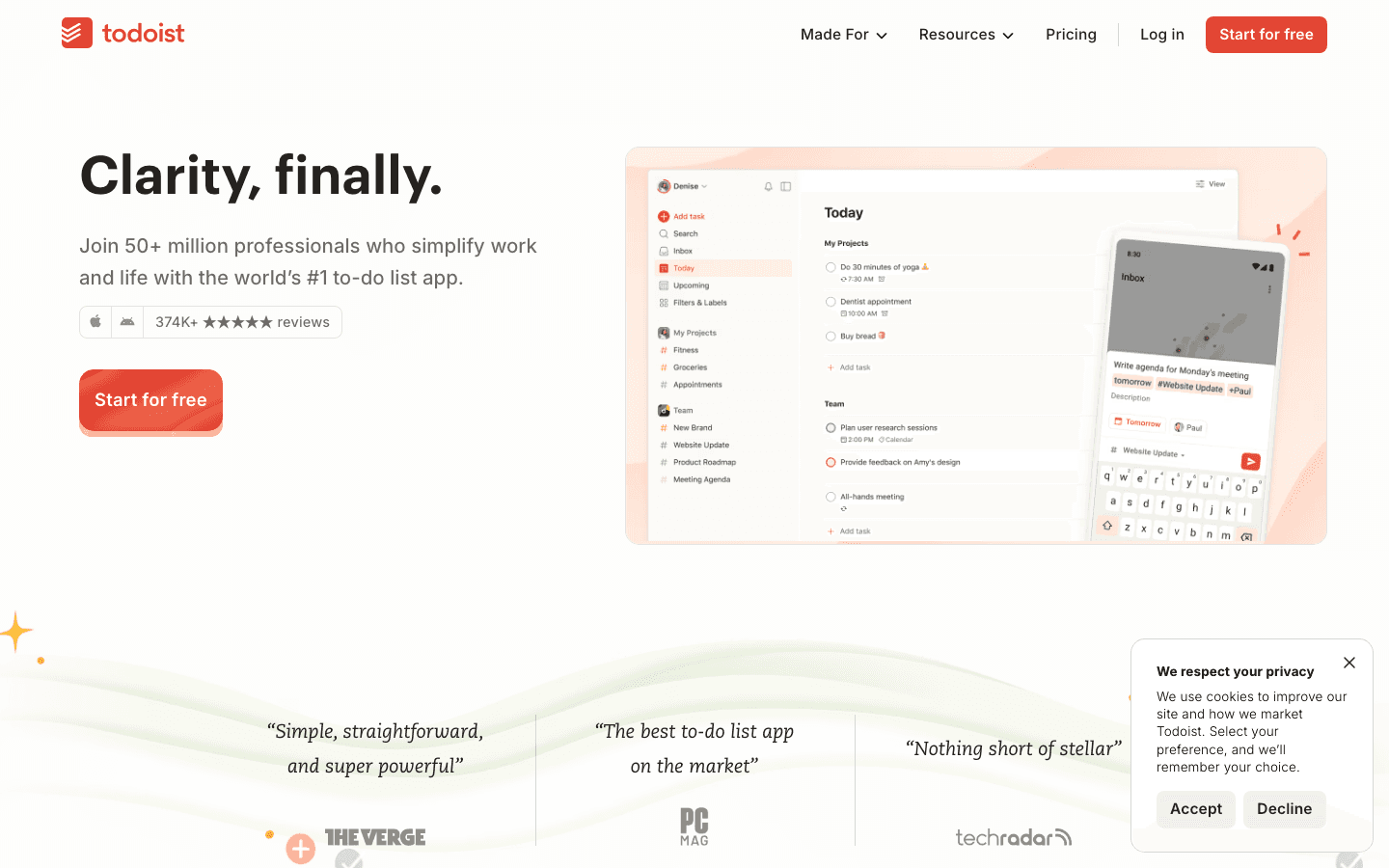
Todoist has 50 million users for one reason: it does the basic job of a digital planner better than almost anything else at its price point. Natural language input is genuinely best-in-class: "Finish report Thursday at 3pm" creates the task with the right date and time without a form to fill out. The interface is consistent and fast across every device. Nothing gets in the way.
The 2026 update added AI Assist for task breakdown and Ramble for voice-to-task capture. These are genuinely useful additions rather than features added for marketing. What Todoist still lacks is any calendar-based scheduling: it manages what you need to do, but does not help you decide when. For that, you would pair it with Google Calendar or a dedicated scheduler. Our guide on using Todoist with Lifestack shows exactly how this combination works.
Key Features
Natural language task entry with date and time parsing
AI Assist for task breakdown and suggestions
Ramble voice-to-task capture
Filters, labels, and 300 projects on Pro
What Works
Best natural language input of any planner on this list
Works equally well on web, iOS, Android, and desktop
Free plan is among the most generous in the task management category
Limitations
No calendar-based scheduling; task list only without a paired calendar app
No energy awareness or AI auto-scheduling
Not suitable as a standalone digital planner for visual or calendar-based planners
Pricing: Free forever. Pro at $12/month (monthly) or ~$10/month billed annually. Business tier available.
Best for: Anyone who wants a fast, friction-free task capture system that works on every device without needing a scheduling system built in.
Which Digital Planner App Is Right for You?
You want AI to build and maintain your daily schedule automatically: Lifestack. It is the only digital planner app that accounts for energy, not just time.
You plan better with a pen and prefer handwriting on an iPad: GoodNotes. The best handwriting and PDF planning experience available.
You want to build a completely custom planning system: Notion. Maximum flexibility, requires setup investment.
You want a daily ritual that forces intentional focus and prevents burnout: Sunsama. The ritual is the product.
You want tasks and calendar together at a low price: TickTick. Best value for a full-featured cross-platform planner.
You want the fastest, simplest task capture available: Todoist. Best natural language input, free plan included.
Frequently Asked Questions
What is the best digital planner app in 2026?
Lifestack is the best digital planner app for knowledge workers and ADHD users who want AI-powered scheduling that adapts to their energy. GoodNotes is the best for iPad handwriting planners. Notion is best for users who want a customized planning workspace. The right answer depends on whether you plan with tasks, handwriting, or a structured ritual.
What is the best free digital planner app?
Notion's free plan is the most capable free digital planning workspace, though it requires setup. Todoist's free plan is the strongest for simple task capture. GoodNotes has a free tier for basic note-taking. TickTick's free plan is functional but limited; the calendar view requires Premium.
What digital planner app works best on iPad?
GoodNotes is the best digital planner app for iPad. It supports Apple Pencil handwriting, PDF template import, and handwriting search, which makes it the standard for people who want a pen-based planning experience on a tablet. For AI-powered task scheduling on iPad, Lifestack's mobile app covers that use case.
What is the best digital planner app for ADHD?
Lifestack is the top recommendation for ADHD. Its energy-aware scheduling addresses the specific challenges that make standard planners difficult for ADHD users: variable focus, difficulty estimating task durations, and plans that collapse after any disruption. The auto-rescheduling removes the replanning burden that typically costs ADHD users hours per week. See our ADHD daily planner guide for a full breakdown.
Is a digital planner app better than a paper planner?
Digital planners have real advantages: search, reminders, cross-device sync, and the ability to integrate with your task list and calendar. Paper planners have advantages too: no notifications, tactile engagement, and no battery. For people who want both, GoodNotes bridges the gap by giving you a digital notebook you interact with like paper. For people who want automation and AI, digital is clearly the better choice.
A digital planner app is only as good as the system behind it.
People search "digital planner app" for very different reasons. Some want an iPad app where they handwrite their schedule on PDF templates. Others want an AI system that builds their day automatically. Some want a structured daily ritual. Others want a simple task list with a calendar view. The right digital planner is the one that fits how you actually think, not the one with the most features.
We tested six apps that each represent a different approach to digital planning. One schedules around your energy. One is the best handwriting planner for tablet users. One builds a structured workspace you customize. Two take opposite ends of the task list spectrum. One is built around a daily planning ritual. Each fills a real gap for a different type of planner.
Pricing was verified from each app's pricing page as of June 2026. Each app was evaluated for daily use, mobile experience, learning curve, and whether it genuinely changes how you plan your days rather than just adding a layer to an existing system.
Key Takeaways
The best digital planner apps for ADHD prioritize low-friction capture and automatic rescheduling over manual organization.
Handwriting-based planners (GoodNotes) and AI schedulers (Lifestack) serve completely different needs. Choosing between them depends on whether you plan with pen or with tasks.
Free plans have improved significantly: Notion, TickTick, and Todoist all have genuinely useful free tiers in 2026.
Quick Guide
Lifestack: AI digital planner that schedules tasks around your energy and cognitive capacity
GoodNotes: Best digital planner for iPad users who want to plan with handwriting and PDF templates
Notion: Flexible workspace you turn into a digital planner with templates and AI agents
Sunsama: Guided daily planning ritual that pulls tasks from connected tools and prevents burnout
TickTick: Affordable task manager and calendar with a clean cross-platform interface
Todoist: Simple, reliable task planner with the best natural language input in its category
How We Evaluated
Planning approach: handwriting, AI automation, structured ritual, or task list
Energy and capacity awareness: does it account for cognitive load, not just available time?
Mobile quality on iOS and Android
Learning curve: how long before it actually improves your day?
Value vs. price at each tier
1. Lifestack
The digital planner that decides when you should do things, not just what to do.
Lifestack is the most sophisticated digital planner app on this list. It does not just capture your tasks and display them in a list. It reads your sleep and recovery data, learns when your cognitive capacity is highest, and builds a daily schedule that puts demanding work where you are most capable of doing it. Administrative tasks, emails, and low-stakes calls fill your low-energy windows. Deep work, writing, and problem-solving land in your peak hours.
When your plan gets disrupted, which happens every day, Lifestack reschedules automatically. A meeting that runs over does not collapse the rest of your day. An important call that gets moved does not require you to manually rebuild your afternoon. This is what separates a genuine AI digital planner from an app that just moves tasks into calendar slots.
The drag-and-drop calendar interface is clean and fast. The Chrome extension captures tasks from anywhere in seconds. For people with ADHD or highly variable energy, Lifestack is the tool most likely to produce a plan that holds. Read our ADHD task management guide for more on why energy-aware planning changes outcomes for this group.
Key Features
Energy-pattern scheduling to place tasks at your most productive hours
AI auto-rescheduling when plans change mid-day
Google Calendar sync with two-way integration
iOS and Android apps, Chrome extension for quick capture
What Works
Energy awareness is not available in any other app on this list
Auto-rescheduling removes the replanning burden that derails most digital planners
Low setup friction: connected and running a real schedule within minutes
Limitations
No handwriting support or PDF template features
No free tier; 7-day trial on the annual plan
Pricing: $7/month or $50/year ($4.17/month). Lifetime plan at $120.
Best for: Knowledge workers, ADHD users, and deep-focus professionals who want their digital planner to build and maintain their schedule automatically.
2. GoodNotes
The best digital planner app for people who think and plan better with a pen.
GoodNotes sits in a different category than every other app on this list. Rather than managing tasks and calendar events digitally, it gives you a blank digital notebook where you plan the same way you would on paper, but with the permanence, search, and sharing of a digital system. You import a PDF planner template, write your daily schedule, weekly goals, and notes with an Apple Pencil, and keep everything organized in searchable notebooks.
The 2026 version added significant AI features: AI flashcard generation, AI note summarization, and a new AI Tutor for structured learning. For the audience that uses GoodNotes as a digital planner, the most useful addition is the improved search, which can now find handwritten text across thousands of pages instantly. It remains the best iPad note-taking and planning experience available, especially when paired with an Apple Pencil.
Key Features
Handwriting recognition and search across all notes
PDF template import for digital planners and journals
AI note summarization and flashcard generation
Whiteboard, PDF annotation, and notebook modes
What Works
Best handwriting and digital planning experience for iPad and Apple Pencil users
Feels more like a real notebook than any digital alternative
Free plan covers individual note-taking and basic planner use
Limitations
No task management, reminders, or calendar integration
No AI scheduling or energy awareness
Primarily iPad and Mac; limited on Android and Windows
Pricing: Free. Essential at $11.99/year. Pro at $35.99/year.
Best for: iPad users who prefer to plan with handwriting, students, and anyone who uses PDF planner templates as their primary planning system.
3. Notion
The digital planner you build yourself, now with AI agents that can run workflows while you sleep.
Notion is not a digital planner app out of the box. It is a flexible workspace that you turn into a planner using databases, templates, and views. The appeal is that you can build exactly the planning system you want, whether that is a GTD setup, a weekly review template, a project tracker, or all three combined. Hundreds of free community templates make this faster than building from scratch.
The 2026 update is the most significant in years: Notion AI agents can now run autonomously, capturing information from connected sources, updating databases, and triggering workflows overnight. For teams using Notion as a shared planning system, this changes what's possible. For individual planners, the new features are powerful but require setup time that simpler digital planners do not. The guide to improving organizational skills covers how to structure a Notion-based planning system effectively.
Key Features
Fully customizable databases, calendars, boards, and lists
AI agents for autonomous workflow execution
Thousands of templates including weekly planners, habit trackers, and project systems
API and 100+ integrations
What Works
Most flexible planning system available; you can build anything
Free plan is genuinely useful for individuals
2026 AI agents are a meaningful upgrade for knowledge work teams
Limitations
No AI auto-scheduling, energy awareness, or calendar-based task placement
High setup time; not immediately useful as a daily planner out of the box
Requires pairing with a dedicated calendar or scheduling app for daily execution
Pricing: Free. Plus at $10/month per member. Business at $20/month per member.
Best for: Knowledge workers and teams who want a fully customized planning system and are willing to invest time in the setup.
4. Sunsama
The digital planner built around a daily ritual rather than a task list.
Sunsama takes a structured approach to daily planning that most digital planner apps skip: it guides you through a morning planning ritual that takes about ten minutes, and a shutdown ritual at the end of the day. During the ritual, you pull tasks from connected tools (Asana, Linear, Jira, GitHub, Slack), set time estimates, and decide what today's focus actually is. This intentional friction is the whole product.
The result is a daily plan with time estimates and clear priorities rather than an overloaded task list. The weekly review shows you where your time went, which shapes how you plan the following week. For people who have burned out using productivity systems that optimize for maximum throughput, Sunsama's slower approach is restorative. If you need alternatives, our Sunsama alternatives guide covers similar tools.
Key Features
Guided daily planning and shutdown rituals
Task pull from Asana, Linear, GitHub, Jira, Slack, and more
Weekly review with time tracking data
Time estimation built into daily planning
What Works
The daily ritual creates focus habits that most digital planners cannot replicate
Best tool integration depth for engineering and product teams
Weekly review is a rare feature that users genuinely stick with
Limitations
No AI auto-scheduling or energy awareness
At $22/month, it is expensive for what it offers
Not suitable for users who want automation over intentionality
Pricing: $22/month or $17/month billed annually. 14-day free trial, no credit card required.
Best for: Developers, founders, and knowledge workers who want intentional daily planning with reflection built in, not automated scheduling.
5. TickTick
An affordable all-in-one planner for people who want tasks and calendar in the same place.
TickTick occupies a useful middle ground: it is more than a simple to-do app but less opinionated than a system like Sunsama. You get task management, a calendar view, habit tracking, a Pomodoro timer, and basic time-blocking in one place. The interface is clean and works reliably across every platform. At $49.99 per year, it is one of the most affordable full-featured digital planners available.
The calendar view lets you drag tasks into time slots and see your day as a schedule rather than a list. It is not AI-powered scheduling in the way Lifestack is, but it is a functional time-blocking tool for users who prefer to build their own plan. The mobile app is consistently rated as one of the best in the task management category. See our guide to staying on task for practical techniques that work well with TickTick.
Key Features
Tasks, calendar, and habit tracker in one app
Time-blocking view for scheduling tasks into time slots
Pomodoro timer built in
Natural language task entry and smart date parsing
What Works
Best value for a full-featured cross-platform digital planner
Calendar + task combination in one app reduces context-switching
Mobile app quality is excellent; rated highly on both iOS and Android
Limitations
No AI auto-scheduling or energy awareness
Free plan is limited; Premium required for calendar view and filters
Not designed for team collaboration or complex project management
Pricing: Free. Premium at $49.99/year (~$4.17/month). No monthly billing option.
Best for: Individuals who want tasks and calendar together at an affordable price, without the complexity of a full project management tool.
6. Todoist
The simple digital planner that has stayed useful for over a decade without getting complicated.
Todoist has 50 million users for one reason: it does the basic job of a digital planner better than almost anything else at its price point. Natural language input is genuinely best-in-class: "Finish report Thursday at 3pm" creates the task with the right date and time without a form to fill out. The interface is consistent and fast across every device. Nothing gets in the way.
The 2026 update added AI Assist for task breakdown and Ramble for voice-to-task capture. These are genuinely useful additions rather than features added for marketing. What Todoist still lacks is any calendar-based scheduling: it manages what you need to do, but does not help you decide when. For that, you would pair it with Google Calendar or a dedicated scheduler. Our guide on using Todoist with Lifestack shows exactly how this combination works.
Key Features
Natural language task entry with date and time parsing
AI Assist for task breakdown and suggestions
Ramble voice-to-task capture
Filters, labels, and 300 projects on Pro
What Works
Best natural language input of any planner on this list
Works equally well on web, iOS, Android, and desktop
Free plan is among the most generous in the task management category
Limitations
No calendar-based scheduling; task list only without a paired calendar app
No energy awareness or AI auto-scheduling
Not suitable as a standalone digital planner for visual or calendar-based planners
Pricing: Free forever. Pro at $12/month (monthly) or ~$10/month billed annually. Business tier available.
Best for: Anyone who wants a fast, friction-free task capture system that works on every device without needing a scheduling system built in.
Which Digital Planner App Is Right for You?
You want AI to build and maintain your daily schedule automatically: Lifestack. It is the only digital planner app that accounts for energy, not just time.
You plan better with a pen and prefer handwriting on an iPad: GoodNotes. The best handwriting and PDF planning experience available.
You want to build a completely custom planning system: Notion. Maximum flexibility, requires setup investment.
You want a daily ritual that forces intentional focus and prevents burnout: Sunsama. The ritual is the product.
You want tasks and calendar together at a low price: TickTick. Best value for a full-featured cross-platform planner.
You want the fastest, simplest task capture available: Todoist. Best natural language input, free plan included.
Frequently Asked Questions
What is the best digital planner app in 2026?
Lifestack is the best digital planner app for knowledge workers and ADHD users who want AI-powered scheduling that adapts to their energy. GoodNotes is the best for iPad handwriting planners. Notion is best for users who want a customized planning workspace. The right answer depends on whether you plan with tasks, handwriting, or a structured ritual.
What is the best free digital planner app?
Notion's free plan is the most capable free digital planning workspace, though it requires setup. Todoist's free plan is the strongest for simple task capture. GoodNotes has a free tier for basic note-taking. TickTick's free plan is functional but limited; the calendar view requires Premium.
What digital planner app works best on iPad?
GoodNotes is the best digital planner app for iPad. It supports Apple Pencil handwriting, PDF template import, and handwriting search, which makes it the standard for people who want a pen-based planning experience on a tablet. For AI-powered task scheduling on iPad, Lifestack's mobile app covers that use case.
What is the best digital planner app for ADHD?
Lifestack is the top recommendation for ADHD. Its energy-aware scheduling addresses the specific challenges that make standard planners difficult for ADHD users: variable focus, difficulty estimating task durations, and plans that collapse after any disruption. The auto-rescheduling removes the replanning burden that typically costs ADHD users hours per week. See our ADHD daily planner guide for a full breakdown.
Is a digital planner app better than a paper planner?
Digital planners have real advantages: search, reminders, cross-device sync, and the ability to integrate with your task list and calendar. Paper planners have advantages too: no notifications, tactile engagement, and no battery. For people who want both, GoodNotes bridges the gap by giving you a digital notebook you interact with like paper. For people who want automation and AI, digital is clearly the better choice.



FOLLOW ON
FOLLOW ON
FOLLOW ON


Copyright 2026 © Lifestack. All rights reserved
Copyright 2026 © Lifestack. All rights reserved

