
App
Best Sunsama Alternatives in 2026
Best Sunsama Alternatives in 2026
Sunsama built something useful: a daily planning ritual that makes you think about your work before diving in. But $17 to $22 a month is a real commitment, and not every feature gets used by every person who pays for it.
The most common reason people look for alternatives is the price. The second is the automation ceiling. Sunsama asks you to make decisions about your calendar every morning, but it does not move anything for you when your day gets disrupted.
We tested seven alternatives over several weeks: AI schedulers, visual timeline apps, and simple task managers with daily planning features. Here is what each does well and who should actually use it.
Key Takeaways
Lifestack is the strongest Sunsama alternative for individual users, with energy-aware AI scheduling that Sunsama does not offer
Motion and Reclaim.ai are better fits if you want the AI to handle scheduling entirely, with no daily ritual required
Any.do and Structured are solid free or near-free options if all you need is task management with a daily review
Quick Guide to the Best Sunsama Alternatives
Lifestack - AI scheduling based on your energy levels, not just open calendar slots
Motion - Fully automated AI scheduler that rearranges your day in real time
Morgen - Unified calendar and task view with AI-assisted daily planning
Reclaim.ai - Automatically blocks focus time and habits before meetings take over
Amie - Minimal, design-focused calendar and task app with AI meeting notes
Structured - Visual hourly timeline for iOS users who want a clear daily picture
Any.do - Free task manager with a daily planning review, trusted by 40M users
How We Evaluated These Apps
AI scheduling quality: does it automatically place tasks or just suggest placement?
Calendar integration: Google Calendar, Outlook, and Apple Calendar support
Daily planning ritual: does the app support structured start-of-day reviews?
Mobile experience: iOS and Android app quality
Pricing: what you actually get relative to Sunsama's cost
Integration depth: connections to Asana, Todoist, Linear, and similar tools
1. Lifestack
The only daily planner that schedules around your energy, not just your time.

Lifestack takes everything useful about Sunsama's daily planning ritual and adds something Sunsama does not have: biometric awareness. Connect your Oura ring, WHOOP band, or Apple Health data, and Lifestack builds your schedule around when you are actually sharp. Deep work lands in high-energy windows. Administrative tasks fill in around the rest.
This is what energy-based planning looks like in practice. Most calendar apps treat every hour of your day as equivalent. Lifestack does not.
At $7 a month, or $50 for the year, it is significantly cheaper than Sunsama's $17 minimum. There is also a $120 lifetime option, which removes the subscription question entirely for long-term users.
Key Features
Energy-aware scheduling using Oura, WHOOP, and Apple Health data
AI drafts your daily plan based on task priority and current energy levels
Google Calendar and Apple Calendar sync
Chrome extension for quick task capture
iOS and Android apps
What Works
Energy scheduling is a genuine differentiator. No other app on this list connects to biometric data
Simple interface makes the morning review fast and low-friction
Lifetime pricing option removes the ongoing subscription overhead
Limitations
Fewer third-party task integrations than Sunsama (no Linear or GitHub sync yet)
Energy scheduling works best when a wearable is connected
Pricing: $7/month, $50/year, or $120 one-time lifetime purchase
Best for: Anyone who wants their schedule to reflect when they are actually productive, not just when their calendar is empty.
2. Motion
AI that reshuffles your entire day when priorities change.
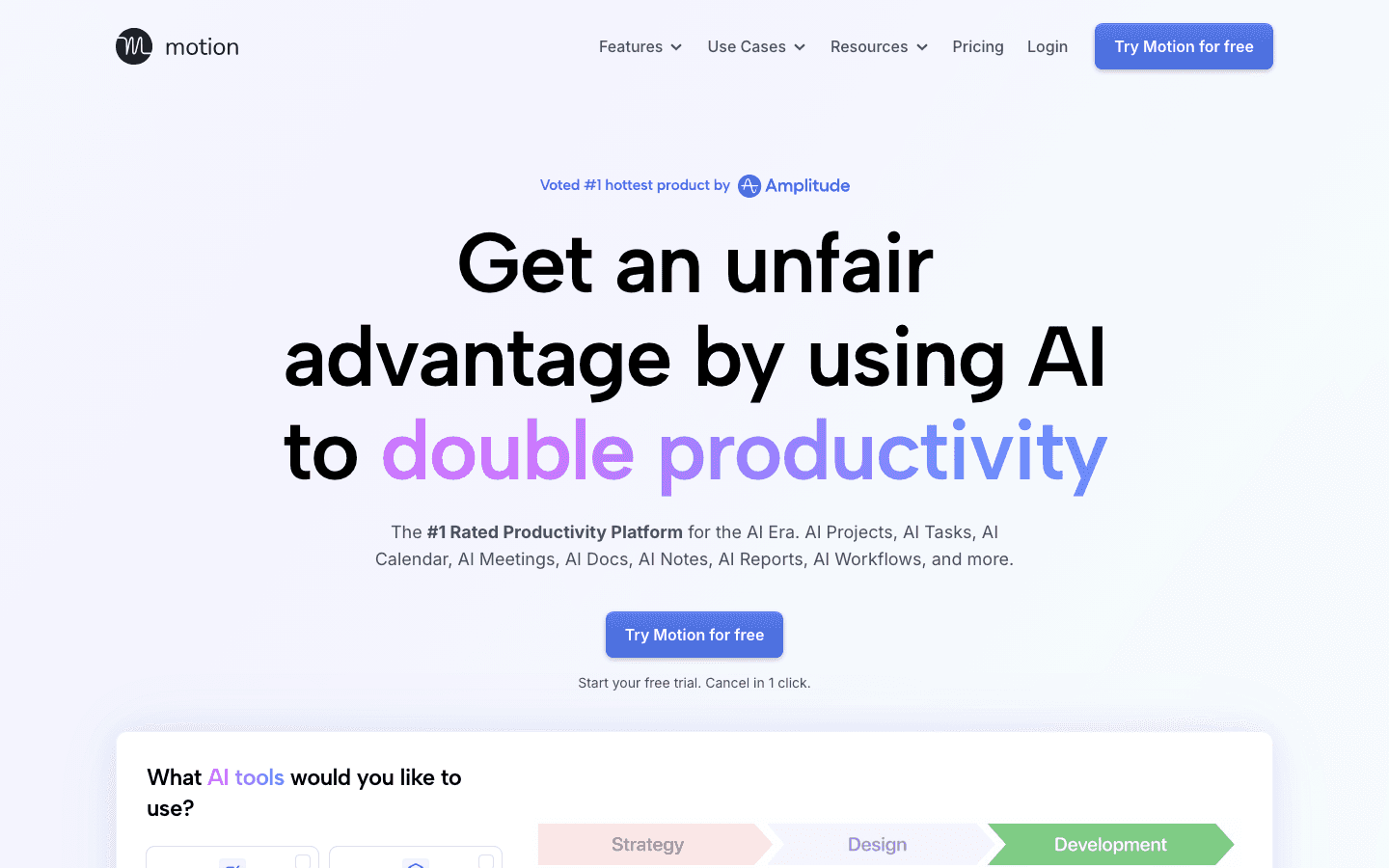
Motion is closer to an autonomous scheduler than a daily planning tool. Add your tasks, meetings, and deadlines, and the AI figures out when everything fits. When something runs long or a new priority arrives, Motion reshuffles automatically.
Where Sunsama asks you to make deliberate choices each morning, Motion removes most of those choices. That is genuinely useful for packed calendars and variable priorities, and disorienting for people who like to feel in control of their day.
We also covered Motion alternatives in a separate post if you want to compare it against other AI schedulers.
Key Features
AI auto-scheduling with real-time rescheduling
Project and meeting management built in
Natural language task input
Team features with capacity planning
Booking links for external scheduling
What Works
One of the most hands-off scheduling experiences available
Strong for teams who need shared calendars and meeting management
Useful on days when manual planning breaks down completely
Limitations
No energy awareness. Schedules by available time, not by readiness
$19/month is expensive relative to most alternatives here
Not designed for end-of-day reviews or daily planning rituals
Pricing: $19/month (Pro AI), or around $12.76/month on annual billing
Best for: People who want AI to handle scheduling entirely, not just suggest it.
3. Morgen
A unified daily planner that combines your calendar, tasks, and AI in one view.
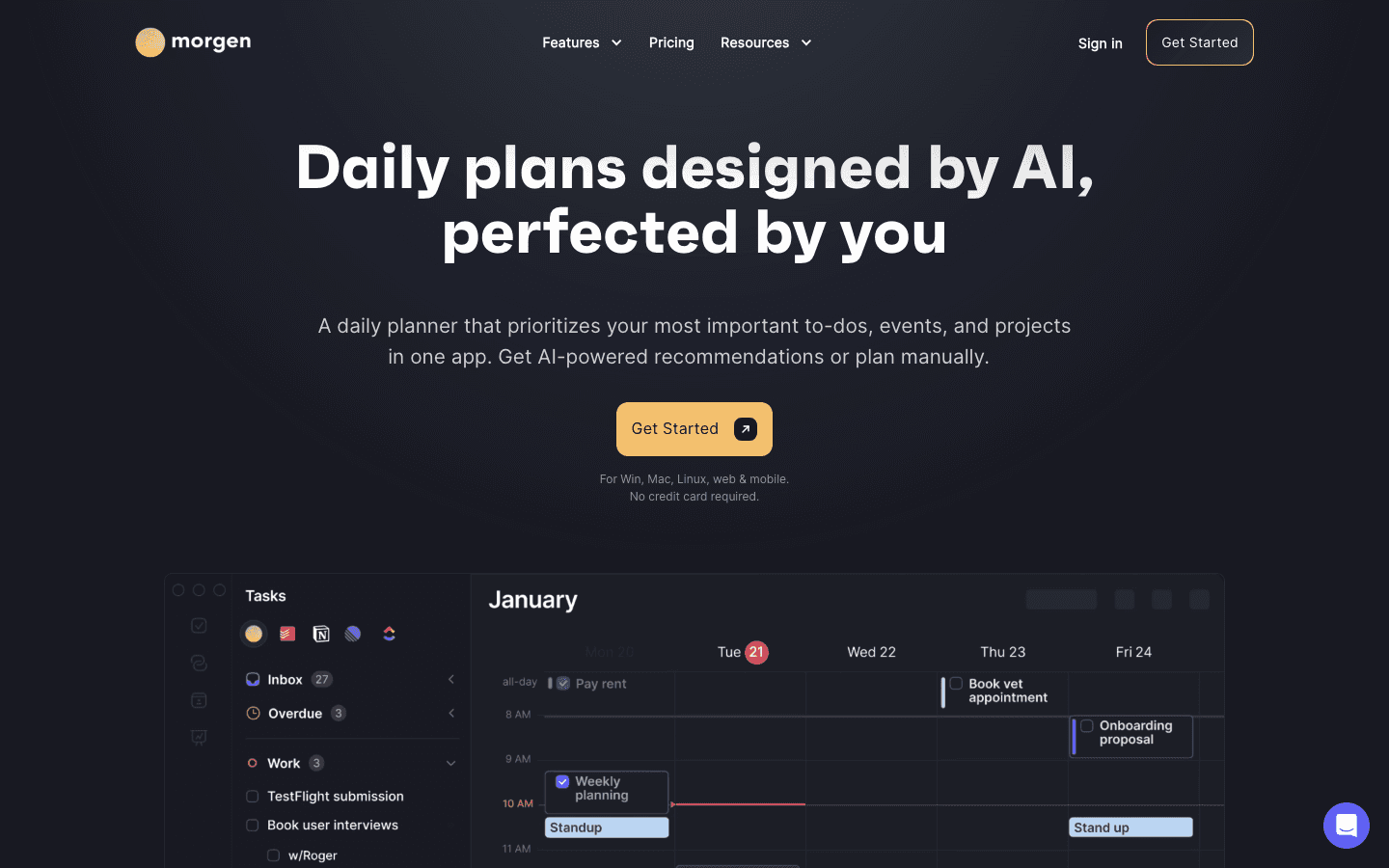
Morgen pulls calendar events and tasks from multiple sources: Google Calendar, Outlook, Asana, Todoist, Linear, and others. Everything shows up in a single interface. The AI Planner can draft a daily schedule from your task list, which is the closest thing to Sunsama's morning ritual you will find in this category.
Cross-platform support is a real strength: Mac, Windows, iOS, Android, and Linux. That matters when your team runs different operating systems.
If you are comparing Morgen to other options, see our Morgen alternative guide.
Key Features
Unified view of calendar and tasks from multiple sources
AI-powered daily plan recommendations
Built-in scheduling links (replaces Calendly for most users)
Broad platform support: Mac, Windows, iOS, Android, Linux
14-day free trial, no credit card required
What Works
Planning ritual is close to Sunsama's model
Scheduling links are included without a third-party add-on
Multi-platform sync is among the best in this category
Limitations
$15/month on annual billing is higher than Lifestack
No energy awareness
Can feel busy when managing many integrations at once
Pricing: $30/month, or $15/month billed annually
Best for: Power users who need deep calendar and task integrations with structured daily planning.
4. Reclaim.ai
AI that automatically protects your focus time before meetings fill your day.
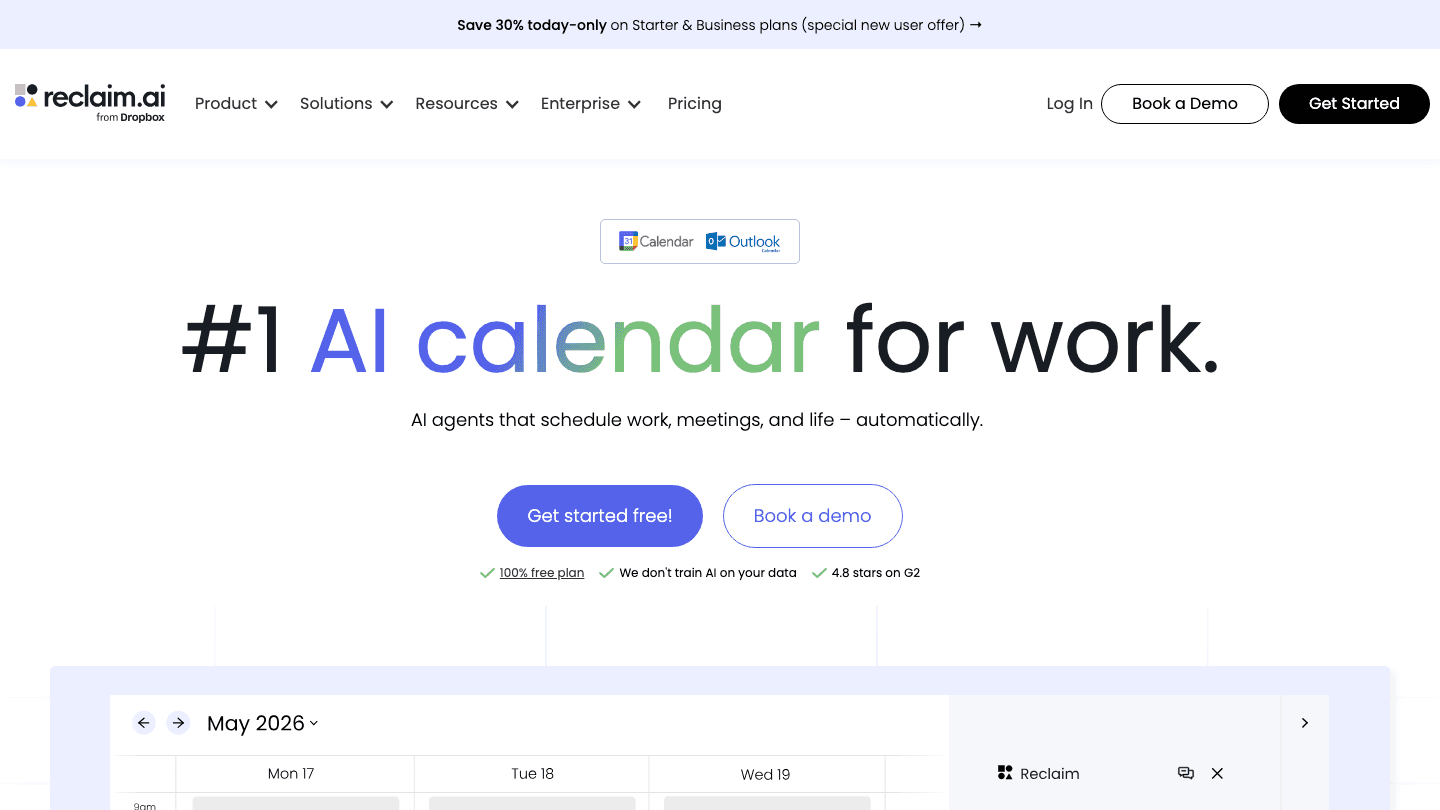
Reclaim.ai works differently from the other apps here. You do not plan your day manually. The AI monitors your calendar and automatically blocks time for focus work, habits, and personal commitments. As meetings get added, Reclaim moves your focus blocks around them.
It is now part of Dropbox's product suite. The core idea is different from Sunsama's intentional ritual approach: instead of choosing how to spend your day, you set priorities once and let the AI defend them. It works best in team environments where calendar control is a daily fight.
Key Features
Automatic focus time and habit blocking
Smart meeting scheduling with buffer time
Project management integrations: Asana, ClickUp, Linear, Jira
Works with Google Calendar and Outlook
Team scheduling and shared availability
What Works
Free tier is genuinely useful, not just a limited preview
Strong at protecting deep work time without manual effort
Best project management integrations of any app on this list
Limitations
Web-only, no mobile app
Less suited for personal planning rituals or end-of-day reflection
No energy awareness
Pricing: Free plan available; paid plans from $10/month billed annually
Best for: Knowledge workers in teams who need calendar protection without daily manual planning.
5. Amie
Calendar and tasks in a quiet, design-first interface.
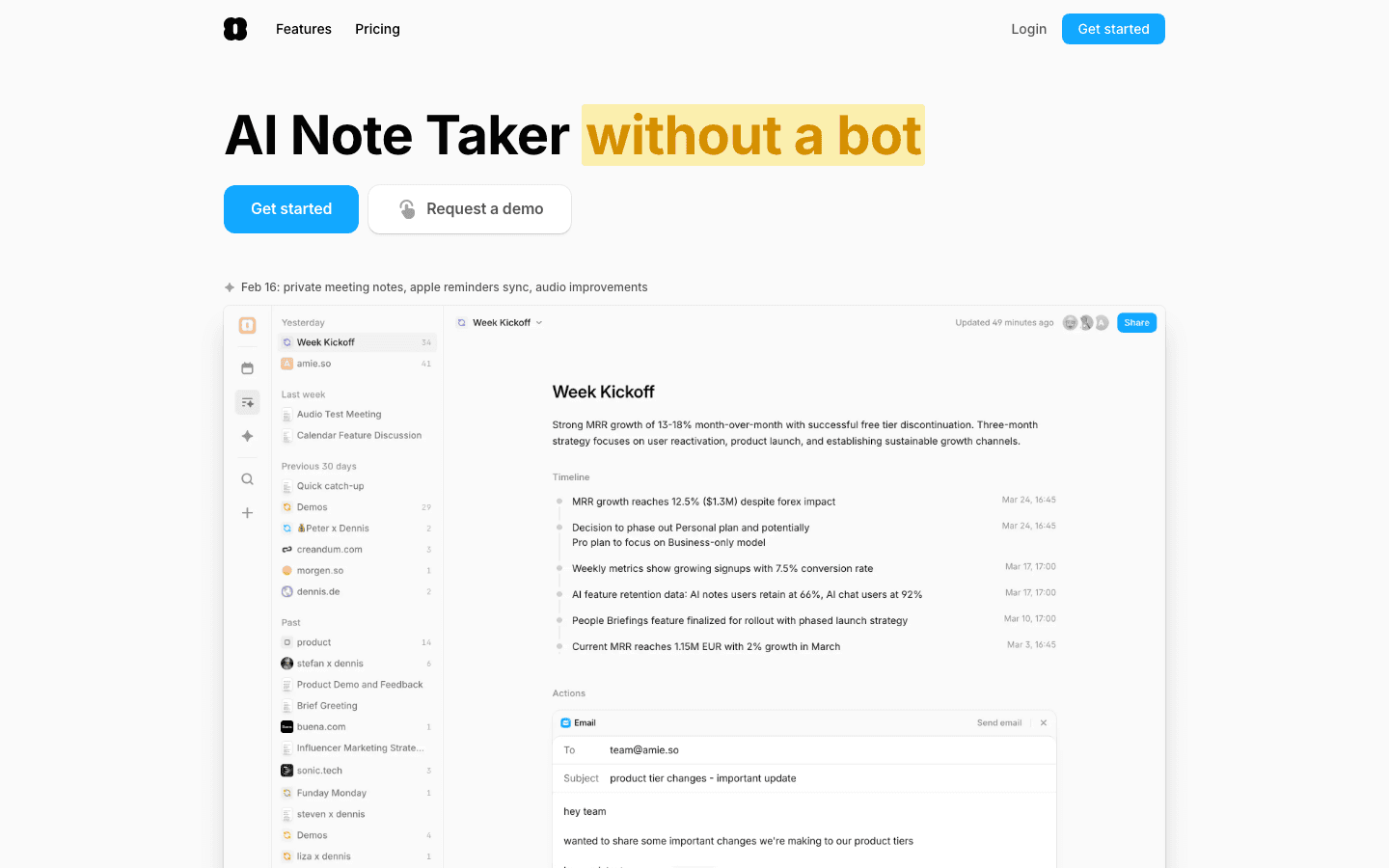
Amie combines your calendar and tasks in one view, with AI meeting notes built in, contact history, and fast natural language quick-add. The interface is intentionally minimal: no dashboards, no analytics panels, no widgets. You see your calendar, your tasks, and the people involved in both.
If you left Sunsama because you wanted something simpler and quieter, Amie is worth trying. If you left because you wanted more automation, it is not going in that direction.
Key Features
Unified calendar and task list view
AI meeting notes without a bot joining your calls
Contact history and notes integrated with your calendar
Natural language quick-add for events and tasks
iOS and web
What Works
One of the cleanest calendar-and-tasks interfaces available
AI meeting notes work natively, no third-party tool needed
Contact awareness is useful for client-focused work
Limitations
No AI scheduling or automatic time-blocking
Web pricing requires sign-up to see full plan details
More limited project management than Sunsama
Pricing: From $4.99/month on iOS; check amie.so for current web plans
Best for: People who want a calm, minimal calendar and task app with modern AI note-taking.
6. Structured
A visual hourly timeline that turns your daily tasks into a clear picture.
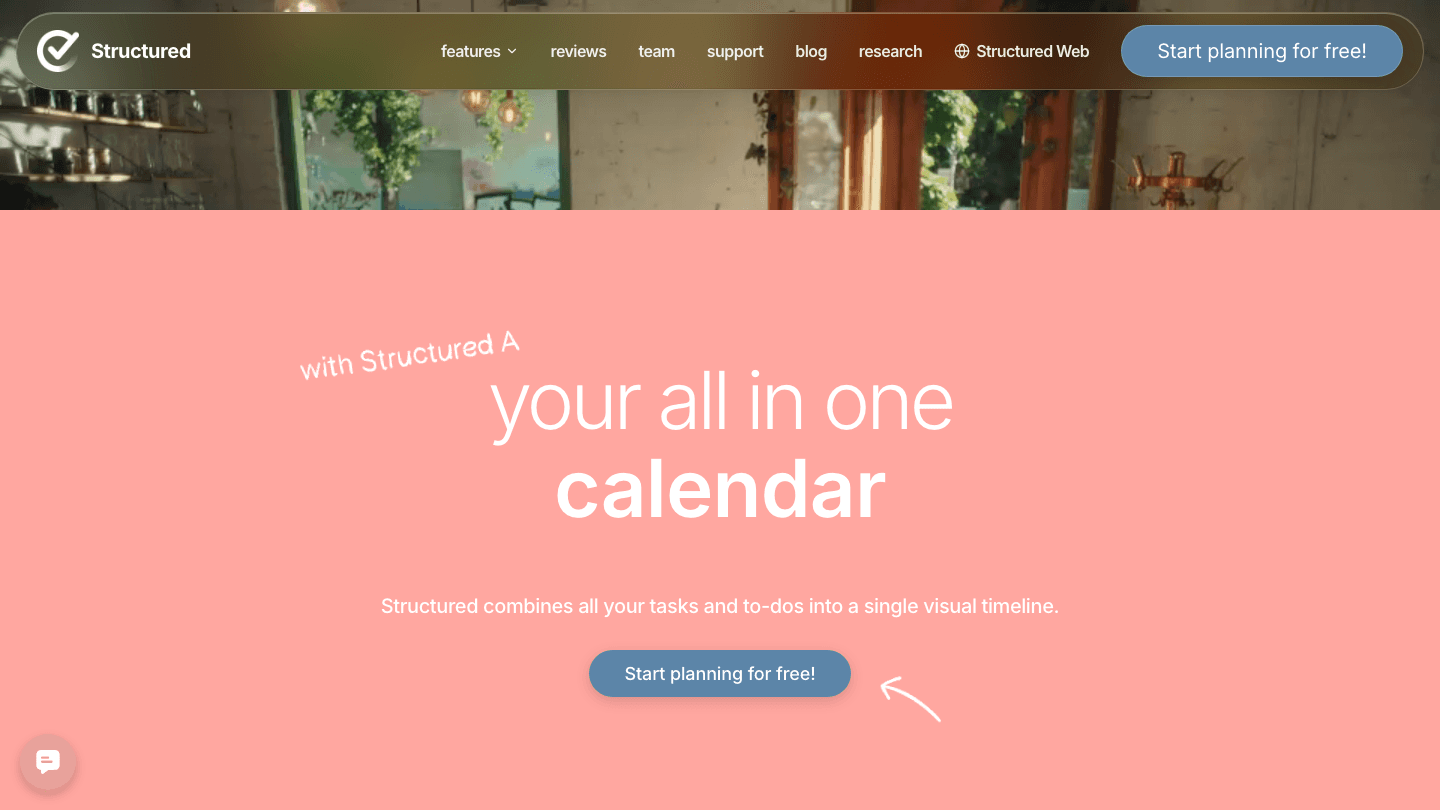
Structured is built around a visual hourly timeline. Every task and event maps onto a time block, and you can see your full day at a glance. No AI scheduling, no team features, and no deep integrations. The appeal is the simplicity.
It is popular on iOS and has a loyal following among people who plan their day visually rather than through lists or text. The free tier works well from day one, and the Pro upgrade is priced well below most competitors.
Key Features
Hourly visual timeline for tasks and events
Calendar sync and recurring tasks
Natural language task input
iOS, macOS, and web
Built-in habit tracking
What Works
Visual timeline gives you an honest picture of how full your day actually is
Fast to set up and review each morning
Strong iOS app with widget support
Limitations
No AI scheduling or energy awareness
Limited integrations with project management tools
Best suited for individual use, not teams
Pricing: Free; Pro at $6.99/month, $29.99/year, or $99.99 lifetime
Best for: iOS-first users who want a clear visual daily view without complexity.
7. Any.do
A simple, trusted task manager used by more than 40 million people.
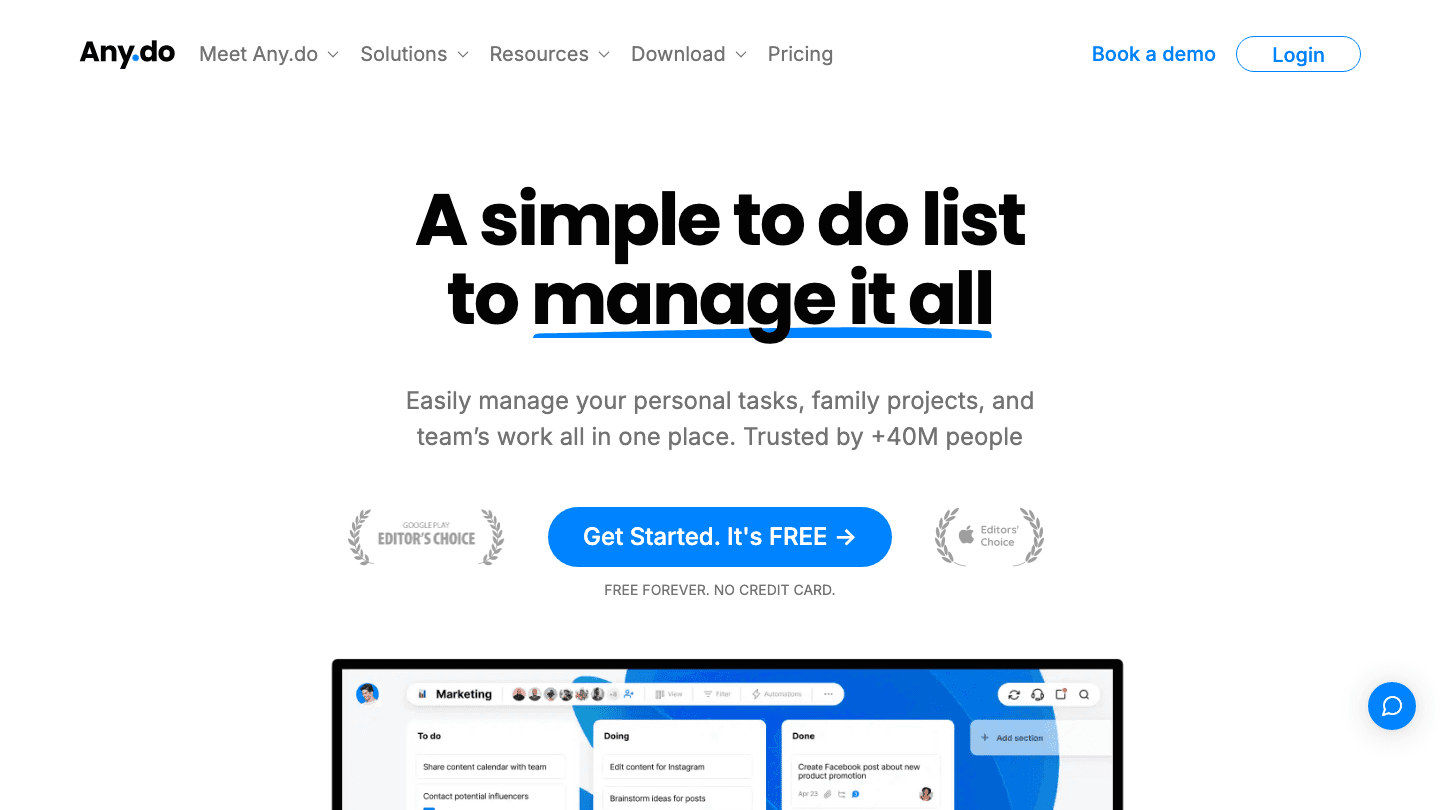
Any.do is not built around a daily planning ritual the way Sunsama is. It is a task manager with a daily review feature, reminders, shared lists, and solid cross-platform sync. The Daily Planner feature walks you through your tasks each morning and helps you prioritize, but there is no AI scheduling and no time-blocking on the free plan.
Where it wins is value. The free plan covers most personal task management needs. The Premium upgrade at $4.99/month is a fraction of Sunsama's cost. See also our calendar management tools guide if you want to compare more options in this space.
Key Features
Task lists, boards, and a daily planner view
Smart reminders: time, location, and WhatsApp
Family and team shared spaces
AI task features on Premium plan
Cross-platform: iOS, Android, web, browser extension
What Works
Free plan is actually useful, not just a limited demo
Works well for simple personal and family task management
Apple Watch and WhatsApp integration are standout features
Limitations
No calendar integration or time-blocking on the free plan
No AI scheduling
Not designed for deep work planning or complex projects
Pricing: Free forever; Premium at $4.99/month billed annually, or $7.99/month
Best for: People who want a free, simple task manager with a morning review.
Which Sunsama Alternative Is Right for You?
The right answer depends on what you actually need from a daily planner.
You want AI scheduling that adapts to your energy levels: Lifestack
You want fully automated scheduling with minimal daily input: Motion
You want Sunsama's ritual with stronger multi-tool integrations: Morgen
You work in a team and need AI to protect focus time automatically: Reclaim.ai
You want minimal design with AI meeting notes built in: Amie
You prefer visual timelines and mainly use iOS: Structured
You need a free task list with a morning review and no overhead: Any.do
If you are exploring the broader AI planner app category, Lifestack competes well on both price and AI quality against tools that cost two to three times more.
Frequently Asked Questions
What is the best free Sunsama alternative?
Reclaim.ai and Any.do both offer free plans that cover real daily planning needs. Structured is also free to start. For AI scheduling features, Lifestack at $7/month or $50/year is the most affordable option and includes a free trial on the annual plan.
What is the best Sunsama alternative for ADHD?
Lifestack. Energy-aware scheduling makes a real difference when focus is inconsistent across the day. Deep work gets placed during cognitive peaks, not just calendar gaps. We cover this in detail in our guide to ADHD time management apps.
Does Sunsama have a free plan?
No. Sunsama offers a 14-day free trial but there is no permanent free tier. It costs $17/month on annual billing or $22/month paid monthly.
Which alternative best replaces Sunsama's daily planning ritual?
Morgen comes closest, with a similar morning planning flow and strong integrations. Lifestack adds energy awareness on top of the same ritual concept. Motion eliminates the ritual entirely in favor of full automation.
Can I move my tasks from Sunsama to a new app?
Most of your tasks live in the tools Sunsama connects to: Asana, Todoist, ClickUp, Linear. Those tasks stay where they are. You reconnect them in whichever new app you choose. The planning layer moves to the new app; the task data stays in your existing tools.
What is the cheapest Sunsama alternative?
Any.do is free for personal use. For AI scheduling features, Lifestack at $7/month or $50/year is the most affordable option on this list, considerably cheaper than Sunsama's $17/month minimum.
Sunsama built something useful: a daily planning ritual that makes you think about your work before diving in. But $17 to $22 a month is a real commitment, and not every feature gets used by every person who pays for it.
The most common reason people look for alternatives is the price. The second is the automation ceiling. Sunsama asks you to make decisions about your calendar every morning, but it does not move anything for you when your day gets disrupted.
We tested seven alternatives over several weeks: AI schedulers, visual timeline apps, and simple task managers with daily planning features. Here is what each does well and who should actually use it.
Key Takeaways
Lifestack is the strongest Sunsama alternative for individual users, with energy-aware AI scheduling that Sunsama does not offer
Motion and Reclaim.ai are better fits if you want the AI to handle scheduling entirely, with no daily ritual required
Any.do and Structured are solid free or near-free options if all you need is task management with a daily review
Quick Guide to the Best Sunsama Alternatives
Lifestack - AI scheduling based on your energy levels, not just open calendar slots
Motion - Fully automated AI scheduler that rearranges your day in real time
Morgen - Unified calendar and task view with AI-assisted daily planning
Reclaim.ai - Automatically blocks focus time and habits before meetings take over
Amie - Minimal, design-focused calendar and task app with AI meeting notes
Structured - Visual hourly timeline for iOS users who want a clear daily picture
Any.do - Free task manager with a daily planning review, trusted by 40M users
How We Evaluated These Apps
AI scheduling quality: does it automatically place tasks or just suggest placement?
Calendar integration: Google Calendar, Outlook, and Apple Calendar support
Daily planning ritual: does the app support structured start-of-day reviews?
Mobile experience: iOS and Android app quality
Pricing: what you actually get relative to Sunsama's cost
Integration depth: connections to Asana, Todoist, Linear, and similar tools
1. Lifestack
The only daily planner that schedules around your energy, not just your time.
Lifestack takes everything useful about Sunsama's daily planning ritual and adds something Sunsama does not have: biometric awareness. Connect your Oura ring, WHOOP band, or Apple Health data, and Lifestack builds your schedule around when you are actually sharp. Deep work lands in high-energy windows. Administrative tasks fill in around the rest.
This is what energy-based planning looks like in practice. Most calendar apps treat every hour of your day as equivalent. Lifestack does not.
At $7 a month, or $50 for the year, it is significantly cheaper than Sunsama's $17 minimum. There is also a $120 lifetime option, which removes the subscription question entirely for long-term users.
Key Features
Energy-aware scheduling using Oura, WHOOP, and Apple Health data
AI drafts your daily plan based on task priority and current energy levels
Google Calendar and Apple Calendar sync
Chrome extension for quick task capture
iOS and Android apps
What Works
Energy scheduling is a genuine differentiator. No other app on this list connects to biometric data
Simple interface makes the morning review fast and low-friction
Lifetime pricing option removes the ongoing subscription overhead
Limitations
Fewer third-party task integrations than Sunsama (no Linear or GitHub sync yet)
Energy scheduling works best when a wearable is connected
Pricing: $7/month, $50/year, or $120 one-time lifetime purchase
Best for: Anyone who wants their schedule to reflect when they are actually productive, not just when their calendar is empty.
2. Motion
AI that reshuffles your entire day when priorities change.
Motion is closer to an autonomous scheduler than a daily planning tool. Add your tasks, meetings, and deadlines, and the AI figures out when everything fits. When something runs long or a new priority arrives, Motion reshuffles automatically.
Where Sunsama asks you to make deliberate choices each morning, Motion removes most of those choices. That is genuinely useful for packed calendars and variable priorities, and disorienting for people who like to feel in control of their day.
We also covered Motion alternatives in a separate post if you want to compare it against other AI schedulers.
Key Features
AI auto-scheduling with real-time rescheduling
Project and meeting management built in
Natural language task input
Team features with capacity planning
Booking links for external scheduling
What Works
One of the most hands-off scheduling experiences available
Strong for teams who need shared calendars and meeting management
Useful on days when manual planning breaks down completely
Limitations
No energy awareness. Schedules by available time, not by readiness
$19/month is expensive relative to most alternatives here
Not designed for end-of-day reviews or daily planning rituals
Pricing: $19/month (Pro AI), or around $12.76/month on annual billing
Best for: People who want AI to handle scheduling entirely, not just suggest it.
3. Morgen
A unified daily planner that combines your calendar, tasks, and AI in one view.
Morgen pulls calendar events and tasks from multiple sources: Google Calendar, Outlook, Asana, Todoist, Linear, and others. Everything shows up in a single interface. The AI Planner can draft a daily schedule from your task list, which is the closest thing to Sunsama's morning ritual you will find in this category.
Cross-platform support is a real strength: Mac, Windows, iOS, Android, and Linux. That matters when your team runs different operating systems.
If you are comparing Morgen to other options, see our Morgen alternative guide.
Key Features
Unified view of calendar and tasks from multiple sources
AI-powered daily plan recommendations
Built-in scheduling links (replaces Calendly for most users)
Broad platform support: Mac, Windows, iOS, Android, Linux
14-day free trial, no credit card required
What Works
Planning ritual is close to Sunsama's model
Scheduling links are included without a third-party add-on
Multi-platform sync is among the best in this category
Limitations
$15/month on annual billing is higher than Lifestack
No energy awareness
Can feel busy when managing many integrations at once
Pricing: $30/month, or $15/month billed annually
Best for: Power users who need deep calendar and task integrations with structured daily planning.
4. Reclaim.ai
AI that automatically protects your focus time before meetings fill your day.
Reclaim.ai works differently from the other apps here. You do not plan your day manually. The AI monitors your calendar and automatically blocks time for focus work, habits, and personal commitments. As meetings get added, Reclaim moves your focus blocks around them.
It is now part of Dropbox's product suite. The core idea is different from Sunsama's intentional ritual approach: instead of choosing how to spend your day, you set priorities once and let the AI defend them. It works best in team environments where calendar control is a daily fight.
Key Features
Automatic focus time and habit blocking
Smart meeting scheduling with buffer time
Project management integrations: Asana, ClickUp, Linear, Jira
Works with Google Calendar and Outlook
Team scheduling and shared availability
What Works
Free tier is genuinely useful, not just a limited preview
Strong at protecting deep work time without manual effort
Best project management integrations of any app on this list
Limitations
Web-only, no mobile app
Less suited for personal planning rituals or end-of-day reflection
No energy awareness
Pricing: Free plan available; paid plans from $10/month billed annually
Best for: Knowledge workers in teams who need calendar protection without daily manual planning.
5. Amie
Calendar and tasks in a quiet, design-first interface.
Amie combines your calendar and tasks in one view, with AI meeting notes built in, contact history, and fast natural language quick-add. The interface is intentionally minimal: no dashboards, no analytics panels, no widgets. You see your calendar, your tasks, and the people involved in both.
If you left Sunsama because you wanted something simpler and quieter, Amie is worth trying. If you left because you wanted more automation, it is not going in that direction.
Key Features
Unified calendar and task list view
AI meeting notes without a bot joining your calls
Contact history and notes integrated with your calendar
Natural language quick-add for events and tasks
iOS and web
What Works
One of the cleanest calendar-and-tasks interfaces available
AI meeting notes work natively, no third-party tool needed
Contact awareness is useful for client-focused work
Limitations
No AI scheduling or automatic time-blocking
Web pricing requires sign-up to see full plan details
More limited project management than Sunsama
Pricing: From $4.99/month on iOS; check amie.so for current web plans
Best for: People who want a calm, minimal calendar and task app with modern AI note-taking.
6. Structured
A visual hourly timeline that turns your daily tasks into a clear picture.
Structured is built around a visual hourly timeline. Every task and event maps onto a time block, and you can see your full day at a glance. No AI scheduling, no team features, and no deep integrations. The appeal is the simplicity.
It is popular on iOS and has a loyal following among people who plan their day visually rather than through lists or text. The free tier works well from day one, and the Pro upgrade is priced well below most competitors.
Key Features
Hourly visual timeline for tasks and events
Calendar sync and recurring tasks
Natural language task input
iOS, macOS, and web
Built-in habit tracking
What Works
Visual timeline gives you an honest picture of how full your day actually is
Fast to set up and review each morning
Strong iOS app with widget support
Limitations
No AI scheduling or energy awareness
Limited integrations with project management tools
Best suited for individual use, not teams
Pricing: Free; Pro at $6.99/month, $29.99/year, or $99.99 lifetime
Best for: iOS-first users who want a clear visual daily view without complexity.
7. Any.do
A simple, trusted task manager used by more than 40 million people.
Any.do is not built around a daily planning ritual the way Sunsama is. It is a task manager with a daily review feature, reminders, shared lists, and solid cross-platform sync. The Daily Planner feature walks you through your tasks each morning and helps you prioritize, but there is no AI scheduling and no time-blocking on the free plan.
Where it wins is value. The free plan covers most personal task management needs. The Premium upgrade at $4.99/month is a fraction of Sunsama's cost. See also our calendar management tools guide if you want to compare more options in this space.
Key Features
Task lists, boards, and a daily planner view
Smart reminders: time, location, and WhatsApp
Family and team shared spaces
AI task features on Premium plan
Cross-platform: iOS, Android, web, browser extension
What Works
Free plan is actually useful, not just a limited demo
Works well for simple personal and family task management
Apple Watch and WhatsApp integration are standout features
Limitations
No calendar integration or time-blocking on the free plan
No AI scheduling
Not designed for deep work planning or complex projects
Pricing: Free forever; Premium at $4.99/month billed annually, or $7.99/month
Best for: People who want a free, simple task manager with a morning review.
Which Sunsama Alternative Is Right for You?
The right answer depends on what you actually need from a daily planner.
You want AI scheduling that adapts to your energy levels: Lifestack
You want fully automated scheduling with minimal daily input: Motion
You want Sunsama's ritual with stronger multi-tool integrations: Morgen
You work in a team and need AI to protect focus time automatically: Reclaim.ai
You want minimal design with AI meeting notes built in: Amie
You prefer visual timelines and mainly use iOS: Structured
You need a free task list with a morning review and no overhead: Any.do
If you are exploring the broader AI planner app category, Lifestack competes well on both price and AI quality against tools that cost two to three times more.
Frequently Asked Questions
What is the best free Sunsama alternative?
Reclaim.ai and Any.do both offer free plans that cover real daily planning needs. Structured is also free to start. For AI scheduling features, Lifestack at $7/month or $50/year is the most affordable option and includes a free trial on the annual plan.
What is the best Sunsama alternative for ADHD?
Lifestack. Energy-aware scheduling makes a real difference when focus is inconsistent across the day. Deep work gets placed during cognitive peaks, not just calendar gaps. We cover this in detail in our guide to ADHD time management apps.
Does Sunsama have a free plan?
No. Sunsama offers a 14-day free trial but there is no permanent free tier. It costs $17/month on annual billing or $22/month paid monthly.
Which alternative best replaces Sunsama's daily planning ritual?
Morgen comes closest, with a similar morning planning flow and strong integrations. Lifestack adds energy awareness on top of the same ritual concept. Motion eliminates the ritual entirely in favor of full automation.
Can I move my tasks from Sunsama to a new app?
Most of your tasks live in the tools Sunsama connects to: Asana, Todoist, ClickUp, Linear. Those tasks stay where they are. You reconnect them in whichever new app you choose. The planning layer moves to the new app; the task data stays in your existing tools.
What is the cheapest Sunsama alternative?
Any.do is free for personal use. For AI scheduling features, Lifestack at $7/month or $50/year is the most affordable option on this list, considerably cheaper than Sunsama's $17/month minimum.



FOLLOW ON
FOLLOW ON
FOLLOW ON


Copyright 2026 © Lifestack. All rights reserved
Copyright 2026 © Lifestack. All rights reserved

