
App
7 ADHD Time Management Apps That Actually Work 2026
7 ADHD Time Management Apps That Actually Work 2026
Time management with ADHD is not a willpower problem. It is a wiring problem. The standard advice (write a to-do list, time-block your calendar, use a Pomodoro timer) assumes a brain that perceives time linearly, holds future tasks in working memory, and starts work on cue. None of that comes for free with ADHD.
The right tools can close some of that gap. Not by tricking you into being neurotypical, but by making time visible, breaking work into pieces you can actually start, and removing the daily decision of "what now?" The wrong tools punish you for missing a streak.
We tested seven ADHD time management apps that take this seriously, ranging from visual timers built for ADHD brains, to AI auto-schedulers, to one app that plans your day around your actual energy levels.
Here is what works, what doesn't, and which app fits which kind of ADHD struggle.
Key Takeaways
Lifestack is the only ADHD time management app on this list that schedules your day around real energy data from your wearable, not arbitrary morning hours.
Tiimo is the gold standard for visual time perception, made specifically for ADHD and autistic users.
Goblin Tools is free, no login required, and the fastest way to turn "clean the kitchen" into 12 startable subtasks.
Quick Guide to the 7 Best ADHD Time Management Apps
Lifestack: energy-aware planner that schedules deep work into your peak focus windows.
Tiimo: visual ADHD planner with countdown timers and image-based routines.
Goblin Tools: free AI task breakdown for when starting feels impossible.
Sunsama: calm daily planning ritual that pulls work from every tool you use.
Motion: aggressive AI auto-scheduler that decides what to do next for you.
Routinery: sequenced routine timers for mornings, evenings, and transitions.
TickTick: affordable cross-platform task manager with built-in Pomodoro and habit tracking.
How We Evaluated These ADHD Time Management Apps
Most "best apps for productivity" lists are written for neurotypical readers. We ignored that. Every app on this list was scored against the actual cognitive load ADHD time management creates.
Time visibility. Does the app show time as something you can see and feel, not just numbers?
Task initiation help. Does it reduce the gap between "I should start" and actually starting?
Energy or hyperfocus awareness. Does it understand that 9am and 3pm are not equivalent slots?
Friction. If capturing a task takes three taps and a category selection, it won't get captured.
Forgiveness. Does the app punish missed days, or pick up where you left off?
1. Lifestack: Best Energy-Aware ADHD Time Management App
Plans your day around real energy data from your wearable, not arbitrary morning hours.

Most ADHD time management apps assume you have steady energy across the workday. Lifestack doesn't. It pulls data from your Oura ring, WHOOP band, Apple Health, or Garmin to figure out when your focus is actually peaking, then schedules deep work into those windows and admin into the dips.
For ADHD brains, this is closer to how things actually work. You probably already know that you can do four hours of focused work between 9am and 1pm, and absolutely nothing between 2pm and 4pm. Lifestack just stops asking you to plan against that reality and starts planning with it.
Key Features
Energy-aware auto-scheduling based on biometric data
Integrates with Oura, WHOOP, Apple Health, Garmin, Fitbit
Two-way sync with Google Calendar, Apple Calendar, Outlook
Task imports from Todoist, Linear, Asana, Notion
iOS, Android, Chrome extension
What Works for ADHD
Removes the "when should I do this?" decision that ADHD brains often freeze on
Validates the "I just can't focus right now" feeling with real data
Deep work blocks land on peak windows, not at random
Limitations
Best with a wearable, though baseline circadian estimates work without one
Not built around visual countdown timers like Tiimo
Pricing: $7 per month, $50 per year, or $120 lifetime. All plans include mobile apps, Chrome extension, unlimited tasks and calendars.
Best for: ADHD adults who've already tried time-blocking and felt betrayed by their own energy. See task management for ADHD and why energy-based planning beats time blocking.
2. Tiimo: Best Visual ADHD Planner
Visual time perception built specifically for ADHD and autistic users.
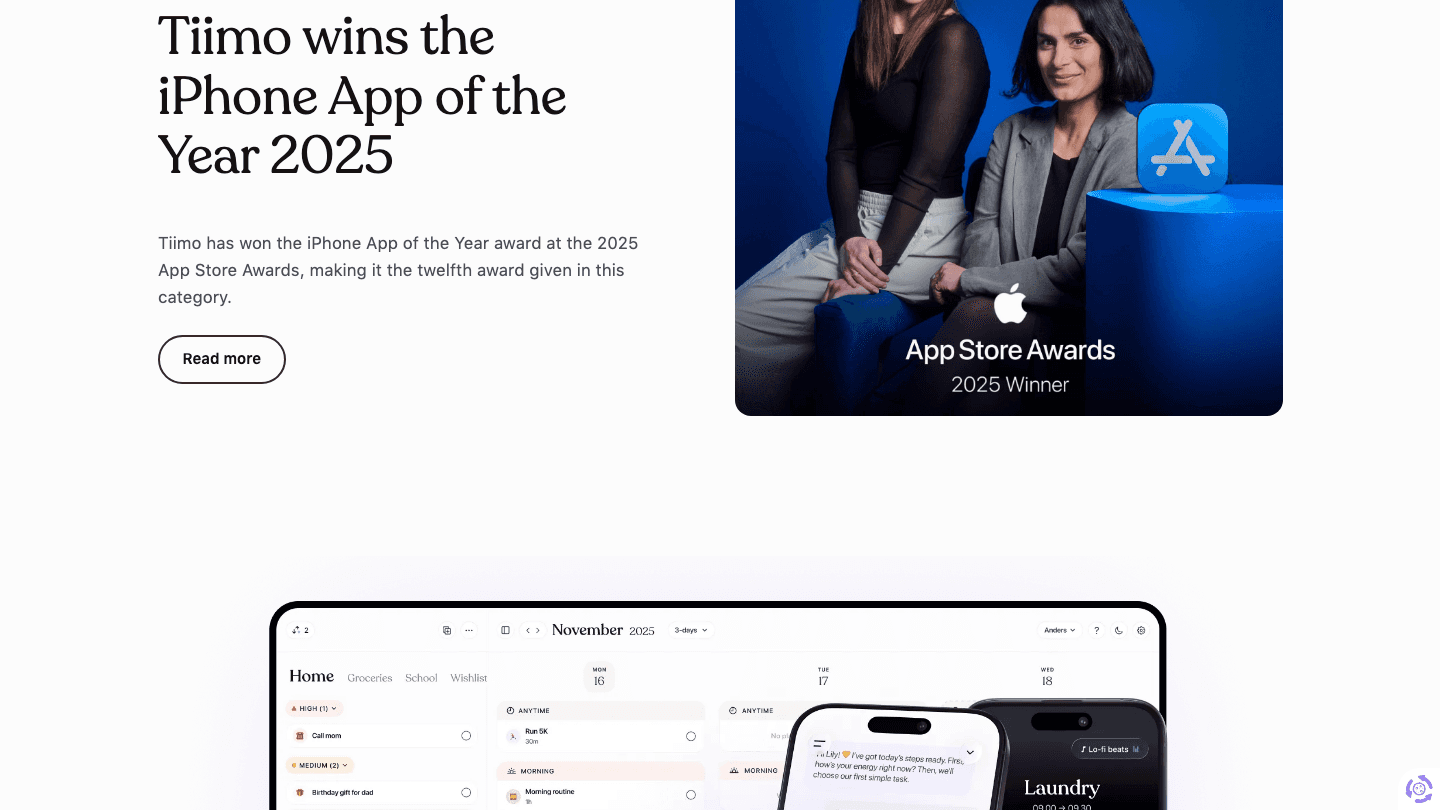
Tiimo won Apple's App of the Year award in 2025, and not by accident. It treats time as something you should see, not calculate. Each task on your day is a colored block with an icon and a countdown ring that visibly shrinks as time passes. Routines are stored as image-rich templates you can run on autopilot.
If "time blindness" is the term that finally made you cry at your diagnosis, this is the app built for that exact problem.
Key Features
Visual countdown timers for every task
Image-based, icon-rich daily plans
Saved routines for mornings, evenings, transitions
Apple Watch widgets and complications
Designed in collaboration with ADHD and autistic users
What Works for ADHD
Makes time literally visible, not abstract
Routines remove daily decision-making from your morning
No streaks, no shame, no leaderboards
Limitations
Not a heavyweight task manager. Long project lists feel cramped here
No integrations with Notion, Linear, Asana
No energy awareness
Pricing: Subscription only, monthly or annual. Exact USD shown at checkout, varies by region.
Best for: Anyone whose ADHD shows up as time blindness and missed transitions, especially parents helping a neurodivergent kid.
3. Goblin Tools: Best Free Task Breakdown for ADHD
AI that turns paralyzing chores into 10 startable subtasks in seconds.
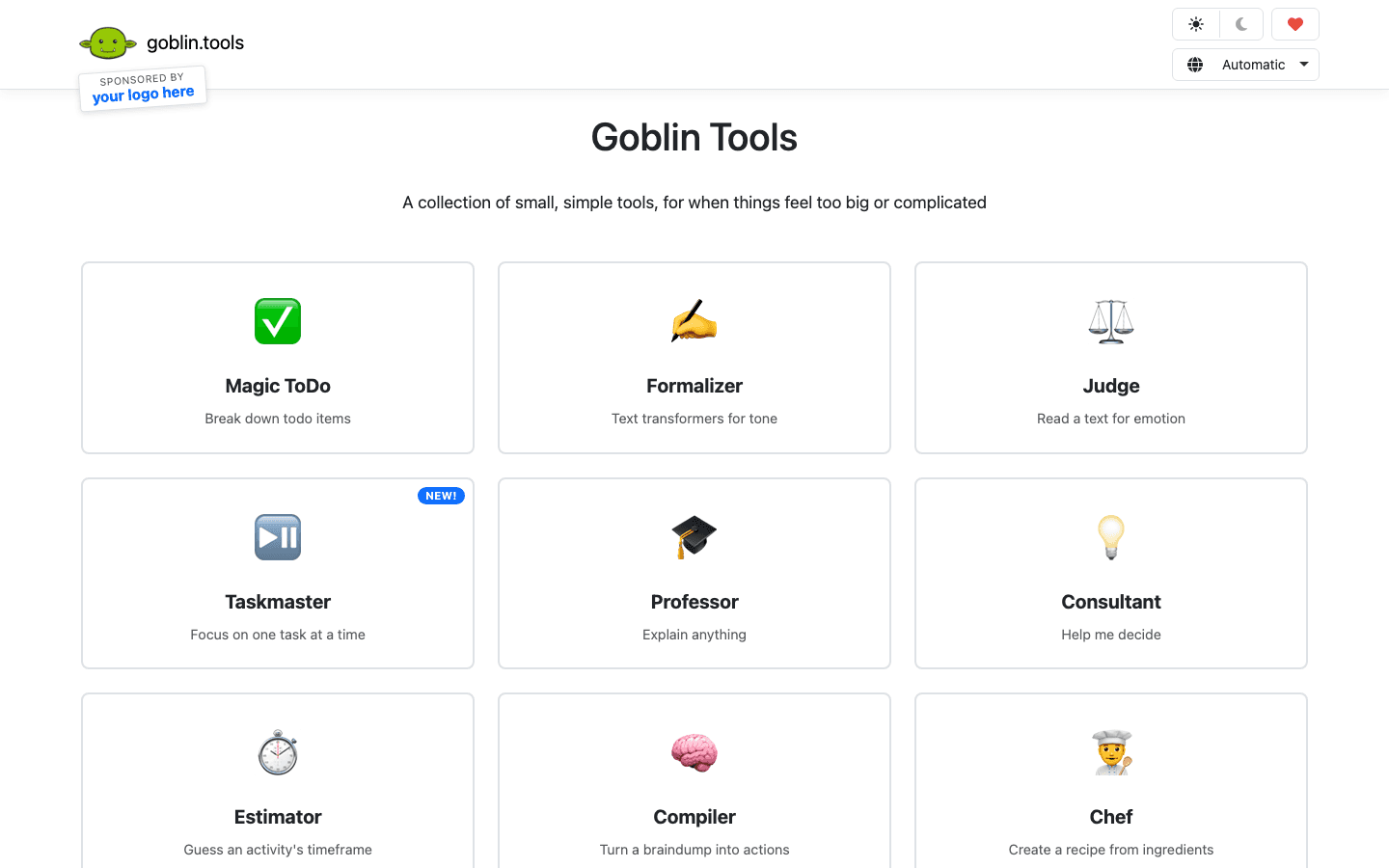
Goblin Tools is not really a time management app. It's the missing piece between "I have a task" and "I can start a task." Its Magic ToDo takes any vague item ("clean kitchen", "do taxes", "write report") and breaks it into a checklist of micro-steps you can actually act on. You can crank up the "spiciness" slider when something feels too overwhelming.
It also includes Formalizer (tone rewriter), Estimator (time guess), and Compiler (turn brain dump into action list). All free. No account required.
Key Features
Magic ToDo breaks any task into startable subtasks
Spiciness slider for deeper task breakdowns
Estimator for realistic time guesses
Compiler for converting brain dumps to action items
Web is free, no signup. Apps are paid (low one-time price)
What Works for ADHD
Kills task initiation paralysis in 10 seconds
No login, no streaks, no app at all if you don't want it
Built explicitly with the neurodivergent community in mind
Limitations
Not a calendar. You still need to schedule the broken-down tasks somewhere
No sync, no integrations, no reminders
Pricing: Web is free. Mobile apps cost a small one-time fee.
Best for: Anyone whose ADHD-specific block is "I literally cannot start this." Pair it with Lifestack or Tiimo for actual scheduling.
4. Sunsama: Best Calm Daily Planning Ritual
A slow, intentional planner that walks you through choosing today's work.
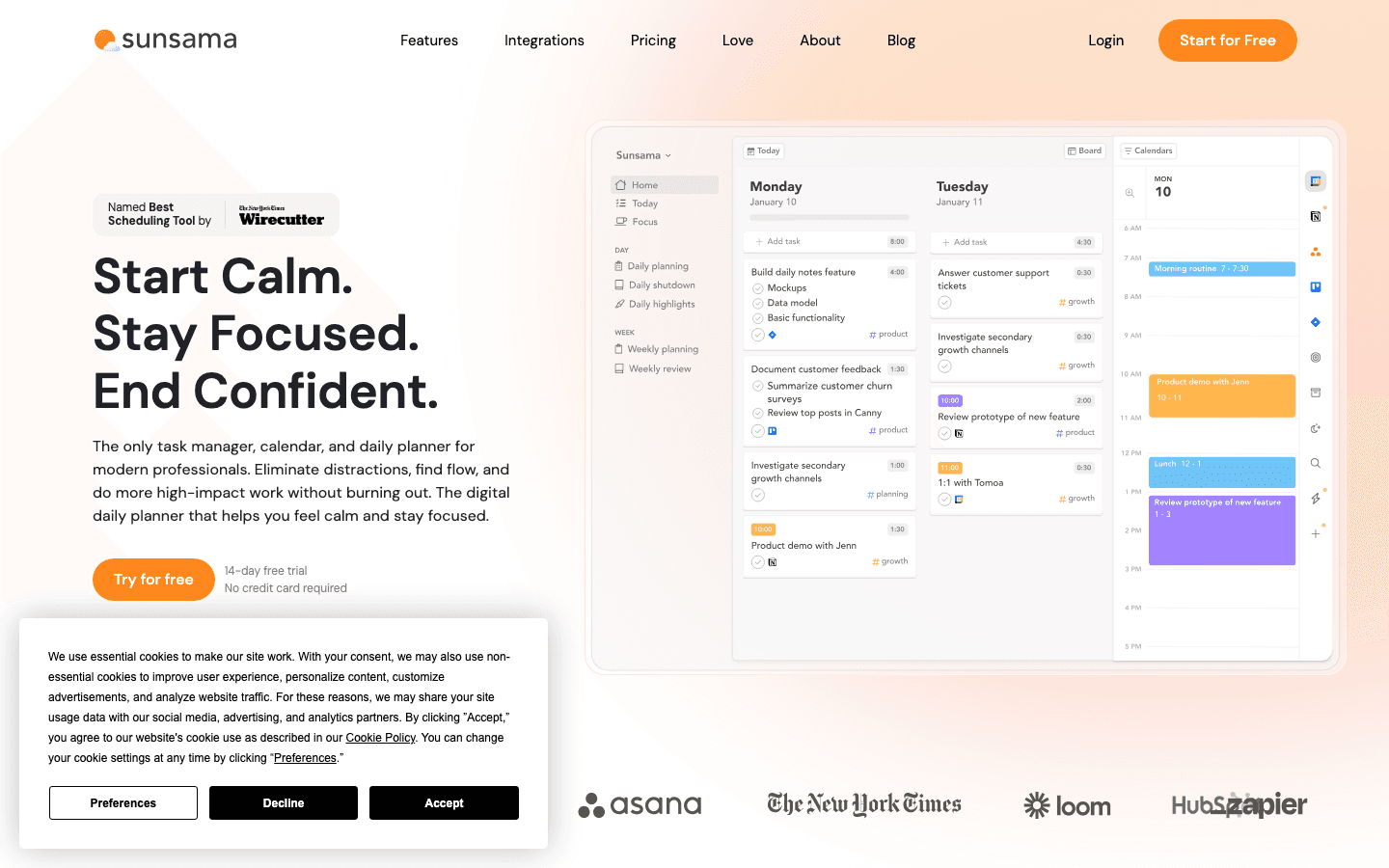
Sunsama is the opposite of Motion. Instead of an AI throwing tasks onto your calendar, it walks you through a guided morning ritual: pull tasks from Gmail, Slack, Notion, Linear, and the rest, drop them onto today's plan, estimate the time each will take, and close the laptop. End of day, it walks you through an unwind.
For ADHD brains that get hijacked by every shiny task in every app, the act of physically selecting today's work is the actual intervention.
Key Features
Guided morning planning and evening shutdown
Integrations with 30+ tools (Gmail, Slack, GitHub, Notion, Asana, ClickUp)
Per-task time estimates that surface overcommitment
Calendar sync with Google and Outlook
What Works for ADHD
Creates a clear start and end to the workday
Time estimates expose the optimism that wrecks ADHD plans
Calm, focused interface, not a dopamine slot machine
Limitations
Pricey at $20 per month
No visual countdown timers
No energy awareness
Pricing: $20 per month, $16 per month billed annually. 14-day free trial.
Best for: ADHD adults in knowledge work who hyperjump between Slack, Notion, and email and need one screen to pin today's plan to.
5. Motion: Best Aggressive AI Auto-Scheduler
An AI that decides what's next so you don't have to.
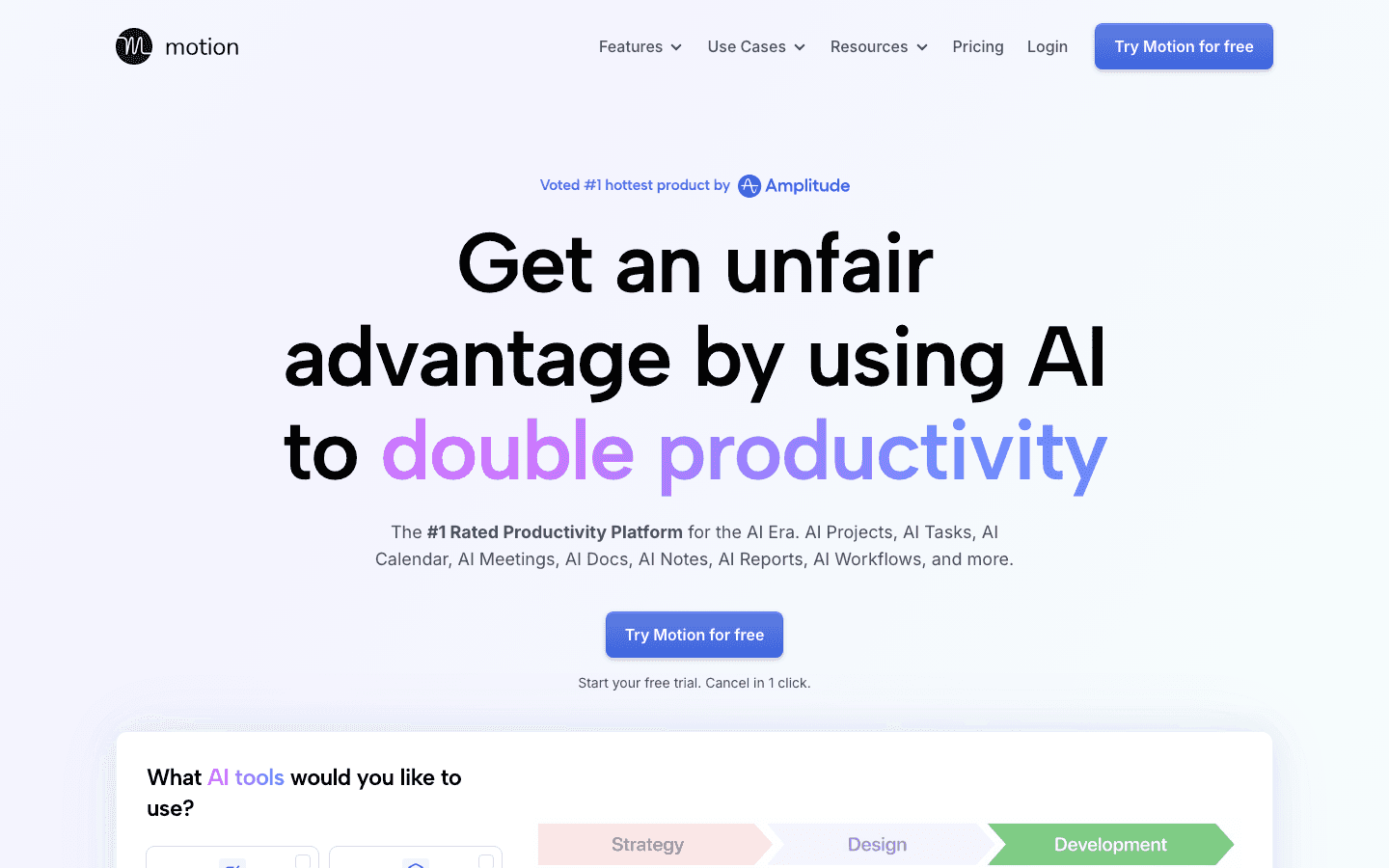
Motion goes all-in on the AI side. You feed it tasks with deadlines and durations, and it auto-schedules them onto your calendar. When something runs over, it reshuffles everything. For ADHD brains that hate decision-making, the appeal is real. "Just tell me what to do next" is a feature.
The cost is control. Some ADHDers thrive on autonomy and find Motion's authority over their day suffocating. Others find it the first thing that ever worked.
Key Features
AI auto-scheduling of tasks, projects, and meetings
Project management with timelines
Meeting scheduler with availability links
Mobile, desktop, web
What Works for ADHD
Removes the choice paralysis of an open calendar
Re-shuffles around missed tasks instead of guilt-tripping you
Deadlines get enforced, not deferred
Limitations
$19 per seat per month is steep
No energy or biometric awareness
Constant reshuffling can feel like the calendar is deciding things for you
Pricing: $19 per month Pro AI, $29 per month Business AI. 33% off with annual billing.
Best for: ADHD adults who genuinely want full AI takeover and have the budget for it.
6. Routinery: Best for Morning and Evening Sequences
Sequenced routine timers that drag you through transitions step by step.
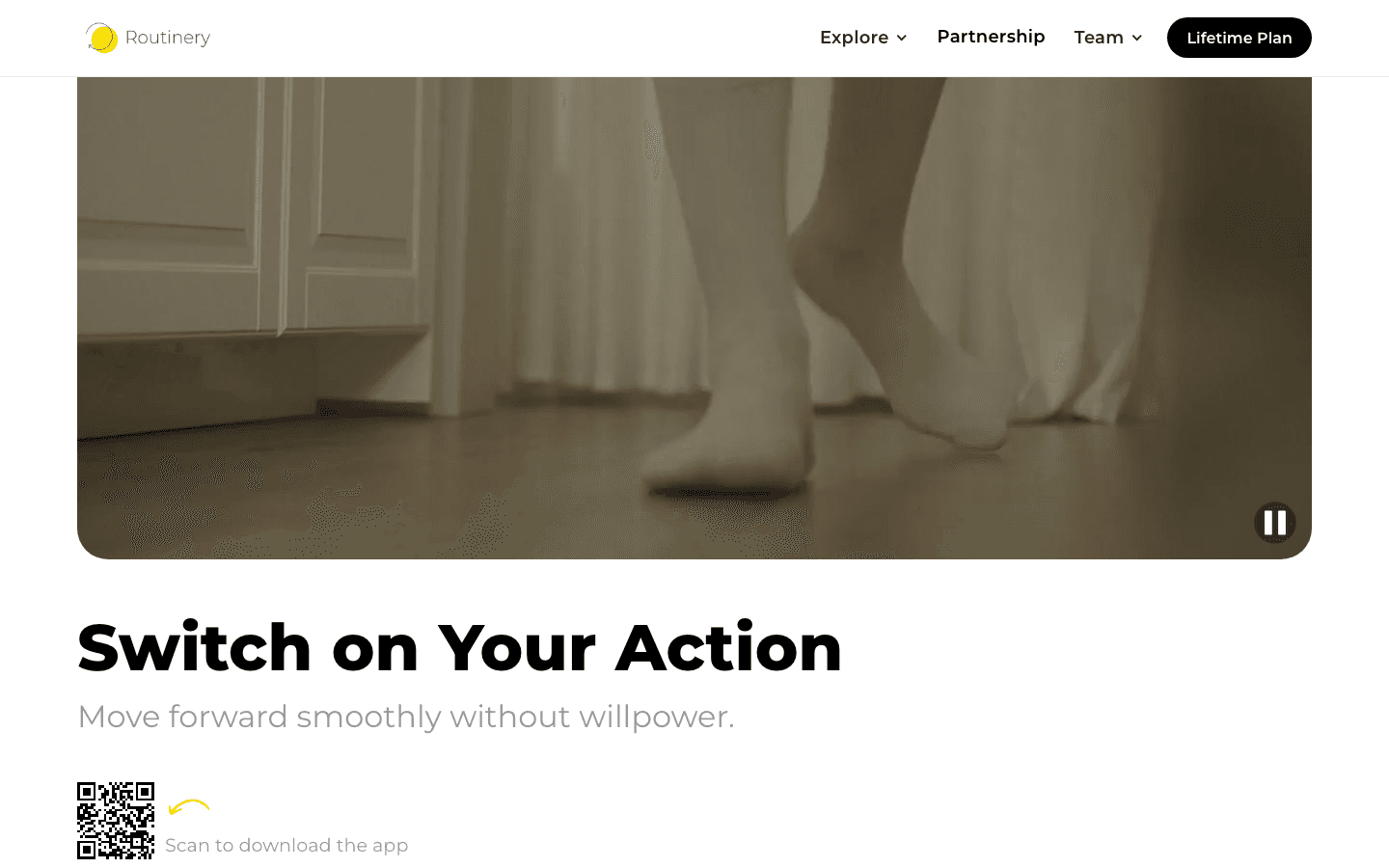
Routinery is built around one specific ADHD problem: transitions. Your morning routine, your gym routine, your bedtime routine, all the places where ADHDers lose 45 minutes to scrolling, switching, and "just one more thing." It sequences the steps, sets timers for each, and pushes you forward.
It's narrower than the others on this list. That's the point. It does one thing extremely well.
Key Features
Pre-built routines (morning, evening, gym, focus) and custom sequences
Step-by-step timers with audio cues
Habit and streak tracking
iOS, Android, web
What Works for ADHD
Pushes you out of transition paralysis without willpower
Audio cues handle the time-blindness piece
Templates make routines reusable instead of rebuilt every day
Limitations
Streak system can punish missed days, which is exactly what some ADHDers don't need
Not a daily planner for project work, just routines
Pricing: Free tier available. Premium subscription unlocks unlimited routines and advanced timers. See site for current rates.
Best for: ADHD adults whose biggest leak is mornings, bedtime, or any transition between activities.
7. TickTick: Best Affordable All-Rounder
A polished todo app with calendar, Pomodoro, and habits at a fraction of premium pricing.
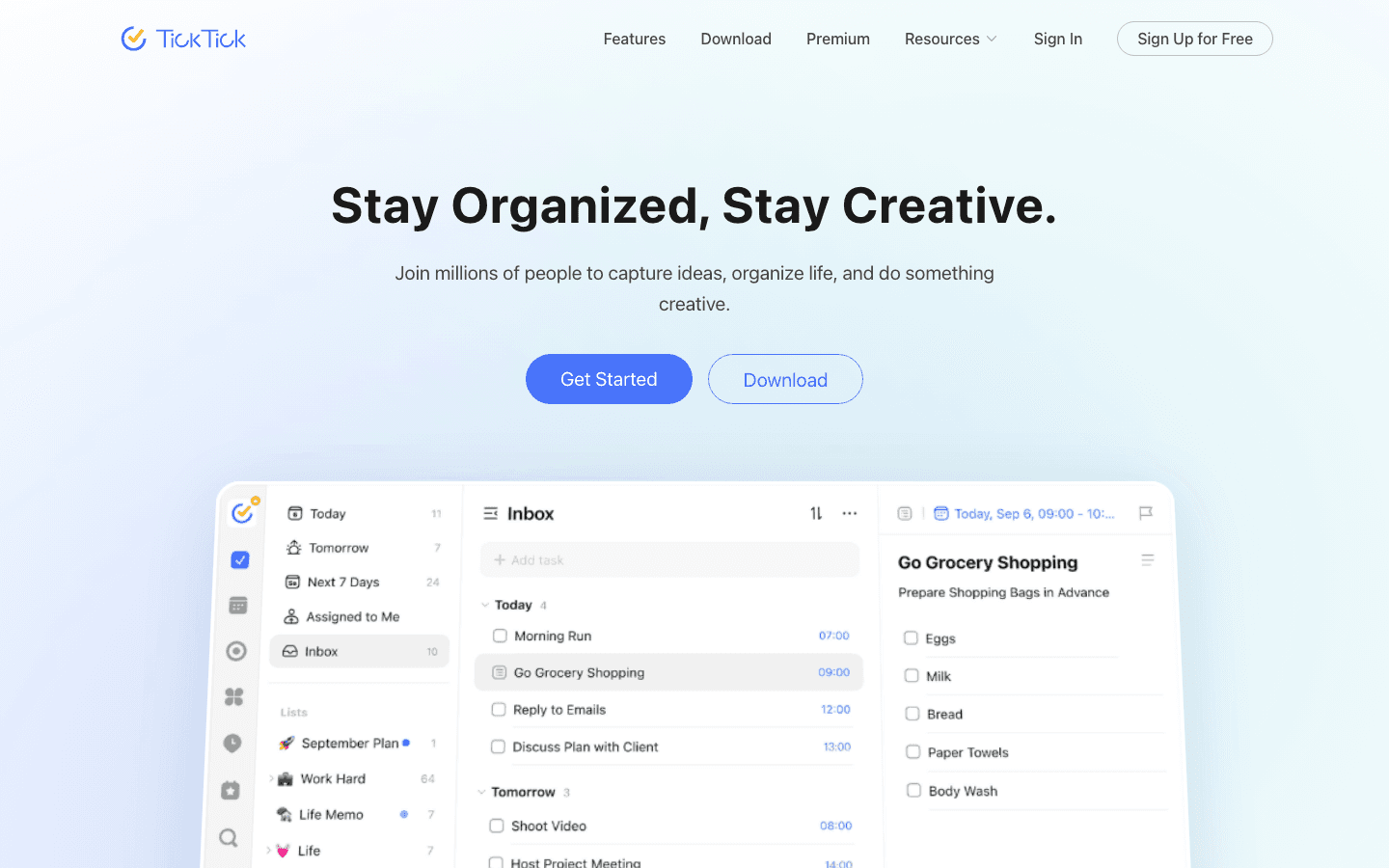
TickTick is the practical pick. It bundles tasks, calendar view, Pomodoro timer, habit tracker, and even an Eisenhower matrix into one app for less than the cost of a coffee per month. For people who don't want six different ADHD apps each charging $15, this is the all-in-one move.
It's also the one to start with if you're not sure your ADHD needs apply yet. Cheap, low-friction, easy to abandon if it doesn't fit.
Key Features
Tasks, calendar, Pomodoro, habits, Eisenhower matrix, sticky notes
Natural-language task entry ("submit form tomorrow 3pm")
iOS, Android, macOS, Windows, web, Apple Watch
Strong free tier
What Works for ADHD
Cheapest paid productivity app on this list
Pomodoro built in means no second timer app to forget about
Habit tracker is forgiving, not streak-obsessed
Limitations
No visual countdown timers like Tiimo
No AI breakdown like Goblin Tools
No energy awareness
Pricing: Free tier covers most users. Premium is an inexpensive annual plan, see site for current pricing.
Best for: ADHD adults who want a single, affordable all-rounder to start with before specializing.
Which ADHD Time Management App Is Right for You?
Pick Lifestack if your ADHD shows up as energy chaos and you've already tried "just time-block it" and watched yourself fail at 2pm every day.
Pick Tiimo if "time blindness" is the most useful phrase you've ever heard about your brain.
Pick Goblin Tools if your main block is starting, not planning. Pair it with something else for the calendar piece.
Pick Sunsama if your ADHD shows up at work and you bounce between five apps before lunch.
Pick Motion if you genuinely want an AI to take over your schedule and you have the budget.
Pick Routinery if your transitions are where you lose the day.
Pick TickTick if you want a cheap all-rounder before committing to anything specialized.
If you want a deeper read on the planning side, see our guides on the best ADHD daily planner apps, the best AI assistants for ADHD, and ADHD task initiation strategies.
FAQ
What is the best ADHD time management app in 2026?
Lifestack is the best ADHD time management app for most adults because it's the only one that schedules your day around your real energy. If visual time is your specific issue, Tiimo is the standout. If task initiation is the block, Goblin Tools is the answer.
Are there free ADHD time management apps that actually work?
Yes. Goblin Tools is fully free on the web. TickTick has a generous free tier. Routinery has a free version. None of them have everything, but combined they cover most ADHD time management needs at zero cost.
What kind of time management works for ADHD?
Three things tend to work: making time visible (so it's not abstract), breaking work into startable pieces (so you can begin), and planning around your real energy (not against it). Most ADHD-friendly apps target one of those three.
Why don't standard productivity apps work for ADHD?
Standard apps assume linear time perception, intact working memory, and on-cue task initiation. ADHD compromises all three. Apps built for neurotypical users will keep working against those default assumptions, which is why most ADHD adults bounce between five productivity apps and feel like a failure for it.
Can ADHD time management apps replace medication or therapy?
No. Apps reduce friction. They don't replace clinical treatment. Most ADHD adults who succeed long-term use some combination of medication, therapy, and tools, not just one.
Is time blocking good for ADHD?
Time blocking helps some ADHD adults and wrecks others. The version that tends to fail is rigid morning-vs-afternoon scheduling that ignores energy. The version that works treats blocks as flexible containers tied to focus windows. See why energy-based planning beats time blocking for the full breakdown.
Time management with ADHD is not a willpower problem. It is a wiring problem. The standard advice (write a to-do list, time-block your calendar, use a Pomodoro timer) assumes a brain that perceives time linearly, holds future tasks in working memory, and starts work on cue. None of that comes for free with ADHD.
The right tools can close some of that gap. Not by tricking you into being neurotypical, but by making time visible, breaking work into pieces you can actually start, and removing the daily decision of "what now?" The wrong tools punish you for missing a streak.
We tested seven ADHD time management apps that take this seriously, ranging from visual timers built for ADHD brains, to AI auto-schedulers, to one app that plans your day around your actual energy levels.
Here is what works, what doesn't, and which app fits which kind of ADHD struggle.
Key Takeaways
Lifestack is the only ADHD time management app on this list that schedules your day around real energy data from your wearable, not arbitrary morning hours.
Tiimo is the gold standard for visual time perception, made specifically for ADHD and autistic users.
Goblin Tools is free, no login required, and the fastest way to turn "clean the kitchen" into 12 startable subtasks.
Quick Guide to the 7 Best ADHD Time Management Apps
Lifestack: energy-aware planner that schedules deep work into your peak focus windows.
Tiimo: visual ADHD planner with countdown timers and image-based routines.
Goblin Tools: free AI task breakdown for when starting feels impossible.
Sunsama: calm daily planning ritual that pulls work from every tool you use.
Motion: aggressive AI auto-scheduler that decides what to do next for you.
Routinery: sequenced routine timers for mornings, evenings, and transitions.
TickTick: affordable cross-platform task manager with built-in Pomodoro and habit tracking.
How We Evaluated These ADHD Time Management Apps
Most "best apps for productivity" lists are written for neurotypical readers. We ignored that. Every app on this list was scored against the actual cognitive load ADHD time management creates.
Time visibility. Does the app show time as something you can see and feel, not just numbers?
Task initiation help. Does it reduce the gap between "I should start" and actually starting?
Energy or hyperfocus awareness. Does it understand that 9am and 3pm are not equivalent slots?
Friction. If capturing a task takes three taps and a category selection, it won't get captured.
Forgiveness. Does the app punish missed days, or pick up where you left off?
1. Lifestack: Best Energy-Aware ADHD Time Management App
Plans your day around real energy data from your wearable, not arbitrary morning hours.
Most ADHD time management apps assume you have steady energy across the workday. Lifestack doesn't. It pulls data from your Oura ring, WHOOP band, Apple Health, or Garmin to figure out when your focus is actually peaking, then schedules deep work into those windows and admin into the dips.
For ADHD brains, this is closer to how things actually work. You probably already know that you can do four hours of focused work between 9am and 1pm, and absolutely nothing between 2pm and 4pm. Lifestack just stops asking you to plan against that reality and starts planning with it.
Key Features
Energy-aware auto-scheduling based on biometric data
Integrates with Oura, WHOOP, Apple Health, Garmin, Fitbit
Two-way sync with Google Calendar, Apple Calendar, Outlook
Task imports from Todoist, Linear, Asana, Notion
iOS, Android, Chrome extension
What Works for ADHD
Removes the "when should I do this?" decision that ADHD brains often freeze on
Validates the "I just can't focus right now" feeling with real data
Deep work blocks land on peak windows, not at random
Limitations
Best with a wearable, though baseline circadian estimates work without one
Not built around visual countdown timers like Tiimo
Pricing: $7 per month, $50 per year, or $120 lifetime. All plans include mobile apps, Chrome extension, unlimited tasks and calendars.
Best for: ADHD adults who've already tried time-blocking and felt betrayed by their own energy. See task management for ADHD and why energy-based planning beats time blocking.
2. Tiimo: Best Visual ADHD Planner
Visual time perception built specifically for ADHD and autistic users.
Tiimo won Apple's App of the Year award in 2025, and not by accident. It treats time as something you should see, not calculate. Each task on your day is a colored block with an icon and a countdown ring that visibly shrinks as time passes. Routines are stored as image-rich templates you can run on autopilot.
If "time blindness" is the term that finally made you cry at your diagnosis, this is the app built for that exact problem.
Key Features
Visual countdown timers for every task
Image-based, icon-rich daily plans
Saved routines for mornings, evenings, transitions
Apple Watch widgets and complications
Designed in collaboration with ADHD and autistic users
What Works for ADHD
Makes time literally visible, not abstract
Routines remove daily decision-making from your morning
No streaks, no shame, no leaderboards
Limitations
Not a heavyweight task manager. Long project lists feel cramped here
No integrations with Notion, Linear, Asana
No energy awareness
Pricing: Subscription only, monthly or annual. Exact USD shown at checkout, varies by region.
Best for: Anyone whose ADHD shows up as time blindness and missed transitions, especially parents helping a neurodivergent kid.
3. Goblin Tools: Best Free Task Breakdown for ADHD
AI that turns paralyzing chores into 10 startable subtasks in seconds.
Goblin Tools is not really a time management app. It's the missing piece between "I have a task" and "I can start a task." Its Magic ToDo takes any vague item ("clean kitchen", "do taxes", "write report") and breaks it into a checklist of micro-steps you can actually act on. You can crank up the "spiciness" slider when something feels too overwhelming.
It also includes Formalizer (tone rewriter), Estimator (time guess), and Compiler (turn brain dump into action list). All free. No account required.
Key Features
Magic ToDo breaks any task into startable subtasks
Spiciness slider for deeper task breakdowns
Estimator for realistic time guesses
Compiler for converting brain dumps to action items
Web is free, no signup. Apps are paid (low one-time price)
What Works for ADHD
Kills task initiation paralysis in 10 seconds
No login, no streaks, no app at all if you don't want it
Built explicitly with the neurodivergent community in mind
Limitations
Not a calendar. You still need to schedule the broken-down tasks somewhere
No sync, no integrations, no reminders
Pricing: Web is free. Mobile apps cost a small one-time fee.
Best for: Anyone whose ADHD-specific block is "I literally cannot start this." Pair it with Lifestack or Tiimo for actual scheduling.
4. Sunsama: Best Calm Daily Planning Ritual
A slow, intentional planner that walks you through choosing today's work.
Sunsama is the opposite of Motion. Instead of an AI throwing tasks onto your calendar, it walks you through a guided morning ritual: pull tasks from Gmail, Slack, Notion, Linear, and the rest, drop them onto today's plan, estimate the time each will take, and close the laptop. End of day, it walks you through an unwind.
For ADHD brains that get hijacked by every shiny task in every app, the act of physically selecting today's work is the actual intervention.
Key Features
Guided morning planning and evening shutdown
Integrations with 30+ tools (Gmail, Slack, GitHub, Notion, Asana, ClickUp)
Per-task time estimates that surface overcommitment
Calendar sync with Google and Outlook
What Works for ADHD
Creates a clear start and end to the workday
Time estimates expose the optimism that wrecks ADHD plans
Calm, focused interface, not a dopamine slot machine
Limitations
Pricey at $20 per month
No visual countdown timers
No energy awareness
Pricing: $20 per month, $16 per month billed annually. 14-day free trial.
Best for: ADHD adults in knowledge work who hyperjump between Slack, Notion, and email and need one screen to pin today's plan to.
5. Motion: Best Aggressive AI Auto-Scheduler
An AI that decides what's next so you don't have to.
Motion goes all-in on the AI side. You feed it tasks with deadlines and durations, and it auto-schedules them onto your calendar. When something runs over, it reshuffles everything. For ADHD brains that hate decision-making, the appeal is real. "Just tell me what to do next" is a feature.
The cost is control. Some ADHDers thrive on autonomy and find Motion's authority over their day suffocating. Others find it the first thing that ever worked.
Key Features
AI auto-scheduling of tasks, projects, and meetings
Project management with timelines
Meeting scheduler with availability links
Mobile, desktop, web
What Works for ADHD
Removes the choice paralysis of an open calendar
Re-shuffles around missed tasks instead of guilt-tripping you
Deadlines get enforced, not deferred
Limitations
$19 per seat per month is steep
No energy or biometric awareness
Constant reshuffling can feel like the calendar is deciding things for you
Pricing: $19 per month Pro AI, $29 per month Business AI. 33% off with annual billing.
Best for: ADHD adults who genuinely want full AI takeover and have the budget for it.
6. Routinery: Best for Morning and Evening Sequences
Sequenced routine timers that drag you through transitions step by step.
Routinery is built around one specific ADHD problem: transitions. Your morning routine, your gym routine, your bedtime routine, all the places where ADHDers lose 45 minutes to scrolling, switching, and "just one more thing." It sequences the steps, sets timers for each, and pushes you forward.
It's narrower than the others on this list. That's the point. It does one thing extremely well.
Key Features
Pre-built routines (morning, evening, gym, focus) and custom sequences
Step-by-step timers with audio cues
Habit and streak tracking
iOS, Android, web
What Works for ADHD
Pushes you out of transition paralysis without willpower
Audio cues handle the time-blindness piece
Templates make routines reusable instead of rebuilt every day
Limitations
Streak system can punish missed days, which is exactly what some ADHDers don't need
Not a daily planner for project work, just routines
Pricing: Free tier available. Premium subscription unlocks unlimited routines and advanced timers. See site for current rates.
Best for: ADHD adults whose biggest leak is mornings, bedtime, or any transition between activities.
7. TickTick: Best Affordable All-Rounder
A polished todo app with calendar, Pomodoro, and habits at a fraction of premium pricing.
TickTick is the practical pick. It bundles tasks, calendar view, Pomodoro timer, habit tracker, and even an Eisenhower matrix into one app for less than the cost of a coffee per month. For people who don't want six different ADHD apps each charging $15, this is the all-in-one move.
It's also the one to start with if you're not sure your ADHD needs apply yet. Cheap, low-friction, easy to abandon if it doesn't fit.
Key Features
Tasks, calendar, Pomodoro, habits, Eisenhower matrix, sticky notes
Natural-language task entry ("submit form tomorrow 3pm")
iOS, Android, macOS, Windows, web, Apple Watch
Strong free tier
What Works for ADHD
Cheapest paid productivity app on this list
Pomodoro built in means no second timer app to forget about
Habit tracker is forgiving, not streak-obsessed
Limitations
No visual countdown timers like Tiimo
No AI breakdown like Goblin Tools
No energy awareness
Pricing: Free tier covers most users. Premium is an inexpensive annual plan, see site for current pricing.
Best for: ADHD adults who want a single, affordable all-rounder to start with before specializing.
Which ADHD Time Management App Is Right for You?
Pick Lifestack if your ADHD shows up as energy chaos and you've already tried "just time-block it" and watched yourself fail at 2pm every day.
Pick Tiimo if "time blindness" is the most useful phrase you've ever heard about your brain.
Pick Goblin Tools if your main block is starting, not planning. Pair it with something else for the calendar piece.
Pick Sunsama if your ADHD shows up at work and you bounce between five apps before lunch.
Pick Motion if you genuinely want an AI to take over your schedule and you have the budget.
Pick Routinery if your transitions are where you lose the day.
Pick TickTick if you want a cheap all-rounder before committing to anything specialized.
If you want a deeper read on the planning side, see our guides on the best ADHD daily planner apps, the best AI assistants for ADHD, and ADHD task initiation strategies.
FAQ
What is the best ADHD time management app in 2026?
Lifestack is the best ADHD time management app for most adults because it's the only one that schedules your day around your real energy. If visual time is your specific issue, Tiimo is the standout. If task initiation is the block, Goblin Tools is the answer.
Are there free ADHD time management apps that actually work?
Yes. Goblin Tools is fully free on the web. TickTick has a generous free tier. Routinery has a free version. None of them have everything, but combined they cover most ADHD time management needs at zero cost.
What kind of time management works for ADHD?
Three things tend to work: making time visible (so it's not abstract), breaking work into startable pieces (so you can begin), and planning around your real energy (not against it). Most ADHD-friendly apps target one of those three.
Why don't standard productivity apps work for ADHD?
Standard apps assume linear time perception, intact working memory, and on-cue task initiation. ADHD compromises all three. Apps built for neurotypical users will keep working against those default assumptions, which is why most ADHD adults bounce between five productivity apps and feel like a failure for it.
Can ADHD time management apps replace medication or therapy?
No. Apps reduce friction. They don't replace clinical treatment. Most ADHD adults who succeed long-term use some combination of medication, therapy, and tools, not just one.
Is time blocking good for ADHD?
Time blocking helps some ADHD adults and wrecks others. The version that tends to fail is rigid morning-vs-afternoon scheduling that ignores energy. The version that works treats blocks as flexible containers tied to focus windows. See why energy-based planning beats time blocking for the full breakdown.



FOLLOW ON
FOLLOW ON
FOLLOW ON


Copyright 2026 © Lifestack. All rights reserved
Copyright 2026 © Lifestack. All rights reserved

