
App
Best ADHD Daily Planner Apps in 2026
Best ADHD Daily Planner Apps in 2026
Most daily planners assume your day runs on a flat line of energy. You wake up, you have eight productive hours, you check things off in order. If you have ADHD, you already know that is fiction. Some mornings you can clear a week of work before lunch. Other days a single email feels like climbing a wall, and the planner that worked yesterday now just sits there making you feel worse.
The right daily planner does not fight that reality. It works with it. It captures the thought before it disappears, breaks the scary task into something startable, and reshuffles your day when the plan falls apart at 2pm, because it will.
We spent weeks living inside six of the most recommended planners for ADHD brains. We looked at how fast you can dump a task, how much friction stands between you and actually starting, and whether the app helps you protect your attention or just adds another thing to manage. Below is what we found, starting with the one that handled the energy problem better than anything else we tried.
For a wider look at the AI side of this, our guide to the best AI assistants for ADHD covers tools that go beyond planning.
Key Takeaways
Lifestack is our top pick because it plans your day around your real energy levels using sleep and recovery data, instead of pretending every hour is equal.
The best ADHD planner is the one with the least friction between a thought and a captured task. Sunsama and Akiflow win on calm, fast capture.
Auto-scheduling tools like Motion and Reclaim save you the decision of when to do things, which removes a real point of ADHD paralysis, but they assume steady focus.
The 6 Best ADHD Daily Planners at a Glance
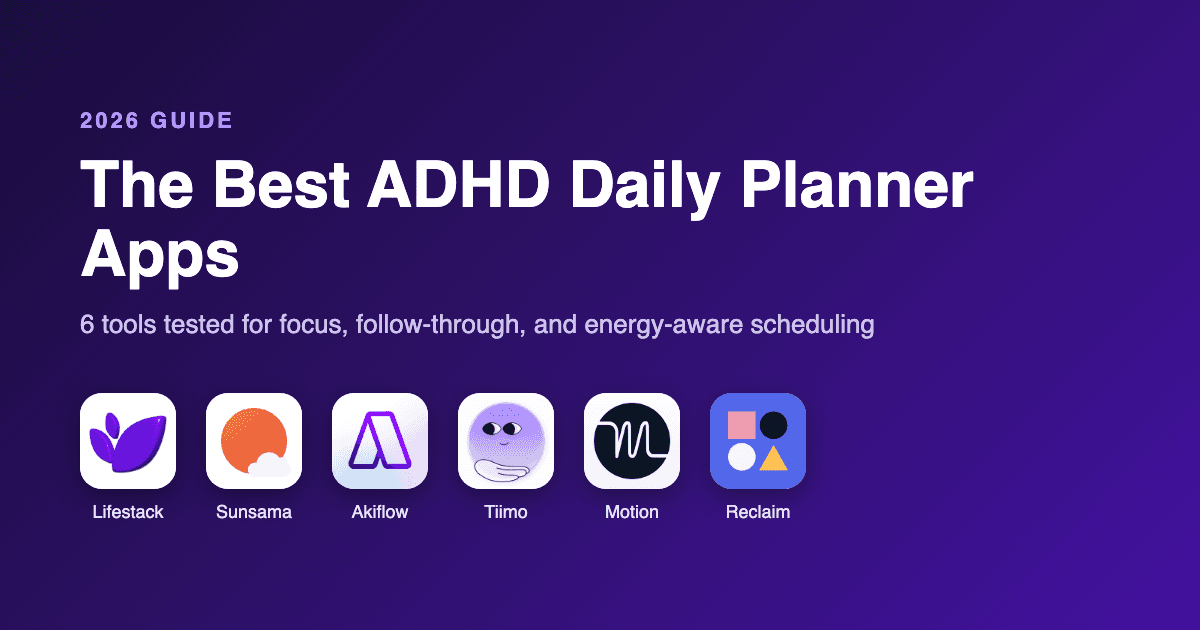
Lifestack: Best overall. Builds your daily plan around your energy, not just your clock.
Sunsama: Best for a calm, deliberate daily ritual that stops overcommitment.
Akiflow: Best for capturing tasks fast from everywhere into one timeline.
Tiimo: Best visual planner, designed with neurodivergent users in mind.
Motion: Best for hands-off AI that schedules your whole day for you.
Reclaim.ai: Best for defending focus time inside a busy work calendar.
How We Evaluated Each Daily Planner
A planner can look beautiful and still be useless for an ADHD brain. We judged each one on the things that actually decide whether you keep using it past week two.
Capture speed: How quickly can you get a thought out of your head and into the app before it vanishes?
Time and capacity awareness: Does it show you how full your day already is, or let you pile on twelve hours of tasks?
Energy awareness: Does it account for the fact that your focus rises and falls through the day?
Rescheduling: When the plan breaks, how painful is it to fix?
Visual clarity: Is the day legible at a glance, or is it a wall of text?
Pricing and platforms: What it costs, and whether it follows you to your phone.
1. Lifestack: Best ADHD Daily Planner Overall
Plans your day around your energy using sleep and recovery data.

Lifestack starts from a different question than every other planner here. Instead of asking what you need to do, it asks when you are actually able to do it. It connects to your wearable and your sleep data, reads your recovery and energy through the day, then drafts a schedule that puts demanding work in your high-energy windows and lighter tasks in the dips.
For ADHD, this matters more than it sounds. A lot of the guilt around an unfinished to-do list comes from scheduling deep work for a slot when your brain had nothing left to give. Lifestack stops setting you up to fail by matching the task to the moment. This is the core idea behind energy based planning, and it is why we rank it first.
Key Features
Energy forecasting from sleep, recovery, and wearable data
Automatic daily schedule that places tasks in matching energy windows
Unified calendar and task view so nothing lives in two places
One-tap rescheduling when your day shifts
iOS, Android, and a Chrome extension
What Works
It removes the hardest ADHD decision, when to do something, and answers it with data
Seeing your energy curve makes "I am not lazy, my brain is just low right now" feel real
The schedule adapts instead of shaming you when you miss a block
Limitations
You get the most out of it with a wearable like Oura, Apple Watch, or WHOOP
The energy modeling takes a few days of data before it feels accurate
Pricing: $7 per month, or $50 per year with a 7-day free trial. A one-time lifetime option is $120.
Best for: ADHD adults who are tired of plans that ignore how their energy actually moves. See how Lifestack works in more detail.
2. Sunsama: Best for a Calm Daily Ritual
A guided daily planning routine that keeps you from overcommitting.
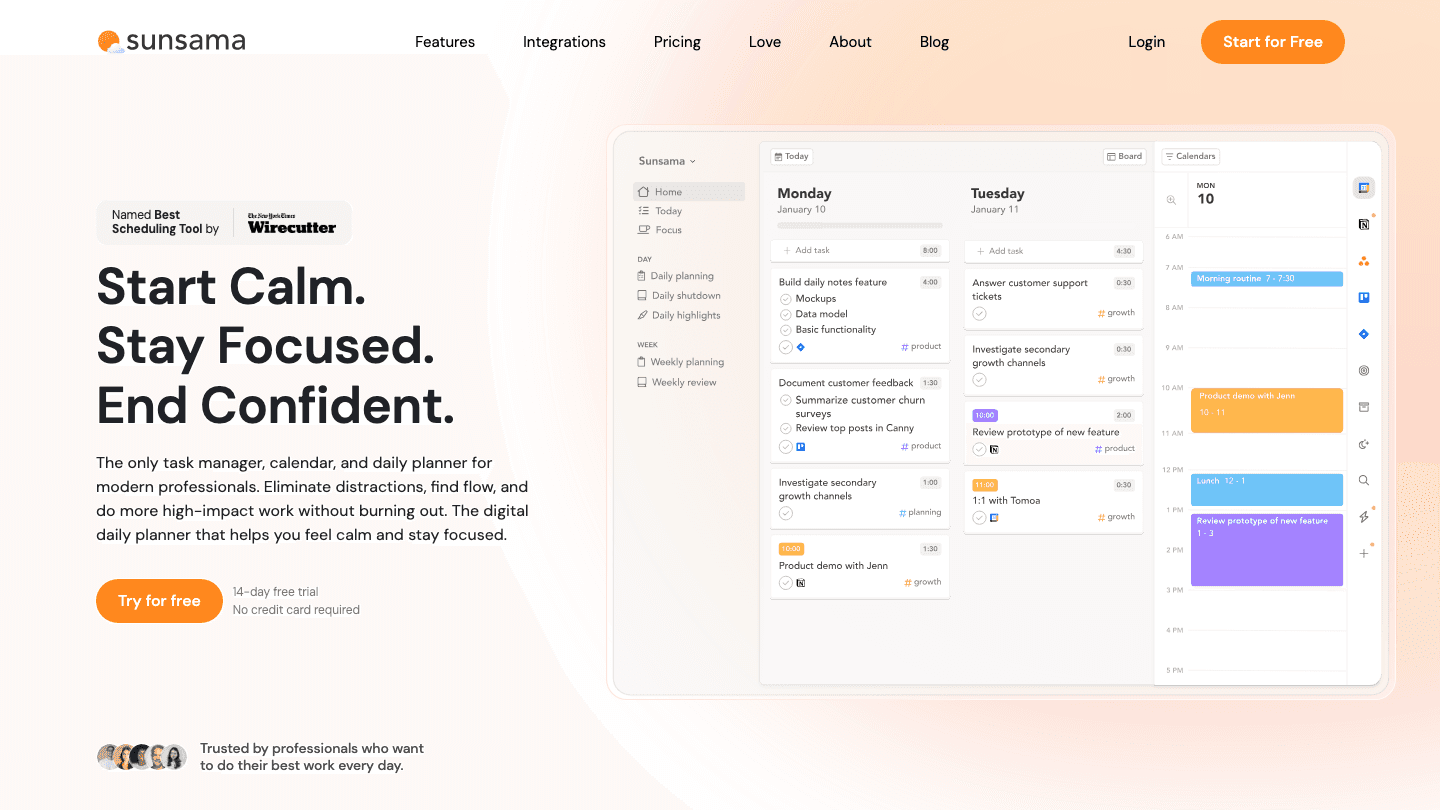
Sunsama slows you down on purpose. Each morning it walks you through a short planning ritual where you pull in tasks from your tools, decide what actually fits today, and assign a time estimate to each one. At the end of the day it runs a quick shutdown so you are not carrying open loops into the evening.
The overcommitment guardrail is the standout for ADHD. When your planned tasks add up to more hours than you have, Sunsama tells you, gently, before you set yourself up for another day of falling short.
Key Features
Guided morning planning and evening shutdown
Daily capacity warnings when you overload your list
Pulls tasks from Todoist, Asana, Trello, Gmail, and more
It is one of the more deliberate tools on this list, and that ritual structure is exactly what some people need. It does not, however, adjust for your energy. A task is a task whether you are sharp or fried.
Pricing: $20 per month, or $16 per month billed annually, with a 14-day free trial.
Best for: People who do better with a fixed daily routine than with an automated one.
3. Akiflow: Best for Fast Task Capture
One command bar that swallows tasks from everywhere into a single timeline.
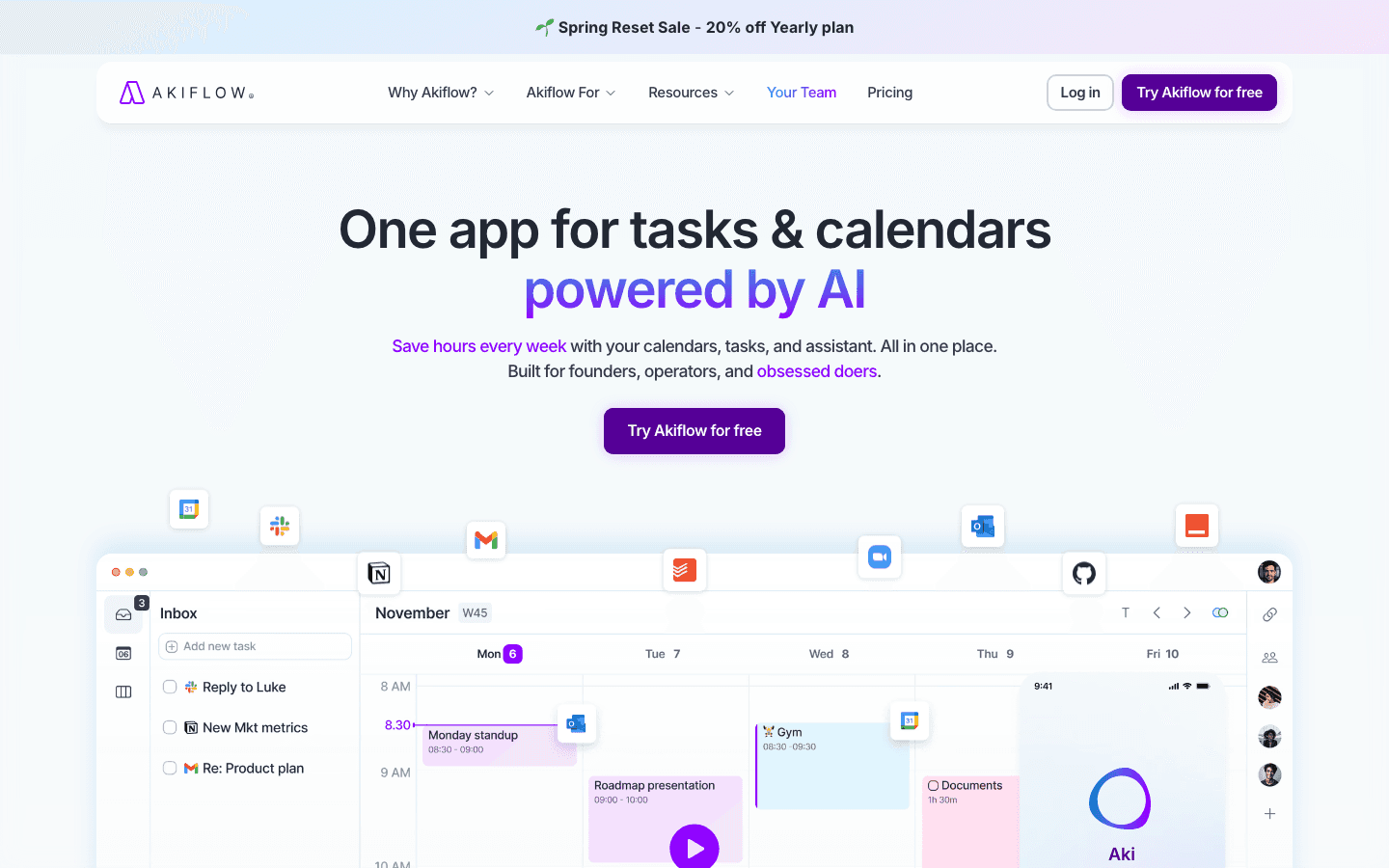
Akiflow is built around a keyboard command bar that lets you capture and schedule a task in a couple of seconds without breaking what you were doing. For an ADHD brain, where a thought that is not written down in the next ten seconds is gone, that speed is the whole point.
Everything you capture lands in one place next to your calendar, so you time-block tasks by dragging them onto your day. It consolidates the scatter, which is half the battle. If Akiflow is not quite your fit, we compared the field in our roundup of Akiflow alternatives.
Key Features
Universal command bar for instant capture and scheduling
Time-blocking by dragging tasks onto the calendar
Integrations with most major task and calendar tools
Limitations
It is one of the pricier options here
No energy awareness, so you still decide what fits your focus
Pricing: $34 per month, or $19 per month billed annually, with a 7-day free trial.
Best for: People drowning in scattered tasks who want one fast inbox for all of them.
4. Tiimo: Best Visual Planner
A visual, neurodivergent-friendly planner that turns your day into a timeline you can see.
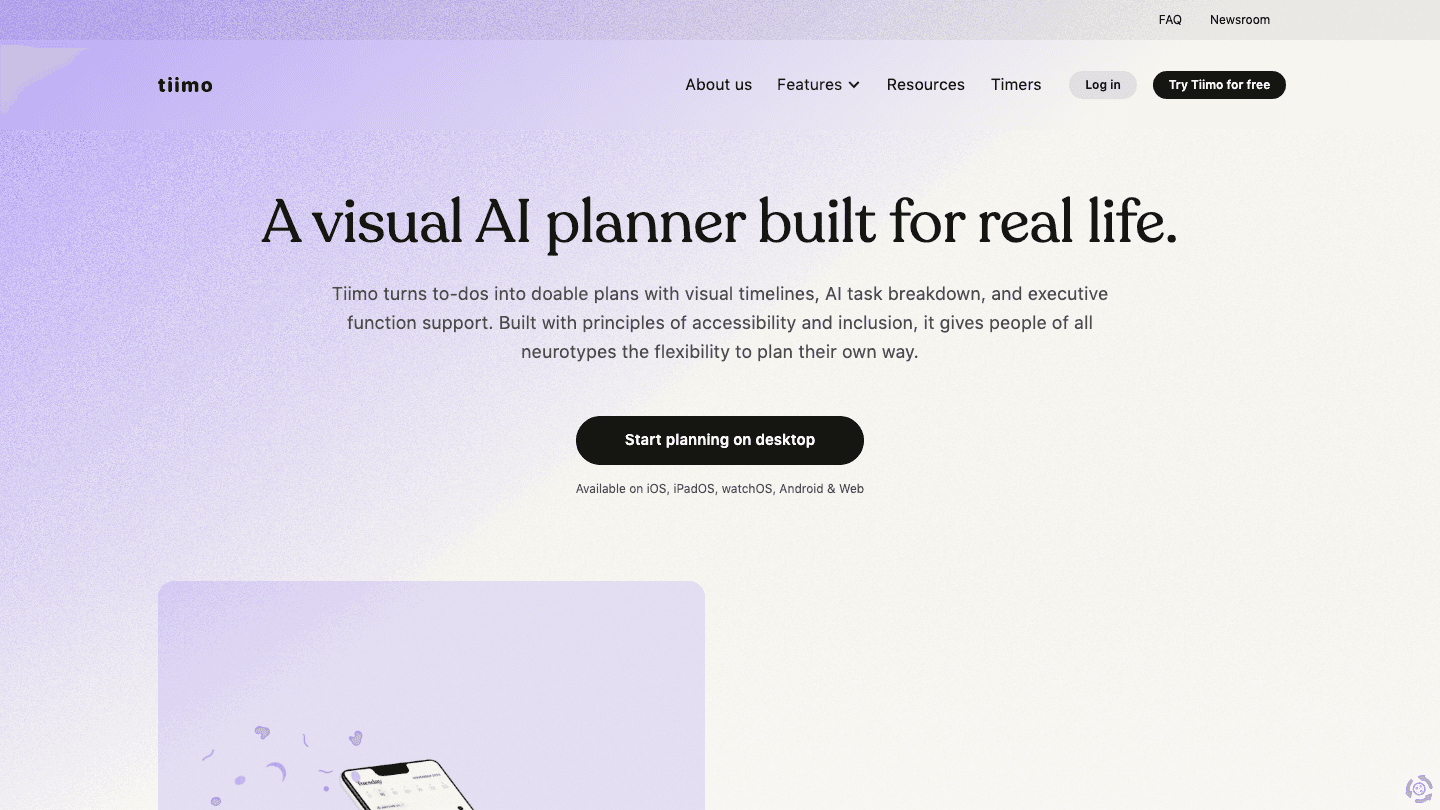
Tiimo was designed with neurodivergent users from the start, and it shows. Your day becomes a visual timeline with color, icons, and countdown timers, which makes time feel concrete instead of abstract. That helps with time blindness, the very real ADHD experience where an hour and four hours feel the same until they are gone.
It also breaks tasks into visual steps, so a vague block like "clean the kitchen" becomes a sequence you can follow without re-deciding at every turn.
Key Features
Visual timeline with icons, color coding, and timers
Step-by-step task breakdowns for executive function support
Widgets and reminders that keep the next thing visible
Pricing: A limited free version is available on iOS and Android. Tiimo Pro unlocks all features with monthly or annual billing and a 7-day free trial on the yearly plan.
Best for: Visual thinkers who struggle with time blindness and want to see their day, not read it.
5. Motion: Best for Hands-Off AI Scheduling
AI that takes your task list and builds your entire day automatically.
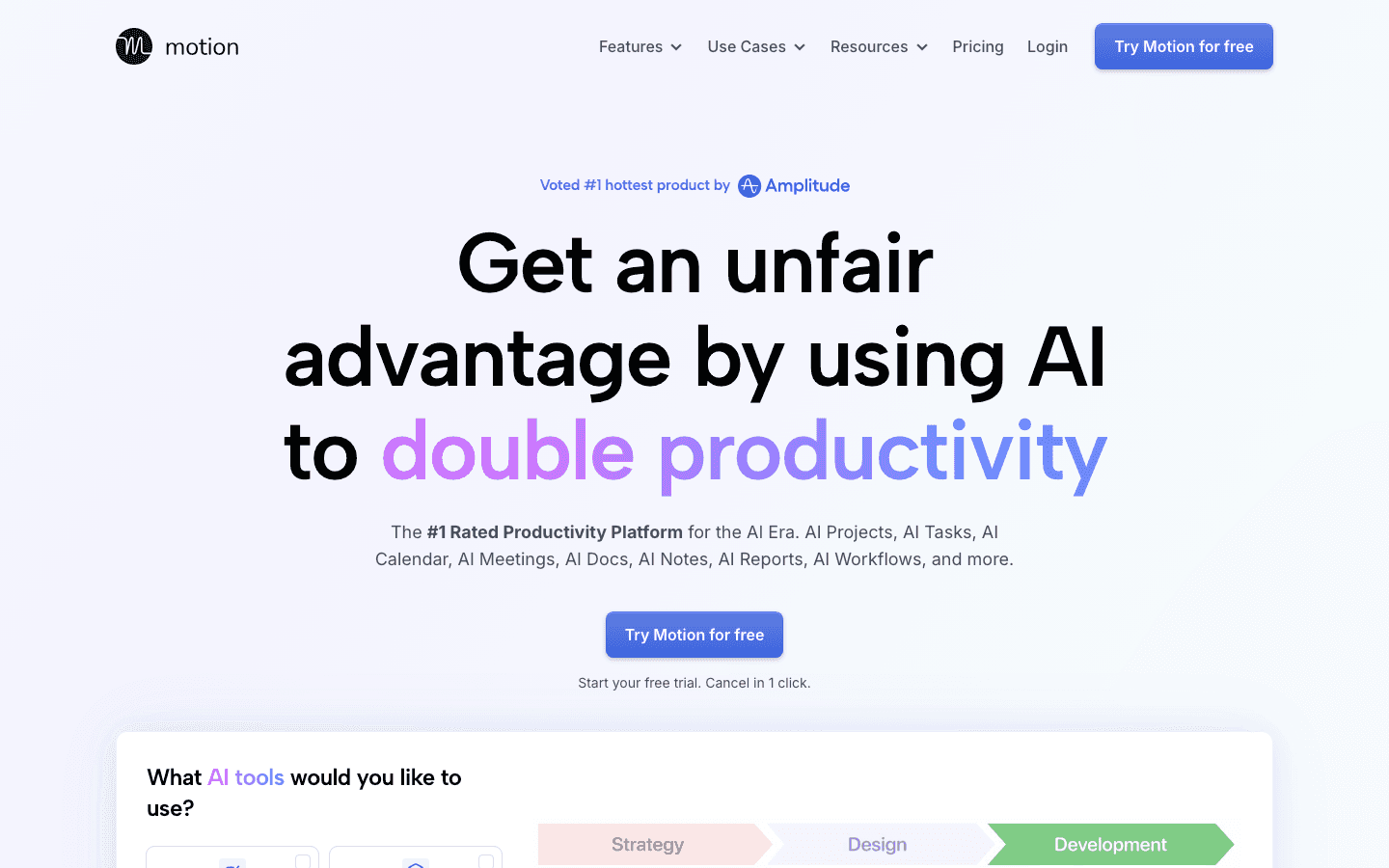
Motion hands the scheduling over to an algorithm. You feed it tasks with deadlines and durations, and it slots everything into your calendar around your meetings, then reshuffles automatically when something runs long or a new priority lands.
For ADHD, the appeal is that it removes the constant "what should I do next" decision that eats so much energy. The catch is that it assumes your capacity is steady, so it will happily schedule deep work for a slot when you are running on empty. If Motion feels like too much machine, our list of Motion alternatives covers gentler options.
Key Features
Automatic task scheduling around meetings and deadlines
Auto-rescheduling when your day changes
Combined projects, tasks, and calendar in one app
Limitations
No energy awareness, so the plan ignores how you actually feel
The constant reshuffling can feel like a loss of control for some
Pricing: Pro AI is $19 per seat per month, Business AI is $29 per seat per month, with a discount on annual billing and a free trial.
Best for: People who want a machine to own their schedule so they never have to plan it.
6. Reclaim.ai: Best for Protecting Focus Time
Defends your deep-work blocks inside a calendar full of meetings.
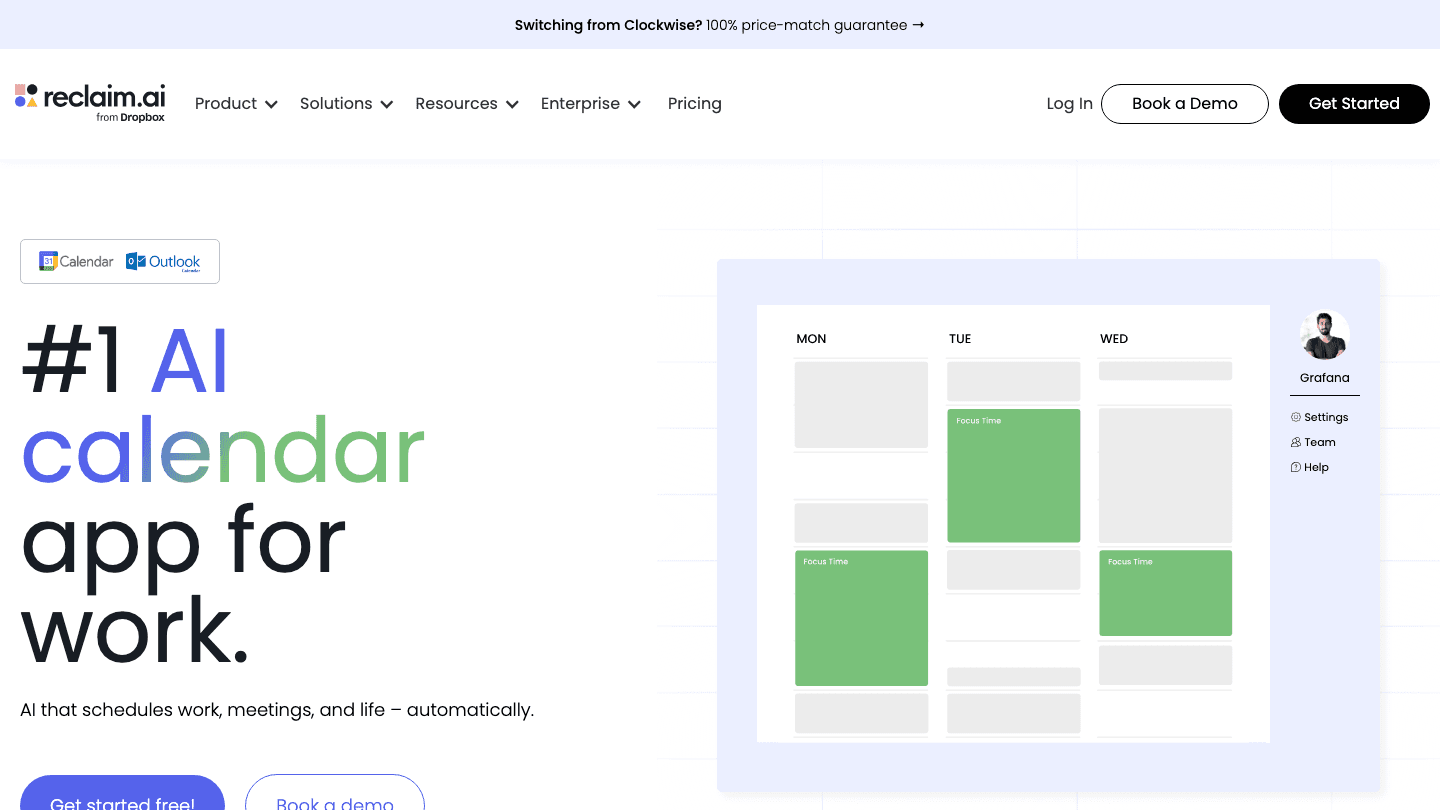
Reclaim.ai lives on top of your Google or Outlook calendar and automatically carves out time for focus work, habits, and tasks, then defends those blocks when meetings try to creep in. If a conflict comes up, it quietly moves your focus time rather than letting it get crushed.
It is the most work-calendar-centric option here, which makes it a strong fit if your day is already ruled by meetings and you keep losing the gaps in between.
Key Features
Automatic focus time and habit scheduling
Smart defense of blocks against meeting conflicts
Deep Google and Outlook calendar integration
Pricing: A free Lite plan is available forever. Paid plans start at $10 per user per month, with the Business plan at $15 per user per month.
Best for: Professionals whose calendars are mostly meetings and who need focus time protected automatically.
Which ADHD Daily Planner Is Right for You?
There is no single best planner, only the best one for how your brain and your day actually work. Here is the short version.
Choose Lifestack if your energy swings hard and you are done forcing deep work into low-focus hours.
Choose Sunsama if a calm daily ritual keeps you grounded and stops you overcommitting.
Choose Akiflow if your real problem is capturing tasks before they slip away.
Choose Tiimo if you think visually and time blindness is your main struggle.
Choose Motion if you want an algorithm to own your schedule completely.
Choose Reclaim.ai if your calendar is wall-to-wall meetings and focus time keeps disappearing.
If you want to go deeper on the planning method itself rather than the apps, our piece on task management for ADHD is a good next read, and our overview of the best AI planner apps widens the field beyond ADHD-specific tools.
Frequently Asked Questions
What is the best daily planner for ADHD?
For most ADHD adults, the best daily planner is one that adapts to your changing focus rather than treating every hour as equal. We rank Lifestack first because it builds your day around your real energy levels, which directly addresses the mismatch between when tasks are scheduled and when you can actually do them.
Are paper planners or digital planners better for ADHD?
It depends on the brain. Paper planners give a tactile, distraction-free ritual that some people find calming. Digital planners win on reminders, fast capture, and rescheduling, which are exactly the spots where ADHD memory and time blindness cause the most trouble. Many people use a digital tool for capture and a small paper note for the day's top three.
Why do regular planners not work for people with ADHD?
Most planners assume steady focus, reliable memory, and an accurate sense of time, the three things ADHD makes unreliable. A planner that ignores energy will keep scheduling hard work for your worst hours, and a planner with slow capture loses the thought before you write it down. The tools that work are the ones that reduce friction and adjust when the plan breaks.
Do I need a wearable to use an ADHD planner like Lifestack?
You do not strictly need one, but Lifestack gets noticeably more accurate with sleep and recovery data from a device like Oura, Apple Watch, or WHOOP. Without a wearable it still plans your day, it just leans more on your manual input and patterns over time.
What is the best free daily planner for ADHD?
Reclaim.ai has a free Lite plan that covers basic focus-time scheduling, and Tiimo offers a limited free version on mobile. Free tiers are a fine place to start, though the features that help most with ADHD, like full auto-scheduling and energy awareness, usually sit behind the paid plans.
How do I actually stick with a daily planner?
Lower the friction and forgive the misses. Pick a tool with fast capture so logging a task is effortless, keep your daily list short enough to finish, and use a planner that reshuffles instead of guilting you when the day goes sideways. Consistency comes from a system that bends, not one that breaks the first time you skip a day. For more starting points, see our roundup of daily planner apps worth trying.
Most daily planners assume your day runs on a flat line of energy. You wake up, you have eight productive hours, you check things off in order. If you have ADHD, you already know that is fiction. Some mornings you can clear a week of work before lunch. Other days a single email feels like climbing a wall, and the planner that worked yesterday now just sits there making you feel worse.
The right daily planner does not fight that reality. It works with it. It captures the thought before it disappears, breaks the scary task into something startable, and reshuffles your day when the plan falls apart at 2pm, because it will.
We spent weeks living inside six of the most recommended planners for ADHD brains. We looked at how fast you can dump a task, how much friction stands between you and actually starting, and whether the app helps you protect your attention or just adds another thing to manage. Below is what we found, starting with the one that handled the energy problem better than anything else we tried.
For a wider look at the AI side of this, our guide to the best AI assistants for ADHD covers tools that go beyond planning.
Key Takeaways
Lifestack is our top pick because it plans your day around your real energy levels using sleep and recovery data, instead of pretending every hour is equal.
The best ADHD planner is the one with the least friction between a thought and a captured task. Sunsama and Akiflow win on calm, fast capture.
Auto-scheduling tools like Motion and Reclaim save you the decision of when to do things, which removes a real point of ADHD paralysis, but they assume steady focus.
The 6 Best ADHD Daily Planners at a Glance
Lifestack: Best overall. Builds your daily plan around your energy, not just your clock.
Sunsama: Best for a calm, deliberate daily ritual that stops overcommitment.
Akiflow: Best for capturing tasks fast from everywhere into one timeline.
Tiimo: Best visual planner, designed with neurodivergent users in mind.
Motion: Best for hands-off AI that schedules your whole day for you.
Reclaim.ai: Best for defending focus time inside a busy work calendar.
How We Evaluated Each Daily Planner
A planner can look beautiful and still be useless for an ADHD brain. We judged each one on the things that actually decide whether you keep using it past week two.
Capture speed: How quickly can you get a thought out of your head and into the app before it vanishes?
Time and capacity awareness: Does it show you how full your day already is, or let you pile on twelve hours of tasks?
Energy awareness: Does it account for the fact that your focus rises and falls through the day?
Rescheduling: When the plan breaks, how painful is it to fix?
Visual clarity: Is the day legible at a glance, or is it a wall of text?
Pricing and platforms: What it costs, and whether it follows you to your phone.
1. Lifestack: Best ADHD Daily Planner Overall
Plans your day around your energy using sleep and recovery data.
Lifestack starts from a different question than every other planner here. Instead of asking what you need to do, it asks when you are actually able to do it. It connects to your wearable and your sleep data, reads your recovery and energy through the day, then drafts a schedule that puts demanding work in your high-energy windows and lighter tasks in the dips.
For ADHD, this matters more than it sounds. A lot of the guilt around an unfinished to-do list comes from scheduling deep work for a slot when your brain had nothing left to give. Lifestack stops setting you up to fail by matching the task to the moment. This is the core idea behind energy based planning, and it is why we rank it first.
Key Features
Energy forecasting from sleep, recovery, and wearable data
Automatic daily schedule that places tasks in matching energy windows
Unified calendar and task view so nothing lives in two places
One-tap rescheduling when your day shifts
iOS, Android, and a Chrome extension
What Works
It removes the hardest ADHD decision, when to do something, and answers it with data
Seeing your energy curve makes "I am not lazy, my brain is just low right now" feel real
The schedule adapts instead of shaming you when you miss a block
Limitations
You get the most out of it with a wearable like Oura, Apple Watch, or WHOOP
The energy modeling takes a few days of data before it feels accurate
Pricing: $7 per month, or $50 per year with a 7-day free trial. A one-time lifetime option is $120.
Best for: ADHD adults who are tired of plans that ignore how their energy actually moves. See how Lifestack works in more detail.
2. Sunsama: Best for a Calm Daily Ritual
A guided daily planning routine that keeps you from overcommitting.
Sunsama slows you down on purpose. Each morning it walks you through a short planning ritual where you pull in tasks from your tools, decide what actually fits today, and assign a time estimate to each one. At the end of the day it runs a quick shutdown so you are not carrying open loops into the evening.
The overcommitment guardrail is the standout for ADHD. When your planned tasks add up to more hours than you have, Sunsama tells you, gently, before you set yourself up for another day of falling short.
Key Features
Guided morning planning and evening shutdown
Daily capacity warnings when you overload your list
Pulls tasks from Todoist, Asana, Trello, Gmail, and more
It is one of the more deliberate tools on this list, and that ritual structure is exactly what some people need. It does not, however, adjust for your energy. A task is a task whether you are sharp or fried.
Pricing: $20 per month, or $16 per month billed annually, with a 14-day free trial.
Best for: People who do better with a fixed daily routine than with an automated one.
3. Akiflow: Best for Fast Task Capture
One command bar that swallows tasks from everywhere into a single timeline.
Akiflow is built around a keyboard command bar that lets you capture and schedule a task in a couple of seconds without breaking what you were doing. For an ADHD brain, where a thought that is not written down in the next ten seconds is gone, that speed is the whole point.
Everything you capture lands in one place next to your calendar, so you time-block tasks by dragging them onto your day. It consolidates the scatter, which is half the battle. If Akiflow is not quite your fit, we compared the field in our roundup of Akiflow alternatives.
Key Features
Universal command bar for instant capture and scheduling
Time-blocking by dragging tasks onto the calendar
Integrations with most major task and calendar tools
Limitations
It is one of the pricier options here
No energy awareness, so you still decide what fits your focus
Pricing: $34 per month, or $19 per month billed annually, with a 7-day free trial.
Best for: People drowning in scattered tasks who want one fast inbox for all of them.
4. Tiimo: Best Visual Planner
A visual, neurodivergent-friendly planner that turns your day into a timeline you can see.
Tiimo was designed with neurodivergent users from the start, and it shows. Your day becomes a visual timeline with color, icons, and countdown timers, which makes time feel concrete instead of abstract. That helps with time blindness, the very real ADHD experience where an hour and four hours feel the same until they are gone.
It also breaks tasks into visual steps, so a vague block like "clean the kitchen" becomes a sequence you can follow without re-deciding at every turn.
Key Features
Visual timeline with icons, color coding, and timers
Step-by-step task breakdowns for executive function support
Widgets and reminders that keep the next thing visible
Pricing: A limited free version is available on iOS and Android. Tiimo Pro unlocks all features with monthly or annual billing and a 7-day free trial on the yearly plan.
Best for: Visual thinkers who struggle with time blindness and want to see their day, not read it.
5. Motion: Best for Hands-Off AI Scheduling
AI that takes your task list and builds your entire day automatically.
Motion hands the scheduling over to an algorithm. You feed it tasks with deadlines and durations, and it slots everything into your calendar around your meetings, then reshuffles automatically when something runs long or a new priority lands.
For ADHD, the appeal is that it removes the constant "what should I do next" decision that eats so much energy. The catch is that it assumes your capacity is steady, so it will happily schedule deep work for a slot when you are running on empty. If Motion feels like too much machine, our list of Motion alternatives covers gentler options.
Key Features
Automatic task scheduling around meetings and deadlines
Auto-rescheduling when your day changes
Combined projects, tasks, and calendar in one app
Limitations
No energy awareness, so the plan ignores how you actually feel
The constant reshuffling can feel like a loss of control for some
Pricing: Pro AI is $19 per seat per month, Business AI is $29 per seat per month, with a discount on annual billing and a free trial.
Best for: People who want a machine to own their schedule so they never have to plan it.
6. Reclaim.ai: Best for Protecting Focus Time
Defends your deep-work blocks inside a calendar full of meetings.
Reclaim.ai lives on top of your Google or Outlook calendar and automatically carves out time for focus work, habits, and tasks, then defends those blocks when meetings try to creep in. If a conflict comes up, it quietly moves your focus time rather than letting it get crushed.
It is the most work-calendar-centric option here, which makes it a strong fit if your day is already ruled by meetings and you keep losing the gaps in between.
Key Features
Automatic focus time and habit scheduling
Smart defense of blocks against meeting conflicts
Deep Google and Outlook calendar integration
Pricing: A free Lite plan is available forever. Paid plans start at $10 per user per month, with the Business plan at $15 per user per month.
Best for: Professionals whose calendars are mostly meetings and who need focus time protected automatically.
Which ADHD Daily Planner Is Right for You?
There is no single best planner, only the best one for how your brain and your day actually work. Here is the short version.
Choose Lifestack if your energy swings hard and you are done forcing deep work into low-focus hours.
Choose Sunsama if a calm daily ritual keeps you grounded and stops you overcommitting.
Choose Akiflow if your real problem is capturing tasks before they slip away.
Choose Tiimo if you think visually and time blindness is your main struggle.
Choose Motion if you want an algorithm to own your schedule completely.
Choose Reclaim.ai if your calendar is wall-to-wall meetings and focus time keeps disappearing.
If you want to go deeper on the planning method itself rather than the apps, our piece on task management for ADHD is a good next read, and our overview of the best AI planner apps widens the field beyond ADHD-specific tools.
Frequently Asked Questions
What is the best daily planner for ADHD?
For most ADHD adults, the best daily planner is one that adapts to your changing focus rather than treating every hour as equal. We rank Lifestack first because it builds your day around your real energy levels, which directly addresses the mismatch between when tasks are scheduled and when you can actually do them.
Are paper planners or digital planners better for ADHD?
It depends on the brain. Paper planners give a tactile, distraction-free ritual that some people find calming. Digital planners win on reminders, fast capture, and rescheduling, which are exactly the spots where ADHD memory and time blindness cause the most trouble. Many people use a digital tool for capture and a small paper note for the day's top three.
Why do regular planners not work for people with ADHD?
Most planners assume steady focus, reliable memory, and an accurate sense of time, the three things ADHD makes unreliable. A planner that ignores energy will keep scheduling hard work for your worst hours, and a planner with slow capture loses the thought before you write it down. The tools that work are the ones that reduce friction and adjust when the plan breaks.
Do I need a wearable to use an ADHD planner like Lifestack?
You do not strictly need one, but Lifestack gets noticeably more accurate with sleep and recovery data from a device like Oura, Apple Watch, or WHOOP. Without a wearable it still plans your day, it just leans more on your manual input and patterns over time.
What is the best free daily planner for ADHD?
Reclaim.ai has a free Lite plan that covers basic focus-time scheduling, and Tiimo offers a limited free version on mobile. Free tiers are a fine place to start, though the features that help most with ADHD, like full auto-scheduling and energy awareness, usually sit behind the paid plans.
How do I actually stick with a daily planner?
Lower the friction and forgive the misses. Pick a tool with fast capture so logging a task is effortless, keep your daily list short enough to finish, and use a planner that reshuffles instead of guilting you when the day goes sideways. Consistency comes from a system that bends, not one that breaks the first time you skip a day. For more starting points, see our roundup of daily planner apps worth trying.



FOLLOW ON
FOLLOW ON
FOLLOW ON


Copyright 2026 © Lifestack. All rights reserved
Copyright 2026 © Lifestack. All rights reserved

