
App
Best Morgen Alternatives in 2026: 7 We Tested
Best Morgen Alternatives in 2026: 7 We Tested
Morgen is a fast, clean calendar with AI task suggestions and a tight Todoist integration. If you live on the desktop and already run your life through Todoist, it does the job. The trouble starts when you want more: a real mobile app, native tasks that do not depend on a second tool, or scheduling that actually places your work for you instead of just suggesting what to do next.
That is why people go looking for a Morgen alternative. Some want automatic scheduling. Some want a planner that understands their energy, not just their free time. And plenty just want something that works as well on their phone as it does on their laptop.
We tested seven of the strongest options, from energy-aware planners to aggressive AI auto-schedulers and classic calendar apps. Each one fixes at least one thing Morgen does not. Below is what each does well, where it falls short, and who it actually fits.
Key Takeaways
The best Morgen alternative depends on what is missing for you: a real mobile app, native tasks, or scheduling that places work automatically.
Lifestack is our top pick because it goes beyond Morgen's advisory suggestions and builds your day around your energy levels, not just open calendar slots.
If you want pure AI auto-scheduling, Motion fits. If you want a calm manual ritual, Sunsama does. For a free option, TickTick and Reclaim both have real free tiers.
Quick Guide: The 7 Best Morgen Alternatives
Lifestack - Energy-aware planner that schedules tasks around your sleep and recovery, with full mobile apps.
Motion - Aggressive AI that auto-schedules every task and meeting based on deadlines and priority.
Sunsama - Calm daily planning ritual built around intentional, manual time blocking.
Akiflow - Task consolidation hub that pulls everything into one place for time blocking.
Reclaim.ai - Habit and focus-time protection that defends your calendar automatically.
Fantastical - Polished calendar for Apple users with excellent natural language input.
TickTick - Full task manager with a built-in calendar and a genuinely useful free tier.
How We Evaluated Each Morgen Alternative
We did not just count features. We looked at what makes a planner actually stick after the first week. Our criteria:
Scheduling intelligence - does it place work for you, or just suggest it?
Energy awareness - can it match demanding work to your peak hours?
Native tasks - does it manage tasks itself, or lean on a second tool like Todoist?
Mobile apps - the single biggest gap in Morgen.
Integrations and pricing - calendars, task tools, and what you actually pay.
1. Lifestack
The energy-aware planner that schedules your day for you.

Lifestack is the alternative that fixes the deeper problem with Morgen, not just the surface ones. Morgen suggests what you might do. Lifestack reads signals like your sleep and recovery, then builds an actual schedule that puts demanding work during your natural focus peaks and lighter tasks in the dips. You are not staring at suggestions and deciding for yourself. The day is already laid out around your capacity.
It also closes Morgen's two most common complaints in one move: it has full mobile apps, and it manages tasks natively without forcing you into a separate to-do tool. For anyone whose energy swings through the day, this is a different category of planning. You can read more about the idea behind it in our guide to energy-based task management.
Key features:
Energy-aware auto-scheduling based on sleep and recovery data
Native tasks plus two-way calendar sync
Full iOS and Android apps, not just desktop
Wearable integrations (Oura, Apple Watch, and more)
What works: It removes the daily decision of what to do next, and it is the only option here that plans around how you actually feel.
Limitations: The energy-first approach is a shift if you are used to a plain calendar, and it leans on connected health data to do its best work.
Pricing: $7 per month, $50 per year (with a 7-day free trial on the annual plan), or a one-time $120 lifetime purchase. No permanent free tier.
Best for: Anyone who wants their planner to do the scheduling, especially people whose focus varies through the day. See how Lifestack works.
2. Motion
Aggressive AI that auto-schedules everything.
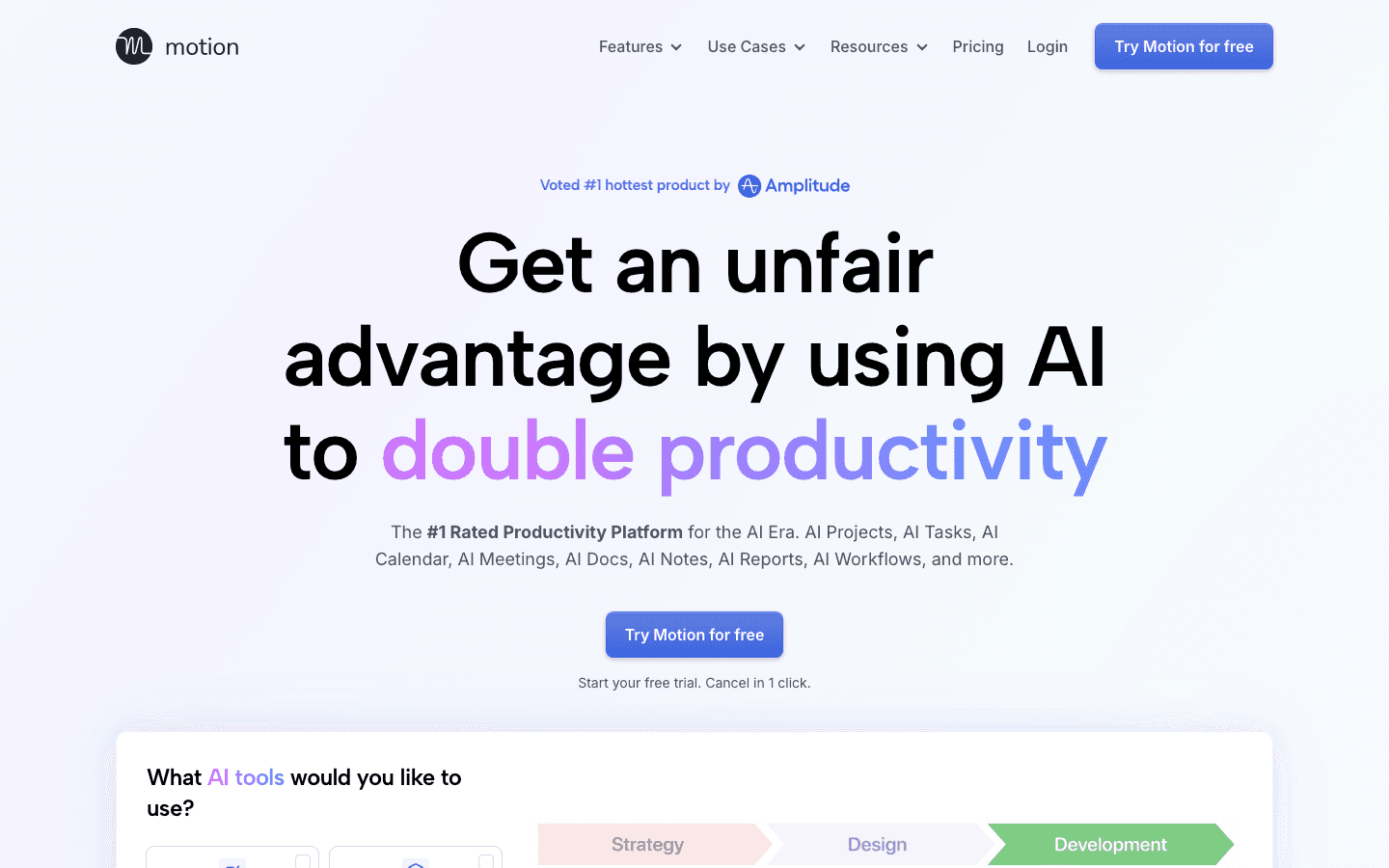
Motion is the maximalist answer to Morgen's advisory AI. Where Morgen suggests, Motion acts: it takes your tasks, deadlines, and meetings and automatically rebuilds your calendar to fit them all in. When something slips, it reshuffles everything else without you lifting a finger. For deadline-driven people drowning in commitments, that automation is the whole point.
The tradeoff is control and cost. Motion makes a lot of decisions for you, and not everyone likes handing over the calendar that completely. It is also one of the pricier tools here. If Motion feels like too much, our roundup of Motion alternatives covers gentler options.
What works: Genuine automatic scheduling that adapts in real time. Strong project and task features baked in.
Limitations: Expensive, can feel rigid, and there is no energy awareness, so it will happily schedule hard work into your worst hours.
Pricing: The Pro plan is $19 per seat per month, with roughly 33% off on annual billing. Free trial only, no permanent free tier.
Best for: People with heavy task loads who want full automation and do not mind paying for it.
3. Sunsama
A calm, intentional daily planning ritual.
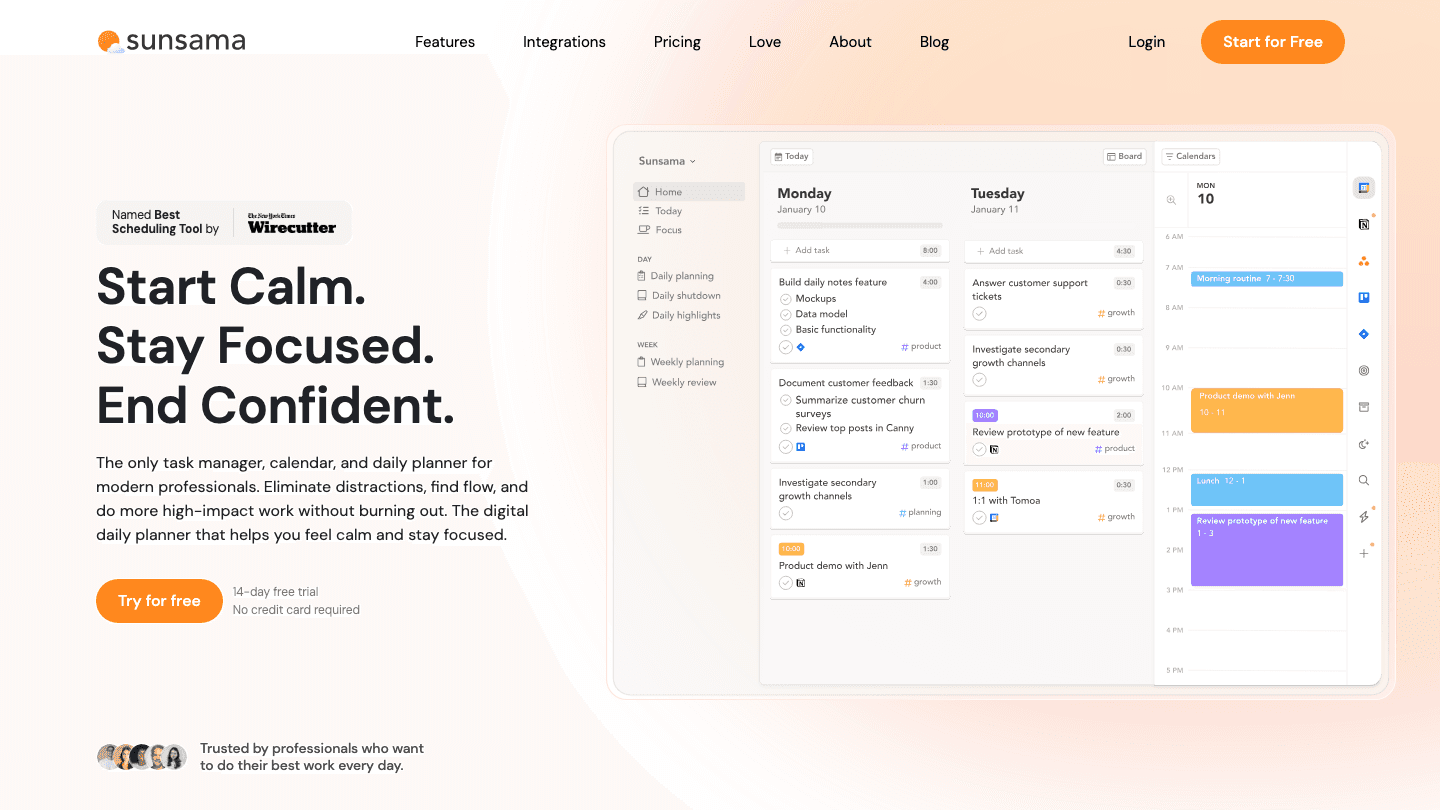
Sunsama goes the opposite direction from Motion. Instead of automating your day, it slows you down and asks you to plan it on purpose. Each morning you pull in tasks from your tools, decide what actually fits, and time-block them by hand. It is less software doing the work and more a guided routine that keeps you from overcommitting.
That deliberate pace is the appeal and the limit. People who want structure and reflection love it. People who want the app to just schedule things will find the manual effort tedious. Morgen users who liked the calm, clean feel but wanted a stronger daily planning layer will feel at home here.
What works: The daily planning ritual genuinely reduces overwhelm. Clean design and solid integrations.
Limitations: Everything is manual, there is no automatic scheduling, and no energy awareness. It also costs more than most task apps.
Pricing: $22 per month, or $17 per month billed annually. 14-day free trial, no permanent free tier.
Best for: People who want a mindful, intentional daily routine rather than automation.
4. Akiflow
One inbox that consolidates tasks for time blocking.
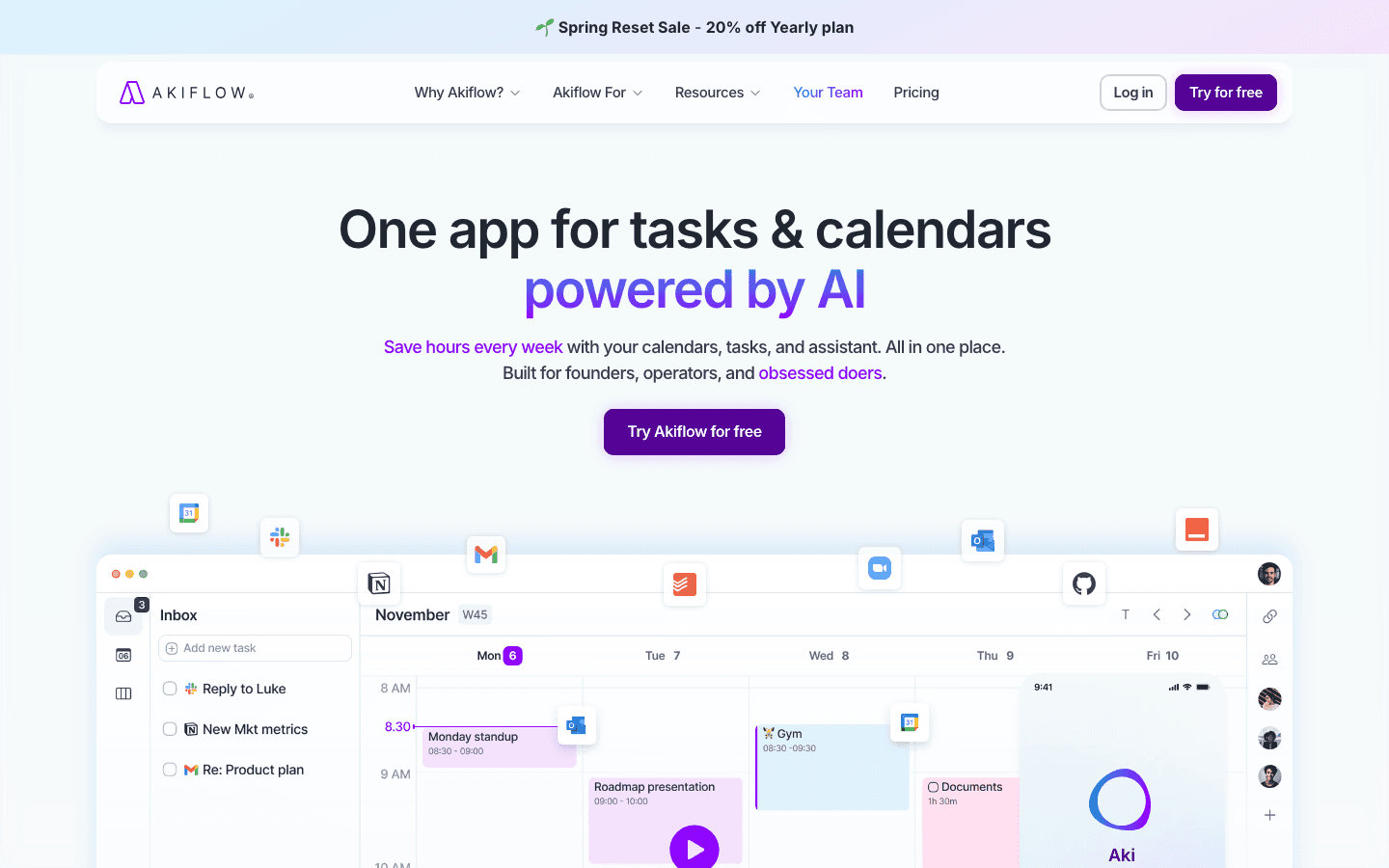
Akiflow solves a specific Morgen pain: scattered tasks. It pulls to-dos from Todoist, Gmail, Slack, Notion, and a dozen other sources into one inbox, then lets you drag them onto your calendar to time-block your day. If your problem is that tasks live in ten places, Akiflow is the consolidation hub Morgen never quite became.
It rewards people who like keyboard-driven speed and a tidy single view of everything. The cost is the learning curve and the price. If you want to compare it against similar tools, see our Akiflow alternatives breakdown.
What works: Excellent at unifying tasks from many sources. Fast, keyboard-friendly, strong integrations.
Limitations: Time blocking is still manual, there is no energy awareness, and the interface takes time to learn.
Pricing: $34 per month, or $19 per month billed annually. 7-day free trial.
Best for: People juggling tasks across many apps who want one place to plan from.
5. Reclaim.ai
Automatic protection for habits and focus time.
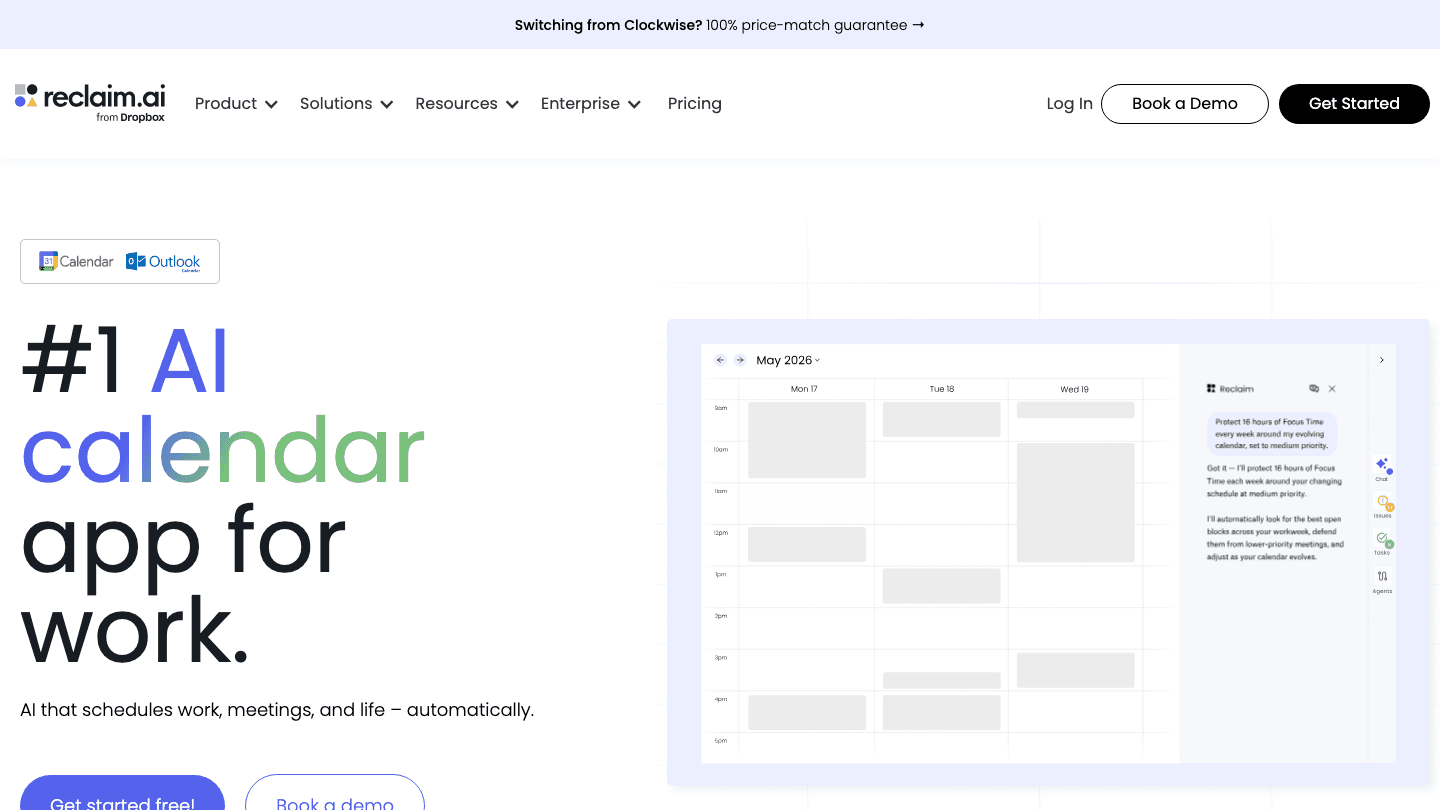
Reclaim.ai takes a narrower angle than Morgen. Rather than being your main task manager, it sits on top of Google or Outlook calendars and automatically defends time for recurring habits, focus blocks, and routines. If a meeting tries to eat your deep-work hour, Reclaim moves the focus block somewhere else rather than letting it vanish.
It works best alongside your existing setup, not as a full replacement for one. The free tier makes it easy to try, which is a real edge over Morgen's more limited free plan.
What works: Smart automatic defense of focus time and habits. Generous free tier and clean calendar integrations.
Limitations: Not a true standalone planner, leans heavily on Google or Outlook, and has no energy awareness.
Pricing: Free Lite tier; paid plans start at $10 per month (about $8 per month billed annually), with a Business tier at $15 per month.
Best for: People who want to automatically protect focus time inside the calendar they already use.
6. Fantastical
The polished calendar of choice for Apple users.
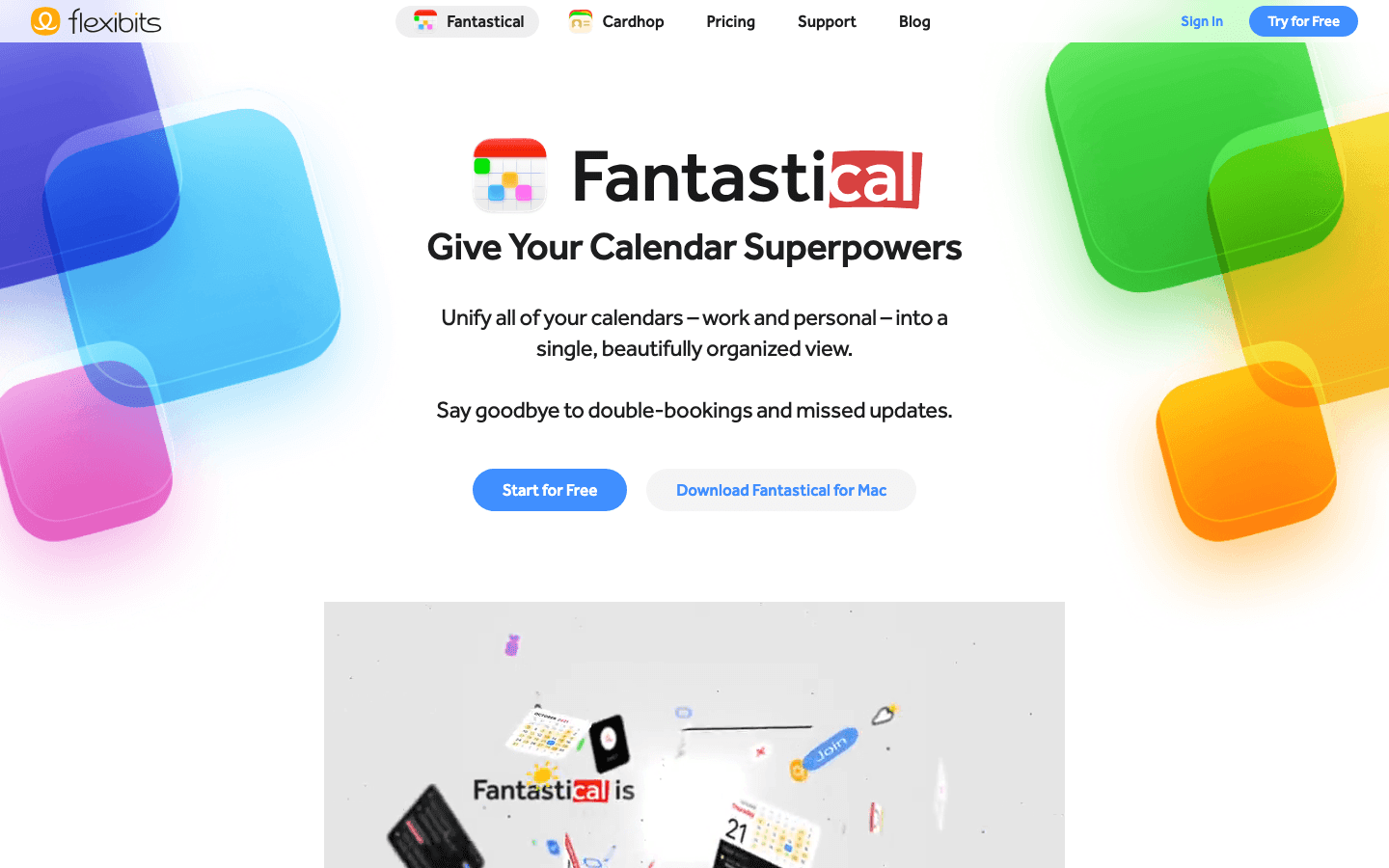
Fantastical is the alternative for people who loved Morgen's clean calendar feel but want it done to Apple-native polish. Its natural language input is the best in the category: type "lunch with Sam Friday at noon" and it just works. Across Mac, iPhone, iPad, and Apple Watch, it is hard to beat as a pure calendar.
What it is not is a scheduler. Fantastical shows your time beautifully but it will not plan your tasks for you. It is a display-and-input tool, not a planning engine. For more options in this space, see our calendar management tools guide.
What works: Best-in-class natural language input and a gorgeous interface across all Apple devices.
It does not auto-schedule, has limited task management, and offers no energy awareness. It is also Apple-first, so Android and Windows users are left out.
Pricing: Free tier available; Premium is $7.50 per month, or $4.75 per month billed annually. 14-day free trial.
Best for: Apple users who want the most polished calendar experience and handle planning themselves.
7. TickTick
A full task manager with a built-in calendar.
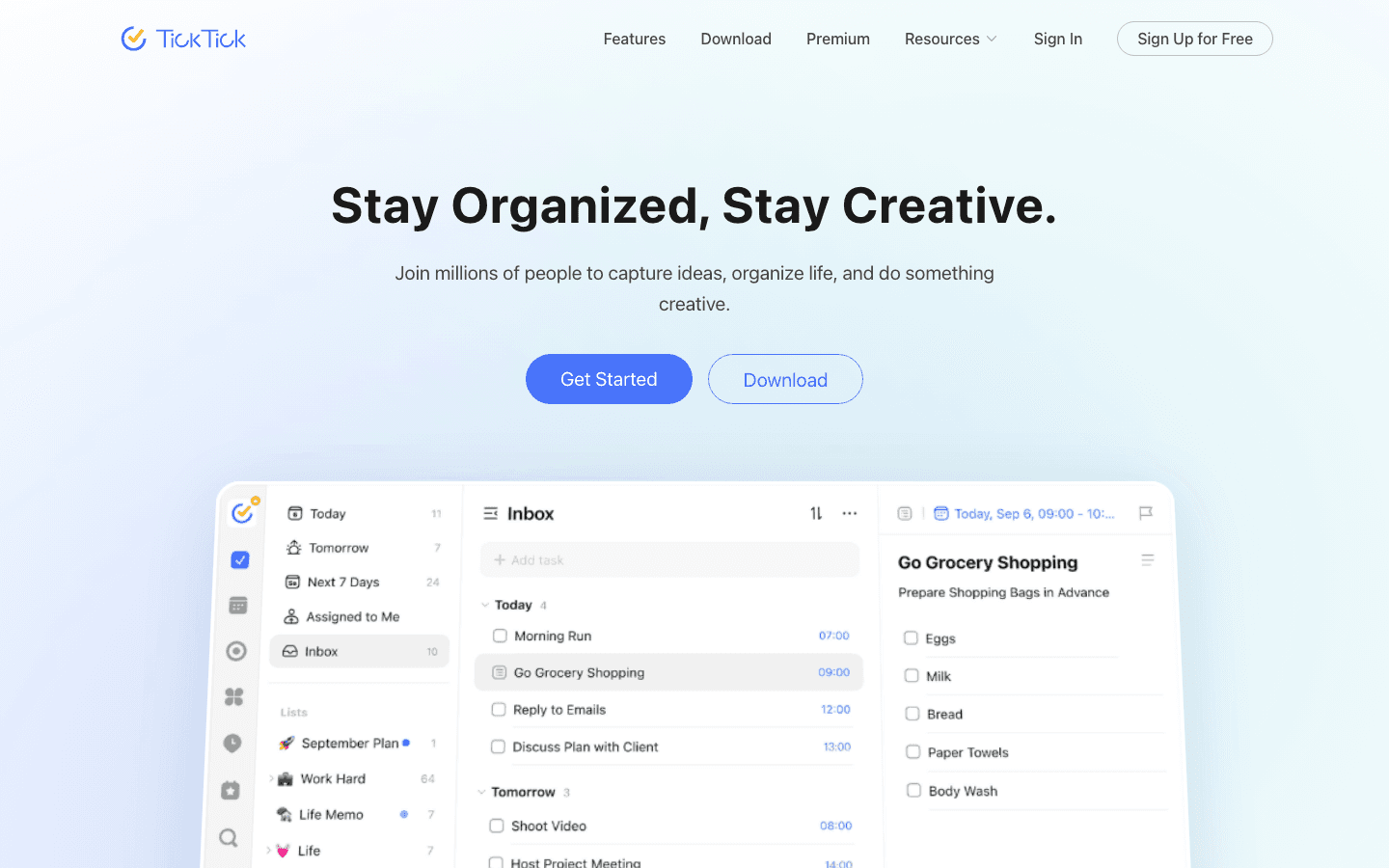
TickTick comes at the problem from the task side. It is a strong, full-featured to-do app with a calendar view built in, so unlike Morgen you are not dependent on Todoist or any outside tool for tasks. It also includes a Pomodoro timer, habit tracking, and a smart "Eisenhower matrix" for prioritization.
It is the most affordable serious option here, with a free tier that is actually usable. The calendar is functional rather than beautiful, and it does not auto-schedule, but for many people it covers tasks and time in one place. If you want a head-to-head, read our ClickUp vs TickTick comparison.
What works: Excellent task features, built-in calendar, habit tracking, and a genuinely useful free tier at a low price.
Limitations: The calendar is basic, there is no automatic scheduling, and no energy awareness.
Pricing: Free tier available; Premium is $35.99 per year (about $2.99 per month), or $3.99 per month billed monthly.
Best for: Task-first people who want a capable planner without a high price.
Which Morgen Alternative Is Right for You?
Want your day planned around your energy: Lifestack.
Want full AI auto-scheduling: Motion.
Want a calm, manual daily ritual: Sunsama.
Want to consolidate tasks from many tools: Akiflow.
Want to protect focus time automatically: Reclaim.ai.
Want the best Apple calendar: Fantastical.
Want a capable, low-cost task planner: TickTick.
Frequently Asked Questions
What is the best Morgen alternative overall?
For most people, Lifestack. It fixes Morgen's biggest gaps, no mobile apps and Todoist dependence, while adding something Morgen does not have at all: scheduling that plans your day around your energy instead of just your open time.
Why do people switch away from Morgen?
The common reasons are the lack of mobile apps, the dependence on Todoist for task management, and AI that only suggests rather than actually schedules. People who want a planner that works everywhere and does more of the work for them tend to look elsewhere.
Is there a free Morgen alternative?
Yes. TickTick and Reclaim.ai both have genuinely useful free tiers, and Fantastical has a free calendar tier. They cover different needs: TickTick for tasks, Reclaim for protecting focus time, and Fantastical for a clean calendar.
Which Morgen alternative has the best mobile app?
Lifestack and Fantastical lead here. Both have full, polished mobile experiences, which is exactly where Morgen falls short since it is desktop-only.
What is the difference between Morgen and Lifestack?
Morgen is a fast desktop calendar that suggests tasks and relies on Todoist. Lifestack is a cross-platform planner with native tasks that actively schedules your day around your sleep, recovery, and energy, so the plan is built for you rather than left for you to assemble.
Morgen is a fast, clean calendar with AI task suggestions and a tight Todoist integration. If you live on the desktop and already run your life through Todoist, it does the job. The trouble starts when you want more: a real mobile app, native tasks that do not depend on a second tool, or scheduling that actually places your work for you instead of just suggesting what to do next.
That is why people go looking for a Morgen alternative. Some want automatic scheduling. Some want a planner that understands their energy, not just their free time. And plenty just want something that works as well on their phone as it does on their laptop.
We tested seven of the strongest options, from energy-aware planners to aggressive AI auto-schedulers and classic calendar apps. Each one fixes at least one thing Morgen does not. Below is what each does well, where it falls short, and who it actually fits.
Key Takeaways
The best Morgen alternative depends on what is missing for you: a real mobile app, native tasks, or scheduling that places work automatically.
Lifestack is our top pick because it goes beyond Morgen's advisory suggestions and builds your day around your energy levels, not just open calendar slots.
If you want pure AI auto-scheduling, Motion fits. If you want a calm manual ritual, Sunsama does. For a free option, TickTick and Reclaim both have real free tiers.
Quick Guide: The 7 Best Morgen Alternatives
Lifestack - Energy-aware planner that schedules tasks around your sleep and recovery, with full mobile apps.
Motion - Aggressive AI that auto-schedules every task and meeting based on deadlines and priority.
Sunsama - Calm daily planning ritual built around intentional, manual time blocking.
Akiflow - Task consolidation hub that pulls everything into one place for time blocking.
Reclaim.ai - Habit and focus-time protection that defends your calendar automatically.
Fantastical - Polished calendar for Apple users with excellent natural language input.
TickTick - Full task manager with a built-in calendar and a genuinely useful free tier.
How We Evaluated Each Morgen Alternative
We did not just count features. We looked at what makes a planner actually stick after the first week. Our criteria:
Scheduling intelligence - does it place work for you, or just suggest it?
Energy awareness - can it match demanding work to your peak hours?
Native tasks - does it manage tasks itself, or lean on a second tool like Todoist?
Mobile apps - the single biggest gap in Morgen.
Integrations and pricing - calendars, task tools, and what you actually pay.
1. Lifestack
The energy-aware planner that schedules your day for you.
Lifestack is the alternative that fixes the deeper problem with Morgen, not just the surface ones. Morgen suggests what you might do. Lifestack reads signals like your sleep and recovery, then builds an actual schedule that puts demanding work during your natural focus peaks and lighter tasks in the dips. You are not staring at suggestions and deciding for yourself. The day is already laid out around your capacity.
It also closes Morgen's two most common complaints in one move: it has full mobile apps, and it manages tasks natively without forcing you into a separate to-do tool. For anyone whose energy swings through the day, this is a different category of planning. You can read more about the idea behind it in our guide to energy-based task management.
Key features:
Energy-aware auto-scheduling based on sleep and recovery data
Native tasks plus two-way calendar sync
Full iOS and Android apps, not just desktop
Wearable integrations (Oura, Apple Watch, and more)
What works: It removes the daily decision of what to do next, and it is the only option here that plans around how you actually feel.
Limitations: The energy-first approach is a shift if you are used to a plain calendar, and it leans on connected health data to do its best work.
Pricing: $7 per month, $50 per year (with a 7-day free trial on the annual plan), or a one-time $120 lifetime purchase. No permanent free tier.
Best for: Anyone who wants their planner to do the scheduling, especially people whose focus varies through the day. See how Lifestack works.
2. Motion
Aggressive AI that auto-schedules everything.
Motion is the maximalist answer to Morgen's advisory AI. Where Morgen suggests, Motion acts: it takes your tasks, deadlines, and meetings and automatically rebuilds your calendar to fit them all in. When something slips, it reshuffles everything else without you lifting a finger. For deadline-driven people drowning in commitments, that automation is the whole point.
The tradeoff is control and cost. Motion makes a lot of decisions for you, and not everyone likes handing over the calendar that completely. It is also one of the pricier tools here. If Motion feels like too much, our roundup of Motion alternatives covers gentler options.
What works: Genuine automatic scheduling that adapts in real time. Strong project and task features baked in.
Limitations: Expensive, can feel rigid, and there is no energy awareness, so it will happily schedule hard work into your worst hours.
Pricing: The Pro plan is $19 per seat per month, with roughly 33% off on annual billing. Free trial only, no permanent free tier.
Best for: People with heavy task loads who want full automation and do not mind paying for it.
3. Sunsama
A calm, intentional daily planning ritual.
Sunsama goes the opposite direction from Motion. Instead of automating your day, it slows you down and asks you to plan it on purpose. Each morning you pull in tasks from your tools, decide what actually fits, and time-block them by hand. It is less software doing the work and more a guided routine that keeps you from overcommitting.
That deliberate pace is the appeal and the limit. People who want structure and reflection love it. People who want the app to just schedule things will find the manual effort tedious. Morgen users who liked the calm, clean feel but wanted a stronger daily planning layer will feel at home here.
What works: The daily planning ritual genuinely reduces overwhelm. Clean design and solid integrations.
Limitations: Everything is manual, there is no automatic scheduling, and no energy awareness. It also costs more than most task apps.
Pricing: $22 per month, or $17 per month billed annually. 14-day free trial, no permanent free tier.
Best for: People who want a mindful, intentional daily routine rather than automation.
4. Akiflow
One inbox that consolidates tasks for time blocking.
Akiflow solves a specific Morgen pain: scattered tasks. It pulls to-dos from Todoist, Gmail, Slack, Notion, and a dozen other sources into one inbox, then lets you drag them onto your calendar to time-block your day. If your problem is that tasks live in ten places, Akiflow is the consolidation hub Morgen never quite became.
It rewards people who like keyboard-driven speed and a tidy single view of everything. The cost is the learning curve and the price. If you want to compare it against similar tools, see our Akiflow alternatives breakdown.
What works: Excellent at unifying tasks from many sources. Fast, keyboard-friendly, strong integrations.
Limitations: Time blocking is still manual, there is no energy awareness, and the interface takes time to learn.
Pricing: $34 per month, or $19 per month billed annually. 7-day free trial.
Best for: People juggling tasks across many apps who want one place to plan from.
5. Reclaim.ai
Automatic protection for habits and focus time.
Reclaim.ai takes a narrower angle than Morgen. Rather than being your main task manager, it sits on top of Google or Outlook calendars and automatically defends time for recurring habits, focus blocks, and routines. If a meeting tries to eat your deep-work hour, Reclaim moves the focus block somewhere else rather than letting it vanish.
It works best alongside your existing setup, not as a full replacement for one. The free tier makes it easy to try, which is a real edge over Morgen's more limited free plan.
What works: Smart automatic defense of focus time and habits. Generous free tier and clean calendar integrations.
Limitations: Not a true standalone planner, leans heavily on Google or Outlook, and has no energy awareness.
Pricing: Free Lite tier; paid plans start at $10 per month (about $8 per month billed annually), with a Business tier at $15 per month.
Best for: People who want to automatically protect focus time inside the calendar they already use.
6. Fantastical
The polished calendar of choice for Apple users.
Fantastical is the alternative for people who loved Morgen's clean calendar feel but want it done to Apple-native polish. Its natural language input is the best in the category: type "lunch with Sam Friday at noon" and it just works. Across Mac, iPhone, iPad, and Apple Watch, it is hard to beat as a pure calendar.
What it is not is a scheduler. Fantastical shows your time beautifully but it will not plan your tasks for you. It is a display-and-input tool, not a planning engine. For more options in this space, see our calendar management tools guide.
What works: Best-in-class natural language input and a gorgeous interface across all Apple devices.
It does not auto-schedule, has limited task management, and offers no energy awareness. It is also Apple-first, so Android and Windows users are left out.
Pricing: Free tier available; Premium is $7.50 per month, or $4.75 per month billed annually. 14-day free trial.
Best for: Apple users who want the most polished calendar experience and handle planning themselves.
7. TickTick
A full task manager with a built-in calendar.
TickTick comes at the problem from the task side. It is a strong, full-featured to-do app with a calendar view built in, so unlike Morgen you are not dependent on Todoist or any outside tool for tasks. It also includes a Pomodoro timer, habit tracking, and a smart "Eisenhower matrix" for prioritization.
It is the most affordable serious option here, with a free tier that is actually usable. The calendar is functional rather than beautiful, and it does not auto-schedule, but for many people it covers tasks and time in one place. If you want a head-to-head, read our ClickUp vs TickTick comparison.
What works: Excellent task features, built-in calendar, habit tracking, and a genuinely useful free tier at a low price.
Limitations: The calendar is basic, there is no automatic scheduling, and no energy awareness.
Pricing: Free tier available; Premium is $35.99 per year (about $2.99 per month), or $3.99 per month billed monthly.
Best for: Task-first people who want a capable planner without a high price.
Which Morgen Alternative Is Right for You?
Want your day planned around your energy: Lifestack.
Want full AI auto-scheduling: Motion.
Want a calm, manual daily ritual: Sunsama.
Want to consolidate tasks from many tools: Akiflow.
Want to protect focus time automatically: Reclaim.ai.
Want the best Apple calendar: Fantastical.
Want a capable, low-cost task planner: TickTick.
Frequently Asked Questions
What is the best Morgen alternative overall?
For most people, Lifestack. It fixes Morgen's biggest gaps, no mobile apps and Todoist dependence, while adding something Morgen does not have at all: scheduling that plans your day around your energy instead of just your open time.
Why do people switch away from Morgen?
The common reasons are the lack of mobile apps, the dependence on Todoist for task management, and AI that only suggests rather than actually schedules. People who want a planner that works everywhere and does more of the work for them tend to look elsewhere.
Is there a free Morgen alternative?
Yes. TickTick and Reclaim.ai both have genuinely useful free tiers, and Fantastical has a free calendar tier. They cover different needs: TickTick for tasks, Reclaim for protecting focus time, and Fantastical for a clean calendar.
Which Morgen alternative has the best mobile app?
Lifestack and Fantastical lead here. Both have full, polished mobile experiences, which is exactly where Morgen falls short since it is desktop-only.
What is the difference between Morgen and Lifestack?
Morgen is a fast desktop calendar that suggests tasks and relies on Todoist. Lifestack is a cross-platform planner with native tasks that actively schedules your day around your sleep, recovery, and energy, so the plan is built for you rather than left for you to assemble.



FOLLOW ON
FOLLOW ON
FOLLOW ON


Copyright 2026 © Lifestack. All rights reserved
Copyright 2026 © Lifestack. All rights reserved

