
App
ClickUp vs TickTick: Honest Verdict for 2026
ClickUp vs TickTick: Honest Verdict for 2026
ClickUp and TickTick are both called productivity apps, but they sit on opposite ends of the spectrum. ClickUp is a heavyweight project platform built for teams who want one tool for tasks, docs, chat, dashboards, and time tracking. TickTick is a focused task manager that fits in your pocket and helps you remember what to do today.
Picking the wrong one wastes hours. We used both apps daily for two weeks, tested the same set of tasks across each, and pressure-tested the parts that get glossed over in most reviews. Here is the honest verdict.
Key Takeaways
ClickUp wins for teams, project rollups, and anyone who needs custom views, automations, and dashboards in one place.
TickTick wins for solo users who want a clean daily task list with a calendar view, habits, and a Pomodoro timer.
Neither app schedules your tasks around your energy. If that matters, the right tool is something else entirely.
Quick Verdict
ClickUp: Pick this if you manage a team or a multi-project workload and want one platform instead of five.
TickTick: Pick this if you are one person who wants a smart, fast, and quiet daily list.
ClickUp Overview
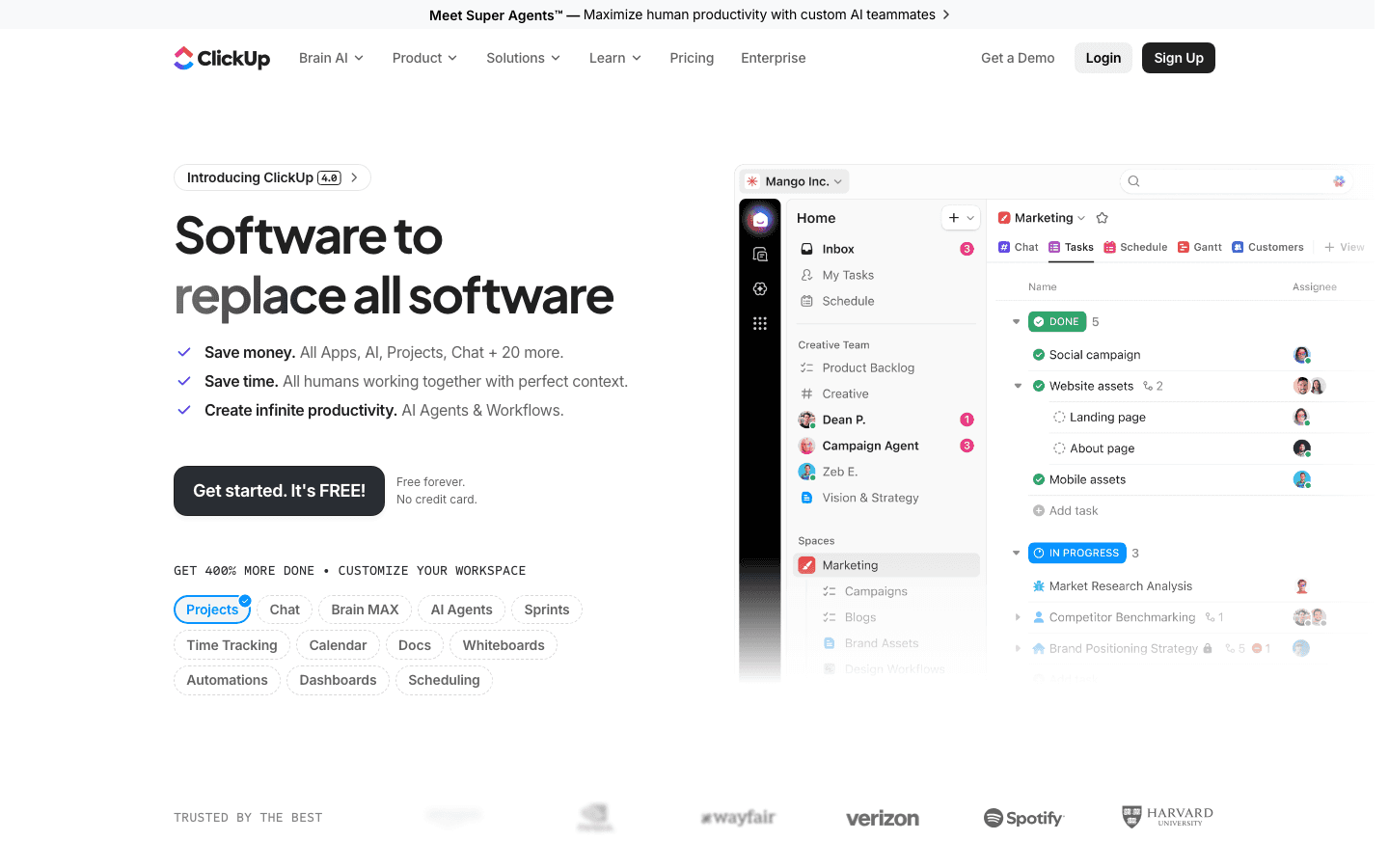
ClickUp markets itself as "one app to replace them all." That tagline holds up better than most. You can manage tasks, write docs, send team chats, build dashboards, track time, run goals, and automate workflows. It is closer to Asana plus Notion plus a lightweight CRM than to a single task app.
The depth is the strength and the curse. ClickUp is highly configurable. You can create custom fields, views, statuses, and automations until your account looks nothing like anyone else's. That is great for power users and operations managers. For a person who just wants to remember to buy milk, it is a lot.
What Works
Five distinct views (List, Board, Calendar, Gantt, Timeline) on the same data
Native docs, chat, and whiteboards keep team work in one place
Strong automation engine without an extra integration tool
Free tier is generous for personal use
Limitations
Steep learning curve, especially the first week
Mobile app is slower than the web app on older devices
Occasional sync lag on busy workspaces
No native energy or focus-aware scheduling
Pricing: Free Forever plan available. Unlimited plan starts at $7 per user per month (billed annually). Business is $12 per user per month, Enterprise is custom.
TickTick Overview
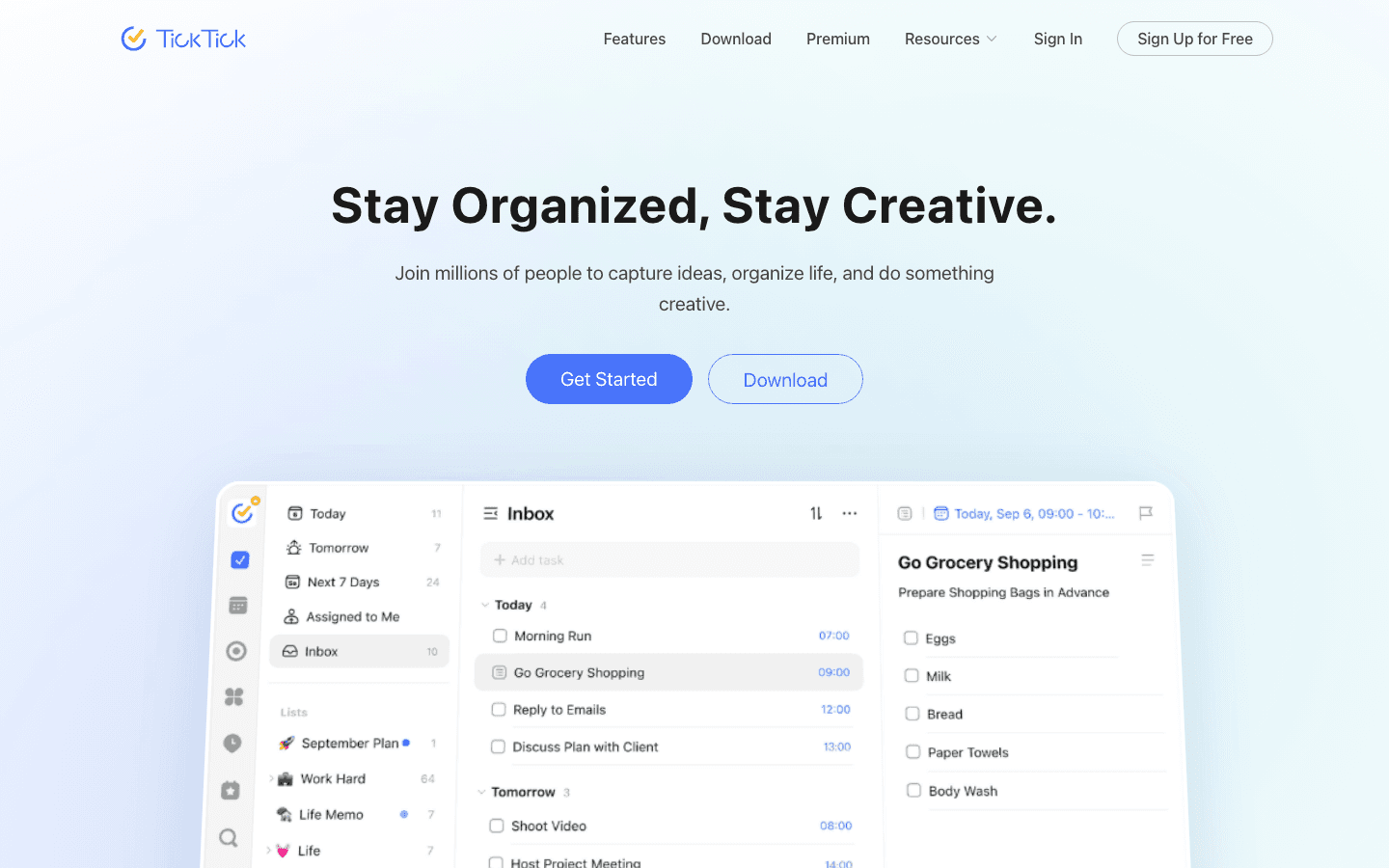
TickTick is the opposite philosophy. It opens to a clean daily list, captures tasks with natural-language input ("dentist tomorrow at 4pm"), and gets out of your way. The Premium plan adds a calendar view, habit tracker, and grid Pomodoro timer, but the free version covers the basics for most solo users.
It is the app you reach for when you want zero friction between "I have to do this" and the task landing in your list. There is no project hierarchy to wrangle, no statuses to configure, no automation builder. That is the point.
What Works
Natural-language input that just works
Calendar view with drag-and-drop in Premium
Pomodoro timer and habit tracker built in
Cross-platform sync across mobile, desktop, web, and Apple Watch
Limitations
Weak for team collaboration beyond shared lists
No dashboards or project rollups
No automation engine
No energy or recovery-aware scheduling
Pricing: Free tier covers most personal use. Premium is about $35.99 per year (roughly $3 per month).
Head-to-Head Comparison
Task Management Depth
ClickUp lets you nest tasks inside subtasks inside checklists, attach docs, custom-field every item, and roll a folder of projects into a single dashboard. TickTick gives you tasks with up to three levels of subtasks and that is it.
If you run anything bigger than your own day, ClickUp wins. If you run your own day, TickTick is faster and lighter.
Calendar and Scheduling
TickTick's Premium calendar view is genuinely useful. Drag a task onto a time slot and it becomes a calendar block synced with Google or Apple Calendar. ClickUp has a calendar view too, but it is built around project timelines, not your weekly schedule.
For daily time-blocking, TickTick wins. For sprint planning across a team, ClickUp wins.
Integrations
ClickUp connects natively to Slack, Zoom, GitHub, Google Drive, Microsoft, and dozens more, with Zapier and Make support on top. TickTick connects to Google Calendar, Apple Calendar, IFTTT, and Zapier. Neither integrates with wearables that read your recovery or sleep.
ClickUp wins on integration breadth. TickTick covers the basics for solo users.
Mobile Experience
TickTick's mobile app is the cleanest in the category. Capture is one tap, the daily list opens instantly, and notifications are well-tuned. ClickUp's mobile app is functional but feels like the desktop product squeezed onto a screen.
TickTick wins on mobile.
Pricing Honesty
Both apps have real free tiers, which is rare in this category. ClickUp's free tier is more generous for solo users (unlimited tasks, 100MB storage). TickTick's free tier covers daily lists but gates the calendar view and habit tracker behind Premium.
For paid plans, TickTick is dramatically cheaper. $35.99 per year versus $84 per year on ClickUp Unlimited.
Which Should You Choose?
Pick ClickUp if: You lead a team, run several projects, want dashboards and automations, or already pay for two or three tools you could consolidate.
Pick TickTick if: You are one person, you want your day organized fast, and you want a calendar view without the project management baggage.
Pick neither if: Your real problem is not what to do, but when to do it. See the next section.
A Quieter Alternative If Energy Is Your Bottleneck

Both ClickUp and TickTick help you list tasks. Neither helps you schedule those tasks around when your brain can actually handle them. If you finish a list of completed checkboxes and still feel drained, the tool is not the problem. The scheduling logic is.
Lifestack reads your sleep, recovery, and focus data from a wearable (Oura, Whoop, Apple Watch, Garmin, Fitbit) and uses it to suggest when each task should land on your calendar. It is not a ClickUp replacement, and it is not trying to be a TickTick replacement either. It is what you add when the task list is fine and the day still falls apart. Read more about why energy-based planning beats time blocking.
Frequently Asked Questions
Is ClickUp better than TickTick?
For team project management, yes. For a solo daily task list, no. ClickUp is a heavyweight project platform. TickTick is a focused personal task manager. Picking the right one depends entirely on whether you are organizing yourself or organizing a team.
Is TickTick free?
TickTick has a real free tier that covers most personal use. Premium, which unlocks the calendar view, habit tracker, and grid Pomodoro timer, is about $35.99 per year.
Does ClickUp have a free plan?
Yes. ClickUp's Free Forever plan includes unlimited tasks and unlimited users with 100MB storage. Paid plans start at $7 per user per month billed annually.
Can ClickUp replace TickTick?
In theory, yes. ClickUp has a daily list view and a calendar. In practice, most TickTick users find ClickUp too heavy for personal use. The five clicks it takes to add a quick task in ClickUp is the reason TickTick still has users.
Can TickTick replace ClickUp?
Only if you are using ClickUp as a glorified task list. If you rely on dashboards, automations, custom fields, or team collaboration, TickTick will not cover those.
Which has better calendar integration?
TickTick. Its Premium calendar view supports drag-and-drop scheduling and two-way sync with Google and Apple Calendar. ClickUp's calendar view is more about project timelines than daily time-blocking. See our full calendar management tools roundup for more options.
Is there a better alternative for ADHD or low-focus days?
Yes. The challenge for ADHD users is not capturing tasks. It is doing the right task at the right hour. Task management for ADHD covers this in depth, and our ADHD daily planner roundup ranks the best options.
ClickUp and TickTick are both called productivity apps, but they sit on opposite ends of the spectrum. ClickUp is a heavyweight project platform built for teams who want one tool for tasks, docs, chat, dashboards, and time tracking. TickTick is a focused task manager that fits in your pocket and helps you remember what to do today.
Picking the wrong one wastes hours. We used both apps daily for two weeks, tested the same set of tasks across each, and pressure-tested the parts that get glossed over in most reviews. Here is the honest verdict.
Key Takeaways
ClickUp wins for teams, project rollups, and anyone who needs custom views, automations, and dashboards in one place.
TickTick wins for solo users who want a clean daily task list with a calendar view, habits, and a Pomodoro timer.
Neither app schedules your tasks around your energy. If that matters, the right tool is something else entirely.
Quick Verdict
ClickUp: Pick this if you manage a team or a multi-project workload and want one platform instead of five.
TickTick: Pick this if you are one person who wants a smart, fast, and quiet daily list.
ClickUp Overview
ClickUp markets itself as "one app to replace them all." That tagline holds up better than most. You can manage tasks, write docs, send team chats, build dashboards, track time, run goals, and automate workflows. It is closer to Asana plus Notion plus a lightweight CRM than to a single task app.
The depth is the strength and the curse. ClickUp is highly configurable. You can create custom fields, views, statuses, and automations until your account looks nothing like anyone else's. That is great for power users and operations managers. For a person who just wants to remember to buy milk, it is a lot.
What Works
Five distinct views (List, Board, Calendar, Gantt, Timeline) on the same data
Native docs, chat, and whiteboards keep team work in one place
Strong automation engine without an extra integration tool
Free tier is generous for personal use
Limitations
Steep learning curve, especially the first week
Mobile app is slower than the web app on older devices
Occasional sync lag on busy workspaces
No native energy or focus-aware scheduling
Pricing: Free Forever plan available. Unlimited plan starts at $7 per user per month (billed annually). Business is $12 per user per month, Enterprise is custom.
TickTick Overview
TickTick is the opposite philosophy. It opens to a clean daily list, captures tasks with natural-language input ("dentist tomorrow at 4pm"), and gets out of your way. The Premium plan adds a calendar view, habit tracker, and grid Pomodoro timer, but the free version covers the basics for most solo users.
It is the app you reach for when you want zero friction between "I have to do this" and the task landing in your list. There is no project hierarchy to wrangle, no statuses to configure, no automation builder. That is the point.
What Works
Natural-language input that just works
Calendar view with drag-and-drop in Premium
Pomodoro timer and habit tracker built in
Cross-platform sync across mobile, desktop, web, and Apple Watch
Limitations
Weak for team collaboration beyond shared lists
No dashboards or project rollups
No automation engine
No energy or recovery-aware scheduling
Pricing: Free tier covers most personal use. Premium is about $35.99 per year (roughly $3 per month).
Head-to-Head Comparison
Task Management Depth
ClickUp lets you nest tasks inside subtasks inside checklists, attach docs, custom-field every item, and roll a folder of projects into a single dashboard. TickTick gives you tasks with up to three levels of subtasks and that is it.
If you run anything bigger than your own day, ClickUp wins. If you run your own day, TickTick is faster and lighter.
Calendar and Scheduling
TickTick's Premium calendar view is genuinely useful. Drag a task onto a time slot and it becomes a calendar block synced with Google or Apple Calendar. ClickUp has a calendar view too, but it is built around project timelines, not your weekly schedule.
For daily time-blocking, TickTick wins. For sprint planning across a team, ClickUp wins.
Integrations
ClickUp connects natively to Slack, Zoom, GitHub, Google Drive, Microsoft, and dozens more, with Zapier and Make support on top. TickTick connects to Google Calendar, Apple Calendar, IFTTT, and Zapier. Neither integrates with wearables that read your recovery or sleep.
ClickUp wins on integration breadth. TickTick covers the basics for solo users.
Mobile Experience
TickTick's mobile app is the cleanest in the category. Capture is one tap, the daily list opens instantly, and notifications are well-tuned. ClickUp's mobile app is functional but feels like the desktop product squeezed onto a screen.
TickTick wins on mobile.
Pricing Honesty
Both apps have real free tiers, which is rare in this category. ClickUp's free tier is more generous for solo users (unlimited tasks, 100MB storage). TickTick's free tier covers daily lists but gates the calendar view and habit tracker behind Premium.
For paid plans, TickTick is dramatically cheaper. $35.99 per year versus $84 per year on ClickUp Unlimited.
Which Should You Choose?
Pick ClickUp if: You lead a team, run several projects, want dashboards and automations, or already pay for two or three tools you could consolidate.
Pick TickTick if: You are one person, you want your day organized fast, and you want a calendar view without the project management baggage.
Pick neither if: Your real problem is not what to do, but when to do it. See the next section.
A Quieter Alternative If Energy Is Your Bottleneck
Both ClickUp and TickTick help you list tasks. Neither helps you schedule those tasks around when your brain can actually handle them. If you finish a list of completed checkboxes and still feel drained, the tool is not the problem. The scheduling logic is.
Lifestack reads your sleep, recovery, and focus data from a wearable (Oura, Whoop, Apple Watch, Garmin, Fitbit) and uses it to suggest when each task should land on your calendar. It is not a ClickUp replacement, and it is not trying to be a TickTick replacement either. It is what you add when the task list is fine and the day still falls apart. Read more about why energy-based planning beats time blocking.
Frequently Asked Questions
Is ClickUp better than TickTick?
For team project management, yes. For a solo daily task list, no. ClickUp is a heavyweight project platform. TickTick is a focused personal task manager. Picking the right one depends entirely on whether you are organizing yourself or organizing a team.
Is TickTick free?
TickTick has a real free tier that covers most personal use. Premium, which unlocks the calendar view, habit tracker, and grid Pomodoro timer, is about $35.99 per year.
Does ClickUp have a free plan?
Yes. ClickUp's Free Forever plan includes unlimited tasks and unlimited users with 100MB storage. Paid plans start at $7 per user per month billed annually.
Can ClickUp replace TickTick?
In theory, yes. ClickUp has a daily list view and a calendar. In practice, most TickTick users find ClickUp too heavy for personal use. The five clicks it takes to add a quick task in ClickUp is the reason TickTick still has users.
Can TickTick replace ClickUp?
Only if you are using ClickUp as a glorified task list. If you rely on dashboards, automations, custom fields, or team collaboration, TickTick will not cover those.
Which has better calendar integration?
TickTick. Its Premium calendar view supports drag-and-drop scheduling and two-way sync with Google and Apple Calendar. ClickUp's calendar view is more about project timelines than daily time-blocking. See our full calendar management tools roundup for more options.
Is there a better alternative for ADHD or low-focus days?
Yes. The challenge for ADHD users is not capturing tasks. It is doing the right task at the right hour. Task management for ADHD covers this in depth, and our ADHD daily planner roundup ranks the best options.



FOLLOW ON
FOLLOW ON
FOLLOW ON


Copyright 2026 © Lifestack. All rights reserved
Copyright 2026 © Lifestack. All rights reserved

