
App
7 Best Akiflow Alternatives for Daily Planning 2026
7 Best Akiflow Alternatives for Daily Planning 2026
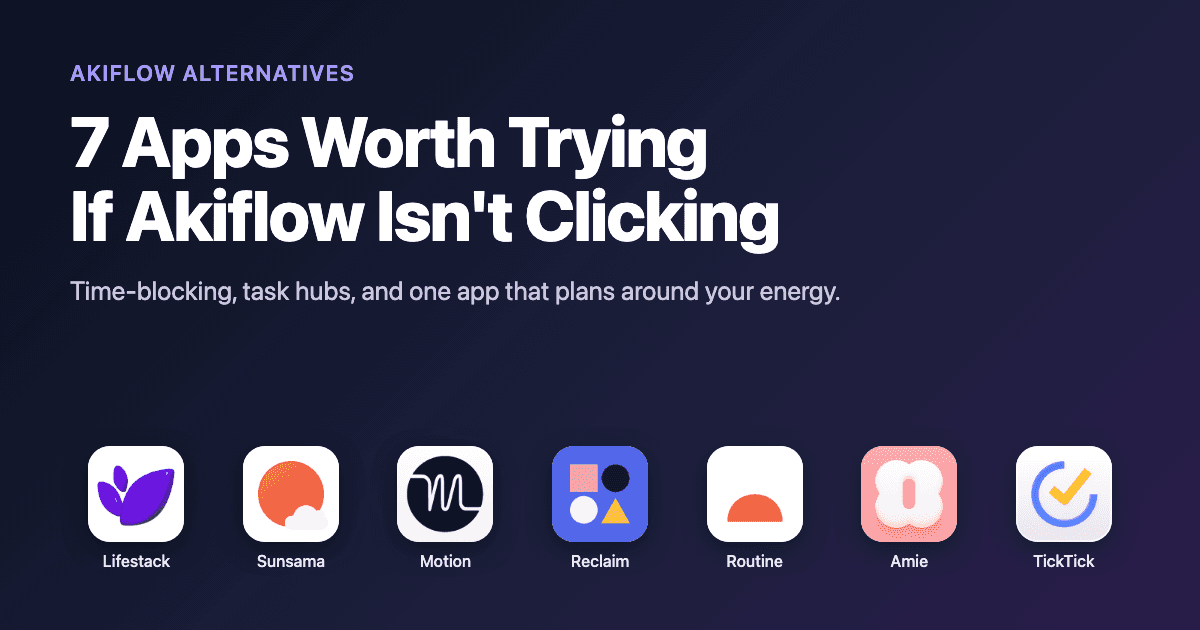
Akiflow has a clear premise. Pull every task from every tool you use into one command bar, then time-block it onto your calendar. For some people that workflow clicks immediately. For others, the $19 per month price tag, the heavy desktop app, or the missing piece (it never really tells you when to do the work) sends them looking for something else.
If that's you, you have options. Some apps focus on the same task hub idea Akiflow popularized. Others approach the problem from a completely different angle, including one that schedules tasks based on the energy you actually have that day.
We tested seven Akiflow alternatives across three categories: planning rituals (Sunsama), AI auto-schedulers (Motion, Reclaim), calendar-and-task consolidators (Routine, Amie), and broad task managers (TickTick). And our pick, Lifestack, which is the only one on this list that uses your sleep and energy data to decide what fits where.
Here is what each one does well, where it falls short, and which Akiflow alternative is right for your workflow.
Key Takeaways
Lifestack is the best Akiflow alternative if you want planning that adapts to your actual energy, not just blocks on a calendar.
Sunsama is the closest spiritual replacement for Akiflow's "calm daily planning" pitch, with a slower, more reflective workflow.
If you need an AI to fully auto-schedule your day, Motion and Reclaim are the strongest options, though both ignore how you feel.
Quick Guide to the 7 Best Akiflow Alternatives
Lifestack: energy-aware planner that schedules your day around your circadian rhythm and wearable data.
Sunsama: calm, ritual-based daily planner for thoughtful knowledge workers.
Motion: aggressive AI auto-scheduler that rebuilds your day every time something changes.
Reclaim.ai: habit and task auto-scheduling that lives inside Google Calendar.
Routine: keyboard-first task hub and calendar with AI meeting notes.
Amie: design-led calendar with todos, notes, and an AI note-taker, no meeting bot required.
TickTick: affordable cross-platform task manager with a built-in calendar view.
How We Evaluated These Akiflow Alternatives
We picked apps that solve at least one of the problems Akiflow was built for: pulling tasks from many sources into one place, time-blocking them on a calendar, or planning your day in a single ritual. Then we scored each on five things.
Daily planning workflow. Does it actually help you decide what to do today, not just collect tasks?
Energy awareness. Does it know when you focus best, or does it treat 6am and 3pm as identical slots?
Integrations. Tasks from Gmail, Slack, Notion, Asana, Linear, GitHub. How deep do they go?
Pricing. Akiflow is $19 per month annually. Anything cheaper that does more wins points.
Mobile experience. Akiflow's mobile app is famously weak. We checked whether the alternatives actually work on a phone.
1. Lifestack: Best Overall Akiflow Alternative
An energy-aware planner that schedules your day around your circadian rhythm, sleep, and wearable data.

Most Akiflow alternatives copy the same idea: a unified inbox of tasks, a calendar, and time blocks. Lifestack rejects that frame. It plans your day around the energy you actually have, pulling data from Oura, WHOOP, Apple Health, and Garmin to figure out when you'll focus well and when you'll struggle. Then it schedules your deep work into peaks and your admin into dips.
It's the closest thing to a planner that respects biology. If you've ever tried to do focused work at 3pm in a post-lunch crash and felt like a fraud, you already know why this matters.
Key Features
Energy-aware auto-scheduling based on real biometric data
Integrates with Oura, WHOOP, Apple Health, Garmin, and Fitbit
Two-way sync with Google Calendar, Apple Calendar, and Outlook
Task imports from Todoist, Linear, Asana, and Notion
iOS, Android, and Chrome extension
What Works
It actually answers "when should I do this?" instead of leaving it to you
Deep work blocks land on real peak windows, not arbitrary mornings
Mobile app is well-designed and not a downgrade from desktop
Limitations
Best results require a wearable, though baseline circadian estimates work without one
Fewer one-click integrations than Akiflow (no Slack or Gmail capture yet)
Pricing: $7 per month, $50 per year, or $120 lifetime. All plans include unlimited tasks, calendars, mobile apps, and the Chrome extension.
Best for: Knowledge workers, founders, and ADHD adults who want planning that respects energy, not just hours. See why energy-based planning beats time blocking for the full case.
2. Sunsama: Best for Calm, Ritual-Based Planning
A slow, intentional daily planner that walks you through choosing today's work.
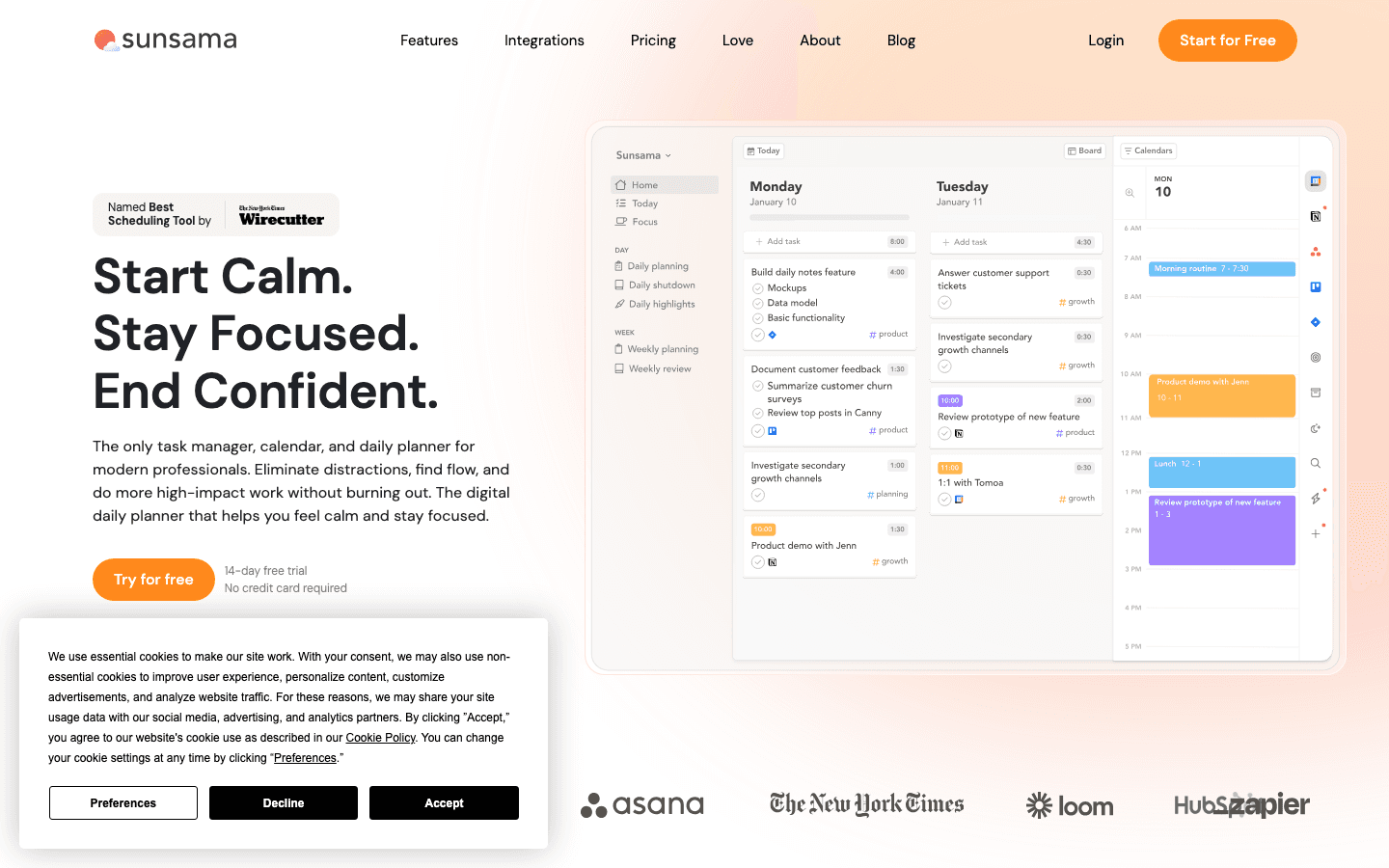
Sunsama is the Akiflow alternative for people who don't want to feel rushed. It opens each day with a guided ritual: pull tasks from Gmail, Asana, Trello, Linear, Notion, and the rest, drop them onto today's plan, give each one a time estimate, and shut the laptop without dread. End of day, it walks you through a shutdown review.
It's slower than Akiflow. That's the point.
Key Features
Guided morning planning and evening shutdown
Integrations with 30+ tools including Gmail, Slack, GitHub, ClickUp
Time tracking on each task
Calendar sync with Google and Outlook
What Works
The ritual creates a clear start and stop to the workday
Time estimates surface overcommitment before you live it
Beautiful, focused interface that feels calm rather than busy
Limitations
Expensive at $20 per month, more than Akiflow
No energy or biometric awareness
Mobile app is functional but planning ritual works best on desktop
Pricing: $20 per month monthly, $16 per month billed annually. 14-day free trial.
Best for: Knowledge workers and managers who want a slower, more reflective version of Akiflow's daily planning loop.
3. Motion: Best Aggressive AI Auto-Scheduler
An AI assistant that rebuilds your calendar every time anything changes.
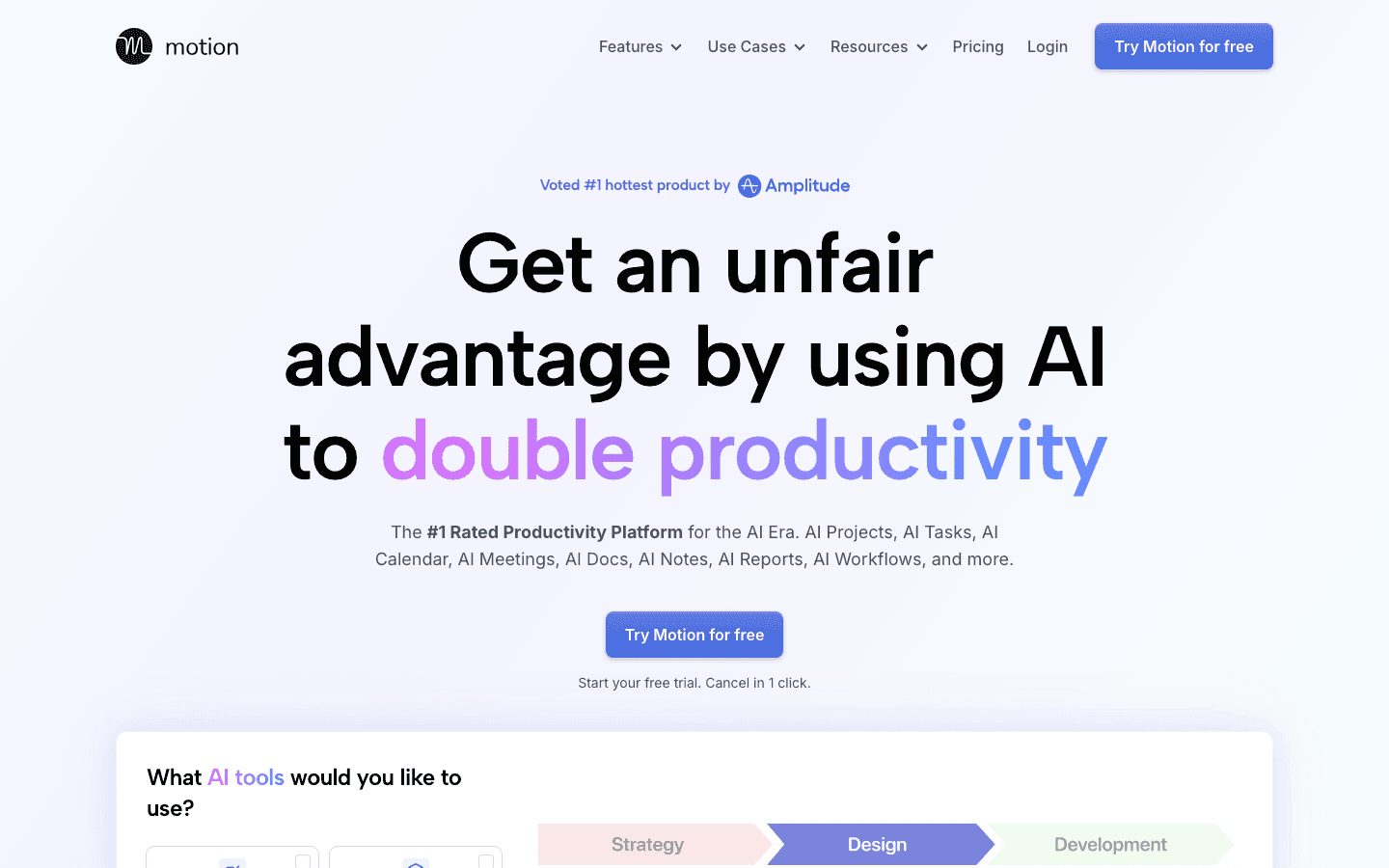
Motion sits at the opposite end of the spectrum from Sunsama. Where Akiflow lets you time-block manually, Motion takes over. You feed it tasks with deadlines, durations, and priorities, and it scatters them across open calendar slots automatically. Miss one? It re-shuffles everything within seconds.
It works. It's also a lot. People who love structure adore it. People who like to feel in control of their own day sometimes find it claustrophobic.
Key Features
AI auto-scheduling for tasks, projects, and meetings
Project management with timelines and dependencies
Meeting scheduler with availability links
Team capacity planning on Business plan
What Works
You never look at a calendar and wonder "what now"
Deadlines are enforced. Tasks shift when something runs over
Strong for project managers running cross-team work
Limitations
$19 per seat per month is the same as Akiflow, with a steep learning curve
No energy awareness. Treats 7am and 3pm as identical work slots
The constant re-shuffling can feel like the calendar is deciding things for you
Pricing: $19 per month for Pro AI, $29 per month for Business AI. 33% off with annual billing.
Best for: Project managers and team leads who want full AI takeover of their schedule. See our Motion AI alternatives guide if you want the auto-scheduling idea without Motion specifically.
4. Reclaim.ai: Best for Google Calendar Power Users
Smart task and habit scheduling that lives natively inside Google Calendar.
Reclaim.ai is the Akiflow alternative for people who basically live in Google Calendar and don't want a separate app. You define habits ("workout 3x a week"), tasks with durations and deadlines, and meeting buffer rules. Reclaim finds the gaps and books them as flexible blocks that move when life happens.
It's quieter than Motion. The blocks are color-coded on your existing calendar, not in a separate UI. For people who already trust Google Calendar as their source of truth, that's a feature.
Key Features
Native Google Calendar integration (events appear on your real calendar)
Habits, tasks, smart meetings, and 1:1s
Integrations with Google Tasks, Todoist, Asana, Linear, ClickUp, Jira
People analytics for time spent in meetings
What Works
Lives inside the calendar you already use, no context switching
Habits actually stick because they're scheduled, not aspirational
Genuine free tier with one habit and one scheduling link
Limitations
Google Calendar only (no Apple, no Outlook on free or Starter)
No energy or sleep-aware scheduling
Free tier limited to one week of scheduling range, which is restrictive
Pricing: Free plan available. Starter at $10 per seat per month annually, Business at $15 per seat per month annually.
Best for: Google Workspace users who want auto-scheduling without leaving Calendar.
5. Routine: Best Keyboard-First Task Hub
Tasks, calendars, notes, and AI meeting capture in one keyboard-driven workspace.
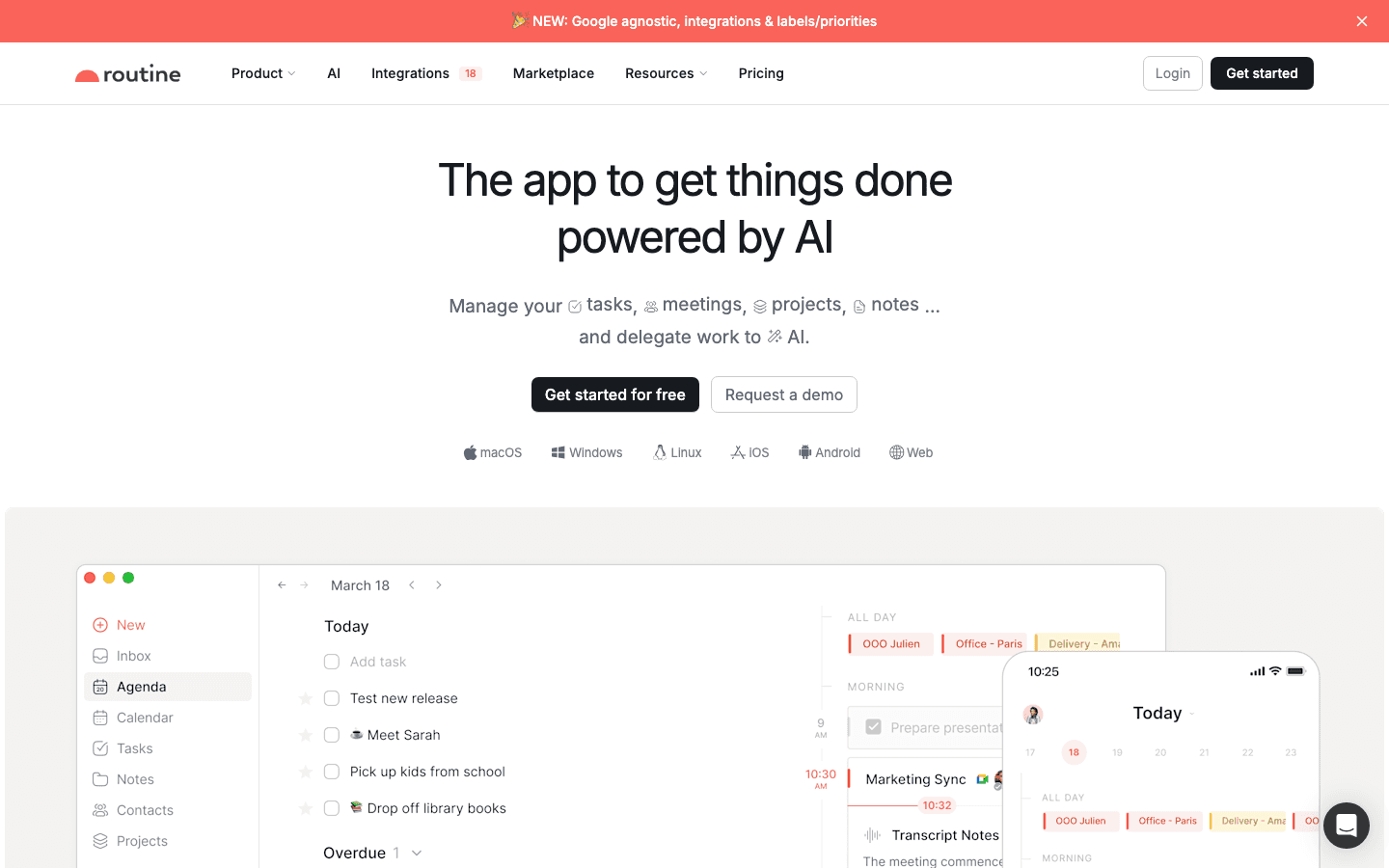
Routine is the closest structural match to Akiflow on this list. Same idea: a command bar that pulls tasks from everywhere, a calendar to slot them into, notes alongside. The difference is that Routine has leaned harder into AI in the last year, with AI meeting notes, an AI agent that drafts your daily plan, and richer note types.
If you liked Akiflow's keyboard-first vibe but wanted notes built in and a more modern AI layer, Routine is the swap.
Key Features
Command bar capture for tasks, events, and notes
Calendar view with drag-and-drop time-blocking
AI meeting notes and AI agents
Integrations with Google Calendar, Outlook, Notion, Slack, Linear, GitHub, Asana
macOS, Windows, Linux, iOS, Android, web
What Works
Generous free tier covers tasks, calendars, notes, and integrations
Keyboard shortcuts are first-class, not an afterthought
Notes inside the task hub means fewer apps open at once
Limitations
No energy or biometric awareness
AI features locked behind Professional tier
Still maturing on mobile compared to desktop
Pricing: Free tier available. Professional at $10 per month, Business at $15 per seat per month.
Best for: Keyboard-first power users who want Akiflow's structure plus built-in notes.
6. Amie: Best Design-Led Calendar and Todo App
A beautiful calendar with todos, integrations, and a bot-free AI note-taker.
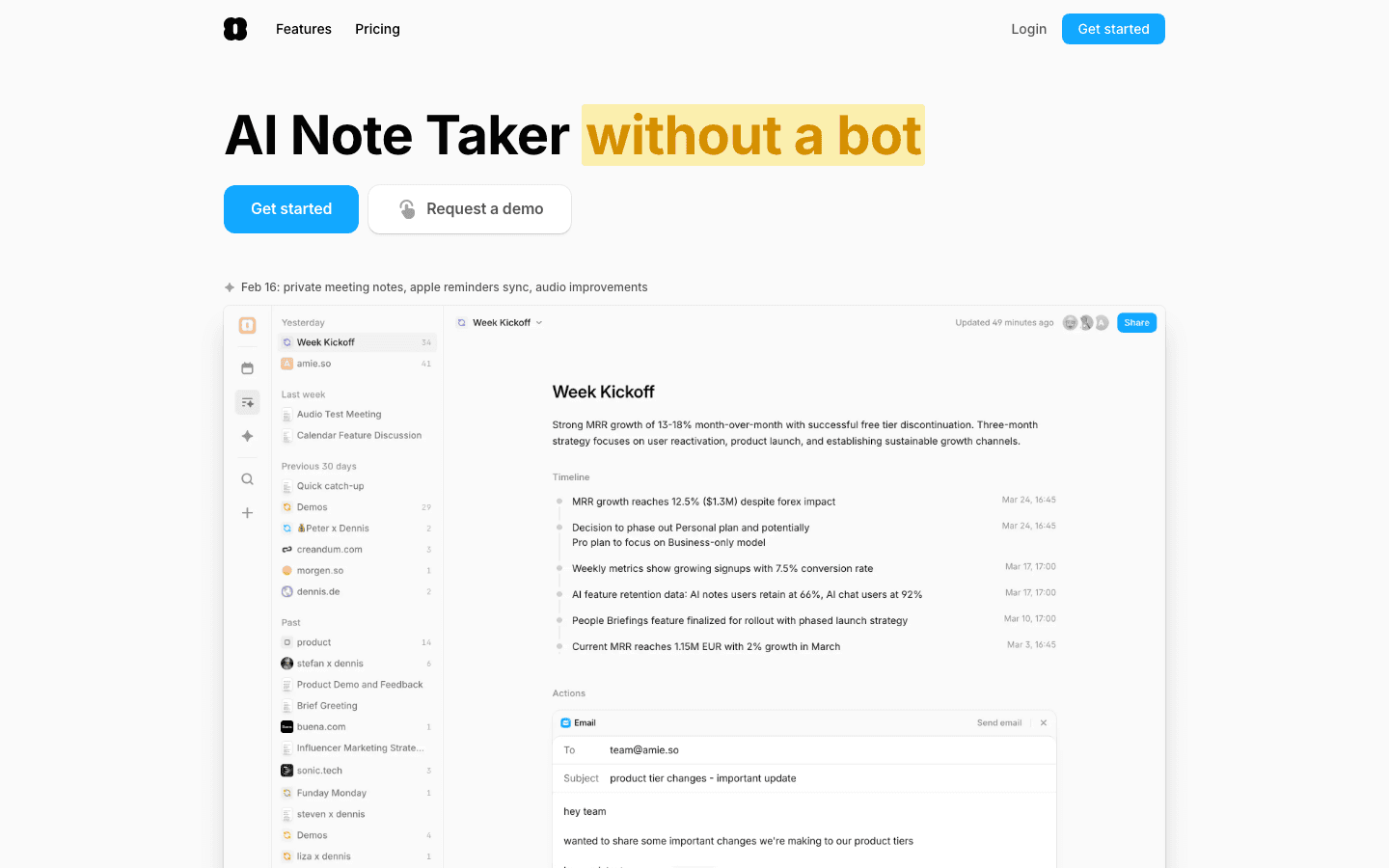
Amie took a different angle than Akiflow. Where Akiflow optimized for capturing and time-blocking, Amie optimized for how the day looks and feels. It's a calendar first, with todos, integrations, and meeting notes layered in. The recent addition of an on-device AI note-taker, with no meeting bots joining your calls, was a real differentiator.
If aesthetics matter to you and you'd rather start from a beautiful calendar than a task list, Amie is the move.
Key Features
Unified calendar with Google, iCloud, and Outlook
Todos, integrations, and Pomodoro timer in-app
AI note-taker without meeting bots
Native macOS, iOS, and web
What Works
Best-looking calendar of any productivity app on the market
Bot-free AI notes are genuinely novel
Light, fast, doesn't feel like enterprise software
Limitations
Fewer task integrations than Akiflow (no Slack, Asana, Linear)
No energy awareness or AI auto-scheduling
macOS-first, Windows users are out of luck
Pricing: Pro and Business tiers with a 7-day free trial. 20% off with annual billing. Check the site for current rates.
Best for: Apple users who want a beautiful calendar with light task and note features.
7. TickTick: Best Affordable Cross-Platform Task Manager
A polished todo app with a built-in calendar and timer at a fraction of Akiflow's price.
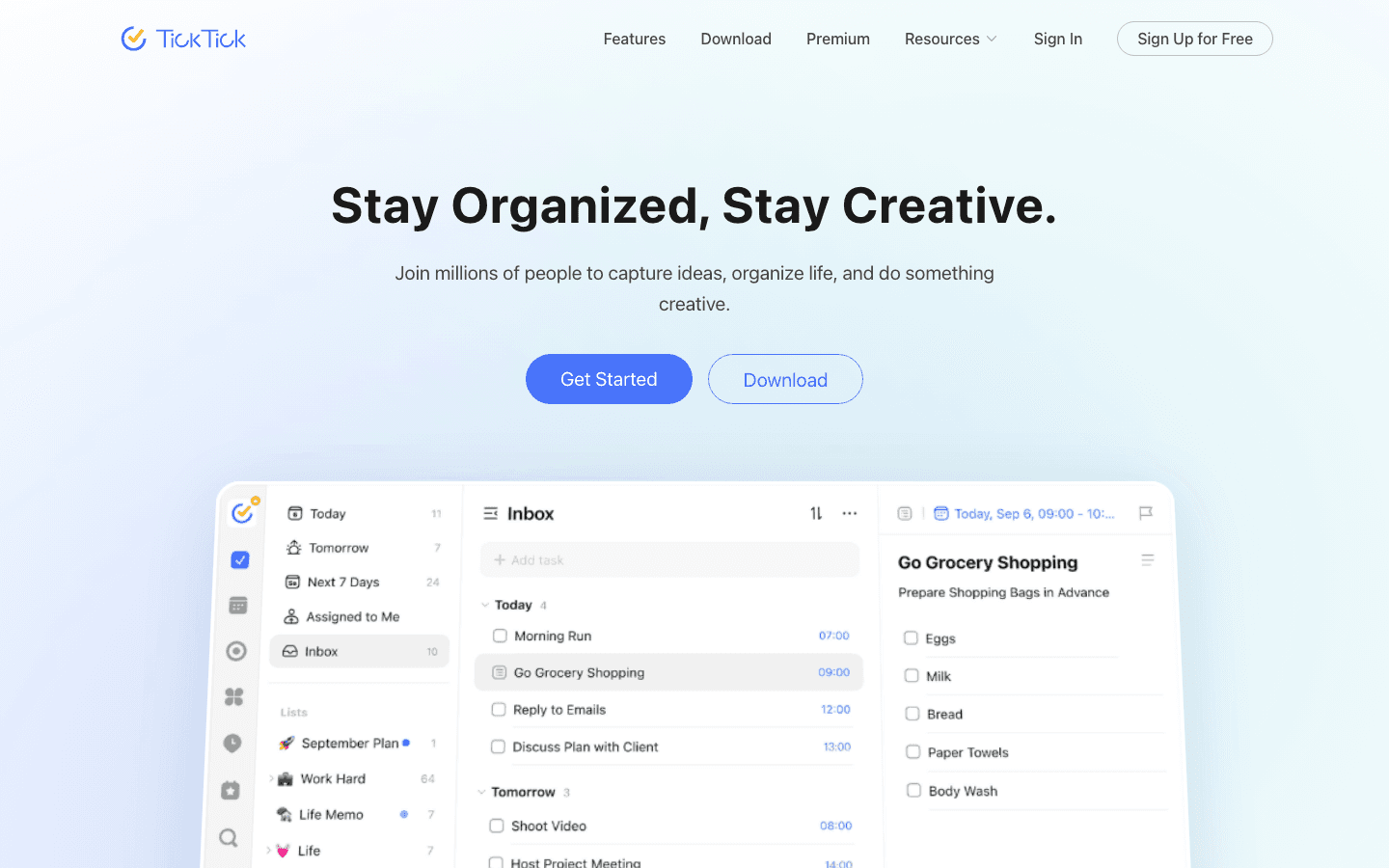
TickTick isn't trying to be Akiflow. It's a task manager that grew up. But for a large group of Akiflow shoppers, the real question is "do I actually need a $19 per month time-blocking workspace, or do I need a great todo app with a calendar view?" If it's the second, TickTick is the answer.
It has a calendar view, a habit tracker, an Eisenhower matrix, a Pomodoro timer, and natural-language task entry. And it works on basically every platform that exists.
Key Features
Tasks, calendar view, habits, Pomodoro, and notes in one app
Natural language input ("submit report tomorrow 3pm")
Eisenhower matrix for prioritization
iOS, Android, macOS, Windows, web, Apple Watch
What Works
Cheapest paid productivity app on this list by a wide margin
Genuinely good free tier
Cross-platform coverage is unmatched
Limitations
No deep task integrations (no Gmail, Slack, Linear pull)
Calendar view is limited compared to a real calendar app
No energy or AI auto-scheduling
Pricing: Free tier available. Premium plan is paid annually at a low yearly rate, see the site for current pricing.
Best for: Budget-conscious users who want a strong task manager with a calendar view, not a full time-blocking workspace.
Which Akiflow Alternative Is Right for You?
Pick Lifestack if you've ever planned a great day on paper and then watched your energy fail you in the afternoon. It's the only app on this list that schedules around how you actually feel.
Pick Sunsama if you like Akiflow's daily ritual but want it slower and more reflective.
Pick Motion if you want an AI to fully take over your schedule and you don't mind paying for it.
Pick Reclaim.ai if Google Calendar is your source of truth and you want auto-scheduling without leaving it.
Pick Routine if you loved Akiflow's keyboard-first vibe but want notes and AI features built in.
Pick Amie if you're on Apple devices and you want the most beautiful calendar with light todos.
Pick TickTick if you realize you don't need a $19 per month workspace, just a great todo app with a calendar view.
If you're not sure which fits, see our broader guides on the best AI planner apps, calendar management tools, and the full Akiflow alternatives roundup.
FAQ
What is the best Akiflow alternative in 2026?
Lifestack is the best Akiflow alternative for most people because it adds something Akiflow doesn't have: planning around your real energy. If you specifically want Akiflow's task-hub structure, Routine is the closest direct swap.
Is there a free Akiflow alternative?
Yes. Routine, Reclaim.ai, and TickTick all offer free tiers that cover the basics. None of them are limit-free, but if you're testing the workflow before paying, those three are where to start.
Why are people leaving Akiflow?
The three reasons we hear most: the $19 per month price tag, the heavy desktop-first experience, and the fact that Akiflow tells you to time-block your day but doesn't help you decide when to do which kind of work.
What is the cheapest Akiflow alternative?
TickTick is the cheapest paid option, with premium running a small fraction of Akiflow's price. Lifestack's $50 annual plan is also significantly cheaper than Akiflow's $228 per year.
Which Akiflow alternative has the best mobile app?
Lifestack and TickTick. Both treat mobile as a first-class platform, not a downgrade. Akiflow's weak mobile experience is one of the most common reasons people switch.
Can any Akiflow alternative use energy or sleep data?
Lifestack is the only planner that pulls in real biometric data from Oura, WHOOP, Apple Health, Garmin, and Fitbit to decide when to schedule your work. See task management for ADHD for why this matters for focus.
Akiflow has a clear premise. Pull every task from every tool you use into one command bar, then time-block it onto your calendar. For some people that workflow clicks immediately. For others, the $19 per month price tag, the heavy desktop app, or the missing piece (it never really tells you when to do the work) sends them looking for something else.
If that's you, you have options. Some apps focus on the same task hub idea Akiflow popularized. Others approach the problem from a completely different angle, including one that schedules tasks based on the energy you actually have that day.
We tested seven Akiflow alternatives across three categories: planning rituals (Sunsama), AI auto-schedulers (Motion, Reclaim), calendar-and-task consolidators (Routine, Amie), and broad task managers (TickTick). And our pick, Lifestack, which is the only one on this list that uses your sleep and energy data to decide what fits where.
Here is what each one does well, where it falls short, and which Akiflow alternative is right for your workflow.
Key Takeaways
Lifestack is the best Akiflow alternative if you want planning that adapts to your actual energy, not just blocks on a calendar.
Sunsama is the closest spiritual replacement for Akiflow's "calm daily planning" pitch, with a slower, more reflective workflow.
If you need an AI to fully auto-schedule your day, Motion and Reclaim are the strongest options, though both ignore how you feel.
Quick Guide to the 7 Best Akiflow Alternatives
Lifestack: energy-aware planner that schedules your day around your circadian rhythm and wearable data.
Sunsama: calm, ritual-based daily planner for thoughtful knowledge workers.
Motion: aggressive AI auto-scheduler that rebuilds your day every time something changes.
Reclaim.ai: habit and task auto-scheduling that lives inside Google Calendar.
Routine: keyboard-first task hub and calendar with AI meeting notes.
Amie: design-led calendar with todos, notes, and an AI note-taker, no meeting bot required.
TickTick: affordable cross-platform task manager with a built-in calendar view.
How We Evaluated These Akiflow Alternatives
We picked apps that solve at least one of the problems Akiflow was built for: pulling tasks from many sources into one place, time-blocking them on a calendar, or planning your day in a single ritual. Then we scored each on five things.
Daily planning workflow. Does it actually help you decide what to do today, not just collect tasks?
Energy awareness. Does it know when you focus best, or does it treat 6am and 3pm as identical slots?
Integrations. Tasks from Gmail, Slack, Notion, Asana, Linear, GitHub. How deep do they go?
Pricing. Akiflow is $19 per month annually. Anything cheaper that does more wins points.
Mobile experience. Akiflow's mobile app is famously weak. We checked whether the alternatives actually work on a phone.
1. Lifestack: Best Overall Akiflow Alternative
An energy-aware planner that schedules your day around your circadian rhythm, sleep, and wearable data.
Most Akiflow alternatives copy the same idea: a unified inbox of tasks, a calendar, and time blocks. Lifestack rejects that frame. It plans your day around the energy you actually have, pulling data from Oura, WHOOP, Apple Health, and Garmin to figure out when you'll focus well and when you'll struggle. Then it schedules your deep work into peaks and your admin into dips.
It's the closest thing to a planner that respects biology. If you've ever tried to do focused work at 3pm in a post-lunch crash and felt like a fraud, you already know why this matters.
Key Features
Energy-aware auto-scheduling based on real biometric data
Integrates with Oura, WHOOP, Apple Health, Garmin, and Fitbit
Two-way sync with Google Calendar, Apple Calendar, and Outlook
Task imports from Todoist, Linear, Asana, and Notion
iOS, Android, and Chrome extension
What Works
It actually answers "when should I do this?" instead of leaving it to you
Deep work blocks land on real peak windows, not arbitrary mornings
Mobile app is well-designed and not a downgrade from desktop
Limitations
Best results require a wearable, though baseline circadian estimates work without one
Fewer one-click integrations than Akiflow (no Slack or Gmail capture yet)
Pricing: $7 per month, $50 per year, or $120 lifetime. All plans include unlimited tasks, calendars, mobile apps, and the Chrome extension.
Best for: Knowledge workers, founders, and ADHD adults who want planning that respects energy, not just hours. See why energy-based planning beats time blocking for the full case.
2. Sunsama: Best for Calm, Ritual-Based Planning
A slow, intentional daily planner that walks you through choosing today's work.
Sunsama is the Akiflow alternative for people who don't want to feel rushed. It opens each day with a guided ritual: pull tasks from Gmail, Asana, Trello, Linear, Notion, and the rest, drop them onto today's plan, give each one a time estimate, and shut the laptop without dread. End of day, it walks you through a shutdown review.
It's slower than Akiflow. That's the point.
Key Features
Guided morning planning and evening shutdown
Integrations with 30+ tools including Gmail, Slack, GitHub, ClickUp
Time tracking on each task
Calendar sync with Google and Outlook
What Works
The ritual creates a clear start and stop to the workday
Time estimates surface overcommitment before you live it
Beautiful, focused interface that feels calm rather than busy
Limitations
Expensive at $20 per month, more than Akiflow
No energy or biometric awareness
Mobile app is functional but planning ritual works best on desktop
Pricing: $20 per month monthly, $16 per month billed annually. 14-day free trial.
Best for: Knowledge workers and managers who want a slower, more reflective version of Akiflow's daily planning loop.
3. Motion: Best Aggressive AI Auto-Scheduler
An AI assistant that rebuilds your calendar every time anything changes.
Motion sits at the opposite end of the spectrum from Sunsama. Where Akiflow lets you time-block manually, Motion takes over. You feed it tasks with deadlines, durations, and priorities, and it scatters them across open calendar slots automatically. Miss one? It re-shuffles everything within seconds.
It works. It's also a lot. People who love structure adore it. People who like to feel in control of their own day sometimes find it claustrophobic.
Key Features
AI auto-scheduling for tasks, projects, and meetings
Project management with timelines and dependencies
Meeting scheduler with availability links
Team capacity planning on Business plan
What Works
You never look at a calendar and wonder "what now"
Deadlines are enforced. Tasks shift when something runs over
Strong for project managers running cross-team work
Limitations
$19 per seat per month is the same as Akiflow, with a steep learning curve
No energy awareness. Treats 7am and 3pm as identical work slots
The constant re-shuffling can feel like the calendar is deciding things for you
Pricing: $19 per month for Pro AI, $29 per month for Business AI. 33% off with annual billing.
Best for: Project managers and team leads who want full AI takeover of their schedule. See our Motion AI alternatives guide if you want the auto-scheduling idea without Motion specifically.
4. Reclaim.ai: Best for Google Calendar Power Users
Smart task and habit scheduling that lives natively inside Google Calendar.
Reclaim.ai is the Akiflow alternative for people who basically live in Google Calendar and don't want a separate app. You define habits ("workout 3x a week"), tasks with durations and deadlines, and meeting buffer rules. Reclaim finds the gaps and books them as flexible blocks that move when life happens.
It's quieter than Motion. The blocks are color-coded on your existing calendar, not in a separate UI. For people who already trust Google Calendar as their source of truth, that's a feature.
Key Features
Native Google Calendar integration (events appear on your real calendar)
Habits, tasks, smart meetings, and 1:1s
Integrations with Google Tasks, Todoist, Asana, Linear, ClickUp, Jira
People analytics for time spent in meetings
What Works
Lives inside the calendar you already use, no context switching
Habits actually stick because they're scheduled, not aspirational
Genuine free tier with one habit and one scheduling link
Limitations
Google Calendar only (no Apple, no Outlook on free or Starter)
No energy or sleep-aware scheduling
Free tier limited to one week of scheduling range, which is restrictive
Pricing: Free plan available. Starter at $10 per seat per month annually, Business at $15 per seat per month annually.
Best for: Google Workspace users who want auto-scheduling without leaving Calendar.
5. Routine: Best Keyboard-First Task Hub
Tasks, calendars, notes, and AI meeting capture in one keyboard-driven workspace.
Routine is the closest structural match to Akiflow on this list. Same idea: a command bar that pulls tasks from everywhere, a calendar to slot them into, notes alongside. The difference is that Routine has leaned harder into AI in the last year, with AI meeting notes, an AI agent that drafts your daily plan, and richer note types.
If you liked Akiflow's keyboard-first vibe but wanted notes built in and a more modern AI layer, Routine is the swap.
Key Features
Command bar capture for tasks, events, and notes
Calendar view with drag-and-drop time-blocking
AI meeting notes and AI agents
Integrations with Google Calendar, Outlook, Notion, Slack, Linear, GitHub, Asana
macOS, Windows, Linux, iOS, Android, web
What Works
Generous free tier covers tasks, calendars, notes, and integrations
Keyboard shortcuts are first-class, not an afterthought
Notes inside the task hub means fewer apps open at once
Limitations
No energy or biometric awareness
AI features locked behind Professional tier
Still maturing on mobile compared to desktop
Pricing: Free tier available. Professional at $10 per month, Business at $15 per seat per month.
Best for: Keyboard-first power users who want Akiflow's structure plus built-in notes.
6. Amie: Best Design-Led Calendar and Todo App
A beautiful calendar with todos, integrations, and a bot-free AI note-taker.
Amie took a different angle than Akiflow. Where Akiflow optimized for capturing and time-blocking, Amie optimized for how the day looks and feels. It's a calendar first, with todos, integrations, and meeting notes layered in. The recent addition of an on-device AI note-taker, with no meeting bots joining your calls, was a real differentiator.
If aesthetics matter to you and you'd rather start from a beautiful calendar than a task list, Amie is the move.
Key Features
Unified calendar with Google, iCloud, and Outlook
Todos, integrations, and Pomodoro timer in-app
AI note-taker without meeting bots
Native macOS, iOS, and web
What Works
Best-looking calendar of any productivity app on the market
Bot-free AI notes are genuinely novel
Light, fast, doesn't feel like enterprise software
Limitations
Fewer task integrations than Akiflow (no Slack, Asana, Linear)
No energy awareness or AI auto-scheduling
macOS-first, Windows users are out of luck
Pricing: Pro and Business tiers with a 7-day free trial. 20% off with annual billing. Check the site for current rates.
Best for: Apple users who want a beautiful calendar with light task and note features.
7. TickTick: Best Affordable Cross-Platform Task Manager
A polished todo app with a built-in calendar and timer at a fraction of Akiflow's price.
TickTick isn't trying to be Akiflow. It's a task manager that grew up. But for a large group of Akiflow shoppers, the real question is "do I actually need a $19 per month time-blocking workspace, or do I need a great todo app with a calendar view?" If it's the second, TickTick is the answer.
It has a calendar view, a habit tracker, an Eisenhower matrix, a Pomodoro timer, and natural-language task entry. And it works on basically every platform that exists.
Key Features
Tasks, calendar view, habits, Pomodoro, and notes in one app
Natural language input ("submit report tomorrow 3pm")
Eisenhower matrix for prioritization
iOS, Android, macOS, Windows, web, Apple Watch
What Works
Cheapest paid productivity app on this list by a wide margin
Genuinely good free tier
Cross-platform coverage is unmatched
Limitations
No deep task integrations (no Gmail, Slack, Linear pull)
Calendar view is limited compared to a real calendar app
No energy or AI auto-scheduling
Pricing: Free tier available. Premium plan is paid annually at a low yearly rate, see the site for current pricing.
Best for: Budget-conscious users who want a strong task manager with a calendar view, not a full time-blocking workspace.
Which Akiflow Alternative Is Right for You?
Pick Lifestack if you've ever planned a great day on paper and then watched your energy fail you in the afternoon. It's the only app on this list that schedules around how you actually feel.
Pick Sunsama if you like Akiflow's daily ritual but want it slower and more reflective.
Pick Motion if you want an AI to fully take over your schedule and you don't mind paying for it.
Pick Reclaim.ai if Google Calendar is your source of truth and you want auto-scheduling without leaving it.
Pick Routine if you loved Akiflow's keyboard-first vibe but want notes and AI features built in.
Pick Amie if you're on Apple devices and you want the most beautiful calendar with light todos.
Pick TickTick if you realize you don't need a $19 per month workspace, just a great todo app with a calendar view.
If you're not sure which fits, see our broader guides on the best AI planner apps, calendar management tools, and the full Akiflow alternatives roundup.
FAQ
What is the best Akiflow alternative in 2026?
Lifestack is the best Akiflow alternative for most people because it adds something Akiflow doesn't have: planning around your real energy. If you specifically want Akiflow's task-hub structure, Routine is the closest direct swap.
Is there a free Akiflow alternative?
Yes. Routine, Reclaim.ai, and TickTick all offer free tiers that cover the basics. None of them are limit-free, but if you're testing the workflow before paying, those three are where to start.
Why are people leaving Akiflow?
The three reasons we hear most: the $19 per month price tag, the heavy desktop-first experience, and the fact that Akiflow tells you to time-block your day but doesn't help you decide when to do which kind of work.
What is the cheapest Akiflow alternative?
TickTick is the cheapest paid option, with premium running a small fraction of Akiflow's price. Lifestack's $50 annual plan is also significantly cheaper than Akiflow's $228 per year.
Which Akiflow alternative has the best mobile app?
Lifestack and TickTick. Both treat mobile as a first-class platform, not a downgrade. Akiflow's weak mobile experience is one of the most common reasons people switch.
Can any Akiflow alternative use energy or sleep data?
Lifestack is the only planner that pulls in real biometric data from Oura, WHOOP, Apple Health, Garmin, and Fitbit to decide when to schedule your work. See task management for ADHD for why this matters for focus.



FOLLOW ON
FOLLOW ON
FOLLOW ON


Copyright 2026 © Lifestack. All rights reserved
Copyright 2026 © Lifestack. All rights reserved

