
App
Best Time Blocking Apps in 2026
Best Time Blocking Apps in 2026
Why Most Time Blocking Apps Fail You
Time blocking should be simple: assign each task a slot on your calendar, work the slot, repeat. In practice, it falls apart within a week for most people. The blocks get moved, the day runs longer than planned, and by Thursday the whole system has collapsed into a regular to-do list with unused calendar appointments.
The breakdown usually isn't about discipline. It's about the gap between how the app works and how your brain works. Apps that let you create blocks but don't account for task switching, energy depletion, or meeting fragmentation set you up for a plan that's too rigid to survive contact with real days.
The best time blocking apps don't just give you a blank calendar. They help you protect focus time, schedule tasks at the right difficulty for your current energy, and adapt when the day changes. Below are five that actually do this well.
Key Takeaways
Lifestack is the best time blocking app for anyone who wants their schedule built around energy, not just availability.
Motion and Reclaim are the best for automation: both fill your calendar for you, though they take different approaches.
Sunsama and Structured are the best manual options: one for daily ritual, one for visual simplicity.
Quick Guide: Best Time Blocking Apps
1. Lifestack: Best for energy-aware time blocking
2. Motion: Best for AI auto-scheduling
3. Reclaim.ai: Best for protecting focus time around meetings
4. Sunsama: Best for structured daily planning rituals
5. Structured: Best visual timeline planner
How We Evaluated
We looked at five things: how well the app prevents meeting encroachment on deep work blocks, whether it adapts when the day changes, the difficulty of building and maintaining a system, calendar integrations, and what you get without paying.
1. Lifestack: Best for Energy-Aware Time Blocking
Time blocks that match when your brain actually works.

Every other time blocking app treats all hours equally. Lifestack is the only one that doesn't. It connects to wearables like Oura, WHOOP, Apple Watch, Garmin, and Fitbit to build a picture of your energy patterns throughout the day. Then it schedules deep-focus blocks in your high-energy windows and lighter tasks in the dips, automatically.
This matters more than it sounds. A two-hour focus block at 2pm hits differently than the same block at 10am, and most people know exactly which way. Lifestack uses real data from your sleep and recovery metrics to find where your peak hours actually are, not just where you want them to be. Your Todoist and Trello tasks sync in, and the blocks get placed for you.
If ADHD is part of why time blocking keeps failing, this approach cuts at the root cause: putting the wrong tasks in the wrong windows. The guide on ADHD time management apps covers more on this. And for a broader comparison of scheduling apps that include AI-assisted planning, that roundup is worth reading alongside this one.
Key Features
Energy-aware scheduling using Oura, WHOOP, Apple Watch, Garmin, and Fitbit data
Circadian time blocking that adapts to your daily rhythm
Two-way sync with Todoist, Trello, and Google Calendar
Mobile apps for iOS and Android
What Works
The only time blocking app that aligns tasks with biology, not just schedule
Works on top of existing task managers rather than replacing them
Wearable data removes guesswork about when your best hours are
Limitations
Requires a supported wearable for the full energy-scheduling feature
Not built for team scheduling or shared project management
Pricing: $7/month or $50/year. 7-day free trial, $120 lifetime option.
Best for: People who have tried time blocking and failed because the blocks never landed at the right time.
2. Motion: Best for AI Auto-Scheduling
Stop deciding when to do things. Let the AI figure it out.
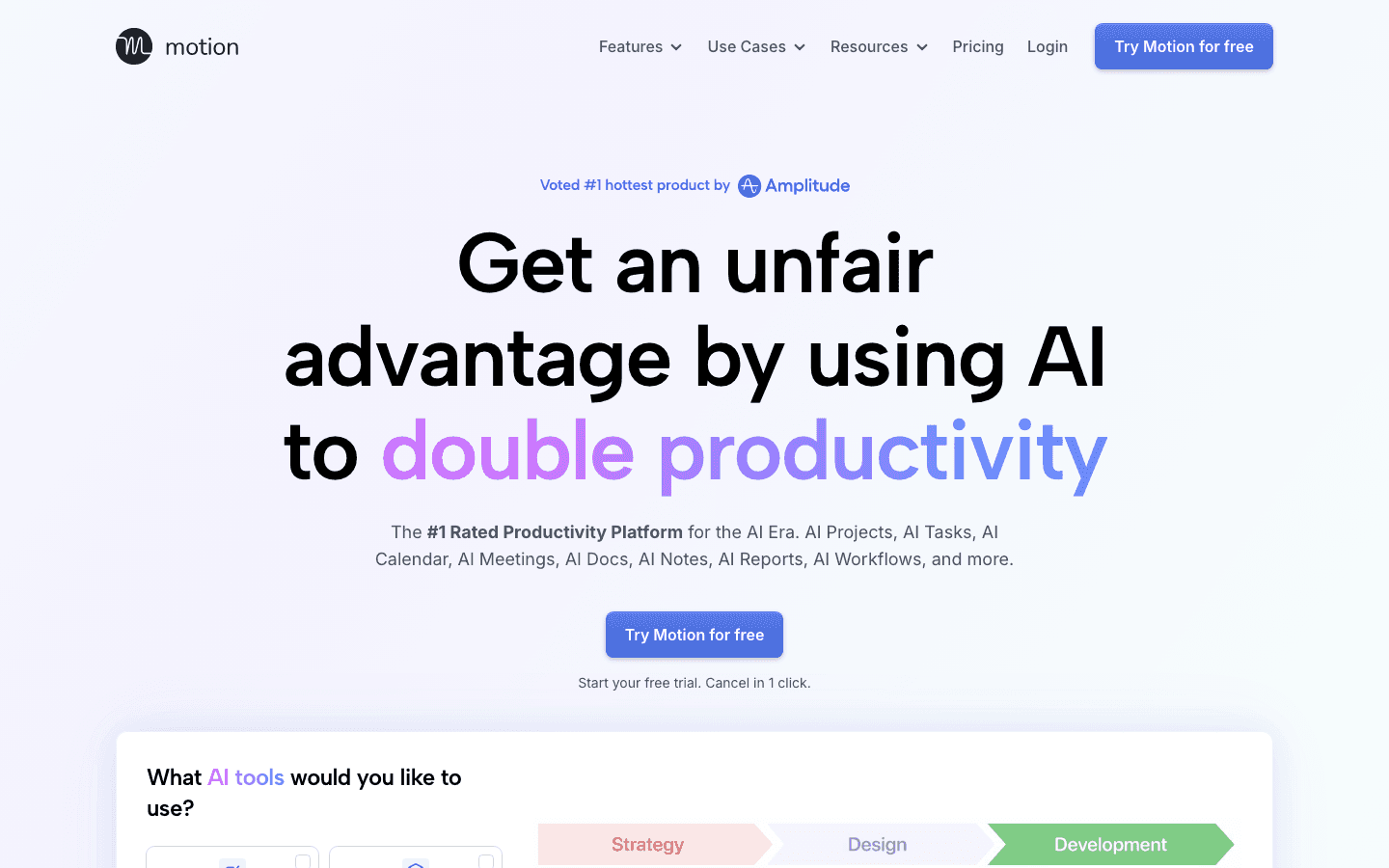
Motion takes the most aggressive stance on time blocking of any app here: it doesn't ask you to place blocks at all. You add tasks with deadlines and priorities, and Motion fills your calendar automatically. When a meeting gets added or a task runs over, the whole schedule rebuilds in real time.
For people who find the manual placement of time blocks to be exactly what breaks their system, this is the answer. The cognitive overhead of deciding "when do I work on this?" disappears. The cost is that you're working with Motion's logic rather than your own judgment, which takes some adjustment. But once you trust the system, context switching drops and deadline slippage goes with it.
Motion also includes project management, AI meeting notes, and smart booking links. It positions itself as a full productivity platform, not just a scheduler. No energy awareness, but for calendar management at scale, it's among the most capable options. See how it compares to other AI planner apps in our full roundup.
Key Features
AI auto-scheduling: tasks fill your calendar based on deadlines and priority
Real-time rescheduling when plans change
Project management with task dependencies
AI meeting notes and smart booking links
What Works
Eliminates decision fatigue about when to do each task
Handles rescheduling automatically when meetings disrupt the plan
Strong for people juggling many deadlines simultaneously
Limitations
No energy awareness: it schedules by priority, not by when you think best
No free plan; pricing is on the higher end
Takes time to calibrate before the schedule feels right
Pricing: Pro AI at $19/month. Business AI at $29/month. Annual billing saves 33%. Free trial available.
Best for: Professionals with many deadlines who want automation to handle when each task gets done.
3. Reclaim.ai: Best for Protecting Focus Time
Keep meetings from eating your entire calendar.
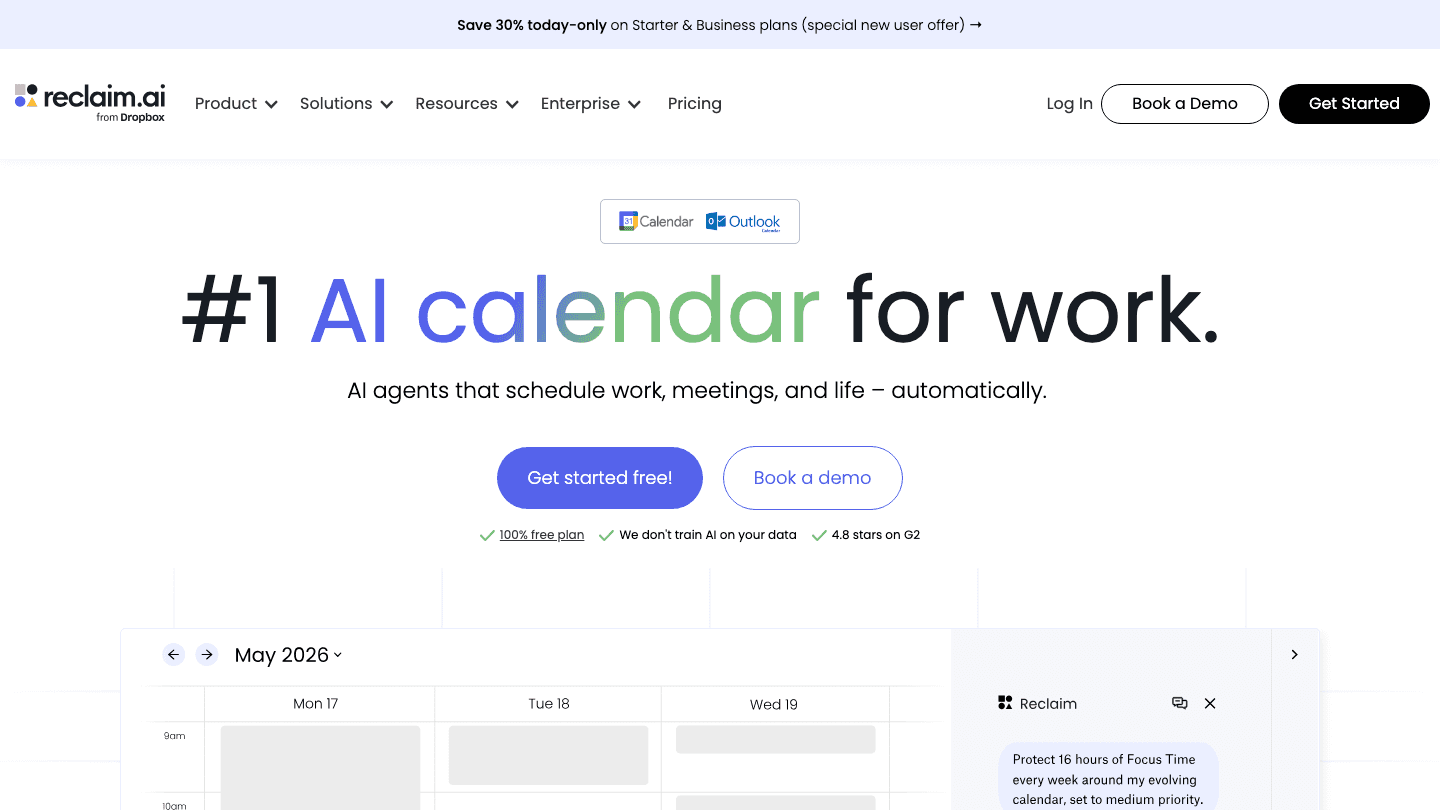
Reclaim.ai approaches time blocking from the defensive side. Most apps help you schedule work. Reclaim focuses on protecting time you've already committed to, particularly focus blocks, habits, and tasks that tend to get bumped by meetings. You set weekly goals for focus time, and Reclaim defends those blocks against encroachment, moving them when it has to but keeping the total hours intact.
It integrates with Google Calendar and Outlook, reads your existing commitments, and adds buffer time between meetings automatically. The AI learns from how you actually use your calendar over time. For people who leave work every day having attended every meeting but done none of their own work, this is the app to fix it.
The free Lite plan is genuinely useful and doesn't expire. The paid tiers add more calendar syncs, longer scheduling horizons, and more AI agents. If you're considering Reclaim alongside other calendar management tools, its habit and focus-time protection features don't have a close equivalent elsewhere.
Key Features
AI Focus Time: sets weekly focus goals and protects those hours
Buffer Time: automatically adds breathing room between meetings
Habit scheduling: recurring blocks that defend against meeting creep
Supports Google Calendar and Outlook
What Works
Free tier is meaningfully useful, not artificially limited
Focus time protection is the strongest in this category
Buffer Time feature solves back-to-back meeting exhaustion
Limitations
No energy awareness
Works with Google Calendar and Outlook only (no Apple Calendar)
More of a calendar optimizer than a full planning system
Pricing: Lite at $0 (free forever). Starter at $10/seat/month. Business at $15/seat/month.
Best for: Anyone whose calendar fills with meetings before their own work gets a chance to land.
4. Sunsama: Best for a Daily Planning Ritual
Build a daily plan you can actually follow through on.
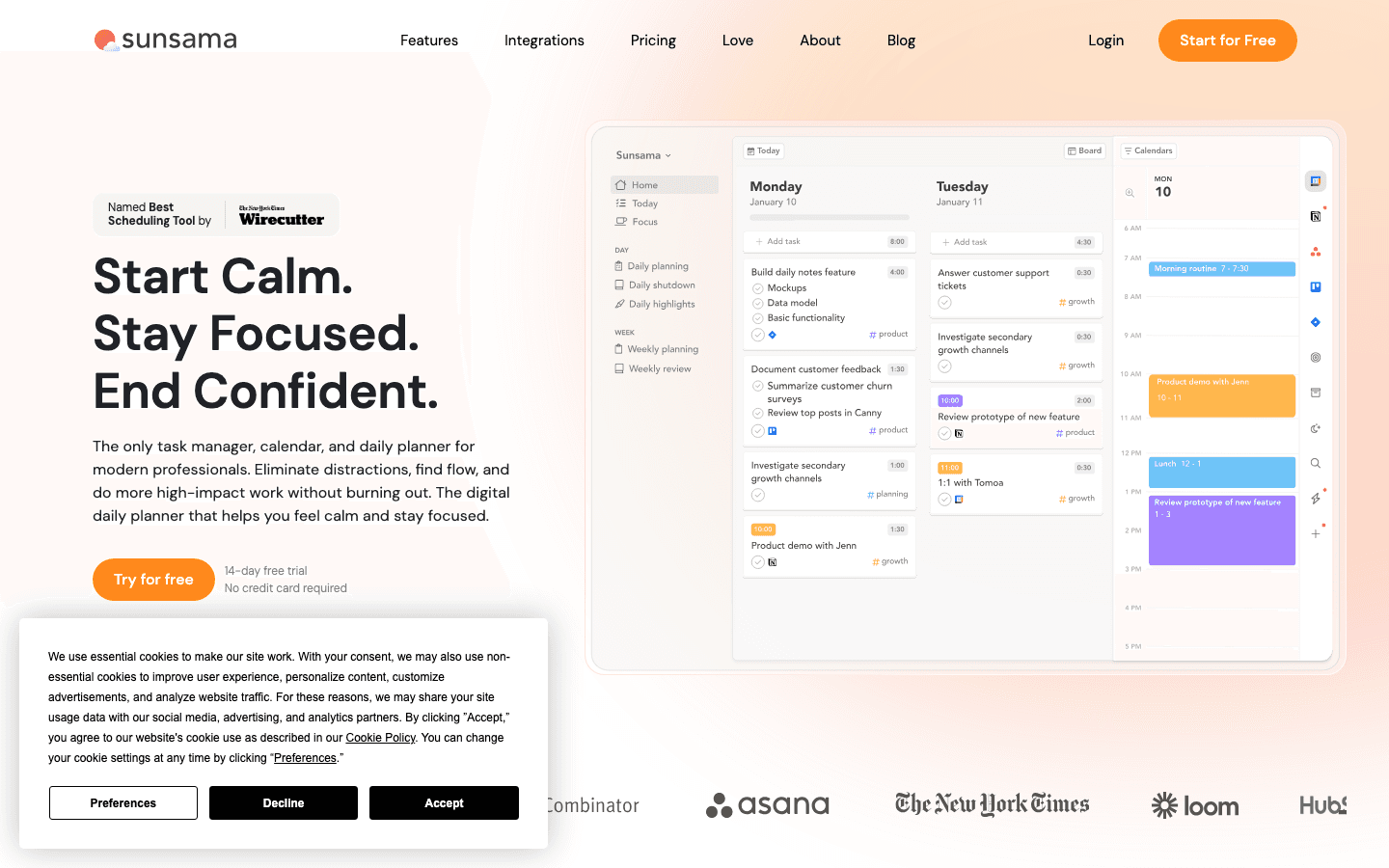
Sunsama is the most intentional time blocking app on this list. Every morning, you sit down with Sunsama for 10-15 minutes to plan the day. It pulls in tasks from Todoist, Asana, Trello, Jira, Gmail, and GitHub, you pick which ones go in today's plan, estimate how long each will take, and place them on the calendar. Then you work through the list.
The process is slower than the AI-first apps, but that slowness is the point. The act of manually choosing and placing blocks creates a commitment that auto-scheduled blocks don't. Sunsama users tend to actually do what they planned, because they chose it deliberately.
The evening shutdown ritual is built in, which keeps work from bleeding into personal time. This matters for anyone who finds themselves checking tasks late at night. Read how it compares to other options in the Sunsama alternatives guide if you want to weigh the trade-offs before committing.
Key Features
Morning planning ritual: review, pick, estimate, timebox
Pulls from 25+ integrations including Todoist, Asana, Jira, Gmail
Focus mode with built-in timers and notification blocking
Evening shutdown ritual to close the workday cleanly
What Works
Manual commitment creates follow-through that auto-scheduling doesn't
The ritual structure helps people who struggle to start their day
Shutdown routine actively protects personal time
Limitations
No AI auto-scheduling or energy awareness
Requires ~15 minutes of intentional setup every morning
No free plan
Pricing: $22/month or $17/month billed annually ($204/year). 14-day free trial.
Best for: Knowledge workers who want deliberate daily planning rather than an AI deciding for them.
5. Structured: Best Visual Timeline Planner
See your day as a timeline, not a list.
Structured takes a different approach to time blocking entirely. Instead of a calendar view, it gives you a visual timeline of your day, with each task appearing as a colored block proportional to its duration. You drag and arrange blocks, set time estimates, and see the whole day at a glance. There's no AI placing things for you. You build the day visually, then work through it.
For visual thinkers and ADHD brains, this format clicks in a way traditional calendar views don't. The proportional blocks make time feel real rather than abstract. Running 30 minutes over on a task isn't invisible the way it is in a list. The app also lets you roll unfinished tasks forward, which is genuinely useful rather than punishing.
Structured has a solid free tier. The Pro version adds intervals (built-in Pomodoro), recurring tasks, and Apple Watch support. At $6.99/month or $99.99 for lifetime access, it's among the most affordable paid options here. It works on iPhone, iPad, Mac, and Apple Watch. See how visual planning tools compare in the drag-and-drop calendar planner guide.
Key Features
Visual timeline view with proportional time blocks
Drag-and-drop task scheduling and duration adjustment
Intervals (Pomodoro-style focus and break blocks, Pro only)
Apple Watch, iPhone, iPad, Mac, and web apps
What Works
Timeline format makes time feel tangible rather than abstract
One of the most affordable paid options with a lifetime purchase
Strong free tier with no artificial time limit
Limitations
No AI scheduling or energy awareness
Apple-only ecosystem (no Android or Windows)
Limited integrations compared to other apps here
Pricing: Free tier available. Pro at $6.99/month or $99.99 lifetime.
Best for: Visual thinkers and Apple users who want a simple, beautiful daily timeline without a subscription.
Also Worth Considering
Morgen is worth a look if you want drag-and-drop Todoist time-blocking with AI suggestions and multi-calendar support. At $15/month billed annually it's more expensive than most options here, but it handles Google Calendar, Outlook, and iCloud simultaneously, which the others don't. The Morgen alternatives guide covers it in more detail.
Which Time Blocking App Is Right for You?
You want time blocks based on your energy and wearable data: go with Lifestack. Nothing else here does this.
You want AI to build your schedule automatically: go with Motion for full automation, or Reclaim if you want to keep manual control while protecting focus time.
You want to plan your day yourself with a clear ritual: go with Sunsama.
You're a visual thinker on Apple devices who wants simplicity: go with Structured.
FAQ
What is a time blocking app?
A time blocking app helps you assign specific calendar slots to specific tasks, so your day is structured rather than reactive. The best ones go further: they protect those blocks from meetings, reschedule automatically when plans change, or align task difficulty with your energy level. See the full breakdown in our ADHD time management apps guide.
What is the best free time blocking app?
Reclaim.ai has the strongest free tier: the Lite plan is free forever and includes focus time protection, habit scheduling, and buffer time between meetings. Structured also has a free tier on iOS and Mac. Lifestack offers a 7-day free trial before the $7/month subscription kicks in.
Does time blocking work for ADHD?
It can, but only if the blocks match your energy. Standard time blocking often fails for ADHD because it treats all hours the same, while ADHD brains have pronounced peaks and troughs. Lifestack specifically addresses this by reading wearable data and placing tasks in your best windows. Structured also works well for ADHD users because the visual timeline makes time feel real in a way list views don't.
What is the difference between time blocking and time tracking?
Time blocking is a planning tool: you assign tasks to future slots before you do them. Time tracking is a measurement tool: it records how long you actually spent on tasks after the fact. They work well together. Pair a time blocking app with something like Toggl Track to compare your planned blocks against actual time spent.
Is Motion good for time blocking?
Yes, though it works differently from manual time blocking tools. Motion blocks time automatically based on task deadlines and priorities, rebuilding the schedule in real time as your day changes. You don't place blocks yourself. If you want full control over when each task lands, Sunsama or Lifestack give you more say. If you want the calendar to manage itself, Motion is the strongest option.
Can I use a time blocking app with Todoist?
Yes. Lifestack and Sunsama both have native Todoist integrations. Lifestack syncs your Todoist tasks and places them in energy-appropriate blocks. Sunsama pulls them into your daily plan during the morning ritual. Morgen also supports drag-and-drop from Todoist to calendar. For a full breakdown of apps that pair well with Todoist, see our Todoist companion apps guide.
Why Most Time Blocking Apps Fail You
Time blocking should be simple: assign each task a slot on your calendar, work the slot, repeat. In practice, it falls apart within a week for most people. The blocks get moved, the day runs longer than planned, and by Thursday the whole system has collapsed into a regular to-do list with unused calendar appointments.
The breakdown usually isn't about discipline. It's about the gap between how the app works and how your brain works. Apps that let you create blocks but don't account for task switching, energy depletion, or meeting fragmentation set you up for a plan that's too rigid to survive contact with real days.
The best time blocking apps don't just give you a blank calendar. They help you protect focus time, schedule tasks at the right difficulty for your current energy, and adapt when the day changes. Below are five that actually do this well.
Key Takeaways
Lifestack is the best time blocking app for anyone who wants their schedule built around energy, not just availability.
Motion and Reclaim are the best for automation: both fill your calendar for you, though they take different approaches.
Sunsama and Structured are the best manual options: one for daily ritual, one for visual simplicity.
Quick Guide: Best Time Blocking Apps
1. Lifestack: Best for energy-aware time blocking
2. Motion: Best for AI auto-scheduling
3. Reclaim.ai: Best for protecting focus time around meetings
4. Sunsama: Best for structured daily planning rituals
5. Structured: Best visual timeline planner
How We Evaluated
We looked at five things: how well the app prevents meeting encroachment on deep work blocks, whether it adapts when the day changes, the difficulty of building and maintaining a system, calendar integrations, and what you get without paying.
1. Lifestack: Best for Energy-Aware Time Blocking
Time blocks that match when your brain actually works.
Every other time blocking app treats all hours equally. Lifestack is the only one that doesn't. It connects to wearables like Oura, WHOOP, Apple Watch, Garmin, and Fitbit to build a picture of your energy patterns throughout the day. Then it schedules deep-focus blocks in your high-energy windows and lighter tasks in the dips, automatically.
This matters more than it sounds. A two-hour focus block at 2pm hits differently than the same block at 10am, and most people know exactly which way. Lifestack uses real data from your sleep and recovery metrics to find where your peak hours actually are, not just where you want them to be. Your Todoist and Trello tasks sync in, and the blocks get placed for you.
If ADHD is part of why time blocking keeps failing, this approach cuts at the root cause: putting the wrong tasks in the wrong windows. The guide on ADHD time management apps covers more on this. And for a broader comparison of scheduling apps that include AI-assisted planning, that roundup is worth reading alongside this one.
Key Features
Energy-aware scheduling using Oura, WHOOP, Apple Watch, Garmin, and Fitbit data
Circadian time blocking that adapts to your daily rhythm
Two-way sync with Todoist, Trello, and Google Calendar
Mobile apps for iOS and Android
What Works
The only time blocking app that aligns tasks with biology, not just schedule
Works on top of existing task managers rather than replacing them
Wearable data removes guesswork about when your best hours are
Limitations
Requires a supported wearable for the full energy-scheduling feature
Not built for team scheduling or shared project management
Pricing: $7/month or $50/year. 7-day free trial, $120 lifetime option.
Best for: People who have tried time blocking and failed because the blocks never landed at the right time.
2. Motion: Best for AI Auto-Scheduling
Stop deciding when to do things. Let the AI figure it out.
Motion takes the most aggressive stance on time blocking of any app here: it doesn't ask you to place blocks at all. You add tasks with deadlines and priorities, and Motion fills your calendar automatically. When a meeting gets added or a task runs over, the whole schedule rebuilds in real time.
For people who find the manual placement of time blocks to be exactly what breaks their system, this is the answer. The cognitive overhead of deciding "when do I work on this?" disappears. The cost is that you're working with Motion's logic rather than your own judgment, which takes some adjustment. But once you trust the system, context switching drops and deadline slippage goes with it.
Motion also includes project management, AI meeting notes, and smart booking links. It positions itself as a full productivity platform, not just a scheduler. No energy awareness, but for calendar management at scale, it's among the most capable options. See how it compares to other AI planner apps in our full roundup.
Key Features
AI auto-scheduling: tasks fill your calendar based on deadlines and priority
Real-time rescheduling when plans change
Project management with task dependencies
AI meeting notes and smart booking links
What Works
Eliminates decision fatigue about when to do each task
Handles rescheduling automatically when meetings disrupt the plan
Strong for people juggling many deadlines simultaneously
Limitations
No energy awareness: it schedules by priority, not by when you think best
No free plan; pricing is on the higher end
Takes time to calibrate before the schedule feels right
Pricing: Pro AI at $19/month. Business AI at $29/month. Annual billing saves 33%. Free trial available.
Best for: Professionals with many deadlines who want automation to handle when each task gets done.
3. Reclaim.ai: Best for Protecting Focus Time
Keep meetings from eating your entire calendar.
Reclaim.ai approaches time blocking from the defensive side. Most apps help you schedule work. Reclaim focuses on protecting time you've already committed to, particularly focus blocks, habits, and tasks that tend to get bumped by meetings. You set weekly goals for focus time, and Reclaim defends those blocks against encroachment, moving them when it has to but keeping the total hours intact.
It integrates with Google Calendar and Outlook, reads your existing commitments, and adds buffer time between meetings automatically. The AI learns from how you actually use your calendar over time. For people who leave work every day having attended every meeting but done none of their own work, this is the app to fix it.
The free Lite plan is genuinely useful and doesn't expire. The paid tiers add more calendar syncs, longer scheduling horizons, and more AI agents. If you're considering Reclaim alongside other calendar management tools, its habit and focus-time protection features don't have a close equivalent elsewhere.
Key Features
AI Focus Time: sets weekly focus goals and protects those hours
Buffer Time: automatically adds breathing room between meetings
Habit scheduling: recurring blocks that defend against meeting creep
Supports Google Calendar and Outlook
What Works
Free tier is meaningfully useful, not artificially limited
Focus time protection is the strongest in this category
Buffer Time feature solves back-to-back meeting exhaustion
Limitations
No energy awareness
Works with Google Calendar and Outlook only (no Apple Calendar)
More of a calendar optimizer than a full planning system
Pricing: Lite at $0 (free forever). Starter at $10/seat/month. Business at $15/seat/month.
Best for: Anyone whose calendar fills with meetings before their own work gets a chance to land.
4. Sunsama: Best for a Daily Planning Ritual
Build a daily plan you can actually follow through on.
Sunsama is the most intentional time blocking app on this list. Every morning, you sit down with Sunsama for 10-15 minutes to plan the day. It pulls in tasks from Todoist, Asana, Trello, Jira, Gmail, and GitHub, you pick which ones go in today's plan, estimate how long each will take, and place them on the calendar. Then you work through the list.
The process is slower than the AI-first apps, but that slowness is the point. The act of manually choosing and placing blocks creates a commitment that auto-scheduled blocks don't. Sunsama users tend to actually do what they planned, because they chose it deliberately.
The evening shutdown ritual is built in, which keeps work from bleeding into personal time. This matters for anyone who finds themselves checking tasks late at night. Read how it compares to other options in the Sunsama alternatives guide if you want to weigh the trade-offs before committing.
Key Features
Morning planning ritual: review, pick, estimate, timebox
Pulls from 25+ integrations including Todoist, Asana, Jira, Gmail
Focus mode with built-in timers and notification blocking
Evening shutdown ritual to close the workday cleanly
What Works
Manual commitment creates follow-through that auto-scheduling doesn't
The ritual structure helps people who struggle to start their day
Shutdown routine actively protects personal time
Limitations
No AI auto-scheduling or energy awareness
Requires ~15 minutes of intentional setup every morning
No free plan
Pricing: $22/month or $17/month billed annually ($204/year). 14-day free trial.
Best for: Knowledge workers who want deliberate daily planning rather than an AI deciding for them.
5. Structured: Best Visual Timeline Planner
See your day as a timeline, not a list.
Structured takes a different approach to time blocking entirely. Instead of a calendar view, it gives you a visual timeline of your day, with each task appearing as a colored block proportional to its duration. You drag and arrange blocks, set time estimates, and see the whole day at a glance. There's no AI placing things for you. You build the day visually, then work through it.
For visual thinkers and ADHD brains, this format clicks in a way traditional calendar views don't. The proportional blocks make time feel real rather than abstract. Running 30 minutes over on a task isn't invisible the way it is in a list. The app also lets you roll unfinished tasks forward, which is genuinely useful rather than punishing.
Structured has a solid free tier. The Pro version adds intervals (built-in Pomodoro), recurring tasks, and Apple Watch support. At $6.99/month or $99.99 for lifetime access, it's among the most affordable paid options here. It works on iPhone, iPad, Mac, and Apple Watch. See how visual planning tools compare in the drag-and-drop calendar planner guide.
Key Features
Visual timeline view with proportional time blocks
Drag-and-drop task scheduling and duration adjustment
Intervals (Pomodoro-style focus and break blocks, Pro only)
Apple Watch, iPhone, iPad, Mac, and web apps
What Works
Timeline format makes time feel tangible rather than abstract
One of the most affordable paid options with a lifetime purchase
Strong free tier with no artificial time limit
Limitations
No AI scheduling or energy awareness
Apple-only ecosystem (no Android or Windows)
Limited integrations compared to other apps here
Pricing: Free tier available. Pro at $6.99/month or $99.99 lifetime.
Best for: Visual thinkers and Apple users who want a simple, beautiful daily timeline without a subscription.
Also Worth Considering
Morgen is worth a look if you want drag-and-drop Todoist time-blocking with AI suggestions and multi-calendar support. At $15/month billed annually it's more expensive than most options here, but it handles Google Calendar, Outlook, and iCloud simultaneously, which the others don't. The Morgen alternatives guide covers it in more detail.
Which Time Blocking App Is Right for You?
You want time blocks based on your energy and wearable data: go with Lifestack. Nothing else here does this.
You want AI to build your schedule automatically: go with Motion for full automation, or Reclaim if you want to keep manual control while protecting focus time.
You want to plan your day yourself with a clear ritual: go with Sunsama.
You're a visual thinker on Apple devices who wants simplicity: go with Structured.
FAQ
What is a time blocking app?
A time blocking app helps you assign specific calendar slots to specific tasks, so your day is structured rather than reactive. The best ones go further: they protect those blocks from meetings, reschedule automatically when plans change, or align task difficulty with your energy level. See the full breakdown in our ADHD time management apps guide.
What is the best free time blocking app?
Reclaim.ai has the strongest free tier: the Lite plan is free forever and includes focus time protection, habit scheduling, and buffer time between meetings. Structured also has a free tier on iOS and Mac. Lifestack offers a 7-day free trial before the $7/month subscription kicks in.
Does time blocking work for ADHD?
It can, but only if the blocks match your energy. Standard time blocking often fails for ADHD because it treats all hours the same, while ADHD brains have pronounced peaks and troughs. Lifestack specifically addresses this by reading wearable data and placing tasks in your best windows. Structured also works well for ADHD users because the visual timeline makes time feel real in a way list views don't.
What is the difference between time blocking and time tracking?
Time blocking is a planning tool: you assign tasks to future slots before you do them. Time tracking is a measurement tool: it records how long you actually spent on tasks after the fact. They work well together. Pair a time blocking app with something like Toggl Track to compare your planned blocks against actual time spent.
Is Motion good for time blocking?
Yes, though it works differently from manual time blocking tools. Motion blocks time automatically based on task deadlines and priorities, rebuilding the schedule in real time as your day changes. You don't place blocks yourself. If you want full control over when each task lands, Sunsama or Lifestack give you more say. If you want the calendar to manage itself, Motion is the strongest option.
Can I use a time blocking app with Todoist?
Yes. Lifestack and Sunsama both have native Todoist integrations. Lifestack syncs your Todoist tasks and places them in energy-appropriate blocks. Sunsama pulls them into your daily plan during the morning ritual. Morgen also supports drag-and-drop from Todoist to calendar. For a full breakdown of apps that pair well with Todoist, see our Todoist companion apps guide.



FOLLOW ON
FOLLOW ON
FOLLOW ON


Copyright 2026 © Lifestack. All rights reserved
Copyright 2026 © Lifestack. All rights reserved

