
App
Best Apps to Use With Todoist in 2026
Best Apps to Use With Todoist in 2026
Why Todoist Users Look for a Companion App
Todoist is one of the most trusted task managers on the market, and for good reason. The quick-capture is fast, the recurring task logic is solid, and the app is identical on every device. But it has a known gap: it won't tell you when to do the things you've written down.
That's where companion apps come in. The best app to use with Todoist isn't a replacement. It's something that takes what's in your list and adds the layer Todoist intentionally left out, whether that's scheduling, time blocking, time tracking, or team coordination.
Below are five apps that each extend Todoist in a different direction. They all integrate natively or via a simple one-step connection, and they each solve a real problem Todoist doesn't.
Key Takeaways
Lifestack is the best Todoist companion for scheduling: it syncs your tasks and places them at times when your energy actually supports doing them.
Toggl Track is the easiest add-on if you need to see where your time goes, with a one-click timer built right into Todoist tasks.
Sunsama and Morgen both turn Todoist into a full daily planner, but they take opposite approaches to how much AI should be involved.
Quick Guide: Best Apps to Use With Todoist
1. Lifestack: Best for scheduling Todoist tasks around your energy
2. Sunsama: Best for a structured daily planning ritual
3. Morgen: Best for AI-powered calendar time-blocking
4. Toggl Track: Best for time tracking directly from Todoist
5. Slack: Best for teams who want to create Todoist tasks without leaving chat
How We Evaluated
We looked at depth of Todoist integration (native vs. workaround), what the app adds that Todoist doesn't already have, setup friction, and whether the pairing actually changes how you work or just adds another thing to maintain.
Each app here survived that last test.
1. Lifestack: Best for Scheduling Around Your Energy
Sync your Todoist tasks and actually get them done at the right time.

Lifestack does something no other Todoist companion does: it connects to your wearable (Oura, WHOOP, Apple Watch, Garmin, Fitbit) and builds a picture of when your energy is high, when you're in a trough, and what your circadian rhythm looks like. Then it schedules your Todoist tasks into your day based on that data.
The integration is bidirectional. Tasks you add in Todoist show up in Lifestack, and edits in either app stay in sync. When Lifestack places a deep-work task in your peak window and a quick admin task in an energy dip, it's not guessing. It's reading data from the same device you wear to track your sleep.
This is the most meaningful addition to Todoist you can make if your problem is task completion, not task capture. The scheduling problem is exactly what Lifestack solves, and it's the gap Todoist was never designed to fill. If ADHD is part of the picture, the guide on ADHD time management apps has more on how energy-aware scheduling helps.
Key Features
Two-way sync with Todoist tasks
Energy-aware scheduling using wearable data (Oura, WHOOP, Apple Watch, Garmin, Fitbit)
Circadian time blocking that adapts to your patterns
Syncs with Google Calendar, Trello, and more
What Works
The most direct answer to "when should I do this Todoist task?"
Works alongside Todoist without replacing it
Health data makes the schedule feel grounded in something real
Limitations
Requires a wearable for the full energy-scheduling feature
Not a team tool; best for individual planning
Pricing: $7/month or $50/year. 7-day free trial.
Best for: Anyone who captures tasks in Todoist but struggles to decide when to actually do them.
2. Sunsama: Best for a Structured Daily Planning Ritual
Pull your Todoist tasks into a daily plan you can actually follow.
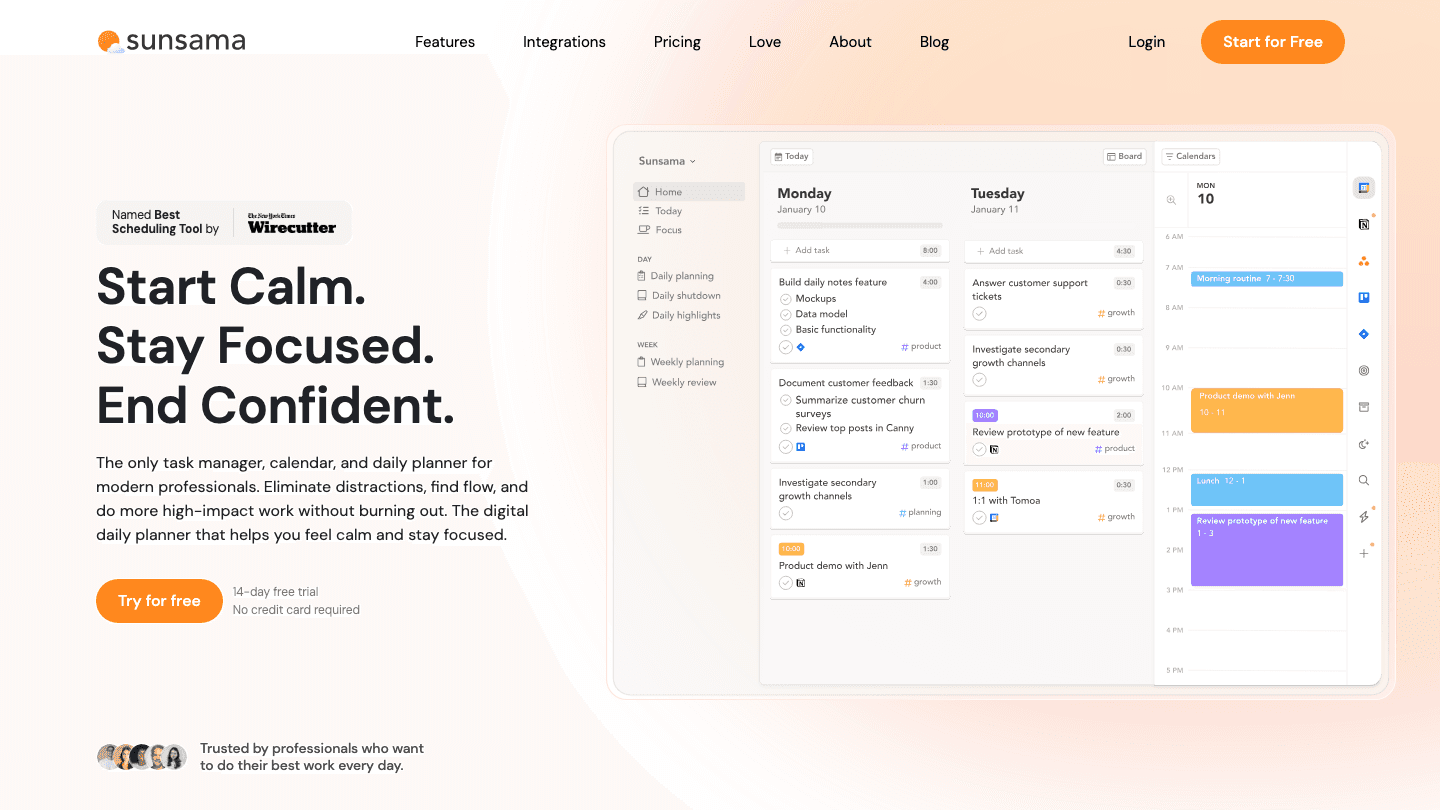
Sunsama builds your daily plan each morning from every source your work lives in, including Todoist. The integration pulls in your tasks and lets you choose which ones belong in today's plan. You estimate how long each thing takes, timebox them on your calendar, and then work through the list with a focus mode that keeps you on track.
The strength here isn't automation. It's intentionality. Sunsama forces a brief daily ritual that makes you choose what actually matters today, which is a different kind of useful than having an AI decide for you. The evening shutdown ritual is built in too, so there's a clear end to the workday. That structure works particularly well for people who find Todoist's list view paralyzing because everything looks equally important.
If Sunsama feels too rigid after you've tried it, the Sunsama alternatives guide has options with different trade-offs. And if you're also considering apps like Saner or others that pull from multiple sources, the Saner alternatives post compares a few of the same tools from a different angle.
Key Features
Native Todoist integration: pull tasks into your daily plan
Daily planning ritual and evening shutdown guide
Time estimates and calendar timeboxing
Focus mode for working through your plan
What Works
Creates a genuine daily anchor for people who lose hours to indecision
Broad integrations mean all your work shows up in one plan
Gentler and more focused than most productivity apps
Limitations
No AI auto-scheduling: you still choose when each task happens
No energy or wearable integration
Daily ritual only works if you actually do it every morning
Pricing: $22/month or $17/month billed annually ($204/year). 14-day free trial.
Best for: Todoist users who need a daily planning ritual to translate their task list into action.
3. Morgen: Best for AI-Powered Time Blocking
Drag Todoist tasks into your calendar, or let AI do it for you.
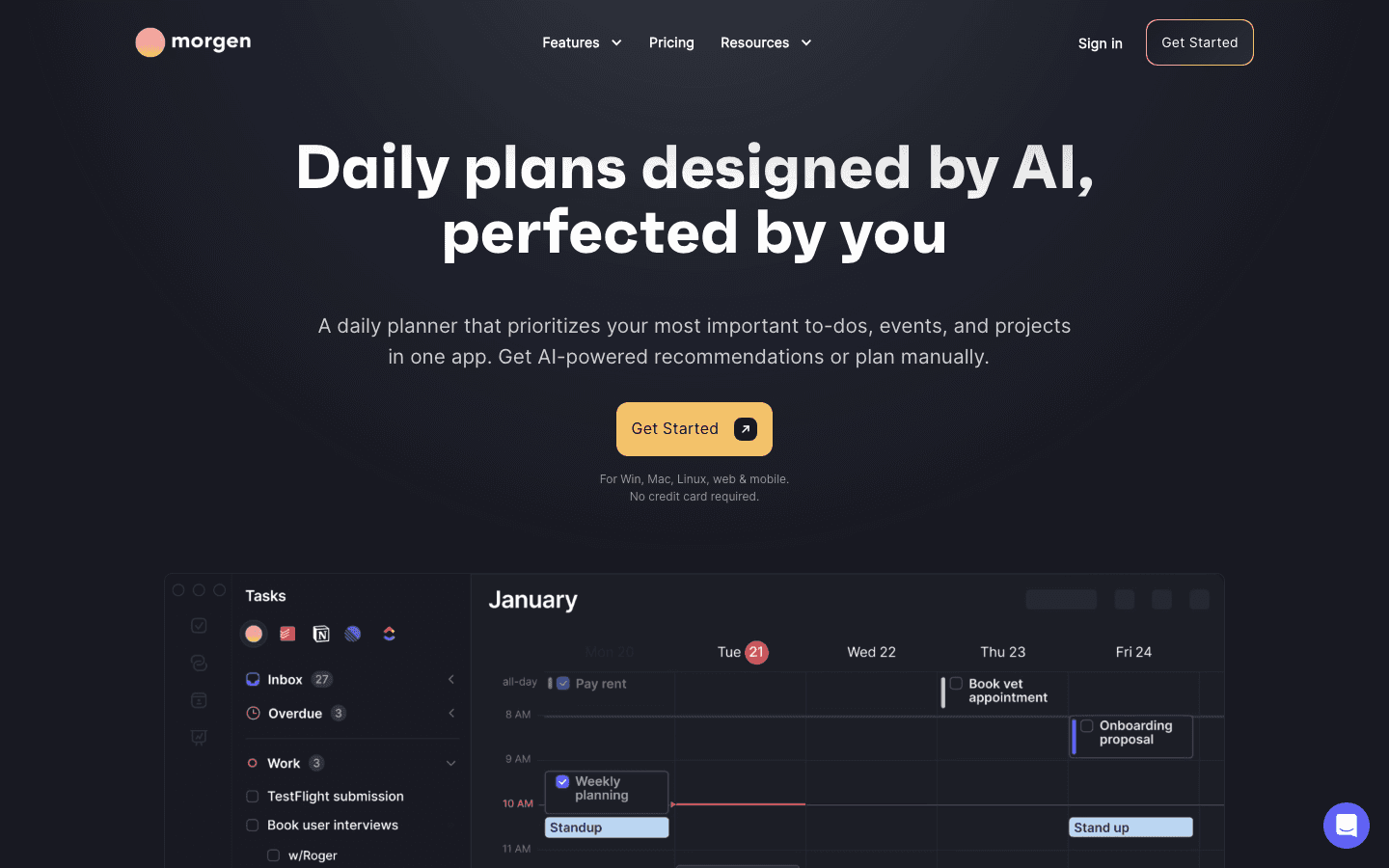
Morgen is a calendar-first planner with a native Todoist integration. Once connected, your Todoist tasks appear as a sidebar you can drag directly onto your calendar. One drag, and the task becomes a time block. Morgen also has an AI Planner mode that suggests optimal times automatically, analyzing your existing commitments to find slots that fit.
The key difference from Sunsama is what the AI does. Sunsama's ritual is manual by design. Morgen's AI Planner places tasks automatically if you want, then lets you adjust. For people who find daily planning rituals too time-consuming but still want their Todoist tasks on a real calendar, this lands in the right spot.
Morgen works on Windows, Mac, Linux, iOS, and Android. It also supports multiple calendar providers simultaneously, including Google Calendar, Outlook, and iCloud, which Todoist's native calendar sync doesn't offer. See how it compares to other calendar management tools in our full roundup, or check the Morgen alternatives guide if you want to compare options.
Key Features
Drag-and-drop Todoist tasks onto your calendar
AI Planner: suggests or places tasks automatically
Supports Google Calendar, Outlook, and iCloud simultaneously
Scheduling links and booking pages built in
What Works
Best calendar time-blocking experience for Todoist users
Works on every major platform
Multi-calendar support is a genuine differentiator
Limitations
No energy or wearable awareness
More expensive than most Todoist companion apps
Smaller user base than Sunsama or Todoist itself
Pricing: $30/month or $15/month billed annually ($180/year). 14-day free trial, no credit card required.
Best for: Todoist users who want their tasks on a real calendar with AI-assisted scheduling.
4. Toggl Track: Best for Time Tracking
Start a timer on any Todoist task with one click.
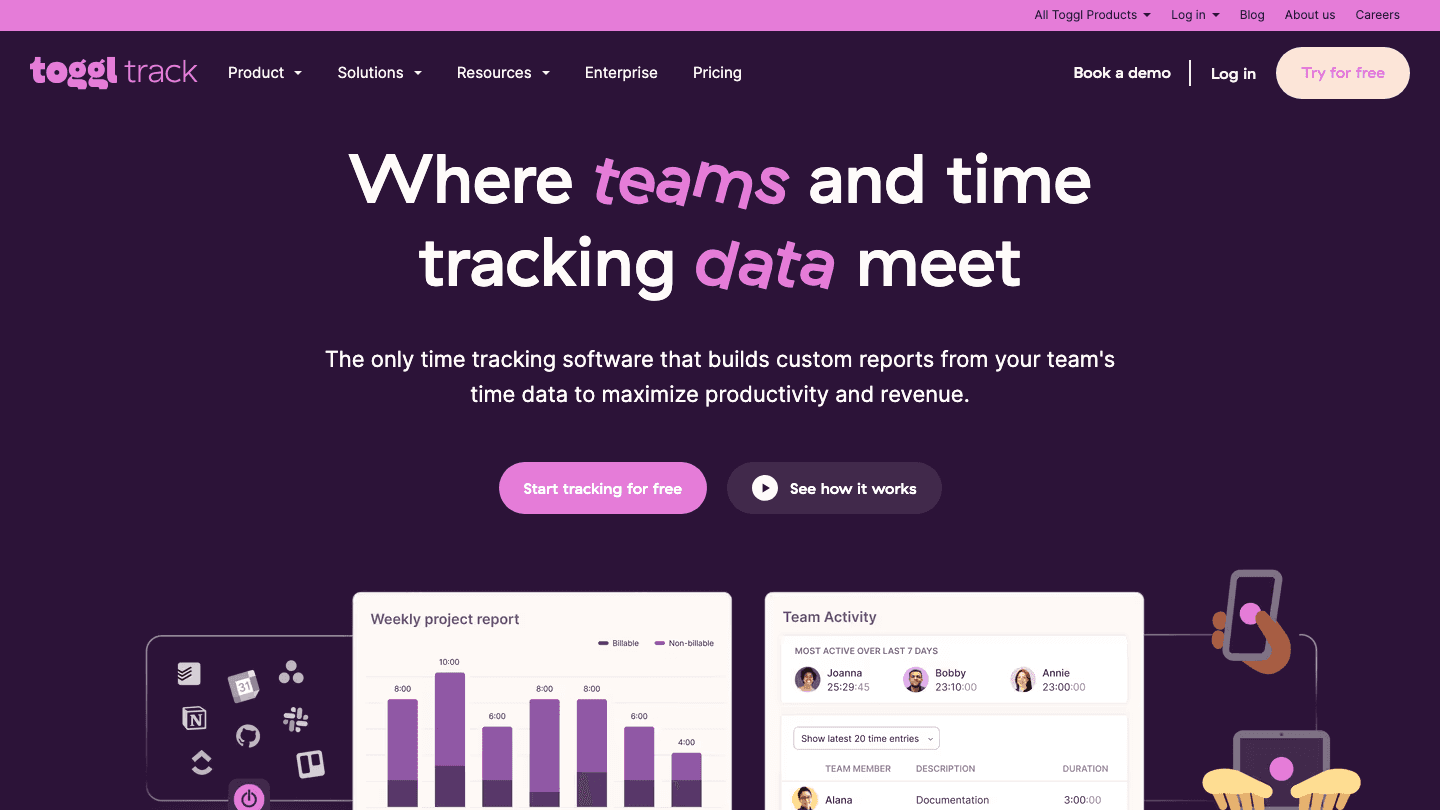
Toggl Track solves a different problem than the other apps here. It doesn't help you decide when to work. It helps you understand how long things actually take versus how long you thought they would.
The Todoist integration is a Chrome extension. Once installed, a small timer button appears next to each Todoist task in the web app. Click it, and Toggl starts tracking. The session gets logged in Toggl with the task name. Over time you build a picture of where your hours actually go, which is useful for anyone who consistently underestimates task duration.
The free plan is generous: unlimited time tracking for up to five users. If you've been guessing at how long your Todoist tasks take, tracking a week of real time data will change how you plan. Pair Toggl with any of the scheduling tools above and the time estimates you feed into Sunsama or Morgen become grounded in actual history. For a broader look at AI planning tools that incorporate time data, see our roundup.
Key Features
One-click timer from inside any Todoist task (Chrome extension)
Automatic idle detection keeps records accurate
Project and client tagging for billing and reporting
Detailed time reports with billable hours breakdown
What Works
The most frictionless time tracking experience for Todoist
Free plan is genuinely useful, not artificially limited
Reports quickly reveal where time actually goes
Limitations
Chrome extension only: no timer integration in Todoist desktop or mobile apps
No scheduling; it tracks time, it doesn't manage it
Pricing: Free (unlimited tracking, up to 5 users). Starter at $9/user/month. Premium at $18/user/month.
Best for: Freelancers and knowledge workers who want to understand where their Todoist task time actually goes.
5. Slack: Best for Teams Creating Tasks in Chat
Turn any Slack message into a Todoist task without leaving the conversation.
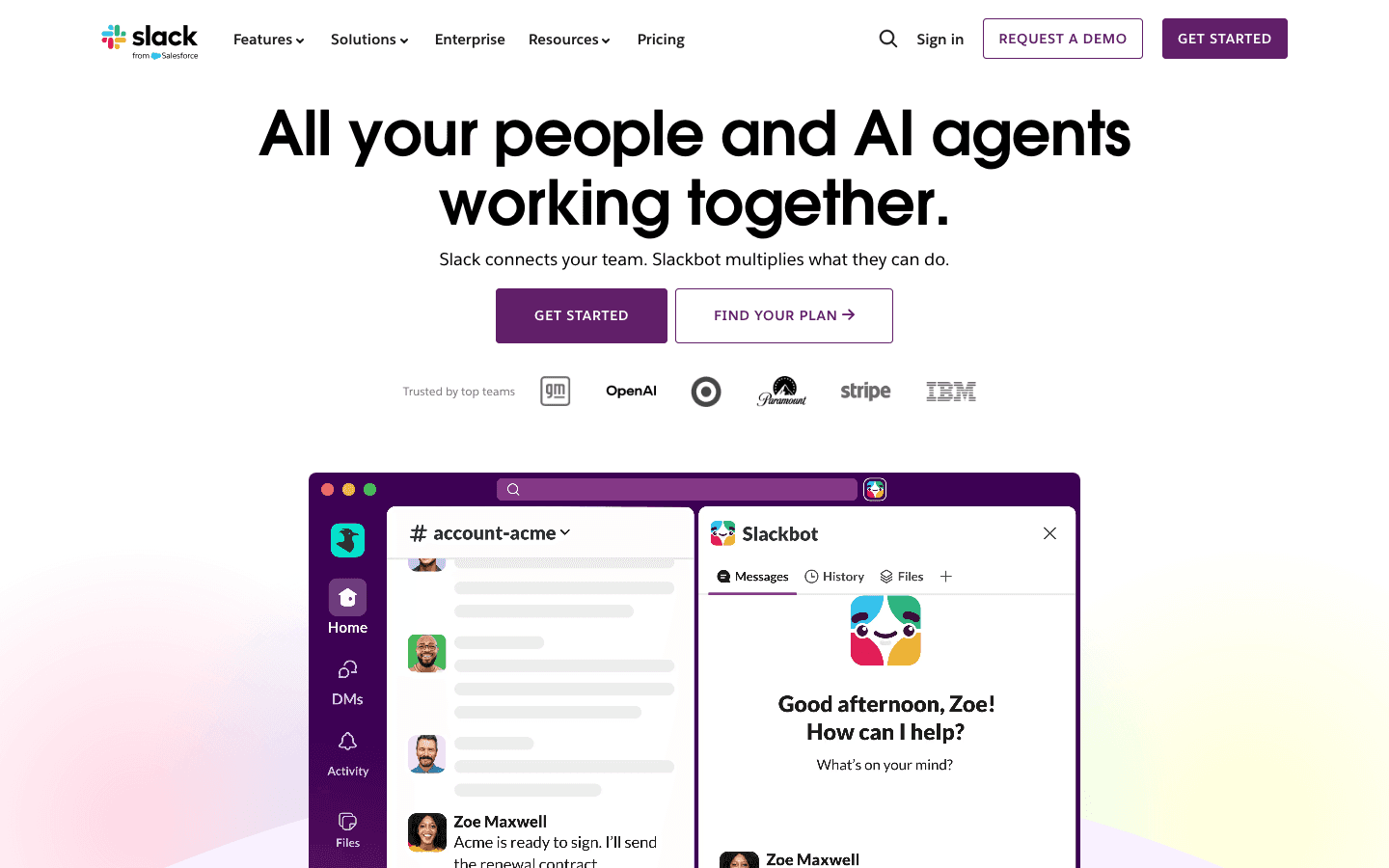
Slack has a native Todoist integration that does one thing particularly well: it gets tasks out of chat and into your list before you forget about them. You can use the /todoist slash command to create a task from any Slack channel, include a due date, assign a project, and send it straight to Todoist. No copy-pasting, no switching apps.
The other direction works too. Task completion notifications can route back to a designated Slack channel, which is useful for teams where visibility matters.
For individual users, Slack's integration is a convenience feature. For teams where Slack is the central communication layer, it changes how tasks get created. Instead of "I'll remember to add that to Todoist later," the task gets logged the moment it comes up in conversation. If your team uses both tools and loses action items in chat threads, this integration is worth setting up in five minutes. If you're comparing broader AI project management tools for your team's stack, that guide has more options too.
Key Features
Create Todoist tasks via /todoist slash command from any channel
Include due date, project, and assignee from within Slack
Task completion notifications back to Slack
Works on all Slack plans
What Works
Stops action items from dying in Slack threads
Native integration: no Zapier or third-party setup needed
Zero friction once configured
Limitations
Only useful if your team is already on Slack
Doesn't help individuals who aren't in team communication tools
No scheduling or planning features
Pricing: The Todoist integration is free on all Slack plans. Slack itself has a free tier and paid plans starting around $7.25/user/month.
Best for: Teams on Slack who want action items to reliably make it into Todoist instead of getting buried in messages.
Which App to Pair With Todoist?
You want help deciding when to do your Todoist tasks: go with Lifestack if you care about energy-aware scheduling, or Morgen if you want AI to block time on a calendar. Both are covered in more depth in our scheduling app guide.
You want a daily ritual that keeps you intentional: go with Sunsama.
You want to understand where your task time actually goes: go with Toggl Track.
Your team loses action items in Slack threads: set up the Slack integration today.
FAQ
What apps integrate natively with Todoist?
Todoist has official native integrations with Google Calendar, Outlook, Slack, Toggl Track, Sunsama, Morgen, Zapier, and several others. Lifestack connects via a sync layer that keeps tasks current in both apps. The full list is at todoist.com/integrations.
What is the best app to use with Todoist for scheduling?
Lifestack is the strongest choice for scheduling because it goes beyond calendar time-blocking. It reads wearable data to understand your energy patterns and places Todoist tasks in windows when you're actually capable of doing them. For a simple calendar time-block approach without energy data, Morgen is the next best option.
Does Todoist work with Sunsama?
Yes. Sunsama has a native Todoist integration. During your daily planning session, Sunsama pulls in your Todoist tasks so you can choose which ones belong in today's plan. Tasks you complete in Sunsama stay in sync with Todoist. The integration is two-way and requires no third-party connector.
Can I track time on Todoist tasks?
Yes, with Toggl Track. Install the Toggl Chrome extension and a timer button appears directly on each Todoist task in the web app. Click to start, click to stop. The session logs automatically in Toggl with the task name. The free plan supports unlimited time tracking for up to five users.
Is Lifestack a Todoist alternative or a companion?
It's a companion. Lifestack doesn't replace Todoist. It syncs your tasks and adds the scheduling layer that Todoist doesn't have: it decides when you should do each task based on your energy and calendar. Most users keep using Todoist for task capture and use Lifestack to determine the when. See how it fits into a broader ADHD task management workflow in our guide.
Do I need to pay for Slack to use the Todoist integration?
No. The Todoist integration works on all Slack plans, including the free tier. You can create Todoist tasks via the /todoist command without a paid Slack subscription. The only limit is Slack's general free-tier restrictions on message history and integrations.
Why Todoist Users Look for a Companion App
Todoist is one of the most trusted task managers on the market, and for good reason. The quick-capture is fast, the recurring task logic is solid, and the app is identical on every device. But it has a known gap: it won't tell you when to do the things you've written down.
That's where companion apps come in. The best app to use with Todoist isn't a replacement. It's something that takes what's in your list and adds the layer Todoist intentionally left out, whether that's scheduling, time blocking, time tracking, or team coordination.
Below are five apps that each extend Todoist in a different direction. They all integrate natively or via a simple one-step connection, and they each solve a real problem Todoist doesn't.
Key Takeaways
Lifestack is the best Todoist companion for scheduling: it syncs your tasks and places them at times when your energy actually supports doing them.
Toggl Track is the easiest add-on if you need to see where your time goes, with a one-click timer built right into Todoist tasks.
Sunsama and Morgen both turn Todoist into a full daily planner, but they take opposite approaches to how much AI should be involved.
Quick Guide: Best Apps to Use With Todoist
1. Lifestack: Best for scheduling Todoist tasks around your energy
2. Sunsama: Best for a structured daily planning ritual
3. Morgen: Best for AI-powered calendar time-blocking
4. Toggl Track: Best for time tracking directly from Todoist
5. Slack: Best for teams who want to create Todoist tasks without leaving chat
How We Evaluated
We looked at depth of Todoist integration (native vs. workaround), what the app adds that Todoist doesn't already have, setup friction, and whether the pairing actually changes how you work or just adds another thing to maintain.
Each app here survived that last test.
1. Lifestack: Best for Scheduling Around Your Energy
Sync your Todoist tasks and actually get them done at the right time.
Lifestack does something no other Todoist companion does: it connects to your wearable (Oura, WHOOP, Apple Watch, Garmin, Fitbit) and builds a picture of when your energy is high, when you're in a trough, and what your circadian rhythm looks like. Then it schedules your Todoist tasks into your day based on that data.
The integration is bidirectional. Tasks you add in Todoist show up in Lifestack, and edits in either app stay in sync. When Lifestack places a deep-work task in your peak window and a quick admin task in an energy dip, it's not guessing. It's reading data from the same device you wear to track your sleep.
This is the most meaningful addition to Todoist you can make if your problem is task completion, not task capture. The scheduling problem is exactly what Lifestack solves, and it's the gap Todoist was never designed to fill. If ADHD is part of the picture, the guide on ADHD time management apps has more on how energy-aware scheduling helps.
Key Features
Two-way sync with Todoist tasks
Energy-aware scheduling using wearable data (Oura, WHOOP, Apple Watch, Garmin, Fitbit)
Circadian time blocking that adapts to your patterns
Syncs with Google Calendar, Trello, and more
What Works
The most direct answer to "when should I do this Todoist task?"
Works alongside Todoist without replacing it
Health data makes the schedule feel grounded in something real
Limitations
Requires a wearable for the full energy-scheduling feature
Not a team tool; best for individual planning
Pricing: $7/month or $50/year. 7-day free trial.
Best for: Anyone who captures tasks in Todoist but struggles to decide when to actually do them.
2. Sunsama: Best for a Structured Daily Planning Ritual
Pull your Todoist tasks into a daily plan you can actually follow.
Sunsama builds your daily plan each morning from every source your work lives in, including Todoist. The integration pulls in your tasks and lets you choose which ones belong in today's plan. You estimate how long each thing takes, timebox them on your calendar, and then work through the list with a focus mode that keeps you on track.
The strength here isn't automation. It's intentionality. Sunsama forces a brief daily ritual that makes you choose what actually matters today, which is a different kind of useful than having an AI decide for you. The evening shutdown ritual is built in too, so there's a clear end to the workday. That structure works particularly well for people who find Todoist's list view paralyzing because everything looks equally important.
If Sunsama feels too rigid after you've tried it, the Sunsama alternatives guide has options with different trade-offs. And if you're also considering apps like Saner or others that pull from multiple sources, the Saner alternatives post compares a few of the same tools from a different angle.
Key Features
Native Todoist integration: pull tasks into your daily plan
Daily planning ritual and evening shutdown guide
Time estimates and calendar timeboxing
Focus mode for working through your plan
What Works
Creates a genuine daily anchor for people who lose hours to indecision
Broad integrations mean all your work shows up in one plan
Gentler and more focused than most productivity apps
Limitations
No AI auto-scheduling: you still choose when each task happens
No energy or wearable integration
Daily ritual only works if you actually do it every morning
Pricing: $22/month or $17/month billed annually ($204/year). 14-day free trial.
Best for: Todoist users who need a daily planning ritual to translate their task list into action.
3. Morgen: Best for AI-Powered Time Blocking
Drag Todoist tasks into your calendar, or let AI do it for you.
Morgen is a calendar-first planner with a native Todoist integration. Once connected, your Todoist tasks appear as a sidebar you can drag directly onto your calendar. One drag, and the task becomes a time block. Morgen also has an AI Planner mode that suggests optimal times automatically, analyzing your existing commitments to find slots that fit.
The key difference from Sunsama is what the AI does. Sunsama's ritual is manual by design. Morgen's AI Planner places tasks automatically if you want, then lets you adjust. For people who find daily planning rituals too time-consuming but still want their Todoist tasks on a real calendar, this lands in the right spot.
Morgen works on Windows, Mac, Linux, iOS, and Android. It also supports multiple calendar providers simultaneously, including Google Calendar, Outlook, and iCloud, which Todoist's native calendar sync doesn't offer. See how it compares to other calendar management tools in our full roundup, or check the Morgen alternatives guide if you want to compare options.
Key Features
Drag-and-drop Todoist tasks onto your calendar
AI Planner: suggests or places tasks automatically
Supports Google Calendar, Outlook, and iCloud simultaneously
Scheduling links and booking pages built in
What Works
Best calendar time-blocking experience for Todoist users
Works on every major platform
Multi-calendar support is a genuine differentiator
Limitations
No energy or wearable awareness
More expensive than most Todoist companion apps
Smaller user base than Sunsama or Todoist itself
Pricing: $30/month or $15/month billed annually ($180/year). 14-day free trial, no credit card required.
Best for: Todoist users who want their tasks on a real calendar with AI-assisted scheduling.
4. Toggl Track: Best for Time Tracking
Start a timer on any Todoist task with one click.
Toggl Track solves a different problem than the other apps here. It doesn't help you decide when to work. It helps you understand how long things actually take versus how long you thought they would.
The Todoist integration is a Chrome extension. Once installed, a small timer button appears next to each Todoist task in the web app. Click it, and Toggl starts tracking. The session gets logged in Toggl with the task name. Over time you build a picture of where your hours actually go, which is useful for anyone who consistently underestimates task duration.
The free plan is generous: unlimited time tracking for up to five users. If you've been guessing at how long your Todoist tasks take, tracking a week of real time data will change how you plan. Pair Toggl with any of the scheduling tools above and the time estimates you feed into Sunsama or Morgen become grounded in actual history. For a broader look at AI planning tools that incorporate time data, see our roundup.
Key Features
One-click timer from inside any Todoist task (Chrome extension)
Automatic idle detection keeps records accurate
Project and client tagging for billing and reporting
Detailed time reports with billable hours breakdown
What Works
The most frictionless time tracking experience for Todoist
Free plan is genuinely useful, not artificially limited
Reports quickly reveal where time actually goes
Limitations
Chrome extension only: no timer integration in Todoist desktop or mobile apps
No scheduling; it tracks time, it doesn't manage it
Pricing: Free (unlimited tracking, up to 5 users). Starter at $9/user/month. Premium at $18/user/month.
Best for: Freelancers and knowledge workers who want to understand where their Todoist task time actually goes.
5. Slack: Best for Teams Creating Tasks in Chat
Turn any Slack message into a Todoist task without leaving the conversation.
Slack has a native Todoist integration that does one thing particularly well: it gets tasks out of chat and into your list before you forget about them. You can use the /todoist slash command to create a task from any Slack channel, include a due date, assign a project, and send it straight to Todoist. No copy-pasting, no switching apps.
The other direction works too. Task completion notifications can route back to a designated Slack channel, which is useful for teams where visibility matters.
For individual users, Slack's integration is a convenience feature. For teams where Slack is the central communication layer, it changes how tasks get created. Instead of "I'll remember to add that to Todoist later," the task gets logged the moment it comes up in conversation. If your team uses both tools and loses action items in chat threads, this integration is worth setting up in five minutes. If you're comparing broader AI project management tools for your team's stack, that guide has more options too.
Key Features
Create Todoist tasks via /todoist slash command from any channel
Include due date, project, and assignee from within Slack
Task completion notifications back to Slack
Works on all Slack plans
What Works
Stops action items from dying in Slack threads
Native integration: no Zapier or third-party setup needed
Zero friction once configured
Limitations
Only useful if your team is already on Slack
Doesn't help individuals who aren't in team communication tools
No scheduling or planning features
Pricing: The Todoist integration is free on all Slack plans. Slack itself has a free tier and paid plans starting around $7.25/user/month.
Best for: Teams on Slack who want action items to reliably make it into Todoist instead of getting buried in messages.
Which App to Pair With Todoist?
You want help deciding when to do your Todoist tasks: go with Lifestack if you care about energy-aware scheduling, or Morgen if you want AI to block time on a calendar. Both are covered in more depth in our scheduling app guide.
You want a daily ritual that keeps you intentional: go with Sunsama.
You want to understand where your task time actually goes: go with Toggl Track.
Your team loses action items in Slack threads: set up the Slack integration today.
FAQ
What apps integrate natively with Todoist?
Todoist has official native integrations with Google Calendar, Outlook, Slack, Toggl Track, Sunsama, Morgen, Zapier, and several others. Lifestack connects via a sync layer that keeps tasks current in both apps. The full list is at todoist.com/integrations.
What is the best app to use with Todoist for scheduling?
Lifestack is the strongest choice for scheduling because it goes beyond calendar time-blocking. It reads wearable data to understand your energy patterns and places Todoist tasks in windows when you're actually capable of doing them. For a simple calendar time-block approach without energy data, Morgen is the next best option.
Does Todoist work with Sunsama?
Yes. Sunsama has a native Todoist integration. During your daily planning session, Sunsama pulls in your Todoist tasks so you can choose which ones belong in today's plan. Tasks you complete in Sunsama stay in sync with Todoist. The integration is two-way and requires no third-party connector.
Can I track time on Todoist tasks?
Yes, with Toggl Track. Install the Toggl Chrome extension and a timer button appears directly on each Todoist task in the web app. Click to start, click to stop. The session logs automatically in Toggl with the task name. The free plan supports unlimited time tracking for up to five users.
Is Lifestack a Todoist alternative or a companion?
It's a companion. Lifestack doesn't replace Todoist. It syncs your tasks and adds the scheduling layer that Todoist doesn't have: it decides when you should do each task based on your energy and calendar. Most users keep using Todoist for task capture and use Lifestack to determine the when. See how it fits into a broader ADHD task management workflow in our guide.
Do I need to pay for Slack to use the Todoist integration?
No. The Todoist integration works on all Slack plans, including the free tier. You can create Todoist tasks via the /todoist command without a paid Slack subscription. The only limit is Slack's general free-tier restrictions on message history and integrations.



FOLLOW ON
FOLLOW ON
FOLLOW ON


Copyright 2026 © Lifestack. All rights reserved
Copyright 2026 © Lifestack. All rights reserved

