
App
Best Saner AI Alternatives in 2026
Best Saner AI Alternatives in 2026
Why People Look for a Saner AI Alternative
Saner.AI has an interesting pitch: one workspace for your notes, tasks, email, and calendar, with an AI assistant that ties it all together. For anyone drowning in tabs and apps, that sounds like exactly what they need. The reality, though, is a bit messier.
The free tier caps you at 30 AI messages per month and 100 notes. You hit those limits fast if you actually rely on it daily. The mobile experience lags behind the web app. And the all-in-one approach means you're betting your whole system on one relatively young product. When a core feature breaks or changes, there's no fallback.
None of this makes Saner bad. But it does explain why people end up Googling "Saner alternative" a few weeks in. Below are five tools that handle the parts that matter most: getting things scheduled, keeping you focused, and not losing tasks to the void.
Key Takeaways
Lifestack is the best Saner alternative for ADHD users: it schedules tasks around your actual energy levels, not just deadlines.
Motion automates your calendar so you stop deciding when to do things and just do them.
Todoist is the right choice if you want something simple, proven, and free to start.
Quick Guide: Best Saner Alternatives
1. Lifestack: Best for energy-aware ADHD scheduling
2. Motion: Best for AI calendar automation
3. Sunsama: Best for structured daily planning rituals
4. Todoist: Best for simple, no-fuss task management
5. ClickUp: Best for teams and power users who want everything in one place
How We Evaluated
We looked at five things: how well each app handles task scheduling (not just capture), whether it accounts for cognitive load and energy, how it integrates with tools people already use, pricing relative to what you actually get, and how it performs on mobile.
Saner's core promise is turning scattered information into action. We measured each alternative against that same bar.
1. Lifestack: Best for ADHD-Aware Scheduling
Plan your day around your energy, not just your deadlines.

Saner tries to organize your information. Lifestack goes a step further: it organizes your time based on when your brain actually works. It connects to wearables like Oura, WHOOP, Garmin, and Apple Watch to map your circadian energy patterns, then schedules your tasks into windows where you're most likely to actually do them.
The difference shows up in the hardest part of any productivity system: the gap between "tasks I wrote down" and "tasks I actually completed." If you've been diagnosed with ADHD or just notice that your focus varies wildly by time of day, Lifestack addresses that directly. Heavy cognitive work gets placed in your peak windows. Admin and low-effort tasks fill the troughs. The calendar fills itself around your real schedule.
It syncs with Todoist, Trello, and Google Calendar, so you're not starting from scratch. And unlike Saner, which requires you to centralize everything into its own system, Lifestack works as a scheduling layer on top of the tools you already use. See how it compares to other ADHD time management apps and AI planner apps if you want more context before deciding.
Key Features
Energy-aware scheduling using data from Oura, WHOOP, Garmin, Apple Watch
Circadian time blocking that adapts to your daily rhythm
Two-way sync with Todoist, Trello, and Google Calendar
Mobile app for iOS and Android
What Works
Actually accounts for when you can think, not just when something is due
Works alongside your existing task manager rather than replacing it
Wearable integration makes the energy data real, not theoretical
Limitations
No built-in note capture or email integration
Wearable required to unlock the full energy-scheduling feature
Pricing: $7/month or $50/year. 7-day free trial.
Best for: ADHD users and anyone whose productivity depends on aligning tasks with energy, not just time.
2. Motion: Best for Calendar Automation
Stop deciding when to do things. Let your calendar decide for you.
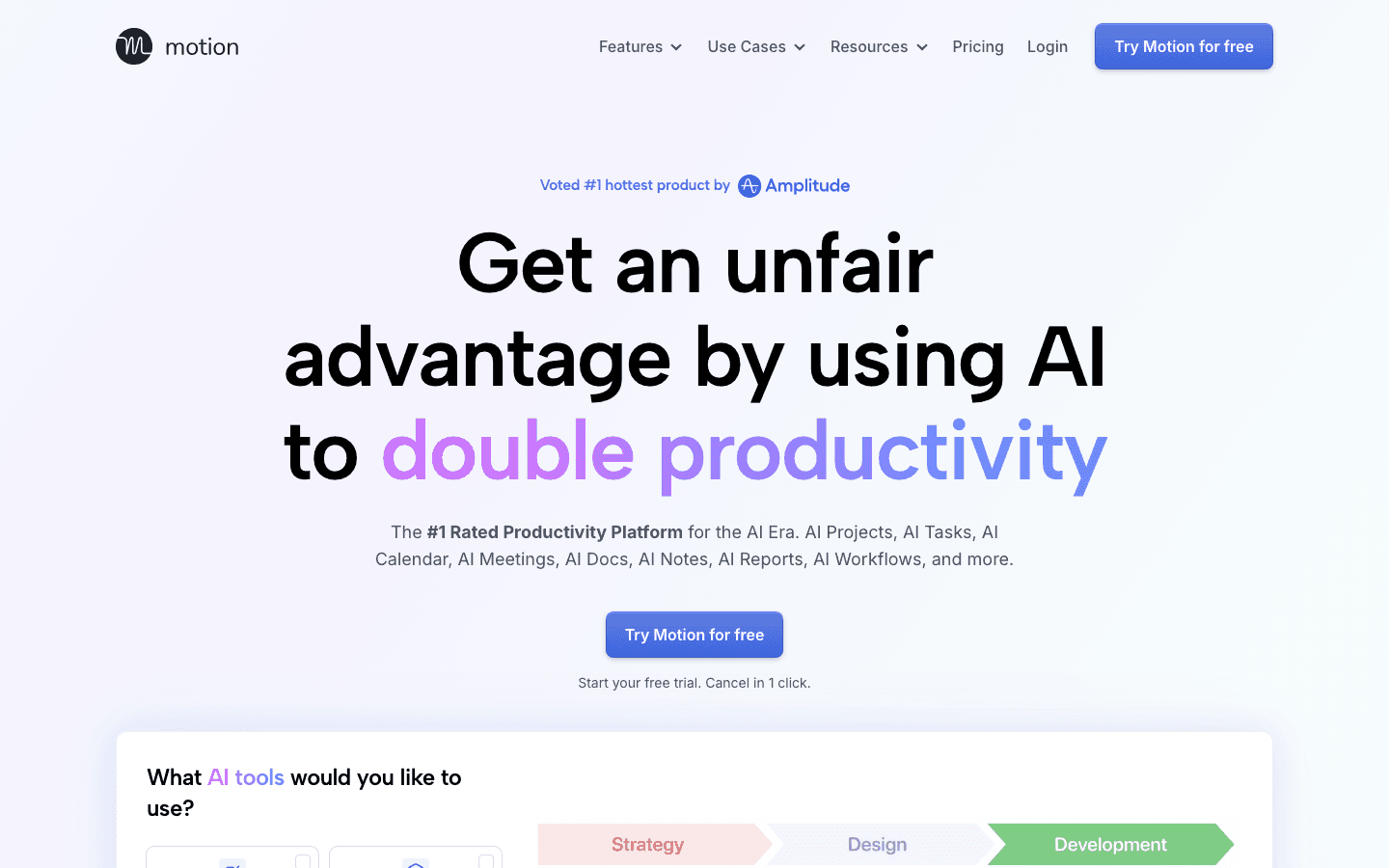
Motion takes a different approach to the scheduling problem. You add tasks with deadlines and priorities, and Motion fills your calendar automatically. It rebuilds your schedule in real time when meetings get added, tasks run long, or something urgent comes in. The goal is zero manual scheduling decisions.
Where Saner focuses on capturing and organizing information, Motion focuses on getting work onto your calendar and keeping it there. If you have a lot of deadlines to juggle and spend too much time figuring out what to work on next, Motion solves that problem more aggressively than anything else on this list.
It also includes AI meeting notes, smart booking links, and a project management layer for teams. It's more opinionated than Saner (you work with Motion's scheduling logic, not your own), but that's also why it works for people who can't stop procrastinating on time management itself.
Key Features
AI auto-scheduling: tasks fill your calendar based on priority and deadlines
Real-time rescheduling when plans change
Project management with task dependencies
AI meeting notes and smart meeting booking
What Works
Eliminates the mental overhead of planning when to do work
Handles context switching well when meetings disrupt the day
Strong team features if you're managing shared projects
Limitations
No energy awareness: it schedules by priority, not by when you think best
Steeper learning curve; takes time to trust the automation
No free tier
Pricing: Pro AI at $19/month or ~$12.76/month (annual). Business AI at $29/month or ~$19.43/month (annual). Free trial available.
Best for: Deadline-heavy work where you want the computer to manage your schedule entirely.
3. Sunsama: Best for Daily Planning Rituals
A guided daily planning session that actually gets you started.
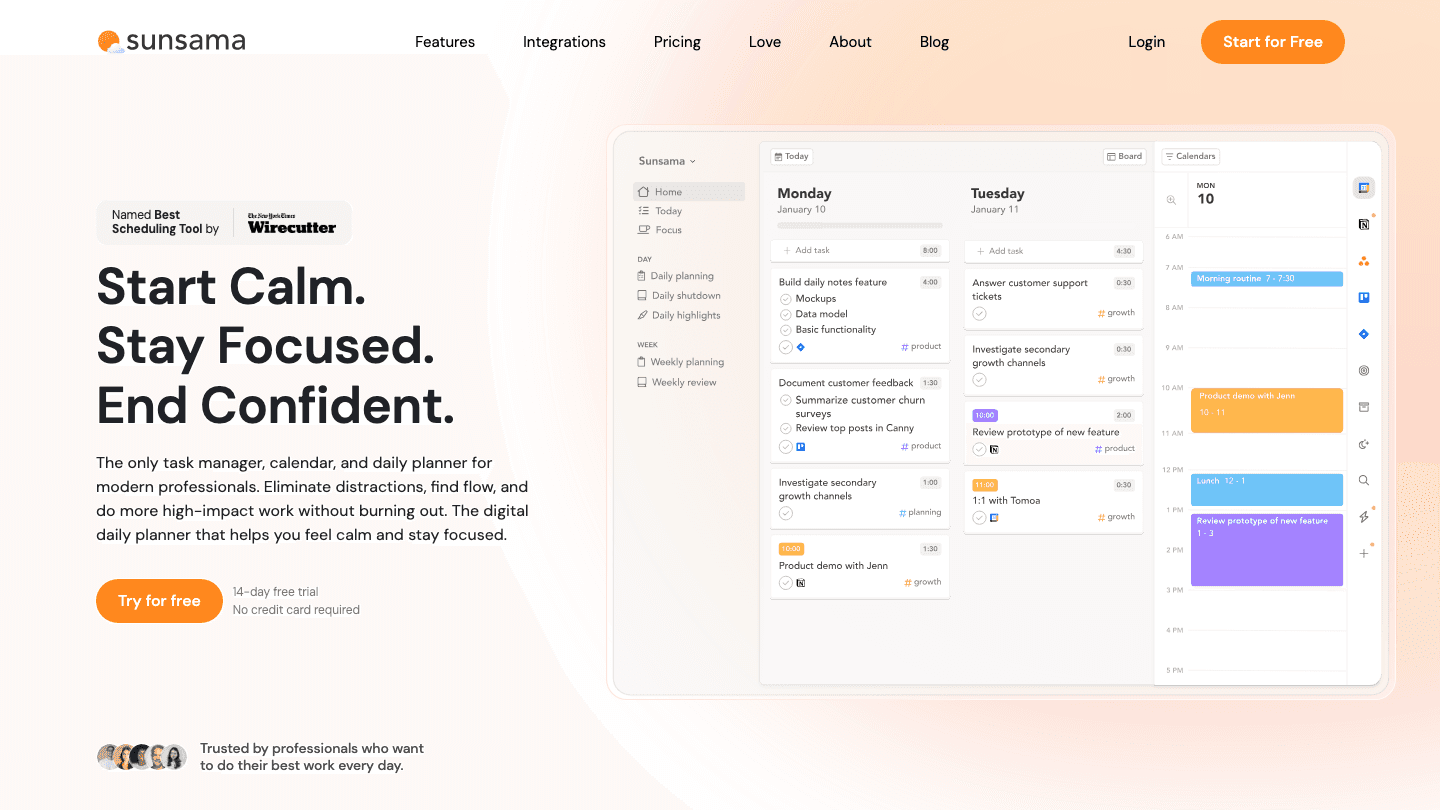
Sunsama is built around a daily planning ritual. Each morning, you review what's coming in from Asana, Todoist, Trello, Notion, GitHub, Gmail, and Slack, pick what you're actually going to do today, and estimate how long each thing will take. The items get timeboxed on your calendar. At the end of the day, you do a brief shutdown ritual.
It sounds simple, but for people who struggle to start their day without structure, it's the exact scaffold they need. The deliberate pacing and ritualized transitions help with the ADHD tendency to dive into whatever feels urgent rather than what matters.
Unlike Saner, Sunsama doesn't try to capture or organize your information. It pulls from wherever your work already lives. The daily planning session is the product, not an inbox. If you're drawn to Saner for the centralization angle but mostly just need something that helps you plan each day intentionally, Sunsama is worth a look. You can also compare Sunsama alternatives if you want to see how it stacks up against other planning tools.
Key Features
Guided daily planning and evening shutdown rituals
Pulls tasks from Asana, Todoist, Trello, ClickUp, Jira, Gmail, Notion, GitHub, Slack
Time estimates and calendar timeboxing
Focus mode to work through your planned tasks
What Works
The planning ritual creates a reliable start-of-day anchor
Integrations are broad enough that you rarely need to manually enter tasks
Calmer and more intentional than most productivity apps
Limitations
No AI auto-scheduling; you still choose when each task gets done
No energy awareness
Pricey for a single-person planner
Pricing: $22/month or $17/month billed annually ($204/year). 14-day free trial, no credit card required.
Best for: People who need a structured daily ritual more than they need AI automation.
4. Todoist: Best for Simple Task Management
The most reliable task manager you'll ever use, with zero bloat.
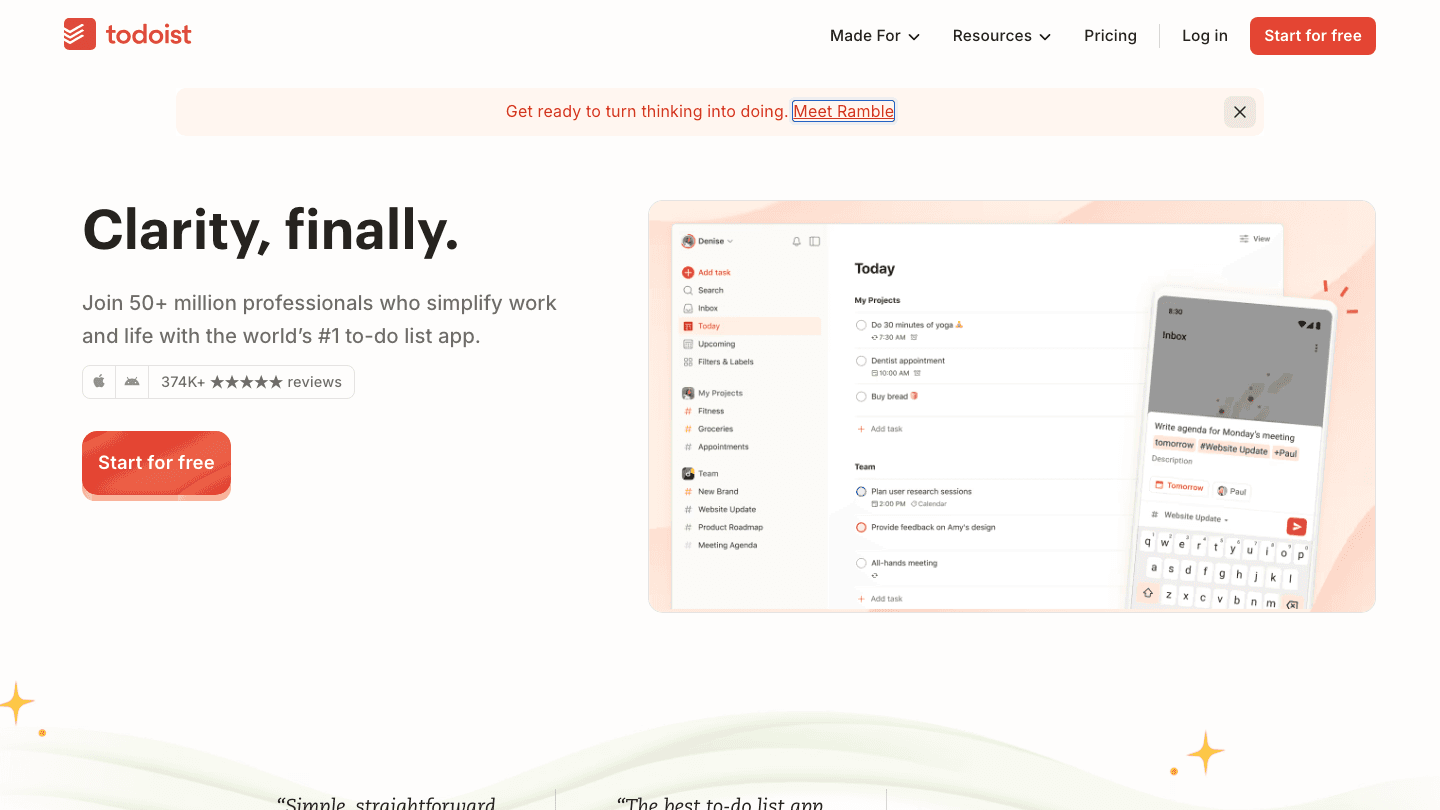
Todoist has been doing one thing for 15 years: managing tasks. There's no AI note capture, no email integration, no calendar automation. There's a task list, natural language input, recurring tasks, priorities, project views, and 100+ integrations. It works exactly the same on every device.
The case for Todoist over Saner is stability. Saner is building out a platform. Todoist has already built one, refined it across tens of millions of users, and doesn't break. If your main frustration with Saner is unreliability or feature gaps, moving to Todoist trades ambition for dependability.
It's also the most generous with the free tier: five projects, basic reminders, and core features with no time limit. If you're evaluating whether a paid task manager is worth it at all, Todoist is the honest place to start. For more calendar management tools that pair well with Todoist, see our roundup.
Key Features
Natural language task entry with date parsing
Recurring tasks, sub-tasks, priorities, and labels
100+ integrations including Google Calendar, Slack, and Zapier
Filters and views for flexible task organization
What Works
Extremely reliable: consistent across web, desktop, and mobile
Natural language input is genuinely fast
Free tier is usable, not crippled
Limitations
No AI scheduling or energy awareness
No built-in calendar or time-blocking view
Requires separate tools for full-day planning
Pricing: Free (5 projects, basic features). Pro at $5/month ($60/year). Business at $8/user/month ($96/user/year).
Best for: Anyone who wants a rock-solid, no-nonsense task manager without a learning curve.
5. ClickUp: Best for Power Users and Teams
Everything Saner promised to be, at full scale.
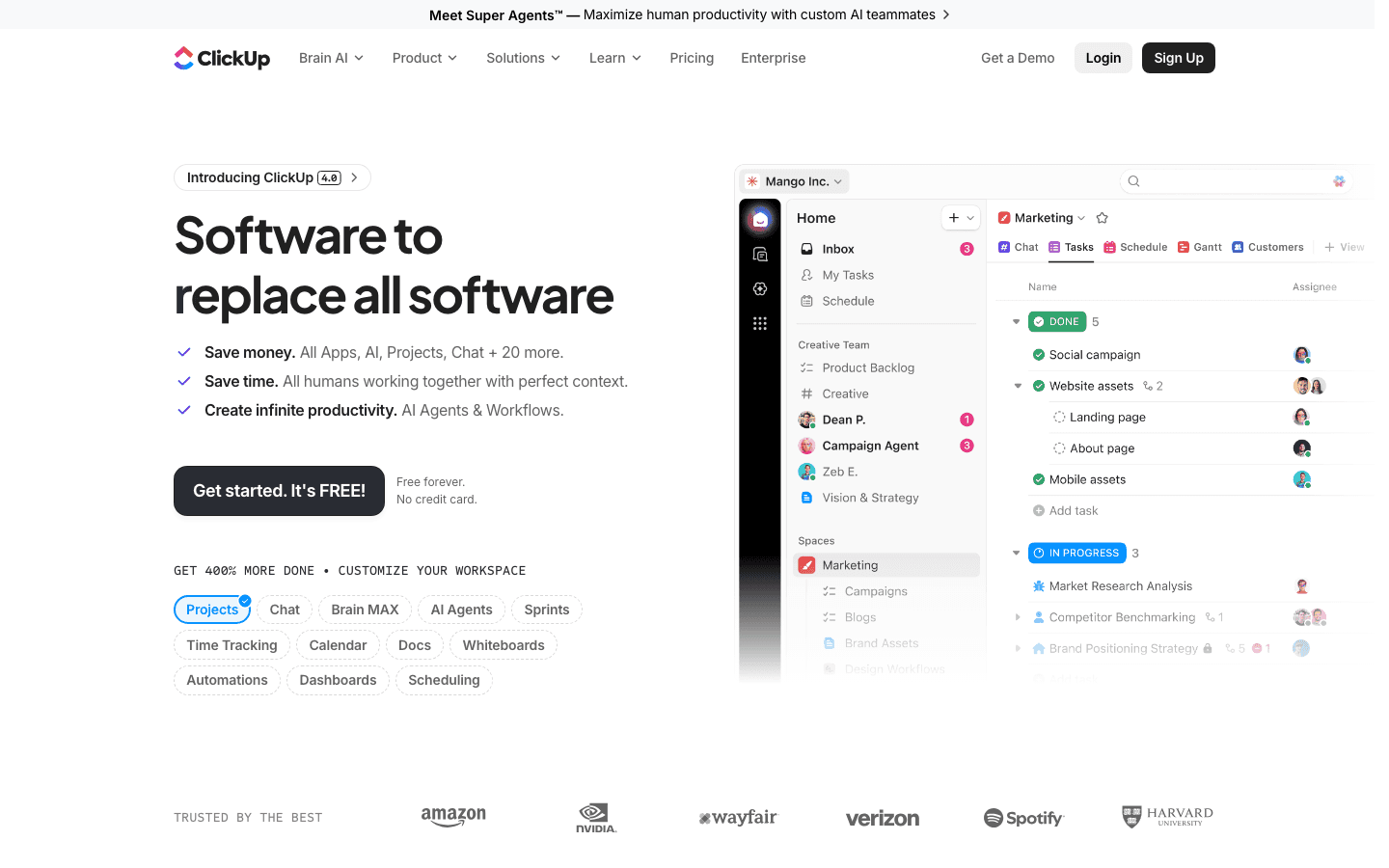
ClickUp positions itself as software to replace all software. Tasks, docs, chat, goals, sprints, timelines, whiteboards, AI: it's all there. If Saner's appeal was the idea of one app for everything, ClickUp is what that looks like when a much larger team builds it over many more years.
The trade-off is complexity. ClickUp can do almost anything, which means there are a lot of settings to configure before it does what you want. For solo productivity use, that overhead isn't always worth it. But for teams managing shared projects, or for power users who genuinely want every workflow in one place, ClickUp delivers on the promise in a way Saner doesn't yet.
The free plan is genuinely useful and doesn't expire. The AI add-on (Brain) integrates across tasks, docs, and chat in a way that's more mature than Saner's current implementation. Check out our AI project management tools guide for more options in this category, or see how scheduling apps compare for team use.
Key Features
Tasks, docs, whiteboards, goals, sprints, and chat in one workspace
ClickUp Brain AI works across all content types
Custom fields, automations, and 1,000+ integrations
Free tier with unlimited tasks and 60MB storage
What Works
Truly replaces multiple tools for teams
Free tier is more functional than most competitors
Flexible enough to accommodate almost any workflow
Limitations
Steep learning curve: significant setup time before it feels natural
No energy-aware scheduling
Can feel overwhelming for solo use
Pricing: Free Forever (unlimited tasks). Unlimited at $7/user/month (annual). Business at $12/user/month (annual). Brain AI add-on at $9/user/month.
Best for: Teams and power users who want a single workspace for all project and knowledge management.
Which Saner Alternative Is Right for You?
You have ADHD and need your schedule to match your energy: go with Lifestack. Nothing else on this list accounts for circadian rhythm and wearable data. See our deeper look at ADHD daily planner apps for more context.
You want your calendar filled automatically without thinking about it: go with Motion.
You want a structured start-of-day ritual that actually works: go with Sunsama.
You want a simple, reliable task list with no bloat: go with Todoist.
You're managing a team or want one app to do everything: go with ClickUp.
FAQ
What is Saner.AI?
Saner.AI is an AI productivity assistant that combines notes, tasks, email, and calendar into one workspace. It uses an AI assistant called Skai to help you organize information and extract tasks from unstructured input. It's designed with ADHD users in mind and offers a free tier with limited AI usage.
Is there a free Saner alternative?
Yes. Todoist has a permanent free tier that supports five projects and core task management with no time limit. ClickUp also offers a free plan with unlimited tasks. Lifestack offers a 7-day free trial so you can test energy-aware scheduling before committing.
What is the best Saner alternative for ADHD?
Lifestack. It's the only app on this list that schedules tasks around your actual cognitive energy using wearable data. This directly addresses one of the core ADHD challenges: doing the right work at the right time. You can read more in our ADHD time management apps guide.
Does Saner have a calendar integration?
Yes, Saner integrates with Google Calendar. But it doesn't auto-schedule tasks onto your calendar the way Motion does, and it doesn't use calendar data to suggest when to work the way Lifestack does. The integration is primarily for viewing events alongside your tasks.
Is Motion better than Saner?
For calendar automation, yes. Motion automatically schedules tasks into your calendar based on deadlines and priority. Saner doesn't do that. If your main problem is figuring out when to do things, Motion is more directly useful. If you need note capture and knowledge organization alongside tasks, Saner has the edge there.
What is the cheapest Saner alternative?
Todoist's free plan and ClickUp's Free Forever plan both cost nothing. Among paid tools, Lifestack at $7/month is the most affordable option with meaningful AI scheduling features. Saner's own Starter plan is $8/month for comparison.
Why People Look for a Saner AI Alternative
Saner.AI has an interesting pitch: one workspace for your notes, tasks, email, and calendar, with an AI assistant that ties it all together. For anyone drowning in tabs and apps, that sounds like exactly what they need. The reality, though, is a bit messier.
The free tier caps you at 30 AI messages per month and 100 notes. You hit those limits fast if you actually rely on it daily. The mobile experience lags behind the web app. And the all-in-one approach means you're betting your whole system on one relatively young product. When a core feature breaks or changes, there's no fallback.
None of this makes Saner bad. But it does explain why people end up Googling "Saner alternative" a few weeks in. Below are five tools that handle the parts that matter most: getting things scheduled, keeping you focused, and not losing tasks to the void.
Key Takeaways
Lifestack is the best Saner alternative for ADHD users: it schedules tasks around your actual energy levels, not just deadlines.
Motion automates your calendar so you stop deciding when to do things and just do them.
Todoist is the right choice if you want something simple, proven, and free to start.
Quick Guide: Best Saner Alternatives
1. Lifestack: Best for energy-aware ADHD scheduling
2. Motion: Best for AI calendar automation
3. Sunsama: Best for structured daily planning rituals
4. Todoist: Best for simple, no-fuss task management
5. ClickUp: Best for teams and power users who want everything in one place
How We Evaluated
We looked at five things: how well each app handles task scheduling (not just capture), whether it accounts for cognitive load and energy, how it integrates with tools people already use, pricing relative to what you actually get, and how it performs on mobile.
Saner's core promise is turning scattered information into action. We measured each alternative against that same bar.
1. Lifestack: Best for ADHD-Aware Scheduling
Plan your day around your energy, not just your deadlines.
Saner tries to organize your information. Lifestack goes a step further: it organizes your time based on when your brain actually works. It connects to wearables like Oura, WHOOP, Garmin, and Apple Watch to map your circadian energy patterns, then schedules your tasks into windows where you're most likely to actually do them.
The difference shows up in the hardest part of any productivity system: the gap between "tasks I wrote down" and "tasks I actually completed." If you've been diagnosed with ADHD or just notice that your focus varies wildly by time of day, Lifestack addresses that directly. Heavy cognitive work gets placed in your peak windows. Admin and low-effort tasks fill the troughs. The calendar fills itself around your real schedule.
It syncs with Todoist, Trello, and Google Calendar, so you're not starting from scratch. And unlike Saner, which requires you to centralize everything into its own system, Lifestack works as a scheduling layer on top of the tools you already use. See how it compares to other ADHD time management apps and AI planner apps if you want more context before deciding.
Key Features
Energy-aware scheduling using data from Oura, WHOOP, Garmin, Apple Watch
Circadian time blocking that adapts to your daily rhythm
Two-way sync with Todoist, Trello, and Google Calendar
Mobile app for iOS and Android
What Works
Actually accounts for when you can think, not just when something is due
Works alongside your existing task manager rather than replacing it
Wearable integration makes the energy data real, not theoretical
Limitations
No built-in note capture or email integration
Wearable required to unlock the full energy-scheduling feature
Pricing: $7/month or $50/year. 7-day free trial.
Best for: ADHD users and anyone whose productivity depends on aligning tasks with energy, not just time.
2. Motion: Best for Calendar Automation
Stop deciding when to do things. Let your calendar decide for you.
Motion takes a different approach to the scheduling problem. You add tasks with deadlines and priorities, and Motion fills your calendar automatically. It rebuilds your schedule in real time when meetings get added, tasks run long, or something urgent comes in. The goal is zero manual scheduling decisions.
Where Saner focuses on capturing and organizing information, Motion focuses on getting work onto your calendar and keeping it there. If you have a lot of deadlines to juggle and spend too much time figuring out what to work on next, Motion solves that problem more aggressively than anything else on this list.
It also includes AI meeting notes, smart booking links, and a project management layer for teams. It's more opinionated than Saner (you work with Motion's scheduling logic, not your own), but that's also why it works for people who can't stop procrastinating on time management itself.
Key Features
AI auto-scheduling: tasks fill your calendar based on priority and deadlines
Real-time rescheduling when plans change
Project management with task dependencies
AI meeting notes and smart meeting booking
What Works
Eliminates the mental overhead of planning when to do work
Handles context switching well when meetings disrupt the day
Strong team features if you're managing shared projects
Limitations
No energy awareness: it schedules by priority, not by when you think best
Steeper learning curve; takes time to trust the automation
No free tier
Pricing: Pro AI at $19/month or ~$12.76/month (annual). Business AI at $29/month or ~$19.43/month (annual). Free trial available.
Best for: Deadline-heavy work where you want the computer to manage your schedule entirely.
3. Sunsama: Best for Daily Planning Rituals
A guided daily planning session that actually gets you started.
Sunsama is built around a daily planning ritual. Each morning, you review what's coming in from Asana, Todoist, Trello, Notion, GitHub, Gmail, and Slack, pick what you're actually going to do today, and estimate how long each thing will take. The items get timeboxed on your calendar. At the end of the day, you do a brief shutdown ritual.
It sounds simple, but for people who struggle to start their day without structure, it's the exact scaffold they need. The deliberate pacing and ritualized transitions help with the ADHD tendency to dive into whatever feels urgent rather than what matters.
Unlike Saner, Sunsama doesn't try to capture or organize your information. It pulls from wherever your work already lives. The daily planning session is the product, not an inbox. If you're drawn to Saner for the centralization angle but mostly just need something that helps you plan each day intentionally, Sunsama is worth a look. You can also compare Sunsama alternatives if you want to see how it stacks up against other planning tools.
Key Features
Guided daily planning and evening shutdown rituals
Pulls tasks from Asana, Todoist, Trello, ClickUp, Jira, Gmail, Notion, GitHub, Slack
Time estimates and calendar timeboxing
Focus mode to work through your planned tasks
What Works
The planning ritual creates a reliable start-of-day anchor
Integrations are broad enough that you rarely need to manually enter tasks
Calmer and more intentional than most productivity apps
Limitations
No AI auto-scheduling; you still choose when each task gets done
No energy awareness
Pricey for a single-person planner
Pricing: $22/month or $17/month billed annually ($204/year). 14-day free trial, no credit card required.
Best for: People who need a structured daily ritual more than they need AI automation.
4. Todoist: Best for Simple Task Management
The most reliable task manager you'll ever use, with zero bloat.
Todoist has been doing one thing for 15 years: managing tasks. There's no AI note capture, no email integration, no calendar automation. There's a task list, natural language input, recurring tasks, priorities, project views, and 100+ integrations. It works exactly the same on every device.
The case for Todoist over Saner is stability. Saner is building out a platform. Todoist has already built one, refined it across tens of millions of users, and doesn't break. If your main frustration with Saner is unreliability or feature gaps, moving to Todoist trades ambition for dependability.
It's also the most generous with the free tier: five projects, basic reminders, and core features with no time limit. If you're evaluating whether a paid task manager is worth it at all, Todoist is the honest place to start. For more calendar management tools that pair well with Todoist, see our roundup.
Key Features
Natural language task entry with date parsing
Recurring tasks, sub-tasks, priorities, and labels
100+ integrations including Google Calendar, Slack, and Zapier
Filters and views for flexible task organization
What Works
Extremely reliable: consistent across web, desktop, and mobile
Natural language input is genuinely fast
Free tier is usable, not crippled
Limitations
No AI scheduling or energy awareness
No built-in calendar or time-blocking view
Requires separate tools for full-day planning
Pricing: Free (5 projects, basic features). Pro at $5/month ($60/year). Business at $8/user/month ($96/user/year).
Best for: Anyone who wants a rock-solid, no-nonsense task manager without a learning curve.
5. ClickUp: Best for Power Users and Teams
Everything Saner promised to be, at full scale.
ClickUp positions itself as software to replace all software. Tasks, docs, chat, goals, sprints, timelines, whiteboards, AI: it's all there. If Saner's appeal was the idea of one app for everything, ClickUp is what that looks like when a much larger team builds it over many more years.
The trade-off is complexity. ClickUp can do almost anything, which means there are a lot of settings to configure before it does what you want. For solo productivity use, that overhead isn't always worth it. But for teams managing shared projects, or for power users who genuinely want every workflow in one place, ClickUp delivers on the promise in a way Saner doesn't yet.
The free plan is genuinely useful and doesn't expire. The AI add-on (Brain) integrates across tasks, docs, and chat in a way that's more mature than Saner's current implementation. Check out our AI project management tools guide for more options in this category, or see how scheduling apps compare for team use.
Key Features
Tasks, docs, whiteboards, goals, sprints, and chat in one workspace
ClickUp Brain AI works across all content types
Custom fields, automations, and 1,000+ integrations
Free tier with unlimited tasks and 60MB storage
What Works
Truly replaces multiple tools for teams
Free tier is more functional than most competitors
Flexible enough to accommodate almost any workflow
Limitations
Steep learning curve: significant setup time before it feels natural
No energy-aware scheduling
Can feel overwhelming for solo use
Pricing: Free Forever (unlimited tasks). Unlimited at $7/user/month (annual). Business at $12/user/month (annual). Brain AI add-on at $9/user/month.
Best for: Teams and power users who want a single workspace for all project and knowledge management.
Which Saner Alternative Is Right for You?
You have ADHD and need your schedule to match your energy: go with Lifestack. Nothing else on this list accounts for circadian rhythm and wearable data. See our deeper look at ADHD daily planner apps for more context.
You want your calendar filled automatically without thinking about it: go with Motion.
You want a structured start-of-day ritual that actually works: go with Sunsama.
You want a simple, reliable task list with no bloat: go with Todoist.
You're managing a team or want one app to do everything: go with ClickUp.
FAQ
What is Saner.AI?
Saner.AI is an AI productivity assistant that combines notes, tasks, email, and calendar into one workspace. It uses an AI assistant called Skai to help you organize information and extract tasks from unstructured input. It's designed with ADHD users in mind and offers a free tier with limited AI usage.
Is there a free Saner alternative?
Yes. Todoist has a permanent free tier that supports five projects and core task management with no time limit. ClickUp also offers a free plan with unlimited tasks. Lifestack offers a 7-day free trial so you can test energy-aware scheduling before committing.
What is the best Saner alternative for ADHD?
Lifestack. It's the only app on this list that schedules tasks around your actual cognitive energy using wearable data. This directly addresses one of the core ADHD challenges: doing the right work at the right time. You can read more in our ADHD time management apps guide.
Does Saner have a calendar integration?
Yes, Saner integrates with Google Calendar. But it doesn't auto-schedule tasks onto your calendar the way Motion does, and it doesn't use calendar data to suggest when to work the way Lifestack does. The integration is primarily for viewing events alongside your tasks.
Is Motion better than Saner?
For calendar automation, yes. Motion automatically schedules tasks into your calendar based on deadlines and priority. Saner doesn't do that. If your main problem is figuring out when to do things, Motion is more directly useful. If you need note capture and knowledge organization alongside tasks, Saner has the edge there.
What is the cheapest Saner alternative?
Todoist's free plan and ClickUp's Free Forever plan both cost nothing. Among paid tools, Lifestack at $7/month is the most affordable option with meaningful AI scheduling features. Saner's own Starter plan is $8/month for comparison.



FOLLOW ON
FOLLOW ON
FOLLOW ON


Copyright 2026 © Lifestack. All rights reserved
Copyright 2026 © Lifestack. All rights reserved

