
App
7 Best AI Project Management Tools in 2026 (Tested and Ranked)
7 Best AI Project Management Tools in 2026 (Tested and Ranked)
Most project management software has bolted AI onto an already crowded interface. A chat box here, a "summarize this" button there. The tools worth your time use AI to do something harder: decide what should happen next, schedule it, and adjust when reality changes. That's the difference between a feature and an actual assistant.
AI project management tools now span a wide range, from team platforms that plan sprints and flag risks, to personal planners that arrange your day around when you can actually focus. We spent time inside each of the tools below, looking at how good the AI planning really is, how much control you keep, and whether the automation holds up once a real week gets messy.
This list leans toward tools that schedule and prioritize for you, not just store tasks. We start with Lifestack, which takes the most unusual angle by planning around your energy, then move through the heavy hitters in team project management and personal scheduling.
Key Takeaways
The best AI project management tools don't just track work, they decide when each task should happen and rebuild the plan when something slips.
Team platforms like ClickUp and Asana are strong for managing many people, but most ignore the individual's capacity on any given day.
Scheduling around your energy rather than just open calendar slots is the one approach that consistently prevents over-packed, unrealistic days.
The 7 Best AI Project Management Tools at a Glance
Lifestack - AI daily planner that schedules tasks around your real energy levels
Motion - Fully automatic scheduling with project and team management
ClickUp - All-in-one team platform with AI woven across the workflow
Notion - Flexible workspace with AI agents and database-driven projects
Asana - Enterprise project management with AI teammates that move work forward
Akiflow - Fast task capture and time-blocking from a command bar
Sunsama - Guided daily planning ritual for intentional, calmer workdays
How We Evaluated These Tools
Pricing and features change constantly, so we focused on the things that actually determine whether a tool helps you ship work. We weighed each one on:
Quality of AI planning: does it make smart scheduling decisions, or just rephrase your to-do list?
Automation versus control: can you trust it to plan, while still overriding when you need to?
Integrations: does it connect to your calendar, task apps, and the rest of your stack?
Energy and capacity awareness: does it respect how much you can realistically do, not just what fits?
Pricing transparency and platform support.
1. Lifestack
The AI planner that schedules your work around your energy, not just your calendar.

Every other tool on this list plans around time. Lifestack plans around energy. It connects to your Oura ring, WHOOP, or Apple Watch, reads your sleep and recovery data, and builds a daily schedule that puts demanding work in your high-energy windows and lighter tasks where your focus naturally dips.
For project work, this matters more than it sounds. A plan that ignores capacity produces the same broken day everyone knows: four deep-work blocks stacked on a morning after five hours of sleep, none of which get done. Lifestack is an AI planner that treats your actual readiness as a scheduling input, then reshuffles the day automatically when a meeting runs long or a task overflows.
Key Features
Energy-aware scheduling driven by real sleep and recovery data
Automatic rescheduling when plans change during the day
Calendar and task integrations in one timeline
Wearable sync with Oura, WHOOP, and Apple Watch
What Works
The only tool here that schedules based on how capable you actually are that day
Removes the daily decision of what to do when, which helps if planning is the part you avoid
Genuinely useful for people who struggle with sequencing and prioritizing
Limitations
Built for individual planning, not multi-person team boards
Energy features are most valuable if you wear a tracker
Pricing: $7/month or $50/year (7-day free trial on the annual plan), with a $120 lifetime option. iOS, Android, and Chrome extension.
Best for: individuals and anyone who wants their plan to match their real capacity instead of an idealized version of the day.
2. Motion
Fully automatic scheduling for people who want the AI to just decide.
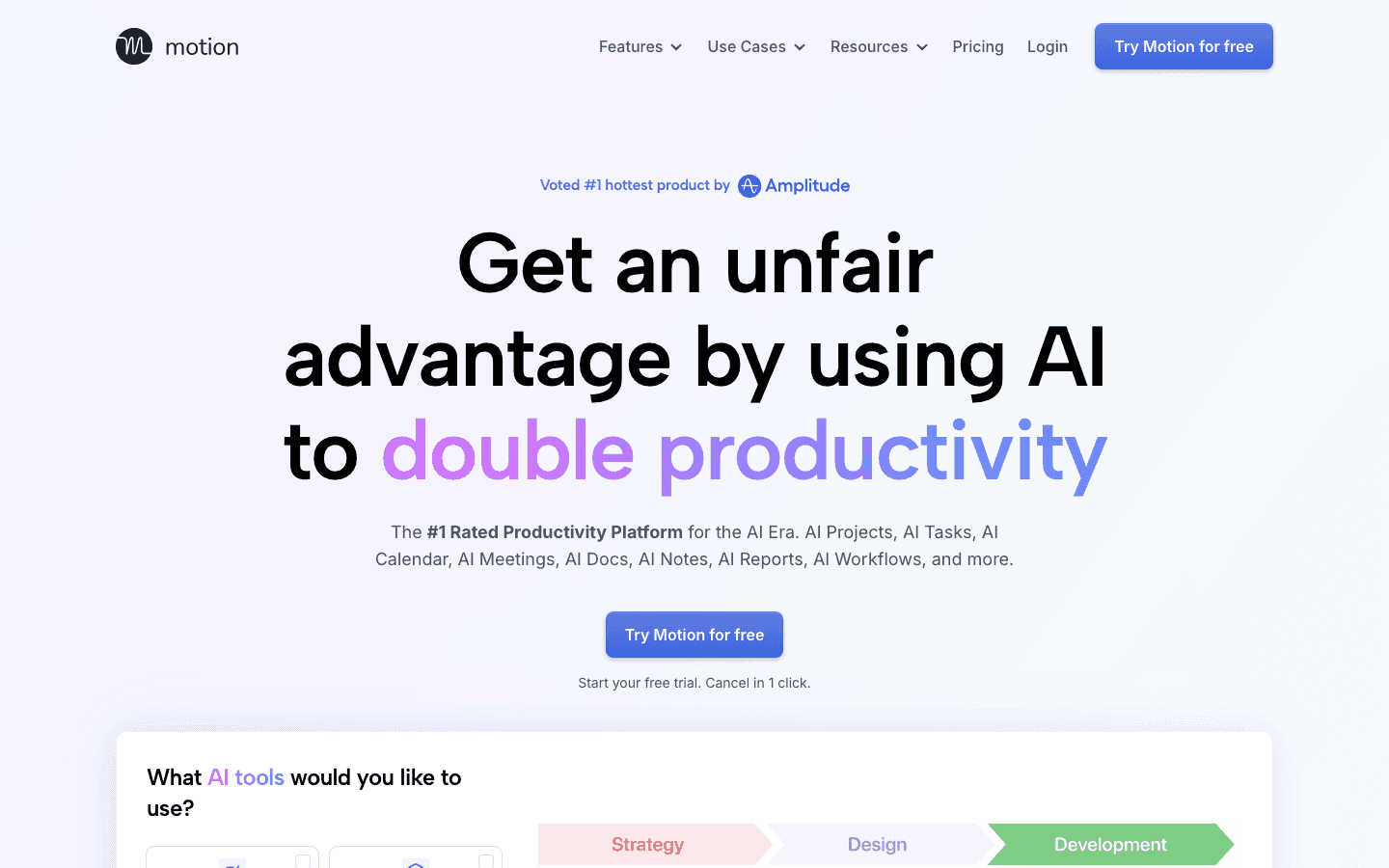
Motion is the most aggressive auto-scheduler on this list. You add tasks with deadlines and priorities, and it builds and continuously rebuilds your calendar so everything fits before its due date. When something changes, the whole schedule re-optimizes without you touching it.
It also handles projects and team workloads, which makes it more of a true project management tool than a personal planner. The trade-off is that the heavy automation can feel like a black box, and the learning curve is real before it starts saving you time.
What Works
Genuinely hands-off scheduling once it's set up
Combines personal tasks, projects, and team capacity in one calendar
Strong for deadline-driven work with lots of moving parts
Limitations
No energy awareness, it fills time slots without regard for how depleted you are
Expensive, and the auto-scheduling can feel rigid when you want to override it
Pricing: Pro AI is $19 per seat per month, Business AI is $29 per seat per month, both around 33% cheaper billed annually. Free trial available.
Best for: deadline-heavy professionals who want maximum automation and minimal manual planning.
3. ClickUp
The all-in-one team platform that wants to replace your whole stack.
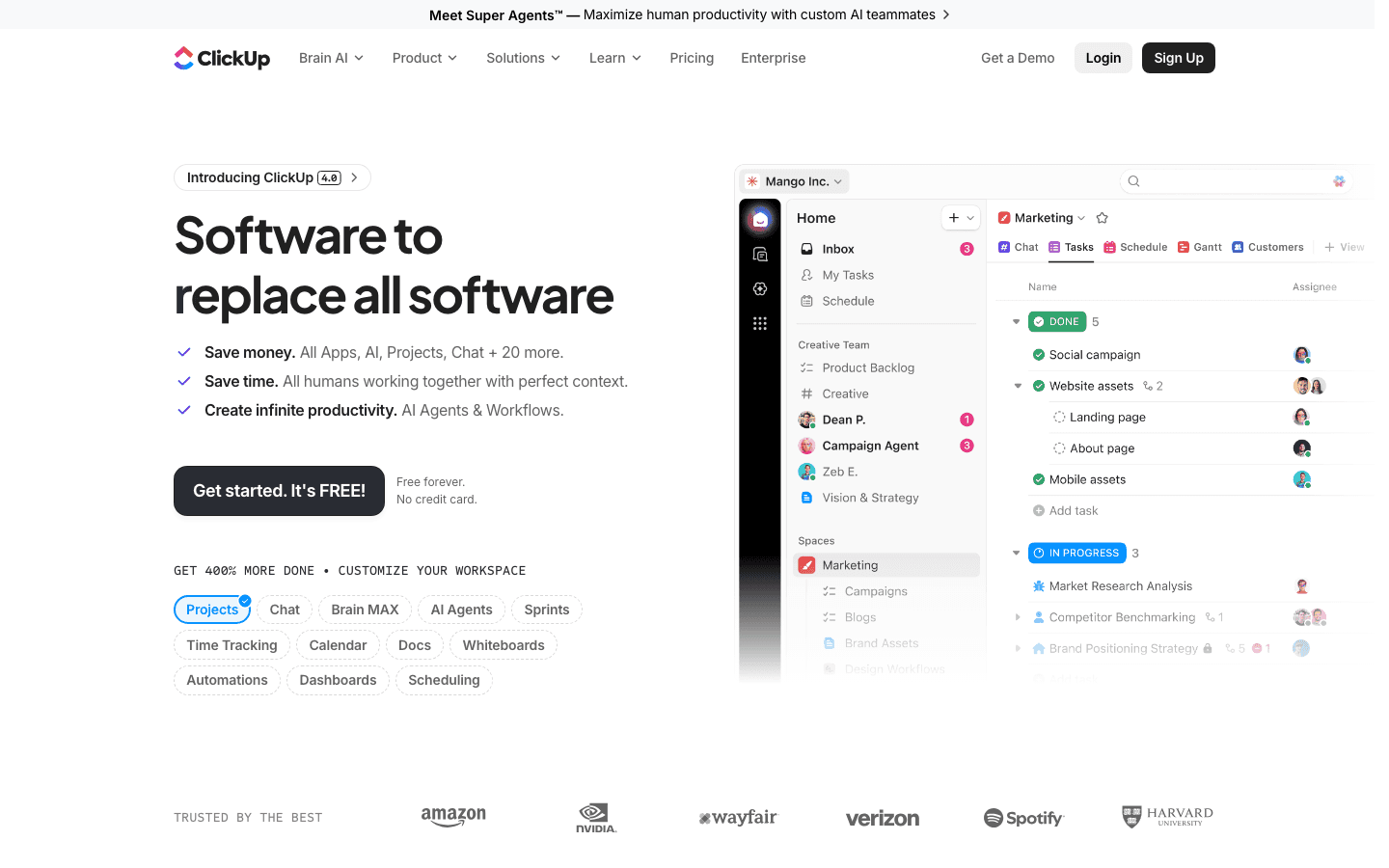
ClickUp is a full team project management platform: tasks, docs, chat, goals, dashboards, sprints, and now AI agents layered across all of it. Its Brain AI can summarize threads, write updates, answer questions about your projects, and automate routine steps in a workflow.
If you're managing a team and want one place for everything, ClickUp is hard to beat on breadth. The flip side is that the breadth is also the catch. There are a lot of features to configure, and individual users can find it heavy for simply planning their own day.
What Works
Enormous feature set covering nearly every project management need
AI agents that act inside your existing workflows, not just a side chat
Free forever plan that's genuinely usable for small teams
Limitations
Can overwhelm individual users who just want to plan their own work
No sense of personal energy or daily capacity
Best AI features sit behind a separate add-on
Pricing: Free plan available. Unlimited is $7 per user per month and Business is $12 per user per month (billed annually). The Brain AI add-on is $9 per user per month.
Best for: teams that want a single platform for projects, docs, and communication.
4. Notion
The flexible workspace where you build the project system you want.
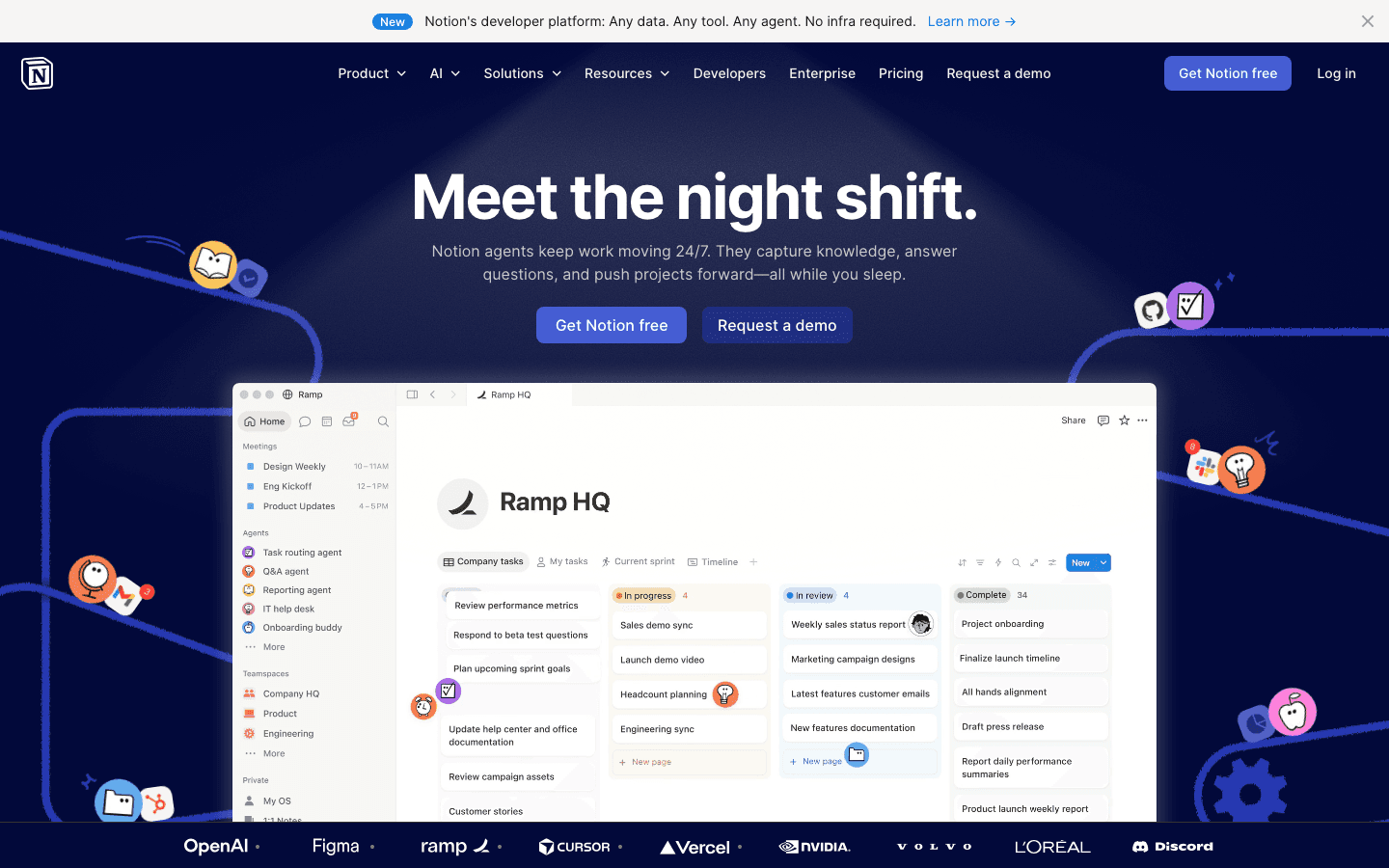
Notion isn't a dedicated project manager out of the box, it's a set of building blocks you assemble into one. Databases, pages, and views let you design a project system that fits how your team actually works, and Notion AI now adds agents that can fill in databases, draft documents, and answer questions across your workspace.
That flexibility is the appeal and the cost. A well-built Notion setup is a joy to use. Getting there takes setup time, and the AI is more of an assistant inside your docs than an engine that schedules work for you. For pairing it with a real calendar, see our guide to the best calendar apps.
What Works
Endlessly customizable, build exactly the project structure you need
AI agents that work across notes, docs, and databases
Doubles as a knowledge base, wiki, and project tracker in one
Limitations
Requires real setup before it's useful for project management
No automatic scheduling or capacity planning
Pricing: Free plan available. Plus is $10 per member per month, Business is $20 per member per month with full Notion AI included (billed annually).
Best for: teams that want to design their own flexible project and knowledge system.
5. Asana
Enterprise-grade project management with AI teammates.
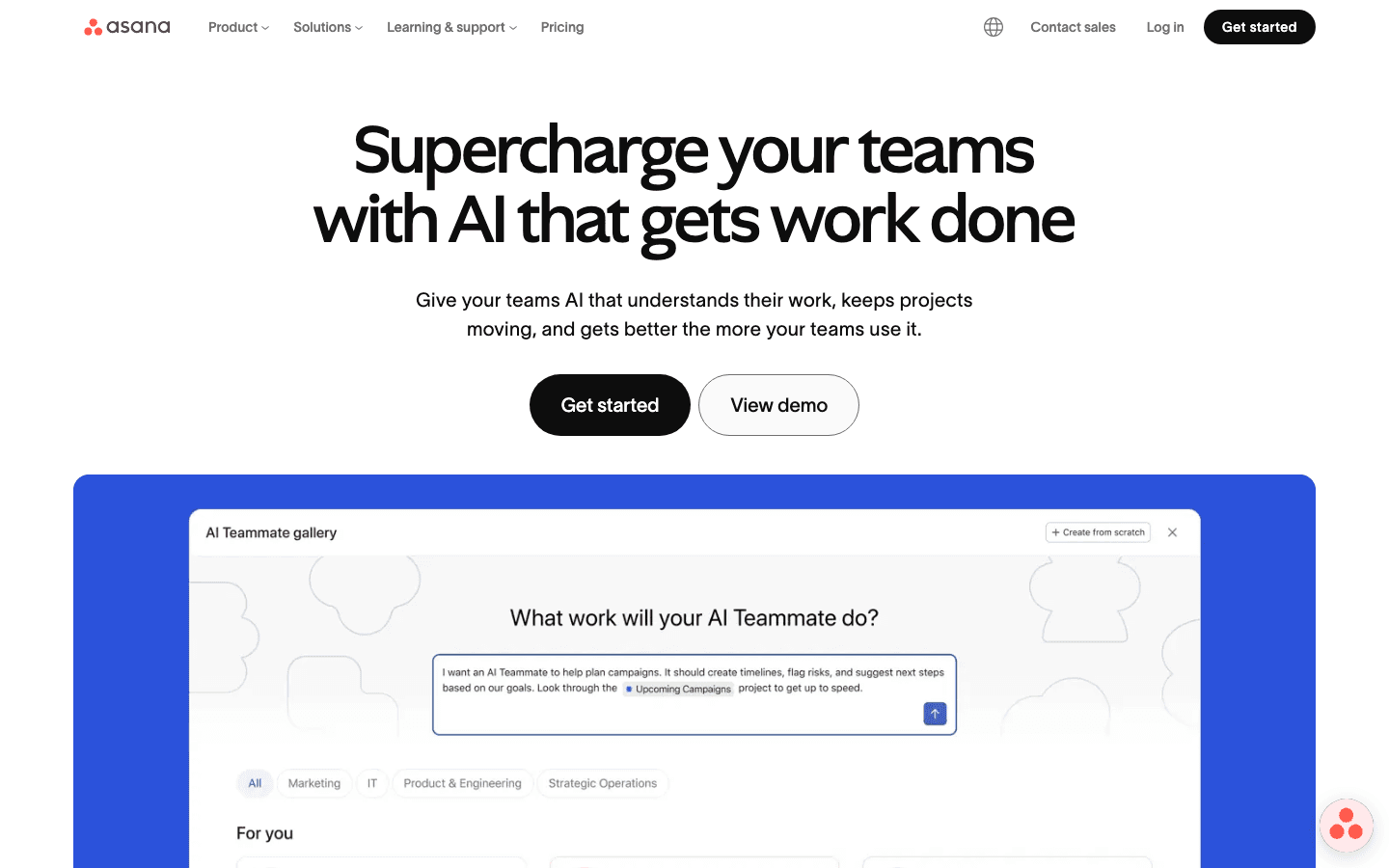
Asana is a mature, widely adopted project management platform built for coordinating work across teams and departments. Its newer AI Studio lets you create AI teammates that handle parts of a workflow: triaging incoming requests, flagging at-risk projects, drafting status updates, and suggesting next steps based on your goals.
It's a strong choice for larger organizations that need reporting, portfolios, and workload management. For an individual or a small team, it's more structure than you probably need, and the most useful AI sits in the higher tiers.
What Works
Reliable, polished, and trusted at scale
AI teammates that act on real project context, not generic prompts
Strong reporting, portfolios, and workload views
Limitations
Overkill for individuals or very small teams
No personal energy or daily-capacity awareness
Pricing: Free for up to 10 users. Starter is $10.99 per user per month and Advanced is $24.99 per user per month (billed annually), with AI Studio credits included.
Best for: established teams and organizations that need enterprise project management.
6. Akiflow
Fast capture and time-blocking from a single command bar.
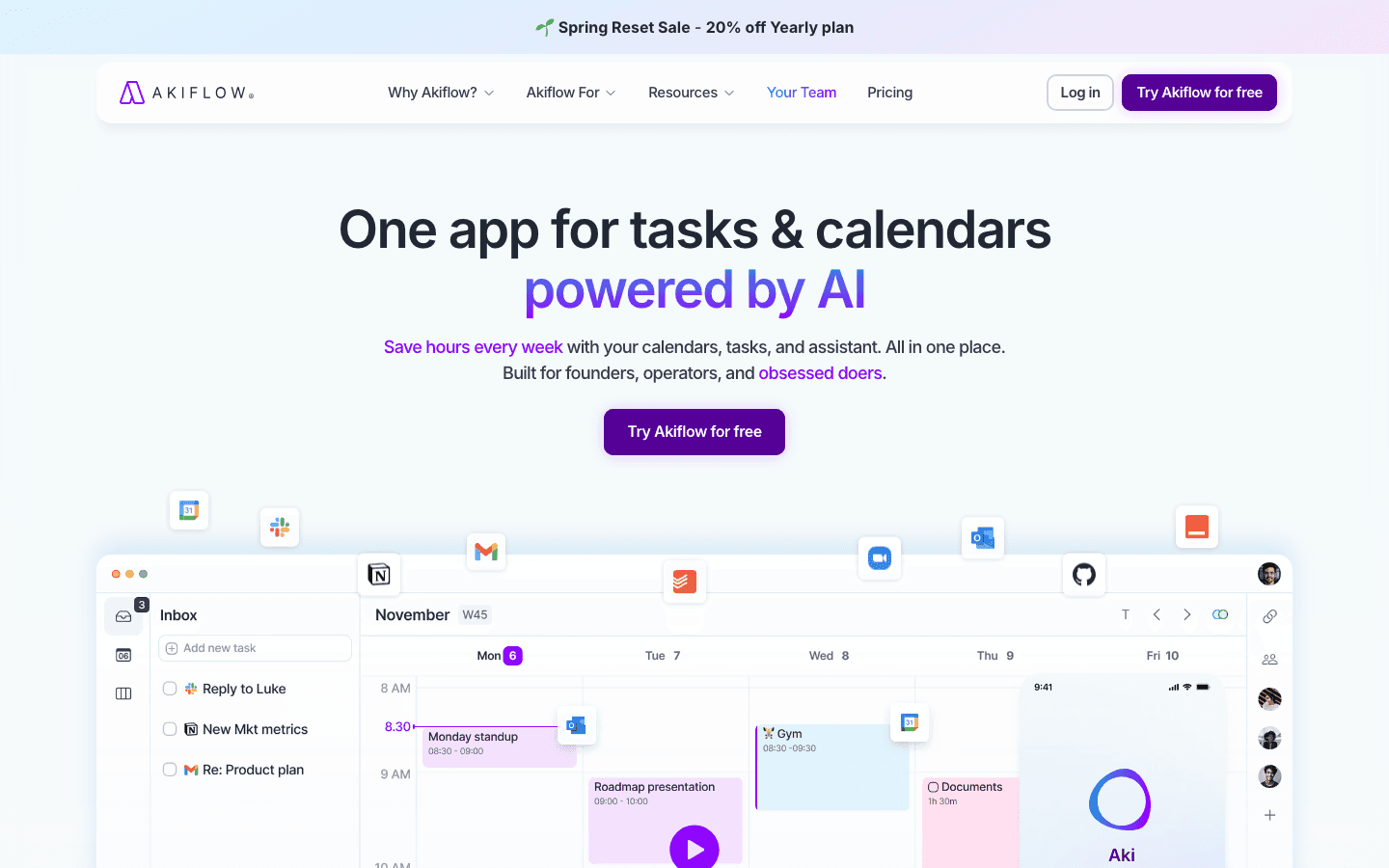
Akiflow pulls tasks from all your tools into one inbox, then makes it fast to drag them onto your calendar as time blocks. A keyboard-driven command bar means you can capture and schedule without breaking flow, and its AI assistant helps plan the day and clean up your inbox.
It sits between a personal planner and a project tool, best for people who already have a task system and want a faster, calendar-first way to actually execute it. It's not built for managing a team's projects.
What Works
Very fast capture and scheduling via the command bar
Consolidates tasks from many sources into one calendar view
Keyboard-first design that suits power users
Limitations
Single-user focus, not a team project management platform
No energy-based scheduling, you still decide what goes where
One of the pricier options for an individual tool
Pricing: Pro is $34/month billed monthly, or $19/month billed annually. 7-day free trial.
Best for: individual power users who want fast, calendar-first time-blocking.
7. Sunsama
A calmer, guided daily planning ritual.
Sunsama takes the opposite approach to Motion. Instead of automating everything, it walks you through a short planning ritual each morning, pulling in tasks from your other tools and asking you to consciously choose what fits in the day. It's deliberately slower, designed to make you intentional rather than just busy.
There's light AI assistance for time estimates and planning, but the philosophy is human-in-the-loop by design. People who feel overwhelmed by aggressive automation often prefer it, while those who want the AI to just decide will find it too manual.
What Works
Calming, structured daily and weekly planning routine
Pulls tasks from most major project and task tools
Encourages realistic, intentional days
Limitations
More manual than the AI-first tools here
No automatic rescheduling or energy awareness
Best for: people who want structure and intention over heavy automation.
Which AI Project Management Tool Is Right for You?
Want your plan to match your real energy and capacity: Lifestack.
Want maximum automatic scheduling: Motion.
Managing a team and want one platform for everything: ClickUp or Asana.
Want to design a fully custom project and knowledge system: Notion.
Already have a task system and want fast time-blocking: Akiflow.
Want a calm, intentional daily planning ritual: Sunsama.
Frequently Asked Questions
What are AI project management tools?
They're project and task tools that use AI to do more than store work. The better ones schedule tasks, prioritize them, flag risks, draft updates, and rebuild the plan when something changes. The weakest just add a chatbot to an existing interface. The useful distinction is whether the AI makes scheduling and prioritization decisions for you or only answers questions.
What is the best AI project management tool for individuals?
For individual planning, Lifestack stands out because it schedules your work around your actual energy rather than just open calendar slots. Motion and Akiflow are also strong for solo users who want heavy automation or fast time-blocking. The big team platforms like ClickUp and Asana tend to be more than an individual needs.
Do AI project management tools work for ADHD?
They can help a lot, but the design matters. Tools that automate sequencing and rescheduling reduce the planning friction that often trips up ADHD brains, which is exactly the part that's hardest to sustain manually. Energy-aware scheduling helps too, since it stops you from committing to a day your brain can't actually deliver. Heavy, feature-dense platforms can have the opposite effect and add overwhelm.
Are AI project management tools worth the cost?
If the tool actually plans and reschedules for you, the time saved usually justifies it within a month or two. The ones that just add a chat assistant to features you already had are harder to justify. Most offer free trials or free tiers, so the practical move is to test whether the AI changes how your week runs before committing.
Can AI project management tools replace a project manager?
No, and that's not really the goal. They remove the repetitive parts: scheduling, status updates, reminders, and re-planning when things slip. The judgment calls, stakeholder communication, and prioritization tradeoffs still need a human. Think of them as tools that handle the mechanics so the people can focus on the decisions.
Most project management software has bolted AI onto an already crowded interface. A chat box here, a "summarize this" button there. The tools worth your time use AI to do something harder: decide what should happen next, schedule it, and adjust when reality changes. That's the difference between a feature and an actual assistant.
AI project management tools now span a wide range, from team platforms that plan sprints and flag risks, to personal planners that arrange your day around when you can actually focus. We spent time inside each of the tools below, looking at how good the AI planning really is, how much control you keep, and whether the automation holds up once a real week gets messy.
This list leans toward tools that schedule and prioritize for you, not just store tasks. We start with Lifestack, which takes the most unusual angle by planning around your energy, then move through the heavy hitters in team project management and personal scheduling.
Key Takeaways
The best AI project management tools don't just track work, they decide when each task should happen and rebuild the plan when something slips.
Team platforms like ClickUp and Asana are strong for managing many people, but most ignore the individual's capacity on any given day.
Scheduling around your energy rather than just open calendar slots is the one approach that consistently prevents over-packed, unrealistic days.
The 7 Best AI Project Management Tools at a Glance
Lifestack - AI daily planner that schedules tasks around your real energy levels
Motion - Fully automatic scheduling with project and team management
ClickUp - All-in-one team platform with AI woven across the workflow
Notion - Flexible workspace with AI agents and database-driven projects
Asana - Enterprise project management with AI teammates that move work forward
Akiflow - Fast task capture and time-blocking from a command bar
Sunsama - Guided daily planning ritual for intentional, calmer workdays
How We Evaluated These Tools
Pricing and features change constantly, so we focused on the things that actually determine whether a tool helps you ship work. We weighed each one on:
Quality of AI planning: does it make smart scheduling decisions, or just rephrase your to-do list?
Automation versus control: can you trust it to plan, while still overriding when you need to?
Integrations: does it connect to your calendar, task apps, and the rest of your stack?
Energy and capacity awareness: does it respect how much you can realistically do, not just what fits?
Pricing transparency and platform support.
1. Lifestack
The AI planner that schedules your work around your energy, not just your calendar.
Every other tool on this list plans around time. Lifestack plans around energy. It connects to your Oura ring, WHOOP, or Apple Watch, reads your sleep and recovery data, and builds a daily schedule that puts demanding work in your high-energy windows and lighter tasks where your focus naturally dips.
For project work, this matters more than it sounds. A plan that ignores capacity produces the same broken day everyone knows: four deep-work blocks stacked on a morning after five hours of sleep, none of which get done. Lifestack is an AI planner that treats your actual readiness as a scheduling input, then reshuffles the day automatically when a meeting runs long or a task overflows.
Key Features
Energy-aware scheduling driven by real sleep and recovery data
Automatic rescheduling when plans change during the day
Calendar and task integrations in one timeline
Wearable sync with Oura, WHOOP, and Apple Watch
What Works
The only tool here that schedules based on how capable you actually are that day
Removes the daily decision of what to do when, which helps if planning is the part you avoid
Genuinely useful for people who struggle with sequencing and prioritizing
Limitations
Built for individual planning, not multi-person team boards
Energy features are most valuable if you wear a tracker
Pricing: $7/month or $50/year (7-day free trial on the annual plan), with a $120 lifetime option. iOS, Android, and Chrome extension.
Best for: individuals and anyone who wants their plan to match their real capacity instead of an idealized version of the day.
2. Motion
Fully automatic scheduling for people who want the AI to just decide.
Motion is the most aggressive auto-scheduler on this list. You add tasks with deadlines and priorities, and it builds and continuously rebuilds your calendar so everything fits before its due date. When something changes, the whole schedule re-optimizes without you touching it.
It also handles projects and team workloads, which makes it more of a true project management tool than a personal planner. The trade-off is that the heavy automation can feel like a black box, and the learning curve is real before it starts saving you time.
What Works
Genuinely hands-off scheduling once it's set up
Combines personal tasks, projects, and team capacity in one calendar
Strong for deadline-driven work with lots of moving parts
Limitations
No energy awareness, it fills time slots without regard for how depleted you are
Expensive, and the auto-scheduling can feel rigid when you want to override it
Pricing: Pro AI is $19 per seat per month, Business AI is $29 per seat per month, both around 33% cheaper billed annually. Free trial available.
Best for: deadline-heavy professionals who want maximum automation and minimal manual planning.
3. ClickUp
The all-in-one team platform that wants to replace your whole stack.
ClickUp is a full team project management platform: tasks, docs, chat, goals, dashboards, sprints, and now AI agents layered across all of it. Its Brain AI can summarize threads, write updates, answer questions about your projects, and automate routine steps in a workflow.
If you're managing a team and want one place for everything, ClickUp is hard to beat on breadth. The flip side is that the breadth is also the catch. There are a lot of features to configure, and individual users can find it heavy for simply planning their own day.
What Works
Enormous feature set covering nearly every project management need
AI agents that act inside your existing workflows, not just a side chat
Free forever plan that's genuinely usable for small teams
Limitations
Can overwhelm individual users who just want to plan their own work
No sense of personal energy or daily capacity
Best AI features sit behind a separate add-on
Pricing: Free plan available. Unlimited is $7 per user per month and Business is $12 per user per month (billed annually). The Brain AI add-on is $9 per user per month.
Best for: teams that want a single platform for projects, docs, and communication.
4. Notion
The flexible workspace where you build the project system you want.
Notion isn't a dedicated project manager out of the box, it's a set of building blocks you assemble into one. Databases, pages, and views let you design a project system that fits how your team actually works, and Notion AI now adds agents that can fill in databases, draft documents, and answer questions across your workspace.
That flexibility is the appeal and the cost. A well-built Notion setup is a joy to use. Getting there takes setup time, and the AI is more of an assistant inside your docs than an engine that schedules work for you. For pairing it with a real calendar, see our guide to the best calendar apps.
What Works
Endlessly customizable, build exactly the project structure you need
AI agents that work across notes, docs, and databases
Doubles as a knowledge base, wiki, and project tracker in one
Limitations
Requires real setup before it's useful for project management
No automatic scheduling or capacity planning
Pricing: Free plan available. Plus is $10 per member per month, Business is $20 per member per month with full Notion AI included (billed annually).
Best for: teams that want to design their own flexible project and knowledge system.
5. Asana
Enterprise-grade project management with AI teammates.
Asana is a mature, widely adopted project management platform built for coordinating work across teams and departments. Its newer AI Studio lets you create AI teammates that handle parts of a workflow: triaging incoming requests, flagging at-risk projects, drafting status updates, and suggesting next steps based on your goals.
It's a strong choice for larger organizations that need reporting, portfolios, and workload management. For an individual or a small team, it's more structure than you probably need, and the most useful AI sits in the higher tiers.
What Works
Reliable, polished, and trusted at scale
AI teammates that act on real project context, not generic prompts
Strong reporting, portfolios, and workload views
Limitations
Overkill for individuals or very small teams
No personal energy or daily-capacity awareness
Pricing: Free for up to 10 users. Starter is $10.99 per user per month and Advanced is $24.99 per user per month (billed annually), with AI Studio credits included.
Best for: established teams and organizations that need enterprise project management.
6. Akiflow
Fast capture and time-blocking from a single command bar.
Akiflow pulls tasks from all your tools into one inbox, then makes it fast to drag them onto your calendar as time blocks. A keyboard-driven command bar means you can capture and schedule without breaking flow, and its AI assistant helps plan the day and clean up your inbox.
It sits between a personal planner and a project tool, best for people who already have a task system and want a faster, calendar-first way to actually execute it. It's not built for managing a team's projects.
What Works
Very fast capture and scheduling via the command bar
Consolidates tasks from many sources into one calendar view
Keyboard-first design that suits power users
Limitations
Single-user focus, not a team project management platform
No energy-based scheduling, you still decide what goes where
One of the pricier options for an individual tool
Pricing: Pro is $34/month billed monthly, or $19/month billed annually. 7-day free trial.
Best for: individual power users who want fast, calendar-first time-blocking.
7. Sunsama
A calmer, guided daily planning ritual.
Sunsama takes the opposite approach to Motion. Instead of automating everything, it walks you through a short planning ritual each morning, pulling in tasks from your other tools and asking you to consciously choose what fits in the day. It's deliberately slower, designed to make you intentional rather than just busy.
There's light AI assistance for time estimates and planning, but the philosophy is human-in-the-loop by design. People who feel overwhelmed by aggressive automation often prefer it, while those who want the AI to just decide will find it too manual.
What Works
Calming, structured daily and weekly planning routine
Pulls tasks from most major project and task tools
Encourages realistic, intentional days
Limitations
More manual than the AI-first tools here
No automatic rescheduling or energy awareness
Best for: people who want structure and intention over heavy automation.
Which AI Project Management Tool Is Right for You?
Want your plan to match your real energy and capacity: Lifestack.
Want maximum automatic scheduling: Motion.
Managing a team and want one platform for everything: ClickUp or Asana.
Want to design a fully custom project and knowledge system: Notion.
Already have a task system and want fast time-blocking: Akiflow.
Want a calm, intentional daily planning ritual: Sunsama.
Frequently Asked Questions
What are AI project management tools?
They're project and task tools that use AI to do more than store work. The better ones schedule tasks, prioritize them, flag risks, draft updates, and rebuild the plan when something changes. The weakest just add a chatbot to an existing interface. The useful distinction is whether the AI makes scheduling and prioritization decisions for you or only answers questions.
What is the best AI project management tool for individuals?
For individual planning, Lifestack stands out because it schedules your work around your actual energy rather than just open calendar slots. Motion and Akiflow are also strong for solo users who want heavy automation or fast time-blocking. The big team platforms like ClickUp and Asana tend to be more than an individual needs.
Do AI project management tools work for ADHD?
They can help a lot, but the design matters. Tools that automate sequencing and rescheduling reduce the planning friction that often trips up ADHD brains, which is exactly the part that's hardest to sustain manually. Energy-aware scheduling helps too, since it stops you from committing to a day your brain can't actually deliver. Heavy, feature-dense platforms can have the opposite effect and add overwhelm.
Are AI project management tools worth the cost?
If the tool actually plans and reschedules for you, the time saved usually justifies it within a month or two. The ones that just add a chat assistant to features you already had are harder to justify. Most offer free trials or free tiers, so the practical move is to test whether the AI changes how your week runs before committing.
Can AI project management tools replace a project manager?
No, and that's not really the goal. They remove the repetitive parts: scheduling, status updates, reminders, and re-planning when things slip. The judgment calls, stakeholder communication, and prioritization tradeoffs still need a human. Think of them as tools that handle the mechanics so the people can focus on the decisions.



FOLLOW ON
FOLLOW ON
FOLLOW ON


Copyright 2026 © Lifestack. All rights reserved
Copyright 2026 © Lifestack. All rights reserved

