
App
Best ADHD Student Planner Apps for 2026
Best ADHD Student Planner Apps for 2026
College with ADHD is a different sport. The workload doesn't change because your brain struggles with time blindness. The deadlines don't disappear because you have a harder time with task initiation. And the standard paper planner most students reach for first is almost perfectly designed to fail the ADHD brain: blank pages, no structure, no reminders, and zero accountability when a week goes sideways.
The apps on this list work differently. They break work into smaller pieces, send reminders before you miss a deadline, and some use AI to actually schedule your study sessions for you. Not all of them are built specifically for ADHD, but they all share the qualities that matter: low friction, visible structure, and minimal setup time.
We tested six ADHD-friendly planner apps with a focus on how they hold up during the messy middle of a semester, when motivation is low and the list of things due keeps growing. Here's what we found.
Pricing verified June 2026. Apps tested on iOS and web.
Key Takeaways
Lifestack is the strongest pick for students who want AI to do the scheduling work, especially if energy levels vary throughout the day
Structured is the best purely visual planner for ADHD brains that need to see the day laid out as a timeline
Todoist and TickTick both offer solid free tiers that work well for students on tight budgets
Quick Guide: ADHD Student Planner Apps
Lifestack: AI scheduling that adapts to your energy level throughout the day
Motion: auto-prioritizes your task list and finds time for everything automatically
Structured: visual timeline planner built for brains that need to see the whole day at once
TickTick: task manager with built-in Pomodoro timer and calendar view
Todoist: clean, flexible task manager with a generous free tier for students
GoodNotes: AI-enhanced digital notebook for students who want a traditional planner feel
How We Evaluated
Low friction to start: apps that require 30 minutes of setup before you can use them don't work for ADHD
Visible structure: calendar views, timeline views, or visual task layouts
Reminders that actually fire: because "I'll remember" is rarely true
Student use case: can it handle recurring classes, deadlines, and multiple subjects?
Mobile quality: the app you use in your bag matters as much as the desktop version
Price: students have limited budgets, free tiers count
1. Lifestack: Best Overall ADHD Student Planner
AI scheduling that actually understands when you have energy to do hard work

Most planners treat Monday morning and 3pm on Thursday as identical scheduling slots. Lifestack doesn't. It factors in your energy levels throughout the day, so deep focus tasks like writing papers or studying for exams get scheduled when you're actually capable of doing them, not just when there happens to be a calendar gap.
For students with ADHD, this distinction matters a lot. Time blindness makes it hard to predict how long things will take, and low-energy afternoons are notorious for turning "I'll study for two hours" into "I'll start after this one YouTube video." Lifestack works around this by generating a schedule that accounts for both your task list and your capacity.
Setup takes about ten minutes: connect your calendar, add your tasks, and let the AI generate a daily plan. From there, the app keeps resceduling throughout the day when things slip, which they always do.
Energy-aware AI scheduling that adapts to how you feel
Integrates with Google Calendar and Apple Calendar
Auto-reschedules when tasks spill over
Clean mobile app on iOS and Android
Works well for ADHD task initiation because tasks are pre-decided before the day starts
What Works
The energy tagging system genuinely reduces decision fatigue, since the app decides what to do next
Rescheduling is automatic rather than requiring manual drag-and-drop
Strong mobile app that doesn't require you to be at a desk to stay on track
Limitations
Less suited for detailed note-taking within the app (it's a scheduler, not a notebook)
No specific student mode for tracking syllabi or GPA-weighted priorities
Pricing: $7/month or $50/year; $120 lifetime. 7-day free trial on annual plans.
Best for: students who want AI to handle the "what do I do now" decision for them.
2. Motion: Best for Automatic Task Prioritization
Builds your schedule for you based on deadlines and available time
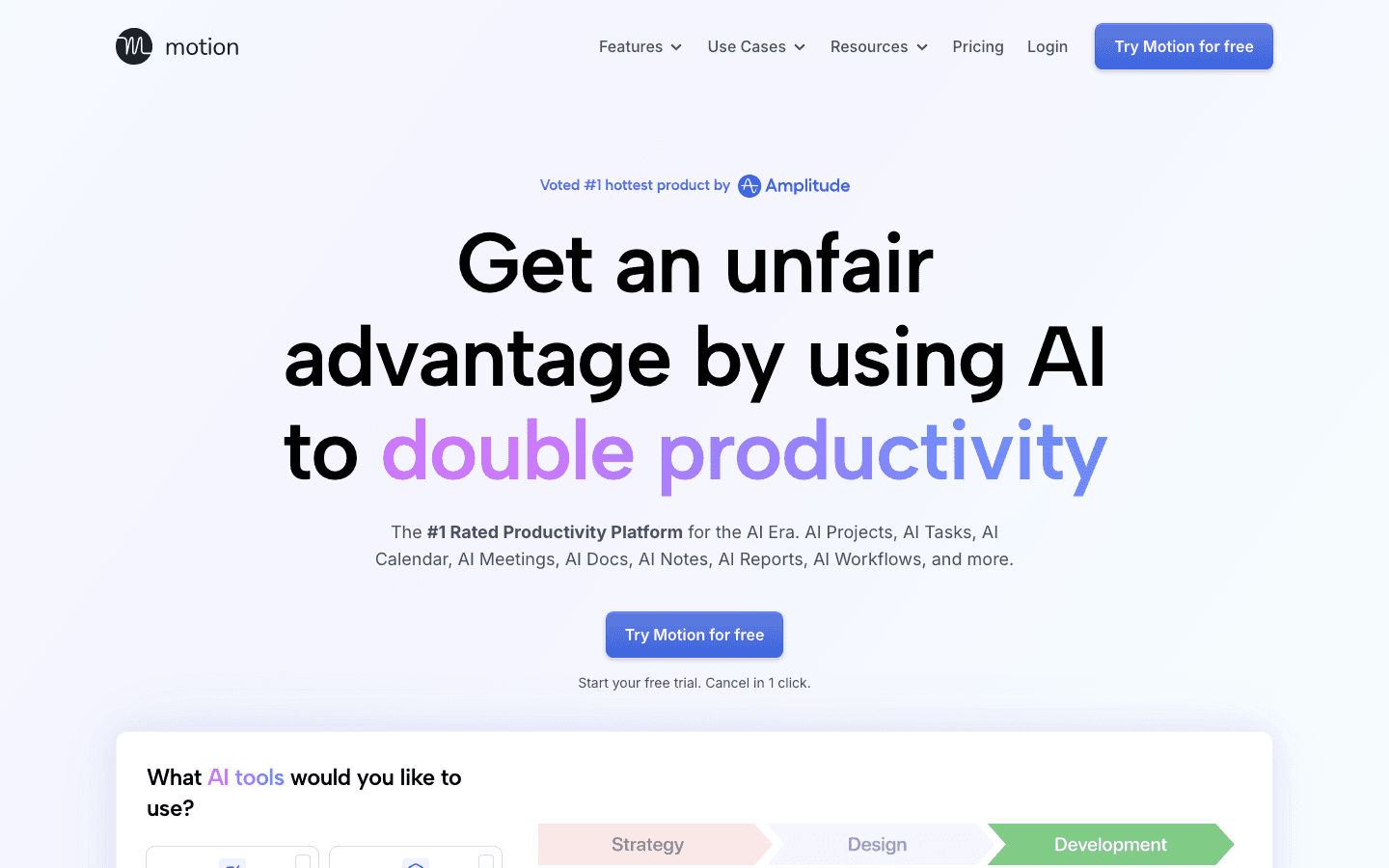
Motion takes every task on your list, looks at your calendar, and figures out when each one should get done. You don't drag tasks into time slots. You don't manually build a study schedule. You add a task, give it a deadline, and Motion places it somewhere it can actually fit.
That frictionless setup is a big deal for ADHD students. The planning phase is where a lot of ADHD planners break down. Building a complex schedule requires sustained attention and executive function, and those are exactly the resources that tend to run low. Motion removes that step entirely.
AI-generated daily schedule from your task list and calendar
Automatic priority management when deadlines shift
Meeting scheduling built in
Good web app, decent mobile app
No energy awareness, but handles deadline pressure well
What Works
The automatic reprioritization when a new urgent task appears is genuinely useful during exam season
Handles overlapping deadlines better than any manual planner
Limitations
No energy awareness, so it doesn't account for cognitive load or time of day
Pricier than most alternatives at $19/month ($12.73/month billed annually)
Can feel overwhelming if you have a large backlog of tasks
Pricing: $19/month; ~$12.73/month billed annually. Free trial available.
Best for: students juggling multiple deadlines who want a fully automated schedule without any manual planning.
3. Structured: Best Visual Timeline Planner
See your entire day laid out, hour by hour, on a clean timeline
Structured is built around a single insight: many ADHD brains process time better visually. Instead of a list of tasks, you get a timeline showing exactly where each task sits in your day. Classes, study blocks, meals, and breaks all appear as colored blocks on a scrollable timeline, which makes it much harder to lose track of what's supposed to happen when.
It doesn't do AI scheduling. It doesn't automatically reprioritize based on deadlines. But for students who already know what they need to do and just need a clear picture of when, it's one of the most effective ADHD focus tools available.
Visual timeline view showing every task as a time block
Drag-and-drop rearranging
Calendar sync (Google, Apple)
Habit tracking and recurring tasks
Clean, minimal interface with no clutter
What Works
The timeline view is immediately intuitive, even with no tutorial
Free tier is genuinely useful, not artificially crippled
One of the better-looking apps on this list, which actually matters for daily use
Limitations
No AI scheduling or automatic prioritization
You still have to build the schedule yourself
No energy awareness
Pricing: Free; Pro $6.99/month or $29.99/year; Lifetime $99.99.
Best for: ADHD students who are visual thinkers and want to see their full day laid out before it starts.
4. TickTick: Best Free Planner with Built-In Focus Timer
Task manager, calendar, and Pomodoro timer in one app
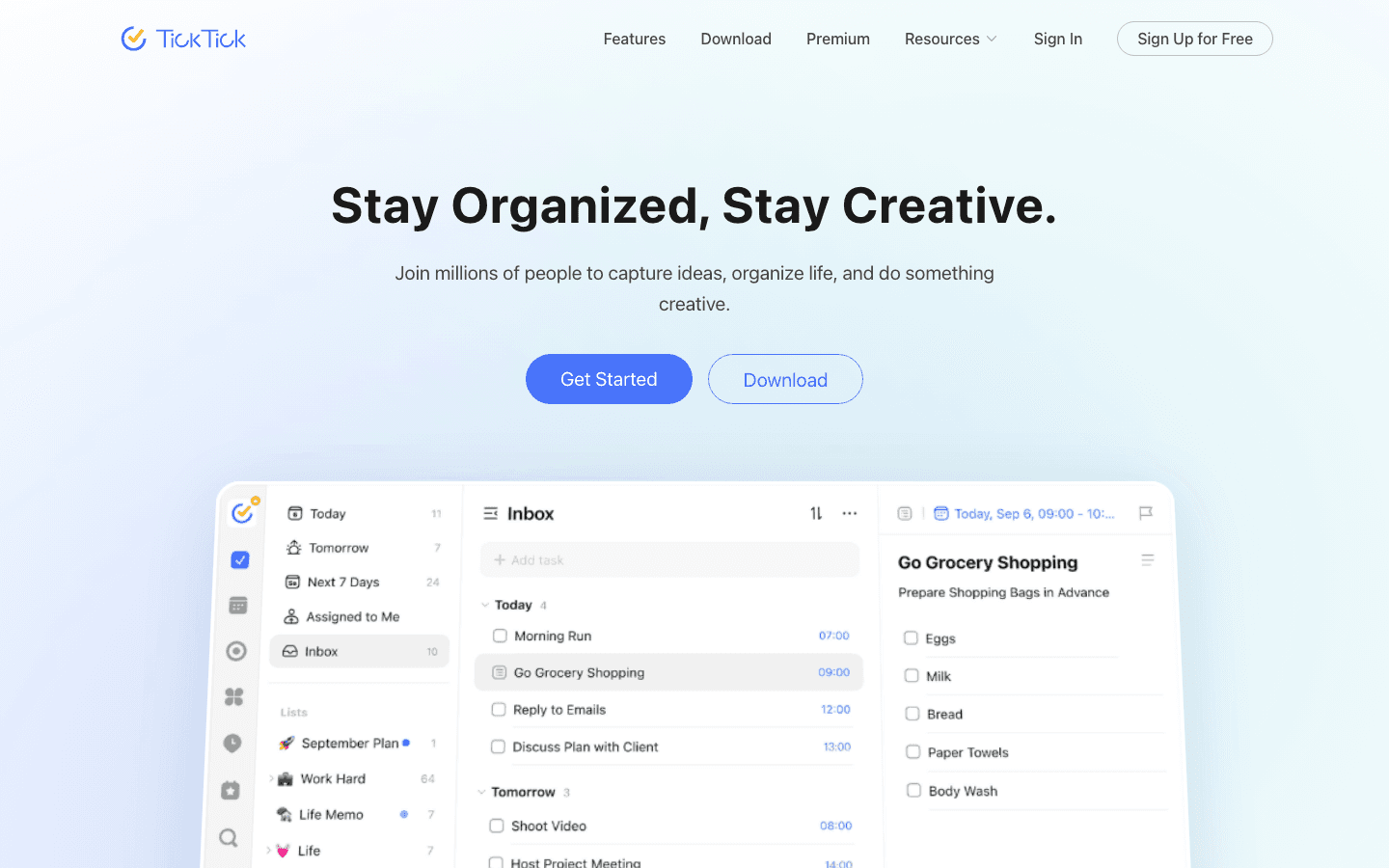
TickTick packs a lot into a single app: a full task manager, calendar view, habit tracker, and a built-in Pomodoro timer. The Pomodoro feature alone is worth mentioning for ADHD students, because it creates a structured rhythm of focus time and breaks without requiring external apps or timers.
The free tier is one of the strongest among any planner app, which matters when you're a student watching your budget. You get unlimited tasks, five lists, calendar sync, and the Pomodoro timer all for free. The main thing Premium adds is more advanced features like calendar display modes and custom filters.
Built-in Pomodoro focus timer
Full calendar view alongside task list
Habit tracker for building study routines
Free tier includes calendar sync and unlimited tasks
Good time management features for ADHD
What Works
The Pomodoro integration means you don't need a separate focus app
Works equally well as a simple task list or a full daily planner
Reliable notifications that actually remind you
Limitations
No AI scheduling or automatic task placement
No energy awareness
Calendar view is functional but not as visual as Structured
Pricing: Free; Premium $35.99/year.
Best for: budget-conscious students who want one app that combines tasks, calendar, and focus timer.
5. Todoist: Best for Simple, Flexible Task Management
Clean and reliable, with one of the best free tiers available
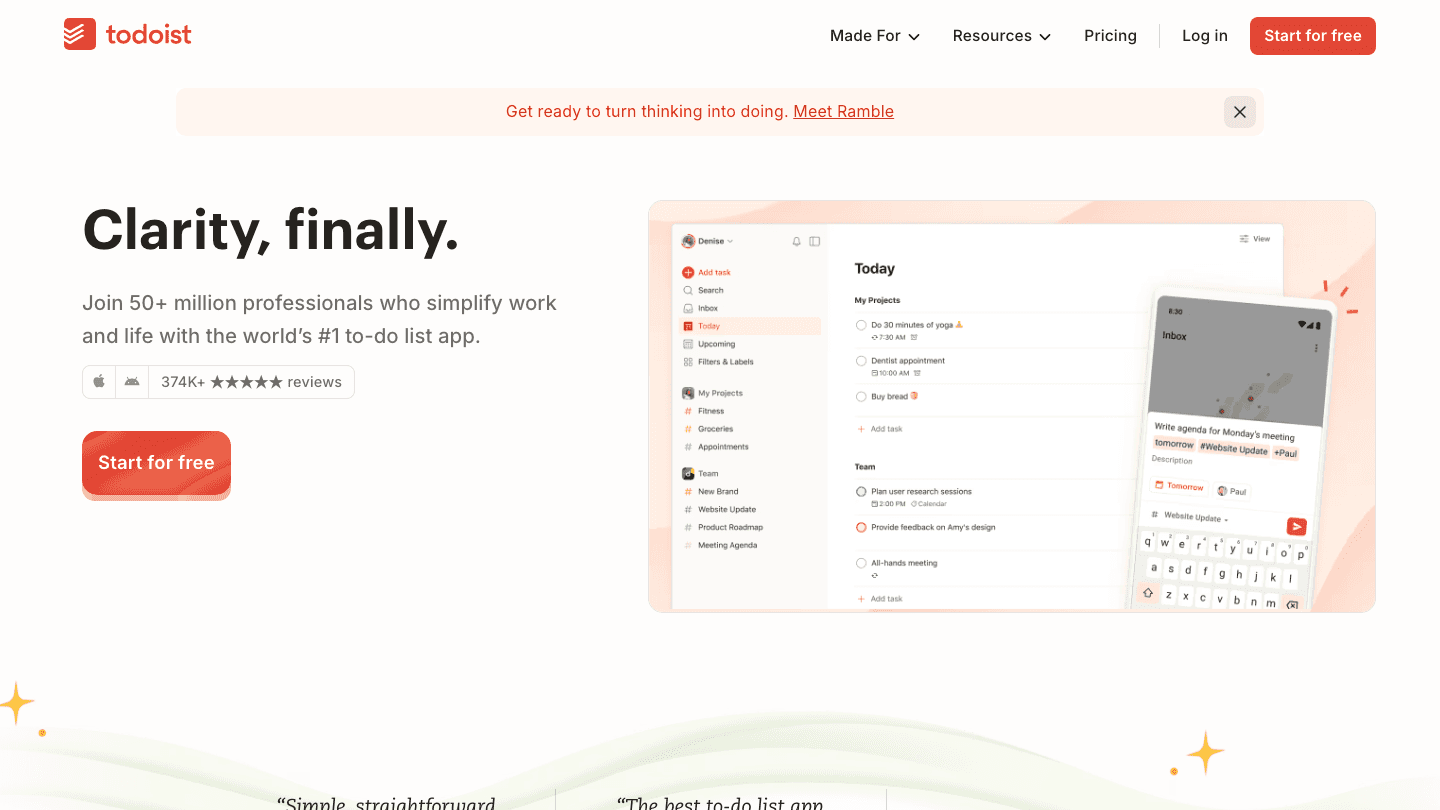
Todoist has been one of the most popular task manager apps for a decade, and for good reason. The interface is clean, the mobile app is fast, and the free tier lets you run five projects, set reminders, and sync across devices without paying anything.
It won't build your schedule for you. It doesn't care about your energy levels. But for students who need a no-fuss way to track assignments, set due dates, and get reminded before things are due, it's one of the most reliable options on the market. The ADHD brain often does better with apps that require less maintenance, and Todoist is extremely low-maintenance.
Clean, minimal interface with fast task entry
Natural language date parsing (type "due Friday" and it understands)
Priority levels and labels for organizing by subject or urgency
Free tier covers most student use cases
Integrations with Google Calendar, Slack, and more
What Works
Natural language parsing makes adding tasks fast, which lowers the friction of actually using it
Reliable, fast mobile app
Shared projects make group assignments easier to manage
Limitations
No AI scheduling or automatic task placement
No energy awareness
Calendar view is only available on Pro
Pricing: Free; Pro subscription (see todoist.com for current pricing).
Best for: students who want a dead-simple, dependable task list that gets out of the way.
6. GoodNotes: Best Digital Notebook for Student Planning
A digital planner and note-taking app with AI features built in
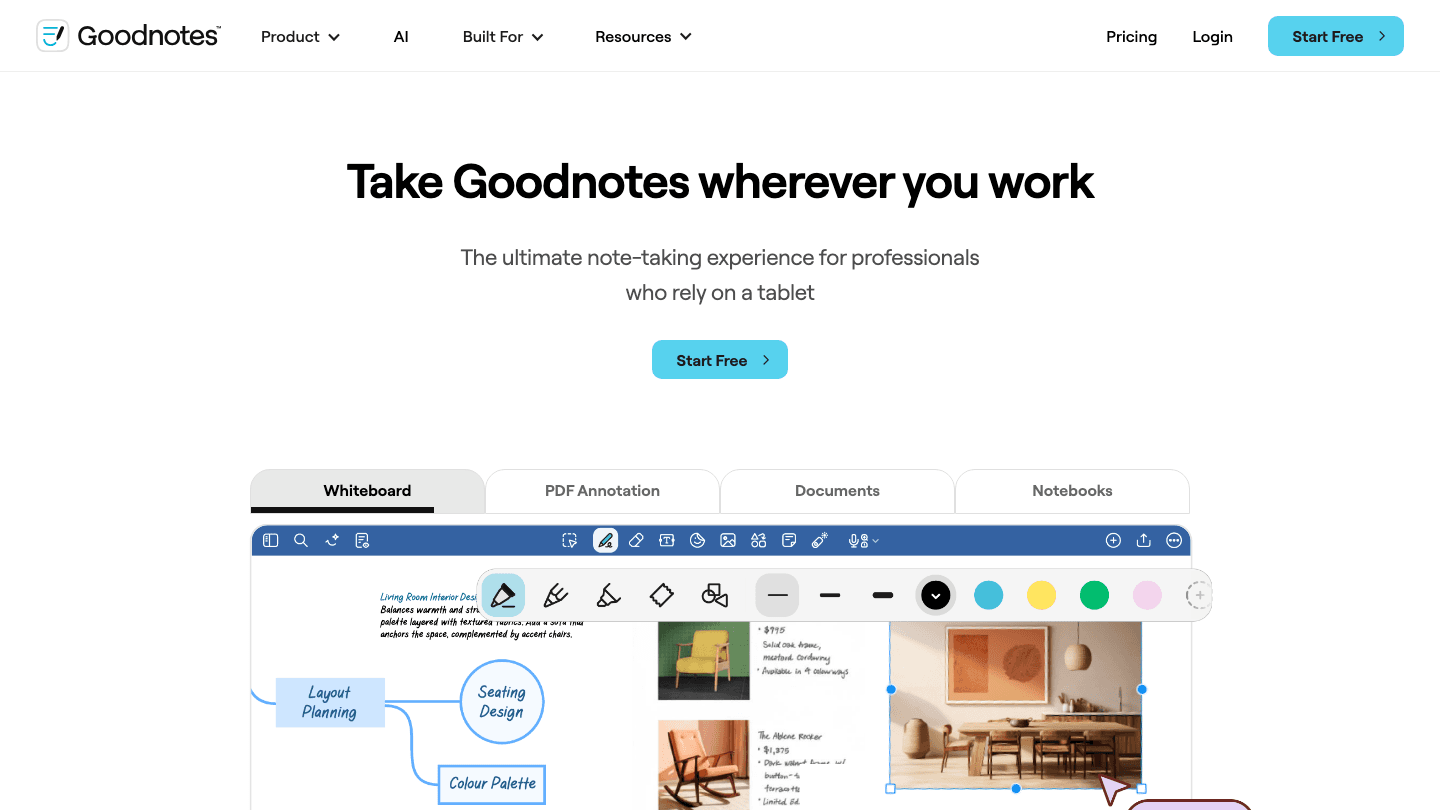
GoodNotes sits in a different category from the rest of this list. It's primarily a note-taking app that also works as a digital planner. If you've ever loved the feel of a paper planner but hated losing it, running out of pages, or not being able to search back through old notes, GoodNotes is the closest digital equivalent.
Students who use a tablet with a stylus will get the most out of it. You can download planner templates, write directly on them, and organize everything by subject or week. The AI features help with transcription and document search. It won't remind you about deadlines or build a schedule, but for brain dumping and keeping all your notes organized in one place, it's hard to beat.
Handwriting support with stylus for tablet users
Download and use custom planner templates
AI-powered search and handwriting transcription
PDF annotation for marking up lecture slides
Organize notebooks by class or subject
What Works
If you already use a tablet for class, this replaces both your notebook and your planner
The template library has ADHD-specific planners that people share online
Handwriting has been shown to aid retention for many learners
Limitations
Only useful if you have an iPad or tablet with stylus support
No task reminders or deadline alerts
Doesn't schedule or prioritize, just stores and organizes
Pricing: Free (3 notebooks); Essential $11.99/year; Pro $35.99/year.
Best for: tablet users who want to replace physical notebooks and planners with a digital alternative.
Which ADHD Student Planner Is Right for You?
Want AI to build your schedule: Lifestack or Motion
Need to see your whole day visually: Structured
Want one app for tasks, calendar, and focus timer: TickTick
Need a free, reliable task list: Todoist
Use a tablet for class: GoodNotes
Struggle with time blindness: Lifestack (energy scheduling) or Structured (visual timeline)
Need help with task paralysis: Lifestack or Motion, because the decision of what to do next is made for you
Frequently Asked Questions
What is the best ADHD student planner app?
Lifestack is the top pick for ADHD students because it handles energy-aware scheduling, which is especially useful for students who have productive windows and low-energy slumps. For a free option, TickTick's combination of task management and built-in focus timer is hard to beat.
Do ADHD students need a special planner?
Not necessarily a special one, but one that reduces friction. The best apps for ADHD students have low setup cost, clear visual structure, reliable reminders, and don't require a lot of maintenance to keep working. Paper planners can work, but they don't send reminders, and missing a reminder is where most ADHD students fall behind.
Can Lifestack help with time blindness?
Yes. Time blindness is one of the most common challenges for ADHD students. Lifestack helps by creating a structured daily schedule before the day starts, so you're not relying on your own sense of how much time has passed. It also sends reminders and reschedules automatically when tasks take longer than expected.
Is there a free ADHD planner app for students?
Todoist and TickTick both have strong free tiers. Structured also offers a useful free version. None of them include AI scheduling on the free tier, but they handle task tracking, reminders, and calendar sync without requiring payment.
What planner apps work well with ADHD hyperfocus?
ADHD hyperfocus can be channeled productively with the right setup. Motion and Lifestack both handle interruptions gracefully, resceduling when a hyperfocus session runs over. Structured is good for blocking time intentionally when you know a hyperfocus session is happening on something useful.
How is Lifestack different from a regular student planner app?
Most student planners are passive. You add a task, you pick a time, you move on. Lifestack is active: it looks at your energy levels, your calendar, and your task list, then builds a realistic schedule for you. It also adapts throughout the day. For students who struggle with the executive function needed to plan effectively, that's a meaningful difference. Learn more in our guide to AI planner apps.
College with ADHD is a different sport. The workload doesn't change because your brain struggles with time blindness. The deadlines don't disappear because you have a harder time with task initiation. And the standard paper planner most students reach for first is almost perfectly designed to fail the ADHD brain: blank pages, no structure, no reminders, and zero accountability when a week goes sideways.
The apps on this list work differently. They break work into smaller pieces, send reminders before you miss a deadline, and some use AI to actually schedule your study sessions for you. Not all of them are built specifically for ADHD, but they all share the qualities that matter: low friction, visible structure, and minimal setup time.
We tested six ADHD-friendly planner apps with a focus on how they hold up during the messy middle of a semester, when motivation is low and the list of things due keeps growing. Here's what we found.
Pricing verified June 2026. Apps tested on iOS and web.
Key Takeaways
Lifestack is the strongest pick for students who want AI to do the scheduling work, especially if energy levels vary throughout the day
Structured is the best purely visual planner for ADHD brains that need to see the day laid out as a timeline
Todoist and TickTick both offer solid free tiers that work well for students on tight budgets
Quick Guide: ADHD Student Planner Apps
Lifestack: AI scheduling that adapts to your energy level throughout the day
Motion: auto-prioritizes your task list and finds time for everything automatically
Structured: visual timeline planner built for brains that need to see the whole day at once
TickTick: task manager with built-in Pomodoro timer and calendar view
Todoist: clean, flexible task manager with a generous free tier for students
GoodNotes: AI-enhanced digital notebook for students who want a traditional planner feel
How We Evaluated
Low friction to start: apps that require 30 minutes of setup before you can use them don't work for ADHD
Visible structure: calendar views, timeline views, or visual task layouts
Reminders that actually fire: because "I'll remember" is rarely true
Student use case: can it handle recurring classes, deadlines, and multiple subjects?
Mobile quality: the app you use in your bag matters as much as the desktop version
Price: students have limited budgets, free tiers count
1. Lifestack: Best Overall ADHD Student Planner
AI scheduling that actually understands when you have energy to do hard work
Most planners treat Monday morning and 3pm on Thursday as identical scheduling slots. Lifestack doesn't. It factors in your energy levels throughout the day, so deep focus tasks like writing papers or studying for exams get scheduled when you're actually capable of doing them, not just when there happens to be a calendar gap.
For students with ADHD, this distinction matters a lot. Time blindness makes it hard to predict how long things will take, and low-energy afternoons are notorious for turning "I'll study for two hours" into "I'll start after this one YouTube video." Lifestack works around this by generating a schedule that accounts for both your task list and your capacity.
Setup takes about ten minutes: connect your calendar, add your tasks, and let the AI generate a daily plan. From there, the app keeps resceduling throughout the day when things slip, which they always do.
Energy-aware AI scheduling that adapts to how you feel
Integrates with Google Calendar and Apple Calendar
Auto-reschedules when tasks spill over
Clean mobile app on iOS and Android
Works well for ADHD task initiation because tasks are pre-decided before the day starts
What Works
The energy tagging system genuinely reduces decision fatigue, since the app decides what to do next
Rescheduling is automatic rather than requiring manual drag-and-drop
Strong mobile app that doesn't require you to be at a desk to stay on track
Limitations
Less suited for detailed note-taking within the app (it's a scheduler, not a notebook)
No specific student mode for tracking syllabi or GPA-weighted priorities
Pricing: $7/month or $50/year; $120 lifetime. 7-day free trial on annual plans.
Best for: students who want AI to handle the "what do I do now" decision for them.
2. Motion: Best for Automatic Task Prioritization
Builds your schedule for you based on deadlines and available time
Motion takes every task on your list, looks at your calendar, and figures out when each one should get done. You don't drag tasks into time slots. You don't manually build a study schedule. You add a task, give it a deadline, and Motion places it somewhere it can actually fit.
That frictionless setup is a big deal for ADHD students. The planning phase is where a lot of ADHD planners break down. Building a complex schedule requires sustained attention and executive function, and those are exactly the resources that tend to run low. Motion removes that step entirely.
AI-generated daily schedule from your task list and calendar
Automatic priority management when deadlines shift
Meeting scheduling built in
Good web app, decent mobile app
No energy awareness, but handles deadline pressure well
What Works
The automatic reprioritization when a new urgent task appears is genuinely useful during exam season
Handles overlapping deadlines better than any manual planner
Limitations
No energy awareness, so it doesn't account for cognitive load or time of day
Pricier than most alternatives at $19/month ($12.73/month billed annually)
Can feel overwhelming if you have a large backlog of tasks
Pricing: $19/month; ~$12.73/month billed annually. Free trial available.
Best for: students juggling multiple deadlines who want a fully automated schedule without any manual planning.
3. Structured: Best Visual Timeline Planner
See your entire day laid out, hour by hour, on a clean timeline
Structured is built around a single insight: many ADHD brains process time better visually. Instead of a list of tasks, you get a timeline showing exactly where each task sits in your day. Classes, study blocks, meals, and breaks all appear as colored blocks on a scrollable timeline, which makes it much harder to lose track of what's supposed to happen when.
It doesn't do AI scheduling. It doesn't automatically reprioritize based on deadlines. But for students who already know what they need to do and just need a clear picture of when, it's one of the most effective ADHD focus tools available.
Visual timeline view showing every task as a time block
Drag-and-drop rearranging
Calendar sync (Google, Apple)
Habit tracking and recurring tasks
Clean, minimal interface with no clutter
What Works
The timeline view is immediately intuitive, even with no tutorial
Free tier is genuinely useful, not artificially crippled
One of the better-looking apps on this list, which actually matters for daily use
Limitations
No AI scheduling or automatic prioritization
You still have to build the schedule yourself
No energy awareness
Pricing: Free; Pro $6.99/month or $29.99/year; Lifetime $99.99.
Best for: ADHD students who are visual thinkers and want to see their full day laid out before it starts.
4. TickTick: Best Free Planner with Built-In Focus Timer
Task manager, calendar, and Pomodoro timer in one app
TickTick packs a lot into a single app: a full task manager, calendar view, habit tracker, and a built-in Pomodoro timer. The Pomodoro feature alone is worth mentioning for ADHD students, because it creates a structured rhythm of focus time and breaks without requiring external apps or timers.
The free tier is one of the strongest among any planner app, which matters when you're a student watching your budget. You get unlimited tasks, five lists, calendar sync, and the Pomodoro timer all for free. The main thing Premium adds is more advanced features like calendar display modes and custom filters.
Built-in Pomodoro focus timer
Full calendar view alongside task list
Habit tracker for building study routines
Free tier includes calendar sync and unlimited tasks
Good time management features for ADHD
What Works
The Pomodoro integration means you don't need a separate focus app
Works equally well as a simple task list or a full daily planner
Reliable notifications that actually remind you
Limitations
No AI scheduling or automatic task placement
No energy awareness
Calendar view is functional but not as visual as Structured
Pricing: Free; Premium $35.99/year.
Best for: budget-conscious students who want one app that combines tasks, calendar, and focus timer.
5. Todoist: Best for Simple, Flexible Task Management
Clean and reliable, with one of the best free tiers available
Todoist has been one of the most popular task manager apps for a decade, and for good reason. The interface is clean, the mobile app is fast, and the free tier lets you run five projects, set reminders, and sync across devices without paying anything.
It won't build your schedule for you. It doesn't care about your energy levels. But for students who need a no-fuss way to track assignments, set due dates, and get reminded before things are due, it's one of the most reliable options on the market. The ADHD brain often does better with apps that require less maintenance, and Todoist is extremely low-maintenance.
Clean, minimal interface with fast task entry
Natural language date parsing (type "due Friday" and it understands)
Priority levels and labels for organizing by subject or urgency
Free tier covers most student use cases
Integrations with Google Calendar, Slack, and more
What Works
Natural language parsing makes adding tasks fast, which lowers the friction of actually using it
Reliable, fast mobile app
Shared projects make group assignments easier to manage
Limitations
No AI scheduling or automatic task placement
No energy awareness
Calendar view is only available on Pro
Pricing: Free; Pro subscription (see todoist.com for current pricing).
Best for: students who want a dead-simple, dependable task list that gets out of the way.
6. GoodNotes: Best Digital Notebook for Student Planning
A digital planner and note-taking app with AI features built in
GoodNotes sits in a different category from the rest of this list. It's primarily a note-taking app that also works as a digital planner. If you've ever loved the feel of a paper planner but hated losing it, running out of pages, or not being able to search back through old notes, GoodNotes is the closest digital equivalent.
Students who use a tablet with a stylus will get the most out of it. You can download planner templates, write directly on them, and organize everything by subject or week. The AI features help with transcription and document search. It won't remind you about deadlines or build a schedule, but for brain dumping and keeping all your notes organized in one place, it's hard to beat.
Handwriting support with stylus for tablet users
Download and use custom planner templates
AI-powered search and handwriting transcription
PDF annotation for marking up lecture slides
Organize notebooks by class or subject
What Works
If you already use a tablet for class, this replaces both your notebook and your planner
The template library has ADHD-specific planners that people share online
Handwriting has been shown to aid retention for many learners
Limitations
Only useful if you have an iPad or tablet with stylus support
No task reminders or deadline alerts
Doesn't schedule or prioritize, just stores and organizes
Pricing: Free (3 notebooks); Essential $11.99/year; Pro $35.99/year.
Best for: tablet users who want to replace physical notebooks and planners with a digital alternative.
Which ADHD Student Planner Is Right for You?
Want AI to build your schedule: Lifestack or Motion
Need to see your whole day visually: Structured
Want one app for tasks, calendar, and focus timer: TickTick
Need a free, reliable task list: Todoist
Use a tablet for class: GoodNotes
Struggle with time blindness: Lifestack (energy scheduling) or Structured (visual timeline)
Need help with task paralysis: Lifestack or Motion, because the decision of what to do next is made for you
Frequently Asked Questions
What is the best ADHD student planner app?
Lifestack is the top pick for ADHD students because it handles energy-aware scheduling, which is especially useful for students who have productive windows and low-energy slumps. For a free option, TickTick's combination of task management and built-in focus timer is hard to beat.
Do ADHD students need a special planner?
Not necessarily a special one, but one that reduces friction. The best apps for ADHD students have low setup cost, clear visual structure, reliable reminders, and don't require a lot of maintenance to keep working. Paper planners can work, but they don't send reminders, and missing a reminder is where most ADHD students fall behind.
Can Lifestack help with time blindness?
Yes. Time blindness is one of the most common challenges for ADHD students. Lifestack helps by creating a structured daily schedule before the day starts, so you're not relying on your own sense of how much time has passed. It also sends reminders and reschedules automatically when tasks take longer than expected.
Is there a free ADHD planner app for students?
Todoist and TickTick both have strong free tiers. Structured also offers a useful free version. None of them include AI scheduling on the free tier, but they handle task tracking, reminders, and calendar sync without requiring payment.
What planner apps work well with ADHD hyperfocus?
ADHD hyperfocus can be channeled productively with the right setup. Motion and Lifestack both handle interruptions gracefully, resceduling when a hyperfocus session runs over. Structured is good for blocking time intentionally when you know a hyperfocus session is happening on something useful.
How is Lifestack different from a regular student planner app?
Most student planners are passive. You add a task, you pick a time, you move on. Lifestack is active: it looks at your energy levels, your calendar, and your task list, then builds a realistic schedule for you. It also adapts throughout the day. For students who struggle with the executive function needed to plan effectively, that's a meaningful difference. Learn more in our guide to AI planner apps.



FOLLOW ON
FOLLOW ON
FOLLOW ON


Copyright 2026 © Lifestack. All rights reserved
Copyright 2026 © Lifestack. All rights reserved

