
App
Best ADHD Apps for Focus in 2026: 6 That Actually Help
Best ADHD Apps for Focus in 2026: 6 That Actually Help
Focus is hard for most people. For people with ADHD, it can feel like the hardest thing in the world. Not because of a lack of effort, but because the ADHD brain struggles with task initiation, sustained attention, and blocking out competing stimuli in ways that no amount of willpower fully compensates for.
The good news is that the right apps can reduce the friction significantly. Not by turning off ADHD, but by reshaping the environment around it. A focus timer removes the decision of when to start. A task-breakdown tool removes the paralysis of figuring out how to start. A distraction blocker removes the constant pull of the phone.
We tested six of the best ADHD focus apps available in 2026. Each one targets a different part of the focus problem. Used together or individually, they make a real difference.
Pricing verified June 2026. All apps tested on iOS, with additional testing on Android and desktop where available.
Key Takeaways
Lifestack is the best ADHD scheduling app. It builds your day around your energy, not just your calendar, which is the single biggest change for ADHD time management.
Goblin Tools and Forest are the top free options. Goblin Tools breaks down overwhelming tasks; Forest makes starting feel low-stakes.
Brain.fm is worth the subscription if you find regular music distracting. The functional audio genuinely extends focus sessions for many ADHD users.
ADHD Focus Apps at a Glance
1. Lifestack: Best for energy-aware scheduling and ADHD time management
2. Forest: Best focus timer for phone addiction and ADHD impulse control
3. Goblin Tools: Best free AI task-breakdown tool for ADHD task paralysis
4. Tiimo: Best visual daily planner built specifically for ADHD
5. Brain.fm: Best focus audio for sustained attention
6. Freedom: Best distraction blocker for websites and apps
How We Evaluated These Apps
Task initiation support: does it reduce the barrier to starting?
ADHD-specific design: visual cues, low friction, forgiving of disruptions
Distraction reduction: does it remove competing stimuli?
Sustained focus: does it help extend attention beyond the initial burst?
Flexibility: works around variable schedules, not against them
1. Lifestack: Best for ADHD Scheduling and Time Management
An AI calendar that builds your day around how your brain actually works.

The biggest ADHD focus problem isn't just attention. It's starting the right thing at the right time, when your brain has the energy for it. Lifestack is the only scheduling app that directly addresses this. You tag tasks as high-energy or low-energy, and the AI fits them into matching windows in your day. Deep work lands in your sharpest hours. Admin tasks fill the low-focus gaps.
For ADHD users, the rescheduling feature is as important as the scheduling feature. When your morning derails (and it will), Lifestack rebuilds the rest of the day around what actually happened rather than showing you a plan that is already broken. It also connects to Google Calendar and Outlook, so your external commitments are visible alongside your tasks.
Key Features
Energy-aware task scheduling that matches work to your cognitive state
Automatic rescheduling when plans change
Fast task capture with minimal input required
Full calendar integration with Google Calendar and Outlook
iOS, Android, and Chrome extension
What Works
The energy system changes the entire relationship with your schedule. Knowing hard tasks are scheduled for good-brain hours removes the anticipatory dread.
Rescheduling is automatic rather than requiring you to rebuild the day manually
Low-friction capture makes adding tasks fast enough that ADHD brains actually use it
Limitations
No distraction blocking or focus audio. Lifestack manages your schedule; other apps handle blocking.
No free tier. The 7-day trial on the annual plan is the way to try it.
No habit tracking
Pricing: $7/month, $50/year, or $120 lifetime.
Best for: ADHD users who need their schedule to adapt to their energy and who currently spend too much time manually rearranging tasks after disruptions.
2. Forest: Best Focus Timer for ADHD
Plant a virtual tree. Stay off your phone. Watch it grow.
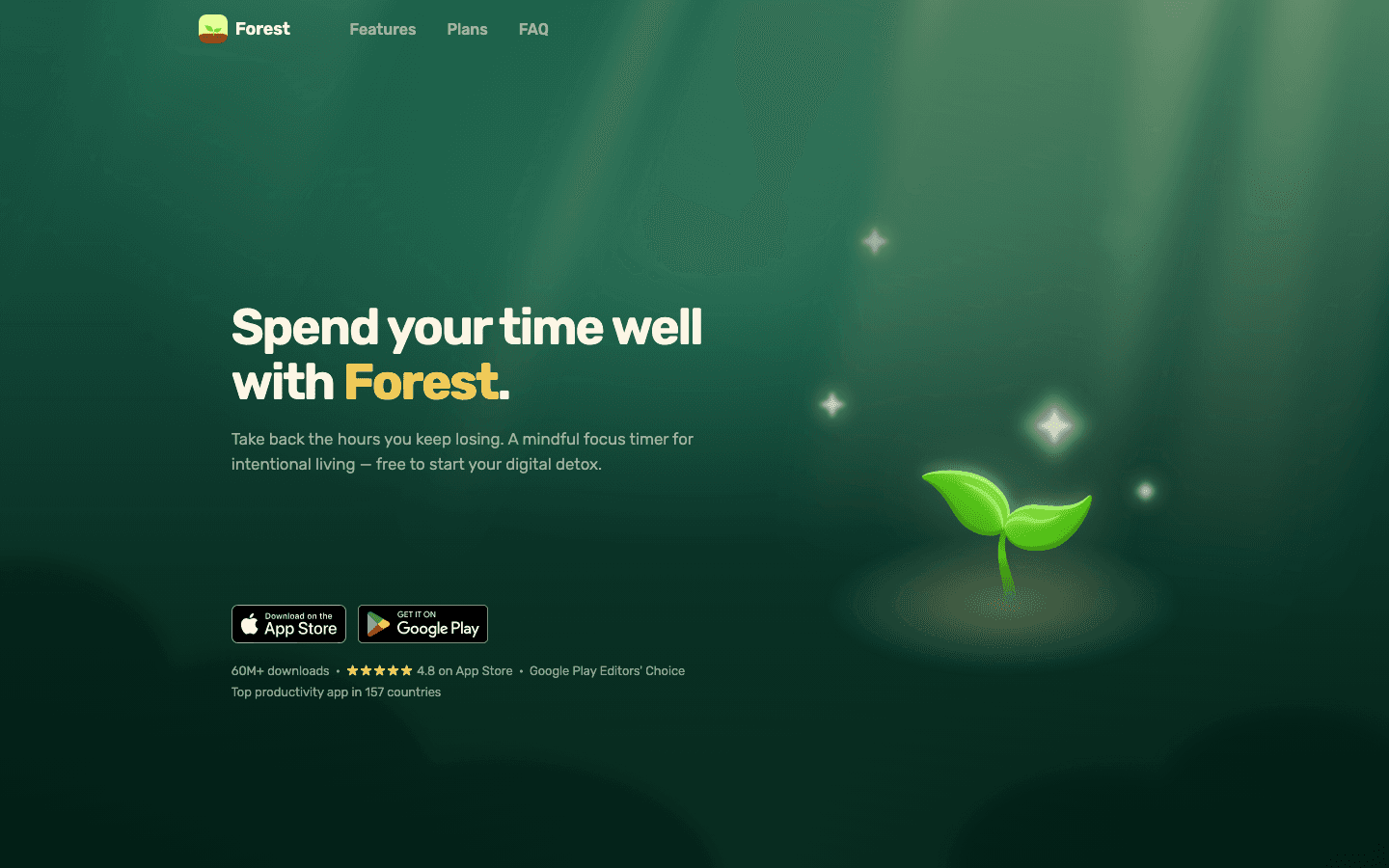
Forest works by making phone avoidance feel like something rather than nothing. You set a timer, plant a virtual tree, and if you leave the app to check social media or messages, the tree dies. The gamification is simple but effective: ADHD brains respond well to immediate, concrete feedback, and watching a forest grow across a day creates genuine momentum.
The Pomodoro-style timer removes the decision of how long to focus for. You don't have to negotiate with yourself about when to start or when to stop. You set the timer and work until it ends. For task initiation, this is one of the lowest-friction interventions available at any price point.
Key Features
Focus timer with virtual tree that dies if you leave the app
Forest ecosystem that grows with each completed session
Whitelist for allowed apps during focus sessions
Social features and challenges with friends
Real tree planting through in-app coins donation
What Works
The visual consequence of leaving the app is strangely motivating
Works on iOS, Android, and as a browser extension for desktop
One-time purchase model with no recurring fees
Limitations
No task management or scheduling
The gamification stops working for some users after the novelty wears off
No website blocking on mobile (only prevents leaving the Forest app itself)
Pricing: iOS $3.99 one-time. Android: free with ads, or $1.99 one-time for premium.
Best for: ADHD users who struggle with phone distraction during focus sessions and want a gamified, low-stakes way to build the habit of staying off the screen.
3. Goblin Tools: Best Free ADHD Task Breakdown Tool
Paste an overwhelming task. Get a step-by-step breakdown that makes it startable.
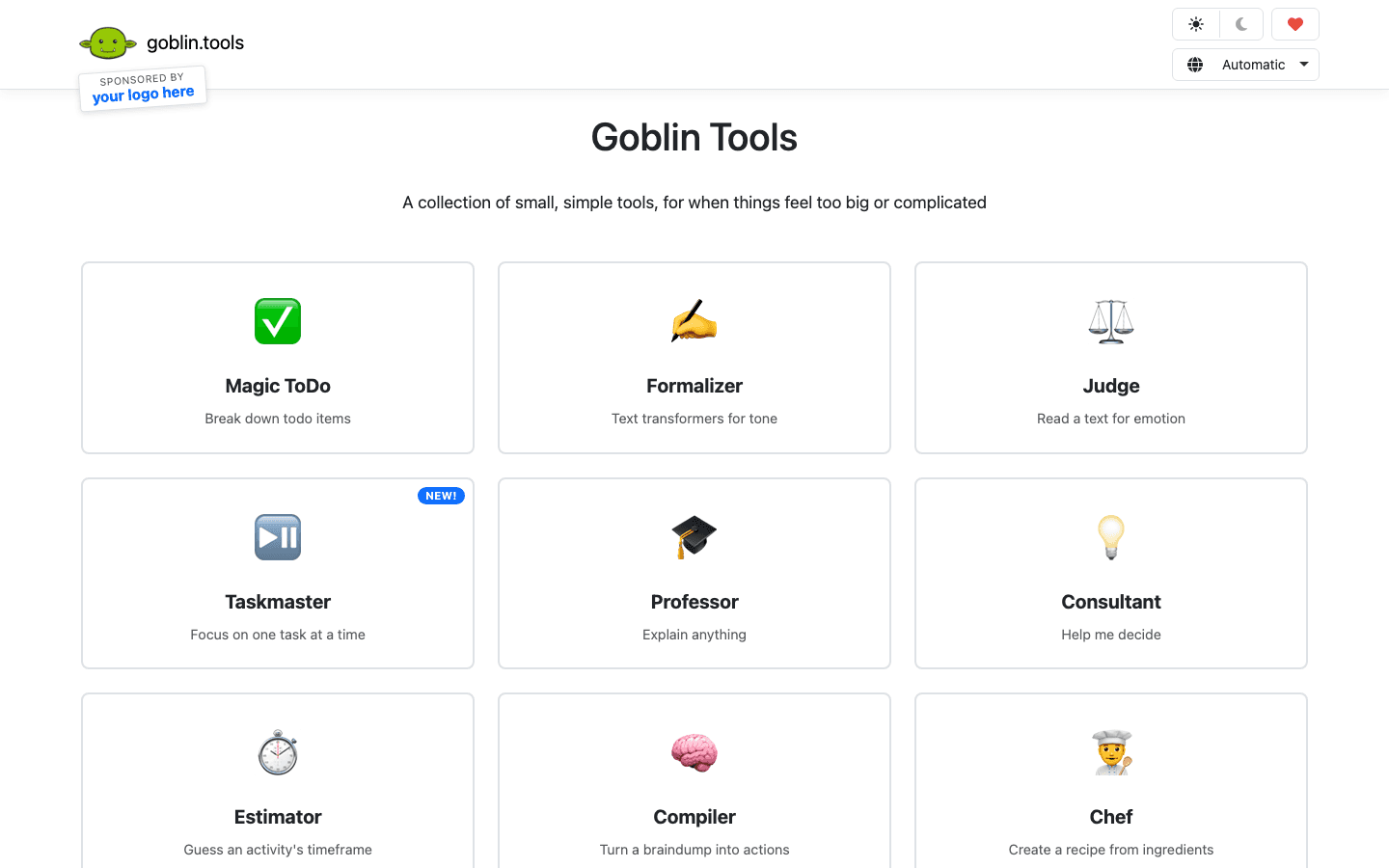
Goblin Tools was built by an ADHD developer for ADHD users, and it shows. The flagship feature is Magic ToDo: you type a vague, overwhelming task ("finish the report", "clean the apartment", "organize my finances") and the AI breaks it into small, specific, sequential steps. The same task that was paralyzing as one item becomes manageable as eight small ones.
The tool collection also includes Estimator (how long will this task actually take?), Formalizer (rewrite this casual note as a professional email), and Taskmaster (focus on one thing at a time). None of these are groundbreaking individually, but together they target exactly the executive function gaps that make ADHD focus difficult. And it is completely free.
Key Features
Magic ToDo: AI task breakdown with adjustable spiciness (step size)
Estimator: realistic time estimates for ADHD task planning
Formalizer: tone transformation for written communication
Taskmaster: single-task focus mode
100% free with no subscription required
What Works
Magic ToDo genuinely reduces task paralysis for overwhelming items
The spiciness slider lets you control how granular the breakdown gets
No account required. Open browser, paste task, get steps.
Limitations
Web-only tool with a basic iOS/Android app. No calendar or scheduling integration.
No syncing between devices without an account
Limited compared to full task managers, but that simplicity is intentional
Pricing: Free.
Best for: Any ADHD user who regularly stares at a task on their list and cannot figure out where to start. Use it as a companion to whichever planner app you already use.
4. Tiimo: Best Visual Daily Planner for ADHD
A daily schedule built around visual timers, not text lists.
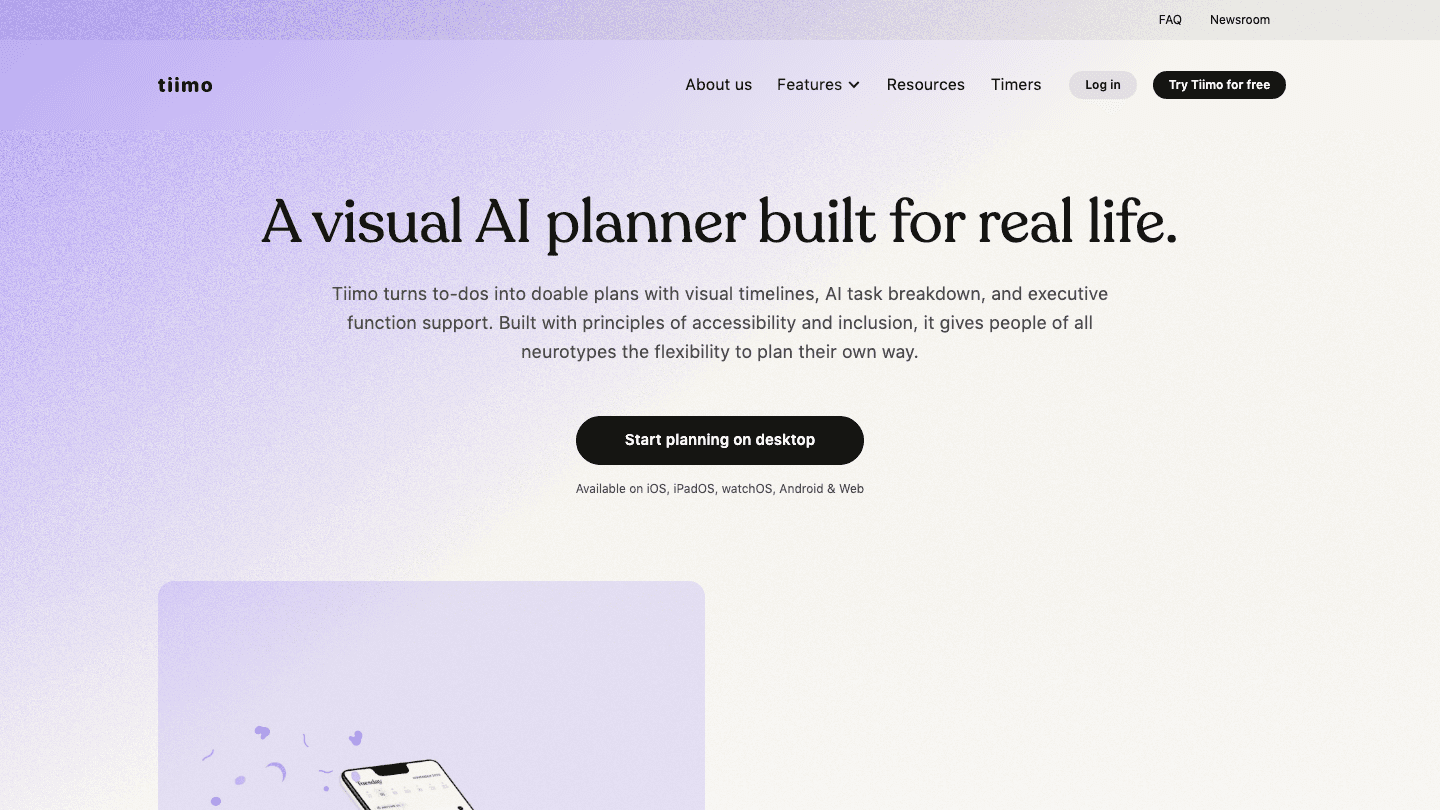
Tiimo was designed from the ground up for neurodivergent users. The interface replaces text-heavy task lists with visual timers and color-coded time blocks. You can see exactly how much time is left for a task without reading anything. Transitions are supported with gentle audio and visual cues rather than abrupt alarms.
For ADHD users who experience time blindness, the visual representation of time is particularly valuable. Tiimo makes the abstract concept of "I have 40 minutes until my meeting" concrete and visible in a way that a clock or calendar does not. The AI task breakdown added in recent updates also helps with staying on task by suggesting step-by-step sub-tasks for anything you add.
Key Features
Visual circular timers for each task and activity
Color-coded time blocks with smooth transitions
Gentle audio and haptic cues for transitions
AI task suggestions and sub-task breakdown
Accessibility features including dyslexia-friendly fonts and high contrast mode
What Works
The visual timer format is genuinely different from every other planner app
Transition cues are low-anxiety rather than jarring
Strong accessibility design that extends beyond ADHD to dyslexia and sensory sensitivities
Limitations
No AI scheduling intelligence. You plan the day manually; Tiimo just displays it visually.
No integration with external calendars
More setup required than apps that auto-generate schedules
Pricing: $7.99/month or $79.99/year ($6.67/month). 7-day free trial on the annual plan.
Best for: ADHD users with time blindness who want their schedule displayed visually rather than as a text list. Also strong for children and teens with ADHD.
5. Brain.fm: Best Focus Audio for ADHD
Functional audio engineered to extend attention rather than distract from it.
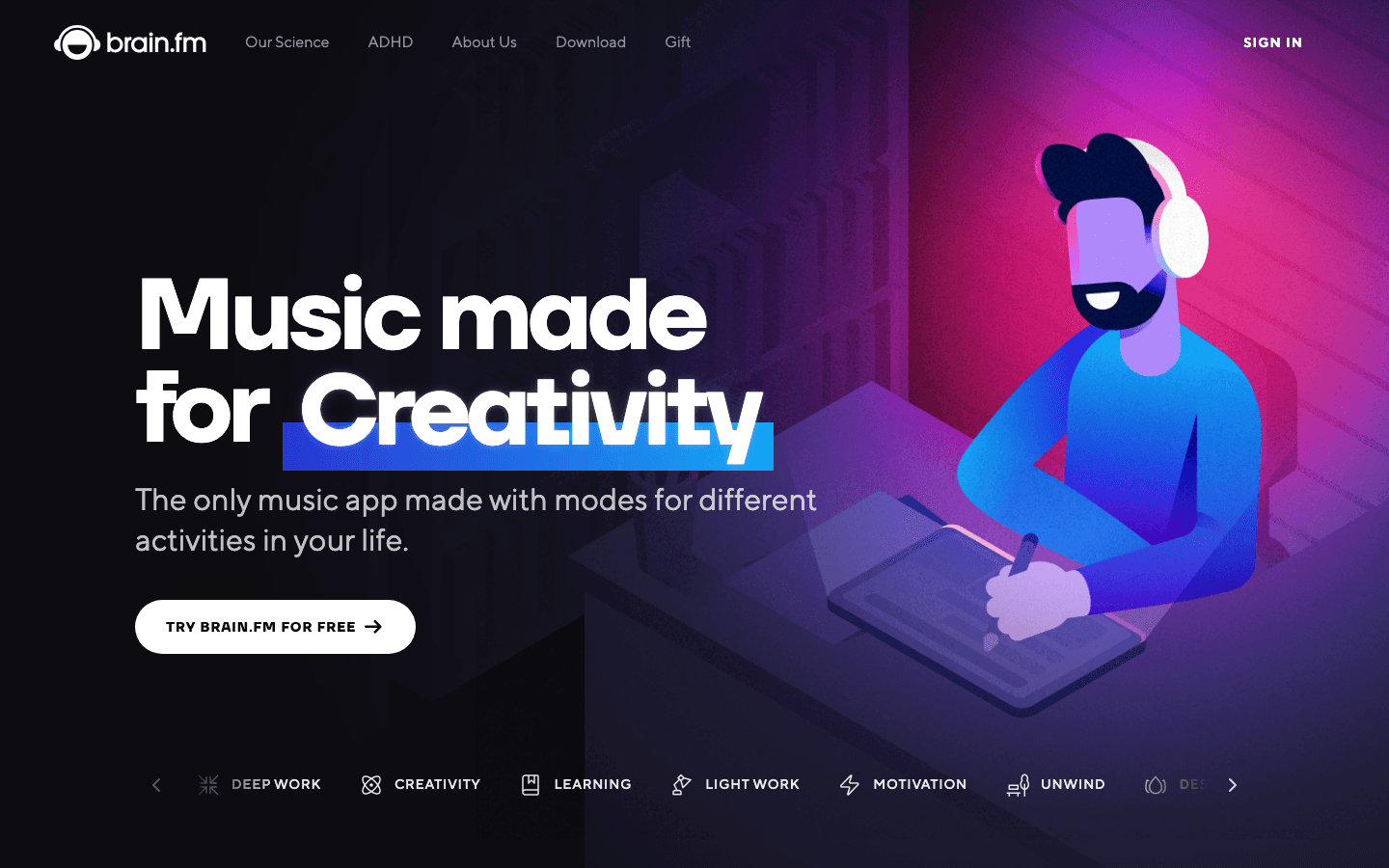
Music helps many ADHD brains focus. But regular music also competes for attention: lyrics trigger word association, familiar songs bring memories, and a great track is genuinely hard to ignore. Brain.fm sidesteps this problem with audio that is specifically engineered not to engage the music-processing centers of the brain. The result is background sound that occupies the part of your mind that would otherwise wander, without pulling your attention away from work.
The science behind it involves neural phase-locking patterns that keep the brain in a steady attention state. Whether or not you find the neuroscience convincing, the practical effect is measurable: focus sessions feel longer and more consistent when Brain.fm is running, particularly for people who find silence uncomfortable and regular music too stimulating.
Key Features
Focus, relaxation, and sleep audio modes
Functional neural audio designed for different cognitive states
Session timers and focus tracking
Offline listening for iOS and Android
Customizable intensity levels
What Works
Noticeably less distracting than regular music while still providing auditory stimulation
The ADHD mode in particular produces consistent focus extension
Works well alongside any other focus tool on this list
Limitations
Higher price than similar apps with less scientific backing
The audio is an acquired taste. Some users find it odd at first.
No task management or scheduling features
Pricing: $14.99/month or $99.99/year ($8.33/month). Free trial available.
Best for: ADHD users who find silence uncomfortable but regular music too stimulating. Best used during deep work sessions where sustained attention matters most.
6. Freedom: Best Distraction Blocker for ADHD
Block websites and apps across all your devices, scheduled or on-demand.

Freedom blocks distracting websites and apps at the network level, which means blocks survive browser switches and app hopping. You can block social media, news sites, games, or any custom URL for a set time. Blocks can start automatically on a schedule so you don't have to remember to turn them on, or you can trigger a session manually when you need to focus now.
The cross-device sync is what makes Freedom more useful than basic phone screen time settings. A scheduled block applies simultaneously to your phone, tablet, and computer. For ADHD users who habitually switch devices to find an unblocked route to distraction, this removes the loophole. The locked mode also prevents you from disabling blocks mid-session, which is important when impulse control is the problem to begin with.
Key Features
Block websites and apps across iOS, Android, Mac, Windows, and Chrome
Scheduled sessions that activate automatically
Locked mode: blocks cannot be removed once active
Custom blocklists and preset categories
Session history and productivity reports
What Works
Cross-device blocking closes the loophole of switching to another device
Locked mode removes the ability to disable it impulsively
Scheduled sessions remove the need to remember to activate it
Limitations
No task management, scheduling, or focus audio
Some technically advanced users can bypass the blocking by adjusting network settings
The premium subscription is required for scheduled blocking and cross-device sync
Pricing: Free (limited). Premium $3.33/month billed annually. Freedom Forever $99.50 one-time.
Best for: ADHD users whose biggest focus problem is impulsive phone or browser use. Works best when paired with a scheduling or timer app like Lifestack or Forest.
How to Build an ADHD Focus Stack
You don't need all six tools. But combining two or three that target different parts of the problem makes each one more effective.
For time management and scheduling: Lifestack handles the calendar and task prioritization. Start here if your biggest problem is knowing what to work on and when.
For task paralysis and initiation: Goblin Tools breaks down overwhelming tasks into steps. Use it whenever something on your list feels too big to start.
For distraction blocking: Freedom blocks the websites and apps that pull your attention. Schedule blocks to match your Lifestack focus windows.
For phone distraction during sessions: Forest gamifies staying off your phone during a work block.
For time blindness and visual planning: Tiimo makes your schedule visible in a way that text lists can't match.
For sustained attention during deep work: Brain.fm provides non-distracting audio that many ADHD users find extends their focus sessions significantly.
Frequently Asked Questions
What is the best app for ADHD focus in 2026?
Lifestack is the best single app for overall ADHD productivity and focus because it addresses the root issue: getting the right work done at the right time, given your actual energy level. For focus sessions specifically, Forest or Freedom combined with Lifestack covers both scheduling and distraction reduction.
Do focus apps actually help with ADHD?
Yes, with an important caveat. Apps reduce friction; they don't treat ADHD. A good focus timer makes starting easier. A distraction blocker removes temptation before willpower has to fight it. An energy-aware scheduler prevents the burnout that follows forcing hard work into low-energy windows. These are meaningful improvements, not cures.
Is Forest app good for ADHD?
Forest is particularly well-suited for ADHD because it uses the same dopamine response that makes phones addictive and redirects it toward focus. The visual consequence of killing a tree is immediate and concrete, which is exactly the kind of feedback that ADHD brains respond to. It is one of the best free options for task initiation and phone distraction specifically.
What is Goblin Tools and why is it good for ADHD?
Goblin Tools is a free web and mobile app with a set of AI-powered utilities for neurodivergent users. Magic ToDo breaks down vague tasks into specific, actionable steps. Estimator helps with time blindness by giving realistic duration estimates. The whole collection was built by someone with ADHD specifically to address executive dysfunction, and it shows in the design decisions.
Can ADHD apps replace medication or therapy?
No. Apps are tools that create better environmental conditions for focus. They work best alongside other ADHD management strategies, not as a replacement for them. If you are exploring ADHD treatment for the first time, speak with a healthcare provider. Apps like those on this list are most effective when the underlying ADHD is already being managed.
What is the best free ADHD focus app?
Goblin Tools is the most capable free option for task management and breaking through paralysis. Forest's Android version is free and covers the phone-distraction problem well. Time blocking with Google Calendar costs nothing and can be effective when paired with the Pomodoro technique. If budget is a constraint, these three together cover most of the focus problem without any subscription.
Focus is hard for most people. For people with ADHD, it can feel like the hardest thing in the world. Not because of a lack of effort, but because the ADHD brain struggles with task initiation, sustained attention, and blocking out competing stimuli in ways that no amount of willpower fully compensates for.
The good news is that the right apps can reduce the friction significantly. Not by turning off ADHD, but by reshaping the environment around it. A focus timer removes the decision of when to start. A task-breakdown tool removes the paralysis of figuring out how to start. A distraction blocker removes the constant pull of the phone.
We tested six of the best ADHD focus apps available in 2026. Each one targets a different part of the focus problem. Used together or individually, they make a real difference.
Pricing verified June 2026. All apps tested on iOS, with additional testing on Android and desktop where available.
Key Takeaways
Lifestack is the best ADHD scheduling app. It builds your day around your energy, not just your calendar, which is the single biggest change for ADHD time management.
Goblin Tools and Forest are the top free options. Goblin Tools breaks down overwhelming tasks; Forest makes starting feel low-stakes.
Brain.fm is worth the subscription if you find regular music distracting. The functional audio genuinely extends focus sessions for many ADHD users.
ADHD Focus Apps at a Glance
1. Lifestack: Best for energy-aware scheduling and ADHD time management
2. Forest: Best focus timer for phone addiction and ADHD impulse control
3. Goblin Tools: Best free AI task-breakdown tool for ADHD task paralysis
4. Tiimo: Best visual daily planner built specifically for ADHD
5. Brain.fm: Best focus audio for sustained attention
6. Freedom: Best distraction blocker for websites and apps
How We Evaluated These Apps
Task initiation support: does it reduce the barrier to starting?
ADHD-specific design: visual cues, low friction, forgiving of disruptions
Distraction reduction: does it remove competing stimuli?
Sustained focus: does it help extend attention beyond the initial burst?
Flexibility: works around variable schedules, not against them
1. Lifestack: Best for ADHD Scheduling and Time Management
An AI calendar that builds your day around how your brain actually works.
The biggest ADHD focus problem isn't just attention. It's starting the right thing at the right time, when your brain has the energy for it. Lifestack is the only scheduling app that directly addresses this. You tag tasks as high-energy or low-energy, and the AI fits them into matching windows in your day. Deep work lands in your sharpest hours. Admin tasks fill the low-focus gaps.
For ADHD users, the rescheduling feature is as important as the scheduling feature. When your morning derails (and it will), Lifestack rebuilds the rest of the day around what actually happened rather than showing you a plan that is already broken. It also connects to Google Calendar and Outlook, so your external commitments are visible alongside your tasks.
Key Features
Energy-aware task scheduling that matches work to your cognitive state
Automatic rescheduling when plans change
Fast task capture with minimal input required
Full calendar integration with Google Calendar and Outlook
iOS, Android, and Chrome extension
What Works
The energy system changes the entire relationship with your schedule. Knowing hard tasks are scheduled for good-brain hours removes the anticipatory dread.
Rescheduling is automatic rather than requiring you to rebuild the day manually
Low-friction capture makes adding tasks fast enough that ADHD brains actually use it
Limitations
No distraction blocking or focus audio. Lifestack manages your schedule; other apps handle blocking.
No free tier. The 7-day trial on the annual plan is the way to try it.
No habit tracking
Pricing: $7/month, $50/year, or $120 lifetime.
Best for: ADHD users who need their schedule to adapt to their energy and who currently spend too much time manually rearranging tasks after disruptions.
2. Forest: Best Focus Timer for ADHD
Plant a virtual tree. Stay off your phone. Watch it grow.
Forest works by making phone avoidance feel like something rather than nothing. You set a timer, plant a virtual tree, and if you leave the app to check social media or messages, the tree dies. The gamification is simple but effective: ADHD brains respond well to immediate, concrete feedback, and watching a forest grow across a day creates genuine momentum.
The Pomodoro-style timer removes the decision of how long to focus for. You don't have to negotiate with yourself about when to start or when to stop. You set the timer and work until it ends. For task initiation, this is one of the lowest-friction interventions available at any price point.
Key Features
Focus timer with virtual tree that dies if you leave the app
Forest ecosystem that grows with each completed session
Whitelist for allowed apps during focus sessions
Social features and challenges with friends
Real tree planting through in-app coins donation
What Works
The visual consequence of leaving the app is strangely motivating
Works on iOS, Android, and as a browser extension for desktop
One-time purchase model with no recurring fees
Limitations
No task management or scheduling
The gamification stops working for some users after the novelty wears off
No website blocking on mobile (only prevents leaving the Forest app itself)
Pricing: iOS $3.99 one-time. Android: free with ads, or $1.99 one-time for premium.
Best for: ADHD users who struggle with phone distraction during focus sessions and want a gamified, low-stakes way to build the habit of staying off the screen.
3. Goblin Tools: Best Free ADHD Task Breakdown Tool
Paste an overwhelming task. Get a step-by-step breakdown that makes it startable.
Goblin Tools was built by an ADHD developer for ADHD users, and it shows. The flagship feature is Magic ToDo: you type a vague, overwhelming task ("finish the report", "clean the apartment", "organize my finances") and the AI breaks it into small, specific, sequential steps. The same task that was paralyzing as one item becomes manageable as eight small ones.
The tool collection also includes Estimator (how long will this task actually take?), Formalizer (rewrite this casual note as a professional email), and Taskmaster (focus on one thing at a time). None of these are groundbreaking individually, but together they target exactly the executive function gaps that make ADHD focus difficult. And it is completely free.
Key Features
Magic ToDo: AI task breakdown with adjustable spiciness (step size)
Estimator: realistic time estimates for ADHD task planning
Formalizer: tone transformation for written communication
Taskmaster: single-task focus mode
100% free with no subscription required
What Works
Magic ToDo genuinely reduces task paralysis for overwhelming items
The spiciness slider lets you control how granular the breakdown gets
No account required. Open browser, paste task, get steps.
Limitations
Web-only tool with a basic iOS/Android app. No calendar or scheduling integration.
No syncing between devices without an account
Limited compared to full task managers, but that simplicity is intentional
Pricing: Free.
Best for: Any ADHD user who regularly stares at a task on their list and cannot figure out where to start. Use it as a companion to whichever planner app you already use.
4. Tiimo: Best Visual Daily Planner for ADHD
A daily schedule built around visual timers, not text lists.
Tiimo was designed from the ground up for neurodivergent users. The interface replaces text-heavy task lists with visual timers and color-coded time blocks. You can see exactly how much time is left for a task without reading anything. Transitions are supported with gentle audio and visual cues rather than abrupt alarms.
For ADHD users who experience time blindness, the visual representation of time is particularly valuable. Tiimo makes the abstract concept of "I have 40 minutes until my meeting" concrete and visible in a way that a clock or calendar does not. The AI task breakdown added in recent updates also helps with staying on task by suggesting step-by-step sub-tasks for anything you add.
Key Features
Visual circular timers for each task and activity
Color-coded time blocks with smooth transitions
Gentle audio and haptic cues for transitions
AI task suggestions and sub-task breakdown
Accessibility features including dyslexia-friendly fonts and high contrast mode
What Works
The visual timer format is genuinely different from every other planner app
Transition cues are low-anxiety rather than jarring
Strong accessibility design that extends beyond ADHD to dyslexia and sensory sensitivities
Limitations
No AI scheduling intelligence. You plan the day manually; Tiimo just displays it visually.
No integration with external calendars
More setup required than apps that auto-generate schedules
Pricing: $7.99/month or $79.99/year ($6.67/month). 7-day free trial on the annual plan.
Best for: ADHD users with time blindness who want their schedule displayed visually rather than as a text list. Also strong for children and teens with ADHD.
5. Brain.fm: Best Focus Audio for ADHD
Functional audio engineered to extend attention rather than distract from it.
Music helps many ADHD brains focus. But regular music also competes for attention: lyrics trigger word association, familiar songs bring memories, and a great track is genuinely hard to ignore. Brain.fm sidesteps this problem with audio that is specifically engineered not to engage the music-processing centers of the brain. The result is background sound that occupies the part of your mind that would otherwise wander, without pulling your attention away from work.
The science behind it involves neural phase-locking patterns that keep the brain in a steady attention state. Whether or not you find the neuroscience convincing, the practical effect is measurable: focus sessions feel longer and more consistent when Brain.fm is running, particularly for people who find silence uncomfortable and regular music too stimulating.
Key Features
Focus, relaxation, and sleep audio modes
Functional neural audio designed for different cognitive states
Session timers and focus tracking
Offline listening for iOS and Android
Customizable intensity levels
What Works
Noticeably less distracting than regular music while still providing auditory stimulation
The ADHD mode in particular produces consistent focus extension
Works well alongside any other focus tool on this list
Limitations
Higher price than similar apps with less scientific backing
The audio is an acquired taste. Some users find it odd at first.
No task management or scheduling features
Pricing: $14.99/month or $99.99/year ($8.33/month). Free trial available.
Best for: ADHD users who find silence uncomfortable but regular music too stimulating. Best used during deep work sessions where sustained attention matters most.
6. Freedom: Best Distraction Blocker for ADHD
Block websites and apps across all your devices, scheduled or on-demand.
Freedom blocks distracting websites and apps at the network level, which means blocks survive browser switches and app hopping. You can block social media, news sites, games, or any custom URL for a set time. Blocks can start automatically on a schedule so you don't have to remember to turn them on, or you can trigger a session manually when you need to focus now.
The cross-device sync is what makes Freedom more useful than basic phone screen time settings. A scheduled block applies simultaneously to your phone, tablet, and computer. For ADHD users who habitually switch devices to find an unblocked route to distraction, this removes the loophole. The locked mode also prevents you from disabling blocks mid-session, which is important when impulse control is the problem to begin with.
Key Features
Block websites and apps across iOS, Android, Mac, Windows, and Chrome
Scheduled sessions that activate automatically
Locked mode: blocks cannot be removed once active
Custom blocklists and preset categories
Session history and productivity reports
What Works
Cross-device blocking closes the loophole of switching to another device
Locked mode removes the ability to disable it impulsively
Scheduled sessions remove the need to remember to activate it
Limitations
No task management, scheduling, or focus audio
Some technically advanced users can bypass the blocking by adjusting network settings
The premium subscription is required for scheduled blocking and cross-device sync
Pricing: Free (limited). Premium $3.33/month billed annually. Freedom Forever $99.50 one-time.
Best for: ADHD users whose biggest focus problem is impulsive phone or browser use. Works best when paired with a scheduling or timer app like Lifestack or Forest.
How to Build an ADHD Focus Stack
You don't need all six tools. But combining two or three that target different parts of the problem makes each one more effective.
For time management and scheduling: Lifestack handles the calendar and task prioritization. Start here if your biggest problem is knowing what to work on and when.
For task paralysis and initiation: Goblin Tools breaks down overwhelming tasks into steps. Use it whenever something on your list feels too big to start.
For distraction blocking: Freedom blocks the websites and apps that pull your attention. Schedule blocks to match your Lifestack focus windows.
For phone distraction during sessions: Forest gamifies staying off your phone during a work block.
For time blindness and visual planning: Tiimo makes your schedule visible in a way that text lists can't match.
For sustained attention during deep work: Brain.fm provides non-distracting audio that many ADHD users find extends their focus sessions significantly.
Frequently Asked Questions
What is the best app for ADHD focus in 2026?
Lifestack is the best single app for overall ADHD productivity and focus because it addresses the root issue: getting the right work done at the right time, given your actual energy level. For focus sessions specifically, Forest or Freedom combined with Lifestack covers both scheduling and distraction reduction.
Do focus apps actually help with ADHD?
Yes, with an important caveat. Apps reduce friction; they don't treat ADHD. A good focus timer makes starting easier. A distraction blocker removes temptation before willpower has to fight it. An energy-aware scheduler prevents the burnout that follows forcing hard work into low-energy windows. These are meaningful improvements, not cures.
Is Forest app good for ADHD?
Forest is particularly well-suited for ADHD because it uses the same dopamine response that makes phones addictive and redirects it toward focus. The visual consequence of killing a tree is immediate and concrete, which is exactly the kind of feedback that ADHD brains respond to. It is one of the best free options for task initiation and phone distraction specifically.
What is Goblin Tools and why is it good for ADHD?
Goblin Tools is a free web and mobile app with a set of AI-powered utilities for neurodivergent users. Magic ToDo breaks down vague tasks into specific, actionable steps. Estimator helps with time blindness by giving realistic duration estimates. The whole collection was built by someone with ADHD specifically to address executive dysfunction, and it shows in the design decisions.
Can ADHD apps replace medication or therapy?
No. Apps are tools that create better environmental conditions for focus. They work best alongside other ADHD management strategies, not as a replacement for them. If you are exploring ADHD treatment for the first time, speak with a healthcare provider. Apps like those on this list are most effective when the underlying ADHD is already being managed.
What is the best free ADHD focus app?
Goblin Tools is the most capable free option for task management and breaking through paralysis. Forest's Android version is free and covers the phone-distraction problem well. Time blocking with Google Calendar costs nothing and can be effective when paired with the Pomodoro technique. If budget is a constraint, these three together cover most of the focus problem without any subscription.



FOLLOW ON
FOLLOW ON
FOLLOW ON


Copyright 2026 © Lifestack. All rights reserved
Copyright 2026 © Lifestack. All rights reserved

