
App
Best Sleep Trackers in 2026: 6 Apps Tested
Best Sleep Trackers in 2026: 6 Apps Tested

Most sleep tracking data goes nowhere. You check your score in the morning, think "huh, light sleep again," and then schedule your hardest meeting right after lunch the same way you always do. The data sits in an app. Nothing changes.
The best sleep trackers are the ones that actually close the loop between what you track and how you live. Some do it by giving you clearer data. Others do it by connecting sleep to your waking schedule. All of them are on this list because they produce real behavioral change, not just charts.
We evaluated six options across accuracy, actionability, hardware requirements, and price. Here's what we found.
Key Takeaways
Lifestack is the only tool that auto-schedules your day based on sleep-derived energy data, making it the most actionable pick
Oura Ring gives the most accurate hardware tracking; Sleep Cycle is the best option if you want to skip hardware entirely
Free-tier options (Sleep Cycle, Pillow, Apple Sleep) are solid starting points; upgrading to paid plans adds smart alarms and trend data
Quick Guide
1. Lifestack: Best for turning sleep data into a smarter daily schedule
2. Oura Ring: Best hardware tracker for in-depth biometrics
3. Sleep Cycle: Best app-based tracker with no wearable required
4. AutoSleep: Best for Apple Watch users who want automatic tracking
5. Pillow: Best sleep analysis with nap tracking and sound recording
6. Apple Sleep (built-in): Best free baseline for iPhone and Apple Watch users
How We Evaluated
Tracking accuracy: How reliably does it detect sleep stages and wake events?
Actionability: Does the data change how you operate day to day?
Hardware requirement: Does it need a wearable or work phone-only?
Smart alarm: Can it wake you at a light sleep moment in a window?
Insights quality: Are trends meaningful, not just decorative?
Price: What's the real cost to unlock useful features?
1. Lifestack: Best for Actionable Sleep Data
The only tracker that auto-schedules your day based on how you actually slept.

Lifestack isn't a sleep tracker in the traditional sense. It doesn't record your sleep stages directly. What it does is take sleep and readiness data from your Apple Watch, Oura Ring, or Apple Health, and use that data to auto-schedule your tasks around your actual energy levels.
This is a different category of value. Every other app on this list gives you data. Lifestack uses the data to build a smarter schedule. If you slept poorly and your readiness is low, Lifestack shifts your demanding work to later in the day when your energy recovers, and fills your morning with lower-friction tasks. If you're at full capacity, it front-loads the cognitively heavy stuff when you can actually handle it.
This is the principle behind energy-based scheduling, and it's the layer of using Oura Ring data productively that most people skip. The tracker is a measuring tool. Lifestack is the implementation layer.
Connects with Apple Health, Oura Ring, and Apple Watch data
Auto-schedules tasks to match daily energy and readiness
Integrates with Google Calendar for full-schedule visibility
Works on iOS, Android, and Chrome
Pricing: $7/month or $50/year, with a 7-day free trial on the annual plan.
Best for: Anyone who tracks sleep and wants to actually use that data to schedule their day differently.
2. Oura Ring: Best Hardware Tracker
The most accurate sleep tracking hardware for people who want detailed biometrics.
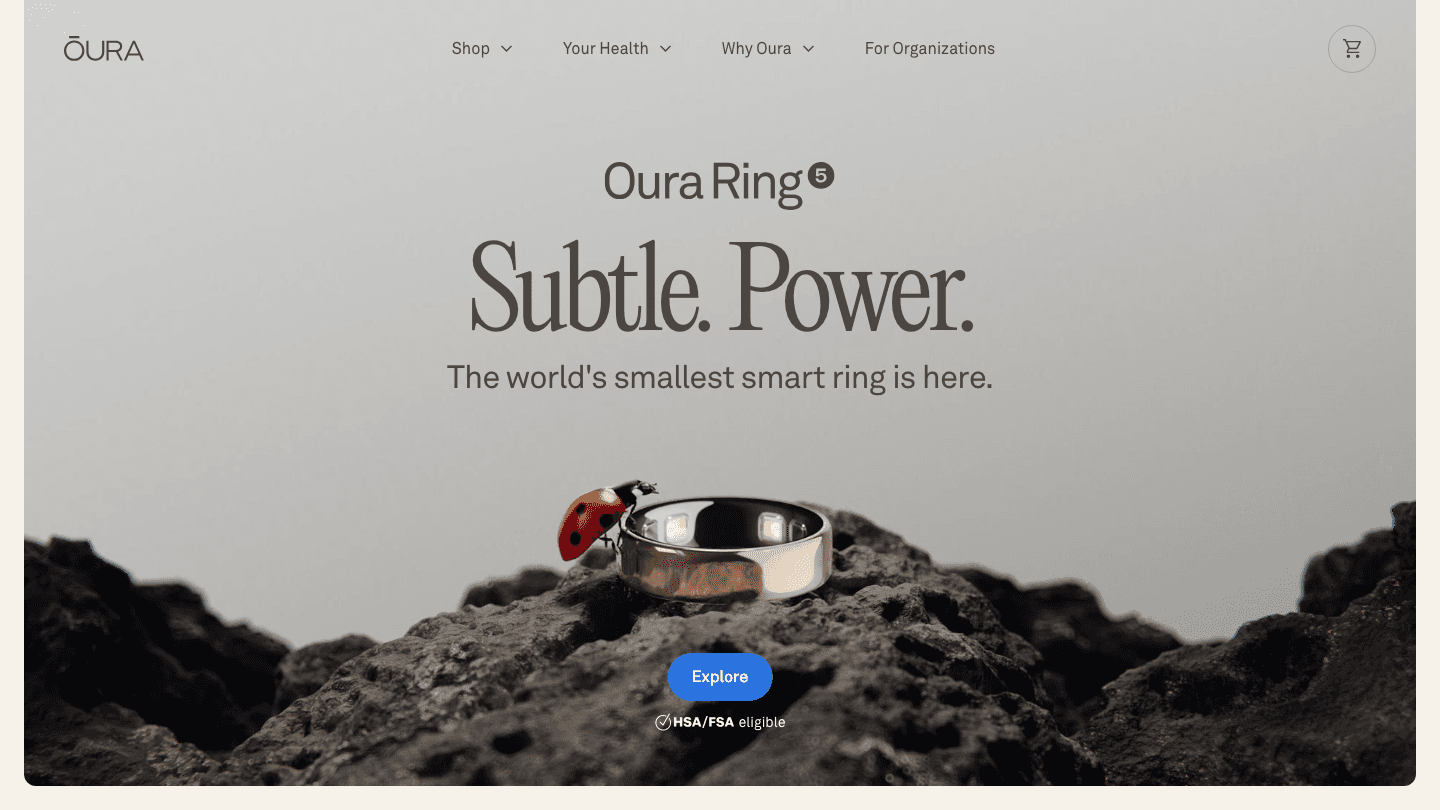
Oura Ring is the benchmark for wearable sleep accuracy. The ring form factor is better for sleep tracking than a wrist watch because it captures pulse waveforms more cleanly from the finger, producing more reliable heart rate variability (HRV), blood oxygen, and sleep stage data.
The Oura app gives you a daily Readiness Score, Sleep Score, and Activity Score. Its sleep stage detection (REM, light, deep) is among the best validated in consumer devices. The app's trend analysis surfaces patterns over weeks that single-night data can't show.
Ring-based biometric capture (HRV, SpO2, skin temperature, heart rate)
Readiness Score, Sleep Score, and Activity Score daily
Sleep stage analysis: REM, light, deep, awake
Period prediction and daytime nap detection
Pricing: Ring hardware from $299-$399, plus $5.99/month membership for full app access.
Best for: Anyone who wants the most accurate consumer-grade sleep biometrics and is willing to invest in hardware.
3. Sleep Cycle: Best App-Only Tracker
The best sleep tracker for people who don't want to buy any hardware.
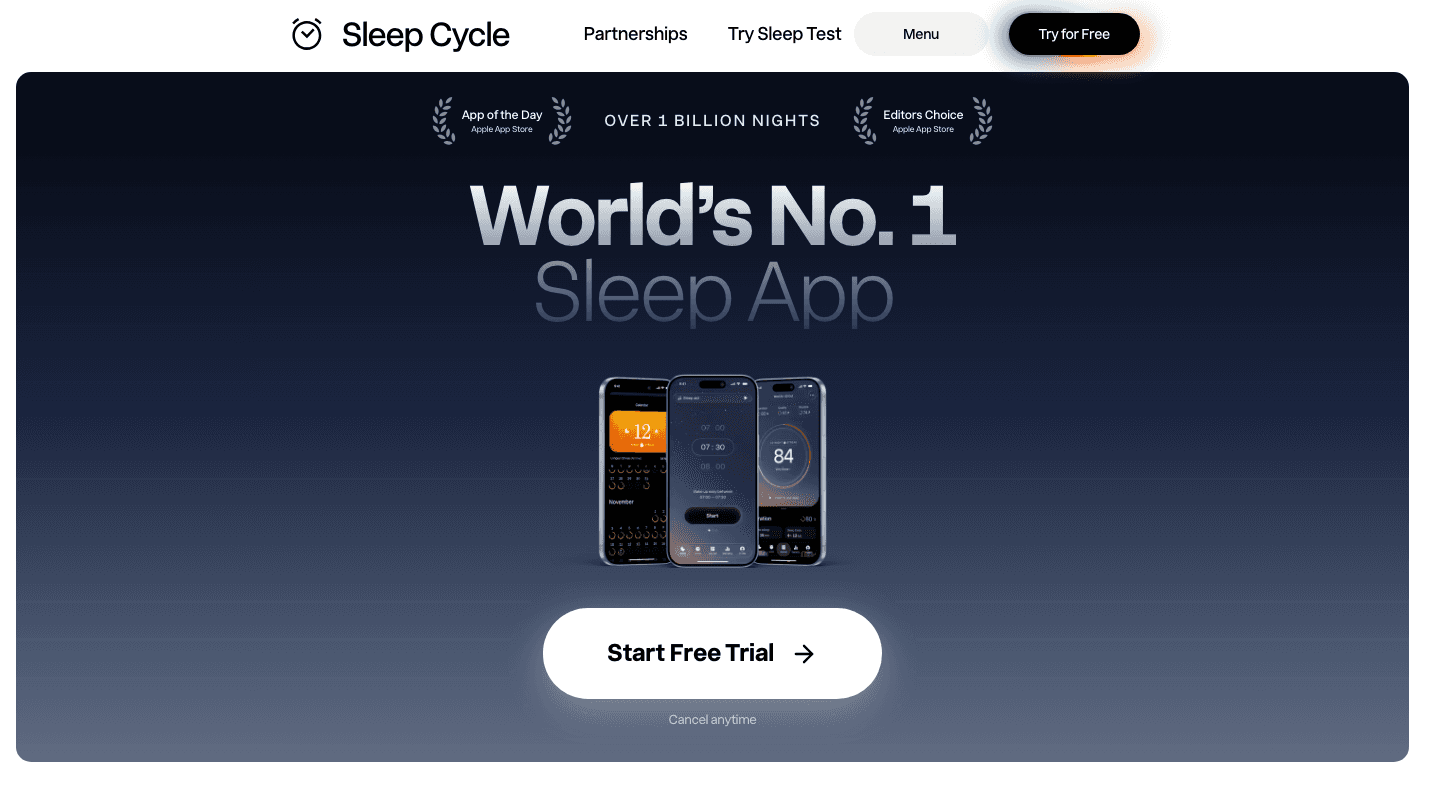
Sleep Cycle uses your phone's microphone and accelerometer to track sleep without any wearable. You place your phone near your pillow, and the app monitors movement and breathing sounds through the night. It's been doing this for over a decade and has over a billion nights of data in its training set.
The smart alarm is Sleep Cycle's most practical feature. Set a window (e.g., wake up between 6:45 and 7:15 AM) and the app wakes you during the lightest sleep phase in that window. The difference in how you feel waking from light sleep vs. deep sleep is dramatic.
The free tier covers basic sleep tracking. Premium adds detailed sleep trends, heart rate monitoring (if paired with Apple Watch), and a Sleep Test feature.
No wearable required, works from your phone
Smart alarm wakes you during light sleep phase
Snore detection and sleep note correlation
Over 1 billion nights tracked, strong trend data
Pricing: Free tier available; premium $29.99/year.
Best for: People who want meaningful sleep data and a smart alarm without buying a wearable.
4. AutoSleep: Best for Apple Watch Users
Set it once, track forever. The most automatic sleep option for Apple Watch wearers.
AutoSleep runs entirely in the background on your Apple Watch. No setup ritual, no button to press, no phone near your pillow. You just wear your watch to bed and wake up to a full sleep report.
The app's Readiness score combines sleep quality, heart rate, and HRV into a single daily metric. Its "Sleep Bank" feature tracks sleep debt across the week, showing whether you're recovering or accumulating deficit. For Apple Watch users who don't want the Oura subscription cost, AutoSleep offers a one-time purchase that covers everything.
Automatic tracking, no setup needed on Apple Watch
Readiness score and Sleep Bank for weekly debt tracking
HRV and SpO2 support on newer Apple Watches
HomeKit integration and smart alarm
Pricing: $7.99 one-time purchase (App Store).
Best for: Apple Watch users who want automatic, low-friction sleep tracking without a monthly subscription.
5. Pillow: Best for Detailed Sound Analysis
Tracks sleep stages, naps, and records audio so you can hear what's disrupting your rest.
Pillow stands out for its audio recording feature. It captures sounds from your sleeping environment, flags sleep disruptions with their likely cause (snoring, external noise, movement), and lets you listen back to understand what's breaking your sleep. That contextual layer is valuable for people dealing with unexplained disruptions.
The app also handles nap tracking cleanly, which most competitors ignore. If you want to understand the quality of a 20-minute afternoon rest the same way you track overnight sleep, Pillow handles it. It works with or without Apple Watch.
Audio recording of sleep sounds with disruption tagging
Nap tracking alongside full overnight sleep tracking
Sleep stage analysis: REM, light, deep
Sleep aid library: meditations, soundscapes
Pricing: Free tier available; premium $4.99/month or $39.99/year.
Best for: Anyone who wants sound recording to understand what's disrupting their sleep, or who naps regularly.
6. Apple Sleep: Best Free Baseline
Already on your phone. A clean starting point before you commit to anything else.
Apple's built-in Sleep app (in the Health app on iPhone, paired with Apple Watch) is free, requires no setup beyond turning on sleep tracking, and gives you sleep duration, consistency, and basic stage data. It's not as detailed as dedicated trackers, but it establishes a baseline with zero friction and no added cost.
For people just starting to pay attention to sleep, Apple Sleep is the right first step. You can always layer a more capable tracker on top once you understand your patterns and know what questions you're trying to answer. For people with ADHD, where sleep quality affects focus and regulation, getting any data is better than none. See our guide on ADHD sleep tips for how to act on what you track.
Built into iPhone and Apple Watch (iOS 14+)
Sleep duration, consistency, and sleep stages (Apple Watch Series 3+)
Wind Down reminders and bedtime schedule
No subscription, no added cost
Pricing: Free.
Best for: Anyone with an iPhone who wants to start tracking sleep with zero friction or cost.
Which Sleep Tracker Is Right for You?
Want to act on sleep data in your schedule: get Lifestack (works with Oura, Apple Watch, or Apple Health data)
Want the most accurate hardware biometrics: get Oura Ring
No wearable, want a smart alarm: get Sleep Cycle
Already have an Apple Watch and want automatic tracking: get AutoSleep
Need audio analysis or nap tracking: get Pillow
Want to start for free with no friction: use Apple Sleep
The best stack for most people: start with Apple Sleep to establish a baseline, pair it with Lifestack to see how your sleep scores connect to your daily performance, and add Oura Ring if you want deeper biometric data. That combination covers tracking, insights, and action in one circadian-aware system. For the task management side of an energy-aware routine, our guide to energy-based task management covers how to build the scheduling layer around your sleep data.
Frequently Asked Questions
What is the most accurate sleep tracker in 2026?
Oura Ring consistently scores highest for hardware accuracy in independent studies, particularly for HRV, blood oxygen, and sleep stage detection. Among app-only options, Sleep Cycle has the largest training dataset and generally produces reliable results for sleep duration and stage estimates. No consumer device matches clinical sleep lab accuracy, but Oura is the closest widely available option.
Do you need a wearable for sleep tracking?
No. Sleep Cycle, Pillow, and Apple Sleep all offer tracking without a wearable, using your phone's microphone and accelerometer. Wearables (Oura Ring, Apple Watch) provide more precise biometric data, but phone-based tracking is a solid option if you want to avoid hardware costs or prefer not to wear something overnight.
What should I look for in a sleep tracker?
Smart alarm (wakes you during light sleep), sleep stage breakdown (REM, light, deep), trend analysis over weeks and months, and some form of actionable output, whether that's a readiness score, energy scheduling, or specific behavioral suggestions. A tracker that just shows you a chart without guidance on what to do with it is less useful than one with clear interpretation built in.
Is sleep tracking actually useful?
Useful if you act on the data, less useful if you just collect it. Research on sleep tracking outcomes suggests the benefit comes from behavioral changes in response to data: adjusting bedtime, reducing alcohol before bed, or shifting when you schedule demanding work. Tools that create a direct path from tracking to action produce better real-world outcomes.
What is the Oura Ring subscription for?
Oura Ring hardware purchases include six months of the membership app. After that, the full Oura app with detailed insights, trends, and Readiness Score requires $5.99/month. Basic activity and sleep data remain accessible without a membership, but the detailed analysis layer requires the subscription.
Most sleep tracking data goes nowhere. You check your score in the morning, think "huh, light sleep again," and then schedule your hardest meeting right after lunch the same way you always do. The data sits in an app. Nothing changes.
The best sleep trackers are the ones that actually close the loop between what you track and how you live. Some do it by giving you clearer data. Others do it by connecting sleep to your waking schedule. All of them are on this list because they produce real behavioral change, not just charts.
We evaluated six options across accuracy, actionability, hardware requirements, and price. Here's what we found.
Key Takeaways
Lifestack is the only tool that auto-schedules your day based on sleep-derived energy data, making it the most actionable pick
Oura Ring gives the most accurate hardware tracking; Sleep Cycle is the best option if you want to skip hardware entirely
Free-tier options (Sleep Cycle, Pillow, Apple Sleep) are solid starting points; upgrading to paid plans adds smart alarms and trend data
Quick Guide
1. Lifestack: Best for turning sleep data into a smarter daily schedule
2. Oura Ring: Best hardware tracker for in-depth biometrics
3. Sleep Cycle: Best app-based tracker with no wearable required
4. AutoSleep: Best for Apple Watch users who want automatic tracking
5. Pillow: Best sleep analysis with nap tracking and sound recording
6. Apple Sleep (built-in): Best free baseline for iPhone and Apple Watch users
How We Evaluated
Tracking accuracy: How reliably does it detect sleep stages and wake events?
Actionability: Does the data change how you operate day to day?
Hardware requirement: Does it need a wearable or work phone-only?
Smart alarm: Can it wake you at a light sleep moment in a window?
Insights quality: Are trends meaningful, not just decorative?
Price: What's the real cost to unlock useful features?
1. Lifestack: Best for Actionable Sleep Data
The only tracker that auto-schedules your day based on how you actually slept.
Lifestack isn't a sleep tracker in the traditional sense. It doesn't record your sleep stages directly. What it does is take sleep and readiness data from your Apple Watch, Oura Ring, or Apple Health, and use that data to auto-schedule your tasks around your actual energy levels.
This is a different category of value. Every other app on this list gives you data. Lifestack uses the data to build a smarter schedule. If you slept poorly and your readiness is low, Lifestack shifts your demanding work to later in the day when your energy recovers, and fills your morning with lower-friction tasks. If you're at full capacity, it front-loads the cognitively heavy stuff when you can actually handle it.
This is the principle behind energy-based scheduling, and it's the layer of using Oura Ring data productively that most people skip. The tracker is a measuring tool. Lifestack is the implementation layer.
Connects with Apple Health, Oura Ring, and Apple Watch data
Auto-schedules tasks to match daily energy and readiness
Integrates with Google Calendar for full-schedule visibility
Works on iOS, Android, and Chrome
Pricing: $7/month or $50/year, with a 7-day free trial on the annual plan.
Best for: Anyone who tracks sleep and wants to actually use that data to schedule their day differently.
2. Oura Ring: Best Hardware Tracker
The most accurate sleep tracking hardware for people who want detailed biometrics.
Oura Ring is the benchmark for wearable sleep accuracy. The ring form factor is better for sleep tracking than a wrist watch because it captures pulse waveforms more cleanly from the finger, producing more reliable heart rate variability (HRV), blood oxygen, and sleep stage data.
The Oura app gives you a daily Readiness Score, Sleep Score, and Activity Score. Its sleep stage detection (REM, light, deep) is among the best validated in consumer devices. The app's trend analysis surfaces patterns over weeks that single-night data can't show.
Ring-based biometric capture (HRV, SpO2, skin temperature, heart rate)
Readiness Score, Sleep Score, and Activity Score daily
Sleep stage analysis: REM, light, deep, awake
Period prediction and daytime nap detection
Pricing: Ring hardware from $299-$399, plus $5.99/month membership for full app access.
Best for: Anyone who wants the most accurate consumer-grade sleep biometrics and is willing to invest in hardware.
3. Sleep Cycle: Best App-Only Tracker
The best sleep tracker for people who don't want to buy any hardware.
Sleep Cycle uses your phone's microphone and accelerometer to track sleep without any wearable. You place your phone near your pillow, and the app monitors movement and breathing sounds through the night. It's been doing this for over a decade and has over a billion nights of data in its training set.
The smart alarm is Sleep Cycle's most practical feature. Set a window (e.g., wake up between 6:45 and 7:15 AM) and the app wakes you during the lightest sleep phase in that window. The difference in how you feel waking from light sleep vs. deep sleep is dramatic.
The free tier covers basic sleep tracking. Premium adds detailed sleep trends, heart rate monitoring (if paired with Apple Watch), and a Sleep Test feature.
No wearable required, works from your phone
Smart alarm wakes you during light sleep phase
Snore detection and sleep note correlation
Over 1 billion nights tracked, strong trend data
Pricing: Free tier available; premium $29.99/year.
Best for: People who want meaningful sleep data and a smart alarm without buying a wearable.
4. AutoSleep: Best for Apple Watch Users
Set it once, track forever. The most automatic sleep option for Apple Watch wearers.
AutoSleep runs entirely in the background on your Apple Watch. No setup ritual, no button to press, no phone near your pillow. You just wear your watch to bed and wake up to a full sleep report.
The app's Readiness score combines sleep quality, heart rate, and HRV into a single daily metric. Its "Sleep Bank" feature tracks sleep debt across the week, showing whether you're recovering or accumulating deficit. For Apple Watch users who don't want the Oura subscription cost, AutoSleep offers a one-time purchase that covers everything.
Automatic tracking, no setup needed on Apple Watch
Readiness score and Sleep Bank for weekly debt tracking
HRV and SpO2 support on newer Apple Watches
HomeKit integration and smart alarm
Pricing: $7.99 one-time purchase (App Store).
Best for: Apple Watch users who want automatic, low-friction sleep tracking without a monthly subscription.
5. Pillow: Best for Detailed Sound Analysis
Tracks sleep stages, naps, and records audio so you can hear what's disrupting your rest.
Pillow stands out for its audio recording feature. It captures sounds from your sleeping environment, flags sleep disruptions with their likely cause (snoring, external noise, movement), and lets you listen back to understand what's breaking your sleep. That contextual layer is valuable for people dealing with unexplained disruptions.
The app also handles nap tracking cleanly, which most competitors ignore. If you want to understand the quality of a 20-minute afternoon rest the same way you track overnight sleep, Pillow handles it. It works with or without Apple Watch.
Audio recording of sleep sounds with disruption tagging
Nap tracking alongside full overnight sleep tracking
Sleep stage analysis: REM, light, deep
Sleep aid library: meditations, soundscapes
Pricing: Free tier available; premium $4.99/month or $39.99/year.
Best for: Anyone who wants sound recording to understand what's disrupting their sleep, or who naps regularly.
6. Apple Sleep: Best Free Baseline
Already on your phone. A clean starting point before you commit to anything else.
Apple's built-in Sleep app (in the Health app on iPhone, paired with Apple Watch) is free, requires no setup beyond turning on sleep tracking, and gives you sleep duration, consistency, and basic stage data. It's not as detailed as dedicated trackers, but it establishes a baseline with zero friction and no added cost.
For people just starting to pay attention to sleep, Apple Sleep is the right first step. You can always layer a more capable tracker on top once you understand your patterns and know what questions you're trying to answer. For people with ADHD, where sleep quality affects focus and regulation, getting any data is better than none. See our guide on ADHD sleep tips for how to act on what you track.
Built into iPhone and Apple Watch (iOS 14+)
Sleep duration, consistency, and sleep stages (Apple Watch Series 3+)
Wind Down reminders and bedtime schedule
No subscription, no added cost
Pricing: Free.
Best for: Anyone with an iPhone who wants to start tracking sleep with zero friction or cost.
Which Sleep Tracker Is Right for You?
Want to act on sleep data in your schedule: get Lifestack (works with Oura, Apple Watch, or Apple Health data)
Want the most accurate hardware biometrics: get Oura Ring
No wearable, want a smart alarm: get Sleep Cycle
Already have an Apple Watch and want automatic tracking: get AutoSleep
Need audio analysis or nap tracking: get Pillow
Want to start for free with no friction: use Apple Sleep
The best stack for most people: start with Apple Sleep to establish a baseline, pair it with Lifestack to see how your sleep scores connect to your daily performance, and add Oura Ring if you want deeper biometric data. That combination covers tracking, insights, and action in one circadian-aware system. For the task management side of an energy-aware routine, our guide to energy-based task management covers how to build the scheduling layer around your sleep data.
Frequently Asked Questions
What is the most accurate sleep tracker in 2026?
Oura Ring consistently scores highest for hardware accuracy in independent studies, particularly for HRV, blood oxygen, and sleep stage detection. Among app-only options, Sleep Cycle has the largest training dataset and generally produces reliable results for sleep duration and stage estimates. No consumer device matches clinical sleep lab accuracy, but Oura is the closest widely available option.
Do you need a wearable for sleep tracking?
No. Sleep Cycle, Pillow, and Apple Sleep all offer tracking without a wearable, using your phone's microphone and accelerometer. Wearables (Oura Ring, Apple Watch) provide more precise biometric data, but phone-based tracking is a solid option if you want to avoid hardware costs or prefer not to wear something overnight.
What should I look for in a sleep tracker?
Smart alarm (wakes you during light sleep), sleep stage breakdown (REM, light, deep), trend analysis over weeks and months, and some form of actionable output, whether that's a readiness score, energy scheduling, or specific behavioral suggestions. A tracker that just shows you a chart without guidance on what to do with it is less useful than one with clear interpretation built in.
Is sleep tracking actually useful?
Useful if you act on the data, less useful if you just collect it. Research on sleep tracking outcomes suggests the benefit comes from behavioral changes in response to data: adjusting bedtime, reducing alcohol before bed, or shifting when you schedule demanding work. Tools that create a direct path from tracking to action produce better real-world outcomes.
What is the Oura Ring subscription for?
Oura Ring hardware purchases include six months of the membership app. After that, the full Oura app with detailed insights, trends, and Readiness Score requires $5.99/month. Basic activity and sleep data remain accessible without a membership, but the detailed analysis layer requires the subscription.



FOLLOW ON
FOLLOW ON
FOLLOW ON



Copyright 2026 © Lifestack. All rights reserved
Copyright 2026 © Lifestack. All rights reserved

