
App
Best Circadian Rhythm Apps in 2026
Best Circadian Rhythm Apps in 2026
Your body runs on a 24-hour internal clock that governs when you're alert, when you're sluggish, when you sleep, and when you're at your sharpest. That clock is your circadian rhythm, and the apps on this list are built to either track it, protect it, or schedule your life around it.
The best circadian rhythm apps do different things. Some track your sleep and tell you when your energy will peak tomorrow. Some help you schedule your most important work during your biological high points. Some protect your sleep by managing light exposure. And one (Timeshifter) specifically handles the circadian disruption of crossing time zones.
We tested all five of these apps with working adults and evaluated them on data quality, ease of use, actionability of insights, and whether they actually change how you plan your day.
Key Takeaways
Tracking your circadian rhythm is only useful if the data changes what you do with your time. The best apps close that loop by connecting sleep data to scheduling.
Lifestack is the only app here that automatically builds your work schedule around your predicted energy, making it the most directly actionable circadian rhythm tool for productivity.
For travelers and shift workers, Timeshifter is in a category by itself for managing circadian disruption.
Quick Guide: Best Circadian Rhythm Apps
Lifestack: Best for scheduling your day around your energy peaks
RISE: Best for tracking your circadian energy curve throughout the day
Oura: Best for deep sleep and recovery data from a wearable ring
Sleep Cycle: Best smart alarm app for waking up at the right sleep stage
Timeshifter: Best circadian rhythm app for travelers and shift workers
How We Evaluated These Apps
Data accuracy: Does the app produce reliable sleep and energy measurements?
Actionability: Does the insight change what you actually do?
Integration: Does it connect with your calendar, health apps, or other tools?
Ease of use: Does it fit naturally into a daily routine?
Wearable requirement: Some apps need hardware; others work from your phone alone.
1. Lifestack: Best for Circadian-Aware Scheduling
The only app that uses your circadian data to build your actual work schedule.

Lifestack reads your sleep, recovery, and energy data, then builds a daily plan that puts your most important work during your natural peak hours. It's the only app on this list that closes the loop between circadian tracking and scheduling action.
Most sleep trackers tell you when you'll peak. Lifestack uses that prediction to automatically slot your high-focus tasks there. If you slept poorly and your energy is predicted to be low in the afternoon, Lifestack moves your lighter tasks into that window and protects your best hours for the work that matters. It also syncs with your calendar so the whole picture stays in one place.
The underlying model comes from sleep science and chronobiology research on how humans perform at different times of day. What makes it different from a simple peak-hours reminder is that the schedule rebuilds itself daily based on your actual sleep data, not a fixed assumption about when you're productive. The energy calendar approach it uses is the most direct application of circadian research to practical day planning available in an app.
Key Features: Energy-aware scheduling, AI task prioritization, calendar sync, sleep and recovery integration, iOS and Android
What Works: Automatically optimizes your daily plan around your circadian data; no manual rescheduling; updates in real time
Limitations: Requires consistent sleep data for best results; scheduling focus means it won't replace a dedicated sleep tracker for deep analysis
Pricing: $7/month or $50/year. 7-day free trial on the annual plan.
Best for: Anyone who wants their circadian rhythm data to actually change how their day is planned, not just generate a graph to look at.
2. RISE: Best for Tracking Your Energy Curve
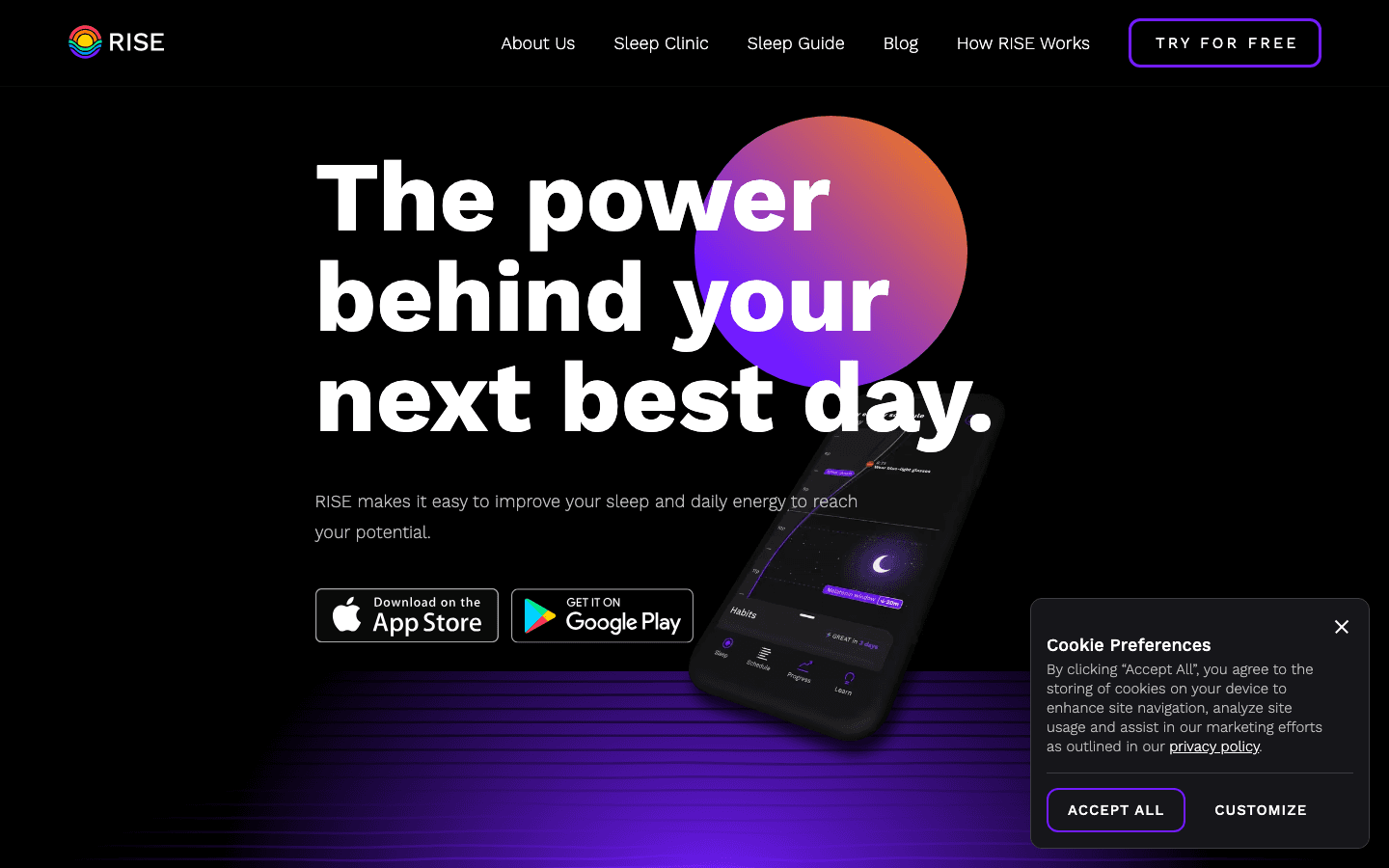
RISE is built around one core concept: your energy level is predictable, and knowing when it will rise and fall lets you plan accordingly. The app calculates your personal circadian rhythm from your sleep data and shows you a 24-hour energy curve that updates each morning.
The daily curve is RISE's most useful feature. You can see when your peak energy window is, when your afternoon dip will hit, and when recovery sleep will likely kick in. RISE then gives you recommendations: do your most demanding work here, eat lightly there, go to sleep before this hour to reduce your sleep debt.
The sleep debt metric is one of the better implementations in the category. RISE tracks it cumulatively and shows you how much sleep debt you're carrying, which turns out to be more useful than a single night's sleep score.
What Works: Energy curve is intuitive and accurate; sleep debt tracking is genuinely useful; no wearable required
Limitations: Data quality depends on phone sleep detection, which is less accurate than a wearable; doesn't integrate with your calendar or schedule tasks automatically
Pricing: Free to download. Premium subscription required for full features (check App Store for current pricing).
Best for: People who want a clear picture of their daily energy curve without needing a wearable. Works well alongside a time-blocking system to put the energy data to use.
3. Oura: Best for Wearable Sleep and Recovery Data
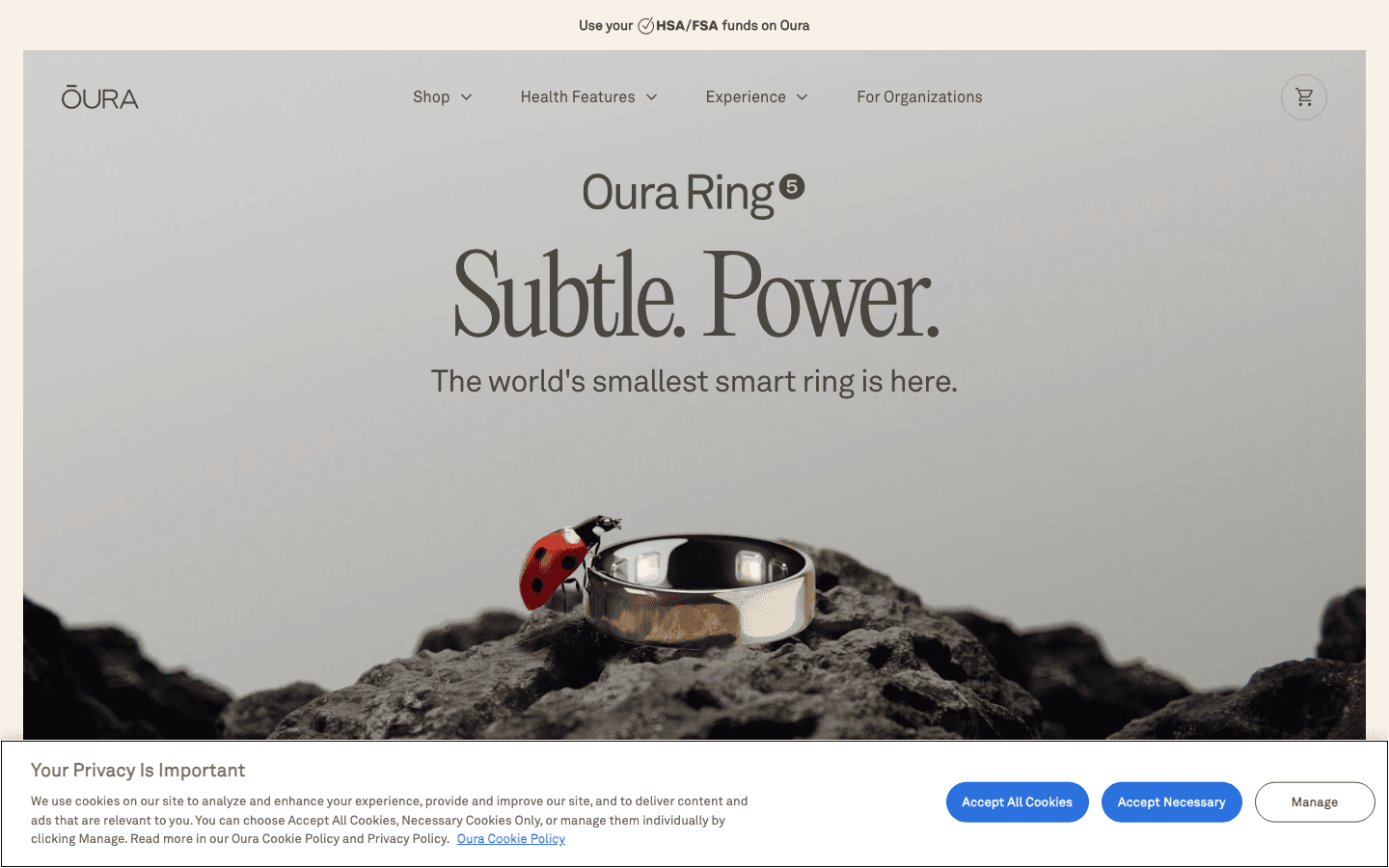
Oura Ring is a smart ring that tracks sleep stages, heart rate variability, body temperature, and resting heart rate overnight. The app translates all of that into three daily scores: Readiness, Sleep, and Activity. Of these, Readiness is the most useful for circadian planning because it tells you how recovered you are and how demanding a day you can reasonably take on.
Oura's sleep stage data is among the most accurate available from a consumer wearable. The ring design (worn on the finger) captures cleaner heart rate data than wrist-based wearables, which matters for HRV measurements that drive the Readiness score.
The app also shows your circadian phase and body clock timing, which helps you understand your chronotype and whether your sleep schedule is aligned with it. If you're a night owl running on early-bird hours, Oura will show you the misalignment clearly. See also: what the Oura Ring's red light means for a closer look at the ring's sensor data.
What Works: Industry-leading sleep stage accuracy; Readiness score is genuinely actionable; long battery life (up to 7 days)
Limitations: Requires purchasing the ring hardware ($299+); monthly membership adds to the ongoing cost; no calendar integration for scheduling
Pricing: Ring hardware from $299. Membership: $5.99/month or $69.99/year (first month free).
Best for: People who want the most accurate circadian and recovery data available from a wearable and are willing to invest in the hardware.
4. Sleep Cycle: Best Smart Alarm App
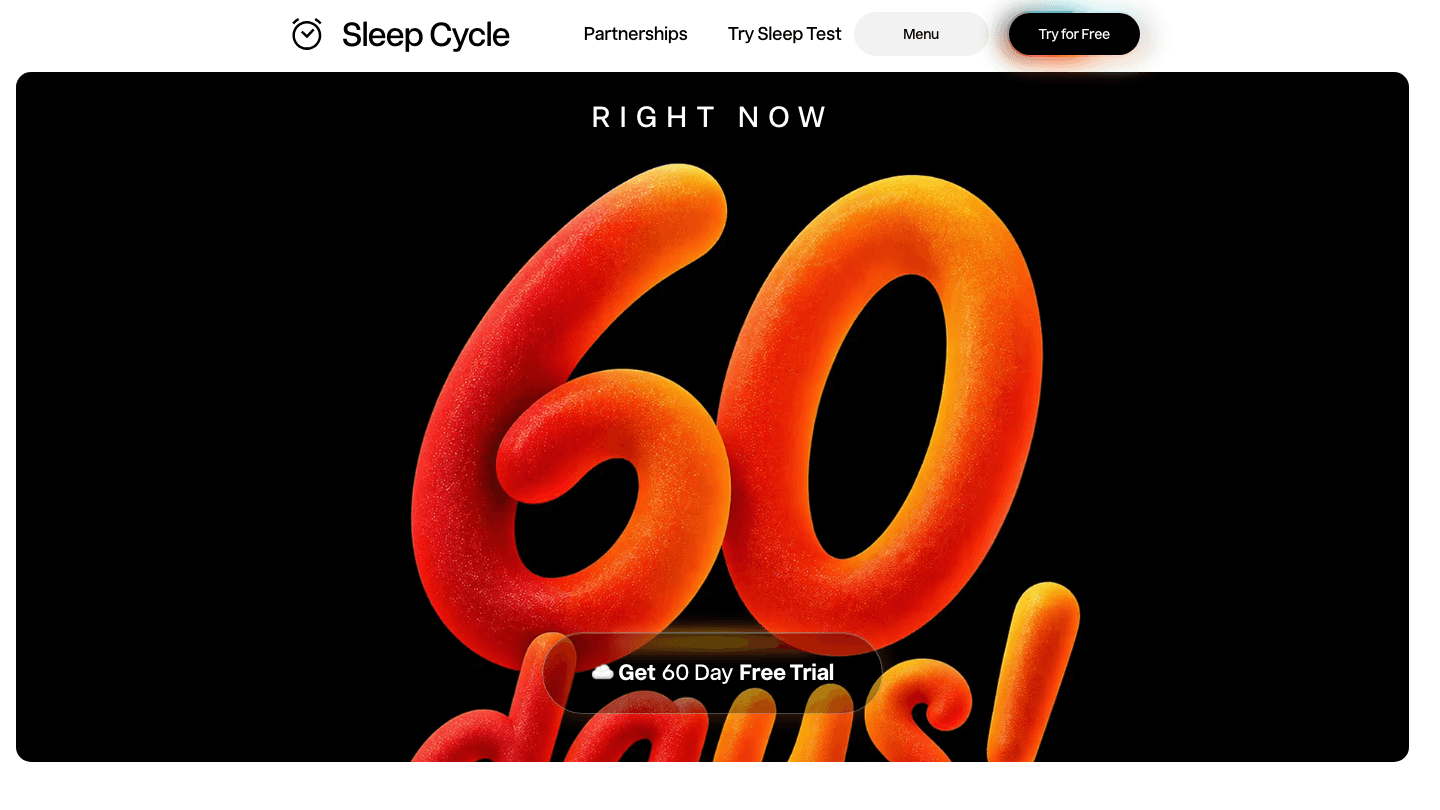
Sleep Cycle has been the standard smart alarm app for years. It tracks your movement and sound during sleep using your phone's sensors, identifies your sleep stages, and wakes you during the lightest part of your sleep within a 30-minute window before your set alarm time. Waking from light sleep instead of deep sleep makes a real difference in how you feel in the morning.
Beyond the smart alarm, Sleep Cycle shows you sleep trend data over time, bedtime and wake time patterns, and sleep quality scores. The app doesn't require a wearable, which makes it accessible. The trade-off is that phone-based sleep detection is less precise than ring or wrist sensors, particularly for sleep stage classification.
What Works: Smart alarm genuinely improves morning grogginess; good historical sleep trend data; no wearable needed; 60-day free trial currently available
Limitations: Phone must stay on mattress or nearby during sleep; sleep stage data less accurate than wearable alternatives
Pricing: Free to download. 60-day free trial of premium features currently available. Check App Store for subscription pricing.
Best for: Anyone who wakes up groggy and wants a simple, no-wearable solution. Also good as a starting point before committing to a wearable. Pairs well with understanding how to wake up to your alarm effectively.
5. Timeshifter: Best for Travelers and Shift Workers
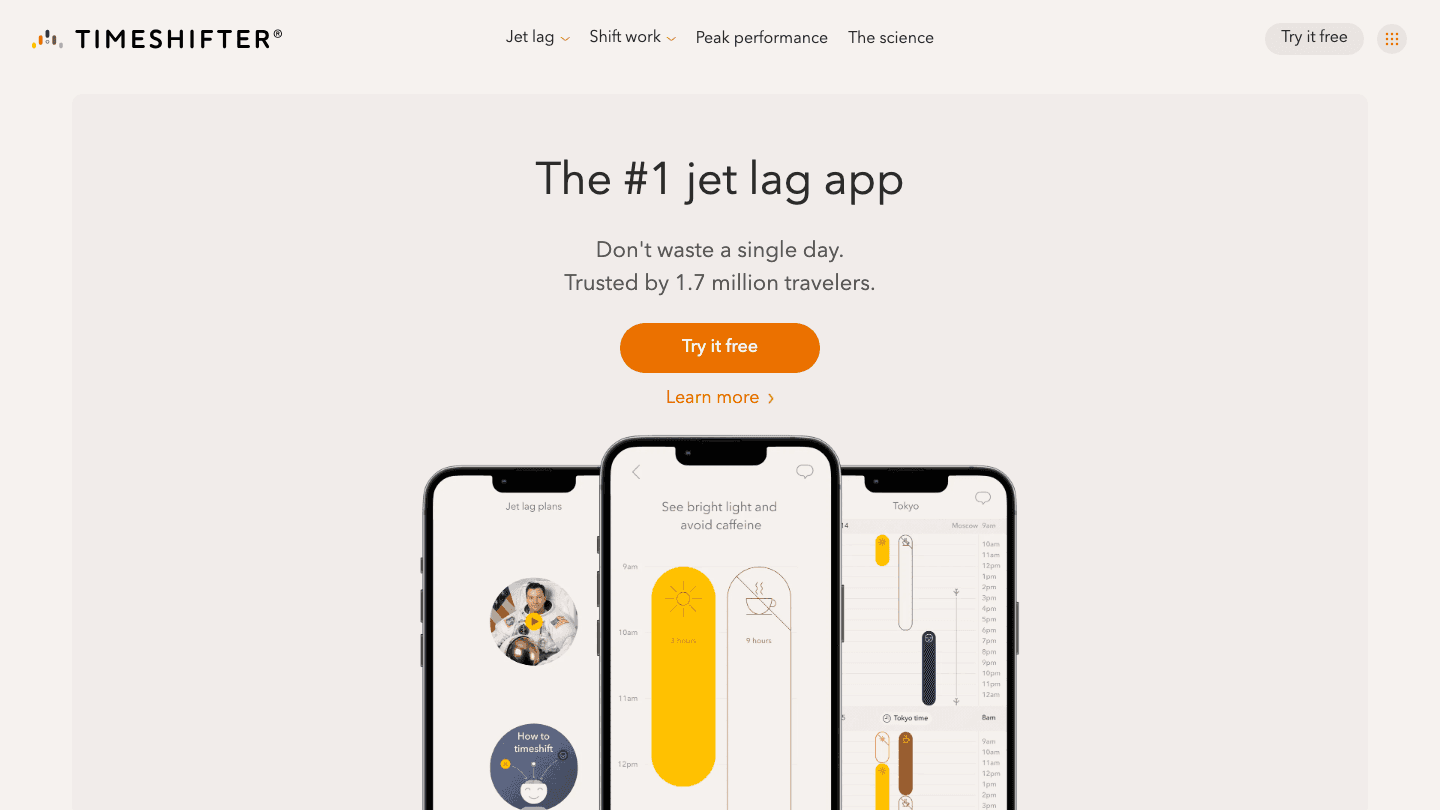
Timeshifter is the most specialized app on this list. It's built specifically to help you shift your circadian rhythm before, during, and after crossing time zones. Enter your flight details, your chronotype, and whether you want to start adjusting before the trip or arrive and adjust after. Timeshifter generates a personalized plan for when to seek light, avoid light, take melatonin, drink caffeine, and when to sleep.
The science behind Timeshifter comes from circadian research published by Harvard Medical School. It's not the usual generic jet lag advice. The plans account for the direction of travel, the number of time zones crossed, and your individual chronotype. For frequent travelers, the difference between an unmanaged jet lag experience and a Timeshifter-managed one is measurable in days of lost performance.
What Works: Science-backed jet lag plans that actually accelerate circadian adaptation; works for shift workers too; clear, actionable daily instructions
Limitations: Purpose-built for travel and shift work; not a general circadian tracking or scheduling tool; per-trip pricing can add up for frequent travelers
Pricing: First trip free. Per-trip or annual subscription options available (check App Store for current pricing).
Best for: Frequent travelers and shift workers. Not designed as an everyday productivity tool, but in its specific category it has no real competitor.
Which Circadian Rhythm App Is Right for You?
You want your sleep data to drive your work schedule: Lifestack does this automatically.
You want a daily energy curve without a wearable: RISE is the best implementation.
You want the most accurate sleep and recovery data: Oura Ring, if you're willing to buy the hardware.
You wake up groggy and want a smarter alarm: Sleep Cycle is the obvious choice.
You travel across time zones and want to recover faster: Timeshifter is built for exactly that.
For most people, the highest-impact move is combining one of these tracking apps with a tool that actually uses the data. Knowing you have a peak energy window at 9-11am is only useful if something in your life changes as a result. That's where Lifestack's scheduling layer does work that none of the other apps here do on their own.
FAQ
What is a circadian rhythm app?
A circadian rhythm app is a tool that helps you understand, track, or align with your body's internal 24-hour clock. Some apps track your sleep stages and predict your energy levels throughout the day. Others help you schedule your work and rest around those predictions. A few, like Timeshifter, are specifically designed to shift your circadian rhythm when you cross time zones or change shift schedules.
Can an app actually improve your circadian rhythm?
Not directly. An app can't change your biology. What good circadian rhythm apps do is give you information that helps you make better decisions: when to sleep, when to schedule demanding work, when to seek light, when to avoid caffeine. Consistently acting on that information does improve sleep quality and daytime performance over time. The app is the feedback mechanism; the behavior change is what does the work.
What is the best free circadian rhythm app?
RISE and Sleep Cycle both offer meaningful free tiers or trials. RISE's free version gives you access to the energy curve, which is its core feature. Sleep Cycle is currently offering a 60-day free trial of its premium features. Lifestack offers a 7-day free trial on the annual plan. For most people, trying Lifestack's trial is worth it if your goal is to actually use circadian data to improve your work schedule.
How does Lifestack use circadian rhythm data?
Lifestack reads your sleep and recovery data each morning, predicts your energy curve for the day, and builds a work schedule that puts your most important tasks during your predicted peak hours. If you have a low-sleep night, it adjusts the plan accordingly and moves lighter tasks to your lower-energy windows. The result is a schedule that accounts for your biological state rather than treating every hour as identical. Learn more about the energy calendar approach it's based on.
Do I need a wearable for a circadian rhythm app?
No. RISE, Sleep Cycle, and Lifestack all work without dedicated hardware using your phone's sensors and health data. Oura Ring provides significantly more accurate sleep stage data because the ring captures cleaner biometrics than phone-based detection, but the additional accuracy may not be necessary depending on your goals. If you already have an Apple Watch, Apple Health data integrates well with several of these apps.
Your body runs on a 24-hour internal clock that governs when you're alert, when you're sluggish, when you sleep, and when you're at your sharpest. That clock is your circadian rhythm, and the apps on this list are built to either track it, protect it, or schedule your life around it.
The best circadian rhythm apps do different things. Some track your sleep and tell you when your energy will peak tomorrow. Some help you schedule your most important work during your biological high points. Some protect your sleep by managing light exposure. And one (Timeshifter) specifically handles the circadian disruption of crossing time zones.
We tested all five of these apps with working adults and evaluated them on data quality, ease of use, actionability of insights, and whether they actually change how you plan your day.
Key Takeaways
Tracking your circadian rhythm is only useful if the data changes what you do with your time. The best apps close that loop by connecting sleep data to scheduling.
Lifestack is the only app here that automatically builds your work schedule around your predicted energy, making it the most directly actionable circadian rhythm tool for productivity.
For travelers and shift workers, Timeshifter is in a category by itself for managing circadian disruption.
Quick Guide: Best Circadian Rhythm Apps
Lifestack: Best for scheduling your day around your energy peaks
RISE: Best for tracking your circadian energy curve throughout the day
Oura: Best for deep sleep and recovery data from a wearable ring
Sleep Cycle: Best smart alarm app for waking up at the right sleep stage
Timeshifter: Best circadian rhythm app for travelers and shift workers
How We Evaluated These Apps
Data accuracy: Does the app produce reliable sleep and energy measurements?
Actionability: Does the insight change what you actually do?
Integration: Does it connect with your calendar, health apps, or other tools?
Ease of use: Does it fit naturally into a daily routine?
Wearable requirement: Some apps need hardware; others work from your phone alone.
1. Lifestack: Best for Circadian-Aware Scheduling
The only app that uses your circadian data to build your actual work schedule.
Lifestack reads your sleep, recovery, and energy data, then builds a daily plan that puts your most important work during your natural peak hours. It's the only app on this list that closes the loop between circadian tracking and scheduling action.
Most sleep trackers tell you when you'll peak. Lifestack uses that prediction to automatically slot your high-focus tasks there. If you slept poorly and your energy is predicted to be low in the afternoon, Lifestack moves your lighter tasks into that window and protects your best hours for the work that matters. It also syncs with your calendar so the whole picture stays in one place.
The underlying model comes from sleep science and chronobiology research on how humans perform at different times of day. What makes it different from a simple peak-hours reminder is that the schedule rebuilds itself daily based on your actual sleep data, not a fixed assumption about when you're productive. The energy calendar approach it uses is the most direct application of circadian research to practical day planning available in an app.
Key Features: Energy-aware scheduling, AI task prioritization, calendar sync, sleep and recovery integration, iOS and Android
What Works: Automatically optimizes your daily plan around your circadian data; no manual rescheduling; updates in real time
Limitations: Requires consistent sleep data for best results; scheduling focus means it won't replace a dedicated sleep tracker for deep analysis
Pricing: $7/month or $50/year. 7-day free trial on the annual plan.
Best for: Anyone who wants their circadian rhythm data to actually change how their day is planned, not just generate a graph to look at.
2. RISE: Best for Tracking Your Energy Curve
RISE is built around one core concept: your energy level is predictable, and knowing when it will rise and fall lets you plan accordingly. The app calculates your personal circadian rhythm from your sleep data and shows you a 24-hour energy curve that updates each morning.
The daily curve is RISE's most useful feature. You can see when your peak energy window is, when your afternoon dip will hit, and when recovery sleep will likely kick in. RISE then gives you recommendations: do your most demanding work here, eat lightly there, go to sleep before this hour to reduce your sleep debt.
The sleep debt metric is one of the better implementations in the category. RISE tracks it cumulatively and shows you how much sleep debt you're carrying, which turns out to be more useful than a single night's sleep score.
What Works: Energy curve is intuitive and accurate; sleep debt tracking is genuinely useful; no wearable required
Limitations: Data quality depends on phone sleep detection, which is less accurate than a wearable; doesn't integrate with your calendar or schedule tasks automatically
Pricing: Free to download. Premium subscription required for full features (check App Store for current pricing).
Best for: People who want a clear picture of their daily energy curve without needing a wearable. Works well alongside a time-blocking system to put the energy data to use.
3. Oura: Best for Wearable Sleep and Recovery Data
Oura Ring is a smart ring that tracks sleep stages, heart rate variability, body temperature, and resting heart rate overnight. The app translates all of that into three daily scores: Readiness, Sleep, and Activity. Of these, Readiness is the most useful for circadian planning because it tells you how recovered you are and how demanding a day you can reasonably take on.
Oura's sleep stage data is among the most accurate available from a consumer wearable. The ring design (worn on the finger) captures cleaner heart rate data than wrist-based wearables, which matters for HRV measurements that drive the Readiness score.
The app also shows your circadian phase and body clock timing, which helps you understand your chronotype and whether your sleep schedule is aligned with it. If you're a night owl running on early-bird hours, Oura will show you the misalignment clearly. See also: what the Oura Ring's red light means for a closer look at the ring's sensor data.
What Works: Industry-leading sleep stage accuracy; Readiness score is genuinely actionable; long battery life (up to 7 days)
Limitations: Requires purchasing the ring hardware ($299+); monthly membership adds to the ongoing cost; no calendar integration for scheduling
Pricing: Ring hardware from $299. Membership: $5.99/month or $69.99/year (first month free).
Best for: People who want the most accurate circadian and recovery data available from a wearable and are willing to invest in the hardware.
4. Sleep Cycle: Best Smart Alarm App
Sleep Cycle has been the standard smart alarm app for years. It tracks your movement and sound during sleep using your phone's sensors, identifies your sleep stages, and wakes you during the lightest part of your sleep within a 30-minute window before your set alarm time. Waking from light sleep instead of deep sleep makes a real difference in how you feel in the morning.
Beyond the smart alarm, Sleep Cycle shows you sleep trend data over time, bedtime and wake time patterns, and sleep quality scores. The app doesn't require a wearable, which makes it accessible. The trade-off is that phone-based sleep detection is less precise than ring or wrist sensors, particularly for sleep stage classification.
What Works: Smart alarm genuinely improves morning grogginess; good historical sleep trend data; no wearable needed; 60-day free trial currently available
Limitations: Phone must stay on mattress or nearby during sleep; sleep stage data less accurate than wearable alternatives
Pricing: Free to download. 60-day free trial of premium features currently available. Check App Store for subscription pricing.
Best for: Anyone who wakes up groggy and wants a simple, no-wearable solution. Also good as a starting point before committing to a wearable. Pairs well with understanding how to wake up to your alarm effectively.
5. Timeshifter: Best for Travelers and Shift Workers
Timeshifter is the most specialized app on this list. It's built specifically to help you shift your circadian rhythm before, during, and after crossing time zones. Enter your flight details, your chronotype, and whether you want to start adjusting before the trip or arrive and adjust after. Timeshifter generates a personalized plan for when to seek light, avoid light, take melatonin, drink caffeine, and when to sleep.
The science behind Timeshifter comes from circadian research published by Harvard Medical School. It's not the usual generic jet lag advice. The plans account for the direction of travel, the number of time zones crossed, and your individual chronotype. For frequent travelers, the difference between an unmanaged jet lag experience and a Timeshifter-managed one is measurable in days of lost performance.
What Works: Science-backed jet lag plans that actually accelerate circadian adaptation; works for shift workers too; clear, actionable daily instructions
Limitations: Purpose-built for travel and shift work; not a general circadian tracking or scheduling tool; per-trip pricing can add up for frequent travelers
Pricing: First trip free. Per-trip or annual subscription options available (check App Store for current pricing).
Best for: Frequent travelers and shift workers. Not designed as an everyday productivity tool, but in its specific category it has no real competitor.
Which Circadian Rhythm App Is Right for You?
You want your sleep data to drive your work schedule: Lifestack does this automatically.
You want a daily energy curve without a wearable: RISE is the best implementation.
You want the most accurate sleep and recovery data: Oura Ring, if you're willing to buy the hardware.
You wake up groggy and want a smarter alarm: Sleep Cycle is the obvious choice.
You travel across time zones and want to recover faster: Timeshifter is built for exactly that.
For most people, the highest-impact move is combining one of these tracking apps with a tool that actually uses the data. Knowing you have a peak energy window at 9-11am is only useful if something in your life changes as a result. That's where Lifestack's scheduling layer does work that none of the other apps here do on their own.
FAQ
What is a circadian rhythm app?
A circadian rhythm app is a tool that helps you understand, track, or align with your body's internal 24-hour clock. Some apps track your sleep stages and predict your energy levels throughout the day. Others help you schedule your work and rest around those predictions. A few, like Timeshifter, are specifically designed to shift your circadian rhythm when you cross time zones or change shift schedules.
Can an app actually improve your circadian rhythm?
Not directly. An app can't change your biology. What good circadian rhythm apps do is give you information that helps you make better decisions: when to sleep, when to schedule demanding work, when to seek light, when to avoid caffeine. Consistently acting on that information does improve sleep quality and daytime performance over time. The app is the feedback mechanism; the behavior change is what does the work.
What is the best free circadian rhythm app?
RISE and Sleep Cycle both offer meaningful free tiers or trials. RISE's free version gives you access to the energy curve, which is its core feature. Sleep Cycle is currently offering a 60-day free trial of its premium features. Lifestack offers a 7-day free trial on the annual plan. For most people, trying Lifestack's trial is worth it if your goal is to actually use circadian data to improve your work schedule.
How does Lifestack use circadian rhythm data?
Lifestack reads your sleep and recovery data each morning, predicts your energy curve for the day, and builds a work schedule that puts your most important tasks during your predicted peak hours. If you have a low-sleep night, it adjusts the plan accordingly and moves lighter tasks to your lower-energy windows. The result is a schedule that accounts for your biological state rather than treating every hour as identical. Learn more about the energy calendar approach it's based on.
Do I need a wearable for a circadian rhythm app?
No. RISE, Sleep Cycle, and Lifestack all work without dedicated hardware using your phone's sensors and health data. Oura Ring provides significantly more accurate sleep stage data because the ring captures cleaner biometrics than phone-based detection, but the additional accuracy may not be necessary depending on your goals. If you already have an Apple Watch, Apple Health data integrates well with several of these apps.



FOLLOW ON
FOLLOW ON
FOLLOW ON


Copyright 2026 © Lifestack. All rights reserved
Copyright 2026 © Lifestack. All rights reserved

