
App
Best Time Tracking Apps for Freelancers in 2026
Best Time Tracking Apps for Freelancers in 2026

Freelance billing accuracy starts with tracking. Every unlogged hour is money left on the table. But the best time tracking apps go beyond simple logging: they help you understand which projects are actually profitable, how your time distributes across clients, and whether you're pricing your work correctly.
This list covers the six best time tracking apps for freelancers in 2026, tested across ease of use, billing features, reporting, and value. Lifestack leads the list because it solves the problem that traditional trackers miss: not just recording where your time went, but helping you plan where it should go based on your actual energy and capacity.
Key Takeaways
Lifestack is the best choice if you want your daily schedule built around your energy levels, not just a log of where time went after the fact.
Toggl Track has the best UX in pure time tracking. If you bill by the hour and want a frictionless timer, it's the default recommendation.
Clockify is the only app on this list with a genuinely unlimited free plan. Most freelancers won't need to pay for it.
Quick Guide
1. Lifestack: AI scheduler that plans your day around your energy and shows time allocation
2. Toggl Track: best timer UX, project profitability reporting, trusted by 5M+ users
3. Clockify: best free plan, unlimited projects and users, invoicing on paid tier
4. Harvest: best invoicing integration, budget alerts, payment links built in
5. My Hours: cleanest interface for solo freelancers, free for basic use
6. Timely: AI-powered automatic time tracking, no manual timer required
How We Evaluated These Apps
Timer UX and friction to start/stop tracking
Reporting: project profitability, client summaries, billable hours breakdown
Invoicing capability and payment integration
Free plan quality
Mobile app quality for tracking on the go
1. Lifestack: Best for Planning Your Freelance Time
AI-powered scheduling built around your energy, not just a time log

Lifestack approaches time management from the opposite direction of traditional trackers. Rather than logging where your time went after the fact, it plans where your time should go based on your energy state, calendar, and task list. It reads your sleep data, recovery metrics, and health integrations to understand your daily capacity, then builds a schedule that puts demanding client work in your peak focus windows.
For freelancers, the practical benefit is twofold. First, you stop losing billable hours to context-switching and unfocused work by having a clear daily plan. Second, you see how your time is actually distributed across projects and clients, which informs better pricing decisions. The time-blocking approach Lifestack automates is the system that high-output freelancers use to protect their most valuable working hours.
Energy-aware daily schedule built from health data and calendar
AI task prioritization and time block recommendations
Calendar integration (Google, Apple) for client meeting awareness
Chrome extension for browser-based workflow visibility
iOS and Android apps for mobile schedule access
What Works: The energy-aware scheduling. Lifestack's strength is helping you do better work in fewer hours by aligning demanding tasks with your natural performance peak. No energy awareness in any other app on this list.
Limitations: Not a traditional hour-logger for invoicing. If your workflow requires logging billable hours by client and exporting invoices, pair Lifestack with Toggl Track or Clockify for that layer.
Pricing: $7/month, $50/year, or $120 lifetime. 7-day free trial on annual plan.
Best for: Freelancers who want to protect focused work time, work at peak energy, and stop losing hours to unproductive context-switching.
2. Toggl Track: Best Timer UX for Freelancers
The smoothest time tracker in the category
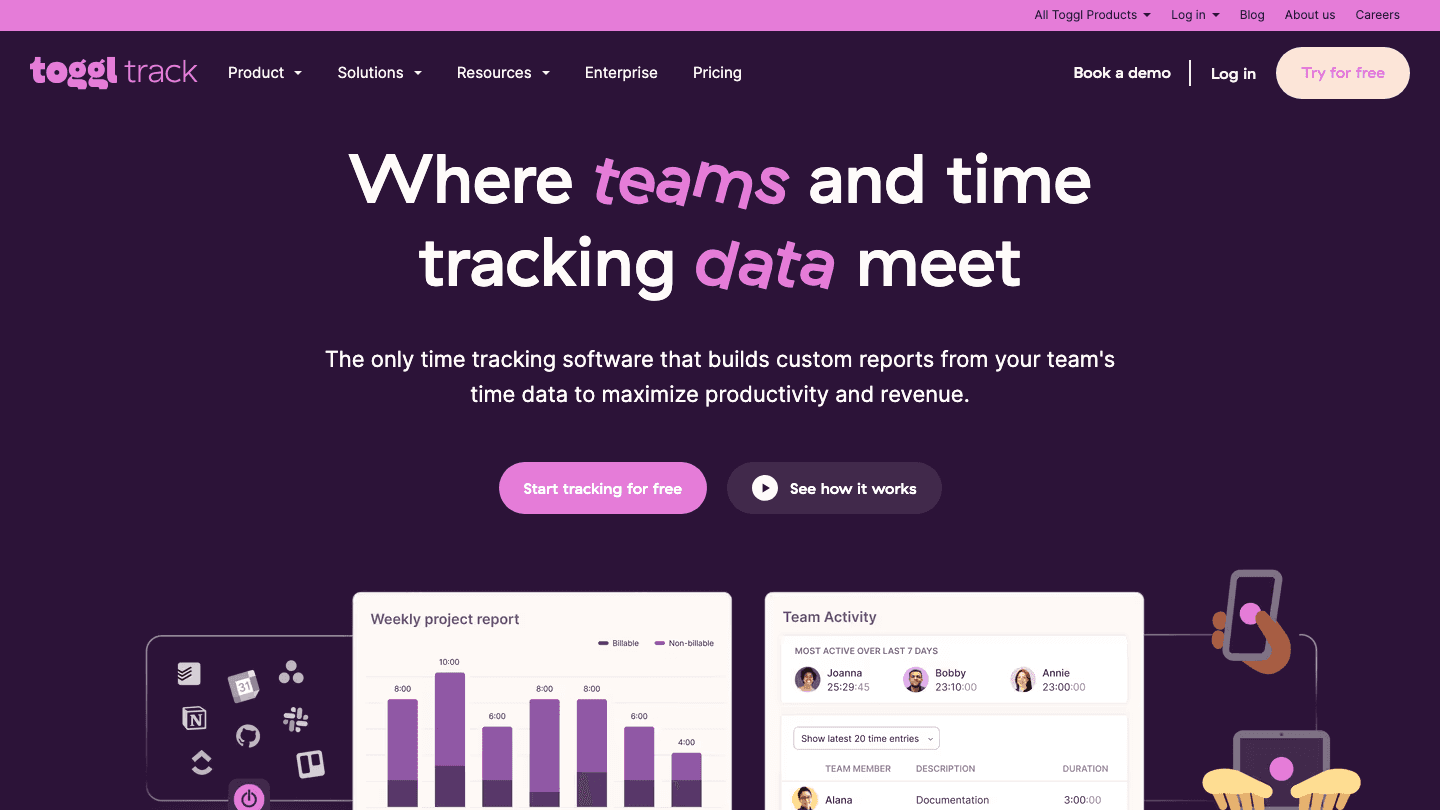
Toggl Track has been the freelancer time tracking default for over a decade, and for good reason. The one-click timer is the fastest to start and stop in the category. Projects, clients, and tags are easy to organize. The reporting suite shows you billable hours by client, project profitability, and time distribution across any period.
For freelancers who manage multiple clients simultaneously, Toggl's project profitability view is genuinely useful: it tells you which clients are worth your time at your current rate and which are eating margin. Combine with personal energy management habits to ensure your highest-value clients get your best hours.
One-click timer with keyboard shortcuts
Project and client billing rate setup
Project profitability reporting
Browser extension for automatic detection
Integrations with 100+ tools
What Works: The UX and the reporting. Starting a timer in Toggl requires no friction, which means you actually use it consistently. The profitability reporting is the best in the category for understanding client economics.
Limitations: No built-in invoicing (export to CSV and invoice separately). The free plan is limited to 5 users but fully functional for a solo freelancer.
Pricing: Free (up to 5 users). Starter at $9/user/month billed annually. Premium at $18/user/month.
Best for: Freelancers who bill hourly and need fast, frictionless time logging with strong reporting.
3. Clockify: Best Free Time Tracker
Unlimited free plan with no user or project cap
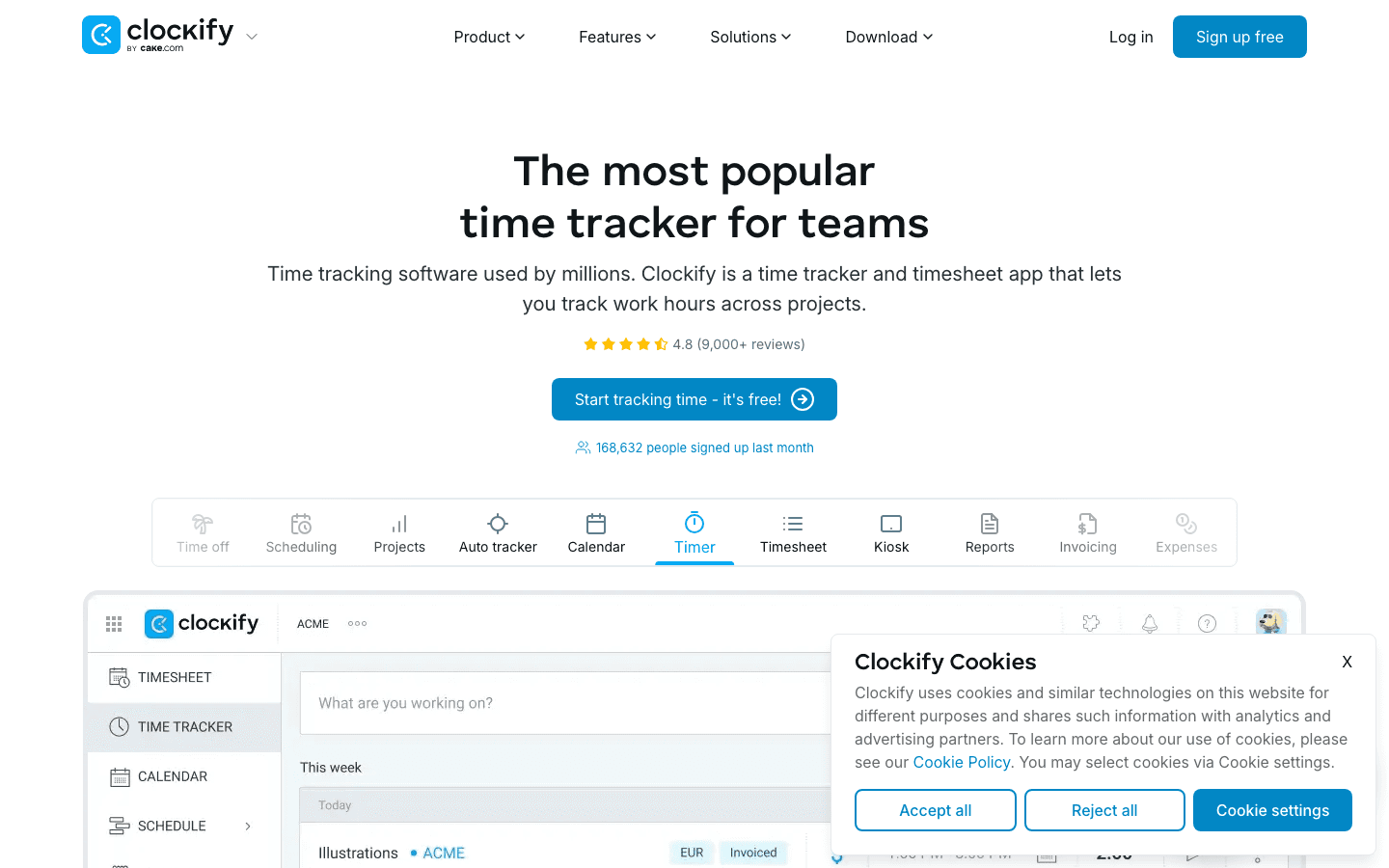
Clockify is the only time tracking app on this list with a genuinely unlimited free plan. Free accounts get unlimited projects, unlimited users, and unlimited tracking history. Time reports, exportable timesheets, and a basic dashboard are all available at no cost.
For freelancers just starting out or those with straightforward billing needs, Clockify's free tier covers everything. Context-switching costs are low because the timer is simple and the interface is clean. Invoicing requires a paid plan, but basic CSV export to create invoices in your own tool is free.
Unlimited free plan (no user or project limits)
Manual and timer-based tracking
Time reports and exportable timesheets
Kiosk mode for shared team tracking
Invoicing on Standard plan and above
What Works: The free tier. No other app gives you this much for free. For solo freelancers who just need to log hours and export reports, Clockify is often all you need.
Limitations: UI feels slightly dated compared to Toggl. Invoicing requires upgrading. The breadth of features can make it harder to navigate for new users.
Pricing: Free (unlimited). Standard at $5.49/user/month billed annually. Pro at $7.99/user/month.
Best for: Budget-conscious freelancers who need reliable time tracking without paying for it.
4. Harvest: Best for Invoicing
Time tracking with built-in invoicing and online payments
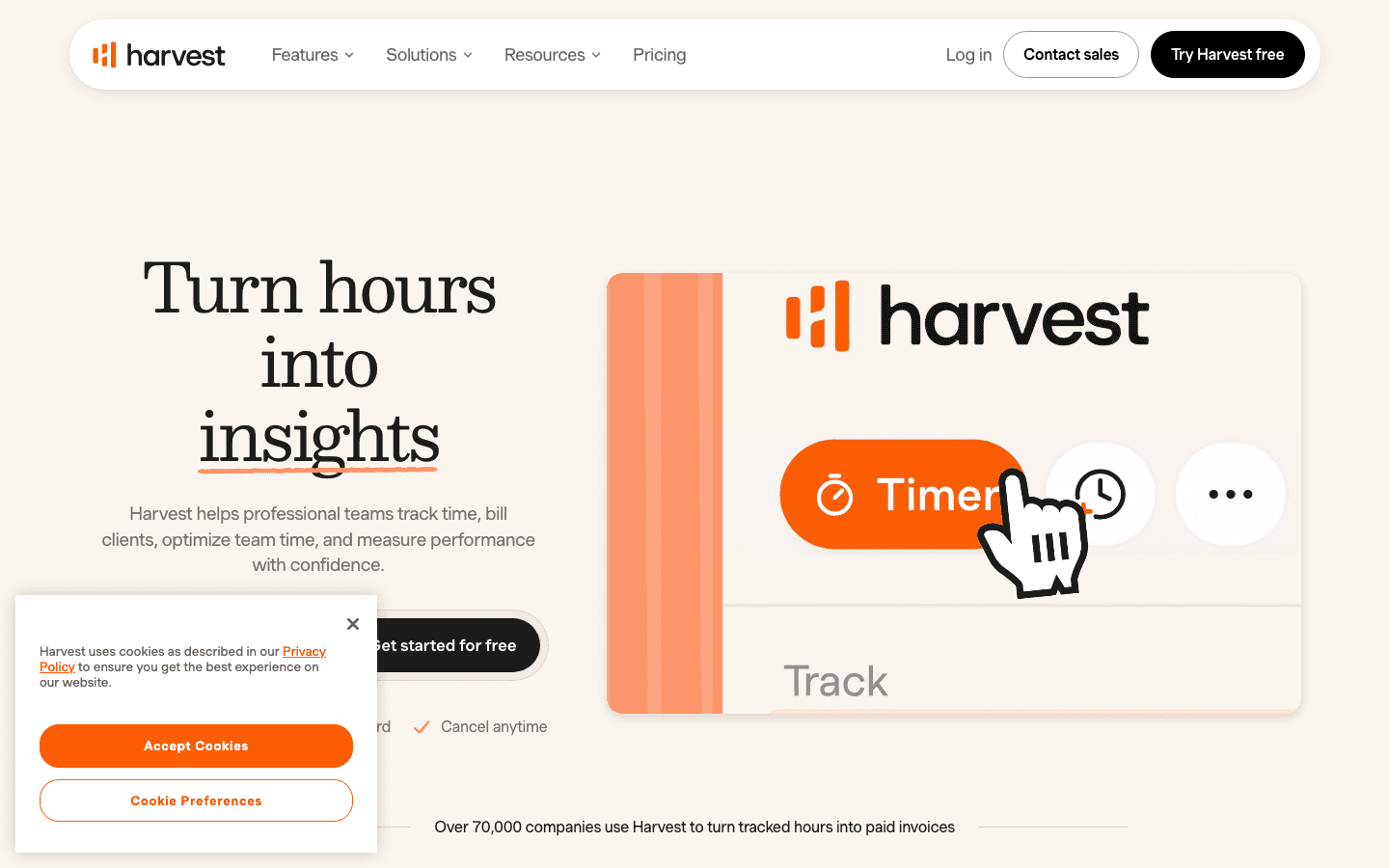
Harvest pairs time tracking with professional invoicing and online payment links in a single tool. After logging hours, you can generate an invoice directly from your tracked time, send it to a client, and accept payment via Stripe or PayPal without leaving the app. Budget alerts notify you when a project is approaching its hour limit before you go over.
For freelancers whose main billing friction is going from "time tracked" to "invoice sent to client," Harvest eliminates several steps in that process. The scheduling and time-blocking system you use to plan your work complements Harvest's tracking layer nicely.
Time tracking with hourly billing rate assignment
Direct invoice generation from tracked time
Online payment via Stripe and PayPal
Budget alerts per project
Expense tracking
What Works: The invoicing integration. The ability to go from tracked hours to paid invoice without exporting to a separate billing tool is Harvest's main differentiator.
Limitations: The free plan limits you to 1 user and 2 active projects, which is restrictive for anyone managing multiple clients. Timer UX is slightly less polished than Toggl.
Pricing: Free (1 user, 2 projects). Pro at approximately $12/seat/month (billed annually).
Best for: Freelancers who want billing and invoicing integrated directly with time tracking.
5. My Hours: Best for Solo Simplicity
Clean, no-clutter time tracking for independent freelancers
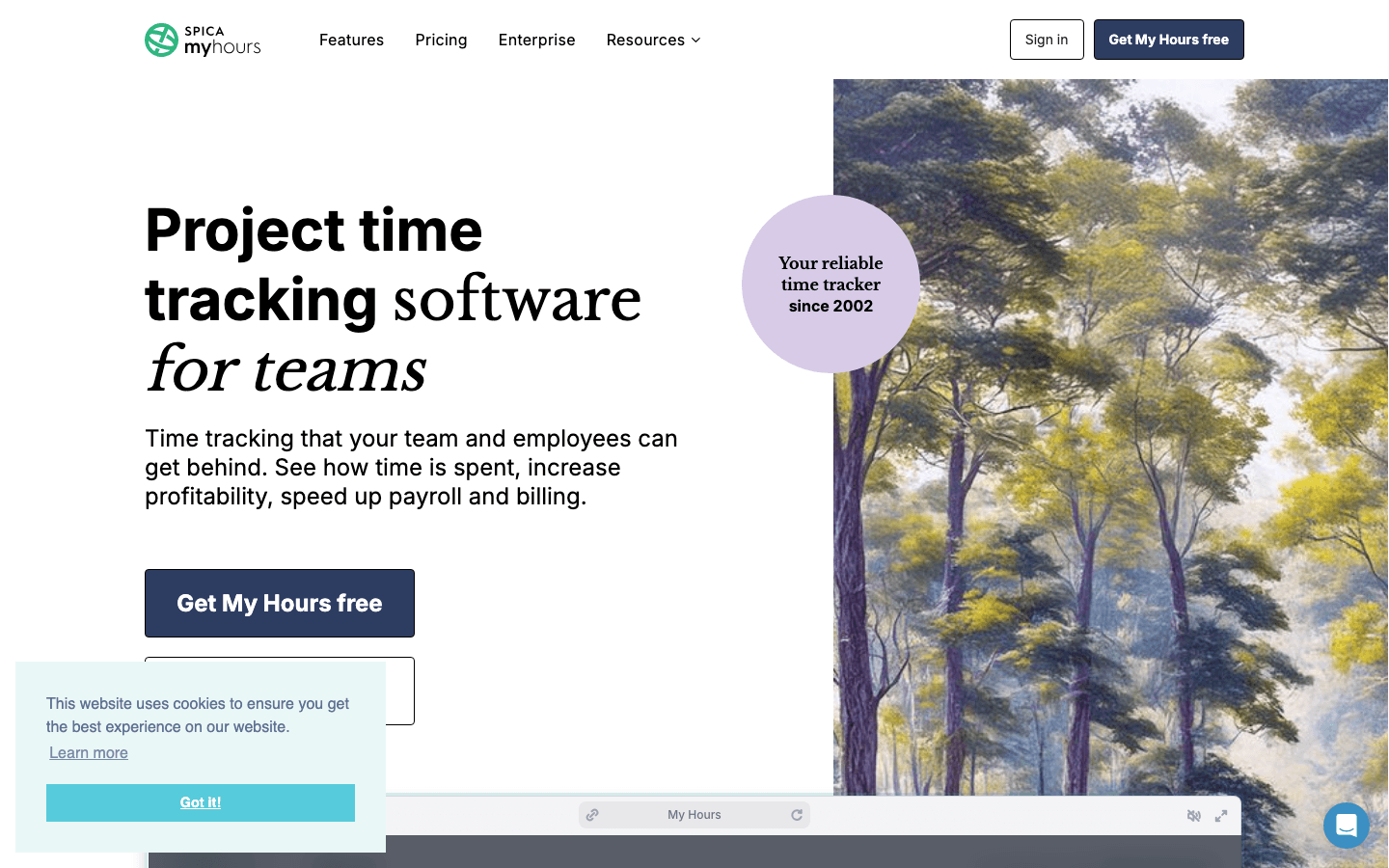
My Hours is built for individuals and small freelance operations that want clean time tracking without the overhead of a larger platform. You assign time to projects and tasks, set billable rates, and produce client-ready reports and invoices without navigating a complex interface.
The free plan covers solo freelancers with basic needs. My Hours consistently receives high user satisfaction ratings for its approachability, which matters when you need to log hours quickly and move on. For freelancers who struggle with tracking consistently, a simpler interface reduces the friction that causes time to go unlogged.
Project and task time logging with billable rate assignment
Client reports and invoice generation
Team time tracking on Pro plan
Time approval workflows
Simple, uncluttered interface
What Works: The simplicity. My Hours does not try to be a project management platform. It tracks time, generates reports, and creates invoices. That's it.
Limitations: Less reporting depth than Toggl. Advanced features require Pro plan.
Pricing: Free for basic solo use. Pro at approximately $8/user/month (billed annually).
Best for: Solo freelancers who want a clean, uncomplicated time tracker with invoicing.
6. Timely: Best Automatic Time Tracking
AI logs your time automatically with no manual timers
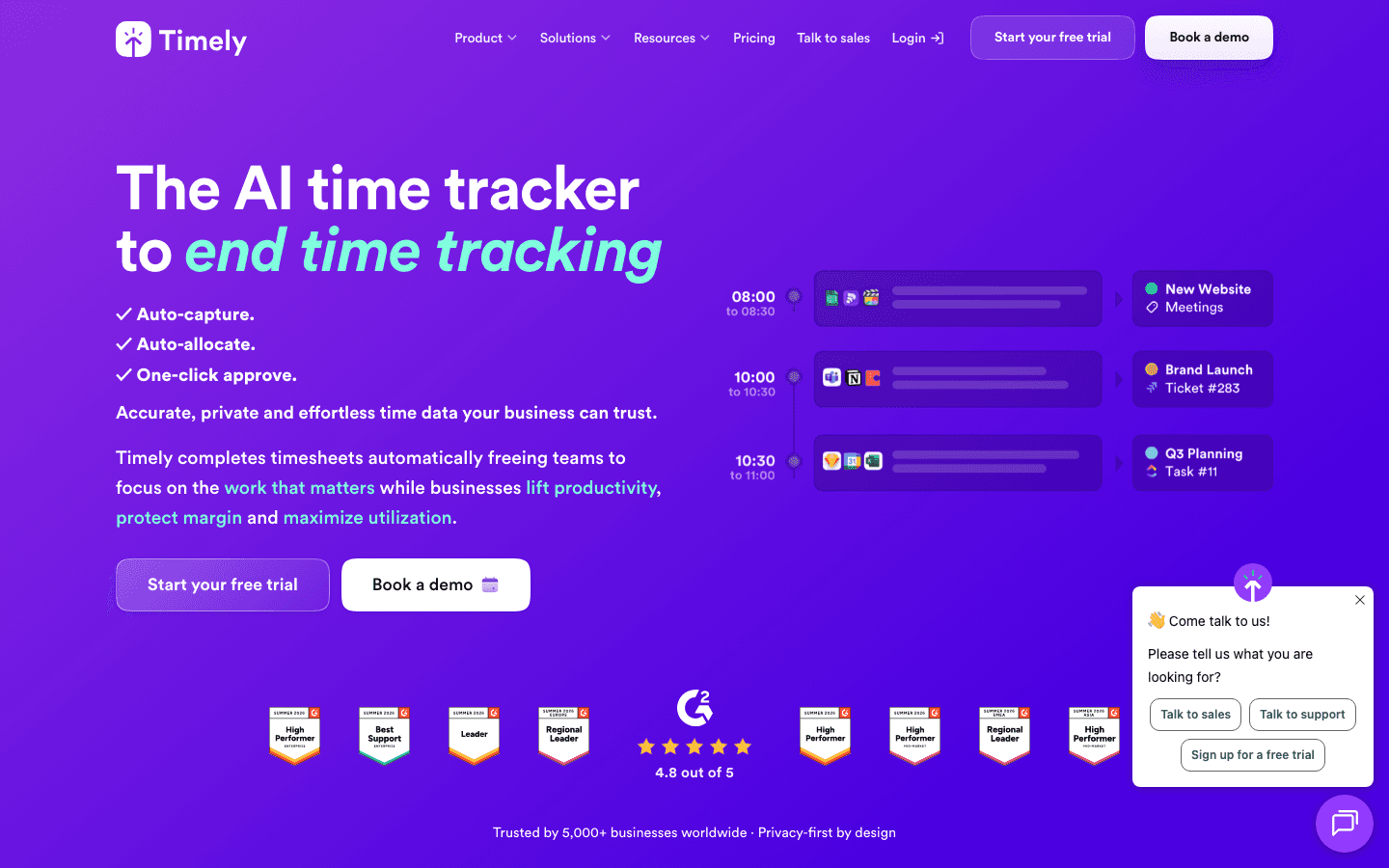
Timely uses AI to track your time automatically. It runs in the background on your Mac or PC, records which apps, documents, websites, and meetings you use, and then suggests time entries you can approve with a click. No starting and stopping timers. No reconstructing your day from memory.
For freelancers who consistently forget to log time or find manual tracking too disruptive, Timely removes the problem entirely. The focus and deep work sessions you want to bill accurately get captured without any manual action. Timely is also the most privacy-conscious option in the automatic tracking category: your activity data is processed locally before any time entry is created.
AI-powered automatic time capture
Review and approve suggested time entries
Project and client billing rate setup
Team capacity planning on higher tiers
Privacy-first: activity data stays on device
What Works: The automatic capture. If you've ever reconstructed a full day of work from memory to fill in a timesheet, Timely eliminates that completely.
Limitations: More expensive than manual trackers. Requires desktop app installation. Some users find the AI suggestions need frequent correction initially.
Pricing: Starter at $9/user/month billed annually. Premium from $16/user/month.
Best for: Freelancers who lose billable hours because they forget to start timers or track accurately under distraction.
Which Time Tracking App Is Right for You?
You want AI-powered daily scheduling + time visibility: Lifestack. Energy-aware planning beats retroactive logging for total output.
You need the smoothest manual timer and client reporting: Toggl Track. The industry default for good reason.
You want full-featured tracking for free: Clockify. Unlimited everything at no cost.
You want invoicing built directly into your tracker: Harvest. Tracks time, bills clients, accepts payment.
You want simplicity for solo freelance work: My Hours. Clean interface, no unnecessary features.
You keep forgetting to log time: Timely. Automatic capture with no manual effort.
Frequently Asked Questions
What is the best free time tracking app for freelancers?
Clockify is the best free time tracking app for freelancers. Its free plan includes unlimited projects, unlimited users, and unlimited tracking history with no time limit. Time reports and timesheet exports are available for free. Invoicing requires a paid plan, but most of the core functionality is free forever. Toggl Track's free plan is also excellent for solo users who only need the basics.
Do freelancers need time tracking software?
Yes, particularly if you bill hourly. Unlogged time directly reduces your effective hourly rate. Beyond billing, time tracking shows you which clients and project types generate the most revenue per hour, helping you make smarter decisions about your rate card and client mix. Even fixed-rate freelancers benefit from tracking: it reveals whether your fixed rates are priced correctly relative to actual time spent.
Can time tracking apps integrate with invoicing?
Yes. Harvest has the most integrated billing workflow: log hours, generate invoice, accept payment, all in one app. Toggl Track exports tracked time to CSV or integrates with invoicing tools like FreshBooks. Clockify includes invoicing on its paid plans. My Hours generates invoices directly from logged time on Pro.
Is there an app that tracks time automatically?
Yes. Timely uses AI to automatically record your activities and suggest time entries without any manual timers. Toggl Track and Clockify also have browser extensions that can detect when you're working on specific tasks and suggest entries, though this is less fully automated than Timely's approach.
What's the difference between time tracking and time blocking?
Time tracking records where your time went. Time blocking plans where your time will go. Both are useful for freelancers. Time blocking (scheduling specific work into calendar slots) paired with tracking creates a complete picture: you planned 3 hours for client work and logged how it actually distributed. Time blocking apps like Lifestack handle the planning side. Traditional trackers handle the logging side. The highest-output freelancers use both.
Freelance billing accuracy starts with tracking. Every unlogged hour is money left on the table. But the best time tracking apps go beyond simple logging: they help you understand which projects are actually profitable, how your time distributes across clients, and whether you're pricing your work correctly.
This list covers the six best time tracking apps for freelancers in 2026, tested across ease of use, billing features, reporting, and value. Lifestack leads the list because it solves the problem that traditional trackers miss: not just recording where your time went, but helping you plan where it should go based on your actual energy and capacity.
Key Takeaways
Lifestack is the best choice if you want your daily schedule built around your energy levels, not just a log of where time went after the fact.
Toggl Track has the best UX in pure time tracking. If you bill by the hour and want a frictionless timer, it's the default recommendation.
Clockify is the only app on this list with a genuinely unlimited free plan. Most freelancers won't need to pay for it.
Quick Guide
1. Lifestack: AI scheduler that plans your day around your energy and shows time allocation
2. Toggl Track: best timer UX, project profitability reporting, trusted by 5M+ users
3. Clockify: best free plan, unlimited projects and users, invoicing on paid tier
4. Harvest: best invoicing integration, budget alerts, payment links built in
5. My Hours: cleanest interface for solo freelancers, free for basic use
6. Timely: AI-powered automatic time tracking, no manual timer required
How We Evaluated These Apps
Timer UX and friction to start/stop tracking
Reporting: project profitability, client summaries, billable hours breakdown
Invoicing capability and payment integration
Free plan quality
Mobile app quality for tracking on the go
1. Lifestack: Best for Planning Your Freelance Time
AI-powered scheduling built around your energy, not just a time log
Lifestack approaches time management from the opposite direction of traditional trackers. Rather than logging where your time went after the fact, it plans where your time should go based on your energy state, calendar, and task list. It reads your sleep data, recovery metrics, and health integrations to understand your daily capacity, then builds a schedule that puts demanding client work in your peak focus windows.
For freelancers, the practical benefit is twofold. First, you stop losing billable hours to context-switching and unfocused work by having a clear daily plan. Second, you see how your time is actually distributed across projects and clients, which informs better pricing decisions. The time-blocking approach Lifestack automates is the system that high-output freelancers use to protect their most valuable working hours.
Energy-aware daily schedule built from health data and calendar
AI task prioritization and time block recommendations
Calendar integration (Google, Apple) for client meeting awareness
Chrome extension for browser-based workflow visibility
iOS and Android apps for mobile schedule access
What Works: The energy-aware scheduling. Lifestack's strength is helping you do better work in fewer hours by aligning demanding tasks with your natural performance peak. No energy awareness in any other app on this list.
Limitations: Not a traditional hour-logger for invoicing. If your workflow requires logging billable hours by client and exporting invoices, pair Lifestack with Toggl Track or Clockify for that layer.
Pricing: $7/month, $50/year, or $120 lifetime. 7-day free trial on annual plan.
Best for: Freelancers who want to protect focused work time, work at peak energy, and stop losing hours to unproductive context-switching.
2. Toggl Track: Best Timer UX for Freelancers
The smoothest time tracker in the category
Toggl Track has been the freelancer time tracking default for over a decade, and for good reason. The one-click timer is the fastest to start and stop in the category. Projects, clients, and tags are easy to organize. The reporting suite shows you billable hours by client, project profitability, and time distribution across any period.
For freelancers who manage multiple clients simultaneously, Toggl's project profitability view is genuinely useful: it tells you which clients are worth your time at your current rate and which are eating margin. Combine with personal energy management habits to ensure your highest-value clients get your best hours.
One-click timer with keyboard shortcuts
Project and client billing rate setup
Project profitability reporting
Browser extension for automatic detection
Integrations with 100+ tools
What Works: The UX and the reporting. Starting a timer in Toggl requires no friction, which means you actually use it consistently. The profitability reporting is the best in the category for understanding client economics.
Limitations: No built-in invoicing (export to CSV and invoice separately). The free plan is limited to 5 users but fully functional for a solo freelancer.
Pricing: Free (up to 5 users). Starter at $9/user/month billed annually. Premium at $18/user/month.
Best for: Freelancers who bill hourly and need fast, frictionless time logging with strong reporting.
3. Clockify: Best Free Time Tracker
Unlimited free plan with no user or project cap
Clockify is the only time tracking app on this list with a genuinely unlimited free plan. Free accounts get unlimited projects, unlimited users, and unlimited tracking history. Time reports, exportable timesheets, and a basic dashboard are all available at no cost.
For freelancers just starting out or those with straightforward billing needs, Clockify's free tier covers everything. Context-switching costs are low because the timer is simple and the interface is clean. Invoicing requires a paid plan, but basic CSV export to create invoices in your own tool is free.
Unlimited free plan (no user or project limits)
Manual and timer-based tracking
Time reports and exportable timesheets
Kiosk mode for shared team tracking
Invoicing on Standard plan and above
What Works: The free tier. No other app gives you this much for free. For solo freelancers who just need to log hours and export reports, Clockify is often all you need.
Limitations: UI feels slightly dated compared to Toggl. Invoicing requires upgrading. The breadth of features can make it harder to navigate for new users.
Pricing: Free (unlimited). Standard at $5.49/user/month billed annually. Pro at $7.99/user/month.
Best for: Budget-conscious freelancers who need reliable time tracking without paying for it.
4. Harvest: Best for Invoicing
Time tracking with built-in invoicing and online payments
Harvest pairs time tracking with professional invoicing and online payment links in a single tool. After logging hours, you can generate an invoice directly from your tracked time, send it to a client, and accept payment via Stripe or PayPal without leaving the app. Budget alerts notify you when a project is approaching its hour limit before you go over.
For freelancers whose main billing friction is going from "time tracked" to "invoice sent to client," Harvest eliminates several steps in that process. The scheduling and time-blocking system you use to plan your work complements Harvest's tracking layer nicely.
Time tracking with hourly billing rate assignment
Direct invoice generation from tracked time
Online payment via Stripe and PayPal
Budget alerts per project
Expense tracking
What Works: The invoicing integration. The ability to go from tracked hours to paid invoice without exporting to a separate billing tool is Harvest's main differentiator.
Limitations: The free plan limits you to 1 user and 2 active projects, which is restrictive for anyone managing multiple clients. Timer UX is slightly less polished than Toggl.
Pricing: Free (1 user, 2 projects). Pro at approximately $12/seat/month (billed annually).
Best for: Freelancers who want billing and invoicing integrated directly with time tracking.
5. My Hours: Best for Solo Simplicity
Clean, no-clutter time tracking for independent freelancers
My Hours is built for individuals and small freelance operations that want clean time tracking without the overhead of a larger platform. You assign time to projects and tasks, set billable rates, and produce client-ready reports and invoices without navigating a complex interface.
The free plan covers solo freelancers with basic needs. My Hours consistently receives high user satisfaction ratings for its approachability, which matters when you need to log hours quickly and move on. For freelancers who struggle with tracking consistently, a simpler interface reduces the friction that causes time to go unlogged.
Project and task time logging with billable rate assignment
Client reports and invoice generation
Team time tracking on Pro plan
Time approval workflows
Simple, uncluttered interface
What Works: The simplicity. My Hours does not try to be a project management platform. It tracks time, generates reports, and creates invoices. That's it.
Limitations: Less reporting depth than Toggl. Advanced features require Pro plan.
Pricing: Free for basic solo use. Pro at approximately $8/user/month (billed annually).
Best for: Solo freelancers who want a clean, uncomplicated time tracker with invoicing.
6. Timely: Best Automatic Time Tracking
AI logs your time automatically with no manual timers
Timely uses AI to track your time automatically. It runs in the background on your Mac or PC, records which apps, documents, websites, and meetings you use, and then suggests time entries you can approve with a click. No starting and stopping timers. No reconstructing your day from memory.
For freelancers who consistently forget to log time or find manual tracking too disruptive, Timely removes the problem entirely. The focus and deep work sessions you want to bill accurately get captured without any manual action. Timely is also the most privacy-conscious option in the automatic tracking category: your activity data is processed locally before any time entry is created.
AI-powered automatic time capture
Review and approve suggested time entries
Project and client billing rate setup
Team capacity planning on higher tiers
Privacy-first: activity data stays on device
What Works: The automatic capture. If you've ever reconstructed a full day of work from memory to fill in a timesheet, Timely eliminates that completely.
Limitations: More expensive than manual trackers. Requires desktop app installation. Some users find the AI suggestions need frequent correction initially.
Pricing: Starter at $9/user/month billed annually. Premium from $16/user/month.
Best for: Freelancers who lose billable hours because they forget to start timers or track accurately under distraction.
Which Time Tracking App Is Right for You?
You want AI-powered daily scheduling + time visibility: Lifestack. Energy-aware planning beats retroactive logging for total output.
You need the smoothest manual timer and client reporting: Toggl Track. The industry default for good reason.
You want full-featured tracking for free: Clockify. Unlimited everything at no cost.
You want invoicing built directly into your tracker: Harvest. Tracks time, bills clients, accepts payment.
You want simplicity for solo freelance work: My Hours. Clean interface, no unnecessary features.
You keep forgetting to log time: Timely. Automatic capture with no manual effort.
Frequently Asked Questions
What is the best free time tracking app for freelancers?
Clockify is the best free time tracking app for freelancers. Its free plan includes unlimited projects, unlimited users, and unlimited tracking history with no time limit. Time reports and timesheet exports are available for free. Invoicing requires a paid plan, but most of the core functionality is free forever. Toggl Track's free plan is also excellent for solo users who only need the basics.
Do freelancers need time tracking software?
Yes, particularly if you bill hourly. Unlogged time directly reduces your effective hourly rate. Beyond billing, time tracking shows you which clients and project types generate the most revenue per hour, helping you make smarter decisions about your rate card and client mix. Even fixed-rate freelancers benefit from tracking: it reveals whether your fixed rates are priced correctly relative to actual time spent.
Can time tracking apps integrate with invoicing?
Yes. Harvest has the most integrated billing workflow: log hours, generate invoice, accept payment, all in one app. Toggl Track exports tracked time to CSV or integrates with invoicing tools like FreshBooks. Clockify includes invoicing on its paid plans. My Hours generates invoices directly from logged time on Pro.
Is there an app that tracks time automatically?
Yes. Timely uses AI to automatically record your activities and suggest time entries without any manual timers. Toggl Track and Clockify also have browser extensions that can detect when you're working on specific tasks and suggest entries, though this is less fully automated than Timely's approach.
What's the difference between time tracking and time blocking?
Time tracking records where your time went. Time blocking plans where your time will go. Both are useful for freelancers. Time blocking (scheduling specific work into calendar slots) paired with tracking creates a complete picture: you planned 3 hours for client work and logged how it actually distributed. Time blocking apps like Lifestack handle the planning side. Traditional trackers handle the logging side. The highest-output freelancers use both.



FOLLOW ON
FOLLOW ON
FOLLOW ON


Copyright 2026 © Lifestack. All rights reserved
Copyright 2026 © Lifestack. All rights reserved

