
Tips
Does the Oura Ring Track Steps?
Does the Oura Ring Track Steps?
Yes, the Oura Ring does track steps and count them automatically. It uses a 3D accelerometer to detect movement and estimate your daily step count, which appears in the Activity tab of the Oura app alongside active calories, activity goal progress, and workout detection.
But if you're buying an Oura Ring primarily for step counting, there's an important caveat: finger-based step tracking is less accurate than wrist-based tracking, and significantly less accurate than a chest strap or dedicated pedometer. This guide covers what Oura's step tracking actually does, how accurate it is, how to see your steps in the app, and what to use it for.
Key Takeaways
The Oura Ring does track steps, but its primary strength is sleep, recovery, and readiness data, not step accuracy.
Ring-based step counting tends to undercount compared to wrist-based wearables because finger movement is less correlated with walking stride than wrist movement.
For step goals, treat Oura's count as a directional metric, not a precise number.
How the Oura Ring Tracks Steps
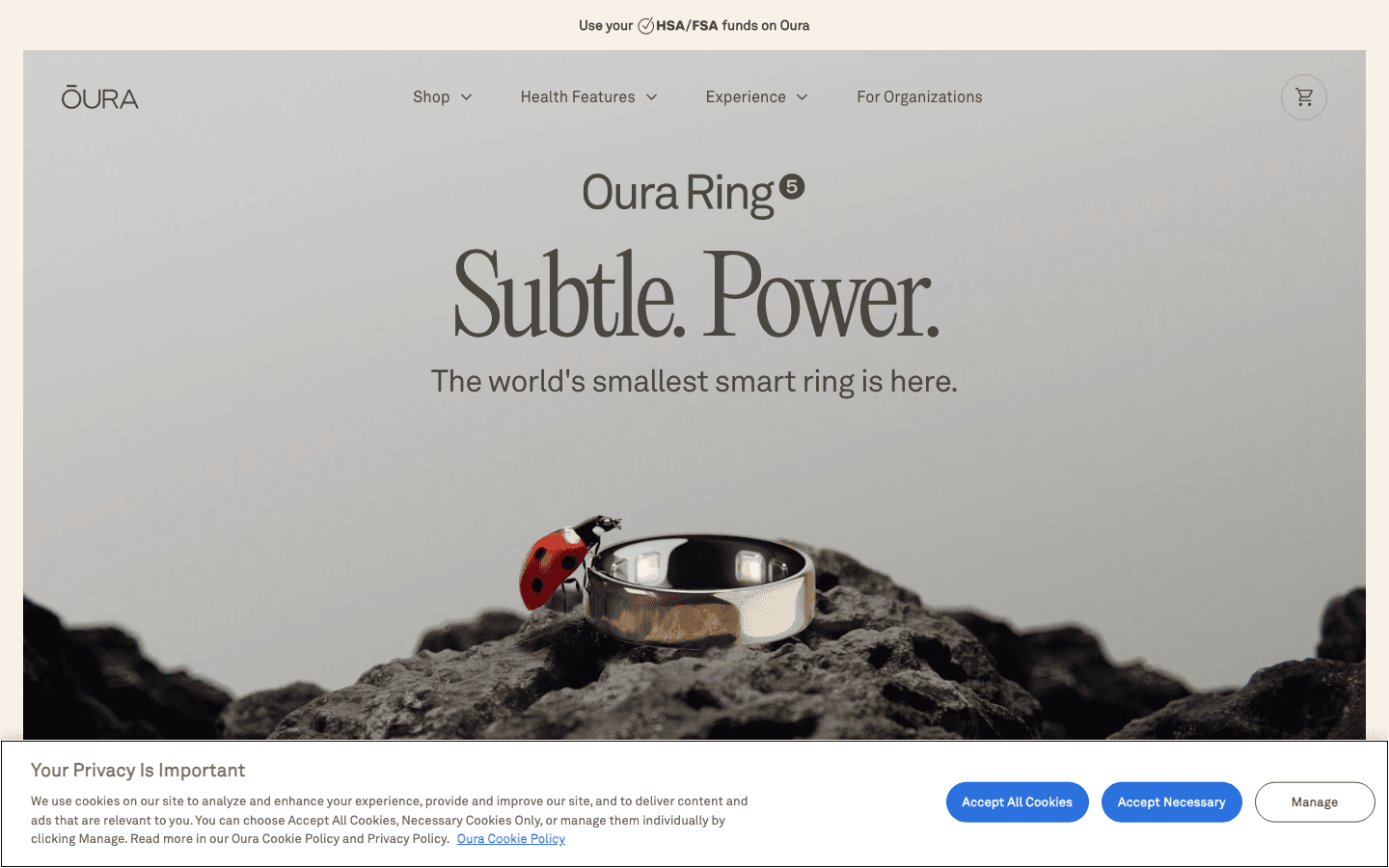
Oura uses an accelerometer to detect movement patterns and infer steps from those patterns. The current model, the Oura Ring 5, uses the same sensor system that tracks your overnight movement and sleep stages to identify walking, running, and other activity during the day. Oura has updated its step-tracking algorithm to function more like a dedicated pedometer, using a machine-learning model that better separates actual walking steps from general hand and arm movement.
The ring displays your daily step count in the app's Activity tab. It also uses steps as part of the broader Activity Score, which tracks how much you've moved relative to your personal baseline and your set activity goal. Steps feed into your active calorie estimate and contribute to your Daily Movement ring in the app.
Oura can also detect specific workouts automatically and log them as sessions in the app. During detected workouts, it tracks heart rate (using the PPG sensors on the inside of the ring), which adds context to the activity data beyond just movement counts.
How Accurate Is Oura Ring Step Tracking?
Moderately accurate for walking; less accurate for other activities. The finger position gives Oura a different motion signal than a wrist wearable like the Apple Watch or a Fitbit. Walking and running steps are reasonably captured, but activities that involve more arm movement (elliptical, swimming, cycling) are harder to count reliably from a ring.
In 2024, Oura updated its step-tracking algorithm to work more like a dedicated pedometer, using a machine-learning model that better separates actual walking steps from general hand movement. Users who updated saw an average 20% decrease in recorded step counts, reflecting greater accuracy rather than fewer steps walked. The previous method was overcounting by capturing non-walking movement as steps.
In practice, most Oura users report step counts somewhat lower than what a wrist tracker shows for the same day. This isn't necessarily a flaw: wrist trackers can overcount steps by capturing non-walking arm movement. Oura's updated model is designed to count only actual walking strides.
For context, the Oura Ring's sensors are optimized for overnight biometrics: heart rate variability, body temperature, and respiratory rate during sleep. The daytime step and activity tracking is a secondary function built on the same sensor hardware.
How to See Steps on Oura Ring
Steps appear automatically in the Activity tab of the Oura app. You don't need to start a workout or manually log anything. Open the app and tap Activity to see your current daily step count, along with active calories, active minutes, and your progress toward your daily activity goal.
You can also view step trends over time using the Trend view in the app, which shows your activity patterns across daily, weekly, and monthly timeframes. This makes it easy to spot whether your movement is consistent or dipping. If you want to add or edit an activity session, the app lets you do that for any of the past seven days, and your Activity Score updates automatically.
Steps are recorded on the ring itself and sync to the app whenever you open it. You don't need your phone nearby during the day to capture step data.
What Oura Ring Activity Tracking Is Actually Good At
The Oura Ring's strongest activity feature isn't steps. It's the Readiness Score, which integrates your overnight recovery data (HRV, resting heart rate, sleep stages, body temperature) and tells you how capable you are of a demanding day. This is uniquely valuable: no wrist tracker produces a readiness score with the same accuracy as Oura's ring-based sensors.
The Activity Goal feature is also well-designed. Rather than a fixed 10,000-step target, Oura sets a personalized daily activity goal based on your recent activity history and recovery status. If you slept poorly and your readiness is low, it may set a lower activity target to prevent over-training. If you've been sedentary for several days and are well-rested, it may push you harder.
This is the kind of insight that steps alone don't provide. The circadian rhythm approach to health tracking that Oura takes (integrating sleep, recovery, and activity into one readiness score) is more useful for most people than raw step numbers.
Should You Use Oura for Step Tracking?
Use Oura's step data as one signal among several, not as your primary step tracker. If hitting a specific daily step count is your main goal (say, for a health challenge or a specific program), a wrist-based tracker or your phone's health app will give you more consistent numbers.
If you care about understanding how your activity level affects your sleep and recovery, Oura is the better tool. Walking's health benefits go beyond step counts, and Oura's recovery data helps you understand whether your activity is actually helping your body or adding stress to an already depleted system.
The most effective use of Oura is to let its readiness and activity data inform your energy allocation for the day, alongside your sleep score. That's the philosophy behind energy-based scheduling: your physical state should shape your work plan, not the other way around.
Using Oura Data With Lifestack

Lifestack reads your sleep and recovery data and uses it to build a daily work schedule that places demanding tasks during your peak energy hours. If your Oura Ring shows low readiness after a poor night, Lifestack adjusts your plan to protect your recovery while still moving important work forward.
It's the practical application of what Oura tracks: instead of just looking at your readiness score and feeling bad about it, Lifestack uses it to change what you actually do that day. The combination of Oura for biometric insight and Lifestack for scheduling gives you a feedback loop between your physical state and your work plan. Lifestack costs $7/month or $50/year, with a 7-day free trial. See how chronobiology research underpins this approach.
FAQ
Does the Oura Ring count steps automatically?
Yes. The Oura Ring tracks steps automatically throughout the day using its built-in accelerometer. You don't need to start a workout or activity session. Steps appear in the Activity tab of the Oura app and contribute to your daily Activity Score and activity goal progress.
How to see steps on Oura Ring
Open the Oura app and tap Activity. Your daily step count appears at the top alongside active calories and active minutes. You can also view step trends over daily, weekly, and monthly timeframes in the Trend view. Steps sync from the ring to the app whenever you open it, so you don't need to manually refresh.
Is Oura Ring step tracking accurate?
It's moderately accurate for walking and running. Oura updated its algorithm in 2024 to use a machine-learning model that more precisely separates actual walking steps from other movement, which resulted in an average 20% decrease in step counts for users. For a directional sense of how active you've been, Oura is reliable. For precise step counts, a wrist tracker or dedicated pedometer is more consistent.
Does Oura Ring track steps without a phone?
Yes. The Oura Ring has onboard storage and processes accelerometer data locally. Steps and activity data are recorded on the ring and synced to the app when you open it. You don't need your phone nearby during the day to capture step data.
How does Oura Ring compare to Apple Watch for steps?
Apple Watch typically shows higher step counts than Oura Ring for the same activity. This is partly because wrist-based tracking captures more movement patterns (including arm swings and non-walking movement), and partly because ring-based tracking has a lower signal-to-noise ratio for step detection. For sleep, HRV, and recovery tracking, Oura is generally considered more accurate than Apple Watch. For step counting, Apple Watch is more consistent.
Can Oura Ring track workouts?
Yes. Oura automatically detects common workouts including walking, running, cycling, swimming, and strength training. You can also manually log a workout in the app. During detected workouts, Oura tracks heart rate using its PPG sensors, calories, and workout duration. The workout data appears in your Activity history and contributes to your weekly activity metrics.
Yes, the Oura Ring does track steps and count them automatically. It uses a 3D accelerometer to detect movement and estimate your daily step count, which appears in the Activity tab of the Oura app alongside active calories, activity goal progress, and workout detection.
But if you're buying an Oura Ring primarily for step counting, there's an important caveat: finger-based step tracking is less accurate than wrist-based tracking, and significantly less accurate than a chest strap or dedicated pedometer. This guide covers what Oura's step tracking actually does, how accurate it is, how to see your steps in the app, and what to use it for.
Key Takeaways
The Oura Ring does track steps, but its primary strength is sleep, recovery, and readiness data, not step accuracy.
Ring-based step counting tends to undercount compared to wrist-based wearables because finger movement is less correlated with walking stride than wrist movement.
For step goals, treat Oura's count as a directional metric, not a precise number.
How the Oura Ring Tracks Steps
Oura uses an accelerometer to detect movement patterns and infer steps from those patterns. The current model, the Oura Ring 5, uses the same sensor system that tracks your overnight movement and sleep stages to identify walking, running, and other activity during the day. Oura has updated its step-tracking algorithm to function more like a dedicated pedometer, using a machine-learning model that better separates actual walking steps from general hand and arm movement.
The ring displays your daily step count in the app's Activity tab. It also uses steps as part of the broader Activity Score, which tracks how much you've moved relative to your personal baseline and your set activity goal. Steps feed into your active calorie estimate and contribute to your Daily Movement ring in the app.
Oura can also detect specific workouts automatically and log them as sessions in the app. During detected workouts, it tracks heart rate (using the PPG sensors on the inside of the ring), which adds context to the activity data beyond just movement counts.
How Accurate Is Oura Ring Step Tracking?
Moderately accurate for walking; less accurate for other activities. The finger position gives Oura a different motion signal than a wrist wearable like the Apple Watch or a Fitbit. Walking and running steps are reasonably captured, but activities that involve more arm movement (elliptical, swimming, cycling) are harder to count reliably from a ring.
In 2024, Oura updated its step-tracking algorithm to work more like a dedicated pedometer, using a machine-learning model that better separates actual walking steps from general hand movement. Users who updated saw an average 20% decrease in recorded step counts, reflecting greater accuracy rather than fewer steps walked. The previous method was overcounting by capturing non-walking movement as steps.
In practice, most Oura users report step counts somewhat lower than what a wrist tracker shows for the same day. This isn't necessarily a flaw: wrist trackers can overcount steps by capturing non-walking arm movement. Oura's updated model is designed to count only actual walking strides.
For context, the Oura Ring's sensors are optimized for overnight biometrics: heart rate variability, body temperature, and respiratory rate during sleep. The daytime step and activity tracking is a secondary function built on the same sensor hardware.
How to See Steps on Oura Ring
Steps appear automatically in the Activity tab of the Oura app. You don't need to start a workout or manually log anything. Open the app and tap Activity to see your current daily step count, along with active calories, active minutes, and your progress toward your daily activity goal.
You can also view step trends over time using the Trend view in the app, which shows your activity patterns across daily, weekly, and monthly timeframes. This makes it easy to spot whether your movement is consistent or dipping. If you want to add or edit an activity session, the app lets you do that for any of the past seven days, and your Activity Score updates automatically.
Steps are recorded on the ring itself and sync to the app whenever you open it. You don't need your phone nearby during the day to capture step data.
What Oura Ring Activity Tracking Is Actually Good At
The Oura Ring's strongest activity feature isn't steps. It's the Readiness Score, which integrates your overnight recovery data (HRV, resting heart rate, sleep stages, body temperature) and tells you how capable you are of a demanding day. This is uniquely valuable: no wrist tracker produces a readiness score with the same accuracy as Oura's ring-based sensors.
The Activity Goal feature is also well-designed. Rather than a fixed 10,000-step target, Oura sets a personalized daily activity goal based on your recent activity history and recovery status. If you slept poorly and your readiness is low, it may set a lower activity target to prevent over-training. If you've been sedentary for several days and are well-rested, it may push you harder.
This is the kind of insight that steps alone don't provide. The circadian rhythm approach to health tracking that Oura takes (integrating sleep, recovery, and activity into one readiness score) is more useful for most people than raw step numbers.
Should You Use Oura for Step Tracking?
Use Oura's step data as one signal among several, not as your primary step tracker. If hitting a specific daily step count is your main goal (say, for a health challenge or a specific program), a wrist-based tracker or your phone's health app will give you more consistent numbers.
If you care about understanding how your activity level affects your sleep and recovery, Oura is the better tool. Walking's health benefits go beyond step counts, and Oura's recovery data helps you understand whether your activity is actually helping your body or adding stress to an already depleted system.
The most effective use of Oura is to let its readiness and activity data inform your energy allocation for the day, alongside your sleep score. That's the philosophy behind energy-based scheduling: your physical state should shape your work plan, not the other way around.
Using Oura Data With Lifestack
Lifestack reads your sleep and recovery data and uses it to build a daily work schedule that places demanding tasks during your peak energy hours. If your Oura Ring shows low readiness after a poor night, Lifestack adjusts your plan to protect your recovery while still moving important work forward.
It's the practical application of what Oura tracks: instead of just looking at your readiness score and feeling bad about it, Lifestack uses it to change what you actually do that day. The combination of Oura for biometric insight and Lifestack for scheduling gives you a feedback loop between your physical state and your work plan. Lifestack costs $7/month or $50/year, with a 7-day free trial. See how chronobiology research underpins this approach.
FAQ
Does the Oura Ring count steps automatically?
Yes. The Oura Ring tracks steps automatically throughout the day using its built-in accelerometer. You don't need to start a workout or activity session. Steps appear in the Activity tab of the Oura app and contribute to your daily Activity Score and activity goal progress.
How to see steps on Oura Ring
Open the Oura app and tap Activity. Your daily step count appears at the top alongside active calories and active minutes. You can also view step trends over daily, weekly, and monthly timeframes in the Trend view. Steps sync from the ring to the app whenever you open it, so you don't need to manually refresh.
Is Oura Ring step tracking accurate?
It's moderately accurate for walking and running. Oura updated its algorithm in 2024 to use a machine-learning model that more precisely separates actual walking steps from other movement, which resulted in an average 20% decrease in step counts for users. For a directional sense of how active you've been, Oura is reliable. For precise step counts, a wrist tracker or dedicated pedometer is more consistent.
Does Oura Ring track steps without a phone?
Yes. The Oura Ring has onboard storage and processes accelerometer data locally. Steps and activity data are recorded on the ring and synced to the app when you open it. You don't need your phone nearby during the day to capture step data.
How does Oura Ring compare to Apple Watch for steps?
Apple Watch typically shows higher step counts than Oura Ring for the same activity. This is partly because wrist-based tracking captures more movement patterns (including arm swings and non-walking movement), and partly because ring-based tracking has a lower signal-to-noise ratio for step detection. For sleep, HRV, and recovery tracking, Oura is generally considered more accurate than Apple Watch. For step counting, Apple Watch is more consistent.
Can Oura Ring track workouts?
Yes. Oura automatically detects common workouts including walking, running, cycling, swimming, and strength training. You can also manually log a workout in the app. During detected workouts, Oura tracks heart rate using its PPG sensors, calories, and workout duration. The workout data appears in your Activity history and contributes to your weekly activity metrics.



FOLLOW ON
FOLLOW ON
FOLLOW ON



Copyright 2026 © Lifestack. All rights reserved
Copyright 2026 © Lifestack. All rights reserved

