
Device
Is Samsung Health Accurate? What the Data Shows
Is Samsung Health Accurate? What the Data Shows

Is Samsung Health Accurate? What the Data Shows
Samsung Health ships on hundreds of millions of Android devices, but how reliable are its numbers? If you are trying to close your activity rings, hit a calorie deficit, or monitor your resting heart rate, the accuracy of what gets logged actually matters.
The honest answer is that Samsung Health is accurate enough for most health awareness goals, but not precise enough to use as a medical device or base strict nutritional math on. The specific answer depends heavily on which metric you are asking about. Steps and heart rate trend closer to accurate. Calorie estimates drift the furthest. Sleep staging sits somewhere in between.
Here is a metric-by-metric breakdown of what Samsung Health gets right, where it falls short, and how to get the best readings possible from your Galaxy device.
Key Takeaways
Samsung Health step counting is generally within 5-10% of research-grade pedometers when worn consistently on the wrist or clipped to the body.
Calorie estimates are the least reliable metric, often varying 15-25% from actual expenditure, especially for non-walking activities.
Heart rate and sleep data are useful for spotting trends over time, but should not be treated as clinical measurements.
Is Samsung Health Accurate for Step Counting?
Step counting is Samsung Health's most reliable metric. The accelerometer in Galaxy phones and watches captures movement with reasonable precision, and multiple independent studies comparing consumer wearables to research-grade pedometers typically find wrist-worn devices accurate within 5-10% under normal walking conditions.
That said, accuracy drops in a few specific scenarios. Cycling, driving on bumpy roads, and hand gestures while seated can register false steps. Slow shuffling or walking on soft surfaces can cause undercounting. The Galaxy Watch generally outperforms the phone alone for step counting because it stays attached to the wrist and is less likely to be left on a desk.
If steps feel off, check that Samsung Health has Physical Activity permission enabled and that the app is excluded from battery optimization. A restricted background process is the most common cause of step sync failures on One UI. See the full fix guide at Samsung Health not syncing.
Is Samsung Health Accurate for Calorie Tracking?
Calorie estimates are where Samsung Health is least reliable. The app calculates total daily energy expenditure using your basal metabolic rate, estimated from your height, weight, age, and sex, combined with an activity multiplier based on movement data.
That formula introduces compounding error. Resting metabolic rate estimates for individuals can vary by 15-20% from actual measured values. Activity intensity multipliers add more uncertainty. For non-step activities like weightlifting, swimming, or cycling, the error can reach 25-30%. The calorie numbers Samsung Health shows are useful as a rough directional guide, not a precise count to anchor a strict calorie deficit.
For more accurate calorie tracking, use a food logging app like MyFitnessPal or Cronometer for intake and treat Samsung Health's expenditure estimates as a general trend indicator, not an exact figure.
Is Samsung Health Accurate for Heart Rate?
Samsung Health's optical heart rate sensor (available on Galaxy Watches and select phones) is reasonably accurate for resting and low-intensity heart rate readings. During steady-state cardio like walking or easy running, most Galaxy Watch models track heart rate within 2-5 beats per minute of a chest strap in typical conditions.
Accuracy falls during high-intensity exercise. Rapid arm movements, cold temperatures, tattoos over the sensor, and a loose watch band all interfere with the optical signal. If you are doing interval training or any activity with strong wrist movement, readings can lag or spike incorrectly. For anything requiring precise heart rate zones, a chest strap paired via Bluetooth gives significantly better data.
Resting heart rate trends logged over weeks and months are genuinely useful for spotting overtraining, illness onset, or cardiovascular improvement. The trend is what matters, not the precision of any single reading.
Is Samsung Health Accurate for Sleep Tracking?
Sleep tracking in Samsung Health is better at detecting when you are asleep versus awake than it is at identifying specific sleep stages. The app uses accelerometer data, heart rate variability, and breathing rate to classify your sleep into light, deep, and REM stages.
Consumer wearable sleep staging, including Samsung's, consistently underperforms compared to polysomnography, the clinical standard. Research comparing wrist wearables to lab sleep studies finds that light and REM classification is reasonably directional but not precise. Deep sleep detection is the least reliable. The app tends to slightly overestimate total sleep time by missing short awakenings.
The sleep score Samsung Health calculates is more useful than the individual stage breakdowns. Tracking your sleep score trend over weeks, combined with how you feel during the day, gives a practical picture of sleep quality. Full guidance on improving your Samsung Health sleep tracking results is available on the blog.
Is Samsung Health Accurate for GPS Tracking?
GPS accuracy in Samsung Health is good when your phone or Galaxy Watch has a clear sky view and a stable satellite lock. Outdoor runs, hikes, and bike rides logged under open sky typically show route accuracy within 5-10 meters, which is on par with dedicated GPS running watches.
Urban canyons, dense tree cover, and indoor environments all degrade GPS performance significantly. If you are running in a city with tall buildings, expect some route drift and distance inaccuracy. For treadmill workouts, Samsung Health uses the accelerometer to estimate distance rather than GPS, which introduces its own error based on stride length calibration.
On Galaxy Watches, enabling dual-band GPS in the Samsung Health settings improves accuracy meaningfully in challenging environments, at the cost of slightly faster battery drain.
Is Samsung Health Accurate for Blood Oxygen (SpO2)?
The SpO2 sensor on Galaxy Watches measures blood oxygen saturation and is designed for general wellness awareness, not medical use. Under ideal conditions, sitting still with the watch snug on the wrist, readings are typically within 2-3% of a fingertip pulse oximeter.
Accuracy drops significantly during movement, in cold temperatures, or if skin tone or wrist anatomy interferes with the sensor. Samsung Health is explicit in its disclaimers that SpO2 readings are not medical measurements. Use them to watch for large drops in your baseline trend rather than to interpret any individual reading as clinically meaningful.
How to Get the Most Accurate Readings From Samsung Health
A few consistent habits meaningfully improve your data quality across all metrics.
Wear your Galaxy Watch snugly, one finger's width above the wrist bone. Loose fit is the most common cause of poor optical sensor readings.
Keep your profile data current. Height, weight, age, and sex are the inputs to every calorie and metabolic calculation. Outdated profile data skews every derived estimate.
Grant unrestricted background access to Samsung Health in One UI's battery settings. Restricted background processes cause incomplete step logs and missed sleep sessions.
Log workouts manually when Samsung Health auto-detects the wrong activity type. A misclassified workout applies the wrong calorie model to your whole session.
Give GPS 10-15 seconds to acquire a lock before starting an outdoor workout. Starting with a weak signal causes early route drift that compounds over the full session.
These steps also help if you ever run into broader connectivity issues. The same background access settings that affect accuracy also affect sync, as covered in the Samsung Health not syncing troubleshooting guide.
Best Tool for Acting on Your Health Data
Samsung Health does a solid job of logging what your body does. What it does not do is connect that data to your schedule. Knowing you got 6,200 steps and 5.5 hours of sleep is useful. Building a daily structure that actually protects your sleep window and carves out time for movement is a different problem.
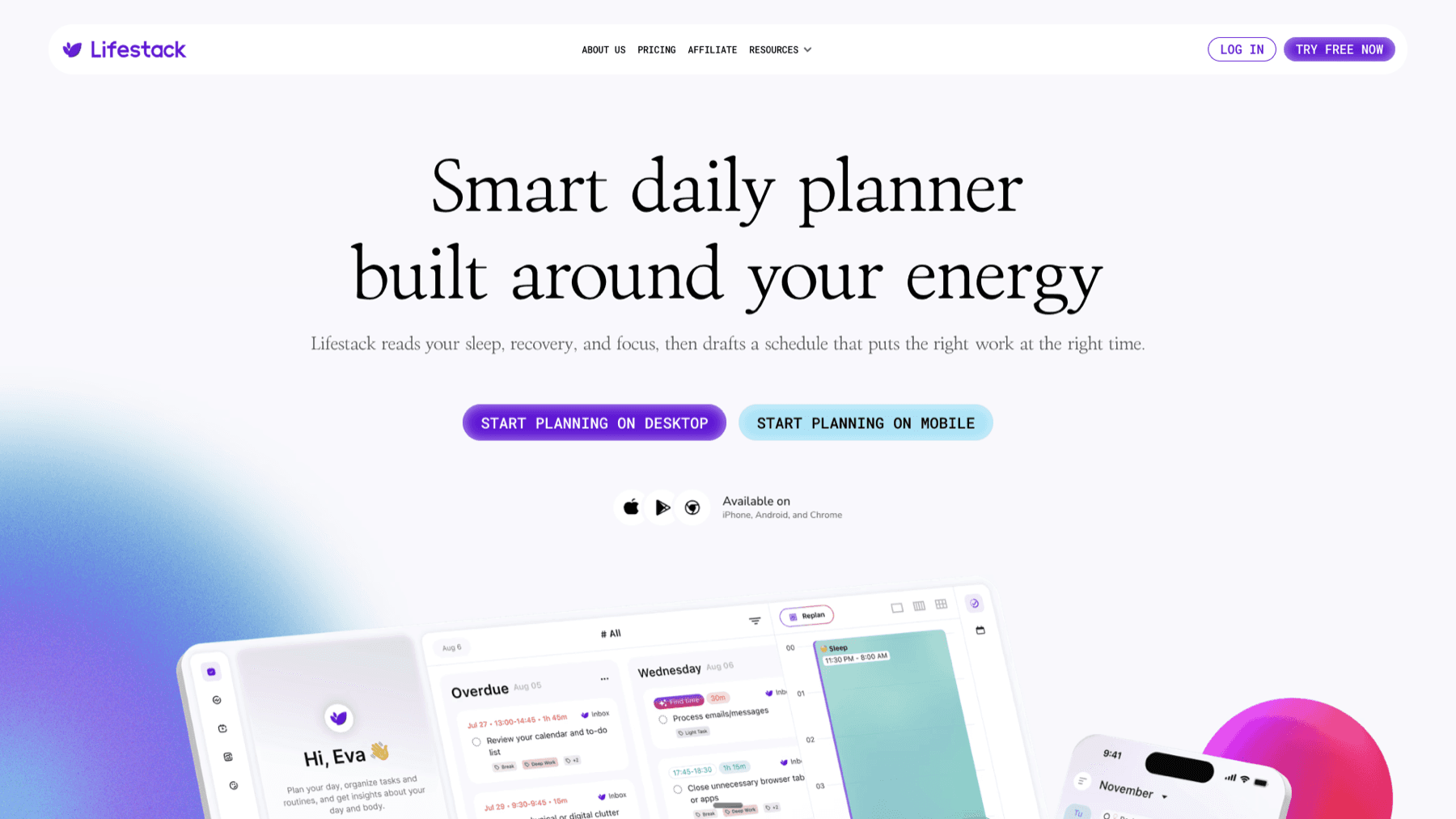
Lifestack is an AI scheduling app that maps your tasks against your personal energy patterns throughout the day. It can protect sleep windows from late-night meetings, schedule workouts during your high-energy hours, and shift lower-intensity tasks to your natural slumps. It syncs with Google Calendar and Outlook and is available on iOS and Android.
If you want to go deeper on building routines that hold up with unpredictable energy, the best task management apps for inconsistent energy levels guide covers the broader landscape. Lifestack pricing starts at $9.99/month, $49.99/year (7-day free trial), or $120 lifetime.
Frequently Asked Questions
Is Samsung Health accurate for weight loss tracking?
Samsung Health can support weight loss awareness by tracking activity trends and rough calorie expenditure, but calorie estimates carry significant error. For precise tracking, combine Samsung Health activity data with a dedicated food logging app. Treat the calorie numbers as directional rather than exact.
Is Samsung Health as accurate as Fitbit or Apple Health?
All three platforms use similar sensor hardware and face the same fundamental limits of optical heart rate and accelerometer technology. For most health awareness metrics, they perform comparably. Studies comparing consumer wearables consistently show that none of them rival clinical devices for precision, but all are useful for tracking personal trends over time.
Is Samsung Health accurate for counting steps on a treadmill?
On a treadmill, Samsung Health uses accelerometer data rather than GPS. Accuracy depends on how well the app's stride length estimate matches your actual stride. Wearing a Galaxy Watch improves treadmill step accuracy over phone-only tracking because the watch is closer to your stride motion.
Can I trust Samsung Health heart rate readings?
For resting heart rate and steady-state cardio, yes, they are reliable enough to track trends. For high-intensity intervals or activities with strong wrist movement, the optical sensor lags and misfires. Use a chest strap for precise heart rate zones during intense workouts.
Why does Samsung Health show more steps than my Garmin or Apple Watch?
Different devices use different algorithms to filter arm movement from true steps. Samsung's algorithm tends to be slightly more inclusive, which can produce higher step counts than more conservative competitors. Neither is definitively right. What matters most is consistency over time within the same device rather than matching counts across devices.
Is Samsung Health sleep tracking accurate?
It is accurate enough to track sleep trends and score quality over time. Individual sleep stage classifications are less reliable than the overall sleep score. For detailed guidance on making the most of this feature, see the Samsung Health sleep tracking guide.
Is Samsung Health Accurate? What the Data Shows
Samsung Health ships on hundreds of millions of Android devices, but how reliable are its numbers? If you are trying to close your activity rings, hit a calorie deficit, or monitor your resting heart rate, the accuracy of what gets logged actually matters.
The honest answer is that Samsung Health is accurate enough for most health awareness goals, but not precise enough to use as a medical device or base strict nutritional math on. The specific answer depends heavily on which metric you are asking about. Steps and heart rate trend closer to accurate. Calorie estimates drift the furthest. Sleep staging sits somewhere in between.
Here is a metric-by-metric breakdown of what Samsung Health gets right, where it falls short, and how to get the best readings possible from your Galaxy device.
Key Takeaways
Samsung Health step counting is generally within 5-10% of research-grade pedometers when worn consistently on the wrist or clipped to the body.
Calorie estimates are the least reliable metric, often varying 15-25% from actual expenditure, especially for non-walking activities.
Heart rate and sleep data are useful for spotting trends over time, but should not be treated as clinical measurements.
Is Samsung Health Accurate for Step Counting?
Step counting is Samsung Health's most reliable metric. The accelerometer in Galaxy phones and watches captures movement with reasonable precision, and multiple independent studies comparing consumer wearables to research-grade pedometers typically find wrist-worn devices accurate within 5-10% under normal walking conditions.
That said, accuracy drops in a few specific scenarios. Cycling, driving on bumpy roads, and hand gestures while seated can register false steps. Slow shuffling or walking on soft surfaces can cause undercounting. The Galaxy Watch generally outperforms the phone alone for step counting because it stays attached to the wrist and is less likely to be left on a desk.
If steps feel off, check that Samsung Health has Physical Activity permission enabled and that the app is excluded from battery optimization. A restricted background process is the most common cause of step sync failures on One UI. See the full fix guide at Samsung Health not syncing.
Is Samsung Health Accurate for Calorie Tracking?
Calorie estimates are where Samsung Health is least reliable. The app calculates total daily energy expenditure using your basal metabolic rate, estimated from your height, weight, age, and sex, combined with an activity multiplier based on movement data.
That formula introduces compounding error. Resting metabolic rate estimates for individuals can vary by 15-20% from actual measured values. Activity intensity multipliers add more uncertainty. For non-step activities like weightlifting, swimming, or cycling, the error can reach 25-30%. The calorie numbers Samsung Health shows are useful as a rough directional guide, not a precise count to anchor a strict calorie deficit.
For more accurate calorie tracking, use a food logging app like MyFitnessPal or Cronometer for intake and treat Samsung Health's expenditure estimates as a general trend indicator, not an exact figure.
Is Samsung Health Accurate for Heart Rate?
Samsung Health's optical heart rate sensor (available on Galaxy Watches and select phones) is reasonably accurate for resting and low-intensity heart rate readings. During steady-state cardio like walking or easy running, most Galaxy Watch models track heart rate within 2-5 beats per minute of a chest strap in typical conditions.
Accuracy falls during high-intensity exercise. Rapid arm movements, cold temperatures, tattoos over the sensor, and a loose watch band all interfere with the optical signal. If you are doing interval training or any activity with strong wrist movement, readings can lag or spike incorrectly. For anything requiring precise heart rate zones, a chest strap paired via Bluetooth gives significantly better data.
Resting heart rate trends logged over weeks and months are genuinely useful for spotting overtraining, illness onset, or cardiovascular improvement. The trend is what matters, not the precision of any single reading.
Is Samsung Health Accurate for Sleep Tracking?
Sleep tracking in Samsung Health is better at detecting when you are asleep versus awake than it is at identifying specific sleep stages. The app uses accelerometer data, heart rate variability, and breathing rate to classify your sleep into light, deep, and REM stages.
Consumer wearable sleep staging, including Samsung's, consistently underperforms compared to polysomnography, the clinical standard. Research comparing wrist wearables to lab sleep studies finds that light and REM classification is reasonably directional but not precise. Deep sleep detection is the least reliable. The app tends to slightly overestimate total sleep time by missing short awakenings.
The sleep score Samsung Health calculates is more useful than the individual stage breakdowns. Tracking your sleep score trend over weeks, combined with how you feel during the day, gives a practical picture of sleep quality. Full guidance on improving your Samsung Health sleep tracking results is available on the blog.
Is Samsung Health Accurate for GPS Tracking?
GPS accuracy in Samsung Health is good when your phone or Galaxy Watch has a clear sky view and a stable satellite lock. Outdoor runs, hikes, and bike rides logged under open sky typically show route accuracy within 5-10 meters, which is on par with dedicated GPS running watches.
Urban canyons, dense tree cover, and indoor environments all degrade GPS performance significantly. If you are running in a city with tall buildings, expect some route drift and distance inaccuracy. For treadmill workouts, Samsung Health uses the accelerometer to estimate distance rather than GPS, which introduces its own error based on stride length calibration.
On Galaxy Watches, enabling dual-band GPS in the Samsung Health settings improves accuracy meaningfully in challenging environments, at the cost of slightly faster battery drain.
Is Samsung Health Accurate for Blood Oxygen (SpO2)?
The SpO2 sensor on Galaxy Watches measures blood oxygen saturation and is designed for general wellness awareness, not medical use. Under ideal conditions, sitting still with the watch snug on the wrist, readings are typically within 2-3% of a fingertip pulse oximeter.
Accuracy drops significantly during movement, in cold temperatures, or if skin tone or wrist anatomy interferes with the sensor. Samsung Health is explicit in its disclaimers that SpO2 readings are not medical measurements. Use them to watch for large drops in your baseline trend rather than to interpret any individual reading as clinically meaningful.
How to Get the Most Accurate Readings From Samsung Health
A few consistent habits meaningfully improve your data quality across all metrics.
Wear your Galaxy Watch snugly, one finger's width above the wrist bone. Loose fit is the most common cause of poor optical sensor readings.
Keep your profile data current. Height, weight, age, and sex are the inputs to every calorie and metabolic calculation. Outdated profile data skews every derived estimate.
Grant unrestricted background access to Samsung Health in One UI's battery settings. Restricted background processes cause incomplete step logs and missed sleep sessions.
Log workouts manually when Samsung Health auto-detects the wrong activity type. A misclassified workout applies the wrong calorie model to your whole session.
Give GPS 10-15 seconds to acquire a lock before starting an outdoor workout. Starting with a weak signal causes early route drift that compounds over the full session.
These steps also help if you ever run into broader connectivity issues. The same background access settings that affect accuracy also affect sync, as covered in the Samsung Health not syncing troubleshooting guide.
Best Tool for Acting on Your Health Data
Samsung Health does a solid job of logging what your body does. What it does not do is connect that data to your schedule. Knowing you got 6,200 steps and 5.5 hours of sleep is useful. Building a daily structure that actually protects your sleep window and carves out time for movement is a different problem.
Lifestack is an AI scheduling app that maps your tasks against your personal energy patterns throughout the day. It can protect sleep windows from late-night meetings, schedule workouts during your high-energy hours, and shift lower-intensity tasks to your natural slumps. It syncs with Google Calendar and Outlook and is available on iOS and Android.
If you want to go deeper on building routines that hold up with unpredictable energy, the best task management apps for inconsistent energy levels guide covers the broader landscape. Lifestack pricing starts at $9.99/month, $49.99/year (7-day free trial), or $120 lifetime.
Frequently Asked Questions
Is Samsung Health accurate for weight loss tracking?
Samsung Health can support weight loss awareness by tracking activity trends and rough calorie expenditure, but calorie estimates carry significant error. For precise tracking, combine Samsung Health activity data with a dedicated food logging app. Treat the calorie numbers as directional rather than exact.
Is Samsung Health as accurate as Fitbit or Apple Health?
All three platforms use similar sensor hardware and face the same fundamental limits of optical heart rate and accelerometer technology. For most health awareness metrics, they perform comparably. Studies comparing consumer wearables consistently show that none of them rival clinical devices for precision, but all are useful for tracking personal trends over time.
Is Samsung Health accurate for counting steps on a treadmill?
On a treadmill, Samsung Health uses accelerometer data rather than GPS. Accuracy depends on how well the app's stride length estimate matches your actual stride. Wearing a Galaxy Watch improves treadmill step accuracy over phone-only tracking because the watch is closer to your stride motion.
Can I trust Samsung Health heart rate readings?
For resting heart rate and steady-state cardio, yes, they are reliable enough to track trends. For high-intensity intervals or activities with strong wrist movement, the optical sensor lags and misfires. Use a chest strap for precise heart rate zones during intense workouts.
Why does Samsung Health show more steps than my Garmin or Apple Watch?
Different devices use different algorithms to filter arm movement from true steps. Samsung's algorithm tends to be slightly more inclusive, which can produce higher step counts than more conservative competitors. Neither is definitively right. What matters most is consistency over time within the same device rather than matching counts across devices.
Is Samsung Health sleep tracking accurate?
It is accurate enough to track sleep trends and score quality over time. Individual sleep stage classifications are less reliable than the overall sleep score. For detailed guidance on making the most of this feature, see the Samsung Health sleep tracking guide.



FOLLOW ON
FOLLOW ON
FOLLOW ON



Copyright 2026 © Lifestack. All rights reserved
Copyright 2026 © Lifestack. All rights reserved

