
App
Best Task Management Apps for Inconsistent Energy
Best Task Management Apps for Inconsistent Energy

Not everyone has the same amount of energy every day. For people with ADHD, chronic fatigue, irregular schedules, or high-stress jobs, energy levels shift dramatically from morning to afternoon, Monday to Friday, good week to hard week. Standard task management advice -- make a list, prioritize it, follow it -- breaks down when the person following the list is running on two hours of sleep or in the middle of an ADHD executive dysfunction spiral.
The apps in this list were selected specifically for how they perform when your capacity is low, not just when you are at your best. The question is not which app has the most features -- it is which app gets out of your way on hard days and helps you do the minimum effective task to keep moving.
We tested five apps across criteria that matter specifically for inconsistent energy: how much cognitive overhead each requires to use, whether they adapt to your energy rather than demanding you adapt to them, how well they handle the transition from a high-energy day to a low-energy one, and whether they have anything built in that acknowledges energy as a variable at all.
Key Takeaways
Lifestack is the only app that reads your sleep and energy data and adjusts your daily schedule automatically -- the most important differentiator for anyone with genuinely inconsistent energy.
Motion is the best option if you want AI scheduling but prefer a traditional task-plus-calendar interface without wearable integration.
Todoist and TickTick work well on low-energy days if you configure them right -- but neither adapts to your energy level on its own.
Quick Guide
1. Lifestack -- Best overall for energy-aware scheduling; reads sleep and health data to build your day
2. Motion -- Best AI scheduling without wearable integration; auto-rescheduled tasks on deadline pressure
3. TickTick -- Best free option with energy-level tagging and built-in focus timer
4. Todoist -- Best for low-friction capture on hard days; dead-simple, works everywhere
5. Things 3 -- Best design for cognitive ease; best-in-class Today view for Apple users
How We Evaluated
Energy awareness -- Does the app know anything about your energy level, or treat every day the same?
Cognitive overhead -- How much thinking does it take to use the app when you are already cognitively depleted?
Flexibility on hard days -- Can you easily deprioritize tasks or reschedule without the app fighting you?
Capture friction -- How fast can you get a task into the system when your working memory is unreliable?
Pricing -- Is there a meaningful free tier? Is the paid tier worth it for the energy-management features?
1. Lifestack
The only task app that actually knows how much energy you have today
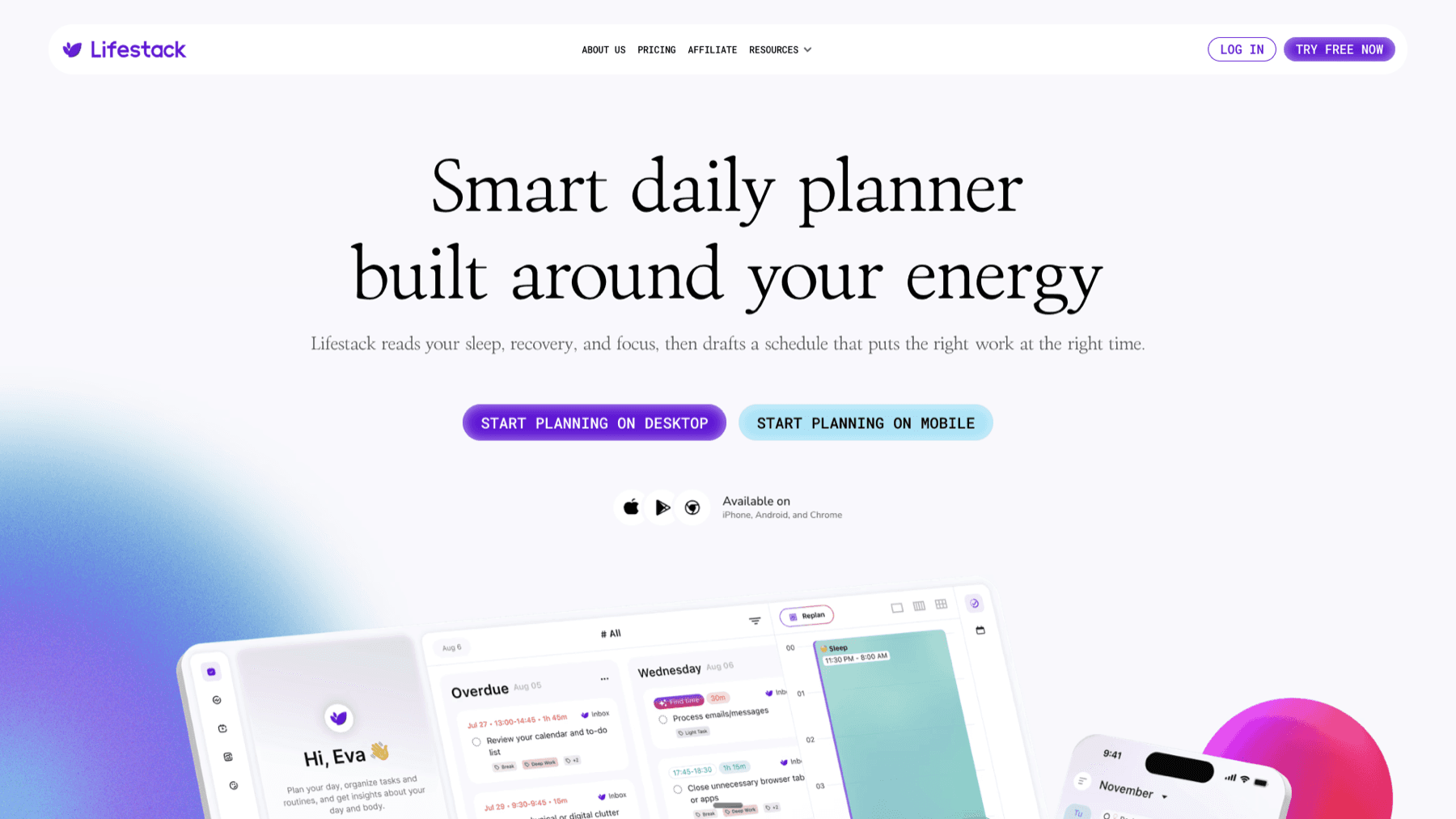
Lifestack is an AI-powered daily planner built around the idea that your schedule should match your energy, not just your calendar. It connects to Apple Health, Garmin, and other wearables to read your sleep data, recovery scores, and stress levels. Each morning, it uses that data to draft a plan for the day: deep-focus work in your high-energy window, meetings and admin in lower-energy slots, rest built in rather than scheduled over.
For people with inconsistent energy -- whether from ADHD, poor sleep, chronic illness, or just a demanding life -- this is the core functionality that no other task app offers. You are not telling Lifestack you feel tired today; it already knows, and it adjusts without you having to manage it. On a day when your energy data signals low recovery, Lifestack does not schedule four hours of deep work and then leave you feeling like a failure when you cannot execute it.
Key features: AI daily planning, wearable data integration, energy-aware task scheduling, Chrome extension, iOS and Android apps
What works: Energy matching is genuine and automatic; daily plans are specific, not vague; works well for ADHD daily planning
Limitations: No free tier; heavier feature set than simpler task apps; requires wearable or health data to unlock full energy-awareness
Pricing: $9.99/month or $49.99/year (7-day free trial on annual plan). Lifetime plan at $120 one-time.
Best for: Anyone who wants their schedule to adapt to their energy rather than demanding the reverse -- especially ADHD users, shift workers, and people with variable health conditions.
2. Motion
AI scheduling that rearranges your day when things go sideways

Motion takes a different approach to inconsistent energy: rather than reading your health data, it responds to what actually happens in your calendar. If a meeting runs long, Motion automatically reschedules everything downstream. If you mark a task as "won't do today," it finds a slot tomorrow. The underlying engine is an AI scheduler that continuously optimizes your calendar around deadlines, priorities, and available time.
For people with inconsistent energy, the auto-rescheduling is genuinely useful. On a low-energy day when you skip tasks, Motion does not leave you with a pile of overdue items and no plan -- it absorbs the miss and re-plans. The limitation is that it does not know why you skipped the task. It treats "skipped because low energy" and "skipped because the meeting ran long" identically.
Key features: AI task scheduling, automatic rescheduling, deadline management, project tracking, calendar integration
What works: Automatic recovery when plans change; good for deadline-driven work; reduces the mental overhead of re-planning
Limitations: No energy awareness from health data; $19/month is expensive for individual users; can feel over-managed
Pricing: $19/seat/month (Pro AI). Free trial available.
Best for: People who want AI scheduling without connecting wearables, and whose main inconsistency is calendar unpredictability rather than energy fluctuation.
3. TickTick
Free-tier task management with built-in focus tools

TickTick is a full-featured task manager with one unusually relevant feature for inconsistent energy: a built-in Pomodoro timer and focus mode. When your energy is low and you cannot face a full task, setting a 25-minute focus session with the timer running creates the external pressure that ADHD brains often need to start. TickTick also lets you tag tasks with an energy level (High, Medium, Low), which you can then filter to show only low-energy tasks on hard days.
The free tier is genuinely usable, not a crippled preview. You get task creation, priorities, reminders, and the focus timer without paying anything. The Premium tier adds calendar view, habit tracking, and additional customization.
Key features: Built-in Pomodoro timer, energy-level tags, habits, calendar integration, offline access
What works: Energy-level filtering is practical; free tier is strong; Pomodoro integration is natural, not bolted on
Limitations: No automatic energy adaptation; energy level is a manual tag, not calculated from data; interface can feel cluttered
Pricing: Free tier available. Premium $3.99/month or $35.99/year.
Best for: Budget-conscious users who want manual energy-level filtering and a solid built-in focus timer.
4. Todoist
The lowest-friction way to capture and organize tasks anywhere

Todoist does not have energy-awareness features. What it has is a near-zero friction capture experience -- type a task, hit enter, done. On low-energy days when the barrier to using your task manager is "this takes too much cognitive effort to open and use," Todoist clears that bar better than almost any app. It is available on every platform, syncs instantly, and the core interaction requires essentially no decisions.
For people with inconsistent energy, the value proposition is reliability. Todoist works the same way regardless of your state. The free tier is functional, the paid tier is inexpensive, and the app has not changed its core design in over a decade -- it is not going to suddenly require relearning when your executive function is already stretched.
Key features: Natural language input, recurring tasks, priorities, filters, 70+ integrations, offline mode
What works: Fastest capture of any app on this list; works well on ADHD task list setups; no friction on hard days
Limitations: No energy awareness; requires manual prioritization; not built for energy-based planning
Pricing: Free tier available. Pro $5/month (annual billing) or $7/month.
Best for: Anyone who needs a reliable, low-friction task capture system that works well even when cognitive resources are depleted.
5. Things 3
The best-designed Today view for Apple users
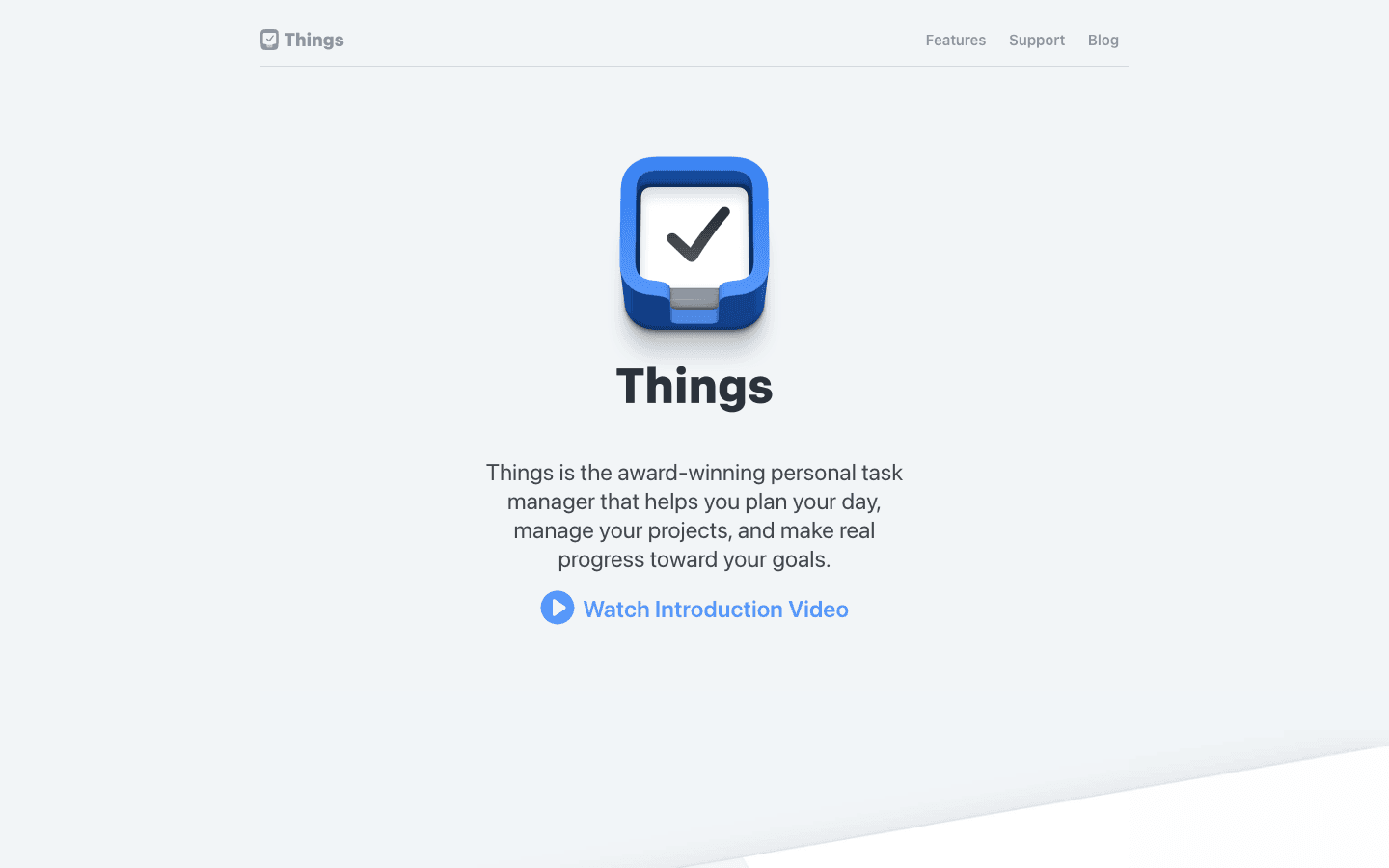
Things 3 is an Apple-only task manager from Cultured Code. Its defining feature for inconsistent energy users is the Today view: every day, Things shows you a focused list of what you planned to do today. No infinite backlog, no noise from future projects. Just today. On low-energy days, that scope reduction reduces the overwhelm that sprawling task lists create.
Things 3 also handles the morning planning ritual well. Its "This Evening" section lets you mark tasks for later in the day without cluttering the morning list. The app's design is widely regarded as the best in the category -- every interaction is considered, and the visual calm of the interface does not add cognitive load on hard days. The downside is Apple-only and no energy awareness from health data.
Key features: Today view, This Evening section, Areas and Projects, recurring tasks, natural language dates, Apple Watch app
What works: Calming, focused Today view; one-time purchase (no subscription); beautiful design that reduces visual noise
Limitations: Apple only (no Android, no Windows); no energy awareness; no AI scheduling; requires separate purchase for Mac and iPhone
Pricing: $9.99 one-time for iPhone. Separate purchase for Mac ($49.99) and iPad ($19.99).
Best for: Apple users who want a beautifully designed Today-focused task manager with a one-time cost and no subscription.
Which App Is Right for You?
Your energy fluctuates based on sleep, health, or ADHD: Lifestack. It is the only app that reads that data and builds your day around it.
Your inconsistency is calendar-driven (meetings overrun, priorities shift): Motion. The AI rescheduler handles that specific problem better than anything else.
You want manual energy-level tagging and a Pomodoro timer for free: TickTick.
You need something dead-simple that works on bad days without any friction: Todoist.
You are on Apple and want a calm, focused Today view with no subscription: Things 3.
For more on building schedules around energy rather than clock time, see our guide on energy-based scheduling and the breakdown of apps for executive functioning. If time management for executive dysfunction is what you are dealing with, those guides go deeper on the structural side of the problem.
FAQ
What is the best task manager for ADHD and inconsistent energy?
Lifestack. It connects to wearable health data, reads your sleep and recovery scores, and builds a daily plan that matches your actual capacity. It is the only task manager on this list with energy-awareness that is calculated from data rather than entered manually.
Can task management apps help with low-energy days?
Yes, but differently depending on the app. Apps like Lifestack and Motion adapt to your situation automatically. Apps like Todoist and TickTick require manual prioritization but reduce friction enough that using them on hard days is realistic. The key is an app with low cognitive overhead -- the ones that require elaborate weekly reviews or complex project hierarchies fail when your capacity is depleted.
Is there a free task app that works for inconsistent energy?
TickTick's free tier is the best free option specifically because it includes energy-level tagging and a built-in Pomodoro timer. Todoist's free tier is better for pure capture and simplicity. Neither automatically adapts to your energy, but both are functional without payment.
What does energy-aware scheduling mean?
An energy-aware scheduler reads data about your current energy level -- usually from sleep scores, heart rate variability, or wearable recovery metrics -- and uses that data to decide when to schedule demanding tasks versus easier ones. Rather than treating every hour as equal, it schedules deep work when you are biologically rested and routes lighter tasks to low-energy windows.
Does Todoist have energy level features?
No. Todoist has four priority levels (P1-P4) and filter options, but no energy-level tagging or health data integration. You can approximate energy-based filtering using labels (e.g., a "low-energy" label), but it requires manual setup and discipline to maintain.
Not everyone has the same amount of energy every day. For people with ADHD, chronic fatigue, irregular schedules, or high-stress jobs, energy levels shift dramatically from morning to afternoon, Monday to Friday, good week to hard week. Standard task management advice -- make a list, prioritize it, follow it -- breaks down when the person following the list is running on two hours of sleep or in the middle of an ADHD executive dysfunction spiral.
The apps in this list were selected specifically for how they perform when your capacity is low, not just when you are at your best. The question is not which app has the most features -- it is which app gets out of your way on hard days and helps you do the minimum effective task to keep moving.
We tested five apps across criteria that matter specifically for inconsistent energy: how much cognitive overhead each requires to use, whether they adapt to your energy rather than demanding you adapt to them, how well they handle the transition from a high-energy day to a low-energy one, and whether they have anything built in that acknowledges energy as a variable at all.
Key Takeaways
Lifestack is the only app that reads your sleep and energy data and adjusts your daily schedule automatically -- the most important differentiator for anyone with genuinely inconsistent energy.
Motion is the best option if you want AI scheduling but prefer a traditional task-plus-calendar interface without wearable integration.
Todoist and TickTick work well on low-energy days if you configure them right -- but neither adapts to your energy level on its own.
Quick Guide
1. Lifestack -- Best overall for energy-aware scheduling; reads sleep and health data to build your day
2. Motion -- Best AI scheduling without wearable integration; auto-rescheduled tasks on deadline pressure
3. TickTick -- Best free option with energy-level tagging and built-in focus timer
4. Todoist -- Best for low-friction capture on hard days; dead-simple, works everywhere
5. Things 3 -- Best design for cognitive ease; best-in-class Today view for Apple users
How We Evaluated
Energy awareness -- Does the app know anything about your energy level, or treat every day the same?
Cognitive overhead -- How much thinking does it take to use the app when you are already cognitively depleted?
Flexibility on hard days -- Can you easily deprioritize tasks or reschedule without the app fighting you?
Capture friction -- How fast can you get a task into the system when your working memory is unreliable?
Pricing -- Is there a meaningful free tier? Is the paid tier worth it for the energy-management features?
1. Lifestack
The only task app that actually knows how much energy you have today
Lifestack is an AI-powered daily planner built around the idea that your schedule should match your energy, not just your calendar. It connects to Apple Health, Garmin, and other wearables to read your sleep data, recovery scores, and stress levels. Each morning, it uses that data to draft a plan for the day: deep-focus work in your high-energy window, meetings and admin in lower-energy slots, rest built in rather than scheduled over.
For people with inconsistent energy -- whether from ADHD, poor sleep, chronic illness, or just a demanding life -- this is the core functionality that no other task app offers. You are not telling Lifestack you feel tired today; it already knows, and it adjusts without you having to manage it. On a day when your energy data signals low recovery, Lifestack does not schedule four hours of deep work and then leave you feeling like a failure when you cannot execute it.
Key features: AI daily planning, wearable data integration, energy-aware task scheduling, Chrome extension, iOS and Android apps
What works: Energy matching is genuine and automatic; daily plans are specific, not vague; works well for ADHD daily planning
Limitations: No free tier; heavier feature set than simpler task apps; requires wearable or health data to unlock full energy-awareness
Pricing: $9.99/month or $49.99/year (7-day free trial on annual plan). Lifetime plan at $120 one-time.
Best for: Anyone who wants their schedule to adapt to their energy rather than demanding the reverse -- especially ADHD users, shift workers, and people with variable health conditions.
2. Motion
AI scheduling that rearranges your day when things go sideways
Motion takes a different approach to inconsistent energy: rather than reading your health data, it responds to what actually happens in your calendar. If a meeting runs long, Motion automatically reschedules everything downstream. If you mark a task as "won't do today," it finds a slot tomorrow. The underlying engine is an AI scheduler that continuously optimizes your calendar around deadlines, priorities, and available time.
For people with inconsistent energy, the auto-rescheduling is genuinely useful. On a low-energy day when you skip tasks, Motion does not leave you with a pile of overdue items and no plan -- it absorbs the miss and re-plans. The limitation is that it does not know why you skipped the task. It treats "skipped because low energy" and "skipped because the meeting ran long" identically.
Key features: AI task scheduling, automatic rescheduling, deadline management, project tracking, calendar integration
What works: Automatic recovery when plans change; good for deadline-driven work; reduces the mental overhead of re-planning
Limitations: No energy awareness from health data; $19/month is expensive for individual users; can feel over-managed
Pricing: $19/seat/month (Pro AI). Free trial available.
Best for: People who want AI scheduling without connecting wearables, and whose main inconsistency is calendar unpredictability rather than energy fluctuation.
3. TickTick
Free-tier task management with built-in focus tools
TickTick is a full-featured task manager with one unusually relevant feature for inconsistent energy: a built-in Pomodoro timer and focus mode. When your energy is low and you cannot face a full task, setting a 25-minute focus session with the timer running creates the external pressure that ADHD brains often need to start. TickTick also lets you tag tasks with an energy level (High, Medium, Low), which you can then filter to show only low-energy tasks on hard days.
The free tier is genuinely usable, not a crippled preview. You get task creation, priorities, reminders, and the focus timer without paying anything. The Premium tier adds calendar view, habit tracking, and additional customization.
Key features: Built-in Pomodoro timer, energy-level tags, habits, calendar integration, offline access
What works: Energy-level filtering is practical; free tier is strong; Pomodoro integration is natural, not bolted on
Limitations: No automatic energy adaptation; energy level is a manual tag, not calculated from data; interface can feel cluttered
Pricing: Free tier available. Premium $3.99/month or $35.99/year.
Best for: Budget-conscious users who want manual energy-level filtering and a solid built-in focus timer.
4. Todoist
The lowest-friction way to capture and organize tasks anywhere
Todoist does not have energy-awareness features. What it has is a near-zero friction capture experience -- type a task, hit enter, done. On low-energy days when the barrier to using your task manager is "this takes too much cognitive effort to open and use," Todoist clears that bar better than almost any app. It is available on every platform, syncs instantly, and the core interaction requires essentially no decisions.
For people with inconsistent energy, the value proposition is reliability. Todoist works the same way regardless of your state. The free tier is functional, the paid tier is inexpensive, and the app has not changed its core design in over a decade -- it is not going to suddenly require relearning when your executive function is already stretched.
Key features: Natural language input, recurring tasks, priorities, filters, 70+ integrations, offline mode
What works: Fastest capture of any app on this list; works well on ADHD task list setups; no friction on hard days
Limitations: No energy awareness; requires manual prioritization; not built for energy-based planning
Pricing: Free tier available. Pro $5/month (annual billing) or $7/month.
Best for: Anyone who needs a reliable, low-friction task capture system that works well even when cognitive resources are depleted.
5. Things 3
The best-designed Today view for Apple users
Things 3 is an Apple-only task manager from Cultured Code. Its defining feature for inconsistent energy users is the Today view: every day, Things shows you a focused list of what you planned to do today. No infinite backlog, no noise from future projects. Just today. On low-energy days, that scope reduction reduces the overwhelm that sprawling task lists create.
Things 3 also handles the morning planning ritual well. Its "This Evening" section lets you mark tasks for later in the day without cluttering the morning list. The app's design is widely regarded as the best in the category -- every interaction is considered, and the visual calm of the interface does not add cognitive load on hard days. The downside is Apple-only and no energy awareness from health data.
Key features: Today view, This Evening section, Areas and Projects, recurring tasks, natural language dates, Apple Watch app
What works: Calming, focused Today view; one-time purchase (no subscription); beautiful design that reduces visual noise
Limitations: Apple only (no Android, no Windows); no energy awareness; no AI scheduling; requires separate purchase for Mac and iPhone
Pricing: $9.99 one-time for iPhone. Separate purchase for Mac ($49.99) and iPad ($19.99).
Best for: Apple users who want a beautifully designed Today-focused task manager with a one-time cost and no subscription.
Which App Is Right for You?
Your energy fluctuates based on sleep, health, or ADHD: Lifestack. It is the only app that reads that data and builds your day around it.
Your inconsistency is calendar-driven (meetings overrun, priorities shift): Motion. The AI rescheduler handles that specific problem better than anything else.
You want manual energy-level tagging and a Pomodoro timer for free: TickTick.
You need something dead-simple that works on bad days without any friction: Todoist.
You are on Apple and want a calm, focused Today view with no subscription: Things 3.
For more on building schedules around energy rather than clock time, see our guide on energy-based scheduling and the breakdown of apps for executive functioning. If time management for executive dysfunction is what you are dealing with, those guides go deeper on the structural side of the problem.
FAQ
What is the best task manager for ADHD and inconsistent energy?
Lifestack. It connects to wearable health data, reads your sleep and recovery scores, and builds a daily plan that matches your actual capacity. It is the only task manager on this list with energy-awareness that is calculated from data rather than entered manually.
Can task management apps help with low-energy days?
Yes, but differently depending on the app. Apps like Lifestack and Motion adapt to your situation automatically. Apps like Todoist and TickTick require manual prioritization but reduce friction enough that using them on hard days is realistic. The key is an app with low cognitive overhead -- the ones that require elaborate weekly reviews or complex project hierarchies fail when your capacity is depleted.
Is there a free task app that works for inconsistent energy?
TickTick's free tier is the best free option specifically because it includes energy-level tagging and a built-in Pomodoro timer. Todoist's free tier is better for pure capture and simplicity. Neither automatically adapts to your energy, but both are functional without payment.
What does energy-aware scheduling mean?
An energy-aware scheduler reads data about your current energy level -- usually from sleep scores, heart rate variability, or wearable recovery metrics -- and uses that data to decide when to schedule demanding tasks versus easier ones. Rather than treating every hour as equal, it schedules deep work when you are biologically rested and routes lighter tasks to low-energy windows.
Does Todoist have energy level features?
No. Todoist has four priority levels (P1-P4) and filter options, but no energy-level tagging or health data integration. You can approximate energy-based filtering using labels (e.g., a "low-energy" label), but it requires manual setup and discipline to maintain.

FOLLOW ON
FOLLOW ON
FOLLOW ON



Copyright 2026 © Lifestack. All rights reserved
Copyright 2026 © Lifestack. All rights reserved

