
App
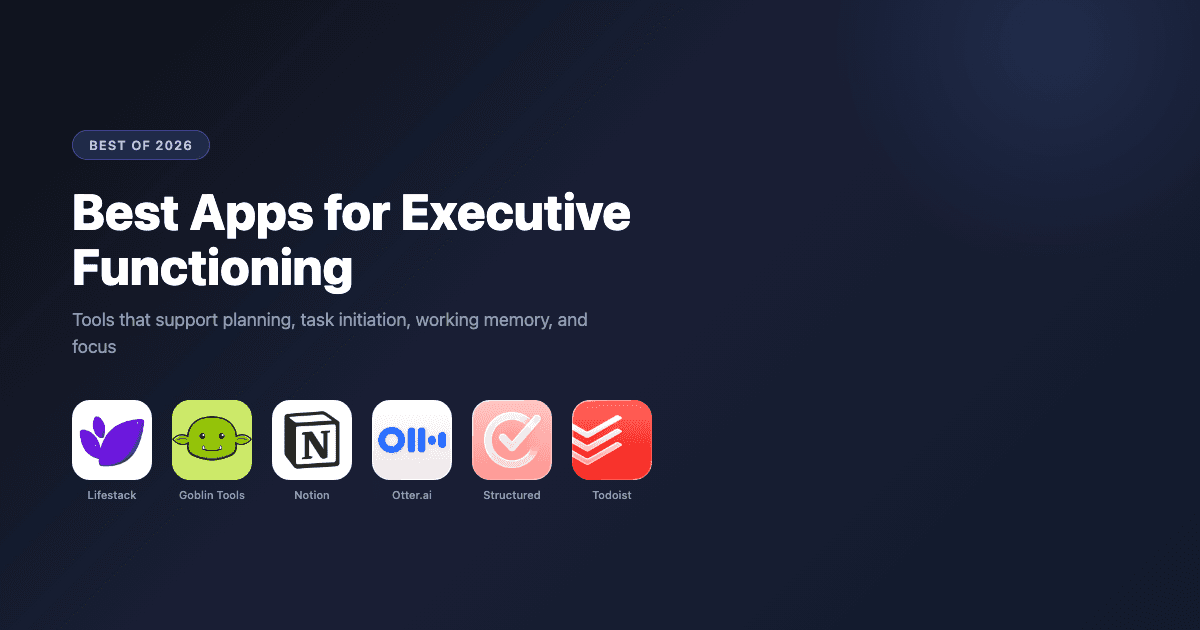
Best Apps for Executive Functioning in 2026
Best Apps for Executive Functioning in 2026
What Are Executive Functions and Why Do Apps Help?
Executive functions are the cognitive skills managed by the prefrontal cortex that allow you to plan, organize, initiate tasks, manage time, hold information in working memory, and regulate impulses. When these systems work well, they're invisible. When they don't, everyday tasks feel disproportionately hard: starting projects, remembering what you just heard in a meeting, keeping a messy space organized, stopping one task to switch to another.
Apps can't fix executive function deficits. But the right tools can act as external scaffolding that offloads specific cognitive demands to the app rather than your prefrontal cortex. A scheduling app that plans your day for you offloads planning. A transcription app that captures meetings offloads working memory. A task decomposer that breaks down vague projects offloads task initiation.
The six apps below were selected because each addresses a specific executive function gap, not just "productivity" in general.
Key Takeaways
Lifestack is the best overall executive functioning app because it addresses multiple gaps at once: time management, planning, and energy-aware scheduling
Goblin Tools is the best free option specifically for task initiation, the most common executive function sticking point
Otter.ai handles working memory demands in meetings, freeing attention for the conversation itself
Quick Guide: Apps for Executive Functioning
1. Lifestack: Best for time management and energy-aware daily planning
2. Goblin Tools: Best for task initiation and breaking down overwhelming tasks
3. Notion: Best for organization, knowledge management, and planning systems
4. Otter.ai: Best for working memory support in meetings
5. Structured: Best visual daily planner for time awareness
6. Todoist: Best task management with natural language input
How We Evaluated
Executive function domain addressed: does it target a specific gap like working memory, task initiation, or time management?
Friction to start using: apps for executive dysfunction need to be frictionless, or they won't be used
ADHD compatibility: low cognitive load, visual clarity, and forgiving design
Integration: does it connect to calendar, email, or other tools already in use?
Pricing: free tiers and value of paid plans
1. Lifestack: Best for Time Management and Planning
Schedules your day around your real energy, not just your available time slots.

Time management is one of the most commonly impacted executive functions. The underlying challenge isn't knowing what needs to be done. It's knowing when to do it, how to sequence tasks against available mental energy, and how to protect focused work from constant interruption. Lifestack addresses all three.
Lifestack is an AI-powered daily planner that learns your energy patterns across the day and week, then schedules tasks into the windows where you're best equipped to handle them. It integrates with Google Calendar and Apple Calendar so your meetings, personal tasks, and recurring habits all appear on a single visual timeline. For ADHD project management, Lifestack's energy-aware approach is a meaningful upgrade over systems that treat all time blocks as equivalent.
Where most planners ask you to fill in the blanks, Lifestack makes suggestions based on what it knows about how you work. This is particularly valuable on days when cognitive load is high and the last thing you want to do is make another decision.
AI scheduling matched to daily energy patterns and historical performance
Google Calendar and Apple Calendar integration
Visual daily timeline with time-blocking for tasks and habits
iOS, Android, and Chrome extension
What Works
Energy-aware scheduling is the most direct executive function support this category of app can provide
All-in-one view reduces the switching between apps that fragments already-challenged attention
Limitations
Does not transcribe meetings or capture spoken notes
No built-in task decomposition (pair with Goblin Tools for that)
Pricing: $7/month or $50/year (7-day free trial on annual plan)
Best for: Anyone who struggles with time management, task sequencing, or building consistent daily routines
2. Goblin Tools: Best for Task Initiation
Breaks any overwhelming task into steps small enough to actually start.
Task initiation is the executive function gap where most people lose the most time. You know what you need to do. You can't make yourself start. The task sits on your list for days while you do other things, not because you don't want to finish it, but because "write the report" or "clean the garage" is too large a unit of work for your brain to engage with directly.
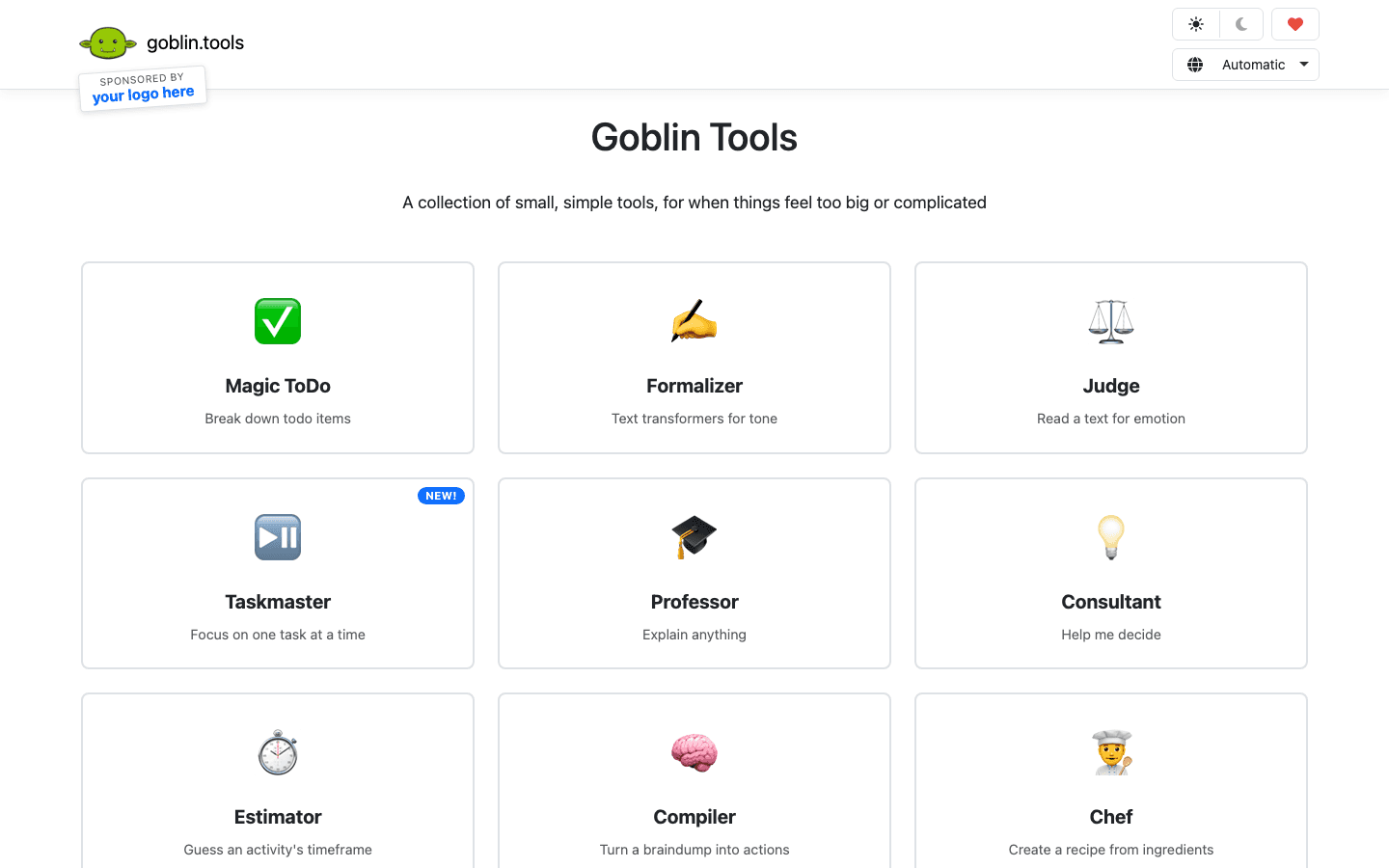
Goblin Tools solves this with its Magic ToDo tool: type your task, set a granularity level (it calls this "spice"), and get back a list of concrete micro-steps. The more spice, the smaller the steps. At maximum, you'll get steps like "open a blank document" and "type the project name at the top." That level of specificity sounds extreme until you realize it's exactly what some brains need to overcome initiation paralysis. It pairs naturally with the visual reminders approach many ADHD coaches recommend for task starting.
Magic ToDo: AI task decomposition with adjustable granularity
Estimator: time estimates for tasks (helps with time blindness)
Web-based, no account required
Works on mobile browsers without a native app install
What Works
Best task initiation tool on this list, and it's completely free
Zero friction to use: open browser, type task, get steps
Limitations
Web only; no calendar integration or scheduling features
No account means no history or saved tasks between sessions
Pricing: Free
Best for: People who know what to do but can't make themselves start
3. Notion: Best for Organization and Planning Systems
A flexible workspace for building the organizational system your brain actually needs.
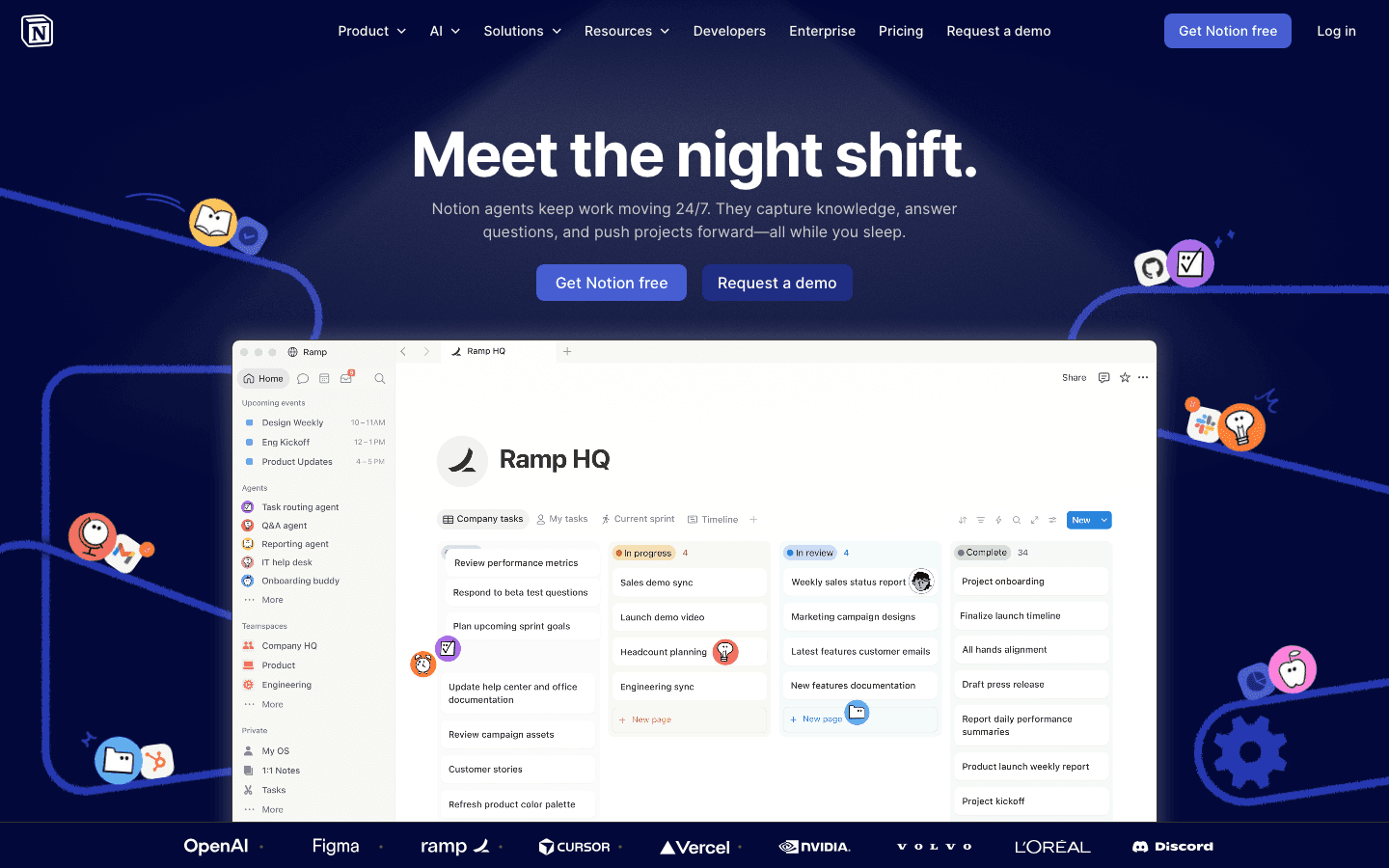
Notion is a document and database tool that can be shaped into almost any organizational system. For executive functioning support, its value is in reducing the cognitive overhead of remembering where things live. Meeting notes, project trackers, reference documents, daily logs, and habit records can all exist in one connected workspace that you can navigate predictably.
Notion works well for executive function because it externalizes structure. You don't have to hold the organization of your work in your head if Notion holds it for you. The downside is setup time: Notion requires you to build your system before it works, which means the people who need organizational support most may struggle most to get it running. Templates help significantly, and the template gallery has solid options for ADHD organization and executive function support.
Flexible database and document system for notes, tasks, and projects
Connected workspace reduces app-switching for information lookup
Strong template gallery including ADHD and executive function setups
AI features for summarizing notes and generating task lists
What Works
Externalizes complex organizational structures so your working memory doesn't have to hold them
Free tier is genuinely usable for individual users
Limitations
High setup cost; getting Notion working for you takes real time and planning
Not a scheduling tool; needs to be paired with a calendar app
Pricing: Free; Plus $10/month billed annually; Business $15/month annually
Best for: People who need a centralized system for project tracking, meeting notes, and reference information
4. Otter.ai: Best for Working Memory in Meetings
Captures everything said so you don't have to remember it.
Working memory is the ability to hold and manipulate information in the short term. In meetings, this means tracking what was just said, what you want to say next, and what action was decided, all simultaneously. For people with executive function challenges, this is exhausting and often results in missing key details or commitments.
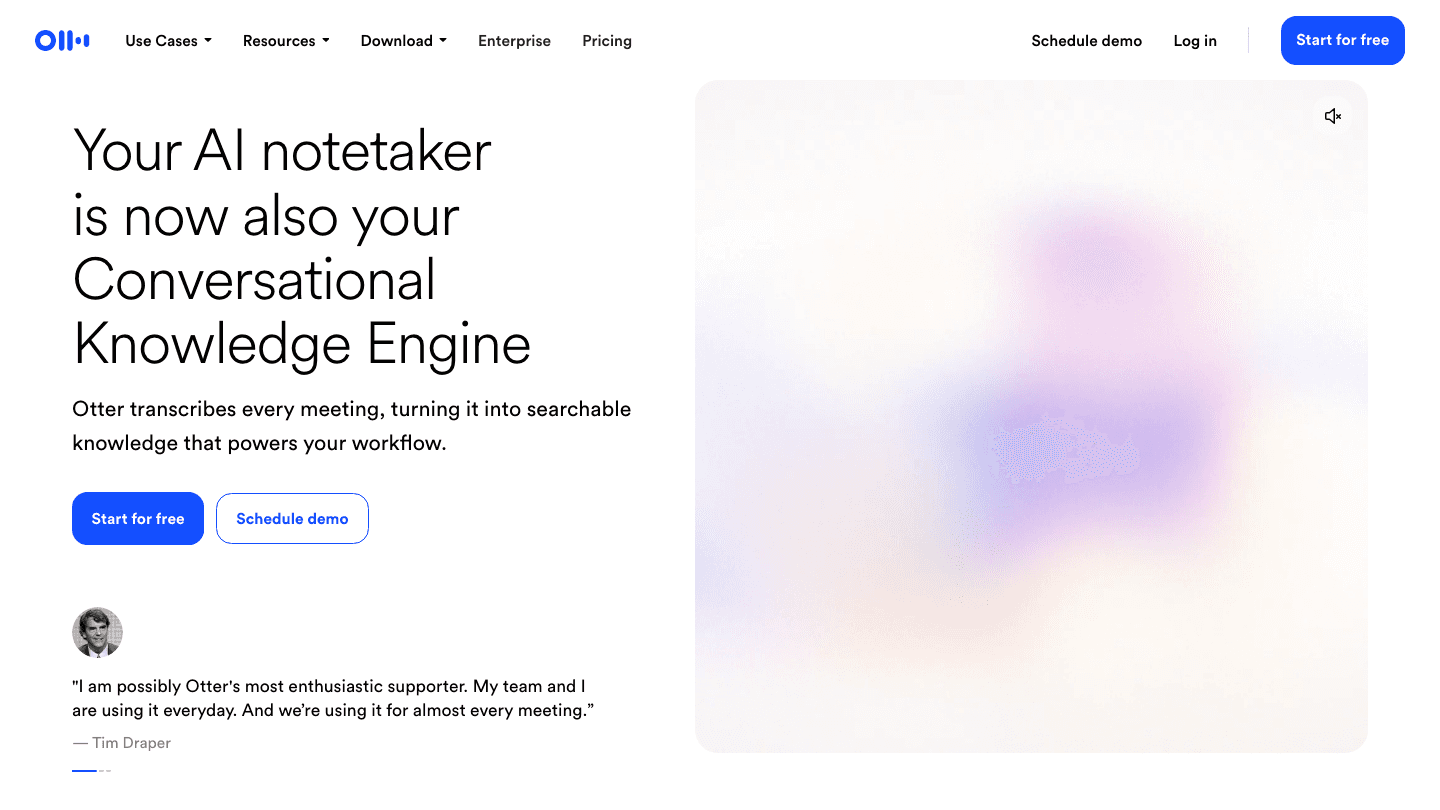
Otter.ai handles this by transcribing everything said in a meeting in real time. It identifies speakers, highlights key moments, and generates a summary when the meeting ends. The immediate benefit is that you can be fully present in the conversation rather than split between listening and taking notes. After the meeting, you have a searchable record of every commitment, decision, and follow-up.
The OtterPilot feature joins Zoom, Google Meet, and Microsoft Teams meetings automatically and uploads the transcript to your workspace. This level of automation is particularly valuable for executive function: the tool activates without you having to remember to activate it.
Real-time meeting transcription with speaker identification
OtterPilot joins Zoom, Google Meet, and Teams meetings automatically
AI-generated meeting summaries with action items highlighted
Searchable transcript archive
What Works
Offloads the most working-memory-intensive part of meetings automatically
OtterPilot automation removes the cognitive step of "remember to record"
Limitations
Accuracy varies with audio quality and accents
Free tier is limited to 300 minutes per month
Pricing: Free (300 min/month); Pro $8.33/month billed annually; Business $19.99/user/month annually
Best for: Anyone who leaves meetings unclear on decisions or action items because working memory demands overwhelm them
5. Structured: Best Visual Daily Planner
Your day as a visible timeline. No more time blindness about what's next.

Time awareness is an executive function. The ability to sense how much time has passed, how much time remains, and how long tasks actually take (as opposed to how long you think they'll take) is a genuine cognitive skill. Many people with executive function challenges have poor time awareness, which is why tasks consistently take longer than expected and why the day feels like it collapses without warning.
Structured addresses this with a visual daily timeline where each task appears as a color-coded bar proportional to its duration. Seeing "email catch-up" as a 30-minute block on a timeline that already has most of the day filled in is different from seeing it as a bullet point. The timeline makes time constraints visible in a way that abstract lists don't. It also works well for building a consistent morning routine with predictable visual anchors.
Vertical color-coded timeline with proportional task blocks
Apple Calendar and Google Calendar sync
Time-based alerts before each task begins
iOS native with web app
What Works
Visual timeline format directly targets time blindness, the most common time management symptom
Near-lifetime pricing makes it one of the lowest-cost planners available
Limitations
No energy-aware scheduling or AI planning features
Android support is limited
Pricing: Free; Pro $29.99/year or $32.99 lifetime
Best for: Visual thinkers with time blindness who need to see the day as a physical timeline
6. Todoist: Best Task Management with Natural Language
Capture tasks instantly with natural language, then organize them however your brain needs.
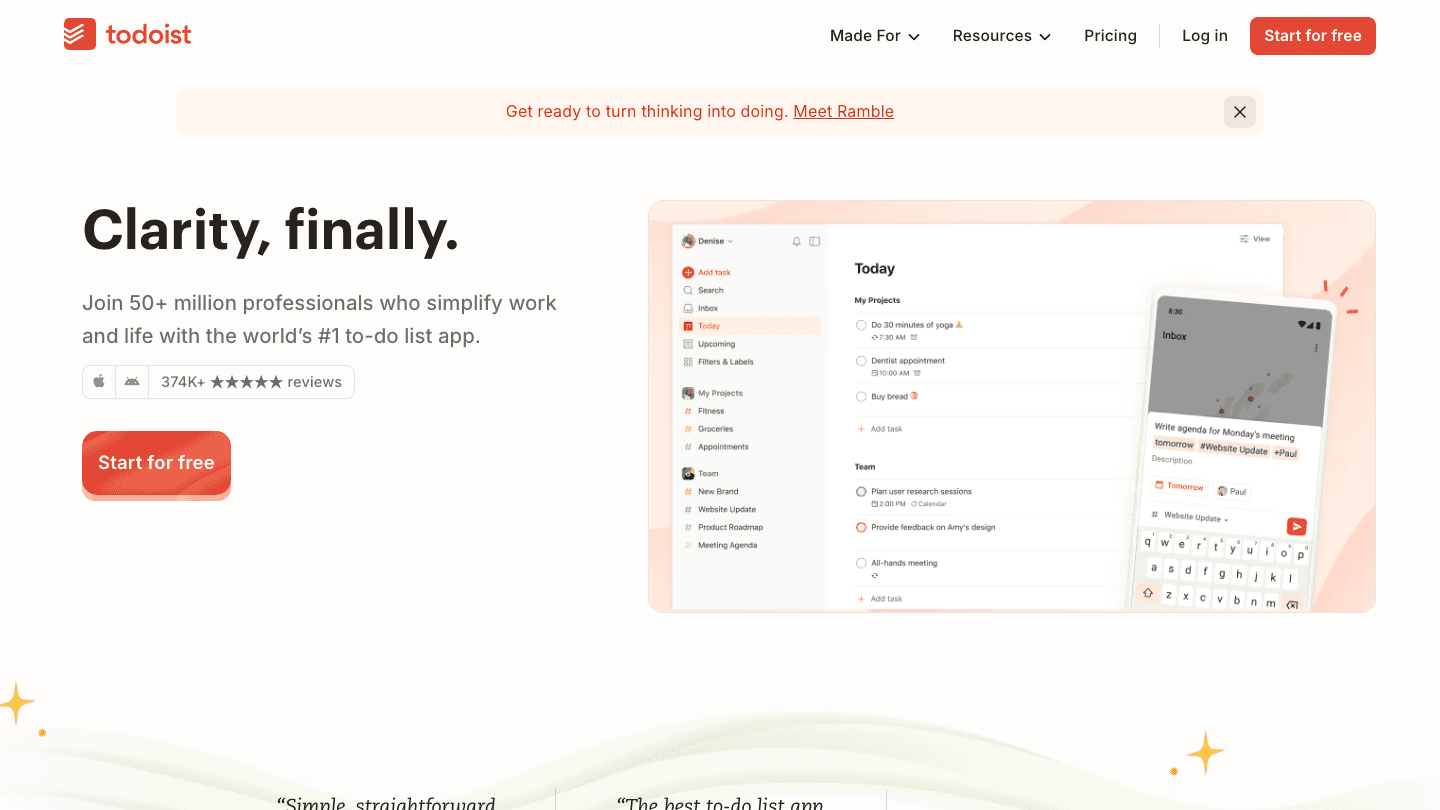
Todoist is one of the most polished task managers available, with one feature that's particularly useful for executive functioning: natural language input. Typing "send quarterly report to Sarah by Friday at 3pm" creates a task with the right title, assignee, due date, and time, without requiring you to fill in five separate fields. This speed of capture is critical for working memory: if getting a task into your system takes more than 5 seconds, you'll miss tasks.
For habit building and recurring task management, Todoist's priority flags and project organization create a system you can actually navigate quickly. The free tier covers most individual use cases without hitting limits. Weekly planning sessions using Todoist's filter views are a reliable way to review what needs attention, catching the items that executive function challenges might otherwise let slip through. A weekly planner review practice built around Todoist is worth 30 minutes of Sunday time for most users.
Natural language task input with automatic due date and priority parsing
Project organization with color coding and nested tasks
Available on iOS, Android, Mac, Windows, and web
Integrations with Google Calendar, Slack, and productivity tools
What Works
Fastest task capture of any app on this list, critical for overloaded working memory
Free tier is complete enough for most individual use
Limitations
No visual timeline or energy-aware scheduling
Can accumulate large backlogs quickly without regular review habits
Pricing: Free; Pro $4/month billed annually ($48/year)
Best for: People who need fast task capture and reliable cross-platform task management
Which App Fits Your Executive Function Gap?
Trouble managing time and scheduling tasks around energy: Lifestack
Can't make yourself start a task even when you know you need to: Goblin Tools
Need one place where all your projects, notes, and plans live: Notion
Leave meetings unclear on what was decided: Otter.ai
Can't see how the day is structured without a visual timeline: Structured
Need fast task capture and a reliable list you can trust: Todoist
Most people with executive function challenges need more than one of these. A common combination: Lifestack for scheduling, Goblin Tools for breaking down tasks that feel too big, and Todoist for fast capture throughout the day.
Frequently Asked Questions
What are the best apps for executive functioning?
Lifestack is the best overall app for executive functioning, particularly for time management and energy-aware scheduling. Goblin Tools is the top choice for task initiation. Otter.ai addresses working memory in meetings. The best combination depends on which specific executive function skills are most challenging for you.
What apps help with executive function and ADHD?
Apps that help with executive function and ADHD include Lifestack (energy-aware scheduling), Goblin Tools (task decomposition), Structured (visual time blocking), and Todoist (fast task capture). Each addresses a different ADHD-related executive function challenge. Most ADHD users find they need two or three tools rather than one.
Is there a free executive functioning app?
Yes. Goblin Tools is completely free with no account required. Todoist has a generous free tier for task management. Structured has a free version with calendar sync. Notion has a free tier for individuals.
What is the best app for ADHD executive function?
For most ADHD users, Lifestack is the strongest choice because it directly addresses the most common executive function challenge in ADHD: time management and task scheduling. Its energy-aware scheduling also accounts for the ADHD-specific pattern of variable energy and focus across the day.
Can apps replace therapy for executive functioning difficulties?
No. Apps act as external scaffolding that reduces the moment-to-moment cognitive load of specific tasks. They don't address the underlying neurological differences or build underlying executive function skills the way cognitive behavioral therapy, coaching, or medication can. Apps and professional support work best in combination.
What executive functions do apps support?
Apps can support time management (Lifestack, Structured), task initiation (Goblin Tools), working memory (Otter.ai), planning and organization (Notion, Todoist), and habit maintenance (Todoist, Lifestack). Impulse control and emotional regulation are harder to address through apps alone and typically need behavioral strategies or professional support.
What Are Executive Functions and Why Do Apps Help?
Executive functions are the cognitive skills managed by the prefrontal cortex that allow you to plan, organize, initiate tasks, manage time, hold information in working memory, and regulate impulses. When these systems work well, they're invisible. When they don't, everyday tasks feel disproportionately hard: starting projects, remembering what you just heard in a meeting, keeping a messy space organized, stopping one task to switch to another.
Apps can't fix executive function deficits. But the right tools can act as external scaffolding that offloads specific cognitive demands to the app rather than your prefrontal cortex. A scheduling app that plans your day for you offloads planning. A transcription app that captures meetings offloads working memory. A task decomposer that breaks down vague projects offloads task initiation.
The six apps below were selected because each addresses a specific executive function gap, not just "productivity" in general.
Key Takeaways
Lifestack is the best overall executive functioning app because it addresses multiple gaps at once: time management, planning, and energy-aware scheduling
Goblin Tools is the best free option specifically for task initiation, the most common executive function sticking point
Otter.ai handles working memory demands in meetings, freeing attention for the conversation itself
Quick Guide: Apps for Executive Functioning
1. Lifestack: Best for time management and energy-aware daily planning
2. Goblin Tools: Best for task initiation and breaking down overwhelming tasks
3. Notion: Best for organization, knowledge management, and planning systems
4. Otter.ai: Best for working memory support in meetings
5. Structured: Best visual daily planner for time awareness
6. Todoist: Best task management with natural language input
How We Evaluated
Executive function domain addressed: does it target a specific gap like working memory, task initiation, or time management?
Friction to start using: apps for executive dysfunction need to be frictionless, or they won't be used
ADHD compatibility: low cognitive load, visual clarity, and forgiving design
Integration: does it connect to calendar, email, or other tools already in use?
Pricing: free tiers and value of paid plans
1. Lifestack: Best for Time Management and Planning
Schedules your day around your real energy, not just your available time slots.
Time management is one of the most commonly impacted executive functions. The underlying challenge isn't knowing what needs to be done. It's knowing when to do it, how to sequence tasks against available mental energy, and how to protect focused work from constant interruption. Lifestack addresses all three.
Lifestack is an AI-powered daily planner that learns your energy patterns across the day and week, then schedules tasks into the windows where you're best equipped to handle them. It integrates with Google Calendar and Apple Calendar so your meetings, personal tasks, and recurring habits all appear on a single visual timeline. For ADHD project management, Lifestack's energy-aware approach is a meaningful upgrade over systems that treat all time blocks as equivalent.
Where most planners ask you to fill in the blanks, Lifestack makes suggestions based on what it knows about how you work. This is particularly valuable on days when cognitive load is high and the last thing you want to do is make another decision.
AI scheduling matched to daily energy patterns and historical performance
Google Calendar and Apple Calendar integration
Visual daily timeline with time-blocking for tasks and habits
iOS, Android, and Chrome extension
What Works
Energy-aware scheduling is the most direct executive function support this category of app can provide
All-in-one view reduces the switching between apps that fragments already-challenged attention
Limitations
Does not transcribe meetings or capture spoken notes
No built-in task decomposition (pair with Goblin Tools for that)
Pricing: $7/month or $50/year (7-day free trial on annual plan)
Best for: Anyone who struggles with time management, task sequencing, or building consistent daily routines
2. Goblin Tools: Best for Task Initiation
Breaks any overwhelming task into steps small enough to actually start.
Task initiation is the executive function gap where most people lose the most time. You know what you need to do. You can't make yourself start. The task sits on your list for days while you do other things, not because you don't want to finish it, but because "write the report" or "clean the garage" is too large a unit of work for your brain to engage with directly.
Goblin Tools solves this with its Magic ToDo tool: type your task, set a granularity level (it calls this "spice"), and get back a list of concrete micro-steps. The more spice, the smaller the steps. At maximum, you'll get steps like "open a blank document" and "type the project name at the top." That level of specificity sounds extreme until you realize it's exactly what some brains need to overcome initiation paralysis. It pairs naturally with the visual reminders approach many ADHD coaches recommend for task starting.
Magic ToDo: AI task decomposition with adjustable granularity
Estimator: time estimates for tasks (helps with time blindness)
Web-based, no account required
Works on mobile browsers without a native app install
What Works
Best task initiation tool on this list, and it's completely free
Zero friction to use: open browser, type task, get steps
Limitations
Web only; no calendar integration or scheduling features
No account means no history or saved tasks between sessions
Pricing: Free
Best for: People who know what to do but can't make themselves start
3. Notion: Best for Organization and Planning Systems
A flexible workspace for building the organizational system your brain actually needs.
Notion is a document and database tool that can be shaped into almost any organizational system. For executive functioning support, its value is in reducing the cognitive overhead of remembering where things live. Meeting notes, project trackers, reference documents, daily logs, and habit records can all exist in one connected workspace that you can navigate predictably.
Notion works well for executive function because it externalizes structure. You don't have to hold the organization of your work in your head if Notion holds it for you. The downside is setup time: Notion requires you to build your system before it works, which means the people who need organizational support most may struggle most to get it running. Templates help significantly, and the template gallery has solid options for ADHD organization and executive function support.
Flexible database and document system for notes, tasks, and projects
Connected workspace reduces app-switching for information lookup
Strong template gallery including ADHD and executive function setups
AI features for summarizing notes and generating task lists
What Works
Externalizes complex organizational structures so your working memory doesn't have to hold them
Free tier is genuinely usable for individual users
Limitations
High setup cost; getting Notion working for you takes real time and planning
Not a scheduling tool; needs to be paired with a calendar app
Pricing: Free; Plus $10/month billed annually; Business $15/month annually
Best for: People who need a centralized system for project tracking, meeting notes, and reference information
4. Otter.ai: Best for Working Memory in Meetings
Captures everything said so you don't have to remember it.
Working memory is the ability to hold and manipulate information in the short term. In meetings, this means tracking what was just said, what you want to say next, and what action was decided, all simultaneously. For people with executive function challenges, this is exhausting and often results in missing key details or commitments.
Otter.ai handles this by transcribing everything said in a meeting in real time. It identifies speakers, highlights key moments, and generates a summary when the meeting ends. The immediate benefit is that you can be fully present in the conversation rather than split between listening and taking notes. After the meeting, you have a searchable record of every commitment, decision, and follow-up.
The OtterPilot feature joins Zoom, Google Meet, and Microsoft Teams meetings automatically and uploads the transcript to your workspace. This level of automation is particularly valuable for executive function: the tool activates without you having to remember to activate it.
Real-time meeting transcription with speaker identification
OtterPilot joins Zoom, Google Meet, and Teams meetings automatically
AI-generated meeting summaries with action items highlighted
Searchable transcript archive
What Works
Offloads the most working-memory-intensive part of meetings automatically
OtterPilot automation removes the cognitive step of "remember to record"
Limitations
Accuracy varies with audio quality and accents
Free tier is limited to 300 minutes per month
Pricing: Free (300 min/month); Pro $8.33/month billed annually; Business $19.99/user/month annually
Best for: Anyone who leaves meetings unclear on decisions or action items because working memory demands overwhelm them
5. Structured: Best Visual Daily Planner
Your day as a visible timeline. No more time blindness about what's next.
Time awareness is an executive function. The ability to sense how much time has passed, how much time remains, and how long tasks actually take (as opposed to how long you think they'll take) is a genuine cognitive skill. Many people with executive function challenges have poor time awareness, which is why tasks consistently take longer than expected and why the day feels like it collapses without warning.
Structured addresses this with a visual daily timeline where each task appears as a color-coded bar proportional to its duration. Seeing "email catch-up" as a 30-minute block on a timeline that already has most of the day filled in is different from seeing it as a bullet point. The timeline makes time constraints visible in a way that abstract lists don't. It also works well for building a consistent morning routine with predictable visual anchors.
Vertical color-coded timeline with proportional task blocks
Apple Calendar and Google Calendar sync
Time-based alerts before each task begins
iOS native with web app
What Works
Visual timeline format directly targets time blindness, the most common time management symptom
Near-lifetime pricing makes it one of the lowest-cost planners available
Limitations
No energy-aware scheduling or AI planning features
Android support is limited
Pricing: Free; Pro $29.99/year or $32.99 lifetime
Best for: Visual thinkers with time blindness who need to see the day as a physical timeline
6. Todoist: Best Task Management with Natural Language
Capture tasks instantly with natural language, then organize them however your brain needs.
Todoist is one of the most polished task managers available, with one feature that's particularly useful for executive functioning: natural language input. Typing "send quarterly report to Sarah by Friday at 3pm" creates a task with the right title, assignee, due date, and time, without requiring you to fill in five separate fields. This speed of capture is critical for working memory: if getting a task into your system takes more than 5 seconds, you'll miss tasks.
For habit building and recurring task management, Todoist's priority flags and project organization create a system you can actually navigate quickly. The free tier covers most individual use cases without hitting limits. Weekly planning sessions using Todoist's filter views are a reliable way to review what needs attention, catching the items that executive function challenges might otherwise let slip through. A weekly planner review practice built around Todoist is worth 30 minutes of Sunday time for most users.
Natural language task input with automatic due date and priority parsing
Project organization with color coding and nested tasks
Available on iOS, Android, Mac, Windows, and web
Integrations with Google Calendar, Slack, and productivity tools
What Works
Fastest task capture of any app on this list, critical for overloaded working memory
Free tier is complete enough for most individual use
Limitations
No visual timeline or energy-aware scheduling
Can accumulate large backlogs quickly without regular review habits
Pricing: Free; Pro $4/month billed annually ($48/year)
Best for: People who need fast task capture and reliable cross-platform task management
Which App Fits Your Executive Function Gap?
Trouble managing time and scheduling tasks around energy: Lifestack
Can't make yourself start a task even when you know you need to: Goblin Tools
Need one place where all your projects, notes, and plans live: Notion
Leave meetings unclear on what was decided: Otter.ai
Can't see how the day is structured without a visual timeline: Structured
Need fast task capture and a reliable list you can trust: Todoist
Most people with executive function challenges need more than one of these. A common combination: Lifestack for scheduling, Goblin Tools for breaking down tasks that feel too big, and Todoist for fast capture throughout the day.
Frequently Asked Questions
What are the best apps for executive functioning?
Lifestack is the best overall app for executive functioning, particularly for time management and energy-aware scheduling. Goblin Tools is the top choice for task initiation. Otter.ai addresses working memory in meetings. The best combination depends on which specific executive function skills are most challenging for you.
What apps help with executive function and ADHD?
Apps that help with executive function and ADHD include Lifestack (energy-aware scheduling), Goblin Tools (task decomposition), Structured (visual time blocking), and Todoist (fast task capture). Each addresses a different ADHD-related executive function challenge. Most ADHD users find they need two or three tools rather than one.
Is there a free executive functioning app?
Yes. Goblin Tools is completely free with no account required. Todoist has a generous free tier for task management. Structured has a free version with calendar sync. Notion has a free tier for individuals.
What is the best app for ADHD executive function?
For most ADHD users, Lifestack is the strongest choice because it directly addresses the most common executive function challenge in ADHD: time management and task scheduling. Its energy-aware scheduling also accounts for the ADHD-specific pattern of variable energy and focus across the day.
Can apps replace therapy for executive functioning difficulties?
No. Apps act as external scaffolding that reduces the moment-to-moment cognitive load of specific tasks. They don't address the underlying neurological differences or build underlying executive function skills the way cognitive behavioral therapy, coaching, or medication can. Apps and professional support work best in combination.
What executive functions do apps support?
Apps can support time management (Lifestack, Structured), task initiation (Goblin Tools), working memory (Otter.ai), planning and organization (Notion, Todoist), and habit maintenance (Todoist, Lifestack). Impulse control and emotional regulation are harder to address through apps alone and typically need behavioral strategies or professional support.



FOLLOW ON
FOLLOW ON
FOLLOW ON


Copyright 2026 © Lifestack. All rights reserved
Copyright 2026 © Lifestack. All rights reserved

