
App
Best Smart Sleep Assistant Apps in 2026
Best Smart Sleep Assistant Apps in 2026

Most people think of a sleep assistant as something that plays white noise or dims the lights. But the best ones now do far more than that: they track the architecture of your sleep, learn your patterns over time, alert you when your rest is falling behind, and in some cases rebuild your schedule around what your body is actually telling you. The category has matured quickly.
We tested five of the leading smart sleep assistant apps across different use cases: scheduling around energy, smart alarms, sleep debt tracking, hardware-based monitoring, and Apple Watch integration. What separates the good ones from the great ones is whether they do anything useful with the data they collect. Tracking sleep stages without acting on them is just a more expensive way to feel bad about your sleep.
All pricing verified at time of writing. For a broader look at sleep tracking options, we have a separate roundup.
Key Takeaways
Lifestack stands out by translating sleep data into a smarter daily schedule, not just a score. If your goal is actually performing better the day after poor sleep, it's the most practical option.
Sleep Cycle's smart alarm remains the best single-purpose sleep tool: if waking up groggy is your main problem, it solves that problem reliably.
Oura and Rise take different angles on the same insight: how your sleep affects your readiness and energy. Oura needs the hardware investment; Rise does it in software alone.
Quick Guide: Best Smart Sleep Assistants
1. Lifestack: AI scheduler that builds your day around your energy and sleep
2. Sleep Cycle: Smart alarm with sleep stage detection and sleep analysis
3. Rise Science: Sleep debt tracking and circadian energy forecasting
4. Oura: Ring-based hardware sleep tracking with readiness coaching
5. Pillow: Apple Watch sleep tracker with audio recording
How We Evaluated These Apps
Does it act on sleep data, or just display it?
How accurate is the sleep stage detection?
Does it provide actionable recommendations for the next day?
How well does it handle varying sleep schedules?
Pricing value relative to what you actually get
1. Lifestack: Best Overall Smart Sleep Assistant
AI scheduling built around your energy and sleep data

Most sleep apps stop at the data. Lifestack starts there. It connects to your sleep and health data (from Apple Health, Oura, or manual input), identifies your energy patterns across the day, and builds a schedule that puts your hardest cognitive work in your highest-energy windows. When you slept badly, it adjusts. When you're running low, it suggests lighter tasks during the dip.
What makes it genuinely different from other smart sleep assistants is the feedback loop between sleep and scheduling. Energy-based scheduling sounds like a productivity concept, but it's fundamentally a sleep response system. The better your sleep, the better your schedule performs. Poor sleep nights don't just leave you tired; they shift your peak windows, and Lifestack accounts for that.
Connects to Apple Health, Oura, and other wearable data sources
Automatically adjusts daily task scheduling based on sleep quality
Identifies your personal peak energy windows and protects them for deep work
Works across iOS and Android with a Chrome extension
What Works: The connection between last night's sleep and today's schedule is the missing link in most productivity tools. Lifestack fills it. For people whose work output varies significantly with sleep quality, this is the most practical tool in this list.
Limitations: Not a traditional sleep tracker. It doesn't record sleep stages or run a smart alarm. It's an intelligence layer on top of your existing sleep data rather than a standalone tracker.
Pricing: $7/month or $50/year (7-day free trial on annual plan). lifestack.ai
Best for: Anyone who wants their sleep data to actually change how their day is structured.
2. Sleep Cycle: Best Smart Alarm
The original smart alarm, still the best at what it does

Sleep Cycle uses your phone's microphone (or accelerometer) to detect movement and sound patterns through the night, then maps them to sleep stages. The smart alarm kicks in during your lightest sleep phase within a 30-minute window before your set wake time. The difference between waking from light sleep versus deep sleep is considerable: one leaves you alert in minutes, the other takes an hour.
It's been doing this since 2009 and has refined its detection substantially. The app also tracks long-term sleep trends, shows time spent in different sleep phases, and offers a library of sleep aid sounds and stories. There's a surprisingly capable free tier, and the premium adds snore detection, more detailed analysis, and the full sound library. If sleep inertia is your main problem every morning, Sleep Cycle addresses it more directly than any other app here.
Smart alarm wakes you in your lightest sleep phase within a set window
Microphone and accelerometer-based sleep stage detection
Long-term sleep trend tracking
Snore detection and recording (premium)
Library of sleep sounds, meditations, and sleep stories
What Works: Waking up at the right sleep stage is one of the most effective interventions for morning grogginess, and Sleep Cycle does it well. The free version covers most of what casual users need.
Limitations: Detection relies on phone microphone proximity to work accurately, which means sleeping with your phone near your pillow. The sleep stage data is less precise than hardware-based tracking. No integration with daily scheduling tools.
Pricing: Free download; premium from $9.99/month. sleepcycle.com
Best for: People whose primary sleep complaint is waking up feeling groggy regardless of how long they slept.
3. Rise Science: Best for Sleep Debt Tracking
Circadian rhythm coaching and energy forecasting in one app
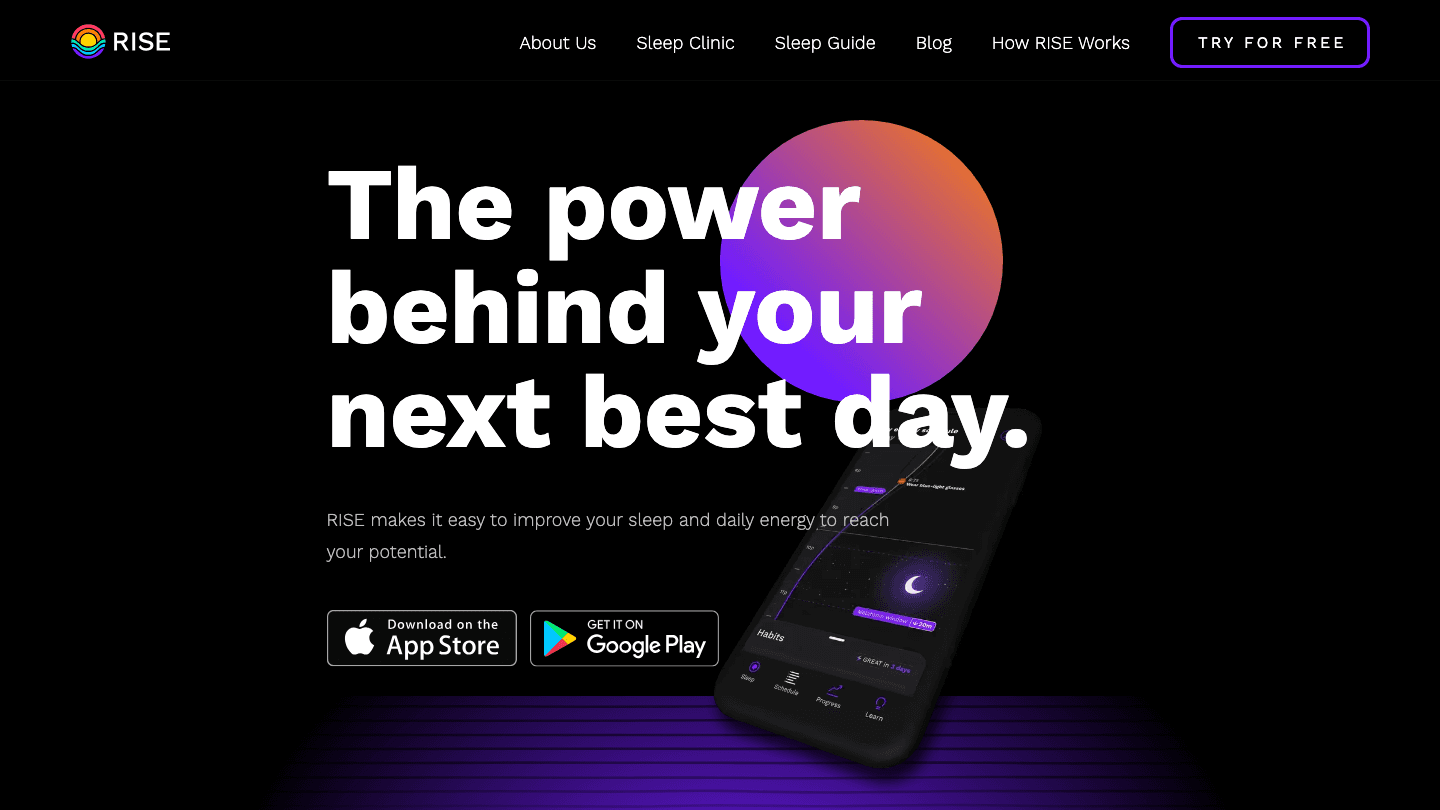
Rise Science takes a different approach than most sleep apps. Instead of tracking sleep stages in detail, it focuses on two numbers: your sleep debt (how far behind your body's sleep need you currently are) and your predicted energy levels across the next 24 hours based on your circadian rhythm and recent sleep. Both numbers update daily as you log sleep.
The energy predictions are genuinely useful. Rise maps out your peak alertness windows and natural dips through the day, tells you the best time for a nap if you need one, and flags when your sleep debt is high enough to affect performance. For people who want to understand personal energy management without tracking every sleep stage, this is the most accessible entry point.
Daily sleep debt calculation based on your personal sleep need
Hourly energy predictions for the next 24 hours
Recommended nap timing based on circadian phase
Available on iOS and Android
What Works: The sleep debt model is the clearest way to understand chronic sleep shortfall. Most people have no idea how far behind they are; Rise makes that concrete.
Limitations: Sleep logging is manual unless you connect a wearable. The app is subscription-based with no permanently free tier, which is a high bar for what is partly manual data entry.
Pricing: Subscription-based with free trial (pricing shown in-app at signup). risescience.com
Best for: People trying to understand and recover from chronic sleep debt, or anyone who wants hourly energy forecasting based on their sleep.
4. Oura: Best Hardware Smart Sleep Assistant
Medical-grade ring tracking with daily readiness coaching
Oura is the category-defining hardware sleep tracker. The ring measures heart rate, heart rate variability, skin temperature, blood oxygen, and movement throughout the night, then processes all of it into three scores: a Sleep Score, a Readiness Score, and an Activity Score. The Readiness Score is the most useful daily touchpoint: it tells you whether your body has recovered enough to handle a hard day, or whether you should dial back intensity.
The data quality from hardware-based tracking is meaningfully better than microphone-based detection. Ring sensors sit against skin continuously, giving a cleaner signal for heart rate and temperature. Those metrics, combined with movement, produce sleep stage estimates that are closer to clinical accuracy than any phone-based app. If you want to know whether your recovery is actually improving over time, the Oura app gives you data you can trust. For more on using Oura data for productivity, we have a dedicated guide.
Continuous heart rate, HRV, temperature, and movement tracking
Daily Readiness Score with actionable daily guidance
Sleep stage detection with high accuracy
Connects to Apple Health, Google Fit, and Lifestack
Body battery and cycle tracking features
What Works: The Readiness Score is the most actionable single metric in sleep tracking. Temperature trends are particularly useful for spotting illness, overtraining, and hormonal patterns before you feel them consciously.
Limitations: Requires purchasing the ring hardware. Battery life is 4-7 days. Sleep stage data is still an estimate, not clinical measurement. See Oura Ring pricing details before committing.
Pricing: Oura Ring 5 from $399 + $5.99/month or $69.99/year membership (first month free). ouraring.com
Best for: People willing to invest in hardware for accurate sleep data and daily readiness coaching.
5. Pillow: Best for Apple Watch Users
Detailed sleep analysis with audio recording, Apple ecosystem only
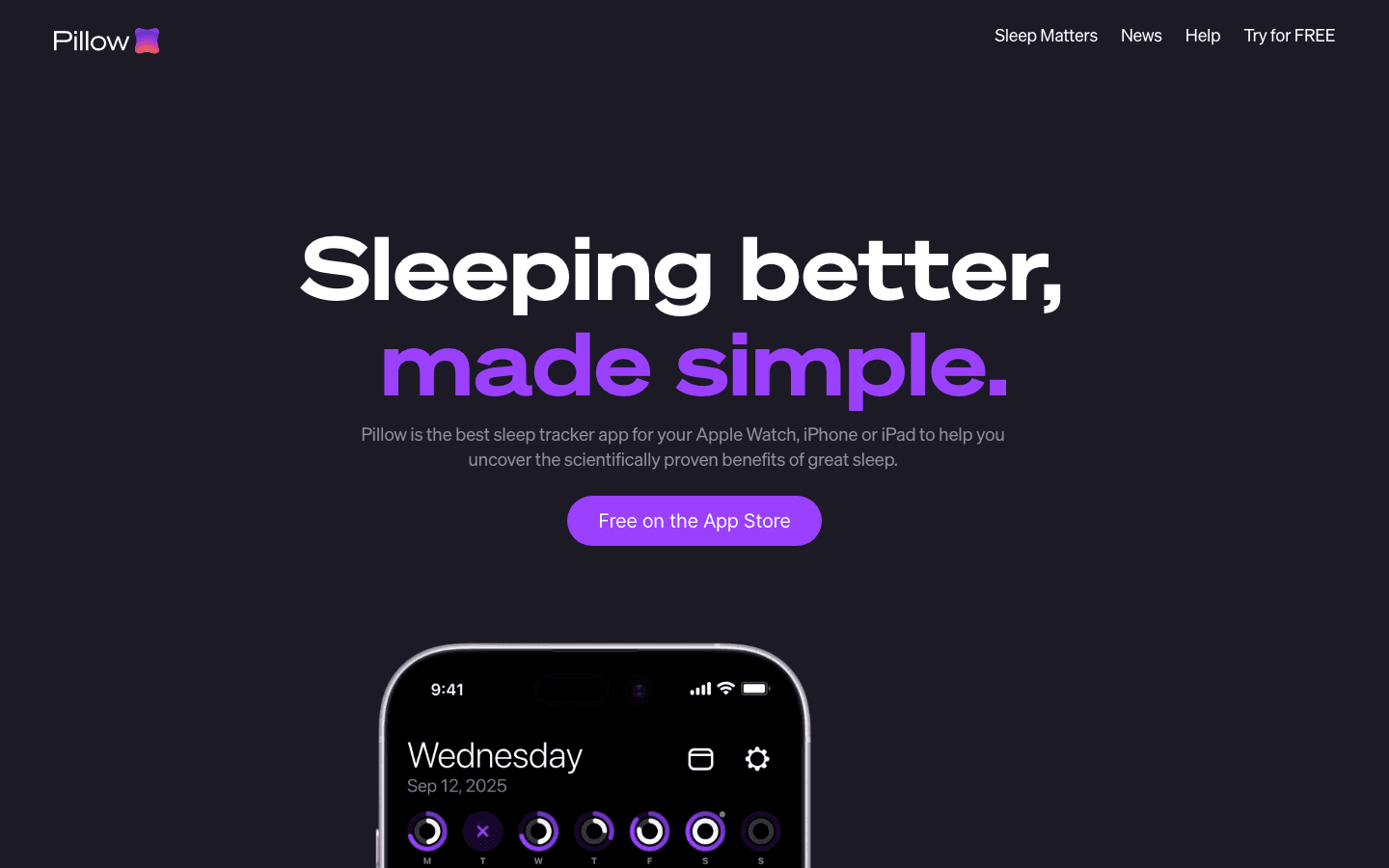
Pillow uses Apple Watch sensors to track sleep stages, records audio snippets when you snore or talk in your sleep, and gives you detailed sleep analysis in the morning. The interface is clean and the data visualization is among the clearest of any sleep app. If you already own an Apple Watch and want more out of your sleep data than the native Apple Sleep app provides, Pillow is the obvious upgrade.
The audio recording feature is genuinely useful for people who suspect sleep apnea or frequent sleep talking. Pillow captures and labels audio events, so you can hear what's happening during the night rather than just seeing a data point on a chart. The breakdown by sleep stage is also more granular than what Apple Health shows natively.
Apple Watch-based heart rate and movement detection for sleep stages
Overnight audio recording with event labeling
Detailed sleep trend history and analysis
Smart alarm integration
Syncs with Apple Health
What Works: The audio recording is unique in this price range. Most apps tell you that you snored; Pillow lets you listen to it.
Limitations: Apple Watch and iOS only. No Android support. Requires wearing your Watch to bed, which doesn't suit everyone. The premium cost is high for an app that depends entirely on hardware you already own.
Pricing: Free download; premium from $39.99/year or $19.99/month. pillow.app
Best for: Apple Watch owners who want detailed sleep analysis and audio event tracking beyond what native Apple Sleep provides.
Which Smart Sleep Assistant Is Right for You?
If you want sleep data to improve your schedule: Lifestack. It's the only one that closes the loop between your sleep quality and how your next day is structured.
If waking up groggy is your main problem: Sleep Cycle. The smart alarm solves this directly, and the free tier covers most of what you need.
If you want to understand your sleep debt and energy patterns: Rise Science. Its debt model and hourly energy forecasting are uniquely practical for optimizing your day.
If you want the most accurate tracking and a readiness score: Oura. The hardware investment pays off in data quality and the Readiness Score is the best single daily metric in sleep tracking.
If you're on Apple Watch and want audio recording: Pillow. Clean interface, detailed analysis, and the audio feature fills a genuine gap that Apple's native sleep app doesn't cover.
FAQ
What does a smart sleep assistant do?
A smart sleep assistant uses sensors, microphones, or connected health data to track your sleep, detect sleep stages, and provide coaching or scheduling recommendations based on what it finds. The best ones go beyond tracking to take action on the data: adjusting alarm timing, recommending recovery days, or restructuring your schedule to match your actual energy levels.
Can a smart sleep assistant improve my sleep quality?
The apps themselves don't directly improve sleep quality, but they provide the feedback needed to make changes that do. Seeing consistent sleep data makes patterns visible: late caffeine, irregular bedtimes, high stress periods. Sleep hygiene improvements become much more targeted when you have data showing what's actually disrupting your rest.
Do smart sleep assistants work without wearables?
Several of them do. Sleep Cycle works with your phone microphone alone. Rise Science uses self-reported sleep data or Apple Health. Lifestack works with Apple Health data, which iPhone collects passively. You don't need a ring or smartwatch to get started, though hardware-based tracking is more accurate.
What's the difference between a sleep tracker and a smart sleep assistant?
A sleep tracker records what happened while you slept. A smart sleep assistant acts on that data. The distinction matters: a tracker shows you that you got 5 hours; a smart assistant adjusts your alarm timing, tells you to protect the afternoon for recovery, and schedules your hardest work for tomorrow when your sleep and energy levels are likely to be higher.
Is the Oura Ring worth it for sleep tracking?
For the right person, yes. The hardware investment is significant, but the accuracy and the Readiness Score genuinely change how you make decisions about training, workload, and recovery. For people who find themselves making judgment calls about whether to push through or rest, the daily Readiness Score takes much of the guesswork out of it. See our full guide to using Oura with other apps to get the most out of it.
Can you use multiple smart sleep assistant apps together?
Yes, and it often makes sense to. A common combination is Oura for hardware tracking plus Lifestack for translating that data into a smarter daily schedule. Rise can sit alongside either for sleep debt modeling. The apps aren't mutually exclusive: they address different aspects of the same problem.
Most people think of a sleep assistant as something that plays white noise or dims the lights. But the best ones now do far more than that: they track the architecture of your sleep, learn your patterns over time, alert you when your rest is falling behind, and in some cases rebuild your schedule around what your body is actually telling you. The category has matured quickly.
We tested five of the leading smart sleep assistant apps across different use cases: scheduling around energy, smart alarms, sleep debt tracking, hardware-based monitoring, and Apple Watch integration. What separates the good ones from the great ones is whether they do anything useful with the data they collect. Tracking sleep stages without acting on them is just a more expensive way to feel bad about your sleep.
All pricing verified at time of writing. For a broader look at sleep tracking options, we have a separate roundup.
Key Takeaways
Lifestack stands out by translating sleep data into a smarter daily schedule, not just a score. If your goal is actually performing better the day after poor sleep, it's the most practical option.
Sleep Cycle's smart alarm remains the best single-purpose sleep tool: if waking up groggy is your main problem, it solves that problem reliably.
Oura and Rise take different angles on the same insight: how your sleep affects your readiness and energy. Oura needs the hardware investment; Rise does it in software alone.
Quick Guide: Best Smart Sleep Assistants
1. Lifestack: AI scheduler that builds your day around your energy and sleep
2. Sleep Cycle: Smart alarm with sleep stage detection and sleep analysis
3. Rise Science: Sleep debt tracking and circadian energy forecasting
4. Oura: Ring-based hardware sleep tracking with readiness coaching
5. Pillow: Apple Watch sleep tracker with audio recording
How We Evaluated These Apps
Does it act on sleep data, or just display it?
How accurate is the sleep stage detection?
Does it provide actionable recommendations for the next day?
How well does it handle varying sleep schedules?
Pricing value relative to what you actually get
1. Lifestack: Best Overall Smart Sleep Assistant
AI scheduling built around your energy and sleep data
Most sleep apps stop at the data. Lifestack starts there. It connects to your sleep and health data (from Apple Health, Oura, or manual input), identifies your energy patterns across the day, and builds a schedule that puts your hardest cognitive work in your highest-energy windows. When you slept badly, it adjusts. When you're running low, it suggests lighter tasks during the dip.
What makes it genuinely different from other smart sleep assistants is the feedback loop between sleep and scheduling. Energy-based scheduling sounds like a productivity concept, but it's fundamentally a sleep response system. The better your sleep, the better your schedule performs. Poor sleep nights don't just leave you tired; they shift your peak windows, and Lifestack accounts for that.
Connects to Apple Health, Oura, and other wearable data sources
Automatically adjusts daily task scheduling based on sleep quality
Identifies your personal peak energy windows and protects them for deep work
Works across iOS and Android with a Chrome extension
What Works: The connection between last night's sleep and today's schedule is the missing link in most productivity tools. Lifestack fills it. For people whose work output varies significantly with sleep quality, this is the most practical tool in this list.
Limitations: Not a traditional sleep tracker. It doesn't record sleep stages or run a smart alarm. It's an intelligence layer on top of your existing sleep data rather than a standalone tracker.
Pricing: $7/month or $50/year (7-day free trial on annual plan). lifestack.ai
Best for: Anyone who wants their sleep data to actually change how their day is structured.
2. Sleep Cycle: Best Smart Alarm
The original smart alarm, still the best at what it does
Sleep Cycle uses your phone's microphone (or accelerometer) to detect movement and sound patterns through the night, then maps them to sleep stages. The smart alarm kicks in during your lightest sleep phase within a 30-minute window before your set wake time. The difference between waking from light sleep versus deep sleep is considerable: one leaves you alert in minutes, the other takes an hour.
It's been doing this since 2009 and has refined its detection substantially. The app also tracks long-term sleep trends, shows time spent in different sleep phases, and offers a library of sleep aid sounds and stories. There's a surprisingly capable free tier, and the premium adds snore detection, more detailed analysis, and the full sound library. If sleep inertia is your main problem every morning, Sleep Cycle addresses it more directly than any other app here.
Smart alarm wakes you in your lightest sleep phase within a set window
Microphone and accelerometer-based sleep stage detection
Long-term sleep trend tracking
Snore detection and recording (premium)
Library of sleep sounds, meditations, and sleep stories
What Works: Waking up at the right sleep stage is one of the most effective interventions for morning grogginess, and Sleep Cycle does it well. The free version covers most of what casual users need.
Limitations: Detection relies on phone microphone proximity to work accurately, which means sleeping with your phone near your pillow. The sleep stage data is less precise than hardware-based tracking. No integration with daily scheduling tools.
Pricing: Free download; premium from $9.99/month. sleepcycle.com
Best for: People whose primary sleep complaint is waking up feeling groggy regardless of how long they slept.
3. Rise Science: Best for Sleep Debt Tracking
Circadian rhythm coaching and energy forecasting in one app
Rise Science takes a different approach than most sleep apps. Instead of tracking sleep stages in detail, it focuses on two numbers: your sleep debt (how far behind your body's sleep need you currently are) and your predicted energy levels across the next 24 hours based on your circadian rhythm and recent sleep. Both numbers update daily as you log sleep.
The energy predictions are genuinely useful. Rise maps out your peak alertness windows and natural dips through the day, tells you the best time for a nap if you need one, and flags when your sleep debt is high enough to affect performance. For people who want to understand personal energy management without tracking every sleep stage, this is the most accessible entry point.
Daily sleep debt calculation based on your personal sleep need
Hourly energy predictions for the next 24 hours
Recommended nap timing based on circadian phase
Available on iOS and Android
What Works: The sleep debt model is the clearest way to understand chronic sleep shortfall. Most people have no idea how far behind they are; Rise makes that concrete.
Limitations: Sleep logging is manual unless you connect a wearable. The app is subscription-based with no permanently free tier, which is a high bar for what is partly manual data entry.
Pricing: Subscription-based with free trial (pricing shown in-app at signup). risescience.com
Best for: People trying to understand and recover from chronic sleep debt, or anyone who wants hourly energy forecasting based on their sleep.
4. Oura: Best Hardware Smart Sleep Assistant
Medical-grade ring tracking with daily readiness coaching
Oura is the category-defining hardware sleep tracker. The ring measures heart rate, heart rate variability, skin temperature, blood oxygen, and movement throughout the night, then processes all of it into three scores: a Sleep Score, a Readiness Score, and an Activity Score. The Readiness Score is the most useful daily touchpoint: it tells you whether your body has recovered enough to handle a hard day, or whether you should dial back intensity.
The data quality from hardware-based tracking is meaningfully better than microphone-based detection. Ring sensors sit against skin continuously, giving a cleaner signal for heart rate and temperature. Those metrics, combined with movement, produce sleep stage estimates that are closer to clinical accuracy than any phone-based app. If you want to know whether your recovery is actually improving over time, the Oura app gives you data you can trust. For more on using Oura data for productivity, we have a dedicated guide.
Continuous heart rate, HRV, temperature, and movement tracking
Daily Readiness Score with actionable daily guidance
Sleep stage detection with high accuracy
Connects to Apple Health, Google Fit, and Lifestack
Body battery and cycle tracking features
What Works: The Readiness Score is the most actionable single metric in sleep tracking. Temperature trends are particularly useful for spotting illness, overtraining, and hormonal patterns before you feel them consciously.
Limitations: Requires purchasing the ring hardware. Battery life is 4-7 days. Sleep stage data is still an estimate, not clinical measurement. See Oura Ring pricing details before committing.
Pricing: Oura Ring 5 from $399 + $5.99/month or $69.99/year membership (first month free). ouraring.com
Best for: People willing to invest in hardware for accurate sleep data and daily readiness coaching.
5. Pillow: Best for Apple Watch Users
Detailed sleep analysis with audio recording, Apple ecosystem only
Pillow uses Apple Watch sensors to track sleep stages, records audio snippets when you snore or talk in your sleep, and gives you detailed sleep analysis in the morning. The interface is clean and the data visualization is among the clearest of any sleep app. If you already own an Apple Watch and want more out of your sleep data than the native Apple Sleep app provides, Pillow is the obvious upgrade.
The audio recording feature is genuinely useful for people who suspect sleep apnea or frequent sleep talking. Pillow captures and labels audio events, so you can hear what's happening during the night rather than just seeing a data point on a chart. The breakdown by sleep stage is also more granular than what Apple Health shows natively.
Apple Watch-based heart rate and movement detection for sleep stages
Overnight audio recording with event labeling
Detailed sleep trend history and analysis
Smart alarm integration
Syncs with Apple Health
What Works: The audio recording is unique in this price range. Most apps tell you that you snored; Pillow lets you listen to it.
Limitations: Apple Watch and iOS only. No Android support. Requires wearing your Watch to bed, which doesn't suit everyone. The premium cost is high for an app that depends entirely on hardware you already own.
Pricing: Free download; premium from $39.99/year or $19.99/month. pillow.app
Best for: Apple Watch owners who want detailed sleep analysis and audio event tracking beyond what native Apple Sleep provides.
Which Smart Sleep Assistant Is Right for You?
If you want sleep data to improve your schedule: Lifestack. It's the only one that closes the loop between your sleep quality and how your next day is structured.
If waking up groggy is your main problem: Sleep Cycle. The smart alarm solves this directly, and the free tier covers most of what you need.
If you want to understand your sleep debt and energy patterns: Rise Science. Its debt model and hourly energy forecasting are uniquely practical for optimizing your day.
If you want the most accurate tracking and a readiness score: Oura. The hardware investment pays off in data quality and the Readiness Score is the best single daily metric in sleep tracking.
If you're on Apple Watch and want audio recording: Pillow. Clean interface, detailed analysis, and the audio feature fills a genuine gap that Apple's native sleep app doesn't cover.
FAQ
What does a smart sleep assistant do?
A smart sleep assistant uses sensors, microphones, or connected health data to track your sleep, detect sleep stages, and provide coaching or scheduling recommendations based on what it finds. The best ones go beyond tracking to take action on the data: adjusting alarm timing, recommending recovery days, or restructuring your schedule to match your actual energy levels.
Can a smart sleep assistant improve my sleep quality?
The apps themselves don't directly improve sleep quality, but they provide the feedback needed to make changes that do. Seeing consistent sleep data makes patterns visible: late caffeine, irregular bedtimes, high stress periods. Sleep hygiene improvements become much more targeted when you have data showing what's actually disrupting your rest.
Do smart sleep assistants work without wearables?
Several of them do. Sleep Cycle works with your phone microphone alone. Rise Science uses self-reported sleep data or Apple Health. Lifestack works with Apple Health data, which iPhone collects passively. You don't need a ring or smartwatch to get started, though hardware-based tracking is more accurate.
What's the difference between a sleep tracker and a smart sleep assistant?
A sleep tracker records what happened while you slept. A smart sleep assistant acts on that data. The distinction matters: a tracker shows you that you got 5 hours; a smart assistant adjusts your alarm timing, tells you to protect the afternoon for recovery, and schedules your hardest work for tomorrow when your sleep and energy levels are likely to be higher.
Is the Oura Ring worth it for sleep tracking?
For the right person, yes. The hardware investment is significant, but the accuracy and the Readiness Score genuinely change how you make decisions about training, workload, and recovery. For people who find themselves making judgment calls about whether to push through or rest, the daily Readiness Score takes much of the guesswork out of it. See our full guide to using Oura with other apps to get the most out of it.
Can you use multiple smart sleep assistant apps together?
Yes, and it often makes sense to. A common combination is Oura for hardware tracking plus Lifestack for translating that data into a smarter daily schedule. Rise can sit alongside either for sleep debt modeling. The apps aren't mutually exclusive: they address different aspects of the same problem.



FOLLOW ON
FOLLOW ON
FOLLOW ON


Copyright 2026 © Lifestack. All rights reserved
Copyright 2026 © Lifestack. All rights reserved

