
App
Best To-Do List Apps for Mac in 2026: 6 Tested
Best To-Do List Apps for Mac in 2026: 6 Tested

A great to-do list app for Mac does more than hold your tasks. It helps you see everything at a glance, integrates with your calendar, and makes it easy to actually do the work rather than just track it. Mac users have more options here than ever before.
We tested six apps extensively: one energy-aware AI planner, two native Mac task managers with very different philosophies, one cross-platform leader, one all-in-one focus tool, and one free option for users in the Microsoft ecosystem. Each one brings something different to the table.
Here's our honest ranking for 2026, starting with the one we'd recommend to most people.
Key Takeaways
Lifestack stands apart by scheduling tasks based on your actual energy levels, not just open time slots on your calendar
Things 3 and OmniFocus are the best natively Mac-designed options, with very different complexity profiles
Todoist, TickTick, and Microsoft To Do are all solid cross-platform choices, with free tiers and broad integrations
Quick Guide
Lifestack: Best for energy-aware scheduling and wearable integration
Things 3: Best native Mac design and Apple ecosystem experience
OmniFocus 4: Best for power users who need maximum flexibility
Todoist: Best cross-platform option with strong integrations
TickTick: Best combined task manager and Pomodoro timer
Microsoft To Do: Best free option for Microsoft 365 users
How We Evaluated
Task capture speed (how fast can you add a task?)
Mac design quality (native feel vs. Electron wrapper)
Calendar and scheduling integration
Energy or AI-based scheduling
Pricing and value
Mobile companion apps
Integrations with other tools
1. Lifestack: Best Energy-Aware To-Do App for Mac
The to-do list that knows when you can do the work.

Lifestack takes a different approach than every other app in this list. Instead of just storing tasks, it reads your energy data from your wearable (Oura Ring, WHOOP, Apple Watch, Garmin) and automatically schedules tasks into time slots where your biology supports the work. Deep focus tasks land when your HRV and recovery scores say you're ready. Lighter admin lands when you're running lower.
This is what personal energy management looks like in practice. Most task managers treat all available hours as equal. Lifestack doesn't. For anyone who's noticed that identical tasks feel twice as hard on some days versus others, this is the product that closes that gap. It connects to your Mac via a Chrome extension and has full iOS and Android apps. Read more in our Lifestack introduction.
Key Features
Energy-aware task scheduling from wearable data
AI-powered daily schedule generation
Chrome extension for Mac (connects to Google Calendar and Outlook)
iOS and Android apps
Integrates with Oura Ring, WHOOP, Apple Watch, Garmin
What Works
Schedules tasks automatically without manual time-blocking decisions
Energy-based scheduling produces noticeably better daily outputs
Wearable integrations are deep and reliable
Limitations
Mac access is via Chrome extension rather than a native Mac app
Requires a wearable to unlock the full energy-scheduling features
Newer platform; some power-user features still evolving
Pricing: $7/month or $50/year with a 7-day free trial
Best for: Anyone who wants their task list to schedule itself around their actual energy and recovery data
2. Things 3: Best Native Mac Design
The gold standard for Mac task manager design.
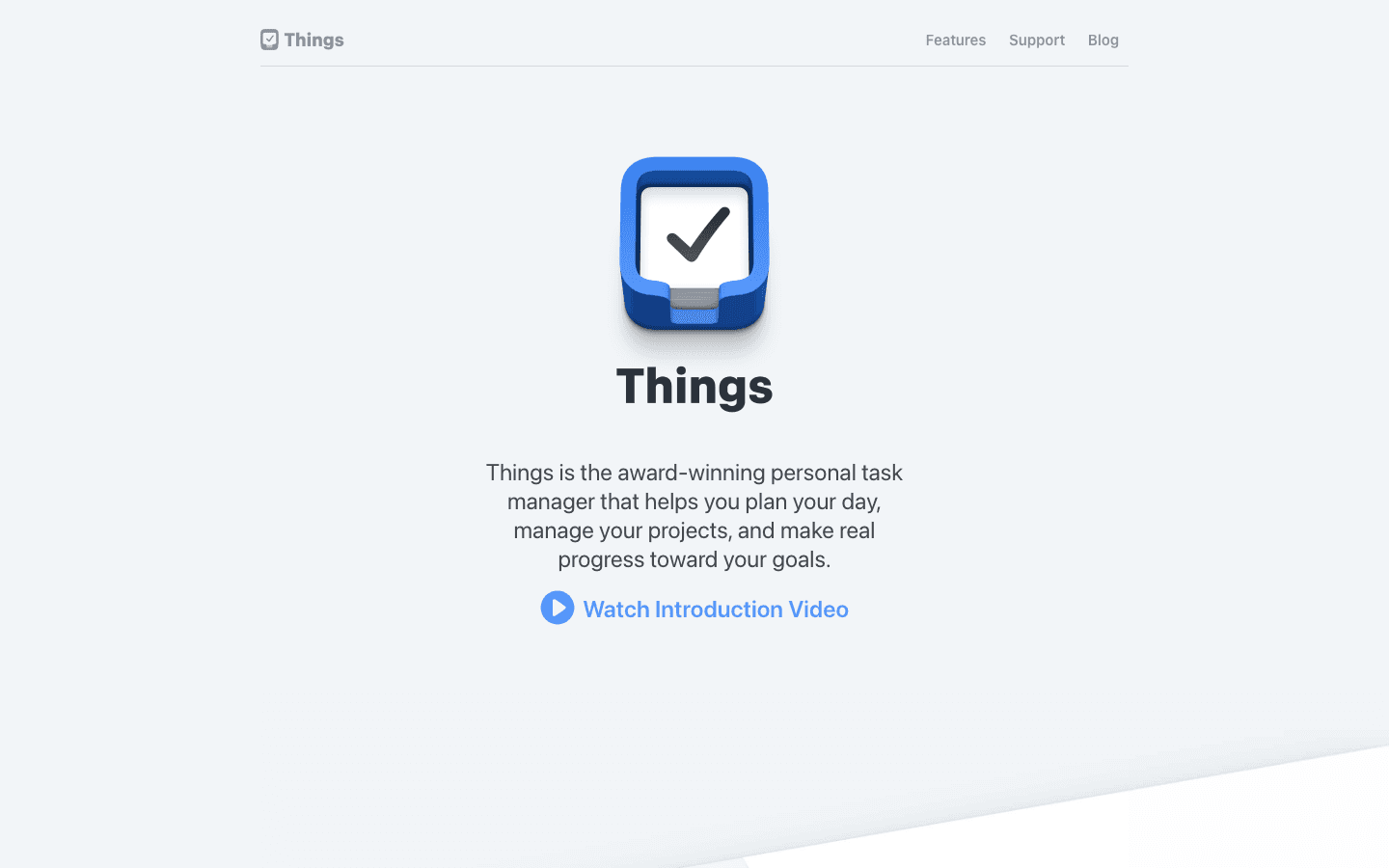
Things 3 by Cultured Code is the most polished task manager built for macOS and iOS. It won Apple Design Awards for good reason: every interaction is considered, keyboard navigation is fast, and the app feels genuinely native rather than ported from another platform. For Mac users who care deeply about how their tools feel, Things 3 has no equal in this category.
The structure is clean and effective: Areas contain Projects, which contain Tasks. The Today view shows what you've committed to doing today. Upcoming shows the week ahead. The Logbook records completed work. It integrates with Reminders, Siri, and Shortcuts. There's no subscription, which many users strongly prefer.
Key Features
Area, Project, and Task hierarchy with tags
Today, Upcoming, Anytime, and Someday views
Natural language date input
Reminders, Siri, and Shortcuts integration
No subscription required
What Works
Best-in-class Mac and iOS design
Offline-first with fast sync across devices
Quick capture via keyboard shortcut from any app
Limitations
No collaboration or sharing features
No energy-aware scheduling
Mac, iPhone, and iPad apps purchased separately
No Windows or Android version
Pricing: One-time purchase from the Mac App Store (Mac, iPhone, and iPad versions priced separately)
Best for: Solo Mac and iPhone users who want beautiful, native task management with no ongoing subscription
3. OmniFocus 4: Best for Power Users
Maximum control for complex project workflows.
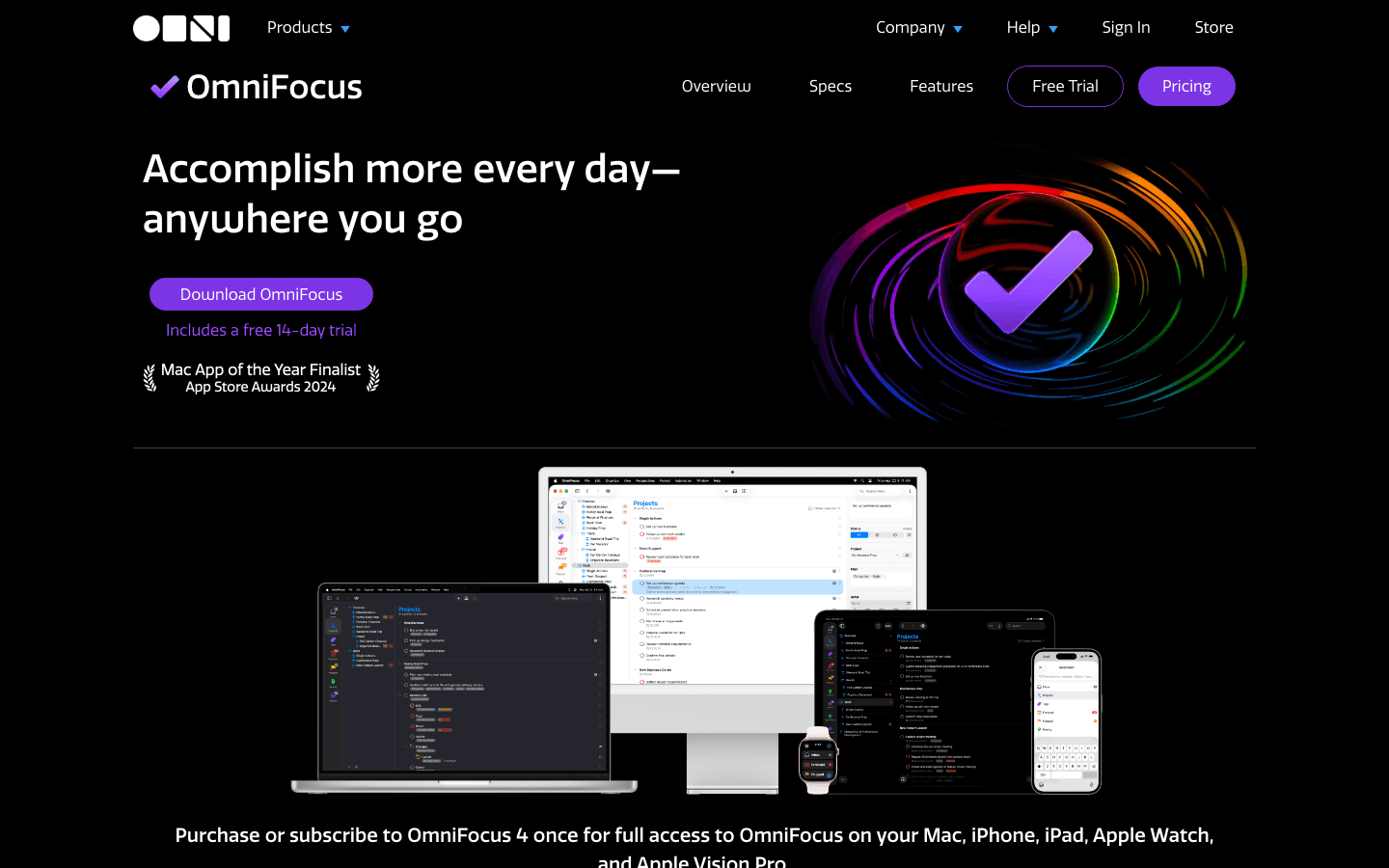
OmniFocus is what you reach for when Things 3 isn't flexible enough. Custom perspectives let you filter and view tasks by any combination of tags, contexts, projects, and flags. The Forecast view combines tasks and calendar events in a single timeline. The Review system ensures no project slips through the cracks. AppleScript support enables deep automation.
It's the most powerful task manager on this list by a significant margin. But that power comes with a real complexity cost. OmniFocus takes weeks to set up properly and requires ongoing maintenance to keep it from becoming overwhelming. It's best suited to people who have already outgrown simpler tools and know what they need.
Key Features
Custom perspectives with multi-rule filtering
Forecast view combining tasks and calendar events
Built-in review system for project maintenance
Tag-based organization
AppleScript and Shortcut automation support
Apple Watch app
What Works
Unmatched flexibility for complex multi-project workflows
Review feature keeps projects from going stale
Deep Mac integration with automation support
Limitations
Steep learning curve
Premium pricing for the full feature set
No collaboration, no cross-platform (Apple ecosystem only)
No energy awareness
Pricing: Standard one-time license $74.99; Pro one-time license $149.99; Full subscription $99.99/year (includes web access)
Best for: Power users managing complex projects who want maximum control and deep Mac integration
4. Todoist: Best Cross-Platform Option
The most widely used to-do app, on every platform.
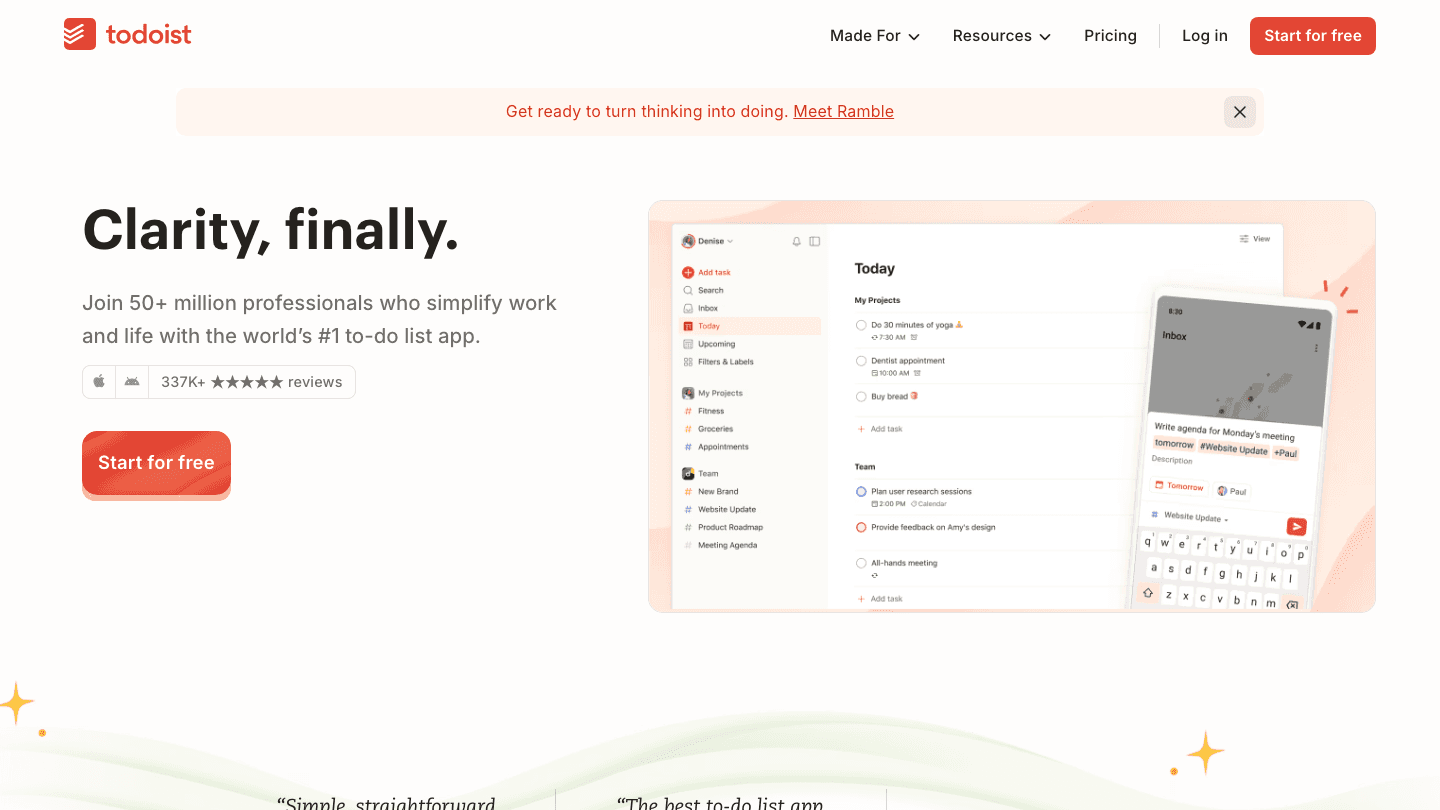
Todoist works on every major platform and integrates with more third-party tools than any other app in this list. Its natural language input is genuinely excellent: type "every Tuesday at 10am" and it parses the recurrence correctly. The interface is clean and quick to navigate. With over 50 million users, it's the safe, widely-supported choice for teams and cross-platform users.
The free plan is generous enough for most individuals. The Pro plan adds reminders, filters, and priority labels. The downside is that Todoist doesn't do anything with your schedule: it stores and surfaces tasks, but where and when you do them is still entirely up to you.
Key Features
Natural language date and recurrence input
Priority levels (P1-P4) and labels
Collaboration and task delegation
Integrations with Slack, Google Calendar, GitHub, Outlook, and 60+ tools
Karma productivity score system
What Works
Best natural language task entry in this category
Genuinely huge integration library
Solid free plan
Limitations
No energy awareness or AI scheduling
Mac app is Electron-based (not native)
Reminders and filters gated behind Pro plan
Pricing: Free plan available; Pro from $4/month billed annually
Best for: Cross-platform teams and individuals who need broad integrations and a familiar, proven interface
5. TickTick: Best Combined Task Manager and Focus Timer
Task management with a built-in Pomodoro timer.
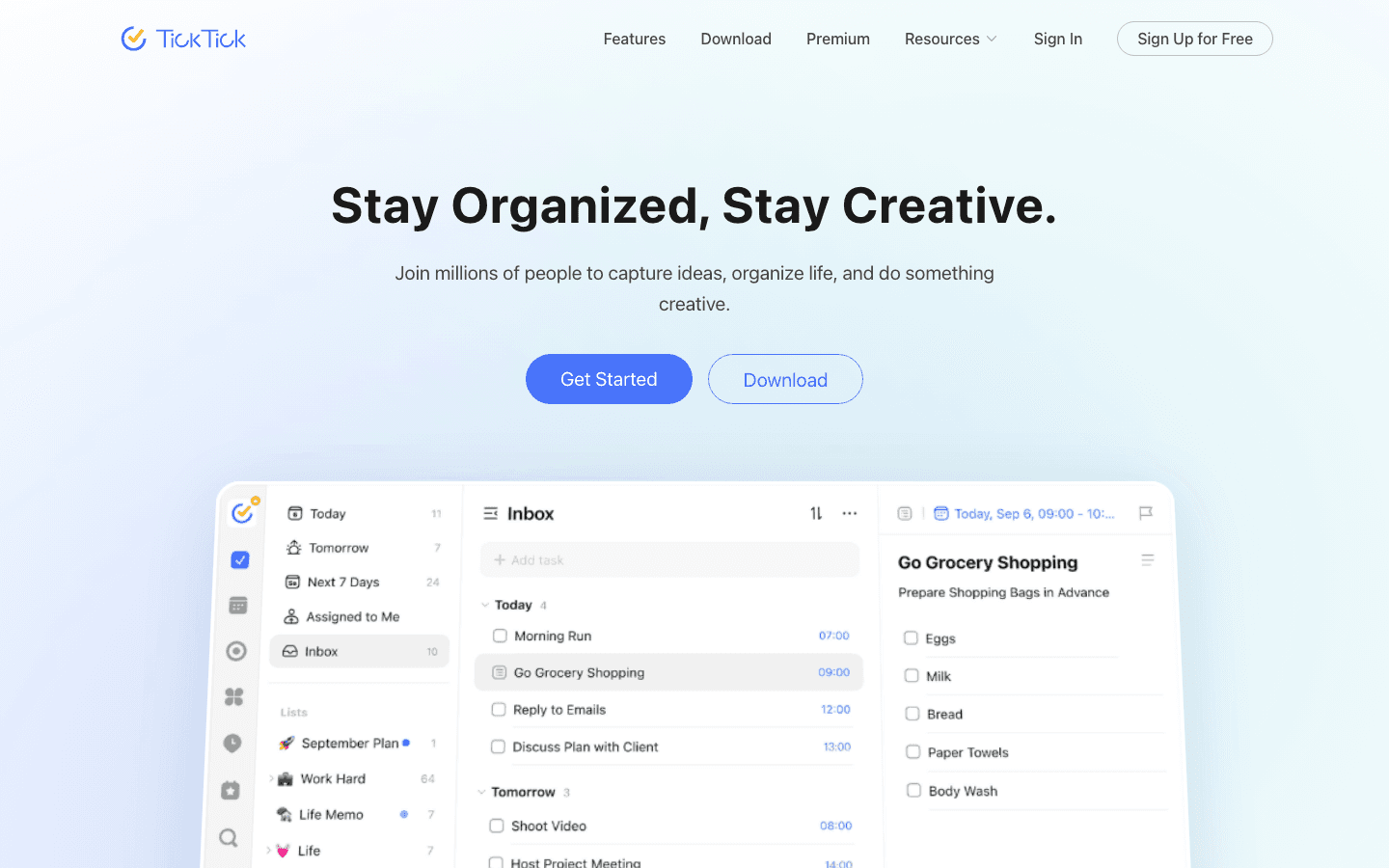
TickTick packs more features into its task manager than most. The built-in Pomodoro timer integrates directly with your tasks, so you can start a focus session on a specific item and track how many sessions you've spent on it. A habit tracker and Kanban board view are also included. It's an unusually complete package at a relatively low price point.
The Mac app is responsive and has solid calendar integration. The downside is that the interface can feel crowded when you have a lot of views and features enabled. If you want a purpose-built focus system alongside task management, TickTick is worth the tradeoff. See how it compares in our time blocking app roundup.
Key Features
Built-in Pomodoro timer with task integration
Kanban board and list views
Habit tracker
Smart date parsing
Collaboration and task sharing
Calendar view with event display
What Works
Pomodoro timer integrates natively with the task list
Good value: a lot of features for the price
Flexible views for different working styles
Limitations
Interface can feel busy with all features enabled
No energy-based scheduling
Some features (calendar sync, Pomodoro stats) require Premium
Pricing: Free plan available; Premium $35.99/year
Best for: Users who want task management and time-boxing in one app, especially those who use Pomodoro regularly
6. Microsoft To Do: Best Free Option
Simple, free, and tightly integrated with Microsoft 365.
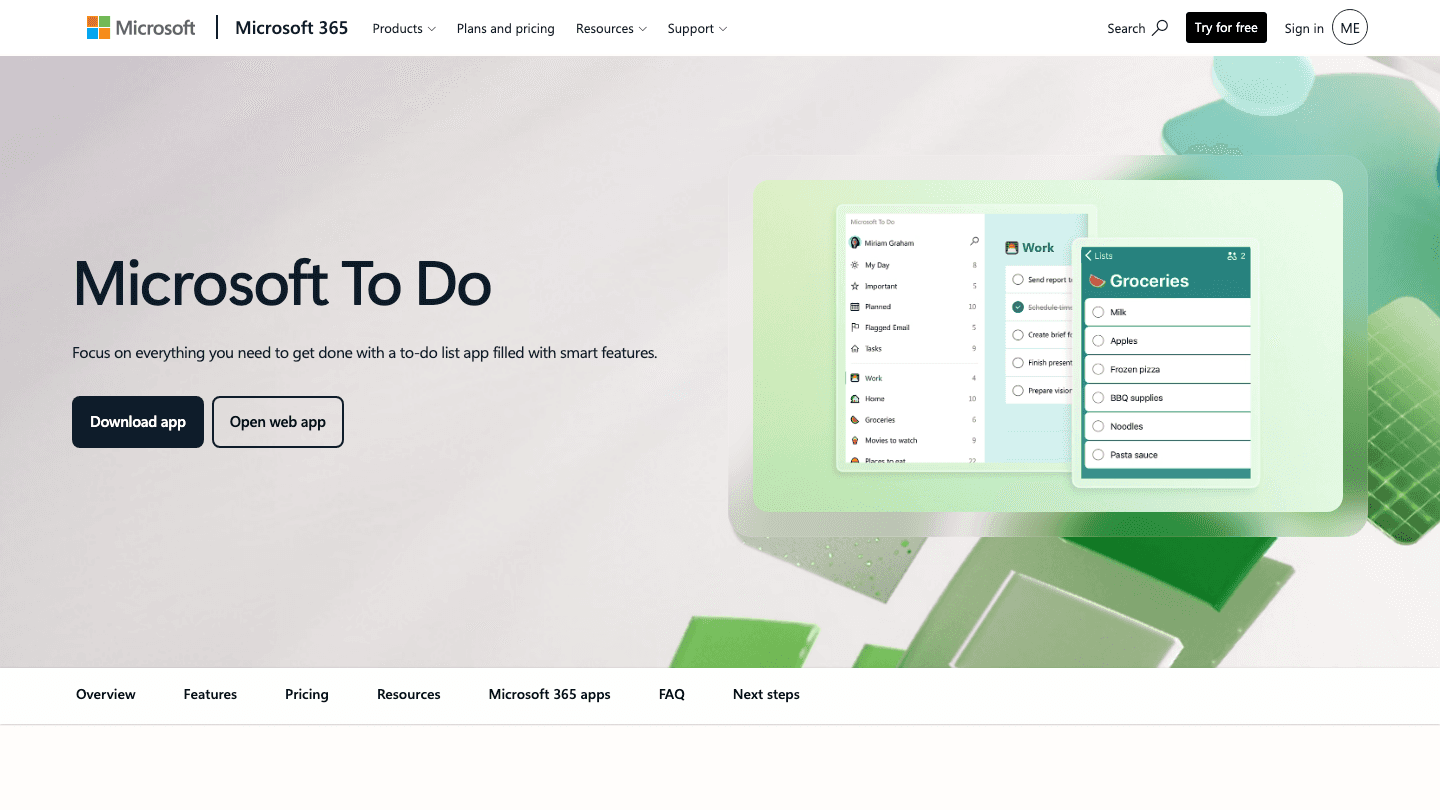
Microsoft To Do is the straightforward free choice, especially for users already in the Microsoft 365 ecosystem. It surfaces as the task layer inside Outlook and Teams, which means it's always visible without switching apps. The My Day view prompts you to choose your focus for the day each morning. Smart Suggestions surface tasks you might want to do today based on due dates and importance.
The feature set is basic by design. If you need anything beyond simple lists and reminders, you'll hit its limits quickly. But for users who just need a reliable way to track what needs to get done and already use Outlook, it's hard to argue with free.
Key Features
My Day view with daily planning prompt
Smart Suggestions based on due dates and priority
Full Microsoft 365 integration (Outlook tasks, Planner, Teams)
List sharing and step-by-step tasks
Available on Mac, iOS, Android, and web
What Works
Completely free with no feature limits for individuals
Outstanding Microsoft 365 integration
Clean, uncluttered interface
Limitations
Basic feature set compared to everything else on this list
Mac app is not natively designed
No energy awareness, no AI scheduling
Pricing: Free
Best for: Microsoft 365 users who want a free, simple task manager that works natively with Outlook and Teams
Which To-Do List App for Mac Is Right for You?
Want your schedule built around your energy levels: Lifestack
Want the most beautiful native Mac experience: Things 3
Manage complex projects and need deep customization: OmniFocus 4
Work across multiple platforms and tools: Todoist
Want a built-in Pomodoro timer with your task list: TickTick
Use Microsoft 365 and want something free and simple: Microsoft To Do
Frequently Asked Questions
What is the best to-do list app for Mac in 2026?
Lifestack is our top pick overall because it goes beyond task storage and actively schedules your work based on your energy and recovery data from wearables. If you want a native Mac design without energy scheduling, Things 3 is the most polished option. For power users with complex workflows, OmniFocus 4 offers unmatched flexibility.
Is there a free to-do list app for Mac?
Yes. Microsoft To Do is free for individuals and integrates with Microsoft 365. Todoist and TickTick both have capable free plans with some features gated behind paid tiers. Lifestack offers a 7-day free trial. Things 3 and OmniFocus are paid upfront, but neither requires a recurring subscription.
What is the difference between Things 3 and OmniFocus?
Things 3 is designed for simplicity and beauty: it covers the core task management workflow with excellent design and minimal friction. OmniFocus is designed for power and flexibility: custom perspectives, advanced filtering, a built-in review system, and AppleScript support make it the choice for complex project management. Things 3 is right for most people; OmniFocus is right for users who've outgrown it.
Does Lifestack work on Mac?
Yes. Lifestack works on Mac via a Chrome extension that connects to your Google Calendar or Outlook. It also has full iOS and Android apps. The energy-scheduling features work across all platforms, reading your wearable data to build your daily schedule wherever you're working.
What to-do list app is best for ADHD on Mac?
Lifestack is particularly well-suited to ADHD users because it removes the decision about when to do each task, the schedule is built for you based on energy and time. For those who prefer a simple visual structure, Things 3's Today view and Upcoming list provide a clear, low-friction daily plan. You can also explore our dedicated guide on AI task managers and our ADHD task paralysis strategies for more.
A great to-do list app for Mac does more than hold your tasks. It helps you see everything at a glance, integrates with your calendar, and makes it easy to actually do the work rather than just track it. Mac users have more options here than ever before.
We tested six apps extensively: one energy-aware AI planner, two native Mac task managers with very different philosophies, one cross-platform leader, one all-in-one focus tool, and one free option for users in the Microsoft ecosystem. Each one brings something different to the table.
Here's our honest ranking for 2026, starting with the one we'd recommend to most people.
Key Takeaways
Lifestack stands apart by scheduling tasks based on your actual energy levels, not just open time slots on your calendar
Things 3 and OmniFocus are the best natively Mac-designed options, with very different complexity profiles
Todoist, TickTick, and Microsoft To Do are all solid cross-platform choices, with free tiers and broad integrations
Quick Guide
Lifestack: Best for energy-aware scheduling and wearable integration
Things 3: Best native Mac design and Apple ecosystem experience
OmniFocus 4: Best for power users who need maximum flexibility
Todoist: Best cross-platform option with strong integrations
TickTick: Best combined task manager and Pomodoro timer
Microsoft To Do: Best free option for Microsoft 365 users
How We Evaluated
Task capture speed (how fast can you add a task?)
Mac design quality (native feel vs. Electron wrapper)
Calendar and scheduling integration
Energy or AI-based scheduling
Pricing and value
Mobile companion apps
Integrations with other tools
1. Lifestack: Best Energy-Aware To-Do App for Mac
The to-do list that knows when you can do the work.
Lifestack takes a different approach than every other app in this list. Instead of just storing tasks, it reads your energy data from your wearable (Oura Ring, WHOOP, Apple Watch, Garmin) and automatically schedules tasks into time slots where your biology supports the work. Deep focus tasks land when your HRV and recovery scores say you're ready. Lighter admin lands when you're running lower.
This is what personal energy management looks like in practice. Most task managers treat all available hours as equal. Lifestack doesn't. For anyone who's noticed that identical tasks feel twice as hard on some days versus others, this is the product that closes that gap. It connects to your Mac via a Chrome extension and has full iOS and Android apps. Read more in our Lifestack introduction.
Key Features
Energy-aware task scheduling from wearable data
AI-powered daily schedule generation
Chrome extension for Mac (connects to Google Calendar and Outlook)
iOS and Android apps
Integrates with Oura Ring, WHOOP, Apple Watch, Garmin
What Works
Schedules tasks automatically without manual time-blocking decisions
Energy-based scheduling produces noticeably better daily outputs
Wearable integrations are deep and reliable
Limitations
Mac access is via Chrome extension rather than a native Mac app
Requires a wearable to unlock the full energy-scheduling features
Newer platform; some power-user features still evolving
Pricing: $7/month or $50/year with a 7-day free trial
Best for: Anyone who wants their task list to schedule itself around their actual energy and recovery data
2. Things 3: Best Native Mac Design
The gold standard for Mac task manager design.
Things 3 by Cultured Code is the most polished task manager built for macOS and iOS. It won Apple Design Awards for good reason: every interaction is considered, keyboard navigation is fast, and the app feels genuinely native rather than ported from another platform. For Mac users who care deeply about how their tools feel, Things 3 has no equal in this category.
The structure is clean and effective: Areas contain Projects, which contain Tasks. The Today view shows what you've committed to doing today. Upcoming shows the week ahead. The Logbook records completed work. It integrates with Reminders, Siri, and Shortcuts. There's no subscription, which many users strongly prefer.
Key Features
Area, Project, and Task hierarchy with tags
Today, Upcoming, Anytime, and Someday views
Natural language date input
Reminders, Siri, and Shortcuts integration
No subscription required
What Works
Best-in-class Mac and iOS design
Offline-first with fast sync across devices
Quick capture via keyboard shortcut from any app
Limitations
No collaboration or sharing features
No energy-aware scheduling
Mac, iPhone, and iPad apps purchased separately
No Windows or Android version
Pricing: One-time purchase from the Mac App Store (Mac, iPhone, and iPad versions priced separately)
Best for: Solo Mac and iPhone users who want beautiful, native task management with no ongoing subscription
3. OmniFocus 4: Best for Power Users
Maximum control for complex project workflows.
OmniFocus is what you reach for when Things 3 isn't flexible enough. Custom perspectives let you filter and view tasks by any combination of tags, contexts, projects, and flags. The Forecast view combines tasks and calendar events in a single timeline. The Review system ensures no project slips through the cracks. AppleScript support enables deep automation.
It's the most powerful task manager on this list by a significant margin. But that power comes with a real complexity cost. OmniFocus takes weeks to set up properly and requires ongoing maintenance to keep it from becoming overwhelming. It's best suited to people who have already outgrown simpler tools and know what they need.
Key Features
Custom perspectives with multi-rule filtering
Forecast view combining tasks and calendar events
Built-in review system for project maintenance
Tag-based organization
AppleScript and Shortcut automation support
Apple Watch app
What Works
Unmatched flexibility for complex multi-project workflows
Review feature keeps projects from going stale
Deep Mac integration with automation support
Limitations
Steep learning curve
Premium pricing for the full feature set
No collaboration, no cross-platform (Apple ecosystem only)
No energy awareness
Pricing: Standard one-time license $74.99; Pro one-time license $149.99; Full subscription $99.99/year (includes web access)
Best for: Power users managing complex projects who want maximum control and deep Mac integration
4. Todoist: Best Cross-Platform Option
The most widely used to-do app, on every platform.
Todoist works on every major platform and integrates with more third-party tools than any other app in this list. Its natural language input is genuinely excellent: type "every Tuesday at 10am" and it parses the recurrence correctly. The interface is clean and quick to navigate. With over 50 million users, it's the safe, widely-supported choice for teams and cross-platform users.
The free plan is generous enough for most individuals. The Pro plan adds reminders, filters, and priority labels. The downside is that Todoist doesn't do anything with your schedule: it stores and surfaces tasks, but where and when you do them is still entirely up to you.
Key Features
Natural language date and recurrence input
Priority levels (P1-P4) and labels
Collaboration and task delegation
Integrations with Slack, Google Calendar, GitHub, Outlook, and 60+ tools
Karma productivity score system
What Works
Best natural language task entry in this category
Genuinely huge integration library
Solid free plan
Limitations
No energy awareness or AI scheduling
Mac app is Electron-based (not native)
Reminders and filters gated behind Pro plan
Pricing: Free plan available; Pro from $4/month billed annually
Best for: Cross-platform teams and individuals who need broad integrations and a familiar, proven interface
5. TickTick: Best Combined Task Manager and Focus Timer
Task management with a built-in Pomodoro timer.
TickTick packs more features into its task manager than most. The built-in Pomodoro timer integrates directly with your tasks, so you can start a focus session on a specific item and track how many sessions you've spent on it. A habit tracker and Kanban board view are also included. It's an unusually complete package at a relatively low price point.
The Mac app is responsive and has solid calendar integration. The downside is that the interface can feel crowded when you have a lot of views and features enabled. If you want a purpose-built focus system alongside task management, TickTick is worth the tradeoff. See how it compares in our time blocking app roundup.
Key Features
Built-in Pomodoro timer with task integration
Kanban board and list views
Habit tracker
Smart date parsing
Collaboration and task sharing
Calendar view with event display
What Works
Pomodoro timer integrates natively with the task list
Good value: a lot of features for the price
Flexible views for different working styles
Limitations
Interface can feel busy with all features enabled
No energy-based scheduling
Some features (calendar sync, Pomodoro stats) require Premium
Pricing: Free plan available; Premium $35.99/year
Best for: Users who want task management and time-boxing in one app, especially those who use Pomodoro regularly
6. Microsoft To Do: Best Free Option
Simple, free, and tightly integrated with Microsoft 365.
Microsoft To Do is the straightforward free choice, especially for users already in the Microsoft 365 ecosystem. It surfaces as the task layer inside Outlook and Teams, which means it's always visible without switching apps. The My Day view prompts you to choose your focus for the day each morning. Smart Suggestions surface tasks you might want to do today based on due dates and importance.
The feature set is basic by design. If you need anything beyond simple lists and reminders, you'll hit its limits quickly. But for users who just need a reliable way to track what needs to get done and already use Outlook, it's hard to argue with free.
Key Features
My Day view with daily planning prompt
Smart Suggestions based on due dates and priority
Full Microsoft 365 integration (Outlook tasks, Planner, Teams)
List sharing and step-by-step tasks
Available on Mac, iOS, Android, and web
What Works
Completely free with no feature limits for individuals
Outstanding Microsoft 365 integration
Clean, uncluttered interface
Limitations
Basic feature set compared to everything else on this list
Mac app is not natively designed
No energy awareness, no AI scheduling
Pricing: Free
Best for: Microsoft 365 users who want a free, simple task manager that works natively with Outlook and Teams
Which To-Do List App for Mac Is Right for You?
Want your schedule built around your energy levels: Lifestack
Want the most beautiful native Mac experience: Things 3
Manage complex projects and need deep customization: OmniFocus 4
Work across multiple platforms and tools: Todoist
Want a built-in Pomodoro timer with your task list: TickTick
Use Microsoft 365 and want something free and simple: Microsoft To Do
Frequently Asked Questions
What is the best to-do list app for Mac in 2026?
Lifestack is our top pick overall because it goes beyond task storage and actively schedules your work based on your energy and recovery data from wearables. If you want a native Mac design without energy scheduling, Things 3 is the most polished option. For power users with complex workflows, OmniFocus 4 offers unmatched flexibility.
Is there a free to-do list app for Mac?
Yes. Microsoft To Do is free for individuals and integrates with Microsoft 365. Todoist and TickTick both have capable free plans with some features gated behind paid tiers. Lifestack offers a 7-day free trial. Things 3 and OmniFocus are paid upfront, but neither requires a recurring subscription.
What is the difference between Things 3 and OmniFocus?
Things 3 is designed for simplicity and beauty: it covers the core task management workflow with excellent design and minimal friction. OmniFocus is designed for power and flexibility: custom perspectives, advanced filtering, a built-in review system, and AppleScript support make it the choice for complex project management. Things 3 is right for most people; OmniFocus is right for users who've outgrown it.
Does Lifestack work on Mac?
Yes. Lifestack works on Mac via a Chrome extension that connects to your Google Calendar or Outlook. It also has full iOS and Android apps. The energy-scheduling features work across all platforms, reading your wearable data to build your daily schedule wherever you're working.
What to-do list app is best for ADHD on Mac?
Lifestack is particularly well-suited to ADHD users because it removes the decision about when to do each task, the schedule is built for you based on energy and time. For those who prefer a simple visual structure, Things 3's Today view and Upcoming list provide a clear, low-friction daily plan. You can also explore our dedicated guide on AI task managers and our ADHD task paralysis strategies for more.



FOLLOW ON
FOLLOW ON
FOLLOW ON


Copyright 2026 © Lifestack. All rights reserved
Copyright 2026 © Lifestack. All rights reserved

