
App
5 Best AI Calendar Generator Apps in 2026
5 Best AI Calendar Generator Apps in 2026

A blank calendar is a lie. It looks like free time but it's actually just unplanned time, and unplanned time tends to get consumed by whatever shows up first. An AI calendar generator does something different: it reads your tasks, your meetings, your deadlines, and your working hours, then builds you a schedule instead of leaving you to figure it out yourself.
The category has matured quickly. What started as simple drag-to-calendar tools has become a class of apps that auto-schedule your deep work, protect time for habits, push back on impossible days, and increasingly adapt to your energy levels rather than just your hours. Not all of them do this equally well, and the differences matter for how you actually feel at the end of a workday.
We tested five AI calendar generators across scheduling intelligence, calendar integrations, energy awareness, mobile experience, and pricing. Here is what we found.
Key Takeaways
Lifestack is the only AI calendar generator that factors in your sleep and recovery data, scheduling your hardest tasks when your body is actually ready for them
Motion and Akiflow are the strongest picks for teams that need task and project management woven directly into the calendar
Morgen and Sunsama prioritize intention and daily ritual over pure automation, making them better for knowledge workers who want to stay in control of their own schedule
Quick Guide
Lifestack: Energy-aware AI scheduling for individuals who want their calendar to match their biology
Motion: Full AI auto-scheduler for individuals and teams with complex project loads
Morgen: AI-assisted daily planning with strong multi-calendar support and manual control
Akiflow: Drag-to-calendar task management with an AI assistant built in
Sunsama: Intentional daily planning with guided rituals and AI-generated daily summaries
How We Evaluated
AI scheduling quality: does it actually build a useful day, or just slot tasks arbitrarily?
Calendar integration breadth: Google, Outlook, Apple, and beyond
Energy and biometric awareness: does the AI know anything about your cognitive state?
Task management depth: projects, subtasks, priorities, deadlines
Mobile experience: usable on iOS without a constant desktop dependency
Pricing relative to value
1. Lifestack
The AI calendar that reads your biology, not just your schedule

Lifestack is built on a premise no other AI calendar generator currently matches: your energy matters more than your time. It connects to your wearable device, reads your sleep score, HRV, and recovery data, and uses that information to decide when to schedule your most demanding work. A day where you slept poorly and your HRV is low gets a different plan than a day where everything lines up. Most people adjust their expectations on hard days without ever adjusting their calendar. Lifestack closes that gap automatically.
The energy-based scheduling makes a concrete difference in how you feel at the end of the day. You stop fighting your own biology and start working with it. Deep work lands in your cognitive peak windows. Lower-intensity tasks fill the troughs. It does not ask you to do anything manually except log the tasks you want scheduled.
Key Features
Wearable integration for sleep and HRV-based scheduling
Automatic task scheduling into peak energy windows
Google Calendar and Apple Calendar sync
iOS and Android apps with Chrome extension
Unlimited tasks and calendar connections on all plans
What Works
The only AI calendar generator that uses biometric data to make scheduling decisions
Setup is fast and the default behavior is immediately useful
Pricing is significantly lower than competitors at similar capability levels
Limitations
Requires a compatible wearable to unlock the full energy-aware scheduling feature
Best suited for individual knowledge workers rather than team scheduling use cases
Pricing: $7/month or $50/year. The annual plan includes a 7-day free trial.
Best for: Individuals who want their calendar to work with their energy, not against it
2. Motion
Full AI auto-scheduling for complex task and project loads
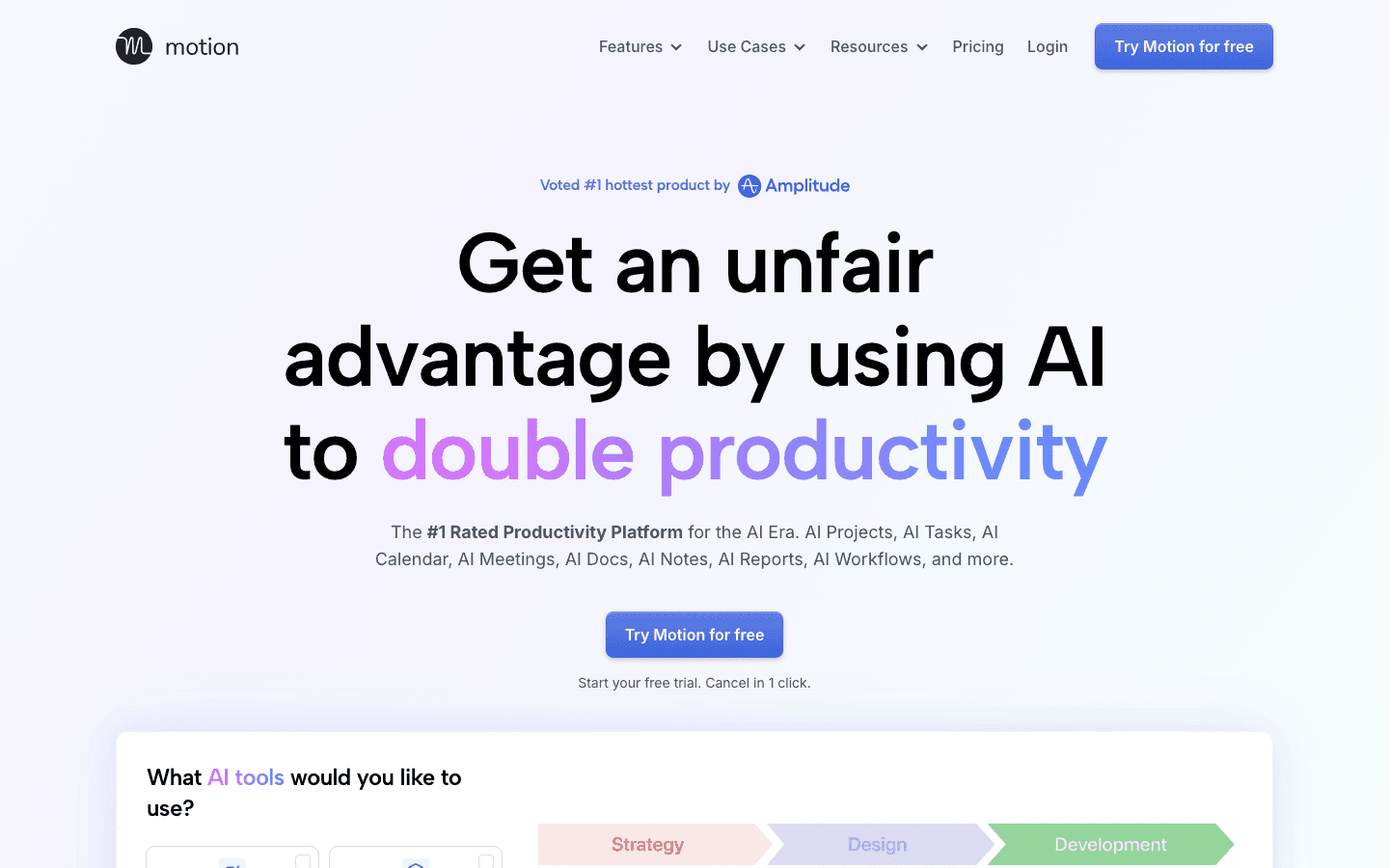
Motion is the most aggressive AI auto-scheduler in this list. Give it your tasks, deadlines, and priority levels and it builds your full day for you, continuously replanning as things shift. If a meeting runs long, Motion reschedules the affected tasks automatically. If you add a new high-priority item, it reorganizes the queue without you touching anything. For people managing project loads across many deadlines, this is genuinely powerful and saves real time.
The product has expanded well beyond calendar scheduling. It now includes AI Docs, an AI Chat assistant, Gantt-style project timelines, and team capacity planning. For individuals or teams who want one tool to manage tasks and calendar together, Motion is the most complete package. The tradeoff is that it handles a lot and requires some commitment to learn well.
Key Features
Automatic task scheduling with deadline-aware replanning
AI project management with Gantt timelines
AI Chat and document editing
Team scheduling and capacity planning
Meeting booking and calendar management
What Works
The auto-scheduling engine is mature and handles priority conflicts well
Real-time replanning when your day changes is the strongest feature in the category
Good fit for teams who want a single tool for tasks, projects, and scheduling
Limitations
No energy or biometric awareness. The AI schedules based on time and priority, not cognitive state
Learning curve is steeper than simpler calendar tools
More expensive than most alternatives in the category
Pricing: $19/seat/month (Pro AI), with 33% savings on annual billing. Free trial available.
Best for: Knowledge workers and teams managing complex projects with many moving deadlines
3. Morgen
AI-assisted daily planning with strong multi-calendar support
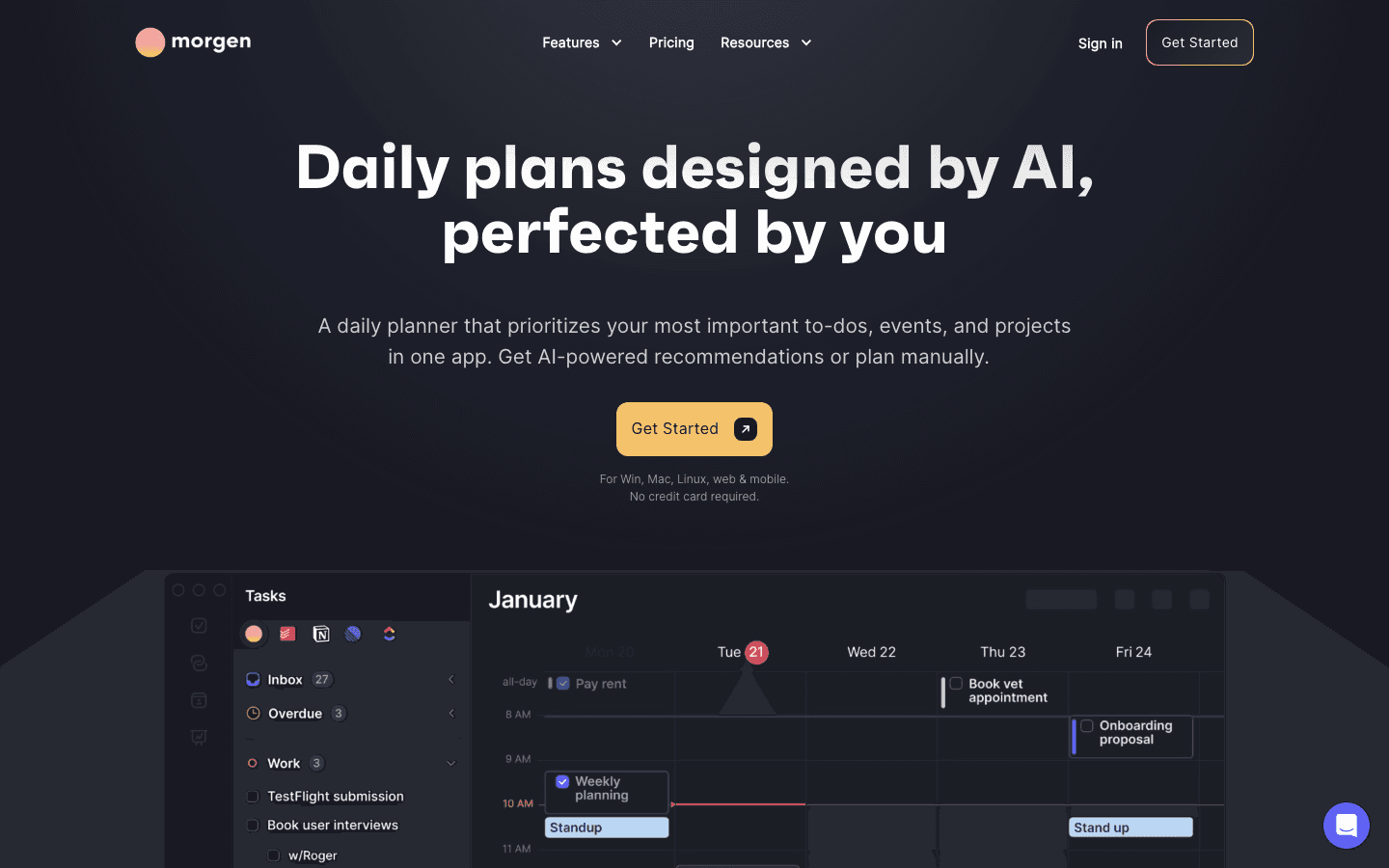
Morgen sits between manual planning and full AI automation. It can generate a daily plan using its AI Planner, but it presents recommendations rather than forcing a schedule. You approve, adjust, and finalize before anything lands on your calendar. For people who want AI assistance without losing control of their own day, this is the right balance.
Morgen's multi-calendar support is strong. It consolidates Google, Outlook, Fastmail, and Apple calendars in one view, time-blocks tasks from Notion, ClickUp, Todoist, and Linear, and handles scheduling links for meeting booking. The breadth of integrations makes it practical for people with complex tool stacks who do not want to leave their existing setup.
Key Features
AI Planner with approval-based recommendations
Multi-calendar consolidation across major providers
Task integration with Notion, ClickUp, Todoist, Linear
Scheduling links and meeting booking
Automatic travel time and buffer blocking
What Works
The approval model means you stay in control while still getting AI assistance
Best-in-class multi-calendar support for teams using mixed tools
14-day free trial with no credit card required
Limitations
No energy or biometric awareness. Planning is time-based only
Full AI planning capability is not as autonomous as Motion or Lifestack
Pricier than Lifestack at the individual tier
Pricing: $15/month (billed yearly) or $30/month. 14-day free trial, no credit card required.
Best for: Professionals managing calendars across multiple providers who want AI suggestions without full automation
4. Akiflow
Drag-to-calendar task management with an AI assistant
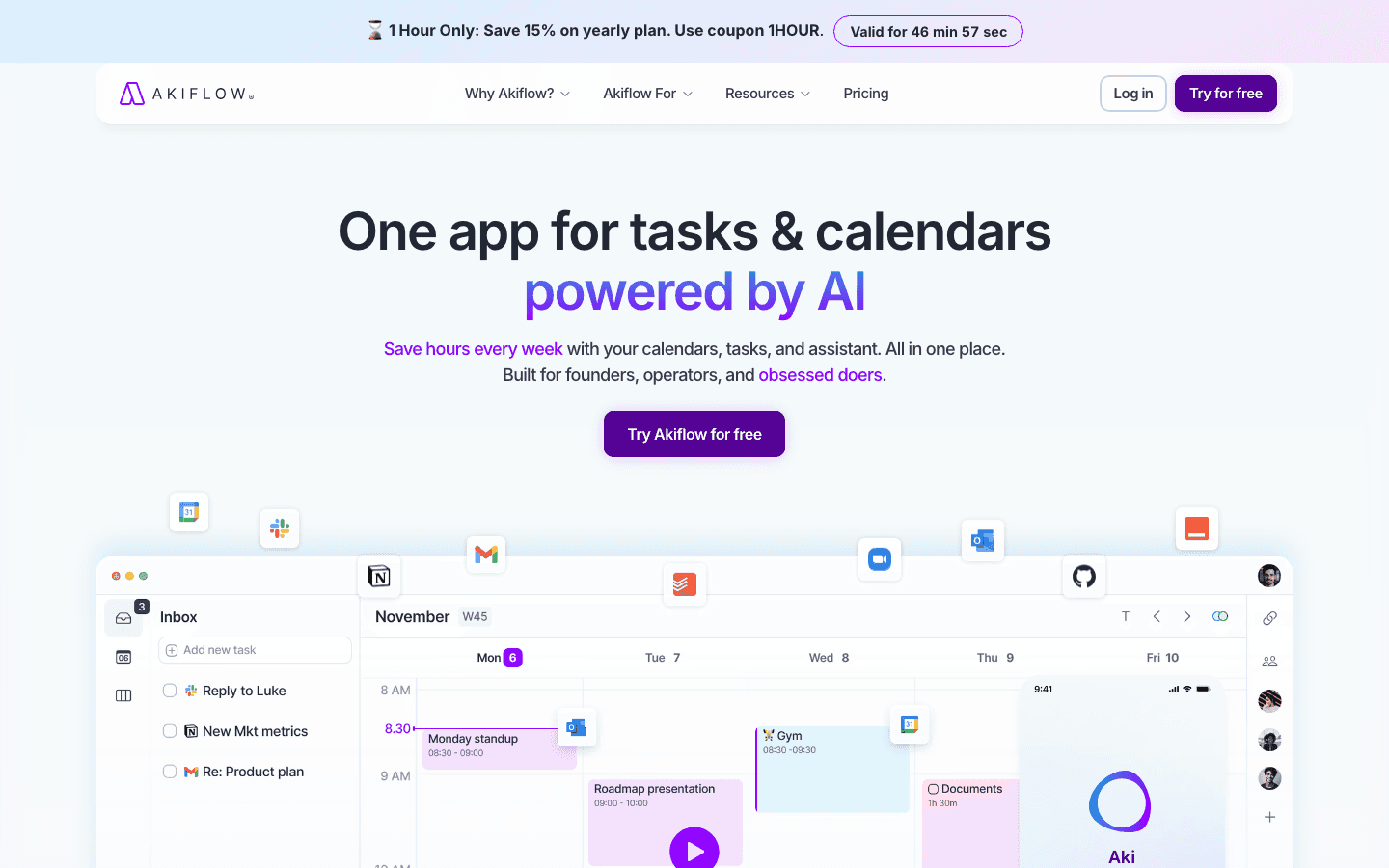
Akiflow is built around the idea that scheduling decisions should take seconds, not minutes. Its inbox aggregates tasks from Gmail, Slack, Notion, Linear, Asana, and other sources, and you drag them onto the calendar to block time. The AI assistant, Aki, handles natural language queries, helps you plan your week, and can create tasks and events from conversation. For people who want speed and control over full automation, Akiflow's model is very efficient.
The calendar view is dense and information-rich. It works well for operators and founders who have many tasks across many sources and need a single place to see and schedule everything. It does not try to plan your day for you, but it makes planning your day faster than any other tool in this list.
Key Features
Universal inbox aggregating tasks from 60+ integrations
Aki AI assistant for natural language task creation and planning
Drag-to-calendar task scheduling
MCP Connector for AI tool integrations
Daily planning ritual with keyboard-driven interface
What Works
Fastest task-to-calendar workflow of any tool tested
The universal inbox genuinely consolidates scattered work sources
Keyboard-driven design rewards daily use and builds planning into a habit
Limitations
No energy or biometric awareness. All scheduling is manual or AI-assisted, not automated
More expensive than most alternatives at monthly billing
The dense interface has a learning curve for new users
Pricing: $19/month (billed yearly) or $34/month. 7-day free trial.
Best for: Busy founders, operators, and executives who manage tasks across many sources and want to plan fast
5. Sunsama
Intentional daily planning with guided rituals and AI summaries
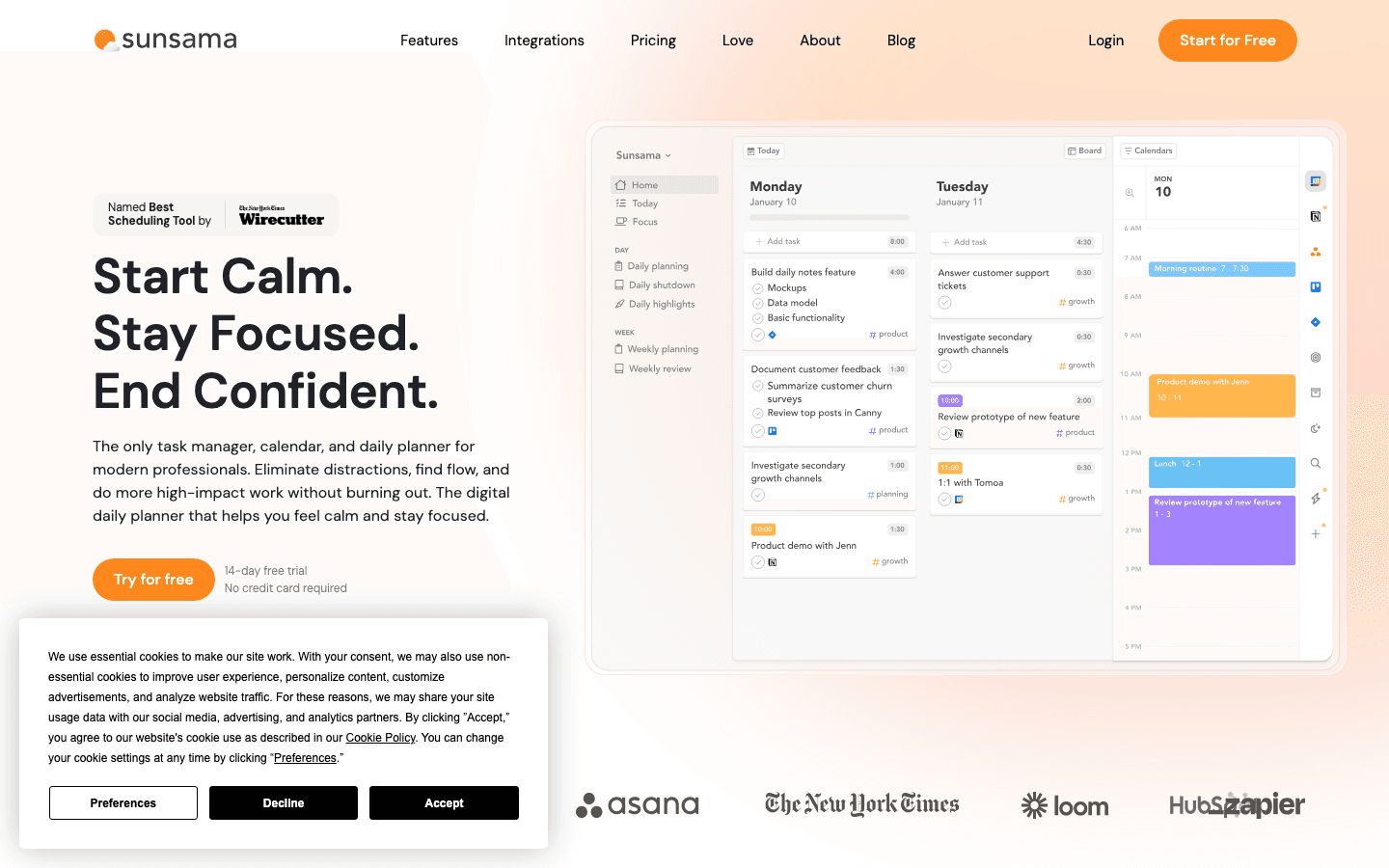
Sunsama takes a slower approach than the other tools here. Its core experience is a guided daily planning ritual: each morning, you review what's on your calendar, pull in tasks from Asana, Todoist, Notion, or GitHub, estimate time for each item, and build a focused plan for the day. AI assists with summarizing your tasks and drafting daily objectives, but the human is firmly in the loop at every step.
The result is a tool that creates genuine intentionality around how you spend your time, at the cost of some automation. People who have tried fully automated schedulers and found them impersonal tend to respond well to Sunsama's more deliberate model. The weekly review feature also helps you look back on where your time actually went, which most AI calendar generators do not offer.
Key Features
Guided morning planning ritual with AI summaries
Task integration with Asana, Todoist, Notion, Linear, GitHub, Jira
Time estimation and daily focus hour targets
Weekly review and retrospective built in
Channel-based task separation for work-life balance
What Works
The guided ritual builds genuine planning discipline over time
Weekly review is the best in the category for reflecting on how time was spent
Strong for knowledge workers who want to feel intentional, not just scheduled
Limitations
No energy or biometric awareness. Planning is entirely time-based
Less automation than Motion or Lifestack. You build each day manually
Higher price than Lifestack for a less automated experience
Pricing: $17/month (billed yearly) or $22/month. 14-day free trial.
Best for: Knowledge workers who want to plan with intention and reflect on how their time was spent
Which AI Calendar Generator Is Right for You?
If you want your schedule to match your biology: Lifestack. It is the only tool that adjusts your plan based on sleep and recovery data
If you manage complex projects with many deadlines: Motion. Its AI auto-scheduler and continuous replanning are unmatched for project-heavy workloads
If you use multiple calendar providers and need them unified: Morgen. Best multi-calendar support in the category with solid AI assistance
If you have tasks scattered across many tools and want to plan fast: Akiflow. The universal inbox and keyboard-driven scheduling are built for operators
If you want to plan intentionally rather than let AI automate everything: Sunsama. The guided ritual approach builds planning as a sustainable habit
Frequently Asked Questions
What is an AI calendar generator?
An AI calendar generator is an app that uses artificial intelligence to automatically schedule your tasks, habits, and focus time around your existing meetings and commitments. Instead of manually deciding when to do each task, the AI analyzes your workload, deadlines, and available hours and builds a schedule for you. More advanced tools also consider your energy levels and cognitive state when placing tasks.
Can AI calendar apps sync with Google Calendar?
Yes. All five tools in this list sync with Google Calendar. Most also support Outlook and Apple Calendar. Morgen offers the broadest multi-calendar support, connecting to Fastmail and other providers as well. The AI scheduling layer sits on top of your existing calendar and works with whatever you already use.
Is an AI calendar generator better than time blocking manually?
For most people, AI scheduling produces a better result than manual time blocking because it continuously accounts for changes. If a new meeting appears or a task runs long, an AI scheduler replans immediately. Manual time blocking requires you to redo the whole plan. The exception is people who find that AI-generated schedules feel impersonal. For them, a guided planning tool like Sunsama or Morgen often works better.
Do any AI calendar generators use health data?
Lifestack is the only AI calendar generator in widespread use that connects to wearable devices and uses sleep, HRV, and recovery data to make scheduling decisions. This sets it apart from every other tool in the category, which schedule based purely on time and task priority. See the Lifestack overview for more detail on how the integration works.
What is the best free AI calendar generator?
Motion and Morgen both offer free trials without requiring a credit card. Lifestack's annual plan includes a 7-day free trial. None of the tools tested offer a permanent free tier with meaningful AI scheduling features. The closest to a free option is Motion's trial, which gives full access to all features for the trial period.
How do AI calendar generators handle task prioritization?
Each tool handles prioritization differently. Motion uses deadline-based AI prioritization that continuously replans when priorities change. Lifestack combines task priority with your biometric data to place high-priority work during your peak cognitive windows. Akiflow and Sunsama rely on you to set priorities manually, then surface them clearly during daily planning. See our guide to best AI task managers for a deeper look at how each handles this.
A blank calendar is a lie. It looks like free time but it's actually just unplanned time, and unplanned time tends to get consumed by whatever shows up first. An AI calendar generator does something different: it reads your tasks, your meetings, your deadlines, and your working hours, then builds you a schedule instead of leaving you to figure it out yourself.
The category has matured quickly. What started as simple drag-to-calendar tools has become a class of apps that auto-schedule your deep work, protect time for habits, push back on impossible days, and increasingly adapt to your energy levels rather than just your hours. Not all of them do this equally well, and the differences matter for how you actually feel at the end of a workday.
We tested five AI calendar generators across scheduling intelligence, calendar integrations, energy awareness, mobile experience, and pricing. Here is what we found.
Key Takeaways
Lifestack is the only AI calendar generator that factors in your sleep and recovery data, scheduling your hardest tasks when your body is actually ready for them
Motion and Akiflow are the strongest picks for teams that need task and project management woven directly into the calendar
Morgen and Sunsama prioritize intention and daily ritual over pure automation, making them better for knowledge workers who want to stay in control of their own schedule
Quick Guide
Lifestack: Energy-aware AI scheduling for individuals who want their calendar to match their biology
Motion: Full AI auto-scheduler for individuals and teams with complex project loads
Morgen: AI-assisted daily planning with strong multi-calendar support and manual control
Akiflow: Drag-to-calendar task management with an AI assistant built in
Sunsama: Intentional daily planning with guided rituals and AI-generated daily summaries
How We Evaluated
AI scheduling quality: does it actually build a useful day, or just slot tasks arbitrarily?
Calendar integration breadth: Google, Outlook, Apple, and beyond
Energy and biometric awareness: does the AI know anything about your cognitive state?
Task management depth: projects, subtasks, priorities, deadlines
Mobile experience: usable on iOS without a constant desktop dependency
Pricing relative to value
1. Lifestack
The AI calendar that reads your biology, not just your schedule
Lifestack is built on a premise no other AI calendar generator currently matches: your energy matters more than your time. It connects to your wearable device, reads your sleep score, HRV, and recovery data, and uses that information to decide when to schedule your most demanding work. A day where you slept poorly and your HRV is low gets a different plan than a day where everything lines up. Most people adjust their expectations on hard days without ever adjusting their calendar. Lifestack closes that gap automatically.
The energy-based scheduling makes a concrete difference in how you feel at the end of the day. You stop fighting your own biology and start working with it. Deep work lands in your cognitive peak windows. Lower-intensity tasks fill the troughs. It does not ask you to do anything manually except log the tasks you want scheduled.
Key Features
Wearable integration for sleep and HRV-based scheduling
Automatic task scheduling into peak energy windows
Google Calendar and Apple Calendar sync
iOS and Android apps with Chrome extension
Unlimited tasks and calendar connections on all plans
What Works
The only AI calendar generator that uses biometric data to make scheduling decisions
Setup is fast and the default behavior is immediately useful
Pricing is significantly lower than competitors at similar capability levels
Limitations
Requires a compatible wearable to unlock the full energy-aware scheduling feature
Best suited for individual knowledge workers rather than team scheduling use cases
Pricing: $7/month or $50/year. The annual plan includes a 7-day free trial.
Best for: Individuals who want their calendar to work with their energy, not against it
2. Motion
Full AI auto-scheduling for complex task and project loads
Motion is the most aggressive AI auto-scheduler in this list. Give it your tasks, deadlines, and priority levels and it builds your full day for you, continuously replanning as things shift. If a meeting runs long, Motion reschedules the affected tasks automatically. If you add a new high-priority item, it reorganizes the queue without you touching anything. For people managing project loads across many deadlines, this is genuinely powerful and saves real time.
The product has expanded well beyond calendar scheduling. It now includes AI Docs, an AI Chat assistant, Gantt-style project timelines, and team capacity planning. For individuals or teams who want one tool to manage tasks and calendar together, Motion is the most complete package. The tradeoff is that it handles a lot and requires some commitment to learn well.
Key Features
Automatic task scheduling with deadline-aware replanning
AI project management with Gantt timelines
AI Chat and document editing
Team scheduling and capacity planning
Meeting booking and calendar management
What Works
The auto-scheduling engine is mature and handles priority conflicts well
Real-time replanning when your day changes is the strongest feature in the category
Good fit for teams who want a single tool for tasks, projects, and scheduling
Limitations
No energy or biometric awareness. The AI schedules based on time and priority, not cognitive state
Learning curve is steeper than simpler calendar tools
More expensive than most alternatives in the category
Pricing: $19/seat/month (Pro AI), with 33% savings on annual billing. Free trial available.
Best for: Knowledge workers and teams managing complex projects with many moving deadlines
3. Morgen
AI-assisted daily planning with strong multi-calendar support
Morgen sits between manual planning and full AI automation. It can generate a daily plan using its AI Planner, but it presents recommendations rather than forcing a schedule. You approve, adjust, and finalize before anything lands on your calendar. For people who want AI assistance without losing control of their own day, this is the right balance.
Morgen's multi-calendar support is strong. It consolidates Google, Outlook, Fastmail, and Apple calendars in one view, time-blocks tasks from Notion, ClickUp, Todoist, and Linear, and handles scheduling links for meeting booking. The breadth of integrations makes it practical for people with complex tool stacks who do not want to leave their existing setup.
Key Features
AI Planner with approval-based recommendations
Multi-calendar consolidation across major providers
Task integration with Notion, ClickUp, Todoist, Linear
Scheduling links and meeting booking
Automatic travel time and buffer blocking
What Works
The approval model means you stay in control while still getting AI assistance
Best-in-class multi-calendar support for teams using mixed tools
14-day free trial with no credit card required
Limitations
No energy or biometric awareness. Planning is time-based only
Full AI planning capability is not as autonomous as Motion or Lifestack
Pricier than Lifestack at the individual tier
Pricing: $15/month (billed yearly) or $30/month. 14-day free trial, no credit card required.
Best for: Professionals managing calendars across multiple providers who want AI suggestions without full automation
4. Akiflow
Drag-to-calendar task management with an AI assistant
Akiflow is built around the idea that scheduling decisions should take seconds, not minutes. Its inbox aggregates tasks from Gmail, Slack, Notion, Linear, Asana, and other sources, and you drag them onto the calendar to block time. The AI assistant, Aki, handles natural language queries, helps you plan your week, and can create tasks and events from conversation. For people who want speed and control over full automation, Akiflow's model is very efficient.
The calendar view is dense and information-rich. It works well for operators and founders who have many tasks across many sources and need a single place to see and schedule everything. It does not try to plan your day for you, but it makes planning your day faster than any other tool in this list.
Key Features
Universal inbox aggregating tasks from 60+ integrations
Aki AI assistant for natural language task creation and planning
Drag-to-calendar task scheduling
MCP Connector for AI tool integrations
Daily planning ritual with keyboard-driven interface
What Works
Fastest task-to-calendar workflow of any tool tested
The universal inbox genuinely consolidates scattered work sources
Keyboard-driven design rewards daily use and builds planning into a habit
Limitations
No energy or biometric awareness. All scheduling is manual or AI-assisted, not automated
More expensive than most alternatives at monthly billing
The dense interface has a learning curve for new users
Pricing: $19/month (billed yearly) or $34/month. 7-day free trial.
Best for: Busy founders, operators, and executives who manage tasks across many sources and want to plan fast
5. Sunsama
Intentional daily planning with guided rituals and AI summaries
Sunsama takes a slower approach than the other tools here. Its core experience is a guided daily planning ritual: each morning, you review what's on your calendar, pull in tasks from Asana, Todoist, Notion, or GitHub, estimate time for each item, and build a focused plan for the day. AI assists with summarizing your tasks and drafting daily objectives, but the human is firmly in the loop at every step.
The result is a tool that creates genuine intentionality around how you spend your time, at the cost of some automation. People who have tried fully automated schedulers and found them impersonal tend to respond well to Sunsama's more deliberate model. The weekly review feature also helps you look back on where your time actually went, which most AI calendar generators do not offer.
Key Features
Guided morning planning ritual with AI summaries
Task integration with Asana, Todoist, Notion, Linear, GitHub, Jira
Time estimation and daily focus hour targets
Weekly review and retrospective built in
Channel-based task separation for work-life balance
What Works
The guided ritual builds genuine planning discipline over time
Weekly review is the best in the category for reflecting on how time was spent
Strong for knowledge workers who want to feel intentional, not just scheduled
Limitations
No energy or biometric awareness. Planning is entirely time-based
Less automation than Motion or Lifestack. You build each day manually
Higher price than Lifestack for a less automated experience
Pricing: $17/month (billed yearly) or $22/month. 14-day free trial.
Best for: Knowledge workers who want to plan with intention and reflect on how their time was spent
Which AI Calendar Generator Is Right for You?
If you want your schedule to match your biology: Lifestack. It is the only tool that adjusts your plan based on sleep and recovery data
If you manage complex projects with many deadlines: Motion. Its AI auto-scheduler and continuous replanning are unmatched for project-heavy workloads
If you use multiple calendar providers and need them unified: Morgen. Best multi-calendar support in the category with solid AI assistance
If you have tasks scattered across many tools and want to plan fast: Akiflow. The universal inbox and keyboard-driven scheduling are built for operators
If you want to plan intentionally rather than let AI automate everything: Sunsama. The guided ritual approach builds planning as a sustainable habit
Frequently Asked Questions
What is an AI calendar generator?
An AI calendar generator is an app that uses artificial intelligence to automatically schedule your tasks, habits, and focus time around your existing meetings and commitments. Instead of manually deciding when to do each task, the AI analyzes your workload, deadlines, and available hours and builds a schedule for you. More advanced tools also consider your energy levels and cognitive state when placing tasks.
Can AI calendar apps sync with Google Calendar?
Yes. All five tools in this list sync with Google Calendar. Most also support Outlook and Apple Calendar. Morgen offers the broadest multi-calendar support, connecting to Fastmail and other providers as well. The AI scheduling layer sits on top of your existing calendar and works with whatever you already use.
Is an AI calendar generator better than time blocking manually?
For most people, AI scheduling produces a better result than manual time blocking because it continuously accounts for changes. If a new meeting appears or a task runs long, an AI scheduler replans immediately. Manual time blocking requires you to redo the whole plan. The exception is people who find that AI-generated schedules feel impersonal. For them, a guided planning tool like Sunsama or Morgen often works better.
Do any AI calendar generators use health data?
Lifestack is the only AI calendar generator in widespread use that connects to wearable devices and uses sleep, HRV, and recovery data to make scheduling decisions. This sets it apart from every other tool in the category, which schedule based purely on time and task priority. See the Lifestack overview for more detail on how the integration works.
What is the best free AI calendar generator?
Motion and Morgen both offer free trials without requiring a credit card. Lifestack's annual plan includes a 7-day free trial. None of the tools tested offer a permanent free tier with meaningful AI scheduling features. The closest to a free option is Motion's trial, which gives full access to all features for the trial period.
How do AI calendar generators handle task prioritization?
Each tool handles prioritization differently. Motion uses deadline-based AI prioritization that continuously replans when priorities change. Lifestack combines task priority with your biometric data to place high-priority work during your peak cognitive windows. Akiflow and Sunsama rely on you to set priorities manually, then surface them clearly during daily planning. See our guide to best AI task managers for a deeper look at how each handles this.



FOLLOW ON
FOLLOW ON
FOLLOW ON


Copyright 2026 © Lifestack. All rights reserved
Copyright 2026 © Lifestack. All rights reserved

