
App
6 Best Any.do Alternatives in 2026
6 Best Any.do Alternatives in 2026

Any.do is a clean, minimal task manager with natural language input and a simple calendar view. It is easy to pick up and works well for basic to-do management. But it has limits: the free plan is quite restricted, the paid tier ($5.99/month) is expensive compared to competitors, and it lacks the depth that power users need, no Pomodoro timer, limited filter options, no energy awareness, and weak integrations compared to what is available elsewhere.
If you have outgrown Any.do, or if you are evaluating it and want to see what else is out there, this guide covers the six best alternatives across different use cases and price points. We ranked them by features, pricing, cross-platform support, and how well they serve different types of users.
Key Takeaways
Lifestack is the best Any.do alternative for users who want AI-powered, energy-aware scheduling built around how they actually work.
Todoist is the best Any.do alternative for power users who need deep project organization and strong integrations.
Microsoft To Do is the best free alternative to Any.do with no meaningful feature limits.
Quick Guide: 6 Best Any.do Alternatives
Lifestack, Best for energy-aware AI scheduling
Todoist, Best for power users and heavy project organization
TickTick, Best all-in-one with built-in habits and Pomodoro
Things 3, Best for Apple ecosystem users who want beauty and calm
Microsoft To Do, Best free alternative with no feature limits
ClickUp, Best if you want to combine tasks, docs, and team collaboration
How We Evaluated These Apps
Cross-platform availability (iOS, Android, desktop, web)
Depth of task organization (subtasks, filters, projects, tags)
Calendar and scheduling integration
Pricing and free plan generosity
AI or smart scheduling capabilities
Whether the app can adapt to your energy, not just the clock
1. Lifestack, Best Energy-Aware Any.do Alternative
Schedule your tasks around your actual energy, not just your calendar.

Lifestack does something none of the other apps on this list do: it connects to your wearable (Oura Ring, Apple Watch, Garmin, or WHOOP) and uses your real-time energy data to automatically slot your tasks into the right windows of your day. High-focus tasks in your peak hours, lighter work in your troughs. The result is a schedule that reflects your biology, not just your intentions.
For Any.do users who feel like they plan well but still end up doing deep work in their worst energy windows, Lifestack closes that gap automatically. It works across iOS, Android, and web, and integrates with Google Calendar, Todoist, and other popular apps.
AI scheduling that adapts to your real-time energy data
Wearable integrations: Oura Ring, Apple Watch, Garmin, WHOOP
Calendar sync with Google Calendar and Apple Calendar
Cross-platform: iOS, Android, web, Chrome extension
Todoist, Notion, and Linear integrations for task import
What Works:
Automatically protects your peak hours for your hardest tasks
Reduces daily planning overhead significantly
Designed with ADHD and neurodivergent users in mind
Limitations:
Requires a wearable to unlock energy-scheduling features
Not designed for team collaboration or shared projects
Pricing: $7/month, $50/year, or $120 lifetime. 7-day free trial on the annual plan.
Best for: Anyone who wants their schedule to match their actual energy, especially people with ADHD or irregular energy patterns.
2. Todoist, Best for Power Users
The most mature and integration-rich task manager available.
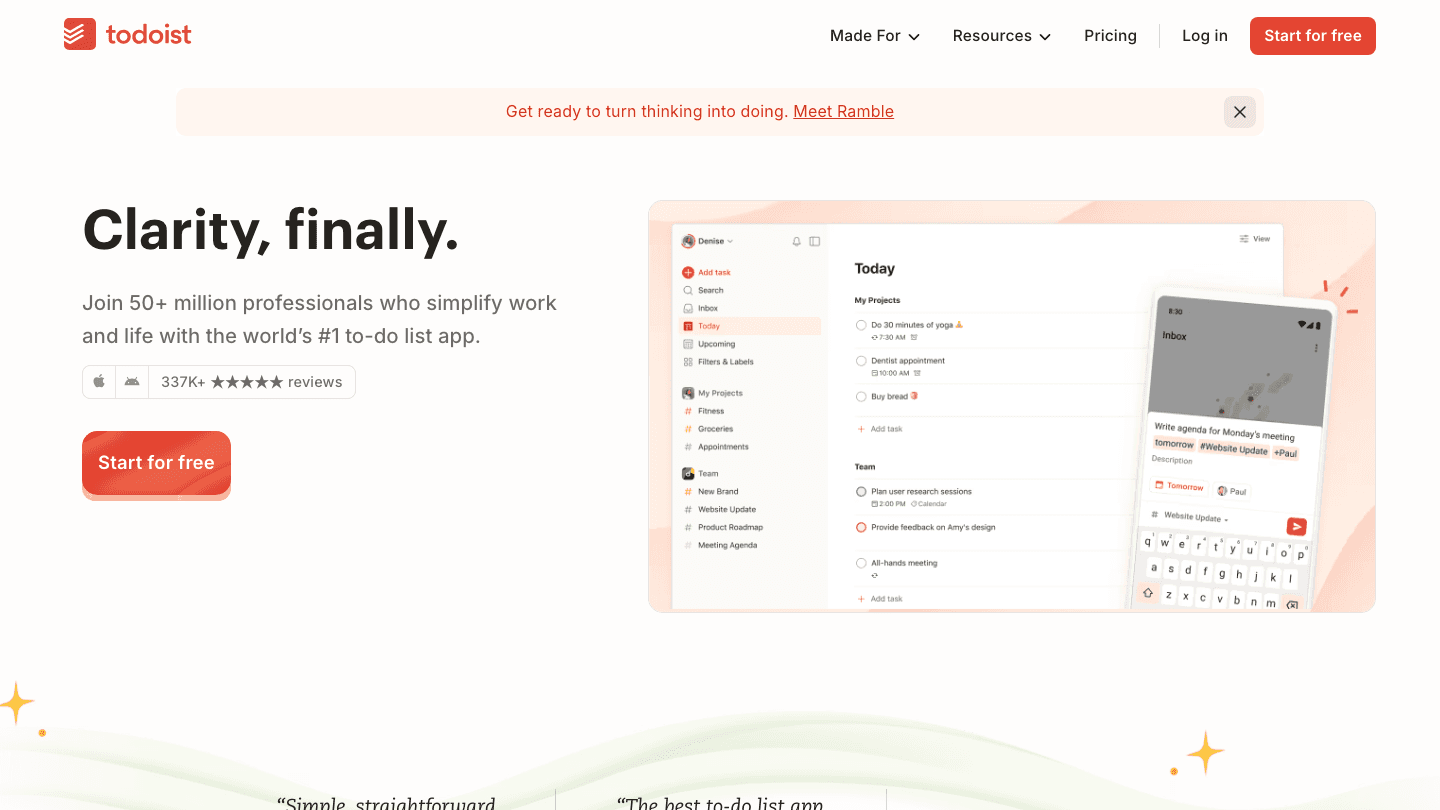
Todoist is the benchmark for personal task management. It has natural language input (type "call dentist every Friday at 9am" and it schedules it), Kanban boards, calendar layout, subtasks, filters, labels, and over 80 integrations. The free plan gives you 5 projects; Pro ($5/month billed annually) removes all meaningful limits. It is available on every platform and is genuinely well-designed.
Any.do users will notice immediately that Todoist's organizational depth is significantly higher. If you have been working around Any.do's filter limitations or struggling with its project structure, Todoist fixes all of that.
Natural language task entry
300 projects on Pro, Kanban and calendar views
Filters, labels, priorities, and sections
80+ integrations including Google Calendar, Slack, Zapier
What Works:
Best-in-class task organization and filtering
Reliable across all platforms
Strong natural language processing
Limitations:
No energy awareness or AI scheduling
No habit tracking
Free plan limits (5 projects) are restrictive
Pricing: Free (5 projects), Pro $5/month ($60/year), Business $8/user/month.
Best for: Power users who need deep project organization and want the most mature task manager on the market. For more context, see our Todoist pricing breakdown.
3. TickTick, Best All-in-One
Tasks, habits, Pomodoro, and calendar in one app.
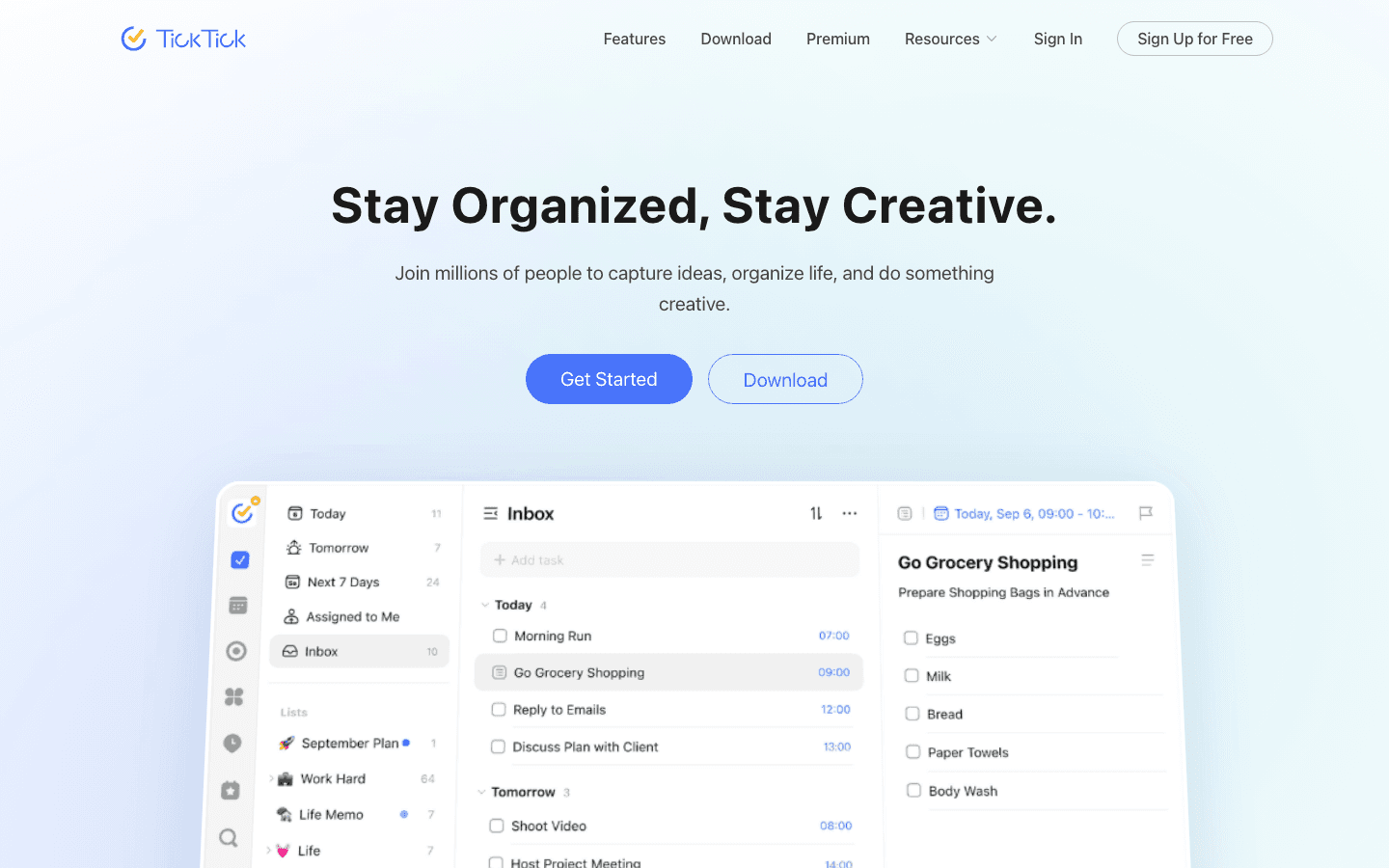
TickTick packs more into one app than almost anything else at its price point. The free plan is more generous than Any.do's, and Premium ($35.99/year) adds unlimited lists, 2-way calendar sync, a built-in Pomodoro timer, and a habit tracker. If you want one app that covers your tasks, your habits, and your work sessions, TickTick is hard to beat.
The interface is clean without being sparse, and the calendar view with duration-based scheduling lets you drag tasks onto time blocks directly, which is something Any.do handles less gracefully.
Built-in Pomodoro timer and habit tracker
Calendar view with duration-based task blocking
Custom smart lists and filters (Premium)
2-way sync with Google Calendar and Outlook
What Works:
Exceptional value at $35.99/year
Habit tracking built in
Available across all platforms
Limitations:
No AI scheduling or energy awareness
Interface can feel dense compared to Any.do's minimal style
Pricing: Free (9 lists), Premium $35.99/year ($2.99/month) or $3.99/month.
Best for: Users who want tasks, habits, and time-blocking in a single app at an affordable price. See our TickTick pricing guide for full plan details.
4. Things 3, Best for Apple Users
The most beautifully designed task manager on iOS and macOS.
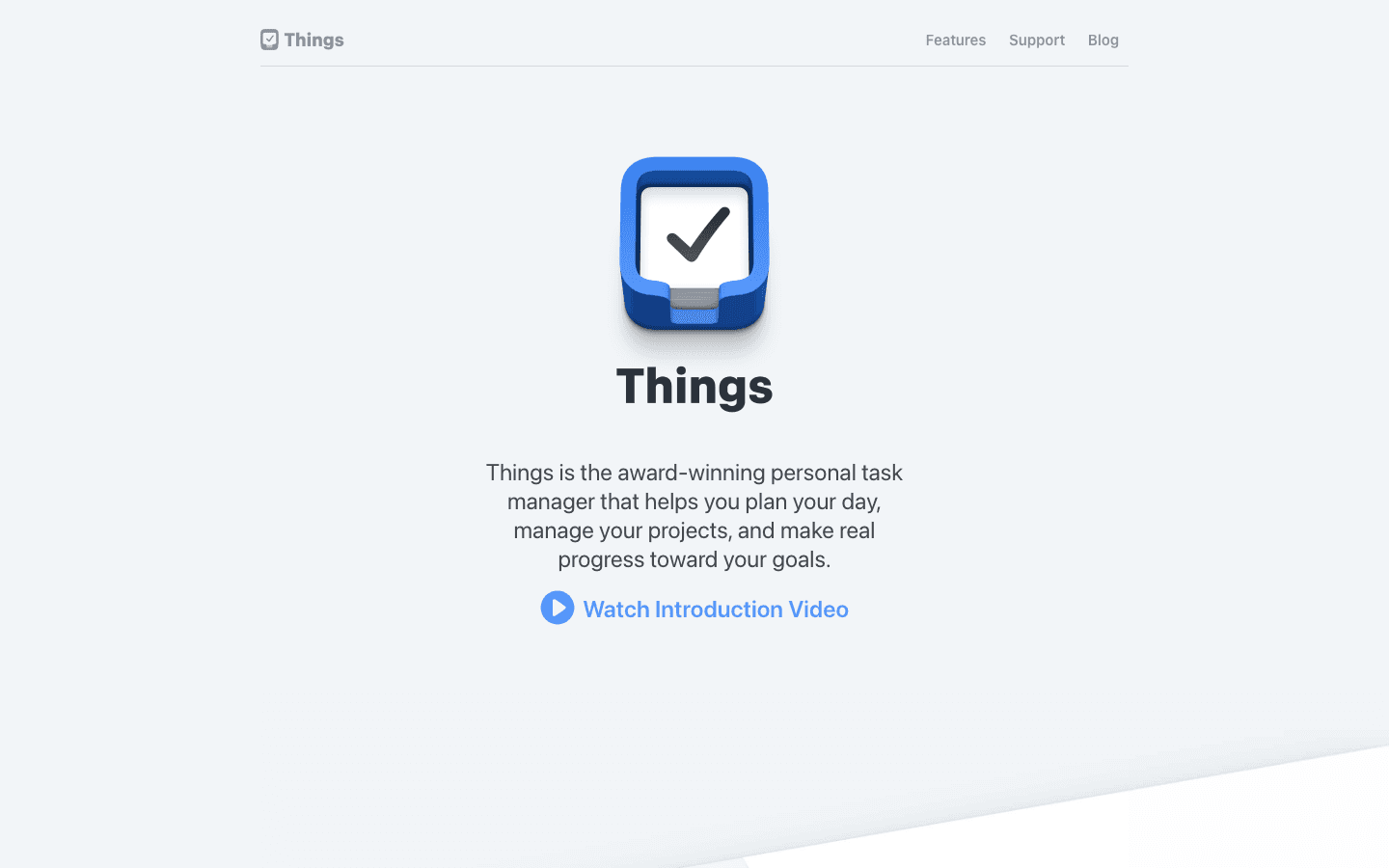
Things 3 from Cultured Code is widely regarded as the best-designed task manager ever made. The interface is calm, focused, and visually elegant. It uses a simple area-project-task hierarchy that works well for most users without feeling overwhelming. The natural language date entry is excellent, and the Today view gives you a clean daily focus list.
The trade-off: Things 3 is Apple-only (iOS, iPadOS, macOS) and uses one-time purchase pricing with no free tier. No Android, no web app, no subscription. If you are fully embedded in the Apple ecosystem and want the most polished experience available, it is worth the price.
One-time purchase, no subscription
Apple-native design with deep Calendar and Reminders integration
Today view, Upcoming view, and area-based organization
Excellent natural language date entry
What Works:
Best-in-class design and polish
No ongoing subscription cost
Calm, focused interface reduces cognitive load
Limitations:
Apple-only, no Android or web
No collaboration features
No energy awareness or AI scheduling
Pricing: $9.99 (iPhone), $19.99 (iPad), $49.99 (Mac). One-time purchase, no subscription.
Best for: Apple-only users who want the most polished personal task manager available and prefer a one-time purchase over a subscription.
5. Microsoft To Do, Best Free Alternative
Fully free, unlimited, and surprisingly capable.
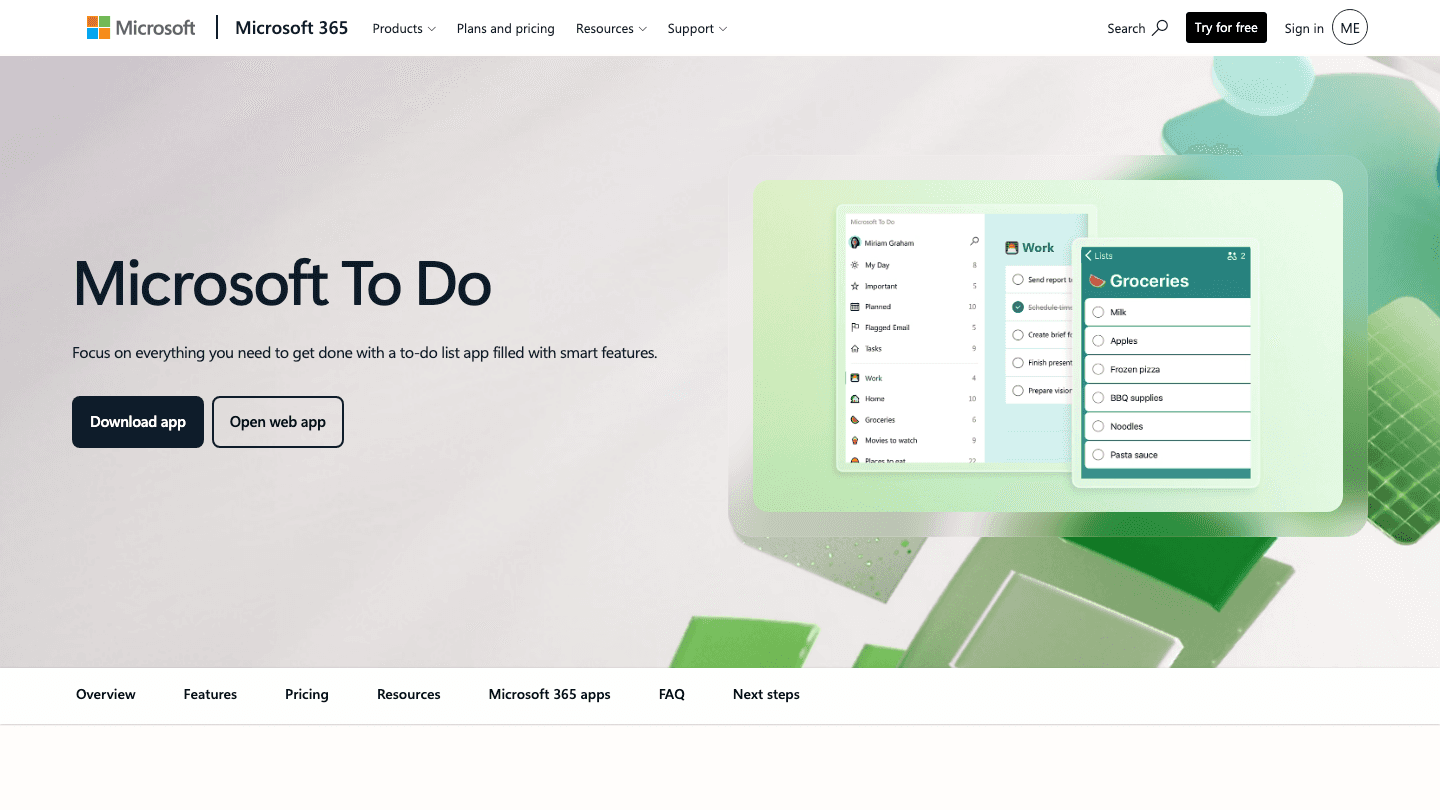
Microsoft To Do is completely free with no meaningful feature limits. You get unlimited lists, tasks, and subtasks, a smart "My Day" view that suggests what to focus on, recurring tasks, reminders, and file attachments. It syncs across iOS, Android, Windows, and web. If you use Microsoft 365, it also integrates directly with Outlook, Teams, and Planner.
For any Any.do user who is primarily on a free plan and frustrated by its limitations, Microsoft To Do is the obvious move. It costs nothing and is more capable than the Any.do free tier in nearly every way.
Completely free, unlimited lists and tasks
"My Day" intelligent daily focus view
Microsoft 365 integration (Outlook, Teams, Planner)
Available on iOS, Android, Windows, web
What Works:
Zero cost, no feature gates
Excellent Microsoft 365 integration
Clean, accessible interface
Limitations:
Limited for users outside the Microsoft ecosystem
Less organizational depth than Todoist or TickTick
No energy awareness or AI scheduling
Pricing: Free. No paid tier.
Best for: Microsoft 365 users or anyone who wants a capable, unlimited task manager without spending anything.
6. ClickUp, Best for Teams and Power Users
An all-in-one workspace for tasks, docs, and team collaboration.
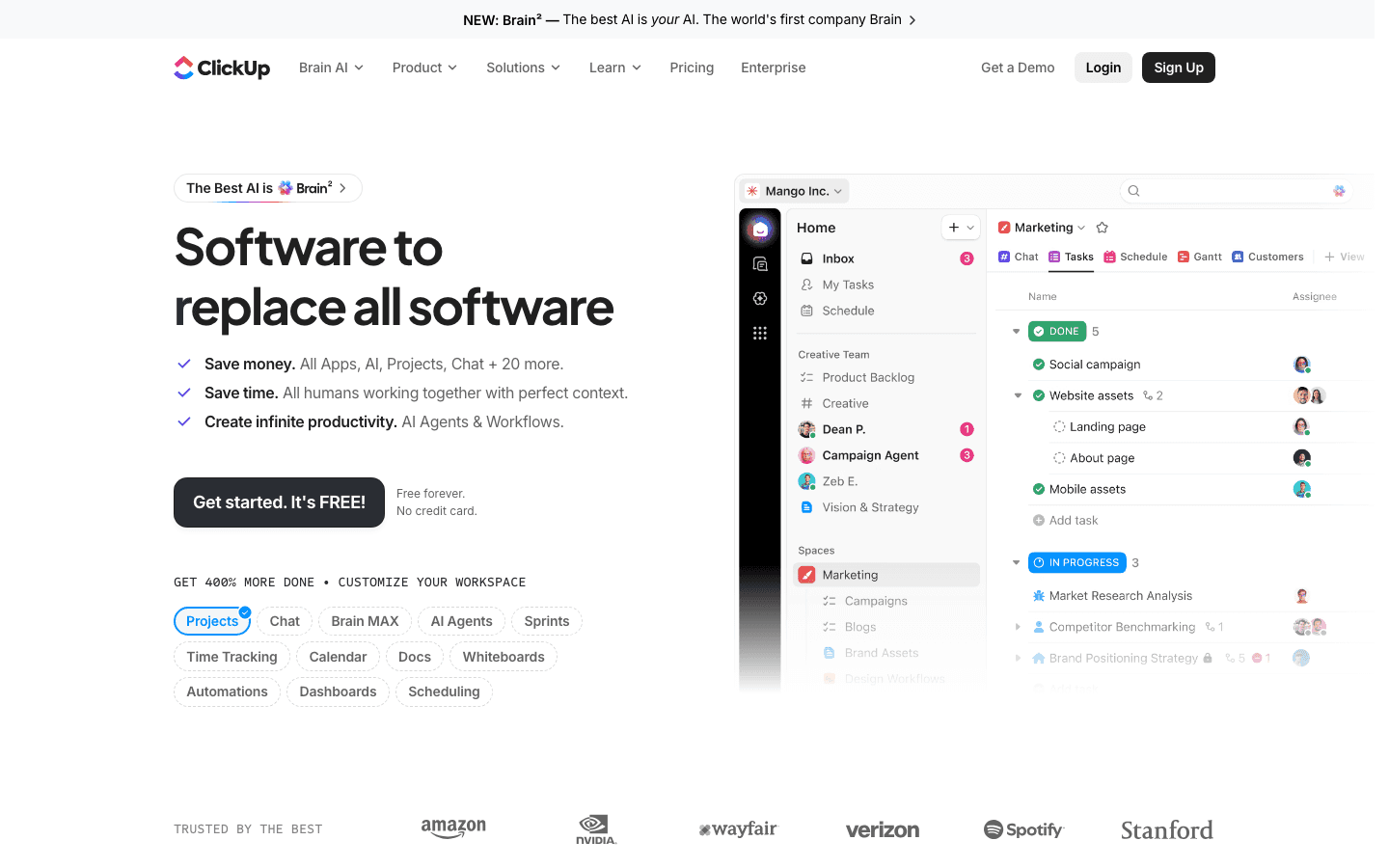
ClickUp is the most feature-dense option on this list by a wide margin. It handles tasks, projects, Gantt charts, docs, time tracking, whiteboards, and team collaboration in one place. The free plan is generous, and the paid tiers are priced per user, making it more suited to teams than individuals.
For Any.do users who primarily use it for personal task management, ClickUp may be more than necessary. But for users who want to replace both their task manager and their project management tool, it is one of the most capable options available at any price point.
Tasks, docs, Gantt charts, whiteboards in one tool
Free plan with unlimited tasks and basic features
AI writing and automation features on paid plans
500+ integrations
What Works:
Replaces multiple tools in one workspace
Generous free plan
Very flexible, can be configured for almost any workflow
Limitations:
Steep learning curve
Can feel overwhelming for simple personal task management
No energy awareness
Pricing: Free forever. Unlimited $7/user/month billed annually. Business $12/user/month.
Best for: Teams or solopreneurs who want to consolidate project management, documents, and tasks into one platform.
Which Any.do Alternative Is Right for You?
You want smarter scheduling that adapts to your energy: Lifestack
You need deep project organization and strong integrations: Todoist
You want habits and Pomodoro alongside tasks: TickTick
You are in the Apple ecosystem and want the best design: Things 3
You want fully featured for free: Microsoft To Do
You want tasks + docs + team collaboration: ClickUp
Frequently Asked Questions
What is the best free alternative to Any.do?
Microsoft To Do is the best free Any.do alternative. It offers unlimited lists and tasks, a smart daily view, reminders, and file attachments with no cost and no feature gates. TickTick also has a capable free plan (9 lists), and Todoist's free tier works for light use (5 projects).
Is Todoist better than Any.do?
For most users, yes. Todoist has more organizational depth (300 vs limited projects), better filter options, more integrations, and more active development. Any.do is simpler and slightly more polished out of the box, which may suit users who want minimal friction. But Todoist scales better as your needs grow.
Does Any.do have an AI scheduler?
Any.do has introduced some AI features for task suggestions, but it does not have energy-aware scheduling that adapts to your real-time capacity. For that, Lifestack is the standout option, it reads your wearable data and automatically slots tasks into your peak energy windows.
Is TickTick cheaper than Any.do?
Yes. TickTick Premium is $35.99/year ($2.99/month), compared to Any.do Premium at $5.99/month ($71.88/year). TickTick is roughly half the cost and offers more features in its premium tier, including a built-in Pomodoro timer and habit tracker.
What is the best Any.do alternative for ADHD?
Lifestack is designed specifically for the ADHD brain. It removes the daily decision fatigue of "what should I work on now?" by automatically scheduling tasks into your best energy windows. For ADHD users who struggle with task initiation or time blindness, having a pre-built daily schedule based on actual energy data is a meaningful advantage. See our guide on how to be productive with ADHD for more strategies.
Can I use Lifestack as a replacement for Any.do?
Yes. Lifestack handles tasks, scheduling, and calendar management. It imports tasks from Todoist, Notion, Linear, and other tools, and syncs with Google and Apple Calendar. If you are using Any.do primarily for to-do lists and a daily schedule, Lifestack replaces that functionality while adding the energy-aware scheduling layer that Any.do does not have. See a full comparison at our post on the best AI task manager apps and our guide on the best personal task management apps.
Any.do is a clean, minimal task manager with natural language input and a simple calendar view. It is easy to pick up and works well for basic to-do management. But it has limits: the free plan is quite restricted, the paid tier ($5.99/month) is expensive compared to competitors, and it lacks the depth that power users need, no Pomodoro timer, limited filter options, no energy awareness, and weak integrations compared to what is available elsewhere.
If you have outgrown Any.do, or if you are evaluating it and want to see what else is out there, this guide covers the six best alternatives across different use cases and price points. We ranked them by features, pricing, cross-platform support, and how well they serve different types of users.
Key Takeaways
Lifestack is the best Any.do alternative for users who want AI-powered, energy-aware scheduling built around how they actually work.
Todoist is the best Any.do alternative for power users who need deep project organization and strong integrations.
Microsoft To Do is the best free alternative to Any.do with no meaningful feature limits.
Quick Guide: 6 Best Any.do Alternatives
Lifestack, Best for energy-aware AI scheduling
Todoist, Best for power users and heavy project organization
TickTick, Best all-in-one with built-in habits and Pomodoro
Things 3, Best for Apple ecosystem users who want beauty and calm
Microsoft To Do, Best free alternative with no feature limits
ClickUp, Best if you want to combine tasks, docs, and team collaboration
How We Evaluated These Apps
Cross-platform availability (iOS, Android, desktop, web)
Depth of task organization (subtasks, filters, projects, tags)
Calendar and scheduling integration
Pricing and free plan generosity
AI or smart scheduling capabilities
Whether the app can adapt to your energy, not just the clock
1. Lifestack, Best Energy-Aware Any.do Alternative
Schedule your tasks around your actual energy, not just your calendar.
Lifestack does something none of the other apps on this list do: it connects to your wearable (Oura Ring, Apple Watch, Garmin, or WHOOP) and uses your real-time energy data to automatically slot your tasks into the right windows of your day. High-focus tasks in your peak hours, lighter work in your troughs. The result is a schedule that reflects your biology, not just your intentions.
For Any.do users who feel like they plan well but still end up doing deep work in their worst energy windows, Lifestack closes that gap automatically. It works across iOS, Android, and web, and integrates with Google Calendar, Todoist, and other popular apps.
AI scheduling that adapts to your real-time energy data
Wearable integrations: Oura Ring, Apple Watch, Garmin, WHOOP
Calendar sync with Google Calendar and Apple Calendar
Cross-platform: iOS, Android, web, Chrome extension
Todoist, Notion, and Linear integrations for task import
What Works:
Automatically protects your peak hours for your hardest tasks
Reduces daily planning overhead significantly
Designed with ADHD and neurodivergent users in mind
Limitations:
Requires a wearable to unlock energy-scheduling features
Not designed for team collaboration or shared projects
Pricing: $7/month, $50/year, or $120 lifetime. 7-day free trial on the annual plan.
Best for: Anyone who wants their schedule to match their actual energy, especially people with ADHD or irregular energy patterns.
2. Todoist, Best for Power Users
The most mature and integration-rich task manager available.
Todoist is the benchmark for personal task management. It has natural language input (type "call dentist every Friday at 9am" and it schedules it), Kanban boards, calendar layout, subtasks, filters, labels, and over 80 integrations. The free plan gives you 5 projects; Pro ($5/month billed annually) removes all meaningful limits. It is available on every platform and is genuinely well-designed.
Any.do users will notice immediately that Todoist's organizational depth is significantly higher. If you have been working around Any.do's filter limitations or struggling with its project structure, Todoist fixes all of that.
Natural language task entry
300 projects on Pro, Kanban and calendar views
Filters, labels, priorities, and sections
80+ integrations including Google Calendar, Slack, Zapier
What Works:
Best-in-class task organization and filtering
Reliable across all platforms
Strong natural language processing
Limitations:
No energy awareness or AI scheduling
No habit tracking
Free plan limits (5 projects) are restrictive
Pricing: Free (5 projects), Pro $5/month ($60/year), Business $8/user/month.
Best for: Power users who need deep project organization and want the most mature task manager on the market. For more context, see our Todoist pricing breakdown.
3. TickTick, Best All-in-One
Tasks, habits, Pomodoro, and calendar in one app.
TickTick packs more into one app than almost anything else at its price point. The free plan is more generous than Any.do's, and Premium ($35.99/year) adds unlimited lists, 2-way calendar sync, a built-in Pomodoro timer, and a habit tracker. If you want one app that covers your tasks, your habits, and your work sessions, TickTick is hard to beat.
The interface is clean without being sparse, and the calendar view with duration-based scheduling lets you drag tasks onto time blocks directly, which is something Any.do handles less gracefully.
Built-in Pomodoro timer and habit tracker
Calendar view with duration-based task blocking
Custom smart lists and filters (Premium)
2-way sync with Google Calendar and Outlook
What Works:
Exceptional value at $35.99/year
Habit tracking built in
Available across all platforms
Limitations:
No AI scheduling or energy awareness
Interface can feel dense compared to Any.do's minimal style
Pricing: Free (9 lists), Premium $35.99/year ($2.99/month) or $3.99/month.
Best for: Users who want tasks, habits, and time-blocking in a single app at an affordable price. See our TickTick pricing guide for full plan details.
4. Things 3, Best for Apple Users
The most beautifully designed task manager on iOS and macOS.
Things 3 from Cultured Code is widely regarded as the best-designed task manager ever made. The interface is calm, focused, and visually elegant. It uses a simple area-project-task hierarchy that works well for most users without feeling overwhelming. The natural language date entry is excellent, and the Today view gives you a clean daily focus list.
The trade-off: Things 3 is Apple-only (iOS, iPadOS, macOS) and uses one-time purchase pricing with no free tier. No Android, no web app, no subscription. If you are fully embedded in the Apple ecosystem and want the most polished experience available, it is worth the price.
One-time purchase, no subscription
Apple-native design with deep Calendar and Reminders integration
Today view, Upcoming view, and area-based organization
Excellent natural language date entry
What Works:
Best-in-class design and polish
No ongoing subscription cost
Calm, focused interface reduces cognitive load
Limitations:
Apple-only, no Android or web
No collaboration features
No energy awareness or AI scheduling
Pricing: $9.99 (iPhone), $19.99 (iPad), $49.99 (Mac). One-time purchase, no subscription.
Best for: Apple-only users who want the most polished personal task manager available and prefer a one-time purchase over a subscription.
5. Microsoft To Do, Best Free Alternative
Fully free, unlimited, and surprisingly capable.
Microsoft To Do is completely free with no meaningful feature limits. You get unlimited lists, tasks, and subtasks, a smart "My Day" view that suggests what to focus on, recurring tasks, reminders, and file attachments. It syncs across iOS, Android, Windows, and web. If you use Microsoft 365, it also integrates directly with Outlook, Teams, and Planner.
For any Any.do user who is primarily on a free plan and frustrated by its limitations, Microsoft To Do is the obvious move. It costs nothing and is more capable than the Any.do free tier in nearly every way.
Completely free, unlimited lists and tasks
"My Day" intelligent daily focus view
Microsoft 365 integration (Outlook, Teams, Planner)
Available on iOS, Android, Windows, web
What Works:
Zero cost, no feature gates
Excellent Microsoft 365 integration
Clean, accessible interface
Limitations:
Limited for users outside the Microsoft ecosystem
Less organizational depth than Todoist or TickTick
No energy awareness or AI scheduling
Pricing: Free. No paid tier.
Best for: Microsoft 365 users or anyone who wants a capable, unlimited task manager without spending anything.
6. ClickUp, Best for Teams and Power Users
An all-in-one workspace for tasks, docs, and team collaboration.
ClickUp is the most feature-dense option on this list by a wide margin. It handles tasks, projects, Gantt charts, docs, time tracking, whiteboards, and team collaboration in one place. The free plan is generous, and the paid tiers are priced per user, making it more suited to teams than individuals.
For Any.do users who primarily use it for personal task management, ClickUp may be more than necessary. But for users who want to replace both their task manager and their project management tool, it is one of the most capable options available at any price point.
Tasks, docs, Gantt charts, whiteboards in one tool
Free plan with unlimited tasks and basic features
AI writing and automation features on paid plans
500+ integrations
What Works:
Replaces multiple tools in one workspace
Generous free plan
Very flexible, can be configured for almost any workflow
Limitations:
Steep learning curve
Can feel overwhelming for simple personal task management
No energy awareness
Pricing: Free forever. Unlimited $7/user/month billed annually. Business $12/user/month.
Best for: Teams or solopreneurs who want to consolidate project management, documents, and tasks into one platform.
Which Any.do Alternative Is Right for You?
You want smarter scheduling that adapts to your energy: Lifestack
You need deep project organization and strong integrations: Todoist
You want habits and Pomodoro alongside tasks: TickTick
You are in the Apple ecosystem and want the best design: Things 3
You want fully featured for free: Microsoft To Do
You want tasks + docs + team collaboration: ClickUp
Frequently Asked Questions
What is the best free alternative to Any.do?
Microsoft To Do is the best free Any.do alternative. It offers unlimited lists and tasks, a smart daily view, reminders, and file attachments with no cost and no feature gates. TickTick also has a capable free plan (9 lists), and Todoist's free tier works for light use (5 projects).
Is Todoist better than Any.do?
For most users, yes. Todoist has more organizational depth (300 vs limited projects), better filter options, more integrations, and more active development. Any.do is simpler and slightly more polished out of the box, which may suit users who want minimal friction. But Todoist scales better as your needs grow.
Does Any.do have an AI scheduler?
Any.do has introduced some AI features for task suggestions, but it does not have energy-aware scheduling that adapts to your real-time capacity. For that, Lifestack is the standout option, it reads your wearable data and automatically slots tasks into your peak energy windows.
Is TickTick cheaper than Any.do?
Yes. TickTick Premium is $35.99/year ($2.99/month), compared to Any.do Premium at $5.99/month ($71.88/year). TickTick is roughly half the cost and offers more features in its premium tier, including a built-in Pomodoro timer and habit tracker.
What is the best Any.do alternative for ADHD?
Lifestack is designed specifically for the ADHD brain. It removes the daily decision fatigue of "what should I work on now?" by automatically scheduling tasks into your best energy windows. For ADHD users who struggle with task initiation or time blindness, having a pre-built daily schedule based on actual energy data is a meaningful advantage. See our guide on how to be productive with ADHD for more strategies.
Can I use Lifestack as a replacement for Any.do?
Yes. Lifestack handles tasks, scheduling, and calendar management. It imports tasks from Todoist, Notion, Linear, and other tools, and syncs with Google and Apple Calendar. If you are using Any.do primarily for to-do lists and a daily schedule, Lifestack replaces that functionality while adding the energy-aware scheduling layer that Any.do does not have. See a full comparison at our post on the best AI task manager apps and our guide on the best personal task management apps.



FOLLOW ON
FOLLOW ON
FOLLOW ON


Copyright 2026 © Lifestack. All rights reserved
Copyright 2026 © Lifestack. All rights reserved

