
App
Any.do vs Focus To-Do: Which Should You Use?
Any.do vs Focus To-Do: Which Should You Use?

Two Different Philosophies in One Category
Any.do and Focus To-Do both help you manage tasks, but they start from fundamentally different premises. Any.do is built around the idea that a great task manager should be flexible enough to handle everything: personal to-do lists, family coordination, team projects, and calendar integration, all in one place. Focus To-Do is built around a single conviction: that the Pomodoro technique is the best way to actually get work done, and a task manager should exist to support that focus cycle.
Choosing between them isn't really about which has more features. It's about which model fits the way you actually work. If your problem is scattered tasks across too many apps, Any.do's consolidation appeal is real. If your problem is starting tasks and maintaining focus once you start, Focus To-Do's time-boxing approach addresses that directly.
This comparison covers both apps in depth, including pricing, features, limitations, and the specific situations where each one makes more sense than the other.
Key Takeaways
Any.do is the better choice for people who want a flexible, all-in-one task and calendar manager with strong cross-platform support.
Focus To-Do is built for people who struggle with focus and want their task manager to actively structure their work sessions using the Pomodoro technique.
Neither app does energy-aware scheduling. If you need your tasks matched to when you're actually at your best, consider a dedicated AI scheduler like Lifestack.
Quick Verdict
Any.do: Best for users who want a capable, free-to-start task manager that works across all devices and integrates with Google Calendar, Outlook, and other tools.
Focus To-Do: Best for users who rely on the Pomodoro technique and want their task list and focus timer in a single app with built-in analytics.
Any.do Overview
A flexible all-in-one task and calendar manager trusted by over 40 million people.
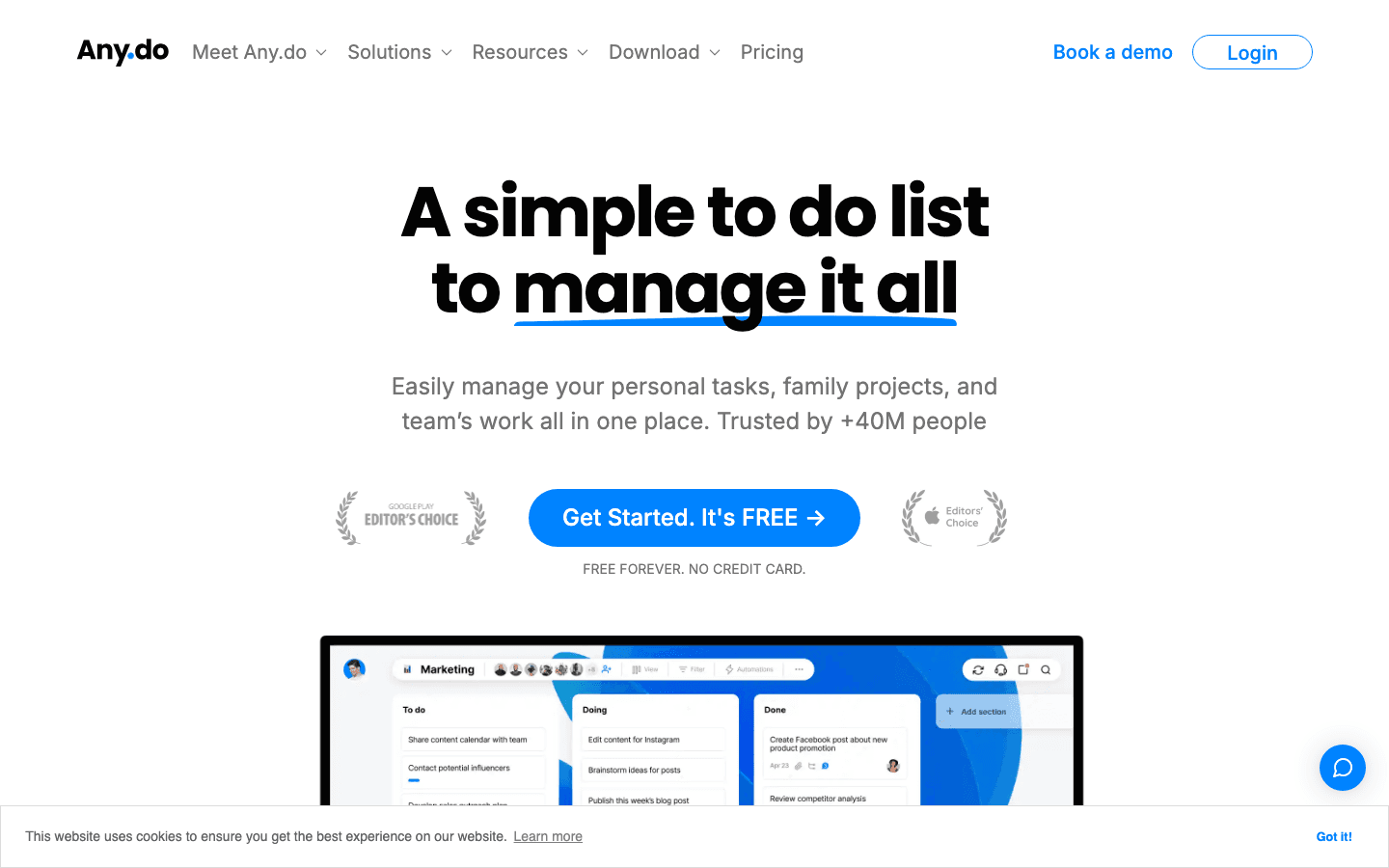
Any.do has been one of the most popular task management apps for well over a decade, and for good reason. It covers a lot of ground without feeling cluttered: personal task lists, calendar integration, daily planning view, shared lists for families or teams, and recurring reminders. The design is clean, the mobile apps are polished, and the free tier is genuinely functional rather than artificially limited.
The AI features are a more recent addition and actually useful. Any.do can generate task lists from natural language input, suggest due dates, and surface relevant reminders based on context. Voice input works reliably on both iOS and Android. The WhatsApp reminder integration is a distinctive feature that matters for users who live in that app.
Key Features: Tasks and subtasks, calendar sync (Google, Outlook), daily planner view, recurring reminders, team boards, AI task generation, voice input, WhatsApp reminders
What Works: Cross-platform consistency, genuinely useful free tier, calendar integration feels native rather than bolted on, clean mobile experience
Limitations: No built-in Pomodoro timer, no focus session tracking, no energy-aware scheduling, collaboration features feel like a secondary priority compared to dedicated project tools
Pricing: Free plan (tasks, reminders, calendar, cross-device sync); Premium $4.99/month billed annually ($7.99/month); Family $8.33/month annually for up to 4 members.
Best for: People managing multiple areas of life (work, family, personal) who want one app that syncs with their existing calendar and doesn't require a learning curve.
Focus To-Do Overview
A Pomodoro-first task manager with built-in focus sessions and productivity analytics.
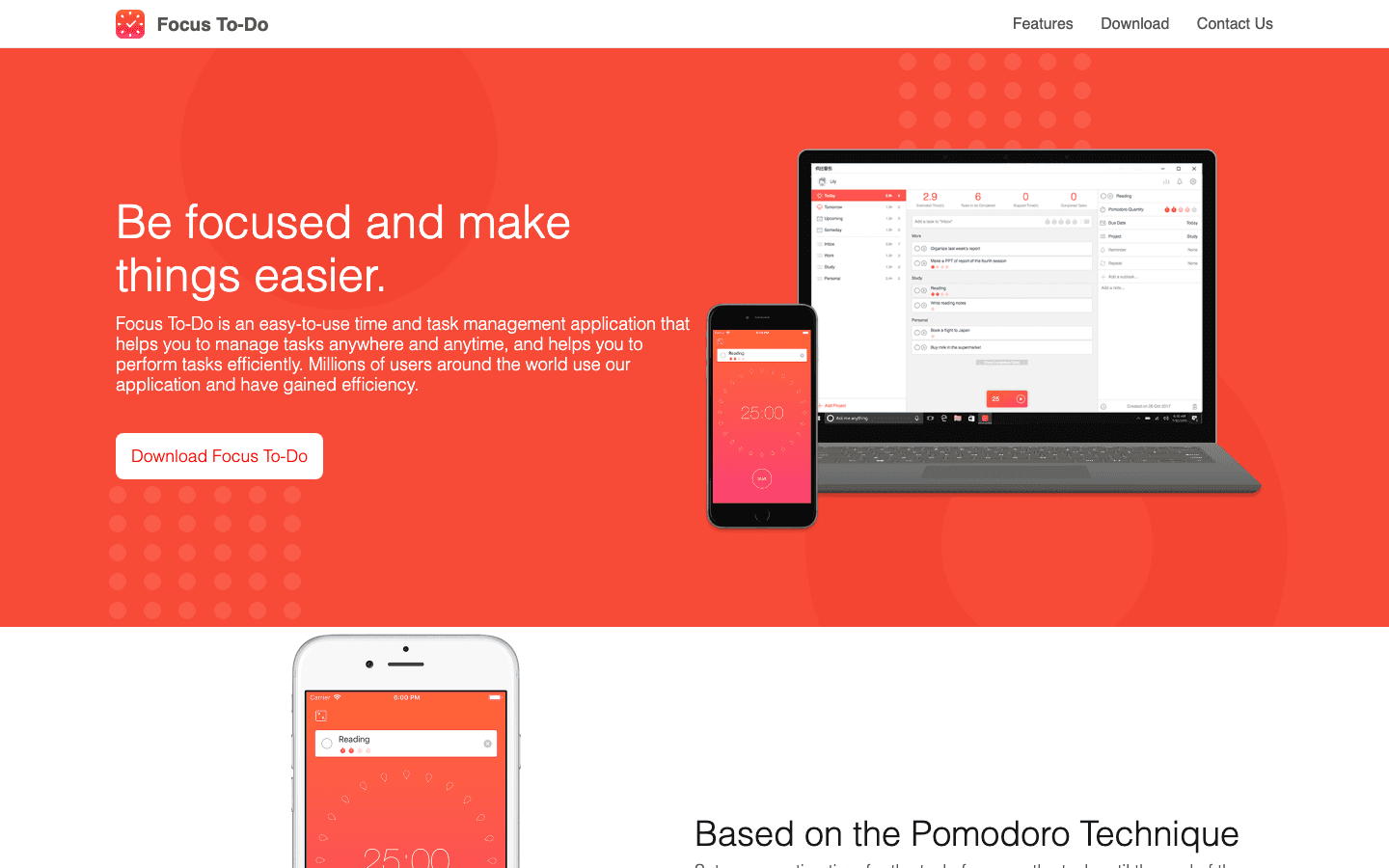
Focus To-Do takes a narrower, more opinionated approach. The Pomodoro technique (work in 25-minute sprints, take a 5-minute break, repeat) is baked into the core experience rather than added as a sidebar feature. You assign tasks to focus sessions, run the timer, and the app tracks how many Pomodoros each task required. Over time, this builds a picture of where your time actually goes.
The analytics are more detailed than most task apps provide. You can see daily, weekly, and monthly breakdowns of your focus time by project, which is useful for freelancers and knowledge workers who need to track billable hours or understand their work patterns. The app is available across iOS, Android, Mac, Windows, and even Apple Watch, with solid sync across devices.
Key Features: Customizable Pomodoro timer (adjustable session and break lengths), task management with projects and priorities, subtasks, recurring tasks, historical analytics by project, cross-device sync, Apple Watch support
What Works: Pomodoro integration is the best-in-class implementation, analytics are detailed and genuinely useful, pricing is very accessible, Apple Watch timer control is well-executed
Limitations: Not designed for calendar integration or collaboration, no AI features, narrower use case than a general task manager, interface feels dated compared to Any.do
Pricing: Free tier with limited features; Premium $1.99/month or $11.99 as a one-time lifetime purchase.
Best for: Knowledge workers and students who use or want to use the Pomodoro technique and want their task list and focus timer in a single, low-cost app.
Head-to-Head Comparison
Task management: Both handle tasks, subtasks, priorities, and recurring items well. Any.do has a slight edge in polish and organization options. Focus To-Do ties tasks directly to focus sessions, which is a meaningful difference for Pomodoro users.
Calendar integration: Any.do wins clearly. It syncs with Google Calendar and Outlook natively and includes a daily planner view that overlays tasks and events. Focus To-Do has no meaningful calendar integration.
Focus and time management: Focus To-Do wins. Its Pomodoro implementation is thoughtful and customizable, and the analytics show actual focus time per project. Any.do has no equivalent feature.
Cross-platform: Both are available on iOS, Android, Mac, and Windows. Any.do also has a web app and Chrome extension. Focus To-Do adds Apple Watch support.
Collaboration: Any.do supports shared lists and team boards. Focus To-Do is a single-user app.
Pricing: Focus To-Do is significantly cheaper, with a $11.99 lifetime option that's hard to argue with. Any.do's free tier is more functional, though.
AI features: Any.do has them; Focus To-Do does not.
Which Should You Choose?
If your main challenge is keeping track of everything across work, family, and personal life, choose Any.do. The free tier covers most of what most people need, the calendar integration is genuinely good, and the cross-platform experience is consistent. It's one of the better all-in-one options in the task management space and integrates well with a structured daily planning routine.
If your main challenge is actually focusing on tasks once they're on your list, choose Focus To-Do. The Pomodoro timer isn't a gimmick here; it's the organizing principle of the entire app. For students, writers, developers, or anyone who benefits from time-boxed work sessions, Focus To-Do's approach to time blocking is unusually effective for its price. The lifetime $11.99 option makes the decision easy.
If you use both a solid task system and the Pomodoro method, the apps can work together: use Any.do to manage all your tasks and Focus To-Do to run focus sessions for the specific tasks that need deep work.
For ADHD users in particular, Focus To-Do's structured sessions can help with task initiation and time blindness, while Any.do's reminder system helps ensure nothing falls through the cracks. Pairing a habit tracker with either app adds an accountability layer for recurring behaviors.
Neither app helps you figure out which tasks to work on first, or when your brain is actually ready for deep work. If prioritization is your bottleneck rather than task capture or focus, you'll want to pair either app with a system that handles scheduling and priority sorting alongside your task list, such as the daily planning approach recommended for ADHD users.
What About Lifestack?
If you find that both Any.do and Focus To-Do solve pieces of the puzzle but not the scheduling layer, Lifestack is worth considering. It auto-schedules your tasks based on your energy patterns throughout the day, so your highest-priority work lands in your peak windows automatically rather than relying on you to decide in the moment. Pricing is $7/month or $50/year with a 7-day free trial. It complements either of the apps above if your real bottleneck is not what to do but when to do it.

Frequently Asked Questions
Is Any.do better than Focus To-Do?
It depends on what you need. Any.do is better for full-featured task and calendar management across multiple contexts (personal, family, work). Focus To-Do is better for users who rely on the Pomodoro technique and want deep focus session tracking. They're optimized for different problems.
Does Any.do have a Pomodoro timer?
No. Any.do does not have a built-in Pomodoro timer or focus session tracking. If the Pomodoro technique is important to your workflow, Focus To-Do or a dedicated timer app is a better fit.
Is Focus To-Do free?
Focus To-Do has a free tier with limited features. The full feature set costs $1.99/month or $11.99 as a one-time lifetime purchase, which makes it one of the most affordable options in the task management space.
Can you use Any.do with Google Calendar?
Yes. Any.do syncs natively with Google Calendar and Outlook, displaying your calendar events alongside your tasks in the daily planner view. This is one of Any.do's stronger features compared to most standalone task managers.
Which is better for ADHD users, Any.do or Focus To-Do?
Both have useful features for ADHD. Any.do's reminder system and daily planning view help prevent tasks from being forgotten. Focus To-Do's structured Pomodoro sessions help with task initiation and time awareness, two common ADHD challenges. Many ADHD users find Focus To-Do's time-boxing approach more immediately helpful for actually doing the work, while Any.do is better for capturing and organizing everything.
Two Different Philosophies in One Category
Any.do and Focus To-Do both help you manage tasks, but they start from fundamentally different premises. Any.do is built around the idea that a great task manager should be flexible enough to handle everything: personal to-do lists, family coordination, team projects, and calendar integration, all in one place. Focus To-Do is built around a single conviction: that the Pomodoro technique is the best way to actually get work done, and a task manager should exist to support that focus cycle.
Choosing between them isn't really about which has more features. It's about which model fits the way you actually work. If your problem is scattered tasks across too many apps, Any.do's consolidation appeal is real. If your problem is starting tasks and maintaining focus once you start, Focus To-Do's time-boxing approach addresses that directly.
This comparison covers both apps in depth, including pricing, features, limitations, and the specific situations where each one makes more sense than the other.
Key Takeaways
Any.do is the better choice for people who want a flexible, all-in-one task and calendar manager with strong cross-platform support.
Focus To-Do is built for people who struggle with focus and want their task manager to actively structure their work sessions using the Pomodoro technique.
Neither app does energy-aware scheduling. If you need your tasks matched to when you're actually at your best, consider a dedicated AI scheduler like Lifestack.
Quick Verdict
Any.do: Best for users who want a capable, free-to-start task manager that works across all devices and integrates with Google Calendar, Outlook, and other tools.
Focus To-Do: Best for users who rely on the Pomodoro technique and want their task list and focus timer in a single app with built-in analytics.
Any.do Overview
A flexible all-in-one task and calendar manager trusted by over 40 million people.
Any.do has been one of the most popular task management apps for well over a decade, and for good reason. It covers a lot of ground without feeling cluttered: personal task lists, calendar integration, daily planning view, shared lists for families or teams, and recurring reminders. The design is clean, the mobile apps are polished, and the free tier is genuinely functional rather than artificially limited.
The AI features are a more recent addition and actually useful. Any.do can generate task lists from natural language input, suggest due dates, and surface relevant reminders based on context. Voice input works reliably on both iOS and Android. The WhatsApp reminder integration is a distinctive feature that matters for users who live in that app.
Key Features: Tasks and subtasks, calendar sync (Google, Outlook), daily planner view, recurring reminders, team boards, AI task generation, voice input, WhatsApp reminders
What Works: Cross-platform consistency, genuinely useful free tier, calendar integration feels native rather than bolted on, clean mobile experience
Limitations: No built-in Pomodoro timer, no focus session tracking, no energy-aware scheduling, collaboration features feel like a secondary priority compared to dedicated project tools
Pricing: Free plan (tasks, reminders, calendar, cross-device sync); Premium $4.99/month billed annually ($7.99/month); Family $8.33/month annually for up to 4 members.
Best for: People managing multiple areas of life (work, family, personal) who want one app that syncs with their existing calendar and doesn't require a learning curve.
Focus To-Do Overview
A Pomodoro-first task manager with built-in focus sessions and productivity analytics.
Focus To-Do takes a narrower, more opinionated approach. The Pomodoro technique (work in 25-minute sprints, take a 5-minute break, repeat) is baked into the core experience rather than added as a sidebar feature. You assign tasks to focus sessions, run the timer, and the app tracks how many Pomodoros each task required. Over time, this builds a picture of where your time actually goes.
The analytics are more detailed than most task apps provide. You can see daily, weekly, and monthly breakdowns of your focus time by project, which is useful for freelancers and knowledge workers who need to track billable hours or understand their work patterns. The app is available across iOS, Android, Mac, Windows, and even Apple Watch, with solid sync across devices.
Key Features: Customizable Pomodoro timer (adjustable session and break lengths), task management with projects and priorities, subtasks, recurring tasks, historical analytics by project, cross-device sync, Apple Watch support
What Works: Pomodoro integration is the best-in-class implementation, analytics are detailed and genuinely useful, pricing is very accessible, Apple Watch timer control is well-executed
Limitations: Not designed for calendar integration or collaboration, no AI features, narrower use case than a general task manager, interface feels dated compared to Any.do
Pricing: Free tier with limited features; Premium $1.99/month or $11.99 as a one-time lifetime purchase.
Best for: Knowledge workers and students who use or want to use the Pomodoro technique and want their task list and focus timer in a single, low-cost app.
Head-to-Head Comparison
Task management: Both handle tasks, subtasks, priorities, and recurring items well. Any.do has a slight edge in polish and organization options. Focus To-Do ties tasks directly to focus sessions, which is a meaningful difference for Pomodoro users.
Calendar integration: Any.do wins clearly. It syncs with Google Calendar and Outlook natively and includes a daily planner view that overlays tasks and events. Focus To-Do has no meaningful calendar integration.
Focus and time management: Focus To-Do wins. Its Pomodoro implementation is thoughtful and customizable, and the analytics show actual focus time per project. Any.do has no equivalent feature.
Cross-platform: Both are available on iOS, Android, Mac, and Windows. Any.do also has a web app and Chrome extension. Focus To-Do adds Apple Watch support.
Collaboration: Any.do supports shared lists and team boards. Focus To-Do is a single-user app.
Pricing: Focus To-Do is significantly cheaper, with a $11.99 lifetime option that's hard to argue with. Any.do's free tier is more functional, though.
AI features: Any.do has them; Focus To-Do does not.
Which Should You Choose?
If your main challenge is keeping track of everything across work, family, and personal life, choose Any.do. The free tier covers most of what most people need, the calendar integration is genuinely good, and the cross-platform experience is consistent. It's one of the better all-in-one options in the task management space and integrates well with a structured daily planning routine.
If your main challenge is actually focusing on tasks once they're on your list, choose Focus To-Do. The Pomodoro timer isn't a gimmick here; it's the organizing principle of the entire app. For students, writers, developers, or anyone who benefits from time-boxed work sessions, Focus To-Do's approach to time blocking is unusually effective for its price. The lifetime $11.99 option makes the decision easy.
If you use both a solid task system and the Pomodoro method, the apps can work together: use Any.do to manage all your tasks and Focus To-Do to run focus sessions for the specific tasks that need deep work.
For ADHD users in particular, Focus To-Do's structured sessions can help with task initiation and time blindness, while Any.do's reminder system helps ensure nothing falls through the cracks. Pairing a habit tracker with either app adds an accountability layer for recurring behaviors.
Neither app helps you figure out which tasks to work on first, or when your brain is actually ready for deep work. If prioritization is your bottleneck rather than task capture or focus, you'll want to pair either app with a system that handles scheduling and priority sorting alongside your task list, such as the daily planning approach recommended for ADHD users.
What About Lifestack?
If you find that both Any.do and Focus To-Do solve pieces of the puzzle but not the scheduling layer, Lifestack is worth considering. It auto-schedules your tasks based on your energy patterns throughout the day, so your highest-priority work lands in your peak windows automatically rather than relying on you to decide in the moment. Pricing is $7/month or $50/year with a 7-day free trial. It complements either of the apps above if your real bottleneck is not what to do but when to do it.
Frequently Asked Questions
Is Any.do better than Focus To-Do?
It depends on what you need. Any.do is better for full-featured task and calendar management across multiple contexts (personal, family, work). Focus To-Do is better for users who rely on the Pomodoro technique and want deep focus session tracking. They're optimized for different problems.
Does Any.do have a Pomodoro timer?
No. Any.do does not have a built-in Pomodoro timer or focus session tracking. If the Pomodoro technique is important to your workflow, Focus To-Do or a dedicated timer app is a better fit.
Is Focus To-Do free?
Focus To-Do has a free tier with limited features. The full feature set costs $1.99/month or $11.99 as a one-time lifetime purchase, which makes it one of the most affordable options in the task management space.
Can you use Any.do with Google Calendar?
Yes. Any.do syncs natively with Google Calendar and Outlook, displaying your calendar events alongside your tasks in the daily planner view. This is one of Any.do's stronger features compared to most standalone task managers.
Which is better for ADHD users, Any.do or Focus To-Do?
Both have useful features for ADHD. Any.do's reminder system and daily planning view help prevent tasks from being forgotten. Focus To-Do's structured Pomodoro sessions help with task initiation and time awareness, two common ADHD challenges. Many ADHD users find Focus To-Do's time-boxing approach more immediately helpful for actually doing the work, while Any.do is better for capturing and organizing everything.



FOLLOW ON
FOLLOW ON
FOLLOW ON


Copyright 2026 © Lifestack. All rights reserved
Copyright 2026 © Lifestack. All rights reserved

