
App
Best App Organisation Tools for 2026
Best App Organisation Tools for 2026

Good app organisation starts with picking the right tool for how your brain actually works. The wrong app isn't just useless - it actively makes things worse, because you spend energy managing the system rather than managing your work.
The options today range from fully autonomous AI schedulers that tell you what to work on and when, to minimalist to-do lists that stay completely out of your way. What the best app organisation tools have in common is that they reduce friction between you and your next task, not increase it.
We tested six of the most widely-used app organisation tools for 2026, looking at how well each handles daily task management, calendar integration, energy and priority matching, and the learning curve for someone starting fresh. Here's what we found.
Key Takeaways
Lifestack stands out for energy-aware auto-scheduling - it reads your sleep and recovery data and builds your day around when you're actually capable of deep work.
Notion is the most flexible tool in this list but requires meaningful setup time to be useful for daily task management specifically.
Google Calendar is the best free-forever option if your organisation challenge is primarily scheduling and calendar-based rather than task management.
Quick Guide to the Best App Organisation Tools
#1 Lifestack - Best for energy-aware scheduling and ADHD-friendly planning
#2 Notion - Best for flexible, customizable workspace organisation
#3 Todoist - Best for straightforward, cross-platform task management
#4 TickTick - Best for task and calendar combined in one app
#5 Any.do - Best for simple task management with a clean interface
#6 Google Calendar - Best free tool for scheduling and time blocking
How We Evaluated These App Organisation Tools
Task capture: How quickly and easily can you add tasks from any context?
Scheduling: Does the app help you plan when to do things, not just what?
Calendar integration: How well does it connect to your existing calendar?
Mobile experience: Is the app genuinely usable on iOS and Android?
Learning curve: How long before it's actually useful, not just configured?
Pricing: What do you get free, and is the paid tier worth it?
#1 Lifestack - Best for Energy-Aware Scheduling
AI planner that matches your tasks to your cognitive peaks

Lifestack takes a fundamentally different approach to app organisation than the rest of this list. Instead of asking you to manually schedule when to do things, it reads your sleep, recovery, and energy data from your wearable or phone, then builds your daily schedule around your actual cognitive windows. High-focus tasks land when your brain is ready for them. Admin and low-demand work fills the gaps.
This makes Lifestack particularly effective for people with ADHD, variable energy, or anyone who's noticed that willpower-based scheduling (telling yourself you'll work on X from 9-10am) consistently fails. The app doesn't fight your biology - it schedules around it. The underlying approach is covered in our post on energy-based scheduling.
Key Features: AI auto-scheduling based on energy data, wearable integration, calendar sync, task priority matching, iOS and Android apps, Chrome extension
What Works: Energy-aware scheduling is genuinely different from every other planner; setup is fast; the schedule adapts daily based on how you slept
Limitations: Less flexible for pure project management or team collaboration; no Kanban or board views
Pricing: $7/month, $50/year, or $120 lifetime
Best for: People who want their schedule built for them based on when they're actually capable of focused work
#2 Notion - Best for Flexible Workspace Organisation
The everything app for people who want to build exactly what they need
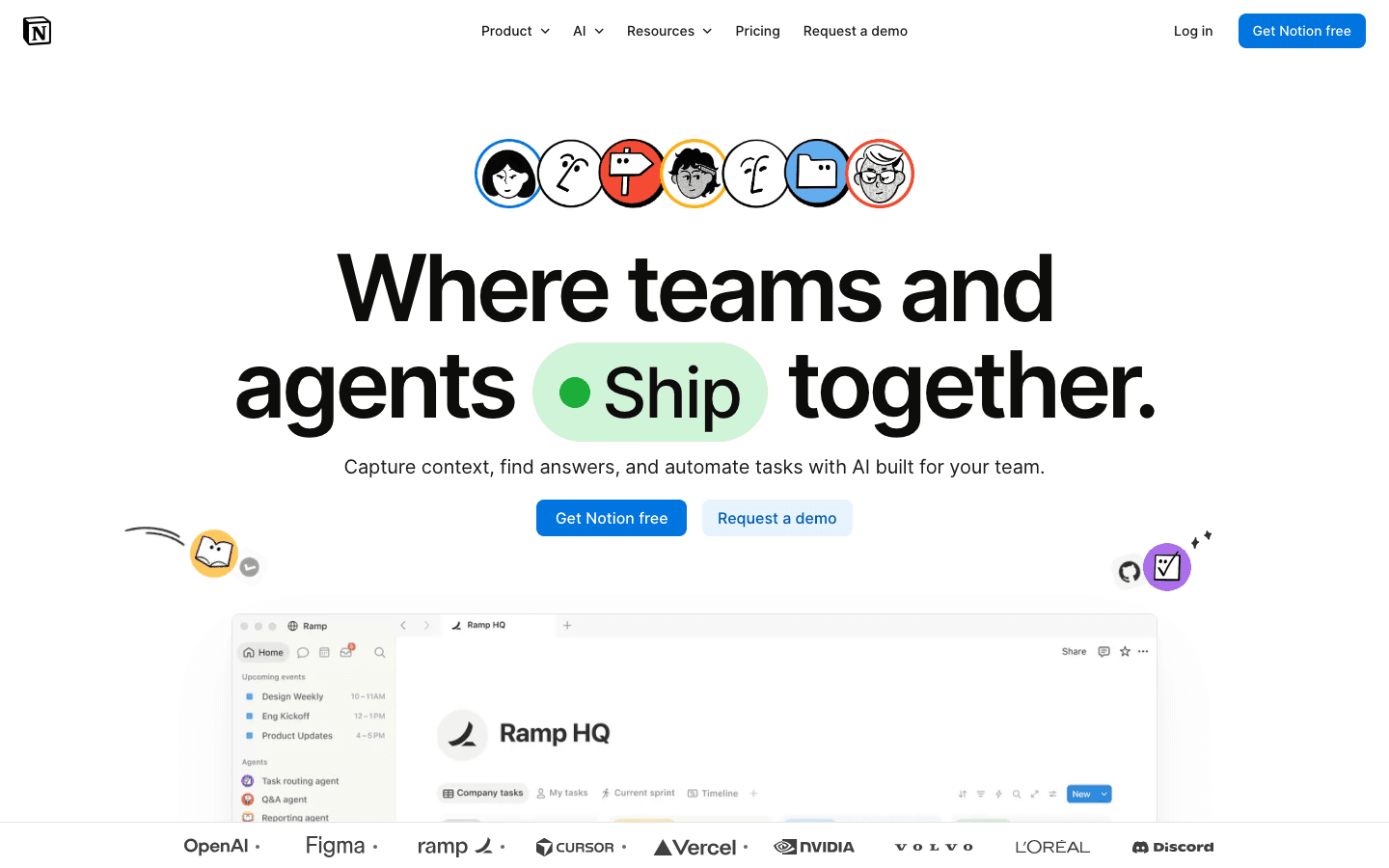
Notion is the most customizable tool on this list by a wide margin. You can build databases, link tasks to projects, create filtered views, set up dashboards, write long-form notes, and organize virtually anything the way you want to. The tradeoff is that out-of-the-box Notion is a blank canvas - not a system.
For task and schedule organisation specifically, Notion works best when paired with a clear template or methodology (Getting Things Done, PARA, weekly review systems). If you're willing to invest the setup time, you can build a genuinely powerful personal organisation system. If you want something that works immediately, look elsewhere.
Key Features: Databases, linked views, Kanban boards, calendar view, AI writing and summarization, templates library, web clipper, collaborative editing
What Works: Unmatched flexibility; works for notes, tasks, projects, and wikis in the same workspace; strong template community
Limitations: No energy awareness; scheduling requires manual effort; can become a "maintenance project" if you build too much; no smart scheduling
Pricing: Free (personal use), Plus $10/member/month, Business $20/member/month
Best for: Self-directed people who want to build a custom organisation system and are willing to invest the setup time
#3 Todoist - Best for Cross-Platform Task Management
A reliable, polished to-do app with 15 years of refinement behind it
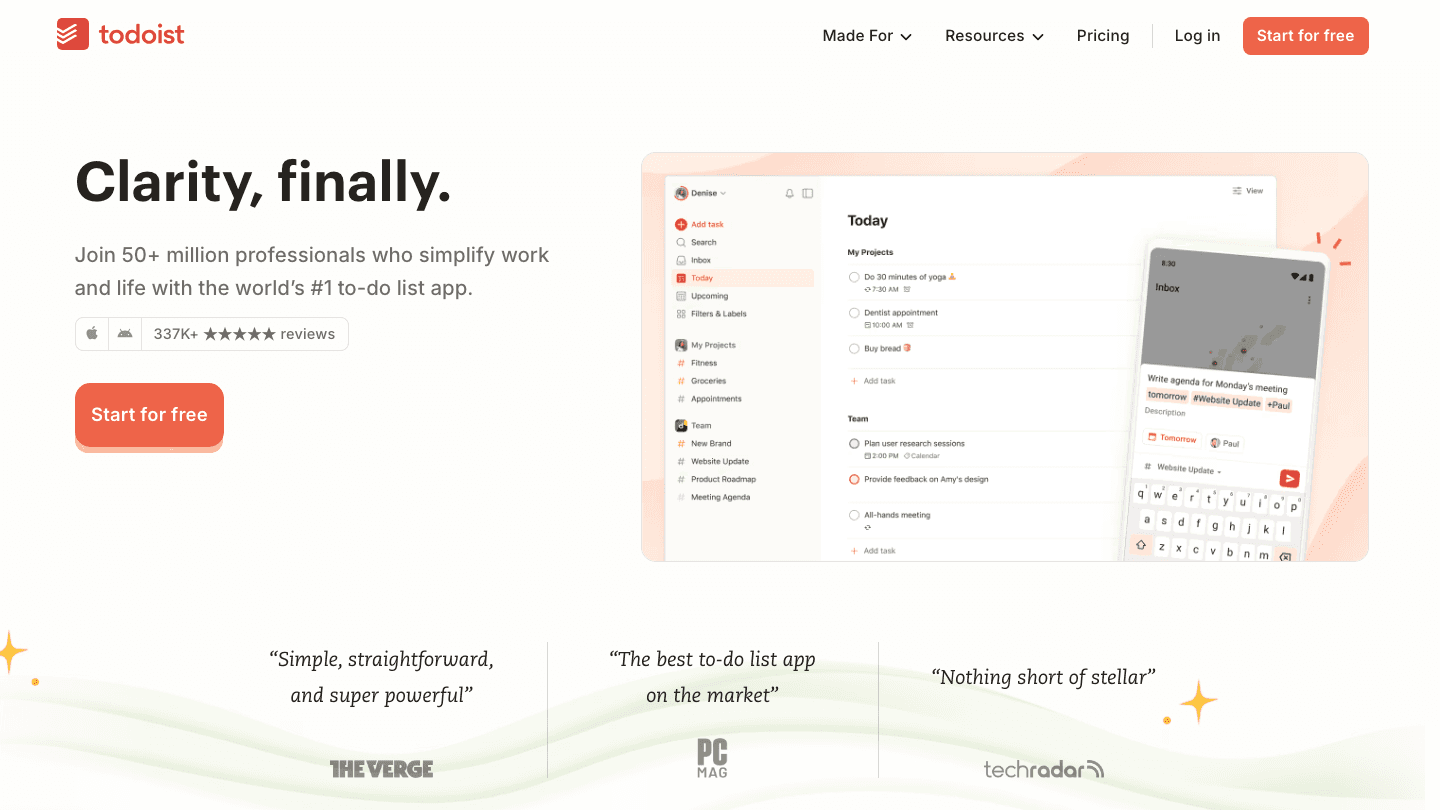
Todoist is the mature, trustworthy option on this list. It does task management extremely well: quick capture via natural language ("buy milk tomorrow at 9am"), project organization, priority levels, recurring tasks, and clean views that don't overwhelm. It runs on every platform and syncs instantly.
For app organisation purposes, Todoist is best when your core challenge is capturing and managing tasks reliably rather than deciding when to do them. It integrates with Google Calendar and can show tasks on your calendar view, but it doesn't auto-schedule or suggest when to tackle things based on your energy or workload. See our daily routine planning guide for how to pair Todoist with a scheduling methodology.
Key Features: Natural language task input, project and section organization, Google Calendar sync, recurring tasks, filters, Karma gamification, 80+ integrations
What Works: Extremely reliable; fast capture; well-designed apps on every platform; good balance of features vs. simplicity
Limitations: No energy awareness; scheduling is manual; calendar view is basic; no auto-prioritization
Pricing: Free (5 active projects), Pro $6.99/month or $59.99/year
Best for: People who want a reliable, polished task manager that works across all their devices without a learning curve
#4 TickTick - Best All-in-One Task and Calendar App
Tasks and calendar in one place, without switching apps

TickTick differentiates itself by combining a full-featured task manager with a built-in calendar view that actually works. Unlike Todoist's calendar integration (which syncs to an external calendar), TickTick shows your tasks and your calendar events in the same view, side by side. This makes it easier to see whether your to-do list is realistic given what's already on your calendar.
It also has a built-in Pomodoro timer, habit tracker, and a focus mode - making it one of the more complete single-app solutions on this list for people who want to consolidate. The interface is polished and the iOS and Android apps are both strong.
Key Features: Integrated task and calendar view, Pomodoro timer, habit tracker, smart date parsing, tags and filters, collaboration features, focus statistics
What Works: Calendar + tasks in one view reduces context switching; Pomodoro integration is a nice bonus; strong mobile apps
Limitations: No energy-based scheduling; calendar integration with Google is somewhat limited; premium tier required for most calendar features
Pricing: Free (basic features), Premium $4.99/month or $49.99/year
Best for: People who want their tasks and calendar managed in one app without switching between Todoist and Google Calendar
#5 Any.do - Best for Simple, Friction-Free Task Management
Clean, minimal task management that stays out of your way
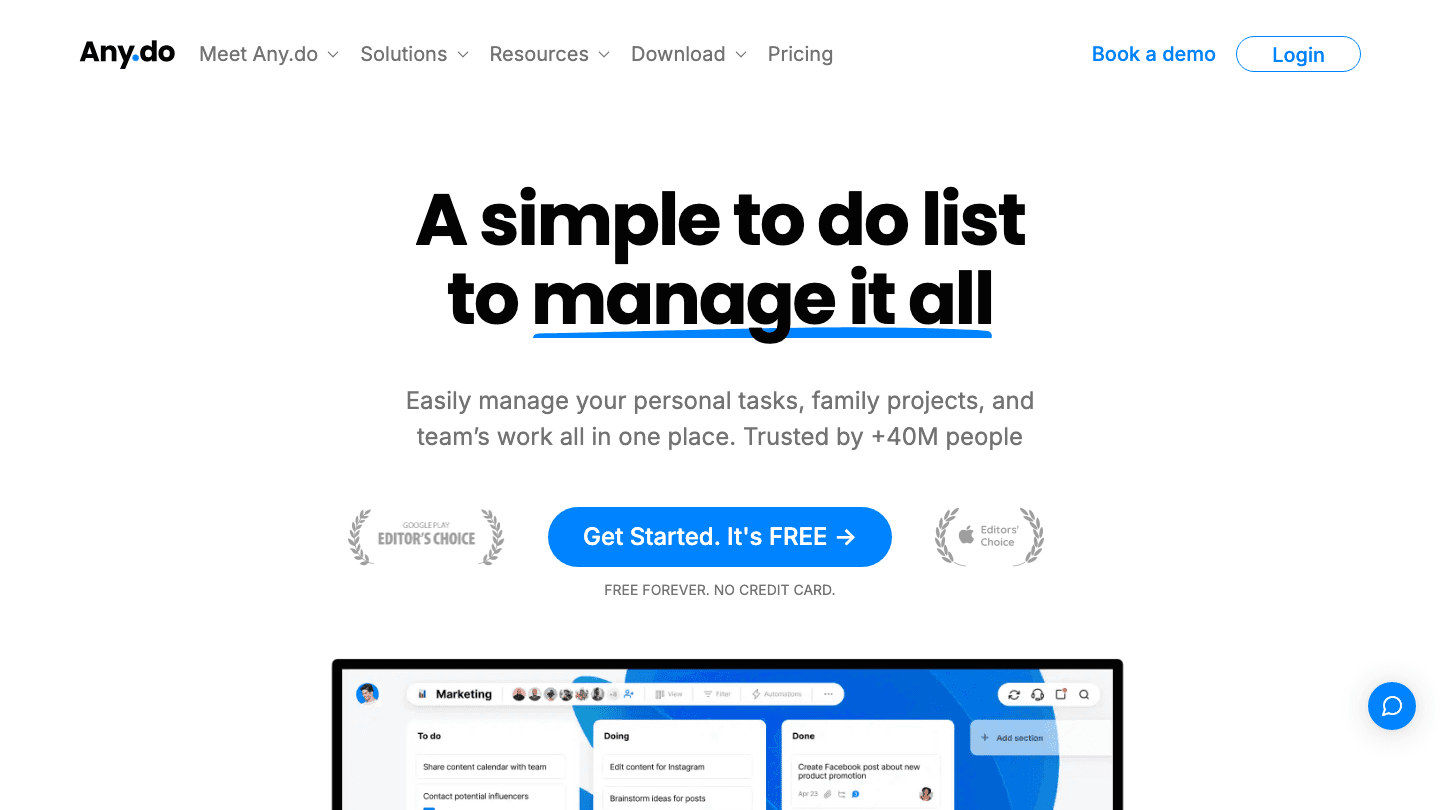
Any.do prioritizes simplicity over features. It doesn't have databases, it doesn't have board views, it doesn't have a built-in note editor. What it has is a very clean, fast task capture experience and a daily planning flow ("My Day") that nudges you each morning to review and commit to what you're actually doing today.
The Cal integration (Any.do's calendar component) pulls in your events and shows tasks alongside them, similar to TickTick's approach. The app is particularly well-regarded for its mobile experience, which is genuinely fast and pleasant to use. It's a strong choice for people who've been burned by complex systems and want something that just works.
Key Features: Daily planning flow, calendar integration, recurring tasks, location-based reminders, voice input, family sharing plan, clean mobile apps
What Works: Extremely low friction; the morning daily planning feature builds a useful habit; one of the cleanest mobile interfaces in this category
Limitations: Fewer power-user features than competitors; limited reporting or productivity stats; no energy awareness
Pricing: Free, Premium $4.99/month (billed annually) or $7.99/month
Best for: People who want the simplest possible task manager that still covers the essentials
#6 Google Calendar - Best Free Scheduling Tool
The universal standard for calendar-based organisation
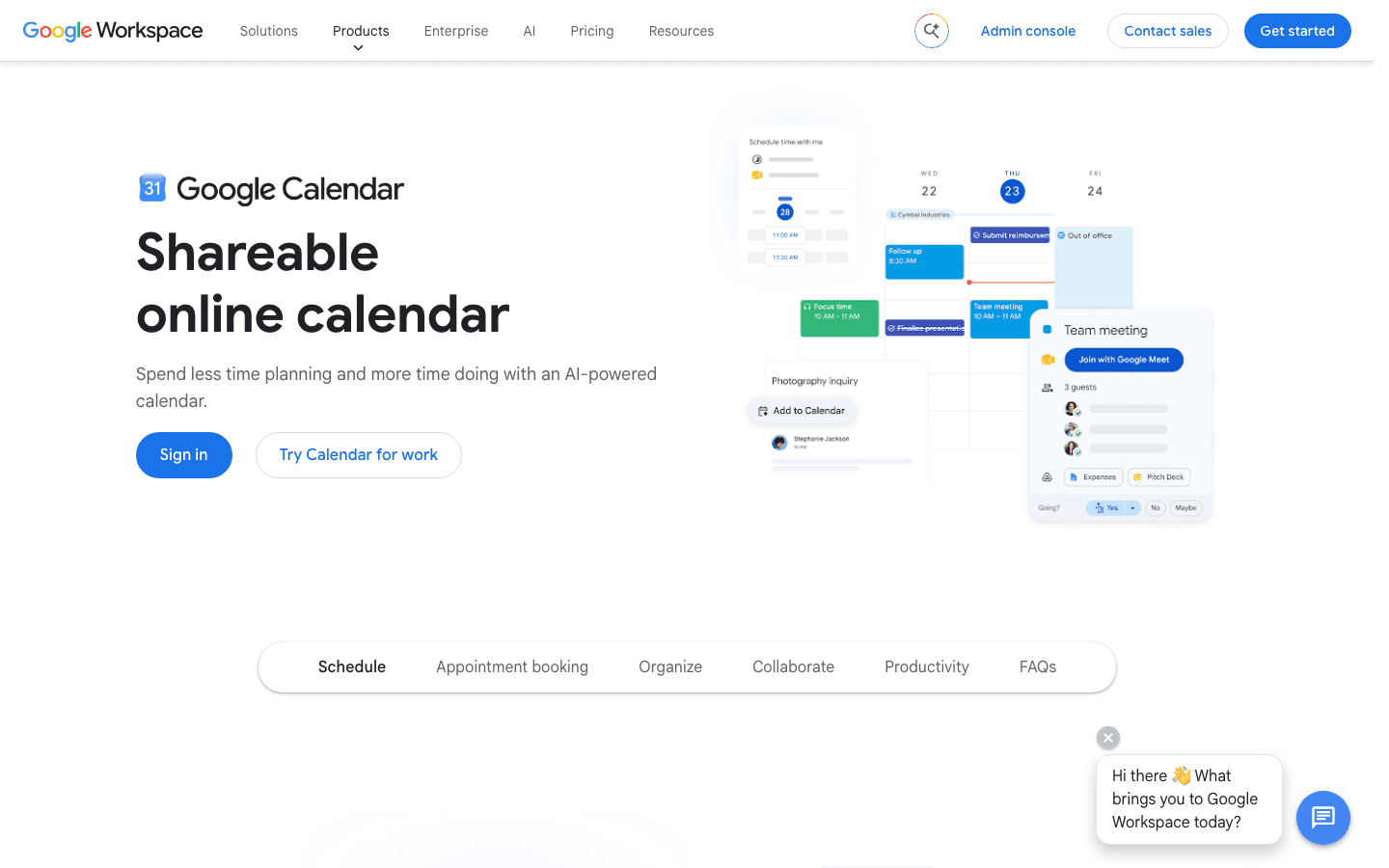
Google Calendar is not a task manager, and treating it like one produces frustration. But as a scheduling and time-blocking tool - one that's free, runs everywhere, and integrates with virtually everything - it's hard to beat as a base layer for app organisation.
The most effective way to use Google Calendar for organisation is as a time-blocking layer on top of your task manager of choice. Set your tasks in Todoist or TickTick, then block time on Google Calendar for when you'll actually do them. This approach is covered in our guide to auto-scheduling your day. Google Calendar's integration with Meet, Gmail, and Workspace makes it a natural choice for people in corporate environments.
Key Features: Event scheduling, recurring events, multiple calendar support, sharing and collaboration, integrations with virtually every productivity app, Google Meet integration
What Works: Free forever; universal compatibility; extremely reliable; best-in-class for shared calendars and scheduling across teams
Limitations: Not a task manager; time-blocking requires manual effort; no intelligence or AI scheduling built in
Pricing: Free with a Google account
Best for: People who need a free, universally compatible scheduling layer that integrates with their existing tools
Which App Organisation Tool Is Right for You?
You want your schedule built for you automatically - Lifestack
You have ADHD or highly variable energy - Lifestack (energy-aware scheduling addresses the specific ADHD planning challenge - see our ADHD productivity apps roundup)
You want to build a custom organisation system your way - Notion
You want a reliable task manager that works everywhere - Todoist
You want tasks and calendar in one app - TickTick
You want minimal friction and the simplest possible system - Any.do
You need a free scheduling layer for a corporate environment - Google Calendar
Frequently Asked Questions
What is the best app for organising tasks in 2026?
Lifestack is the top pick for most people because it solves the hardest part of task organisation - not just listing what to do but figuring out when to do it based on your actual energy. For people who want something more flexible or project-focused, Notion and Todoist are the strongest alternatives.
Is there a free app organisation tool that actually works?
Yes - Todoist's free tier (up to 5 active projects) and Google Calendar are both genuinely useful at no cost. TickTick and Any.do also have functional free tiers. The free versions of all four cover the basics well; paid tiers add integrations, advanced filters, and calendar features.
What's the difference between a task manager and a planner app?
A task manager stores and organises what you need to do. A planner app adds the scheduling layer - when you'll do those tasks. Most apps on this list are task managers. Lifestack is a planner app - it takes your tasks and automatically schedules them into your day based on your energy and existing commitments. Some people need both; others find an AI planner replaces the need for a separate task manager.
Can I use more than one organisation app?
Yes, and many people do - a task capture app (like Todoist) feeds into a scheduling layer (like Google Calendar or Lifestack). The key is making sure each app has a clear, non-overlapping role. Where people run into trouble is maintaining the same tasks in two different systems, which creates drift and mental overhead.
What organisation app works best for ADHD?
Lifestack is specifically designed with ADHD-friendly features - energy-aware scheduling, minimal decision fatigue, and a schedule that adapts to how you actually feel rather than requiring perfect daily discipline. For a deeper look at the options, our guide to ADHD task paralysis covers the specific executive function challenge that makes organisation hard for people with ADHD.
Does Notion work as a daily planner?
It can, but it requires significant setup. Notion's power is flexibility - it can be whatever you build it to be - but it doesn't come with a daily planning system out of the box. You'll need a template or methodology. If you want something that works as a daily planner from day one without configuration, Lifestack, TickTick, or Any.do are better starting points.
Good app organisation starts with picking the right tool for how your brain actually works. The wrong app isn't just useless - it actively makes things worse, because you spend energy managing the system rather than managing your work.
The options today range from fully autonomous AI schedulers that tell you what to work on and when, to minimalist to-do lists that stay completely out of your way. What the best app organisation tools have in common is that they reduce friction between you and your next task, not increase it.
We tested six of the most widely-used app organisation tools for 2026, looking at how well each handles daily task management, calendar integration, energy and priority matching, and the learning curve for someone starting fresh. Here's what we found.
Key Takeaways
Lifestack stands out for energy-aware auto-scheduling - it reads your sleep and recovery data and builds your day around when you're actually capable of deep work.
Notion is the most flexible tool in this list but requires meaningful setup time to be useful for daily task management specifically.
Google Calendar is the best free-forever option if your organisation challenge is primarily scheduling and calendar-based rather than task management.
Quick Guide to the Best App Organisation Tools
#1 Lifestack - Best for energy-aware scheduling and ADHD-friendly planning
#2 Notion - Best for flexible, customizable workspace organisation
#3 Todoist - Best for straightforward, cross-platform task management
#4 TickTick - Best for task and calendar combined in one app
#5 Any.do - Best for simple task management with a clean interface
#6 Google Calendar - Best free tool for scheduling and time blocking
How We Evaluated These App Organisation Tools
Task capture: How quickly and easily can you add tasks from any context?
Scheduling: Does the app help you plan when to do things, not just what?
Calendar integration: How well does it connect to your existing calendar?
Mobile experience: Is the app genuinely usable on iOS and Android?
Learning curve: How long before it's actually useful, not just configured?
Pricing: What do you get free, and is the paid tier worth it?
#1 Lifestack - Best for Energy-Aware Scheduling
AI planner that matches your tasks to your cognitive peaks
Lifestack takes a fundamentally different approach to app organisation than the rest of this list. Instead of asking you to manually schedule when to do things, it reads your sleep, recovery, and energy data from your wearable or phone, then builds your daily schedule around your actual cognitive windows. High-focus tasks land when your brain is ready for them. Admin and low-demand work fills the gaps.
This makes Lifestack particularly effective for people with ADHD, variable energy, or anyone who's noticed that willpower-based scheduling (telling yourself you'll work on X from 9-10am) consistently fails. The app doesn't fight your biology - it schedules around it. The underlying approach is covered in our post on energy-based scheduling.
Key Features: AI auto-scheduling based on energy data, wearable integration, calendar sync, task priority matching, iOS and Android apps, Chrome extension
What Works: Energy-aware scheduling is genuinely different from every other planner; setup is fast; the schedule adapts daily based on how you slept
Limitations: Less flexible for pure project management or team collaboration; no Kanban or board views
Pricing: $7/month, $50/year, or $120 lifetime
Best for: People who want their schedule built for them based on when they're actually capable of focused work
#2 Notion - Best for Flexible Workspace Organisation
The everything app for people who want to build exactly what they need
Notion is the most customizable tool on this list by a wide margin. You can build databases, link tasks to projects, create filtered views, set up dashboards, write long-form notes, and organize virtually anything the way you want to. The tradeoff is that out-of-the-box Notion is a blank canvas - not a system.
For task and schedule organisation specifically, Notion works best when paired with a clear template or methodology (Getting Things Done, PARA, weekly review systems). If you're willing to invest the setup time, you can build a genuinely powerful personal organisation system. If you want something that works immediately, look elsewhere.
Key Features: Databases, linked views, Kanban boards, calendar view, AI writing and summarization, templates library, web clipper, collaborative editing
What Works: Unmatched flexibility; works for notes, tasks, projects, and wikis in the same workspace; strong template community
Limitations: No energy awareness; scheduling requires manual effort; can become a "maintenance project" if you build too much; no smart scheduling
Pricing: Free (personal use), Plus $10/member/month, Business $20/member/month
Best for: Self-directed people who want to build a custom organisation system and are willing to invest the setup time
#3 Todoist - Best for Cross-Platform Task Management
A reliable, polished to-do app with 15 years of refinement behind it
Todoist is the mature, trustworthy option on this list. It does task management extremely well: quick capture via natural language ("buy milk tomorrow at 9am"), project organization, priority levels, recurring tasks, and clean views that don't overwhelm. It runs on every platform and syncs instantly.
For app organisation purposes, Todoist is best when your core challenge is capturing and managing tasks reliably rather than deciding when to do them. It integrates with Google Calendar and can show tasks on your calendar view, but it doesn't auto-schedule or suggest when to tackle things based on your energy or workload. See our daily routine planning guide for how to pair Todoist with a scheduling methodology.
Key Features: Natural language task input, project and section organization, Google Calendar sync, recurring tasks, filters, Karma gamification, 80+ integrations
What Works: Extremely reliable; fast capture; well-designed apps on every platform; good balance of features vs. simplicity
Limitations: No energy awareness; scheduling is manual; calendar view is basic; no auto-prioritization
Pricing: Free (5 active projects), Pro $6.99/month or $59.99/year
Best for: People who want a reliable, polished task manager that works across all their devices without a learning curve
#4 TickTick - Best All-in-One Task and Calendar App
Tasks and calendar in one place, without switching apps
TickTick differentiates itself by combining a full-featured task manager with a built-in calendar view that actually works. Unlike Todoist's calendar integration (which syncs to an external calendar), TickTick shows your tasks and your calendar events in the same view, side by side. This makes it easier to see whether your to-do list is realistic given what's already on your calendar.
It also has a built-in Pomodoro timer, habit tracker, and a focus mode - making it one of the more complete single-app solutions on this list for people who want to consolidate. The interface is polished and the iOS and Android apps are both strong.
Key Features: Integrated task and calendar view, Pomodoro timer, habit tracker, smart date parsing, tags and filters, collaboration features, focus statistics
What Works: Calendar + tasks in one view reduces context switching; Pomodoro integration is a nice bonus; strong mobile apps
Limitations: No energy-based scheduling; calendar integration with Google is somewhat limited; premium tier required for most calendar features
Pricing: Free (basic features), Premium $4.99/month or $49.99/year
Best for: People who want their tasks and calendar managed in one app without switching between Todoist and Google Calendar
#5 Any.do - Best for Simple, Friction-Free Task Management
Clean, minimal task management that stays out of your way
Any.do prioritizes simplicity over features. It doesn't have databases, it doesn't have board views, it doesn't have a built-in note editor. What it has is a very clean, fast task capture experience and a daily planning flow ("My Day") that nudges you each morning to review and commit to what you're actually doing today.
The Cal integration (Any.do's calendar component) pulls in your events and shows tasks alongside them, similar to TickTick's approach. The app is particularly well-regarded for its mobile experience, which is genuinely fast and pleasant to use. It's a strong choice for people who've been burned by complex systems and want something that just works.
Key Features: Daily planning flow, calendar integration, recurring tasks, location-based reminders, voice input, family sharing plan, clean mobile apps
What Works: Extremely low friction; the morning daily planning feature builds a useful habit; one of the cleanest mobile interfaces in this category
Limitations: Fewer power-user features than competitors; limited reporting or productivity stats; no energy awareness
Pricing: Free, Premium $4.99/month (billed annually) or $7.99/month
Best for: People who want the simplest possible task manager that still covers the essentials
#6 Google Calendar - Best Free Scheduling Tool
The universal standard for calendar-based organisation
Google Calendar is not a task manager, and treating it like one produces frustration. But as a scheduling and time-blocking tool - one that's free, runs everywhere, and integrates with virtually everything - it's hard to beat as a base layer for app organisation.
The most effective way to use Google Calendar for organisation is as a time-blocking layer on top of your task manager of choice. Set your tasks in Todoist or TickTick, then block time on Google Calendar for when you'll actually do them. This approach is covered in our guide to auto-scheduling your day. Google Calendar's integration with Meet, Gmail, and Workspace makes it a natural choice for people in corporate environments.
Key Features: Event scheduling, recurring events, multiple calendar support, sharing and collaboration, integrations with virtually every productivity app, Google Meet integration
What Works: Free forever; universal compatibility; extremely reliable; best-in-class for shared calendars and scheduling across teams
Limitations: Not a task manager; time-blocking requires manual effort; no intelligence or AI scheduling built in
Pricing: Free with a Google account
Best for: People who need a free, universally compatible scheduling layer that integrates with their existing tools
Which App Organisation Tool Is Right for You?
You want your schedule built for you automatically - Lifestack
You have ADHD or highly variable energy - Lifestack (energy-aware scheduling addresses the specific ADHD planning challenge - see our ADHD productivity apps roundup)
You want to build a custom organisation system your way - Notion
You want a reliable task manager that works everywhere - Todoist
You want tasks and calendar in one app - TickTick
You want minimal friction and the simplest possible system - Any.do
You need a free scheduling layer for a corporate environment - Google Calendar
Frequently Asked Questions
What is the best app for organising tasks in 2026?
Lifestack is the top pick for most people because it solves the hardest part of task organisation - not just listing what to do but figuring out when to do it based on your actual energy. For people who want something more flexible or project-focused, Notion and Todoist are the strongest alternatives.
Is there a free app organisation tool that actually works?
Yes - Todoist's free tier (up to 5 active projects) and Google Calendar are both genuinely useful at no cost. TickTick and Any.do also have functional free tiers. The free versions of all four cover the basics well; paid tiers add integrations, advanced filters, and calendar features.
What's the difference between a task manager and a planner app?
A task manager stores and organises what you need to do. A planner app adds the scheduling layer - when you'll do those tasks. Most apps on this list are task managers. Lifestack is a planner app - it takes your tasks and automatically schedules them into your day based on your energy and existing commitments. Some people need both; others find an AI planner replaces the need for a separate task manager.
Can I use more than one organisation app?
Yes, and many people do - a task capture app (like Todoist) feeds into a scheduling layer (like Google Calendar or Lifestack). The key is making sure each app has a clear, non-overlapping role. Where people run into trouble is maintaining the same tasks in two different systems, which creates drift and mental overhead.
What organisation app works best for ADHD?
Lifestack is specifically designed with ADHD-friendly features - energy-aware scheduling, minimal decision fatigue, and a schedule that adapts to how you actually feel rather than requiring perfect daily discipline. For a deeper look at the options, our guide to ADHD task paralysis covers the specific executive function challenge that makes organisation hard for people with ADHD.
Does Notion work as a daily planner?
It can, but it requires significant setup. Notion's power is flexibility - it can be whatever you build it to be - but it doesn't come with a daily planning system out of the box. You'll need a template or methodology. If you want something that works as a daily planner from day one without configuration, Lifestack, TickTick, or Any.do are better starting points.



FOLLOW ON
FOLLOW ON
FOLLOW ON


Copyright 2026 © Lifestack. All rights reserved
Copyright 2026 © Lifestack. All rights reserved

