
App
5 Best Auto Scheduling Apps in 2026
5 Best Auto Scheduling Apps in 2026

Auto scheduling used to mean dragging blocks around a calendar by hand. Now it means telling an app what needs to get done and letting it figure out when. The best auto scheduling apps look at your calendar, your deadlines, and sometimes your energy patterns, then fill in the gaps automatically.
The problem is that "auto scheduling" covers a wide range of approaches. Some apps use strict rule-based systems that fire tasks into fixed windows. Others use AI to adapt your schedule in real time when priorities shift. A few go further and match tasks to your natural energy peaks so you're not trying to do deep thinking at 3pm when you're running on fumes.
We tested five of the leading apps to see how well they actually deliver on the promise. Here's what we found.
Key Takeaways
Lifestack is the best auto scheduling app overall because it factors in your energy levels, not just your time slots
Motion is the fastest to set up if you want AI scheduling with no configuration required
FlowSavvy is the best free option for people who want predictable, rule-based scheduling
Quick Guide: Best Auto Scheduling Apps
1. Lifestack: best overall, energy-aware AI scheduling
2. Motion: best for fast AI setup, teams
3. Akiflow: best for unified task + calendar inbox
4. FlowSavvy: best free option, rule-based
5. SkedPal: best budget pick, flexible time maps
How We Evaluated These Apps
Scheduling intelligence (AI vs rule-based, how often it gets it right)
Calendar and task integrations
Mobile app quality
Rescheduling when priorities change
Price relative to what you get
1. Lifestack: Best Overall Auto Scheduling App
The only auto scheduler that factors in your energy, not just your time

Most auto scheduling apps treat all hours equally. Lifestack doesn't. It maps your natural energy curve across the day and routes tasks to the windows where your brain is actually ready for them. Focus-heavy work lands in your high-energy slots; admin and routine tasks fill the dips. The result is a schedule that doesn't just look efficient on paper. It feels lighter to execute.
The app pulls in your tasks and calendars, then uses AI to slot everything into place. When meetings move or priorities shift, it reschedules automatically without you having to drag anything. It connects to Google Calendar, Outlook, iOS Reminders, and a growing list of task tools.
Energy-aware scheduling that matches task type to your natural peaks and troughs
AI auto-scheduling with real-time rescheduling when things change
Google Calendar, Outlook, and iOS integrations
iOS, Android, and Chrome extension
Energy-matching removes the guesswork from when to do what
Reschedules automatically, no drag-and-drop required
Clean mobile app that doesn't require a desktop to use
No free tier (7-day trial on the annual plan
Newer app so some integrations are still rolling out
Pricing: $7/month or $50/year (7-day free trial on annual plan)
Best for: Anyone who wants a scheduler that works with their biology, not just their calendar. Pairs well with our energy calendar guide if you want to understand the framework first.
2. Motion: Best AI Auto Scheduling for Teams
Fast to set up, powerful at juggling competing priorities
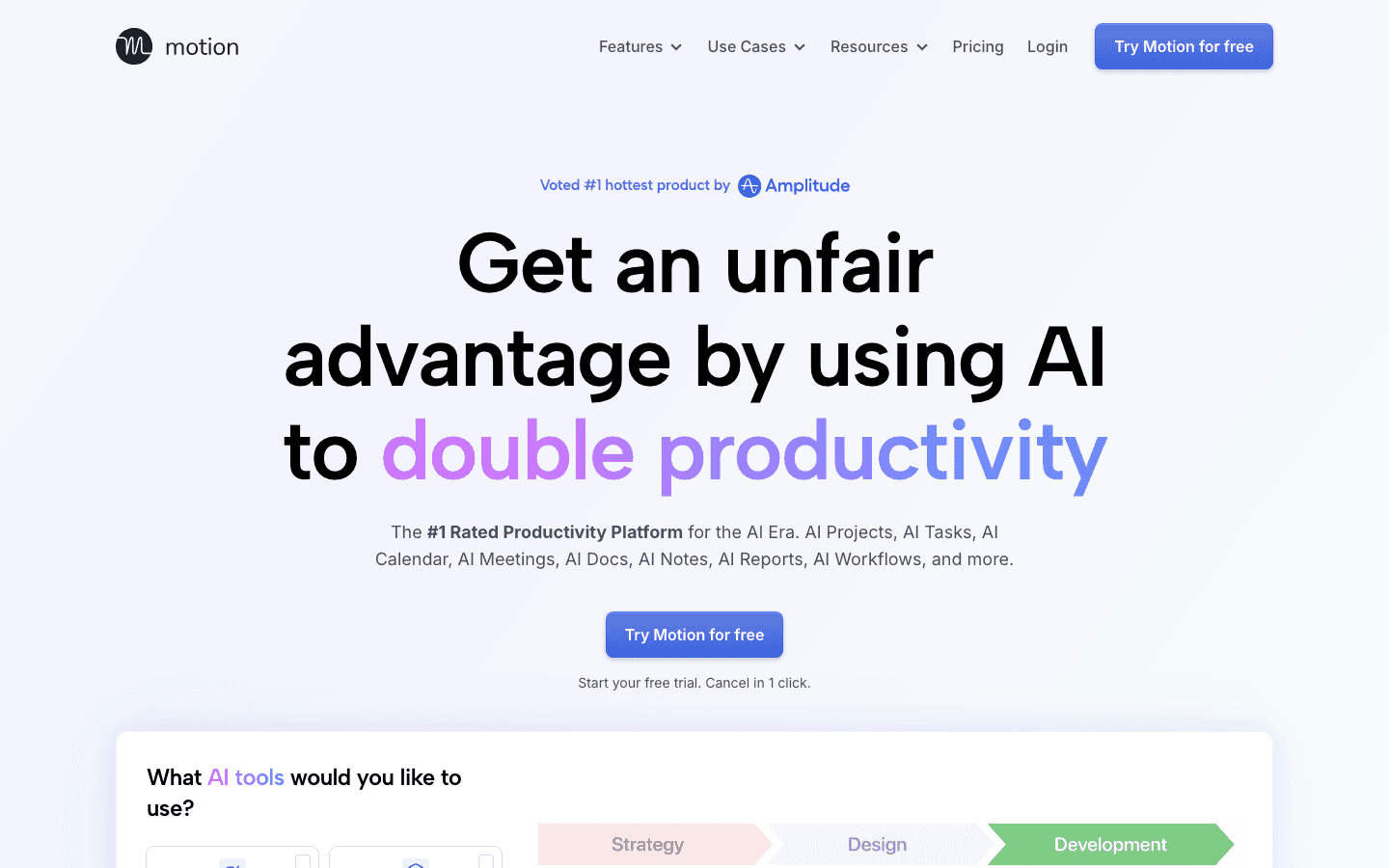
Motion was one of the first apps to make AI auto scheduling mainstream, and it's still one of the most capable options for people managing heavy task loads. You add tasks with deadlines and priorities; Motion fits them into your calendar around your meetings, automatically. When something runs over or a meeting lands, it reshuffles everything in real time.
It's particularly strong for teams. The Business AI plan adds capacity planning and project timelines, which makes it genuinely useful for small operations where multiple people's schedules need to stay in sync. The individual plan works well for solo users with a lot of moving parts. Motion doesn't factor in energy levels, so it treats your 8am the same as your 2pm.
Full-day auto scheduling from a list of tasks and deadlines
Real-time reshuffling when meetings shift or tasks take longer
AI Docs and notes workspace built in
Team capacity planning on Business AI tier
One of the most tested AI schedulers on the market
Good for teams as well as individual users
Minimal setup required to get a working schedule
No energy awareness; all time slots treated equally
$19/month is high for individual users
Can over-schedule if you're not careful with priorities
Pricing: $19/month (Pro AI), annual plans save 33%; free trial available
Best for: Professionals and teams with dense calendars who want an AI scheduler with no configuration learning curve. See how it compares in our best AI task manager roundup.
3. Akiflow: Best for Unified Task + Calendar Management
One inbox for every tool you use, with smart scheduling built in
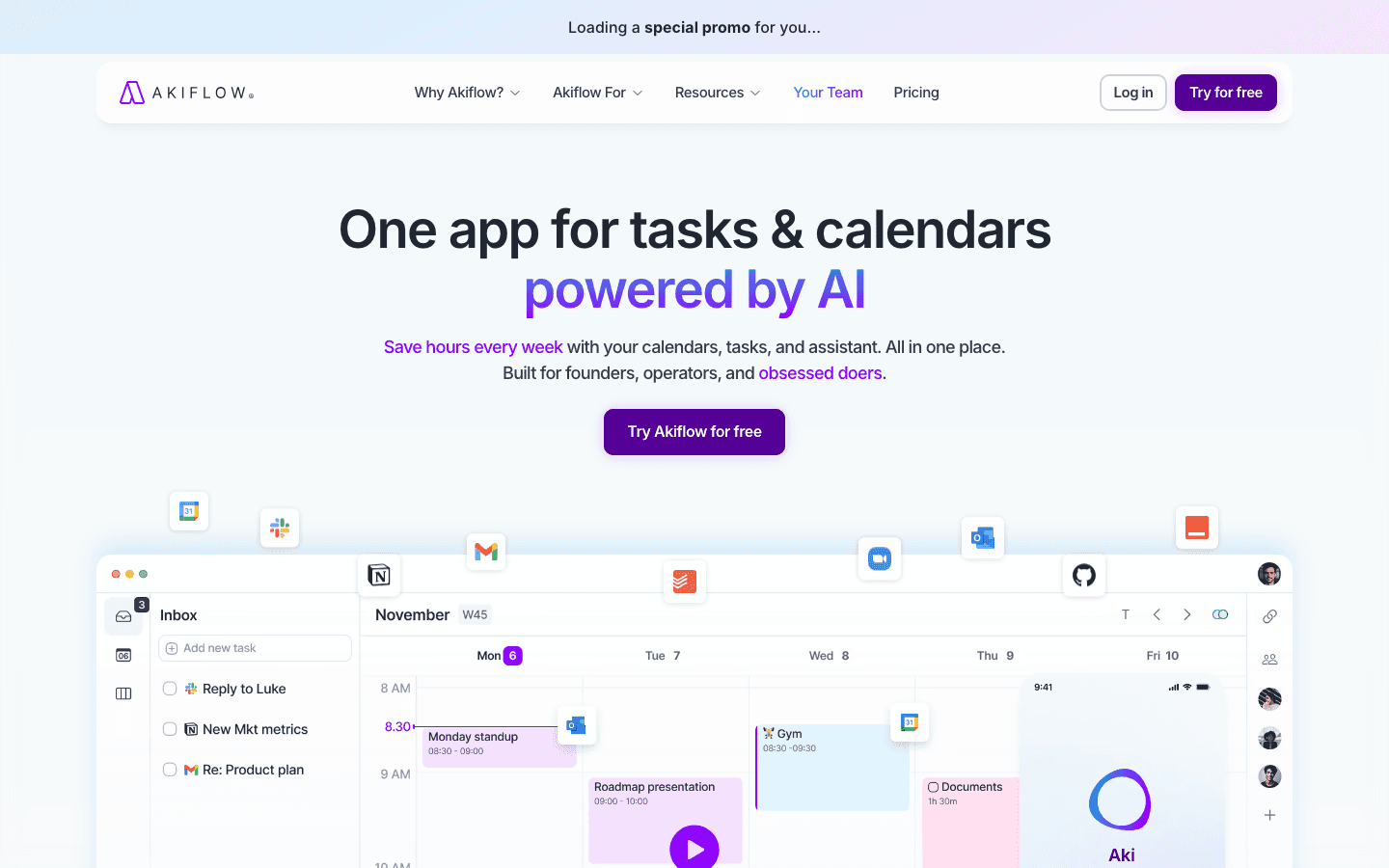
Akiflow takes a different approach to auto scheduling. Instead of starting from scratch, it pulls your tasks in from every tool you already use: Notion, Asana, GitHub, Gmail, Slack. It creates a unified inbox. From there, you plan your day by scheduling tasks into time blocks on your calendar, with AI (Aki) helping suggest when things should go.
The scheduling isn't fully automatic in the way Motion or Lifestack are. You still make the final call on what goes where, but the app makes the decision-making fast. For people who like to stay in control of their schedule while still getting smart suggestions, this hits a useful middle ground between manual planning and full automation.
Pulls tasks from 30+ integrations into a single inbox
AI assistant (Aki) for scheduling suggestions and task help
Keyboard-first design for fast daily planning
Time blocking with auto-scheduling suggestions
Best-in-class integrations (works with almost everything)
Fast daily planning workflow once you know the shortcuts
Good for people who want control, not full automation
Steeper learning curve than most auto schedulers
$34/month is expensive; annual ($19/month) is more reasonable
Full automation still requires manual input to kick off
Pricing: $34/month or $19/month billed annually; 7-day free trial
Best for: Power users who live across multiple project tools and want one place to plan their day. Worth checking our time blocking app guide alongside this one.
4. FlowSavvy: Best Free Auto Scheduling App
Rule-based scheduling that's predictable and actually free
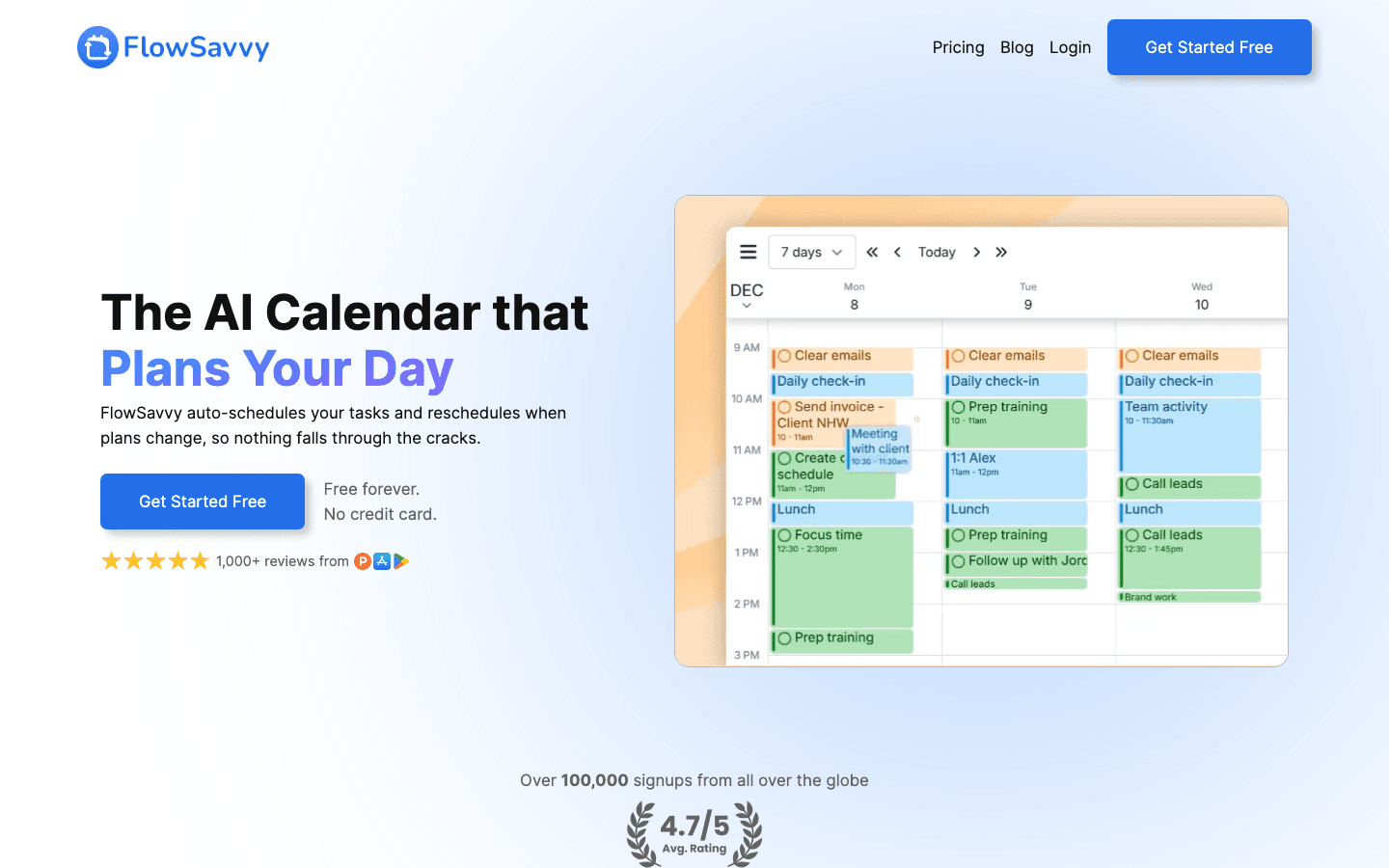
FlowSavvy is the most transparent auto scheduler on this list. Where AI-based tools can feel like a black box, FlowSavvy uses clear, user-defined rules: you set your working hours, your scheduling preferences, and how much buffer you want between tasks. Then it fills your week based on those rules and reschedules when things fall off track.
The free Basic plan is genuinely useful: it covers unlimited auto-reschedules and a 2-week scheduling horizon. You'd only need Pro if you want an 8-week view or task dependencies. For people who want auto scheduling without paying for it or trusting an opaque AI, FlowSavvy is the cleanest answer.
Rule-based auto scheduling that you fully understand and control
Dynamic rescheduling when plans change
Free plan with unlimited reschedules (2-week horizon)
Google Calendar integration
Free plan is actually functional, not just a teaser
Predictable behavior: you know exactly why it schedules what it does
Good for people burned by AI schedulers that misbehave
No energy awareness or AI-based optimization
Limited integrations compared to Akiflow or Lifestack
2-week scheduling horizon on the free plan can feel short
Pricing: Free (Basic), $14/month or $10/month annual (Pro); 7-day Pro trial
Best for: Anyone who wants auto scheduling for free, or who prefers rule-based predictability over AI decision-making.
5. SkedPal: Best Budget Auto Scheduling App
Flexible time maps and AI scheduling at a price that doesn't sting
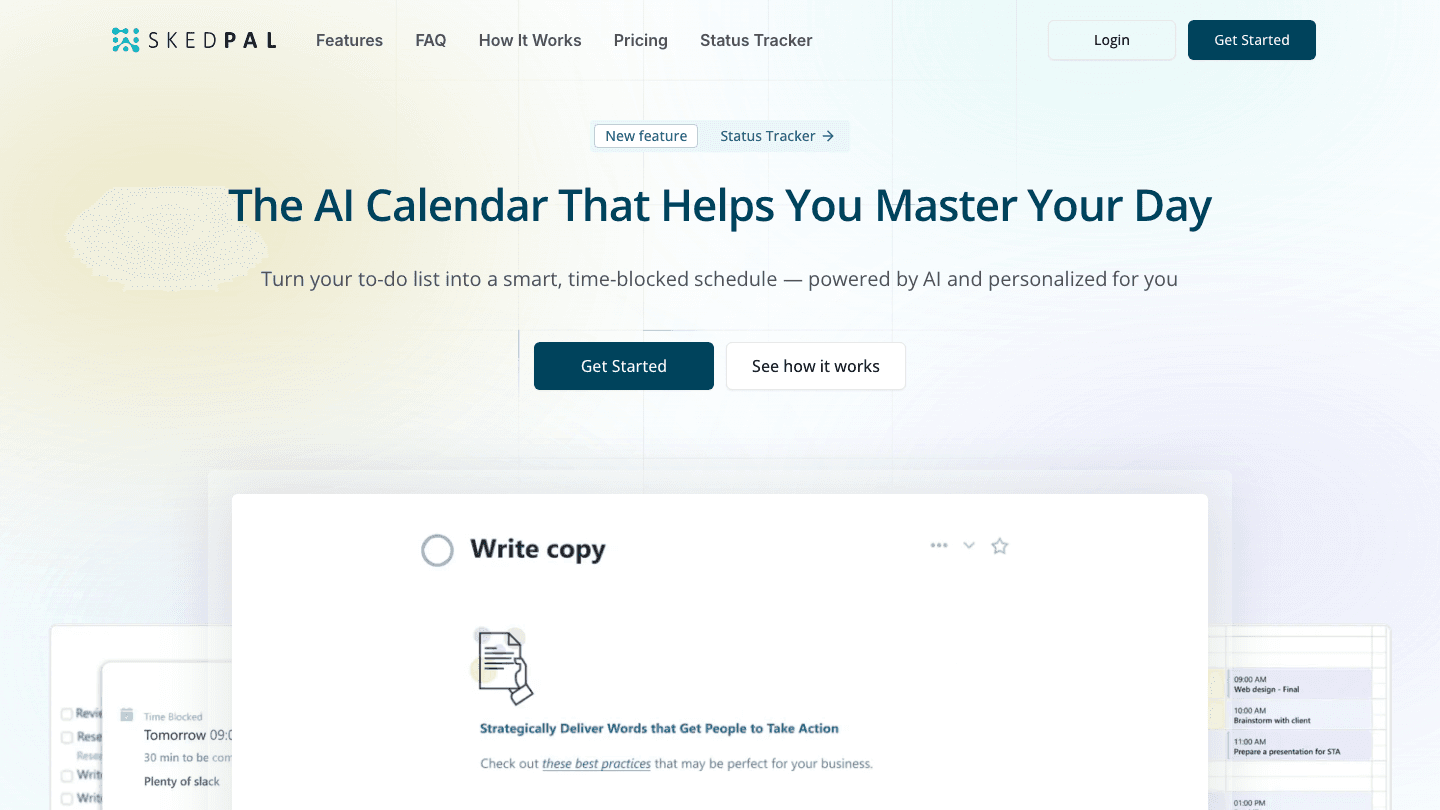
SkedPal has been in the auto scheduling space longer than most apps on this list and it shows in the depth of control it offers. The core feature is "time maps": you define when different types of work can be scheduled (morning for deep work, afternoons for meetings, evenings for personal tasks) and SkedPal's AI places tasks accordingly. It's a middle ground between FlowSavvy's rules and Motion's full AI.
The price is notably lower than most competitors. At $9.95/month (billed annually) for Core or $14.95/month for Pro, it undercuts Motion significantly while offering comparable scheduling intelligence. The tradeoff is a less polished interface and a smaller integration ecosystem.
Time map system for controlling when different work types are scheduled
AI-driven task scheduling within your defined time windows
14-day free trial, no credit card required
Solid mobile and web apps
Best price-to-scheduling-intelligence ratio on this list
Time maps give more control than pure AI schedulers
14-day trial gives you enough time to actually test it
Interface is functional but not as polished as newer apps
Fewer integrations than Akiflow or Motion
No energy-awareness like Lifestack
Pricing: $9.95/month (Core) or $14.95/month (Pro), billed annually; 14-day free trial
Best for: Budget-conscious users who want real AI scheduling intelligence without paying $19-34/month. Good alternative to explore is covered in our SkedPal alternatives guide.
Which Auto Scheduling App Is Right for You?
If you want the most intelligent, energy-aware scheduling: Lifestack
If you manage a team and want AI scheduling out of the box: Motion
If you have tasks scattered across many apps and want one inbox: Akiflow
If you want something free and predictable: FlowSavvy
If you want solid AI scheduling at a low monthly cost: SkedPal
The biggest differentiator between all of them is whether they account for energy, not just time. Most apps will fill your calendar. Only Lifestack will fill it in a way that reflects how your brain actually works throughout the day. If you want to understand that approach in more depth, our guide to daily planning with Google Calendar covers the broader framework, and the calendar planning guide is worth reading alongside it.
Frequently Asked Questions
What is auto scheduling?
Auto scheduling is when an app automatically assigns times to your tasks based on your calendar availability, deadlines, priorities, and preferences . You don't have to drag events into slots manually. The app does the planning work; you just maintain your task list and deadlines.
Is there a free auto scheduling app?
FlowSavvy offers a genuinely functional free plan with unlimited auto-reschedules and a 2-week scheduling window. It's the best free option if you want rule-based auto scheduling. Reclaim.ai also has a free lite tier, though it's more limited. Most other auto schedulers offer trials but no permanent free plan.
How is auto scheduling different from time blocking?
Time blocking means you decide when each task goes and block that time on your calendar. Auto scheduling means the app makes those decisions for you based on your constraints. Auto scheduling apps often use time blocking as the underlying method, but they handle the placement automatically. See our time blocking app guide for more on the manual approach.
Which auto scheduling app works best with Google Calendar?
All five apps on this list integrate with Google Calendar. Akiflow has the deepest integration for people who also use Google Tasks or Gmail. Lifestack and Motion both sync reliably and reschedule around Google Calendar events automatically. FlowSavvy's free plan covers basic Google Calendar sync.
Do auto scheduling apps work for ADHD?
Yes, and they're particularly useful for ADHD because they remove the daily decision-making of "what should I do next and when." Lifestack's energy-aware scheduling is especially relevant since ADHD often involves uneven energy patterns that don't match a standard 9-to-5 workday. Our AI task manager guide covers more options built with ADHD users in mind.
Auto scheduling used to mean dragging blocks around a calendar by hand. Now it means telling an app what needs to get done and letting it figure out when. The best auto scheduling apps look at your calendar, your deadlines, and sometimes your energy patterns, then fill in the gaps automatically.
The problem is that "auto scheduling" covers a wide range of approaches. Some apps use strict rule-based systems that fire tasks into fixed windows. Others use AI to adapt your schedule in real time when priorities shift. A few go further and match tasks to your natural energy peaks so you're not trying to do deep thinking at 3pm when you're running on fumes.
We tested five of the leading apps to see how well they actually deliver on the promise. Here's what we found.
Key Takeaways
Lifestack is the best auto scheduling app overall because it factors in your energy levels, not just your time slots
Motion is the fastest to set up if you want AI scheduling with no configuration required
FlowSavvy is the best free option for people who want predictable, rule-based scheduling
Quick Guide: Best Auto Scheduling Apps
1. Lifestack: best overall, energy-aware AI scheduling
2. Motion: best for fast AI setup, teams
3. Akiflow: best for unified task + calendar inbox
4. FlowSavvy: best free option, rule-based
5. SkedPal: best budget pick, flexible time maps
How We Evaluated These Apps
Scheduling intelligence (AI vs rule-based, how often it gets it right)
Calendar and task integrations
Mobile app quality
Rescheduling when priorities change
Price relative to what you get
1. Lifestack: Best Overall Auto Scheduling App
The only auto scheduler that factors in your energy, not just your time
Most auto scheduling apps treat all hours equally. Lifestack doesn't. It maps your natural energy curve across the day and routes tasks to the windows where your brain is actually ready for them. Focus-heavy work lands in your high-energy slots; admin and routine tasks fill the dips. The result is a schedule that doesn't just look efficient on paper. It feels lighter to execute.
The app pulls in your tasks and calendars, then uses AI to slot everything into place. When meetings move or priorities shift, it reschedules automatically without you having to drag anything. It connects to Google Calendar, Outlook, iOS Reminders, and a growing list of task tools.
Energy-aware scheduling that matches task type to your natural peaks and troughs
AI auto-scheduling with real-time rescheduling when things change
Google Calendar, Outlook, and iOS integrations
iOS, Android, and Chrome extension
Energy-matching removes the guesswork from when to do what
Reschedules automatically, no drag-and-drop required
Clean mobile app that doesn't require a desktop to use
No free tier (7-day trial on the annual plan
Newer app so some integrations are still rolling out
Pricing: $7/month or $50/year (7-day free trial on annual plan)
Best for: Anyone who wants a scheduler that works with their biology, not just their calendar. Pairs well with our energy calendar guide if you want to understand the framework first.
2. Motion: Best AI Auto Scheduling for Teams
Fast to set up, powerful at juggling competing priorities
Motion was one of the first apps to make AI auto scheduling mainstream, and it's still one of the most capable options for people managing heavy task loads. You add tasks with deadlines and priorities; Motion fits them into your calendar around your meetings, automatically. When something runs over or a meeting lands, it reshuffles everything in real time.
It's particularly strong for teams. The Business AI plan adds capacity planning and project timelines, which makes it genuinely useful for small operations where multiple people's schedules need to stay in sync. The individual plan works well for solo users with a lot of moving parts. Motion doesn't factor in energy levels, so it treats your 8am the same as your 2pm.
Full-day auto scheduling from a list of tasks and deadlines
Real-time reshuffling when meetings shift or tasks take longer
AI Docs and notes workspace built in
Team capacity planning on Business AI tier
One of the most tested AI schedulers on the market
Good for teams as well as individual users
Minimal setup required to get a working schedule
No energy awareness; all time slots treated equally
$19/month is high for individual users
Can over-schedule if you're not careful with priorities
Pricing: $19/month (Pro AI), annual plans save 33%; free trial available
Best for: Professionals and teams with dense calendars who want an AI scheduler with no configuration learning curve. See how it compares in our best AI task manager roundup.
3. Akiflow: Best for Unified Task + Calendar Management
One inbox for every tool you use, with smart scheduling built in
Akiflow takes a different approach to auto scheduling. Instead of starting from scratch, it pulls your tasks in from every tool you already use: Notion, Asana, GitHub, Gmail, Slack. It creates a unified inbox. From there, you plan your day by scheduling tasks into time blocks on your calendar, with AI (Aki) helping suggest when things should go.
The scheduling isn't fully automatic in the way Motion or Lifestack are. You still make the final call on what goes where, but the app makes the decision-making fast. For people who like to stay in control of their schedule while still getting smart suggestions, this hits a useful middle ground between manual planning and full automation.
Pulls tasks from 30+ integrations into a single inbox
AI assistant (Aki) for scheduling suggestions and task help
Keyboard-first design for fast daily planning
Time blocking with auto-scheduling suggestions
Best-in-class integrations (works with almost everything)
Fast daily planning workflow once you know the shortcuts
Good for people who want control, not full automation
Steeper learning curve than most auto schedulers
$34/month is expensive; annual ($19/month) is more reasonable
Full automation still requires manual input to kick off
Pricing: $34/month or $19/month billed annually; 7-day free trial
Best for: Power users who live across multiple project tools and want one place to plan their day. Worth checking our time blocking app guide alongside this one.
4. FlowSavvy: Best Free Auto Scheduling App
Rule-based scheduling that's predictable and actually free
FlowSavvy is the most transparent auto scheduler on this list. Where AI-based tools can feel like a black box, FlowSavvy uses clear, user-defined rules: you set your working hours, your scheduling preferences, and how much buffer you want between tasks. Then it fills your week based on those rules and reschedules when things fall off track.
The free Basic plan is genuinely useful: it covers unlimited auto-reschedules and a 2-week scheduling horizon. You'd only need Pro if you want an 8-week view or task dependencies. For people who want auto scheduling without paying for it or trusting an opaque AI, FlowSavvy is the cleanest answer.
Rule-based auto scheduling that you fully understand and control
Dynamic rescheduling when plans change
Free plan with unlimited reschedules (2-week horizon)
Google Calendar integration
Free plan is actually functional, not just a teaser
Predictable behavior: you know exactly why it schedules what it does
Good for people burned by AI schedulers that misbehave
No energy awareness or AI-based optimization
Limited integrations compared to Akiflow or Lifestack
2-week scheduling horizon on the free plan can feel short
Pricing: Free (Basic), $14/month or $10/month annual (Pro); 7-day Pro trial
Best for: Anyone who wants auto scheduling for free, or who prefers rule-based predictability over AI decision-making.
5. SkedPal: Best Budget Auto Scheduling App
Flexible time maps and AI scheduling at a price that doesn't sting
SkedPal has been in the auto scheduling space longer than most apps on this list and it shows in the depth of control it offers. The core feature is "time maps": you define when different types of work can be scheduled (morning for deep work, afternoons for meetings, evenings for personal tasks) and SkedPal's AI places tasks accordingly. It's a middle ground between FlowSavvy's rules and Motion's full AI.
The price is notably lower than most competitors. At $9.95/month (billed annually) for Core or $14.95/month for Pro, it undercuts Motion significantly while offering comparable scheduling intelligence. The tradeoff is a less polished interface and a smaller integration ecosystem.
Time map system for controlling when different work types are scheduled
AI-driven task scheduling within your defined time windows
14-day free trial, no credit card required
Solid mobile and web apps
Best price-to-scheduling-intelligence ratio on this list
Time maps give more control than pure AI schedulers
14-day trial gives you enough time to actually test it
Interface is functional but not as polished as newer apps
Fewer integrations than Akiflow or Motion
No energy-awareness like Lifestack
Pricing: $9.95/month (Core) or $14.95/month (Pro), billed annually; 14-day free trial
Best for: Budget-conscious users who want real AI scheduling intelligence without paying $19-34/month. Good alternative to explore is covered in our SkedPal alternatives guide.
Which Auto Scheduling App Is Right for You?
If you want the most intelligent, energy-aware scheduling: Lifestack
If you manage a team and want AI scheduling out of the box: Motion
If you have tasks scattered across many apps and want one inbox: Akiflow
If you want something free and predictable: FlowSavvy
If you want solid AI scheduling at a low monthly cost: SkedPal
The biggest differentiator between all of them is whether they account for energy, not just time. Most apps will fill your calendar. Only Lifestack will fill it in a way that reflects how your brain actually works throughout the day. If you want to understand that approach in more depth, our guide to daily planning with Google Calendar covers the broader framework, and the calendar planning guide is worth reading alongside it.
Frequently Asked Questions
What is auto scheduling?
Auto scheduling is when an app automatically assigns times to your tasks based on your calendar availability, deadlines, priorities, and preferences . You don't have to drag events into slots manually. The app does the planning work; you just maintain your task list and deadlines.
Is there a free auto scheduling app?
FlowSavvy offers a genuinely functional free plan with unlimited auto-reschedules and a 2-week scheduling window. It's the best free option if you want rule-based auto scheduling. Reclaim.ai also has a free lite tier, though it's more limited. Most other auto schedulers offer trials but no permanent free plan.
How is auto scheduling different from time blocking?
Time blocking means you decide when each task goes and block that time on your calendar. Auto scheduling means the app makes those decisions for you based on your constraints. Auto scheduling apps often use time blocking as the underlying method, but they handle the placement automatically. See our time blocking app guide for more on the manual approach.
Which auto scheduling app works best with Google Calendar?
All five apps on this list integrate with Google Calendar. Akiflow has the deepest integration for people who also use Google Tasks or Gmail. Lifestack and Motion both sync reliably and reschedule around Google Calendar events automatically. FlowSavvy's free plan covers basic Google Calendar sync.
Do auto scheduling apps work for ADHD?
Yes, and they're particularly useful for ADHD because they remove the daily decision-making of "what should I do next and when." Lifestack's energy-aware scheduling is especially relevant since ADHD often involves uneven energy patterns that don't match a standard 9-to-5 workday. Our AI task manager guide covers more options built with ADHD users in mind.



FOLLOW ON
FOLLOW ON
FOLLOW ON



Copyright 2026 © Lifestack. All rights reserved
Copyright 2026 © Lifestack. All rights reserved

