
App
Best SkedPal Alternatives in 2026
Best SkedPal Alternatives in 2026
SkedPal has been a go-to for people who want their task list auto-scheduled into their calendar. You set up a time map (a template of when you're available for different types of work) and the AI fills in your tasks around your meetings. For the right user, it works well.
But a lot of people who try SkedPal eventually look for something else. The setup is detailed and takes time to get right. The mobile experience has historically lagged behind desktop. And the tool doesn't account for energy or cognitive load: it schedules by availability, not by when you'd actually do your best work on a given task.
The alternatives have also gotten much better. In 2026, there are AI scheduling tools that require less configuration, integrate more deeply with your existing apps, and in Lifestack's case, factor in how you actually feel. Here's how the best options compare.
Quick Guide: Best SkedPal Alternatives
1. Lifestack: Best alternative if you want energy-aware scheduling without the time-map setup
2. Motion: Best for full autopilot scheduling with no manual configuration
3. Sunsama: Best for intentional daily planning with a mindful workflow
4. Todoist: Best lightweight task manager that pairs well with a calendar layer
5. Akiflow: Best for power users who want tasks and calendar in a single command-palette interface
What Makes a Good SkedPal Alternative?
Automatic task scheduling: Does it place tasks on your calendar without manual dragging?
Calendar integration: Google Calendar and Outlook sync quality
Setup simplicity: How long before you have a working system?
Mobile experience: iOS and Android app quality
Energy or priority awareness: Does it schedule smart, or just schedule?
1. Lifestack: Best SkedPal Alternative Overall
Schedules your day around your energy, not just your availability.

Lifestack is the strongest SkedPal alternative for anyone who found SkedPal's time-map concept appealing but frustrating in practice. Instead of asking you to define when you're available for each type of work, Lifestack reads that from your actual behavior and health data. Sleep quality from your wearable, activity patterns, historical energy peaks: all of it feeds into how your day gets built.
The result is a schedule that changes day to day based on how you actually are that morning, not a static template. On a night of poor sleep, Lifestack moves your demanding work to a later slot. On a high-energy day, it front-loads the work that needs focus. SkedPal can't do this because it doesn't know anything about your state.
Setup is faster than SkedPal. Connect your calendar, add your tasks with rough priorities and deadlines, connect a wearable if you have one, and Lifestack handles the rest. There's no time-map to configure. For a detailed look at this approach, see the guide on energy-based calendar planning and why it works better than availability-only scheduling.
Key Features
Energy-aware daily planning using wearable and health data
Automatic task scheduling that adapts each day
Google Calendar, Outlook, and Apple Calendar integration
iOS and Android apps
Real-time rescheduling when priorities change
What Works
Faster setup than SkedPal with better day-to-day adaptability
Energy-based scheduling is a genuine upgrade over availability-based templates
Better mobile experience than SkedPal
Limitations
More value when connected to a wearable for energy data
Task management is less detailed than dedicated project tools
Pricing: $7/month or $50/year (7-day free trial on annual)
Best for: Anyone who wants automatic scheduling based on real energy patterns, not a static time template
2. Motion: Best for Full Autopilot Scheduling
Add tasks, set deadlines, and let AI handle the rest.
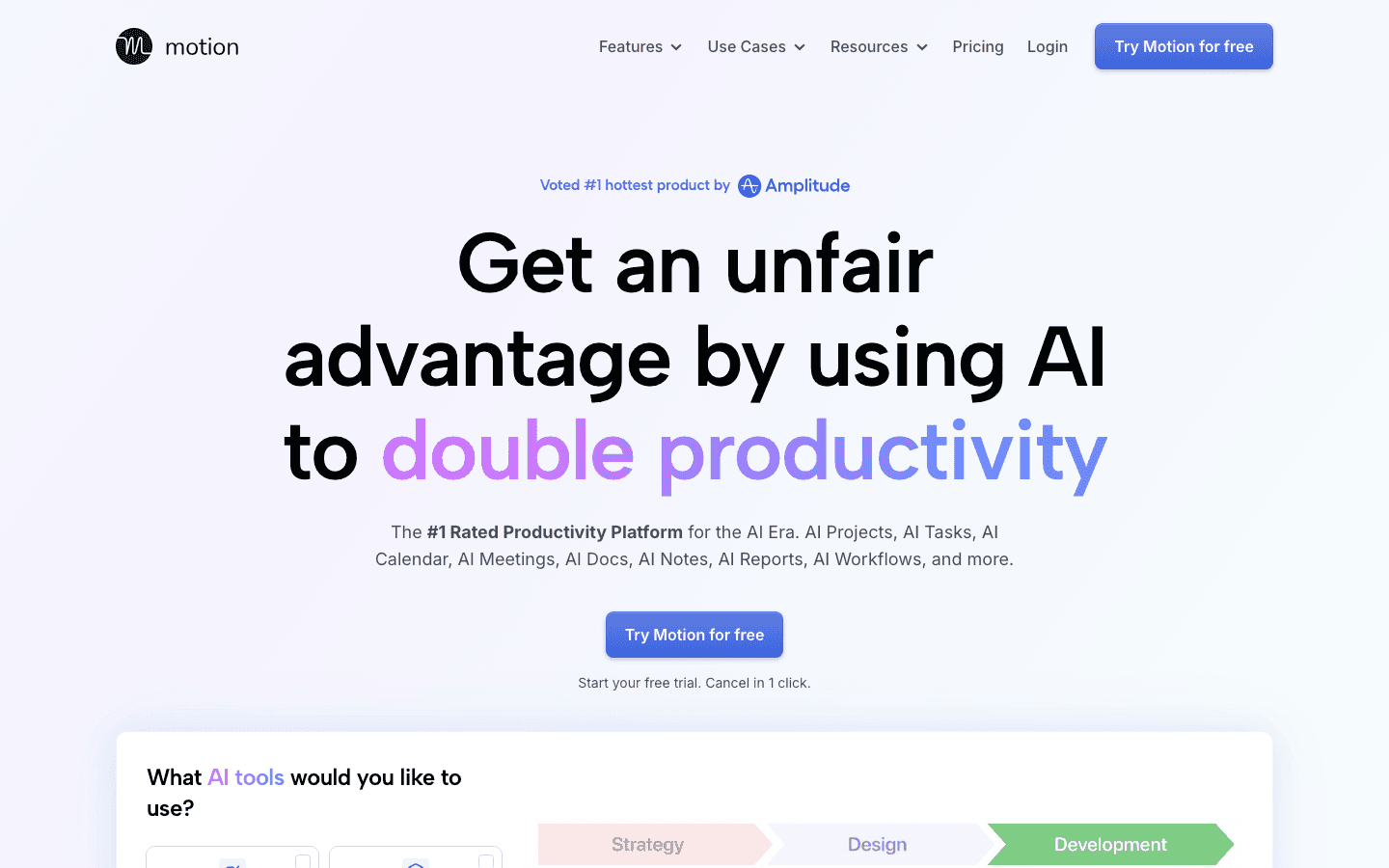
Motion is the closest thing to SkedPal in terms of core behavior: both auto-schedule tasks into your calendar. But Motion's implementation is more aggressive and requires less upfront setup. You don't define a time map. You add tasks with deadlines, and the AI builds a schedule, then rebuilds it every time something changes.
The main upgrade over SkedPal is resilience. When a meeting gets added or a task runs over, Motion automatically adjusts everything downstream. SkedPal requires more manual nudging when your day deviates from the plan. Motion handles deviation as a first-class feature.
It's worth reading the full Motion alternatives breakdown if you want to compare Motion against other tools before committing. At $19/month, it's pricier than SkedPal's Core plan, but the reduced setup time and better rescheduling make it worth it for high-task-volume users.
Key Features
Automatic task and meeting scheduling across your calendar
Continuous rescheduling as your day changes
Project and team scheduling on Business plan
Google Calendar and Outlook integration
What Works
Less configuration than SkedPal, similar scheduling output
Better at absorbing day-of changes without manual intervention
Handles complex task lists with multiple deadlines well
Limitations
No energy awareness: schedules by availability, not peak performance windows
Higher price than SkedPal
Pricing: $19/month or ~$13/month annually (Pro AI)
Best for: People who want SkedPal-style automation with less setup and better day-of rescheduling
3. Sunsama: Best for Intentional Daily Planning
A daily planning ritual that pulls tasks from everywhere into one focused view.
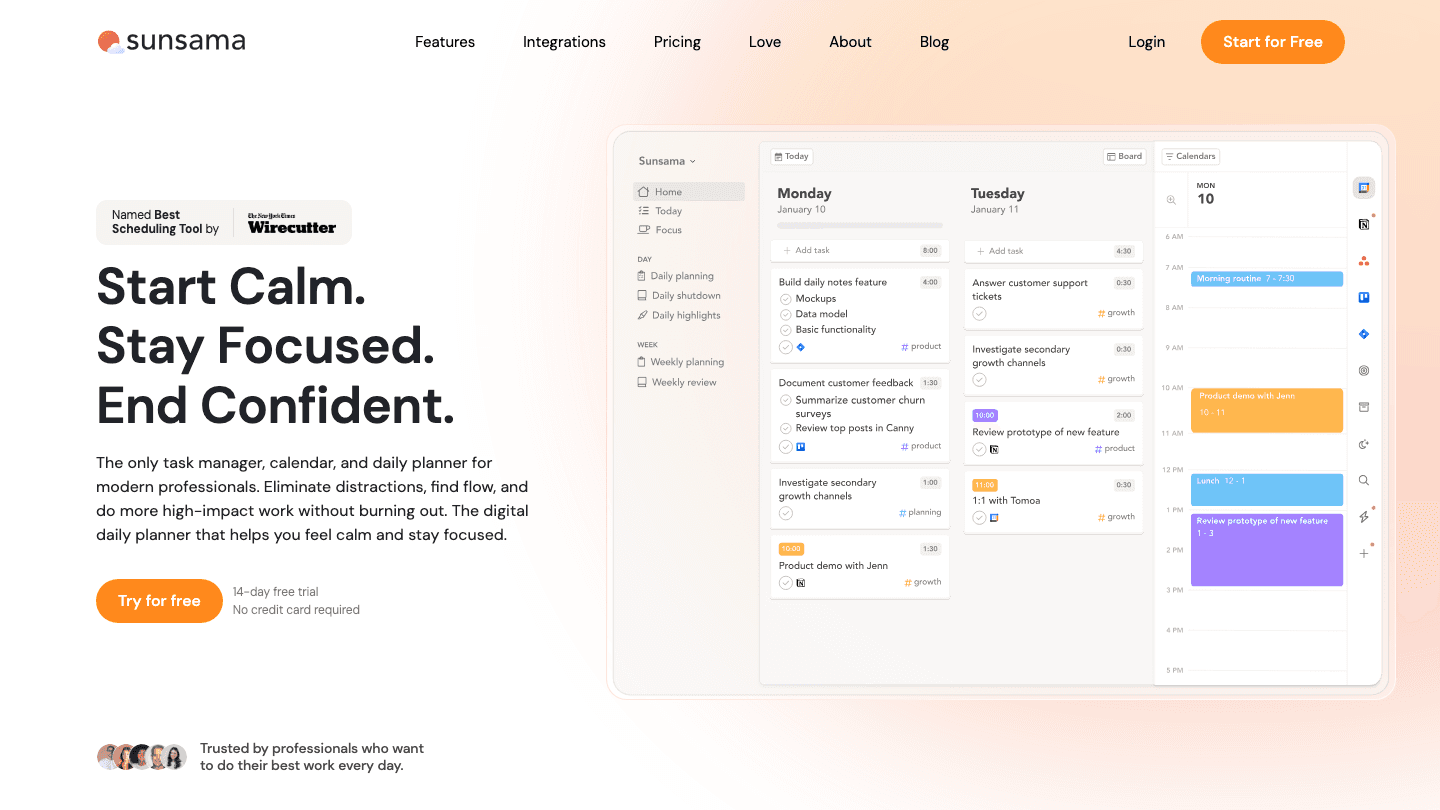
Sunsama takes a different approach from SkedPal. Rather than fully automating your schedule, it guides you through a daily planning ritual: pull in tasks from Asana, Todoist, Linear, or wherever they live, decide what you'll actually tackle today, and block time for them on your calendar. The process is intentional and takes about 10-15 minutes each morning.
For people who found SkedPal's automation felt disconnected from how they actually work, Sunsama provides a middle ground. The AI assists with time estimates and task selection, but you stay in control of the plan. The result tends to feel more realistic than fully automated schedules.
At $22/month, it's more expensive than SkedPal's Core plan. But the integration depth is better: Sunsama connects to more tools and the daily planning flow is polished in a way SkedPal's isn't. See the Sunsama alternatives guide for a detailed breakdown if you're weighing Sunsama against other tools.
Key Features
Daily planning ritual with time-blocking and task pull from 10+ integrations
Google Calendar, Outlook, Asana, Todoist, Linear, Notion sync
AI time estimates and workload visibility
Weekly review and focus time tracking
iOS and Android apps
What Works
Best integration breadth of any tool on this list
Daily planning flow produces realistic, human-reviewed schedules
Good for people who want guidance without full automation
Limitations
Requires a daily ritual: less hands-off than SkedPal or Motion
Higher price than most alternatives
Pricing: $22/month or $17/month annually (14-day free trial)
Best for: People who want intentional daily planning with strong task-source integrations rather than full automation
4. Todoist: Best Lightweight Task Manager
The task manager almost everyone uses, now with calendar integration built in.
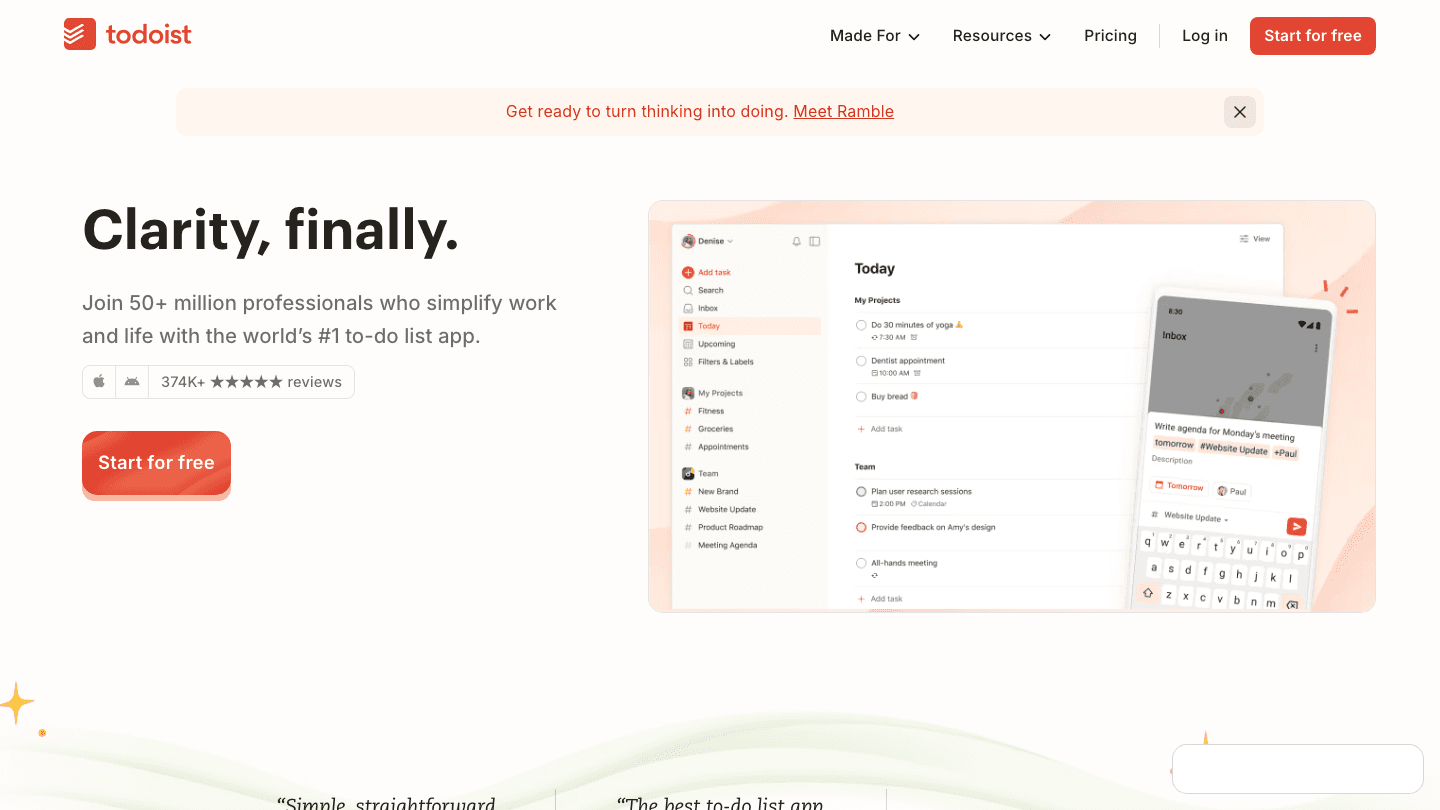
Todoist doesn't auto-schedule your tasks the way SkedPal does. What it does is organize your tasks extremely well and surface the right ones at the right time. The 2026 version includes native calendar integration and a daily planner view, which closes the gap with SkedPal for users who don't actually need full AI scheduling.
For people who used SkedPal mostly as a task list with calendar visibility (rather than for its AI scheduling), Todoist is a simpler, cheaper option with better mobile apps and a larger ecosystem. At $5-7/month for Pro, it costs less than SkedPal's cheapest plan. Pair it with Lifestack for the actual scheduling layer if you need automation on top.
See the Todoist pricing breakdown for a full comparison of what you get on each tier, and the best scheduling apps guide for how it compares in the broader category.
Key Features
Task management with projects, labels, filters, and priorities
Native Google Calendar and Outlook integration
Daily planner view (Pro)
Natural language task entry
iOS, Android, web, and desktop apps
What Works
Best task management UX of any tool on this list
Free plan is genuinely useful for basic task tracking
Integrates with virtually every other tool in your workflow
Limitations
No AI task scheduling: you still decide when to do what
Requires a separate tool for smart scheduling (like Lifestack)
Pricing: Free; $6.99/month or $59.99/year (Pro)
Best for: People who primarily need a polished task manager and are happy to time-block manually or pair it with a scheduling layer
5. Akiflow: Best for Power Users
Command-palette task capture and calendar management built for speed.
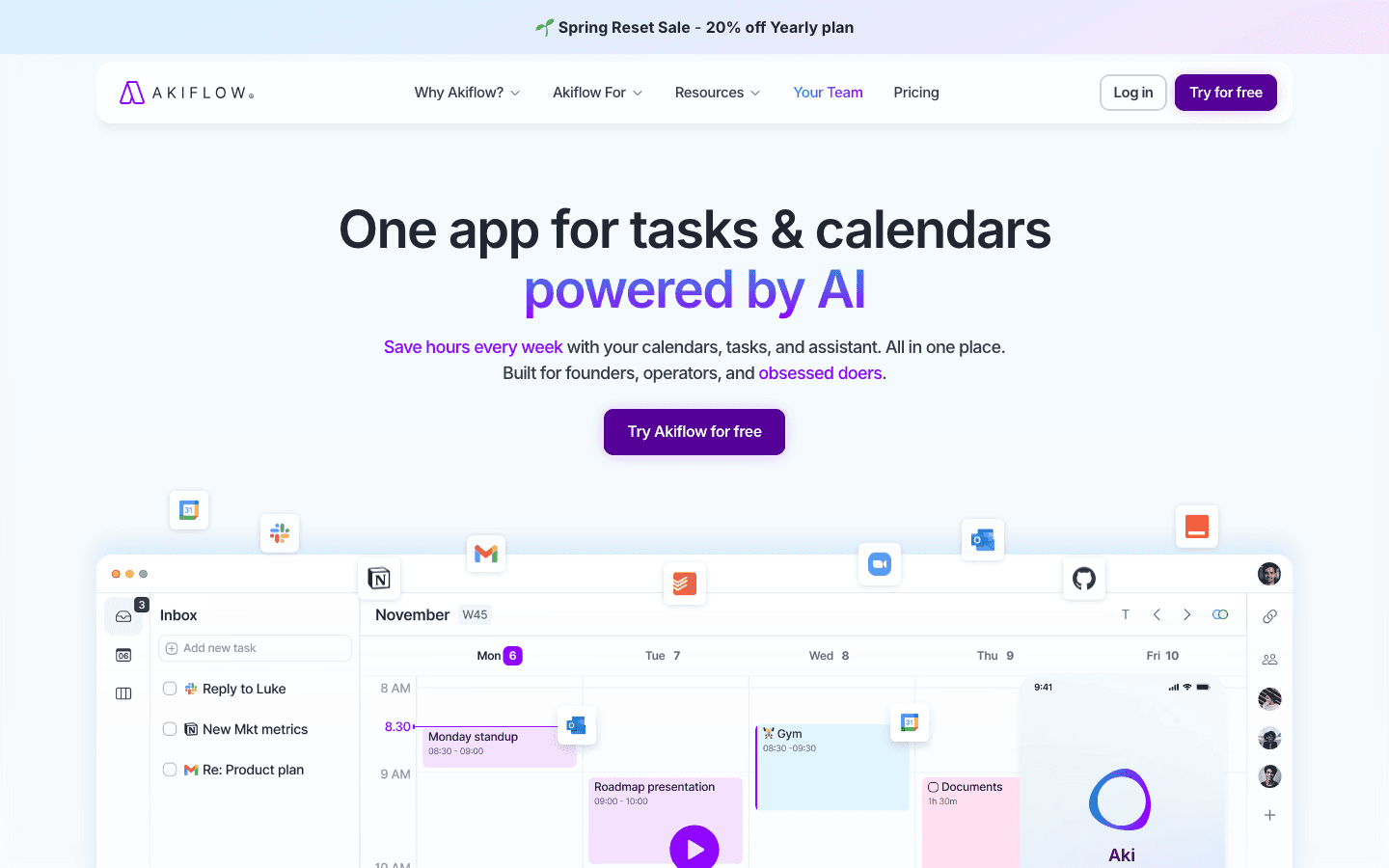
Akiflow is built for people who think about tasks the way developers think about keyboards: every action should be reachable in two keystrokes. The command palette captures tasks from any app, schedules them on your calendar, and surfaces what's next. Like SkedPal, it has AI scheduling; unlike SkedPal, the interface is designed to be operated almost entirely from the keyboard.
The AI assistant (Aki) suggests time blocks, estimates task durations, and can proactively reschedule based on your workload. The integrations span Gmail, Slack, Notion, Linear, Asana, GitHub, and more. For a detailed comparison see the existing Akiflow alternatives roundup.
At $19/month billed annually, Akiflow is priced similarly to Motion. The tradeoff is that Akiflow gives you more manual control and is better for people who want to stay close to their schedule rather than hand it over entirely.
Key Features
Command-palette task capture from any app or website
AI scheduling with Aki assistant
Calendar integration with drag-to-schedule time blocks
10+ integrations including Gmail, Slack, Notion, Linear, GitHub
iOS and Android apps
What Works
Fastest task capture workflow of any tool on this list
Good middle ground between full automation and manual control
Integration depth rivals Sunsama
Limitations
Learning curve for non-keyboard-focused users
Higher price point with no free tier
Pricing: $34/month or $19/month annually (7-day free trial)
Best for: Power users who want fast task capture, calendar scheduling, and deep integrations in a keyboard-driven interface
Which SkedPal Alternative Is Right for You?
You want smarter scheduling than SkedPal's time map: Lifestack. It reads your actual energy and builds a plan that adapts day to day. See the best AI planner app guide for more context.
You want SkedPal-style automation with less setup: Motion. It auto-schedules everything and handles changes without manual nudging.
You want human-reviewed daily planning with great integrations: Sunsama.
You want a lighter, cheaper task management foundation: Todoist. Pair it with Lifestack if you also need scheduling automation.
You want keyboard-driven task capture and AI scheduling: Akiflow.
FAQ
Is SkedPal still active in 2026?
Yes, SkedPal is still running in 2026 with its Core ($9.95/month) and Pro ($14.95/month) plans. However, its AI scheduling concept has been matched or exceeded by newer tools like Lifestack and Motion that require less configuration and offer better mobile apps.
What does SkedPal do that alternatives don't?
SkedPal's time-map system gives you very fine-grained control over when different types of work can be scheduled. If you need to specify that administrative work only happens on Tuesday and Thursday afternoons, or that creative work only lands in morning slots, SkedPal's template approach handles this explicitly. Most alternatives use a looser priority-and-availability model. For most users, the simpler model is actually better. For edge cases with rigid scheduling rules, SkedPal still has an advantage.
Which SkedPal alternative has the best free plan?
Todoist has the most functional free plan: 5 projects, task management, reminders, and basic calendar integration. It won't auto-schedule your tasks, but it's a solid free foundation. Lifestack offers a 7-day trial on the annual plan. Motion and Akiflow don't have permanent free tiers.
Can I use Lifestack and Todoist together?
Yes, this is a common pairing. Todoist handles task capture and project organization across devices. Lifestack pulls your priorities and deadlines and schedules them on your calendar around your energy patterns. The two tools cover different layers without conflicting. See the time-blocking app guide for more on how scheduling tools layer with task managers.
Which alternative is best for ADHD users?
Lifestack. The automatic daily plan removes the friction of deciding what to work on, and the energy-aware scheduling accounts for the variable focus patterns that ADHD brains deal with. SkedPal's time-map setup is also particularly hard to maintain if task-initiation is already a challenge.
SkedPal has been a go-to for people who want their task list auto-scheduled into their calendar. You set up a time map (a template of when you're available for different types of work) and the AI fills in your tasks around your meetings. For the right user, it works well.
But a lot of people who try SkedPal eventually look for something else. The setup is detailed and takes time to get right. The mobile experience has historically lagged behind desktop. And the tool doesn't account for energy or cognitive load: it schedules by availability, not by when you'd actually do your best work on a given task.
The alternatives have also gotten much better. In 2026, there are AI scheduling tools that require less configuration, integrate more deeply with your existing apps, and in Lifestack's case, factor in how you actually feel. Here's how the best options compare.
Quick Guide: Best SkedPal Alternatives
1. Lifestack: Best alternative if you want energy-aware scheduling without the time-map setup
2. Motion: Best for full autopilot scheduling with no manual configuration
3. Sunsama: Best for intentional daily planning with a mindful workflow
4. Todoist: Best lightweight task manager that pairs well with a calendar layer
5. Akiflow: Best for power users who want tasks and calendar in a single command-palette interface
What Makes a Good SkedPal Alternative?
Automatic task scheduling: Does it place tasks on your calendar without manual dragging?
Calendar integration: Google Calendar and Outlook sync quality
Setup simplicity: How long before you have a working system?
Mobile experience: iOS and Android app quality
Energy or priority awareness: Does it schedule smart, or just schedule?
1. Lifestack: Best SkedPal Alternative Overall
Schedules your day around your energy, not just your availability.
Lifestack is the strongest SkedPal alternative for anyone who found SkedPal's time-map concept appealing but frustrating in practice. Instead of asking you to define when you're available for each type of work, Lifestack reads that from your actual behavior and health data. Sleep quality from your wearable, activity patterns, historical energy peaks: all of it feeds into how your day gets built.
The result is a schedule that changes day to day based on how you actually are that morning, not a static template. On a night of poor sleep, Lifestack moves your demanding work to a later slot. On a high-energy day, it front-loads the work that needs focus. SkedPal can't do this because it doesn't know anything about your state.
Setup is faster than SkedPal. Connect your calendar, add your tasks with rough priorities and deadlines, connect a wearable if you have one, and Lifestack handles the rest. There's no time-map to configure. For a detailed look at this approach, see the guide on energy-based calendar planning and why it works better than availability-only scheduling.
Key Features
Energy-aware daily planning using wearable and health data
Automatic task scheduling that adapts each day
Google Calendar, Outlook, and Apple Calendar integration
iOS and Android apps
Real-time rescheduling when priorities change
What Works
Faster setup than SkedPal with better day-to-day adaptability
Energy-based scheduling is a genuine upgrade over availability-based templates
Better mobile experience than SkedPal
Limitations
More value when connected to a wearable for energy data
Task management is less detailed than dedicated project tools
Pricing: $7/month or $50/year (7-day free trial on annual)
Best for: Anyone who wants automatic scheduling based on real energy patterns, not a static time template
2. Motion: Best for Full Autopilot Scheduling
Add tasks, set deadlines, and let AI handle the rest.
Motion is the closest thing to SkedPal in terms of core behavior: both auto-schedule tasks into your calendar. But Motion's implementation is more aggressive and requires less upfront setup. You don't define a time map. You add tasks with deadlines, and the AI builds a schedule, then rebuilds it every time something changes.
The main upgrade over SkedPal is resilience. When a meeting gets added or a task runs over, Motion automatically adjusts everything downstream. SkedPal requires more manual nudging when your day deviates from the plan. Motion handles deviation as a first-class feature.
It's worth reading the full Motion alternatives breakdown if you want to compare Motion against other tools before committing. At $19/month, it's pricier than SkedPal's Core plan, but the reduced setup time and better rescheduling make it worth it for high-task-volume users.
Key Features
Automatic task and meeting scheduling across your calendar
Continuous rescheduling as your day changes
Project and team scheduling on Business plan
Google Calendar and Outlook integration
What Works
Less configuration than SkedPal, similar scheduling output
Better at absorbing day-of changes without manual intervention
Handles complex task lists with multiple deadlines well
Limitations
No energy awareness: schedules by availability, not peak performance windows
Higher price than SkedPal
Pricing: $19/month or ~$13/month annually (Pro AI)
Best for: People who want SkedPal-style automation with less setup and better day-of rescheduling
3. Sunsama: Best for Intentional Daily Planning
A daily planning ritual that pulls tasks from everywhere into one focused view.
Sunsama takes a different approach from SkedPal. Rather than fully automating your schedule, it guides you through a daily planning ritual: pull in tasks from Asana, Todoist, Linear, or wherever they live, decide what you'll actually tackle today, and block time for them on your calendar. The process is intentional and takes about 10-15 minutes each morning.
For people who found SkedPal's automation felt disconnected from how they actually work, Sunsama provides a middle ground. The AI assists with time estimates and task selection, but you stay in control of the plan. The result tends to feel more realistic than fully automated schedules.
At $22/month, it's more expensive than SkedPal's Core plan. But the integration depth is better: Sunsama connects to more tools and the daily planning flow is polished in a way SkedPal's isn't. See the Sunsama alternatives guide for a detailed breakdown if you're weighing Sunsama against other tools.
Key Features
Daily planning ritual with time-blocking and task pull from 10+ integrations
Google Calendar, Outlook, Asana, Todoist, Linear, Notion sync
AI time estimates and workload visibility
Weekly review and focus time tracking
iOS and Android apps
What Works
Best integration breadth of any tool on this list
Daily planning flow produces realistic, human-reviewed schedules
Good for people who want guidance without full automation
Limitations
Requires a daily ritual: less hands-off than SkedPal or Motion
Higher price than most alternatives
Pricing: $22/month or $17/month annually (14-day free trial)
Best for: People who want intentional daily planning with strong task-source integrations rather than full automation
4. Todoist: Best Lightweight Task Manager
The task manager almost everyone uses, now with calendar integration built in.
Todoist doesn't auto-schedule your tasks the way SkedPal does. What it does is organize your tasks extremely well and surface the right ones at the right time. The 2026 version includes native calendar integration and a daily planner view, which closes the gap with SkedPal for users who don't actually need full AI scheduling.
For people who used SkedPal mostly as a task list with calendar visibility (rather than for its AI scheduling), Todoist is a simpler, cheaper option with better mobile apps and a larger ecosystem. At $5-7/month for Pro, it costs less than SkedPal's cheapest plan. Pair it with Lifestack for the actual scheduling layer if you need automation on top.
See the Todoist pricing breakdown for a full comparison of what you get on each tier, and the best scheduling apps guide for how it compares in the broader category.
Key Features
Task management with projects, labels, filters, and priorities
Native Google Calendar and Outlook integration
Daily planner view (Pro)
Natural language task entry
iOS, Android, web, and desktop apps
What Works
Best task management UX of any tool on this list
Free plan is genuinely useful for basic task tracking
Integrates with virtually every other tool in your workflow
Limitations
No AI task scheduling: you still decide when to do what
Requires a separate tool for smart scheduling (like Lifestack)
Pricing: Free; $6.99/month or $59.99/year (Pro)
Best for: People who primarily need a polished task manager and are happy to time-block manually or pair it with a scheduling layer
5. Akiflow: Best for Power Users
Command-palette task capture and calendar management built for speed.
Akiflow is built for people who think about tasks the way developers think about keyboards: every action should be reachable in two keystrokes. The command palette captures tasks from any app, schedules them on your calendar, and surfaces what's next. Like SkedPal, it has AI scheduling; unlike SkedPal, the interface is designed to be operated almost entirely from the keyboard.
The AI assistant (Aki) suggests time blocks, estimates task durations, and can proactively reschedule based on your workload. The integrations span Gmail, Slack, Notion, Linear, Asana, GitHub, and more. For a detailed comparison see the existing Akiflow alternatives roundup.
At $19/month billed annually, Akiflow is priced similarly to Motion. The tradeoff is that Akiflow gives you more manual control and is better for people who want to stay close to their schedule rather than hand it over entirely.
Key Features
Command-palette task capture from any app or website
AI scheduling with Aki assistant
Calendar integration with drag-to-schedule time blocks
10+ integrations including Gmail, Slack, Notion, Linear, GitHub
iOS and Android apps
What Works
Fastest task capture workflow of any tool on this list
Good middle ground between full automation and manual control
Integration depth rivals Sunsama
Limitations
Learning curve for non-keyboard-focused users
Higher price point with no free tier
Pricing: $34/month or $19/month annually (7-day free trial)
Best for: Power users who want fast task capture, calendar scheduling, and deep integrations in a keyboard-driven interface
Which SkedPal Alternative Is Right for You?
You want smarter scheduling than SkedPal's time map: Lifestack. It reads your actual energy and builds a plan that adapts day to day. See the best AI planner app guide for more context.
You want SkedPal-style automation with less setup: Motion. It auto-schedules everything and handles changes without manual nudging.
You want human-reviewed daily planning with great integrations: Sunsama.
You want a lighter, cheaper task management foundation: Todoist. Pair it with Lifestack if you also need scheduling automation.
You want keyboard-driven task capture and AI scheduling: Akiflow.
FAQ
Is SkedPal still active in 2026?
Yes, SkedPal is still running in 2026 with its Core ($9.95/month) and Pro ($14.95/month) plans. However, its AI scheduling concept has been matched or exceeded by newer tools like Lifestack and Motion that require less configuration and offer better mobile apps.
What does SkedPal do that alternatives don't?
SkedPal's time-map system gives you very fine-grained control over when different types of work can be scheduled. If you need to specify that administrative work only happens on Tuesday and Thursday afternoons, or that creative work only lands in morning slots, SkedPal's template approach handles this explicitly. Most alternatives use a looser priority-and-availability model. For most users, the simpler model is actually better. For edge cases with rigid scheduling rules, SkedPal still has an advantage.
Which SkedPal alternative has the best free plan?
Todoist has the most functional free plan: 5 projects, task management, reminders, and basic calendar integration. It won't auto-schedule your tasks, but it's a solid free foundation. Lifestack offers a 7-day trial on the annual plan. Motion and Akiflow don't have permanent free tiers.
Can I use Lifestack and Todoist together?
Yes, this is a common pairing. Todoist handles task capture and project organization across devices. Lifestack pulls your priorities and deadlines and schedules them on your calendar around your energy patterns. The two tools cover different layers without conflicting. See the time-blocking app guide for more on how scheduling tools layer with task managers.
Which alternative is best for ADHD users?
Lifestack. The automatic daily plan removes the friction of deciding what to work on, and the energy-aware scheduling accounts for the variable focus patterns that ADHD brains deal with. SkedPal's time-map setup is also particularly hard to maintain if task-initiation is already a challenge.



FOLLOW ON
FOLLOW ON
FOLLOW ON


Copyright 2026 © Lifestack. All rights reserved
Copyright 2026 © Lifestack. All rights reserved

