
Device
6 Best Apps to Use with Ultrahuman Ring
6 Best Apps to Use with Ultrahuman Ring
The Ultrahuman Ring does not just sit on your finger and count steps. It tracks your sleep architecture, heart rate variability, recovery score, and movement through the day, giving you a picture of your physical state that most people have never had before. The question is what you do with that picture.
By itself, the ring measures. What you actually want is to act on those measurements, and that is where the right companion apps come in. A solid energy-aware planner can turn your recovery score into a smarter work schedule. A nutrition app can show you how what you eat lands on your HRV the next morning. A meditation app can give you a direct way to influence the stress readings the ring picks up.
We tested six apps that pair well with the Ultrahuman Ring's data, each one turning a different signal into something actionable. Below is what each does best, what it costs, and who it fits.
Key Takeaways
Lifestack is the only app here that uses your wearable data to automatically build your daily schedule around your energy, not just your free time.
For sleep analysis, Bearable and Sleep Cycle each add a different layer on top of what Ultrahuman already tracks, with Bearable focusing on symptom correlations and Sleep Cycle on intelligent wake-up timing.
If you are pairing your ring with a fitness tracker like Strava, your Ultrahuman recovery score is the best guide to how hard you should push on any given day.
Quick Guide: 6 Best Apps to Use with Ultrahuman Ring
1. Lifestack - Energy-aware daily planner that schedules your work and tasks around your recovery and sleep data.
2. Strava - Activity and workout tracker to log movement and contextualize your ring's activity scores.
3. Bearable - Health journal that helps you correlate symptoms, habits, and mood with your ring data over time.
4. Cronometer - Precision nutrition tracker to see how diet affects your HRV and recovery scores.
5. Headspace - Guided meditation that directly influences the stress and recovery metrics your ring monitors.
6. Sleep Cycle - Smart alarm and sleep tracker with audio analysis and sleep coaching beyond the ring's built-in tools.
How We Evaluated Each App
The goal was not just to find apps that work alongside Ultrahuman, but apps where the ring's data makes the app more useful, or where the app's insights help you understand what the ring is telling you. We looked at how each one connects to your physical data, how easy it is to build into a daily routine, and whether the free tier is genuinely usable or just a trial disguised as a plan.
1. Lifestack
The energy-aware planner that turns your ring data into a daily schedule.

Lifestack is the missing layer between your Ultrahuman data and your actual day. The ring tells you your recovery score and sleep quality each morning. Lifestack reads those signals and builds a schedule around them, placing your most demanding cognitive work in your natural focus peaks and lighter tasks in the recovery dips. Instead of staring at a number and deciding for yourself what it means for your day, the plan is already made for you.
It connects to wearables including Ultrahuman Ring, and the more data it has over time, the sharper its scheduling suggestions get. It also manages native tasks and syncs with your calendar, so you are not running a separate to-do app on the side. If you have read about why energy-based planning works better than time blocking, Lifestack is the app that actually runs that approach. You can get the full story in our Lifestack introduction.
Key features: Energy-aware auto-scheduling, native tasks, two-way calendar sync, wearable integrations (Ultrahuman, Oura, Apple Watch, Whoop)
What works: It is the only app here that converts your ring's recovery data into an actual daily schedule, not just a readiness score
Limitations: Relies on connected health data for its best results; the energy model improves with use over time, not immediately
Pricing: $7 per month, $50 per year (7-day free trial on annual plan), or $120 lifetime.
Best for: Anyone who wants their Ultrahuman data to shape their actual work schedule, not just give them a readiness number to look at.
2. Strava
Activity tracking that gives your movement data more context.
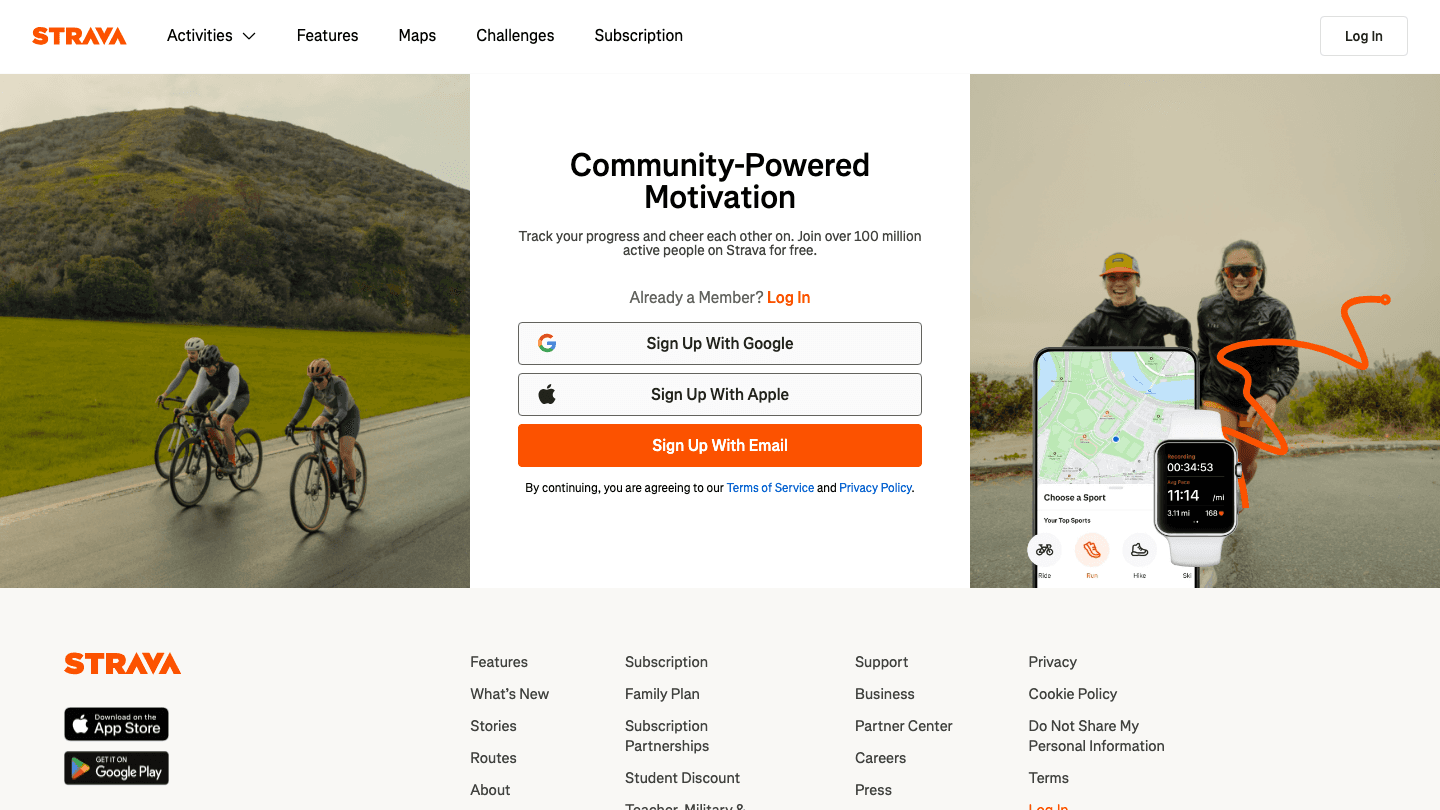
Strava is the social layer for your physical activity. Where Ultrahuman tracks how your body recovers from movement, Strava tracks the movement itself, logging your runs, rides, walks, and workouts with GPS and segment breakdowns. The two together paint a fuller picture: Ultrahuman's recovery score tells you how hard you should push today; Strava records the actual effort and lets you compare it to past sessions.
The social side of Strava also adds real accountability. Sharing a morning run or seeing your friends' weekly mileage brings a layer of motivation that a ring on its own cannot replicate. For runners and cyclists especially, Strava's segment data and course maps are hard to match. For more on how wearables fit into a productivity-focused lifestyle, see our wearable comparison guide.
Key features: GPS activity tracking, segment leaderboards, route planning, social activity feed, fitness analytics
What works: Unbeatable for social accountability and detailed workout analysis alongside Ultrahuman's recovery data
Limitations: No direct Ultrahuman integration; you are manually cross-referencing recovery scores with your logged efforts
Pricing: Free tier available. Premium $79.99 per year (roughly $6.67 per month billed annually). 30-day free trial.
Best for: Runners, cyclists, and gym regulars who want to log workouts and use their Ultrahuman recovery score to decide training intensity.
3. Bearable
Health journaling that reveals what your ring data cannot explain.
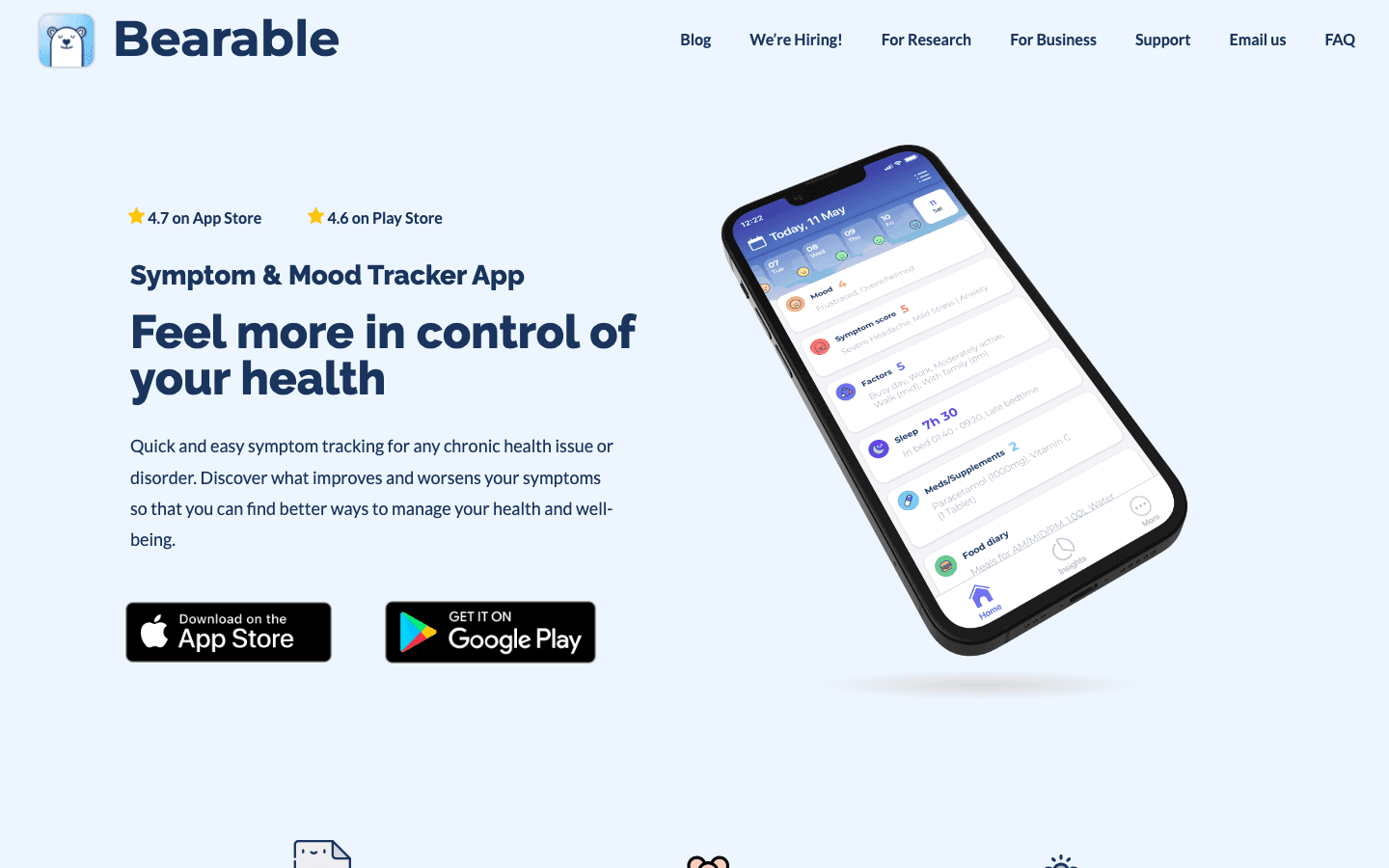
Bearable is a health journal built for pattern recognition. Each day you log mood, symptoms, sleep quality, energy level, medications, and anything else relevant to your wellbeing, and Bearable shows you how these factors correlate with each other over time. Next to your Ultrahuman data, it becomes much more powerful: you can start to see whether low HRV the day after socializing, caffeine, or a late meal is a consistent pattern or a one-off.
It is especially useful for people managing chronic symptoms or trying to understand what habits most affect their recovery scores. The ring tells you the outcome; Bearable helps you find the cause. You log data for a few weeks and let the correlation charts do the analysis. Most of Bearable's core features are free, which makes it easy to try seriously before committing to a subscription.
Key features: Symptom tracking, mood logging, habit tracking, correlation charts, medication tracking, health reports
What works: The correlation analysis over time is genuinely useful for understanding what drives your ring's recovery scores
Limitations: No direct data import from Ultrahuman; manual logging required
Pricing: Free tier covers most features. Premium $6.99 per month or $34.99 per year.
Best for: People who want to go beyond their ring's numbers and understand which habits, foods, or lifestyle factors actually shift their recovery and sleep quality.
4. Cronometer
Precision nutrition tracking to see how food lands on your recovery.
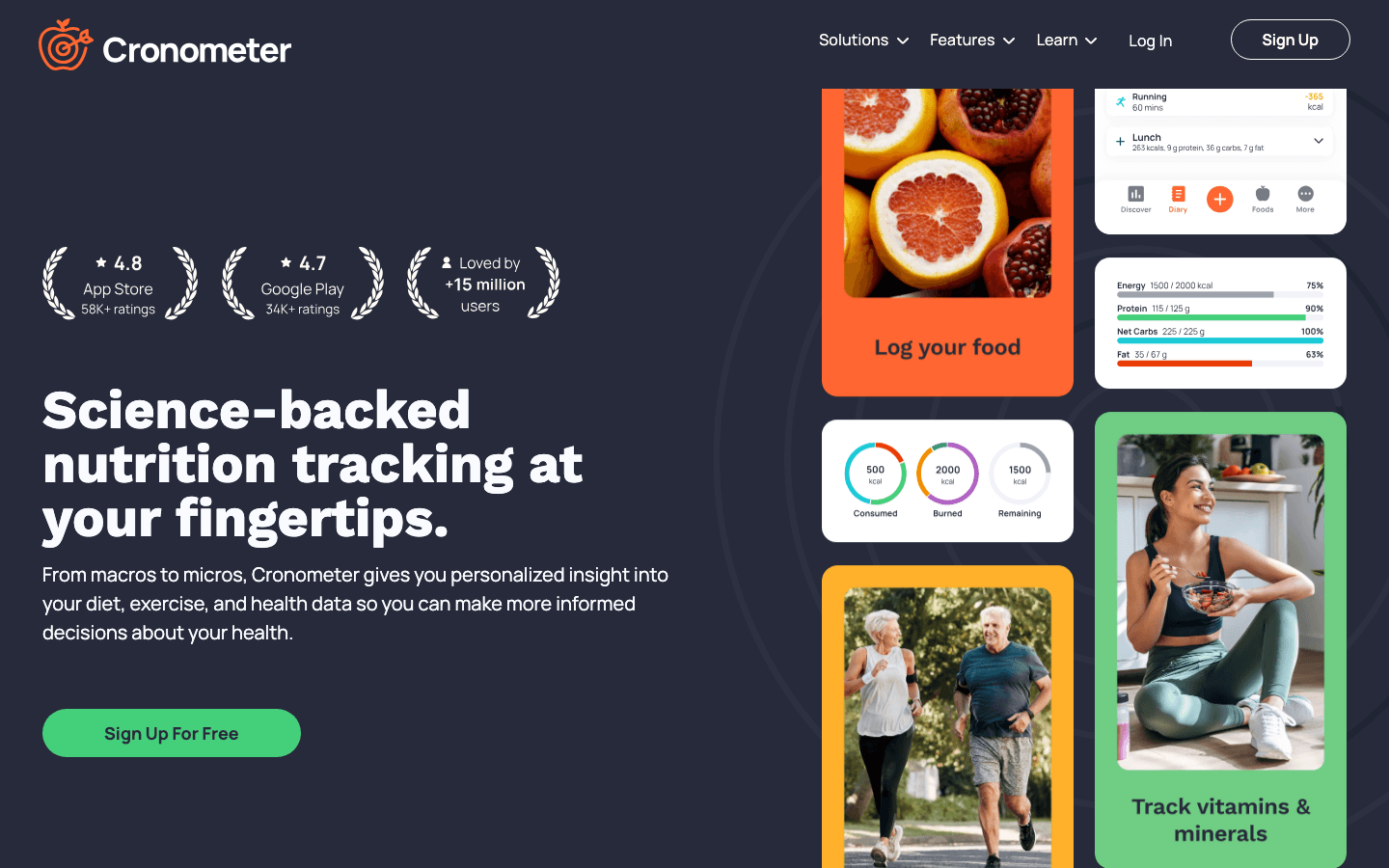
Cronometer tracks not just calories but up to 84 individual micronutrients per meal. Magnesium, vitamin D, omega-3s, zinc, and dozens of other nutrients that directly affect sleep quality and HRV are all logged. The idea is to use your Ultrahuman Ring as a feedback mechanism: track what you eat for a few weeks and see if your magnesium intake correlates with better deep sleep scores or whether late-night carbs reliably tank your recovery the next morning.
This is where Cronometer pulls ahead of generic calorie counters. The micronutrient depth is what makes it worth pairing with a recovery-focused wearable. The free tier is genuinely capable for core nutrition logging. Gold adds the macro scheduler, custom charts, and fasting timer if you want to go deeper. If you are also using an Oura Ring, our guide on optimizing your day with Oura and Lifestack covers similar principles that apply directly to Ultrahuman.
Key features: 84-nutrient tracking, barcode scanning, recipe import, fasting timer, macro scheduler (Gold), custom biometrics
What works: Micronutrient depth that calorie counters cannot match; ideal for connecting diet to wearable recovery data
Limitations: No direct Ultrahuman connection; the value comes from manual cross-referencing
Pricing: Free tier with core tracking. Gold $10.99 per month or $4.99 per month billed annually ($59.99 per year).
Best for: People who suspect diet is affecting their recovery scores and want data precise enough to find real patterns.
5. Headspace
Guided meditation that directly affects the stress signals your ring measures.
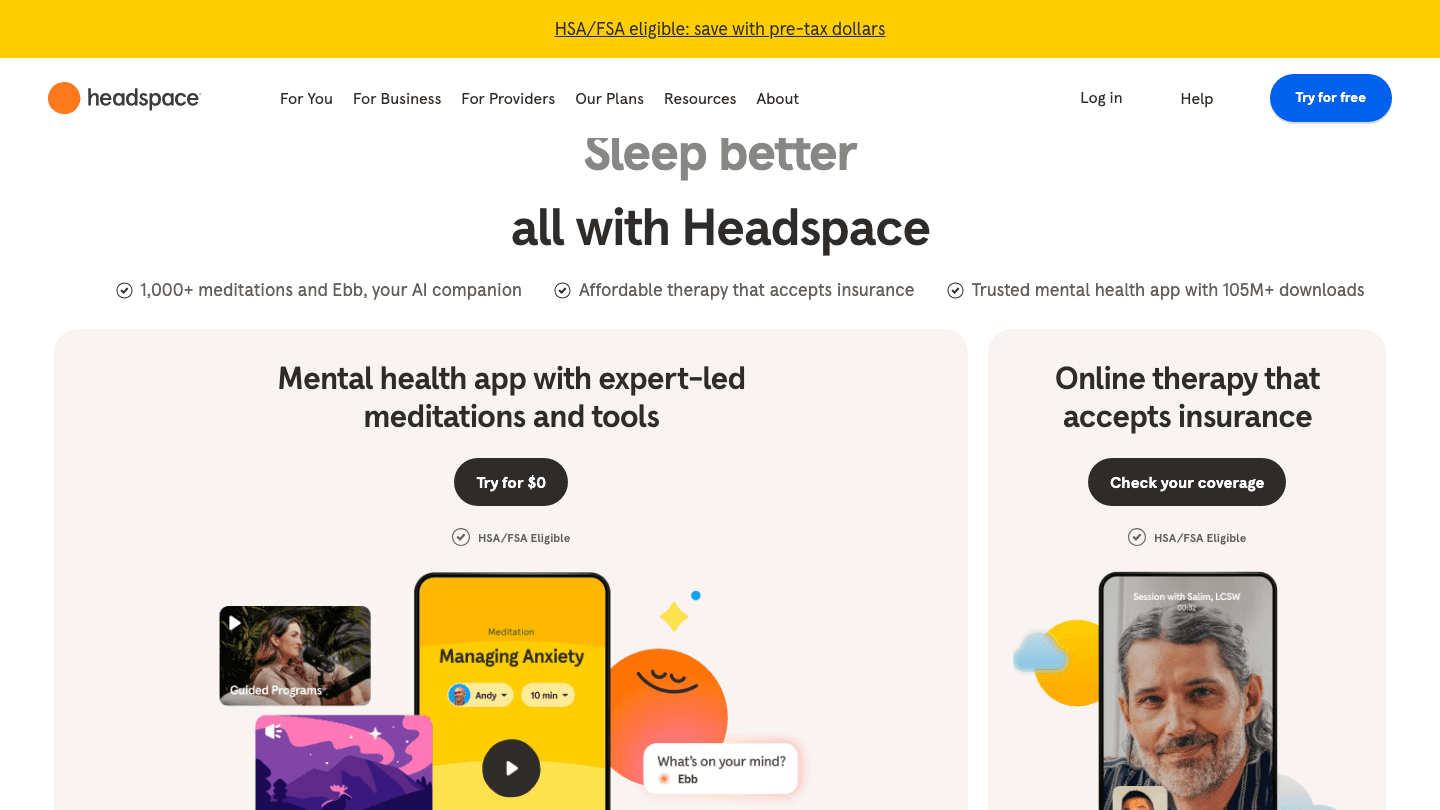
Headspace is one of the more practical pairings with a recovery ring because what it does (reduce stress and improve sleep quality) shows up directly in the metrics Ultrahuman tracks. A consistent meditation practice typically improves resting heart rate, HRV, and sleep scores over weeks. Headspace gives you the structure to build that practice: guided sessions from two to twenty minutes, sleep meditations, focus modes, and stress management tools.
The pairing works best as a long-term experiment. Do a four-week streak with Headspace while watching your HRV trend in Ultrahuman. For most people, the improvement is visible in the data. It gives a concrete result to a habit that otherwise can feel intangible. The app is polished and the content library is deep, though the subscription price is higher than most on this list.
Key features: Guided meditations, sleep meditations, focus music, stress tools, progress tracking, 1,000+ sessions
What works: Builds the exact habits (reduced stress, better sleep onset) that most directly improve your Ultrahuman recovery scores
Limitations: No Ultrahuman integration; pricing is on the higher end for a wellness app
Pricing: $12.99 per month or $69.99 per year. 14-day free trial.
Best for: People who want to actively improve their HRV and sleep quality through a structured mindfulness habit and see the results in their ring data.
6. Sleep Cycle
Smart alarm and sleep analysis with audio tracking.
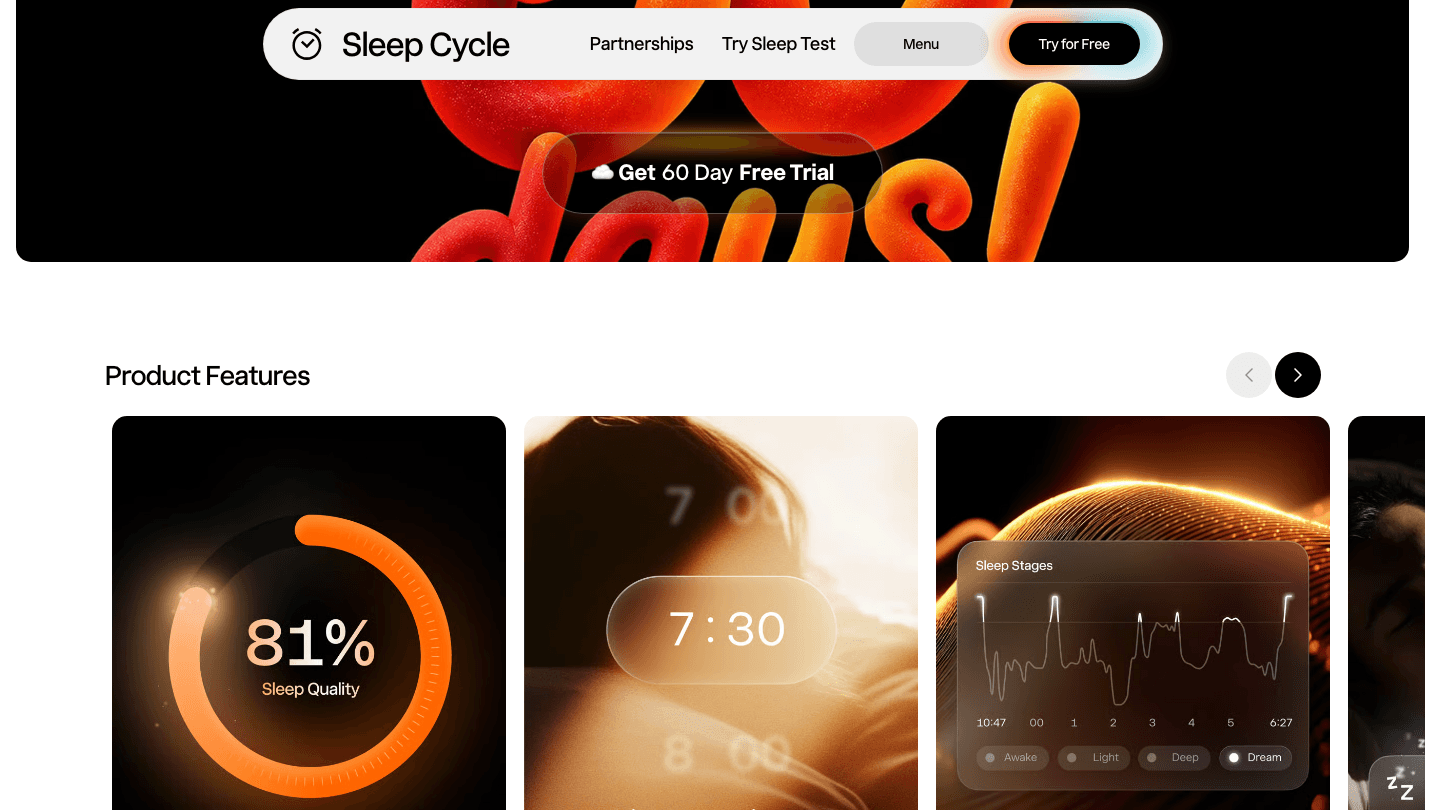
Sleep Cycle listens to your sleep through your phone's microphone, detecting movement and snoring sounds to build a sleep stage analysis running in parallel to what your ring already captures. Its smart alarm wakes you during your lightest sleep phase within a 30-minute window, which many users find significantly better than a fixed-time alarm. Snore detection also adds a social data point that a ring cannot capture on its own.
As a complement to Ultrahuman, Sleep Cycle adds the audio dimension. Your ring tells you your HRV and sleep stages through motion and heart rate. Sleep Cycle tells you what was happening acoustically: whether you were breathing irregularly, how often you woke up, whether sleep sounds spiked at a certain hour. For anyone with suspected sleep apnea or who wants a second analysis method, running both adds genuine depth. Pair Sleep Cycle data with the insights in our guide to Oura Ring apps if you use or are considering multiple wearables.
Key features: Smart alarm (wakes you at lightest sleep phase), snore detection and recording, sleep stage graph, sleep coaching, soundscapes
What works: The smart alarm and snore detection add audio-based data that a ring alone cannot capture
Limitations: Requires your phone nearby while sleeping; no direct Ultrahuman data import
Pricing: Free with core features. Premium around $47 per year. 60-day free trial.
Best for: People who want a smart alarm and audio-based sleep analysis to complement what Ultrahuman Ring tracks through motion and heart rate.
Which App Is Right for You?
Want your ring data to plan your day automatically: Lifestack.
Want to log workouts and track training load: Strava.
Want to find what habits drive your recovery score: Bearable.
Want to see how nutrition affects your HRV: Cronometer.
Want to actively improve your recovery through mindfulness: Headspace.
Want a smarter alarm and audio sleep analysis: Sleep Cycle.
These apps are not mutually exclusive. The highest-impact combination is Lifestack for scheduling, Cronometer for nutrition, and either Bearable or Sleep Cycle for deeper sleep analysis. Add Headspace if your HRV is consistently low and you want a direct way to address it. For more on building a complete wearable-based productivity system, see our guide to using ring data for productivity and the best apps to pair with Whoop if you are also comparing devices.
Frequently Asked Questions
What apps work best with Ultrahuman Ring?
Lifestack is the strongest complement because it turns your Ultrahuman recovery and sleep data into an automatic daily schedule. Bearable adds health journaling and correlation analysis, while Strava logs the workouts your ring tracks as activity. All three together cover scheduling, training, and pattern finding.
Does Ultrahuman Ring integrate directly with third-party apps?
Ultrahuman supports some integrations through its PowerPlugs platform, but most of the apps in this list work alongside your ring data rather than pulling from it directly. You use both together and manually cross-reference the insights each app gives you.
Can I use Lifestack with Ultrahuman Ring?
Yes. Lifestack integrates with wearable data including Ultrahuman Ring and uses your sleep and recovery scores to automatically build your daily work schedule. It is the most direct way to translate your ring data into a smarter calendar.
What is the best free app to use with Ultrahuman Ring?
Bearable and Cronometer both have genuinely useful free tiers. Bearable is free for core symptom and mood tracking. Cronometer is free for full nutrition logging with 84 nutrients tracked. Strava also has a free tier for basic activity recording.
How do I use Ultrahuman Ring data to improve my workouts?
Use your Ultrahuman recovery score to calibrate training intensity: high recovery days are for hard efforts; low recovery days call for easy work or rest. Log the workouts in Strava, then track whether your training load correlates with recovery trends over time. This manual cross-referencing is the most practical approach until direct integrations deepen.
Is Ultrahuman Ring better than Oura Ring?
Both track similar metrics. Ultrahuman Ring focuses more on real-time recovery and glucose integration (with the M1 CGM). Oura has a longer track record and more third-party integrations. See our full wearable comparison for a side-by-side breakdown.
The Ultrahuman Ring does not just sit on your finger and count steps. It tracks your sleep architecture, heart rate variability, recovery score, and movement through the day, giving you a picture of your physical state that most people have never had before. The question is what you do with that picture.
By itself, the ring measures. What you actually want is to act on those measurements, and that is where the right companion apps come in. A solid energy-aware planner can turn your recovery score into a smarter work schedule. A nutrition app can show you how what you eat lands on your HRV the next morning. A meditation app can give you a direct way to influence the stress readings the ring picks up.
We tested six apps that pair well with the Ultrahuman Ring's data, each one turning a different signal into something actionable. Below is what each does best, what it costs, and who it fits.
Key Takeaways
Lifestack is the only app here that uses your wearable data to automatically build your daily schedule around your energy, not just your free time.
For sleep analysis, Bearable and Sleep Cycle each add a different layer on top of what Ultrahuman already tracks, with Bearable focusing on symptom correlations and Sleep Cycle on intelligent wake-up timing.
If you are pairing your ring with a fitness tracker like Strava, your Ultrahuman recovery score is the best guide to how hard you should push on any given day.
Quick Guide: 6 Best Apps to Use with Ultrahuman Ring
1. Lifestack - Energy-aware daily planner that schedules your work and tasks around your recovery and sleep data.
2. Strava - Activity and workout tracker to log movement and contextualize your ring's activity scores.
3. Bearable - Health journal that helps you correlate symptoms, habits, and mood with your ring data over time.
4. Cronometer - Precision nutrition tracker to see how diet affects your HRV and recovery scores.
5. Headspace - Guided meditation that directly influences the stress and recovery metrics your ring monitors.
6. Sleep Cycle - Smart alarm and sleep tracker with audio analysis and sleep coaching beyond the ring's built-in tools.
How We Evaluated Each App
The goal was not just to find apps that work alongside Ultrahuman, but apps where the ring's data makes the app more useful, or where the app's insights help you understand what the ring is telling you. We looked at how each one connects to your physical data, how easy it is to build into a daily routine, and whether the free tier is genuinely usable or just a trial disguised as a plan.
1. Lifestack
The energy-aware planner that turns your ring data into a daily schedule.
Lifestack is the missing layer between your Ultrahuman data and your actual day. The ring tells you your recovery score and sleep quality each morning. Lifestack reads those signals and builds a schedule around them, placing your most demanding cognitive work in your natural focus peaks and lighter tasks in the recovery dips. Instead of staring at a number and deciding for yourself what it means for your day, the plan is already made for you.
It connects to wearables including Ultrahuman Ring, and the more data it has over time, the sharper its scheduling suggestions get. It also manages native tasks and syncs with your calendar, so you are not running a separate to-do app on the side. If you have read about why energy-based planning works better than time blocking, Lifestack is the app that actually runs that approach. You can get the full story in our Lifestack introduction.
Key features: Energy-aware auto-scheduling, native tasks, two-way calendar sync, wearable integrations (Ultrahuman, Oura, Apple Watch, Whoop)
What works: It is the only app here that converts your ring's recovery data into an actual daily schedule, not just a readiness score
Limitations: Relies on connected health data for its best results; the energy model improves with use over time, not immediately
Pricing: $7 per month, $50 per year (7-day free trial on annual plan), or $120 lifetime.
Best for: Anyone who wants their Ultrahuman data to shape their actual work schedule, not just give them a readiness number to look at.
2. Strava
Activity tracking that gives your movement data more context.
Strava is the social layer for your physical activity. Where Ultrahuman tracks how your body recovers from movement, Strava tracks the movement itself, logging your runs, rides, walks, and workouts with GPS and segment breakdowns. The two together paint a fuller picture: Ultrahuman's recovery score tells you how hard you should push today; Strava records the actual effort and lets you compare it to past sessions.
The social side of Strava also adds real accountability. Sharing a morning run or seeing your friends' weekly mileage brings a layer of motivation that a ring on its own cannot replicate. For runners and cyclists especially, Strava's segment data and course maps are hard to match. For more on how wearables fit into a productivity-focused lifestyle, see our wearable comparison guide.
Key features: GPS activity tracking, segment leaderboards, route planning, social activity feed, fitness analytics
What works: Unbeatable for social accountability and detailed workout analysis alongside Ultrahuman's recovery data
Limitations: No direct Ultrahuman integration; you are manually cross-referencing recovery scores with your logged efforts
Pricing: Free tier available. Premium $79.99 per year (roughly $6.67 per month billed annually). 30-day free trial.
Best for: Runners, cyclists, and gym regulars who want to log workouts and use their Ultrahuman recovery score to decide training intensity.
3. Bearable
Health journaling that reveals what your ring data cannot explain.
Bearable is a health journal built for pattern recognition. Each day you log mood, symptoms, sleep quality, energy level, medications, and anything else relevant to your wellbeing, and Bearable shows you how these factors correlate with each other over time. Next to your Ultrahuman data, it becomes much more powerful: you can start to see whether low HRV the day after socializing, caffeine, or a late meal is a consistent pattern or a one-off.
It is especially useful for people managing chronic symptoms or trying to understand what habits most affect their recovery scores. The ring tells you the outcome; Bearable helps you find the cause. You log data for a few weeks and let the correlation charts do the analysis. Most of Bearable's core features are free, which makes it easy to try seriously before committing to a subscription.
Key features: Symptom tracking, mood logging, habit tracking, correlation charts, medication tracking, health reports
What works: The correlation analysis over time is genuinely useful for understanding what drives your ring's recovery scores
Limitations: No direct data import from Ultrahuman; manual logging required
Pricing: Free tier covers most features. Premium $6.99 per month or $34.99 per year.
Best for: People who want to go beyond their ring's numbers and understand which habits, foods, or lifestyle factors actually shift their recovery and sleep quality.
4. Cronometer
Precision nutrition tracking to see how food lands on your recovery.
Cronometer tracks not just calories but up to 84 individual micronutrients per meal. Magnesium, vitamin D, omega-3s, zinc, and dozens of other nutrients that directly affect sleep quality and HRV are all logged. The idea is to use your Ultrahuman Ring as a feedback mechanism: track what you eat for a few weeks and see if your magnesium intake correlates with better deep sleep scores or whether late-night carbs reliably tank your recovery the next morning.
This is where Cronometer pulls ahead of generic calorie counters. The micronutrient depth is what makes it worth pairing with a recovery-focused wearable. The free tier is genuinely capable for core nutrition logging. Gold adds the macro scheduler, custom charts, and fasting timer if you want to go deeper. If you are also using an Oura Ring, our guide on optimizing your day with Oura and Lifestack covers similar principles that apply directly to Ultrahuman.
Key features: 84-nutrient tracking, barcode scanning, recipe import, fasting timer, macro scheduler (Gold), custom biometrics
What works: Micronutrient depth that calorie counters cannot match; ideal for connecting diet to wearable recovery data
Limitations: No direct Ultrahuman connection; the value comes from manual cross-referencing
Pricing: Free tier with core tracking. Gold $10.99 per month or $4.99 per month billed annually ($59.99 per year).
Best for: People who suspect diet is affecting their recovery scores and want data precise enough to find real patterns.
5. Headspace
Guided meditation that directly affects the stress signals your ring measures.
Headspace is one of the more practical pairings with a recovery ring because what it does (reduce stress and improve sleep quality) shows up directly in the metrics Ultrahuman tracks. A consistent meditation practice typically improves resting heart rate, HRV, and sleep scores over weeks. Headspace gives you the structure to build that practice: guided sessions from two to twenty minutes, sleep meditations, focus modes, and stress management tools.
The pairing works best as a long-term experiment. Do a four-week streak with Headspace while watching your HRV trend in Ultrahuman. For most people, the improvement is visible in the data. It gives a concrete result to a habit that otherwise can feel intangible. The app is polished and the content library is deep, though the subscription price is higher than most on this list.
Key features: Guided meditations, sleep meditations, focus music, stress tools, progress tracking, 1,000+ sessions
What works: Builds the exact habits (reduced stress, better sleep onset) that most directly improve your Ultrahuman recovery scores
Limitations: No Ultrahuman integration; pricing is on the higher end for a wellness app
Pricing: $12.99 per month or $69.99 per year. 14-day free trial.
Best for: People who want to actively improve their HRV and sleep quality through a structured mindfulness habit and see the results in their ring data.
6. Sleep Cycle
Smart alarm and sleep analysis with audio tracking.
Sleep Cycle listens to your sleep through your phone's microphone, detecting movement and snoring sounds to build a sleep stage analysis running in parallel to what your ring already captures. Its smart alarm wakes you during your lightest sleep phase within a 30-minute window, which many users find significantly better than a fixed-time alarm. Snore detection also adds a social data point that a ring cannot capture on its own.
As a complement to Ultrahuman, Sleep Cycle adds the audio dimension. Your ring tells you your HRV and sleep stages through motion and heart rate. Sleep Cycle tells you what was happening acoustically: whether you were breathing irregularly, how often you woke up, whether sleep sounds spiked at a certain hour. For anyone with suspected sleep apnea or who wants a second analysis method, running both adds genuine depth. Pair Sleep Cycle data with the insights in our guide to Oura Ring apps if you use or are considering multiple wearables.
Key features: Smart alarm (wakes you at lightest sleep phase), snore detection and recording, sleep stage graph, sleep coaching, soundscapes
What works: The smart alarm and snore detection add audio-based data that a ring alone cannot capture
Limitations: Requires your phone nearby while sleeping; no direct Ultrahuman data import
Pricing: Free with core features. Premium around $47 per year. 60-day free trial.
Best for: People who want a smart alarm and audio-based sleep analysis to complement what Ultrahuman Ring tracks through motion and heart rate.
Which App Is Right for You?
Want your ring data to plan your day automatically: Lifestack.
Want to log workouts and track training load: Strava.
Want to find what habits drive your recovery score: Bearable.
Want to see how nutrition affects your HRV: Cronometer.
Want to actively improve your recovery through mindfulness: Headspace.
Want a smarter alarm and audio sleep analysis: Sleep Cycle.
These apps are not mutually exclusive. The highest-impact combination is Lifestack for scheduling, Cronometer for nutrition, and either Bearable or Sleep Cycle for deeper sleep analysis. Add Headspace if your HRV is consistently low and you want a direct way to address it. For more on building a complete wearable-based productivity system, see our guide to using ring data for productivity and the best apps to pair with Whoop if you are also comparing devices.
Frequently Asked Questions
What apps work best with Ultrahuman Ring?
Lifestack is the strongest complement because it turns your Ultrahuman recovery and sleep data into an automatic daily schedule. Bearable adds health journaling and correlation analysis, while Strava logs the workouts your ring tracks as activity. All three together cover scheduling, training, and pattern finding.
Does Ultrahuman Ring integrate directly with third-party apps?
Ultrahuman supports some integrations through its PowerPlugs platform, but most of the apps in this list work alongside your ring data rather than pulling from it directly. You use both together and manually cross-reference the insights each app gives you.
Can I use Lifestack with Ultrahuman Ring?
Yes. Lifestack integrates with wearable data including Ultrahuman Ring and uses your sleep and recovery scores to automatically build your daily work schedule. It is the most direct way to translate your ring data into a smarter calendar.
What is the best free app to use with Ultrahuman Ring?
Bearable and Cronometer both have genuinely useful free tiers. Bearable is free for core symptom and mood tracking. Cronometer is free for full nutrition logging with 84 nutrients tracked. Strava also has a free tier for basic activity recording.
How do I use Ultrahuman Ring data to improve my workouts?
Use your Ultrahuman recovery score to calibrate training intensity: high recovery days are for hard efforts; low recovery days call for easy work or rest. Log the workouts in Strava, then track whether your training load correlates with recovery trends over time. This manual cross-referencing is the most practical approach until direct integrations deepen.
Is Ultrahuman Ring better than Oura Ring?
Both track similar metrics. Ultrahuman Ring focuses more on real-time recovery and glucose integration (with the M1 CGM). Oura has a longer track record and more third-party integrations. See our full wearable comparison for a side-by-side breakdown.



FOLLOW ON
FOLLOW ON
FOLLOW ON


Copyright 2026 © Lifestack. All rights reserved
Copyright 2026 © Lifestack. All rights reserved

